Electric Cab Booking App: EV Taxi Business Guide
We build your own electric cab booking app: battery and range checks, charger map, charging stops in trips and a fleet charge report. Android, iPhone and web.

Written by Prabhjot Kaur, Product Manager
Reviewed by the PRS India software & mobile app development team
13 min read
Written from production. Our articles draw on products we run live and the client work behind them, and are revised as the systems they describe evolve.
A petrol cab fills up in five minutes at any pump. An electric cab does not. It needs a charger, an open plug and some time. If your app does not know the battery level, the driver finds out in the middle of a trip. That is the main problem an electric cab booking app must solve.
A normal taxi app sends the nearest car. An EV taxi app must send the nearest car that can finish the trip. This guide shows what such an app should do for riders, drivers and the fleet owner. It also shows how PRS India builds it for you, as part of our taxi app development work: your brand, your data, your source code.
Key takeaways
- The app must know battery level and range, and hide trips the car cannot finish.
- Charging is part of the day. The app should find a charger, show if it is open, and plan a stop inside long trips.
- The owner needs a charge report: which car is low, which car is charging, and which charger sits idle.
- Charger rules and government schemes change. Keep them as settings, not fixed in the code.
- A custom-built EV taxi app is yours: your brand, your cars, your data and the source code.
What is an electric cab booking app?
It is a taxi app with one extra layer: the battery. Every car sends its charge level to the server. The server uses it to decide who gets which trip. The rider books an electric cab the same way as any cab. The difference is behind the screen.
Think of three new questions the app must answer. Can this car reach the pickup and then finish the trip? Where is the nearest working charger? Which cars should go to charge now, so the fleet is not empty at the evening peak?
A petrol taxi app asks none of these. That is why an EV business that starts with a standard taxi script often ends up fixing it by hand. If you are still choosing the base, read Uber clone script vs custom development first.
The problem
Where EV taxi businesses lose trips and time
Most losses come from not knowing the battery in time.
- Trip cut short. The car accepts a long trip with a low battery. The rider is left at a roadside or the trip is handed to another car.
- Charger queue. Three cars reach the same charger at the same time. Two of them wait, and their trips are lost.
- Idle charging. A car stays plugged in after it is full because nobody told the driver to leave.
- No range sense. The driver guesses the range from the dashboard. A hill, a cold morning or the air conditioner changes it.
- Manual charge logs. The office writes charge times in a notebook. Nobody can tell which charger is slow or which car charges too often.
- Battery wear. Cars run down to the last bar every day, and the fleet owner learns about battery health too late.
The driver app: battery, range and trip check
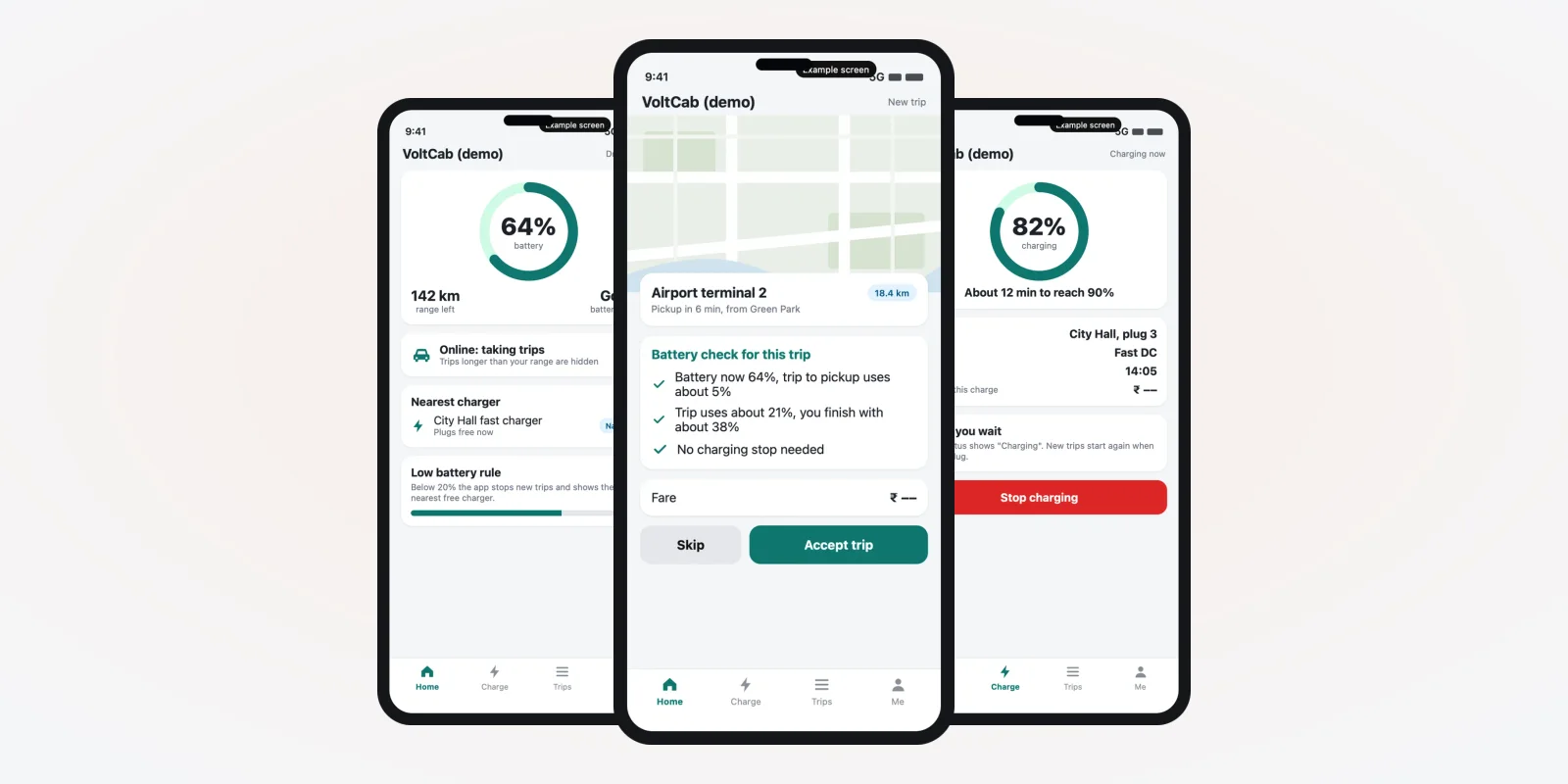
The driver app is where an EV taxi differs most. Three screens do most of the work. They are example designs we made for this guide, with demo data.
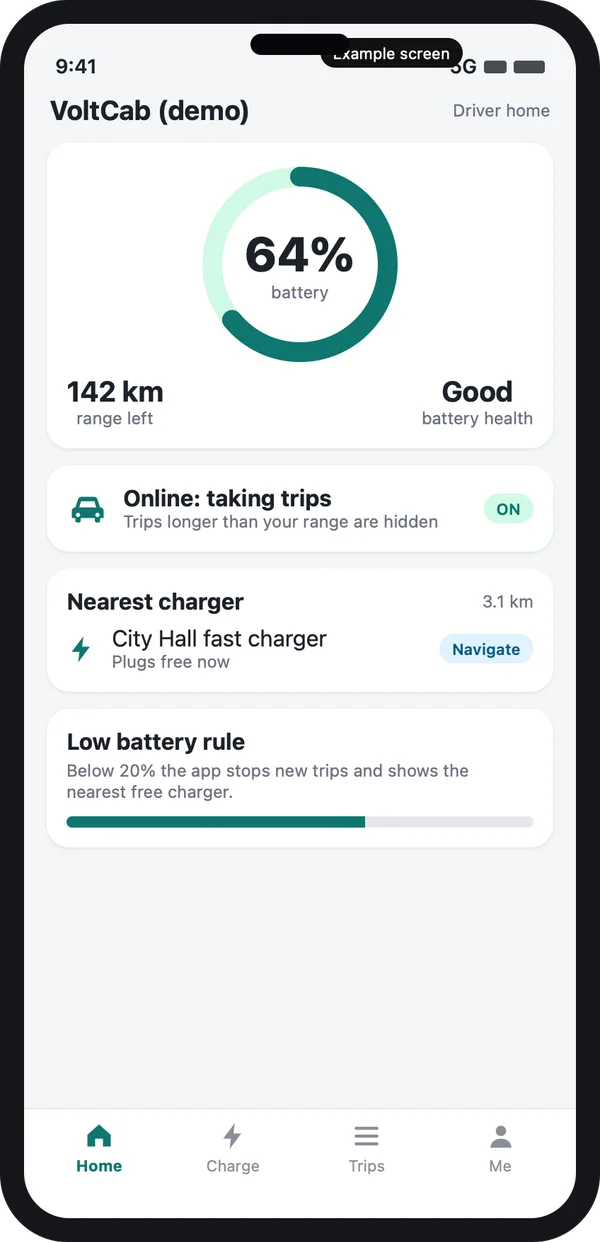
Battery and range
The driver sees charge level and range at a glance, plus the nearest charger.
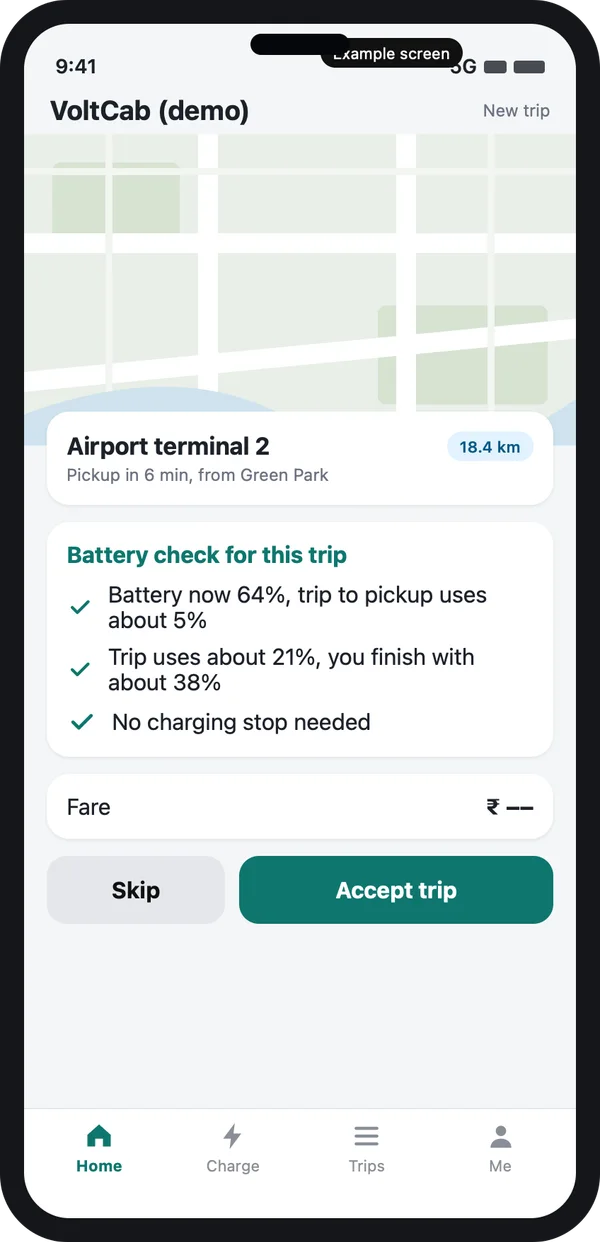
Trip request with a check
Before accepting, the driver sees how much battery the pickup and the trip will use.
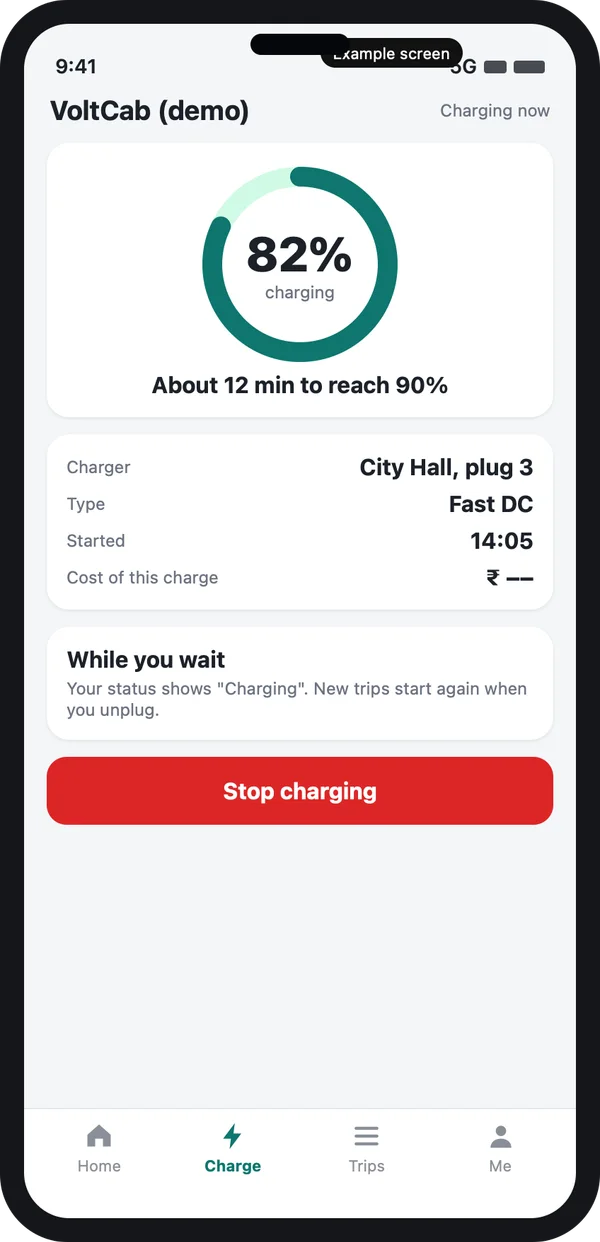
Charging session
The status turns to "Charging". New trips start again when the car is unplugged.
Example design with demo data.
The trip check is the key rule. The server does the sum before the request reaches the driver: battery now, distance to pickup, trip distance, and a safety margin you set. If the car cannot finish, the request goes to another car. This one rule removes most cut-short trips. The same logic also fits well with a demand forecast later, when you have enough trip history.
Finding a charger and planning a stop
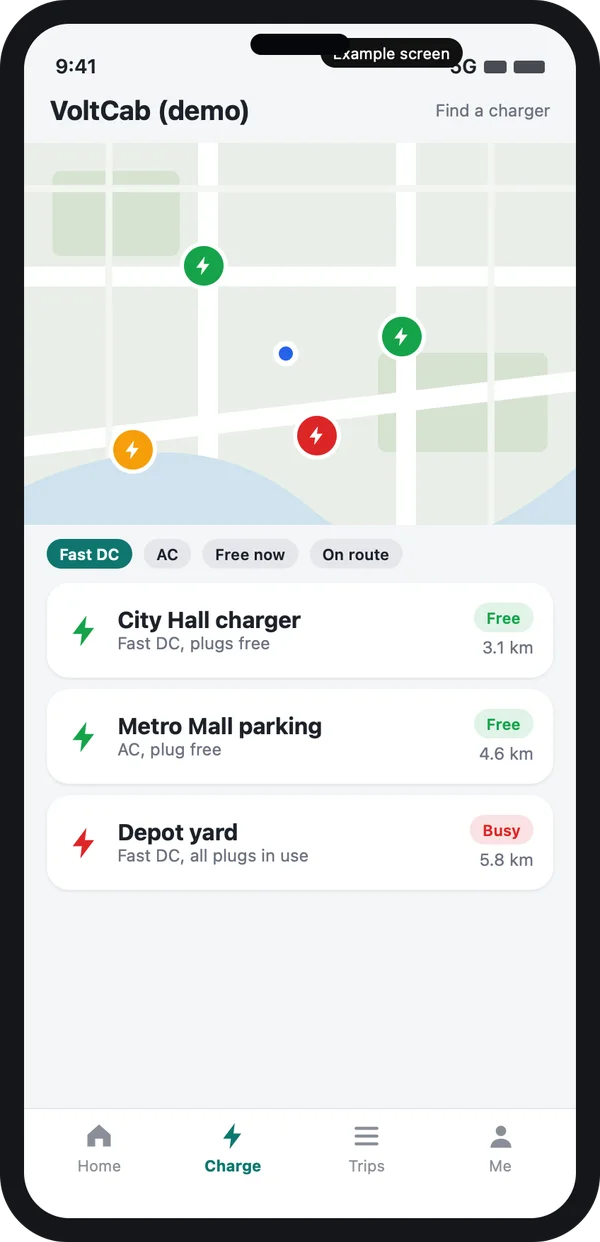
Charger finder
A map shows chargers near the driver. Each pin tells if a plug is open, busy or reserved. Filters narrow the list by fast charger or normal charger, and by "on my route".
Your own charging points get a special pin and appear first. Public points are added from the network list or by hand. In India, setting up and running a charging station is open to any business under the Ministry of Power guidelines of 2024, and the guidelines recommend open standards such as OCPP for talking to chargers. That means many public chargers can be read by a third-party app, though not all.
Source: Ministry of Power, Guidelines for Installation and Operation of EV Charging Infrastructure, 2024. Check the latest version before you build.
A charging stop inside a long trip
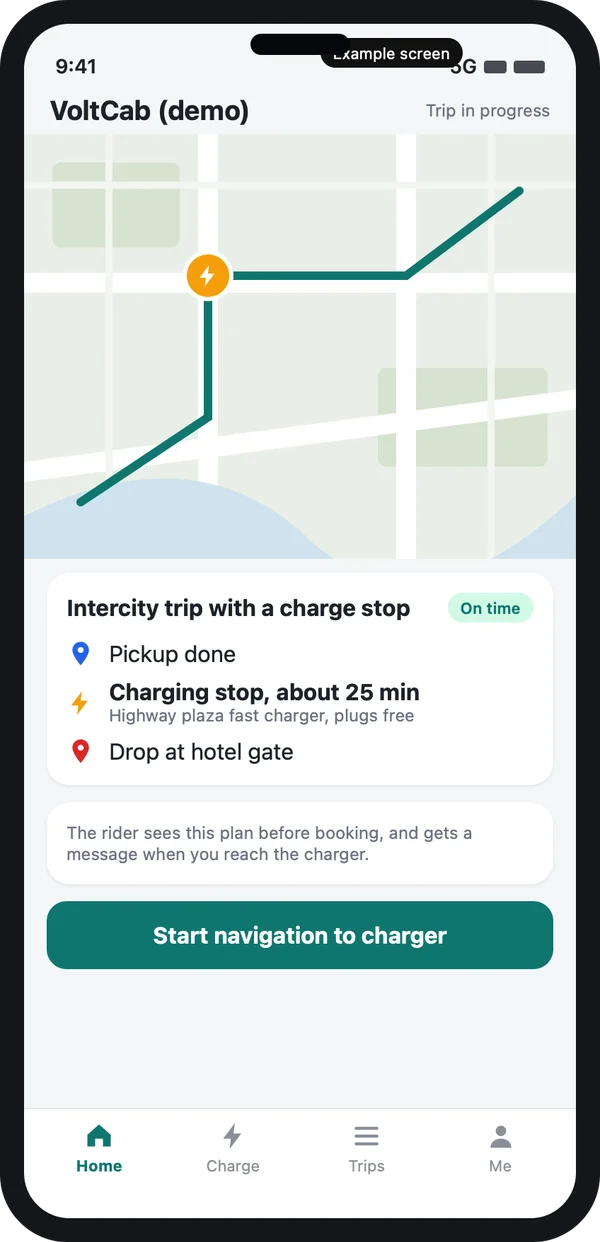
For airport and outstation trips, the app can add a charging stop to the plan. The rider sees it before booking, with the expected wait. The driver gets a turn-by-turn route to the charger, and the rider gets a message when the car reaches it.
Short city trips never need this. So the app should add a stop only when the sum shows the car would end below your safety level. If you also sell longer trips, our guide to the app like Ola explains the base booking flow this sits on.
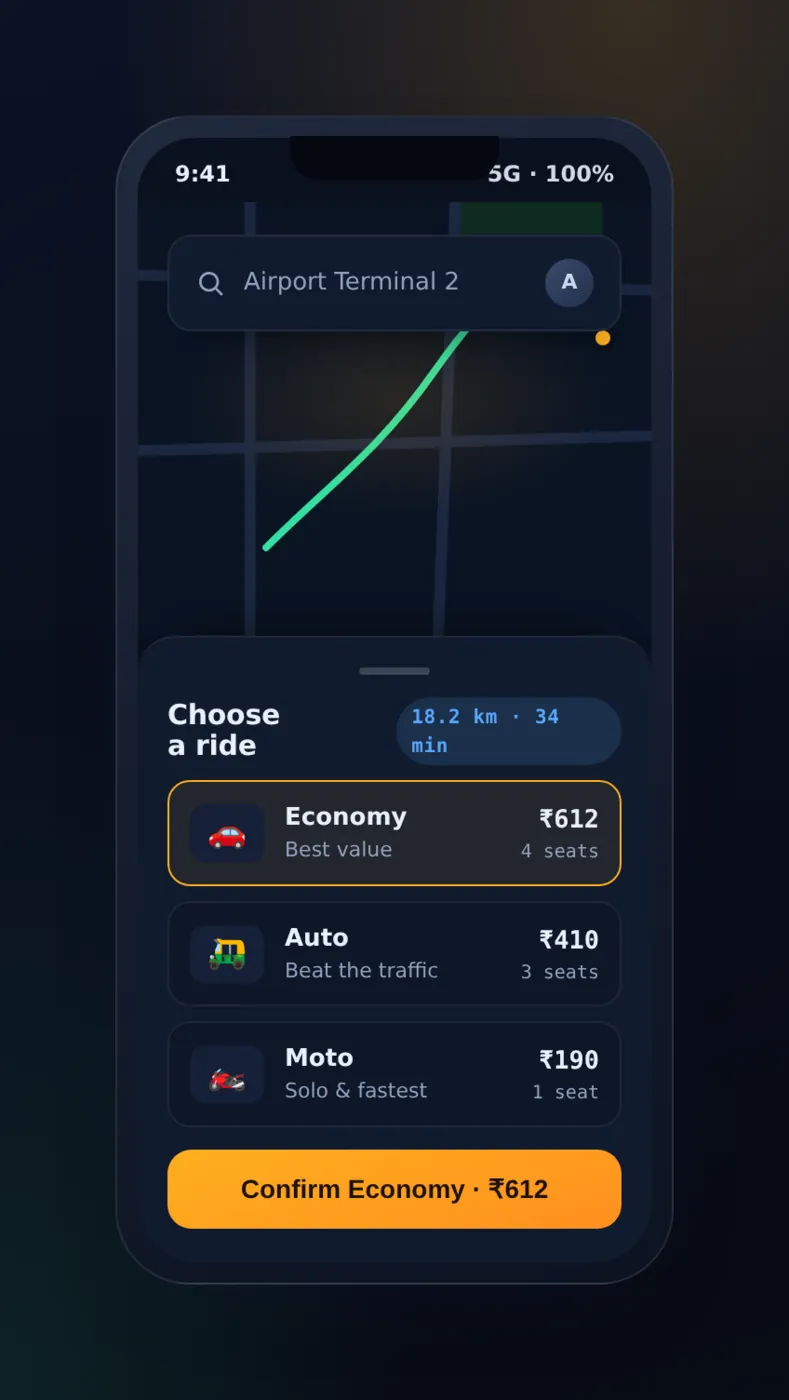
Booking and live trip stay familiar
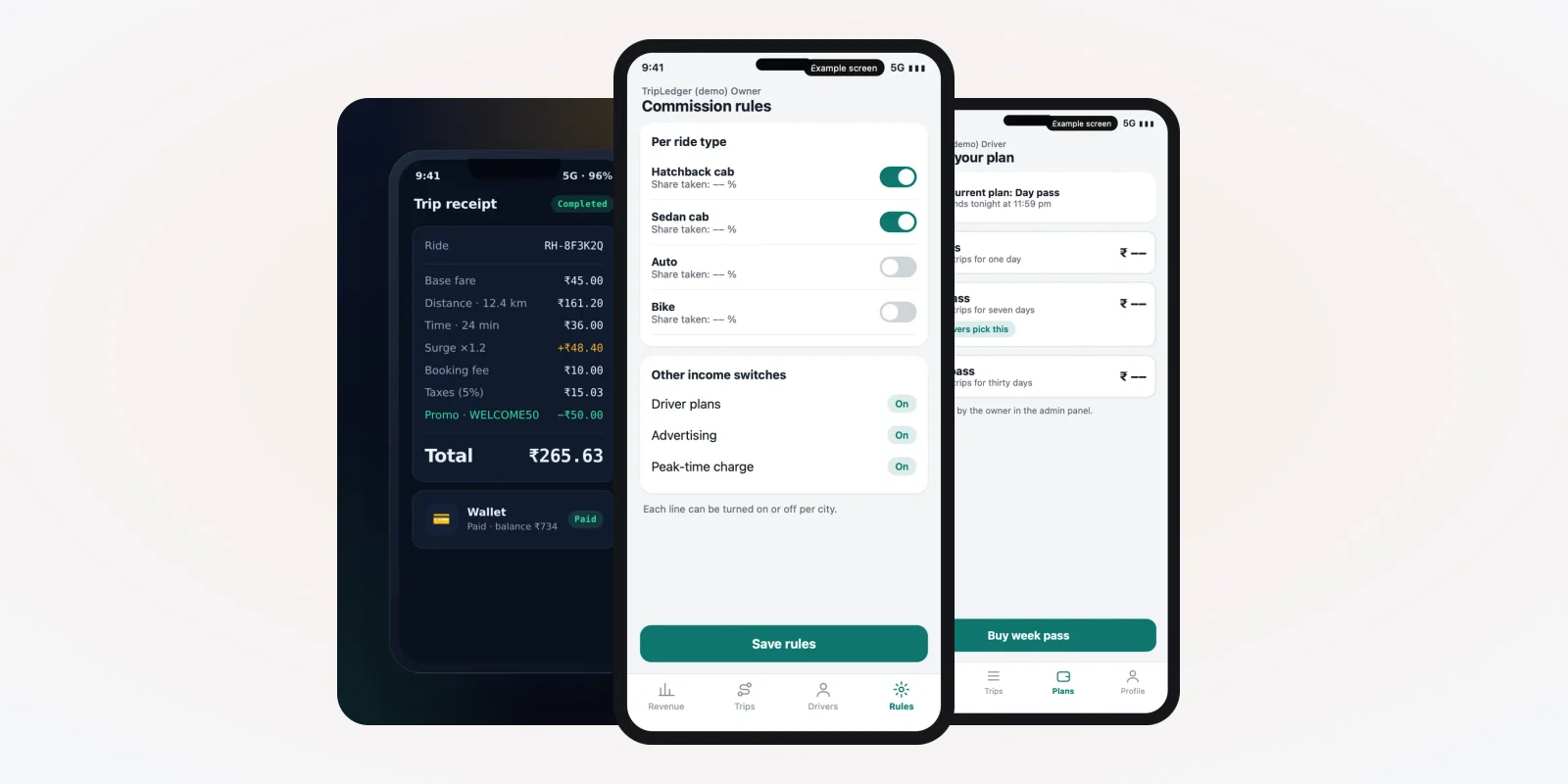
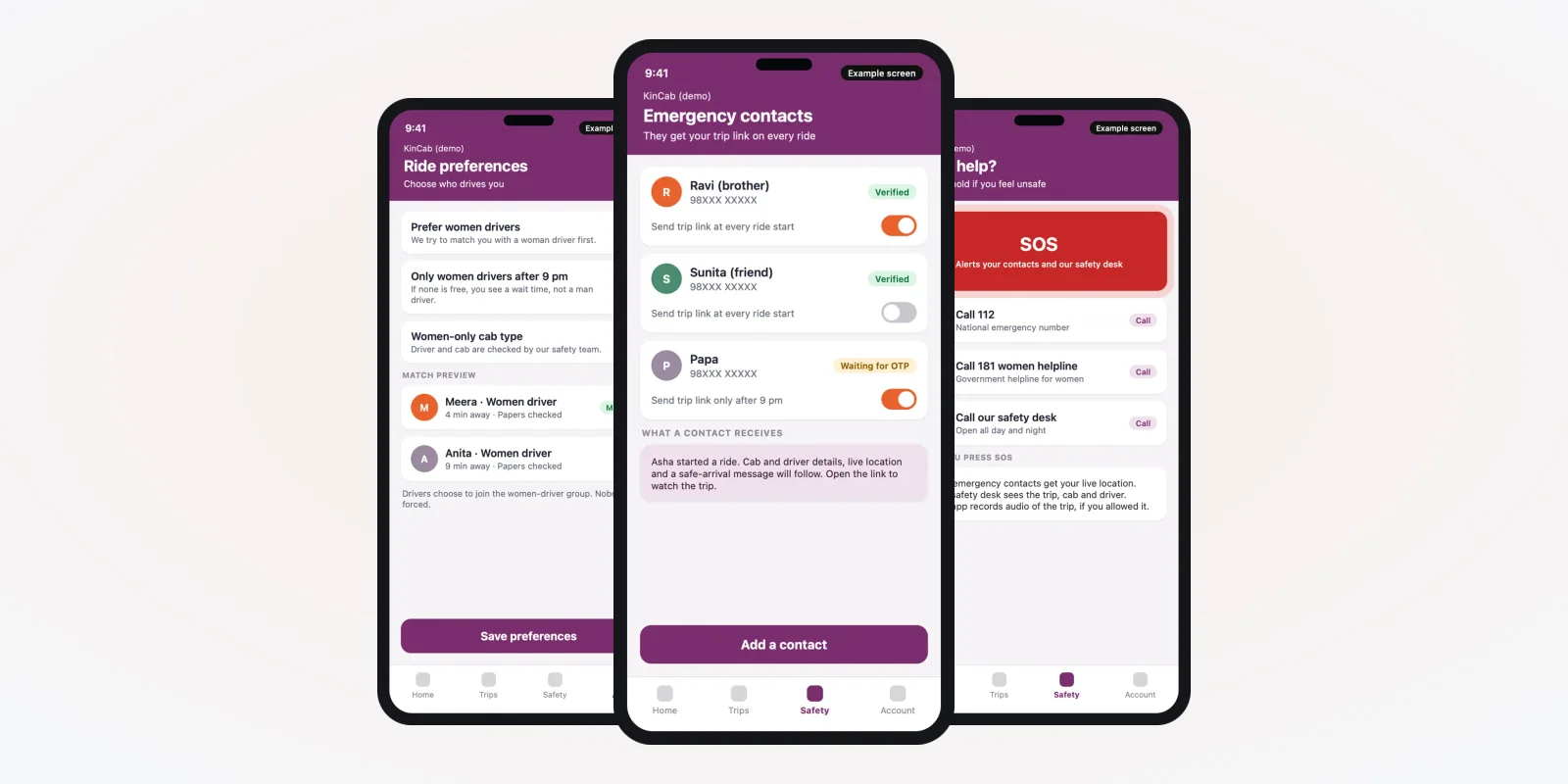
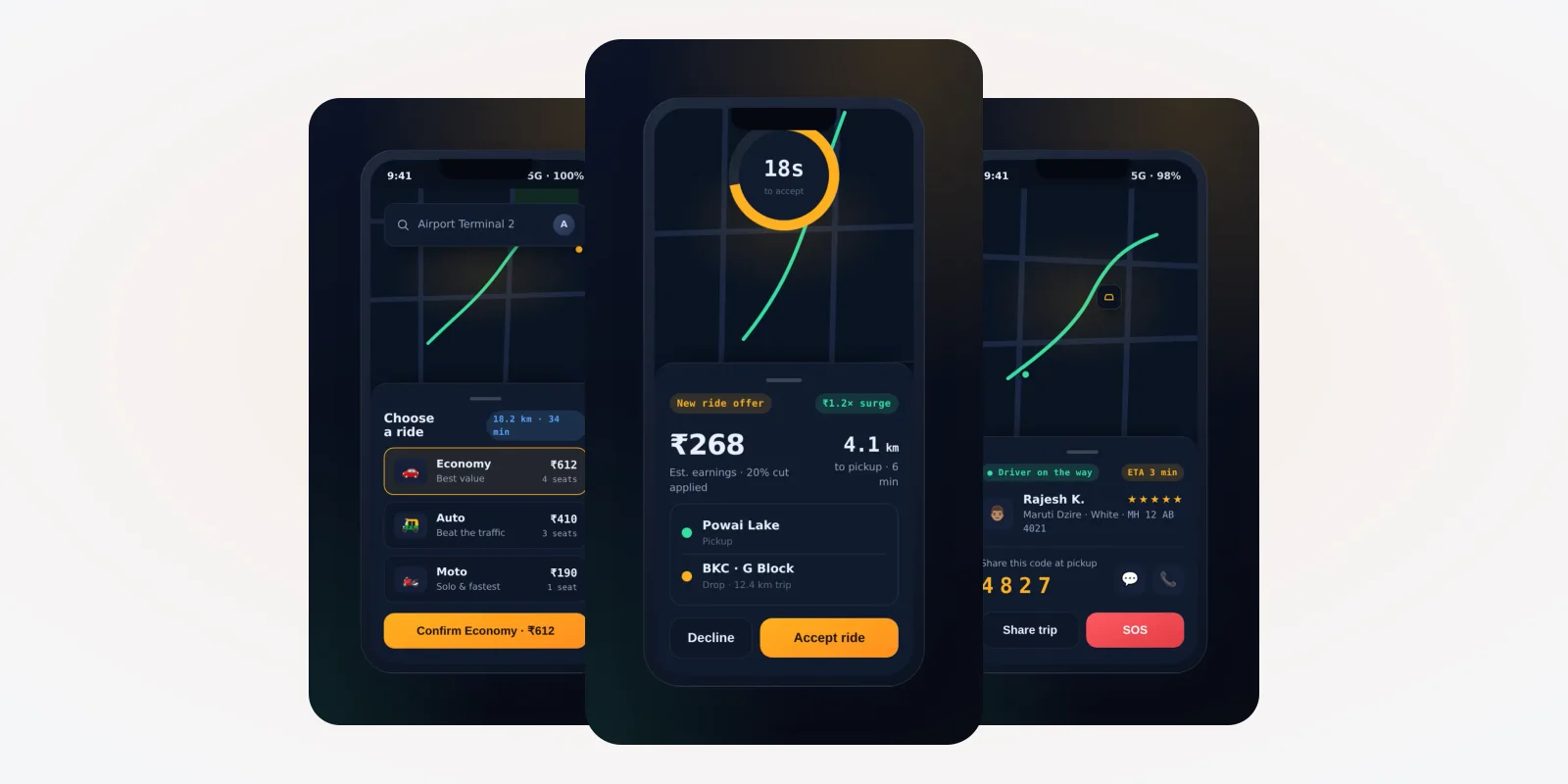
The rider side should not be harder than a petrol cab. The rider picks "Electric cab" next to the other ride types, books, and tracks the car on a map. The rest of the flow is the same as any taxi booking. These two screens are from a taxi app we built, with demo data, because this part is not specific to EV.
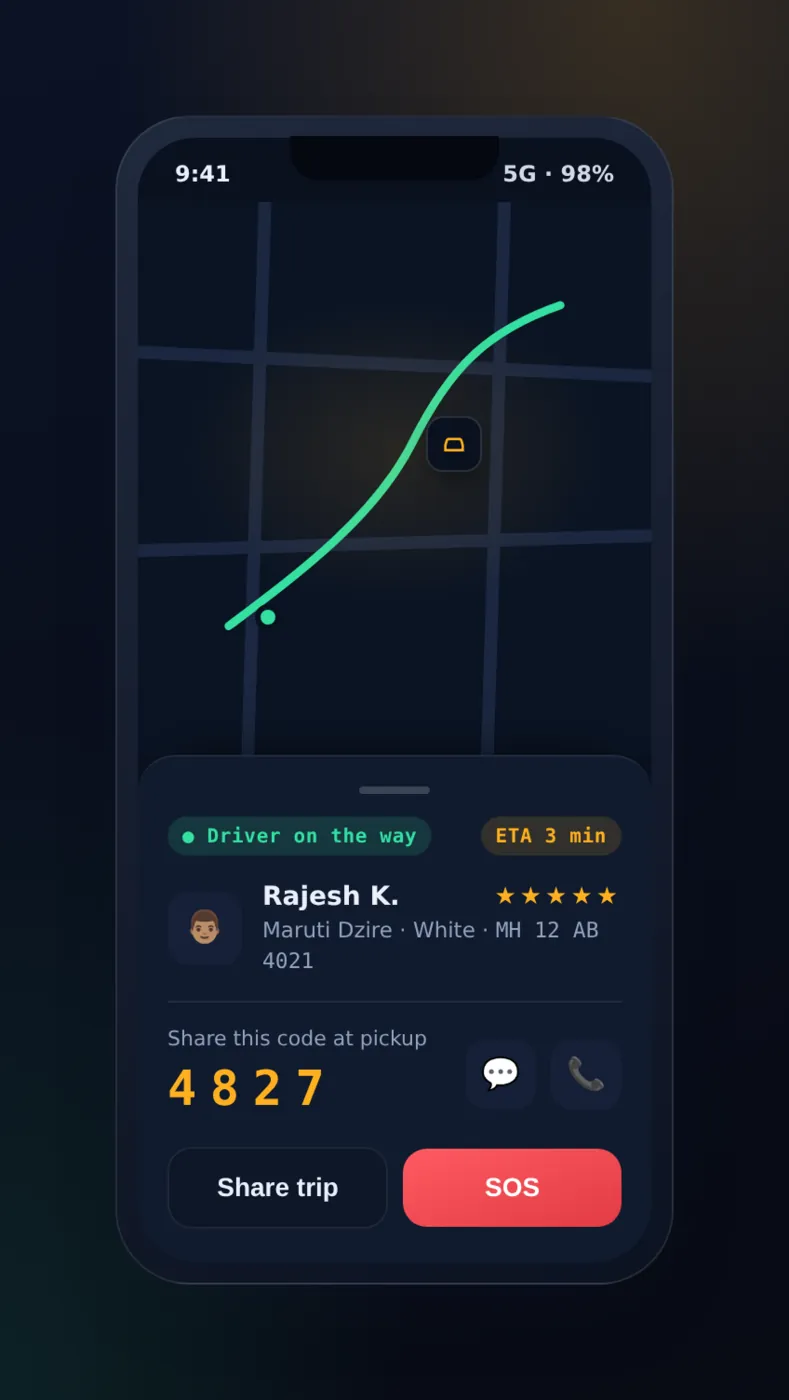
You may add small touches for EV riders: a label on the booking screen, a quiet-ride note, or a receipt line that shows the trip was electric. Do not add numbers you cannot prove, such as saved fuel or carbon. If you want such figures, the app should compute them from your own trip data and name the method.
The fleet owner: charge report in the admin
One list of all cars and their battery
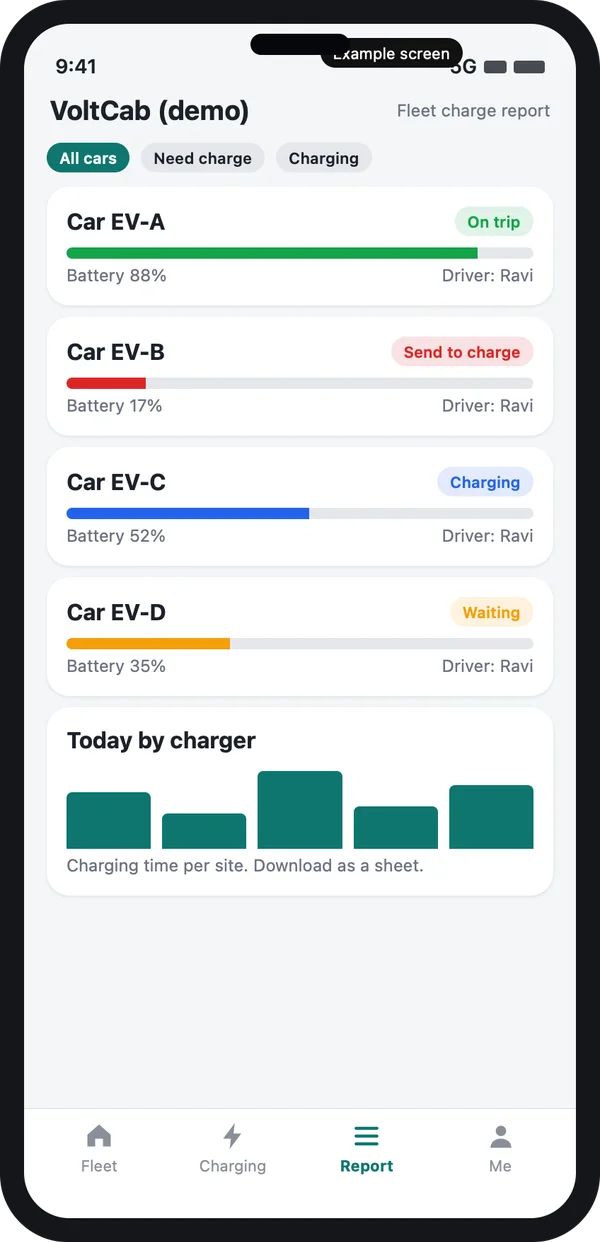
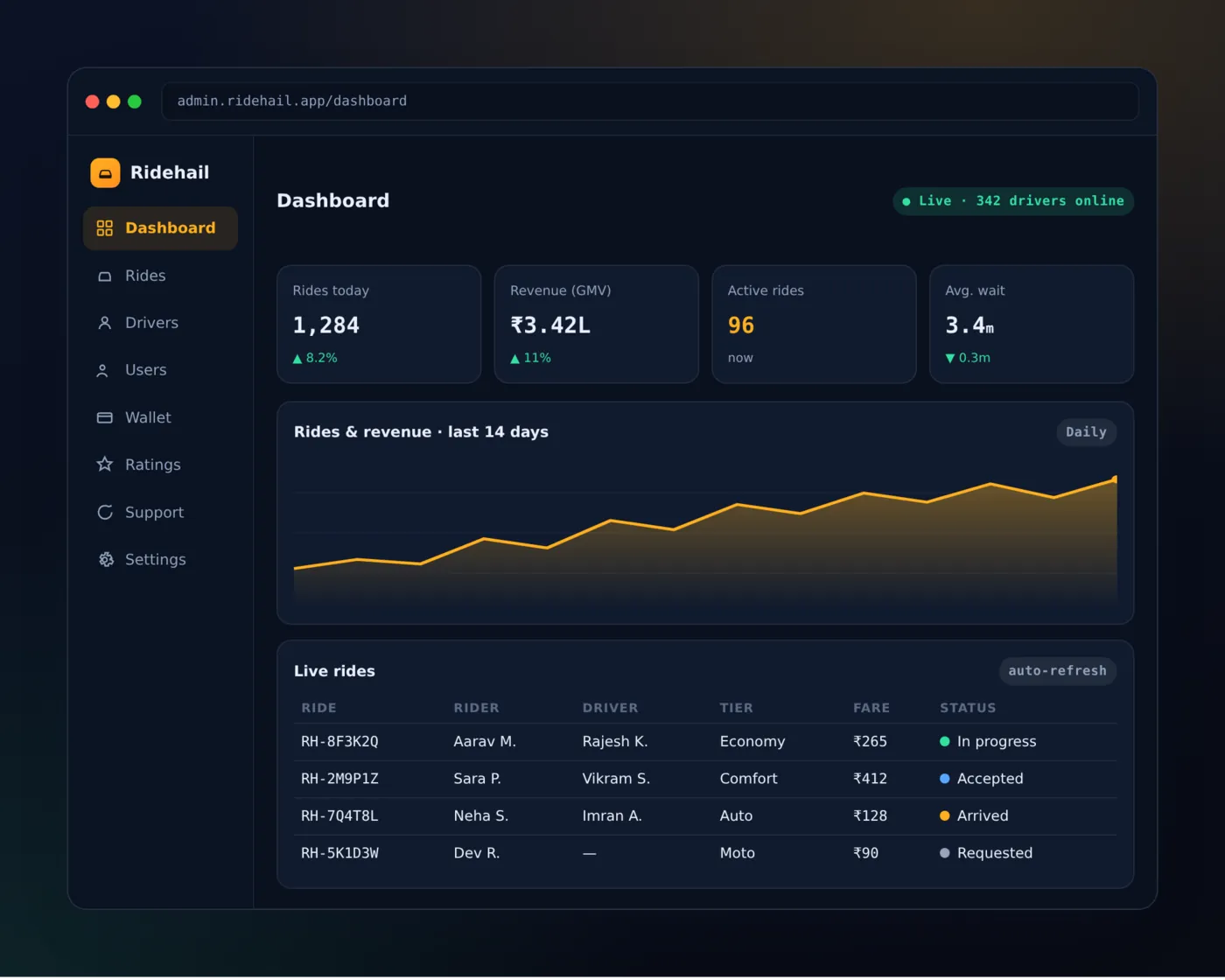
The web admin shows every car with battery level, status (on trip, charging, waiting, sent to charge) and driver. Cars below your limit are marked red. A button sends the driver to the nearest open charger.
Reports you read every morning
Charging time per site, cars that charged too often, chargers that stayed idle, and trips refused because of low battery. These reports show where to add a charger or change a shift.
The same admin keeps the usual taxi records: drivers, documents and payouts. See our guide on white label taxi app development for that base.
Government schemes and rules to check
EV schemes change often, and each state has its own rules. The app does not decide any of it. But your records can help you apply for support and prove your fleet details.
Check the current rules before you plan your fleet. The central PM E-DRIVE scheme covers several EV groups and charging infrastructure. As of its portal, the period runs to March 2028, and the e-3 wheeler (L5) group closed in December 2025. The portal does not list electric cars in a taxi group, so ask the scheme office and your state transport department what applies to you. Vehicle registration and permit details are on the Parivahan portal.
Source: PM E-DRIVE scheme portal, Ministry of Heavy Industries. Check the portal for the current groups and dates.
Keep amounts, dates and zones in admin settings. When a rule changes, you update the setting. You do not wait for a new build.
Petrol taxi app vs an EV-ready taxi app
| What you need | Standard taxi app | EV-ready taxi app |
|---|---|---|
| Battery level and range per car | Not tracked | Shown to driver and office |
| Hide trips the car cannot finish | No | Yes, before the request is sent |
| Charger map with open plugs | No | Yes |
| Charging stop inside a long trip | No | Yes |
| Send a low car to charge | By phone call | One button in the admin |
| Charge reports by car and site | No | Yes |
| Rule settings for schemes and zones | Fixed or none | Editable by you |
Worked example: one airport trip with a charge stop
Here is how one trip moves through an EV taxi app. The names and times are examples.
- Request. A rider books an electric cab to the airport. The server finds cars near the pickup.
- Check. Car A has a high charge. Car B is nearer but low. The server sends the request to Car A only.
- Accept. The driver sees that the trip leaves about a third of the battery. He accepts.
- Plan. The route is long and the city is busy. The server adds a short stop at a fast charger on the way.
- Charge. The driver plugs in. The status shows "Charging". The rider gets a message with the wait time.
- Drop. The car reaches the airport. The receipt shows the trip as electric.
- After. The office report shows the charge time, the charger used and the battery at drop. Car B is sent to charge at the depot.
Our service
How we build your own electric cab booking app
An EV taxi app made around your cars, chargers and routes.
- Understand your fleet. We list your car models, chargers, shifts and routes in a short call or two.
- Design the screens. You click through the rider, driver and admin screens before any code is written.
- Build the apps. Android and iPhone apps for riders and drivers, and a web admin for the fleet owner.
- Connect the data. Battery data comes from the car, a device in it, or the charger. We check what your cars can send.
- Test with your team. Your drivers use it on real routes. We fix what they find.
- Launch under your brand. Your name and logo on the stores, your data on your own server.
Battery data is the part to settle first. Some cars share it through the maker. Others need a small device in the car. We tell you which one fits your cars before we quote.
Electric cab booking app development cost: what decides it
We do not publish a fixed price, because every fleet is different. The cost depends on four things: how many apps you need (rider, driver, admin), how the battery data reaches the server, whether you run your own chargers or use public ones, and which extra features you add, such as scheduled airport rides or corporate accounts.
| Monthly taxi software plan | Custom EV taxi app (built for you) | |
|---|---|---|
| Start | Quick, low first payment | Takes weeks to build |
| Cost over years | Pay every month for each car or driver | One build cost, then optional support |
| Battery rules and charger map | Usually not included | Built in, your way |
| Your brand on the apps | Often no | Yes |
| Data and source code | Stay with the vendor | Yours |
Tell us your cars, chargers and routes, and we send a written quote after one call. For a comparison of build choices, read white label taxi booking app.
Whoever builds your electric cab booking app, make sure it can:
- Show battery level and range for every car
- Hide trips a car cannot finish, using a margin you set
- Show chargers with open plugs on a map
- Add a charging stop to long trips and tell the rider
- Send a low car to charge from the admin
- Report charge time by car and by site
- Keep scheme and zone rules as editable settings
- Let you export your data whenever you want
FAQ
What is an electric cab booking app?
It is a taxi app that also tracks the battery of each car. It sends a trip only to a car that can finish it, and helps drivers find chargers.
How long does it take to build an EV taxi app?
It depends on how many apps you need and how battery data reaches the server. After one call about your fleet, we share a plan with dates, starting with screens you can click through.
Will I own the app and the source code?
Yes. We build it under your brand and hand over the source code. Your data stays on your server.
How does the app know the battery level?
It comes from the car maker's data, from a small device fitted in the car, or from the charger. We check what your cars can send before we quote.
Can the app show public chargers?
Yes, where the charger network shares its data. Chargers that follow open standards are simpler to read. We list your own chargers first and add public ones where possible.
Which phones will it run on?
Android and iPhone for riders and drivers, and a web admin for the office. We build the phone apps with one shared code base.
Is rider and driver data safe?
It should be. The Digital Personal Data Protection Act, 2023 applies to personal data. We limit who can see phone numbers and trip history, and record consent.
Does the app handle government EV support?
No app can claim support for you. It keeps your car and trip records in order, and keeps rules as settings. Check the current scheme with the scheme office and your state transport department.
Can I add petrol and CNG cars later?
Yes. Each car has a fuel type, and the battery rules apply only to electric cars.
Can PRS India build an electric cab booking app for my company?
Yes. We build taxi apps around your own fleet: a rider app, a driver app and a web admin with charge reports. Book a consultation and we will show you screens for your cars.
Related guides
Written by
Prabhjot Kaur · Product Manager
Product Manager at PRS India. Turns what a client needs into a screen-by-screen plan for the app, and checks every release against that plan before it goes out.