How to Make App Like inDrive: Fare Bidding Taxi Guide
Make a fare-bidding taxi app: riders offer a fare, drivers accept or counter, and admin rules keep offers in range. Rider app, driver app and admin panel, built for you.

Written by Prabhjot Kaur, Product Manager
Reviewed by the PRS India software & mobile app development team
11 min read
Written from production. Our articles draw on products we run live and the client work behind them, and are revised as the systems they describe evolve.
In a normal taxi app, the app sets the fare. In a fare-bidding app, the rider names the fare and drivers answer. Some accept, and some ask for more. The rider picks the driver and the price that suit them. This is the idea behind apps like inDrive, and many founders ask how to make an app like inDrive.
It is not a copy job. Bidding changes the booking screen, the driver screen, the matching logic and the admin rules. This guide shows each part. PRS India builds your own bidding taxi app under your brand. For a fixed-fare base, see our taxi app development service.
Key takeaways
- A bidding app adds one loop to a normal taxi app: offer, counter-offer, accept.
- Both sides need a screen for it: the rider suggests a fare, and the driver accepts it or counters with another.
- Admin rules matter most. Set a range around a suggested fare so offers stay sane.
- After the rider accepts, the rest of the trip is the same as in any taxi app: tracking, pay, rate.
- You build your own app: your name, your city rules, your data, the source code.
How fare bidding works
A fixed-fare app does the maths: distance, time, base rate. A bidding app lets people settle the price between them. The loop is short.
- Rider offers. The rider enters pickup and drop. The app suggests a fare. The rider can change it up or down inside a range.
- Drivers see the request. Nearby drivers get the offer. Each one can accept the fare, ignore it, or send their own.
- Counter-offers arrive. The rider sees a list: driver, vehicle, distance away and the fare each asks.
- Rider accepts. The rider taps one driver. The fare is now locked for this trip.
- Trip runs. The trip proceeds as in any taxi app, with the agreed fare on the receipt.
The rider screens
The rider side has two bidding screens before the trip starts. Everything else is a normal taxi flow. Our guide to making an app like Ola covers that base flow.
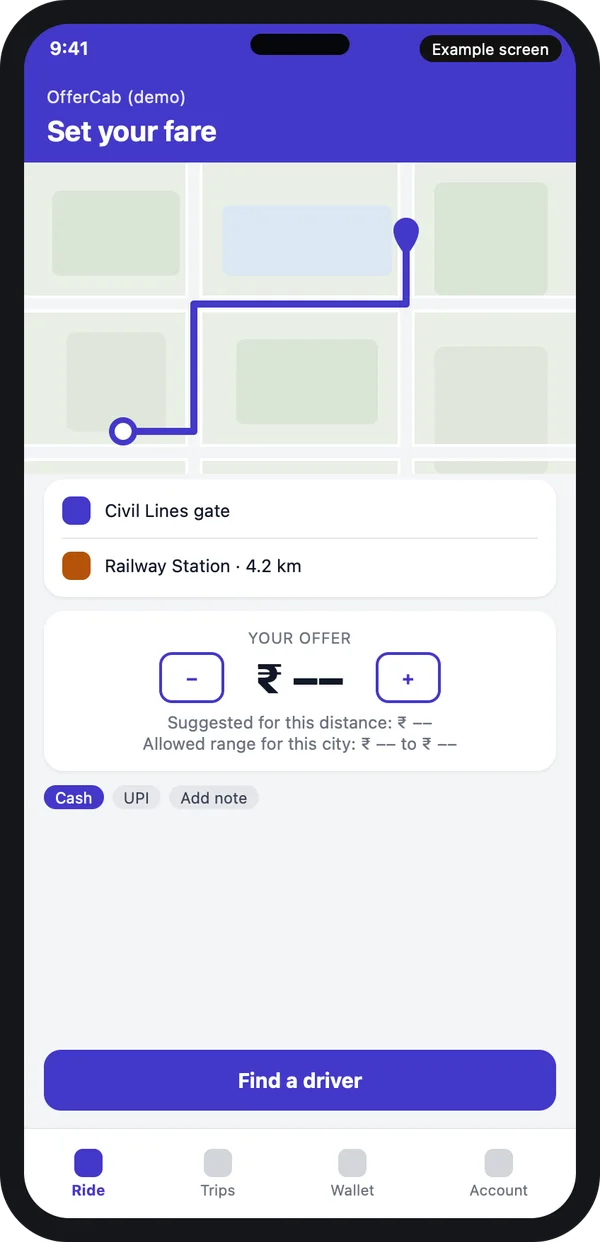
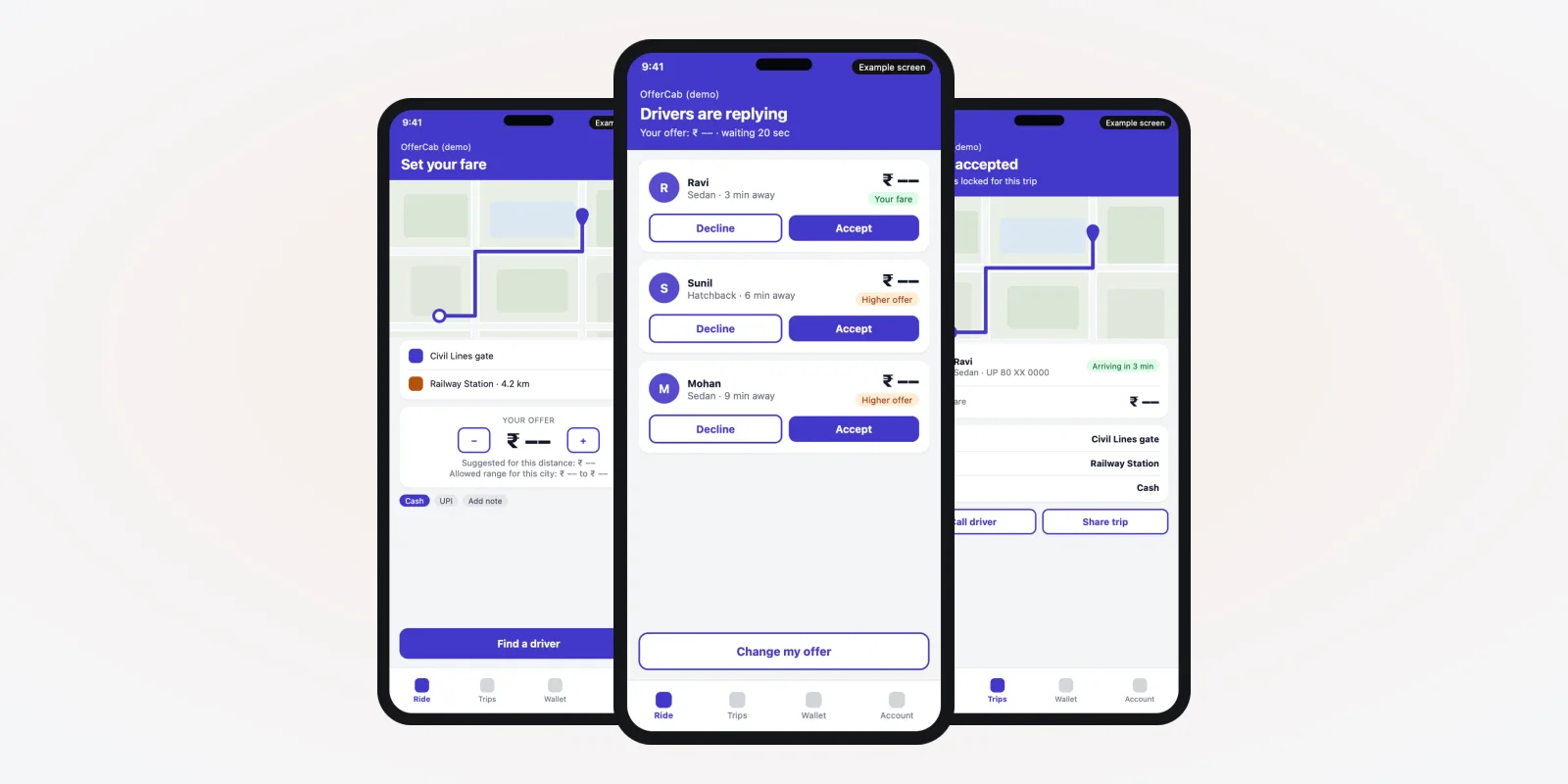
Set your fare
The rider sees a suggested fare and two buttons to raise or lower it. The allowed range sits under the number, so the rider knows how far to go.
The pay type is chosen here too: cash or UPI. A note field lets the rider add "two bags" or "child seat". Example design with demo data.
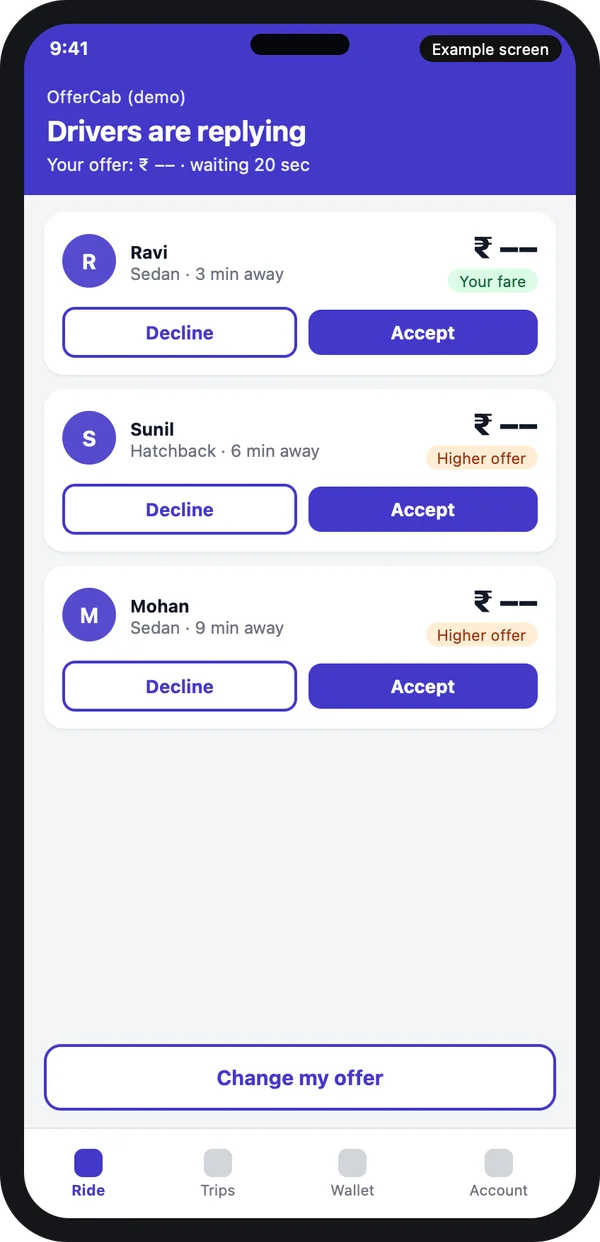
Drivers reply
Replies appear as cards. Each card has the driver name, vehicle, minutes away and the fare asked. A tag shows which drivers took the rider's own fare.
The list updates live. The rider can wait, change the offer or accept. Example design with demo data.
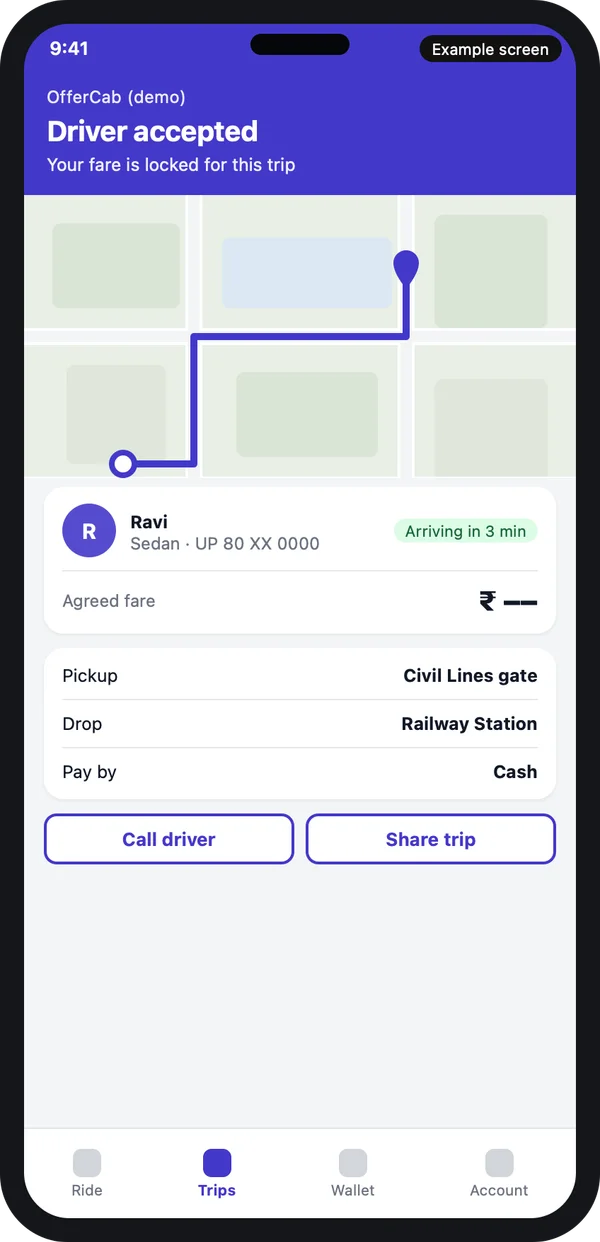
Fare locked, driver on the way
After the tap, the app shows the agreed fare, the driver and the pickup. From here the fare cannot change unless both sides agree.
Save the agreed fare with the trip. If a dispute comes up later, your support desk reads it from the record. Example design with demo data.
The driver screen
A driver in a bidding app takes a small decision for every request. The screen must make that decision fast. It shows the route, the distance to pickup and the rider's offer, with two actions.
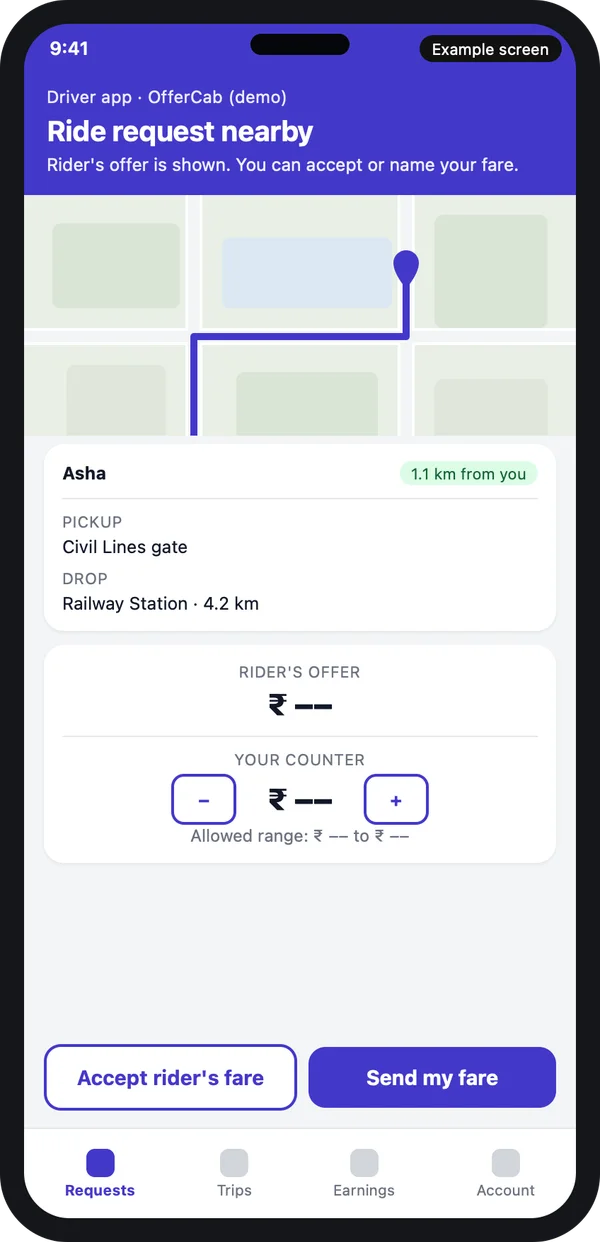
Accept, or name your fare
A driver taps "Accept rider's fare" or alters the number and taps "Send my fare". The counter box stays inside the range set by the admin.
Show the distance to pickup in large text. Drivers weigh fare against that distance. Example design with demo data.
Everything else on the driver side follows a normal driver app. See the must-have features for a taxi booking app for the base list, and the screens below for the online switch and the trip views.
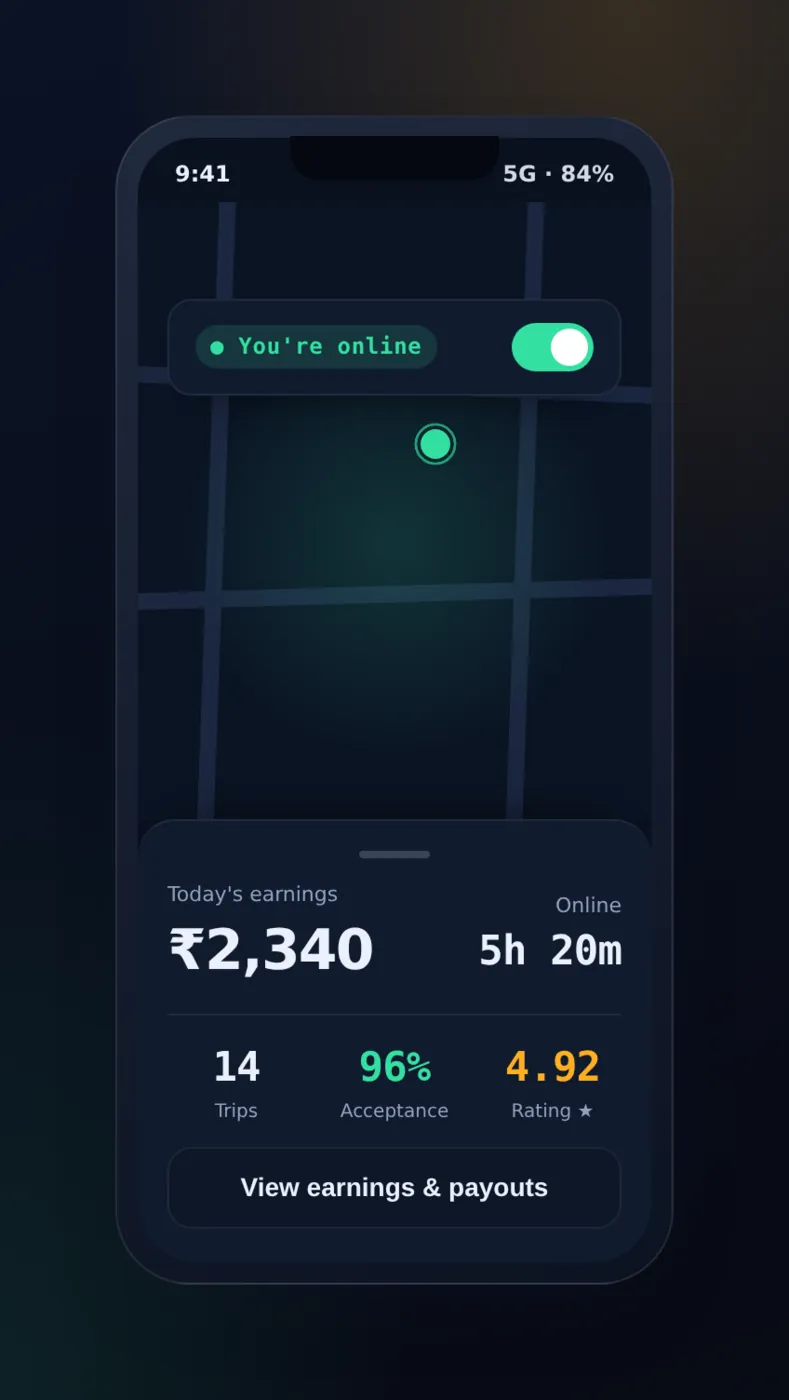
Go online
The driver goes online and starts to receive requests.
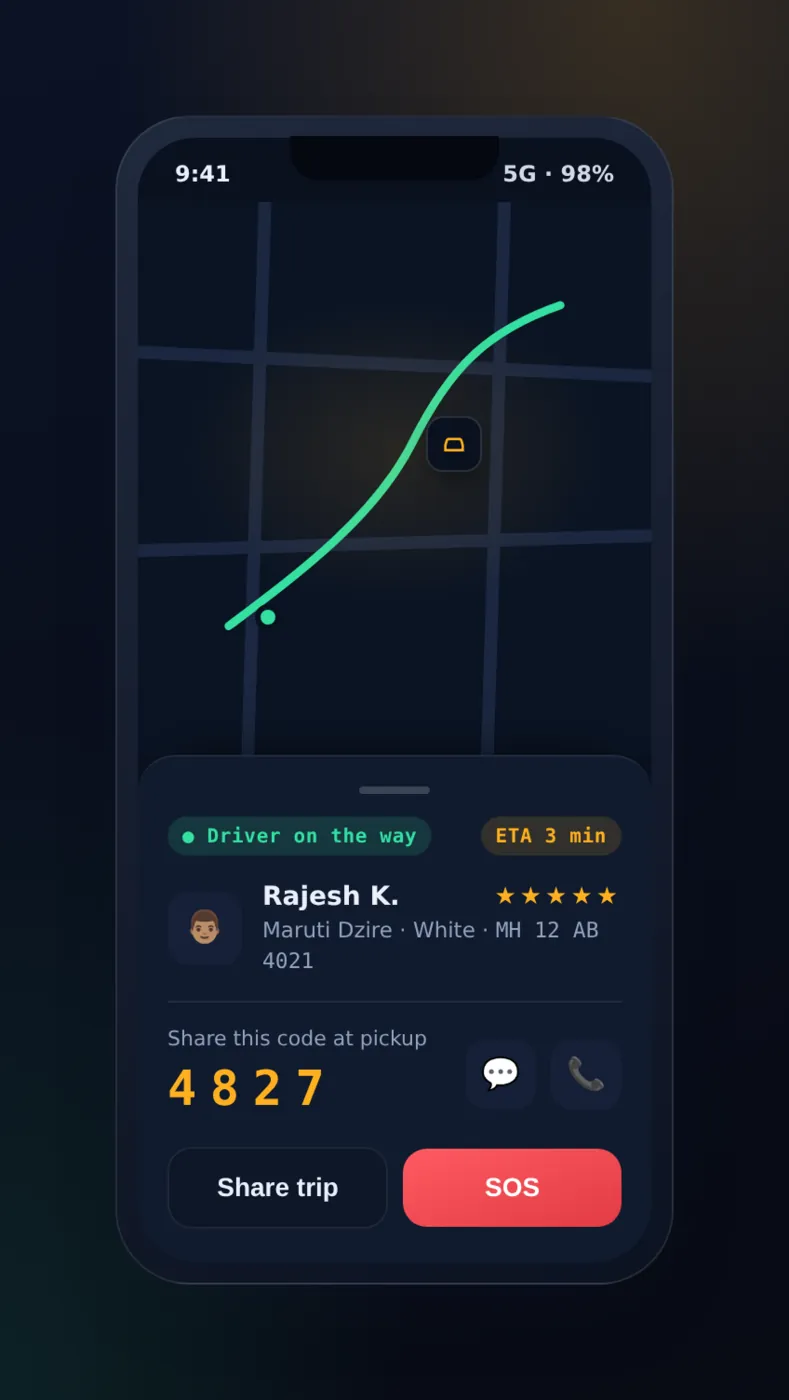
Live trip
After acceptance, tracking works as in any taxi app.
Screens from a taxi app we built, demo data.
The problem
What goes wrong in bidding apps
Open price brings new risks. Plan for each one.
- Offers too low. A rider offers a fare no driver will take. The request times out, and the rider leaves.
- Offers too high. A driver asks far above the usual fare. The rider feels cheated and writes a bad review.
- Slow bidding. Rider and drivers keep changing numbers. A timer and a limit on counters keep it short.
- Fare changed on the road. The driver asks for more after pickup. Lock the fare and give the rider a report button.
- Cancel after accept. Either side cancels once the fare is agreed. You need clear cancel rules and a record of who cancelled.
- Rules ignored. Cities and states set their own fare rules. The app must keep offers inside them.
Admin rules: keep the fare range sane
The admin panel is where a bidding app is made safe. It holds the rules that every offer must pass before a driver sees it.
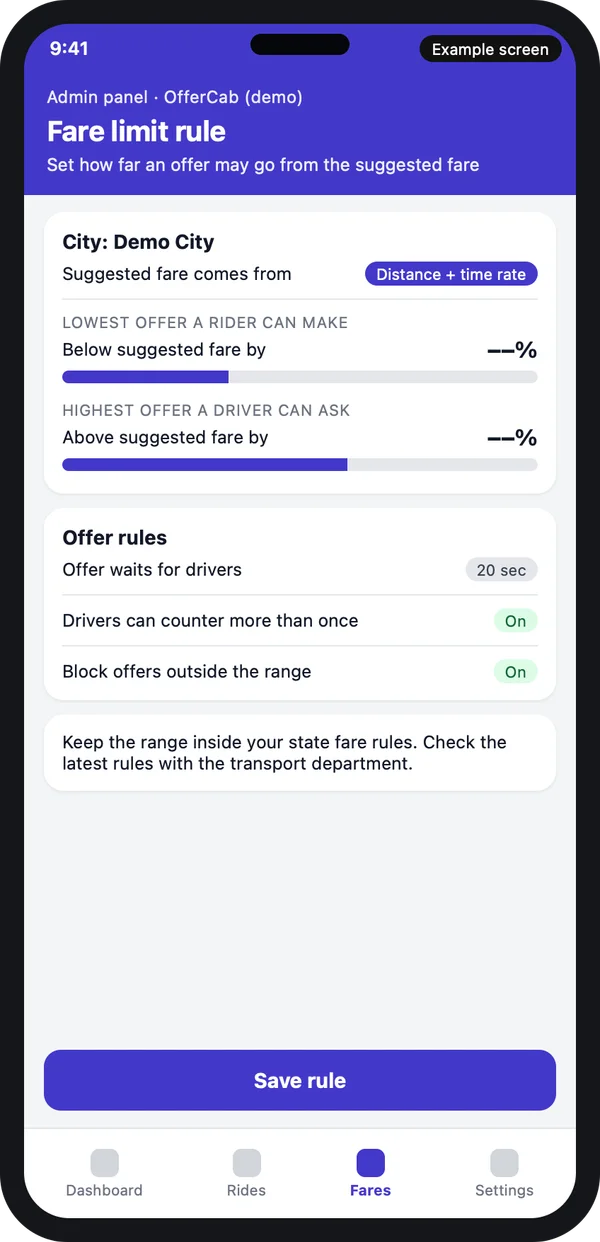
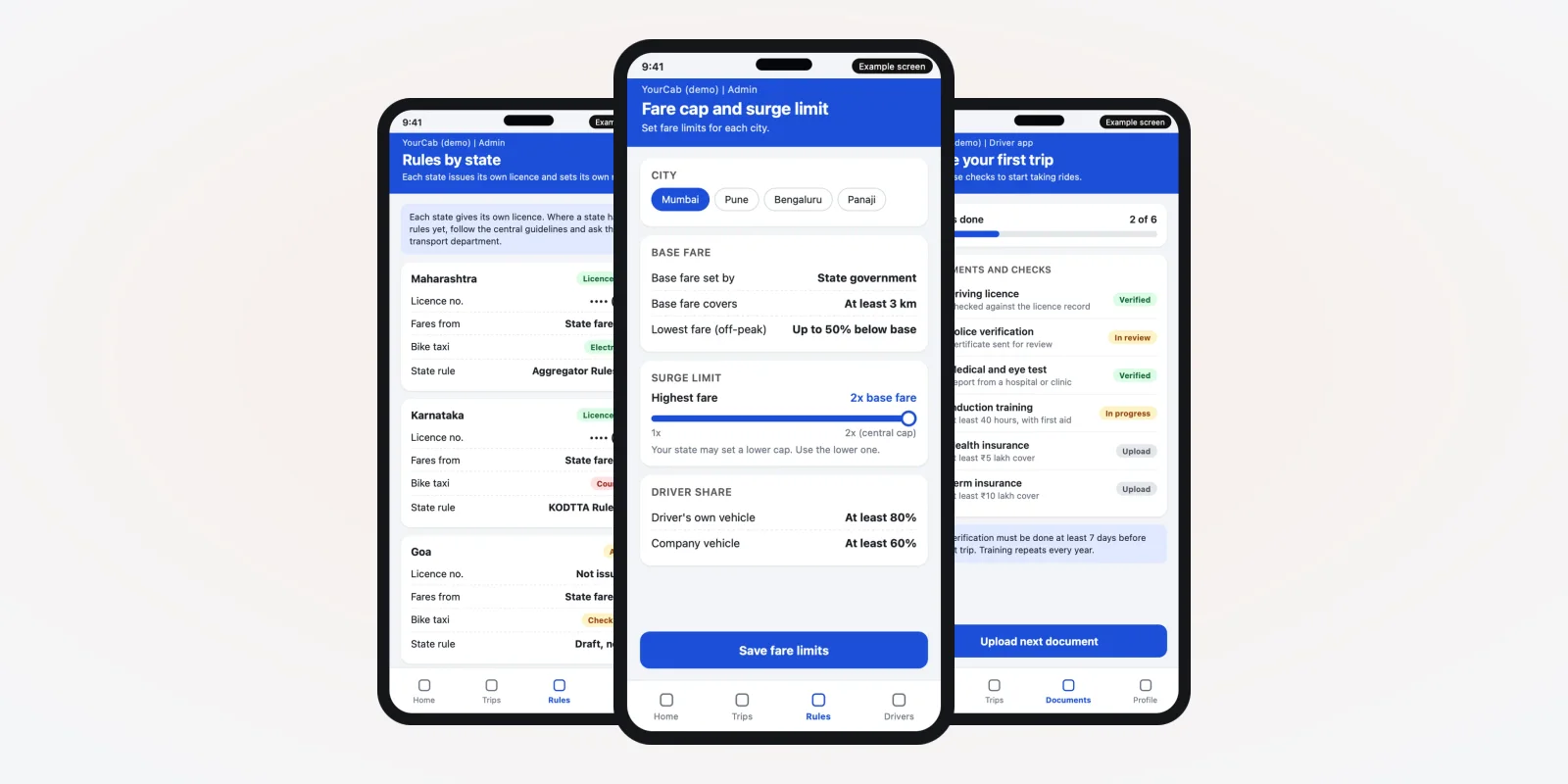
The fare limit rule
The admin sets how far below the suggested fare a rider can offer, and how far above it a driver can request. The app blocks any offer outside that range.
Other switches control how long an offer waits for drivers and whether drivers can counter more than once. Each city can have its own rule. Example design with demo data.
Fare rules are not only yours to set. The central transport ministry has issued guidelines for ride apps, and states fix their own base fares. Read the latest notices on the Ministry of Road Transport and Highways site. Check the latest rules with your state transport department before you set the range. We build the range as a setting, so you can change it when the rule changes. Taxi permits and licences come under the Motor Vehicles Act, 1988. Source: India Code. Rider data is personal data, so the data protection framework from MeitY applies too.
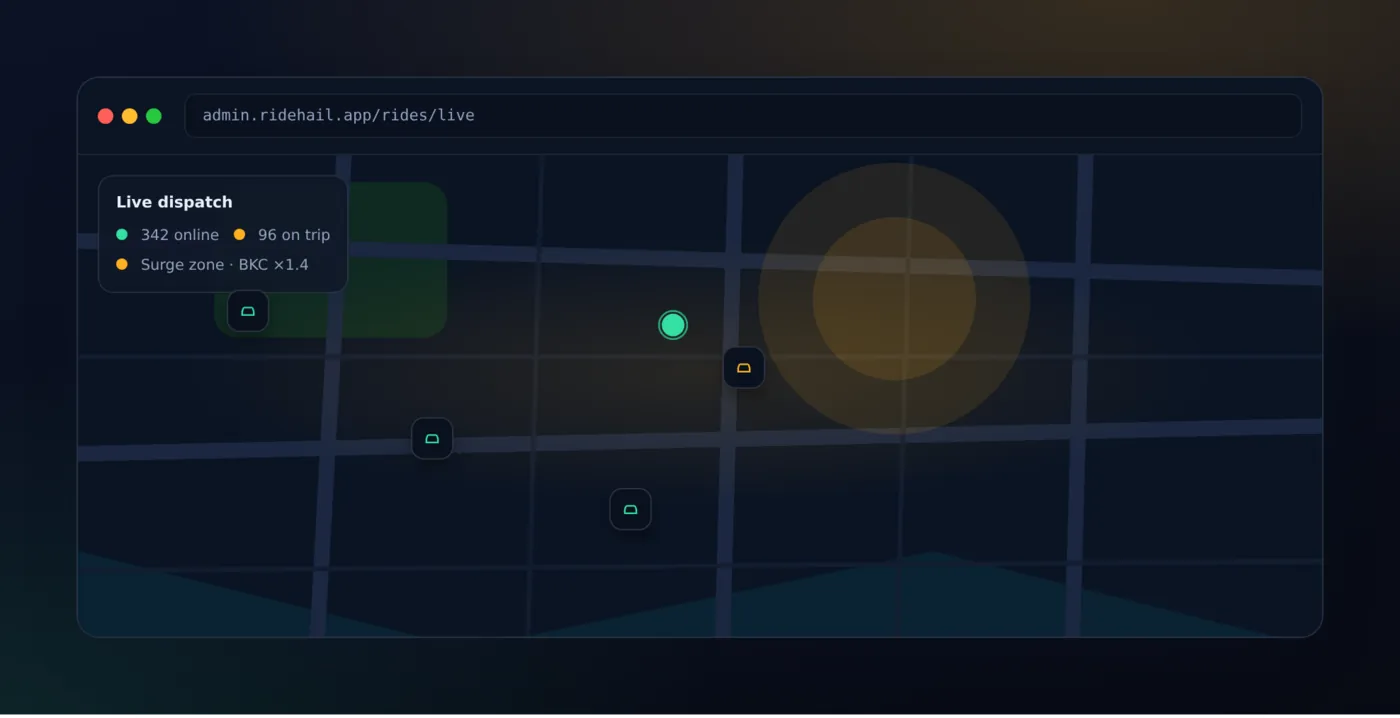
Fixed fare vs fare bidding
| Part of the app | Fixed-fare taxi app | Fare-bidding taxi app |
|---|---|---|
| Who sets the fare | The app, by a rate card | Rider and driver, inside a range |
| Booking screen | Shows one fare | Shows suggested fare and an offer control |
| Driver screen | Accept or skip | Accept, skip or counter |
| Matching | Nearest driver | Rider picks from replies |
| Admin rules | Rate card, surge | Rate card plus offer range and timers |
| Dispute record | Fare from rate card | Offer and counter history saved |
Fixed fares suit cities with strict rate cards and riders who want no haggling. Bidding suits places where fares differ by time and road, and where riders are used to talking price. Many owners start fixed and add bidding later. Our guide to alternatives to the big ride apps shows other ways to stand out.
Worked example: one bid, one trip
Here is how one trip moves from the first offer to the end. The names are examples.
- Offer. Asha enters pickup at the civil lines gate and drop at the railway station. The app suggests a fare. She lowers it a little.
- Check. The app checks the offer against the admin range. It is inside, so drivers nearby get the request.
- Replies. Ravi accepts her fare. Sunil asks for a little more. Both show on her screen with distance and vehicle.
- Choice. Asha picks Ravi. The fare is locked in the trip record.
- Trip. Ravi drives to the pickup. Asha follows him on the map and shares her trip with a friend.
- End. The trip ends. The receipt shows the agreed fare. Asha rates Ravi.
Our service
How we build your own bidding taxi app
Built around your city and your fare rules.
- Understand your plan. We talk about your city, vehicle types, fare range and how you earn.
- Design the screens. You click through the offer and counter screens first and change them before any code is written.
- Build the apps. Android and iPhone rider and driver apps, plus a web admin panel with the fare rules.
- Real-time part. We build the live offer and reply loop on a Node.js server, so replies reach the rider fast.
- Test with your team. Staff and a few drivers run real bids on real roads. We fix what they find.
- Launch under your brand. Your name in the stores, your data on your own server.
Bidding taxi app development cost: what decides it
We do not publish a fixed price. The cost depends on how many apps you need, how many cities and fare rules you have, which payment and SMS options you add, and whether other operators will use the app as a service.
| Ready-made clone script | Custom bidding taxi app (built for you) | |
|---|---|---|
| Start | Quick to install | Takes weeks to build and test |
| Offer and counter loop | Often missing or basic | Built to your fare rules |
| Fare range per city | Fixed | Set by you in the admin panel |
| Your brand on the apps | Needs rework | Yes |
| Source code and changes | Limited | Yours |
Share your cities, vehicle types and how you want to earn. We send a written quote after one call.
Whoever builds your bidding taxi app, make sure it can:
- Let a rider offer a fare inside an allowed range
- Let a driver accept, skip or send a counter fare
- Show replies live, with distance, vehicle and fare
- Lock the agreed fare in the trip record
- Set the range and the offer timer per city in the admin panel
- Keep the offer and counter history for disputes
- Apply clear cancel rules after acceptance
- Give you your data and the source code
FAQ
How do I make an app like inDrive?
Start with a normal taxi app, then add the bidding loop: the rider offers a fare, drivers accept or counter, and the rider picks one. Add admin rules for the fare range and a timer.
Is fare bidding allowed in India?
Fare rules come from the central ministry and each state. Check the latest rules with your state transport department before you launch. We build the fare range as a setting you can change.
Can PRS India build a fare-bidding taxi app?
Yes. We build the rider app, the driver app and the admin panel with the offer, counter and accept loop. It carries your brand, not ours.
Is this a clone of inDrive?
No. We build your own app with your name, your design and your rules. We do not copy another company's logo, colours or code.
How long does it take to build?
It depends on the number of apps and cities. After one call, we share a plan with dates for each part. You see clickable screens first.
Will I own the app and the source code?
Yes. We build it under your brand and hand over the source code. Your rider and driver data stays on your server.
Which platforms do you build for?
Android, iPhone and the web. The rider and driver apps are built once and run on both phones. The admin panel runs in a browser.
Can the same app also do fixed fares?
Yes. You can switch bidding on or off for each city or ride type. Where bidding is off, the app shows the rate-card fare.
How do you stop very low or very high offers?
The admin sets a range around the suggested fare. The app blocks any offer outside it, for both riders and drivers.
Is rider and driver data safe?
It should be. Data protection rules apply to names, phone numbers and trip history. We ask for consent, limit who can see the data, and let users delete an account.
Related guides
- Taxi App UI Design: Rider, Driver and Admin Screens
- Roadside Assistance App Development: Tow Truck Booking
- Auto Rickshaw Booking App Development: Driver and Rider
- Motor Vehicle Aggregator Guidelines 2025 India: State-Wise Rules
- Car Rental App Development: Self Drive Business Guide
- How to Start Taxi Business: Build Your Own Taxi App
- Taxi mobile app development
- Mobile app development
- Flutter app development
Written by
Prabhjot Kaur · Product Manager
Product Manager at PRS India. Turns what a client needs into a screen-by-screen plan for the app, and checks every release against that plan before it goes out.