Engineering
White-Label Taxi App Development — Ride Booking Source Code
A complete taxi booking platform with customer and driver apps, live GPS tracking, fare calculation, payments and an admin panel. You get the full source code to rebrand and launch as your own.

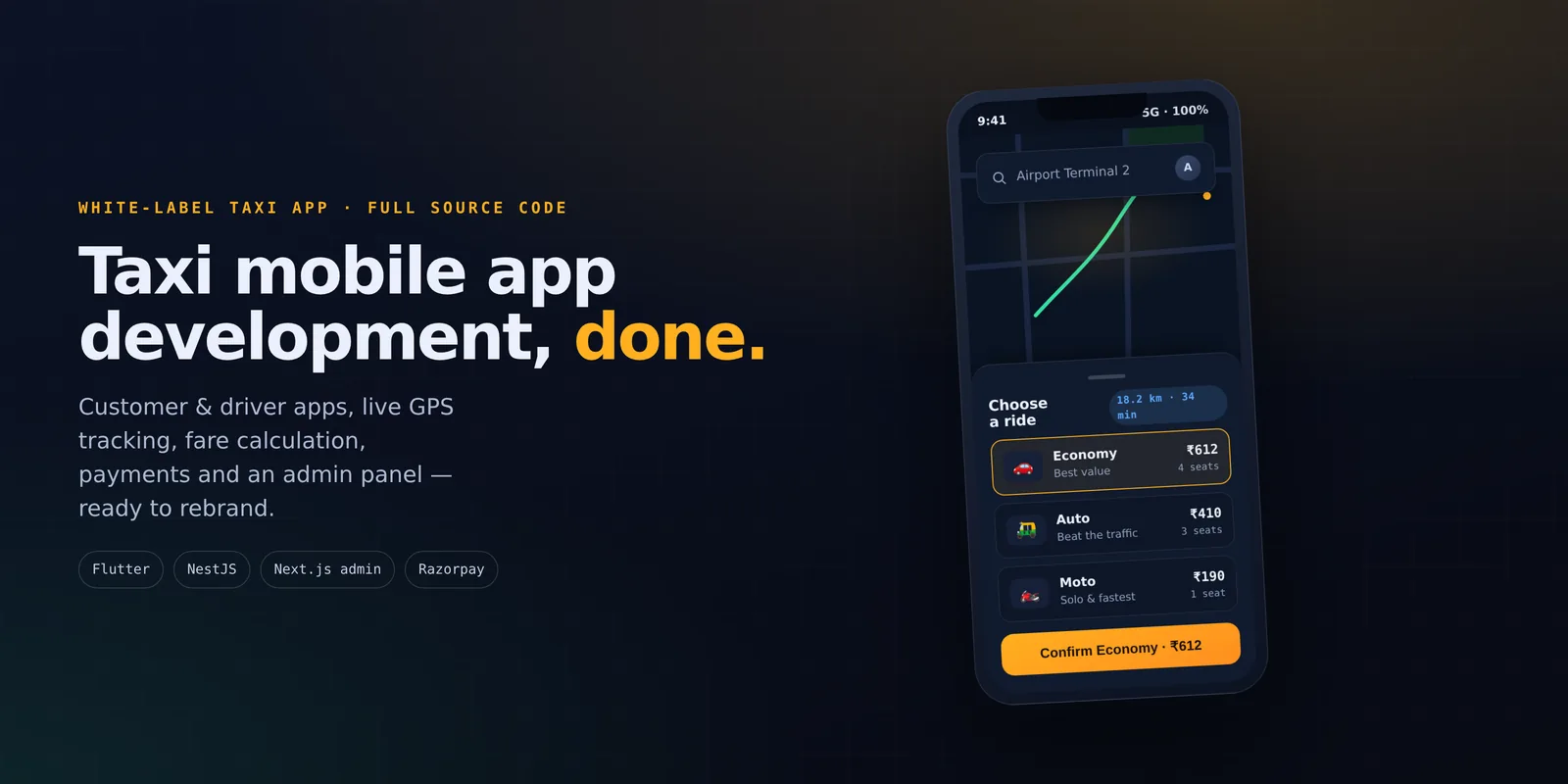
The fastest way to launch a taxi business in 2026 is not to build a ride booking mobile app from scratch. Start from a complete, ready-made taxi app that you can rebrand as your own.
Taxi mobile app development done the old way means twelve months or more of work on two mobile apps, a live dispatch backend and an operations panel before you take a single ride.
Ridehail is a complete ride booking app — an Uber-like app you buy as full source code, rebrand, and put on the road. It comes with a customer app, a driver mobile app, a web admin panel and a live backend. All of them share one dispatch, pricing and payment-settling engine. Below is a feature-by-feature look at what you get, with real screens from each of the three apps.
What's included: three apps, one platform
A ride-hailing marketplace has three sides, and this taxi booking software covers all of them, plus the API that joins them together:
- Customer app (Flutter, iOS & Android) — book a ride or a parcel, track the driver live, and pay by cash. The payment part is built so a wallet or a card gateway can be added for your market.
- Driver mobile app (Flutter, iOS & Android) — go online, accept nearby offers, drive to riders, and track earnings and bonuses.
- Admin panel (Next.js) — run the whole business: live dispatch, driver sign-up, pricing, surge, promos, wallet and support.
- Backend API (NestJS + Prisma + MySQL) — live dispatch, fare calculation, location-based matching, payments and safety, over REST and WebSockets.
The customer app — the rider experience
The customer app follows a booking flow riders already know from every big ride hailing app: set pickup and drop on a live map, choose a vehicle type, and confirm at a price you can see up front.
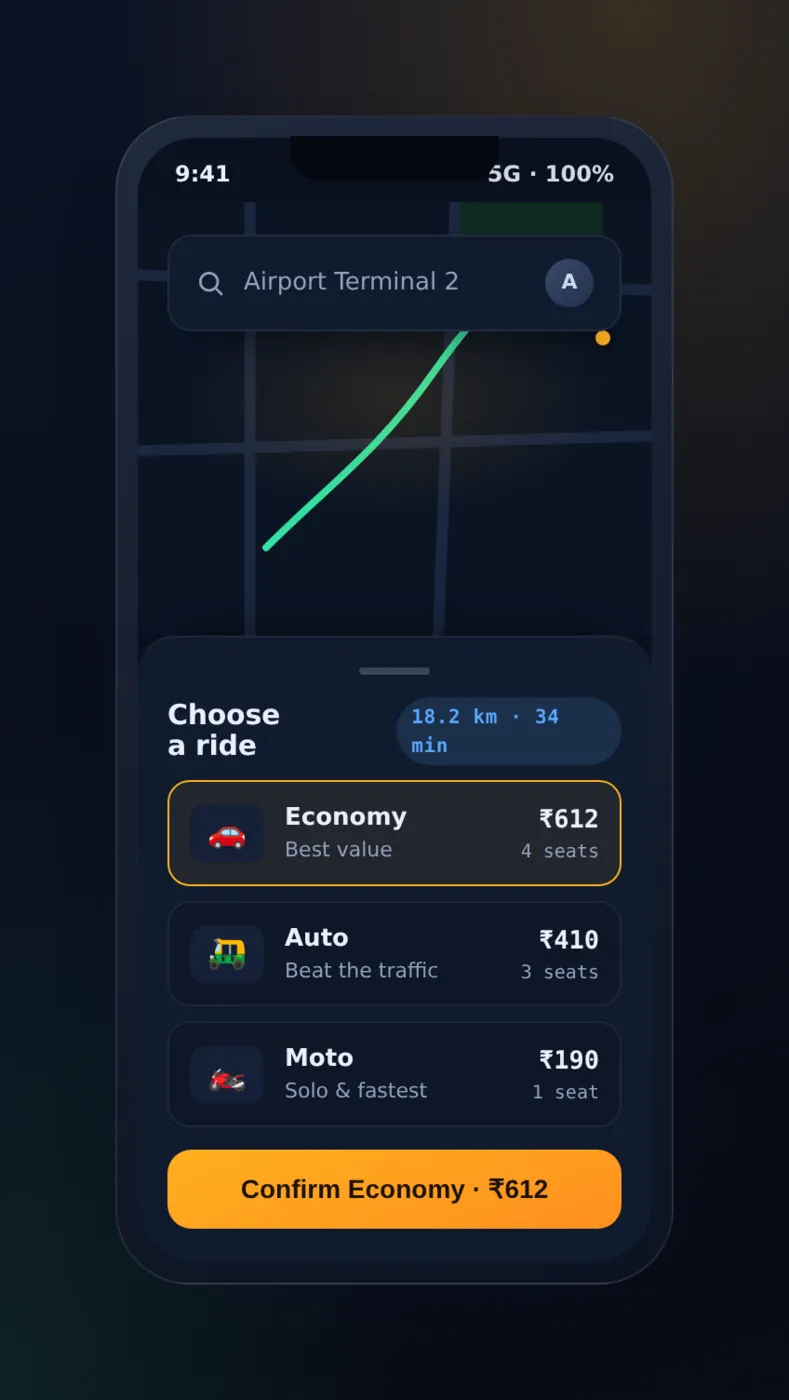
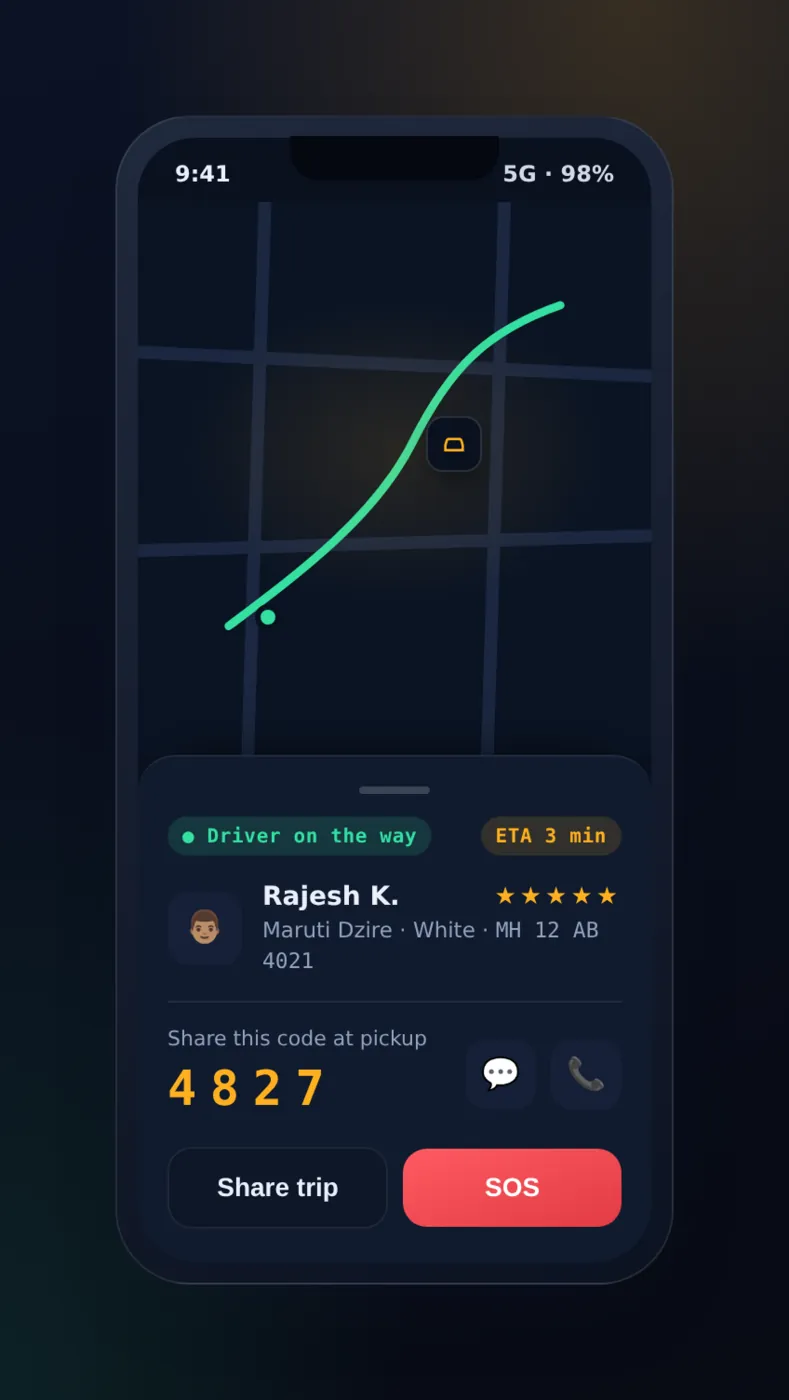
Booking and live GPS tracking:
- Vehicle tiers. Riders choose from vehicle types you can set: Economy, Comfort, XL, Moto or Auto. Each has its own pricing and seats, and riders get a quote up front for every option.
- Live tracking. Once a driver accepts, the app sends the car's real position over a WebSocket. It shows an ETA that keeps updating, the driver and car details, one-tap calling and in-ride chat.
- Pickup OTP. A four-digit pickup OTP confirms the rider is getting into the car assigned to the trip, not just any car that stopped first.
- Saved places, scheduled rides and promo codes are all one tap away.
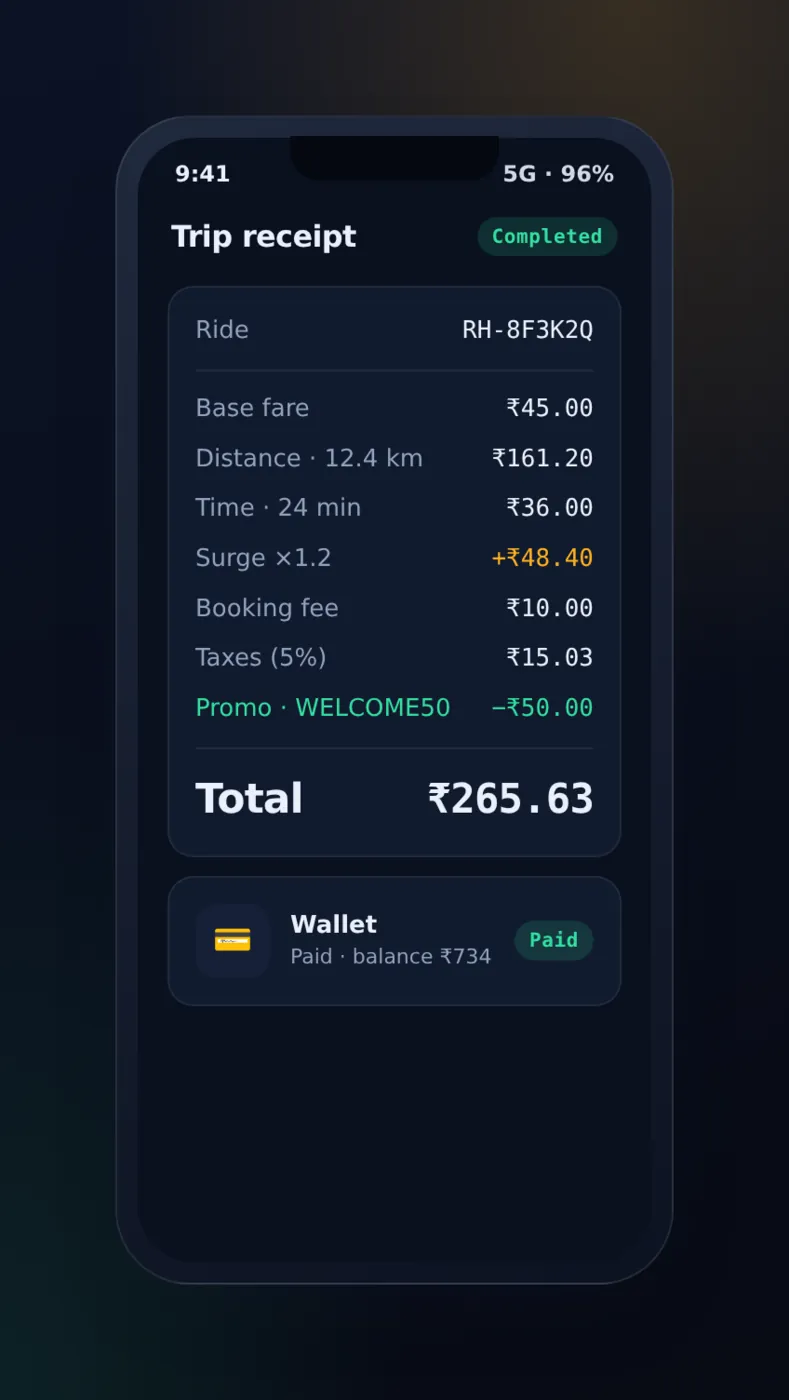
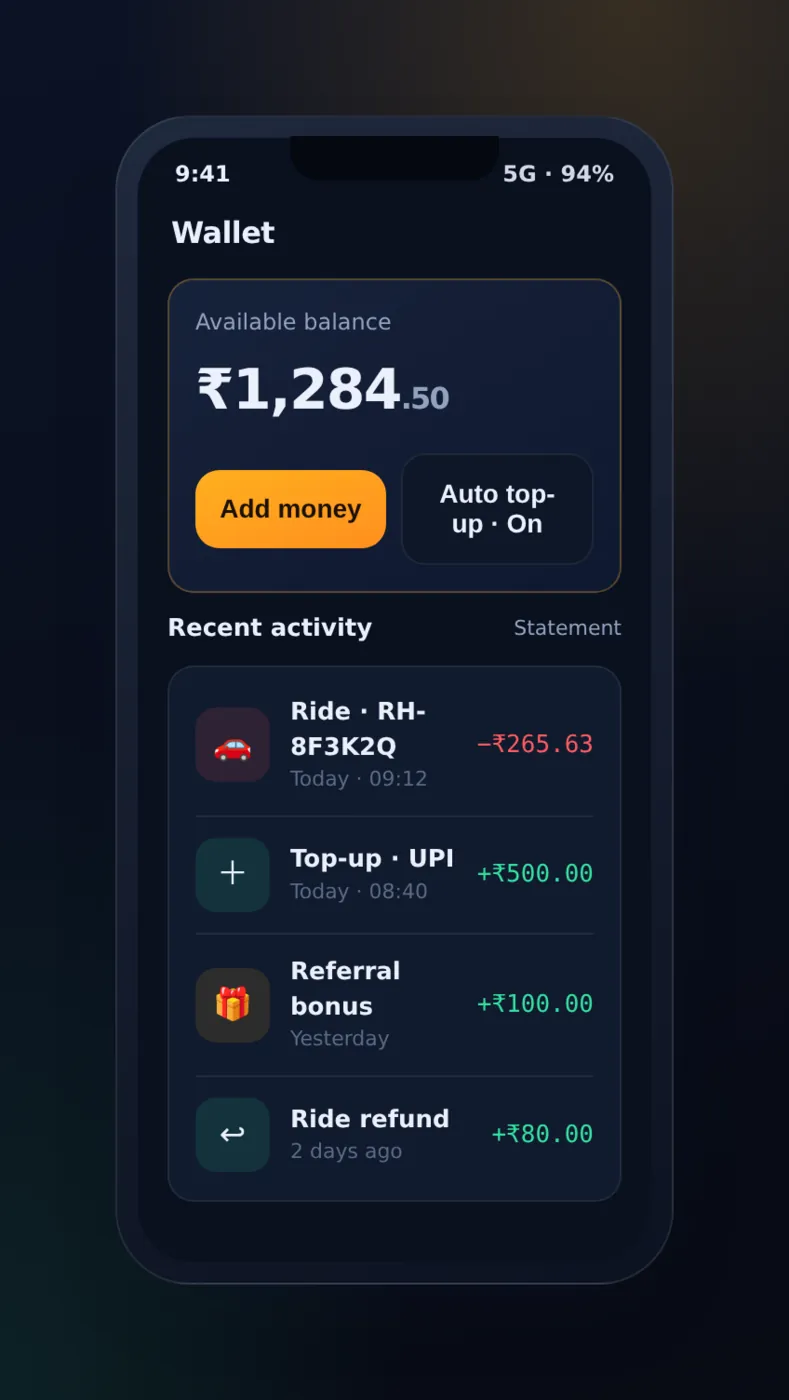
Upfront fares and flexible payments. A fixed-rule fare calculation engine gives the price from a real route estimate before a driver is even chosen. Then it locks each part (base, distance, time, surge, waiting, tolls, booking fee, tax, tips and discounts). So a surge change in the middle of a ride can never quietly change the price of a trip.
Fares are collected in cash in the apps as they come. Behind them the payment part is complete. It has a wallet ledger that only adds entries, and Razorpay order creation, signature checks, webhooks and refunds in the API. So card, UPI or wallet payment can be switched on for your market with your own gateway account, or swapped for Stripe or a local provider.
Listing each part of the fare is not just for show. The quote comes from a predicted route, and the trip that really happens rarely matches it. There may be traffic, a changed drop point, or a driver who takes the long way round. When a rider disputes the total, the only useful answer is the line that made it. That is why the parts are saved with the ride, and not worked out again later with whatever the rate card says by then.
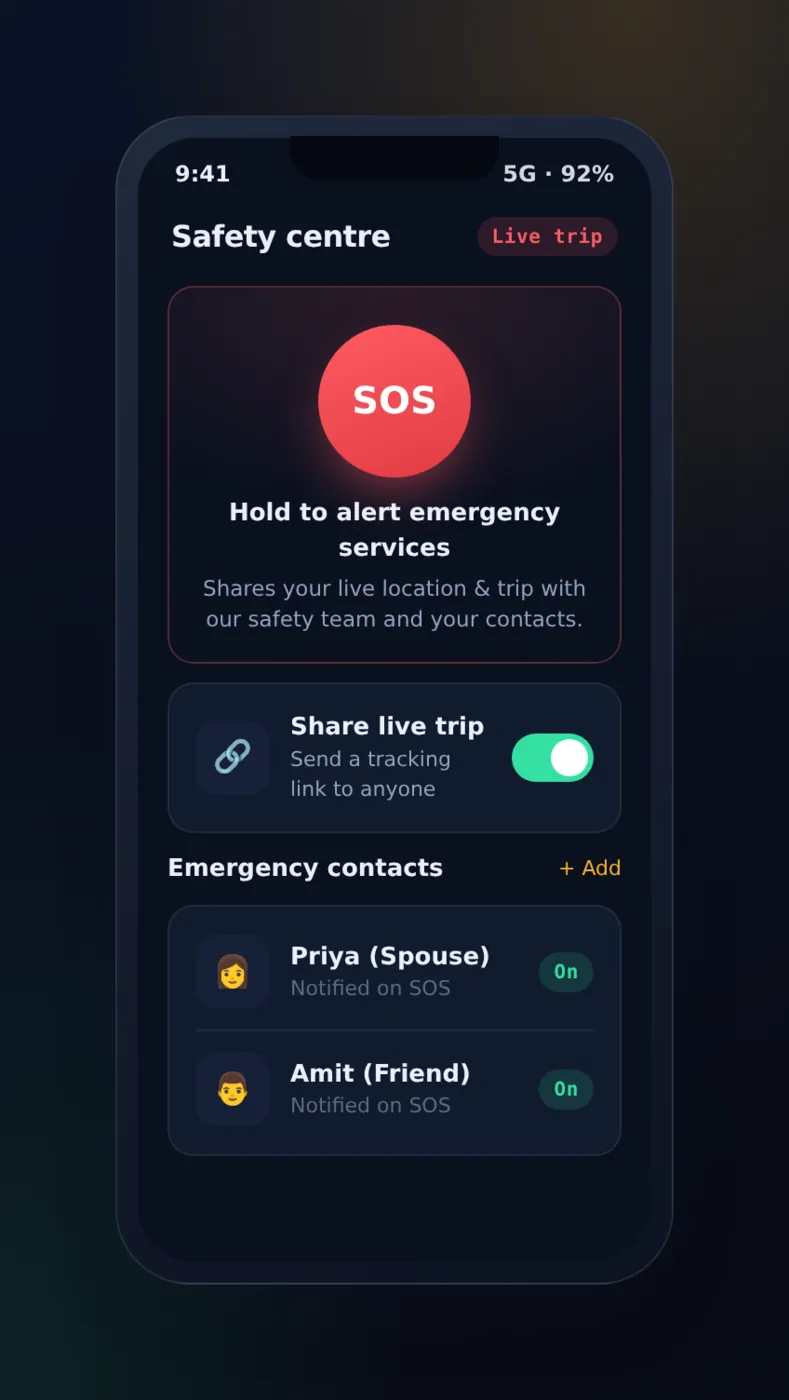
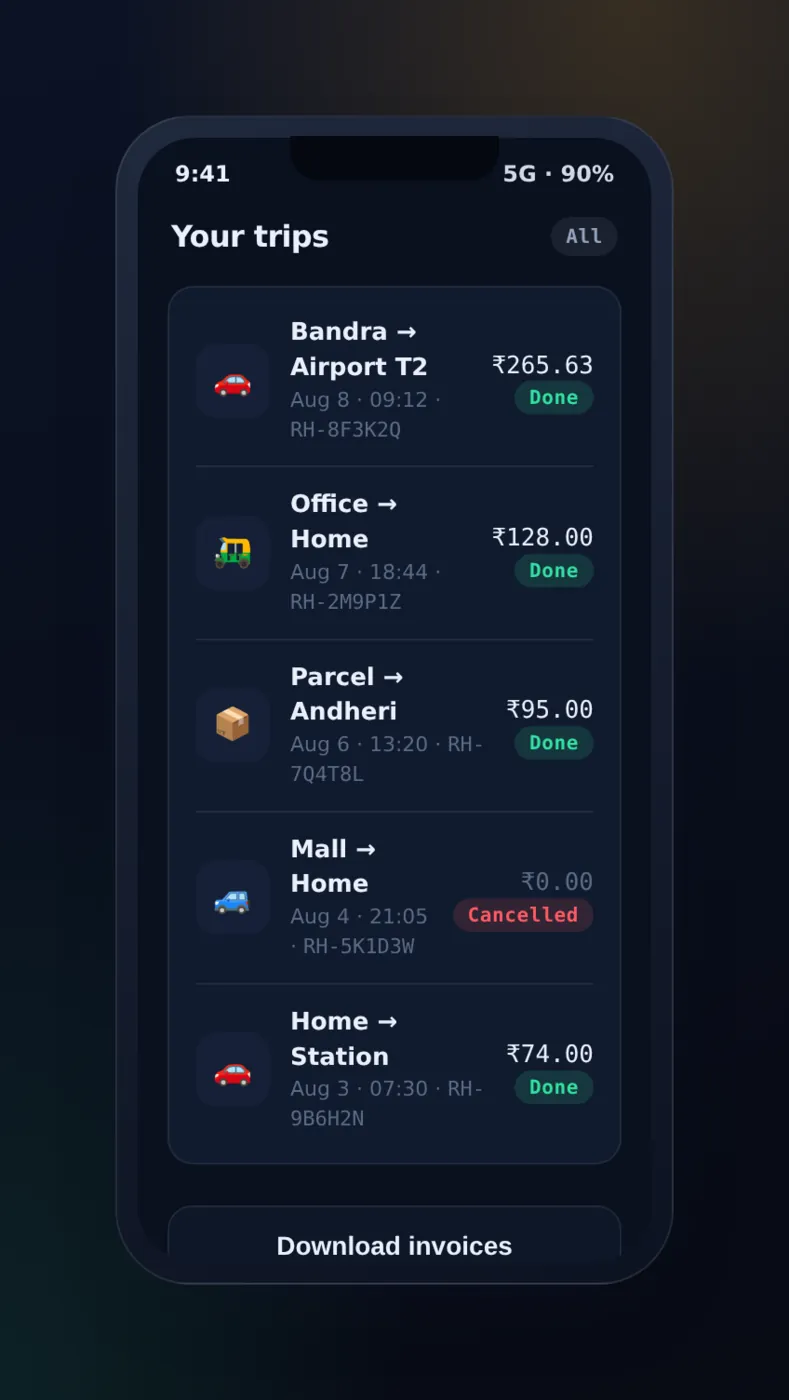
Safety and trip history. A clear SOS button sends an alert with the rider's live location to the admin safety queue. It is built to text the rider's emergency contacts at the same time. A live-tracking link lets anyone follow the trip on the web with no app.
Texting those contacts needs an SMS gateway that you set up. The account and the cost per message are yours, and connecting one is part of putting the app live. Until then, an SOS reaches your operators and goes no further. Check this before you tell riders what the button does.
Every ride and parcel is saved in a history you can search, with its easy-to-read code, route, fare details and status. You can re-book, rate, invoice or dispute from it.
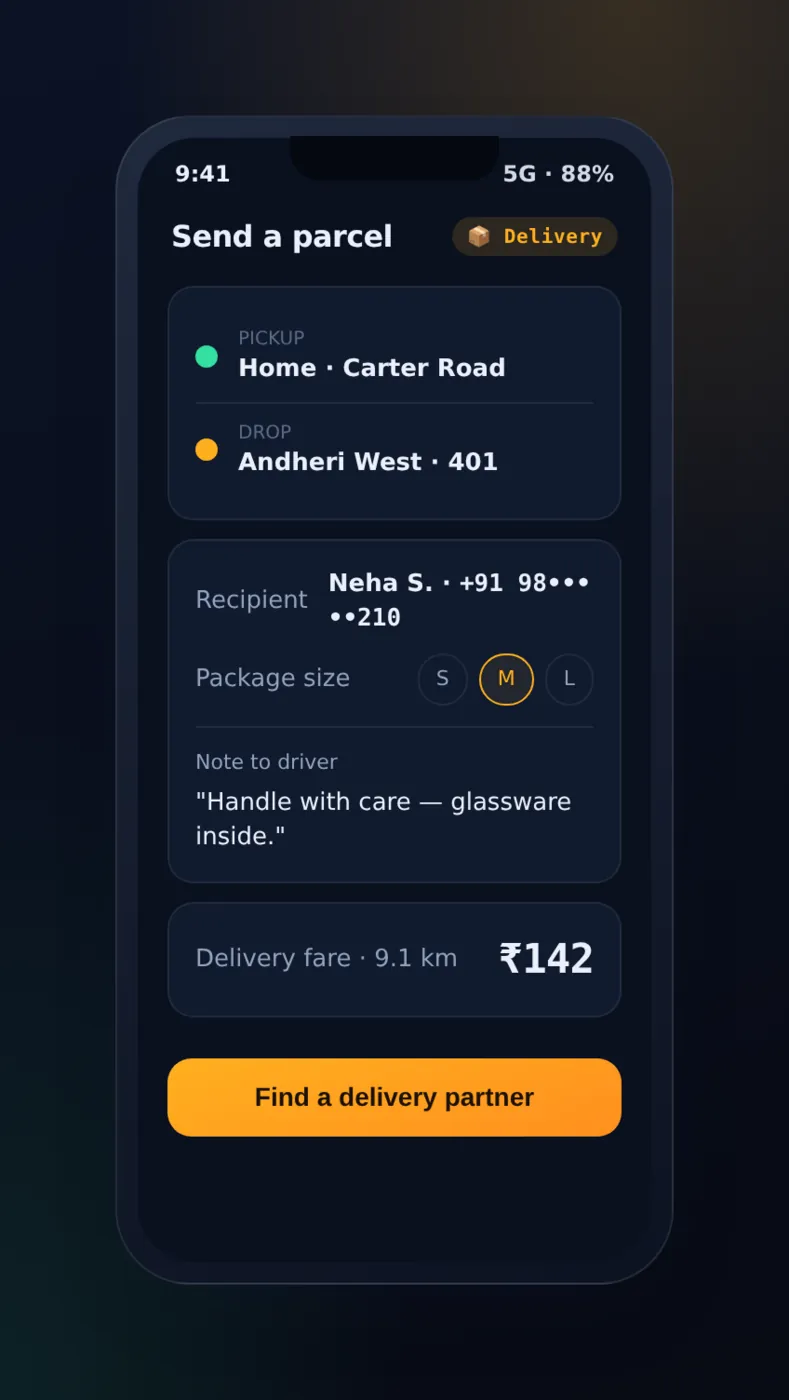
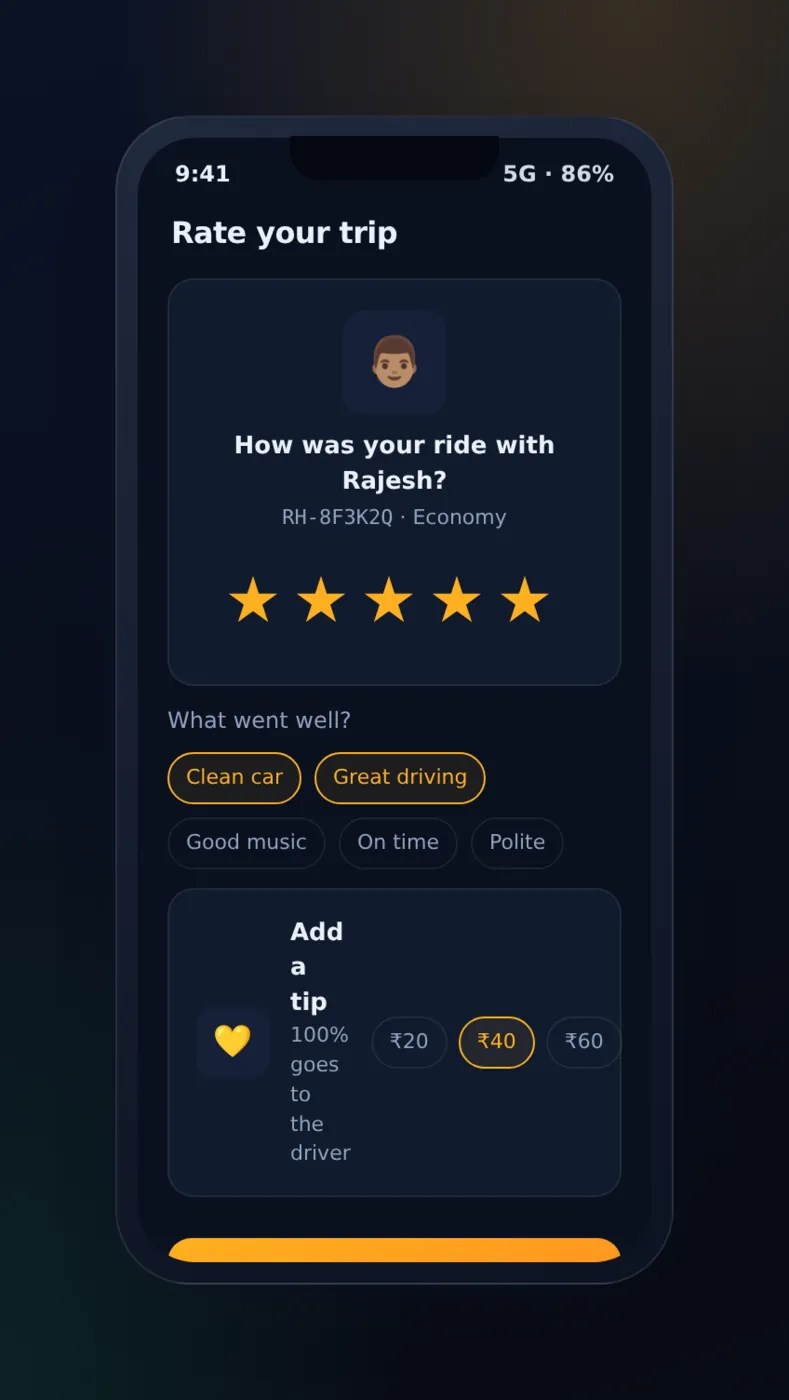
Parcel delivery and ratings. The same platform moves packages. A parcel booking has recipient details, a package size and a note. It goes through the same dispatch, tracking and payment steps as a ride. It is a second way to earn, with no second app to run.
After every trip, riders and drivers rate each other with quick tags, comments and optional tips.
The driver app — an earning machine
The taxi driver app is built for one job: help drivers earn. One switch takes them from off-duty to online. From there, everything is about the next ride and the money it makes.
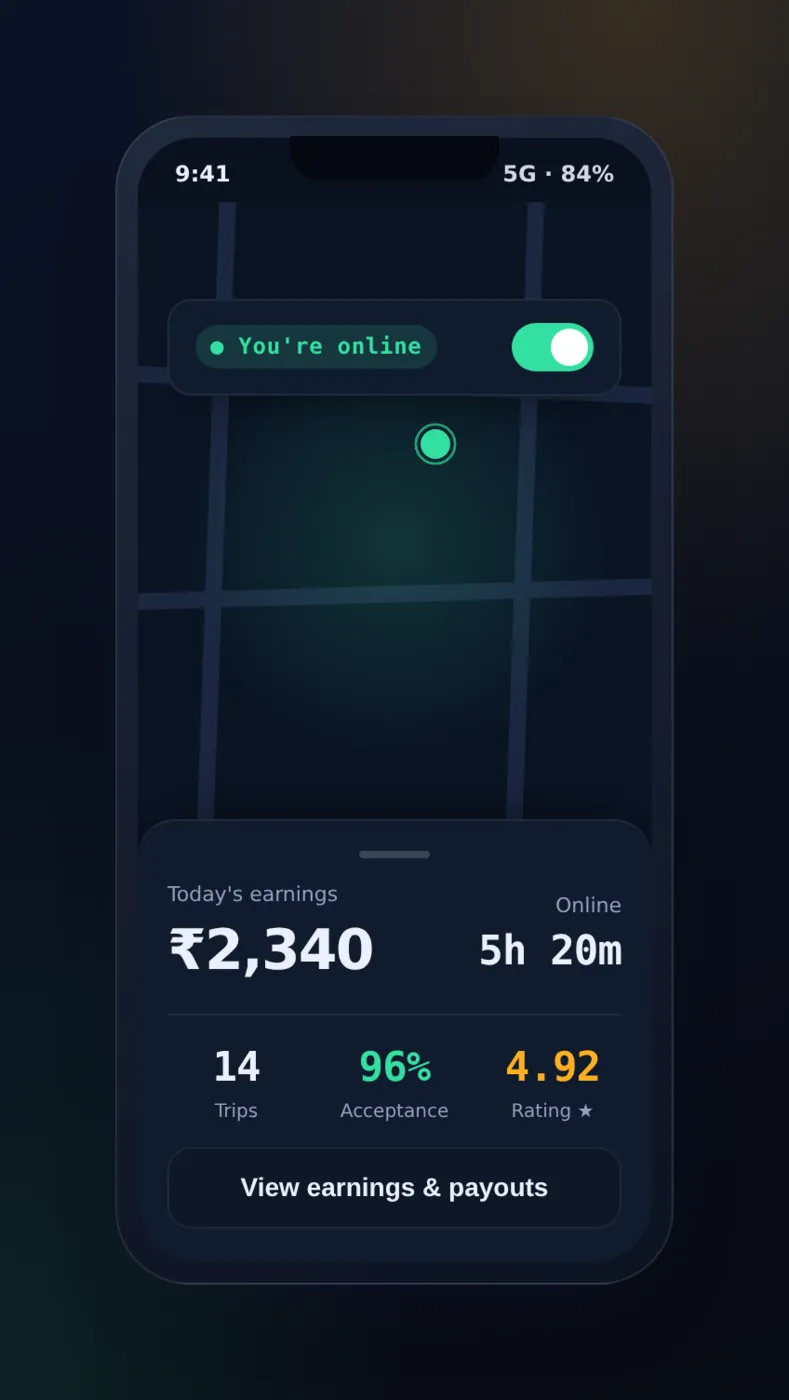
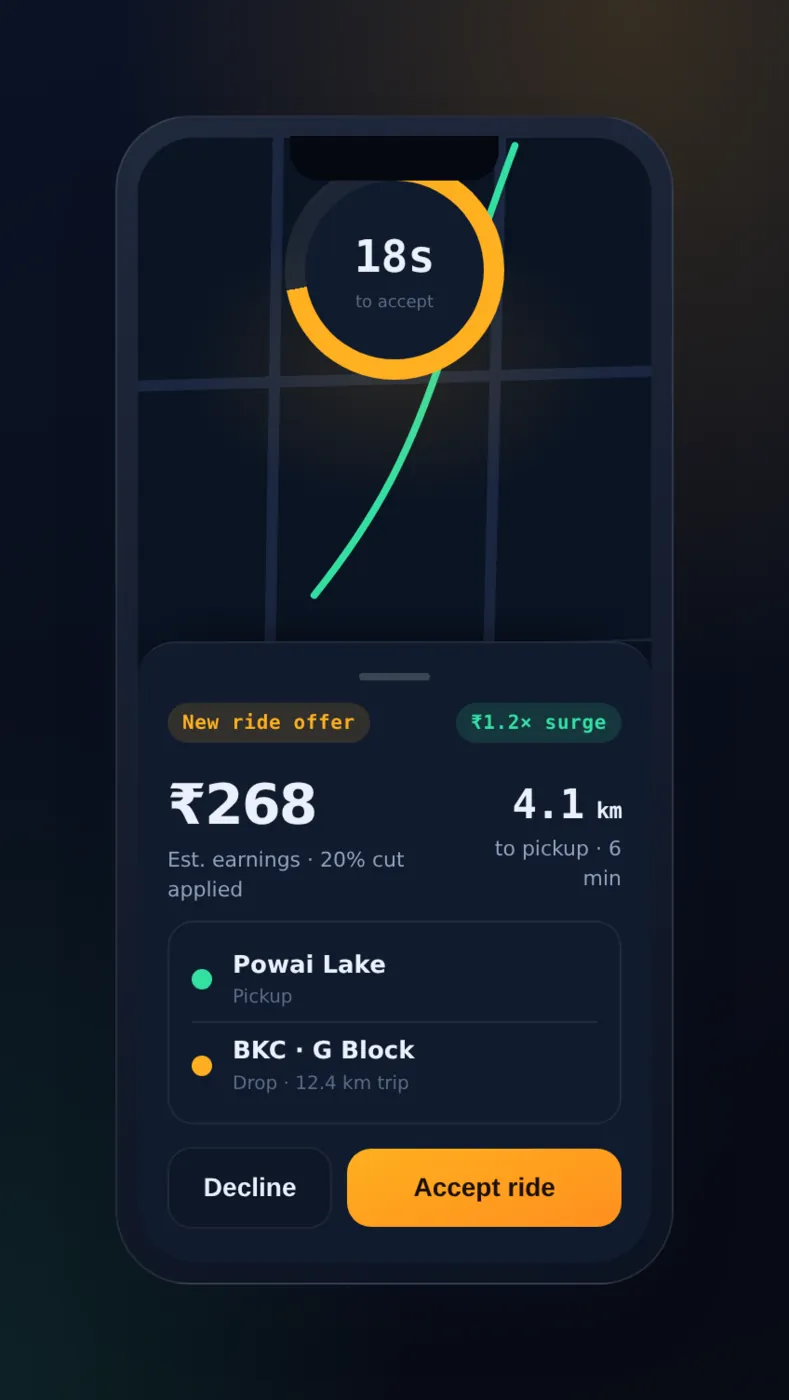
Go online and accept rides. Drivers go online to start a shift and at once see demand, live earnings, trip count, acceptance rate and rating.
The dispatch engine finds the nearest drivers who can take the ride (online, approved, and in the vehicle type the rider picked) with a map-based query. Then it offers each ride round by round, widening the area until someone accepts. It is built to stop two cars being sent to one pickup.
Each offer shows the fare, pickup distance, ETA and full trip before a countdown starts.
Two settings decide most of the dispatch trade-off: the radius and the countdown. The radius is how far the first round reaches. The countdown is how long a driver has to answer. If you reach too far, the nearest car may be minutes from the pickup. If you reach too little, the request goes through empty rounds while the rider watches a spinner. The countdown is the same idea in small. It should be long enough for a driver to judge the offer, and short enough that a declined ride is offered again before the rider gives up.
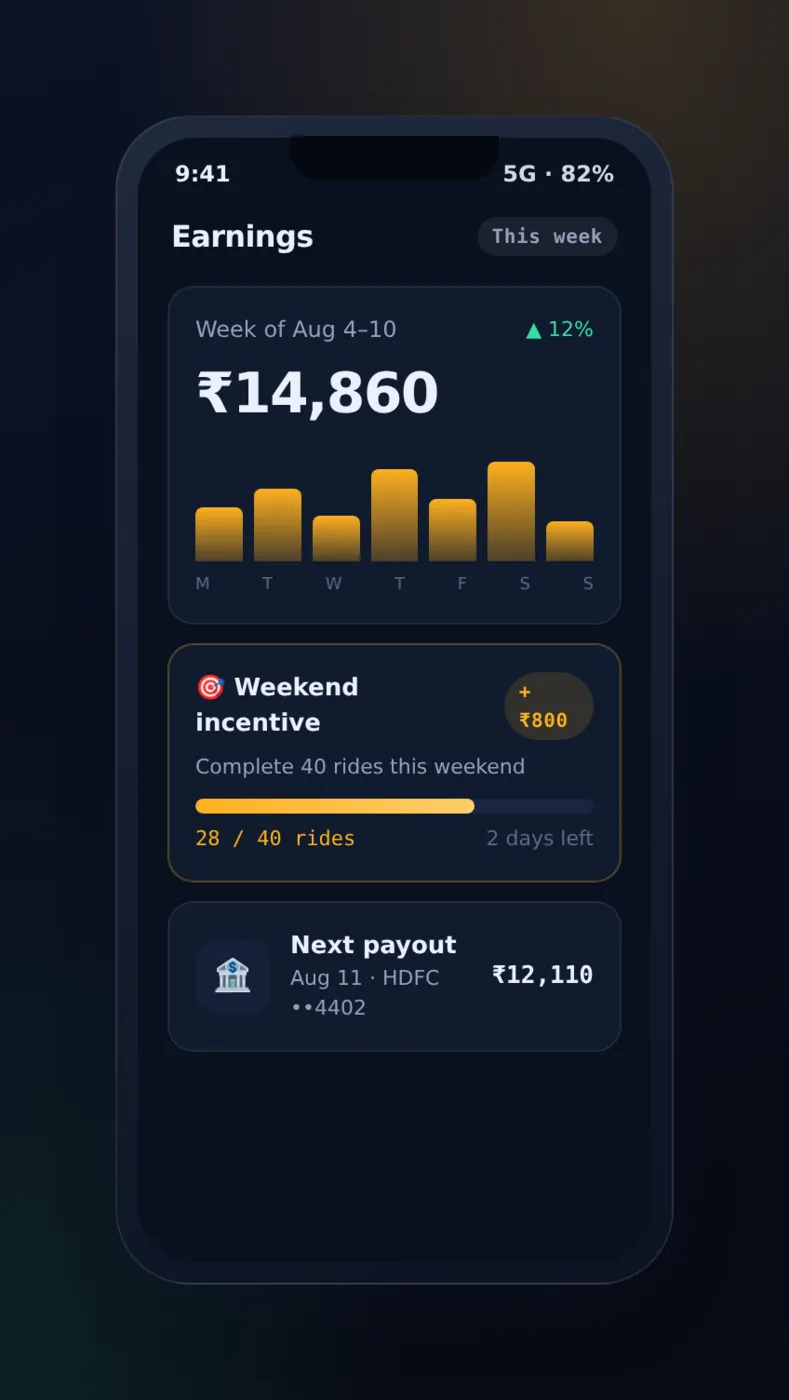
Earnings and incentives. Every finished ride is split automatically into platform commission and driver earnings.
Drivers see daily and weekly totals and details for each ride. Bonus campaigns made by the admin, such as "complete N rides this weekend for a bonus", show progress live and give the bonus the moment the target is hit.
The admin panel — taxi dispatch & management software
The Next.js admin panel is the control room: a live view of the whole city and the controls to run it. It doubles as your taxi dispatch software and your taxi management software, with every important action saved in a log that cannot be changed.
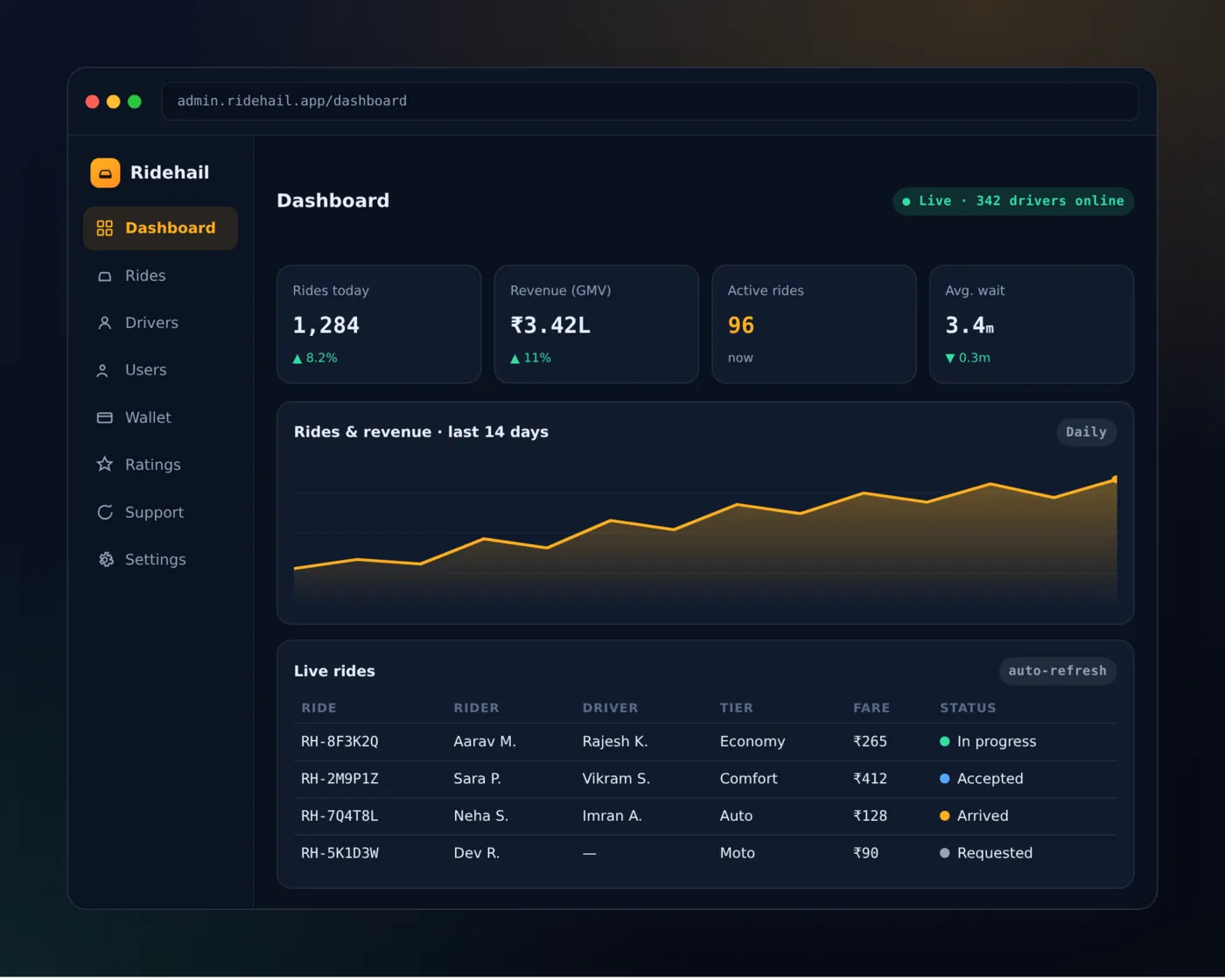
Real-time dashboard. Rides today, revenue, active trips, average wait and drivers online update live. There are also charts for rides and revenue over time, and a table of every trip in progress, so your team always knows how the marketplace is doing at a glance.
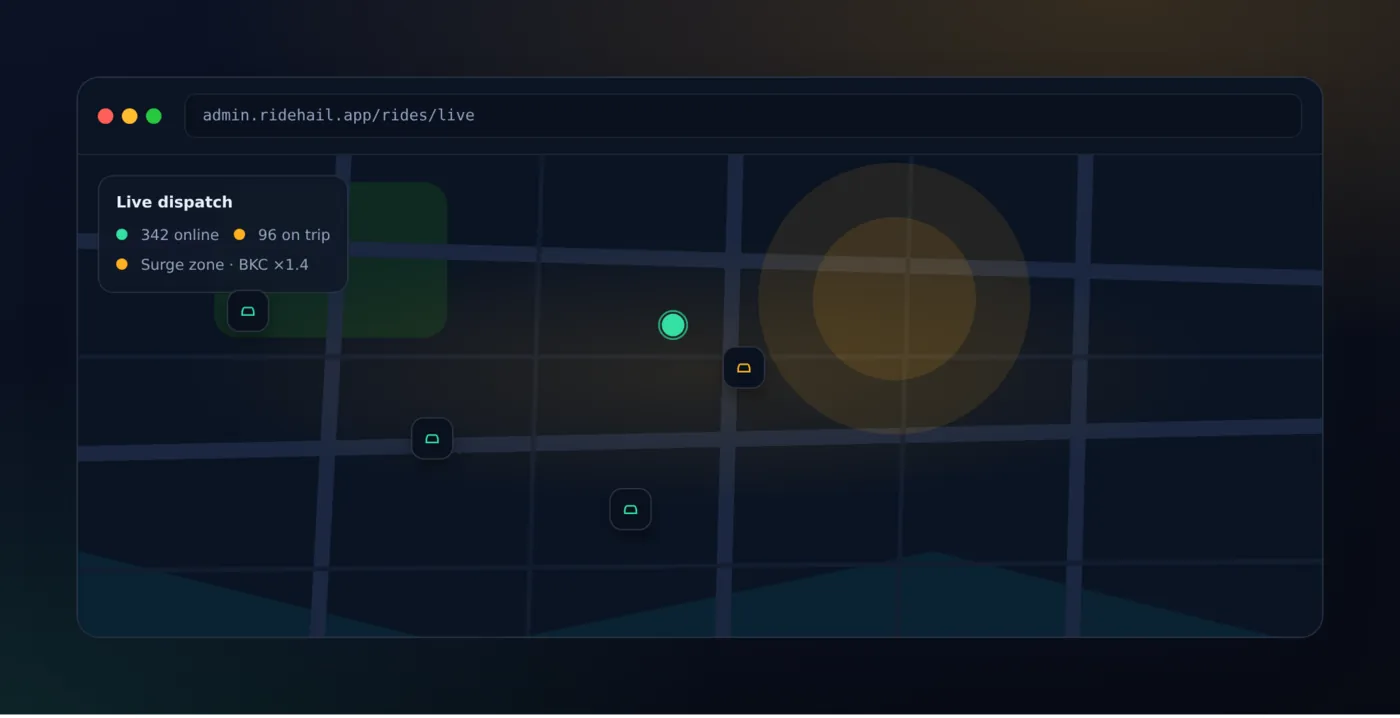
Live dispatch and surge. A live map shows every online driver, active ride and surge zone over WebSockets. Operators can watch demand grow, draw surge zones with a multiplier and time window, give a ride to another driver or cancel it, and replay a trip's GPS trail to settle a dispute.
On a surge zone the time window matters as much as the multiplier. If one is left on after demand has dropped, it keeps quoting a higher price that nobody will pay. The locked quote above keeps an already-booked ride out of it. The GPS trail helps in the same way. A route dispute cannot be settled without the path the car really drove.
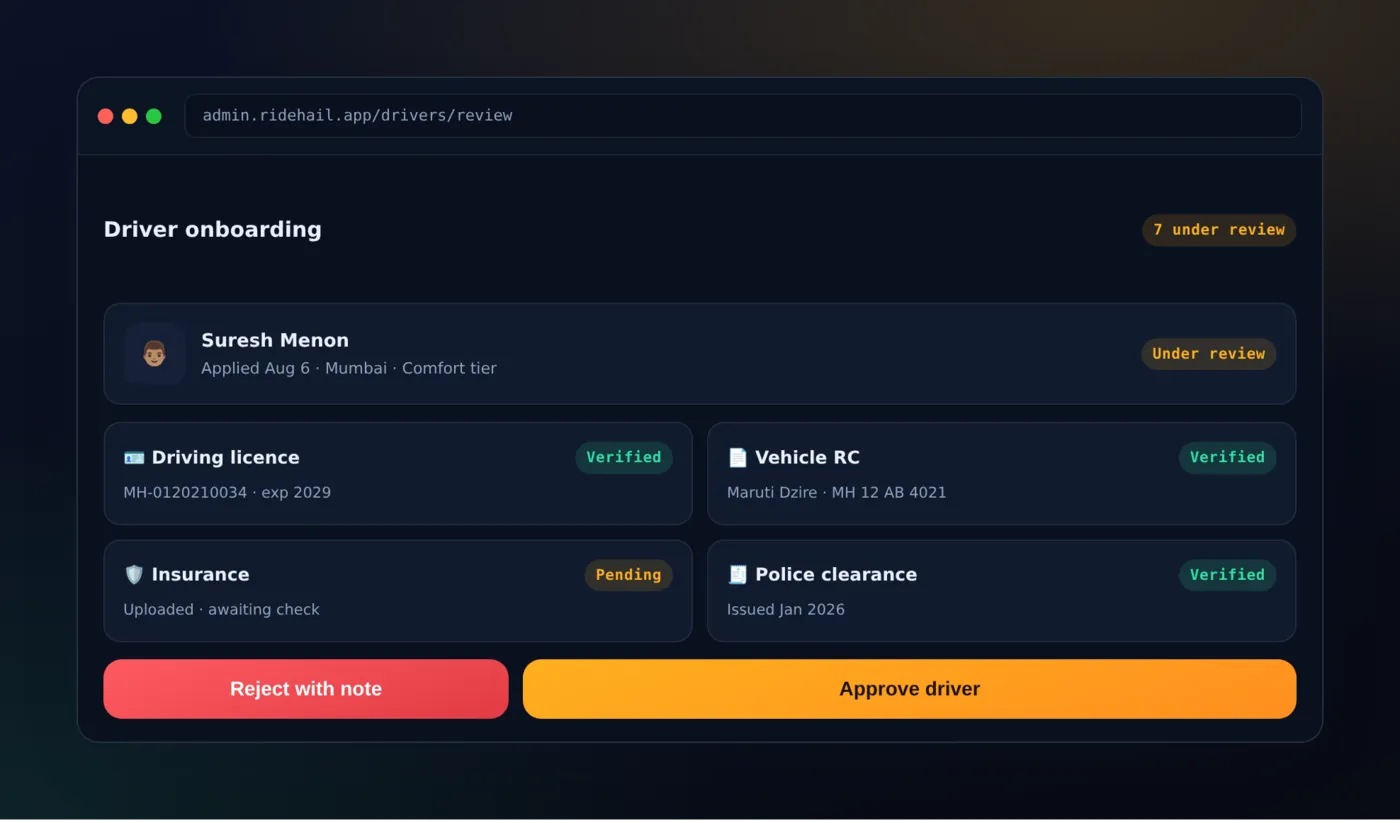
Driver onboarding and trust. Drivers sign up, add vehicles and upload documents: licence, registration, insurance, ID and police clearance. Admins review each one before approving, rejecting with a note, or suspending. Documents have expiry dates, vehicles are checked before they can take rides, and every change is saved in a log.
Built on a modern, open stack
The codebase is written in TypeScript and Dart, and comes with documentation:
- Mobile: Flutter & Dart — one codebase, two apps (customer + driver), iOS & Android.
- Backend: NestJS & TypeScript, Prisma ORM, MySQL 8, WebSocket gateways for live updates.
- Admin: Next.js & React with live updates.
- Integrations: Razorpay payments, OSRM routing, FCM push, JWT + phone-OTP auth.
The engines that make it a real product are all included. They are map-based dispatch, a fixed-rule fare calculator, and the wallet and payments part described earlier. You can change their settings from the admin panel without putting the app live again.
White-label and ready to launch
Ridehail is designed to become your brand. Change the colours, logo, app name, currency and language, and put it live. It is built for many cities and many currencies, so you can start in one city and grow. Because you get the complete source code, there are no monthly SaaS fees, no commission per ride to anyone, and no vendor lock-in.
The complete source licence (customer app, driver app, admin panel and backend) is a one-time fee. It comes with documentation and support to get you live. If you would like it changed, connected to a local payment gateway, or launched for you, that is exactly the kind of work we do.
Talk to our engineers about your taxi app, or see how we build mobile products.
Written by
PRS Admin
Building software at PRS India.