Product
Helpdesk Ticketing Software: Email, Chat and Customer Portal

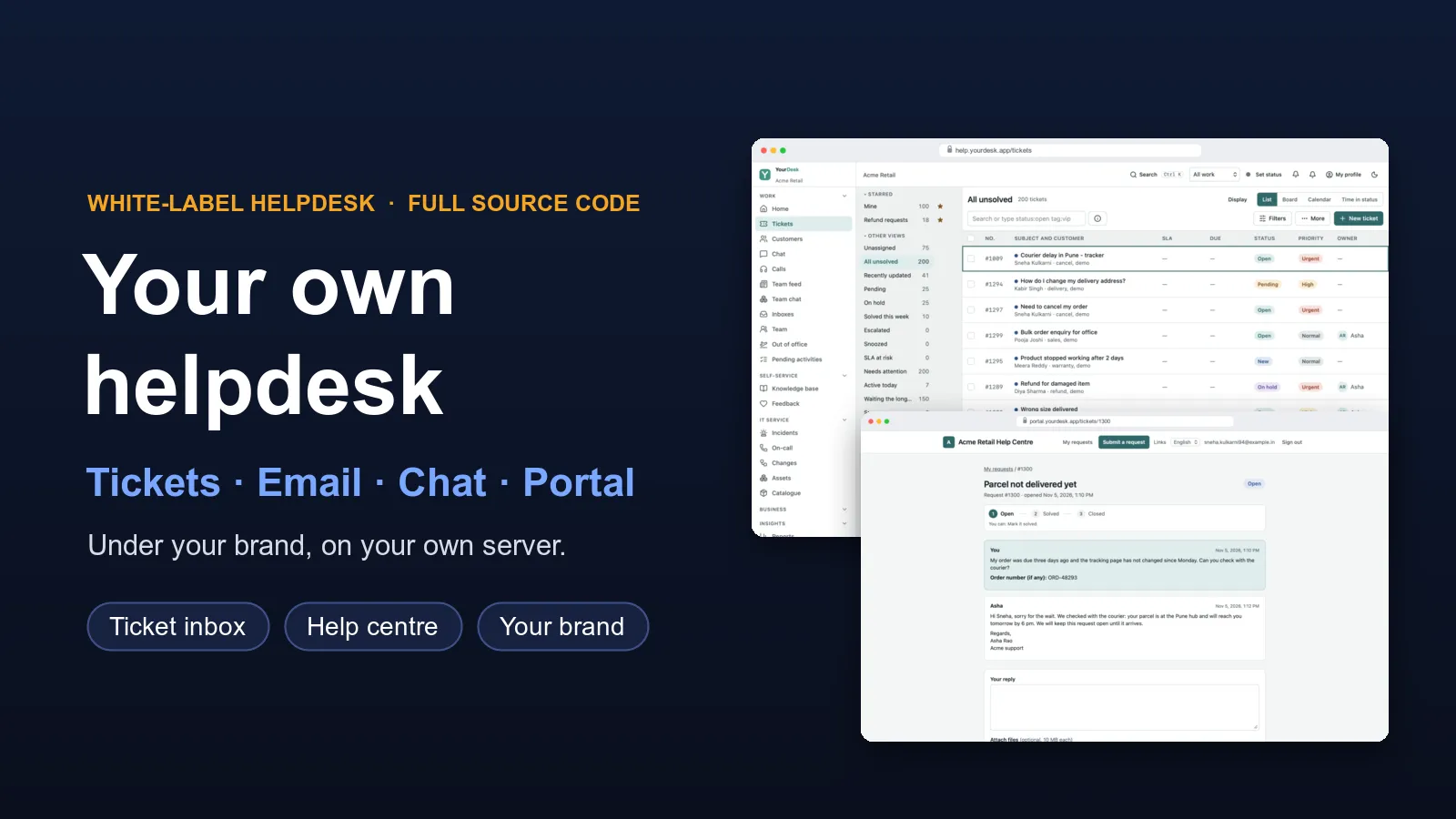
Customer questions coming in by email, chat and phone, and some get lost? A helpdesk fixes that. Every question becomes a ticket with a number, an owner and a status. Your team answers from one inbox. Your customers get a help centre where they can find answers, send a request and track it.
We build this helpdesk for you, under your own brand. We do not start from zero: the helpdesk ticketing software is already built and working. We set it up for your business, add your teams, rules and time limits, and put it on your own server. You get the full source code, so the helpdesk is yours to keep.
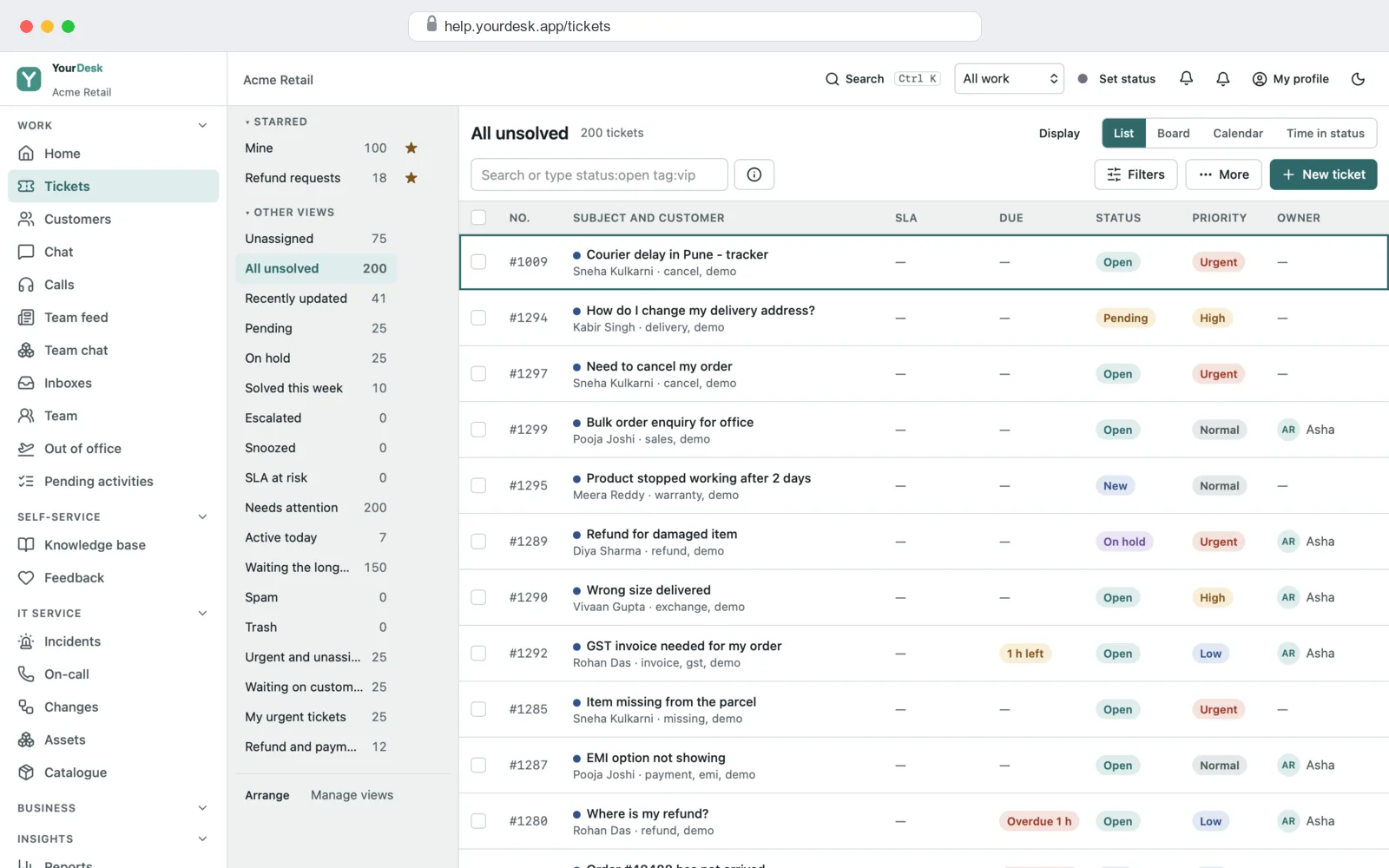
See it working before you decide
We keep a demo helpdesk filled with sample tickets, customers and help articles. Send us a message and we will show it to you on a call, then give you a demo login to try it yourself. You can follow one request from the customer's form, to the agent's reply, to a closed ticket.
Ticket inbox, any browserHelp centre and chatRules, time limits, reportsWhat you get
A helpdesk has to work for the people who answer, the people who ask, and the people who run the team. Our helpdesk software has a part for each:
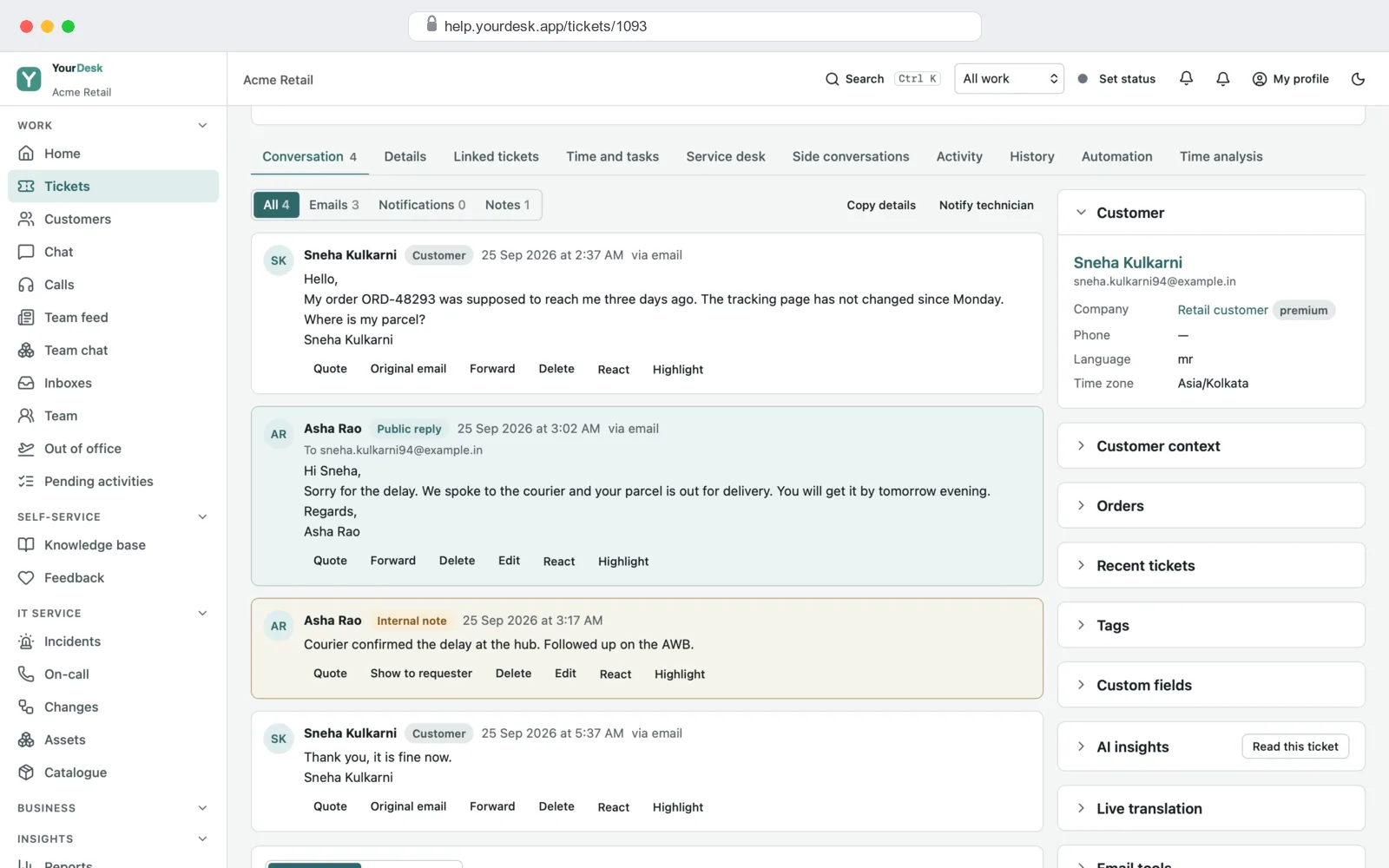
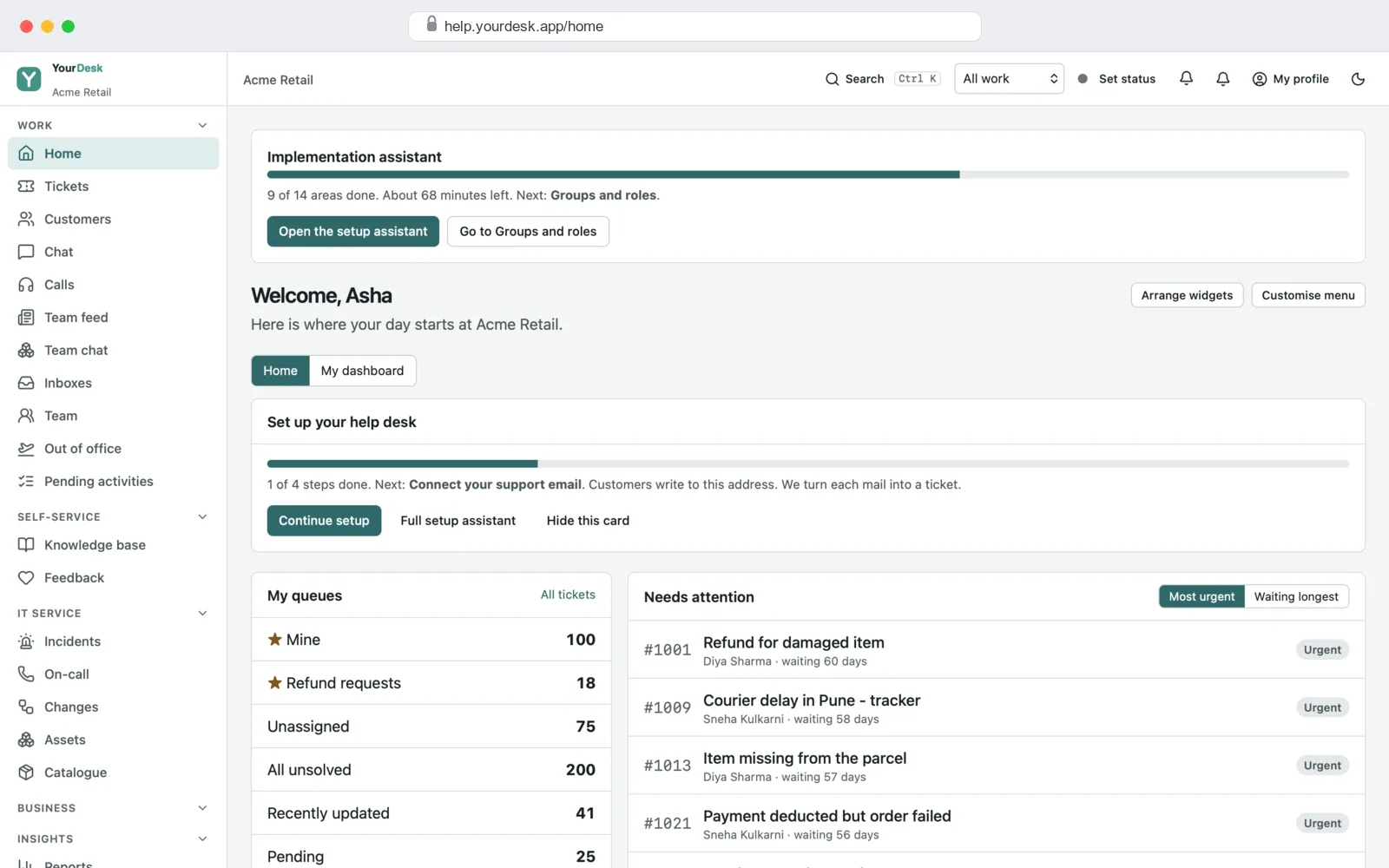
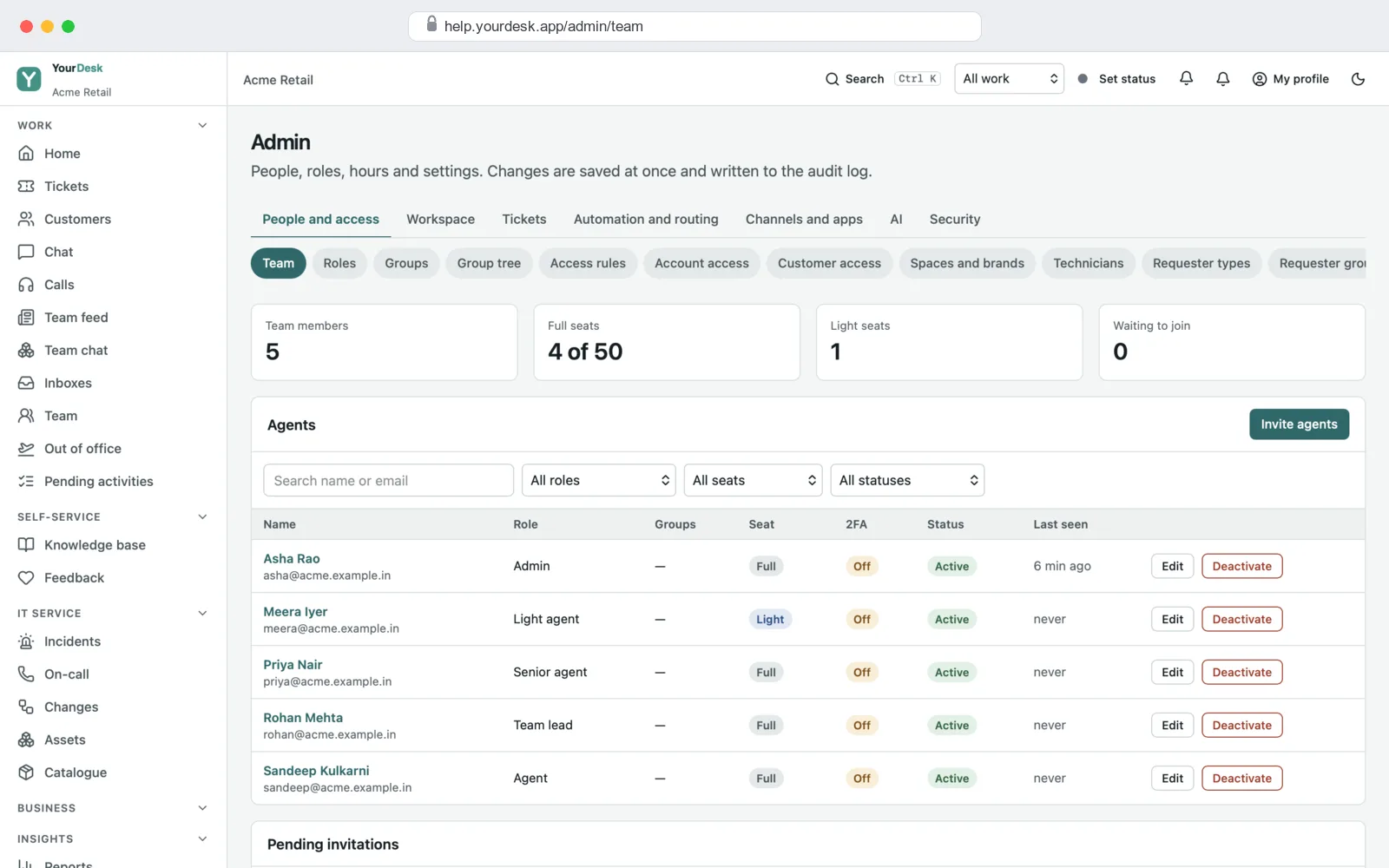
- Agent screens: the ticket inbox, each ticket's full conversation, internal notes, saved replies, live chat and the help articles.
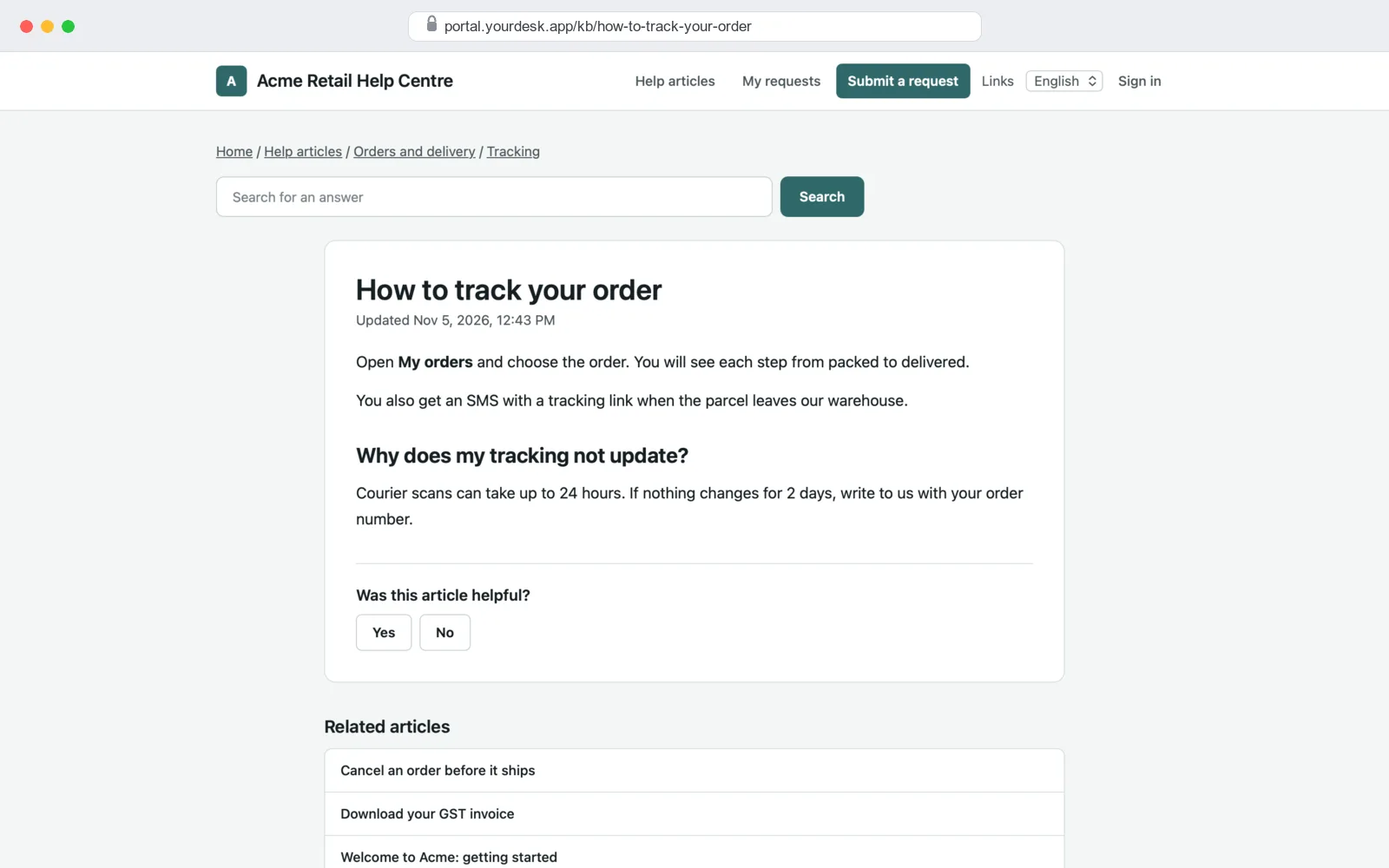
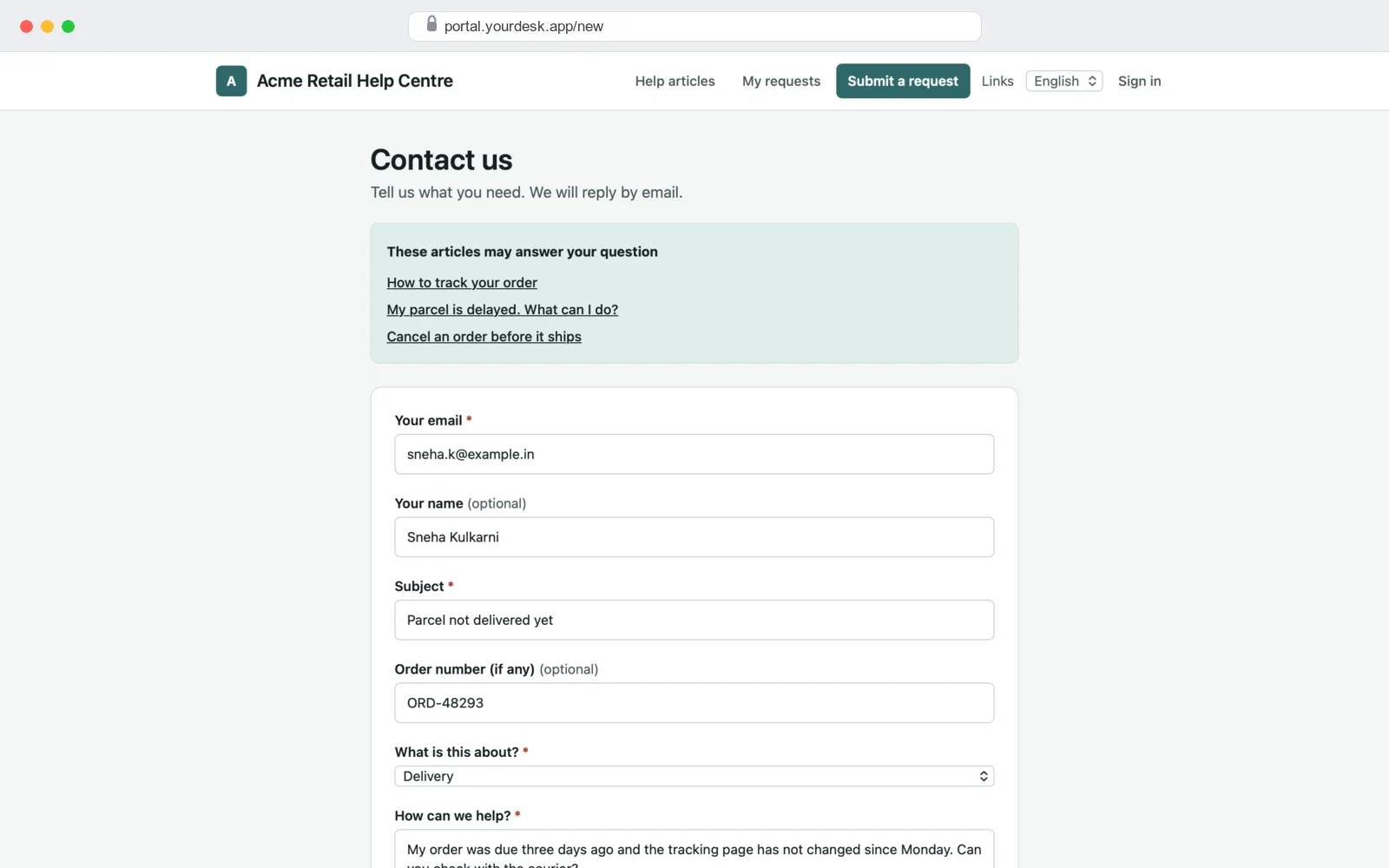
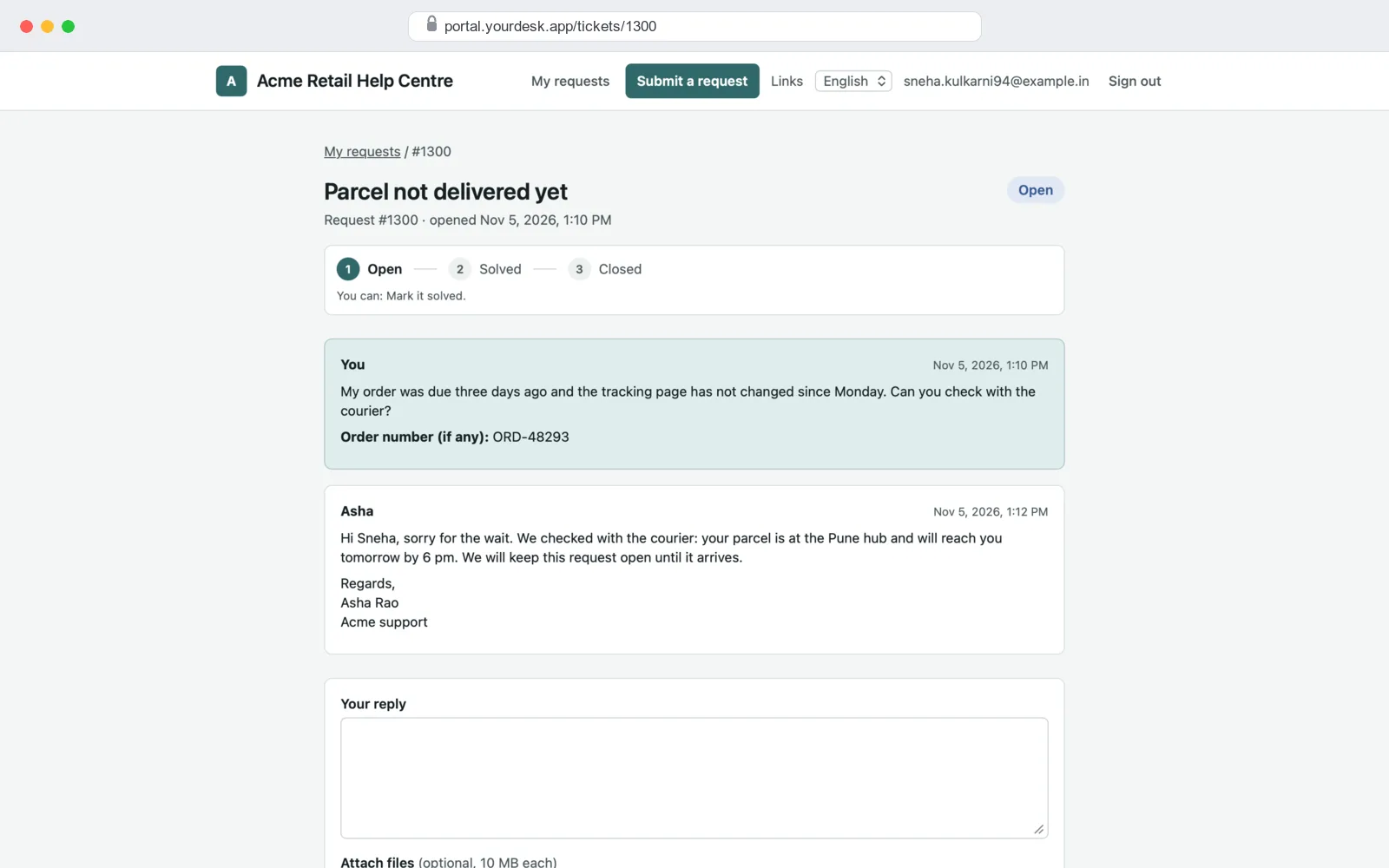
- Help centre for customers: help articles, a request form, and a page to track their own requests. It has an English and a Hindi version.
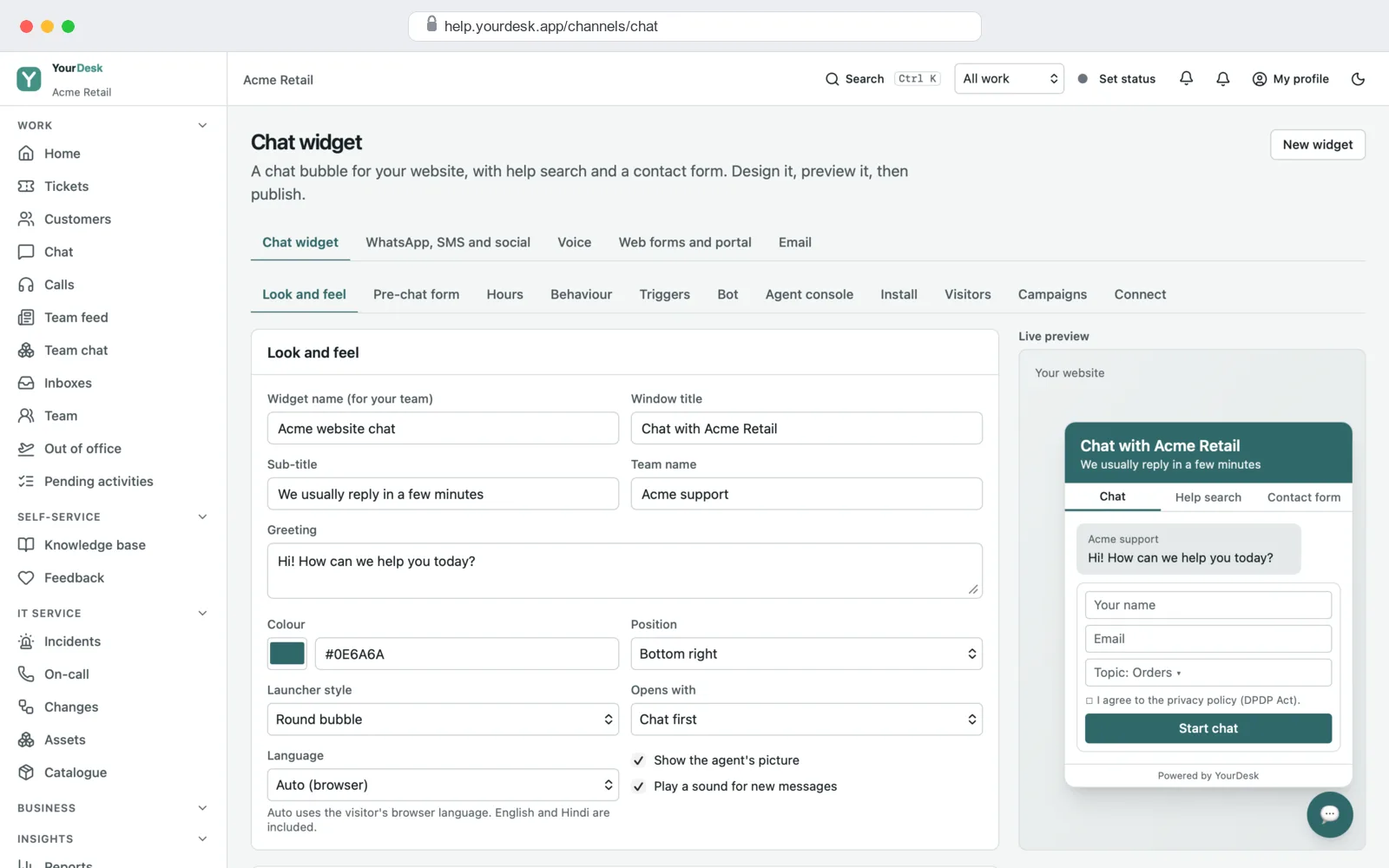
- Chat box for your website: a small chat window your customers open on any page of your site.
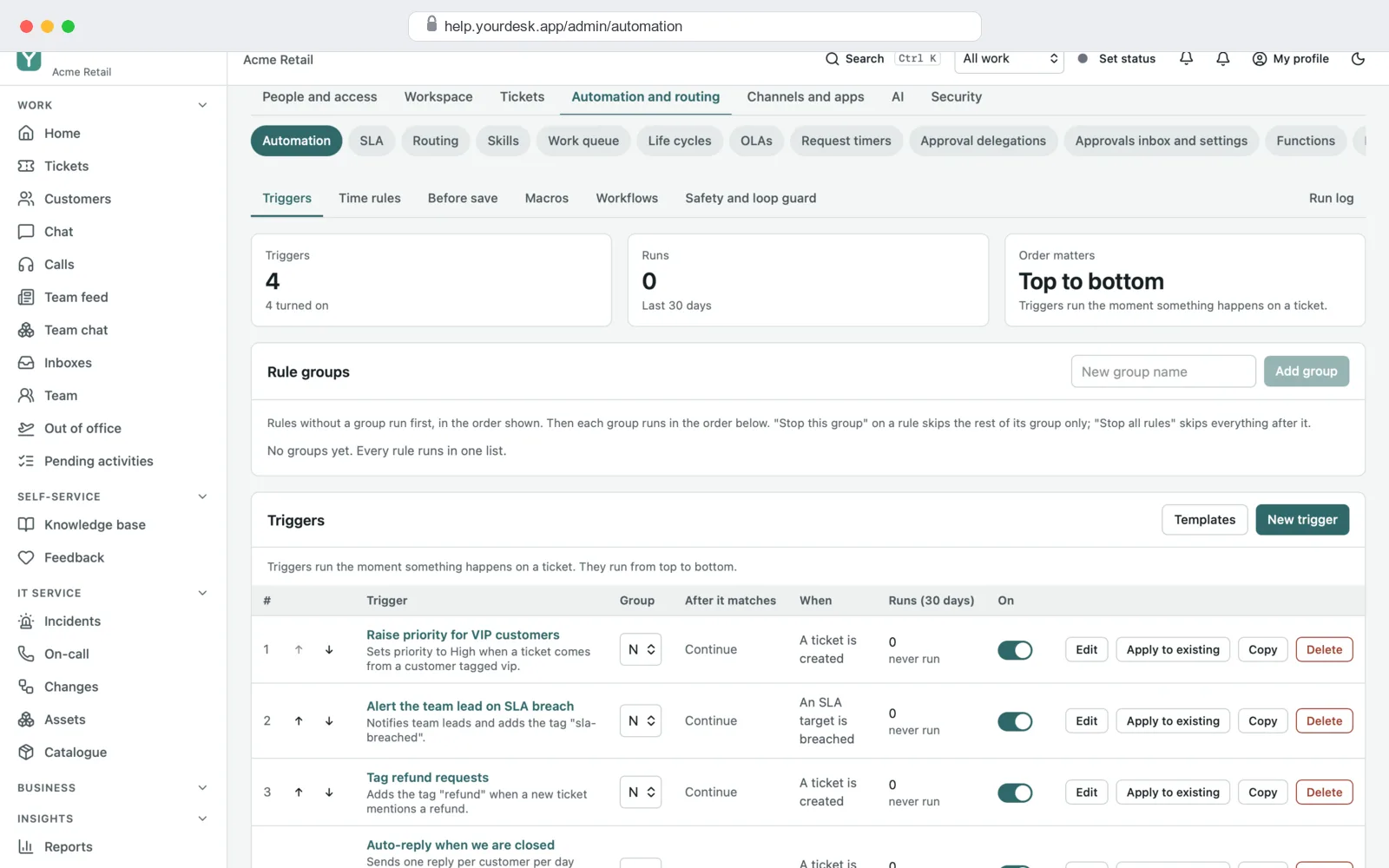
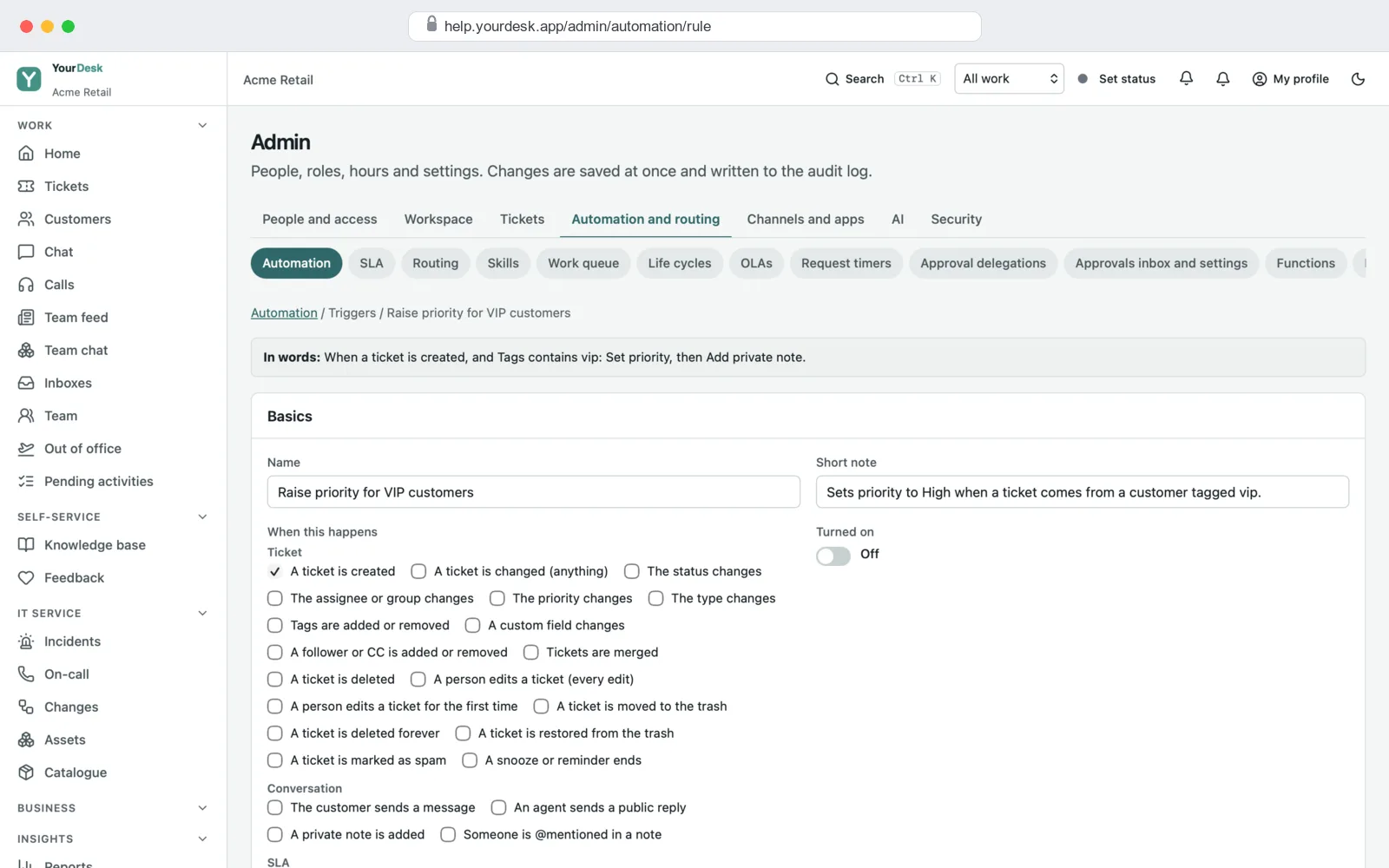
- Admin settings: teams, roles, working hours, time limits, rules that run by themselves, and your brand.
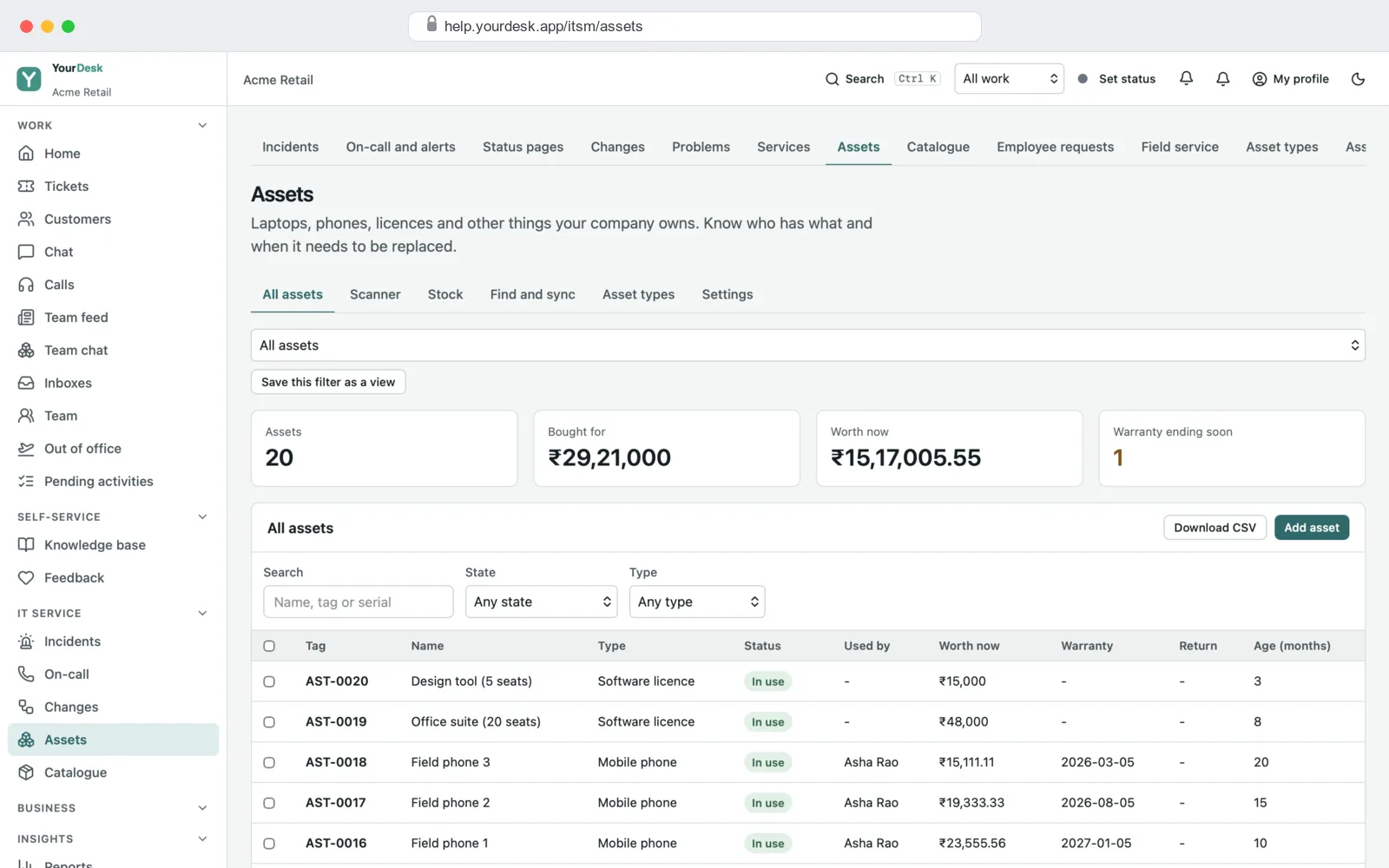
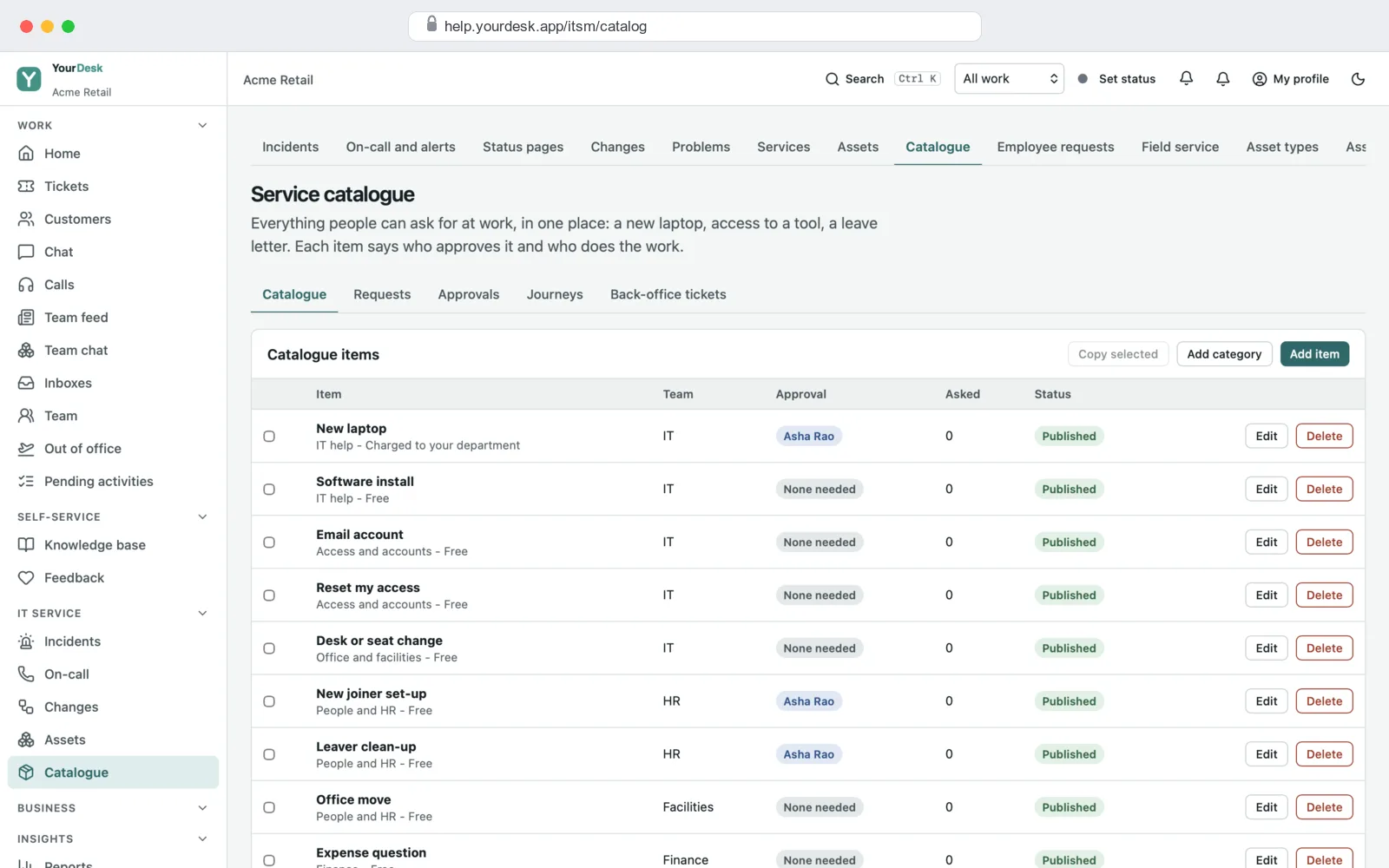
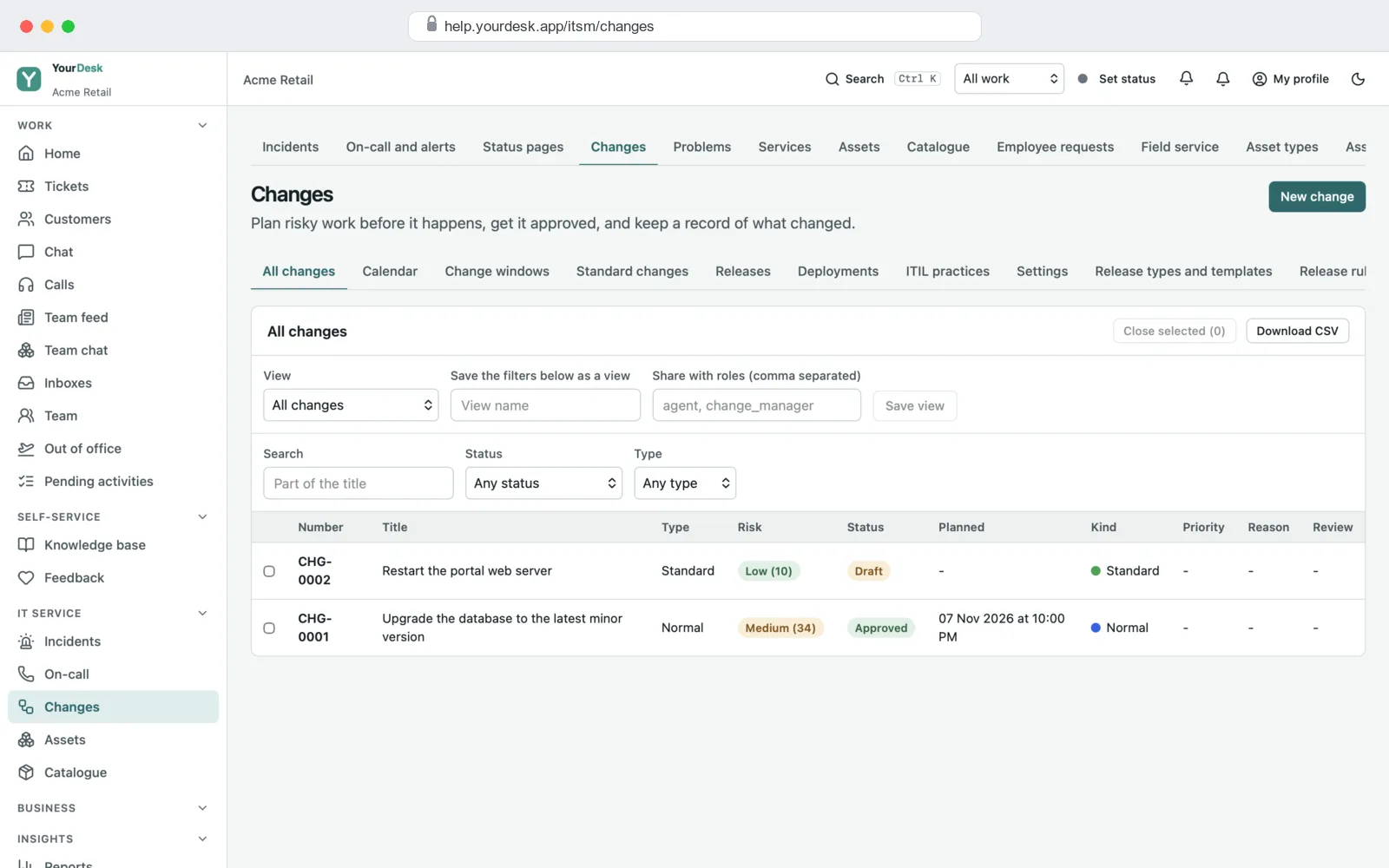
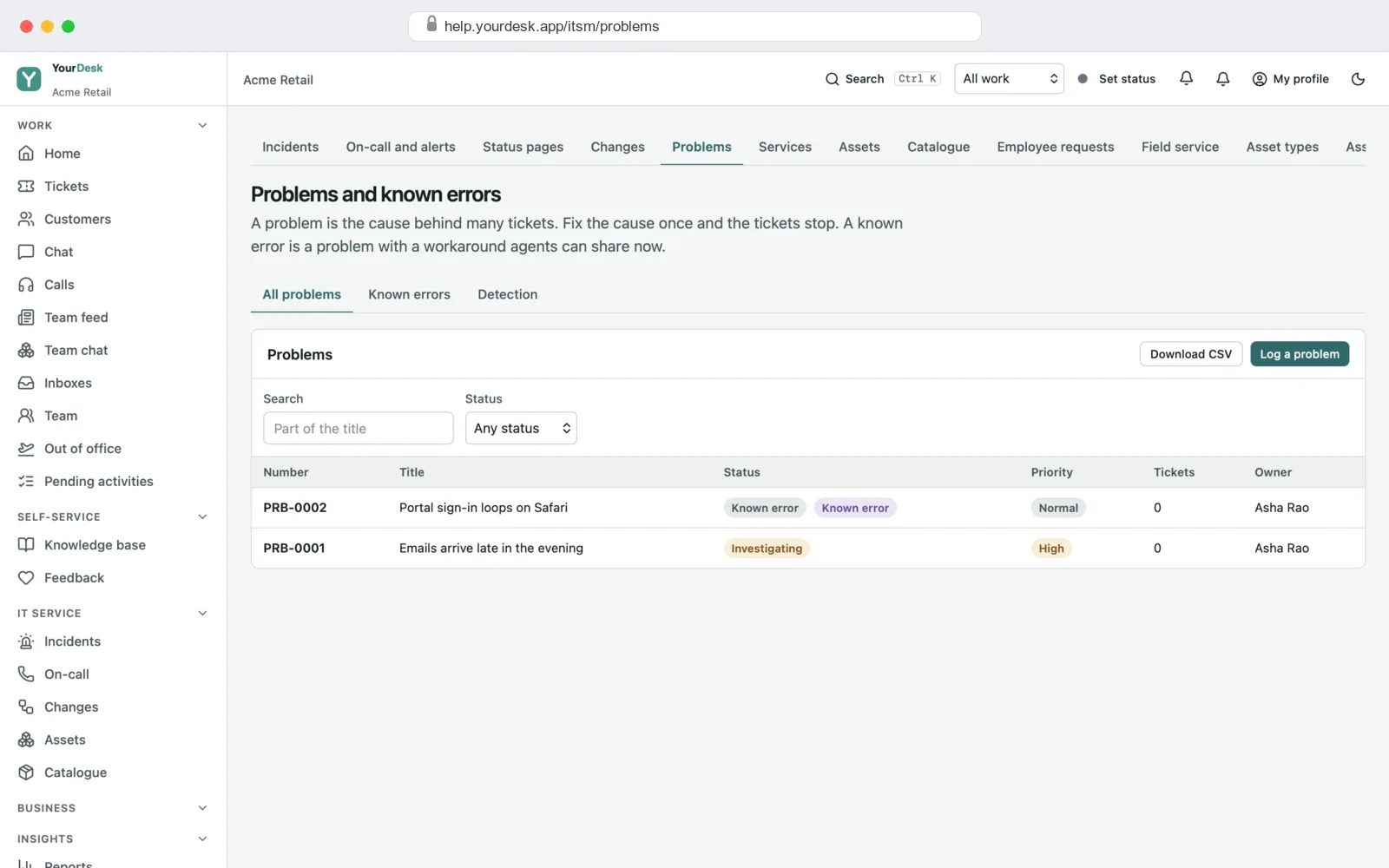
- IT service desk parts (switch on if you need them): assets, change requests, problems and a service catalogue.
- Server: keeps your data, runs the timers and rules, sends emails, and runs on your own server or cloud account.
All the features, already built
Every feature below is in the helpdesk today. Parts can be switched on or off from the settings, so your team only sees what it uses.
How customers reach you
Every message lands in the same ticket inbox, so your team works from one place.
WhatsApp and SMS can be added on request, through your own provider account.
Screens for your support team
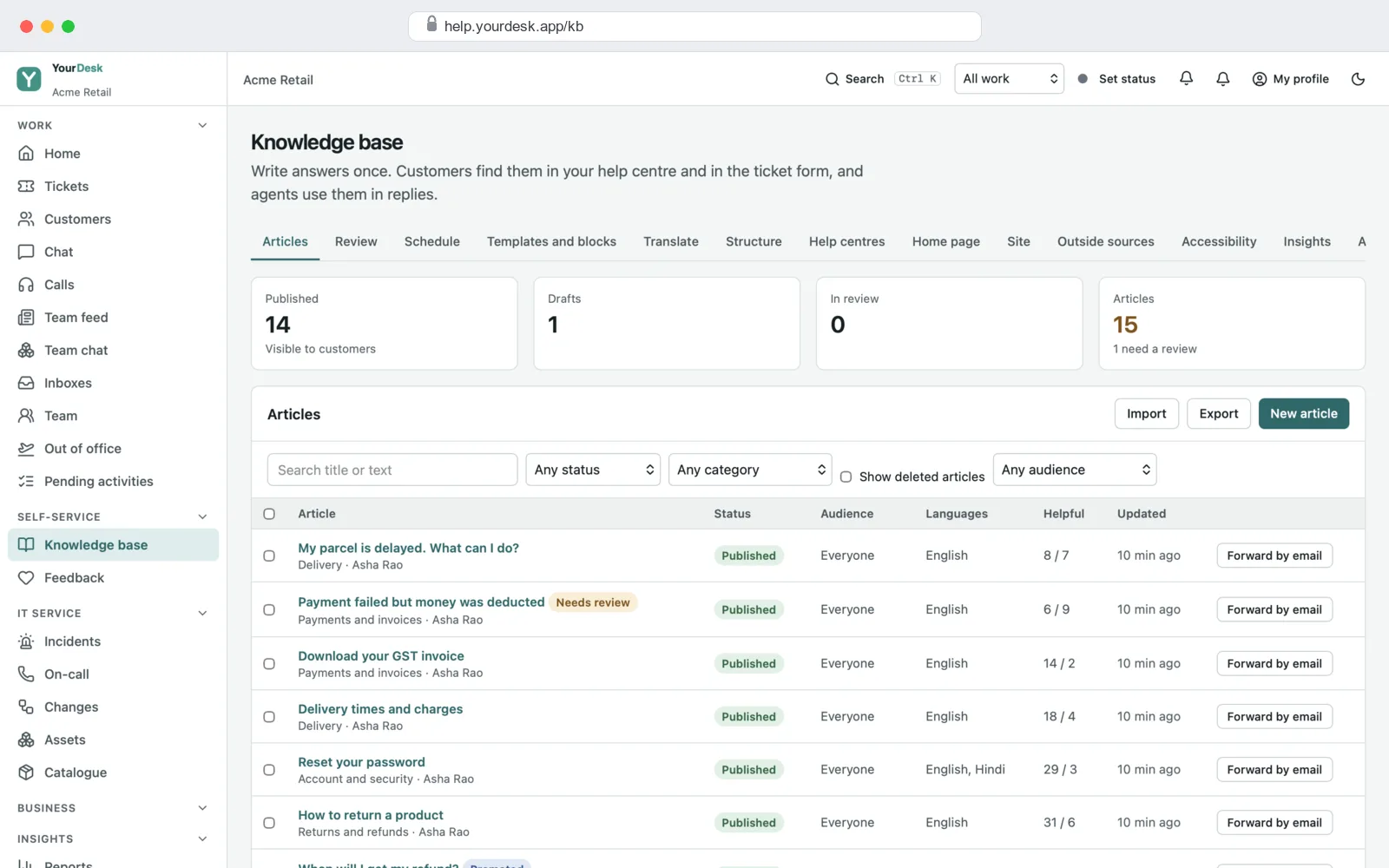
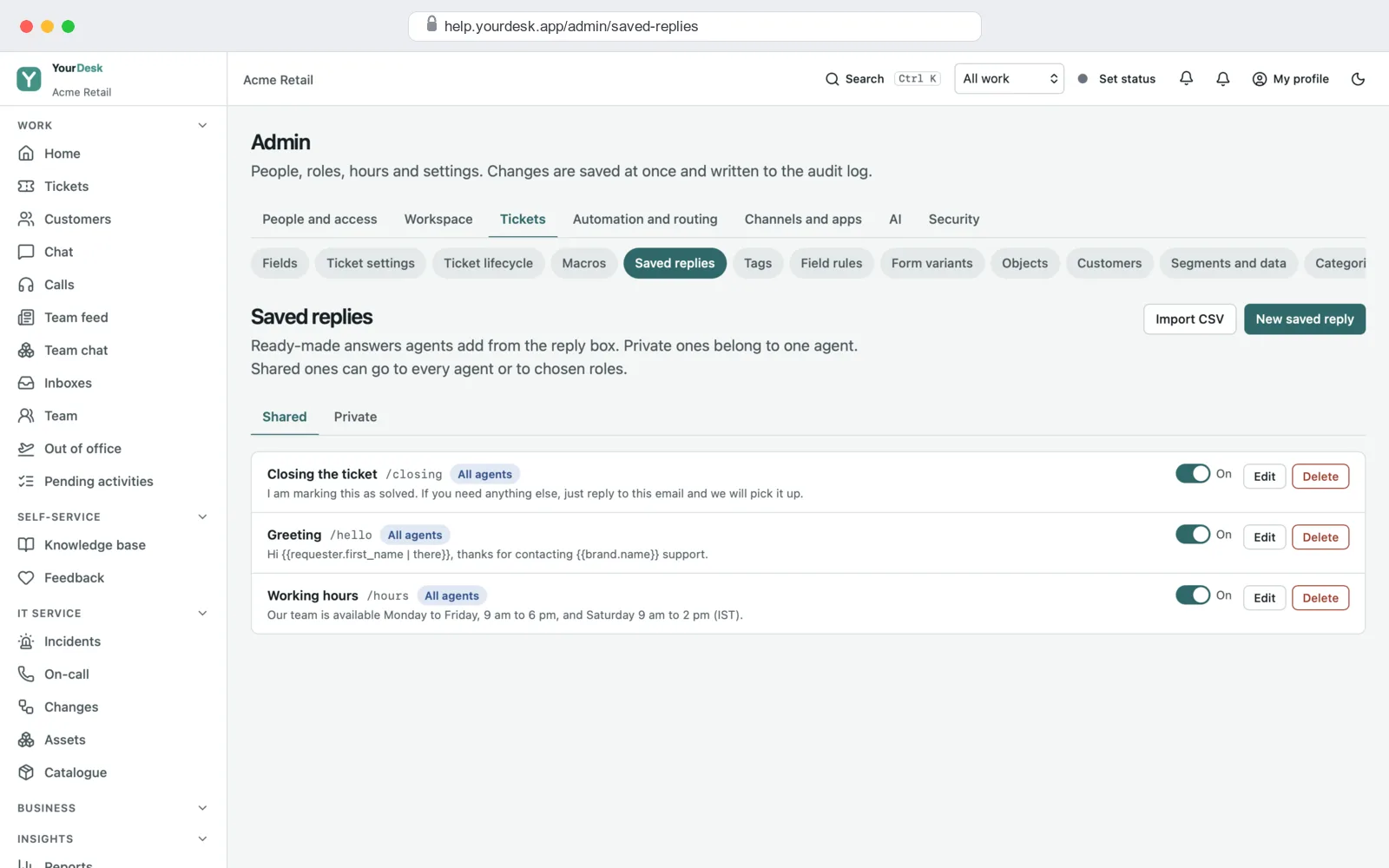
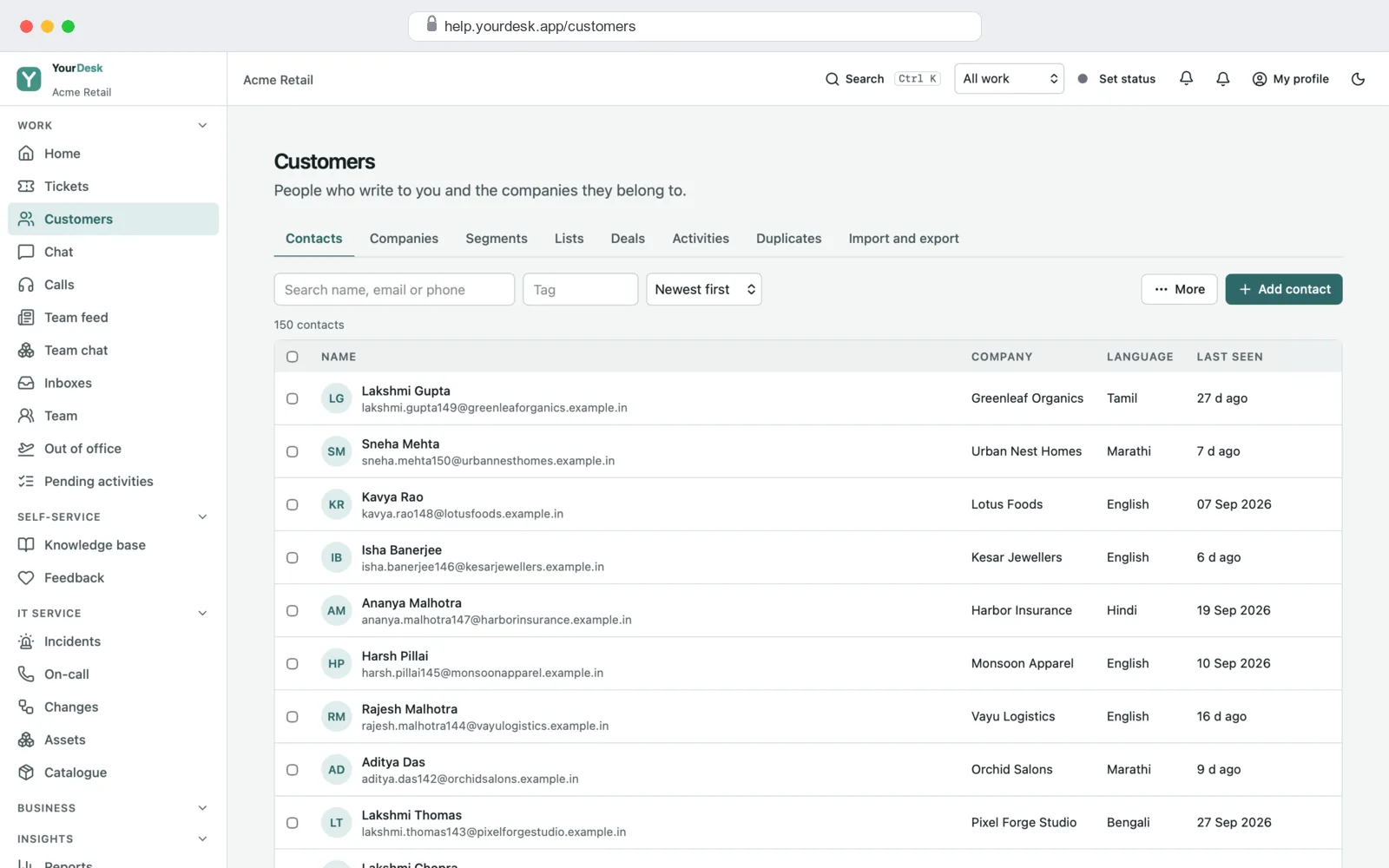
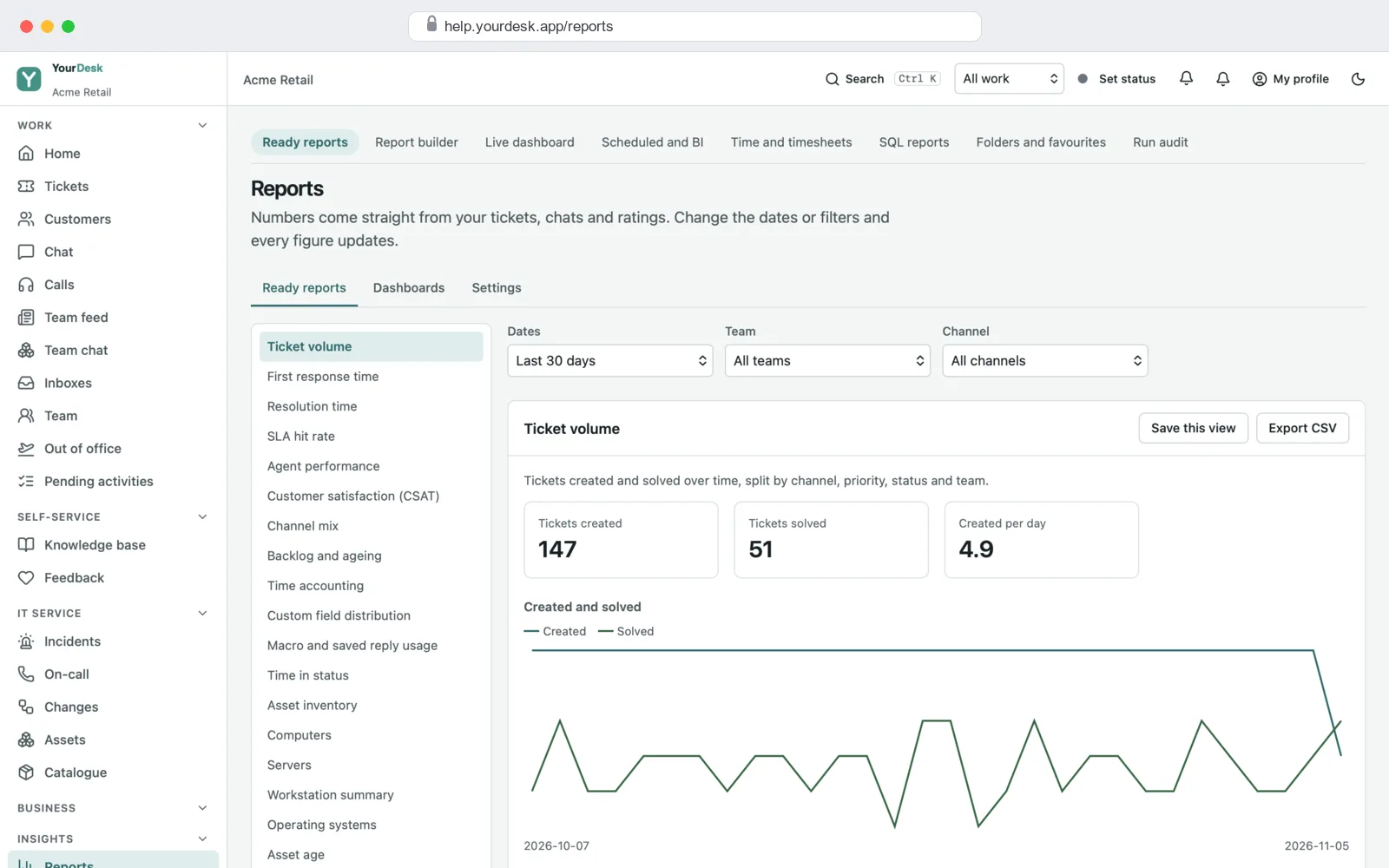
What your customers see
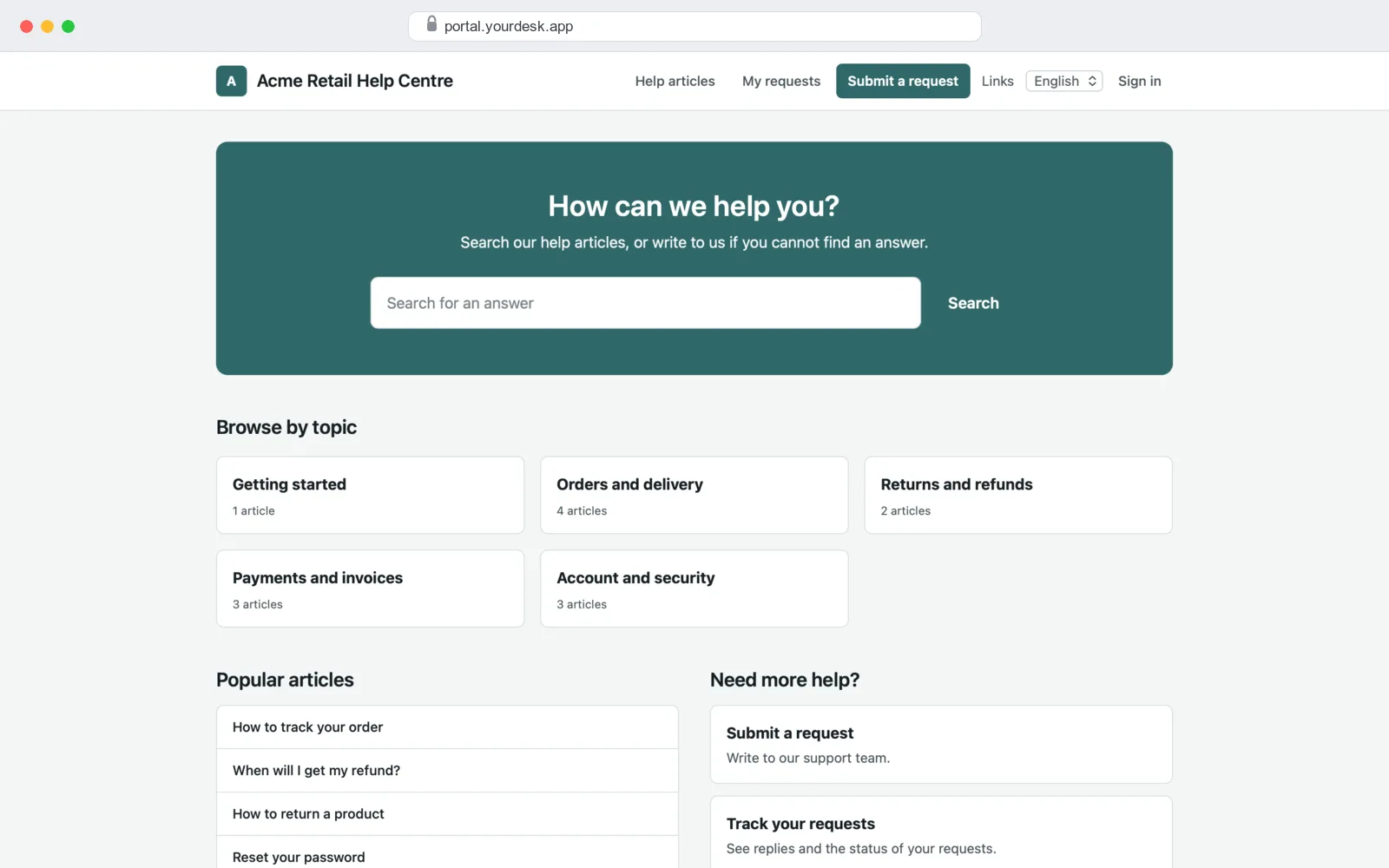
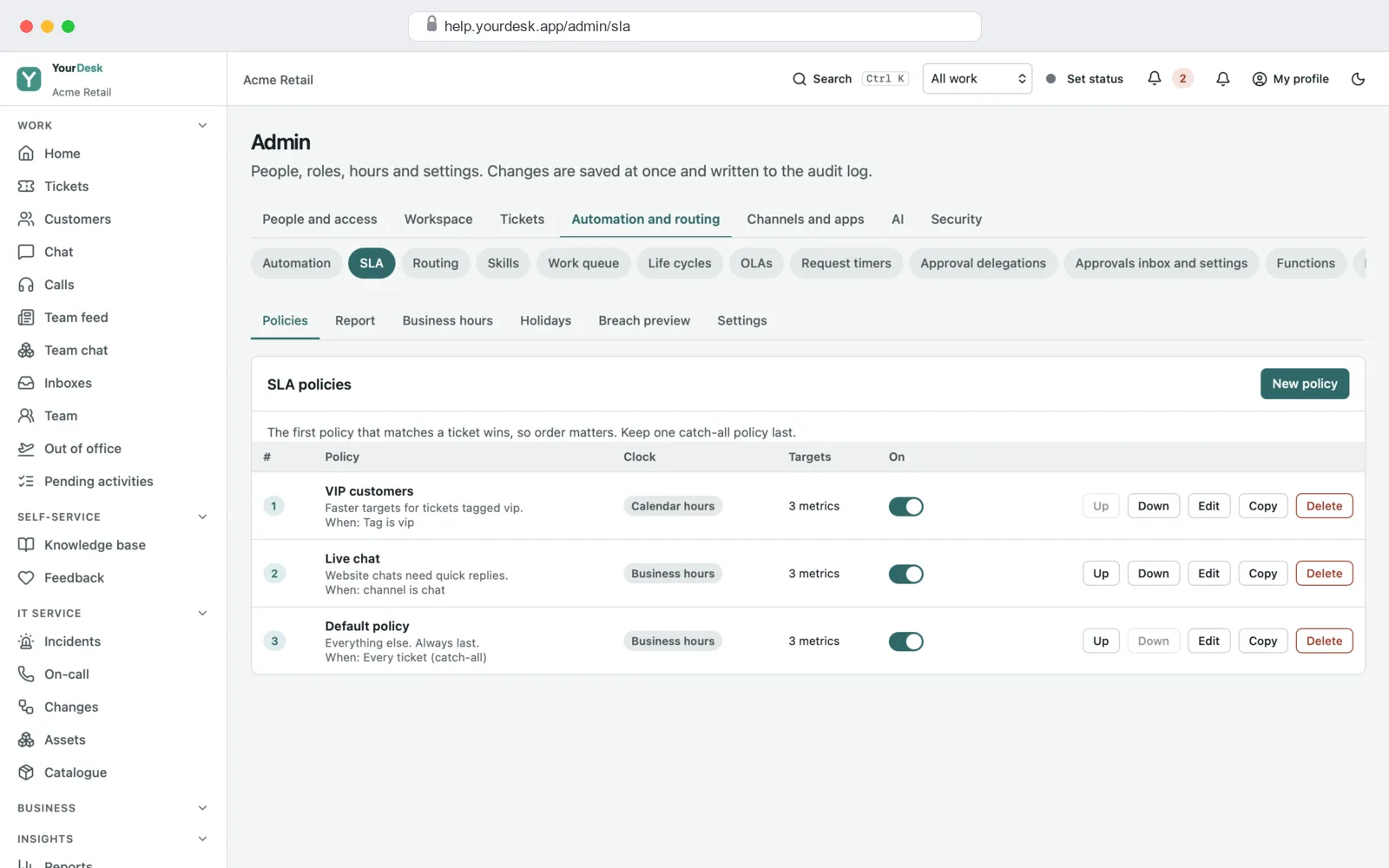
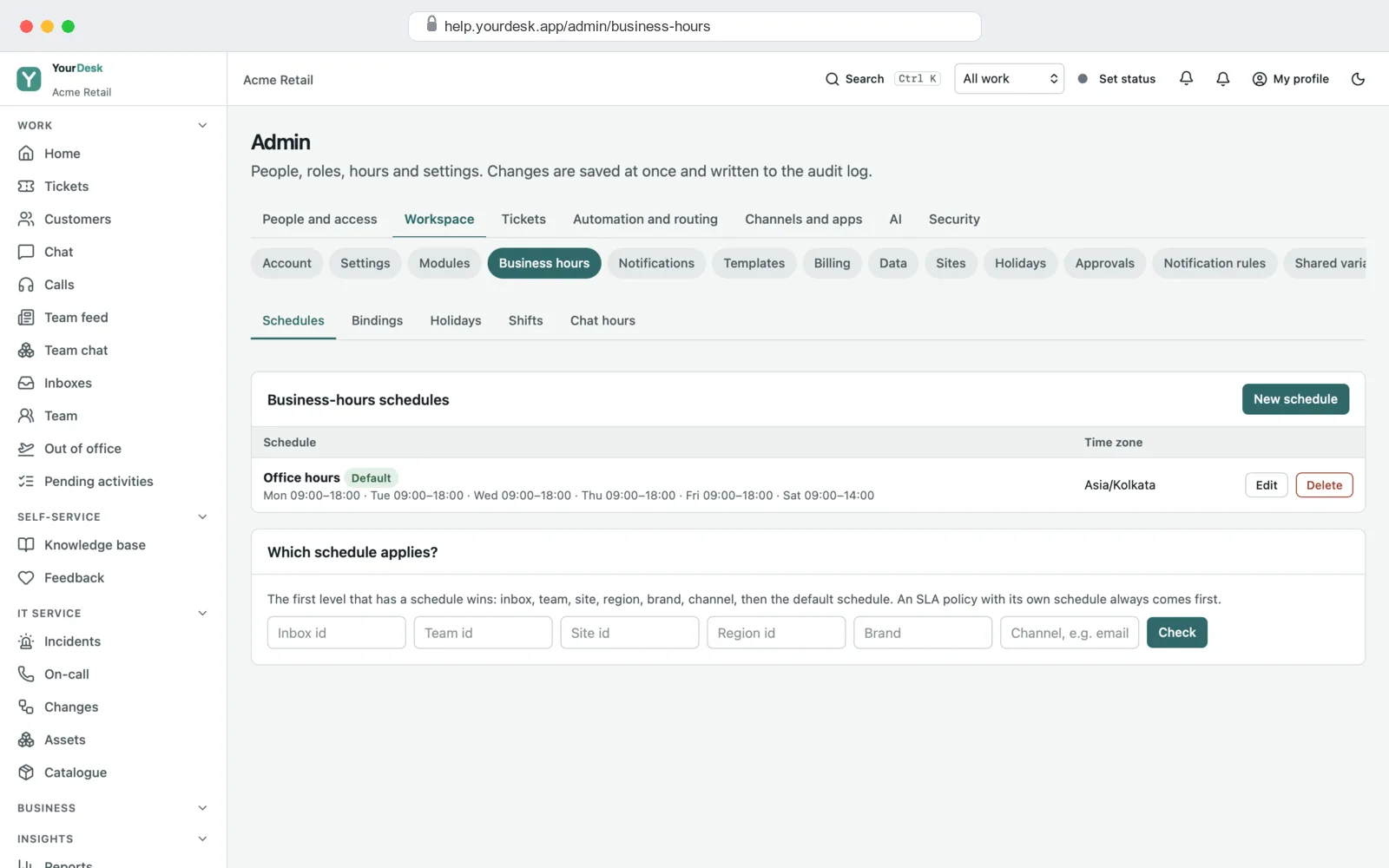
Time limits, rules and team settings
IT service desk, if you need it
Running support for your own staff, or for clients' IT? Switch on the IT parts. They use the same tickets, people and reports.
How we build your helpdesk
- Free demo call. We show you the demo helpdesk with sample tickets and note how your team answers customers today.
- Plan and quote. We agree your ticket types, teams, time limits, rules and the parts you need, and give you a fixed quote.
- Your brand. We put in your helpdesk name, logo and colours on the agent screens, the help centre, the chat box and the emails.
- Your channels and data. We connect your support email address and your website chat, and bring in your old tickets, customers and help articles from Excel or CSV.
- Your server. We set up the helpdesk on your own cloud or server, with your domain, your email account and backups.
- Training and support. We train your team and stay with you after launch to fix issues and add features.
What it is built with
- Server: Node.js (NestJS) with a PostgreSQL database and Redis for background jobs, timers and reminders.
- Web screens: Next.js and React for the agent screens and the help centre. They work in any browser, on a computer or a phone.
- Live updates: new tickets, chat messages and "someone else is replying" show up at once, without reloading the page.
- Chat box: one small script you paste into your website.
It is the same stack we use in our other SaaS development and web application development work, so any good developer can pick up the code later.
Helpdesk projects we have built
White-label: your name on everything
Your agents and your customers see your brand, not ours. Your helpdesk name, logo and colours go on the agent screens, the help centre, the chat box and every email. You get the full source code, so there is no monthly fee per agent to us and no lock-in. You can also sell the helpdesk to your own clients under your name.
Get a quote for your helpdesk
Ticket inbox, help centre, chat box, time limits, rules and reports, with your brand, set up on your own server. Tell us how your team handles support today and what you want to fix, and we will send a fixed quote.
- Full source code, yours to keep
- Your teams, ticket types, time limits and rules
- Your old tickets, customers and help articles brought in
- Training for your team and help after launch
Frequently asked questions
What is helpdesk ticketing software?
It is software that turns every customer question into a ticket. Each ticket has a number, an owner and a status, so nothing gets lost. Your team answers from one inbox, and customers can see where their request stands.
What is a white-label helpdesk?
It is a helpdesk that is already built, which we set up with your name, logo and colours. Your agents and customers only see your brand. You get the full source code, so you own it.
Can I see the helpdesk before I pay?
Yes. We show you the demo helpdesk with sample tickets, help articles and reports on a free call. Then we give you a demo login so you can try it yourself.
Which channels can customers use?
Email, the chat box on your website, and the request form in your help centre. Agents can also add a ticket by hand for a phone call or a walk-in. WhatsApp and SMS can be added on request, through your own provider account.
Can customers track their own tickets?
Yes. Customers sign in to your help centre with a one-time code sent to their email. They see all their requests, the replies and the status, and can reply from there.
Can I set reply time limits for my team?
Yes. Set a first-reply time and a fix time for each priority. The clock follows your working hours and holidays. When a ticket is close to its limit, the helpdesk warns the agent, then the team lead.
Can it also run an IT service desk?
Yes. Switch on the IT parts and you get an asset list, change requests with approvals, problems with root causes, and a service catalogue for staff to ask for laptops, access or software.
Do I get the full source code?
Yes. You get all the source code for the server, the agent screens, the help centre and the chat box. You can change it, host it on your own server and use it under your own name, with no monthly fee per agent to us.
Is there a mobile app?
The agent screens and the help centre work in the browser on any phone. If your team needs an Android or iPhone app, we build it as part of the project.
How much does a helpdesk cost?
It depends on the parts you need, the changes and how much old data you have. Tell us what you need and we will send a fixed quote. The demo and the first call are free.
Read more
Written by
PRS Admin
Building software at PRS India.