Engineering
QuickCart: Grocery Delivery App with Rider and Store Apps

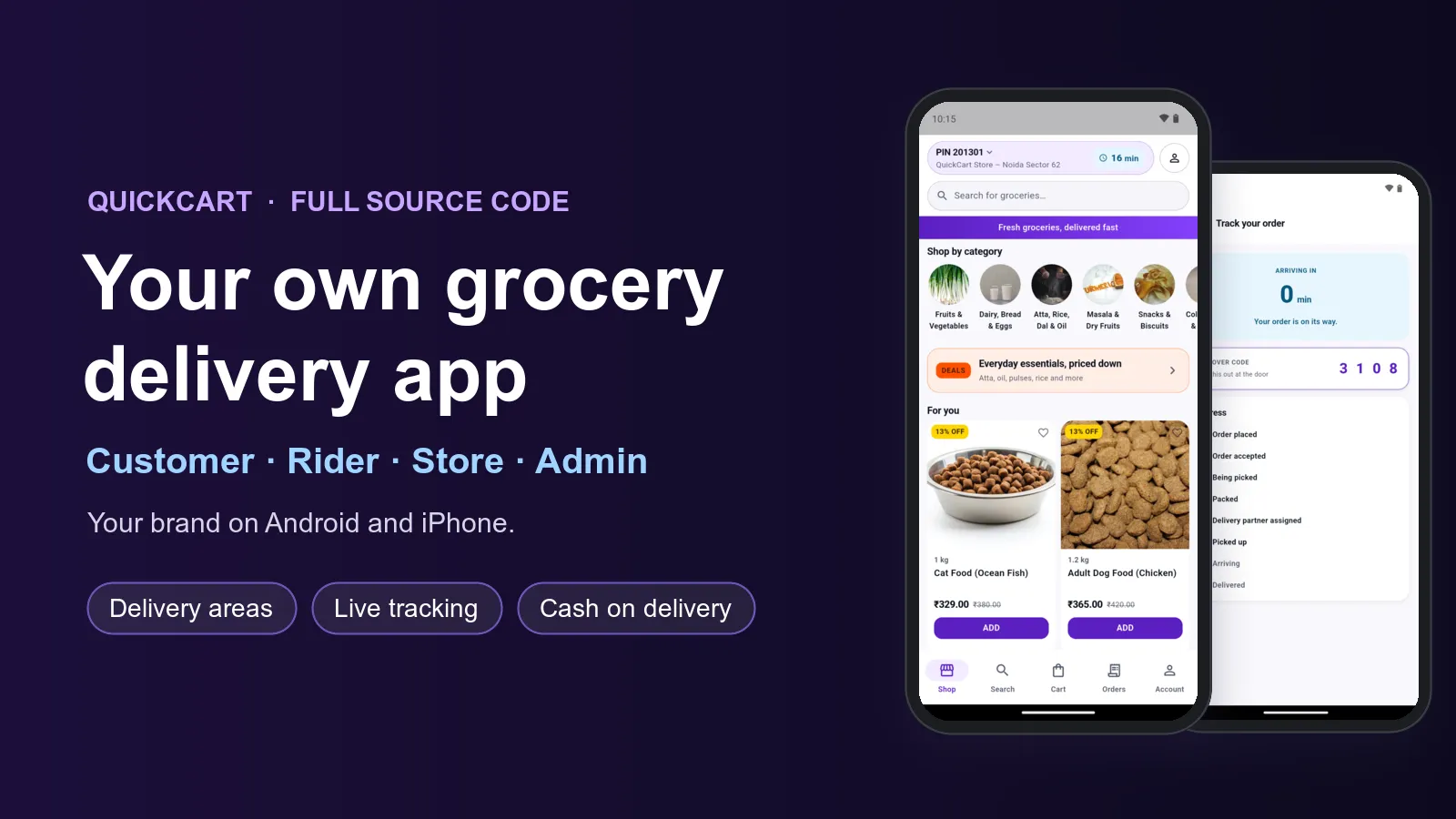
Want to run your own grocery delivery business, with your own app? We build it for you. QuickCart gives you a customer app, a rider app, tools for your dark store and an admin panel. Everything carries your name, your logo and your colours, and you get the full source code.
QuickCart is already built and working. Shoppers check if you deliver to them, fill a cart, pay and watch the order come. Your store team packs it, a rider takes it to the door, and you see it all from one panel. We change it to fit your shops and your city, then help you publish the apps.
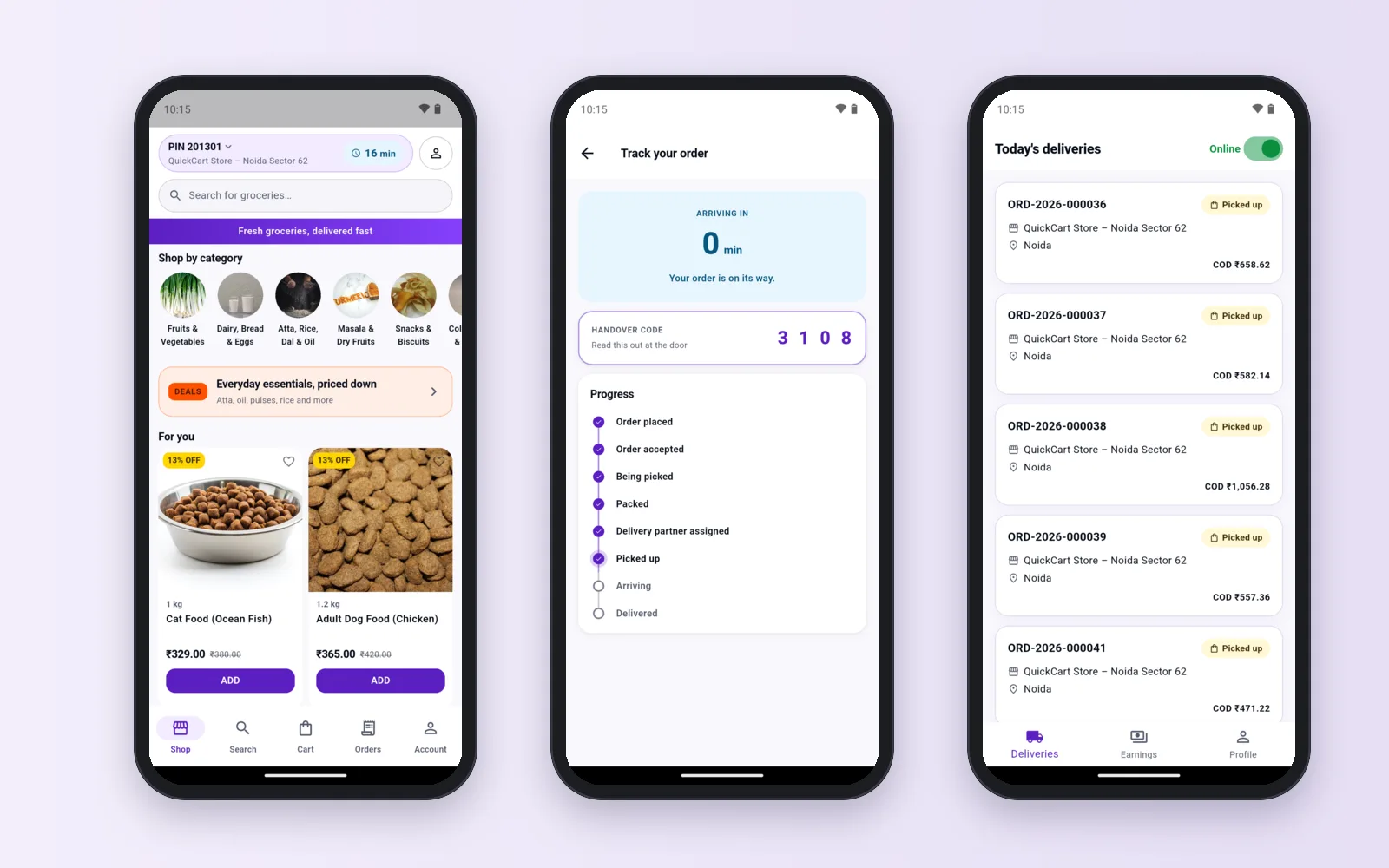
See it working before you decide
The demo customer app, rider app and store app are ready to install on any Android phone from our demo download page. For a demo login and a tour of the admin panel, send us a message. On a call we show you one order from start to end: add to cart, pay, pack it in the store, hand it to a rider and mark it delivered.
Android + iPhoneAndroid + iPhoneAndroidWeb, any browserWhat you get: four parts that work together
A grocery delivery business has shoppers, riders, store staff and a head office. QuickCart has a part for each one:
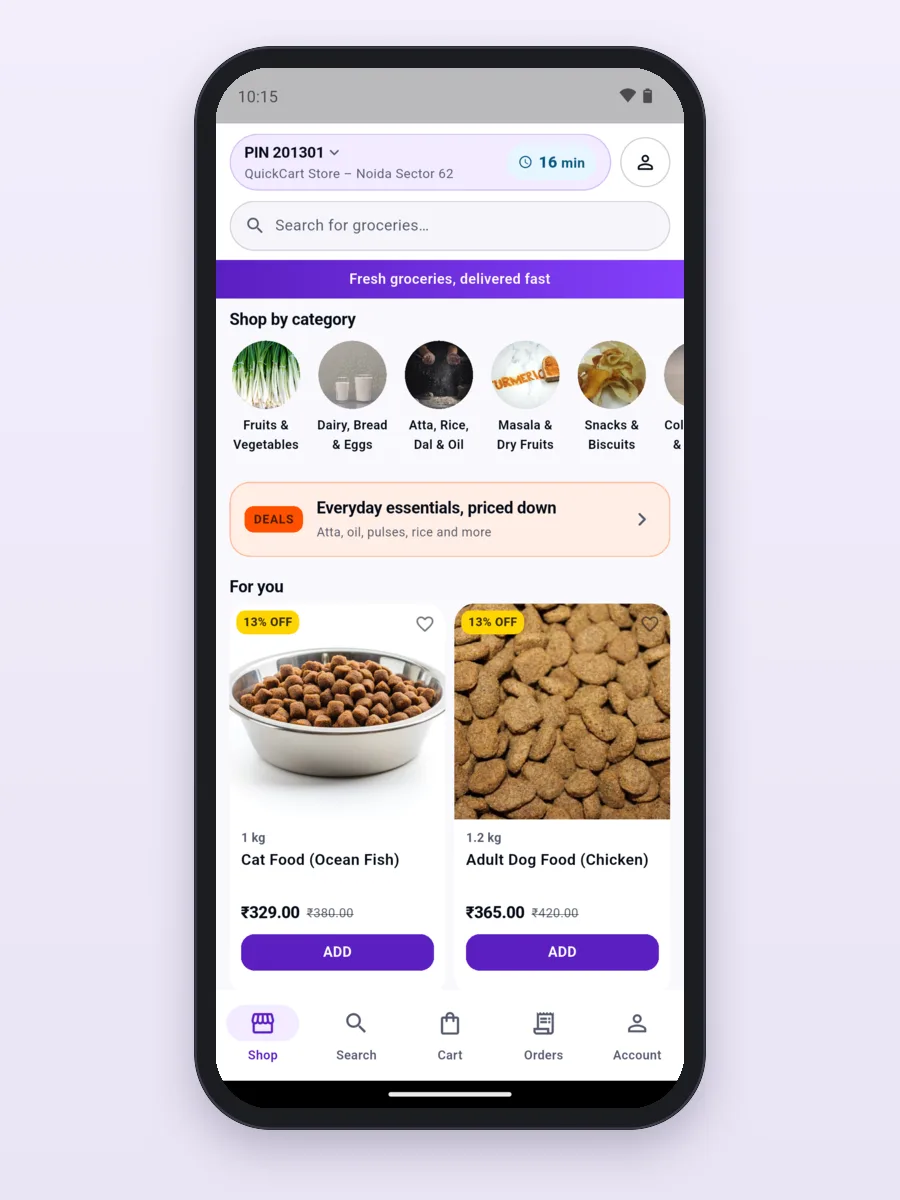
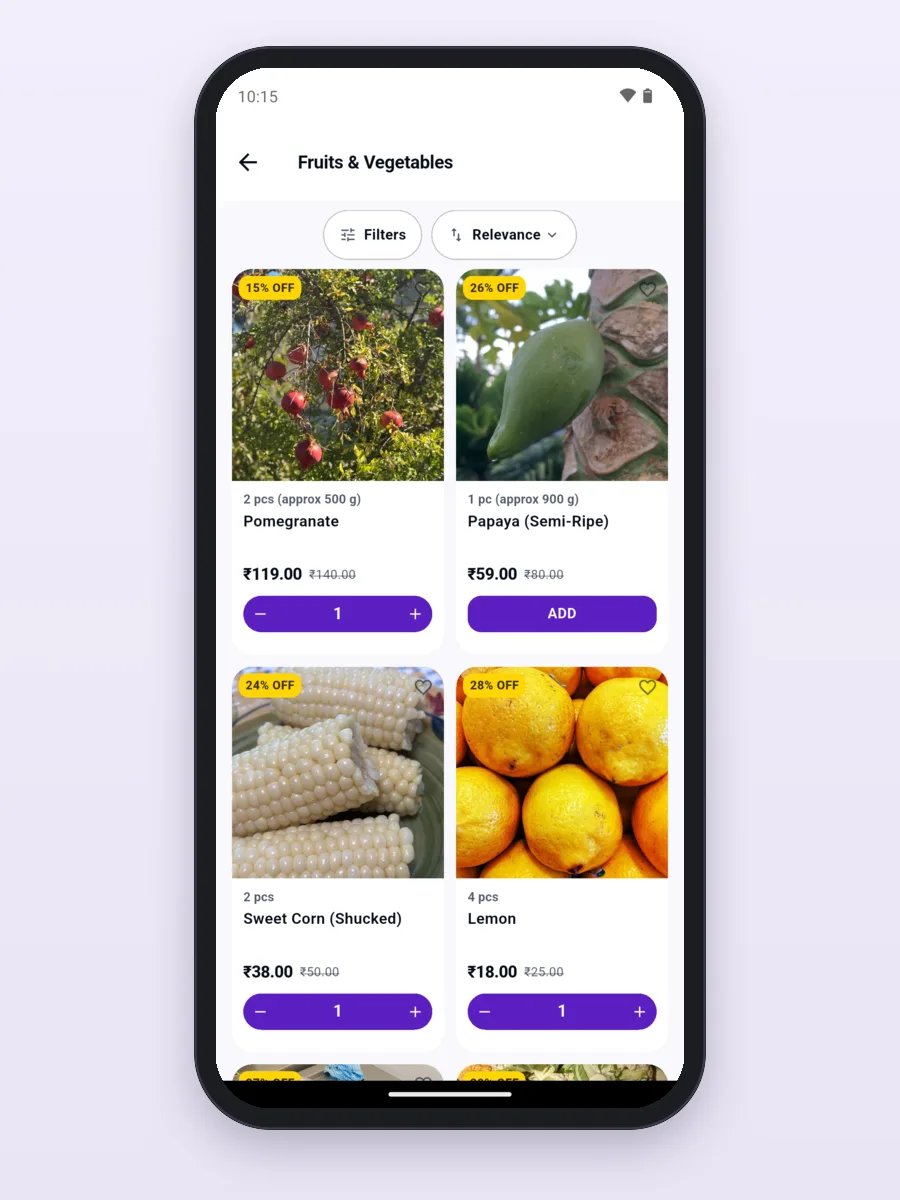
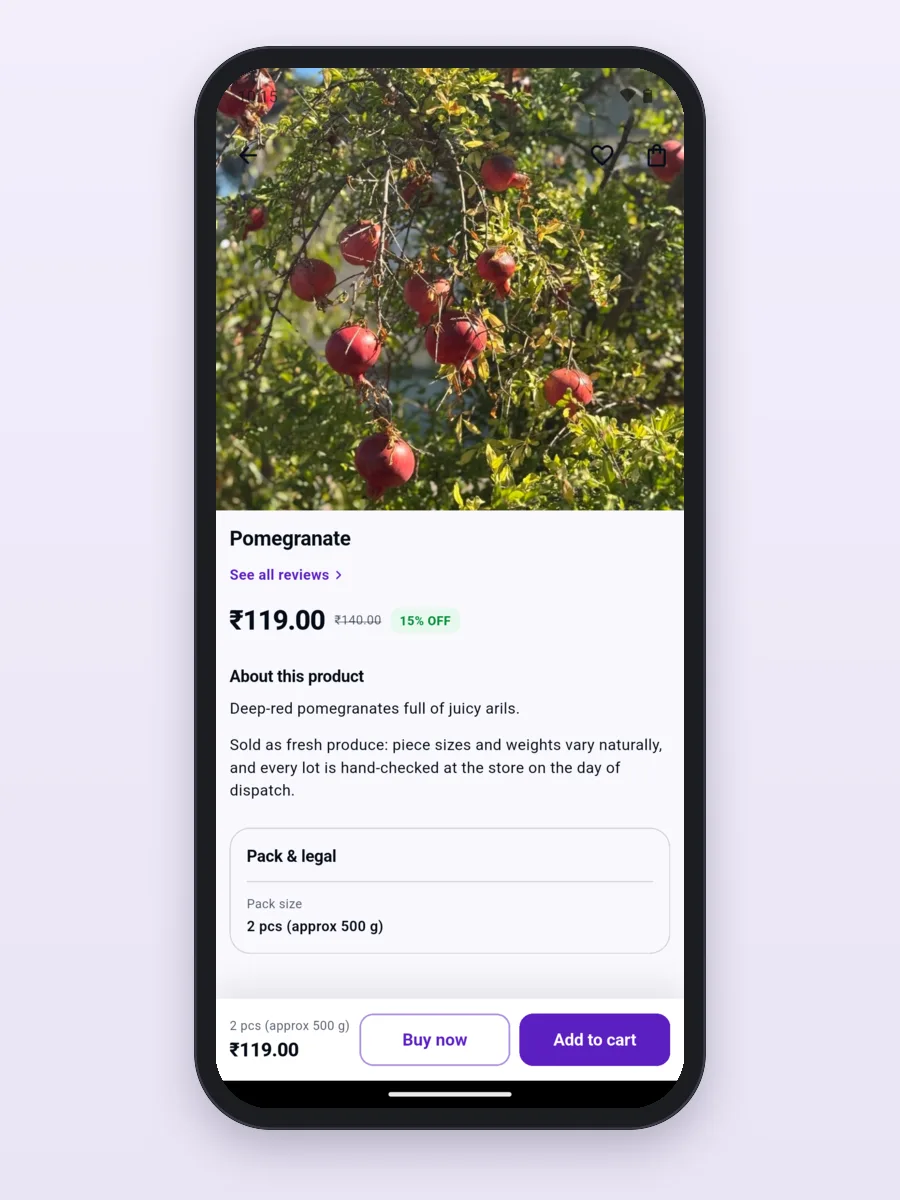
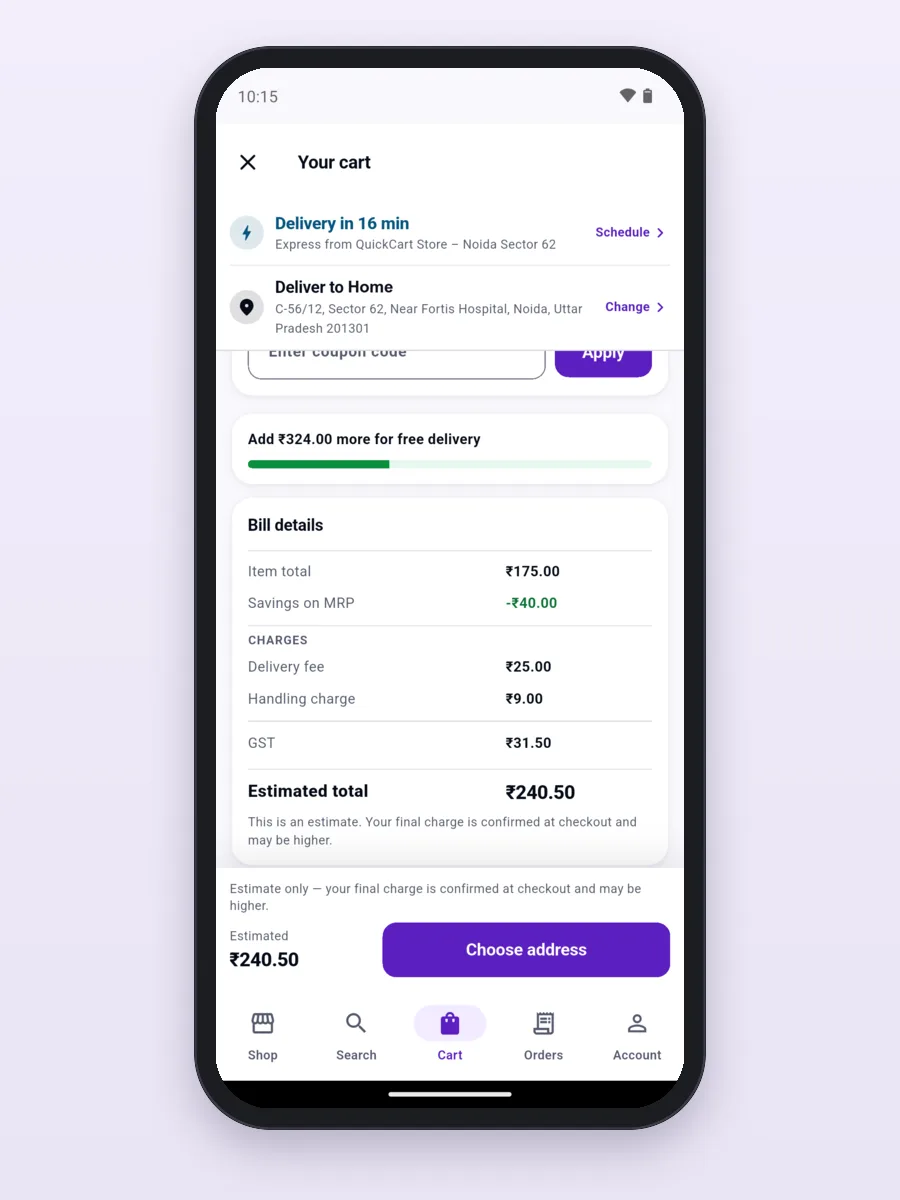
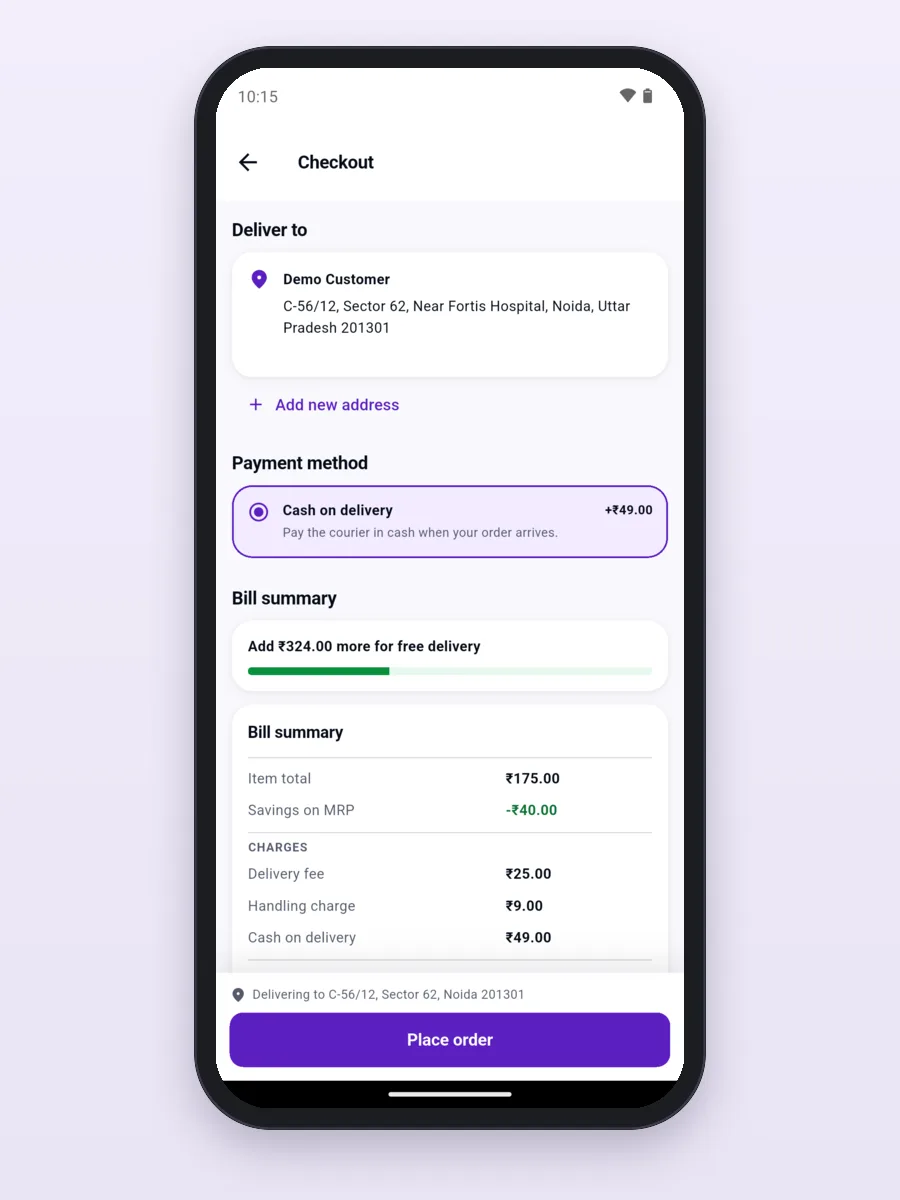
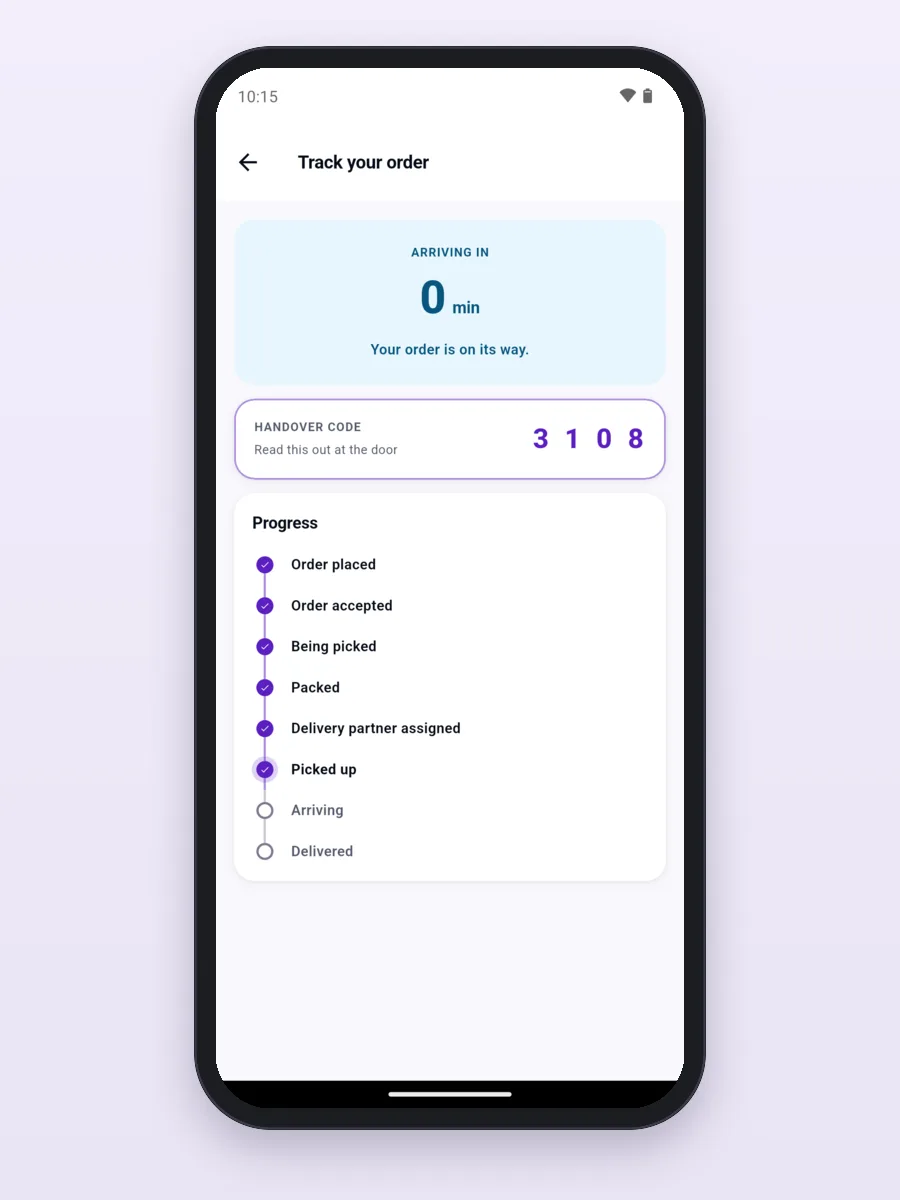
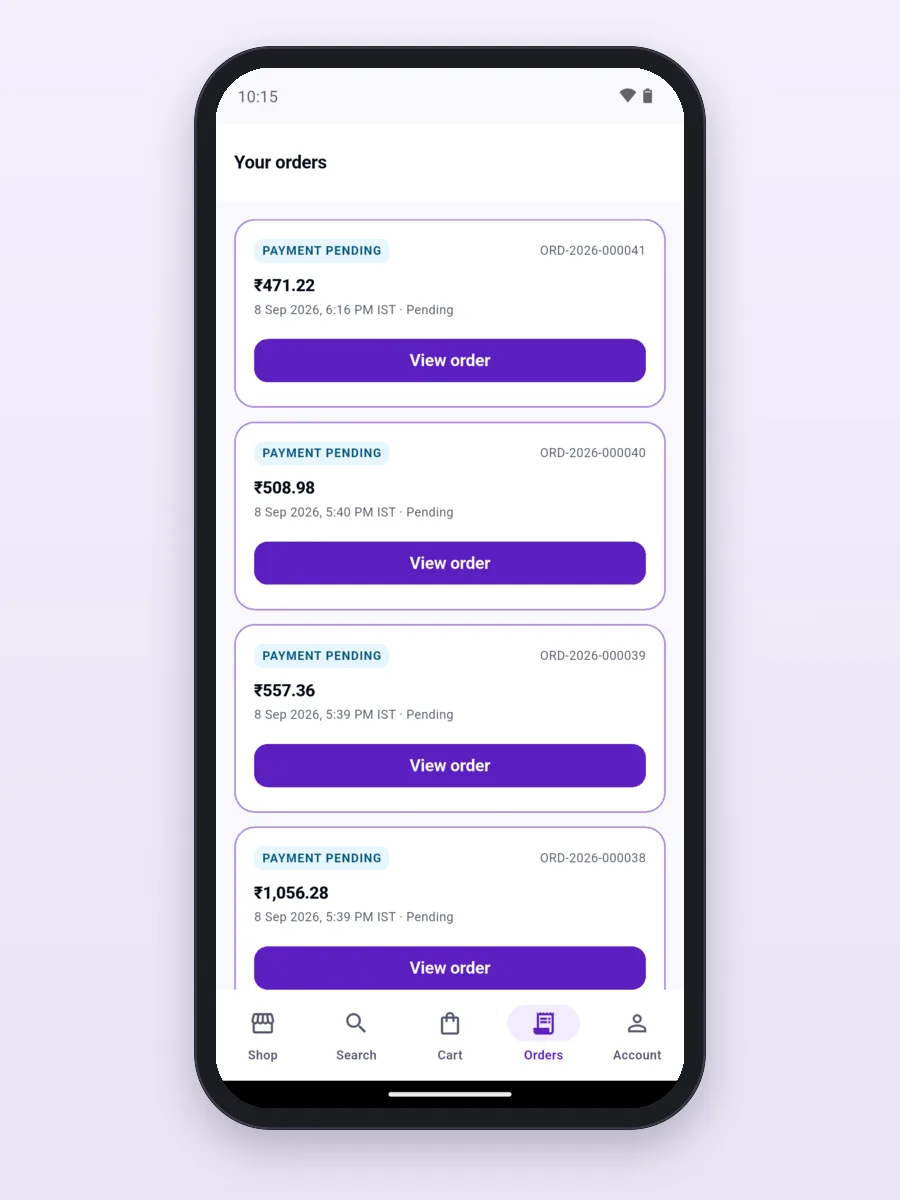
- Customer app (Android and iPhone): check delivery to your area, browse and search, add to cart, apply a coupon, pay, track the order and reorder.
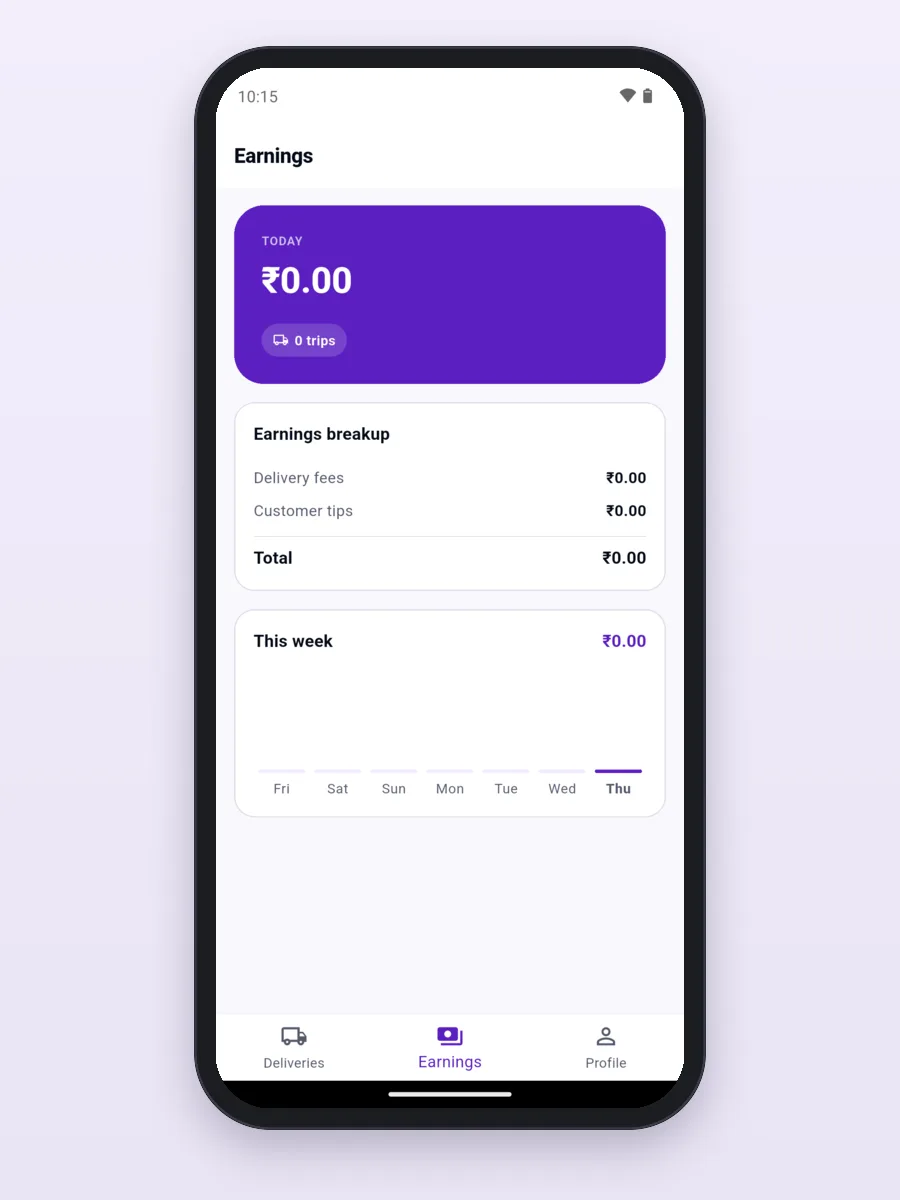
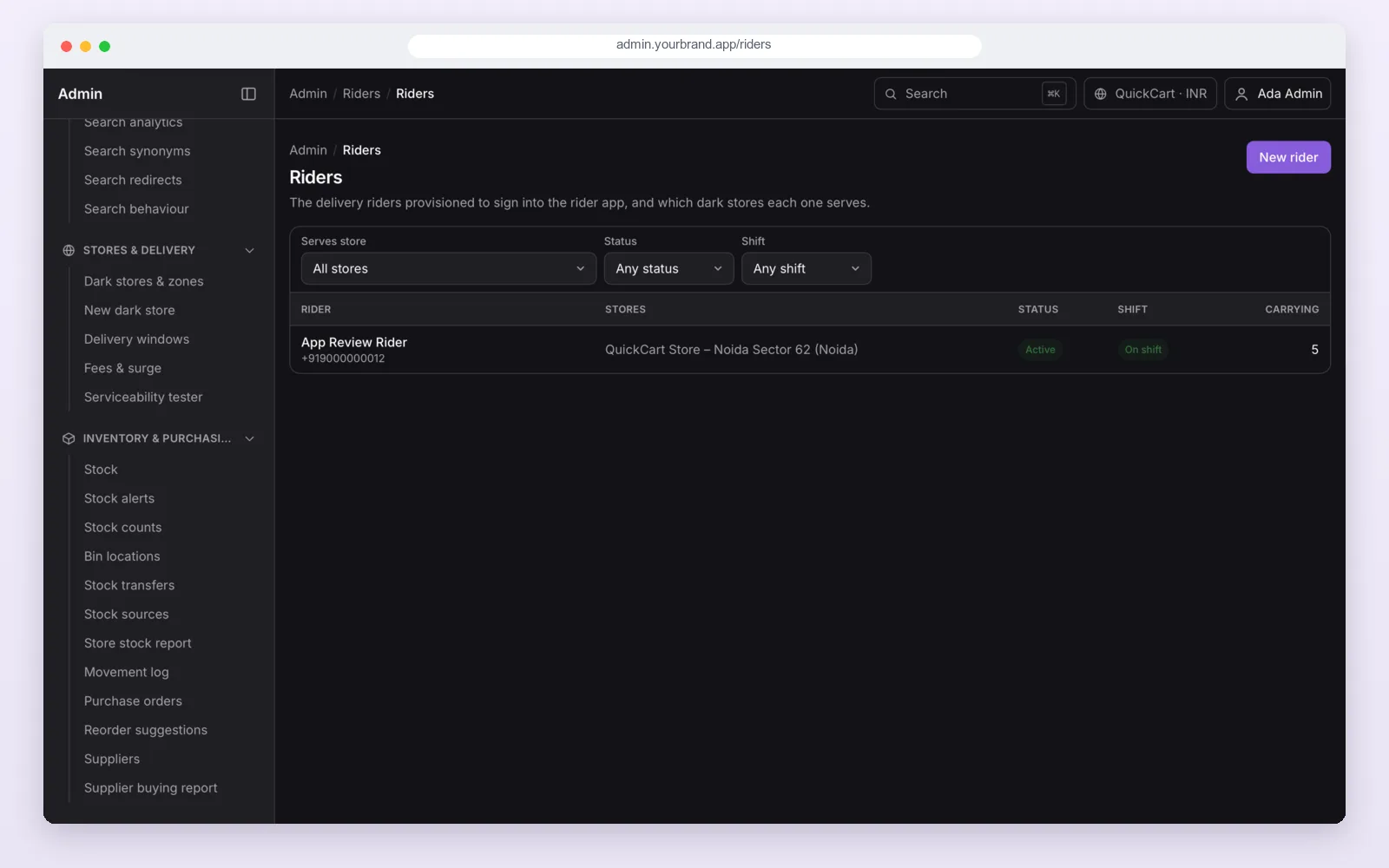
- Rider app (Android and iPhone): go on shift, see the deliveries given to you, open the route in Google Maps, collect cash, finish with the customer's code and see your earnings.
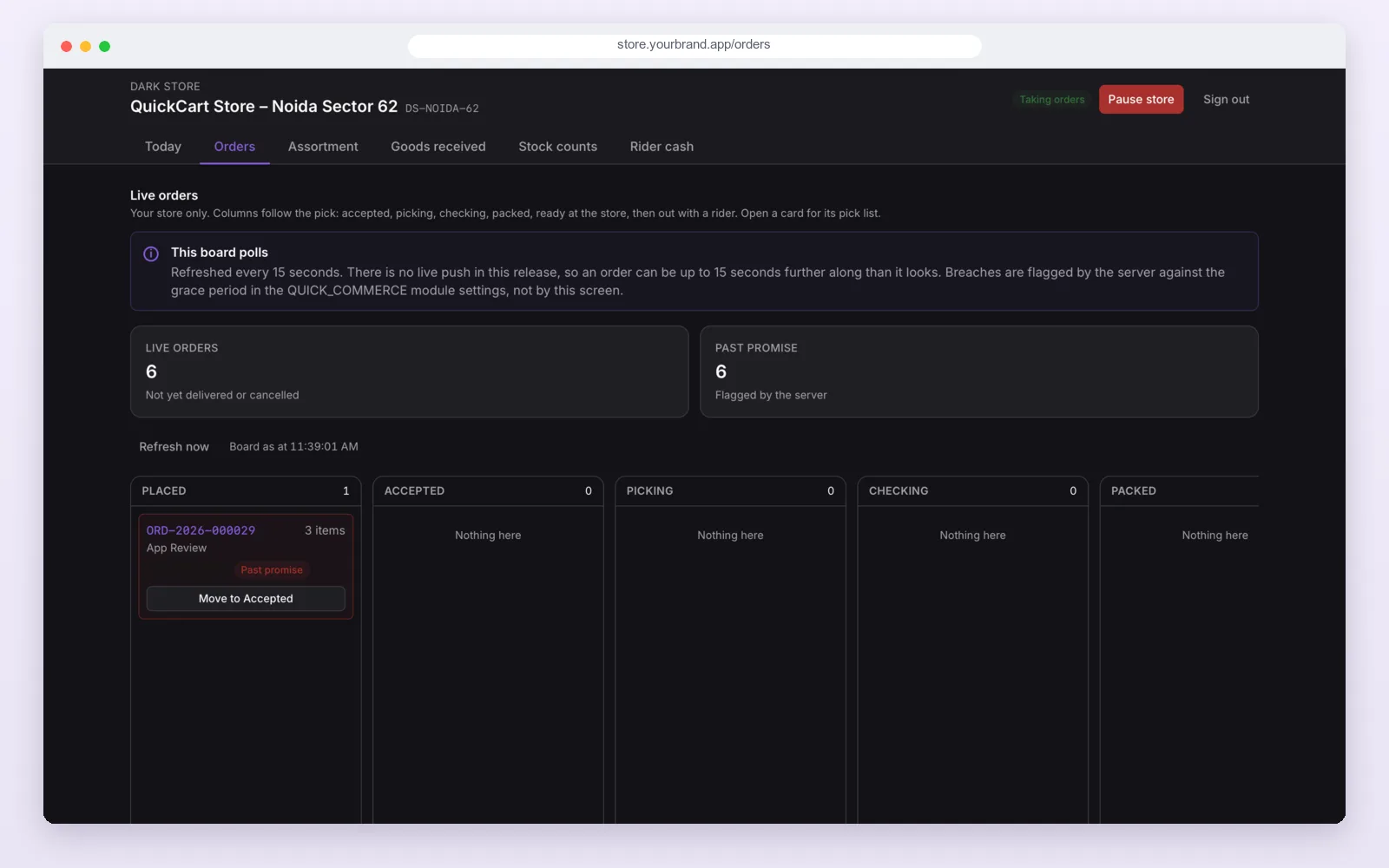
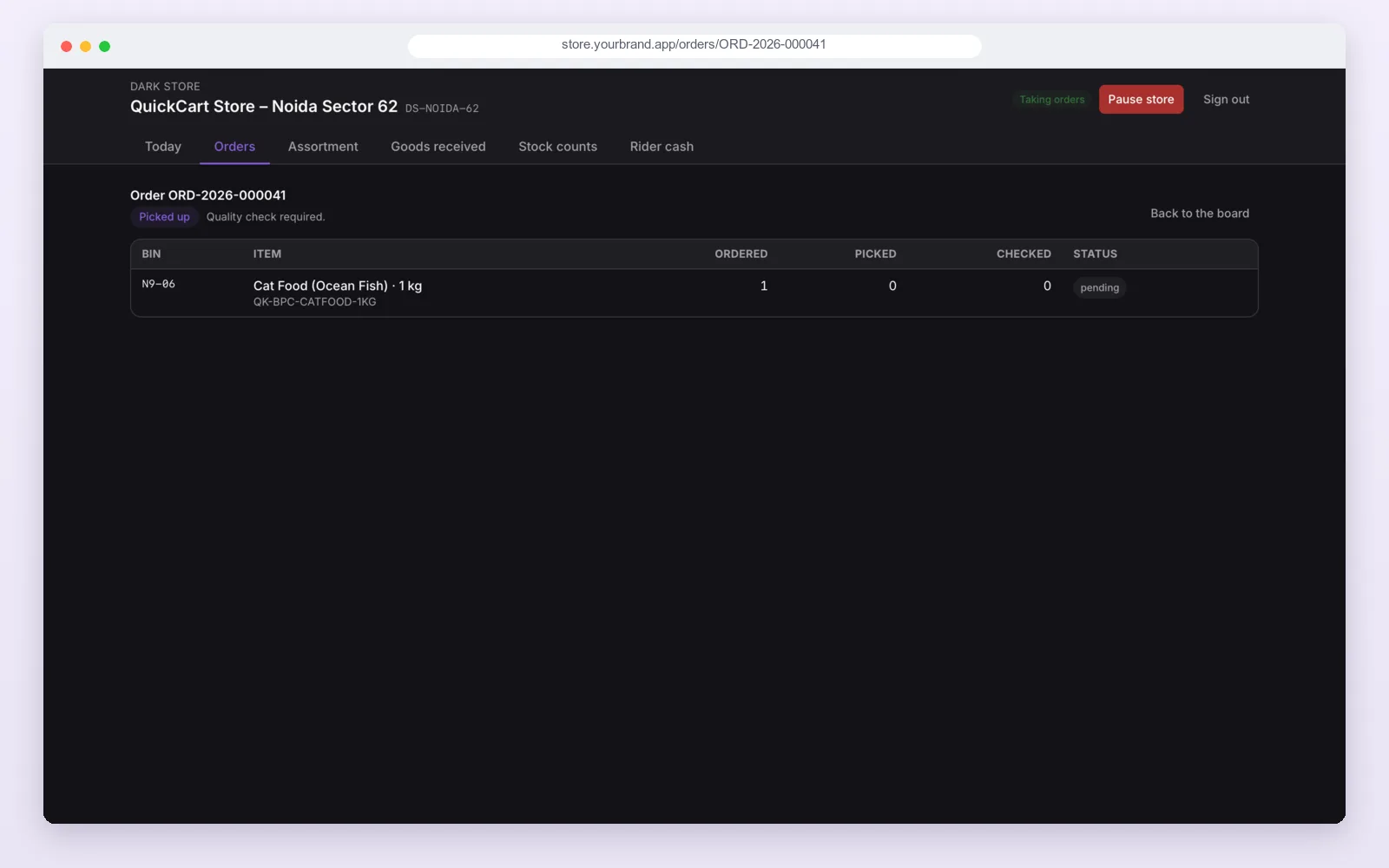
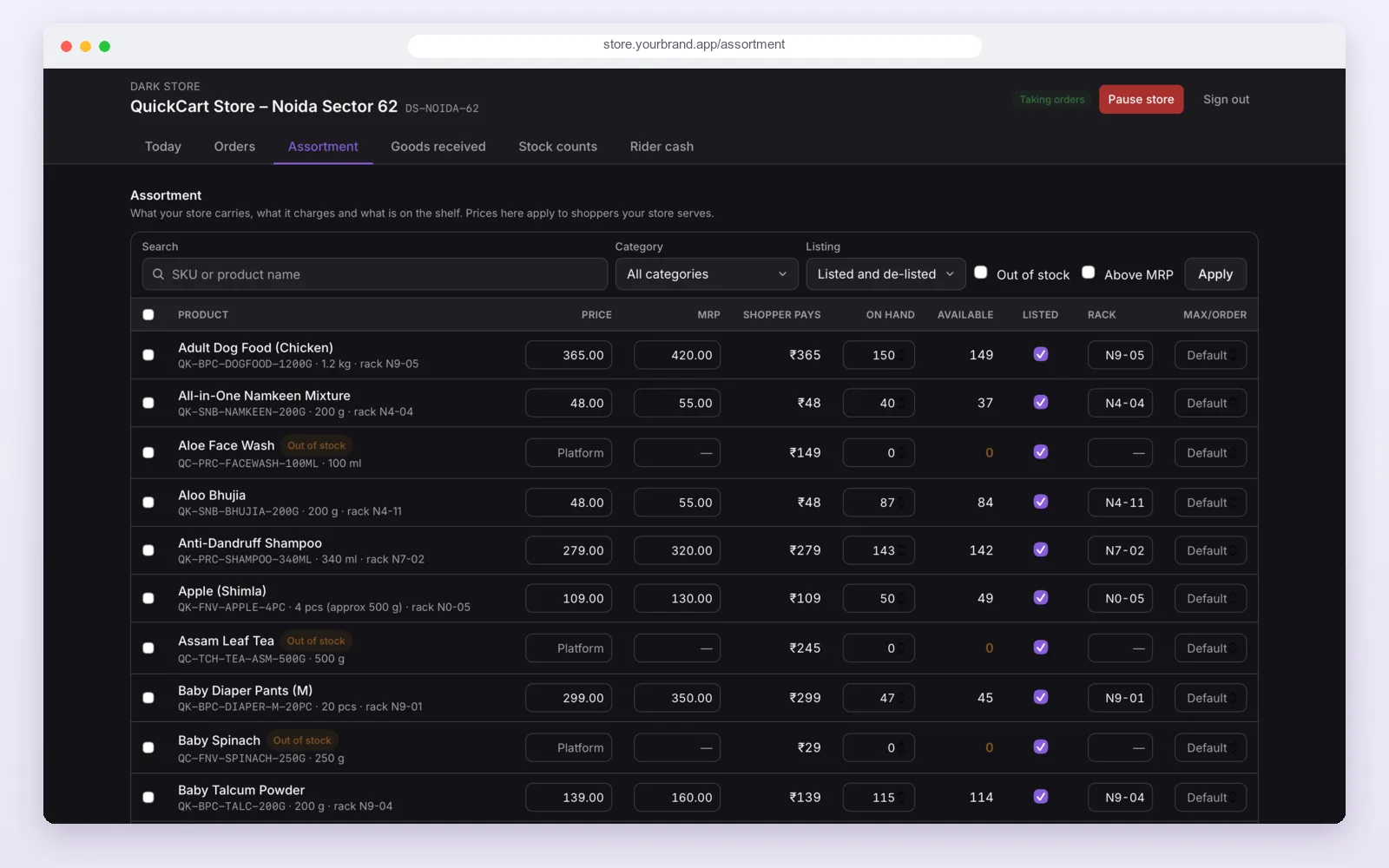
- Store tools (web dashboard and an Android app): see new orders, pick and pack them, check them, hand them to a rider and count rider cash.
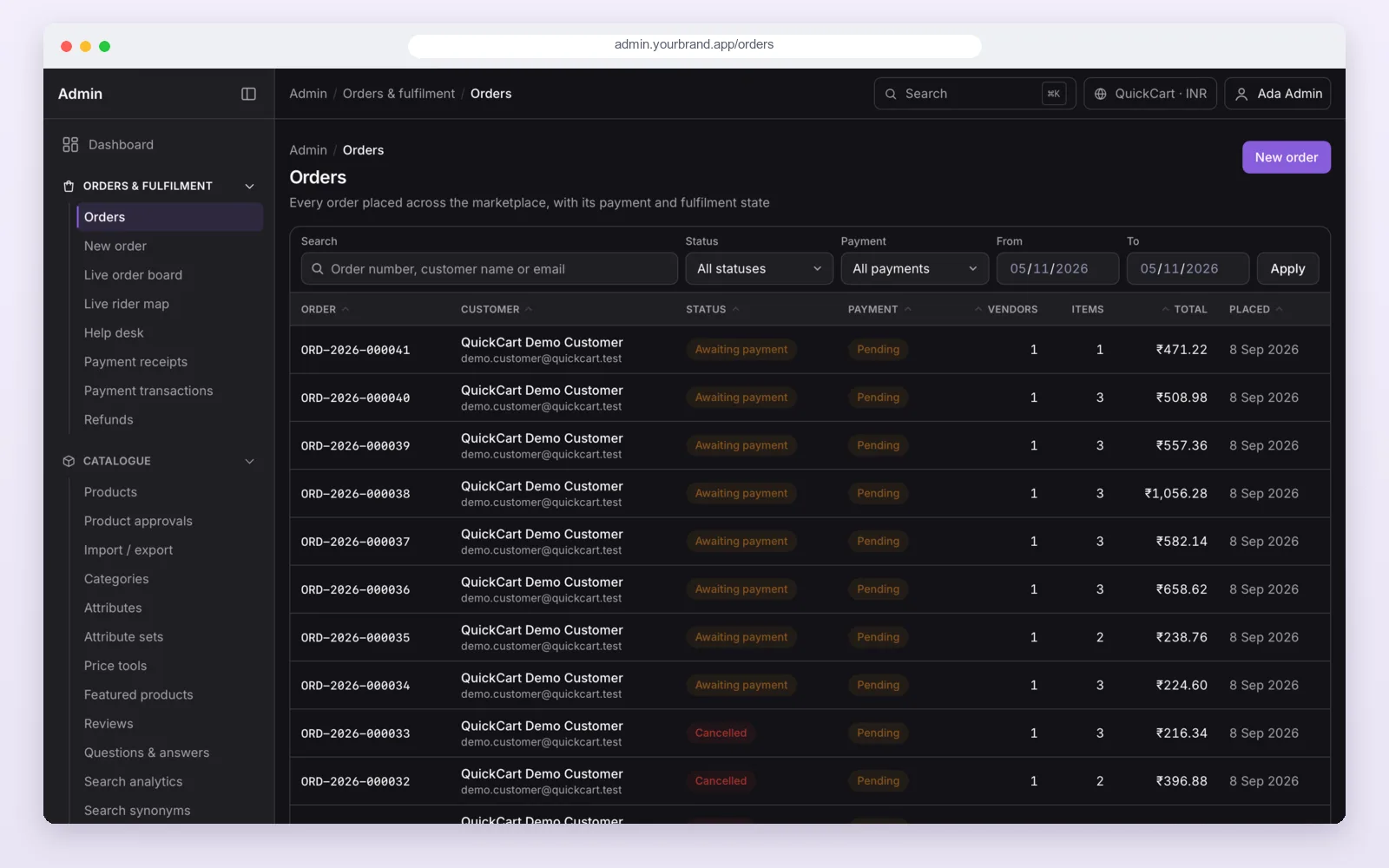
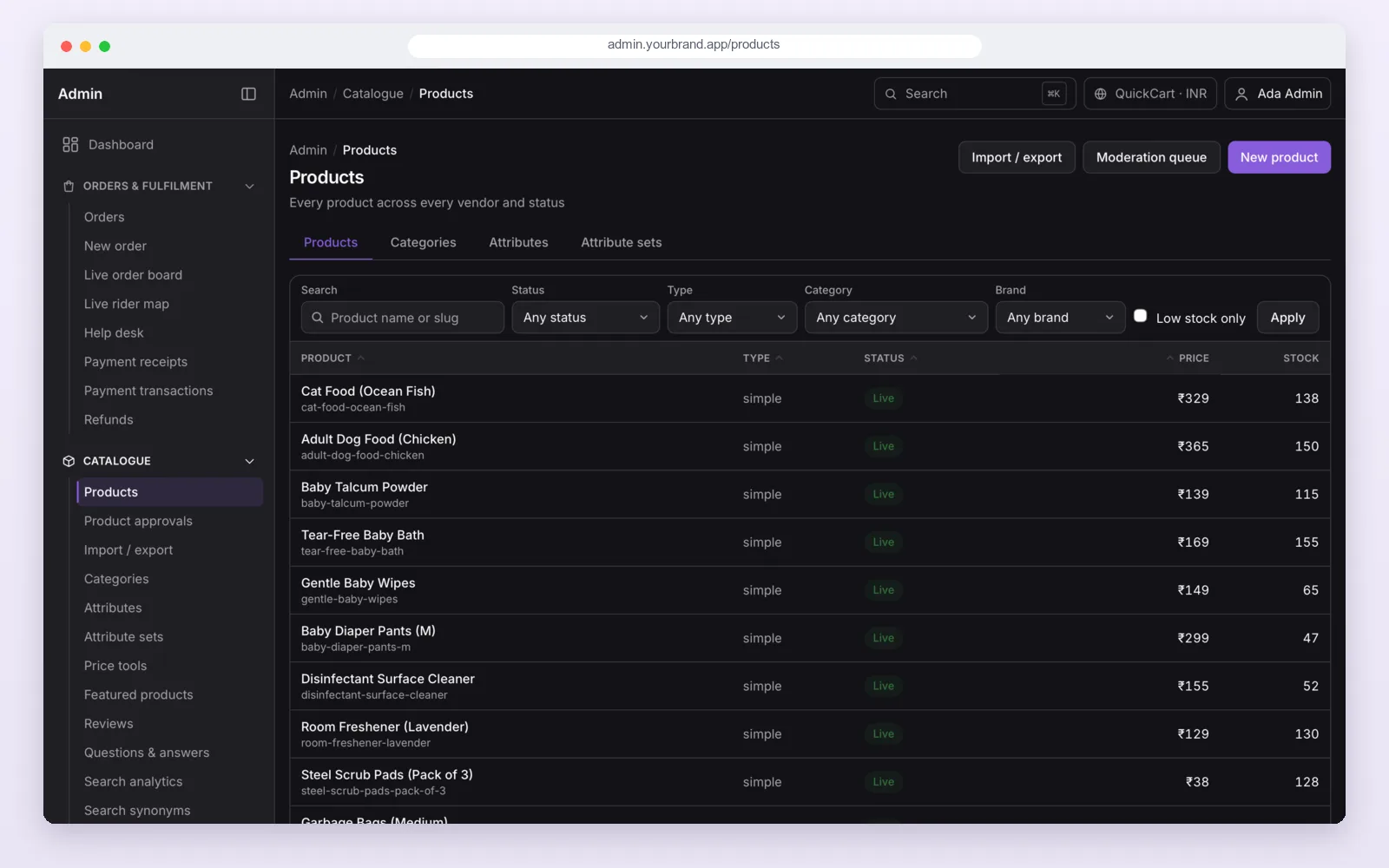
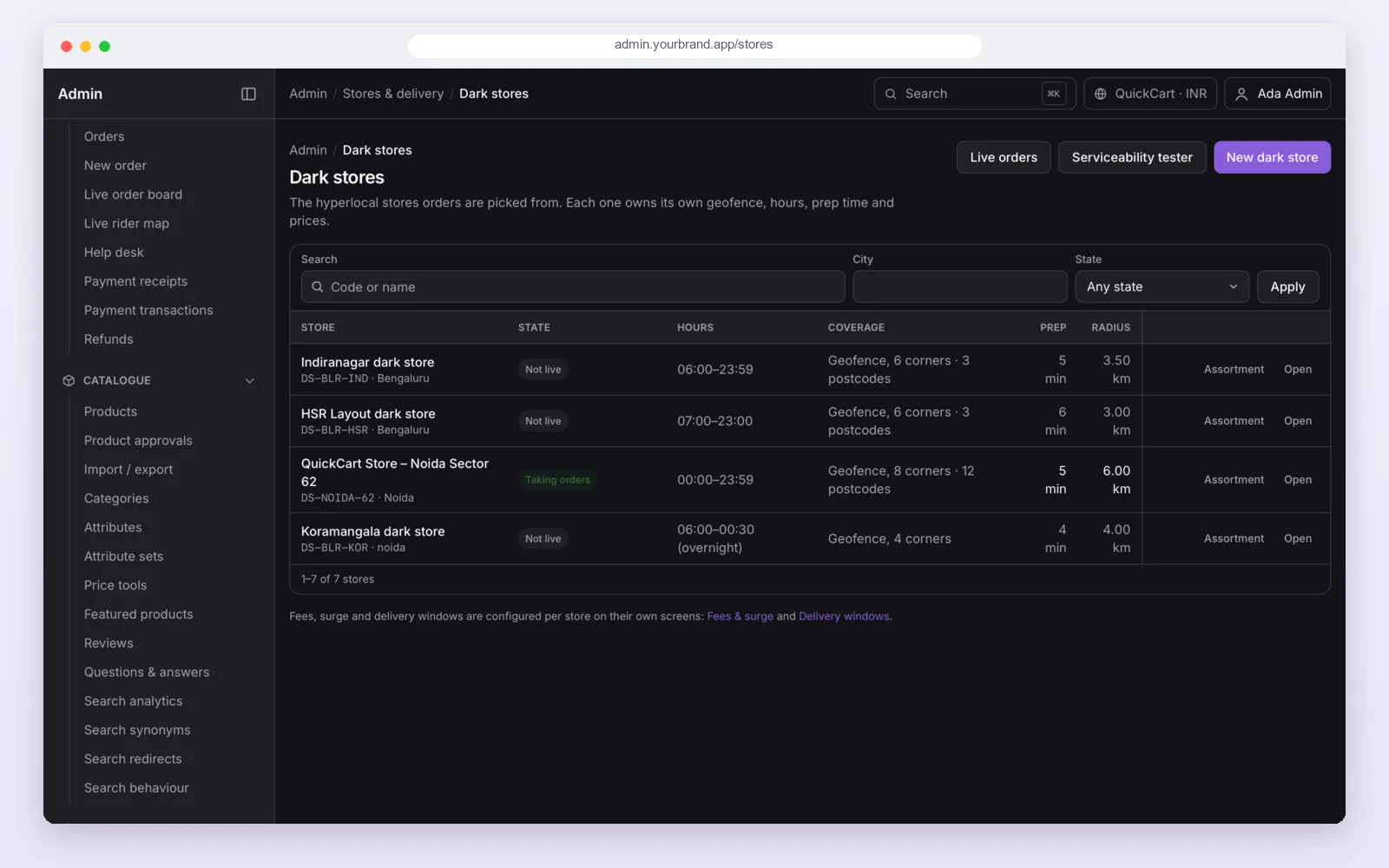
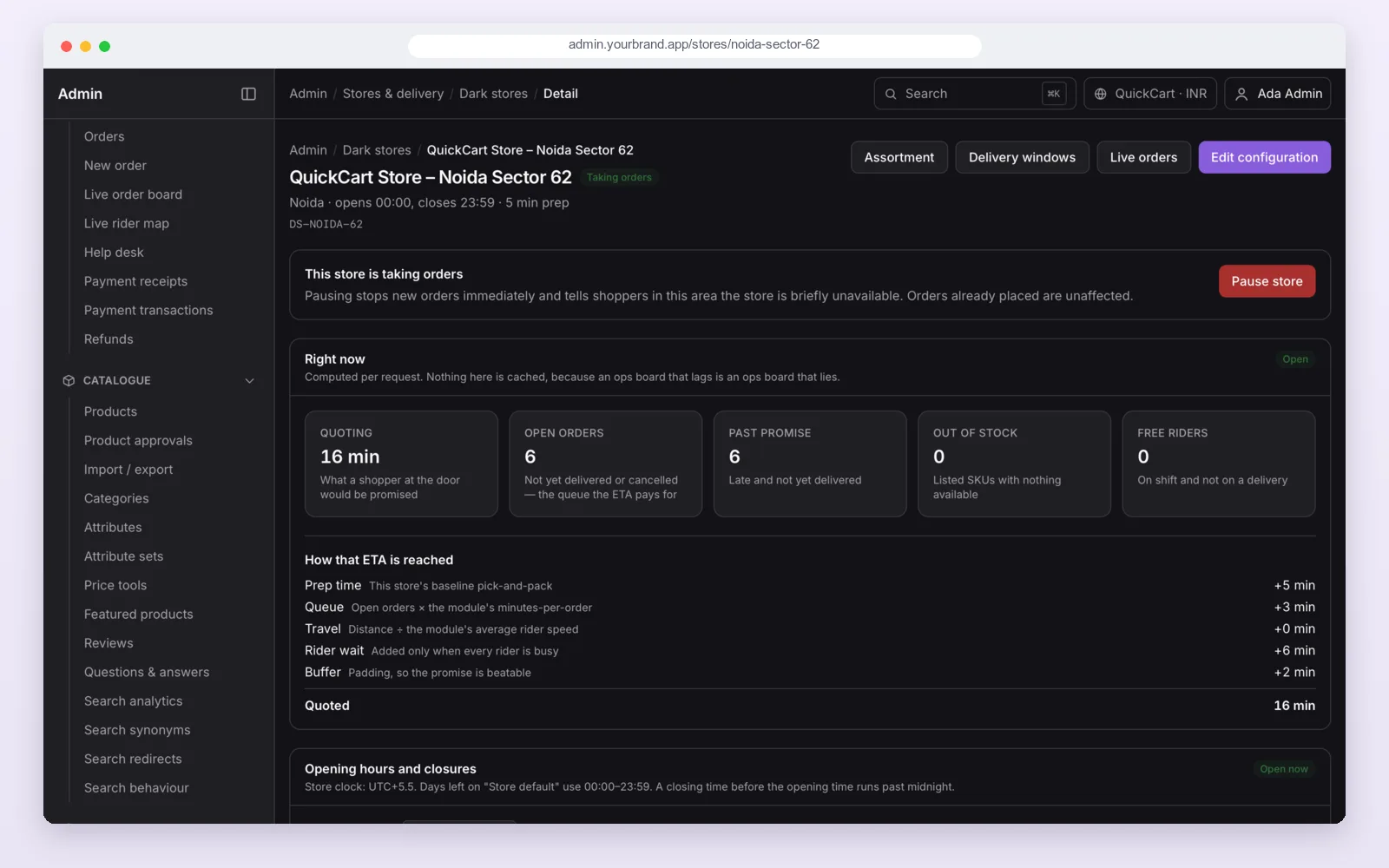
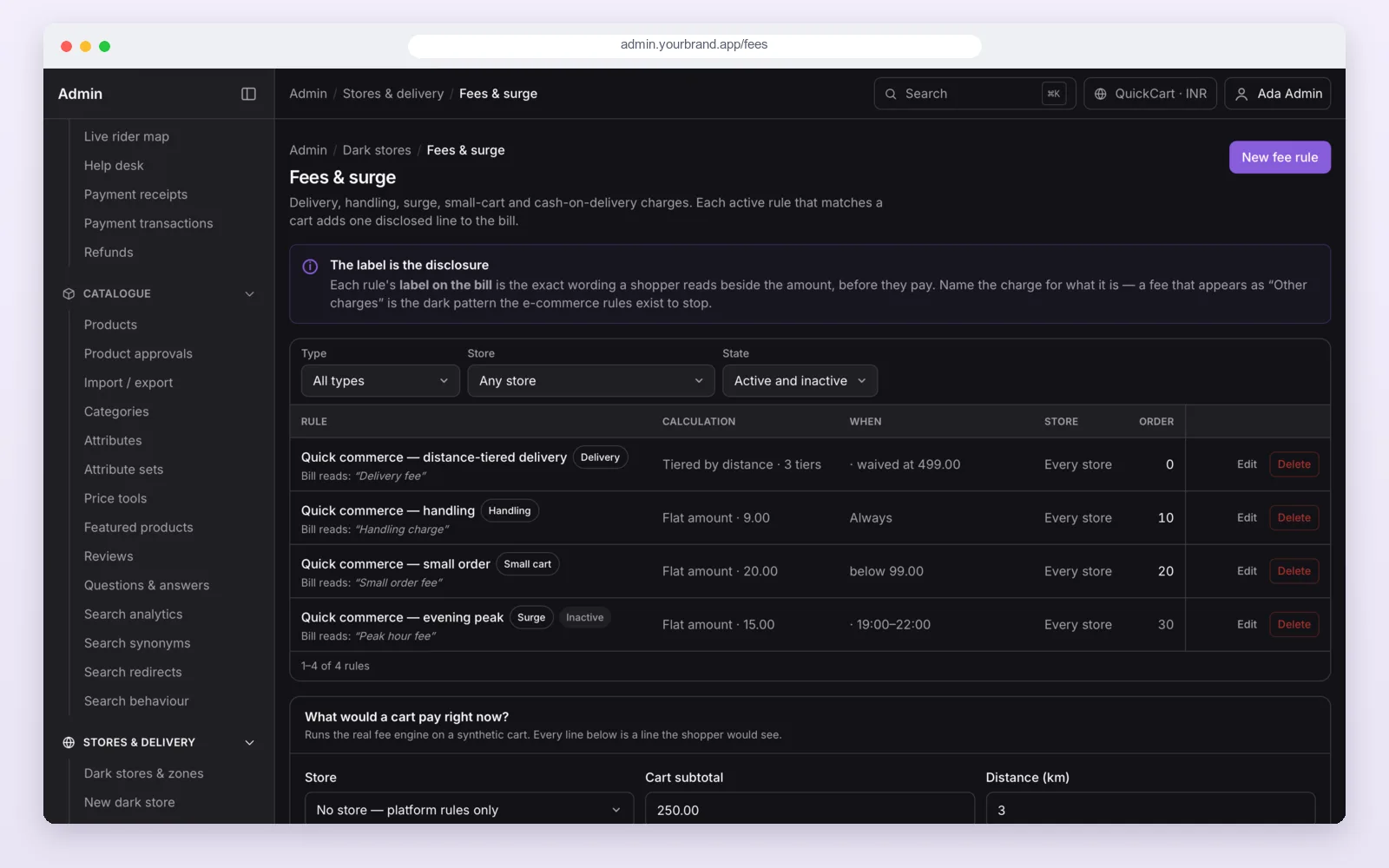
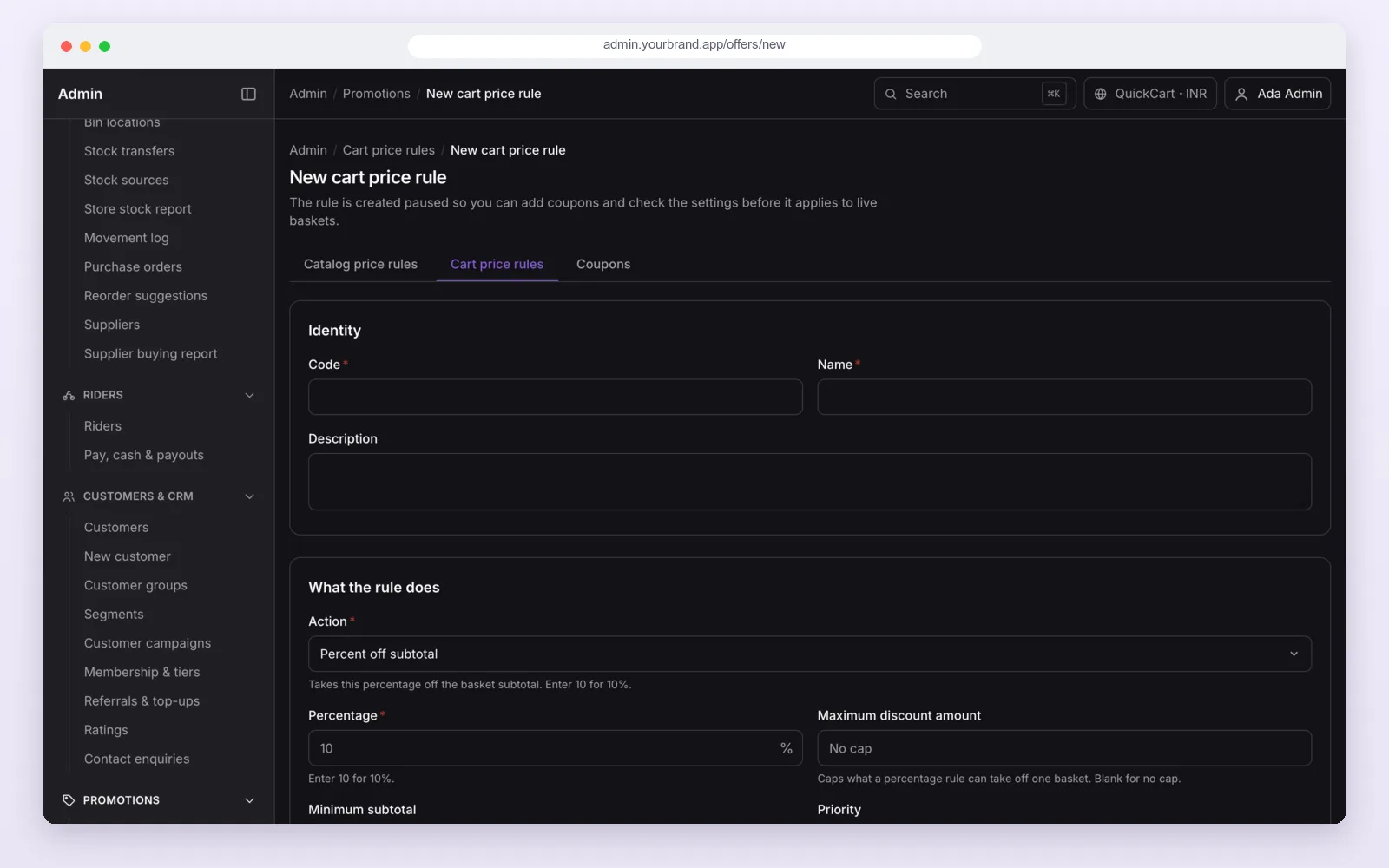
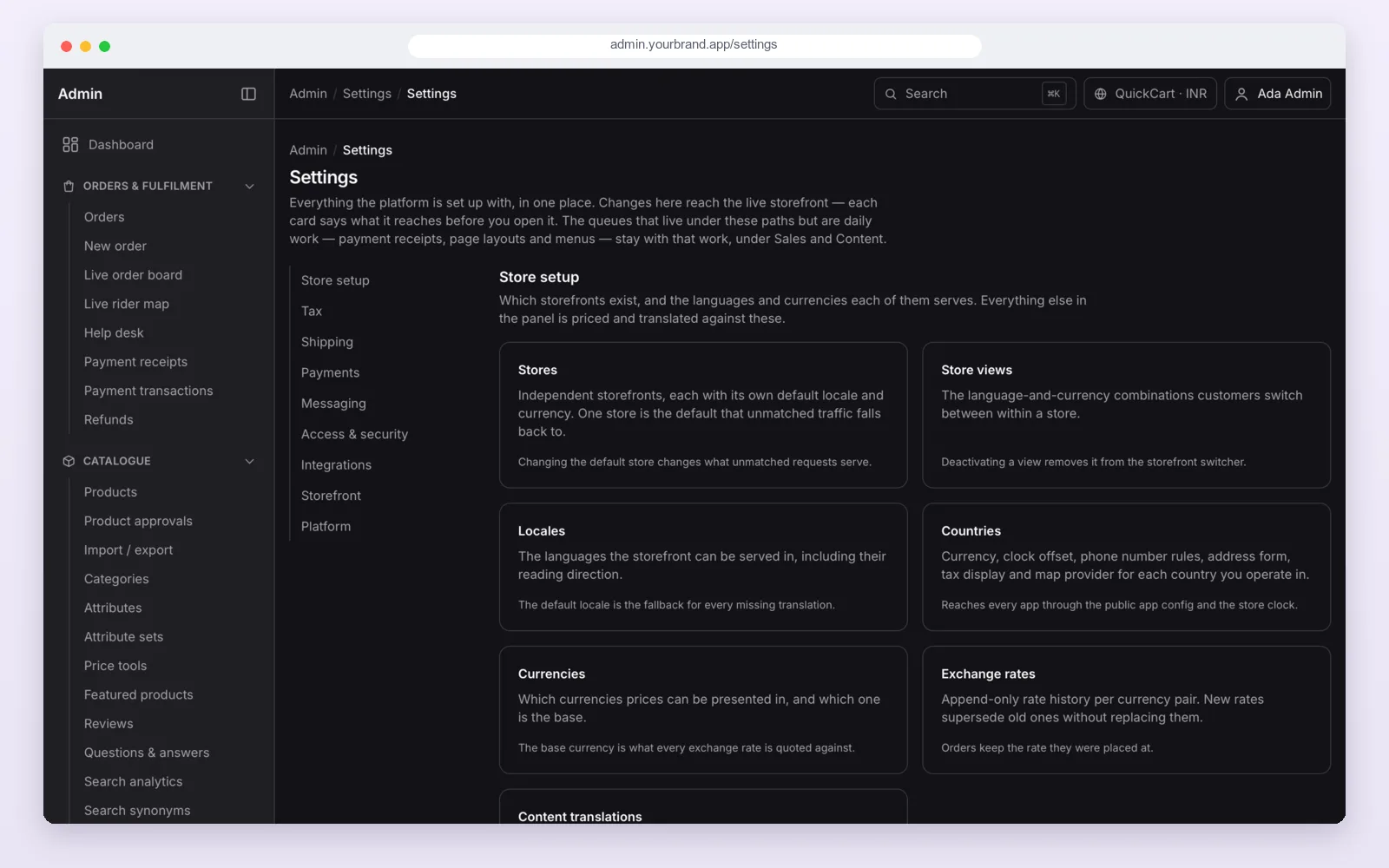
- Admin panel (web): stores and delivery areas, products and prices, orders, riders, offers, charges, reports and settings.
A web shop comes with it too, so people can also order from a browser. All parts run on one server, which can sit on your own cloud account.
All the features, already built
Every feature below is in the code today. Most of them are set from the admin panel, so you do not need a new app update for each change.
Delivery areas and delivery time
Fast grocery delivery only works close to the store. So QuickCart checks every address before it shows any product.
Your team can test any address or pincode in the admin panel and see which store answers and why.
Payments
In the apps, shoppers pay by cash on delivery or bank transfer. You choose which ones to switch on, and you can add a small fee for cash. The web shop also takes online payments through Razorpay once you add your Razorpay keys.
Want UPI or card payments inside the app, or a payment gateway from another country? We add it during the build.
The customer app
Shopping works the way people already know from Blinkit, Zepto and Instamart: check the area, add items, pay and track.
The rider app
Riders are added by your team, so there is no public sign-up. A rider signs in, goes on shift and sees the orders given to them.
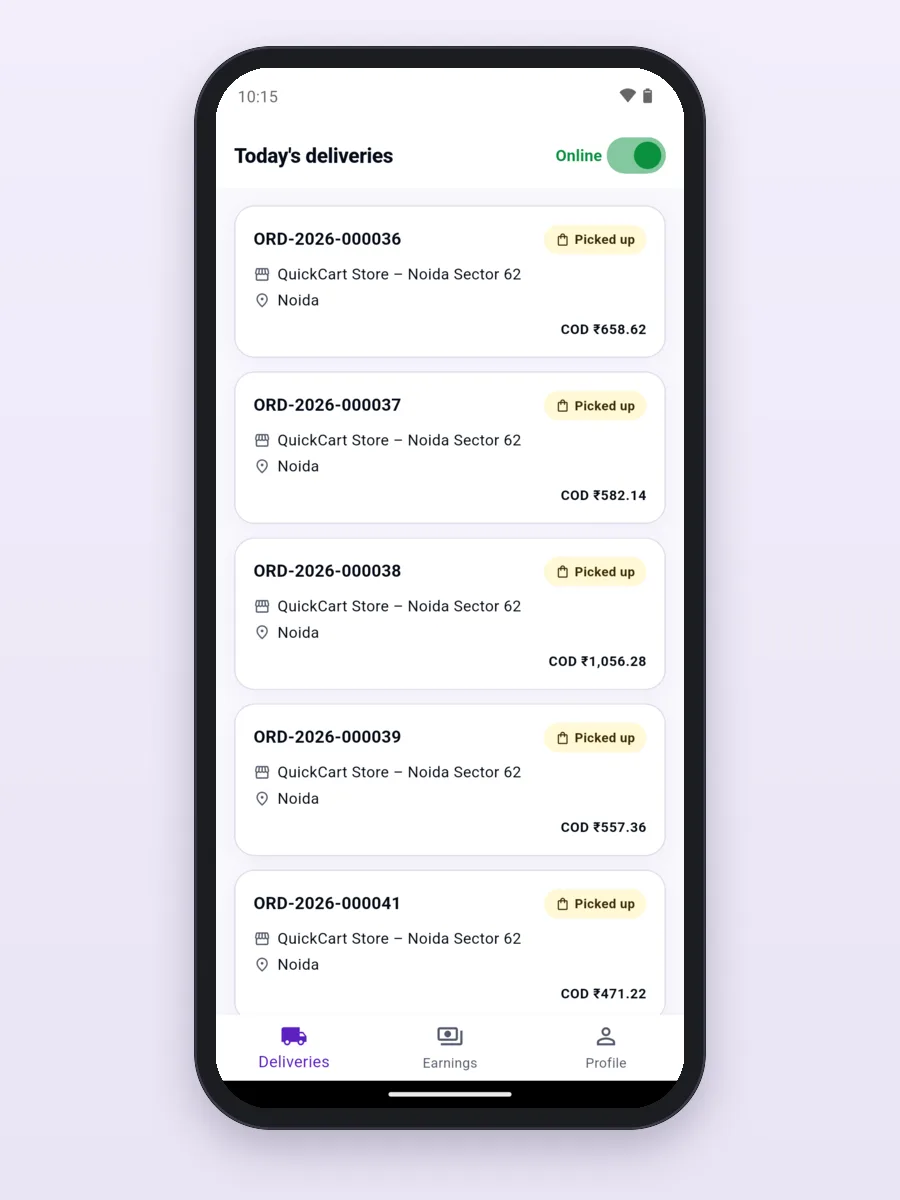
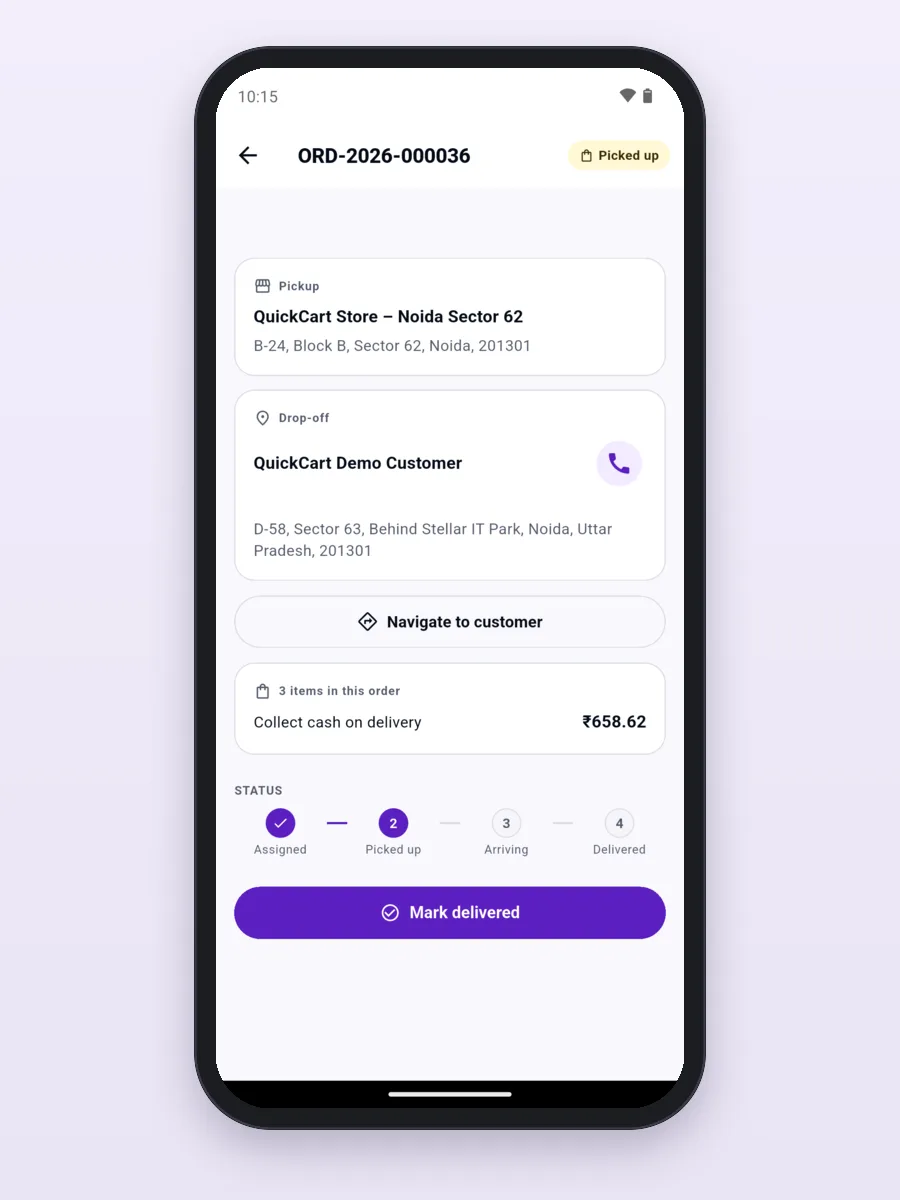
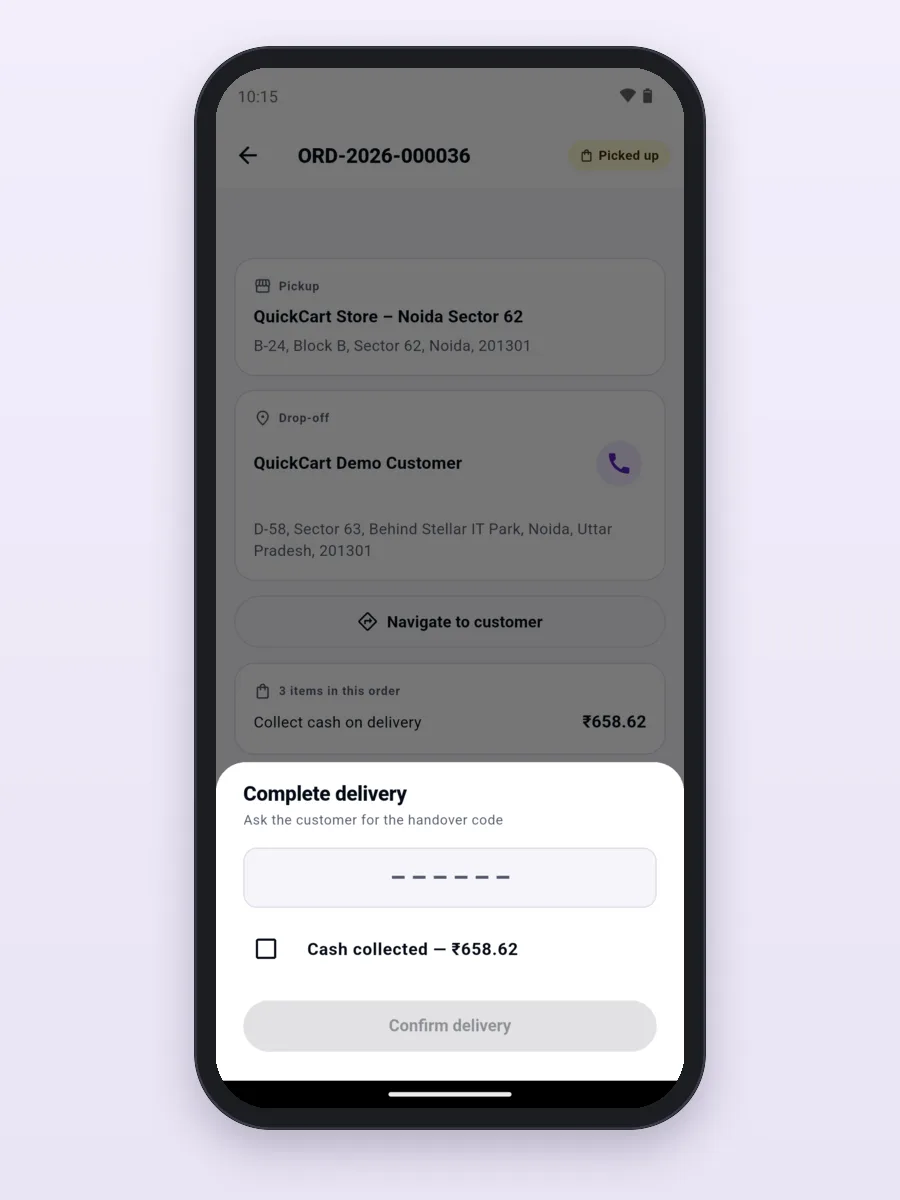
The right order to the right door. At the door the rider asks for the shopper's delivery code and enters it to finish. For cash orders, the app shows the amount to collect. Back at the store, the team counts the cash and confirms it.
Store dashboard and store app
Your dark store or shop team works from a web dashboard on a counter screen, or from the Android store app on a handheld phone. Both show only their own store.
The admin panel
The web admin panel is where you run every store from one place.
How we build your grocery delivery app
- Free demo call. We show you one full order on the demo apps and the admin panel, and note what you need.
- Plan and quote. We agree the stores, areas, payments and any extra features, and give you a fixed quote.
- Your brand. We put in your app name, logo, colours, products, categories and prices.
- Your server. We set up the server on your own cloud or hosting account, with your domain.
- Store launch. We help you publish the customer and rider apps on Google Play and the App Store under your account.
- Support. We stay with you after launch to fix issues and add new features.
What it is built with
- Mobile apps: Flutter. The customer and rider apps run on Android and iPhone. The store app runs on Android.
- Server: Node.js (NestJS) with a PostgreSQL database.
- Web shop, store dashboard and admin panel: Next.js (React).
- Built-in services: Firebase phone alerts, Razorpay for the web shop, Google Maps for rider routes.
It is the same stack we use for our other mobile app development and ecommerce development work, so any good developer can pick up the code later.
White-label: your name on everything
Shoppers see your brand, not ours: your app name, logo, colours and store listings. You get the full source code, so there is no monthly licence fee, no fee per order to us and no lock-in. Start with one store and add more stores and areas when you are ready.
Get a quote for your grocery delivery app
Customer app, rider app, store tools, admin panel and server, with your brand, set up on your own server, with help to publish on both app stores. Tell us how many stores you have, where you deliver and how you want to take payments, and we will send a fixed quote.
- Full source code for all apps and the server, yours to keep
- Delivery areas, delivery time and charges set your way
- Your products, categories and prices loaded for you
- Setup guide and help after launch
Frequently asked questions
Do I get the full source code?
Yes. You get all the source code for the customer app, rider app, store app, web shop, admin panel and server. You own it. You can change it, host it yourself and publish it under your own name, with no monthly fee to us.
Can I see the app before I pay?
Yes. Install the Android demo apps from our demo download page, and ask us for a demo login. We also show you a full order and the admin panel on a free call.
Does it work for a single kirana shop or supermarket?
Yes. You can start with one store and one delivery area. Each new store gets its own area, stock and prices, so you can grow branch by branch.
Does the app promise 10-minute delivery?
No fixed number is built in. The app shows a delivery time worked out for each store from its packing time, the orders already waiting and the distance to the door. You can also offer later delivery slots.
How do I set where we deliver?
In the admin panel, each store gets a map area and a list of pincodes. The app checks the shopper's location or pincode against them before it shows products.
What payment methods does it support?
Cash on delivery and bank transfer in the apps. The web shop takes online payments through Razorpay with your keys. We add UPI or card payments in the app, or a gateway for your country, on request.
How are riders given orders?
Your store team or admin gives each order to a rider. The rider sees it in the app, opens the route in Google Maps and finishes the delivery with the shopper's code.
Can it handle missing items?
Yes. You choose the rule: ask the customer to approve a swap, swap it on its own, or refund the item. The refund can go to the wallet or back to the payment method.
Can I put my own brand on the apps?
Yes. We change the app names, logo, colours and store details, and help you publish the customer and rider apps on Google Play and the App Store under your own account.
How much does a grocery delivery app cost?
It depends on your stores, areas, payments and any extra features. Tell us what you need and we will send a fixed quote. The demo and the first call are free.
Read more
Written by
PRS Admin
Building software at PRS India.