Engineering
OPD Suite: Clinic Management Software with Patient and Doctor Apps
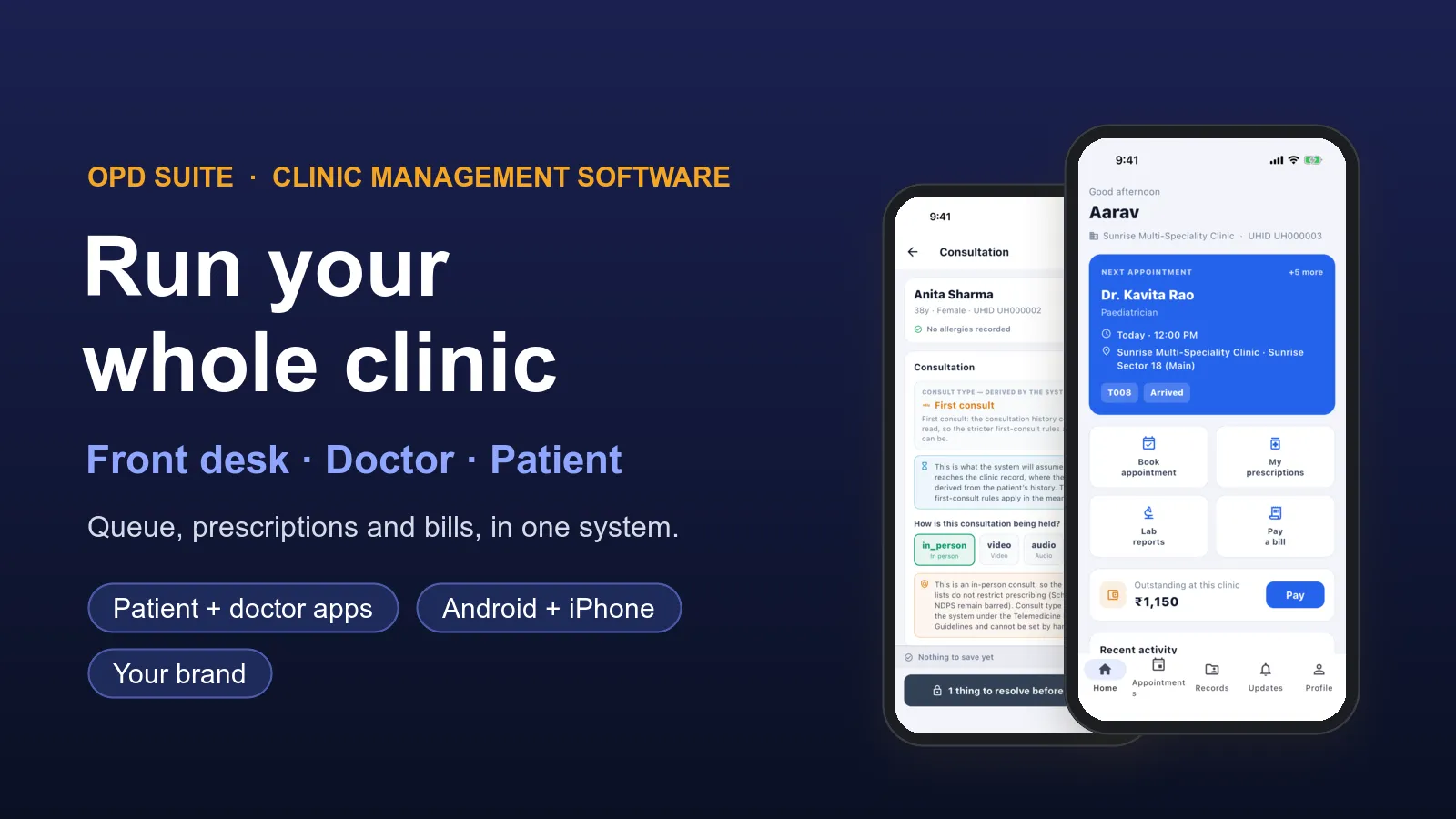
OPD Suite is our clinic management software for Indian clinics. It runs the front desk, the doctor's room, billing and the pharmacy from one system. It also comes with a patient app and a doctor app for Android and iPhone. OPD Suite is a product by PRS India.
There are two ways to use it. A clinic can sign up on opdsuite.com and start using it. Or, if you run a clinic chain, a hospital group or a health business, we set it up under your own name, logo and web address, with your own apps on the stores. This page shows what the software does today, with real screens from a demo clinic.
See it working before you decide
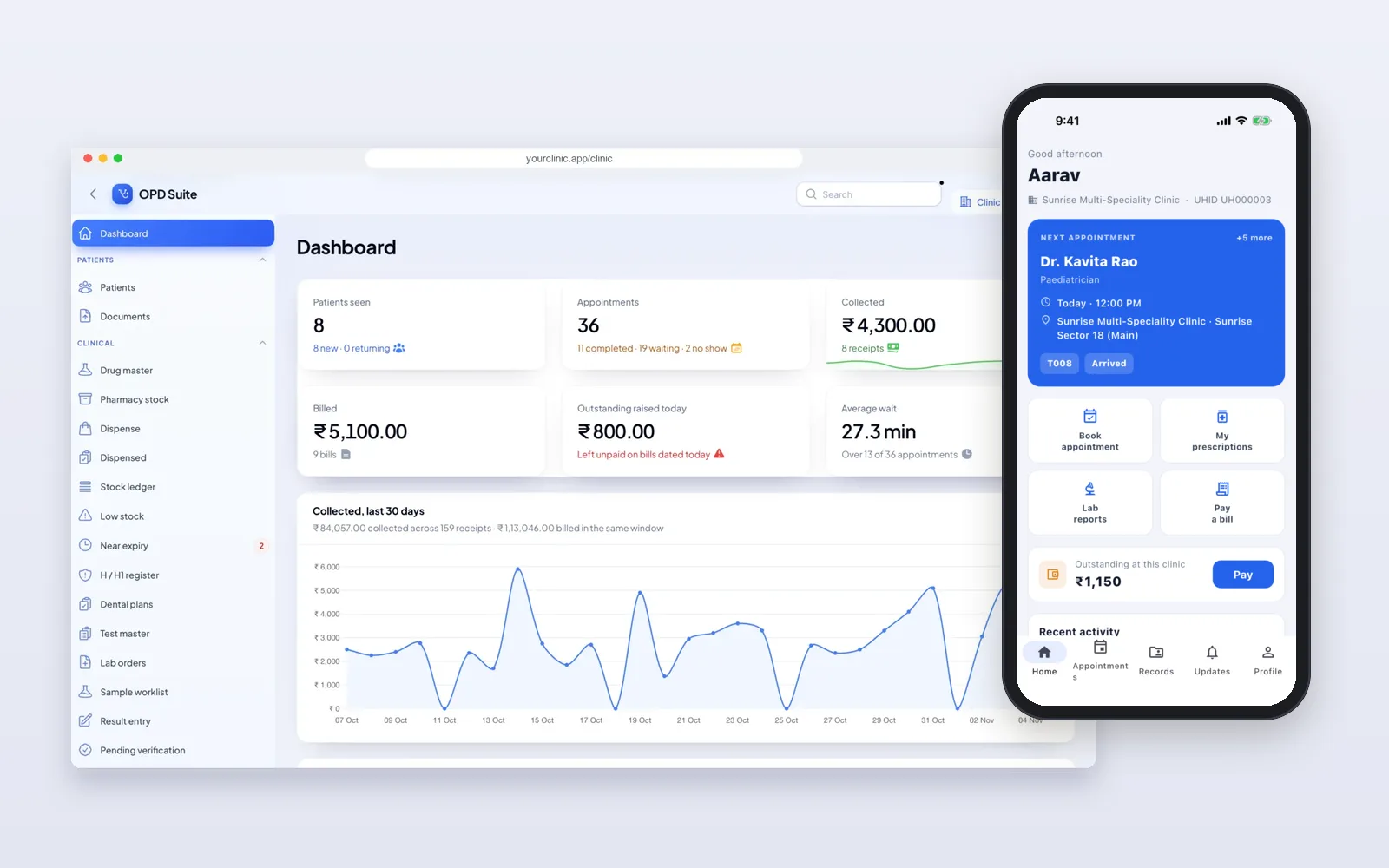
The patient app OPD Suite and the doctor app OPD Suite for Doctors are on Google Play. You can read about each part on the OPD Suite modules page. For a demo login to the clinic panel, send us a message. On a free call we walk through one clinic day: a patient books, checks in, sees the doctor, gets a prescription and pays the bill.
Web, any browserWeb, any browserAndroid + iPhoneAndroid + iPhoneWhat you get: web panels and two apps
A clinic has an owner, a front desk, doctors and patients. OPD Suite gives each of them their own screen. All of them work on the same patient record.
- Clinic panel (web): for the owner or manager. Doctors, timings, fees, staff, services, bills, reports, settings and the extra modules.
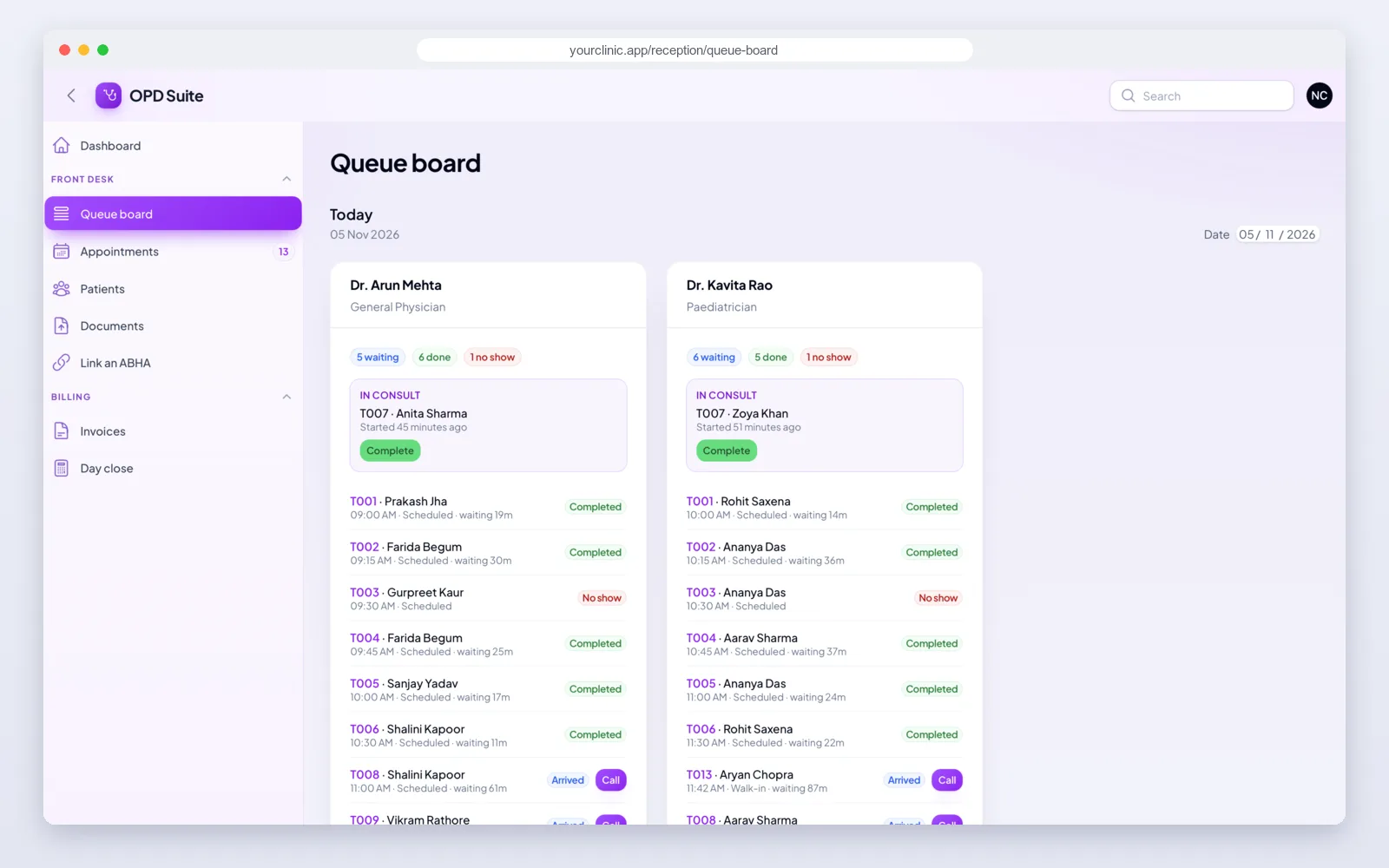
- Reception desk (web): register patients, book visits, run the waiting queue with token numbers, make bills and close the day.
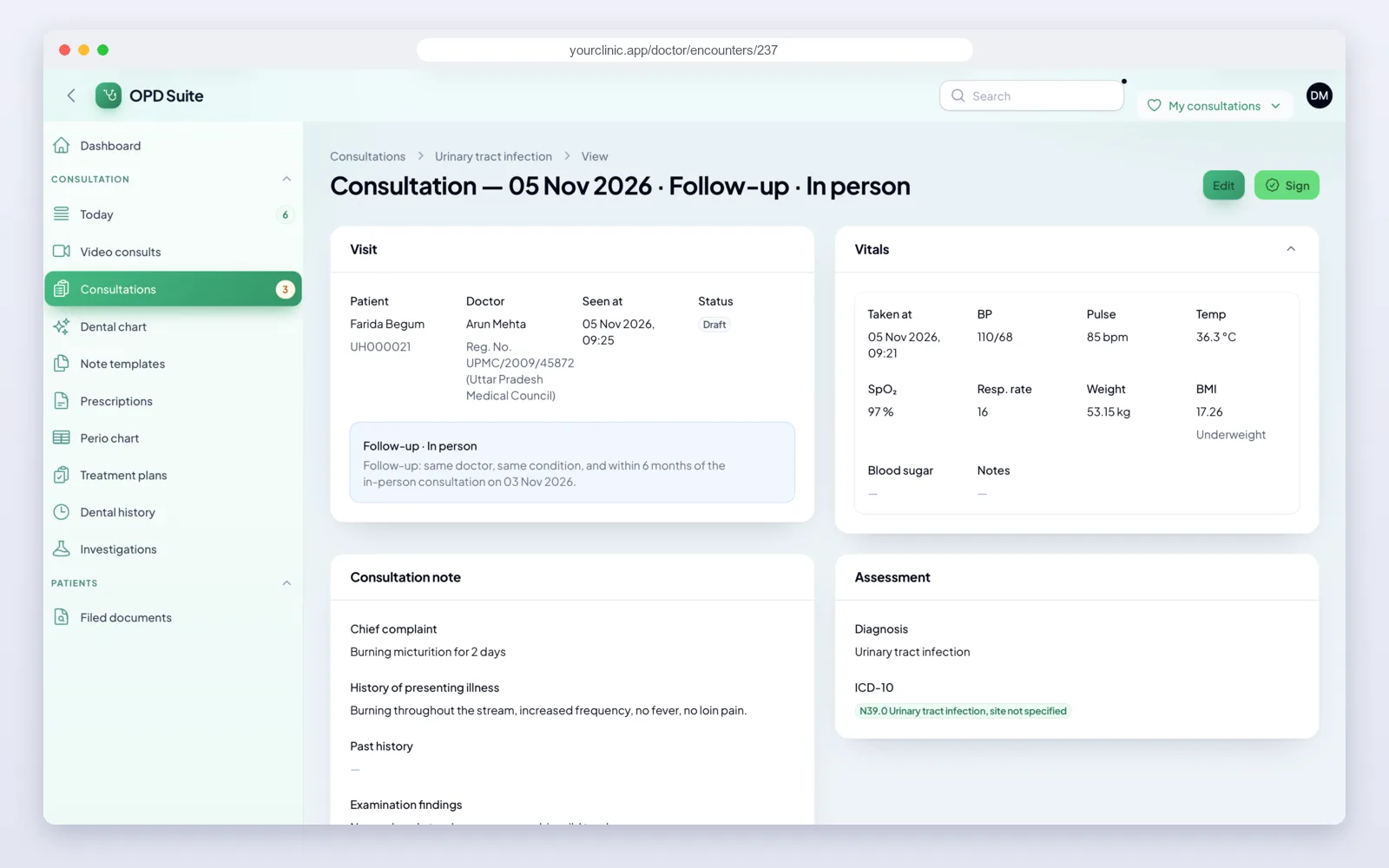
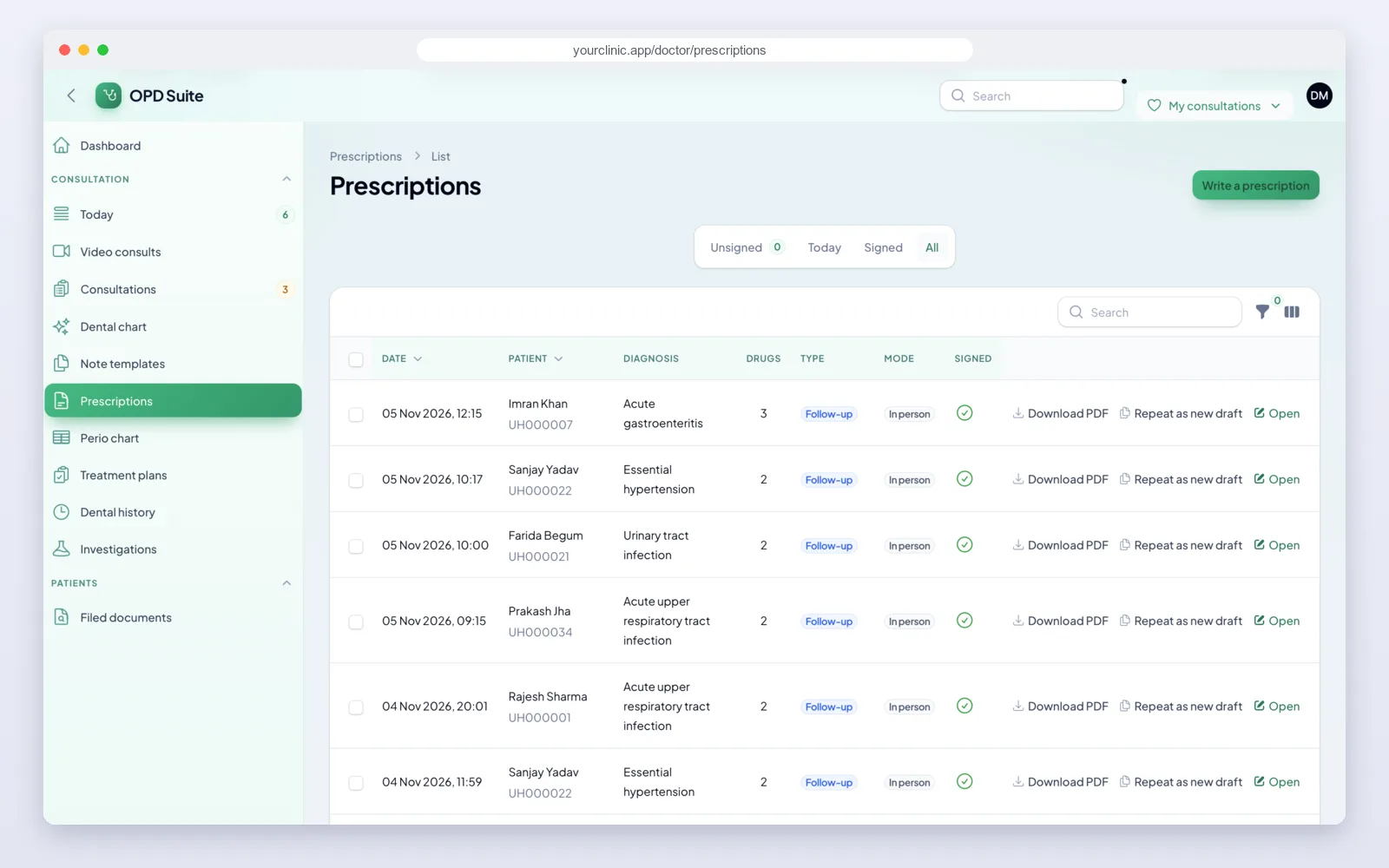
- Doctor desk (web): today's patients, the patient's history, consultation notes, prescriptions, lab orders and video consults.
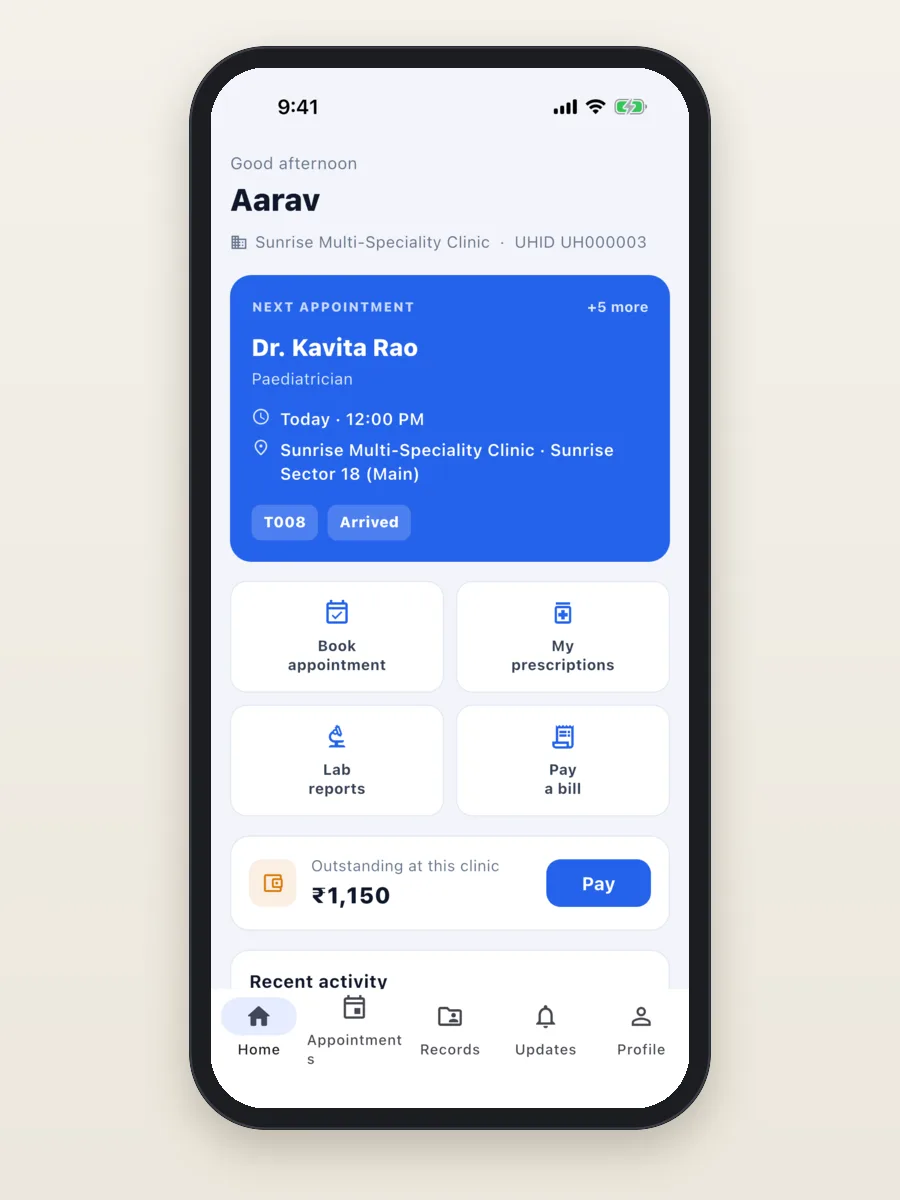
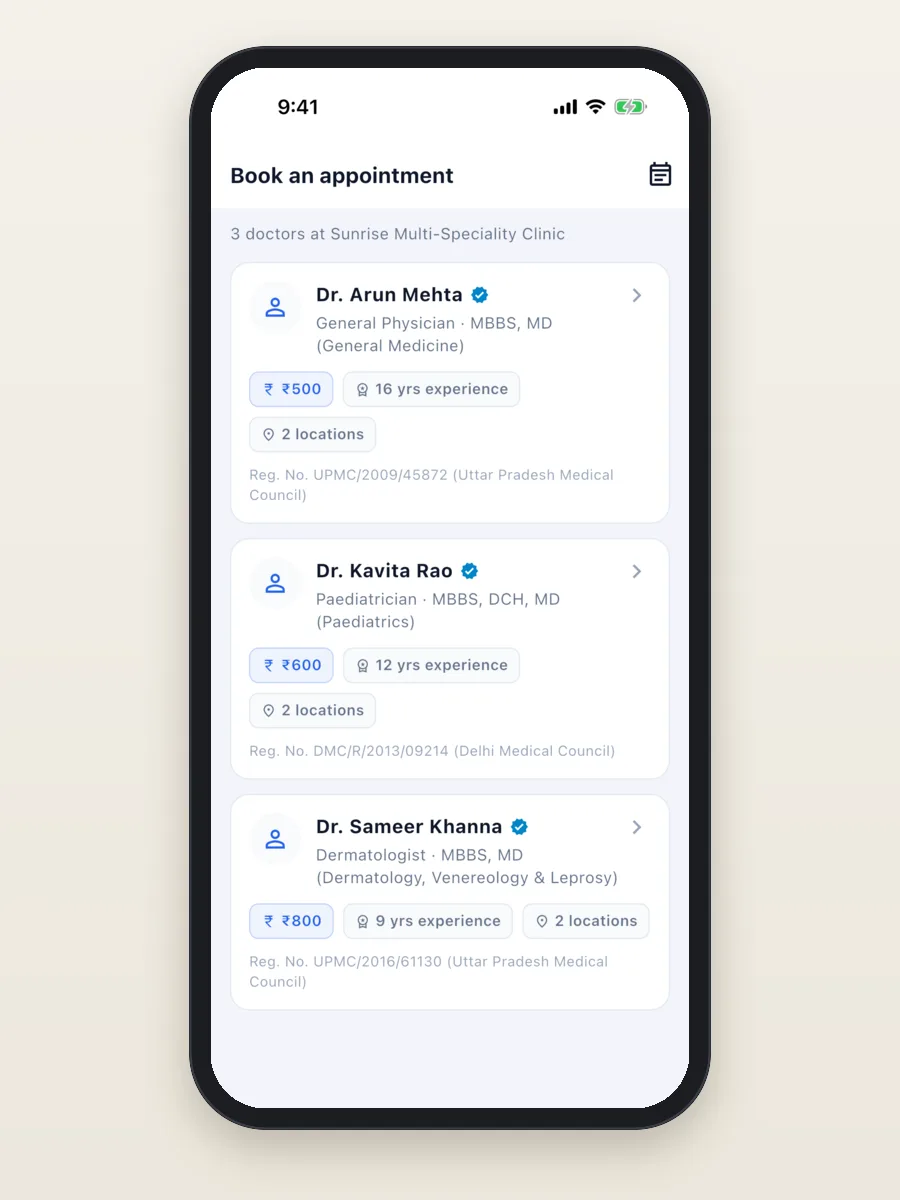
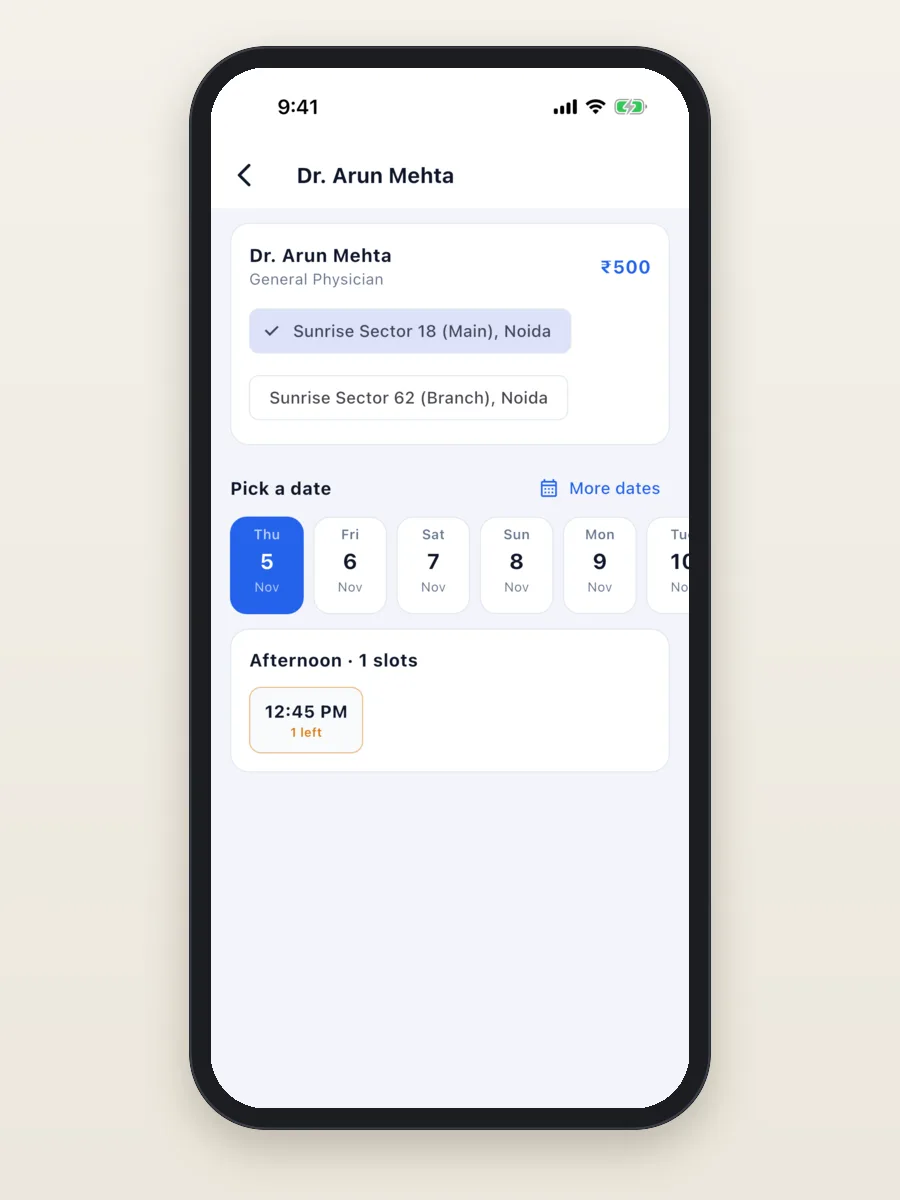
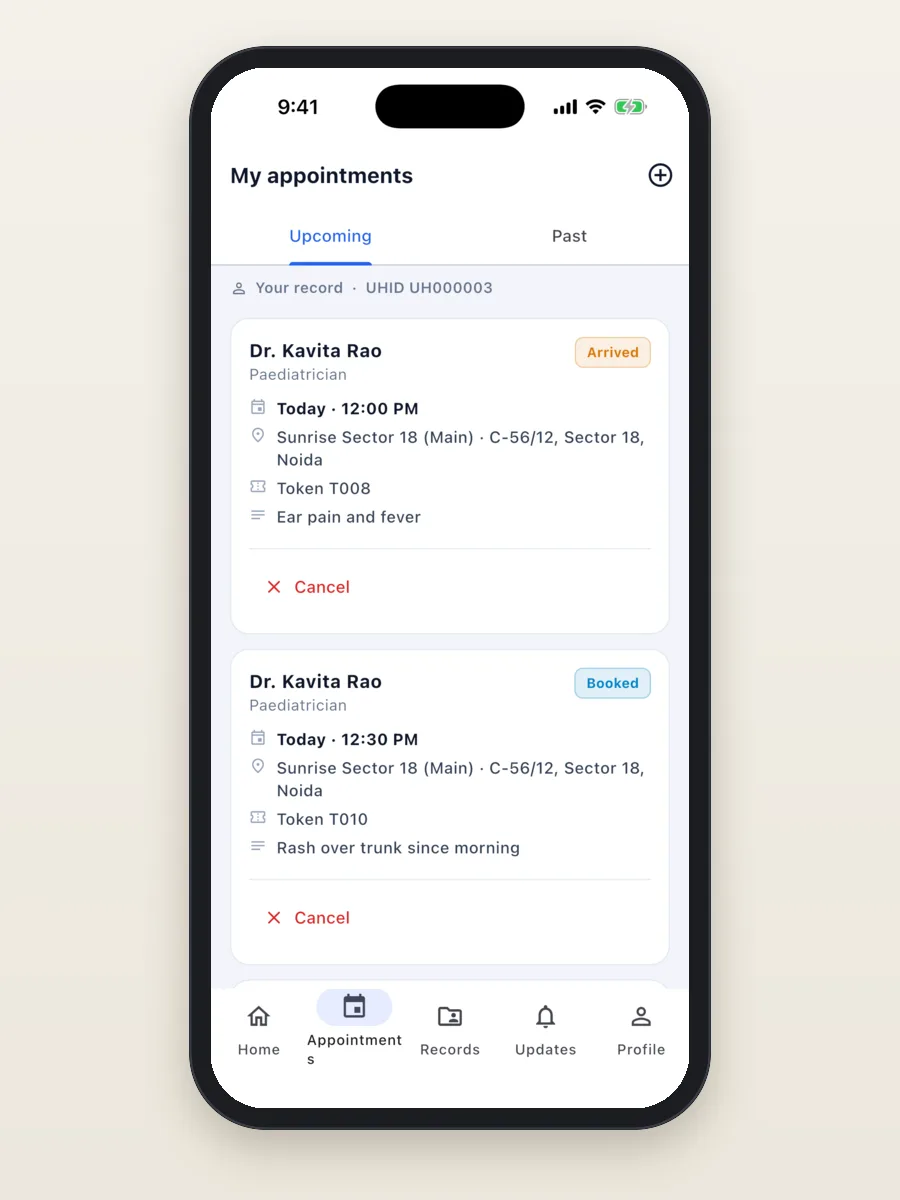
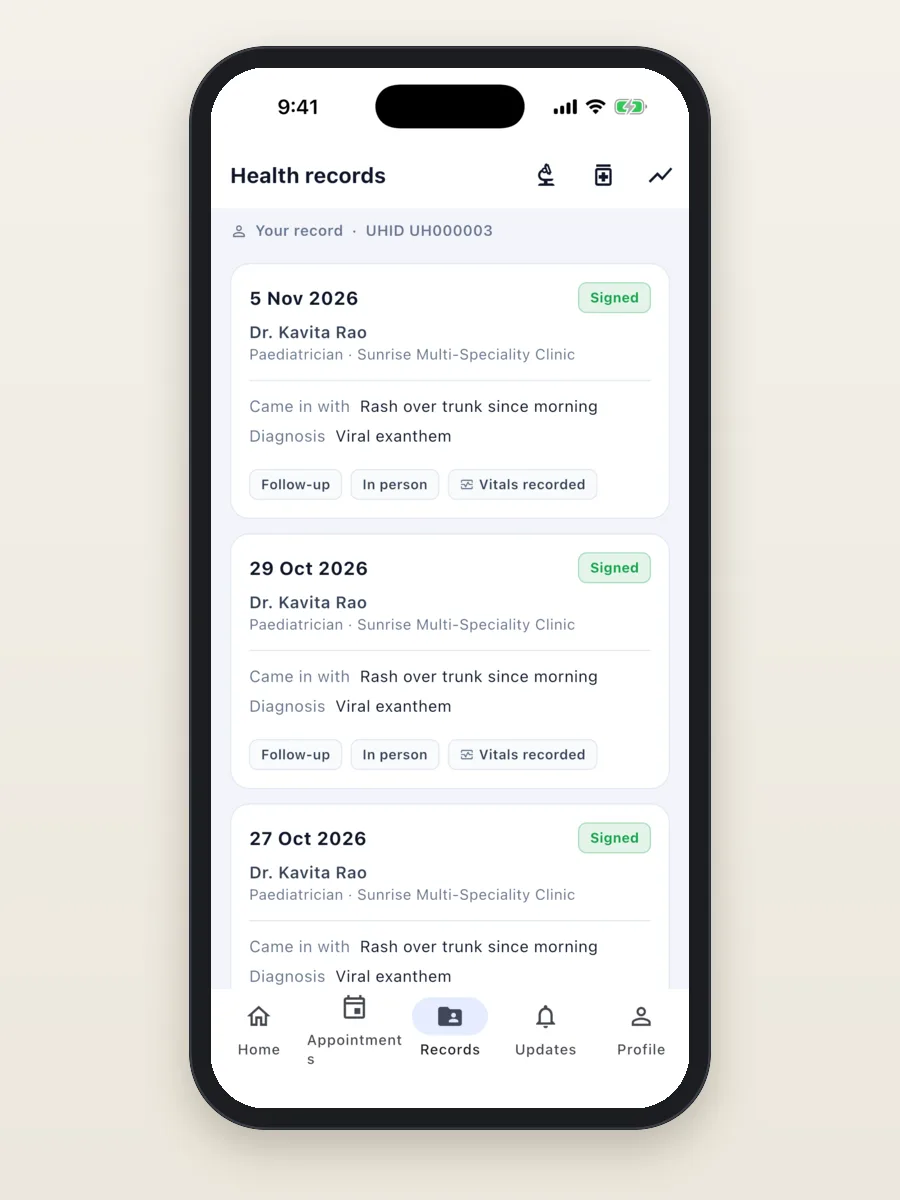
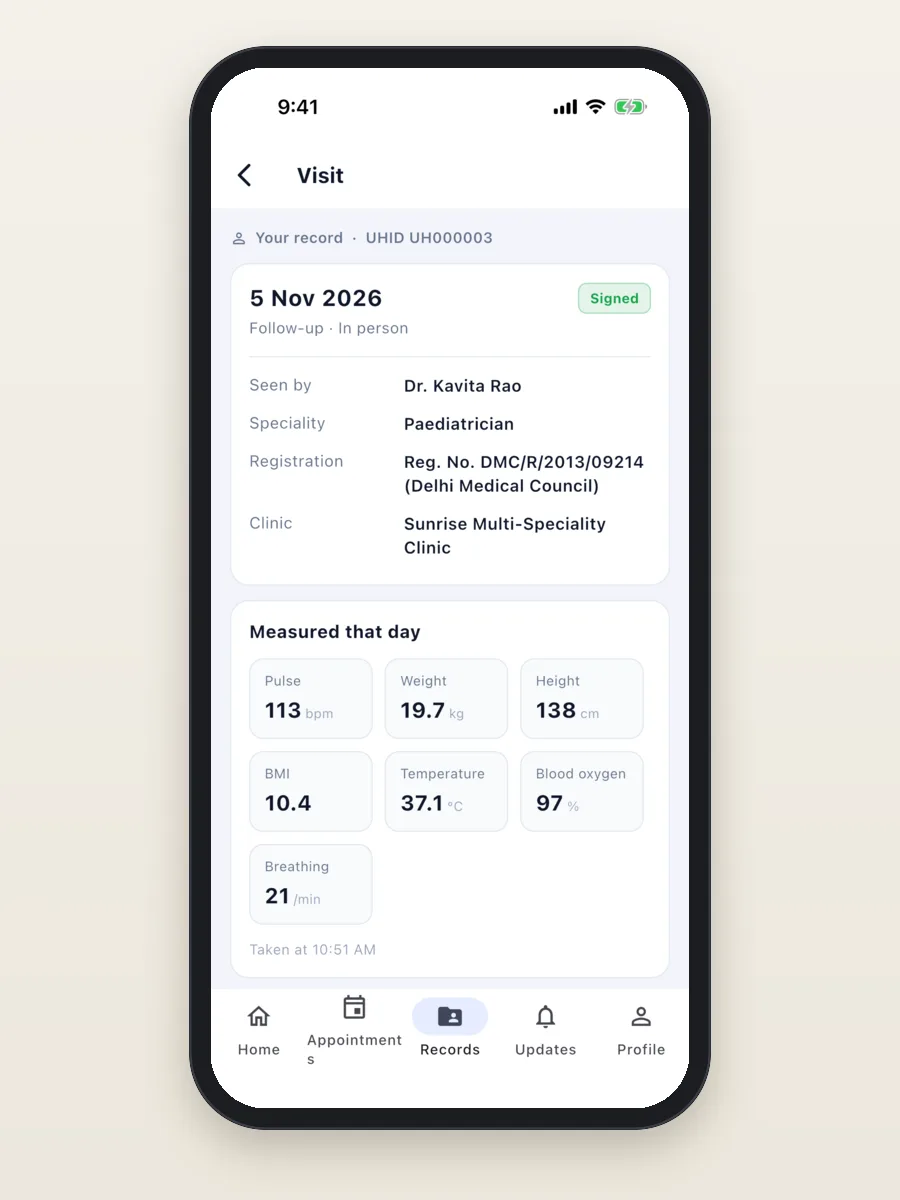
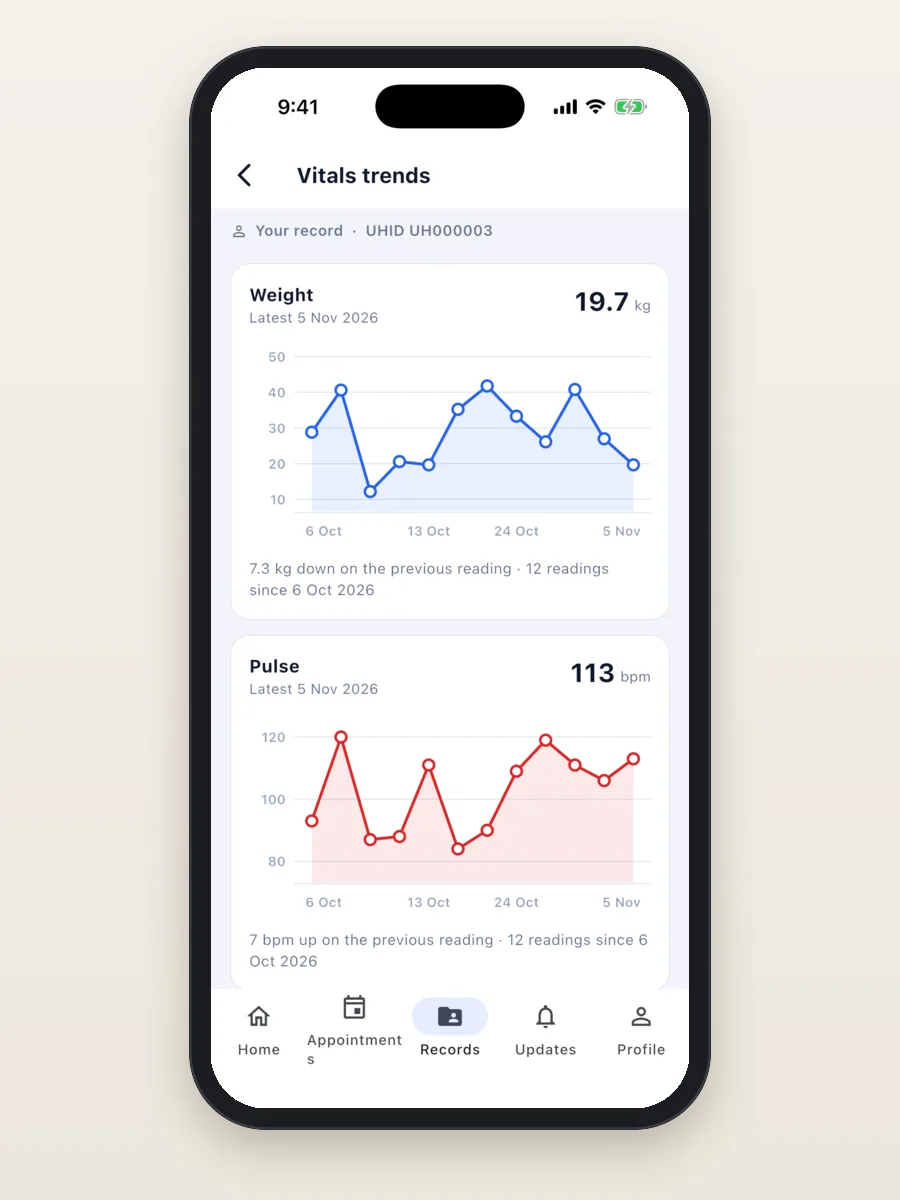
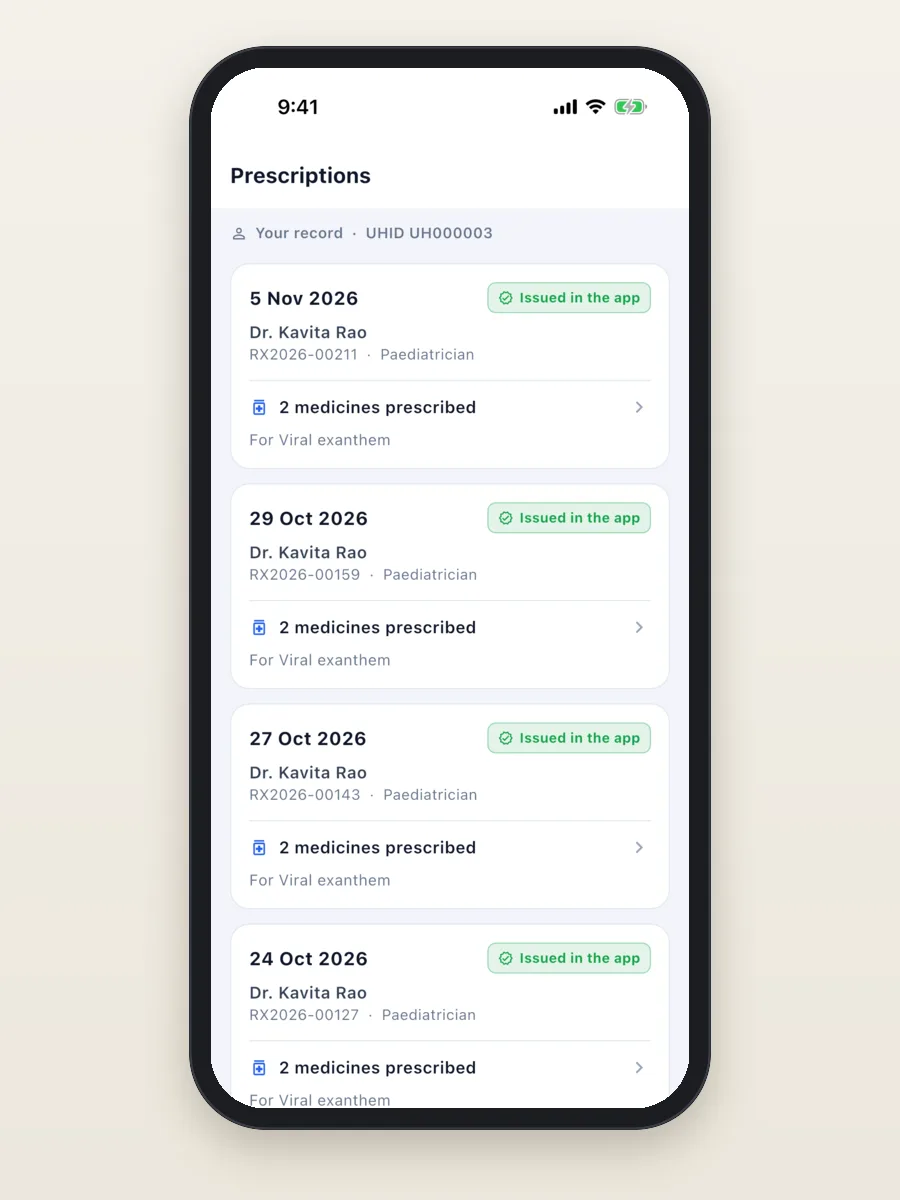
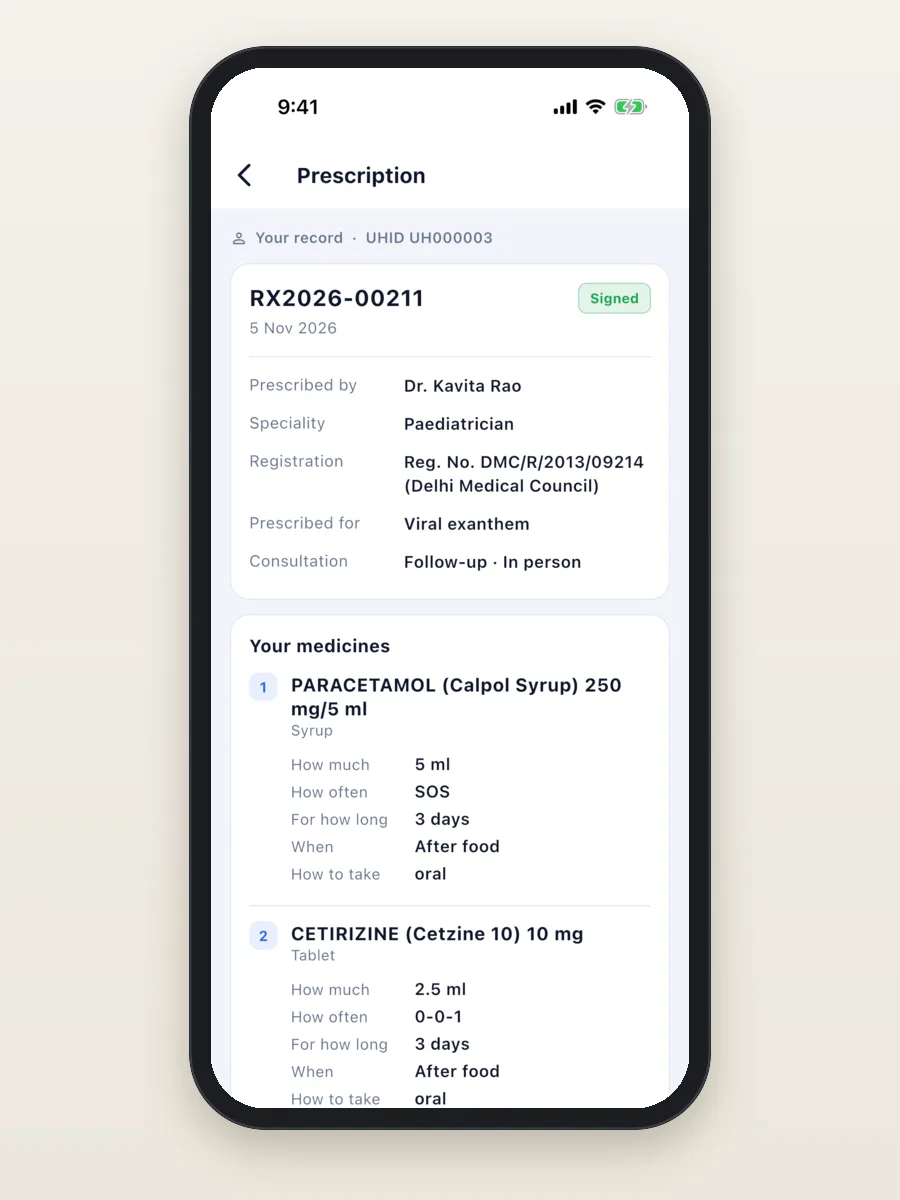
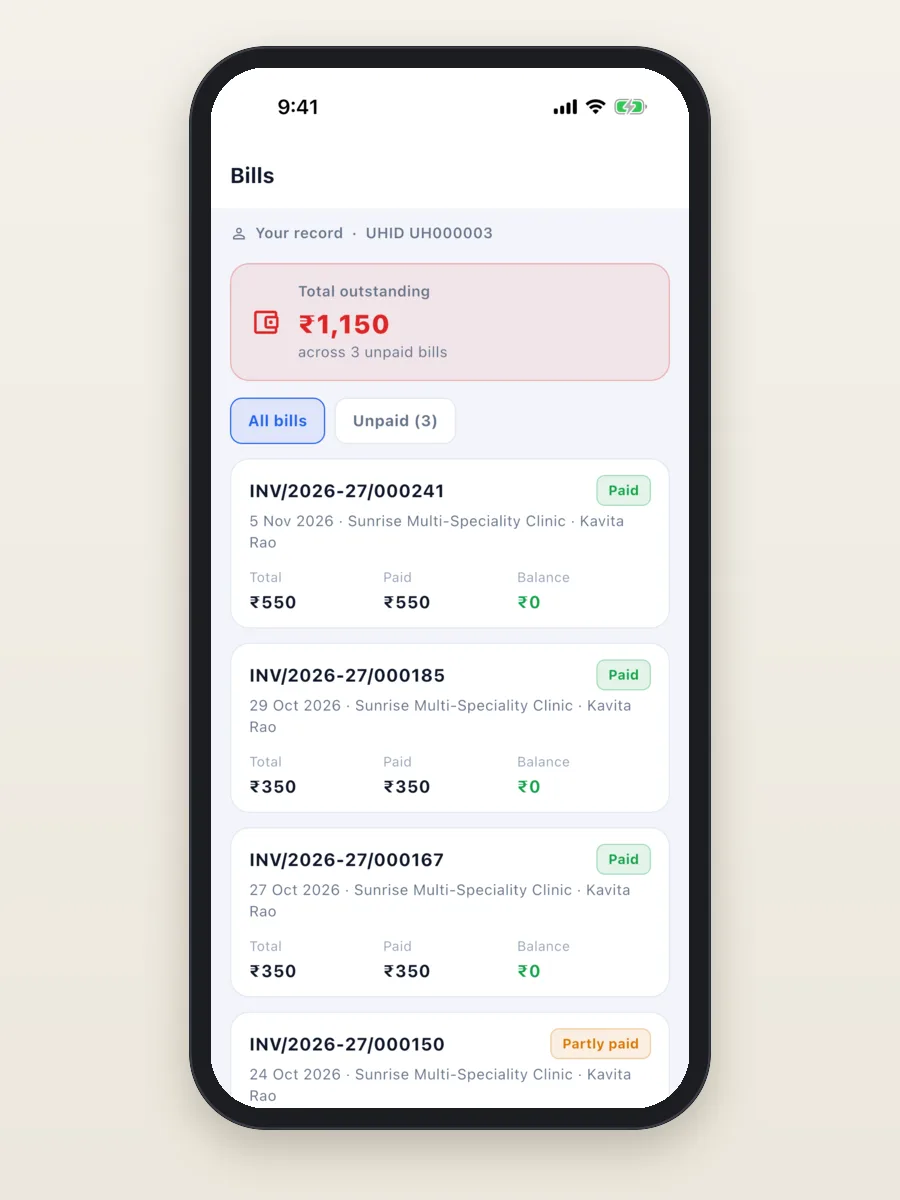
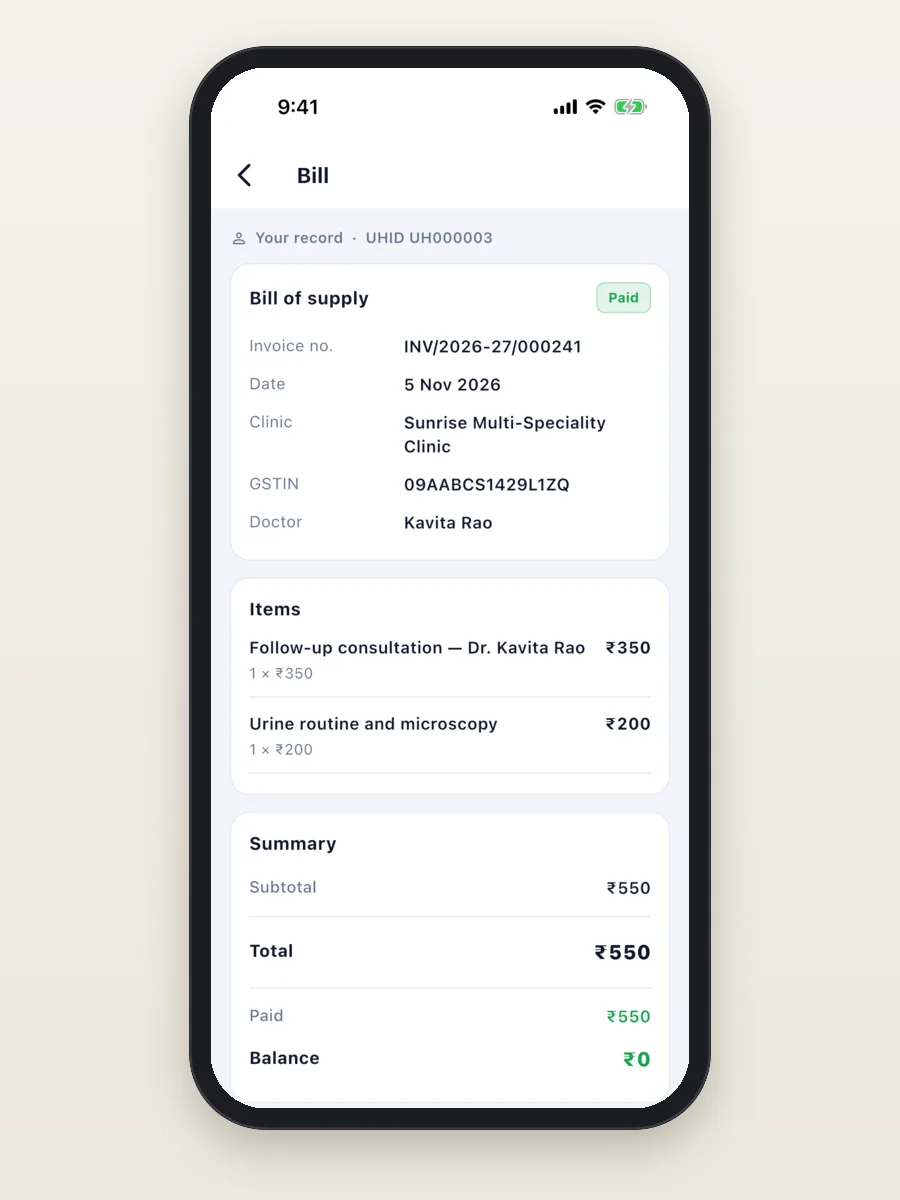
- Patient app (Android and iPhone): book a visit, see upcoming visits, prescriptions, lab reports and bills, and pay online if the clinic allows it.
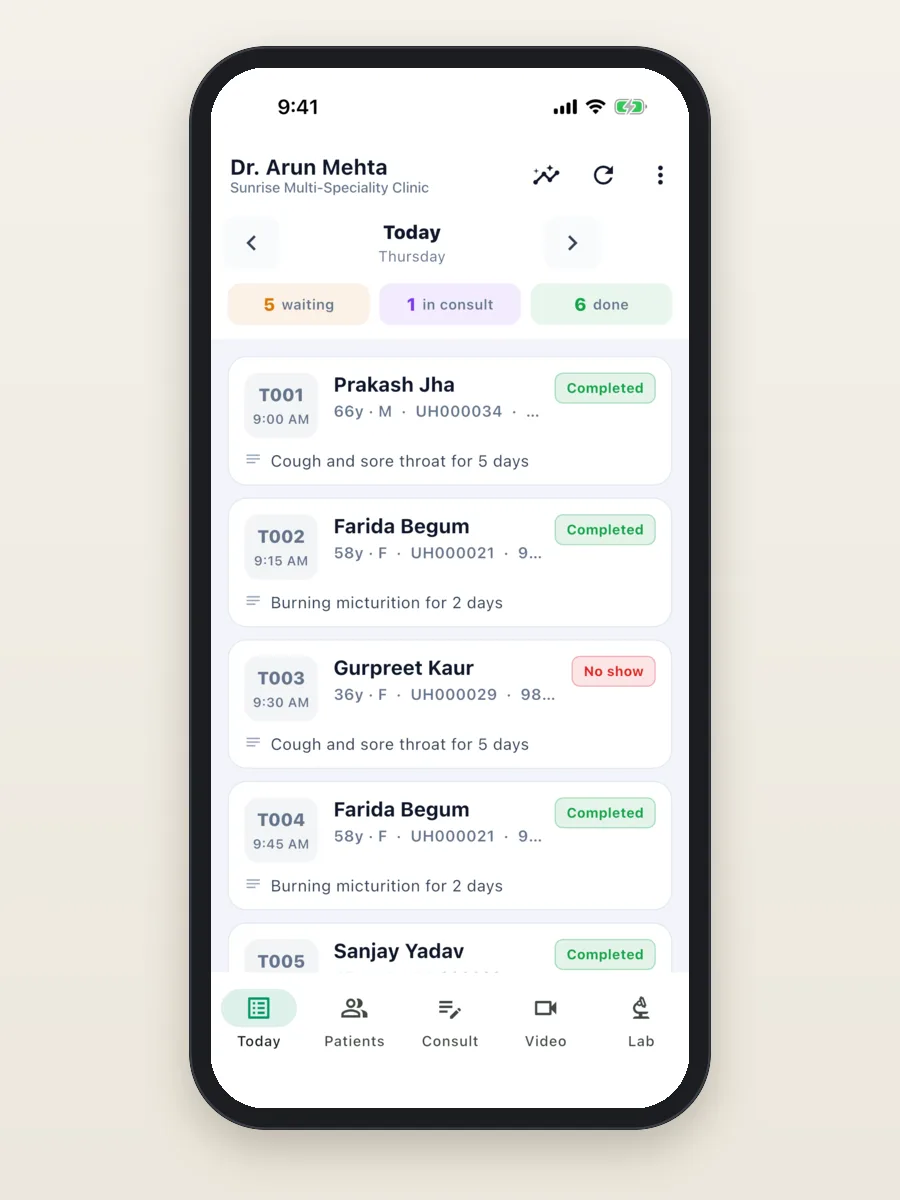
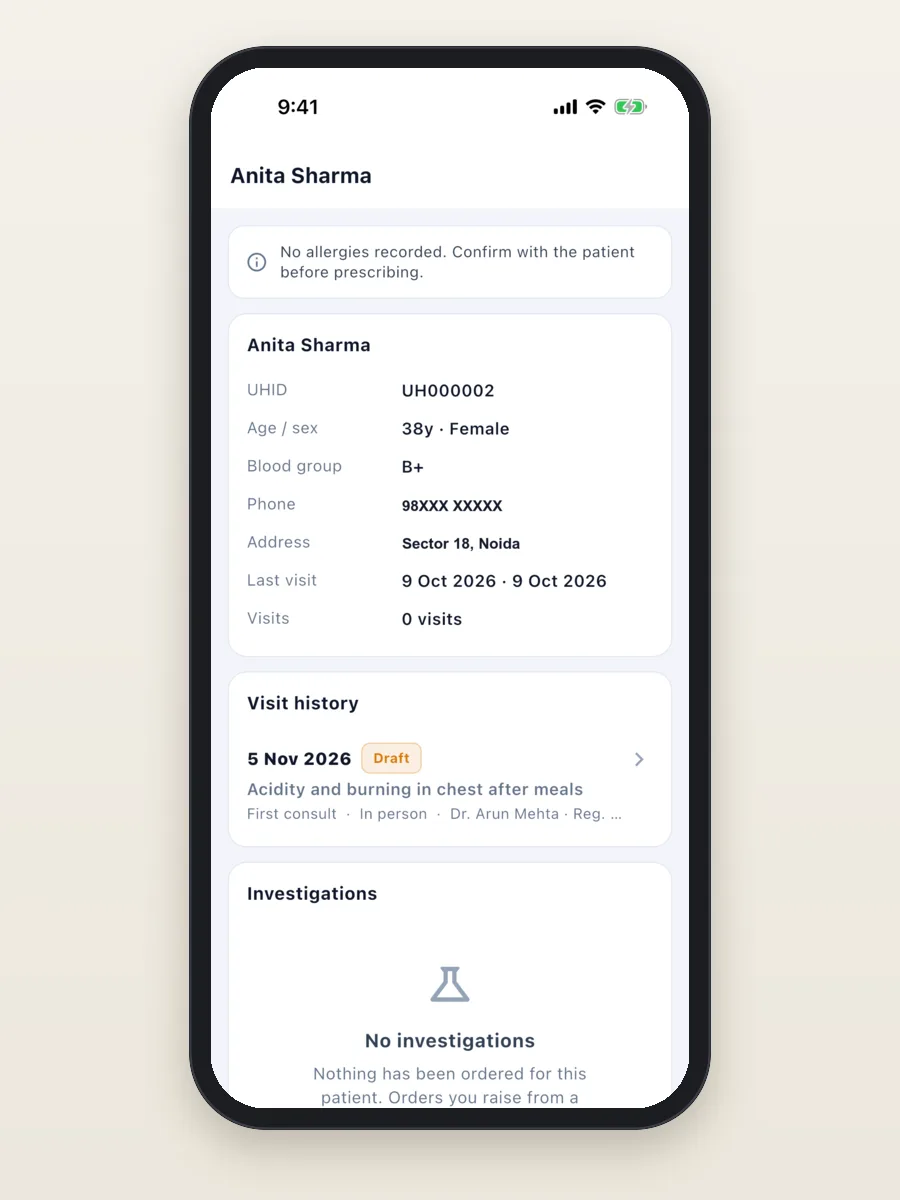
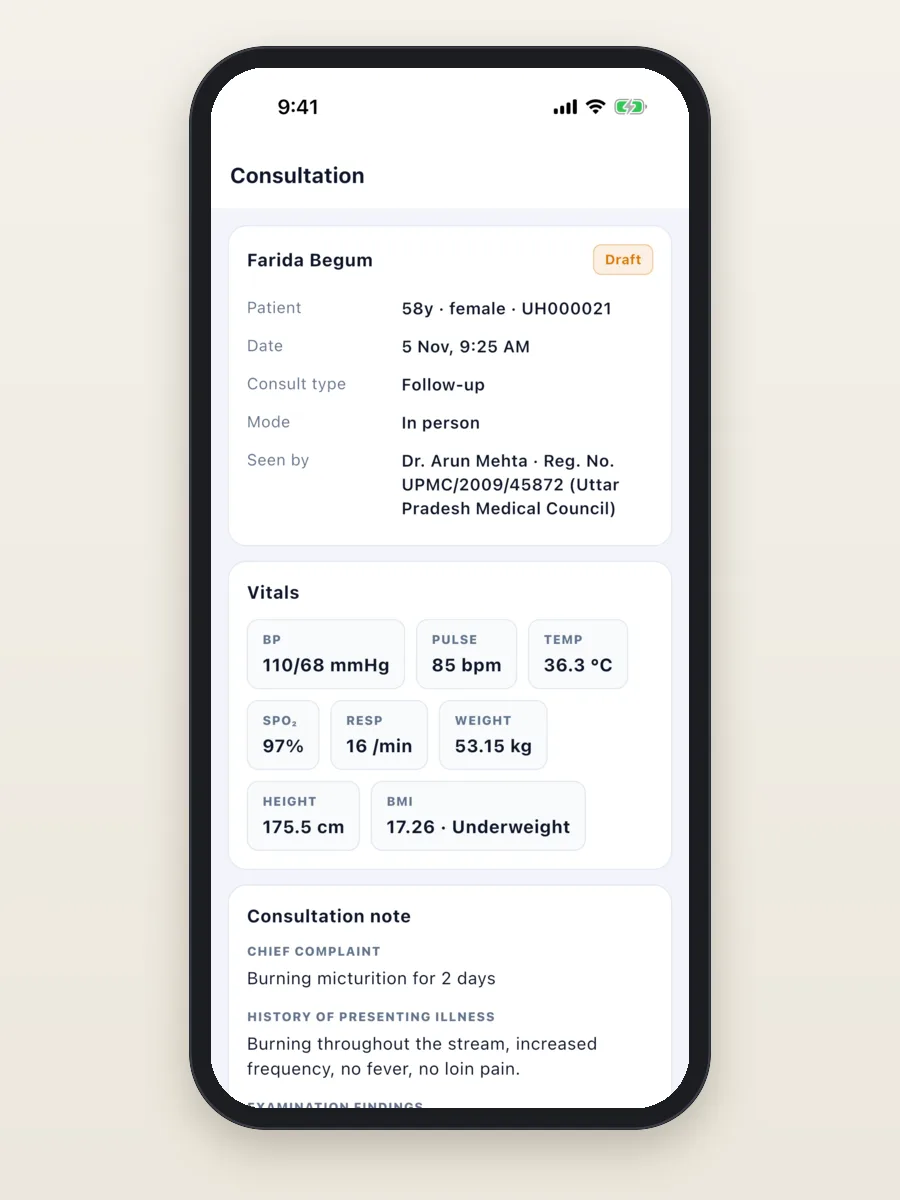
- Doctor app (Android and iPhone): the day's queue, the patient chart, notes and prescriptions from the phone, new lab results and a day summary.
- Online booking page and patient web page: patients book a slot from a link, and see their records and bills in a browser.
All the features, already built
Everything below is in OPD Suite today. Each clinic can switch modules on or off, so staff only see what the clinic uses.
Extra modules you can switch on
A small clinic starts with patients, appointments, notes, prescriptions and billing. The modules below are already built and can be switched on when the clinic needs them.
Made for clinics in India
OPD Suite follows how Indian clinics already work, so staff do not have to change their day to fit the software.
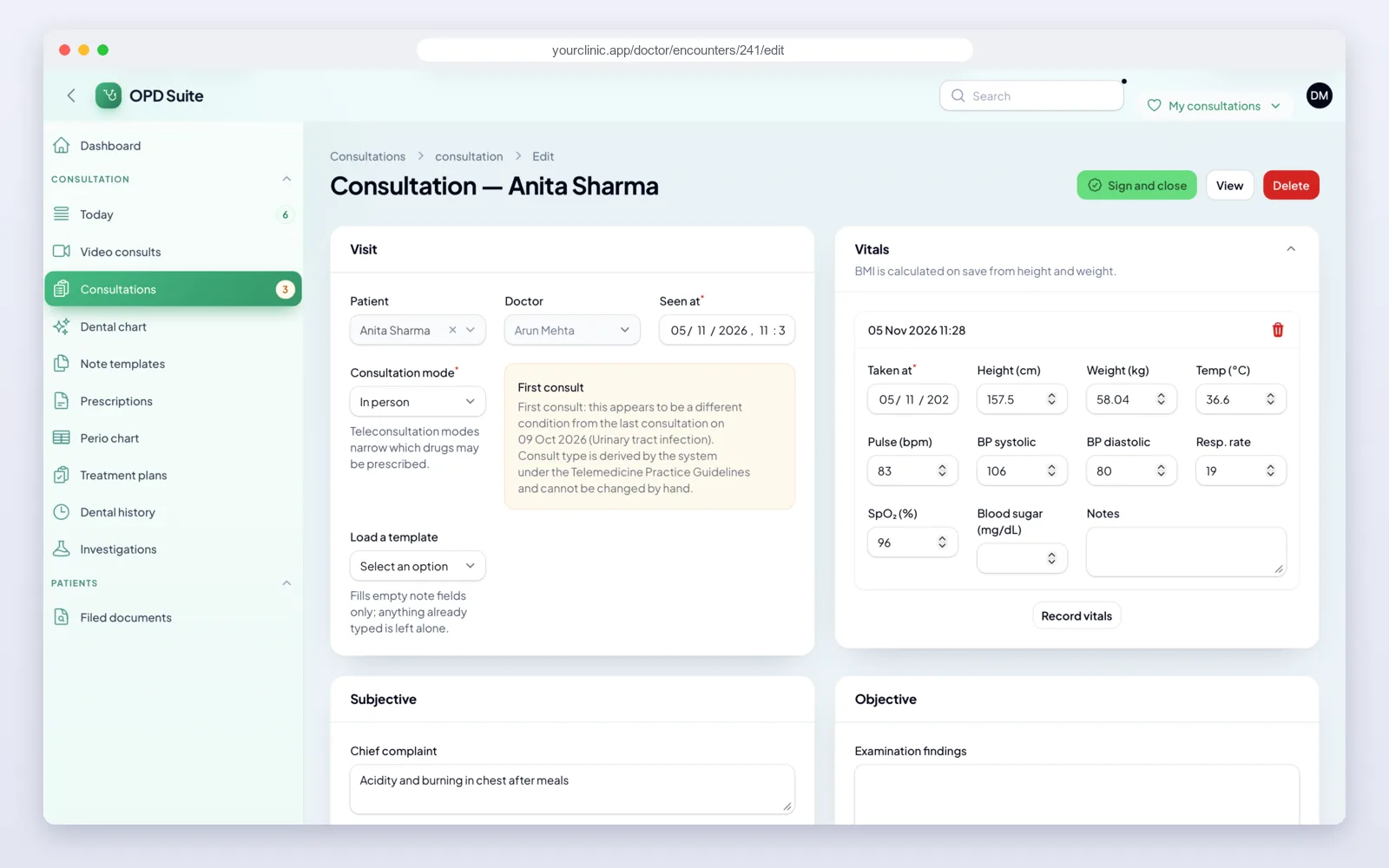
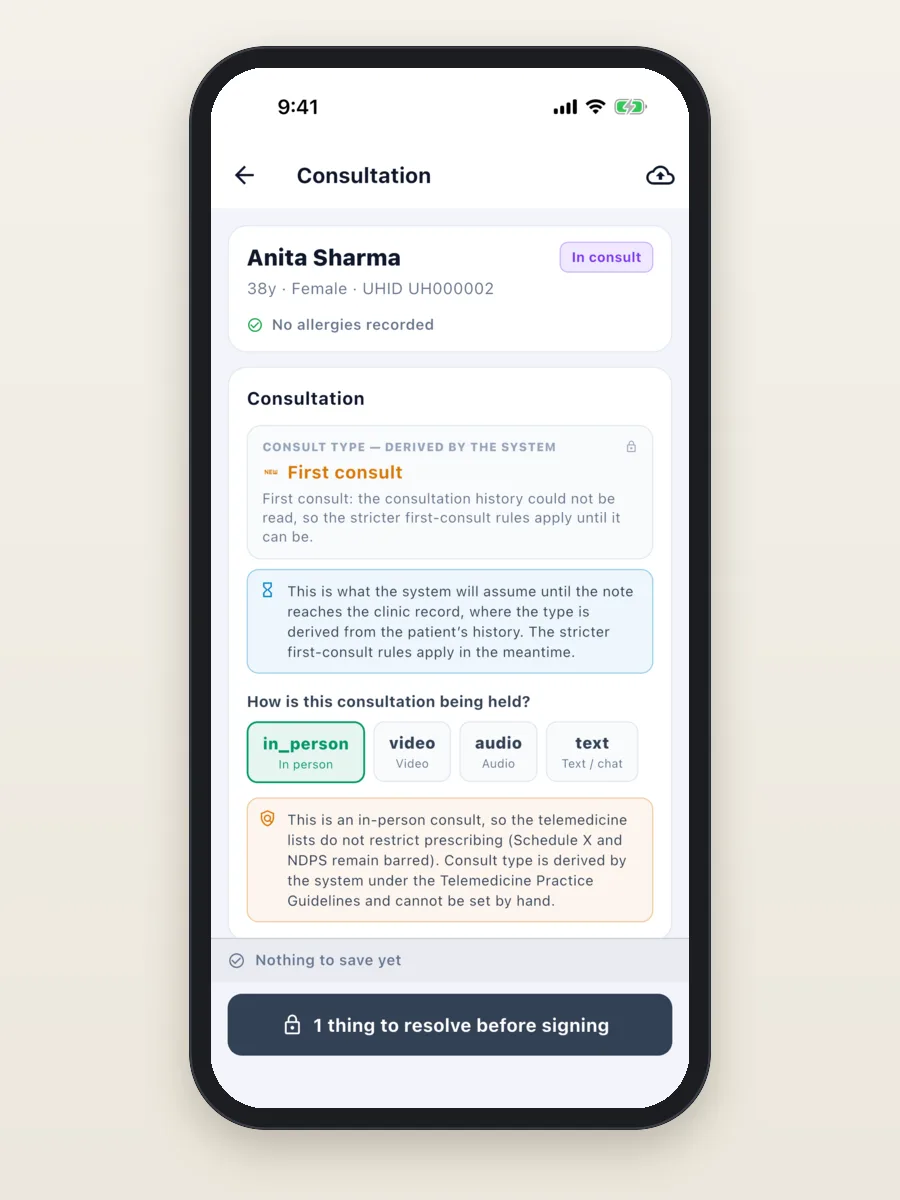
- Telemedicine rules built in. The system decides whether a video, audio or chat visit is a first visit or a follow-up. It then limits the drug list to what the Telemedicine Practice Guidelines allow. Schedule X and NDPS drugs can never be prescribed in a video or phone consult.
- GST on bills. The clinic's GST number prints on bills, and services carry their own tax setting.
- UPI, cash and card. The front desk records each payment by type, and the day close adds them up.
- Phone numbers, not passwords. Patients sign in with their mobile number and a one-time code.
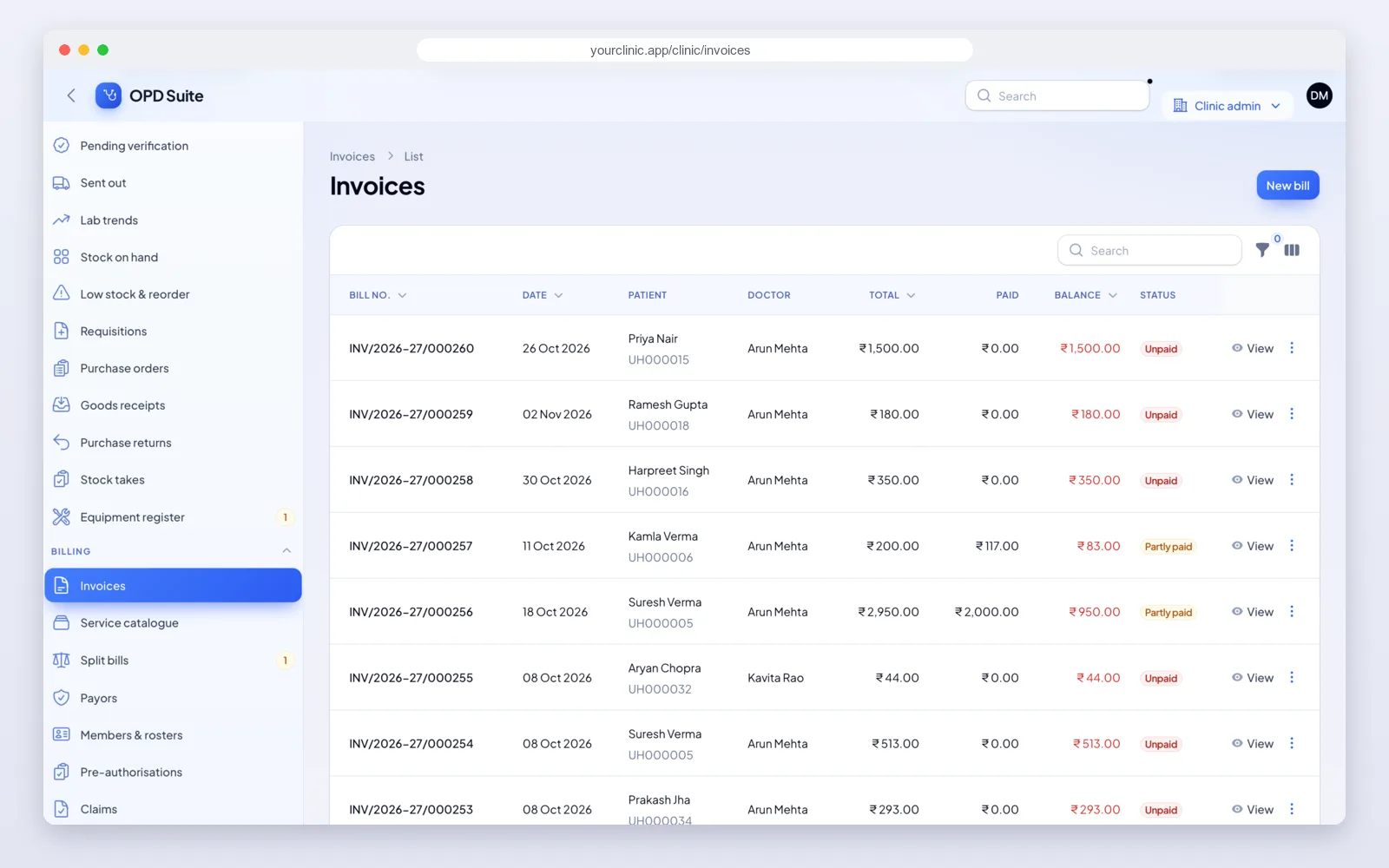
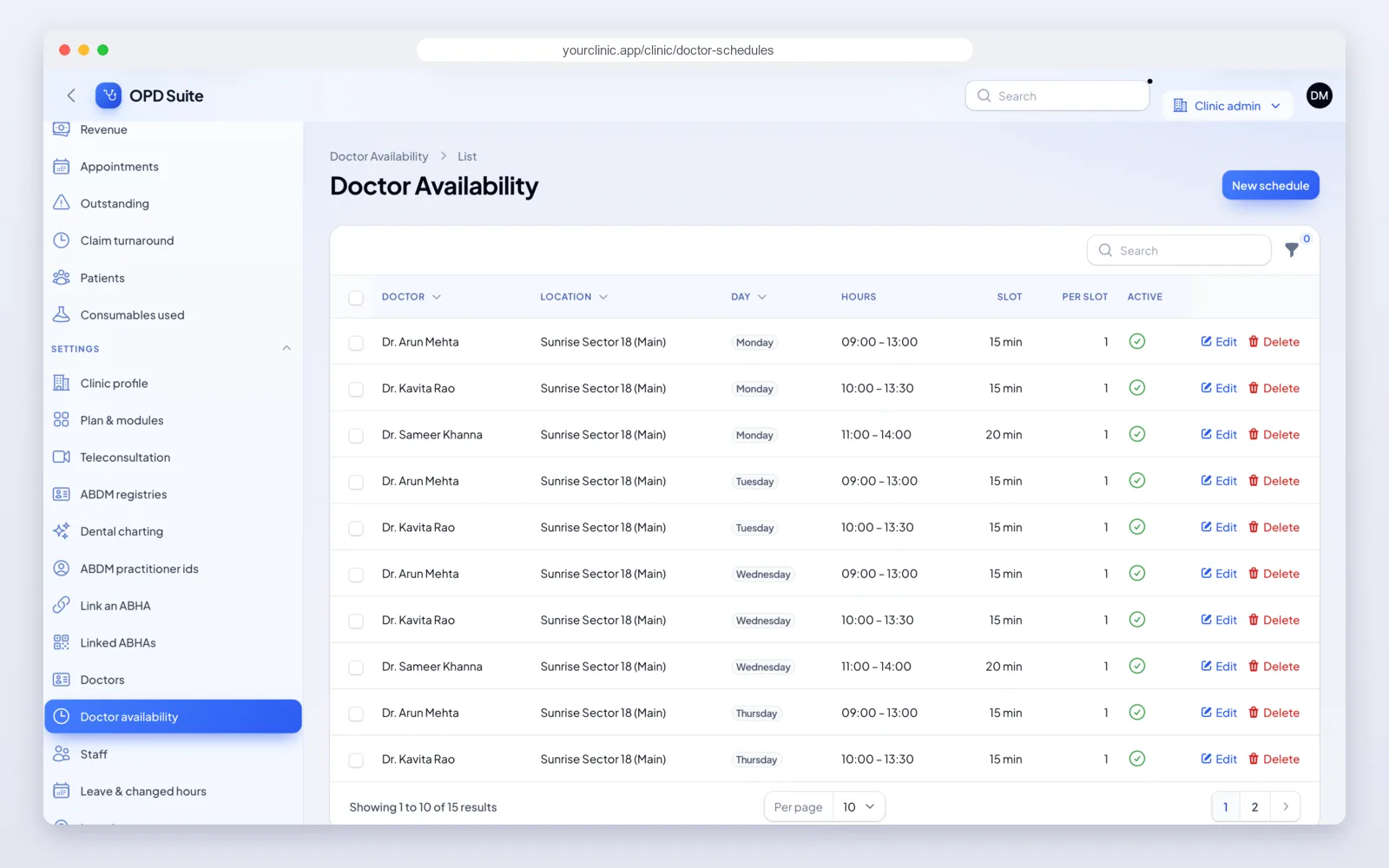
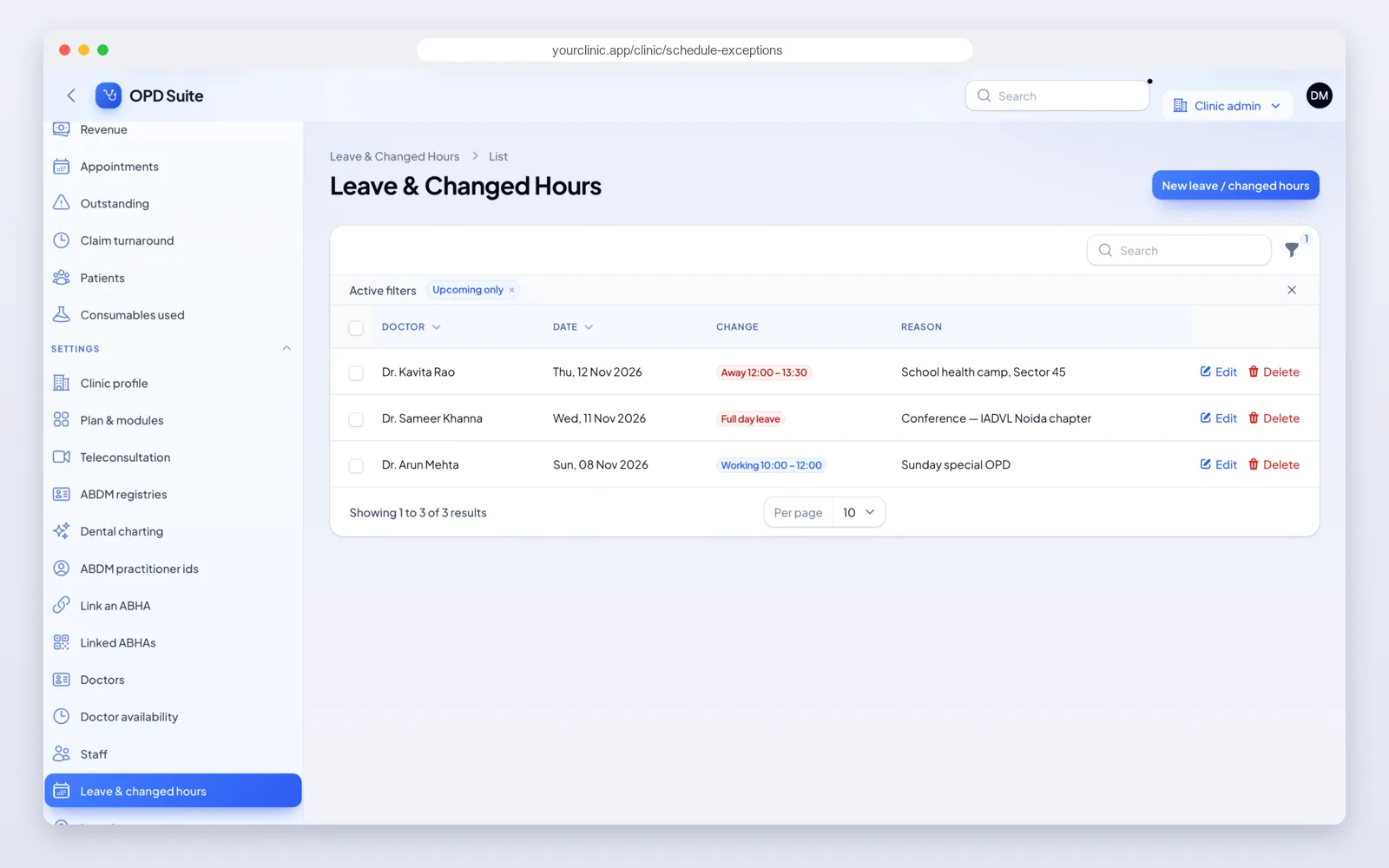
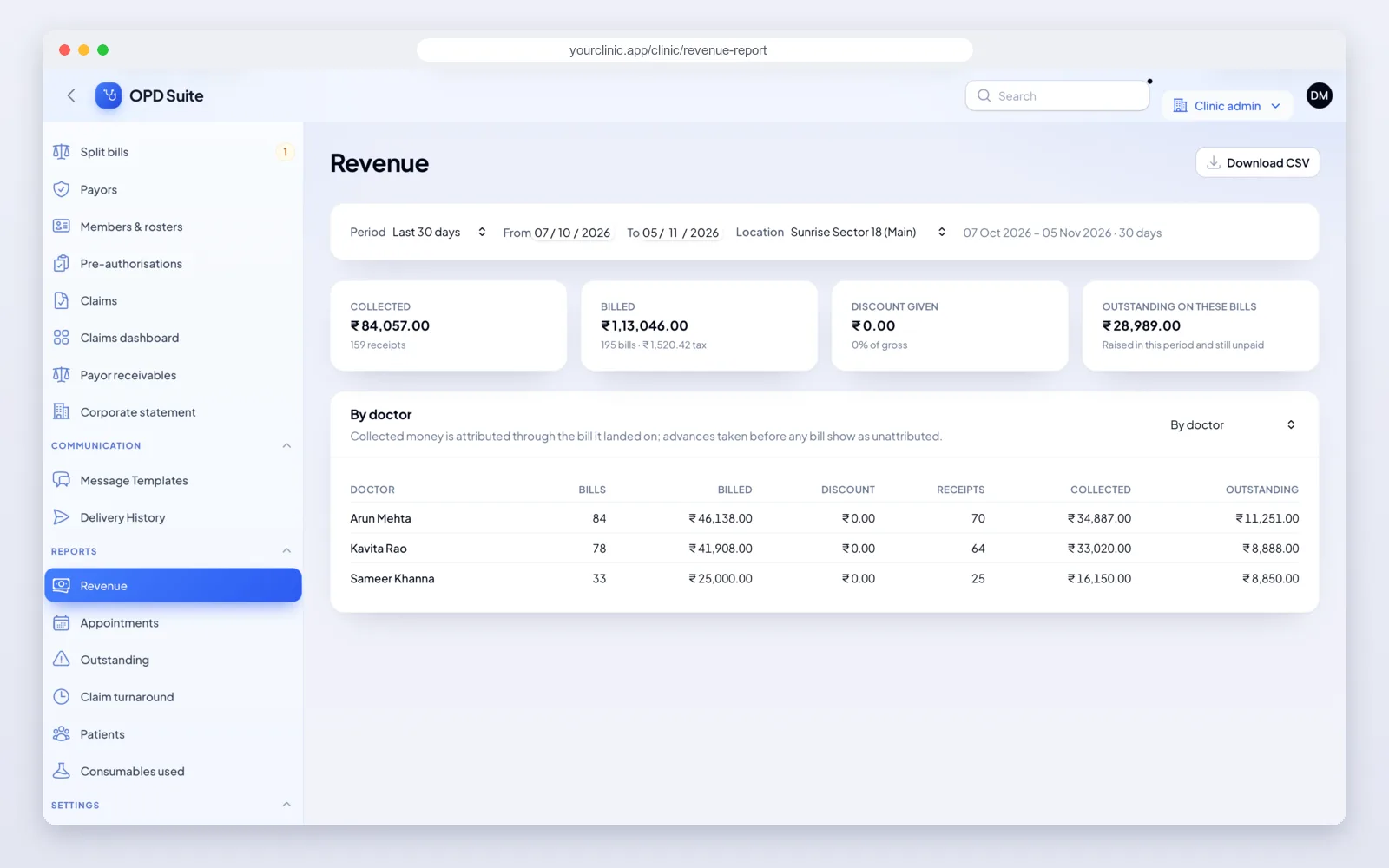
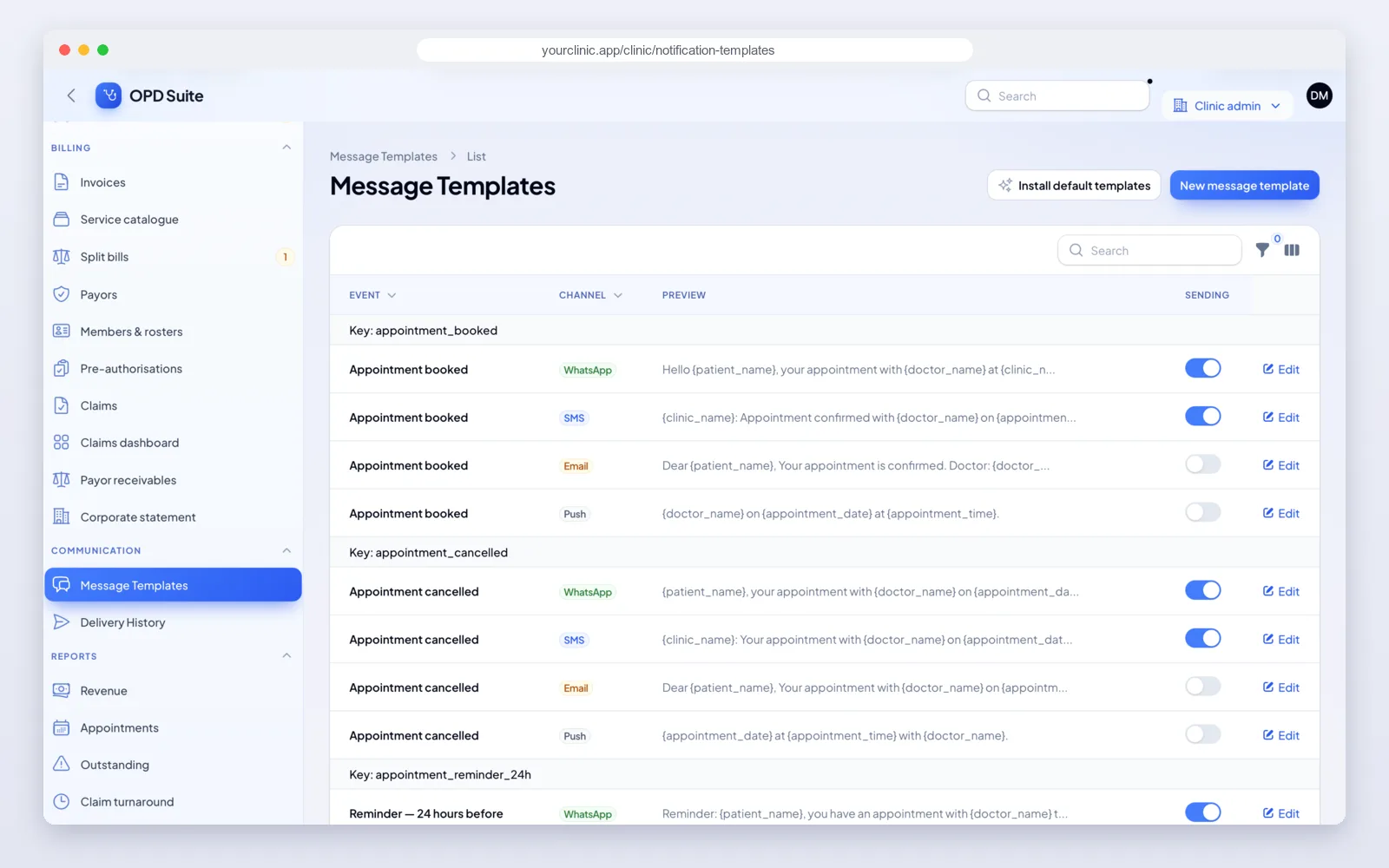
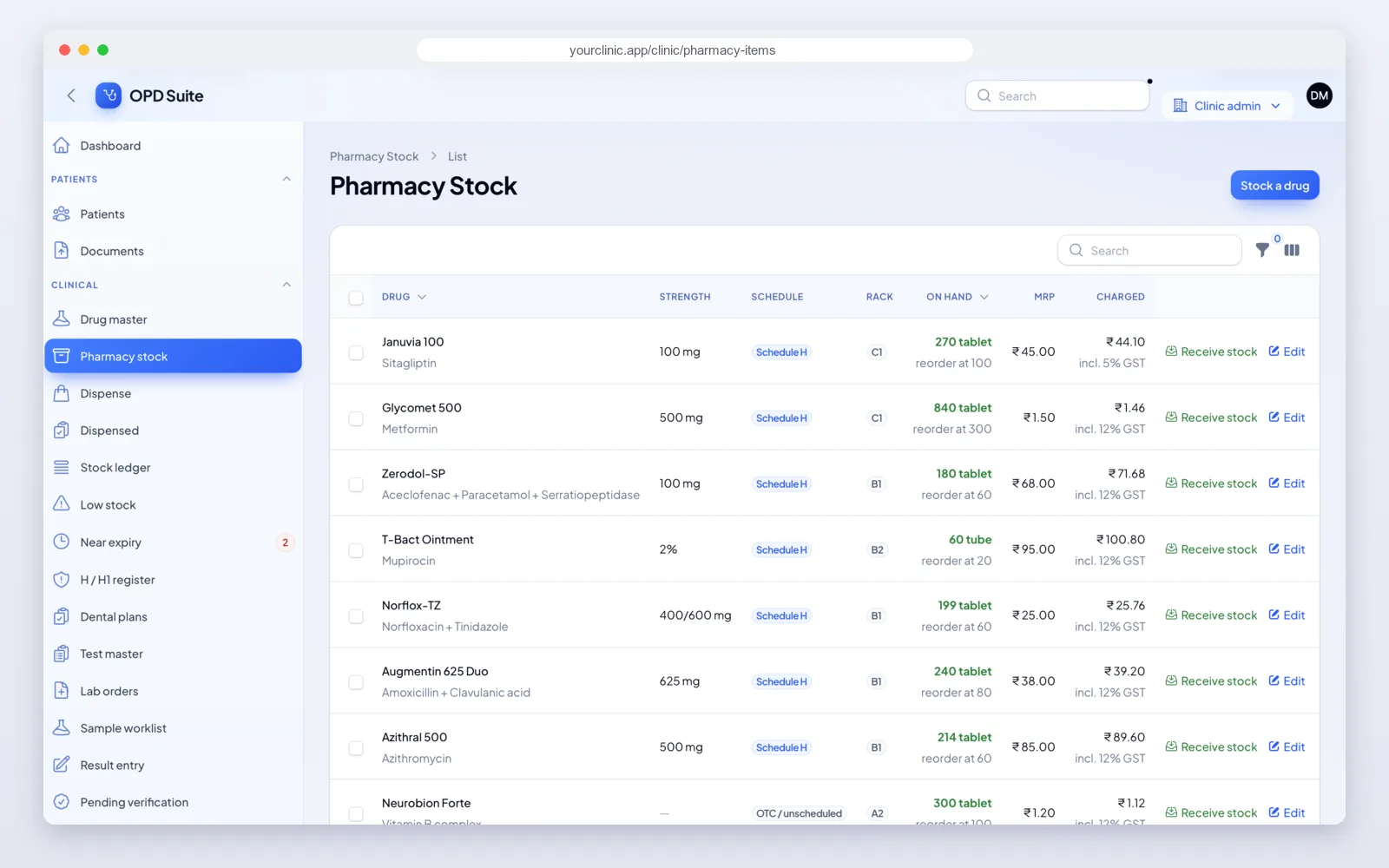
The front desk and the clinic panel
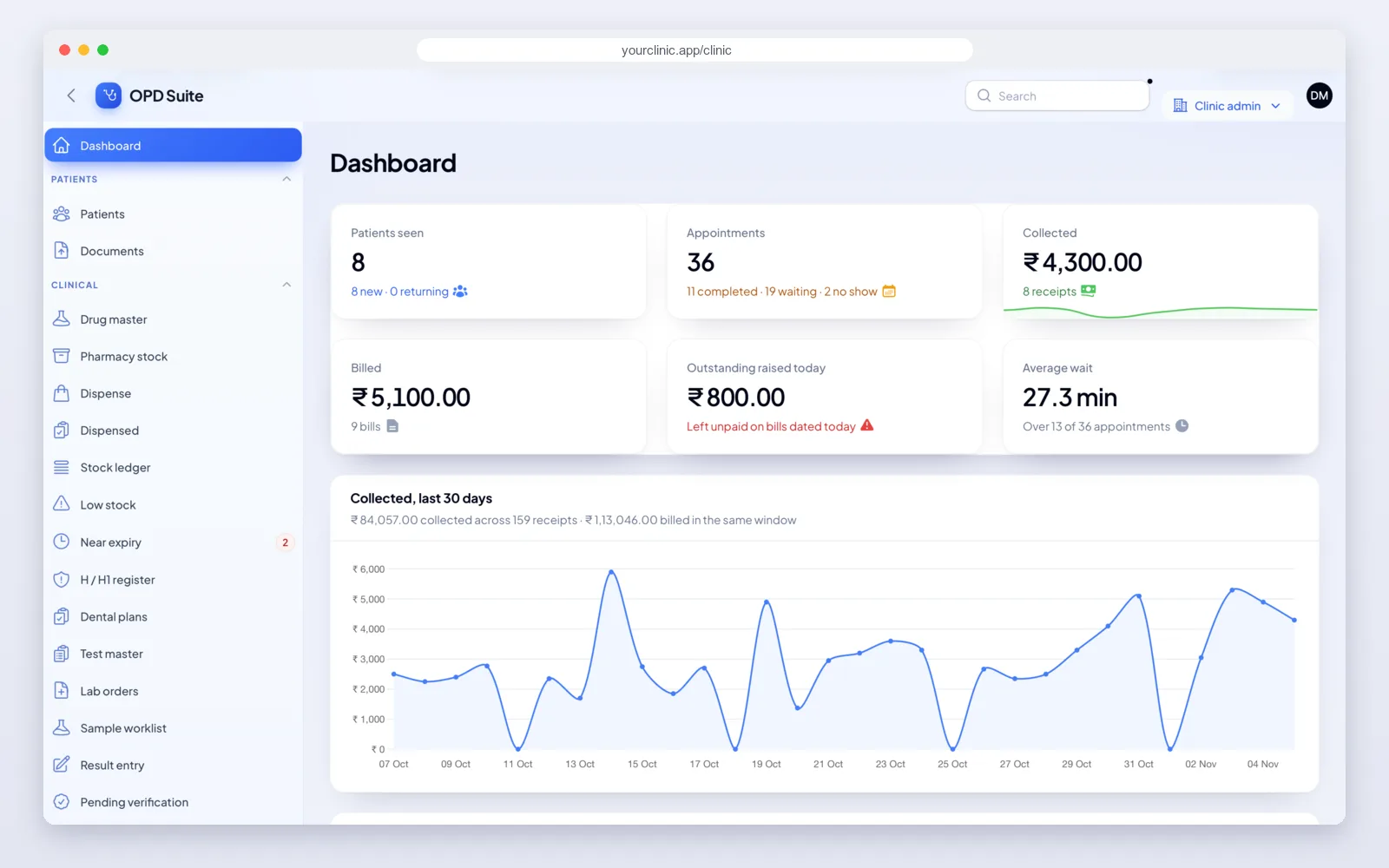
Reception works from the front desk screens all day. The owner or manager uses the clinic panel to set up doctors, fees and services, and to see how the clinic is doing.
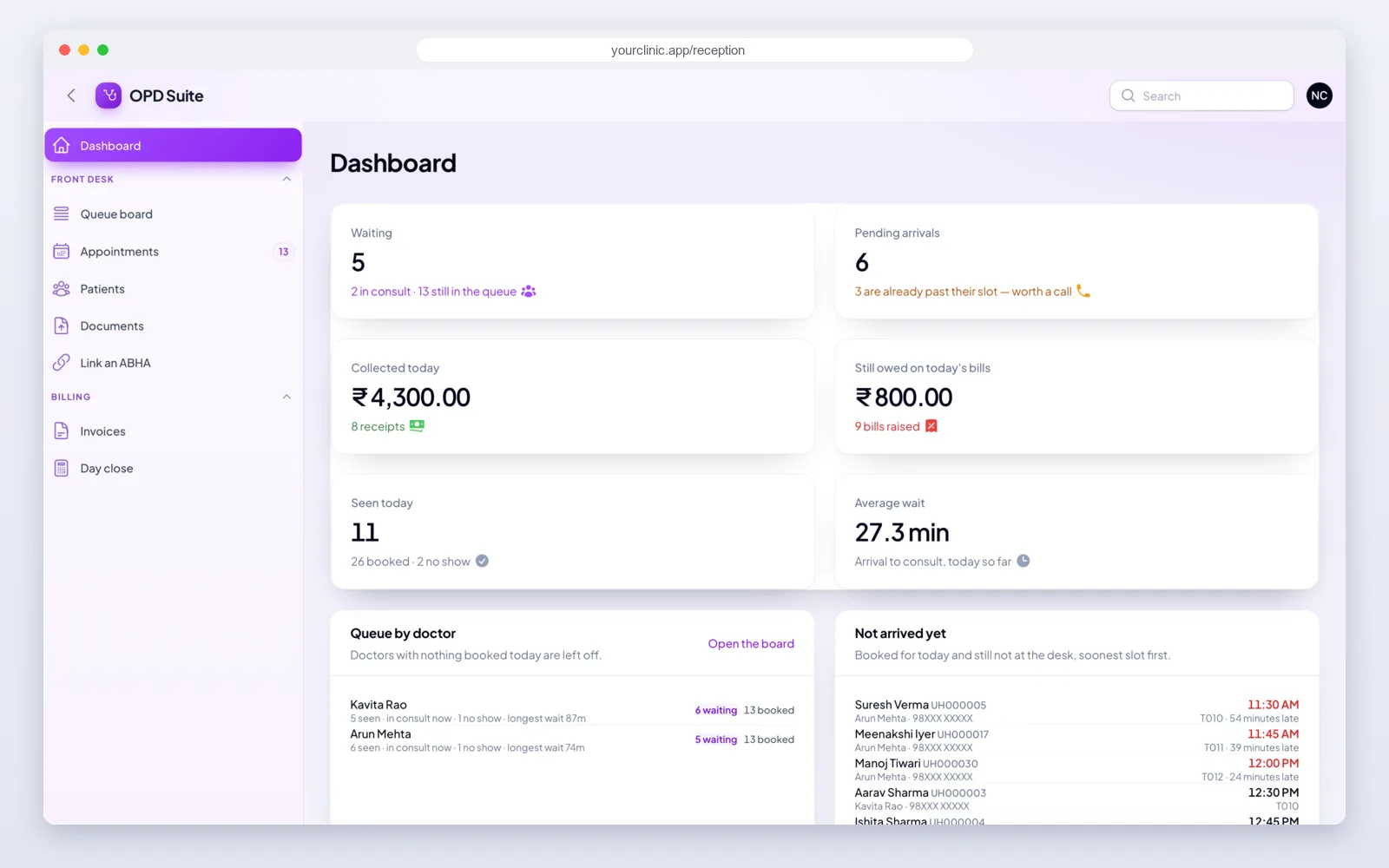
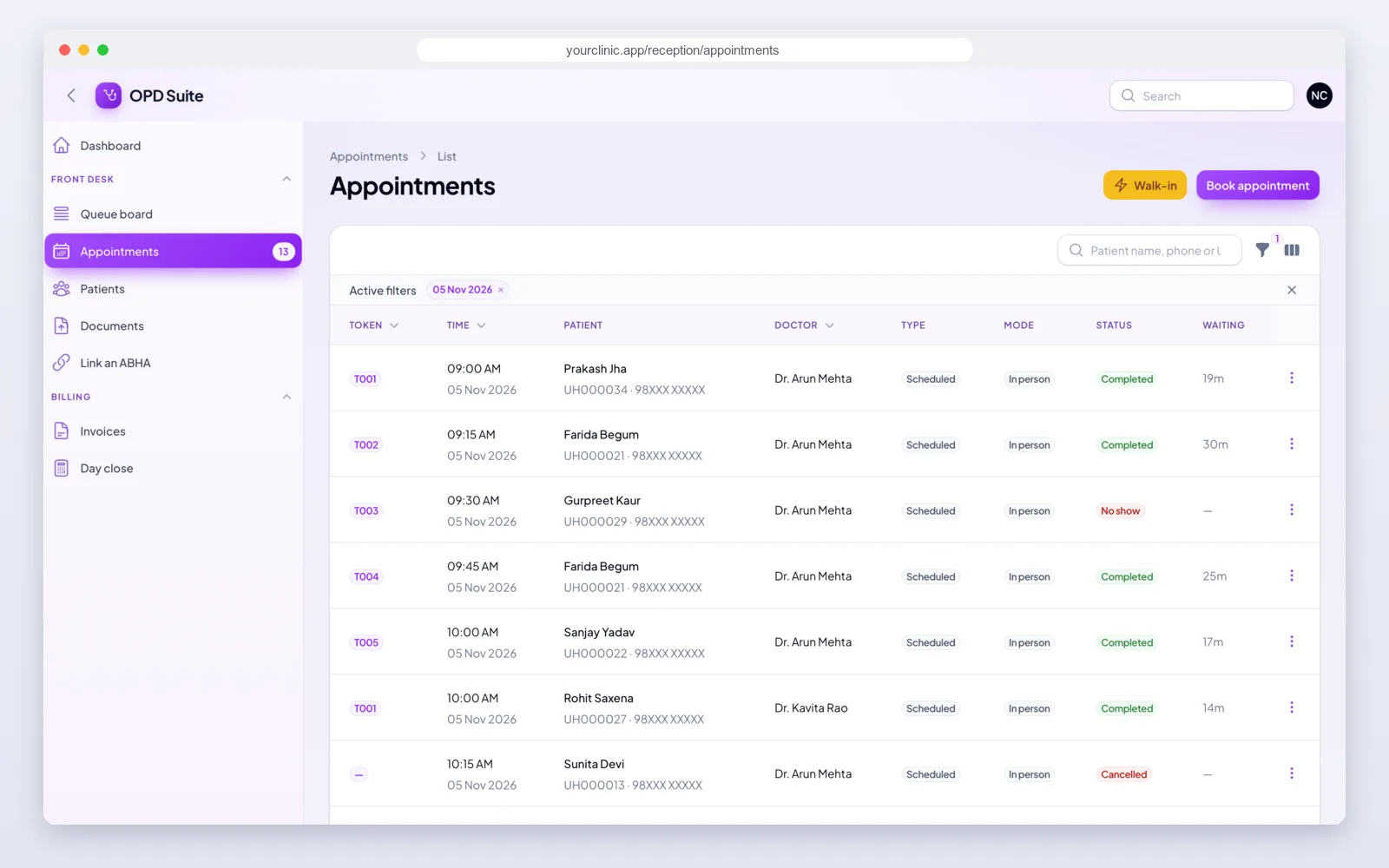
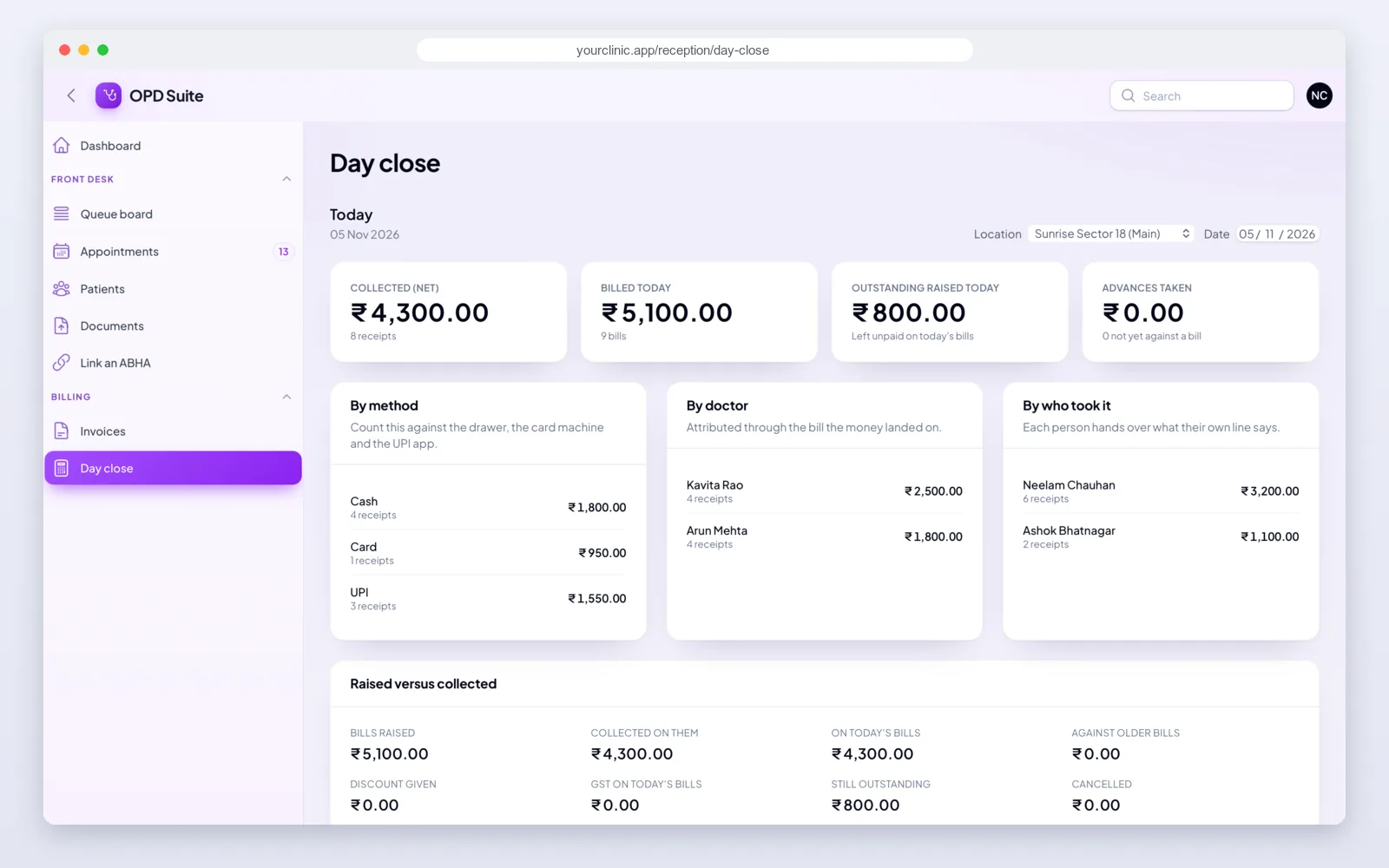
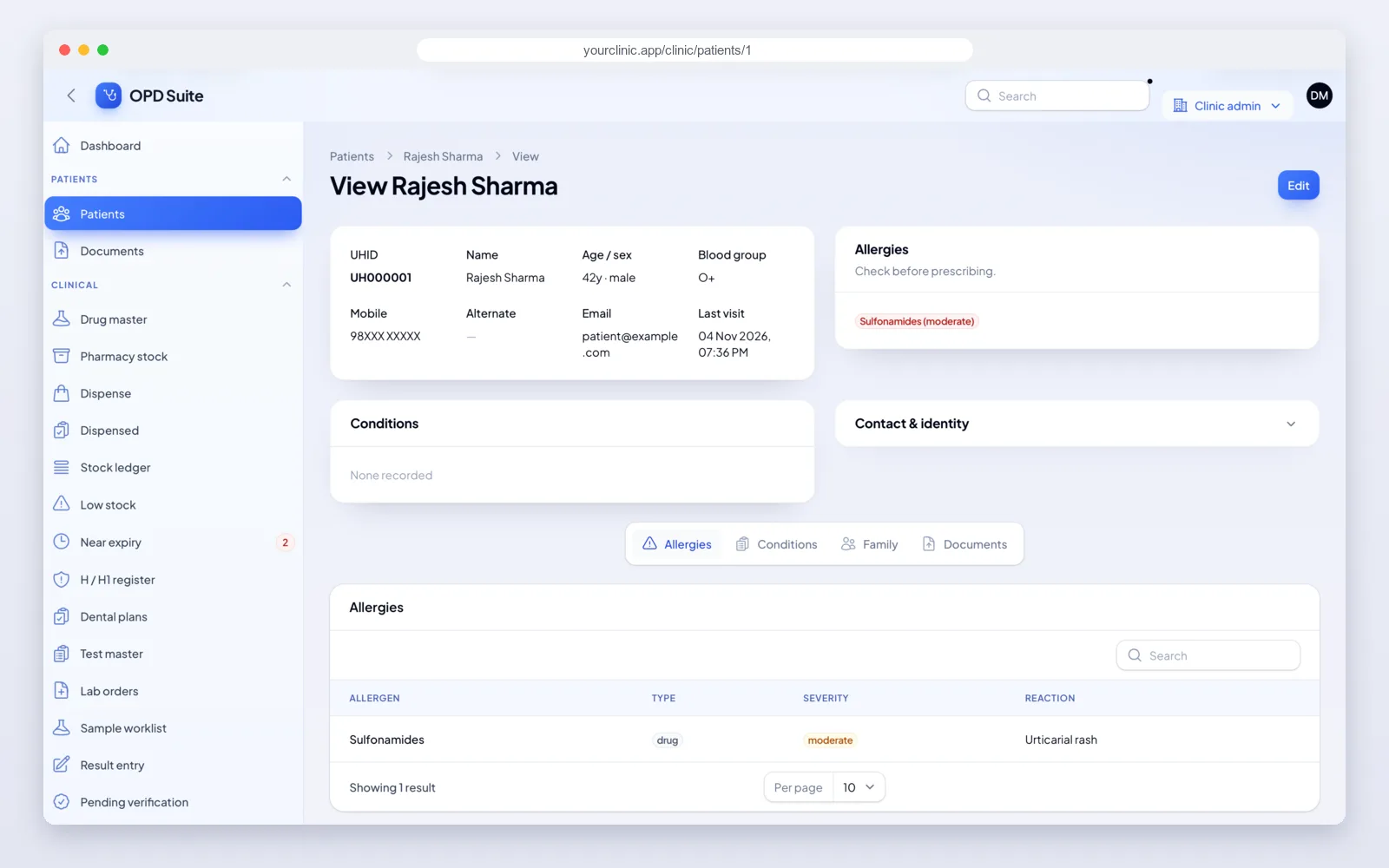
The doctor's screens
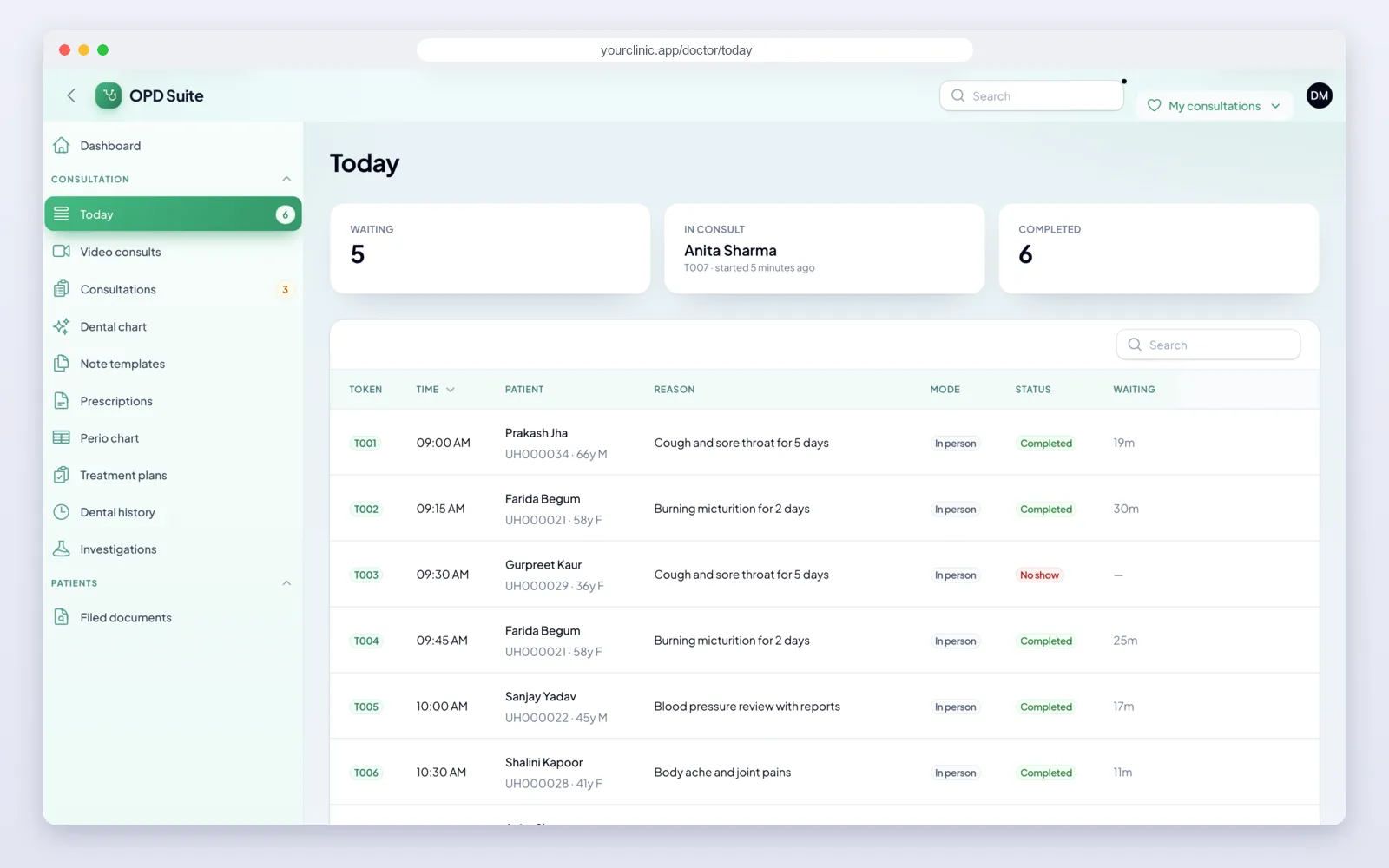
Doctors get their own web screens, with the day's list, the consultation note and the prescription in one place.
The patient app
Patients sign in with their mobile number and a one-time code. After that, booking, records and bills are all in the app.
The doctor app
The doctor app is for doctors who are not always at their desk. It shows the same queue and records as the web screens.
How we set up your clinic software
- Free demo call. We walk you through a clinic day in OPD Suite and note what you need.
- Plan and quote. We agree the modules, locations, branding and any changes, and give you a fixed quote.
- Your brand. We put in your name, logo, colours, letterhead and web address.
- Your data. We add your doctors, timings, fees and services, and bring in your patient list.
- Apps on the stores. We help you publish the patient and doctor apps on Google Play and the App Store under your account.
- Training and support. We train your front desk and doctors, and stay with you after launch.
What it is built with
- Web panels and server: Laravel with Filament, on a MySQL database.
- Mobile apps: Flutter. One codebase gives the patient app and the doctor app on Android and iPhone.
- Built-in services: Razorpay for online payments, a video provider for video consults, Firebase for phone alerts, and your choice of SMS, WhatsApp and email provider.
It is the same stack we use for our other SaaS development and mobile app development work, so any good developer can pick up the code later.
Healthcare work we have done
Your own brand, or OPD Suite as it is
Clinics that just want good software can use OPD Suite on opdsuite.com. Every clinic can already print prescriptions and bills on its own letterhead.
If you want the whole system in your own name, we set it up for you: your name and logo on the sign-in page, the staff screens and the patient pages, your own web address, and the patient and doctor apps published under your account. You get the full source code, so there is no lock-in. Read more on the OPD Suite white-label page.
Get a quote for your clinic software
Clinic panel, reception and doctor desks, patient app and doctor app, with your brand, set up on your own server, with help to publish on both app stores. Tell us how many clinics and doctors you have and which modules you need, and we will send a fixed quote.
- Full source code for the web panels, the server and both apps
- Pharmacy, lab, stock, insurance and dental modules when you need them
- Your doctors, fees and patient list set up for you
- Training for your staff and help after launch
Frequently asked questions
What is OPD Suite?
OPD Suite is clinic management software made by PRS India. It covers patient records, appointments, the waiting queue, consultation notes, prescriptions, billing and reports, with a patient app and a doctor app for Android and iPhone.
Is there a patient app?
Yes. Patients sign in with their mobile number and a one-time code. They can book a visit, see upcoming visits, prescriptions, lab reports and bills, and pay online if the clinic turns it on. One phone number can cover the whole family.
Is there an app for doctors?
Yes. The doctor app shows the day's queue, the patient's history and vitals, and lets the doctor write notes and prescriptions from the phone. New lab results come into one inbox, and there is a short summary of the day.
Can I put my own brand on it?
Yes. We set it up with your name, logo, colours and web address, and help you publish the patient and doctor apps under your own account on Google Play and the App Store.
Do I get the full source code?
Yes, when we set it up under your brand. You get the source code for the web panels, the server and both apps, so you can host it yourself and keep changing it.
Does it follow India's telemedicine rules?
Yes. For video, audio and chat consults the system works out whether it is a first visit or a follow-up, and limits the drug list to what the Telemedicine Practice Guidelines allow. Schedule X and NDPS drugs are always blocked in these consults, and a diagnosis is needed before a prescription can be signed.
Does it support GST bills, UPI and printed prescriptions?
Yes. Bills carry the clinic's GST number, payments are recorded as cash, UPI, card or part payment, and prescriptions and bills print on A4, A5 or a thermal roll with the clinic's letterhead.
Can it run a pharmacy, a lab or a dental clinic?
Yes. Pharmacy, lab, stock and purchase, insurance and TPA, and dental modules are already built. A clinic switches on only the ones it needs.
Can we run more than one clinic?
Yes. One login can run several locations, each with its own doctors, timings and bills, and the owner sees reports for all of them.
How much does it cost?
It depends on the number of clinics and doctors, the modules you need and the branding. Tell us what you need and we will send a fixed quote. The demo and the first call are free.
Read more
- #Flutter
- #Mobile App Development
- #White Label
- #OPD Software
- #Healthtech
- #Clinic Management Software
- #OPD Suite
Written by
PRS Admin
Building software at PRS India.