Business of Software
White Label Clinic Management System Development in India
We build clinic software under your brand: many clinics in one system, your logo on apps and bills, and modules you switch on per clinic.

Written from production. Our articles draw on products we run live and the client work behind them, and are revised as the systems they describe evolve.
Many health businesses want to give clinics their own software. A hospital group wants one system for its partner clinics. A health startup wants a clinic product to sell. A diagnostic chain wants doctors in its network to use its name every day. Buying a monthly plan from another vendor does not help any of them. The vendor's name stays on every screen.
A white label clinic management system fixes this. It is clinic software that carries your name, your logo and your colours. You decide which clinics get it and what each one can use. PRS India builds this kind of multi-clinic software for you, with the source code in your hands. This guide shows what goes into it and how we build it.
Key takeaways
- White label means the clinic software runs under your brand, not the maker's brand.
- It must hold many clinics in one system and keep each clinic's patients apart.
- Each clinic needs its own name, logo, print layout and patient-app code.
- You need an owner panel to add clinics, switch modules on and see usage.
- When it is built for you, you own the brand, the data and the source code.
What is a white label clinic management system?
Clinic management software runs the daily work of a clinic. It keeps the patient list, doctor timings, staff logins, visits and bills. A white label version does the same work, but with your brand on it. The clinic sees your name when it logs in. The patient sees your name on the app and the printed slip.
There are two common ways to use it. Some groups run it only for their own clinics. Others sell it to outside clinics as their own product, like a web application built for many customers. Both need the same base: one system, many clinics, and clean walls between them.
The problem
Why renting clinic software holds your brand back
Most clinic management software in India is rented by the month. Groups that resell it hit these issues.
- Their name, not yours. The login page, app store listing and bills all show the vendor. Your clinics bond with them, not with you.
- No say in features. A partner clinic asks for a new field. You can only raise a request and wait.
- Per-user bills grow. Every new doctor and receptionist adds to the monthly bill you pay.
- Data sits elsewhere. Patient records stay on the vendor's servers. Leaving means asking them for an export.
- One look for all. You cannot give one clinic a dental pack and another a skin pack.
- No group view. You cannot see how all your clinics are doing on one screen.
Who uses a white label clinic system
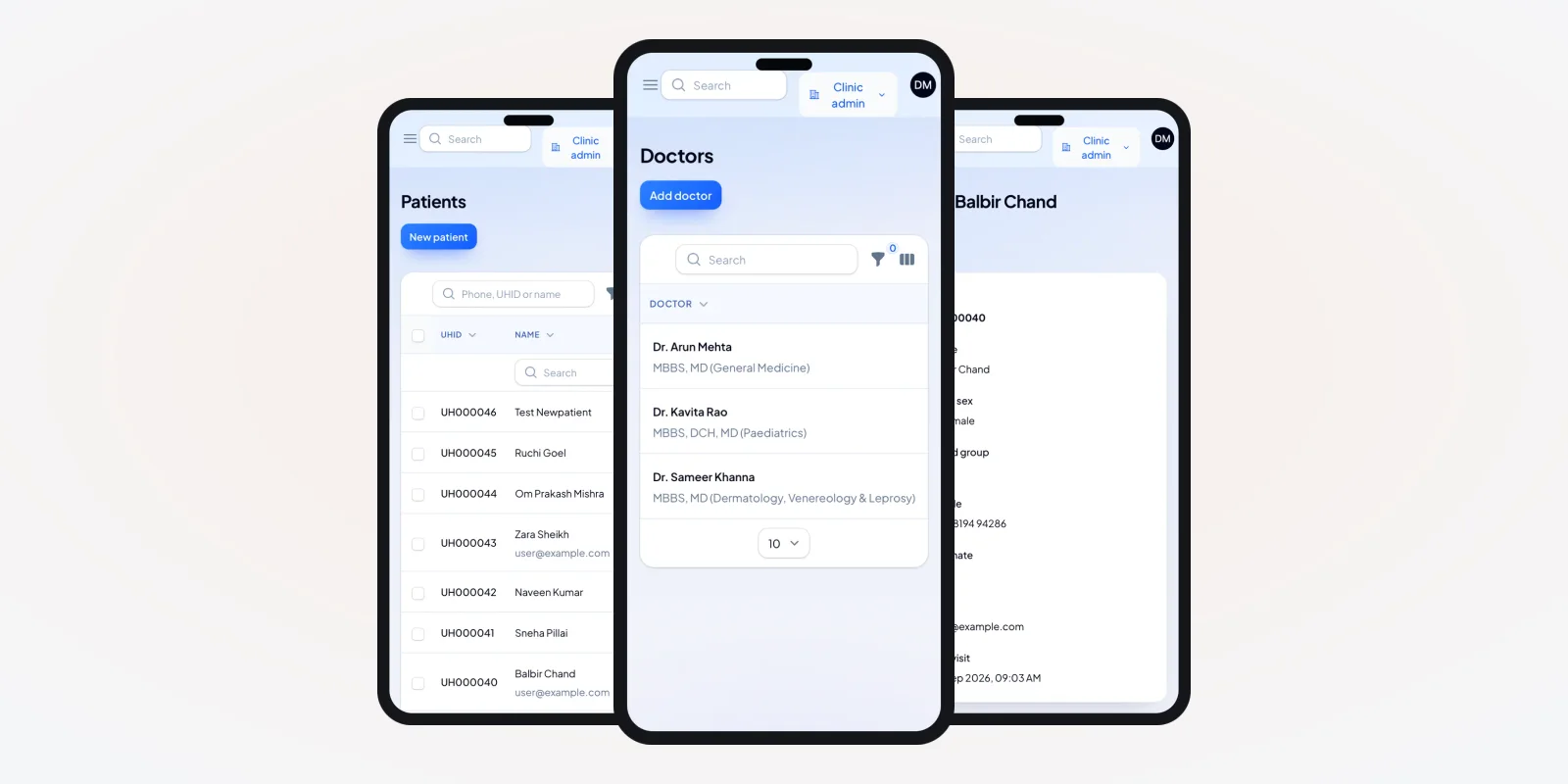
Three groups use the system, each with its own screens. You, the brand owner, sit above all clinics. The clinic team works inside one clinic. Doctors and patients use phones. Our healthcare software work always starts by listing these roles.
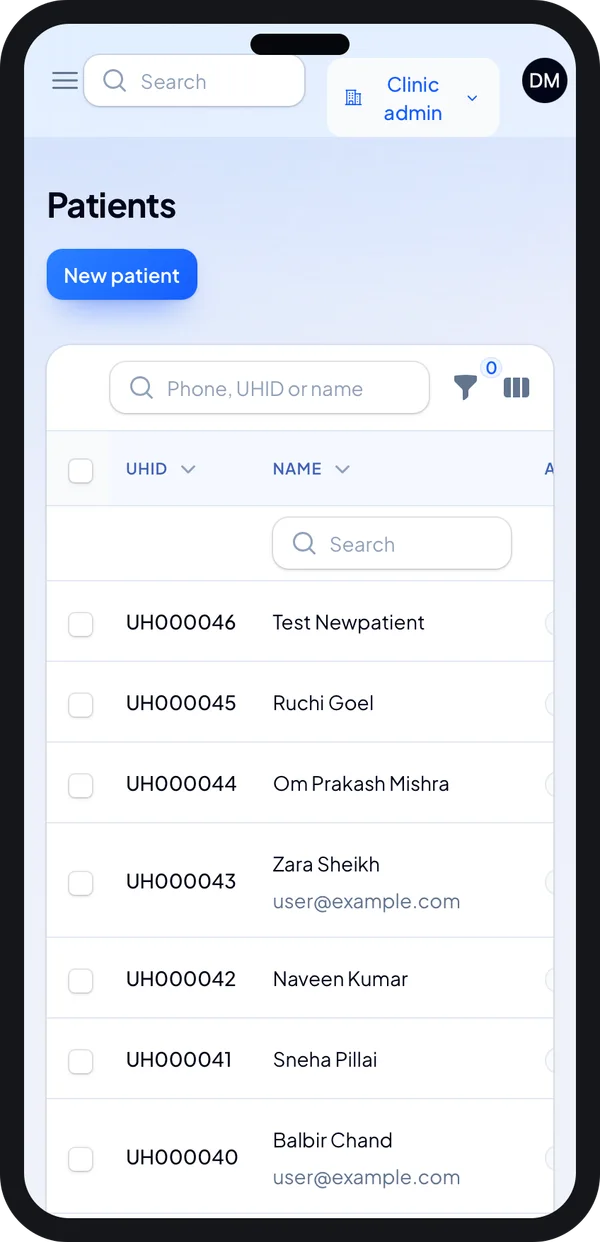
Front desk on the go
Search a patient by name or UHID from a phone or tablet.
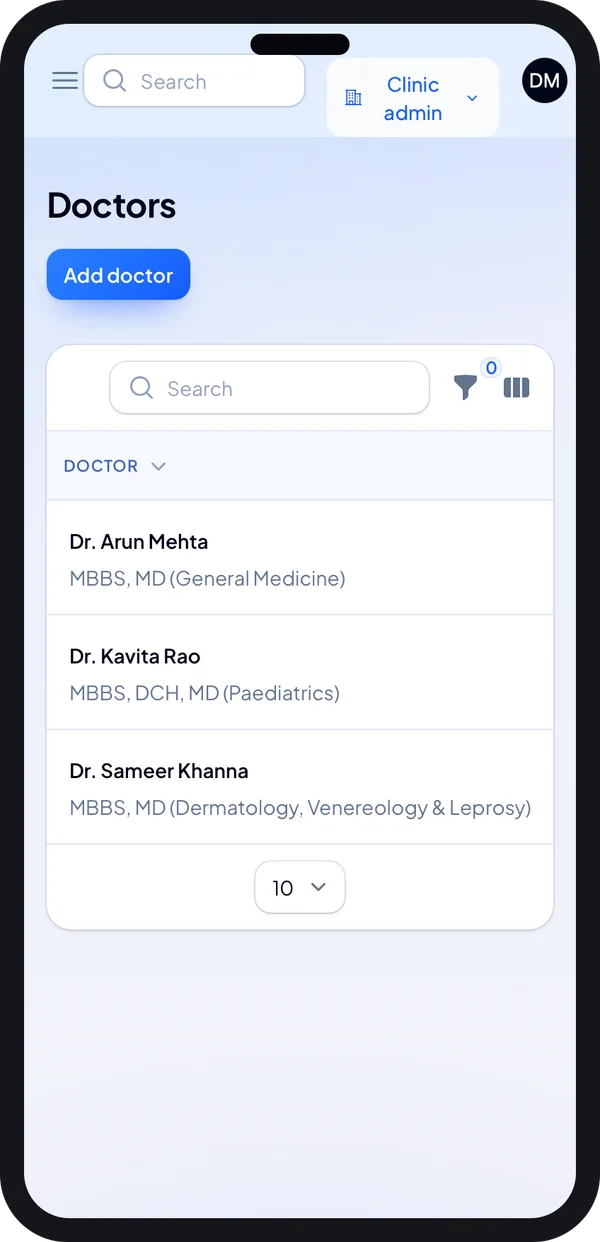
Clinic owner
Check which doctors are set up, with their degrees, from the phone.
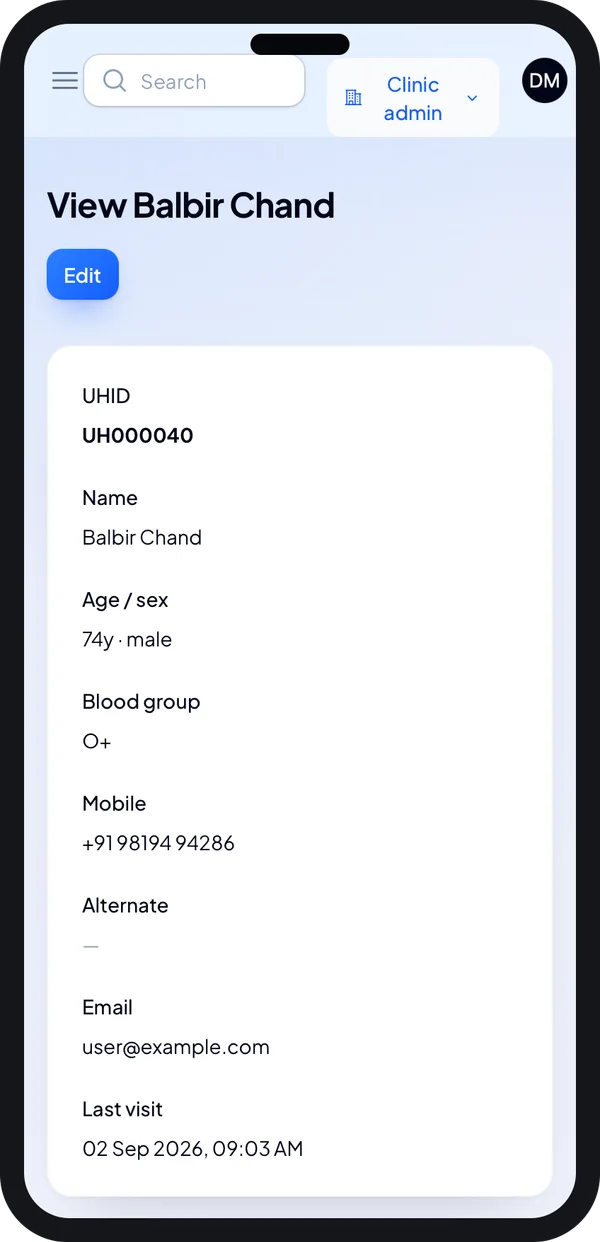
Doctor
Open a patient's basic details and last visit before the consult.
What makes clinic software white label
Changing a logo is not enough. Real white label work goes deep into the system. These are the parts we build in.
1. Many clinics in one system
One install serves many clinics. Each clinic gets its own space. A receptionist at one clinic can never see another clinic's patients. This is called multi-tenant design. We test it on every screen and every report.
2. Branding for each clinic
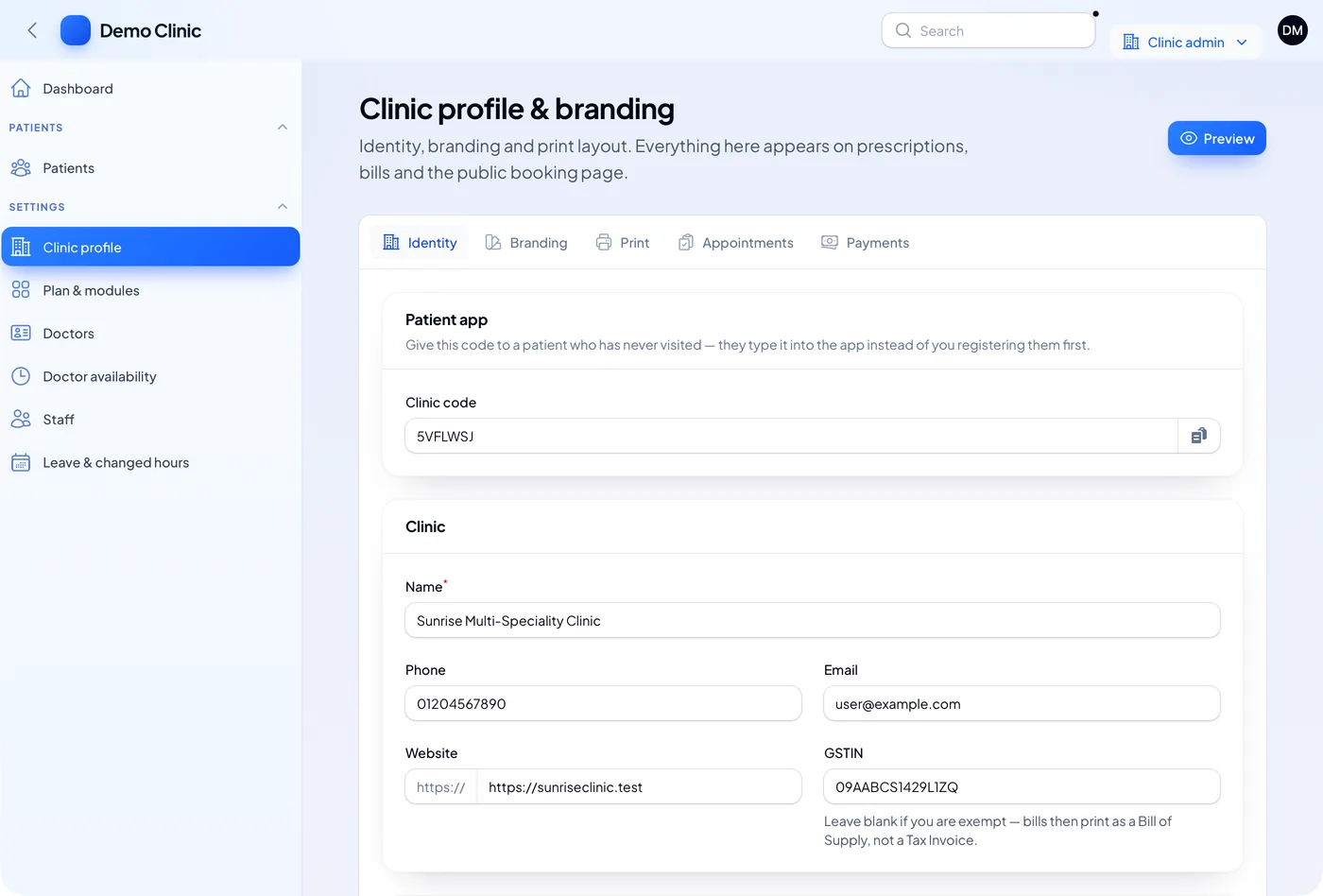
Each clinic adds its name, logo, phone, email and website. The same details print on bills, slips and prescriptions. A GST-exempt clinic leaves the GSTIN blank. Its bills then print as a bill of supply.
3. Your brand on the apps
The doctor app and patient app go to the Play Store and App Store under your company account. They carry your app name and icon. Our guide on mobile apps for clinic practice shows what doctors use on the phone. We build and publish the Android and iPhone apps for you.
4. Staff roles and branches
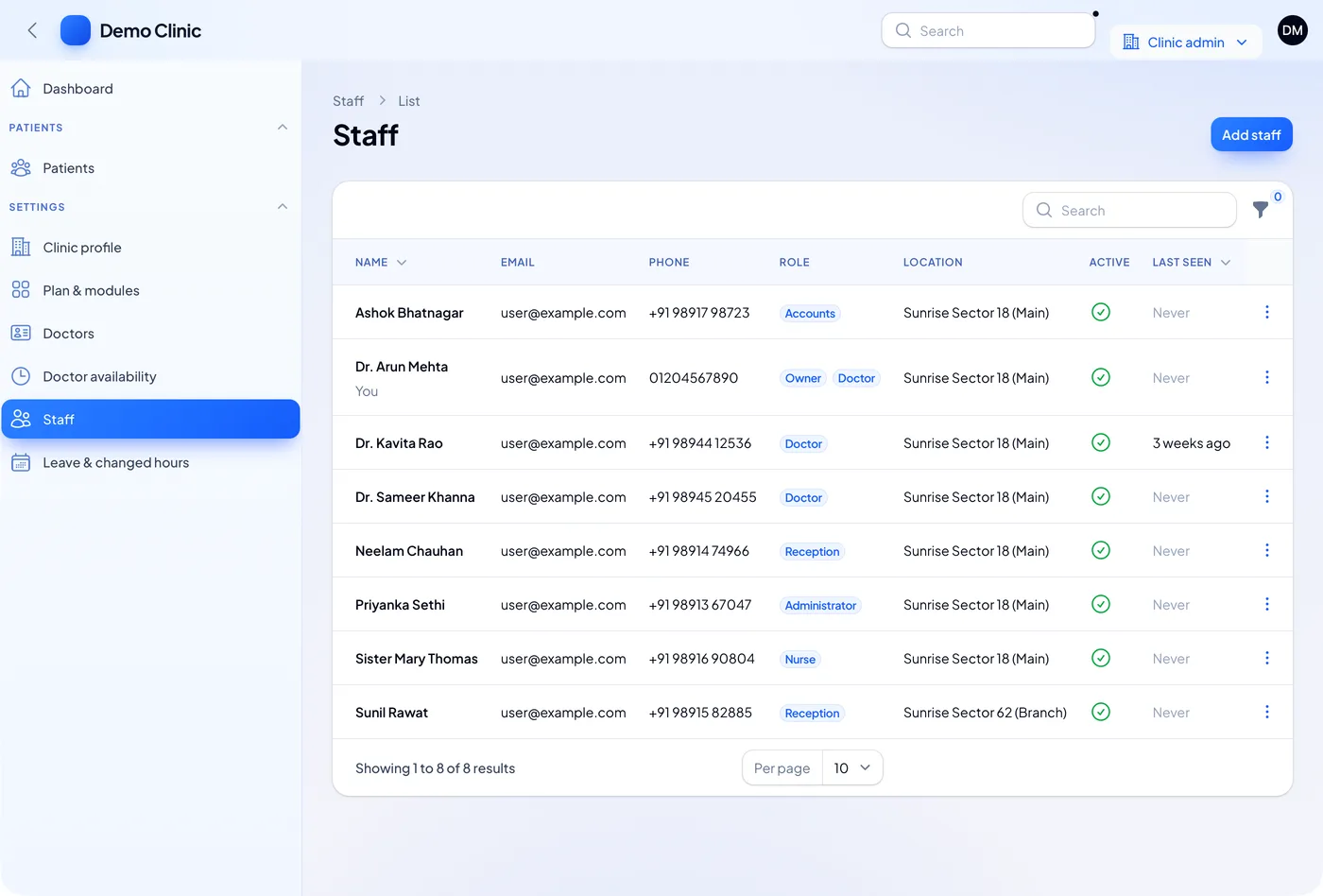
Each clinic adds its own staff and gives each person a role. Common roles are owner, doctor, reception, nurse, accounts and administrator. A person can hold two roles, such as owner and doctor.
A clinic with two or more branches tags each staff member to a location. The list shows who is active and when they last logged in.
5. Modules you switch on per clinic
Not every clinic needs everything. A small GP clinic may need records and appointments only. A larger one may add pharmacy, lab orders and stock. Your owner panel switches modules on or off for each clinic. That lets you sell different packs to different clinics.
6. Patient app code for each clinic
Each clinic gets a short clinic code. A new patient types this code in the patient app and joins that clinic. The front desk does not have to register them first. The code is shown on the branding screen above.
What each clinic runs day to day
Under your brand, each clinic still needs the normal clinic work. These are the core screens we build. You can see a fuller list in our guide to features a clinic system must have.
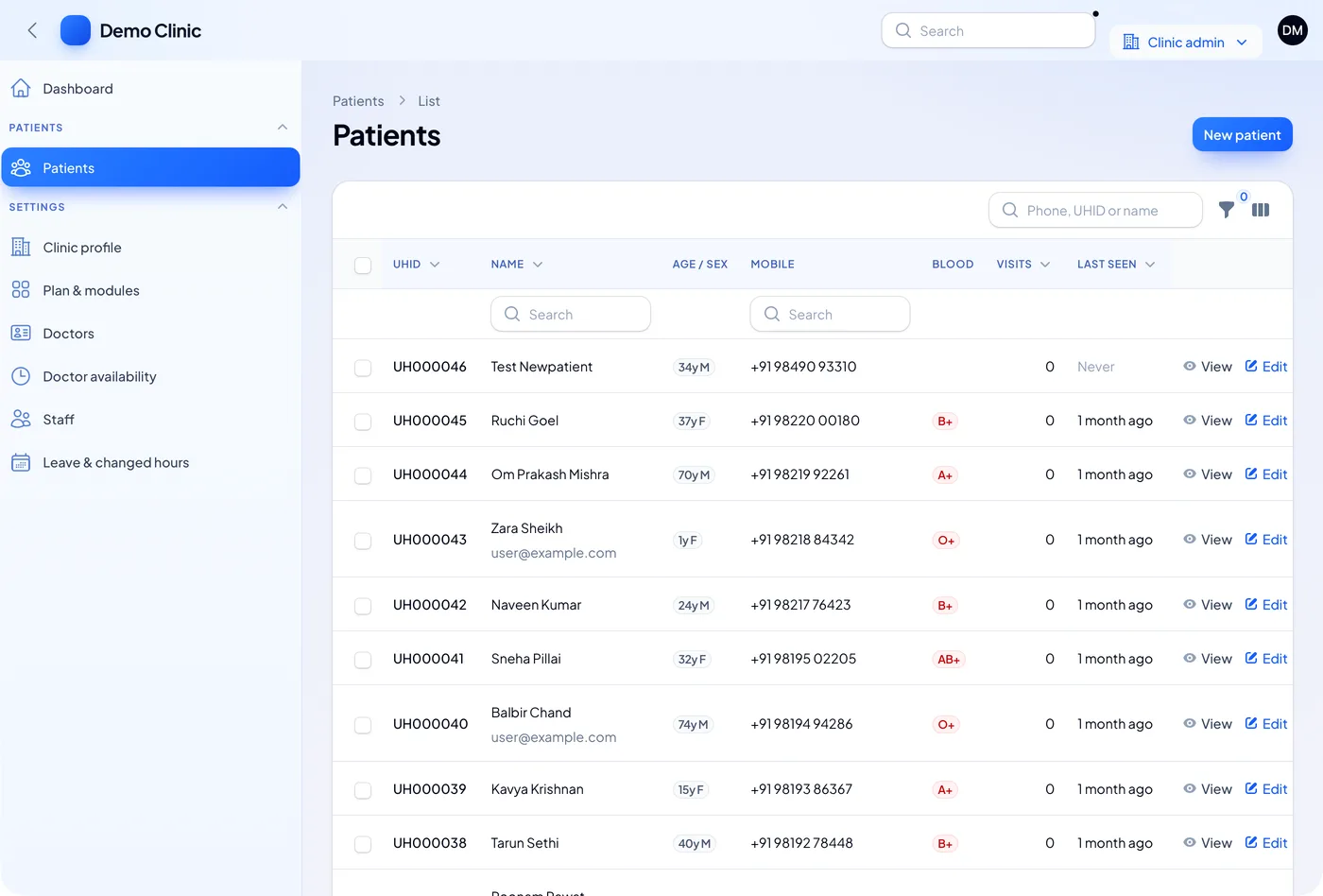
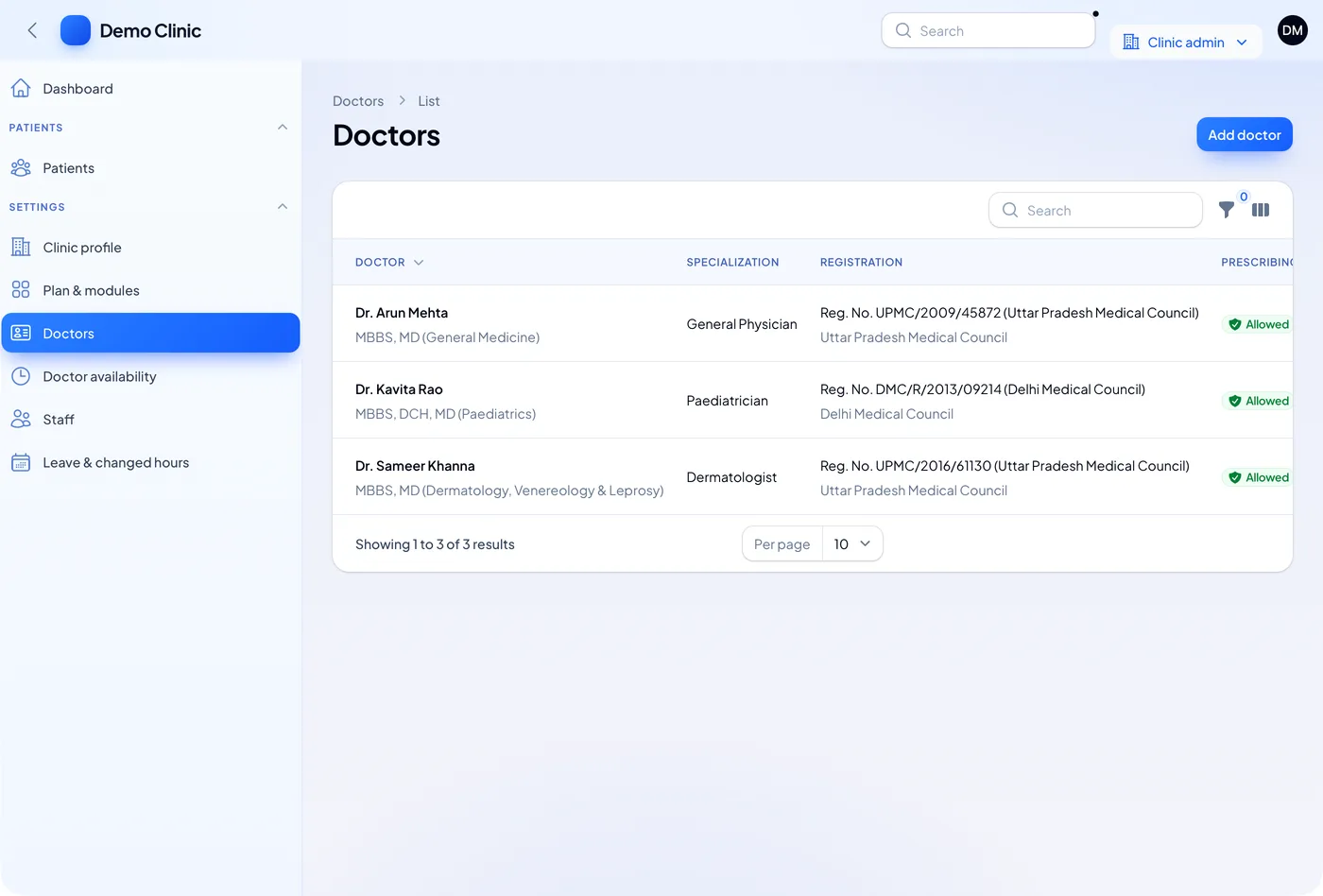
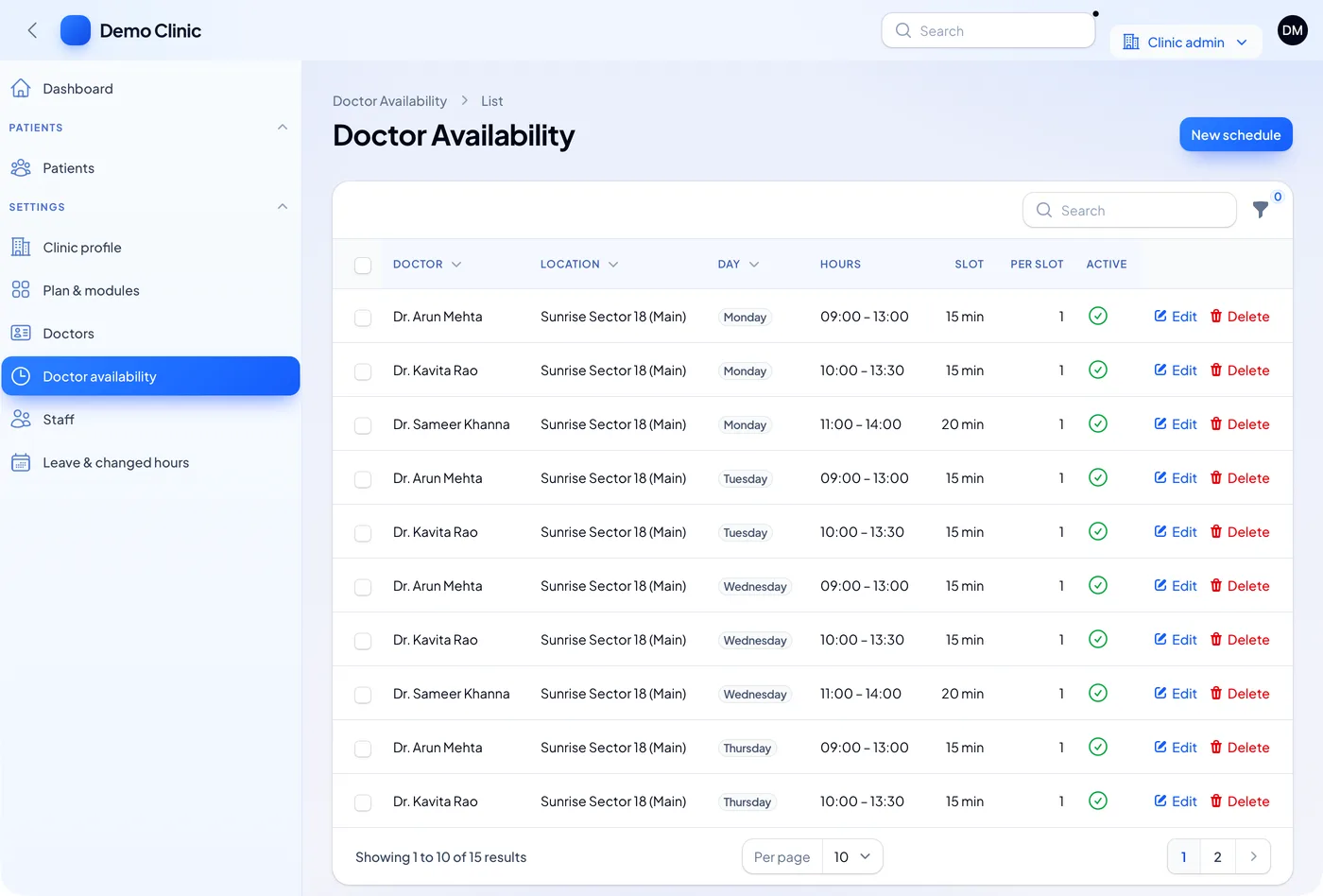
Doctors are stored with their degrees and their medical council registration number. Timings are set per doctor, per branch and per weekday. Slot length and patients per slot drive the booking screen in the patient app.
Health data rules to plan for
When you run software for many clinics, you hold a lot of patient data. Plan for the rules from day one.
Source: ABHA portal, National Health Authority; MeitY data protection framework; Clinical Establishments portal, MoHFW.
The Ayushman Bharat Digital Mission lets clinics link records to a patient's ABHA number. Software makers must test that link in the ABDM sandbox before going live. We can add the ABHA steps you need. Check with a lawyer on what your business must follow under these rules.
White label build vs reselling a monthly plan
| What you need | Reselling a vendor's plan | Your own white label system |
|---|---|---|
| Your name on login, apps and bills | Rarely, or only the logo | Yes, everywhere |
| Add new clinics yourself | Through the vendor | From your owner panel |
| Different modules per clinic | Fixed plans | You choose per clinic |
| Apps in your store account | No | Yes |
| Where patient data lives | Vendor servers | Your server |
| New features | Vendor decides | You decide |
| Source code | Stays with the vendor | Yours |
Worked example: one group, twelve clinics
Here is how a health group might roll out its own system. The names and counts are examples.
- Week 1, setup. The group adds its brand name, logo and colours in the owner panel.
- Week 1, first clinic. It adds a clinic in Sector 18. The clinic gets a login and a clinic code.
- Week 2, staff. The clinic adds three doctors, two receptionists, a nurse and an accounts person.
- Week 2, timings. Each doctor's days, hours and slot length go in. Booking opens in the patient app.
- Week 3, patients. Old patients come in from an Excel sheet. Each gets a UHID.
- Month 2, more clinics. Eleven more clinics join. Two get the dental pack switched on.
- Every week, group view. The owner sees patients, visits and active staff across all twelve clinics.
Our service
How we build your own white label clinic system
You get a clinic product with your name on it. It follows how you plan to sell or run it.
- Understand your model. We map your clinics, roles, modules and plans in one or two calls.
- Show clickable screens. You click through the screens in your colours and ask for changes before code.
- Build the system. The web admin runs on a Laravel backend. One Flutter codebase gives the Android and iPhone apps.
- Test with a pilot clinic. One clinic uses it with real patients. We fix what they find.
- Launch under your brand. Apps go live in your store accounts. Data sits on a server you control.
- Support and grow. We add modules, clinics and new rules as your network grows.
White label clinic software development cost: what decides it
We do not publish a fixed price, because no two groups need the same thing. The cost depends on a few clear points:
- How many apps you need: owner panel, clinic admin, doctor app, patient app.
- How many modules: records, appointments, prescriptions, billing, pharmacy, lab, stock.
- Links to other systems, such as SMS, WhatsApp, payments and ABHA.
- How deep the multi-clinic setup goes: plans, module switches, group reports.
- Moving old data from paper, Excel or another system.
| Monthly clinic plan | White label system built for you | |
|---|---|---|
| Start | Quick, small first payment | A few weeks to build |
| Cost over years | Grows with every clinic and user | One build cost, then optional support |
| Can you resell it | Only if the vendor allows | Yes, it is your product |
| Brand on apps and prints | Vendor's | Yours |
| Data and source code | With the vendor | Yours |
Share your clinic count, modules and app list. You can read our past client projects too. We send a written quote after one call. You can also see the products we have built before you decide.
Whoever builds your white label clinic system, make sure it can:
- Keep each clinic's patients fully apart from other clinics
- Print each clinic's own name, logo and GSTIN on bills and slips
- Switch modules on and off for each clinic from your panel
- Publish the apps under your own store accounts
- Give each clinic a code that patients use to join in the app
- Store doctors' council registration numbers
- Run on a server you control, with backups you can check
- Hand over the full source code
FAQ
What is a white label clinic management system?
It is clinic software that runs under your brand. Your name and logo appear on the login, the apps and the printed bills. The company that built it stays in the background.
Can I sell the clinic software to other clinics?
Yes. When we build it for you, it is your product. You can run it for your own clinics or sell it to outside clinics under your own plans.
How long does it take to build a white label clinic system?
It depends on the apps and modules you need. After one call, we share a plan with dates for each part. You see clickable screens first.
Will I own the source code?
Yes. We hand over the full source code. The apps go into your store accounts, and the data sits on your server.
How are patient records kept apart between clinics?
Each clinic has its own space in the system. Every screen and report checks which clinic the user belongs to. Staff of one clinic cannot open another clinic's patients.
Which platforms do you build for?
We build a web admin for clinics and the owner, plus Android and iPhone apps for doctors and patients. A desktop app is possible if your clinics need it.
Can the system link to ABHA and ABDM?
We can add ABHA steps that your plan needs. The link must pass the ABDM sandbox tests first. Check the current rules on the ABDM site.
Is patient data safe in a white label system?
It should be. We add role-based logins, activity logs, backups and encrypted connections. The DPDP Act, 2023 applies to this data, so check your duties with a lawyer.
Can PRS India build a white label clinic management system for my business?
Yes. We build the owner panel, clinic admin and Android and iPhone apps under your brand. Book a consultation and tell us about your clinics.
Related guides
Written by
Aditi
Building software at PRS India.