Skip to content
PRS India

Product

White-Label CRM Software: Leads, Follow-ups, Quotes and Sales

PRS Admin

Written by PRS Admin

Reviewed by the PRS India software & mobile app development team

17 min read

White-Label CRM Software: Leads, Follow-ups, Quotes and Sales
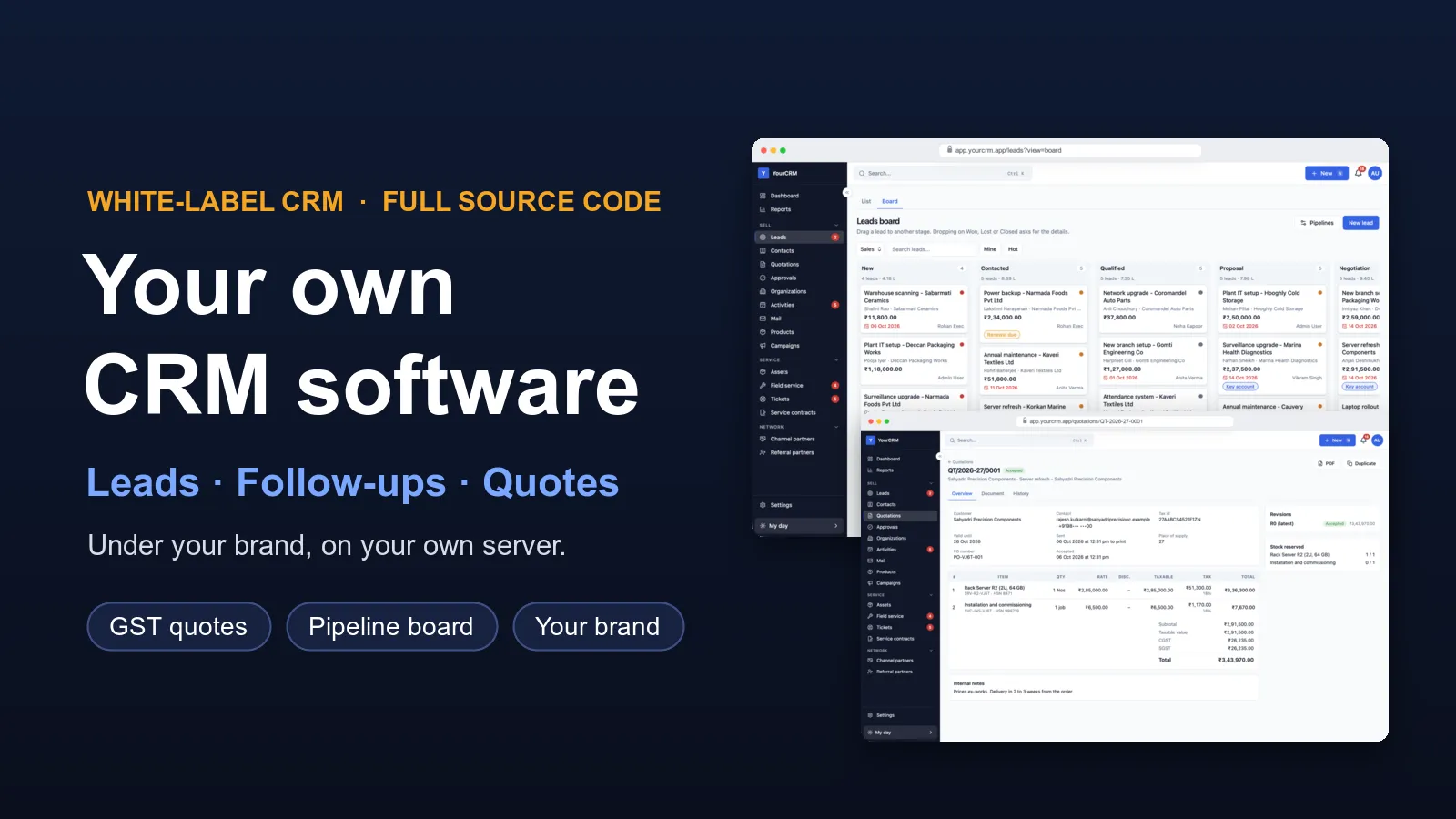
Want a CRM with your own name on it? We build it for you. Your sales team gets one place for leads, follow-ups, quotes and sales. Your service team gets tickets, service visits and AMC renewals. Everything shows your name, your logo and your colours.

We do not start from zero. Our CRM is already built and working. We set it up for your business, add the fields and steps you need, and put it on your own server. You get the full source code, so the CRM is yours to keep. That is why white-label CRM software from us takes weeks, not months.
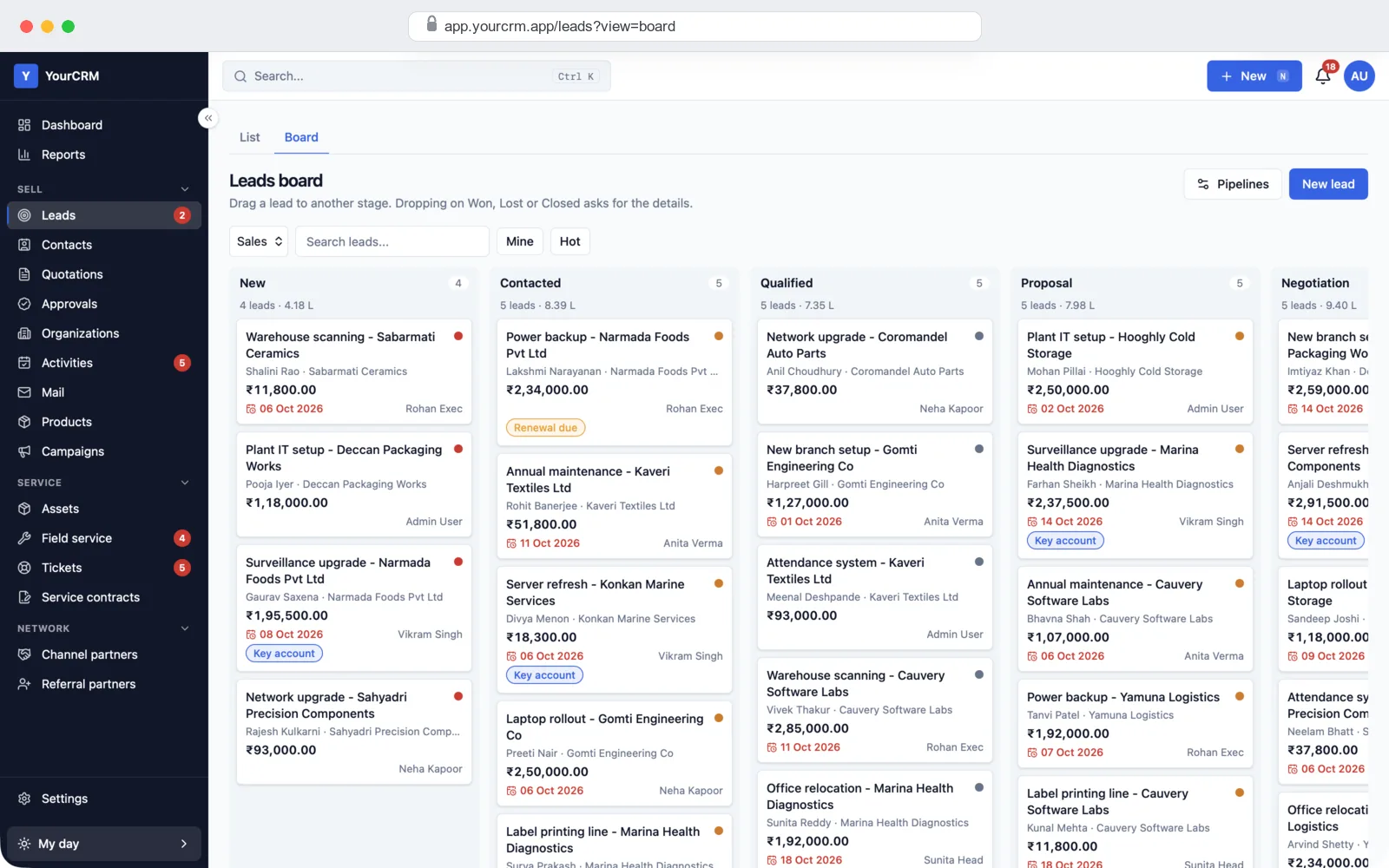
White-label CRM pipeline board with lead cards in each sales stage, shown in a demo brand

See it working before you decide

We keep a demo CRM filled with sample leads, customers, quotes and tickets. Send us a message and we will show it to you on a call, then give you a demo login to try it yourself. You can follow one lead from first enquiry to quote, to won deal, to service.

Sales teamWeb, any browser
ManagersDashboards and reports
AdminSettings and roles

What you get

A CRM has to work for the people who sell, the people who manage them, and the people who look after customers after the sale. Our CRM software has a part for each:

  • Sales screens: leads, a pipeline board, contacts and companies, follow-ups, a calendar and quotes.
  • Manager screens: a dashboard, 24 ready reports and approvals for big discounts.
  • After-sales screens (switch on if you need them): customer equipment, service visits, AMC contracts and support tickets.
  • Admin settings: users, roles, branches, your own fields, your own pipeline stages, your brand, and on/off switches for each module.
  • Server: keeps your data, sends reminders and emails, and runs on your own server or cloud account.

All the features, already built

Every feature below is in the CRM today. Each module can be switched on or off from the settings, so your team only sees what it uses.

Sales teamLeads in one listEvery enquiry in one list. Search by name, company, phone, email or lead number, and filter by stage, owner, source or date.
Sales teamPipeline boardSee every lead as a card in its stage. Drag a card to move it to the next stage.
Sales teamMore than one pipelineKeep a separate set of stages for each kind of sale, each with its own win chance.
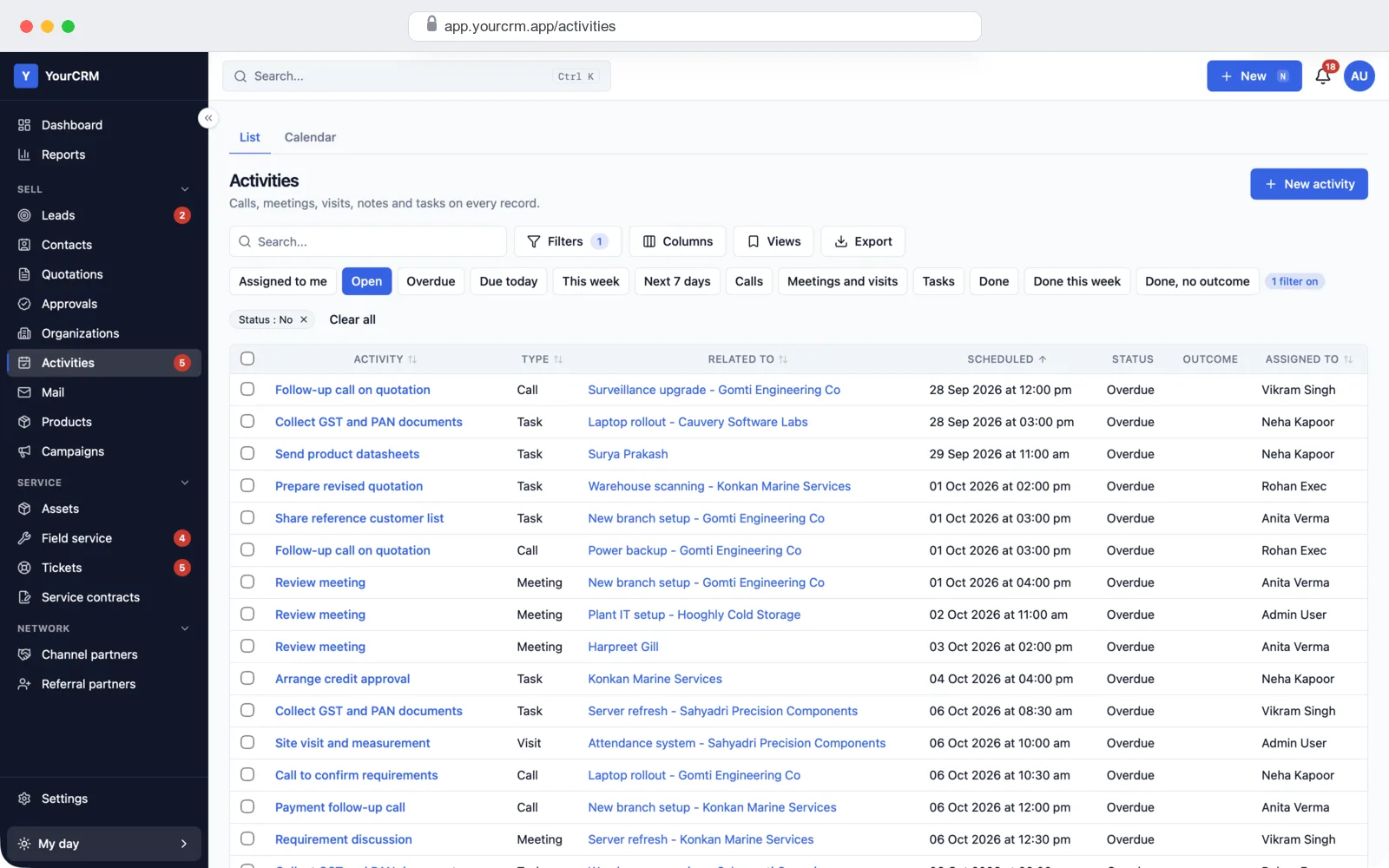
Sales teamFollow-ups that don't slipLog a call or visit, note what happened and set the next follow-up date. Overdue follow-ups show in red.
Sales teamStale lead alertLeads nobody has touched for a set number of days are flagged, so they don't go cold.
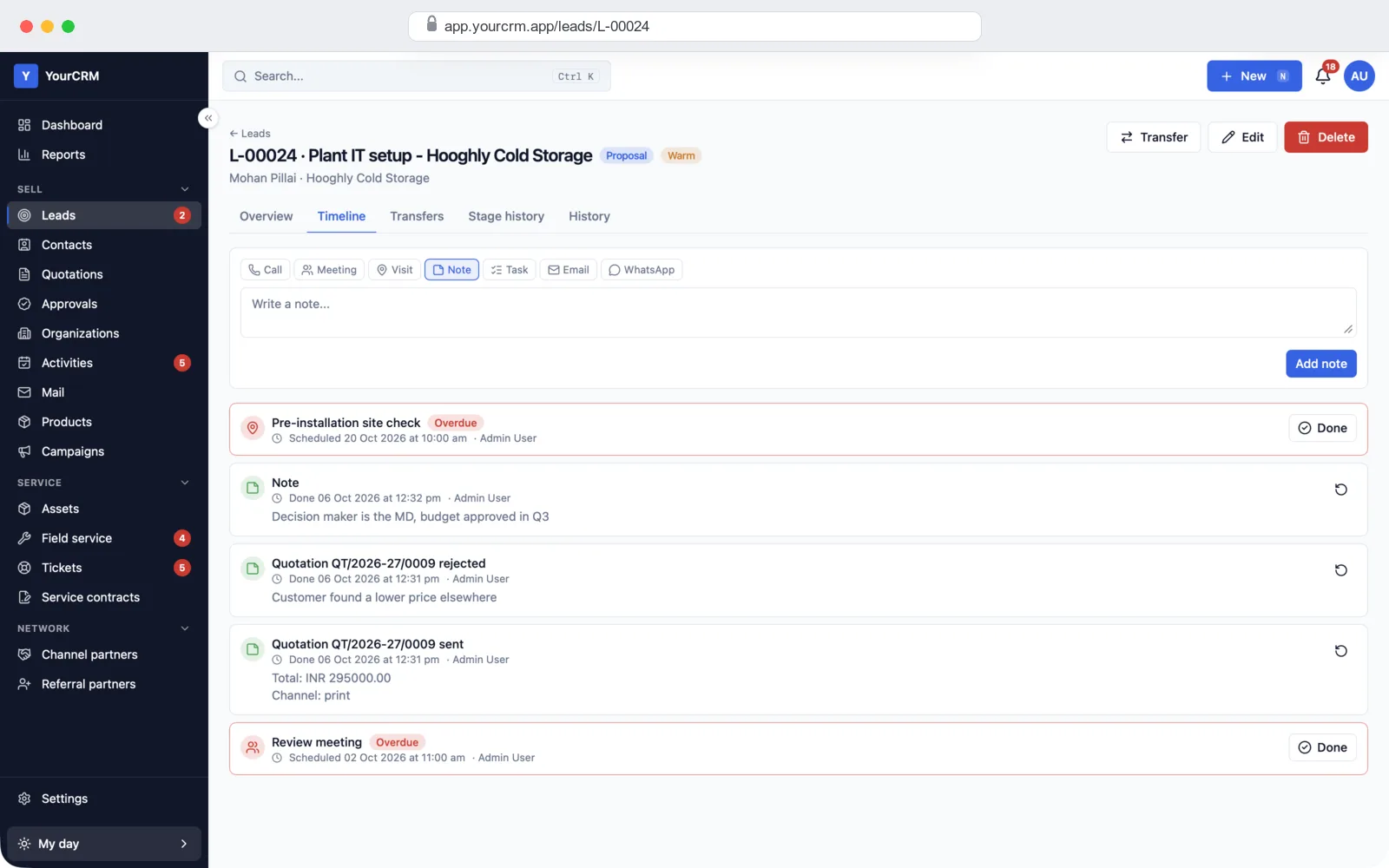
Sales teamLead timelineCalls, meetings, visits, notes, tasks and quotes for a lead, in date order, on one screen.
Sales teamCalendar and remindersAll calls, meetings and visits on a calendar, with reminders before they start.
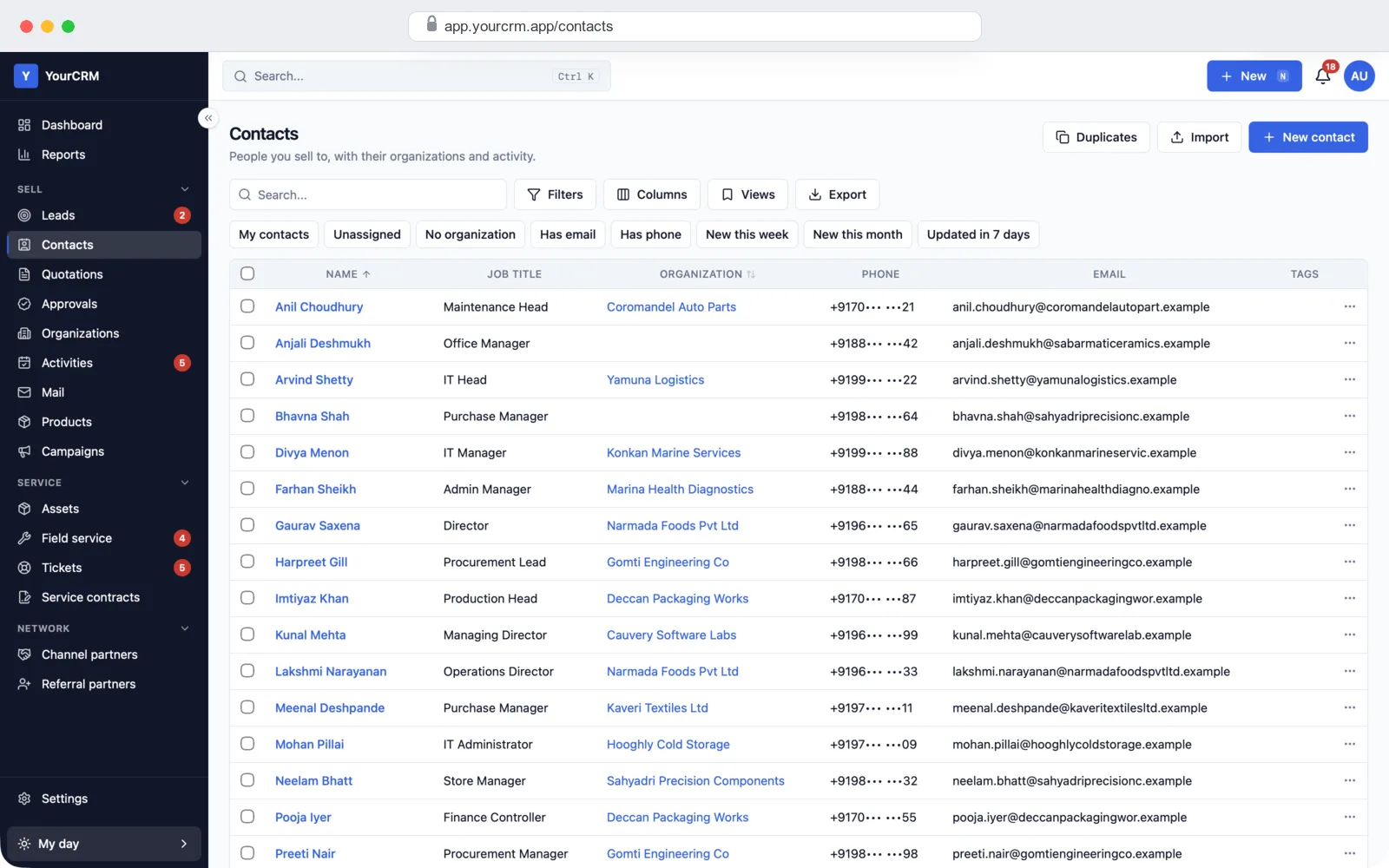
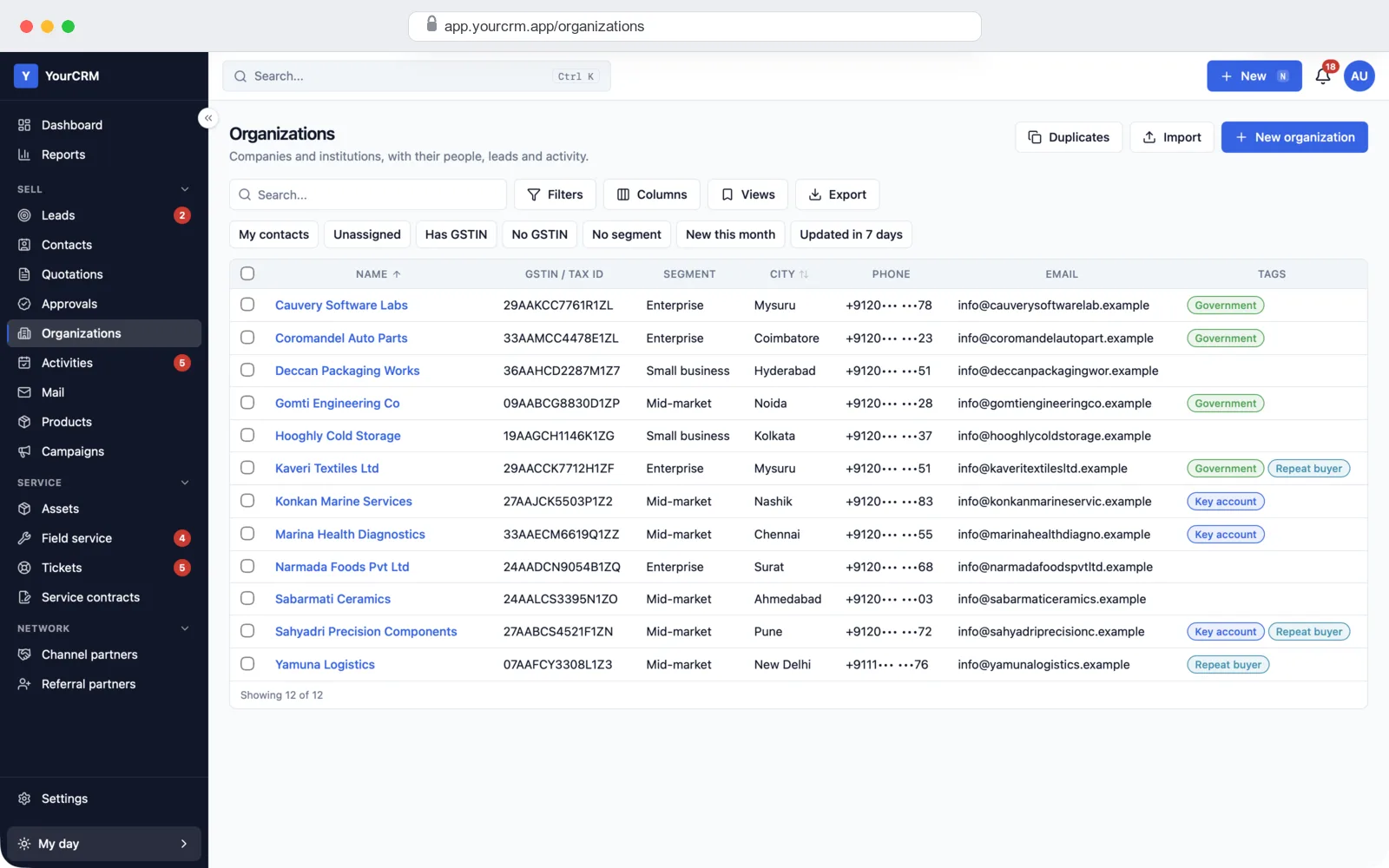
Sales teamContacts and companiesPeople and companies with their phones, emails, GSTIN, addresses, leads and history.
Sales teamDuplicate checkA warning when a new lead has the same phone or email as an old one. Find and merge duplicate contacts.
Sales teamWon, lost and closedMark a deal won with the order number and value, or lost with a reason and the competitor's price.
Sales teamQuick searchPress Ctrl+K to find any lead, contact or quote from anywhere in the CRM.
QuotesQuotes with GSTAdd products, discounts and terms. The CRM works out CGST and SGST, or IGST, by itself. VAT or simple tax also work.
QuotesPDF, email and WhatsAppDownload the quote as a PDF, email it, or open WhatsApp with the quote message ready to send.
QuotesRevisionsChange a quote and keep the old version. R0, R1, R2 are all saved.
QuotesDiscount approvalsA price below the minimum, or a discount above a user's limit, goes to a manager to approve first.
QuotesProducts and stockA product list with prices, minimum price, tax and HSN/SAC codes, plus stock in each warehouse.
ManagersDashboardToday's work, sales numbers, after-sales work and team numbers. Click a number to see the list behind it.
Managers24 ready reportsSales, pipeline, salesperson scorecard, lead sources, follow-ups, lost reasons and more. Print or export to Excel.
ManagersWho sees whatEach role sees only its own records, its team's, its branch's, or all of them. You decide.
ManagersUndo and historyEvery change is saved with who made it and when. A wrong edit can be undone for 30 seconds.
Lead sourcesWebsite enquiry formsMake a form in the CRM and put it on your website. Each enquiry becomes a lead, with the ad campaign it came from.
Lead sourcesExcel importBring in old leads and contacts from Excel or CSV. Match the columns, check the preview, then import.
Lead sourcesIndiaMART, TradeIndia, JustDialLeads from these sites can come straight into the CRM. We connect them with your own account during setup.
Lead sourcesEmail campaignsSend an email to a saved list of contacts, with open and click counts and an unsubscribe link.
Lead sourcesRules that run by themselves"When a lead comes from the website, give it to the Delhi team and make a call task." Set rules like this without a developer.
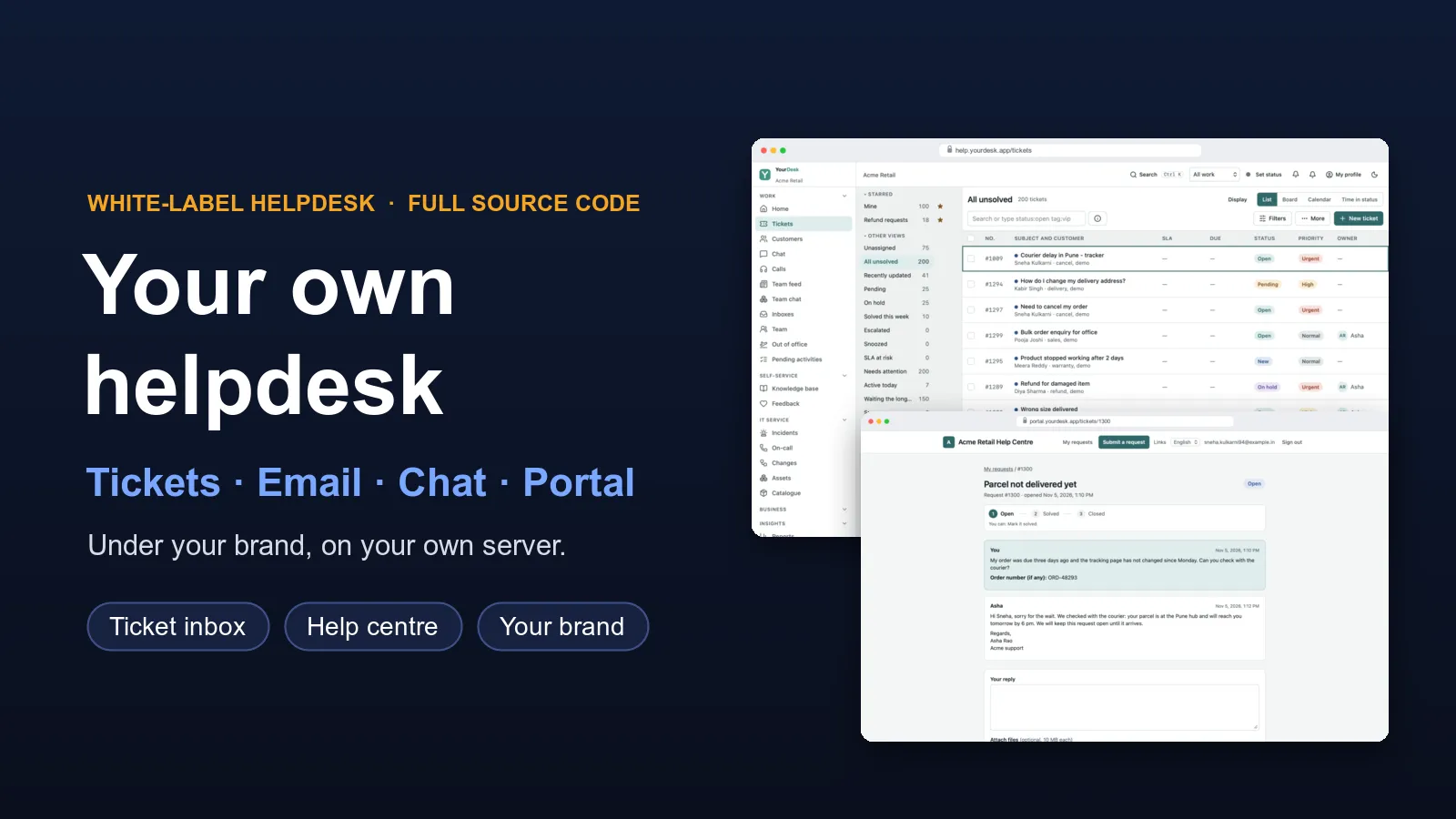
After-salesSupport ticketsTickets with priority, a board from Open to Closed, and a time limit for each priority with a warning when it runs out.
After-salesService visitsInstallation, repair, routine service and site survey visits, with a checklist, photos and the customer's signature.
After-salesAMC and warrantyAMC contracts with visit counts and one-click renewal. Warranty starts on the day of installation.
After-salesPartners and referralsDealers with targets, and referral partners who earn a commission on each won deal.
AdminYour own fieldsAdd fields for your business: text, number, money, date, dropdown, file and more, on leads, contacts or any record.
AdminBranches and teamsUsers in branches and teams, with a manager for each.
AdminYour brandYour CRM name, logo and colours on every screen, quote and email.
AdminSafe loginOptional two-step login with an authenticator app, and a list of signed-in devices you can log out.

Quotes with GST, ready to send

Most sales teams lose time making quotes in Excel. In this CRM, the quote is made from the lead. Pick the products, add a discount, and the CRM works out the tax. In India it adds CGST and SGST for buyers in your state, and IGST for buyers in other states. It checks the buyer's GSTIN and prints HSN/SAC codes on each line.

The quote gets its own number, like QT/2026-27/0001, and a PDF with your logo, bank details and terms. Send it by email, or open WhatsApp with the quote message ready. If the price is below the minimum you set, a manager must approve it first. When the customer accepts, the stock is kept aside and the lead can be marked won.

CGST + SGSTIGSTHSN/SACGSTIN checkVATPDFEmailWhatsApp

Leads from everywhere, in one place

Leads come from many places. The CRM brings them into one list, so none are lost in someone's phone or inbox.

Your websiteMake an enquiry form in the CRM and add it to your website with one line, or share its own page. Each enquiry becomes a contact and a lead, with the ad campaign it came from.
Lead portalsIndiaMART, TradeIndia and JustDial are built in. We connect them with your own account during setup, and their leads come in by themselves.
Excel and old CRMsBring in old leads and contacts from Excel or CSV. Match the columns, check the preview, then import. We also move data from your old CRM.

When a lead comes in, rules can give it to the right person, add a tag or make a call task. You set these rules from the settings, without a developer.

The sales screens

This is where your sales team spends the day: finding leads, calling, logging what happened and setting the next step.
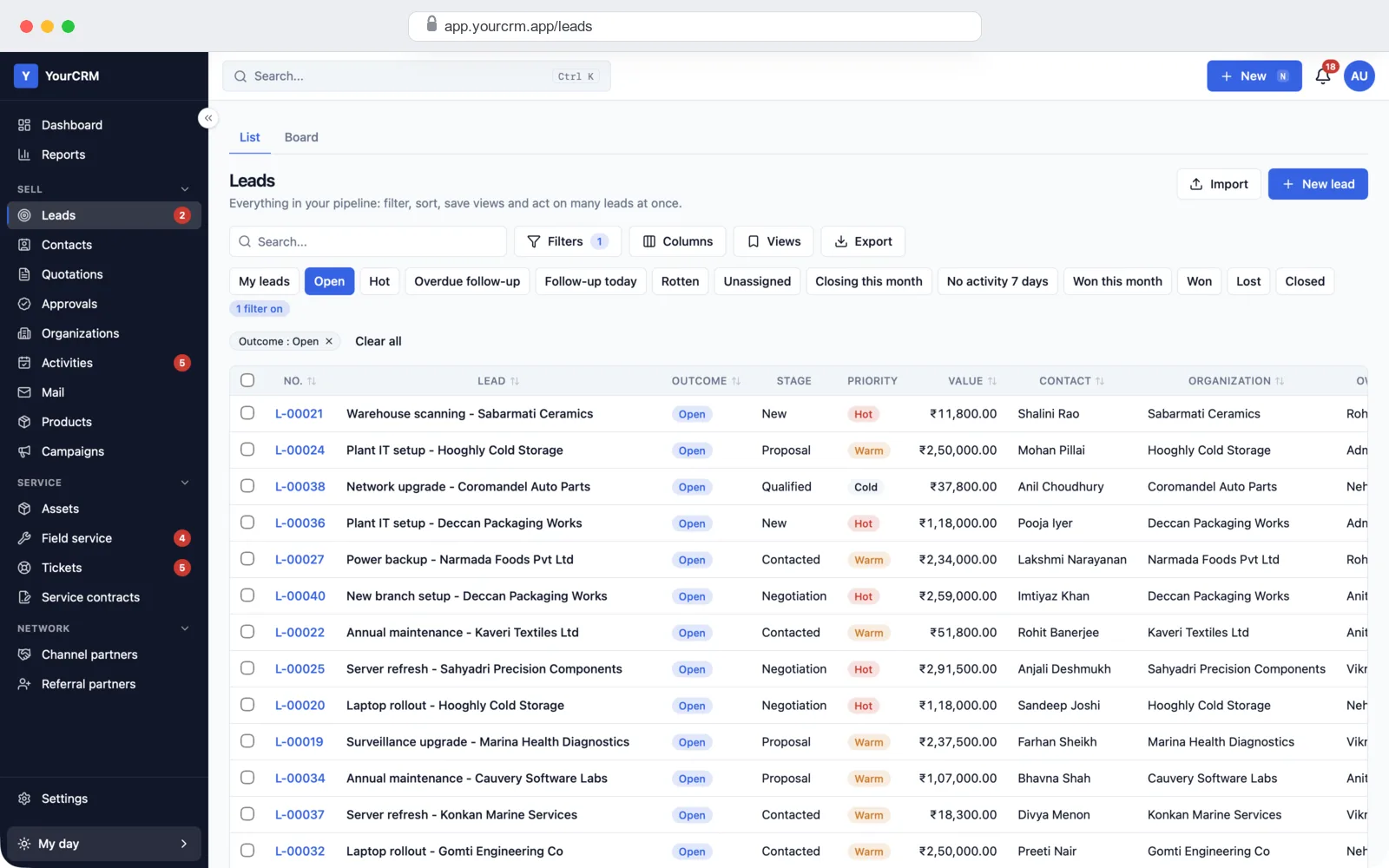
Leads list with quick filters for hot, overdue follow-up, rotten and unassigned leads
Leads: search, filter, save views, export to Excel. Quick filters for hot leads, overdue follow-ups and stale leads.
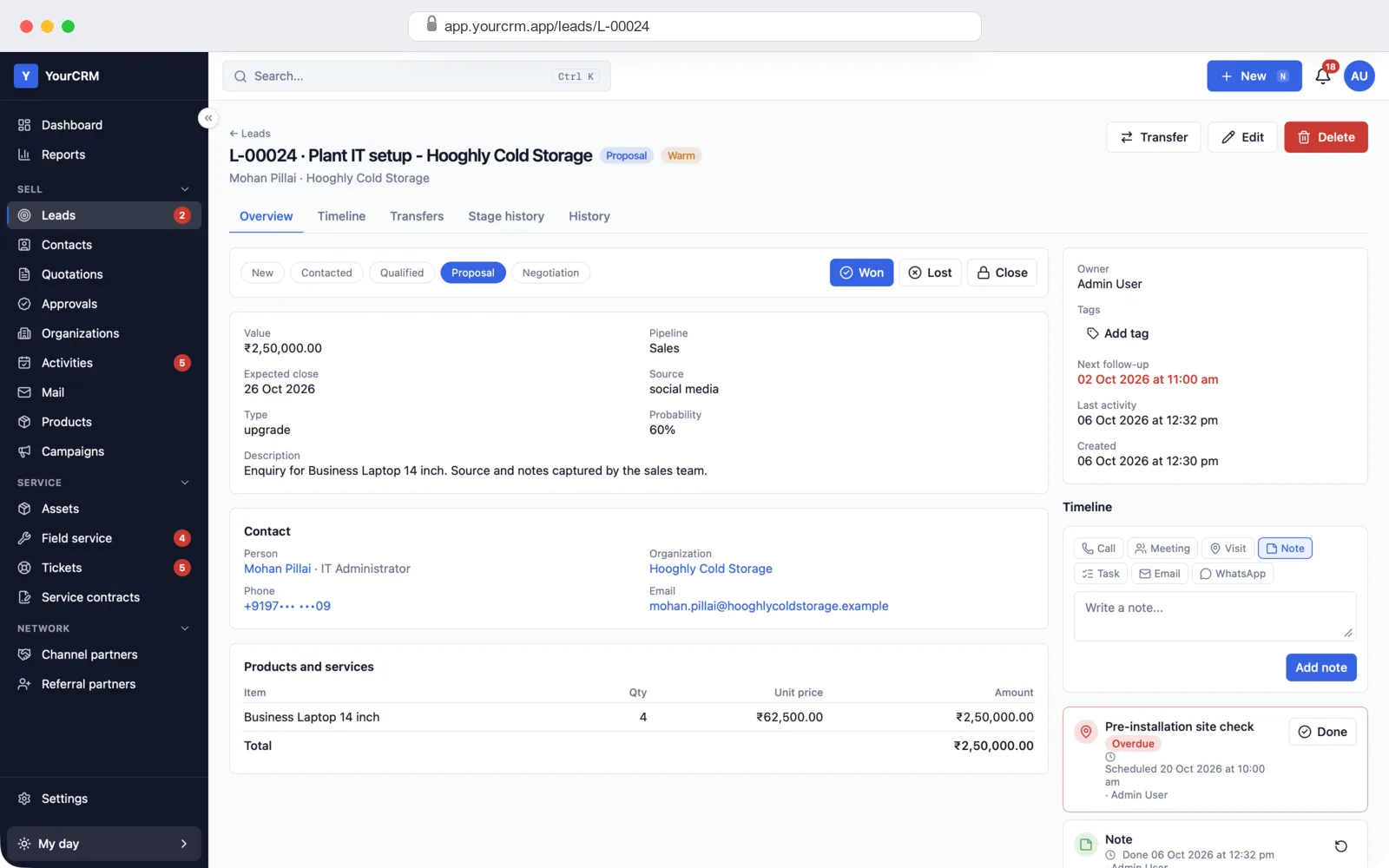
Lead page with stage bar, won and lost buttons, value, contact, products and the next follow-up
One lead: the stage bar, won or lost in one click, the products asked for, and the next follow-up in red when it is overdue.
Lead timeline with logged notes, quotes sent and overdue meetings
Timeline: every call, meeting, visit, note and quote for the lead, newest first. Log a call or a WhatsApp chat right here.
Contacts list with job title, company, phone and email
Contacts: people you sell to, with a duplicate finder and merge.
Organizations list with GSTIN, segment, city and tags
Companies: GSTIN, segment, city and tags for each customer.
Activities list showing calls, tasks and meetings with overdue status
Follow-ups: every call, task and meeting, with overdue ones flagged.
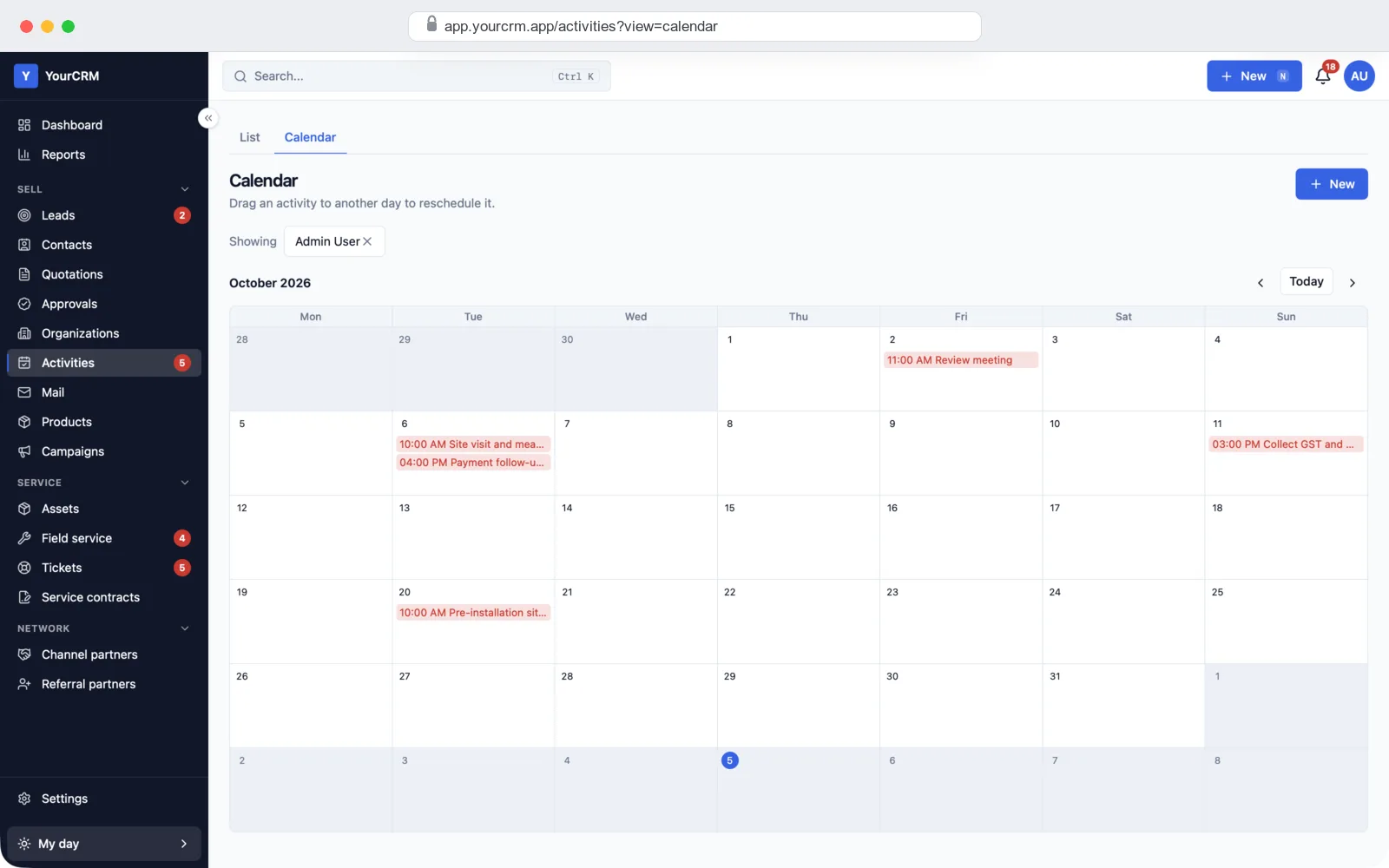
Month calendar with scheduled meetings, visits and calls
Calendar: drag an activity to another day to move it.

The quote screens

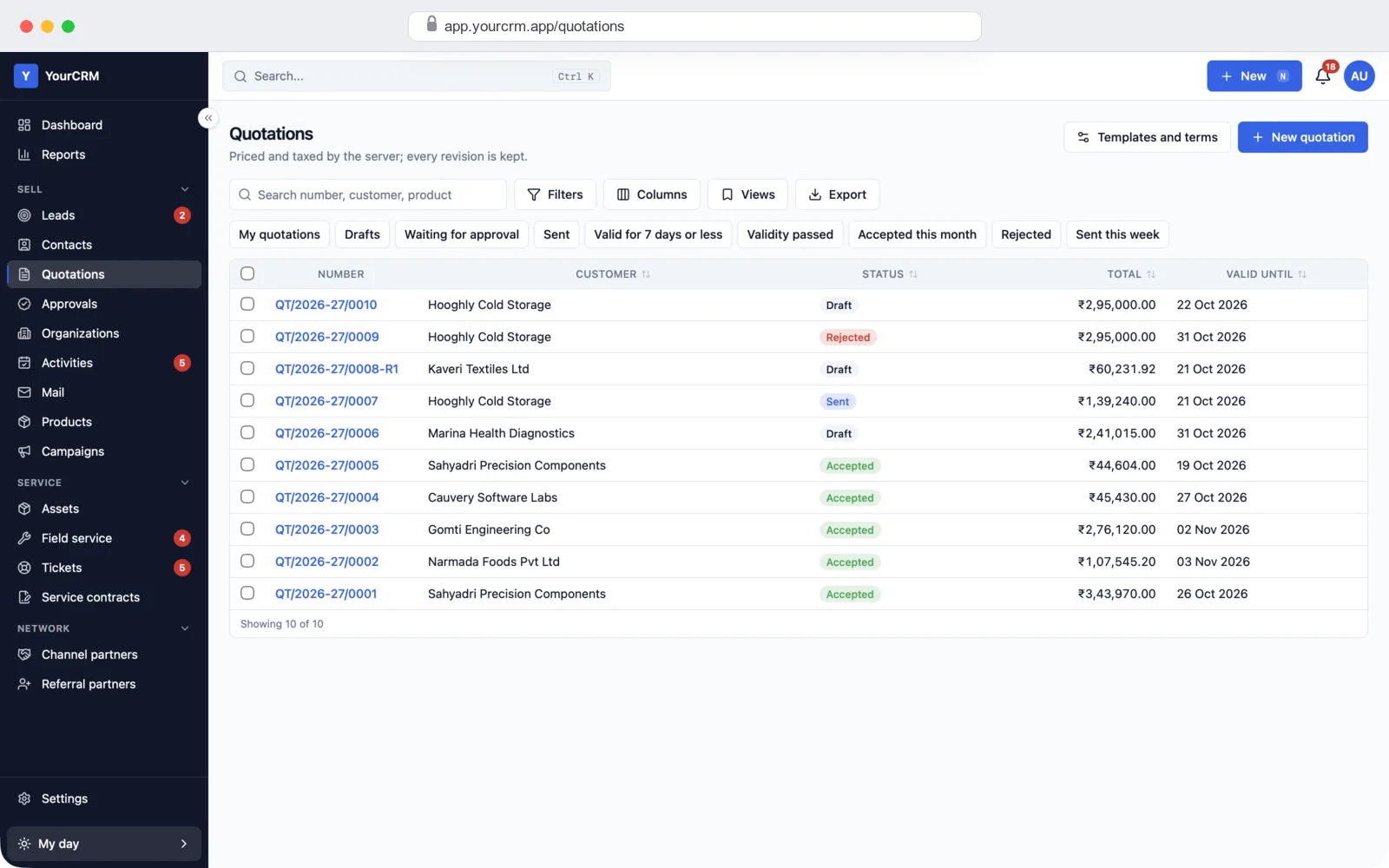
Quotations list with status, customer, total and valid-until date
Quotes: draft, sent, accepted or rejected, with totals and expiry dates.
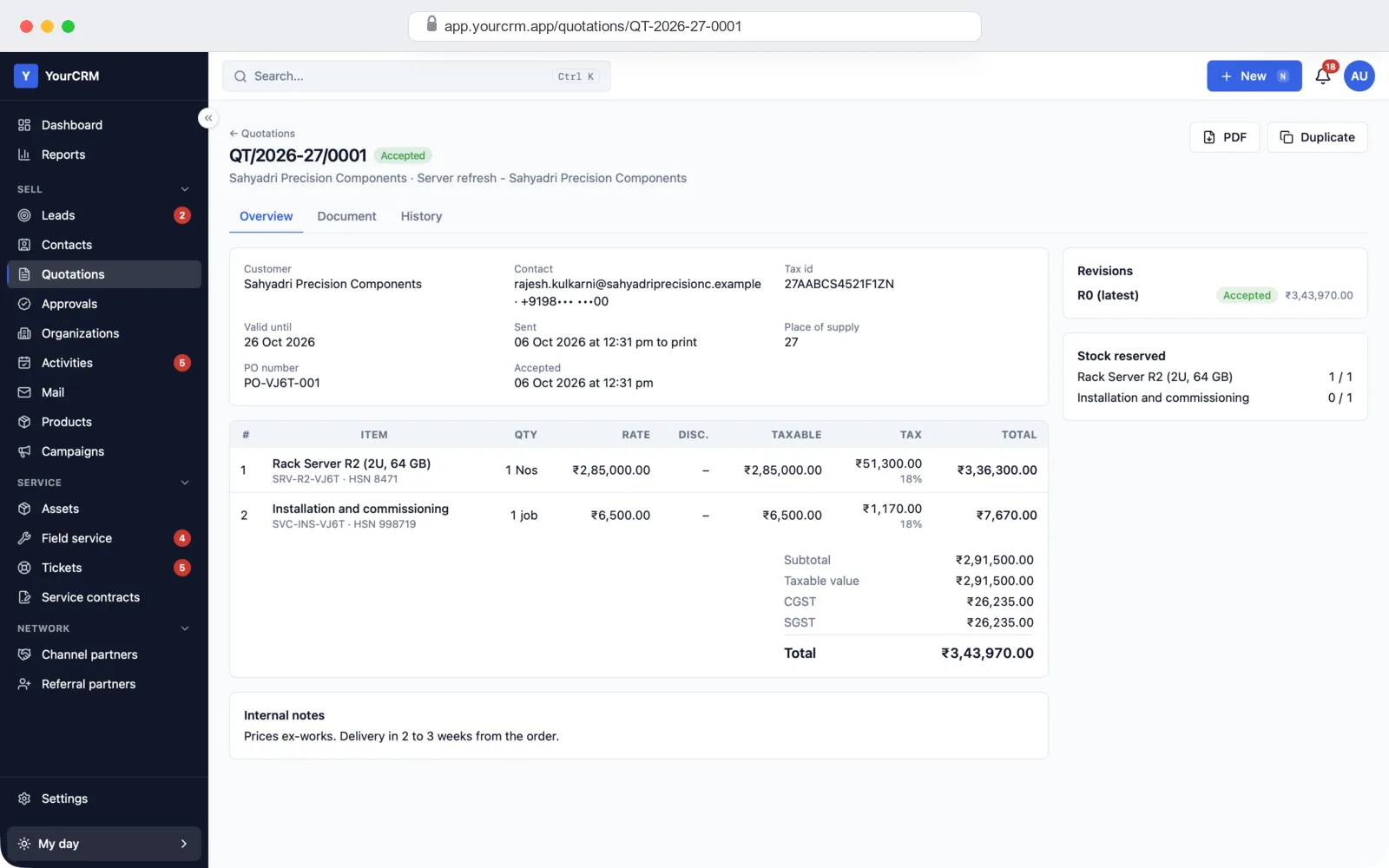
Quotation page with items, HSN codes, CGST and SGST and the total
One quote: tax worked out per line, with CGST and SGST shown.
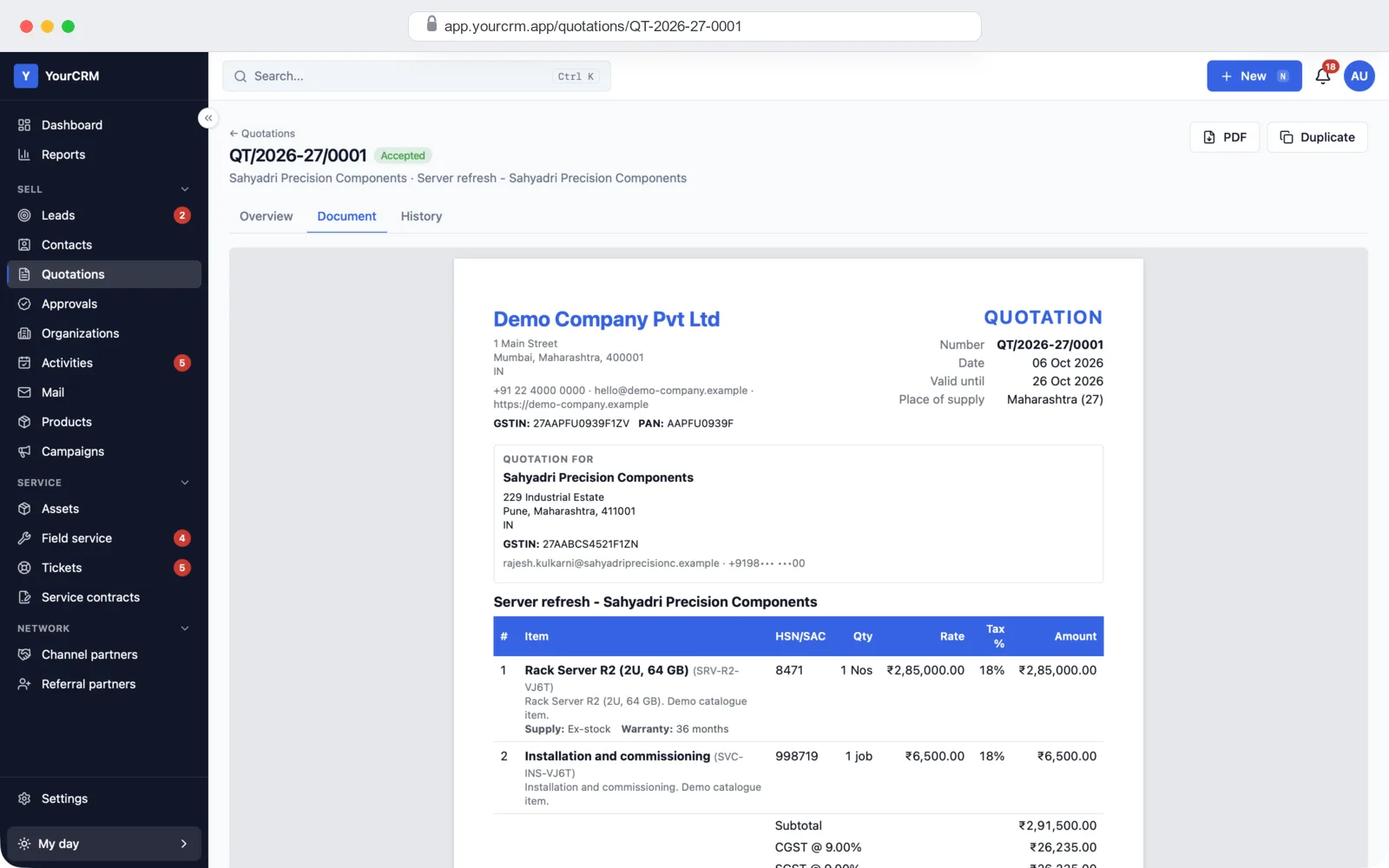
Quotation PDF preview with company details, GSTIN, items and HSN codes
The quote document: your company details, GSTIN, items and terms.
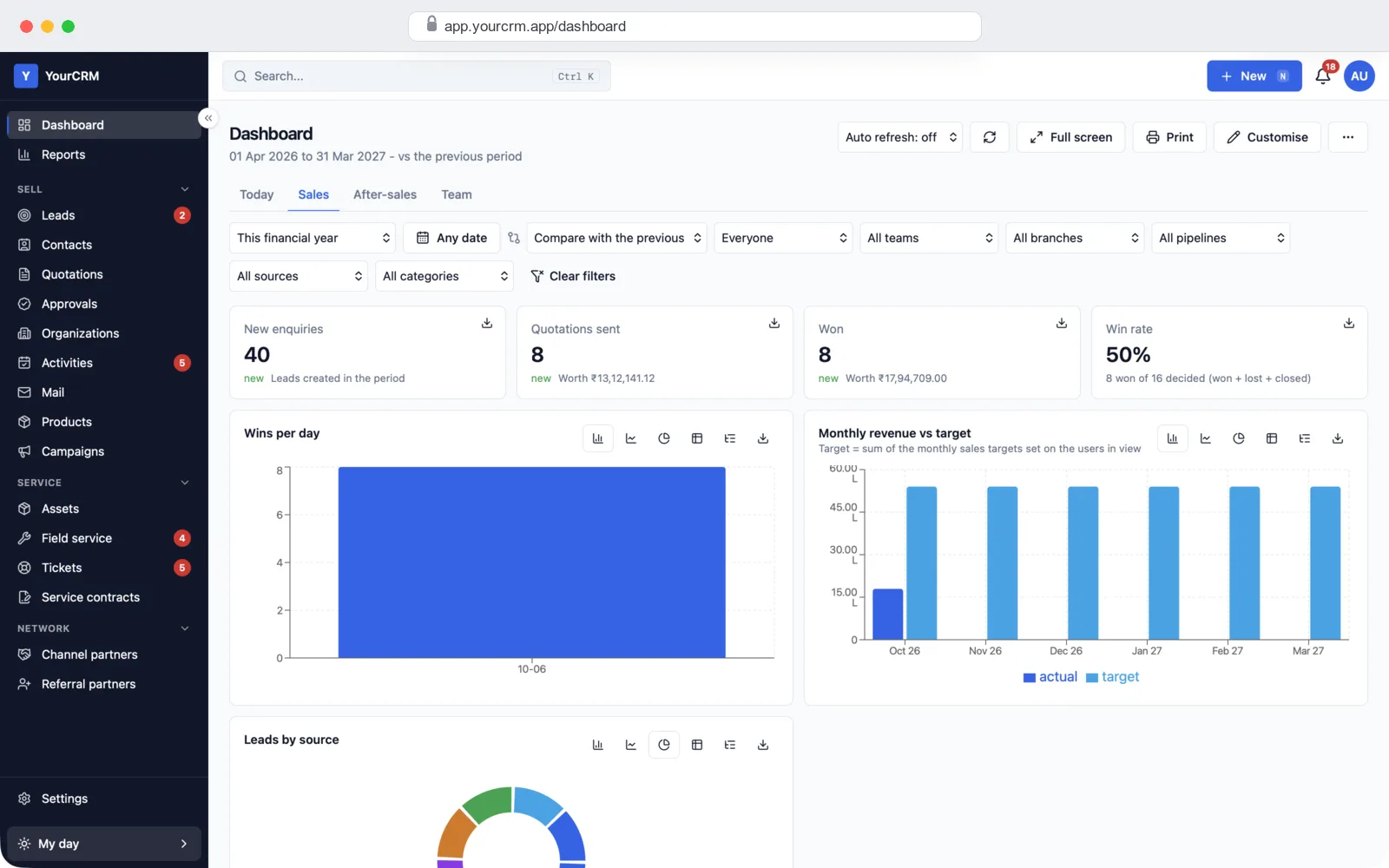
Sales dashboard with new enquiries, quotes sent, deals won, win rate and revenue against target
Dashboard: enquiries, quotes sent, deals won, win rate and monthly sales against target.

Reports for managers

Managers get a dashboard and 24 ready reports. Every report has filters for person, team, branch and source, and prints or exports to Excel. Click any number on the dashboard to see the leads behind it.
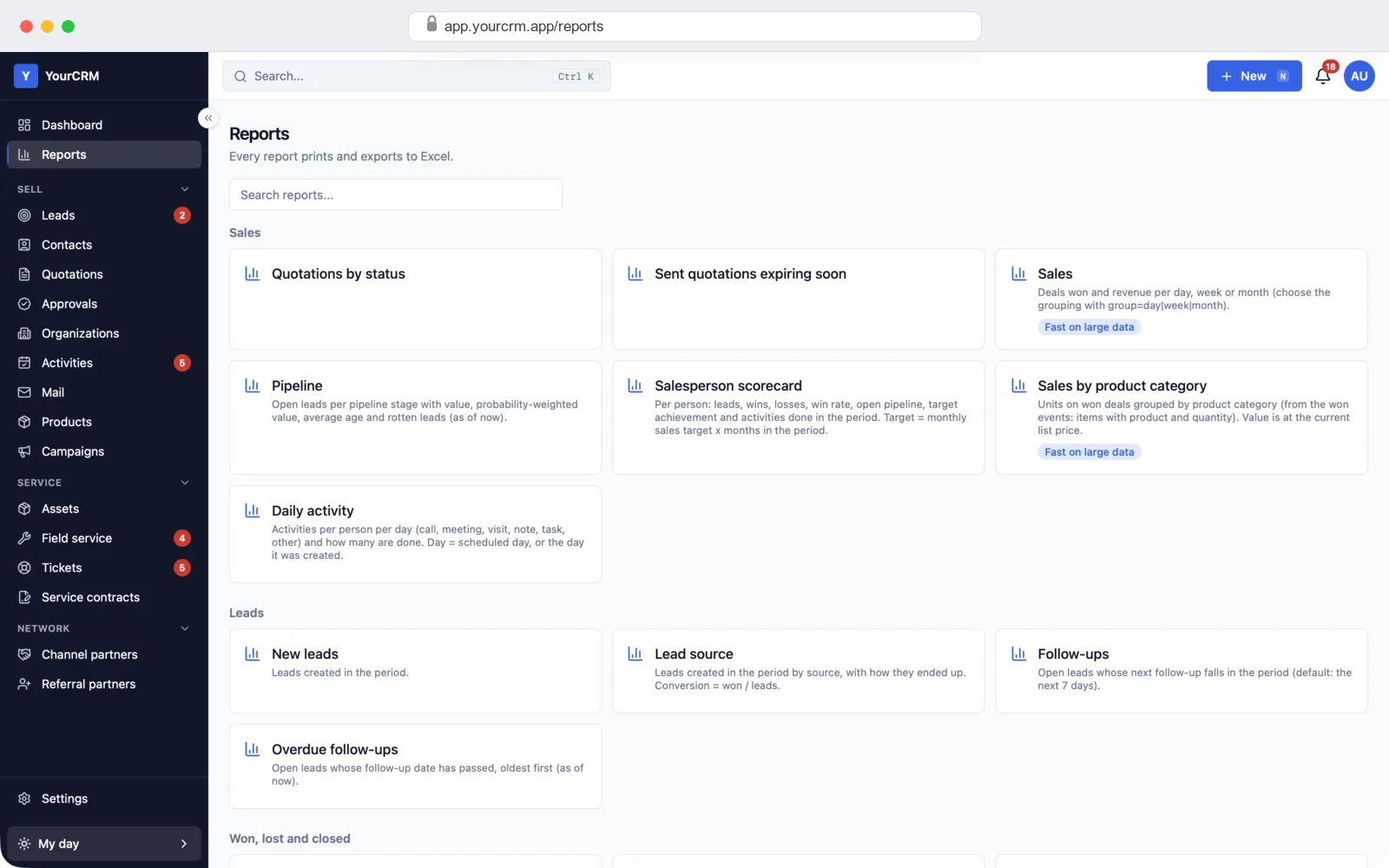
Reports page with sales, pipeline, salesperson scorecard and lead reports
Reports: sales, pipeline, scorecards, lead sources, follow-ups and more.
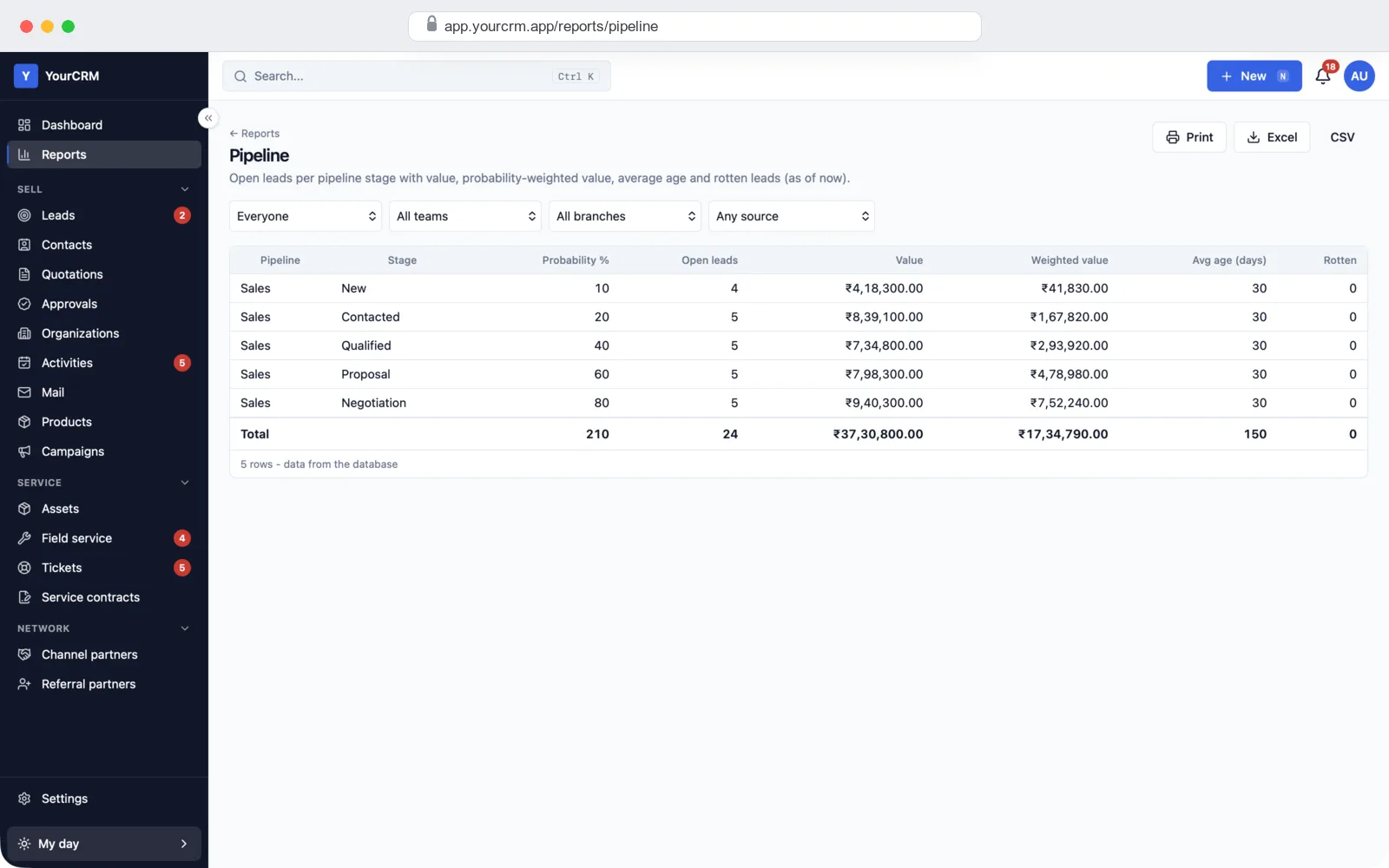
Pipeline report with open leads, value and weighted value for each stage
Pipeline report: leads and value in each stage, with the weighted value.

After the sale: service, AMC and partners

If you sell products that need service, switch on the after-sales modules. A won deal can create the customer's equipment record, and the service team takes it from there. If you don't need them, keep them off.
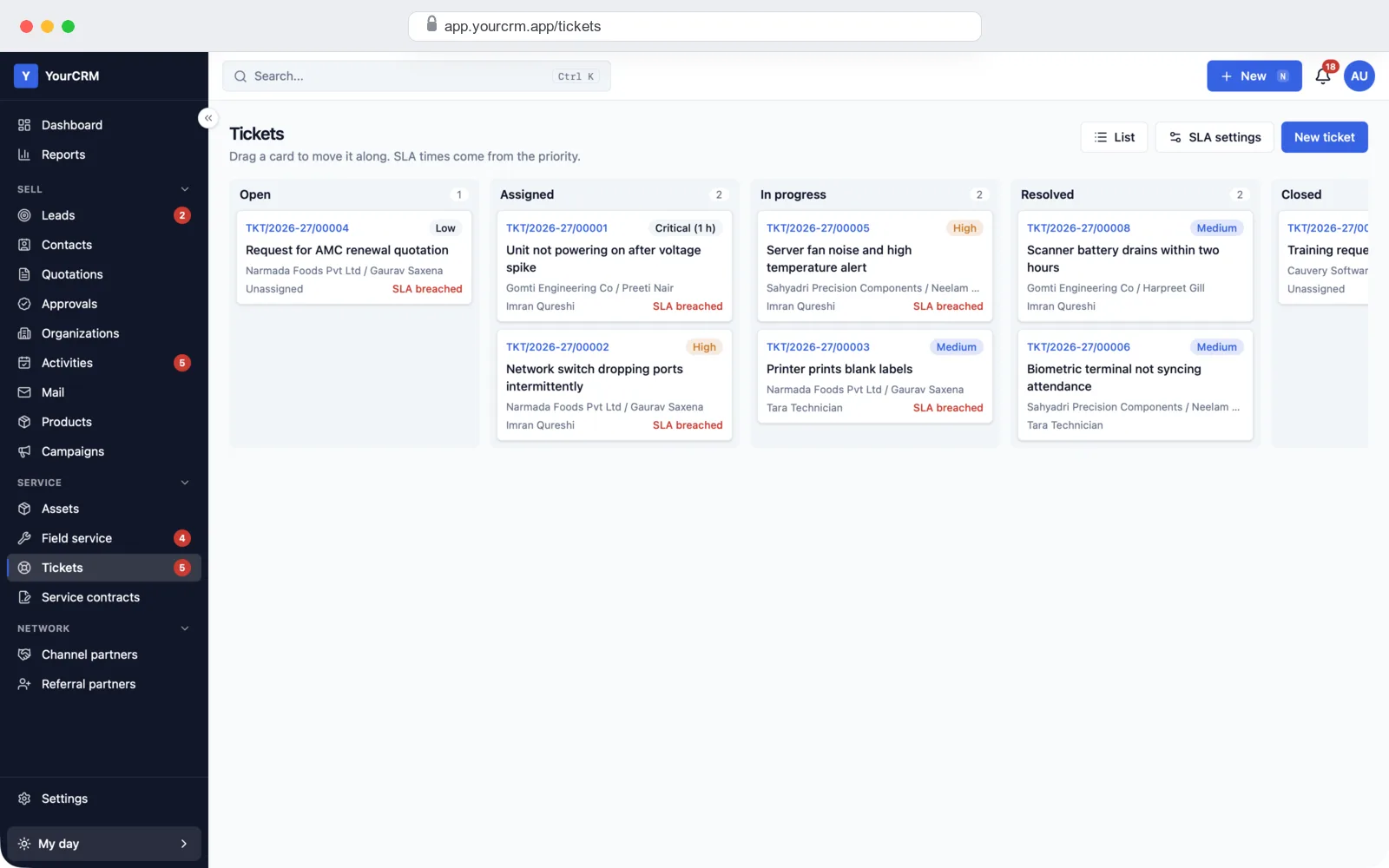
Support tickets board from open to closed with priority and time limit warnings
Tickets: a board from Open to Closed, with a warning when a time limit is missed.
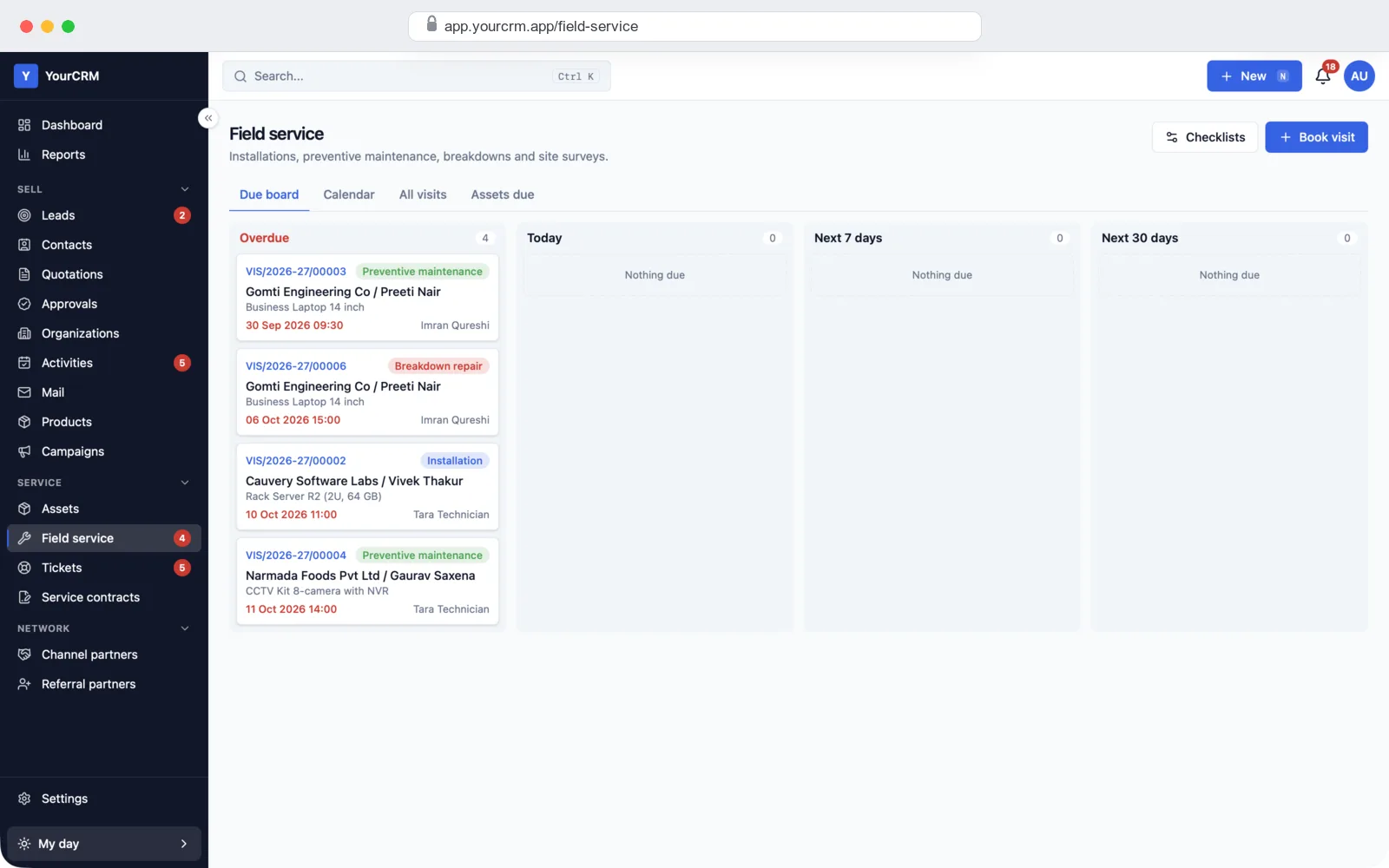
Service visits board with overdue, today, next 7 days and next 30 days
Service visits: installation, routine service and repair visits, by due date.
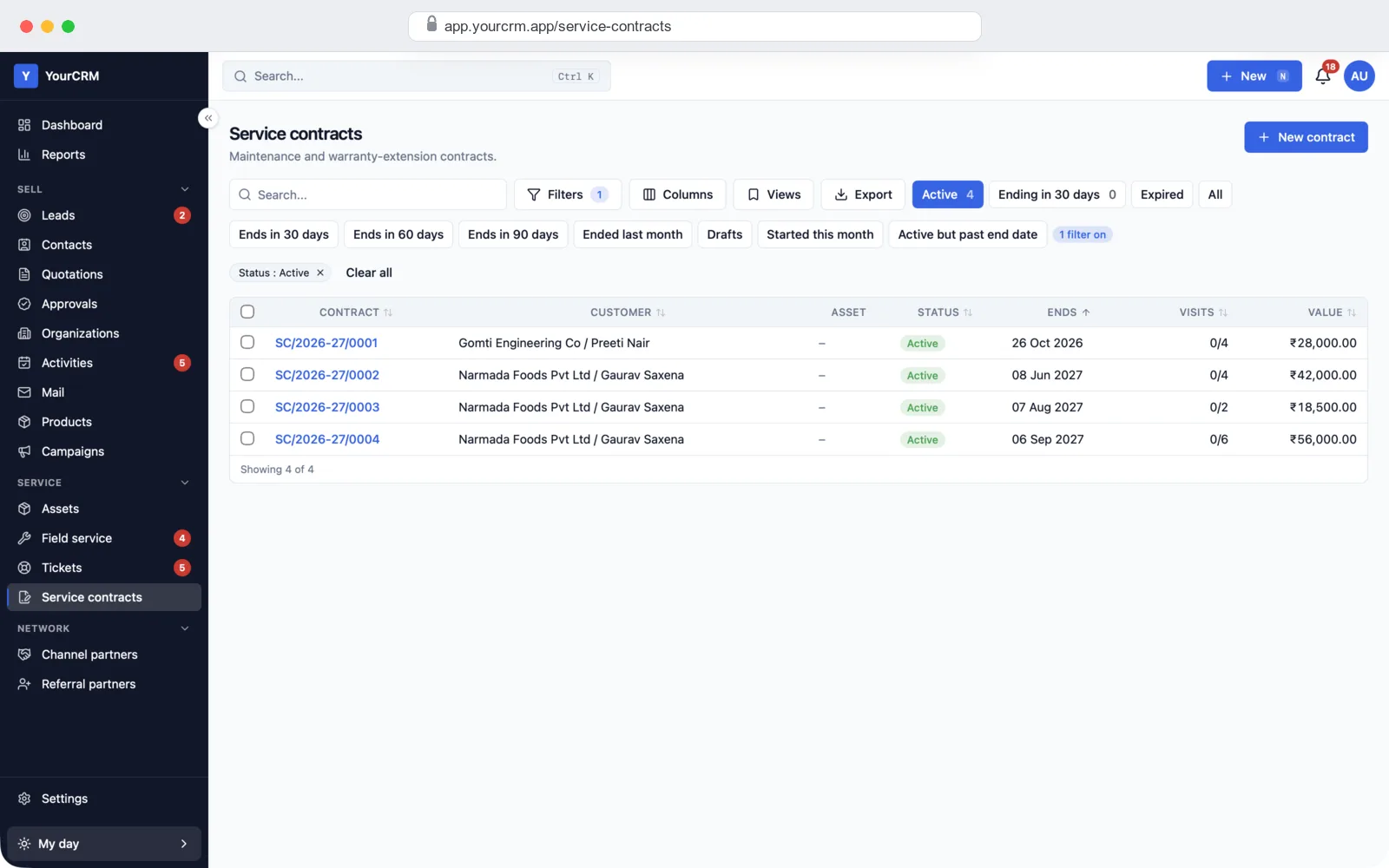
Service contracts list with customer, end date, visits used and value
AMC contracts: end dates, visits used and one-click renewal.
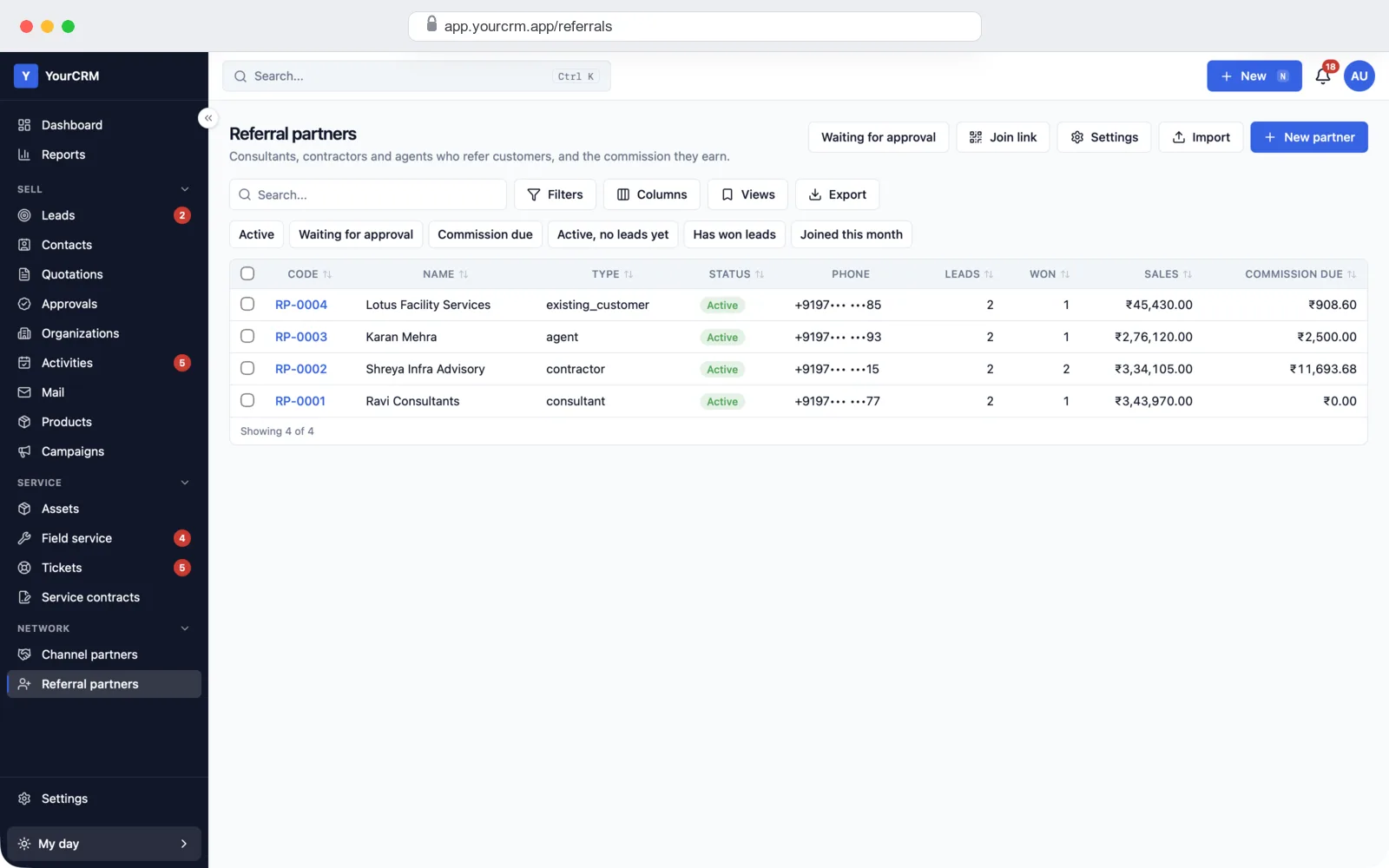
Referral partners list with leads, won deals, sales and commission due
Referral partners: leads sent, deals won and commission due.

Settings: make it fit your business

Your admin can change most things without a developer: who sees what, pipeline stages, fields, forms, rules and your brand.
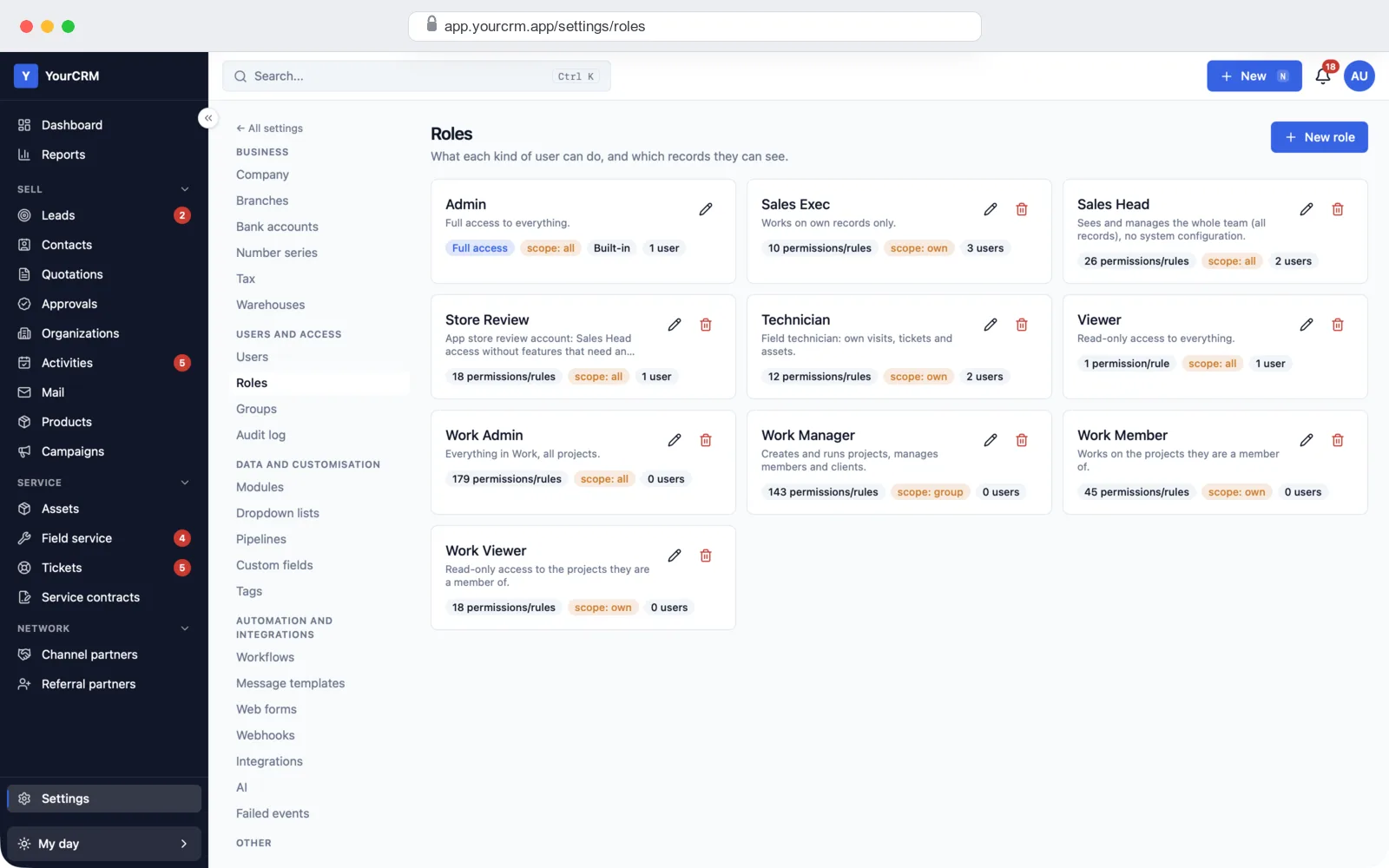
Roles page with admin, sales exec, sales head, technician and viewer roles and their data scope
Roles: what each role can do, and whether it sees its own, its team's, its branch's or all records.
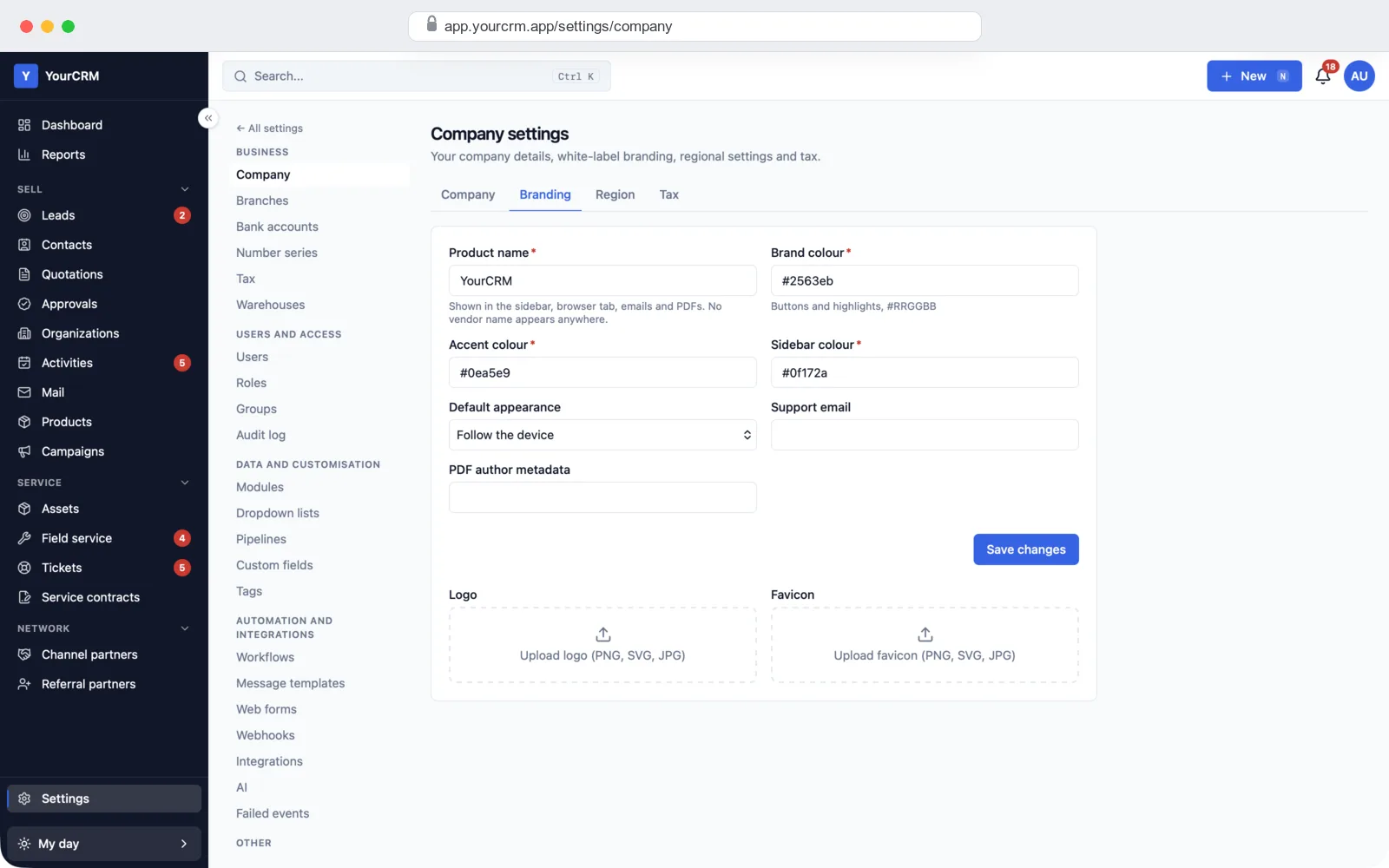
Branding settings with product name, brand colours, logo and favicon
Branding: your CRM name, colours, logo and favicon.
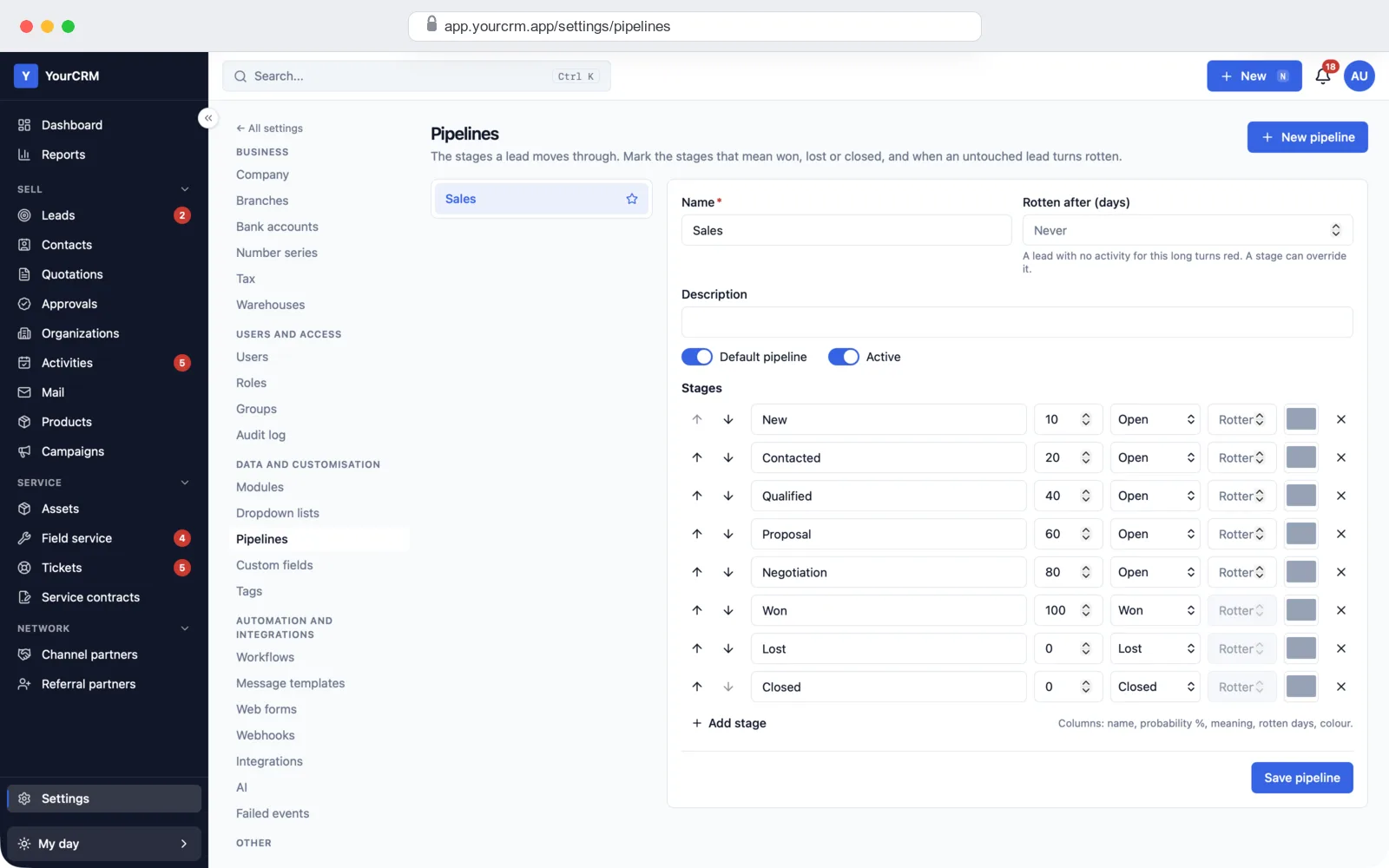
Pipeline settings with stages, win chance and stale-lead days
Pipelines: your own stages, win chance for each, and when a lead turns stale.
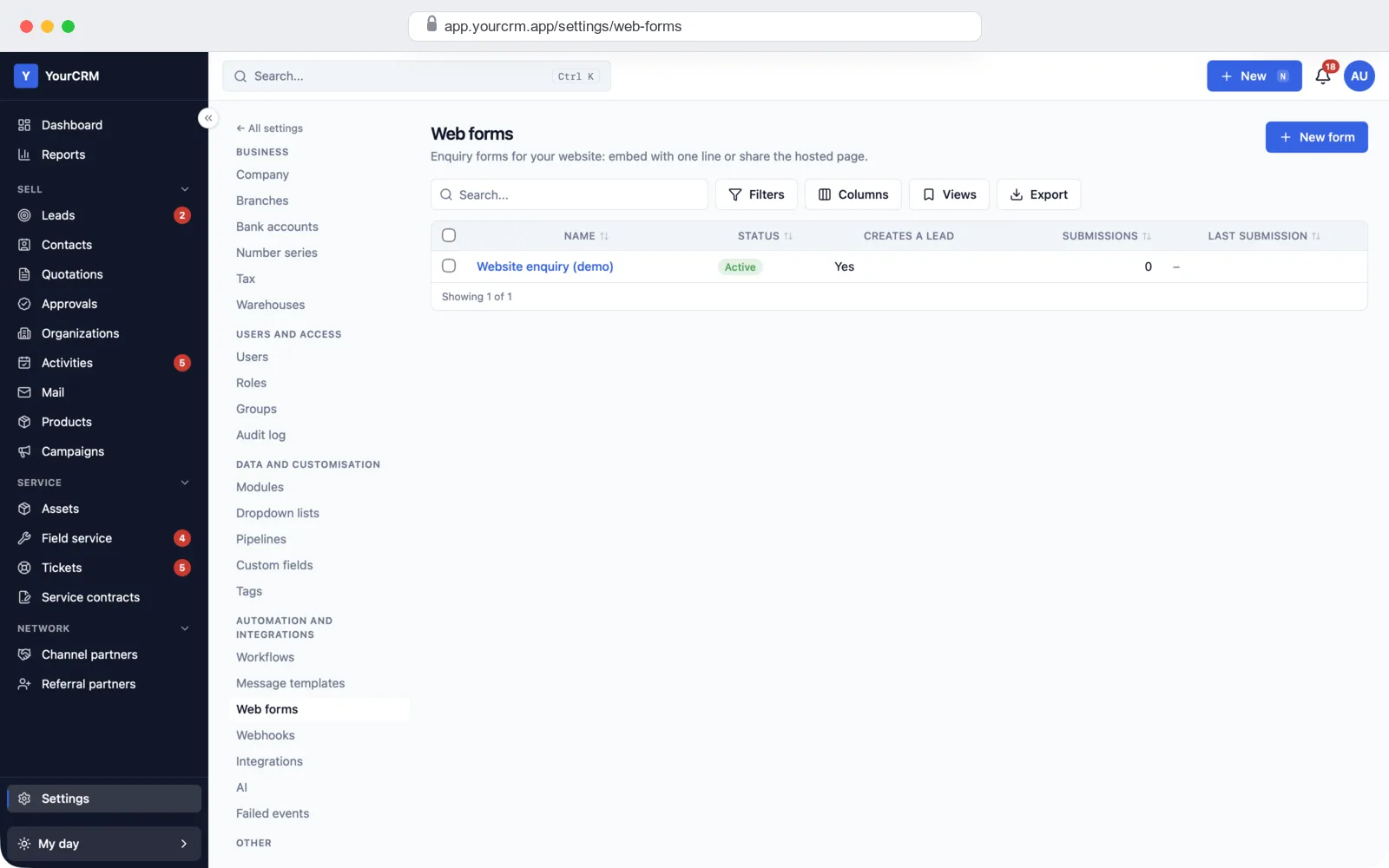
Web forms list with a website enquiry form that creates leads
Web forms: enquiry forms for your website that create leads.
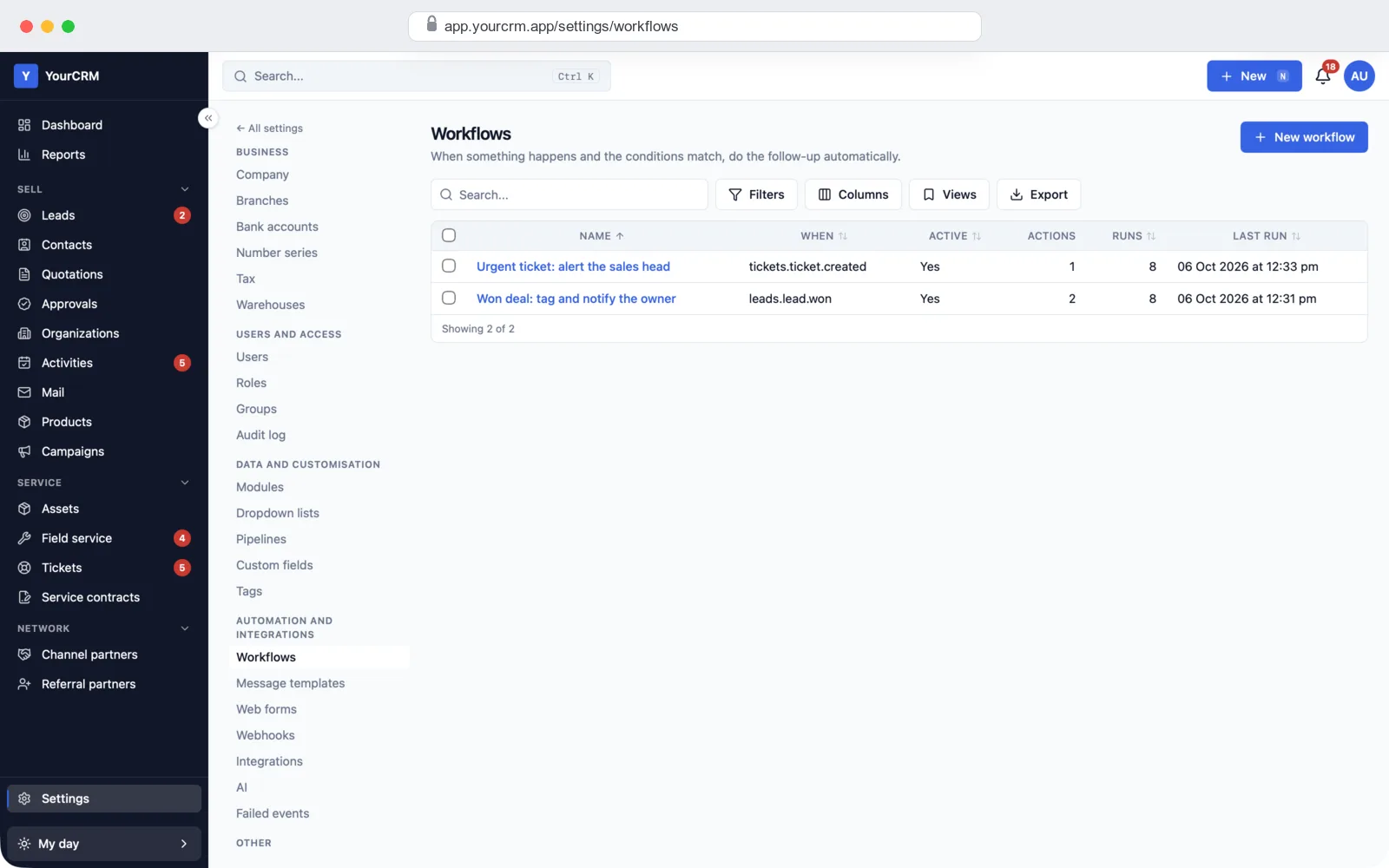
Workflows list with rules that run when a ticket is created or a deal is won
Rules: when something happens, the CRM tags, assigns or alerts by itself.

How we build your CRM

  1. Free demo call. We show you the demo CRM with sample data and note how your team sells today.
  2. Plan and quote. We agree your pipeline stages, fields, roles, reports and the modules you need, and give you a fixed quote.
  3. Your brand and your fields. We put in your CRM name, logo, colours, quote format, tax and your own fields and lists.
  4. Your data. We bring in your old leads, contacts and products from Excel, or from your old CRM.
  5. Your server. We set up the CRM on your own cloud or hosting account, with your domain, email and backups.
  6. Training and support. We train your team and stay with you after launch to fix issues and add features.

What it is built with

  • Server: Node.js (NestJS) with a PostgreSQL database and Redis for background jobs and reminders.
  • Web screens: Next.js and React. Works in any browser, on a computer or a phone.
  • Built-in services: your own email account for sending, any SMS gateway (with Indian DLT rules), WhatsApp Business through your provider, and Excel export.

It is the same stack we use in our other SaaS development work, so any good developer can pick up the code later. Want a phone app for your sales team too? We build that as part of our mobile app development work.

CRM projects we have built

White-label: your name on everything

Your team and your customers see your brand, not ours: your CRM name, logo and colours on every screen, quote PDF and email. You get the full source code, so there is no monthly fee per user to us and no lock-in. You can also sell it to your own clients under your name.

Get a quote for your CRM

Sales, quotes, follow-ups, reports and the after-sales modules you need, with your brand, set up on your own server. Tell us how your team sells and what you want to track, and we will send a fixed quote.

  • Full source code, yours to keep
  • Your pipeline stages, fields, roles and quote format
  • Your old leads and contacts brought in from Excel
  • Training for your team and help after launch
Ask for a quote or a demo →

Frequently asked questions

What is white-label CRM software?

It is a CRM that is already built, which we set up with your name, logo and colours. Your team and your customers only see your brand. You get the full source code, so you own it.

Can I see the CRM before I pay?

Yes. We show you the demo CRM with sample leads, quotes and tickets on a free call, and give you a demo login to try it yourself.

Do I get the full source code?

Yes. You get all the source code for the server and the web screens. You can change it, host it on your own server and use it under your own name, with no monthly fee per user to us.

Can it make quotes with GST?

Yes. Add products and discounts, and the CRM works out CGST and SGST inside your state, or IGST for other states. It checks GSTIN numbers and prints HSN/SAC codes. It also supports VAT, simple tax or no tax for other countries.

Can my team send quotes on WhatsApp?

Yes. One click opens WhatsApp with the quote message ready to send. If you have a WhatsApp Business account with a provider, we connect it so messages go out from the CRM directly.

Can I add my own fields and stages?

Yes. Your admin can add fields, dropdown lists, pipelines and stages from the settings, without a developer. If you need a bigger change, we build it for you.

Can I bring in leads from my website and IndiaMART?

Yes. The CRM makes enquiry forms for your website, and each enquiry becomes a lead. Leads from IndiaMART, TradeIndia and JustDial can come in too; we connect them with your own account during setup. Old data comes in from Excel.

Can I control what each user sees?

Yes. Each role can see only its own records, its team's, its branch's or all of them. You also choose what each role can add, change, delete or export.

Is there a mobile app?

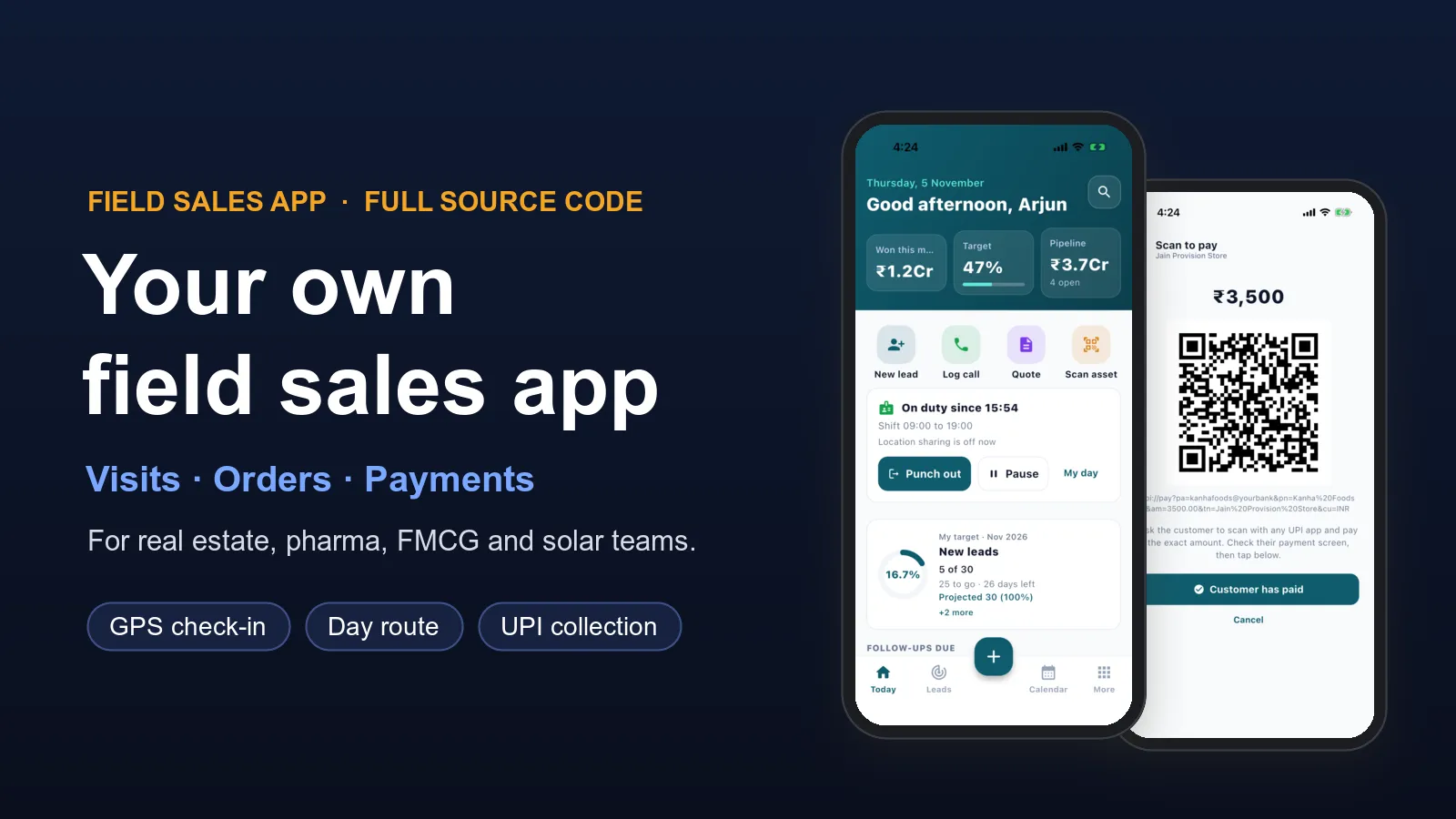
The CRM works in the browser on any phone. If your sales team needs an Android or iPhone app, we build it as part of the project.

How much does a CRM cost?

It depends on the modules, the number of changes and how much old data you have. Tell us what you need and we will send a fixed quote. The demo and the first call are free.

PRS Admin

Written by

PRS Admin

Building software at PRS India.