Engineering
PRS HRMS: Attendance, Leave and Payroll Software

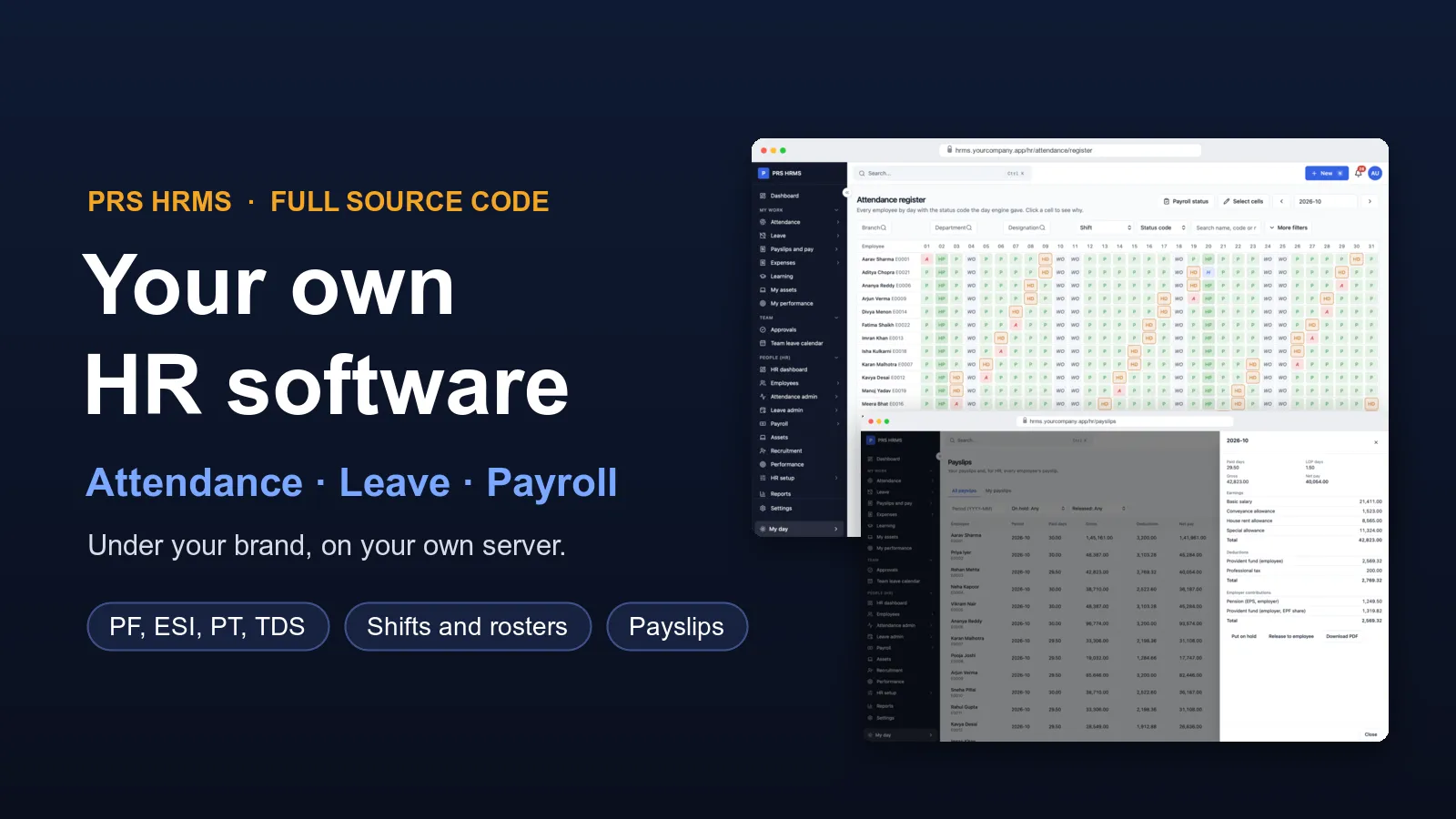
Want your own HR software, with your company's name on it? We build it for you. PRS HRMS keeps your employees, attendance, leave and payroll in one place. HR runs it from a web panel. Managers approve requests. Staff check in, ask for leave and see their payslips.
We do not start from zero. The HRMS is already built and working, with shifts, holidays, salary rules, PF, ESI, professional tax and TDS. We set it up for your company, add what you need, and put it on your own server. You get the full source code, so the software is yours to keep.
See it working before you decide
We keep a demo company with sample employees, shifts, attendance, leave and a processed payroll. Send us a message and we will walk you through it on a call: an employee checks in, asks for leave, the manager approves it, and the month's payroll picks it up.
Web panel, any browserApprovals and team viewSelf-service loginWhat you get
HR software has to work for three groups of people: the HR team, the managers, and every employee. PRS HRMS has a part for each:
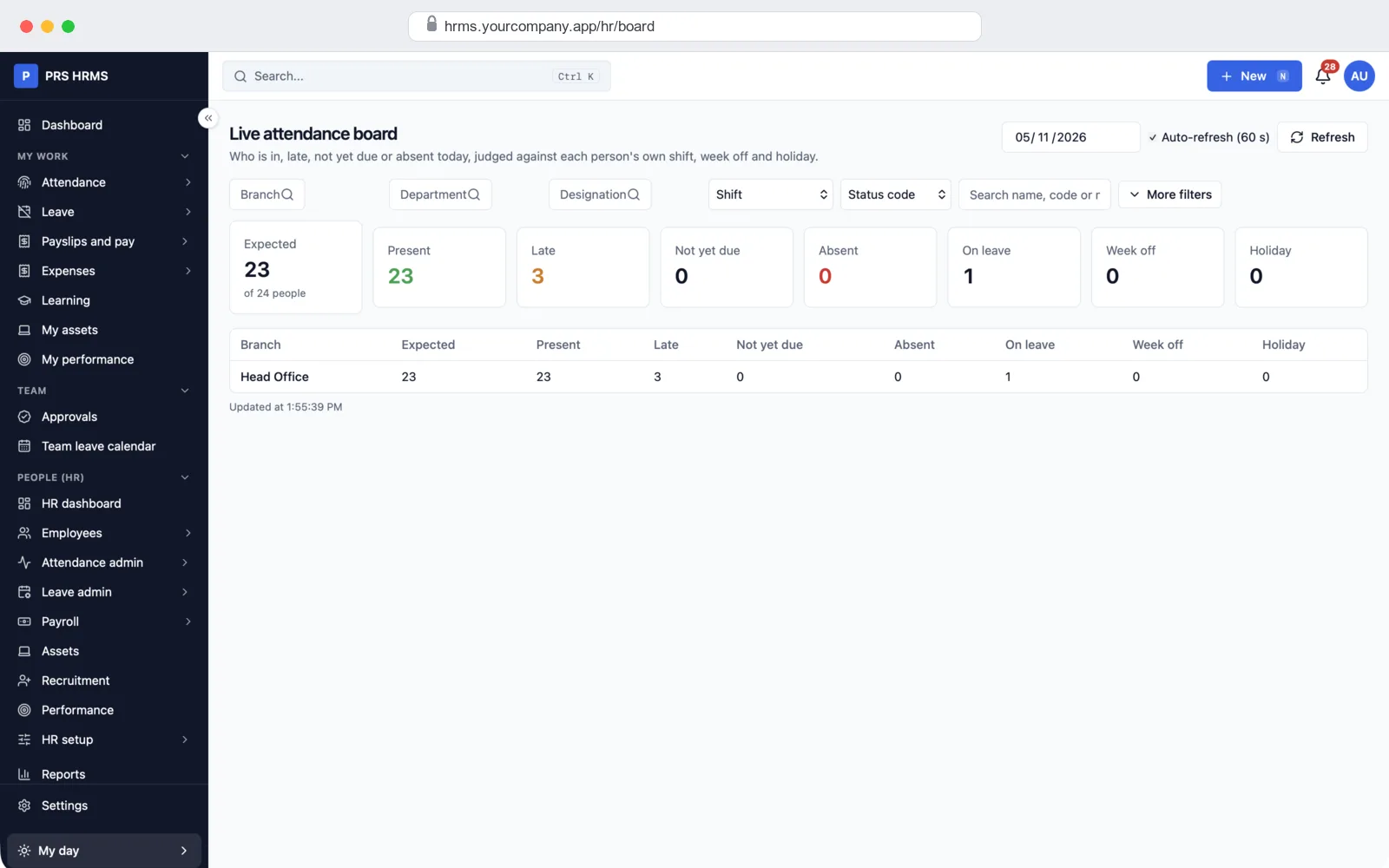
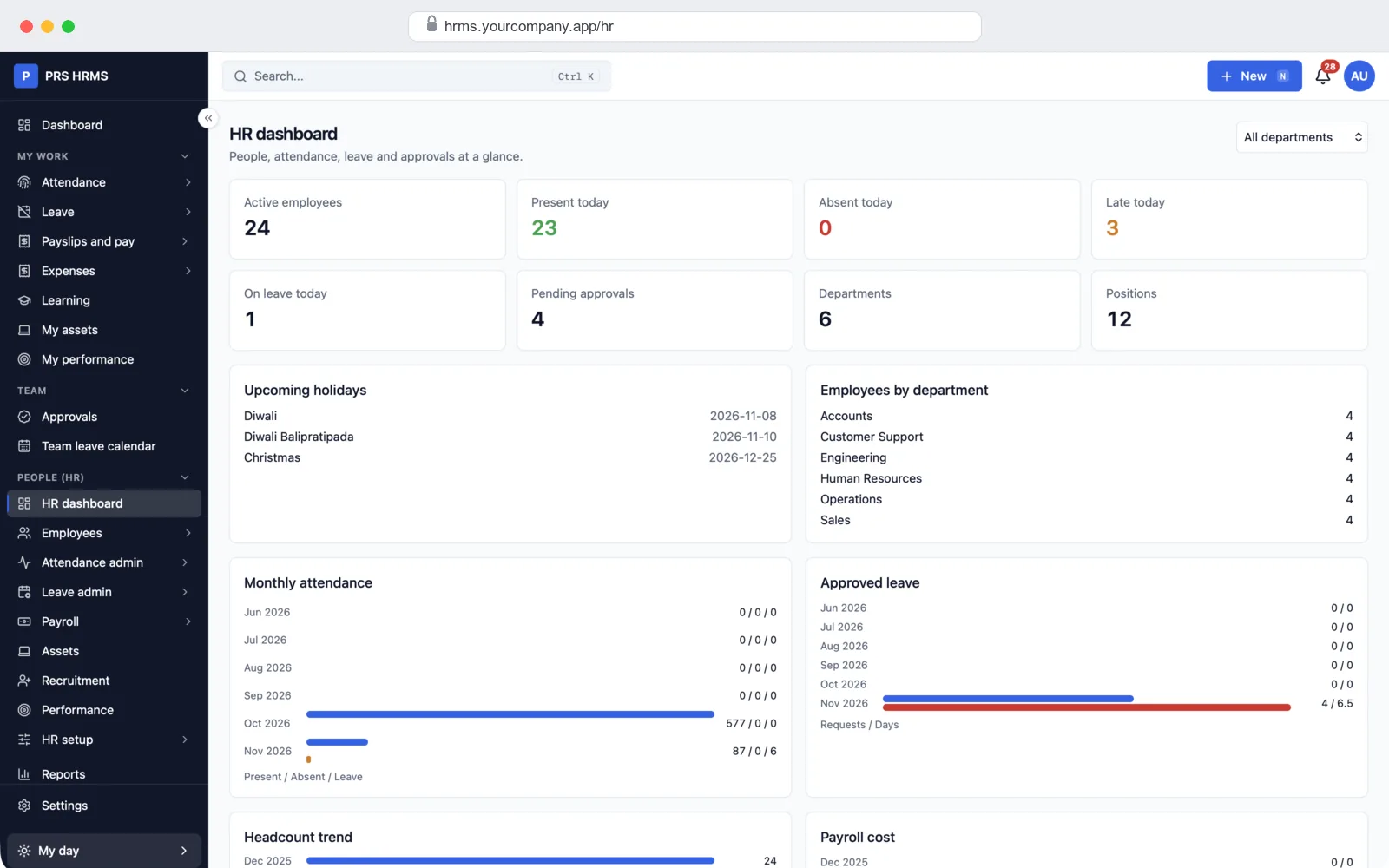
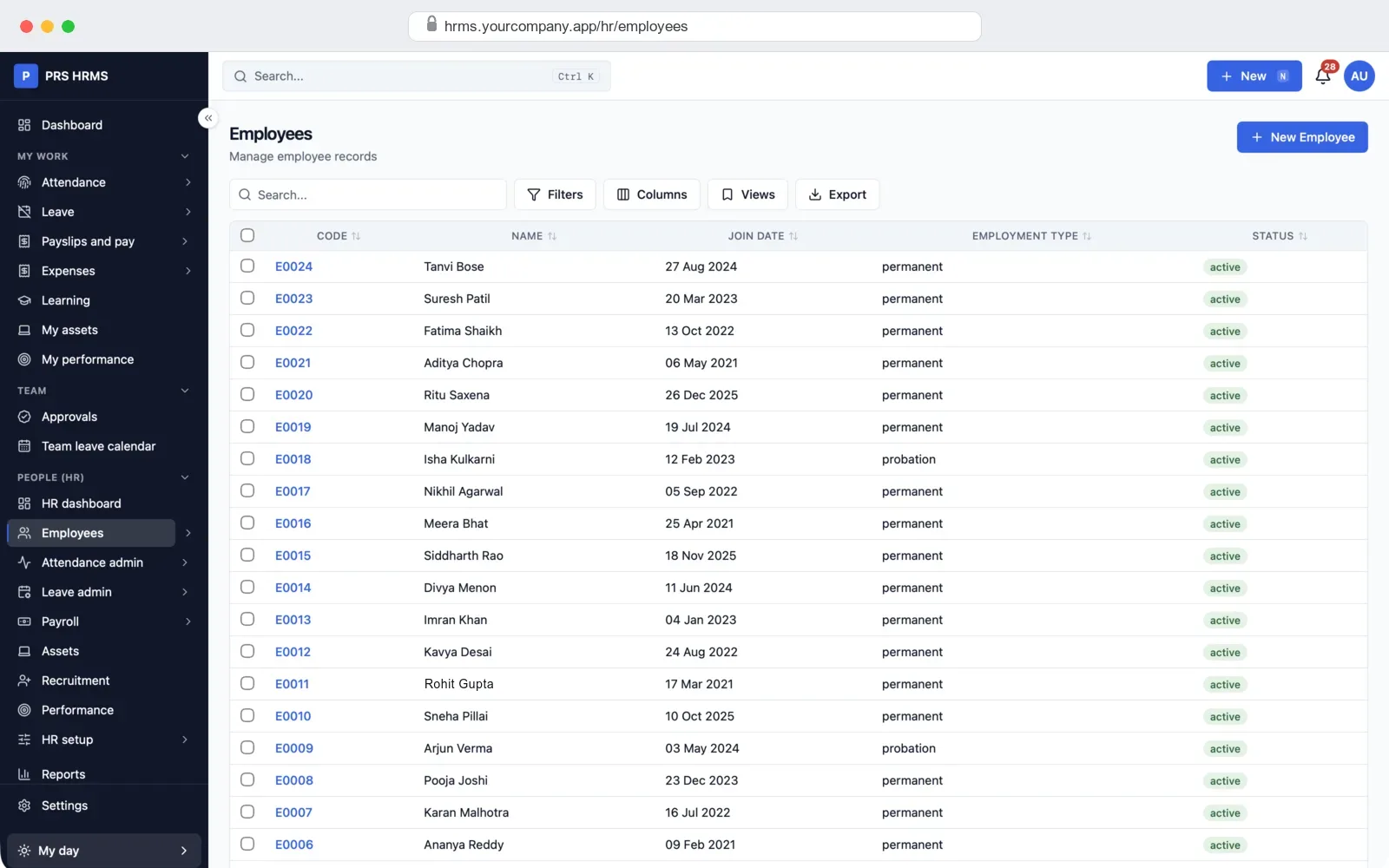
- HR panel (web): employees, attendance, shifts, leave, payroll, payslips, statutory deductions, documents, letters and reports.
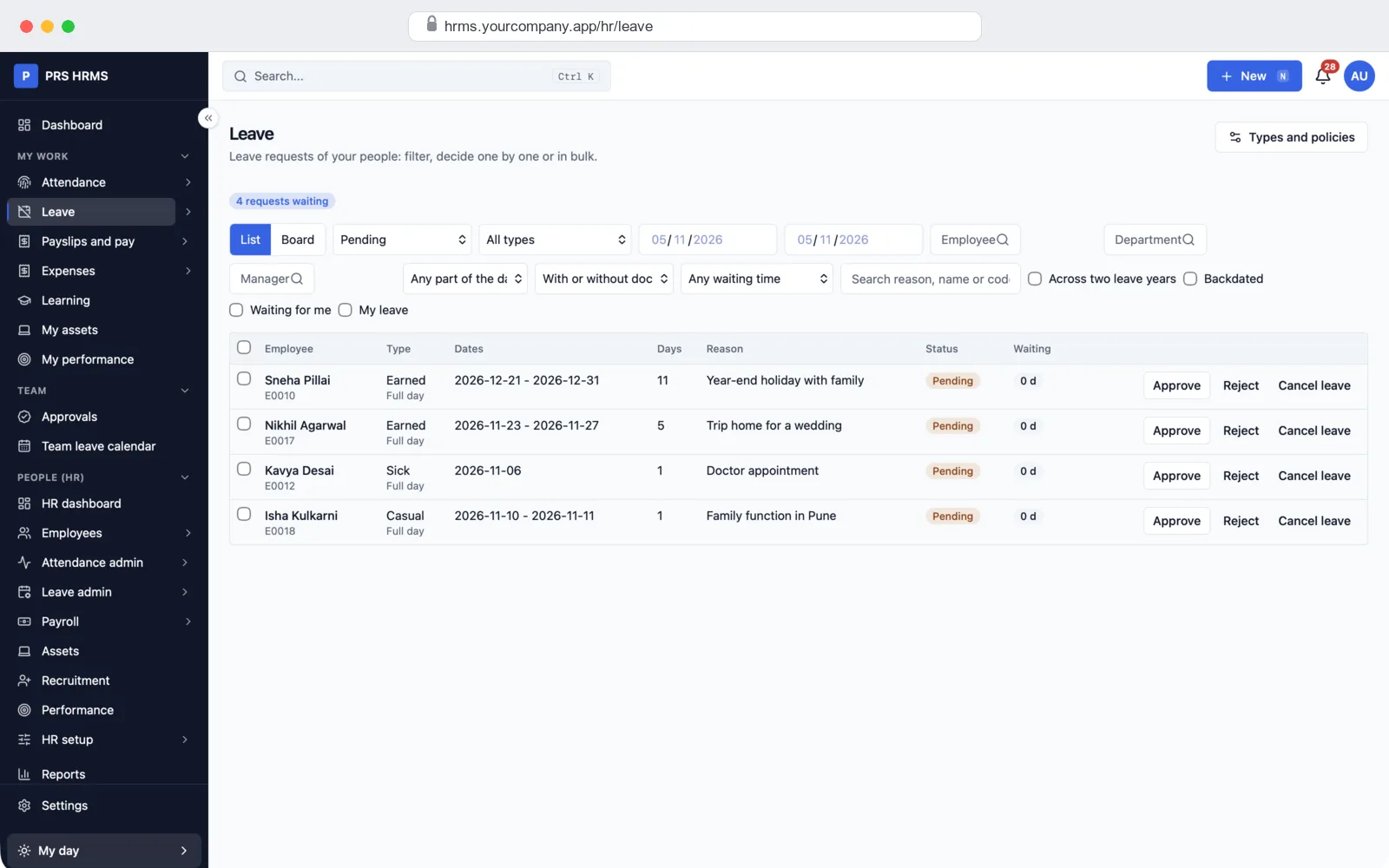
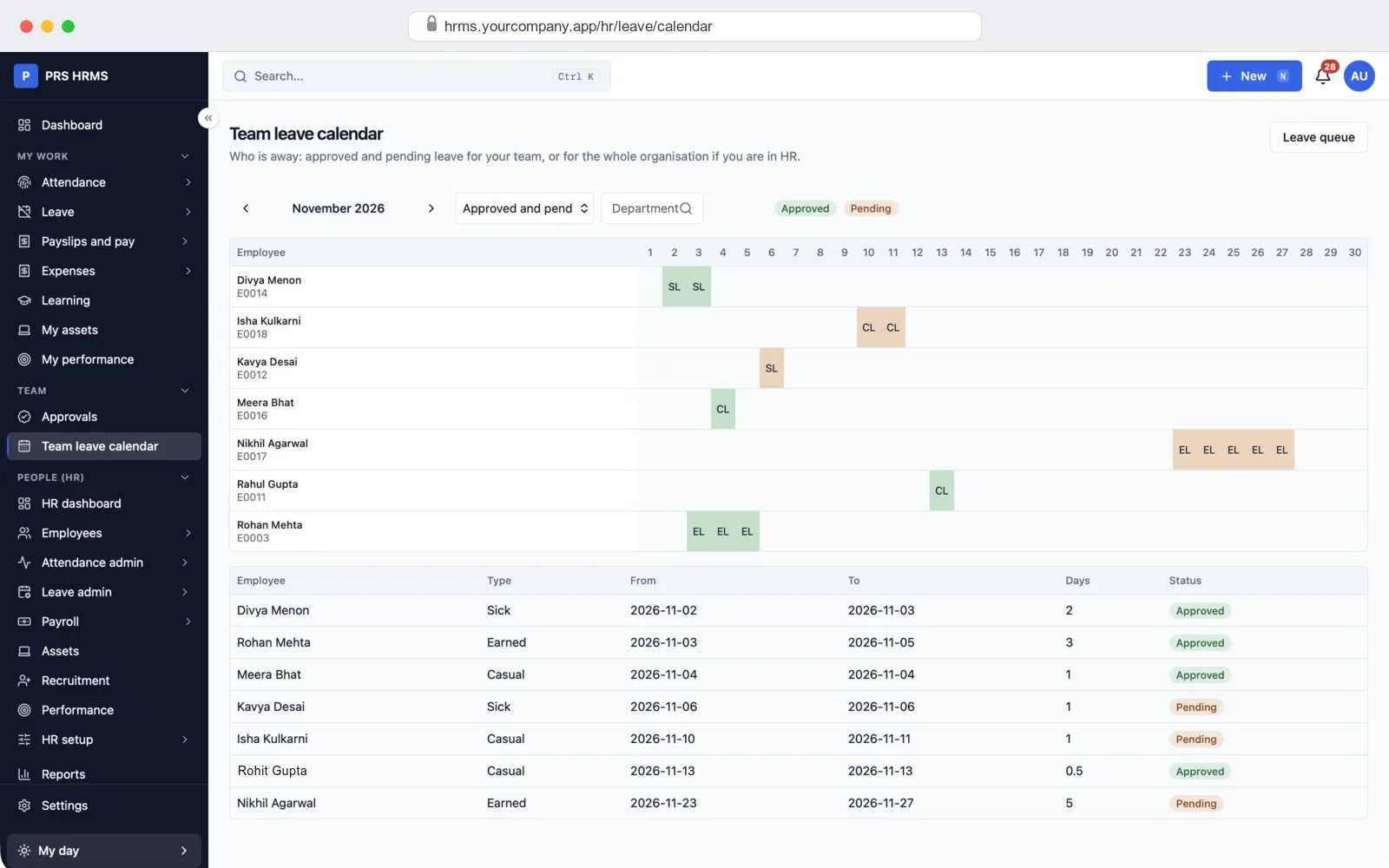
- Manager screens: a team attendance board, and one inbox to approve leave, attendance corrections, expenses and advances.
- Employee self-service (web, works on a phone browser): check in, ask for leave, see balances and payslips, and raise HR tickets.
- Employee app (Android and iPhone, on request): check in with location and a selfie, leave and payslips in the pocket.
- Server: keeps your data, runs payroll in the background and sends reminders. It runs on your own server or cloud account.
All the features, already built
Every feature below is in the HRMS today. Each module can be switched on or off, so your team only sees what it uses.
Attendance: worked out for you every day
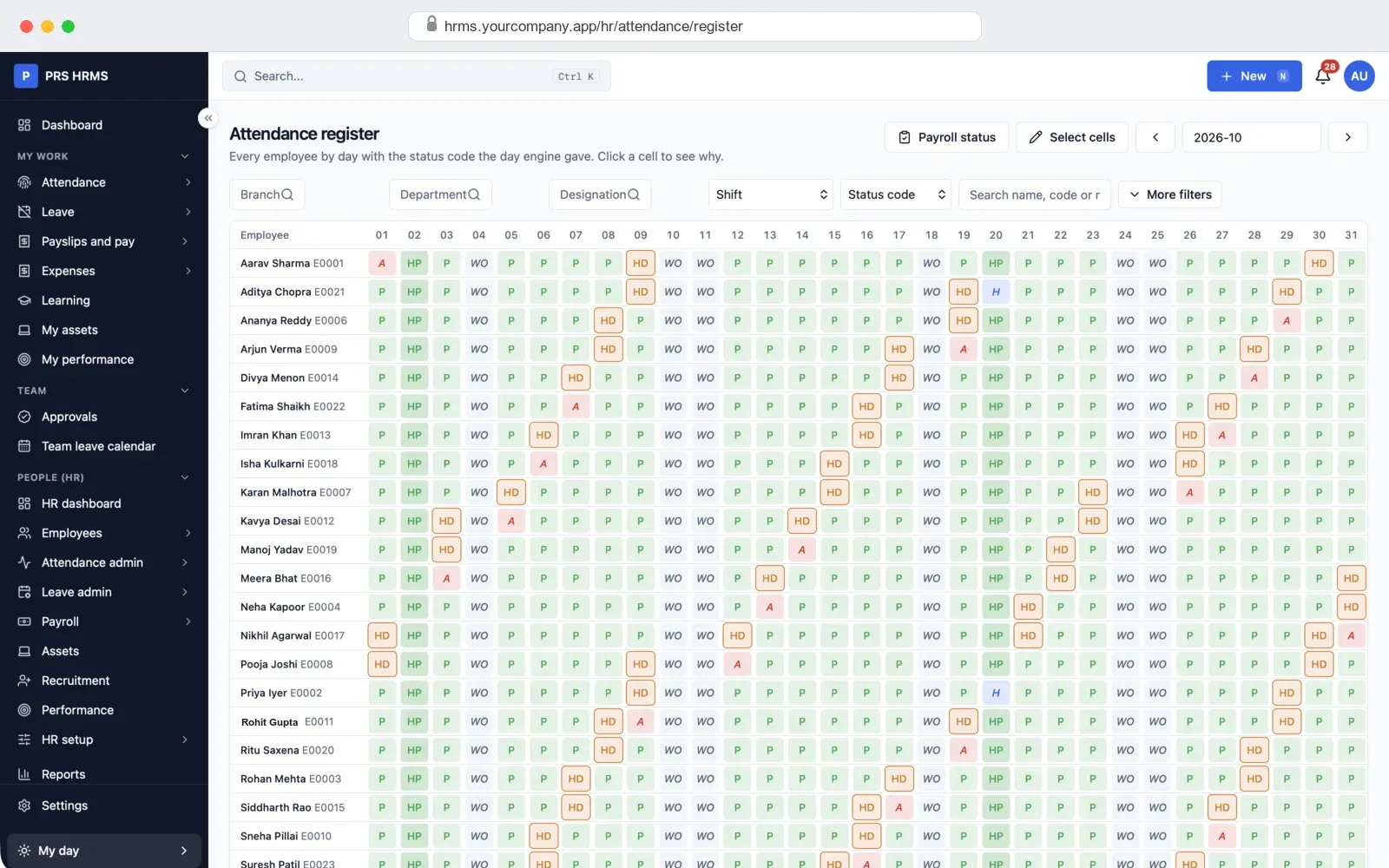
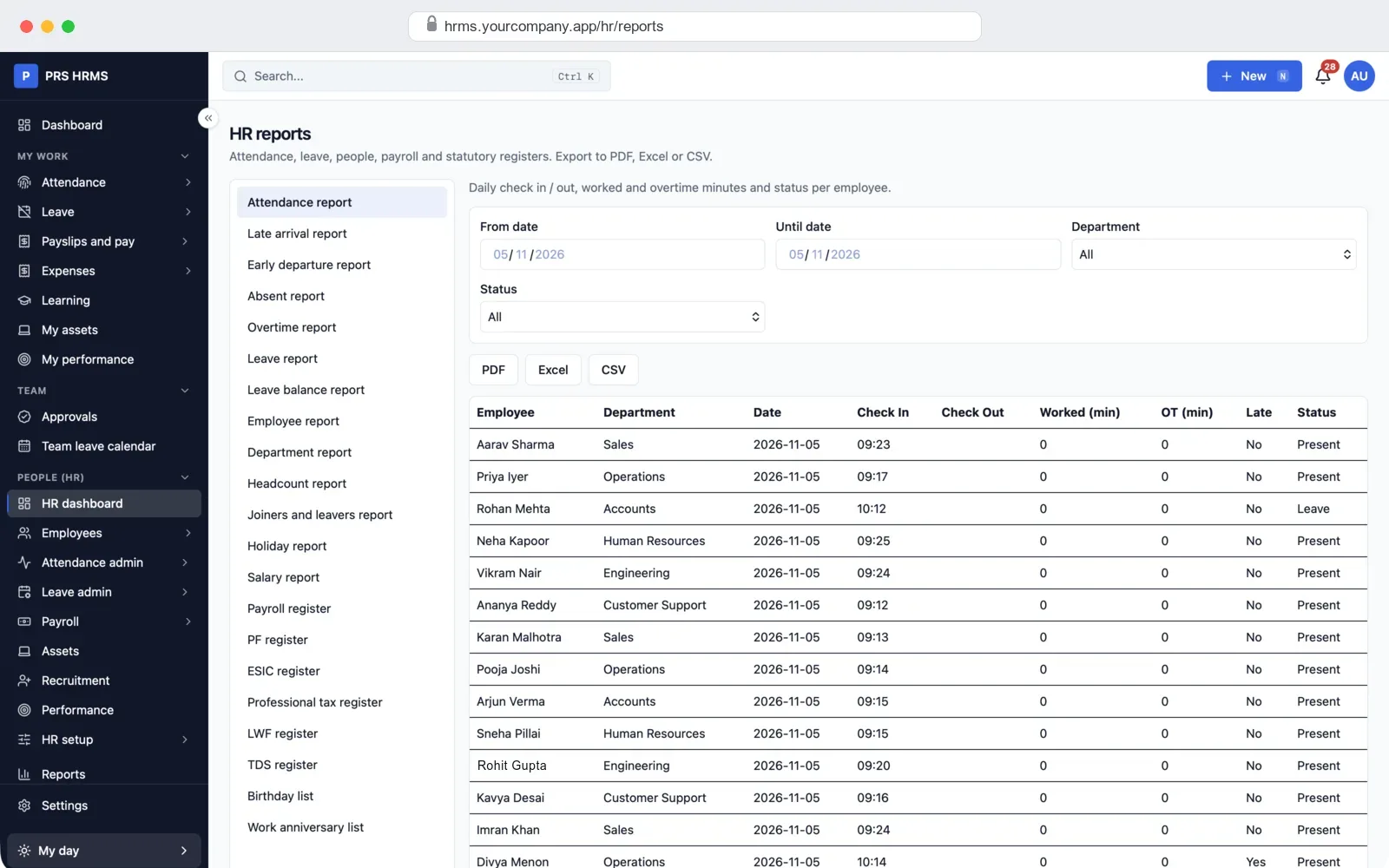
Each punch comes in from the web, a biometric machine or the employee app. The HRMS checks it against the person's shift, week-off, holidays and leave, and gives the day a status. HR sees the whole month on one screen, as in the register at the top of this page, and can click any day to see why it was marked that way.
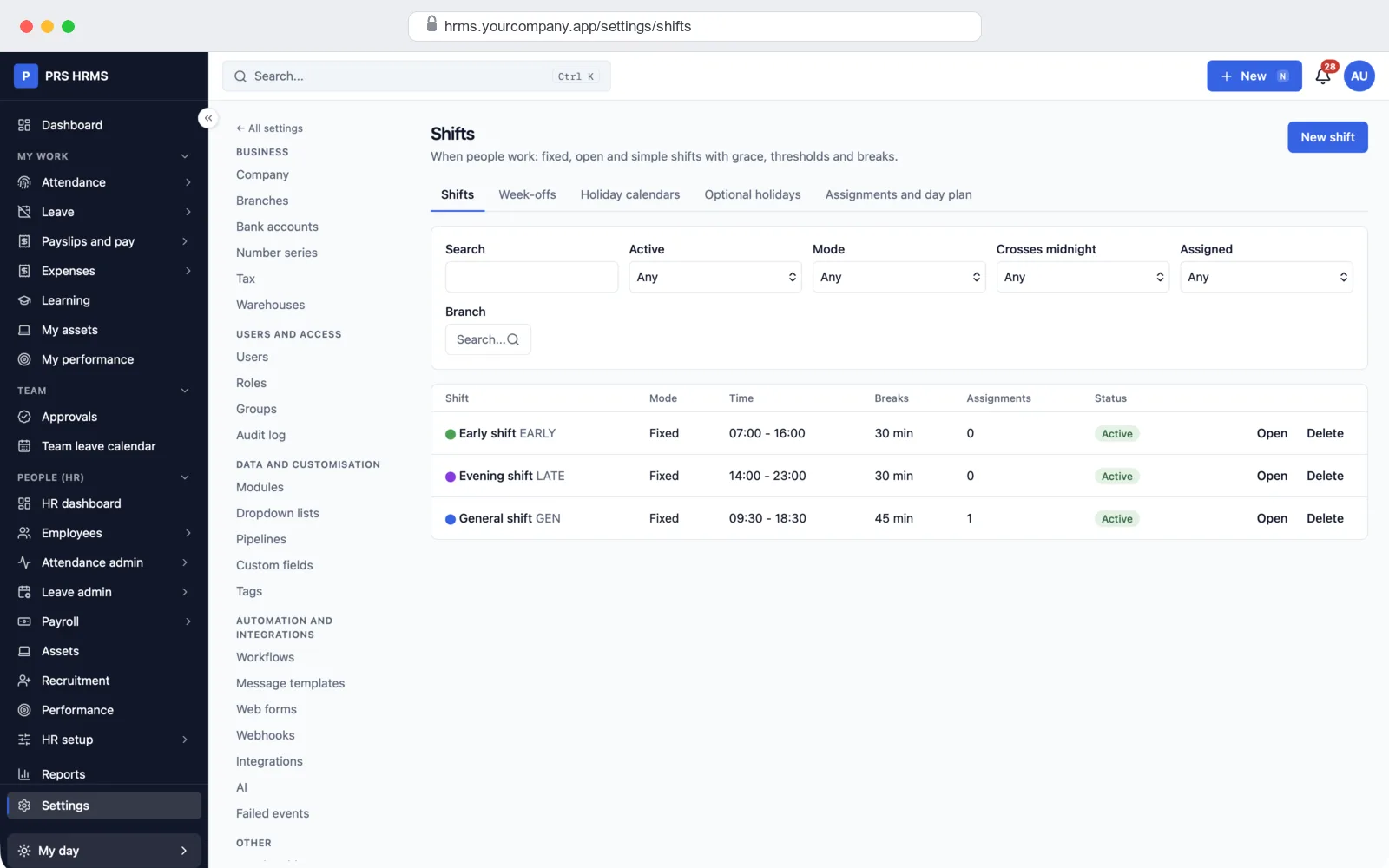
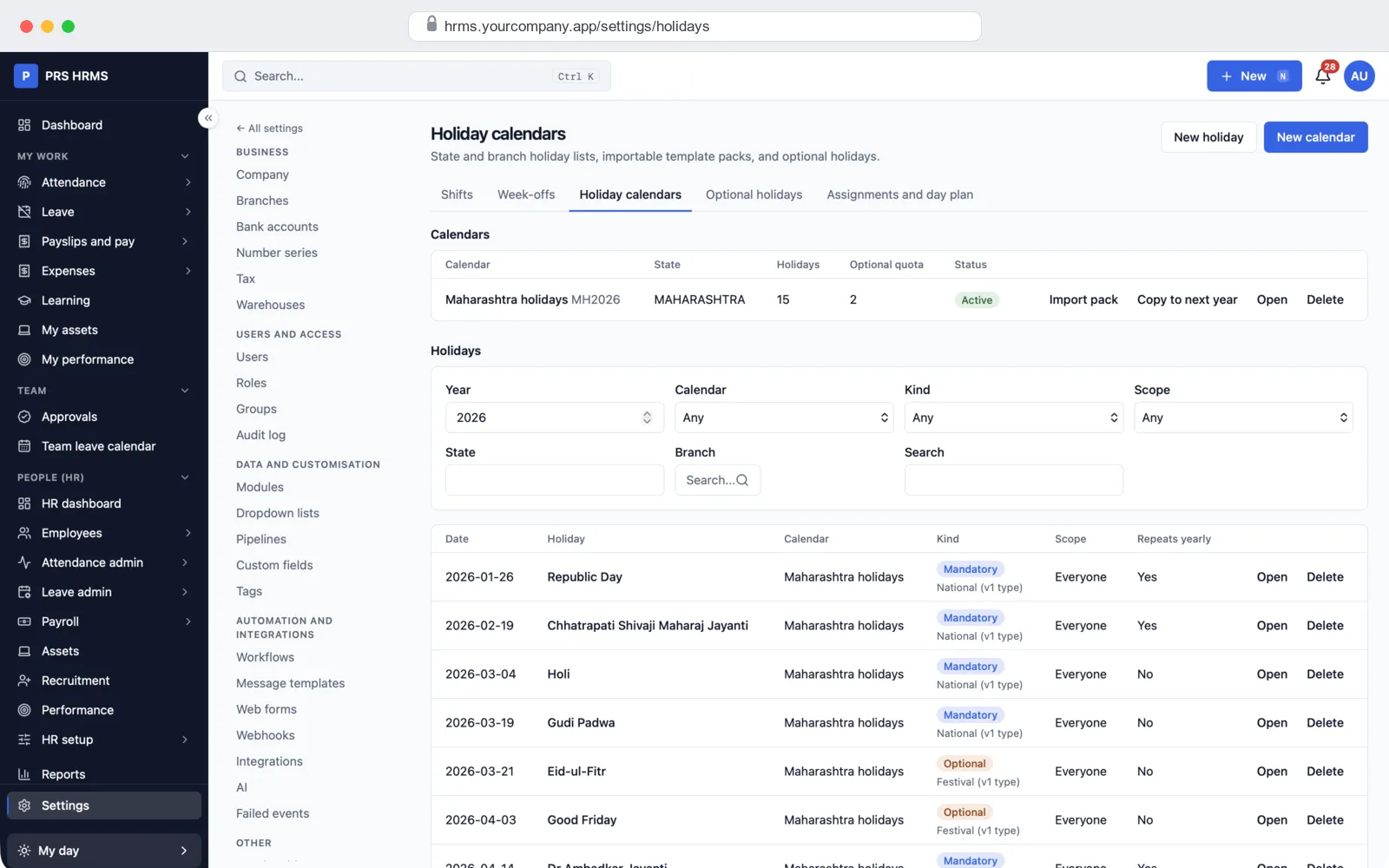
Shifts, rosters and holidays
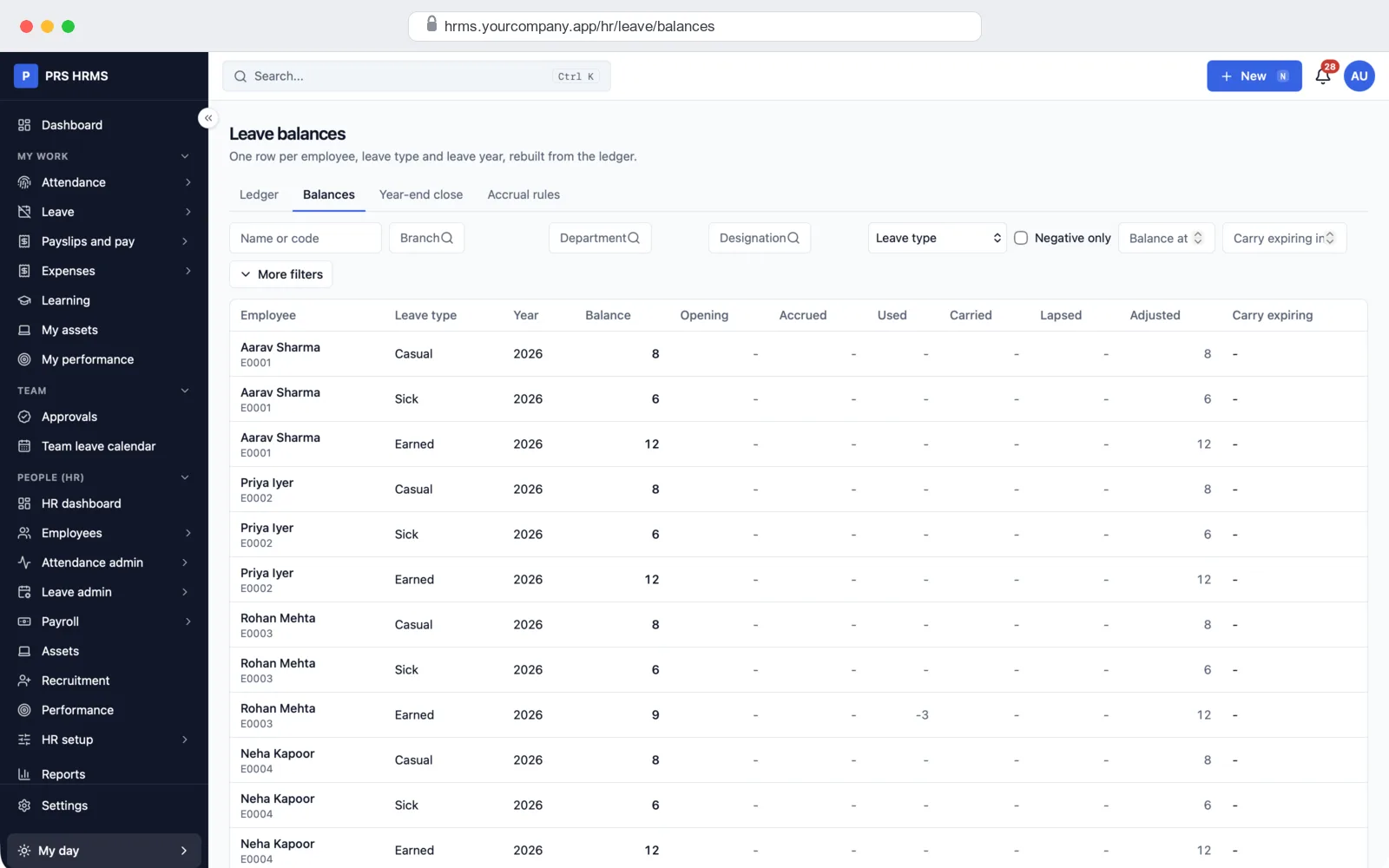
Leave: requests, approvals and balances
Payroll, payslips and PF, ESI, PT, TDS
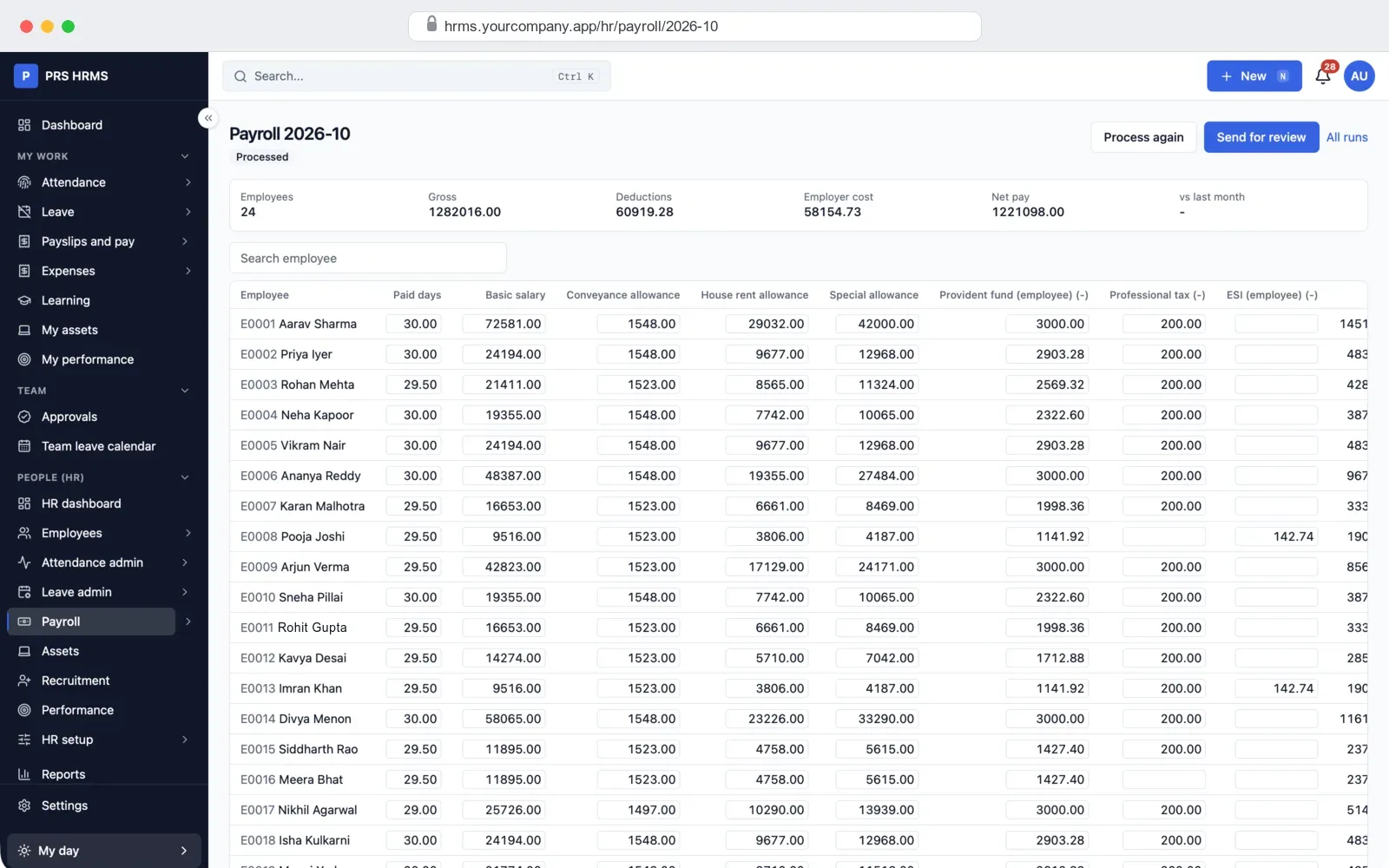
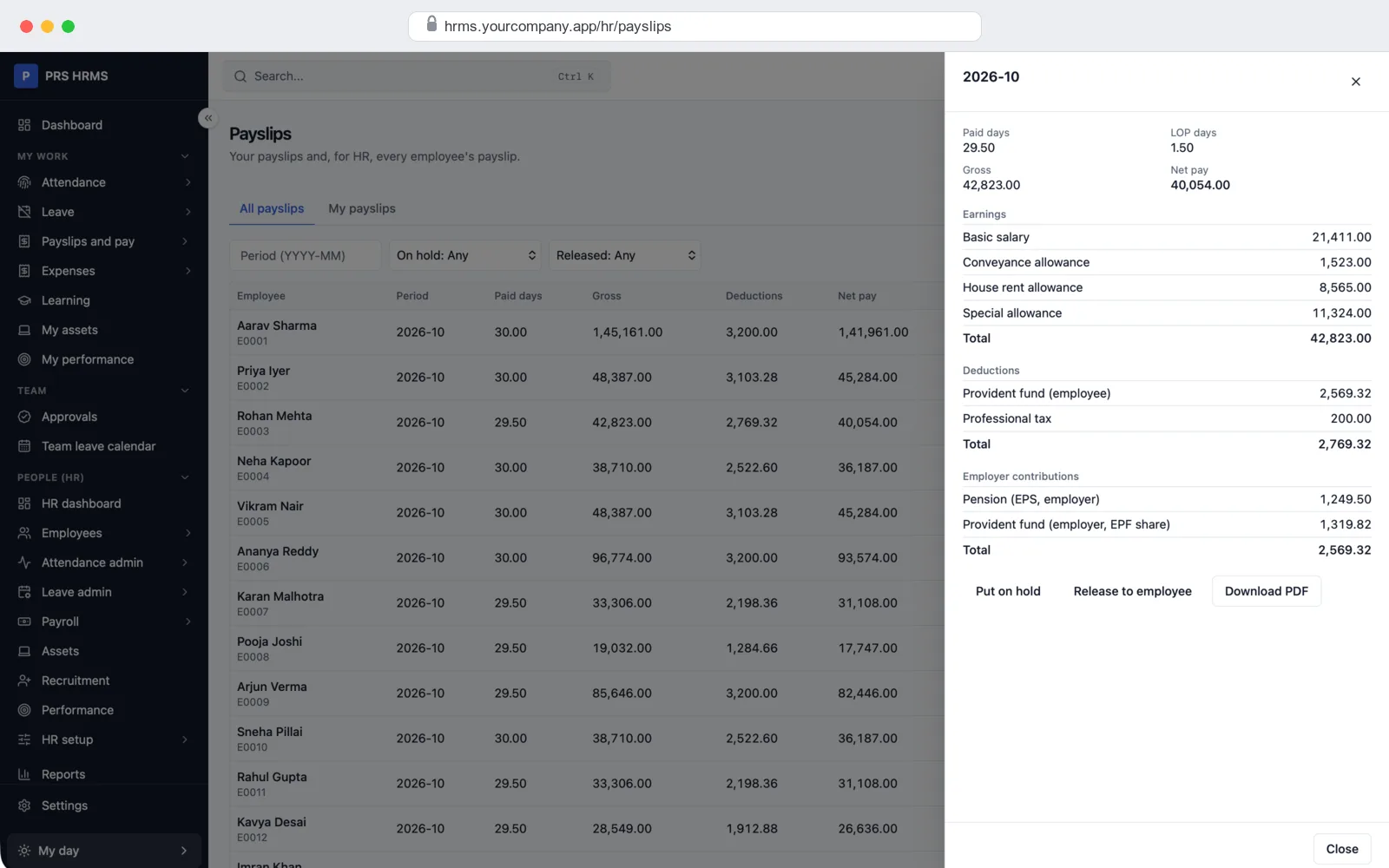
At month end, paid days and loss-of-pay come straight from attendance and leave. You run payroll for a pay group, check the figures, send them for approval and lock the month. PF, ESI, professional tax, LWF and TDS are worked out in the same run, and each employee gets a payslip. We check your first payroll with you and your accountant.
People and access
How we build your HRMS
- Free demo call. We show you the demo company and note how you run attendance, leave and salary today.
- Plan and quote. We agree your shifts, leave rules, salary structure, states and the modules you need, and give you a fixed quote.
- Your brand and your rules. We put in your name, logo and colours, your leave types, holidays, salary parts and payslip format.
- Your data. We bring in your employees, opening leave balances and salary details from Excel.
- Your server. We set up the HRMS on your own cloud or hosting account, with your domain, email and backups.
- Training and support. We train your HR team, check the first payroll with you, and stay with you after launch.
What it is built with
- Server: Node.js (NestJS) with a PostgreSQL database and Redis for background jobs such as payroll runs and reports.
- Web screens: Next.js and React. Works in any browser, on a computer or a phone.
- Documents: payslips, letters and reports come out as PDF, and lists export to Excel and CSV.
It is the same stack we use in our other SaaS development and web application development work, so any good developer can pick up the code later.
White-label: your name on everything
Your staff see your brand, not ours: your name, logo and colours on every screen, payslip and letter. You get the full source code, so there is no monthly fee per employee to us and no lock-in. If you are an HR or payroll firm, you can also offer it to your own clients under your name.
Get a quote for your HRMS
Employees, attendance, shifts, leave, payroll and the other modules you need, with your brand, set up on your own server. Tell us how many staff you have, how they mark attendance and how you pay them, and we will send a fixed quote.
- Full source code, yours to keep
- Your shifts, leave rules, holidays and salary structure
- Your employees and opening balances brought in from Excel
- Training for your HR team and help with the first payroll
Frequently asked questions
Do I get the full source code?
Yes. You get all the source code for the HR panel, the self-service screens and the server. You own it. You can change it, host it yourself and use it under your own name, with no monthly fee per employee to us.
Can I see it before I pay?
Yes. We show you the demo company on a free call: attendance, leave, a payroll run and payslips. After the call we can give you a demo login to try it yourself.
Does it work out PF, ESI, professional tax and TDS?
Yes. Each payroll run works out PF, ESI, professional tax, labour welfare fund and income tax (TDS) from rate tables that you can update when the rules change. Professional tax and LWF follow each employee's state. Employees choose the old or new tax regime and declare their investments, and HR can make Form 16 for each year. We check the first payroll with you and your accountant.
How do employees mark attendance?
Staff in the office can check in from the web, and you can allow this only from your office network. Biometric machines can send punches straight to the HRMS. With our employee app they can also check in from the phone with their location and a selfie, scan an office QR code, or use a tablet kiosk at the gate.
Is there a mobile app for employees?
Yes, on request. We build the employee app for Android and iPhone in your name and connect it to your HRMS: check in and out, ask for leave, see payslips and holidays. Until then, staff use their self-service login, which works in any phone browser.
Which biometric machines does it work with?
It has built-in support for ZKTeco and eSSL machines that push punches over the internet, and for Hikvision devices. Other machines can send a punch file that HR imports. We test your machine model during setup.
Can it handle shifts, night shifts and rosters?
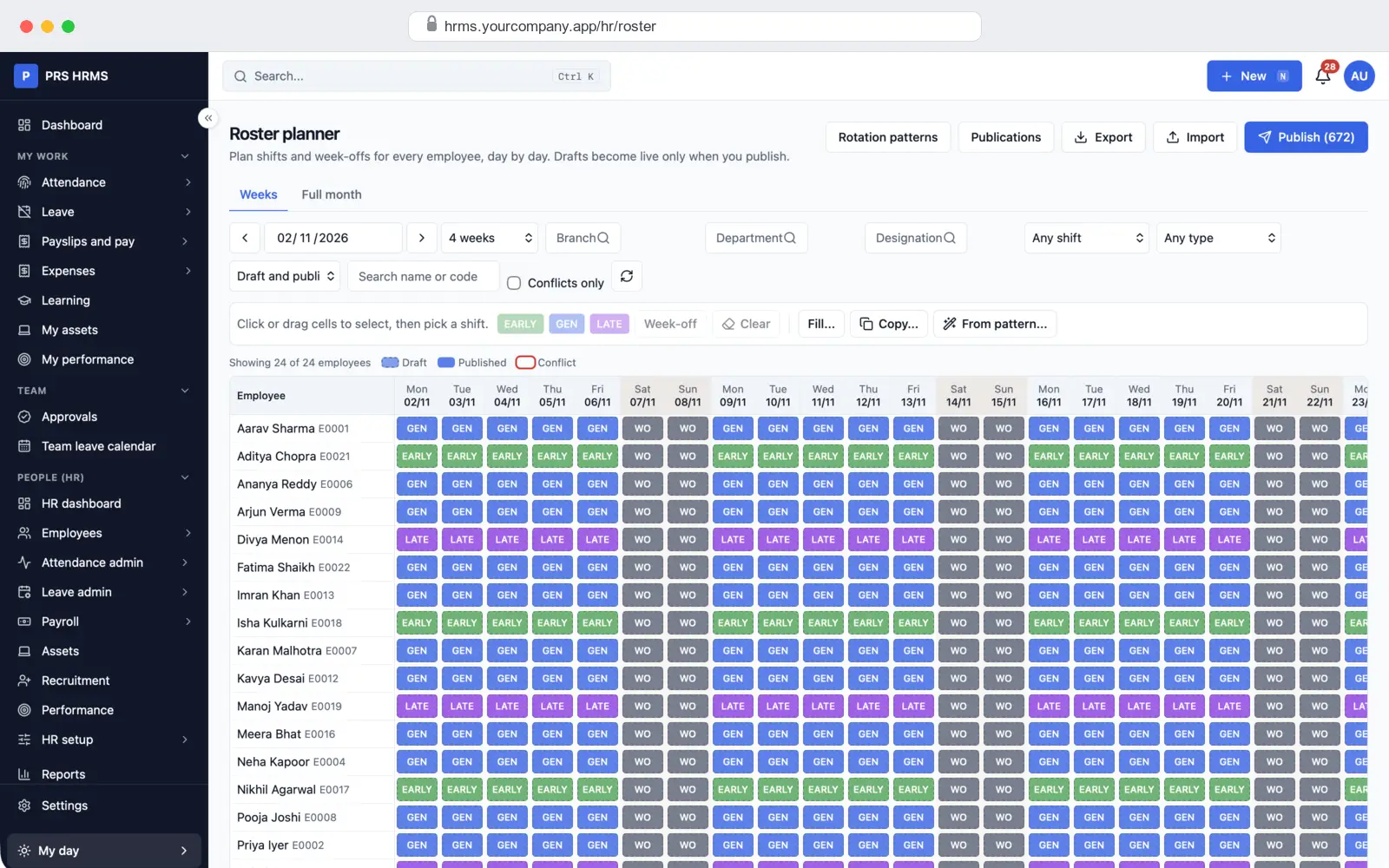
Yes. You can make fixed, open and night shifts with breaks and grace time, set week-offs such as every Sunday plus the 2nd and 4th Saturday, and plan a roster for each person for each day. The roster can repeat a pattern and be published to staff.
Can it work for more than one branch or state?
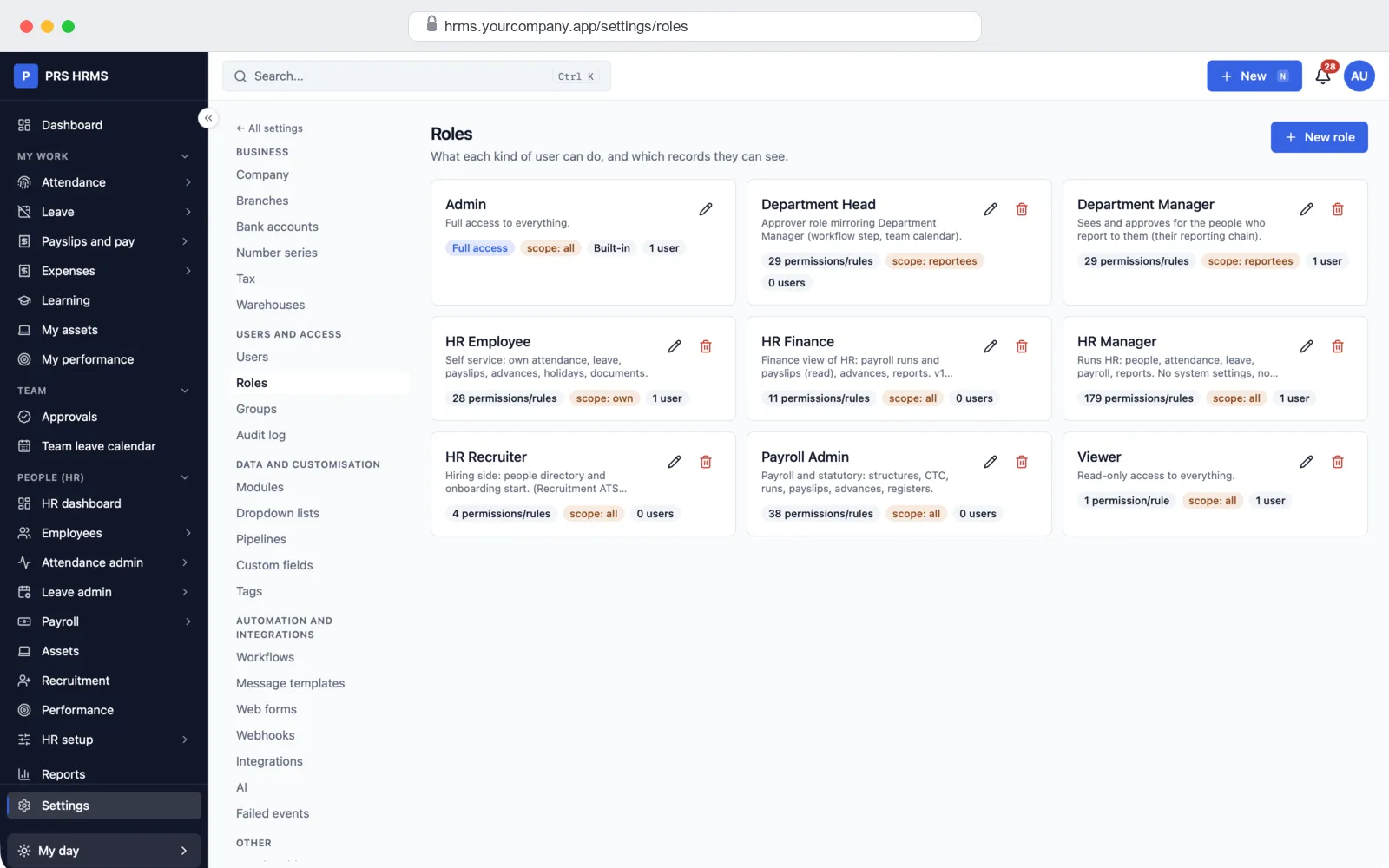
Yes. Each employee belongs to a branch and a state. Holiday lists come ready for many Indian states, and professional tax and LWF follow the employee's state. Managers see only their own team, and branch HR can see only their branch.
Can I bring in my current employee data?
Yes. Employees, departments, designations, bank details, PAN and UAN numbers and old attendance punches can come in from Excel or CSV. You match the columns and check a preview first. We enter opening leave balances for you during setup.
How much does HRMS software cost?
It depends on the number of employees, the modules you need and any changes to fit your company. Tell us what you need and we will send a fixed quote. The demo and the first call are free.
Read more
Written by
PRS Admin
Building software at PRS India.