Product
Field Sales CRM Mobile App for Real Estate, Pharma, FMCG and Solar Teams

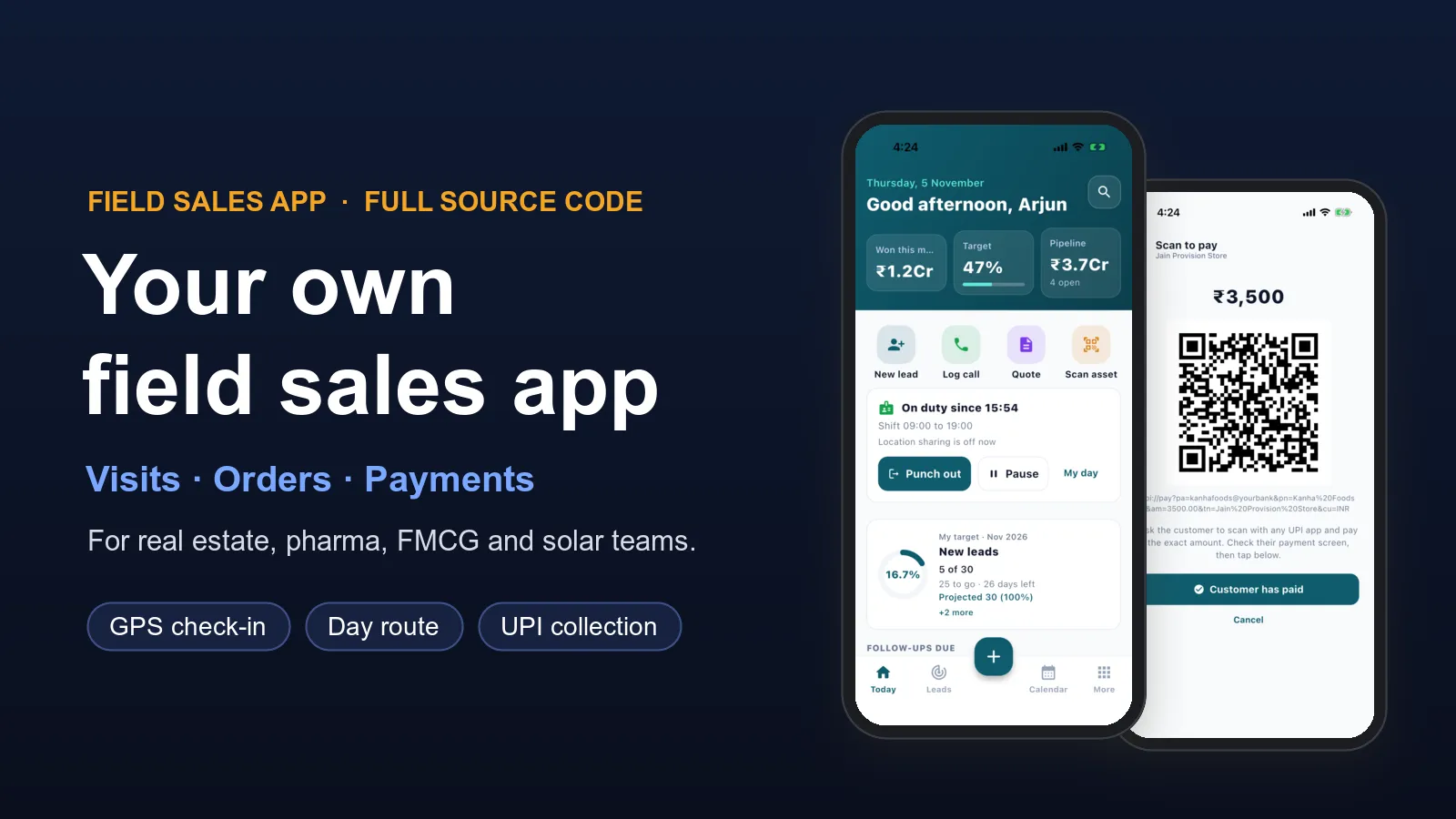
Your sales team is out on the road all day. They visit buyers, doctors, shops and rooftops. You want to know where they went, what they sold and what happens next. A field sales CRM app does that, on the phone in their pocket.
We build this app for you, under your own brand. It is already built and working, so we set it up for your business instead of starting from zero. It comes ready for real estate, pharma, FMCG and distribution, and solar, insurance and B2B teams. You get the full source code, so the app is yours to keep.
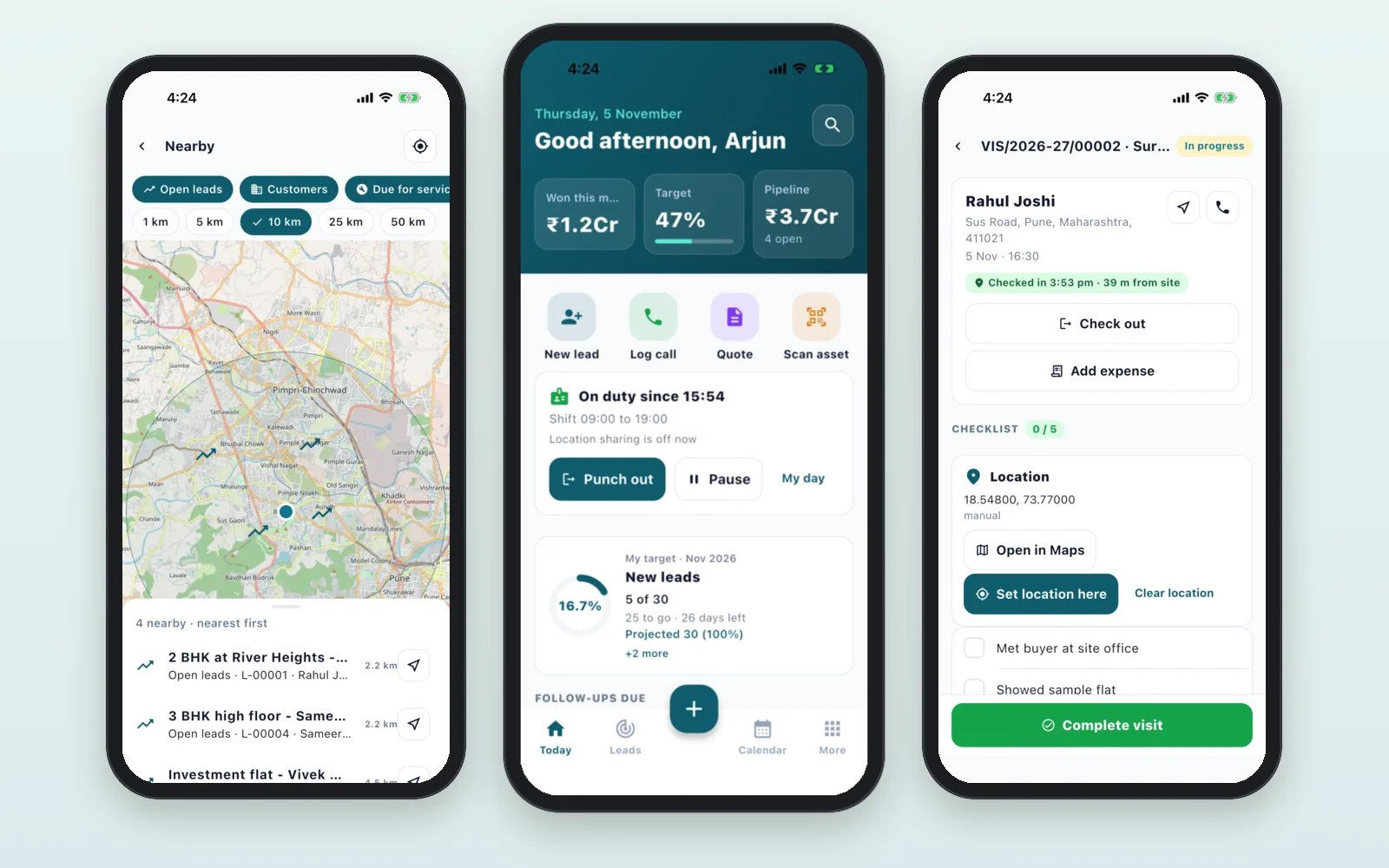
See it working before you decide
We keep a demo for each industry, filled with sample customers, visits, orders and quotes. Send us a message and we will show you the app on a call, in the version closest to your business. Then we give you a demo login to try it yourself.
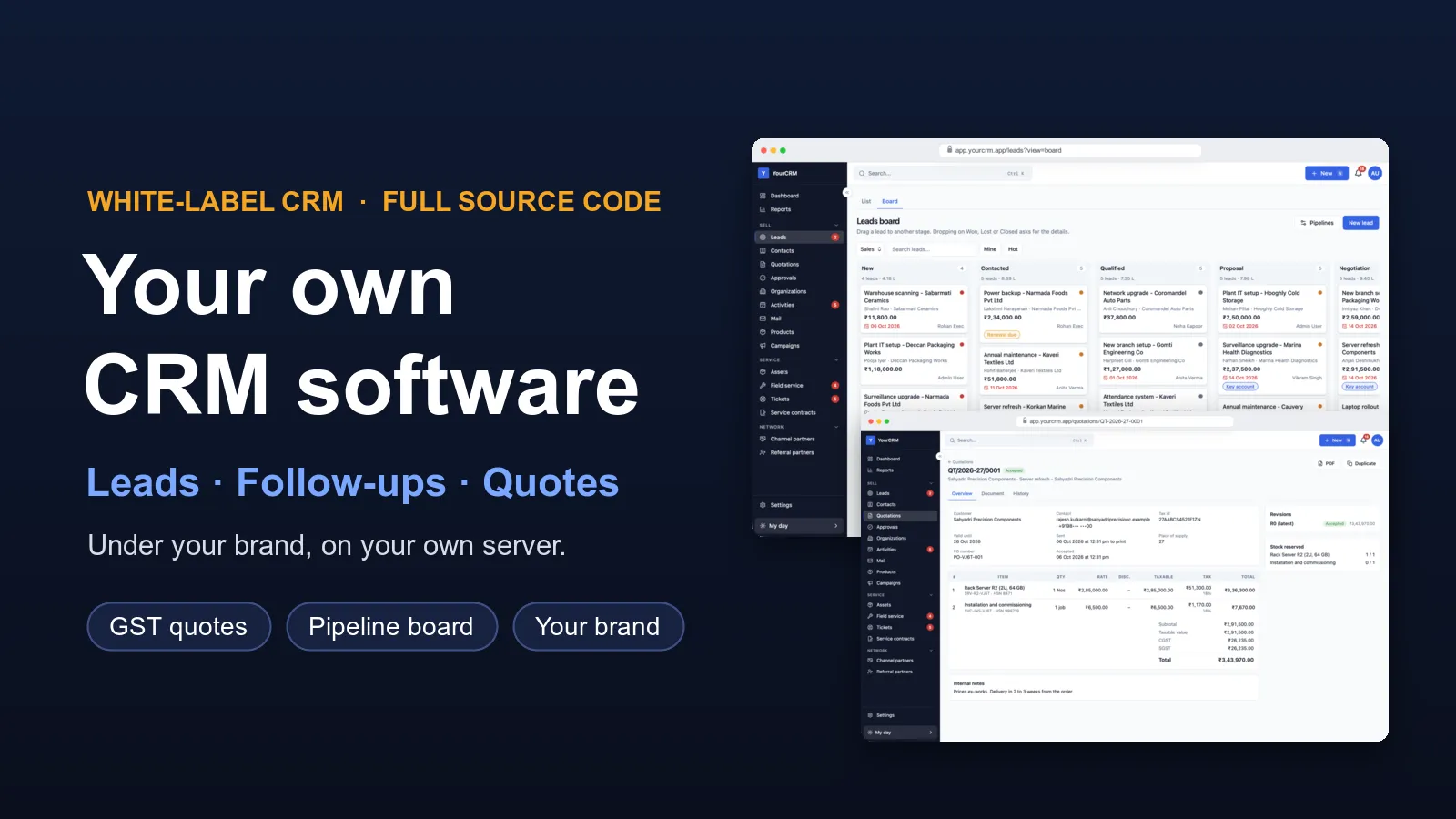
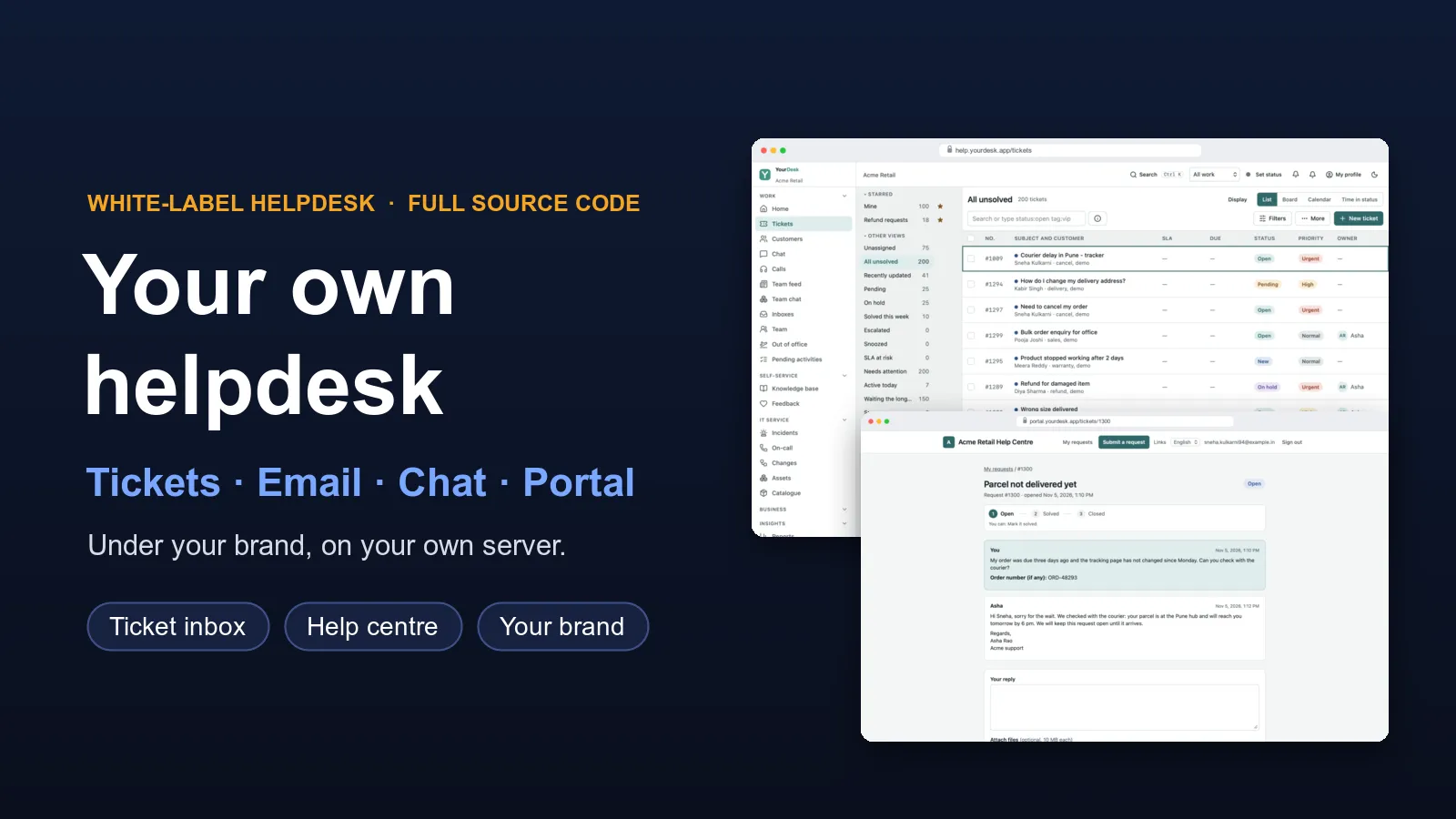
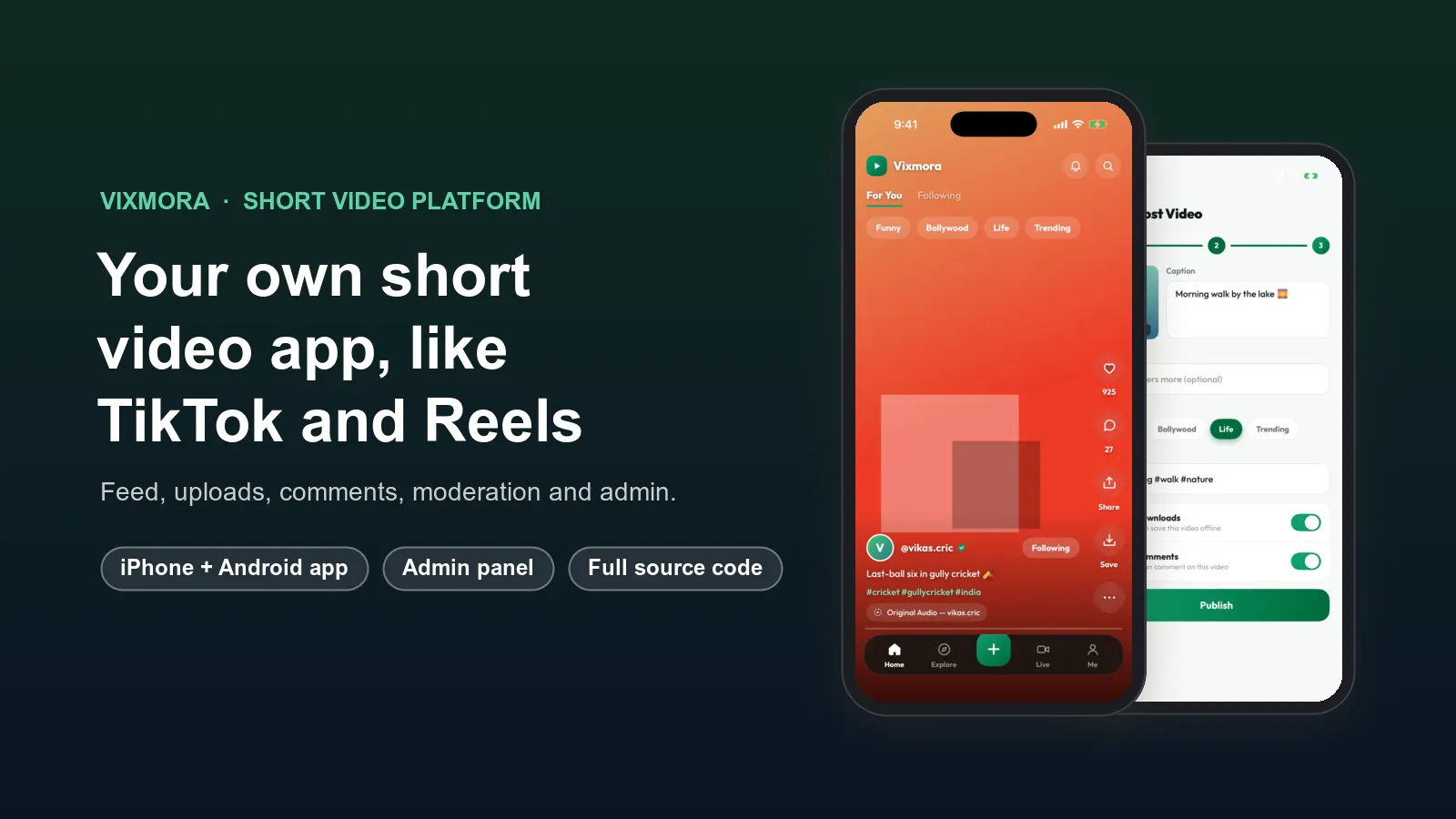
Android and iPhone appApp and web screensWeb settingsWhat you get
A field team needs three things: an app for the people on the road, screens for their managers, and a server that keeps it all together. Our field sales app has all three:
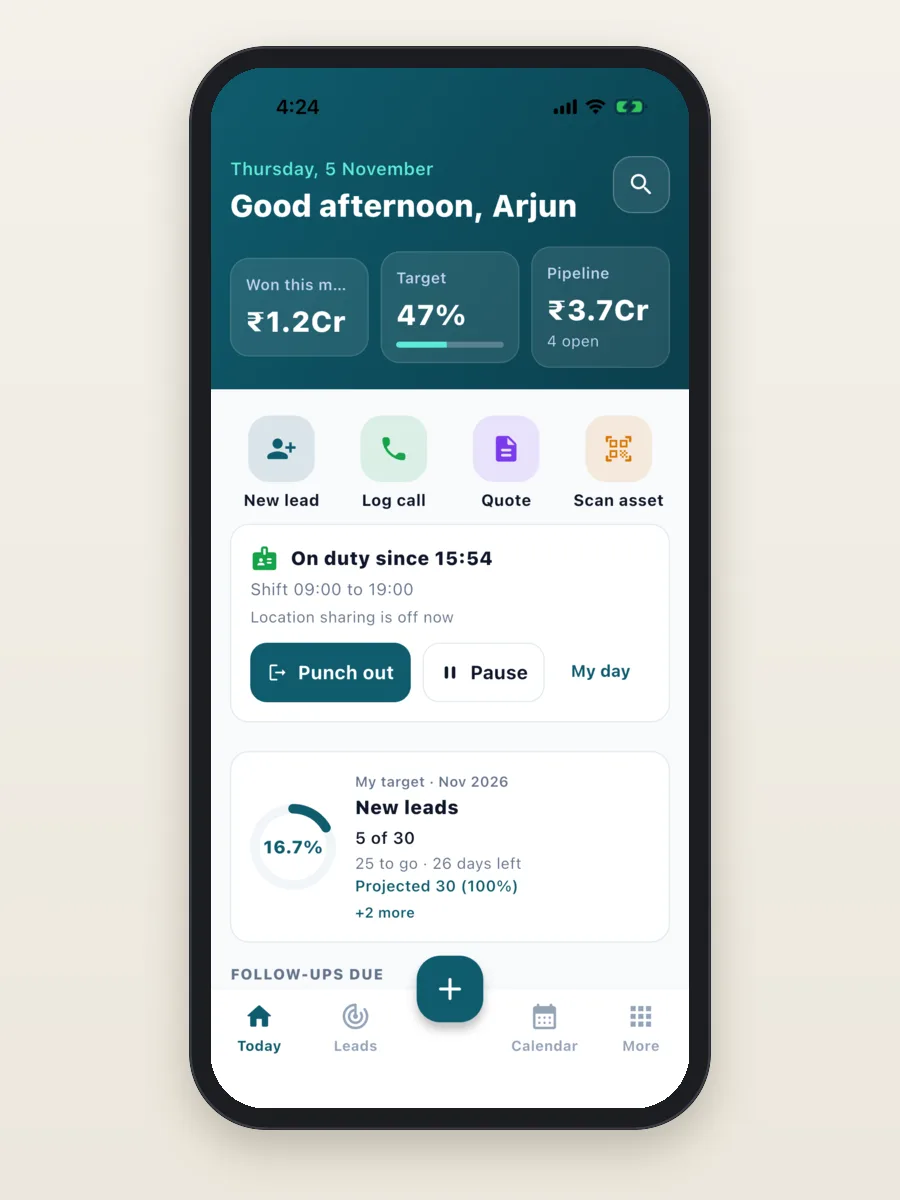
- The field app for Android and iPhone: the day's plan, visits, customers, orders, quotes, payments, expenses and attendance.
- Manager screens, in the app and on the web: who is on duty and where, visits done, and progress against targets.
- Admin settings on the web: users, roles, your own fields and stages, check-in rules, shift times and on/off switches for each part.
- The server: keeps your data and runs on your own server or cloud account. It is the same server as our white-label CRM software, so your office team gets the full CRM too.
What a field executive gets
Every feature below is in the app today. Each one can be switched on or off from the settings, so your team only sees what it uses.
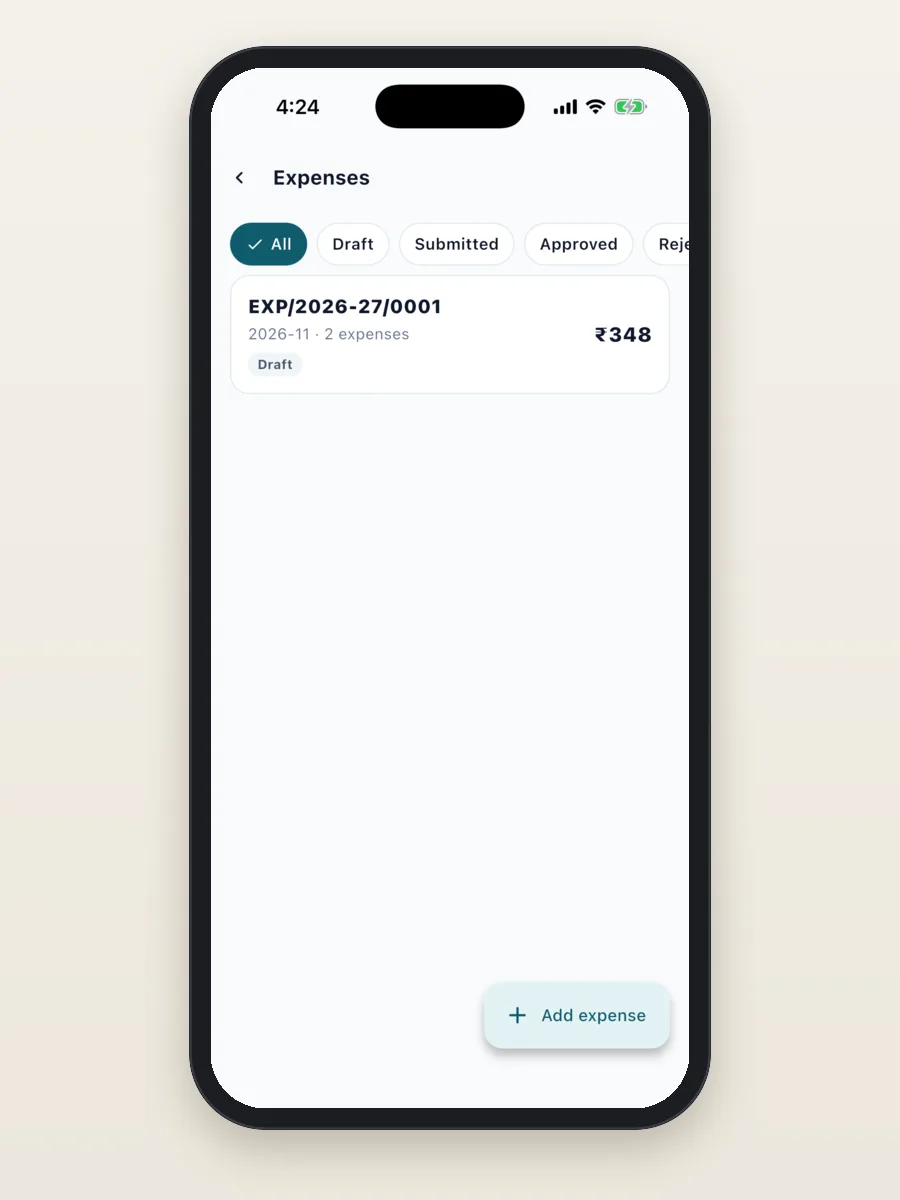
Ready for your industry
The app is the same for everyone. What changes is the setup: the fields on each record, the sales stages, the visit checklist and the lists. We have a ready setup for each of these four industries, with its own demo:
- Real estate: site visits with home buyers.
- Pharma and medical reps: doctor calls and chemist orders.
- FMCG and distribution: outlet visits, orders and payments on a beat.
- Solar, insurance and B2B services: site surveys and quotes on the spot.
Each section shows what the app does for that industry today. Things marked "we add this for your business" are not in the app yet. We build them as part of your project.
Field sales app for real estate teams
The daily work: call new enquiries, fix site visits, show the sample flat and the unit, share the price sheet, follow up, and take the booking amount.
What the app does today:
- Each buyer lead has a budget, BHK wanted, preferred project and location, purpose (own use or investment) and whether a home loan is needed.
- Your own stages: New, Contacted, Site visit fixed, Site visit done, Negotiation, Booked or Lost.
- Each unit is kept as a product with its price, like "River Heights B-703 (3 BHK)", so a cost sheet takes a minute.
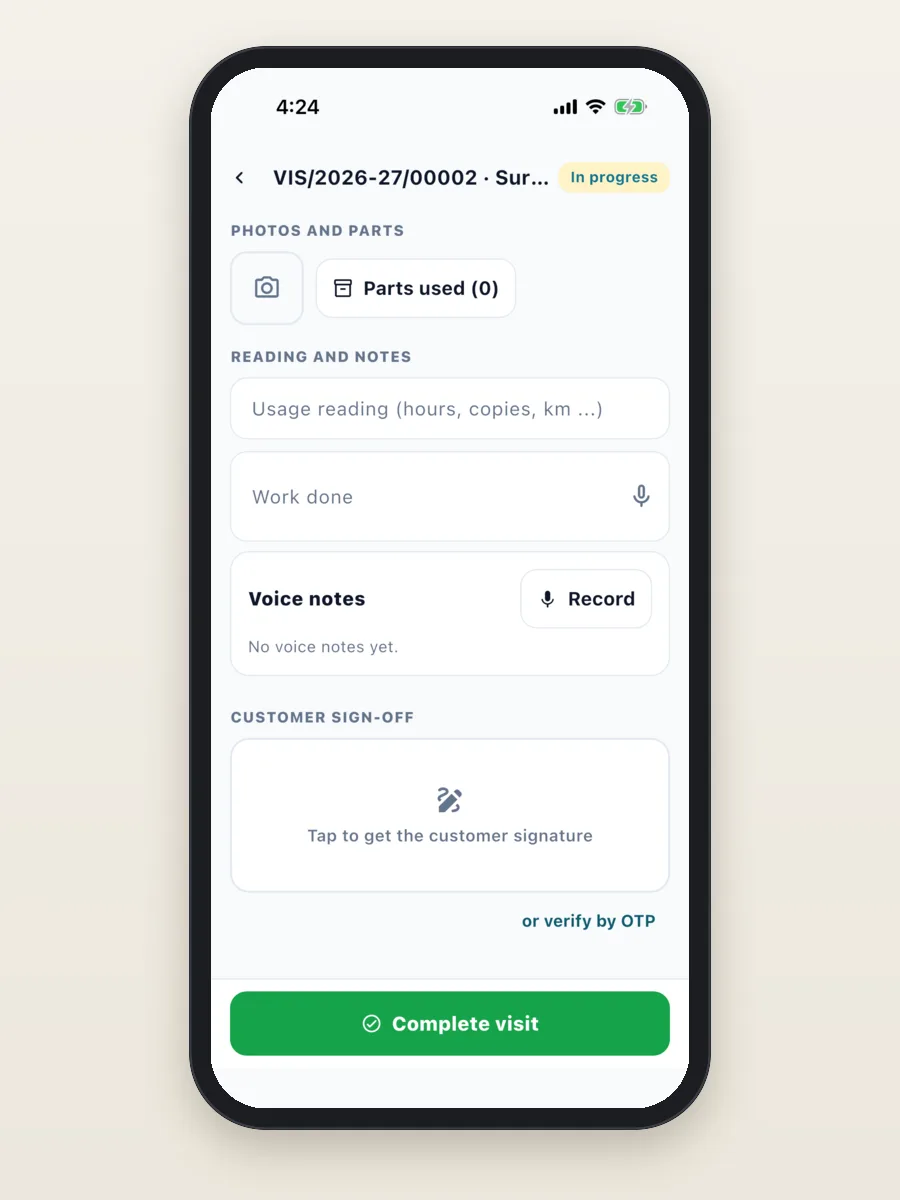
- A site visit has GPS check-in and a checklist: met the buyer, showed the sample flat, showed the unit, shared the price sheet, buyer's feedback.
- A cost sheet is a quote with GST, shared as a PDF. The booking amount is collected and recorded against it.
- The Nearby map shows which buyers are close by.
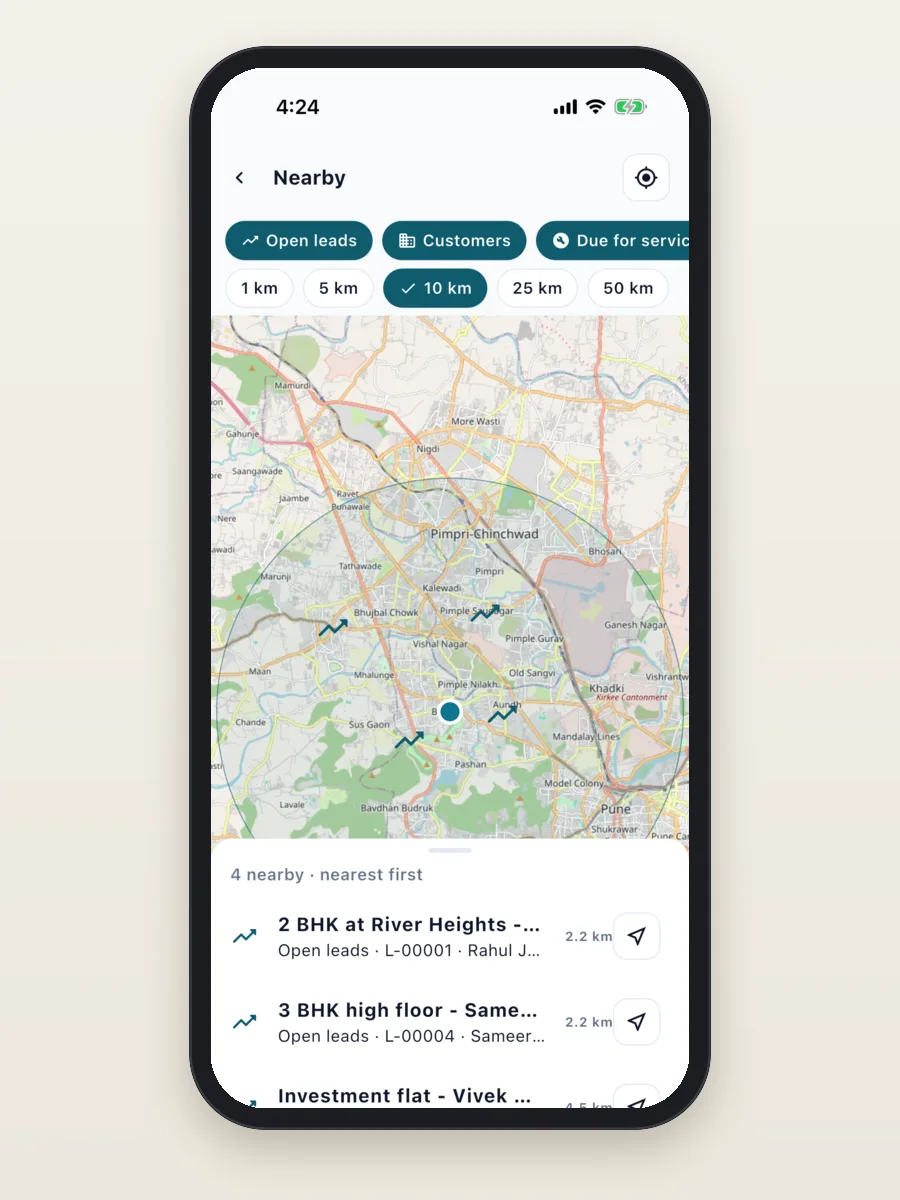
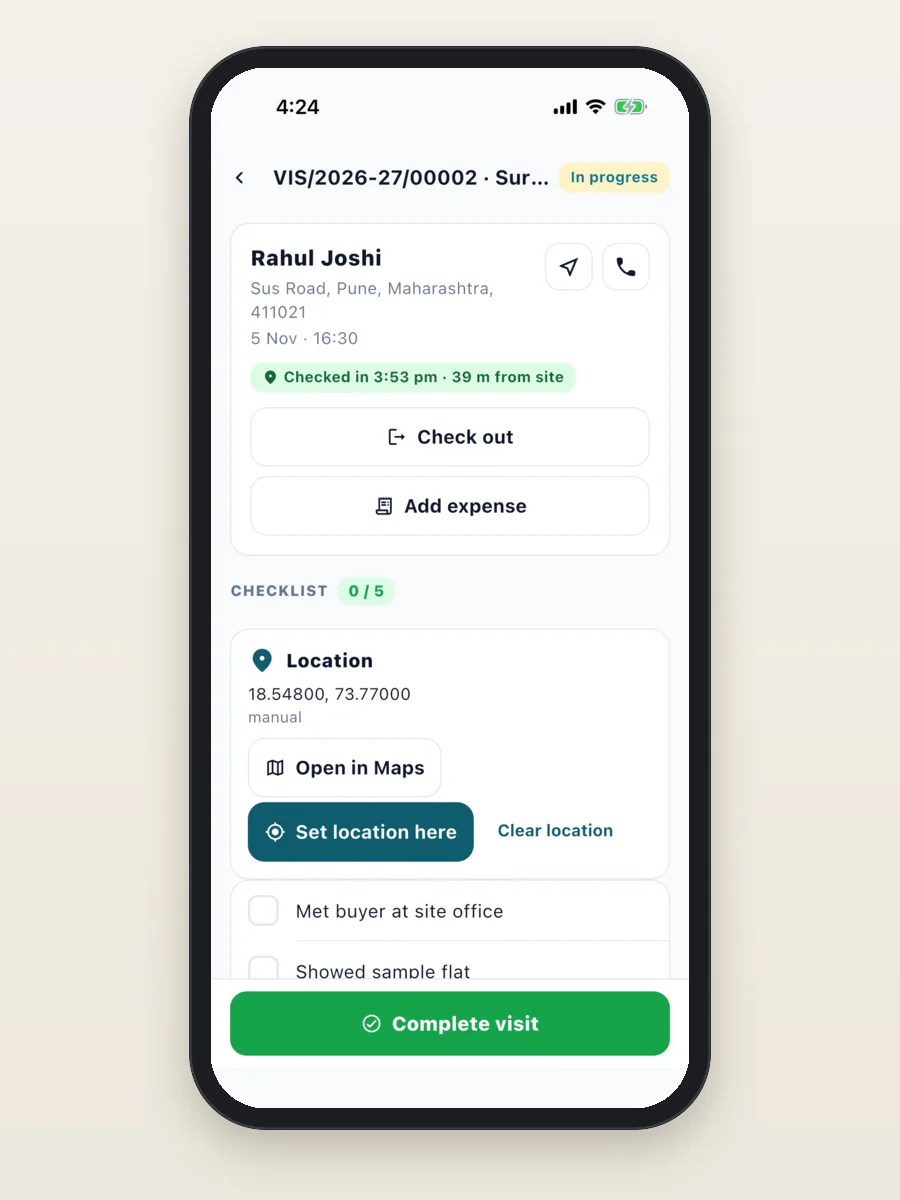
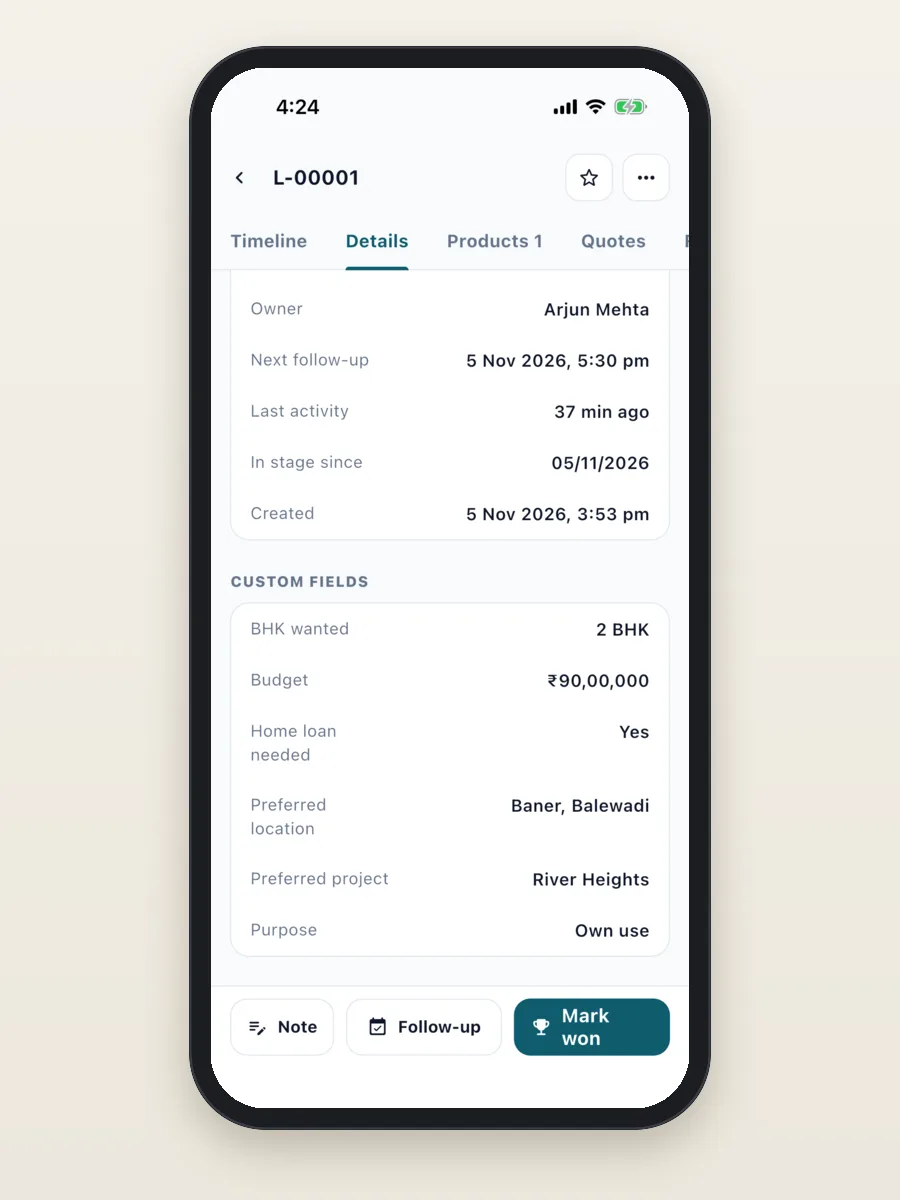
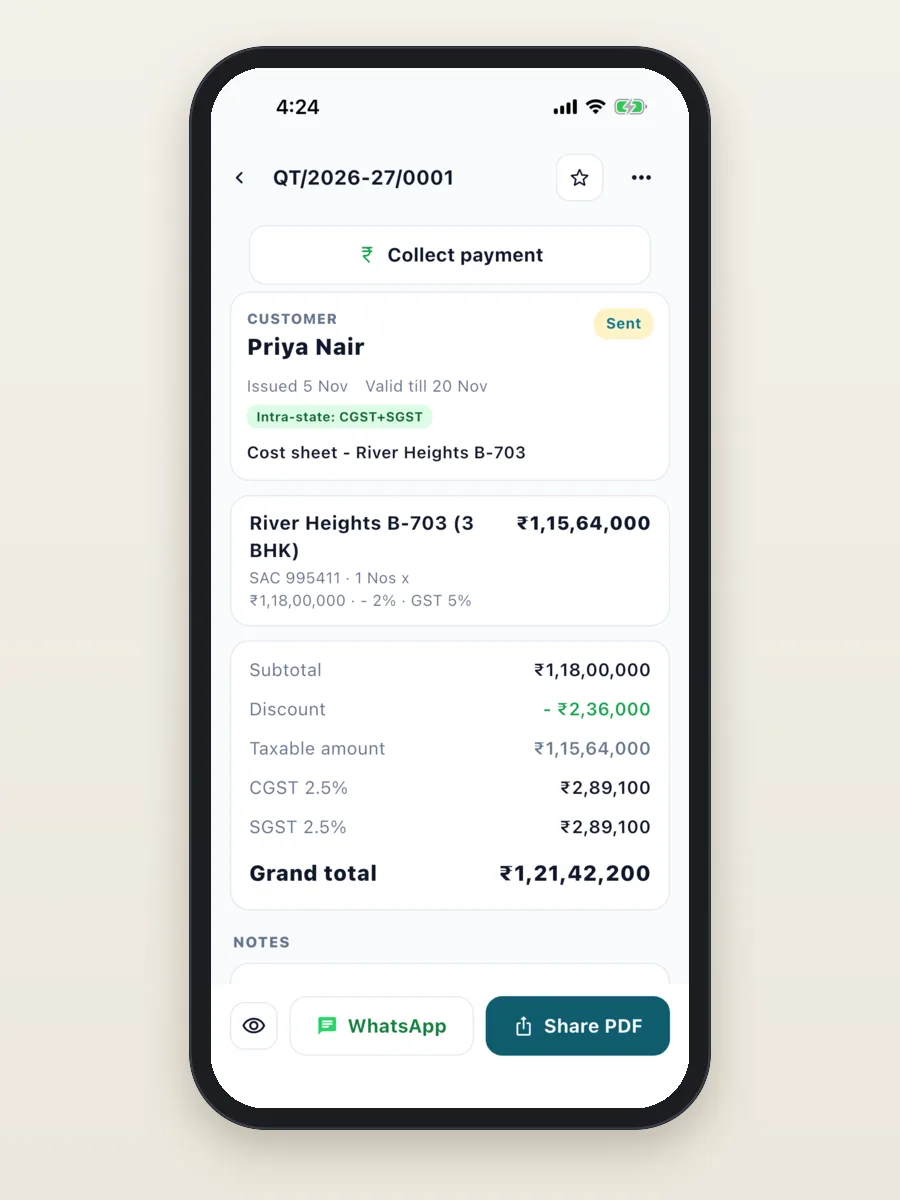
See how we built a full real estate CRM with a broker portal in our Ashray Developers case study.
Field sales app for pharma and medical reps
The daily work: follow a beat, call on doctors and chemists, talk about the focus brands, give samples, book chemist orders and report the day.
What the app does today:
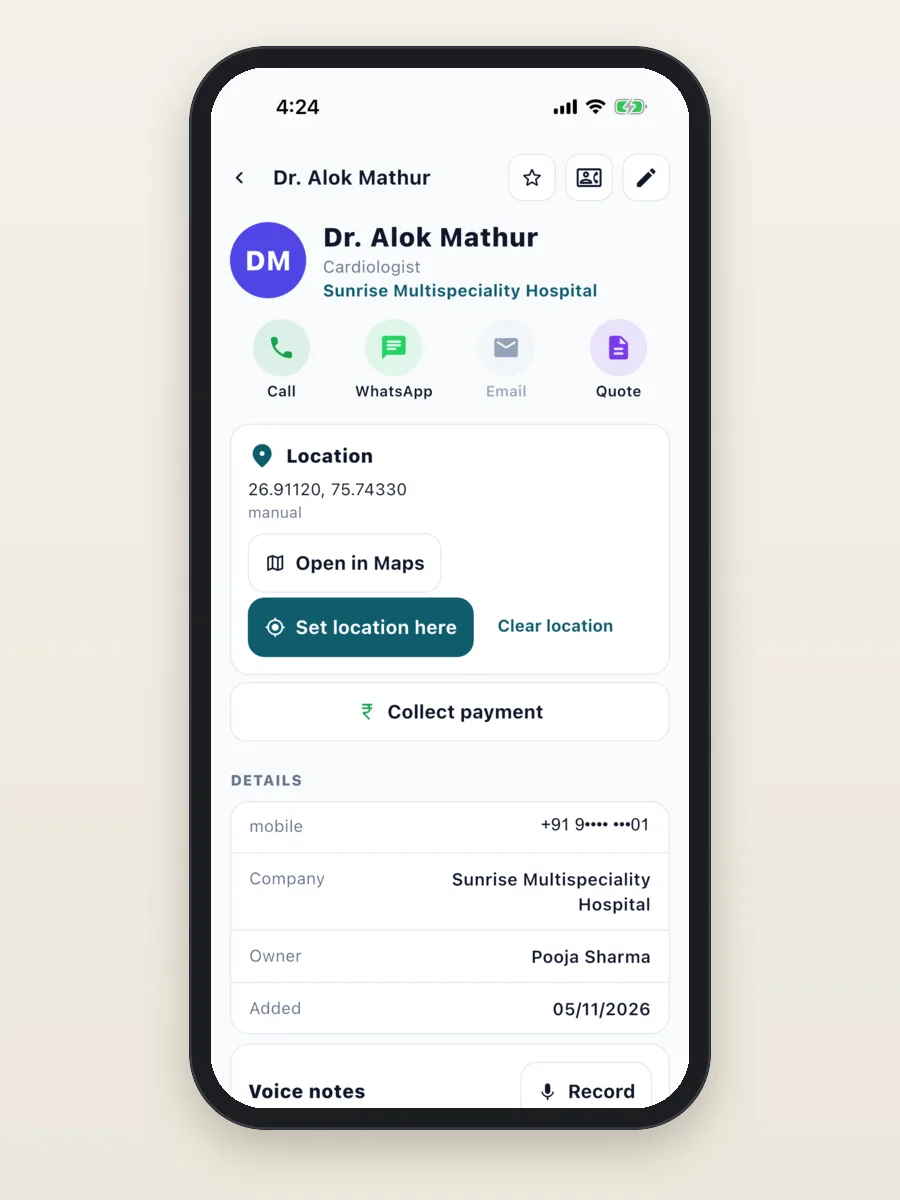
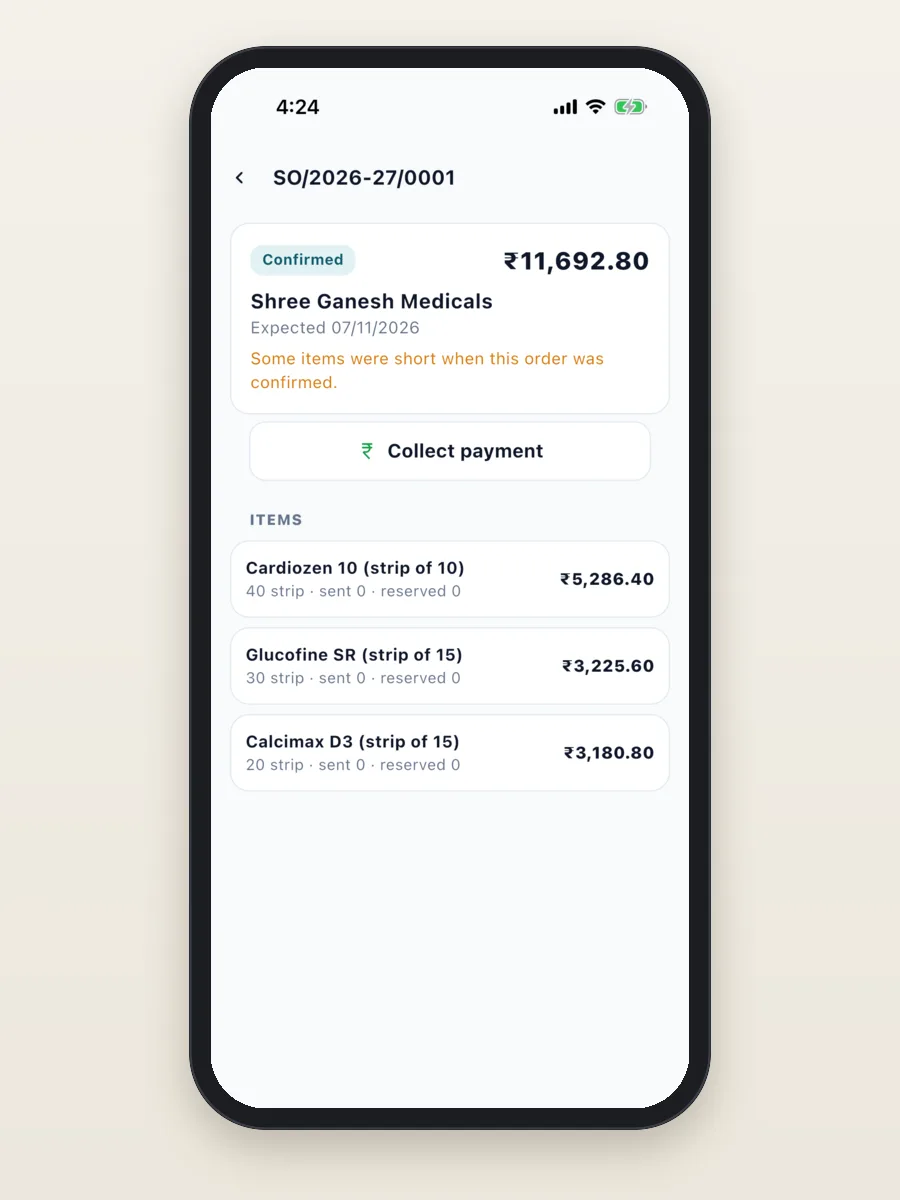
- Doctors are contacts with their speciality, hospital or clinic, and location. Chemists, stockists and hospitals are companies.
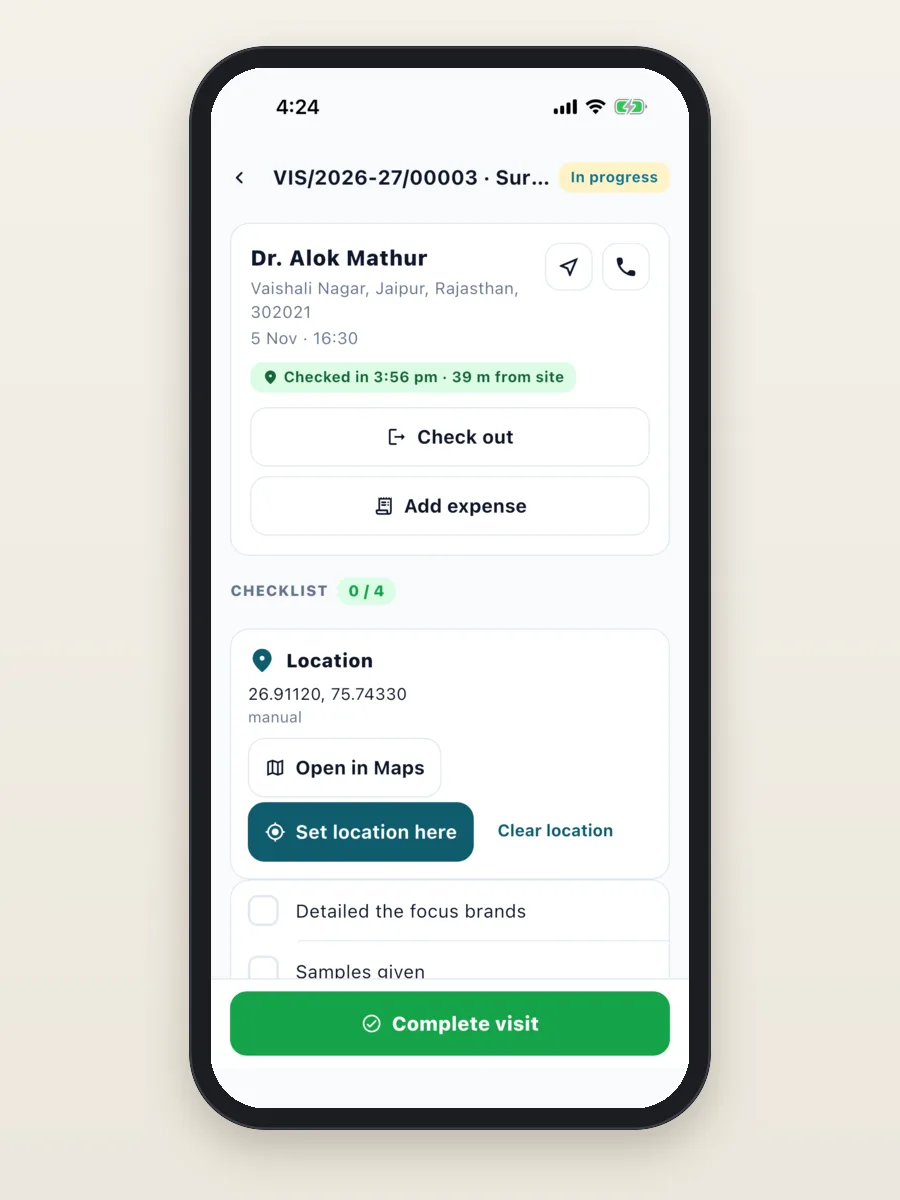
- Each doctor call is a visit with GPS check-in and your own checklist: brands detailed, samples given, leaflet left, doctor's feedback.
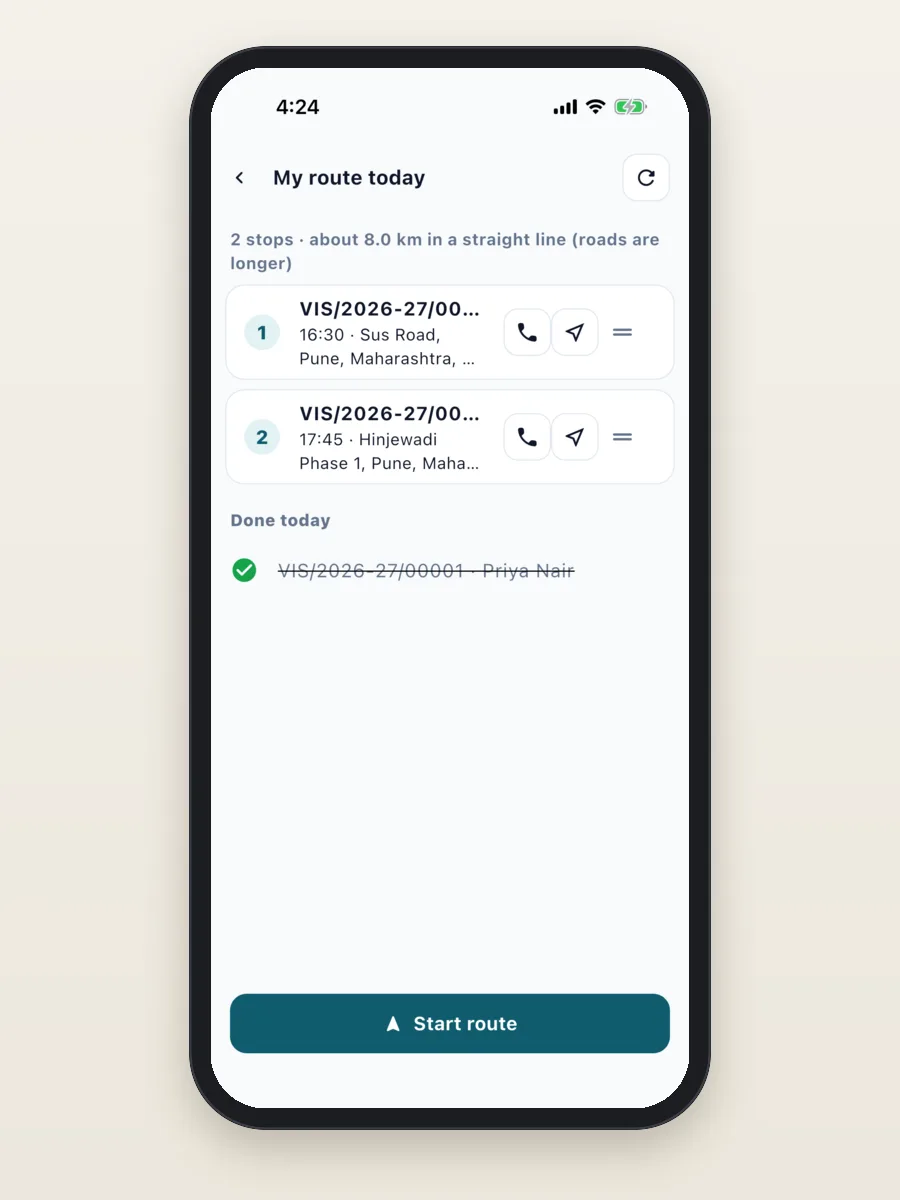
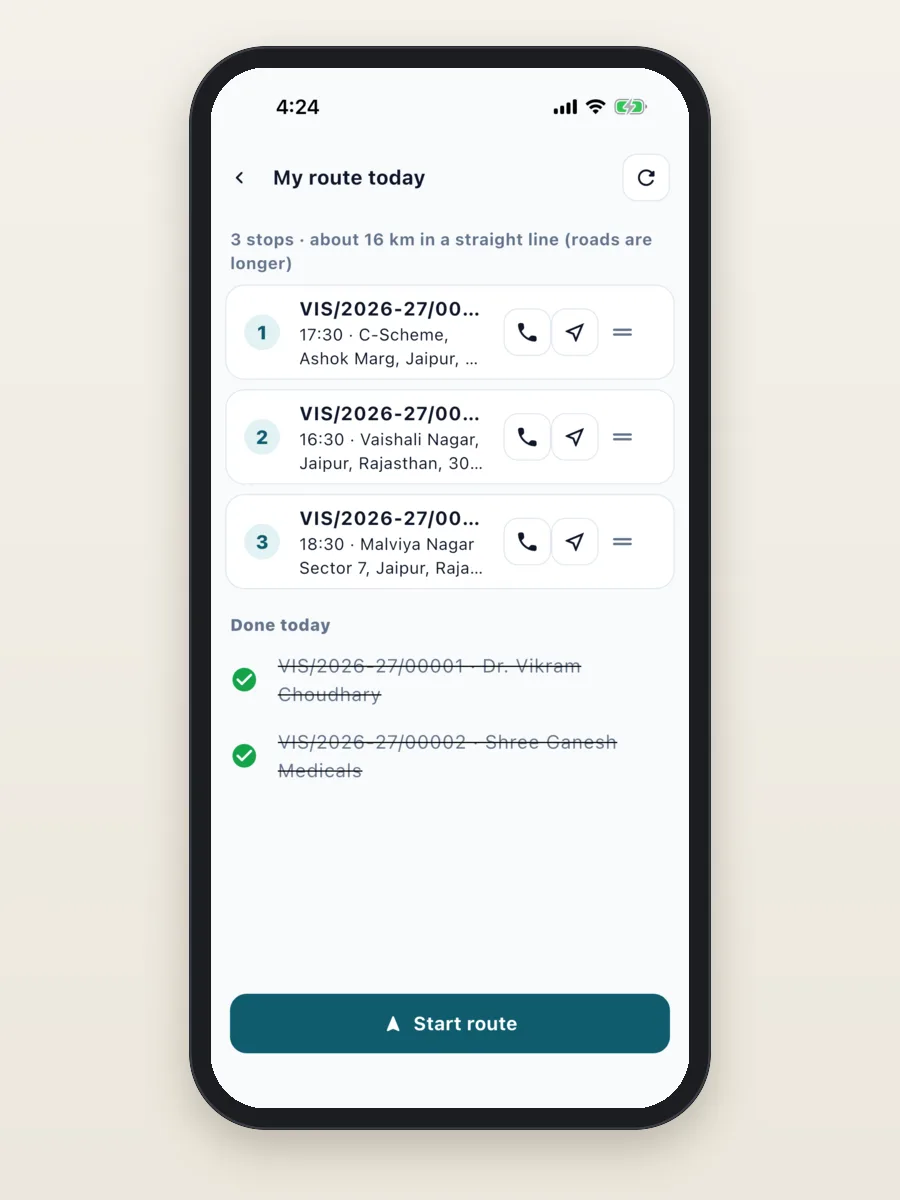
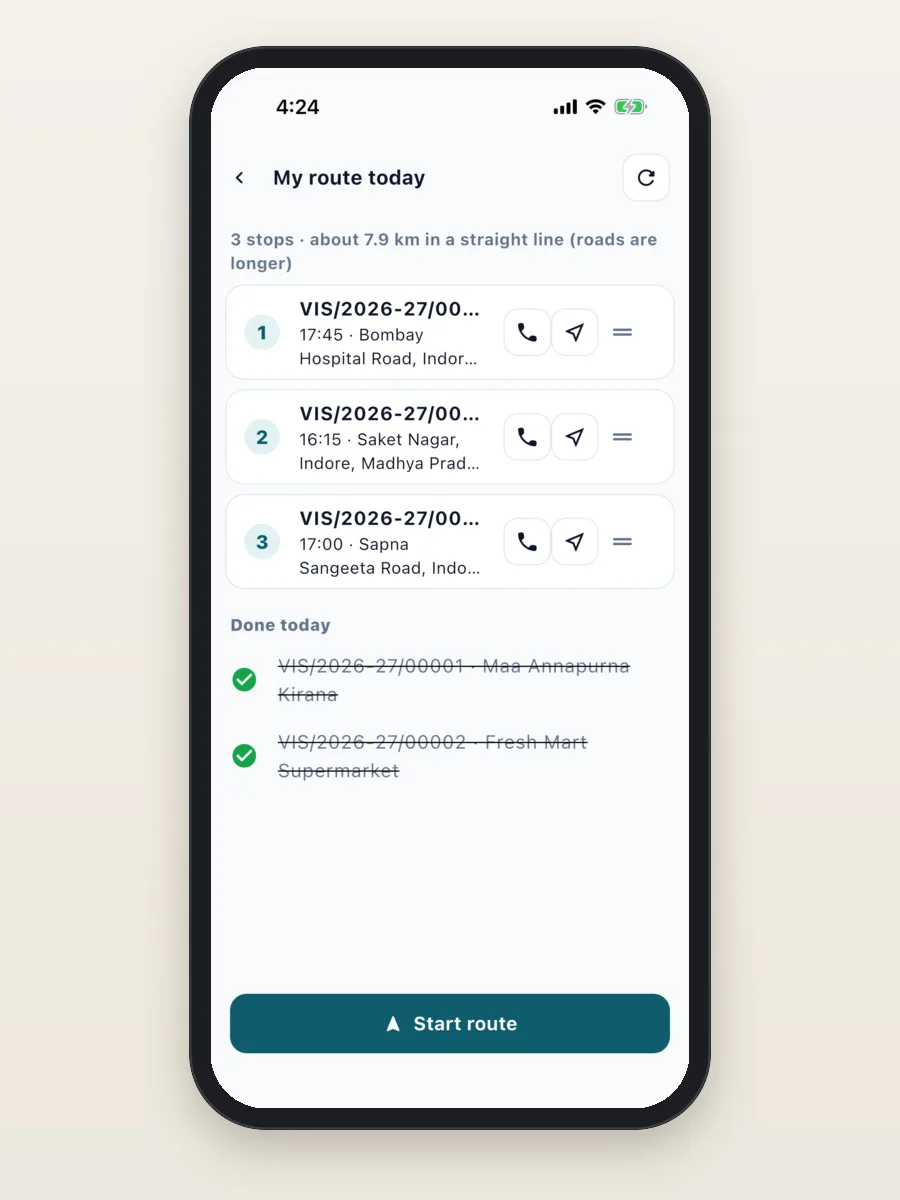
- The day route puts the day's doctor and chemist calls in order.
- Chemist orders are booked from your product list, with strips and prices, and payment is collected on the order.
- Daily expenses and travel go into an expense claim. Attendance shows when the rep started the day.
Field sales app for FMCG and distribution
The daily work: visit shops on a fixed beat, check stock, take orders, collect payments and add new outlets.
What the app does today:
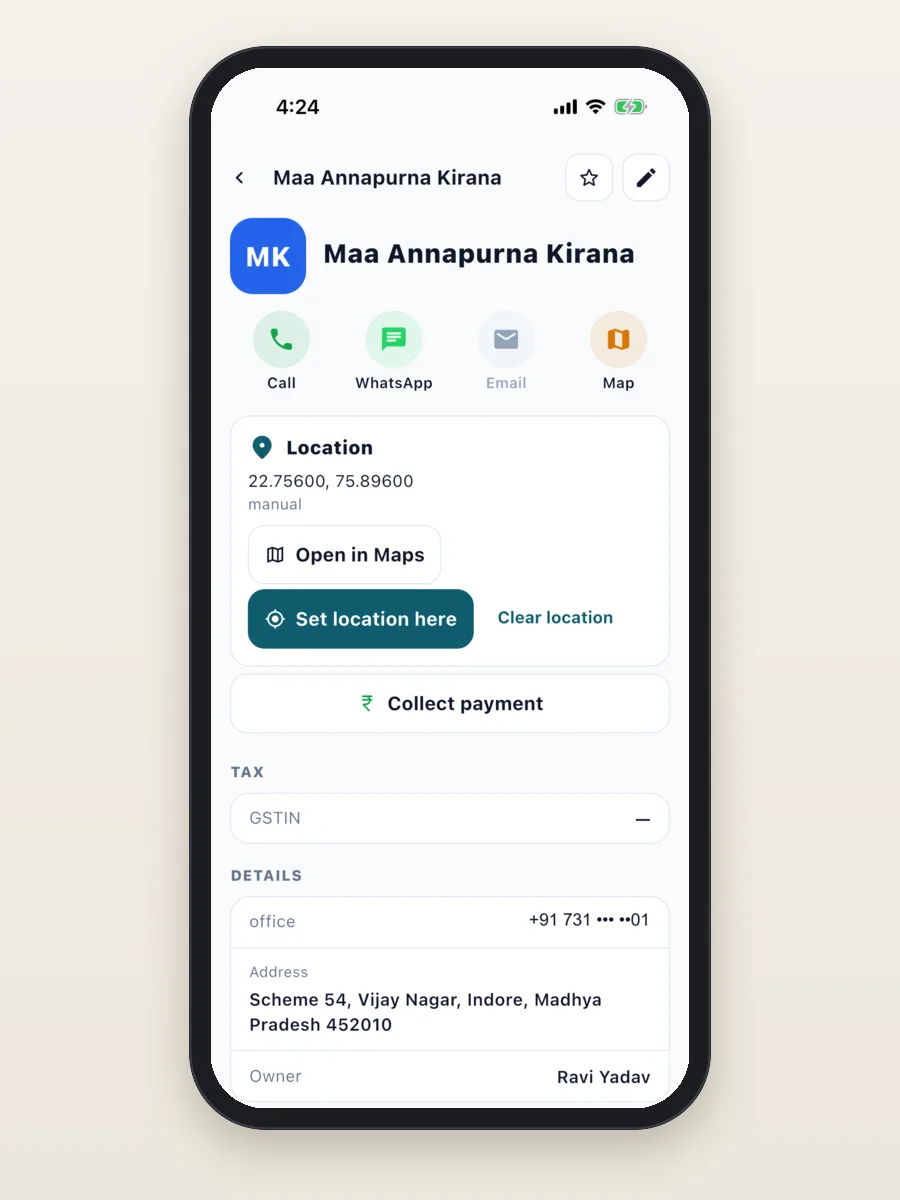
- Shops are companies with their address, owner and location. Your product list has each pack and its price.
- The day route lists the beat's outlets in order. Each outlet visit has GPS check-in and a short checklist.
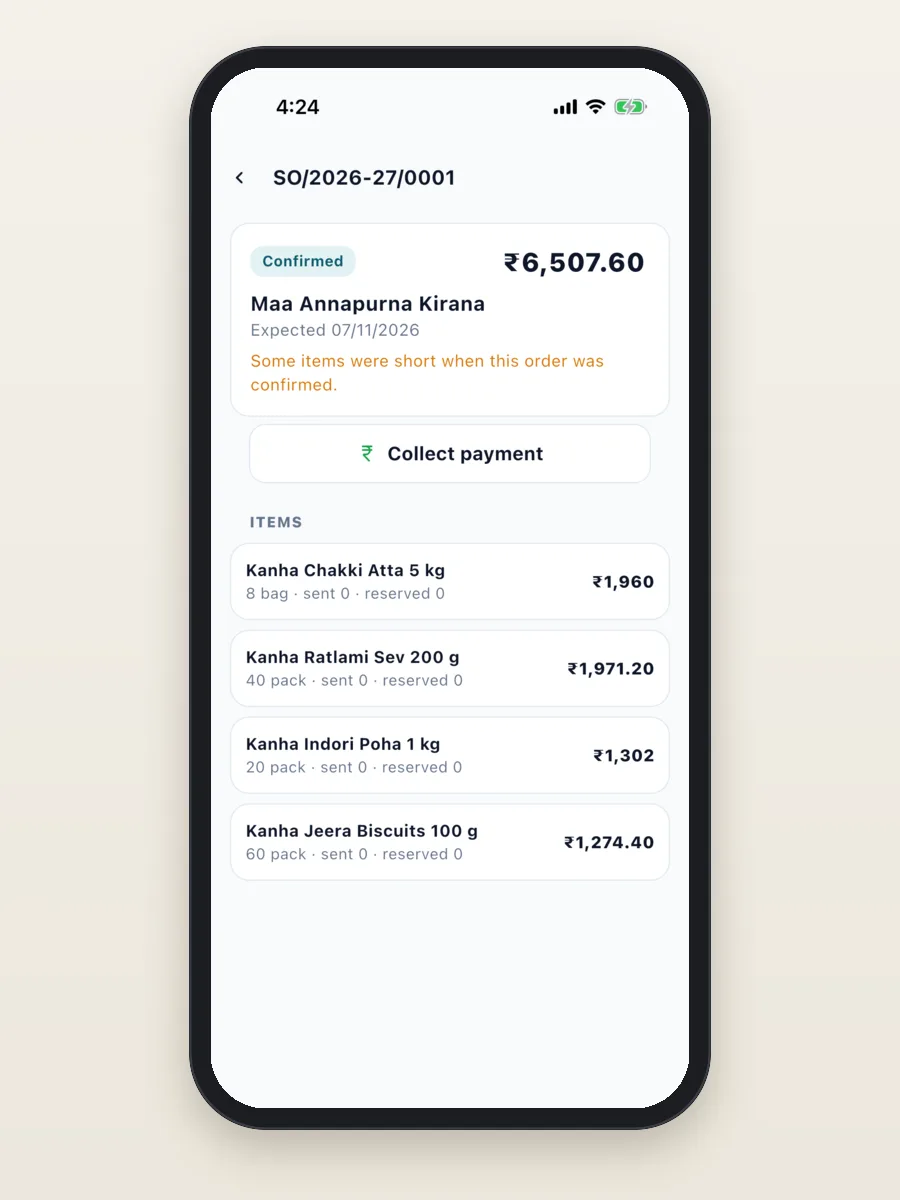
- Orders are booked from the product list. The office confirms and sends them.
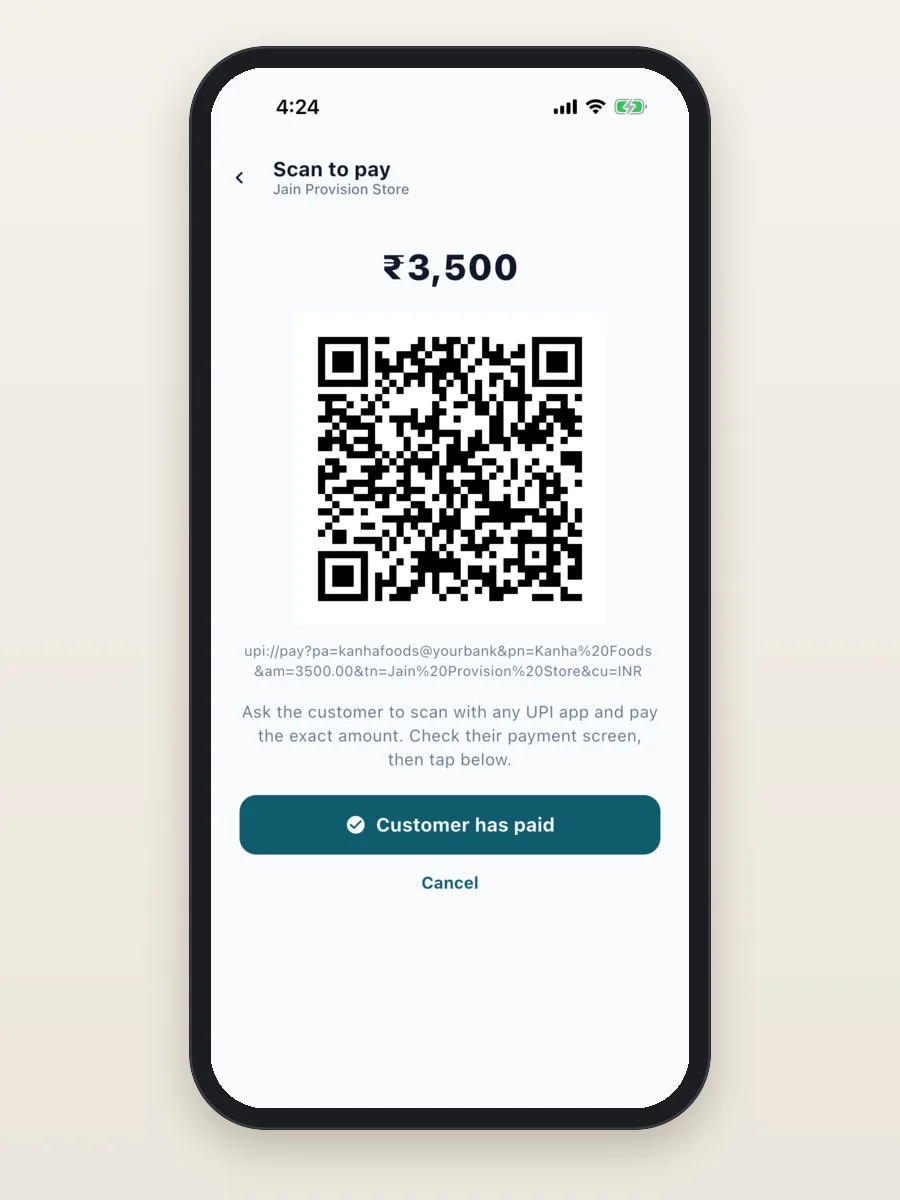
- Payments are collected at the shop: cash, cheque, or a UPI QR code for the exact amount.
- New shops can be added as leads and moved through your own stages until they order.
- Targets for order value and visits, so each salesman sees where he stands.
Field sales app for solar, insurance and B2B services
The daily work: visit enquiries, do a site survey with photos and measurements, give a quote on the spot, follow up and close.
What the app does today:
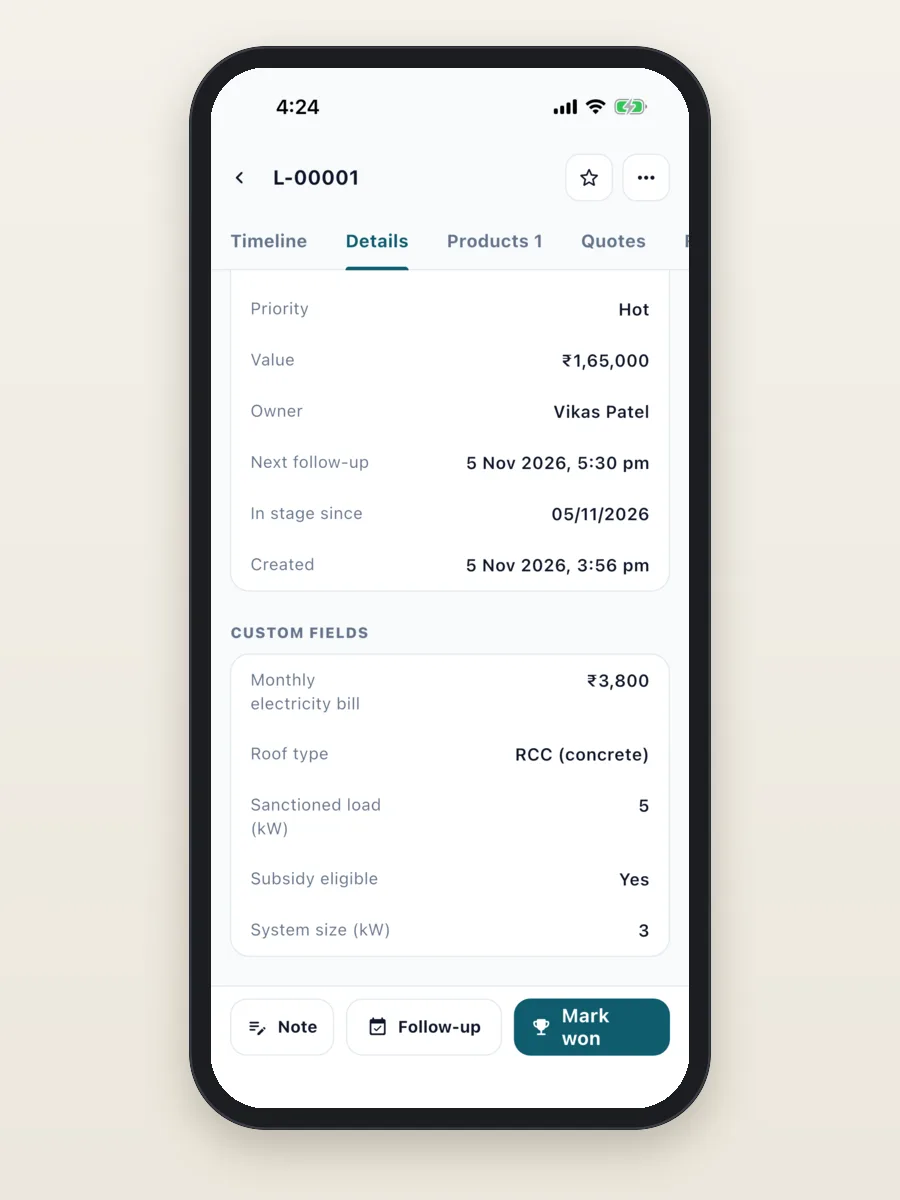
- Each solar lead has the roof type, sanctioned load, monthly electricity bill, system size in kW and whether it is eligible for a subsidy.
- Your own stages: Enquiry, Survey fixed, Survey done, Quote sent, Negotiation, Installed or Lost.
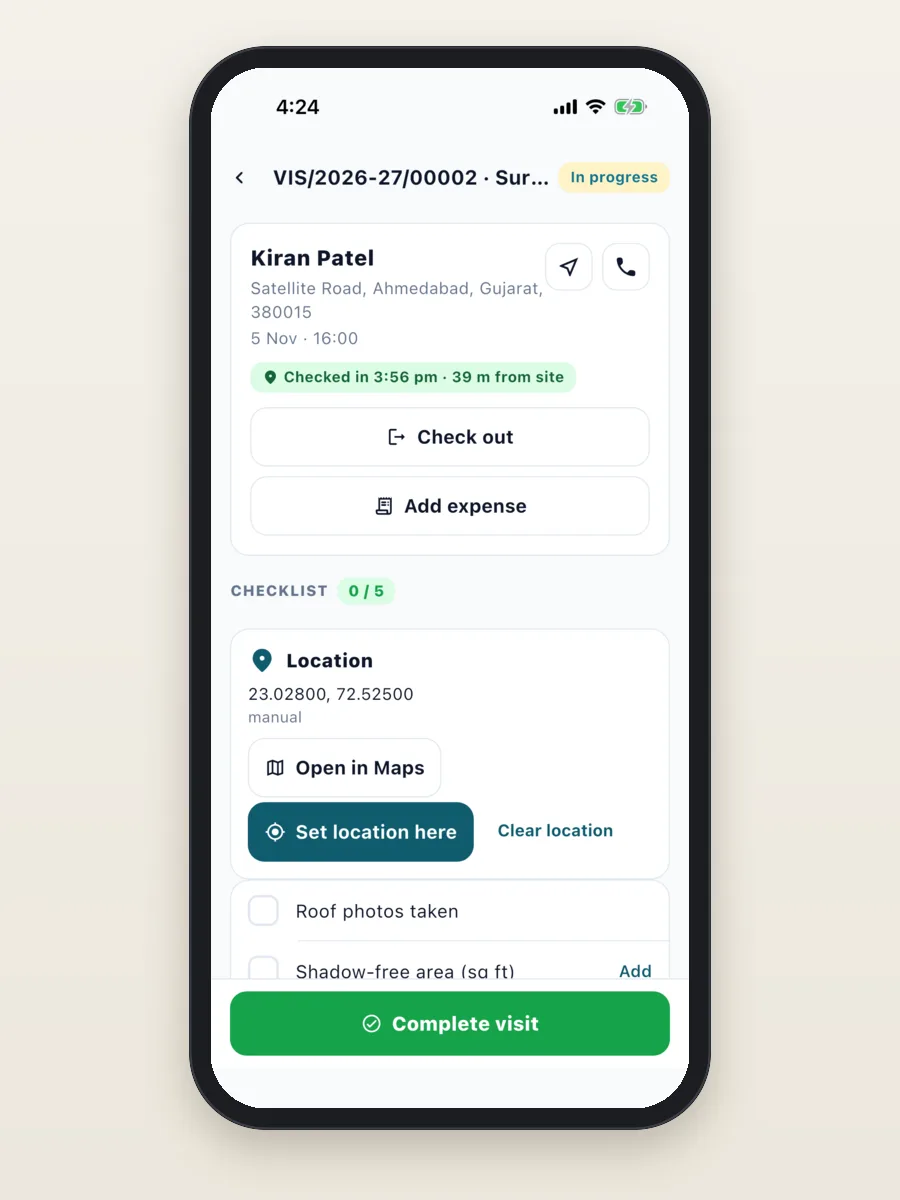
- A site survey is a visit with GPS check-in and a checklist: roof photos, shadow-free area, meter phase and the electricity bill.
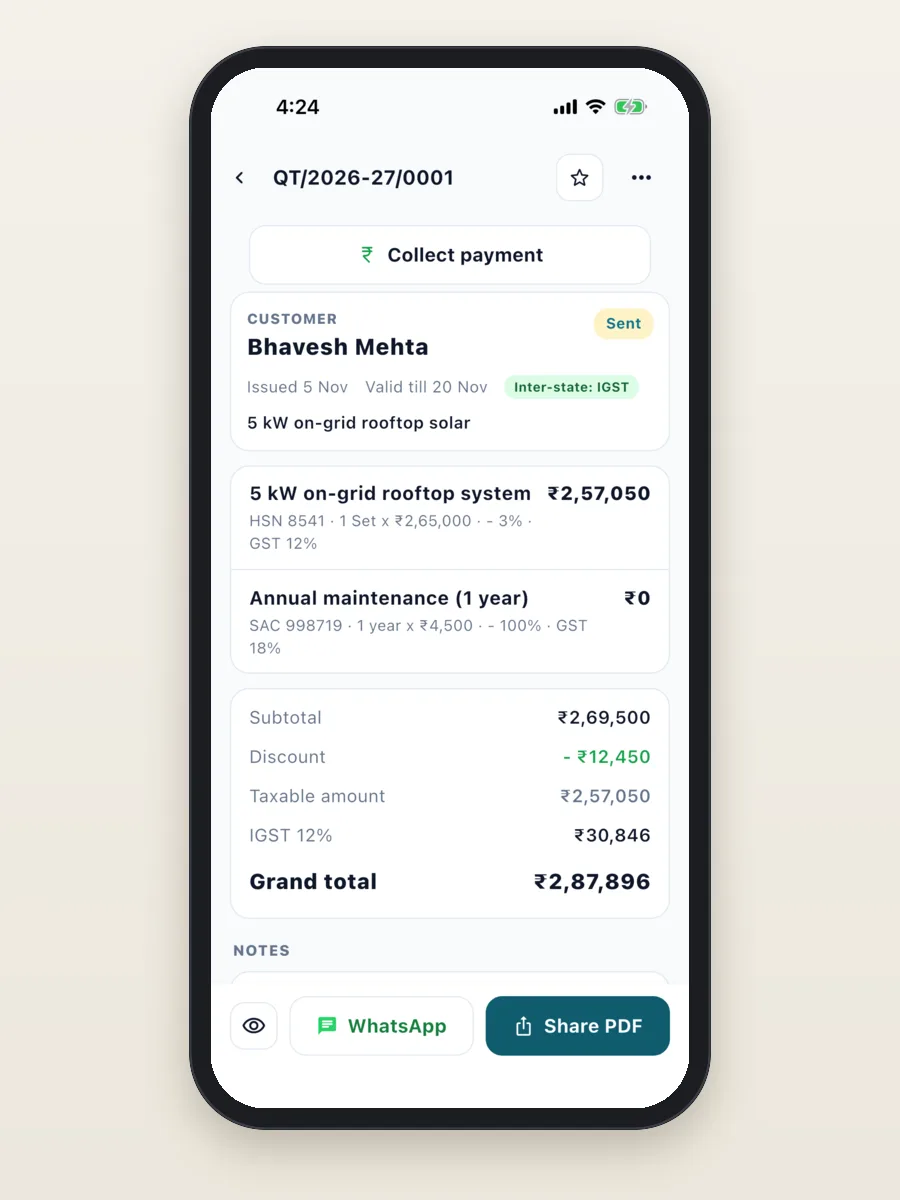
- Quotes with GST are made on the spot and shared as a PDF or on WhatsApp. The advance is collected against the quote.
- The office CRM keeps service contracts (AMC) and installed systems after the sale.
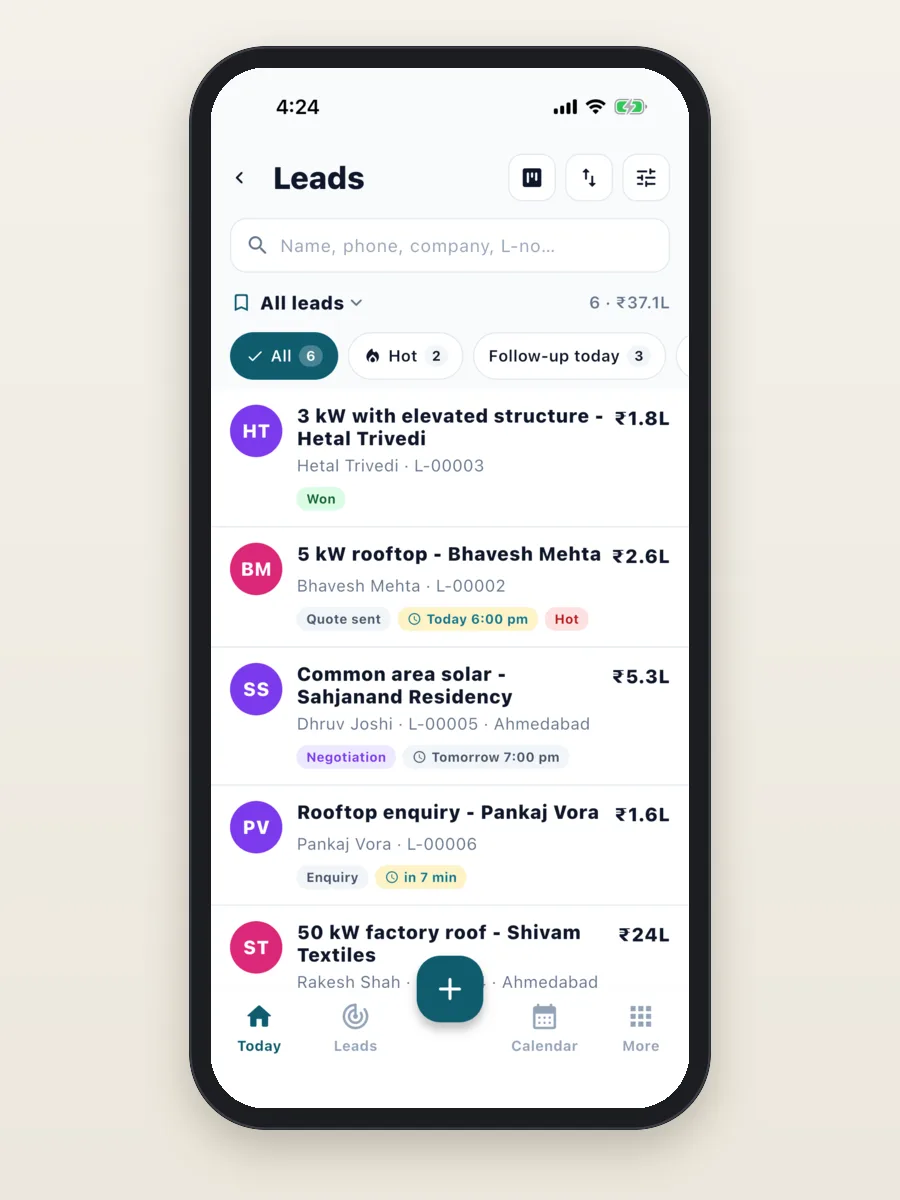
Read more about what a solar business needs in our guide to solar CRM software.
What the manager sees
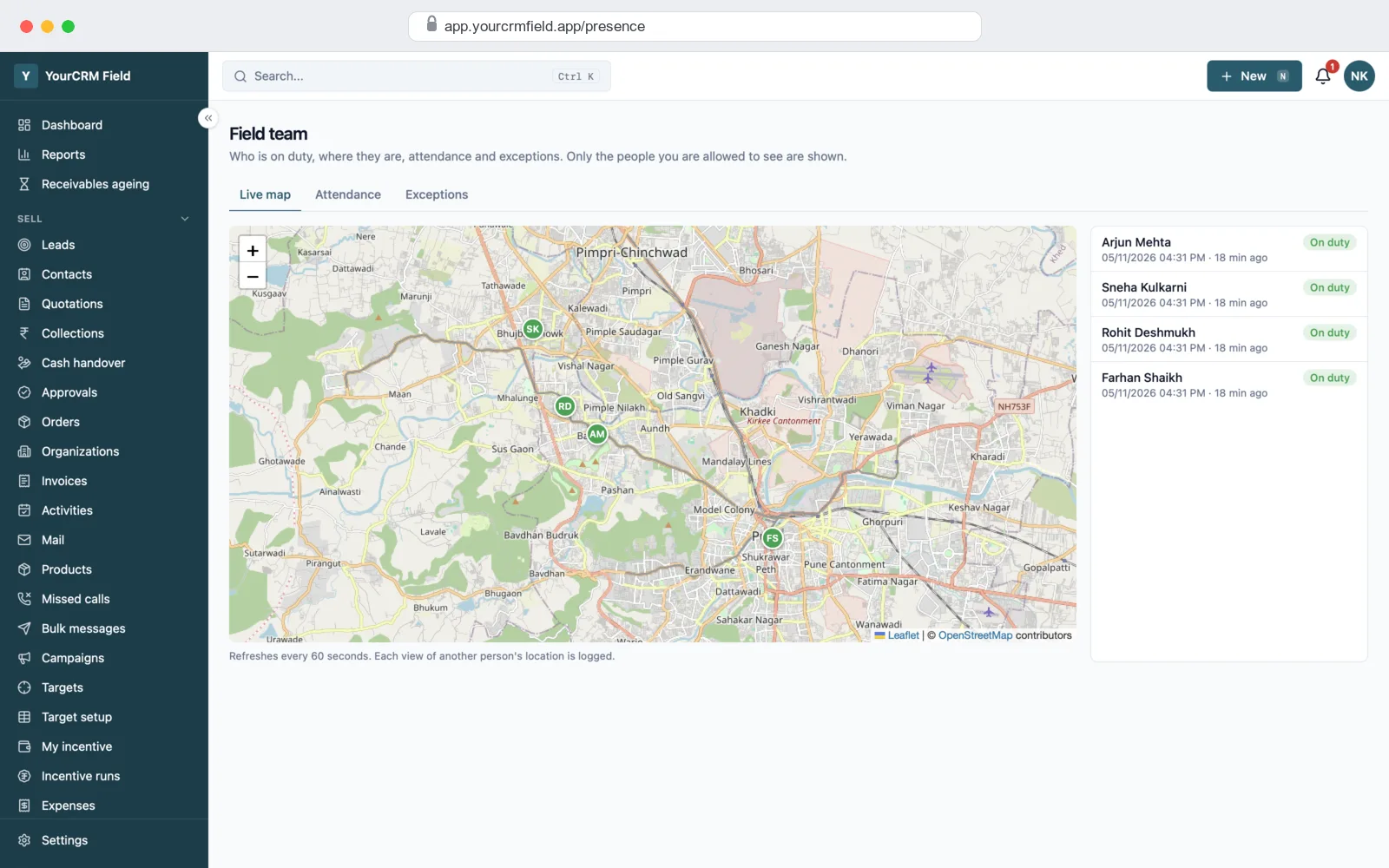
Managers use the same app, and the web screens on a computer. They only see the people in their own team.
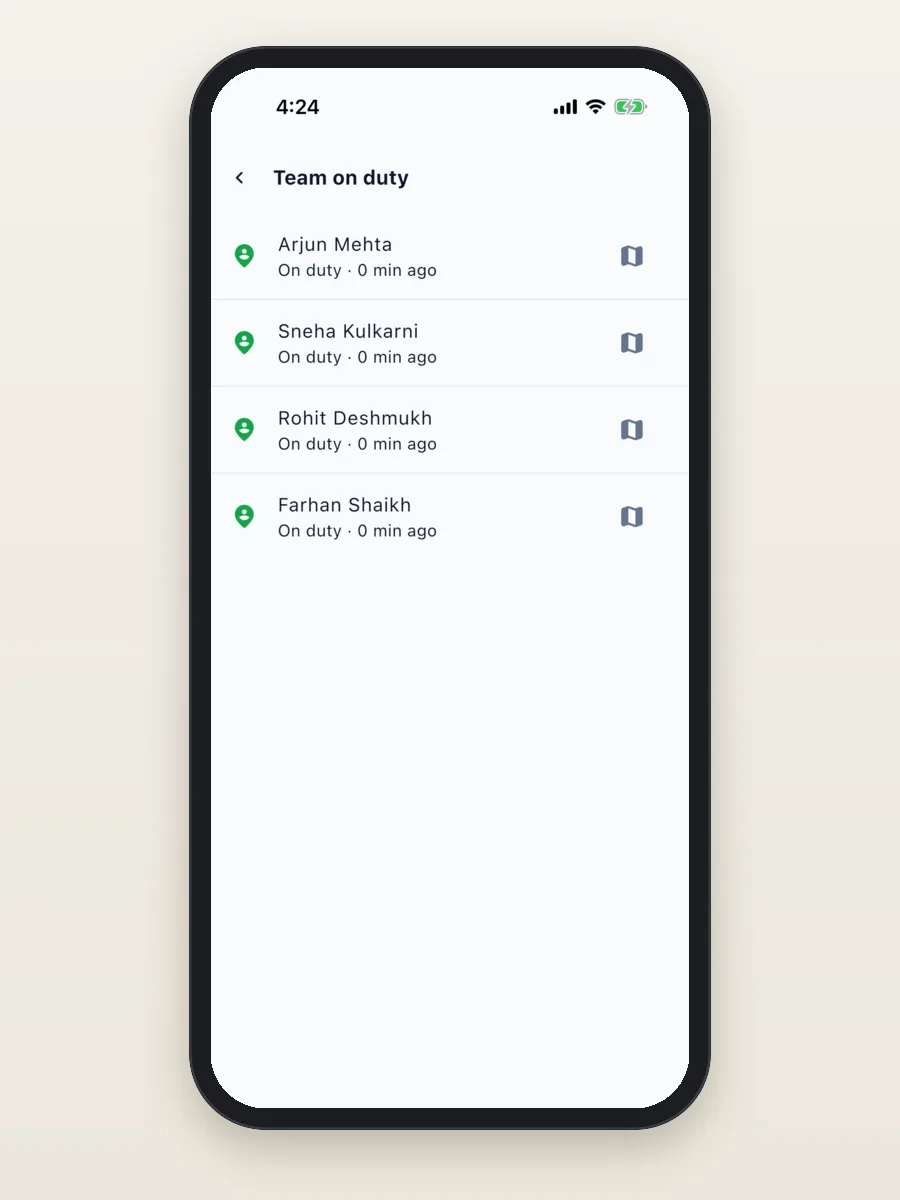
- Team on duty: who has punched in, and where each person was last seen, on a live map.
- Attendance: punch-in and punch-out times for each day, with export to Excel.
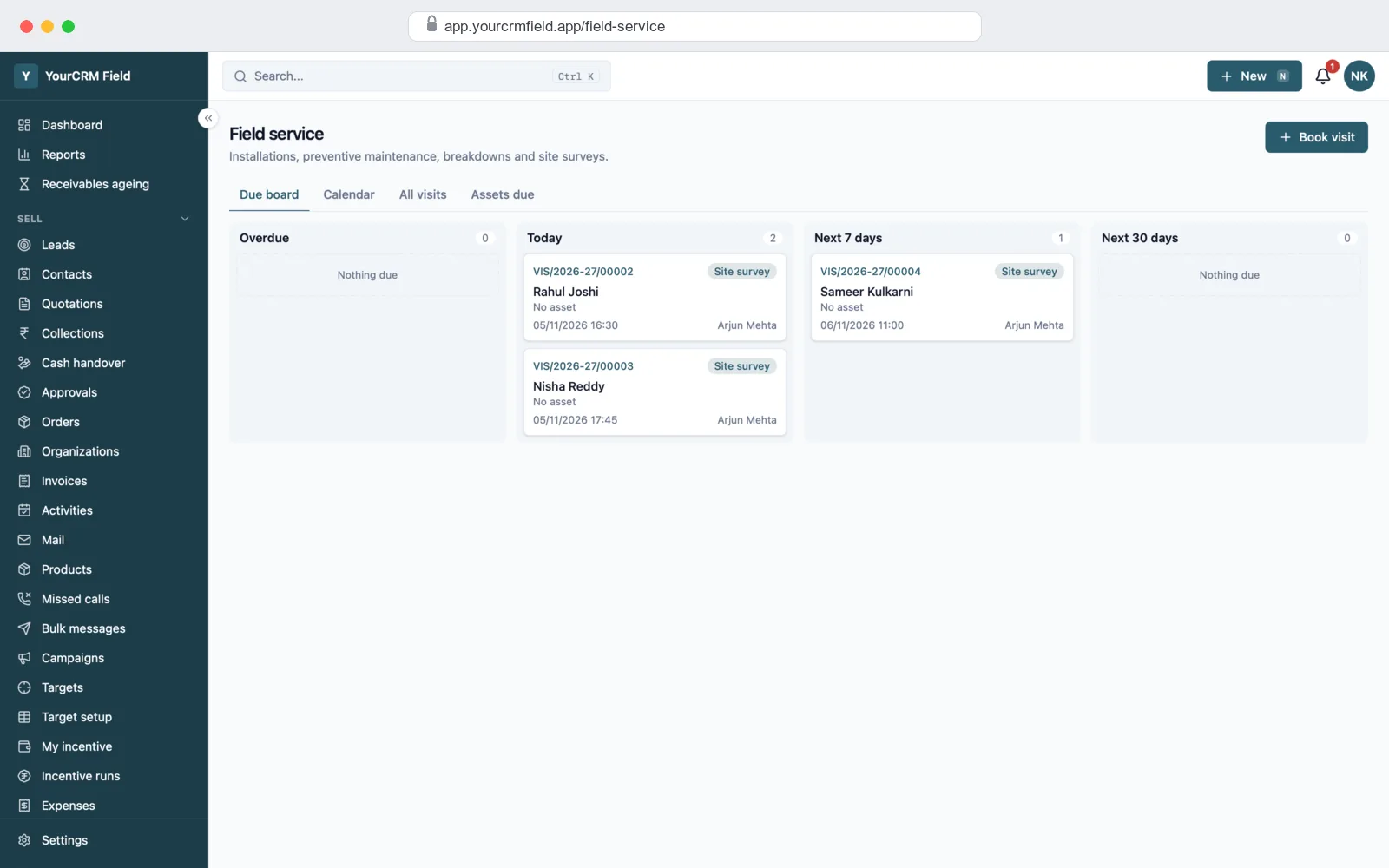
- Visit board: visits that are overdue, due today and coming up, for each person.
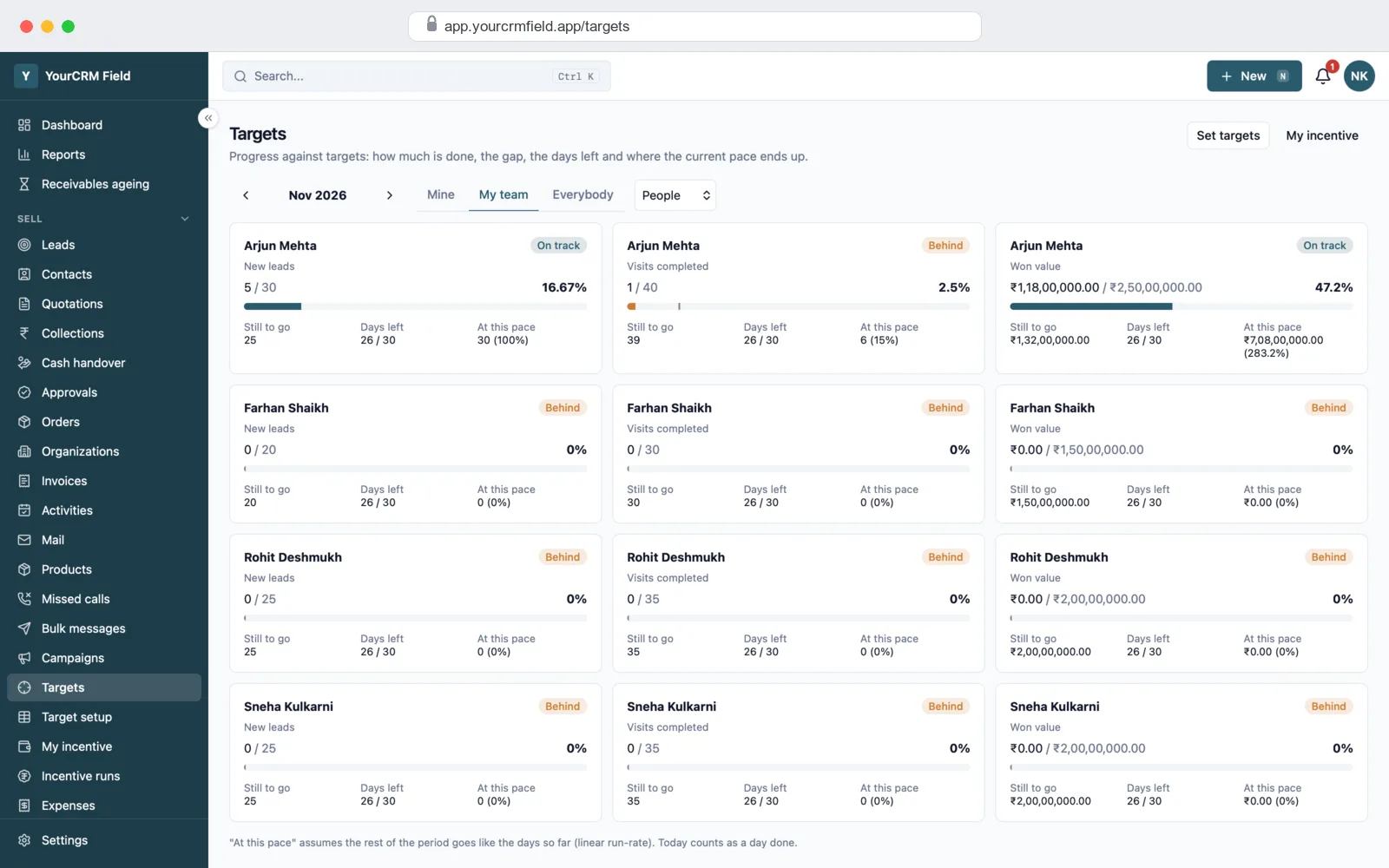
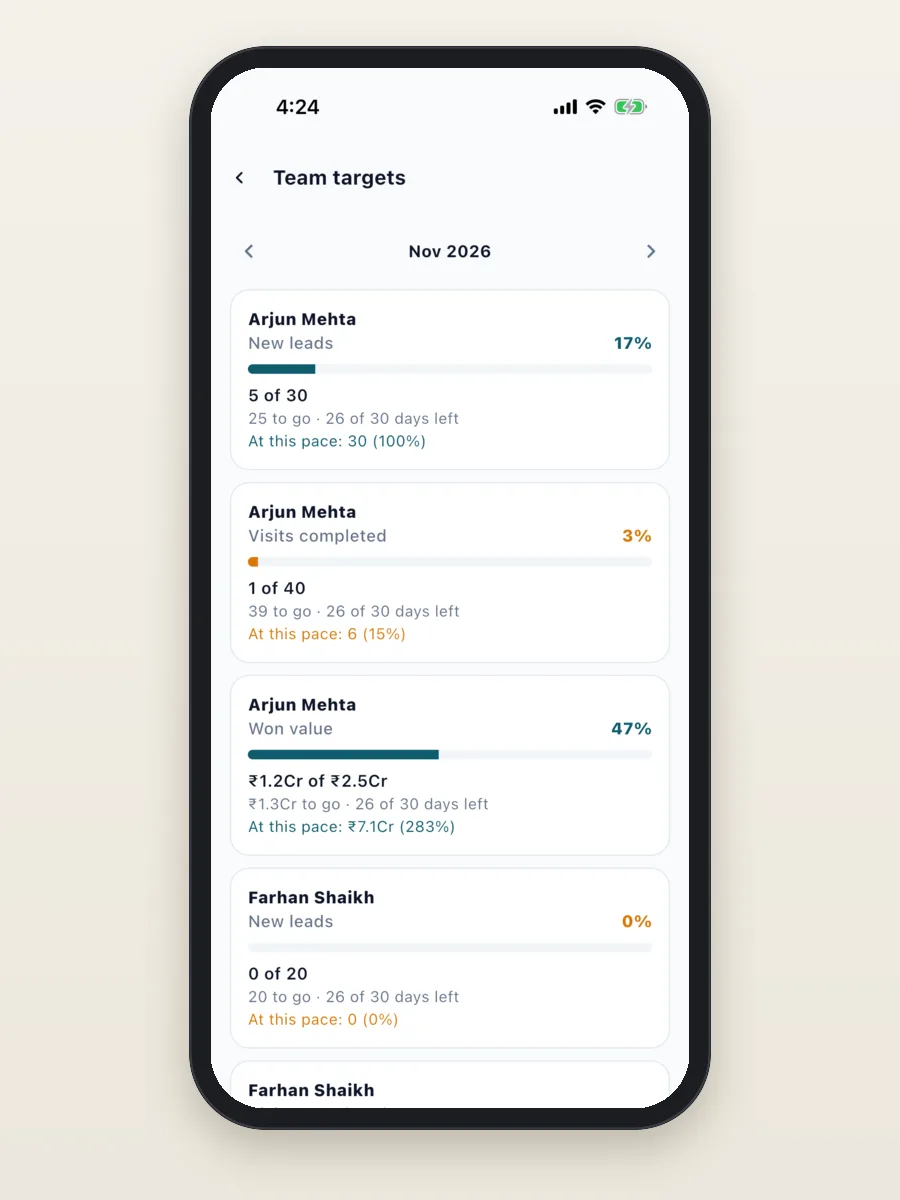
- Team targets: each person's progress on new leads, visits done, order value or won value, with days left and the current pace.
- Expense claims: each person's claims for the month, ready to approve.
Works when the network drops
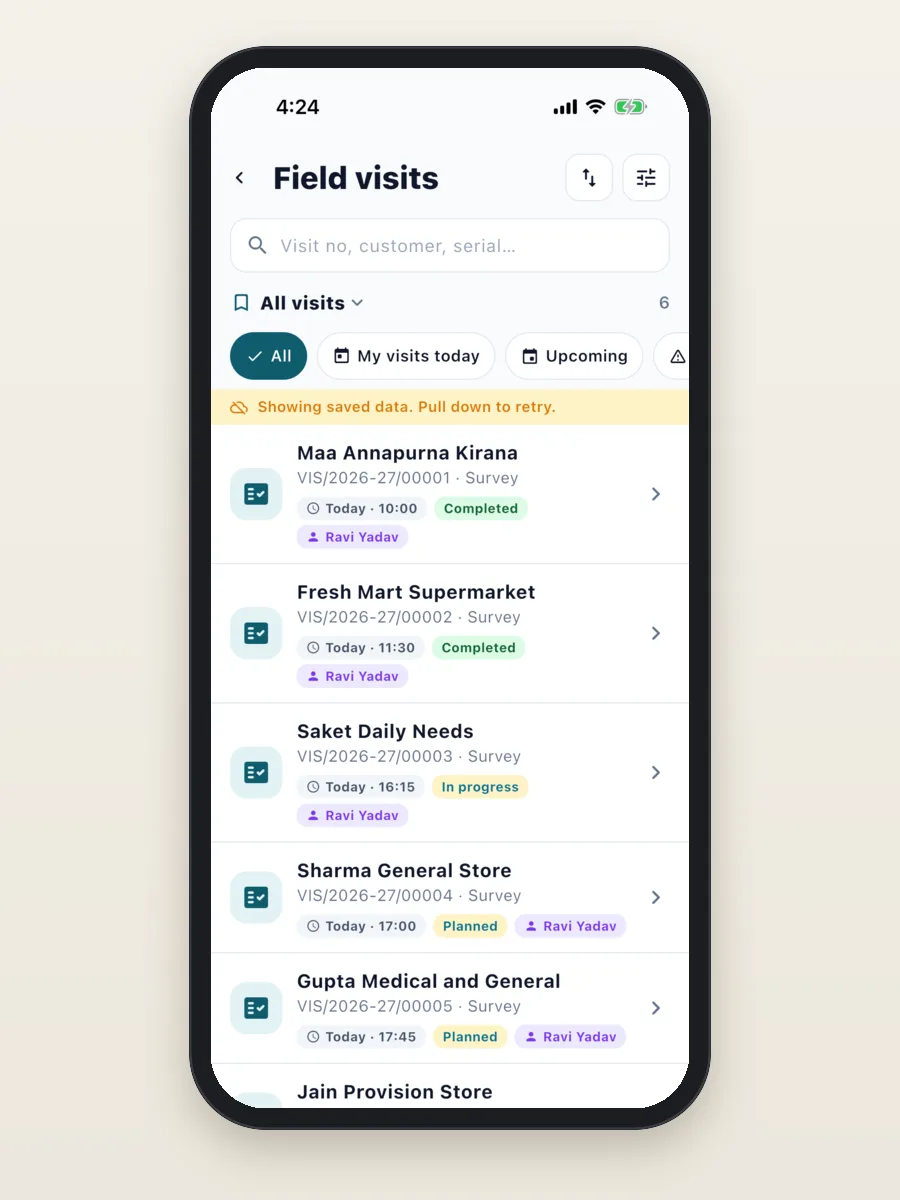
Markets, basements and highways often have no signal. The app keeps the lists you have opened on the phone. When the network drops, it shows the saved list with a clear note, and you can pull down to try again when you are back online.
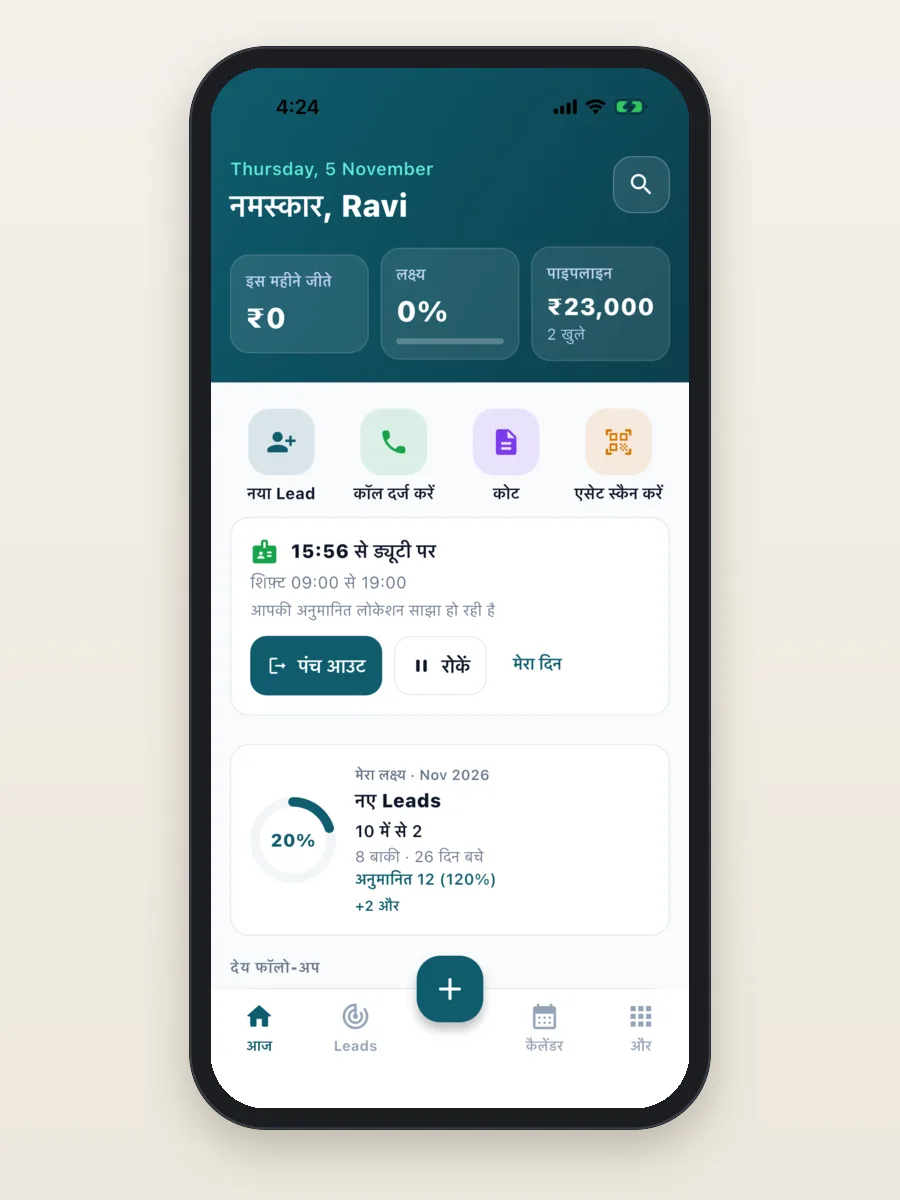
Each person can also use the app in Hindi. Menus, buttons and messages change; numbers stay in lakh and crore.
How we build your field sales app
- Free demo call. We show you the demo closest to your industry and note how your team works today.
- Plan and quote. We agree your fields, stages, visit checklists, roles and the parts you need, and give you a fixed quote.
- Your brand. We put your app name, logo and colours on the app and the web screens.
- Your setup and data. We add your fields and lists, and bring in your customers, products and team from Excel.
- Your server and the stores. We set up the server on your own cloud account and publish the app on Google Play and the App Store under your name.
- Training and support. We train your managers and field team, and stay with you after launch to fix issues and add features.
What it is built with
- App: Flutter, one code base for Android and iPhone.
- Server: Node.js (NestJS) with a PostgreSQL database and Redis for background jobs.
- Web screens: Next.js. Works in any browser.
- Maps: OpenStreetMap by default, so there is no map bill to start with.
It is the same stack we use in our mobile app development work, so any good developer can pick up the code later.
Your brand on everything
Your team and your customers see your name, not ours: your app name, icon, logo and colours, and your name on every quote and receipt. You get the full source code, so there is no monthly fee per user to us and no lock-in. You can also sell it to your own clients under your name.
Get a quote for your field sales app
The field app, the manager screens and the setup for your industry, with your brand, on your own server. Tell us how your team works and what you want to track, and we will send a fixed quote.
- Full source code, yours to keep
- Your fields, stages, visit checklists and roles
- Your app on Google Play and the App Store
- Training for your team and help after launch
Frequently asked questions
What is a field sales CRM app?
It is a phone app for people who sell on the road. It shows the day's visits, checks them in by GPS, and lets them book orders, make quotes, collect payments and claim expenses. Managers see who is on duty, where, and how close each person is to target.
Which industries is it ready for?
We have a ready setup and a demo for real estate, pharma and medical reps, FMCG and distribution, and solar, insurance and B2B services. Other field teams can use it too; we change the fields, stages and checklists for your business.
Can I see the app before I pay?
Yes. We show you the demo for your industry on a free call, and give you a demo login to try it on your own phone.
Will the app have my name and logo?
Yes. The app, the web screens, quotes and receipts carry your name, logo and colours. We publish the app on Google Play and the App Store under your own account.
Do I get the full source code?
Yes. You get all the source code for the app, the server and the web screens. You can change it, host it on your own server and use it under your own name, with no monthly fee per user to us.
How does GPS check-in work?
When the person checks in at a visit, the app takes the phone's location and shows how far it is from the customer's location. You set the distance that counts as "on site" in the settings.
Can my team collect payments in the app?
Yes. They can record cash, cheque, UPI or bank transfer, or show a UPI QR code for the exact amount. Each payment waits for the office to check it before it counts.
Does the app work without internet?
Lists the person has already opened, like today's visits, stay on the phone and still open when the network drops. The app shows a note when it is showing saved data.
Can managers track the team's location?
Yes, if you switch it on. Each person agrees once in the app. Their location is shared only while they are punched in, inside the shift hours you set. Managers see only their own team.
How much does a field sales app cost?
It depends on the parts you need, the changes for your industry and how much old data you have. Tell us what you need and we will send a fixed quote. The demo and the first call are free.
Read more
Written by
PRS Admin
Building software at PRS India.