Classivo School Management System: Your Own School ERP and Apps

Written by Aditi
Reviewed by the PRS India software & mobile app development team
Updated on 17 min read
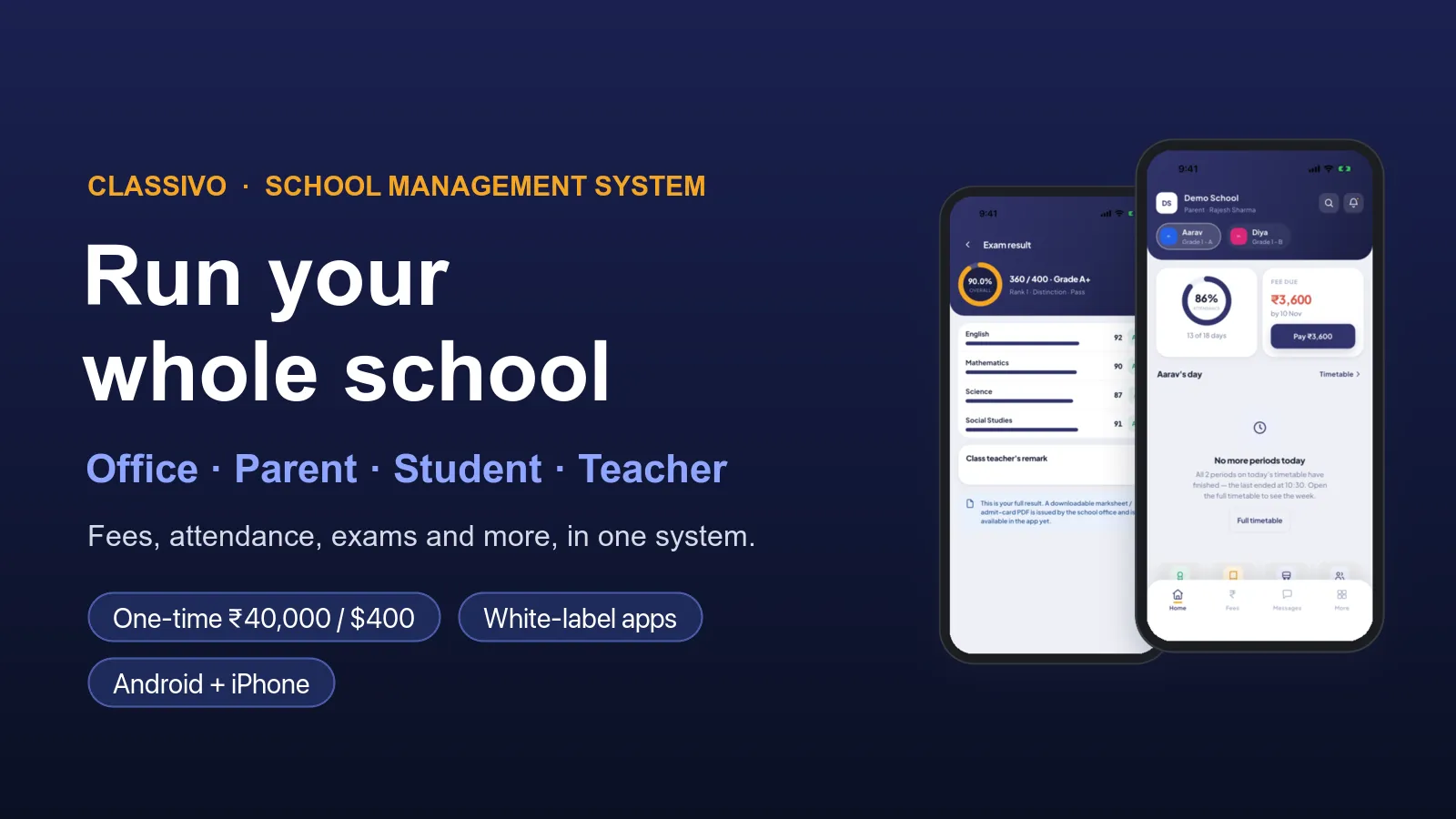
Want your own school software, with your own apps? Classivo is a ready school management system. We set it up for your school, or for your company if you sell to schools. It has a web panel for the office and mobile apps for parents, students and teachers. Your name, logo and colours go on all of it.
Classivo is already built and running. It covers admissions, attendance, fees, exams, timetable, homework, online classes, library, transport, hostel, accounts and payroll. Everything uses one student record, so the office types a detail once and every part of the school sees it. We set it up and move your data in. Then we help you put the apps on Google Play and the App Store.
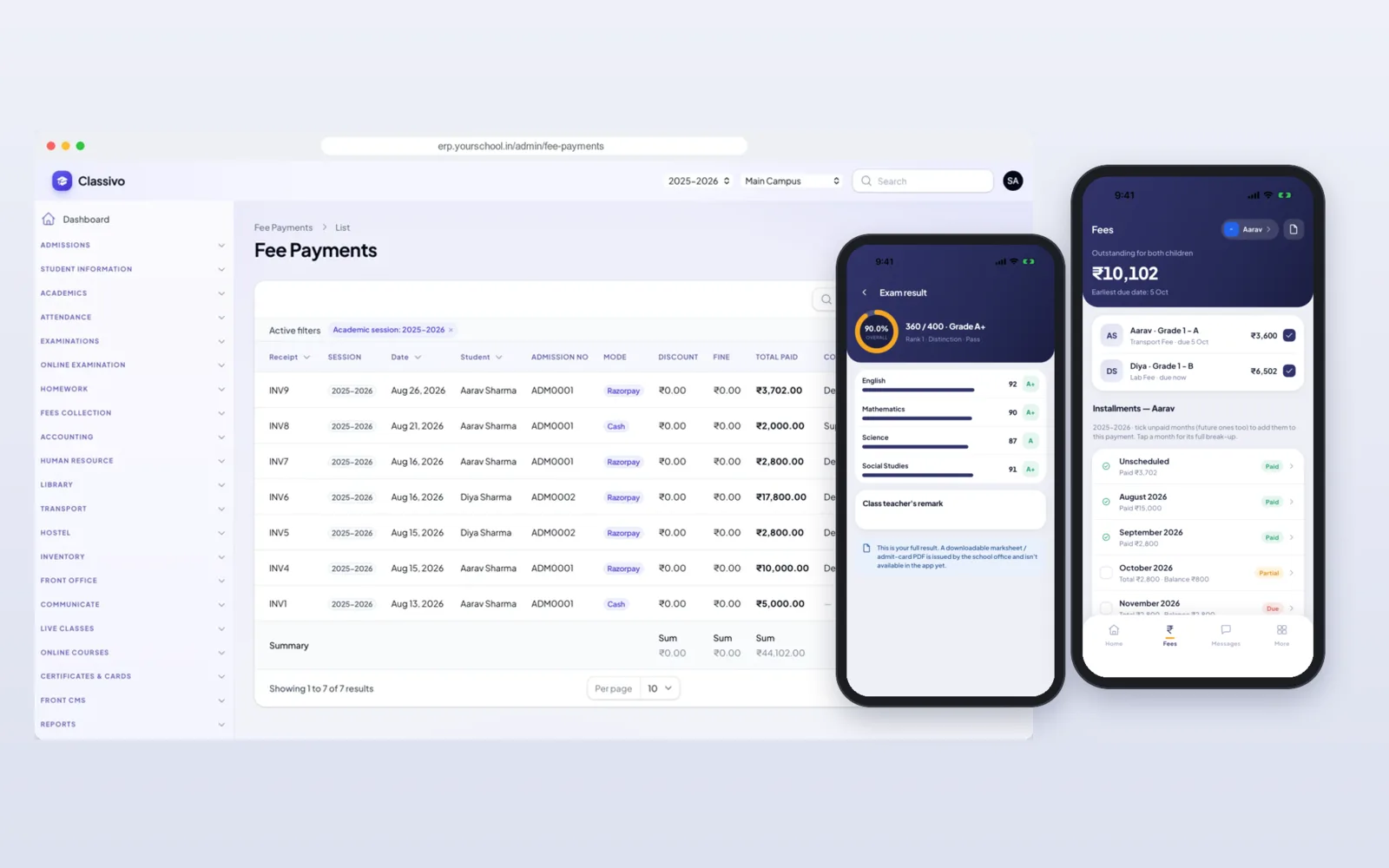
See it working before you decide
Open the demo school website to see the school site and online admission form that come with Classivo. The app is on the Classivo mobile app page. For a demo login to the office panel and the apps, send us a message. On a free call we show you one school day: attendance, a fee payment, marks, and what the parent sees on the phone.
Web, any browserAndroid + iPhoneAndroid + iPhoneAndroid + iPhoneWhat you get: one office panel and four apps
A school has an office, teachers, students and parents. Classivo gives each of them their own way in. All of them read the same records.
- Office panel (web): for the owner, principal, office staff, accountant, librarian, transport and hostel staff. Each person sees only their own part.
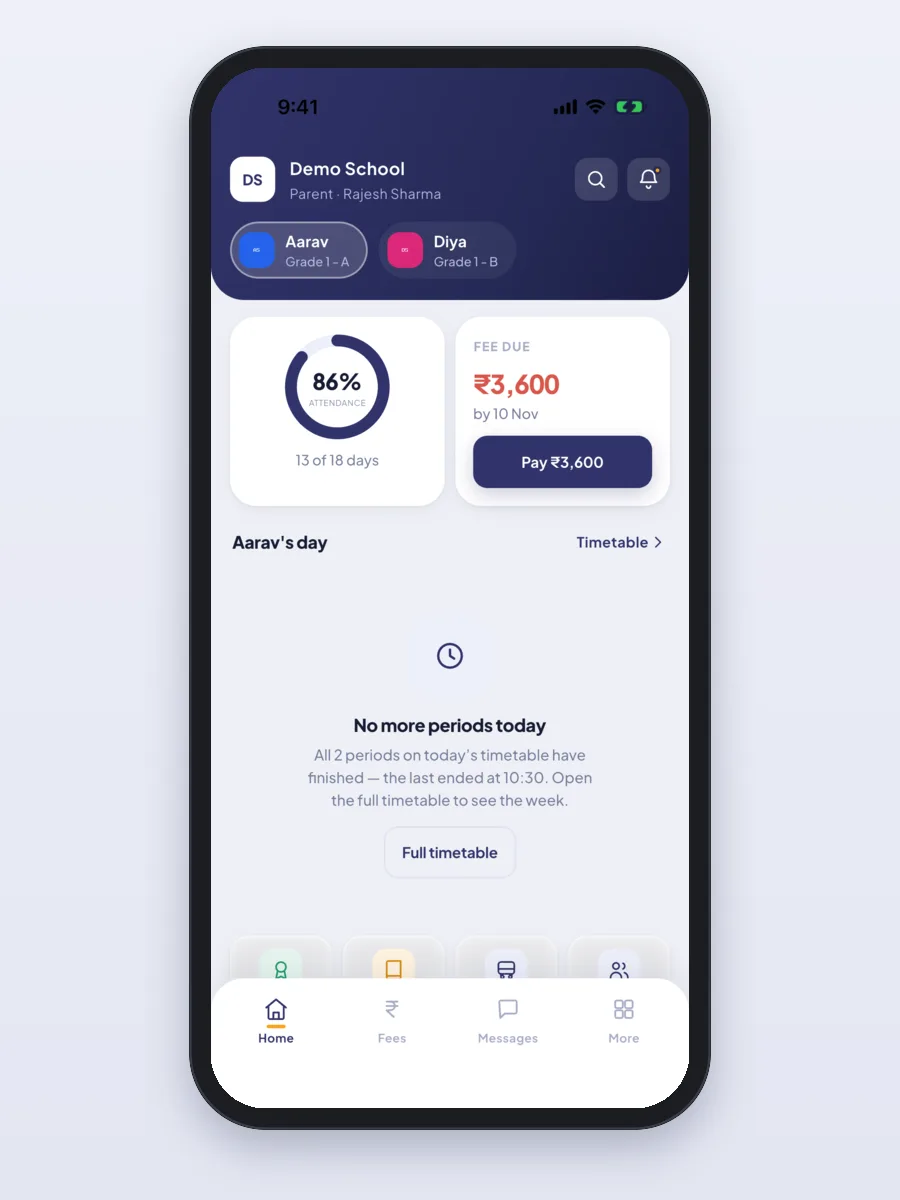
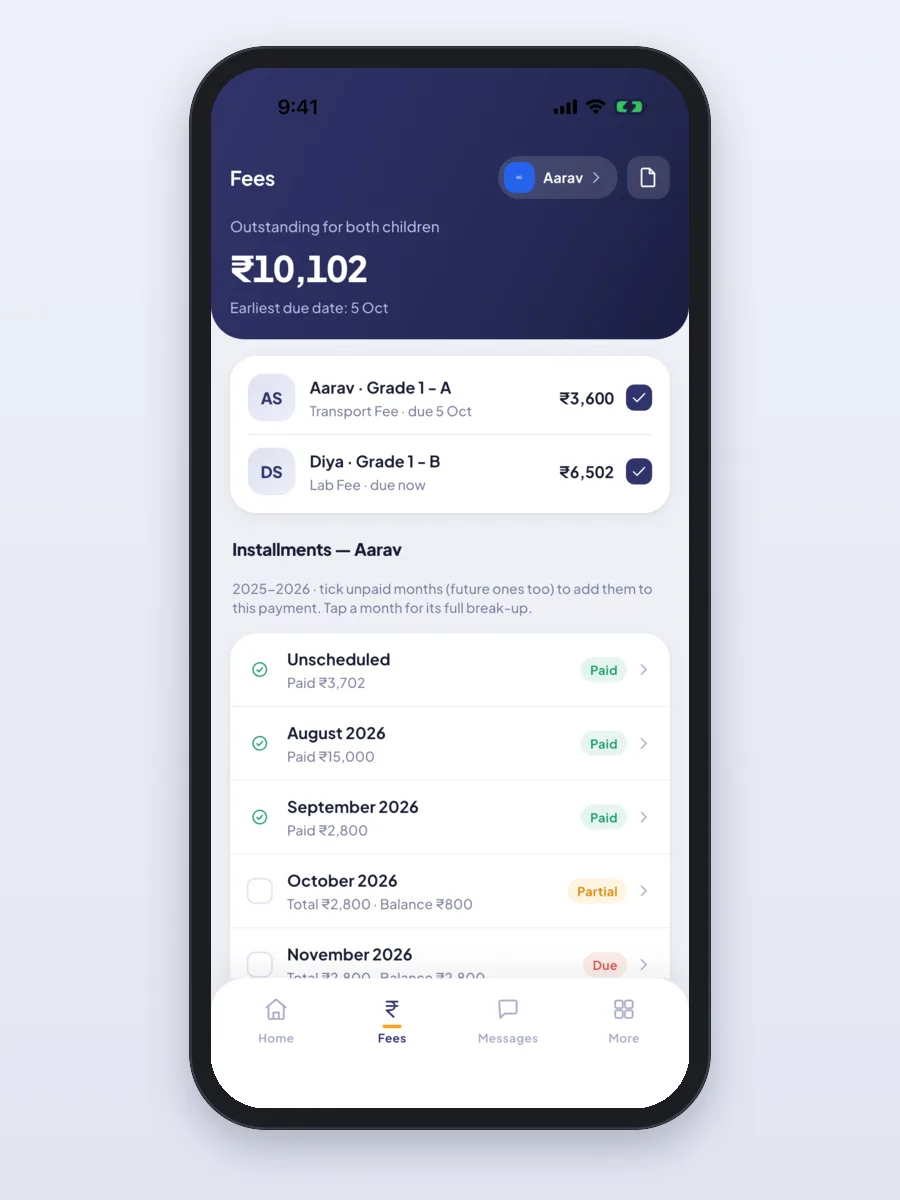
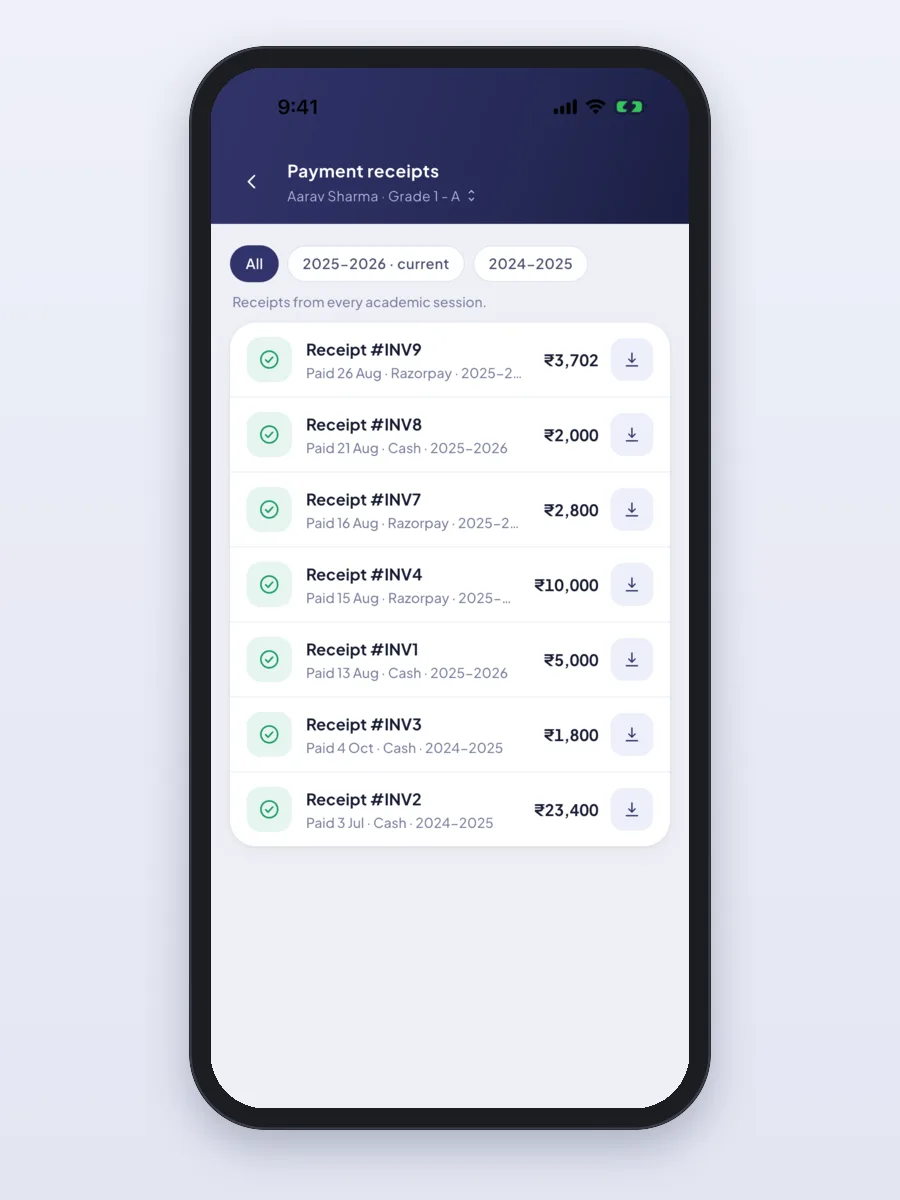
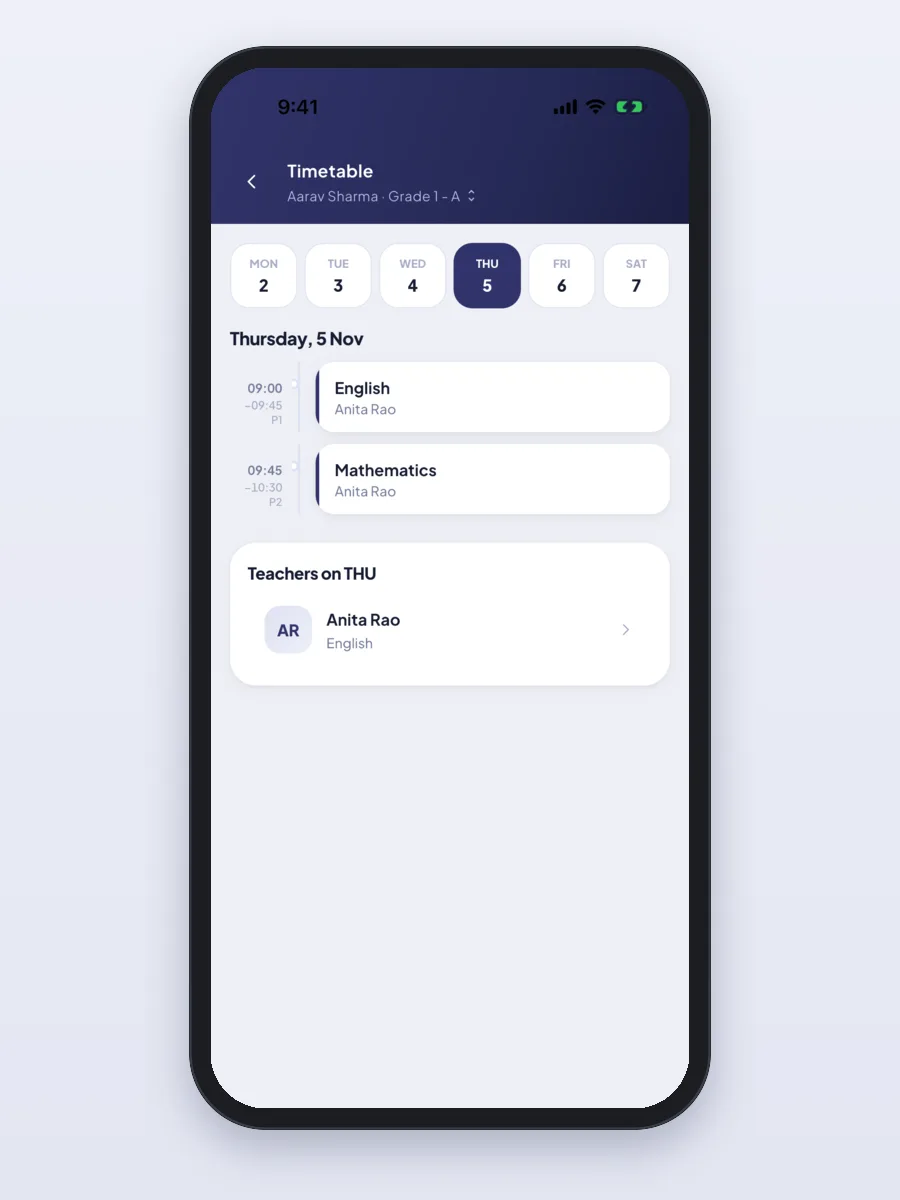
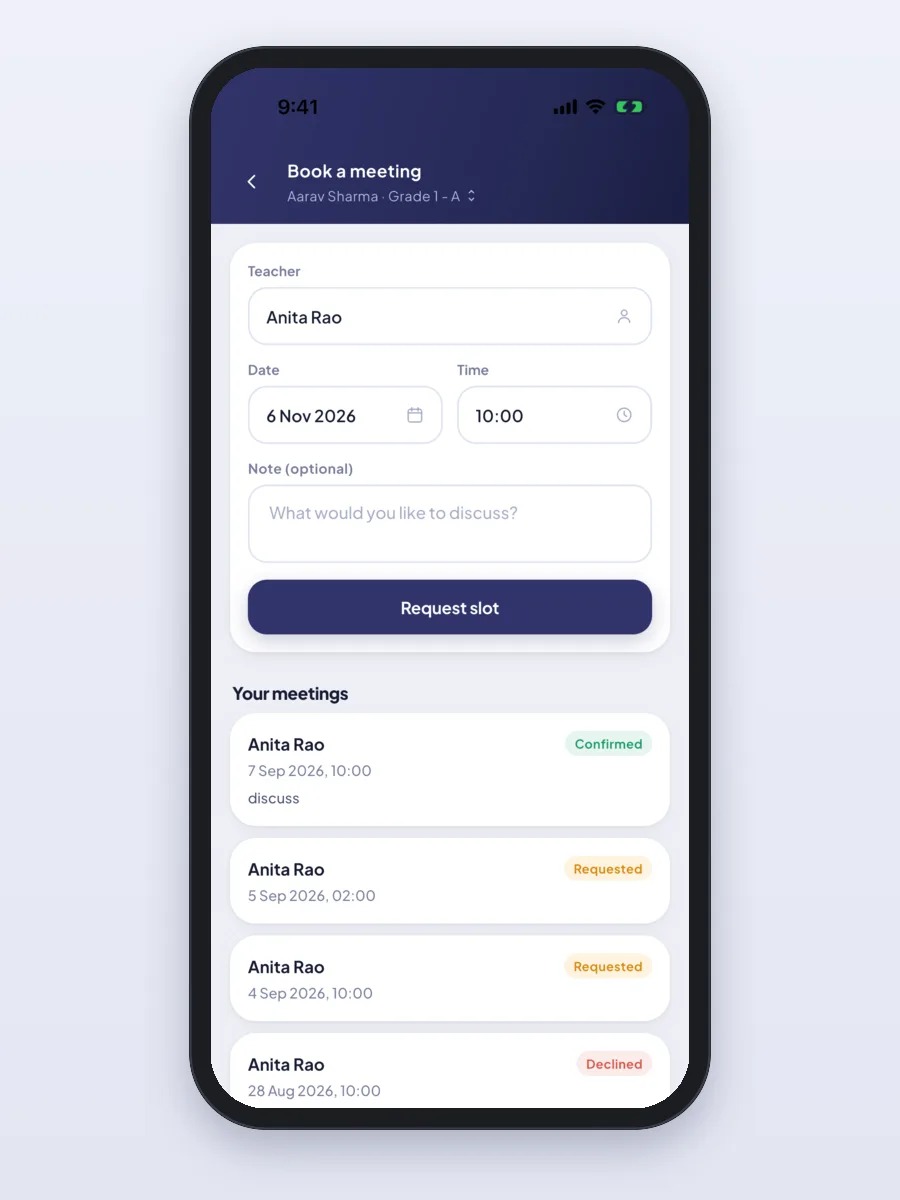
- Parent app (Android and iPhone): pay fees, see receipts, attendance, homework, timetable and results, apply for leave and book a meeting with a teacher. One login covers all the parent's children.
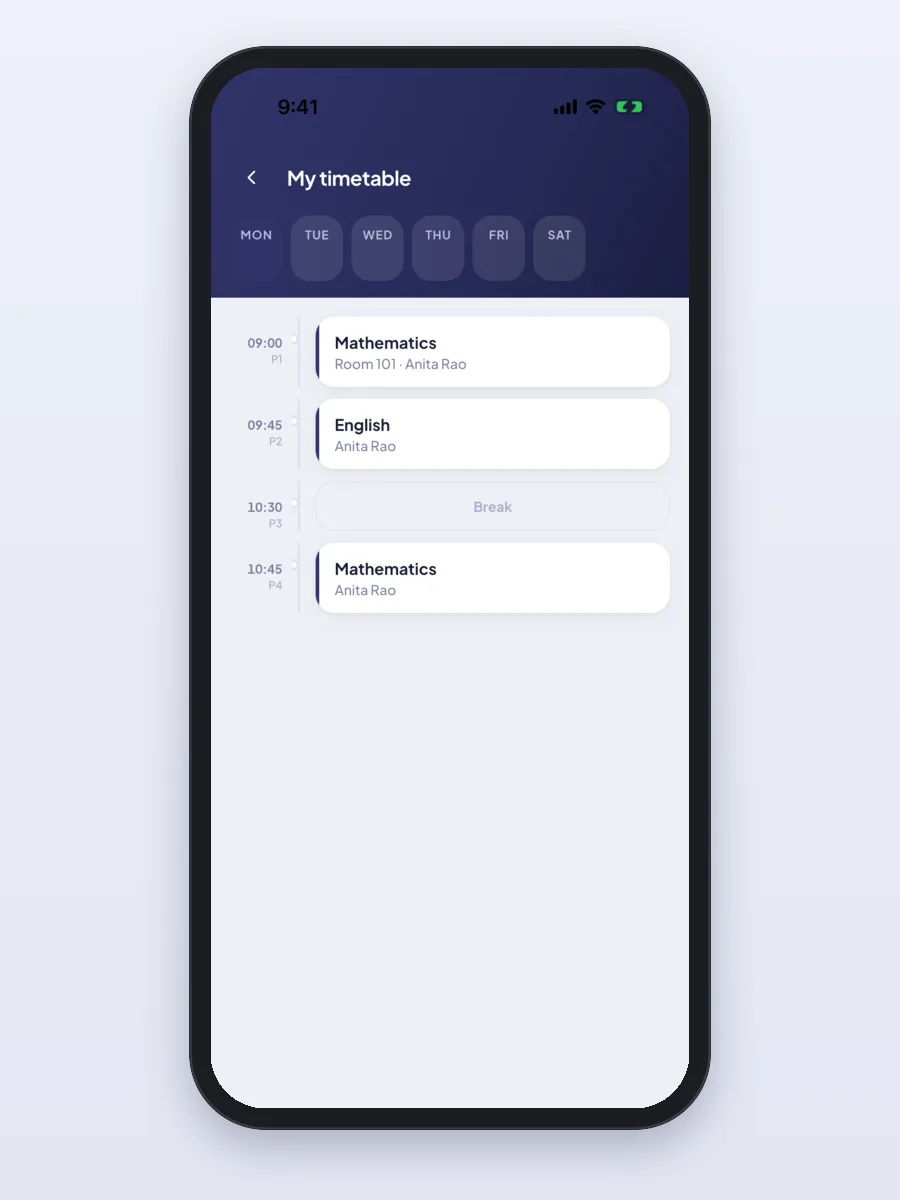
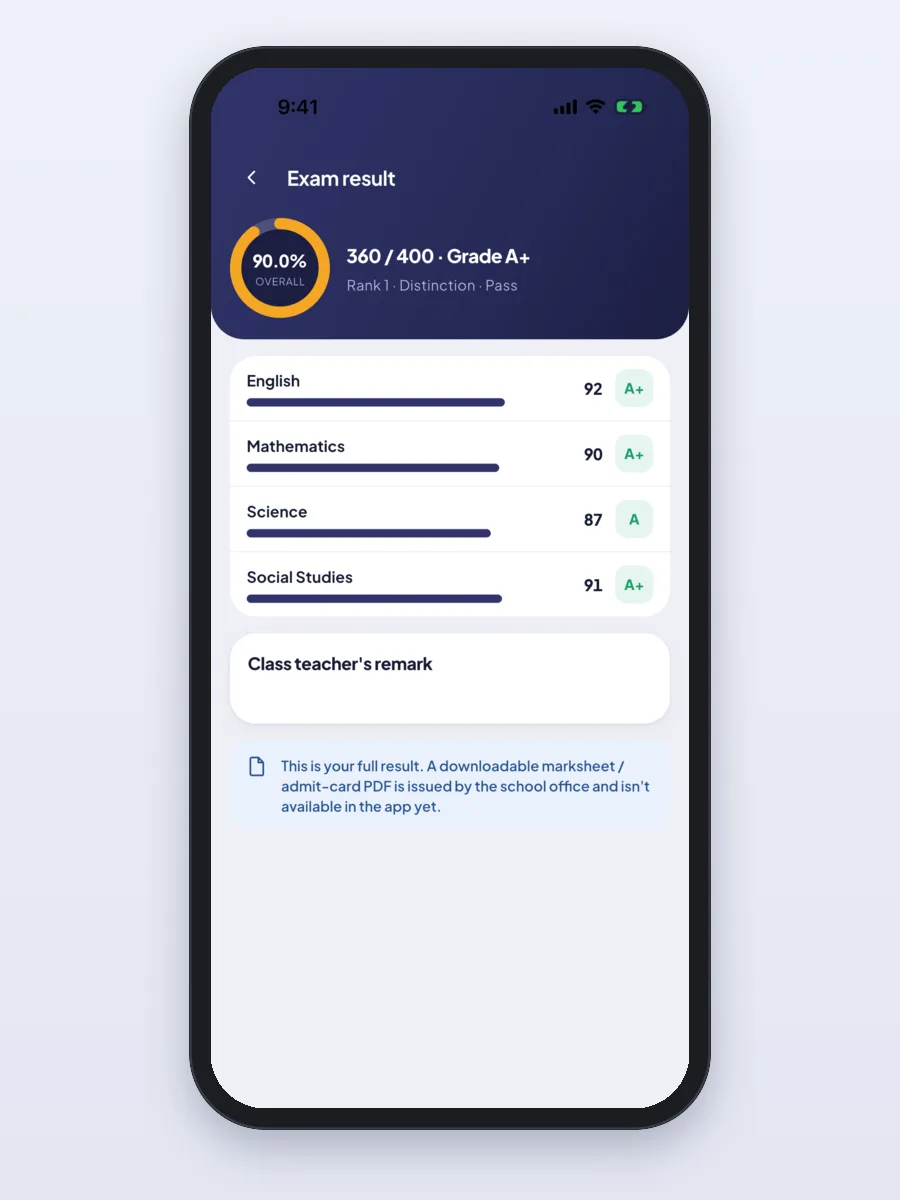
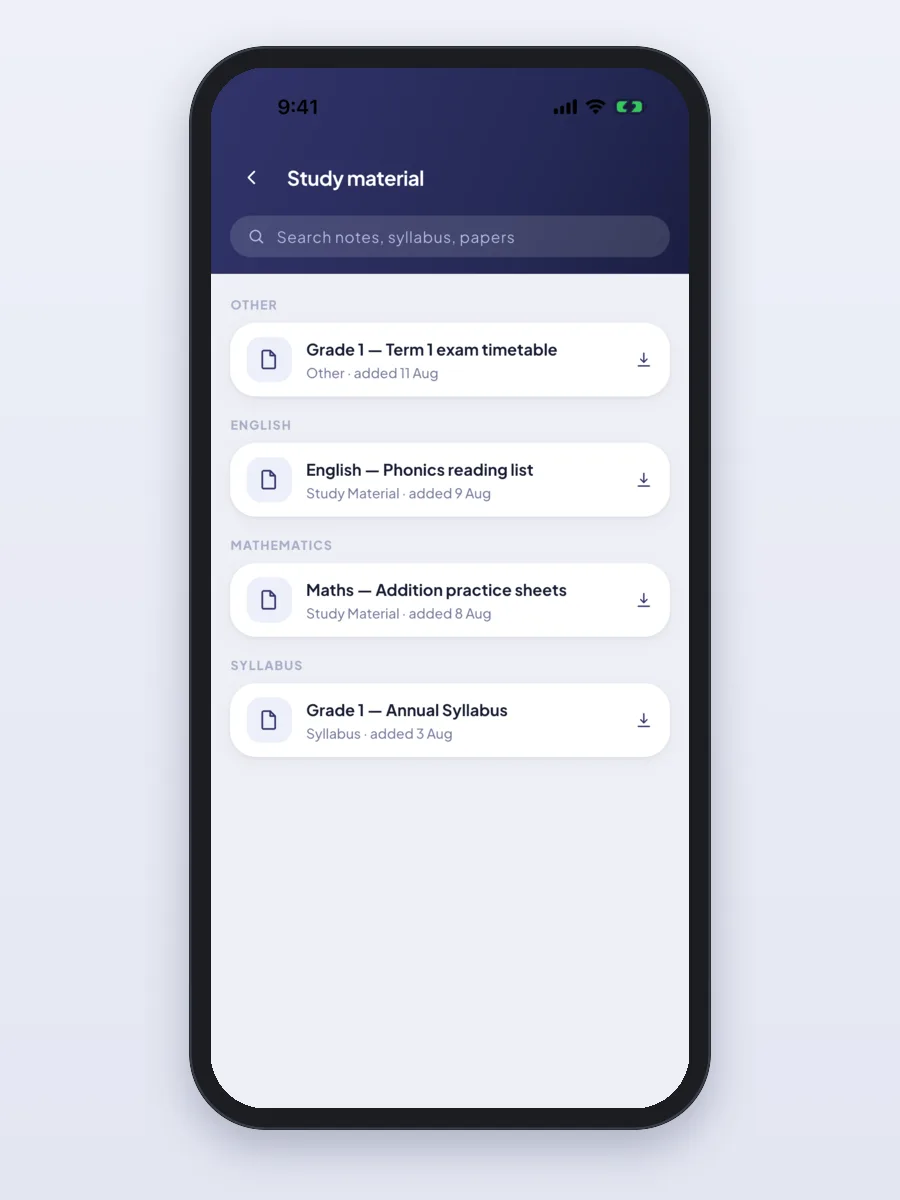
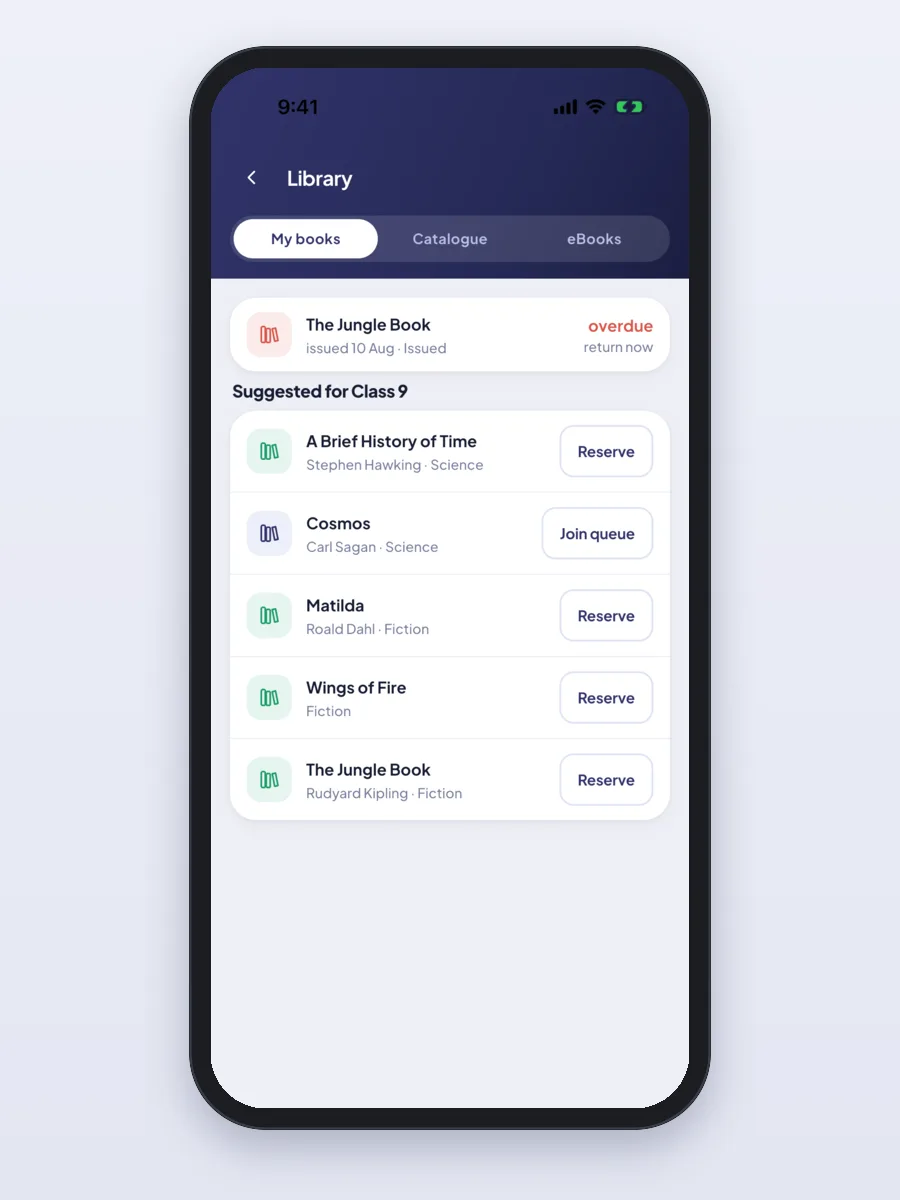
- Student app (Android and iPhone): timetable, homework, study material, online tests, results, library books, live classes and fees.
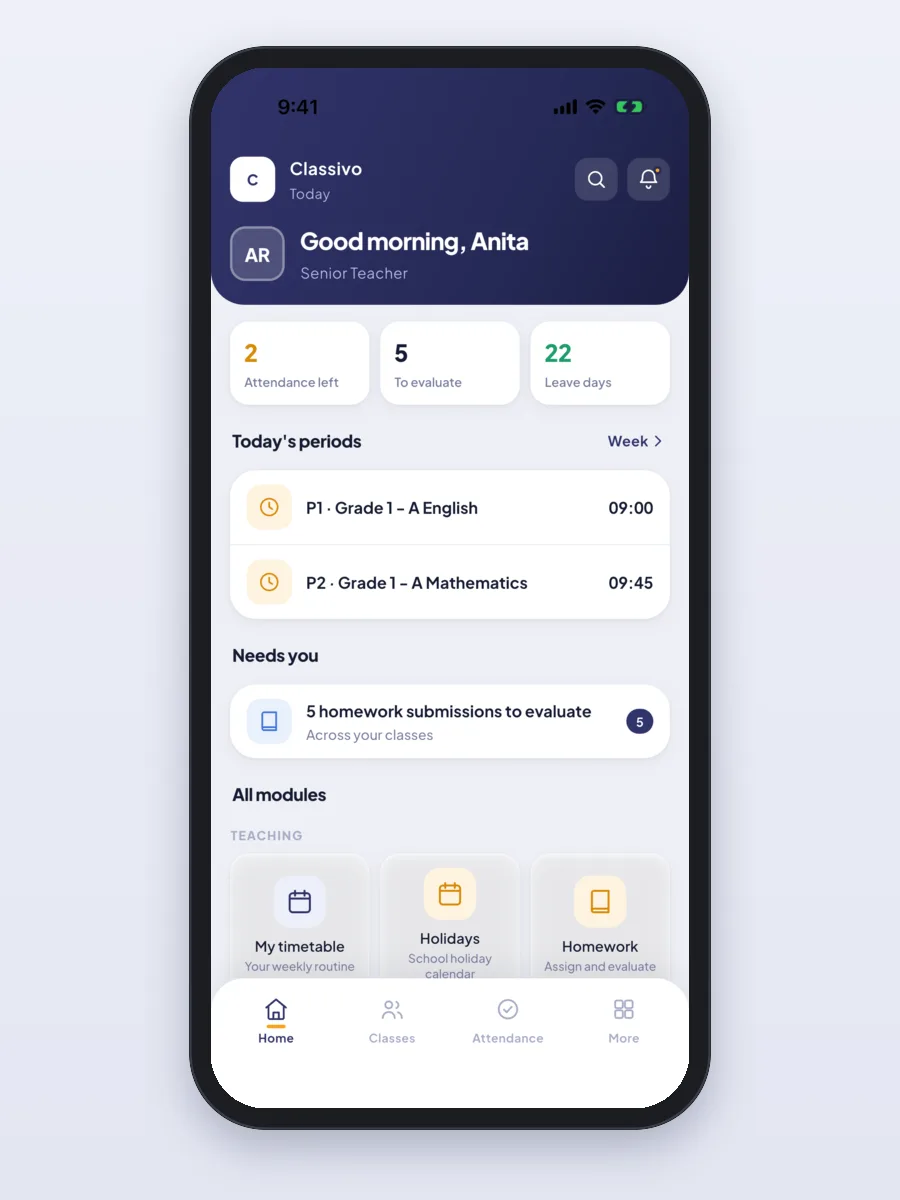
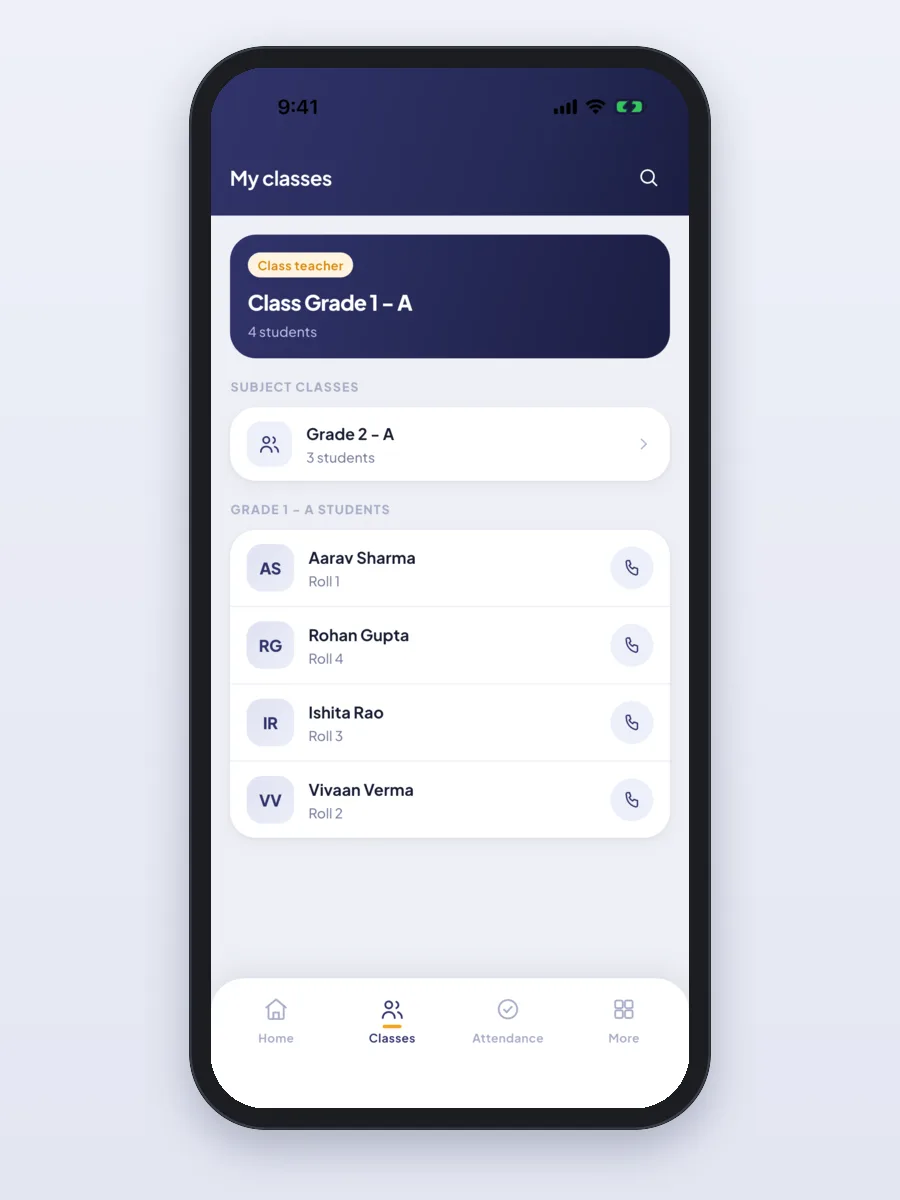
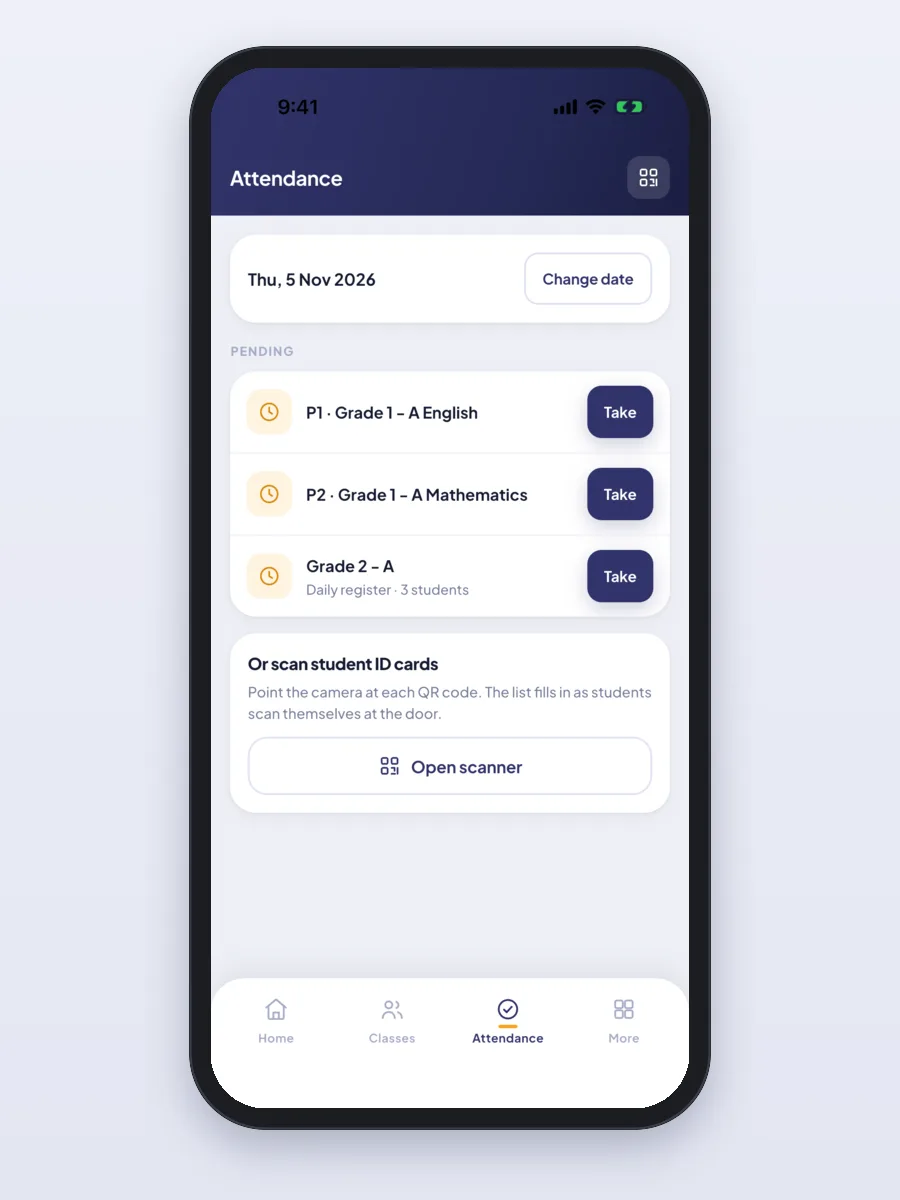
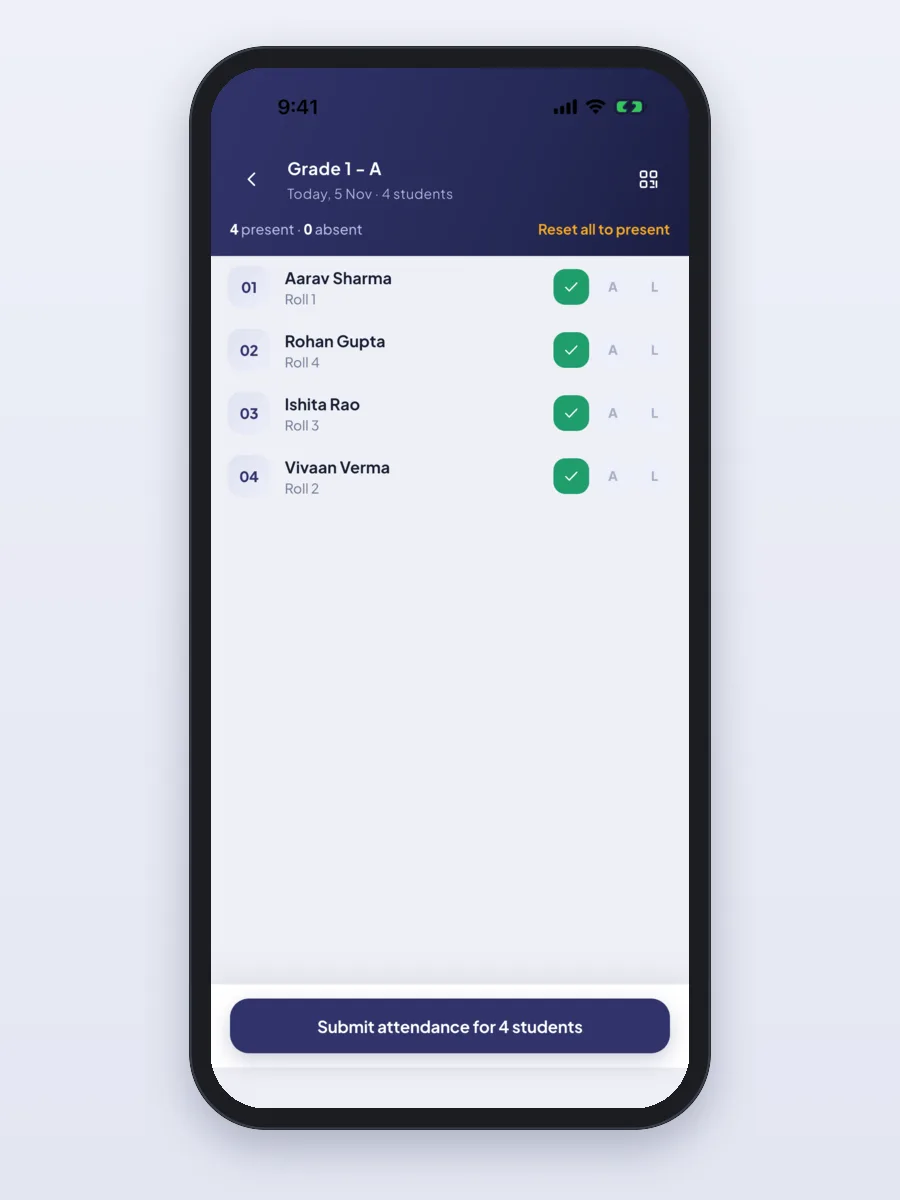
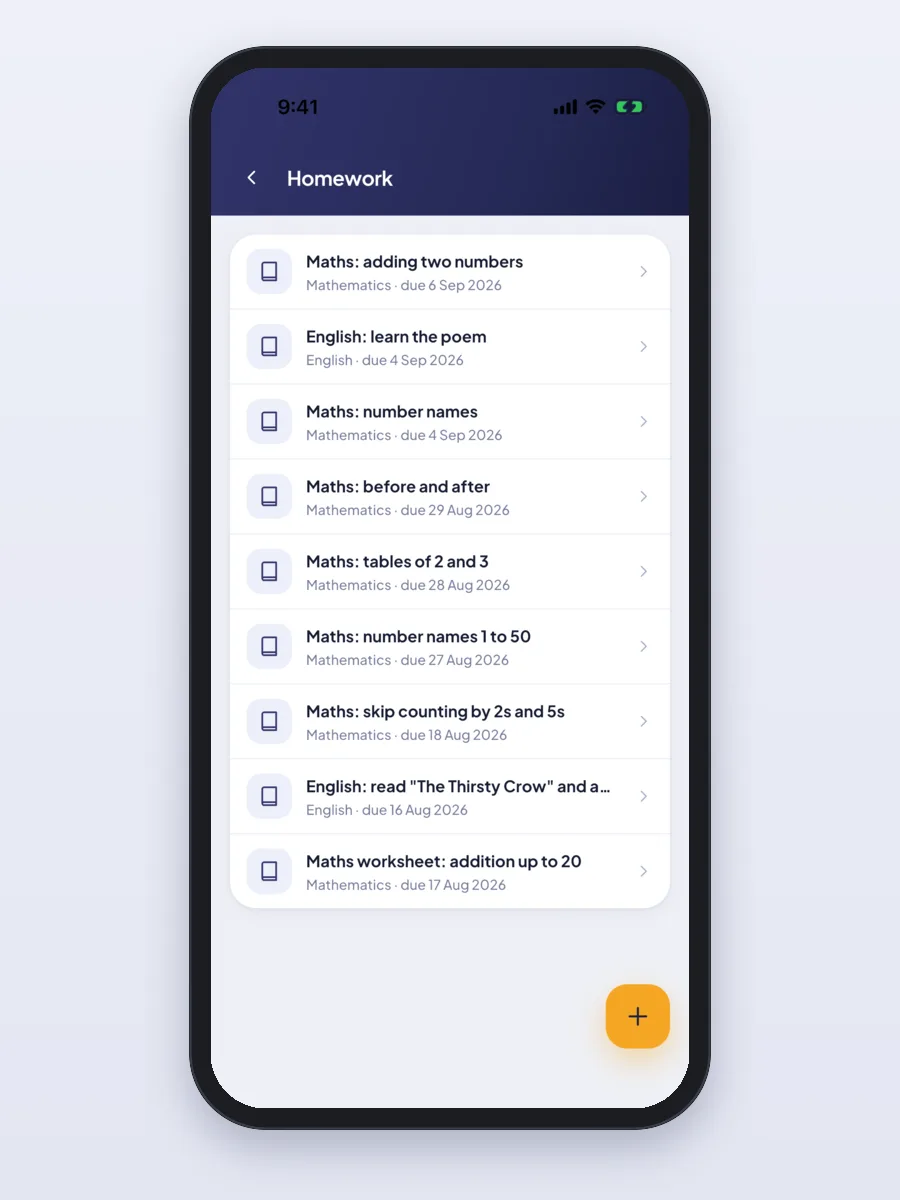
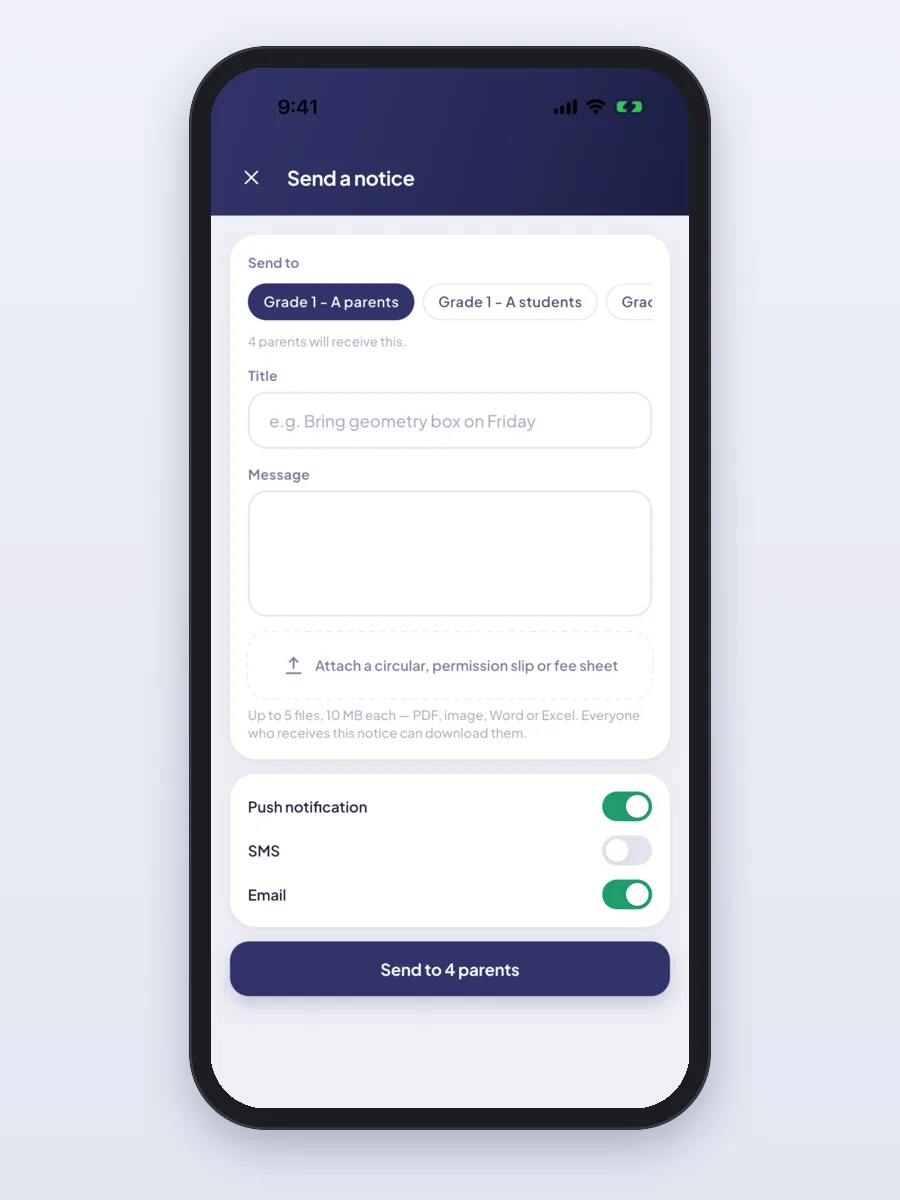
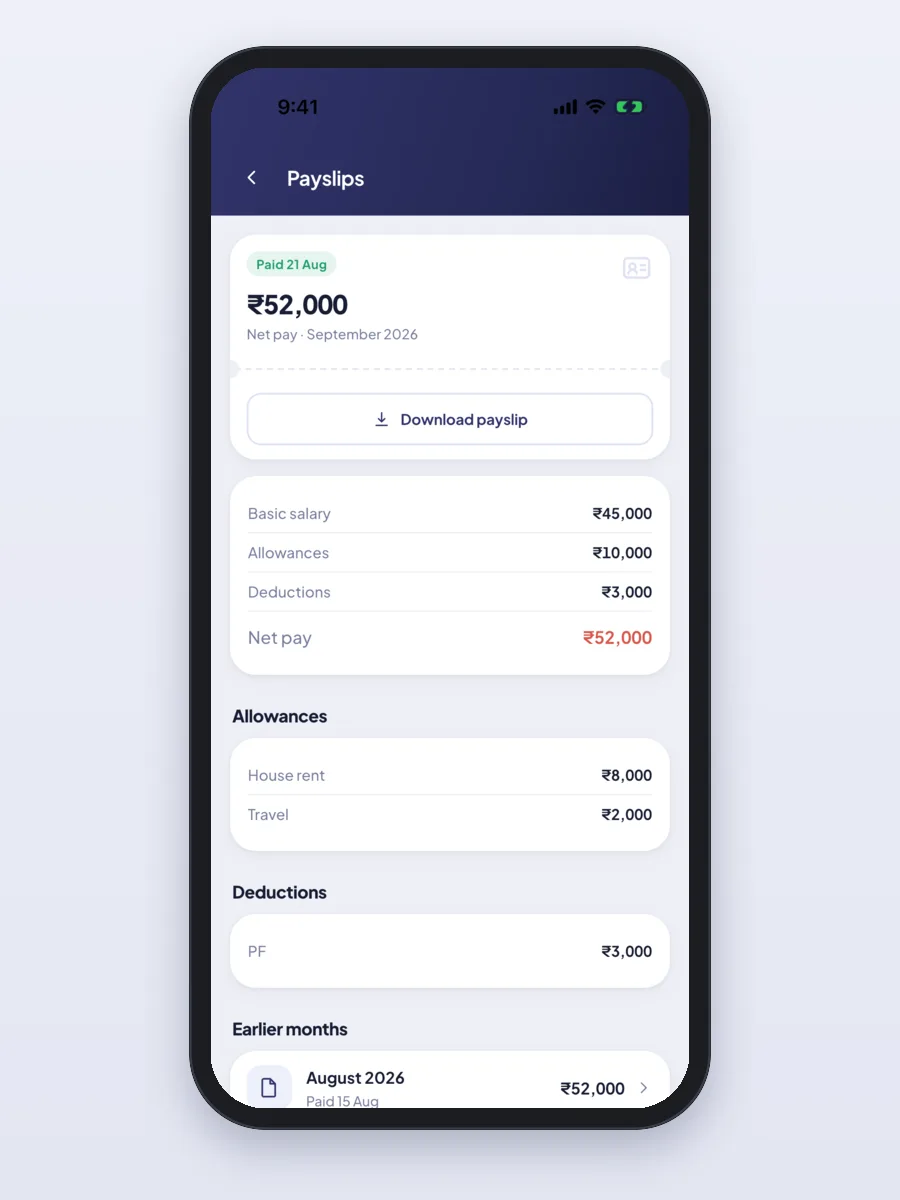
- Teacher app (Android and iPhone): take attendance, scan ID cards, enter marks, set and check homework, send notices and see payslips.
- Principal view in the same app: a short summary of the school and the requests waiting for approval.
- School website: pages, news, photo gallery and an online admission form, all edited from the office panel.
All the features, already built
Everything below is in Classivo today. Each school can switch modules on or off, so the office only sees what it uses.
The office panel
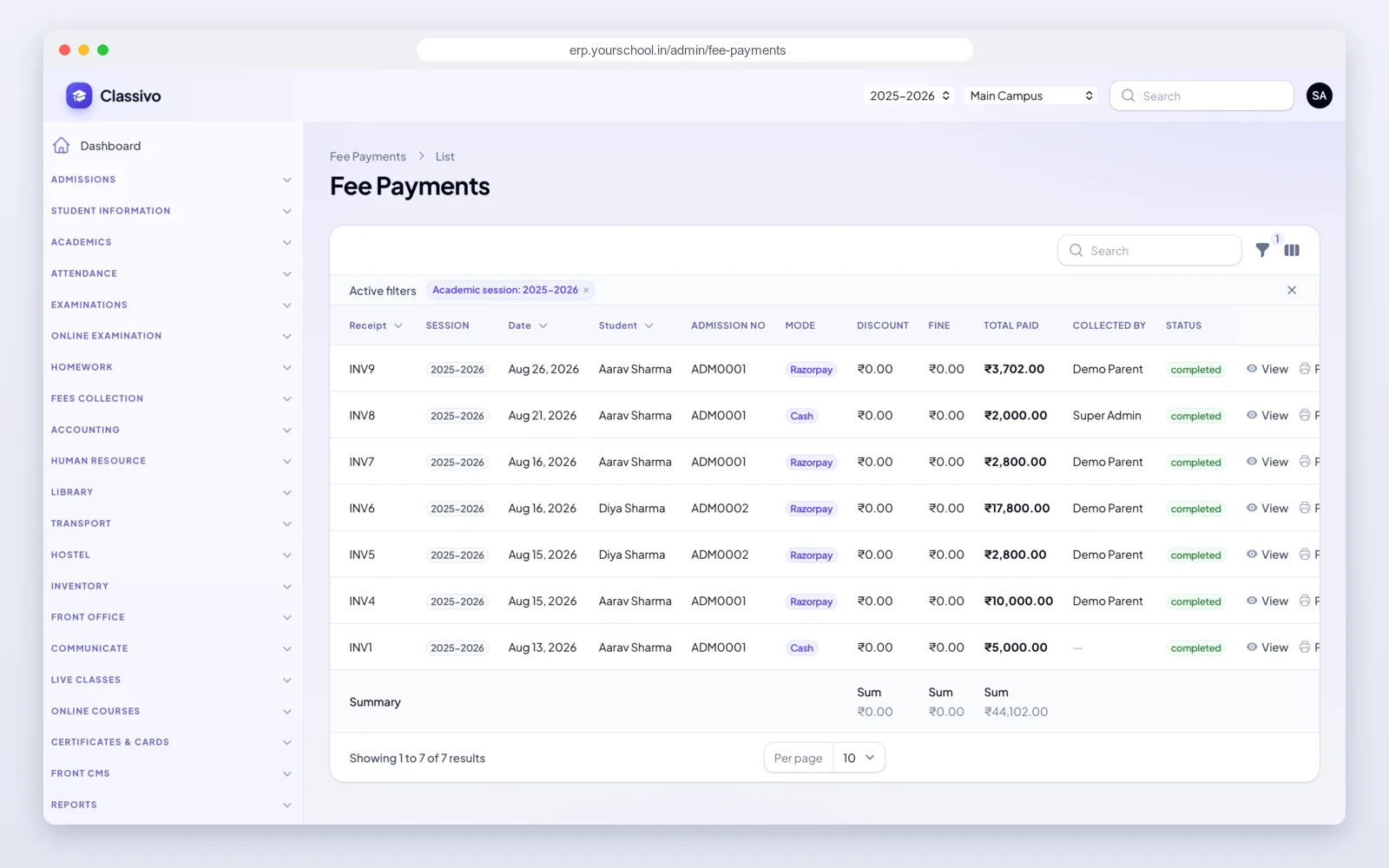
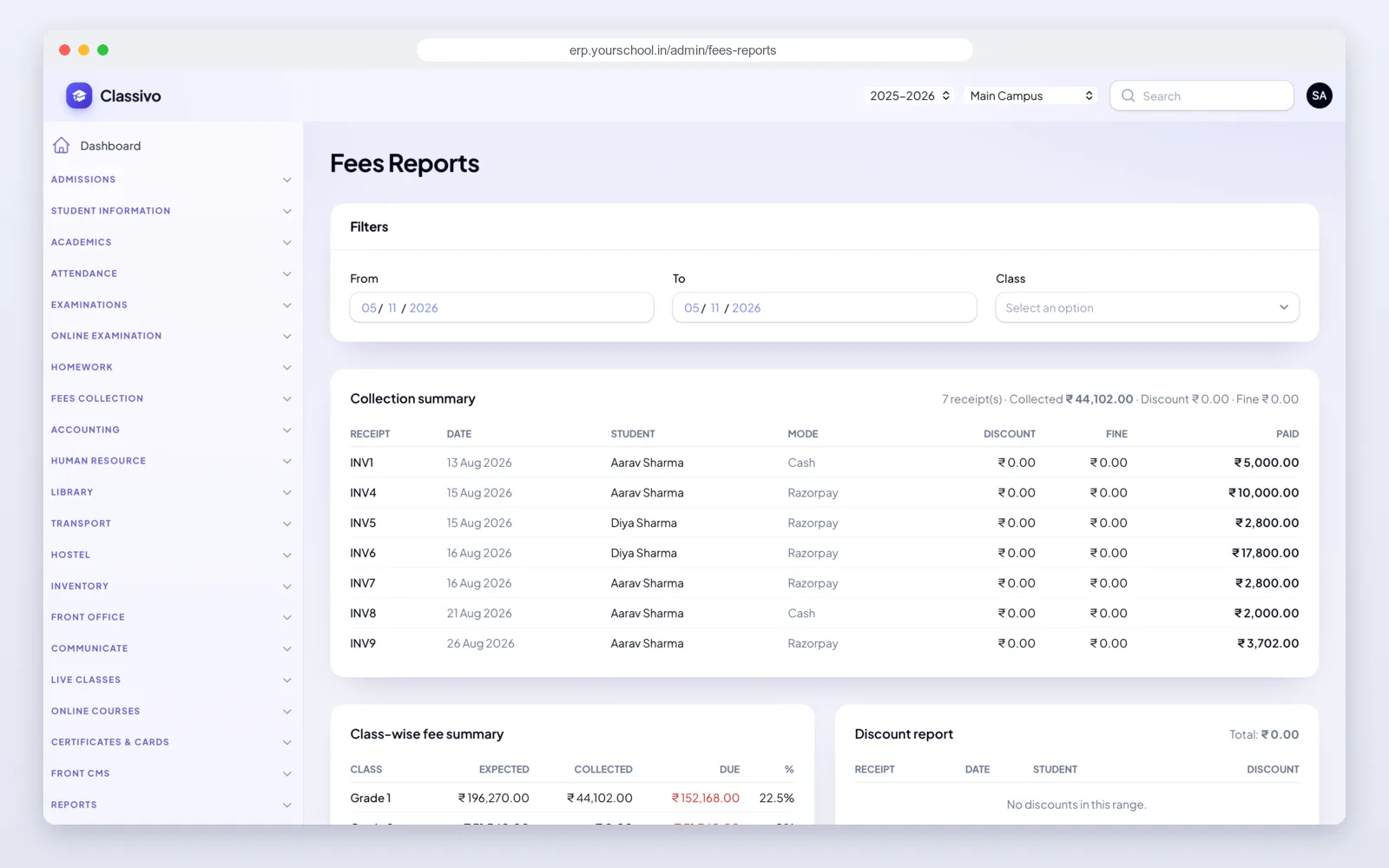
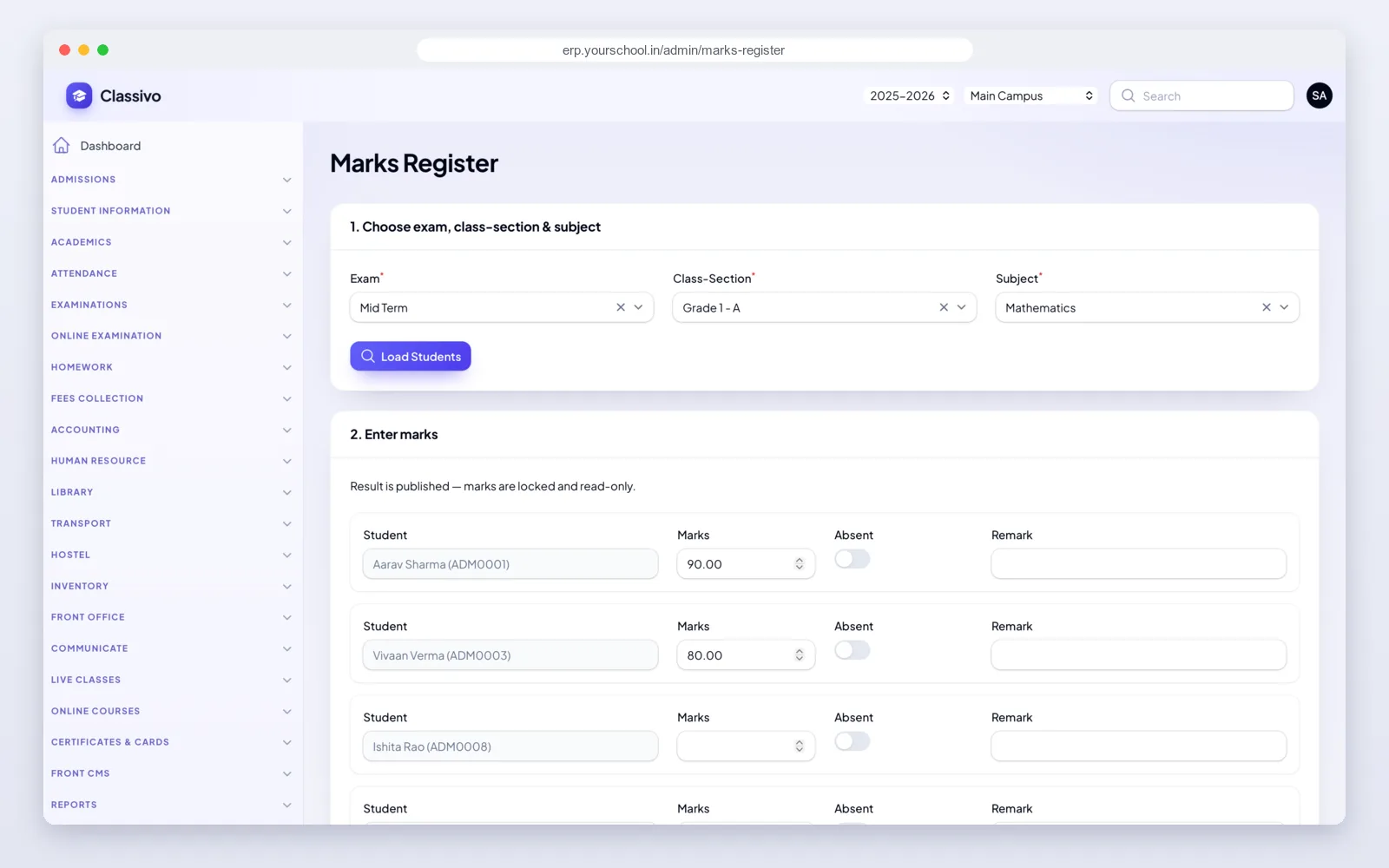
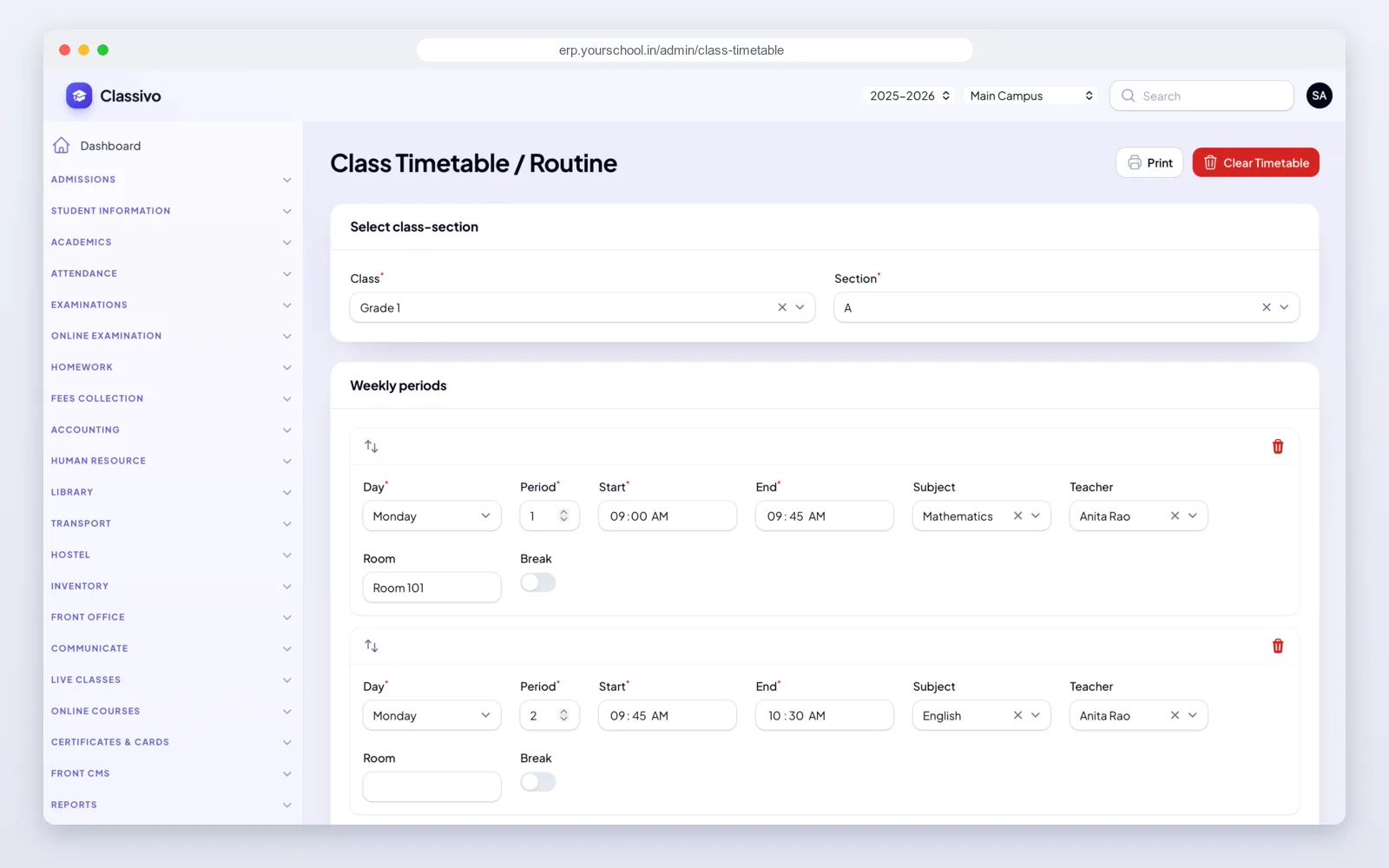
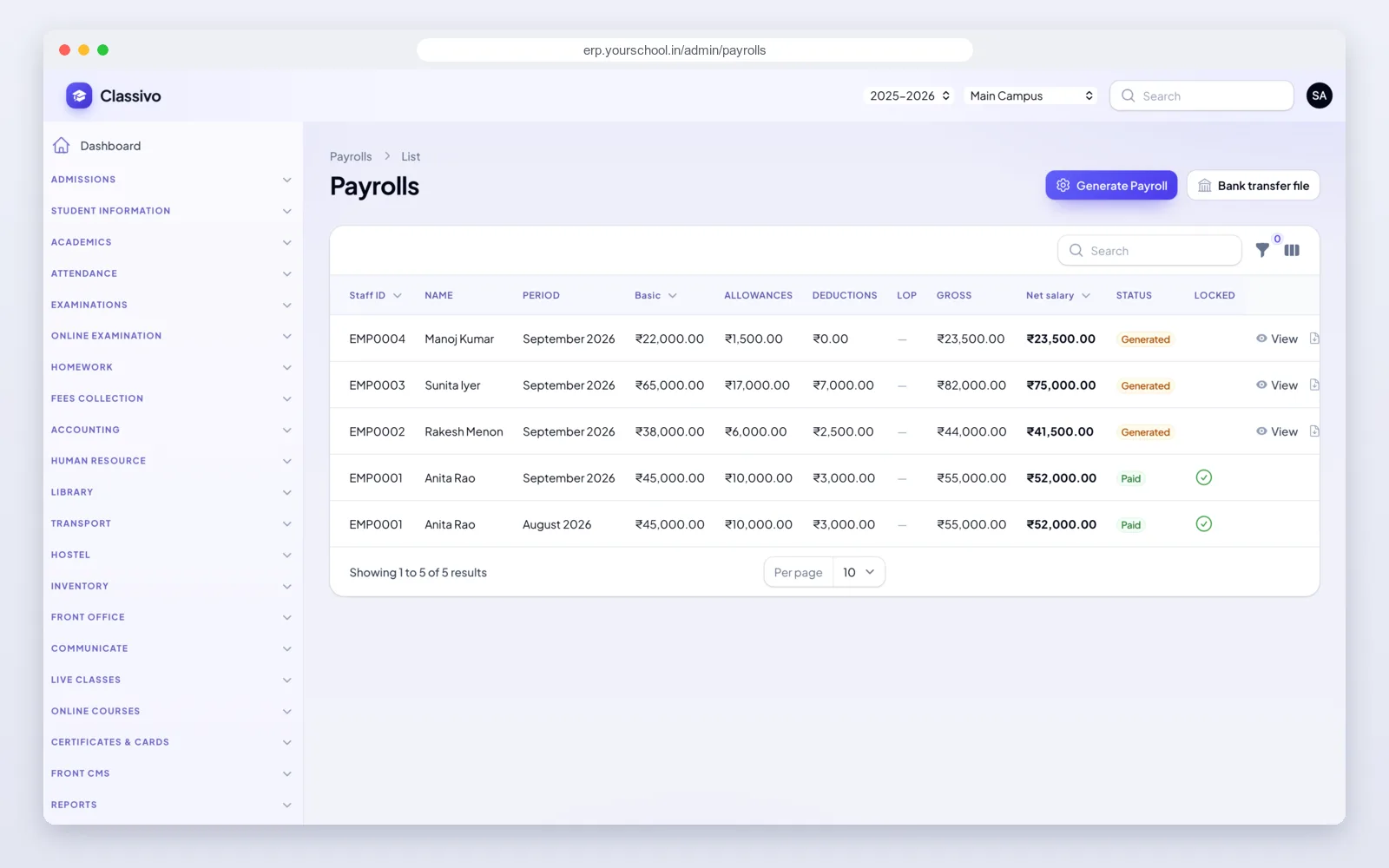
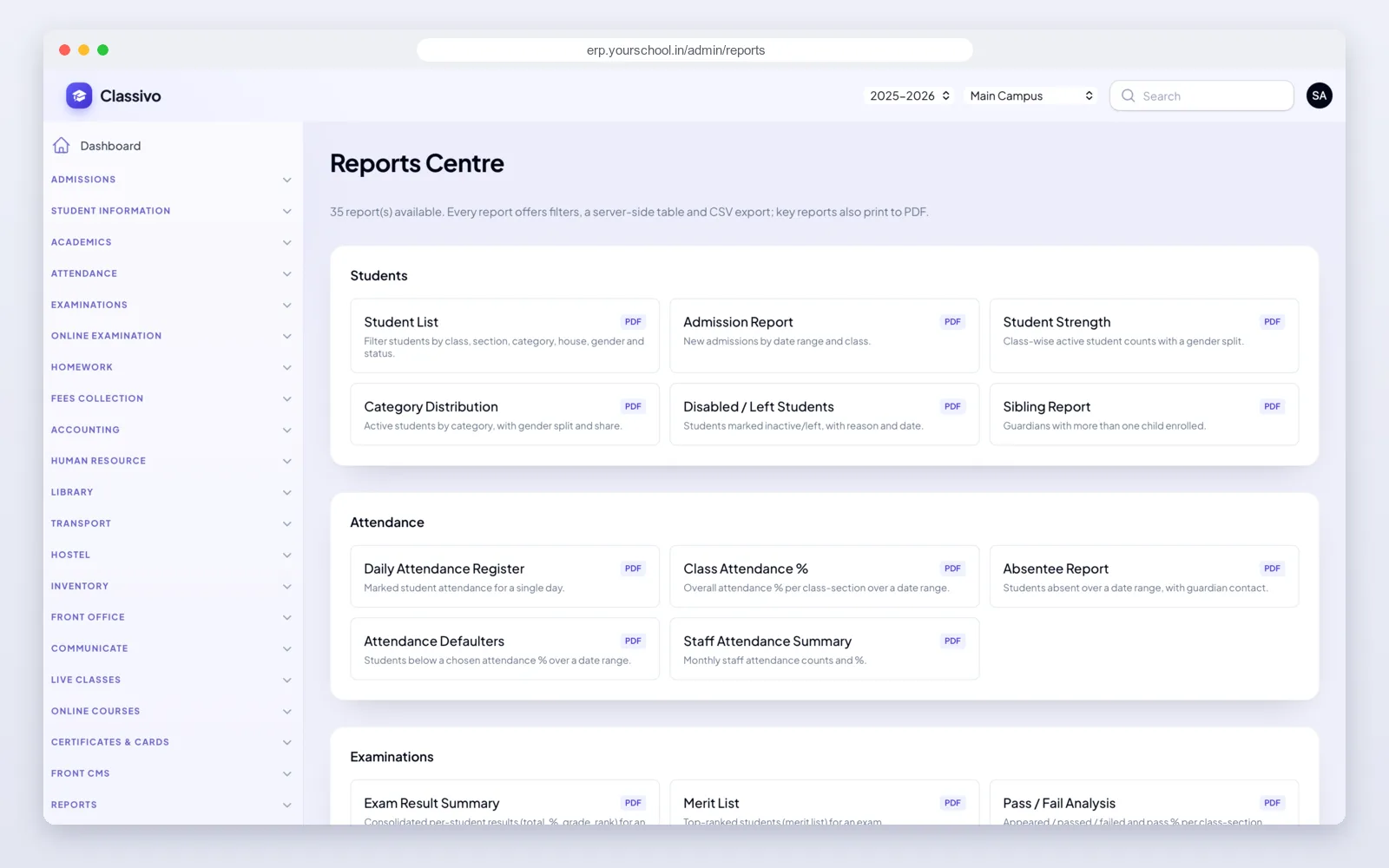
The web panel is where the school runs its day. The menu on the left lists each module. The top bar switches the year and the branch.
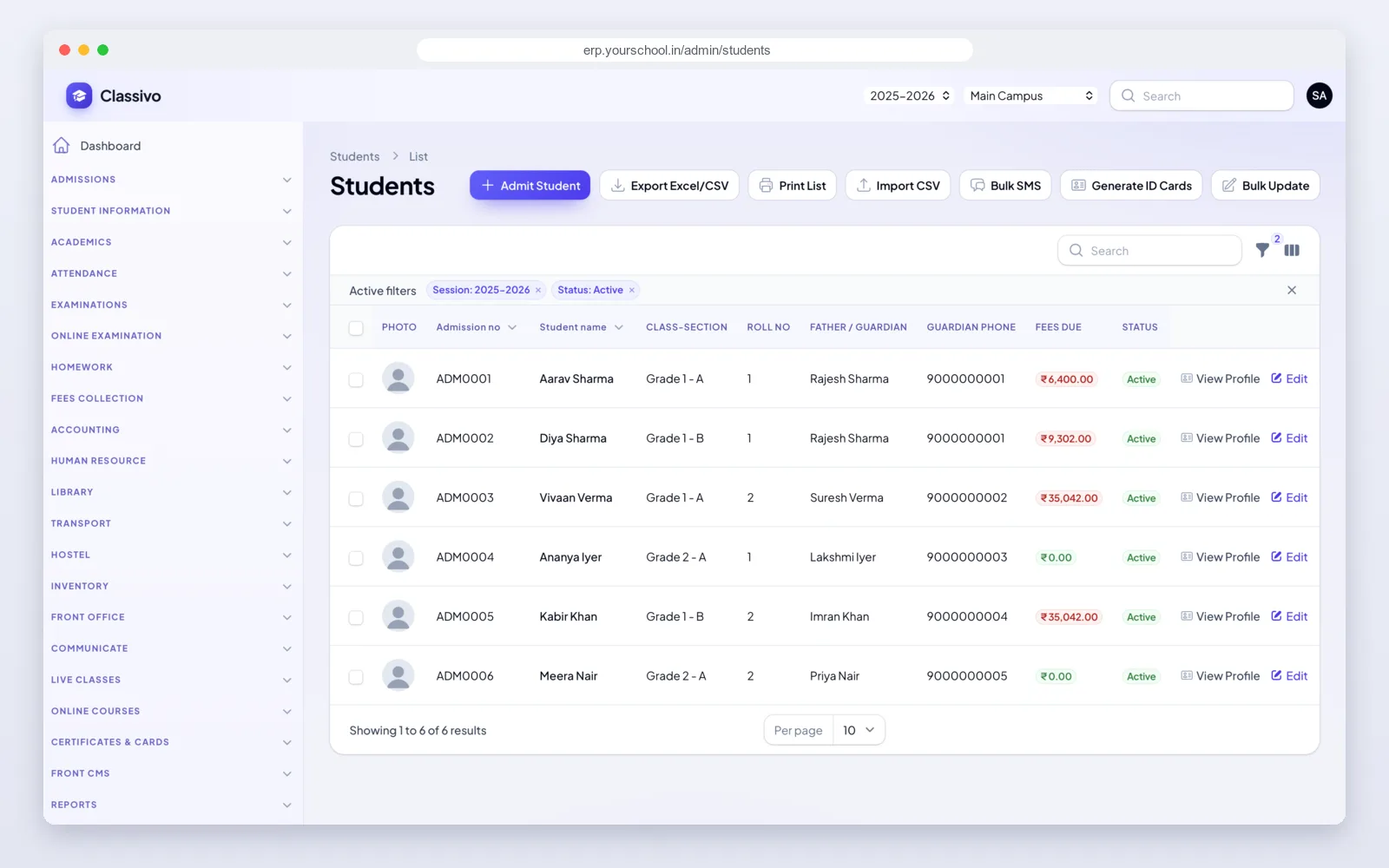
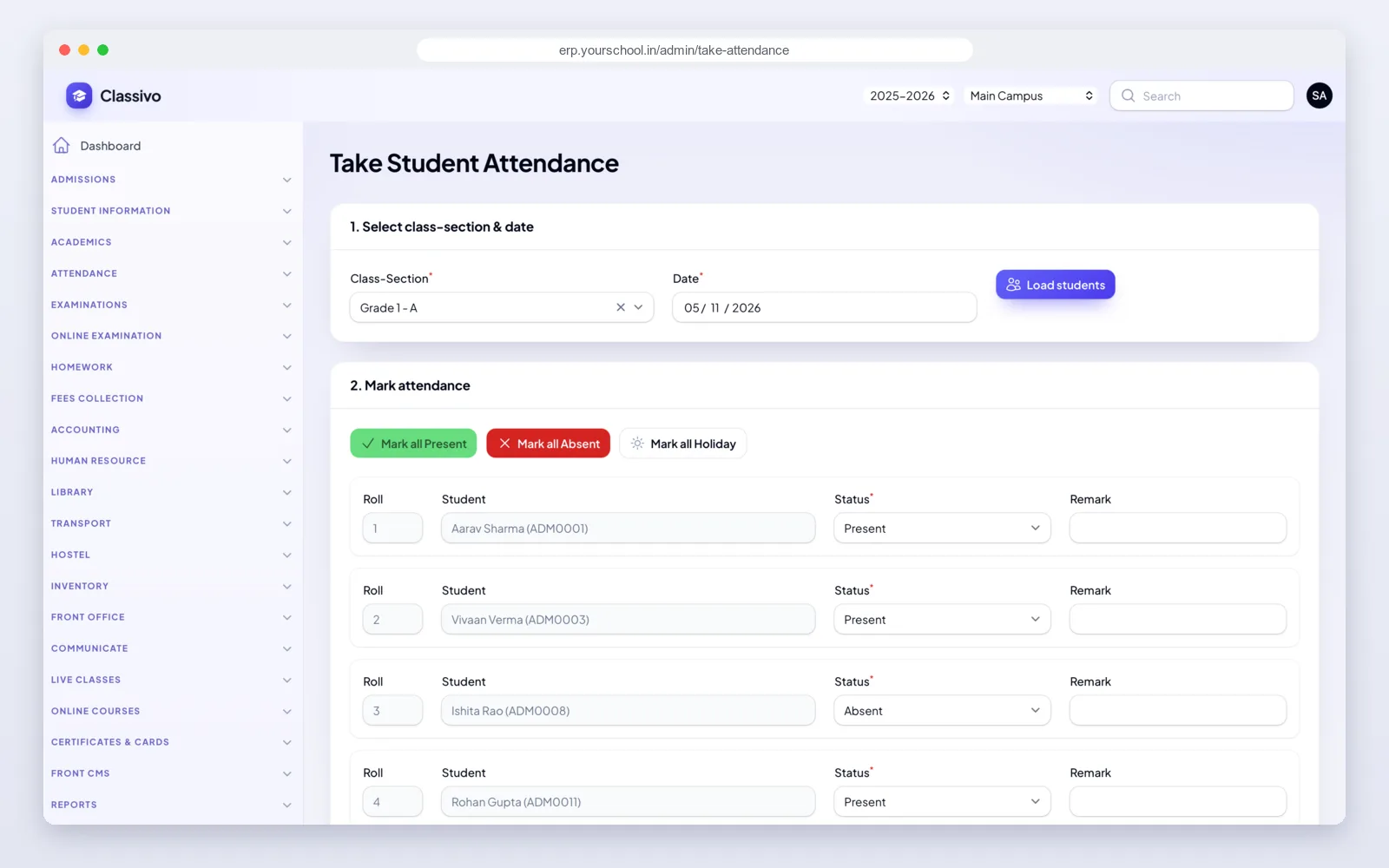
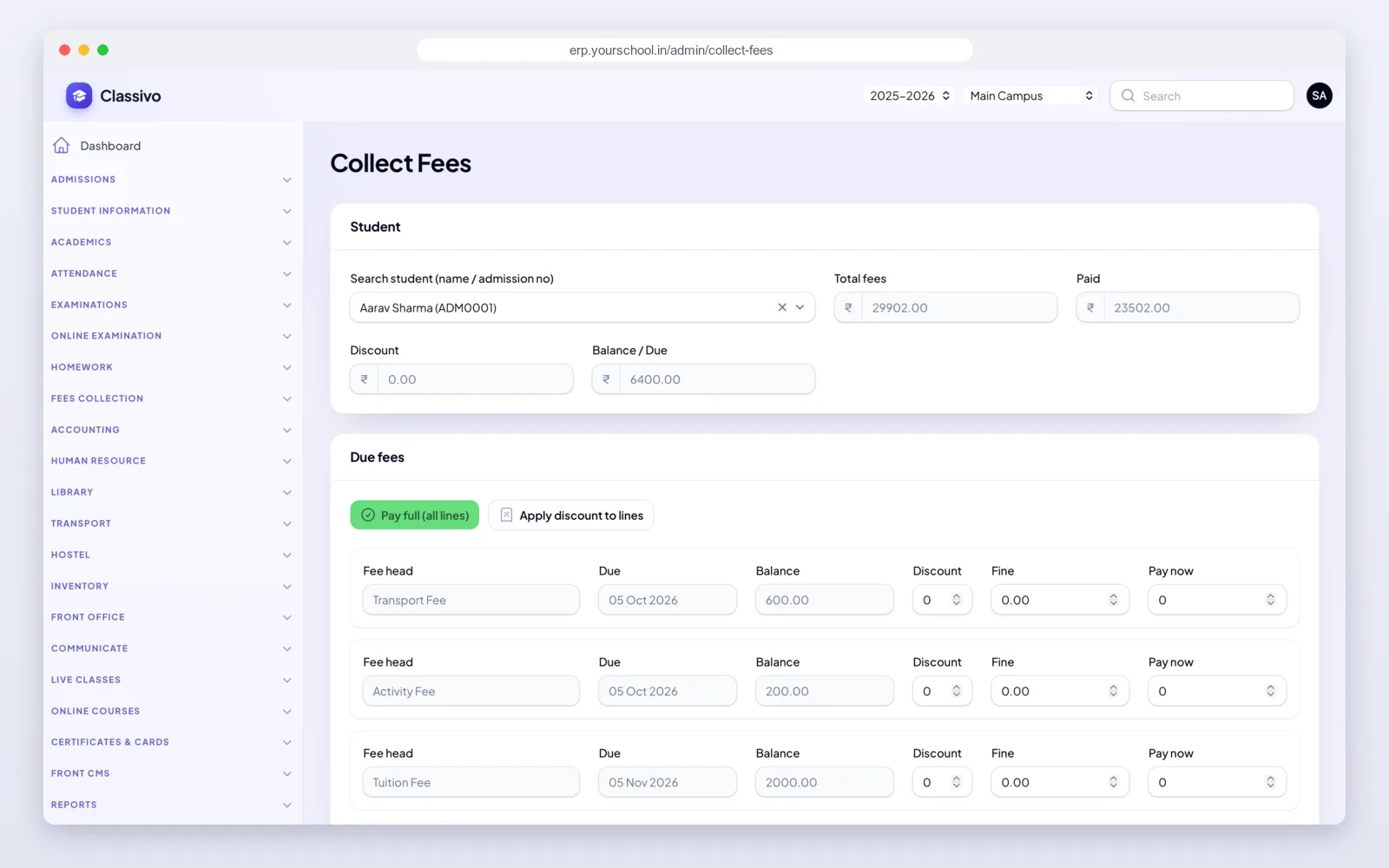
Fees and payments
Fees are where most school software lets the office down. In Classivo, fees, receipts and the books of account all use the same entries.
Outside India? The server also supports Stripe, and we can add your local payment gateway during setup.
SMS, WhatsApp, email and phone alerts
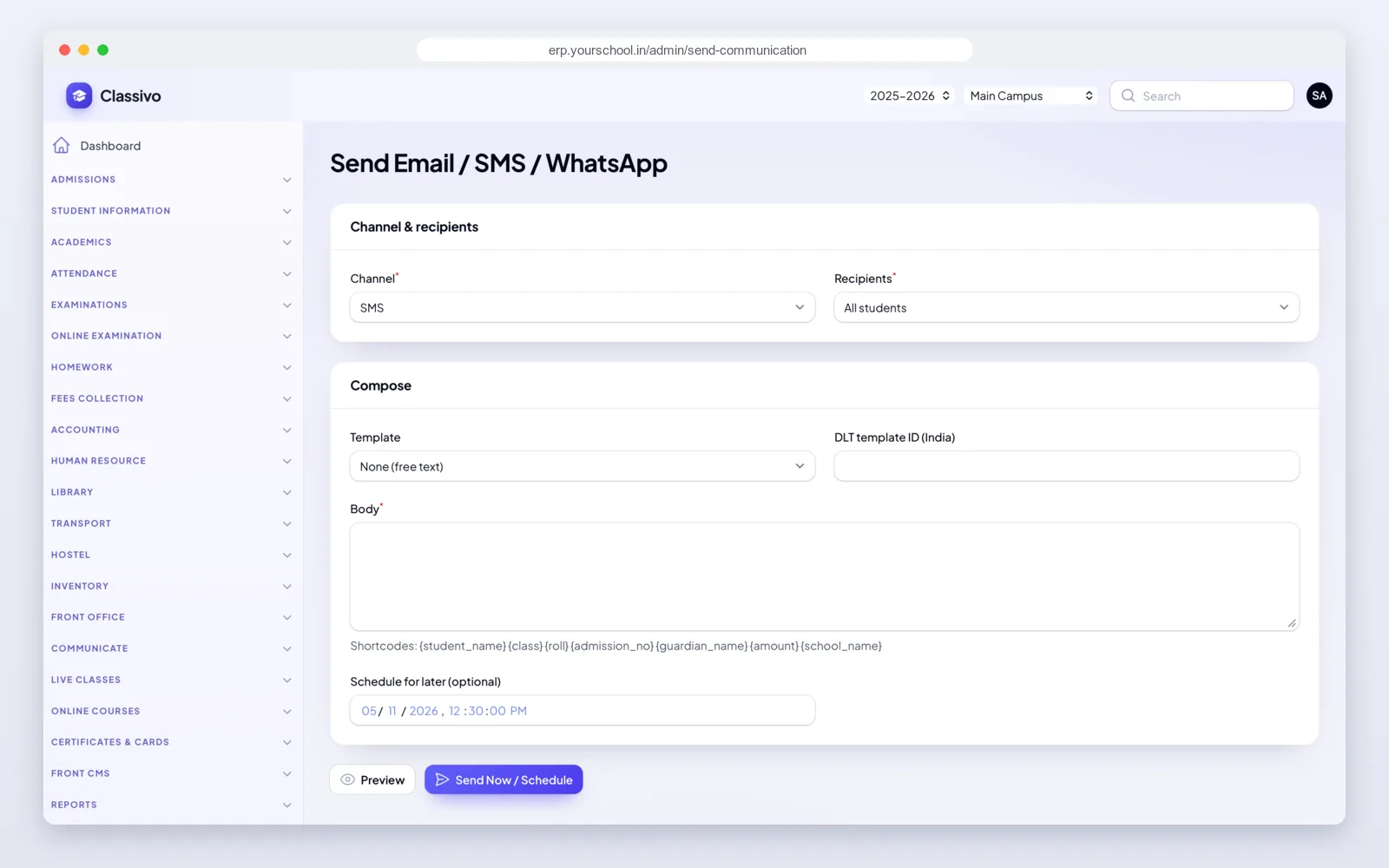
Classivo sends messages through your own providers, so you pay them directly and keep control. Add the keys once in the panel.
You choose which events send a message and on which channel: absence, admission, homework, results, notices, fee received and birthdays. Message templates use fields like the student's name, class and amount, so each parent gets their own details.
The parent app
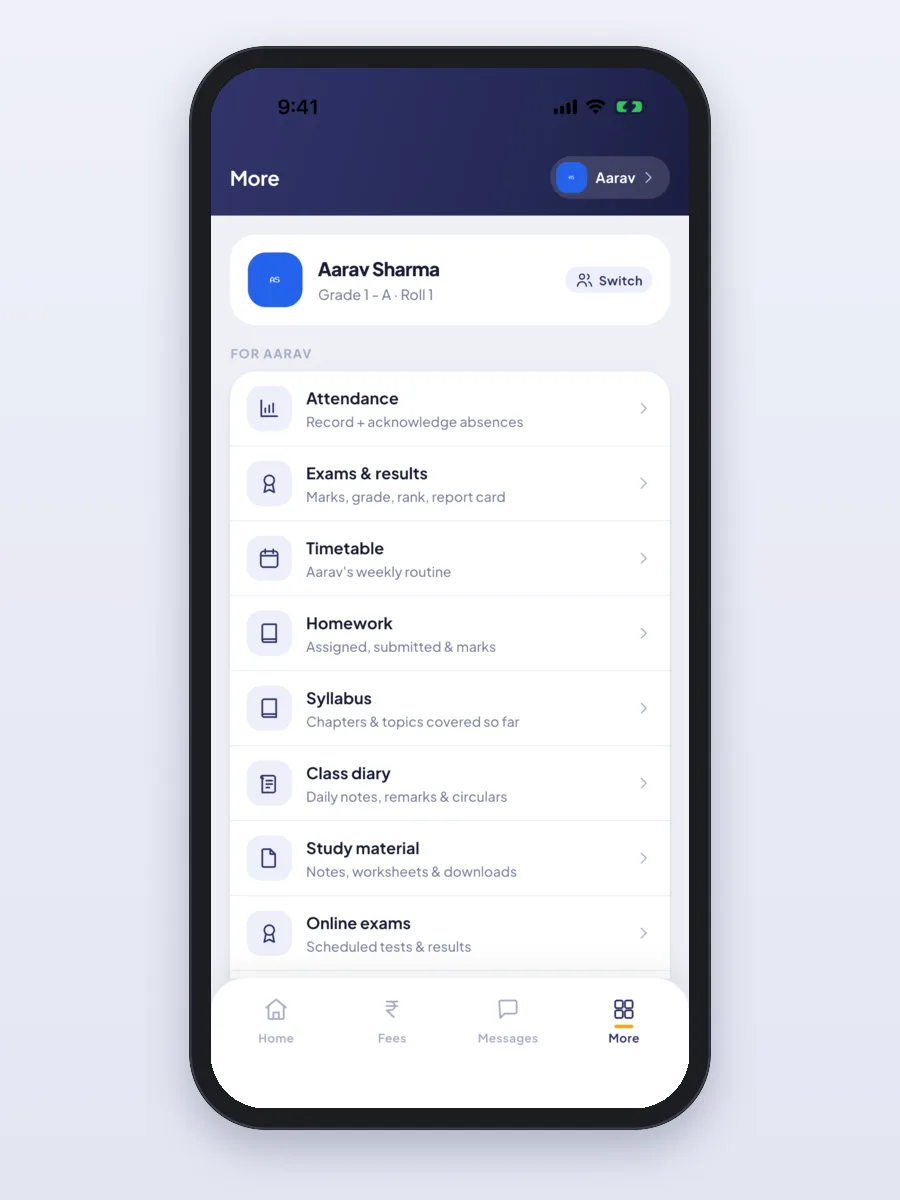
This is the part of Classivo parents see every day. A parent with two or three children in the school switches between them at the top.
The student app
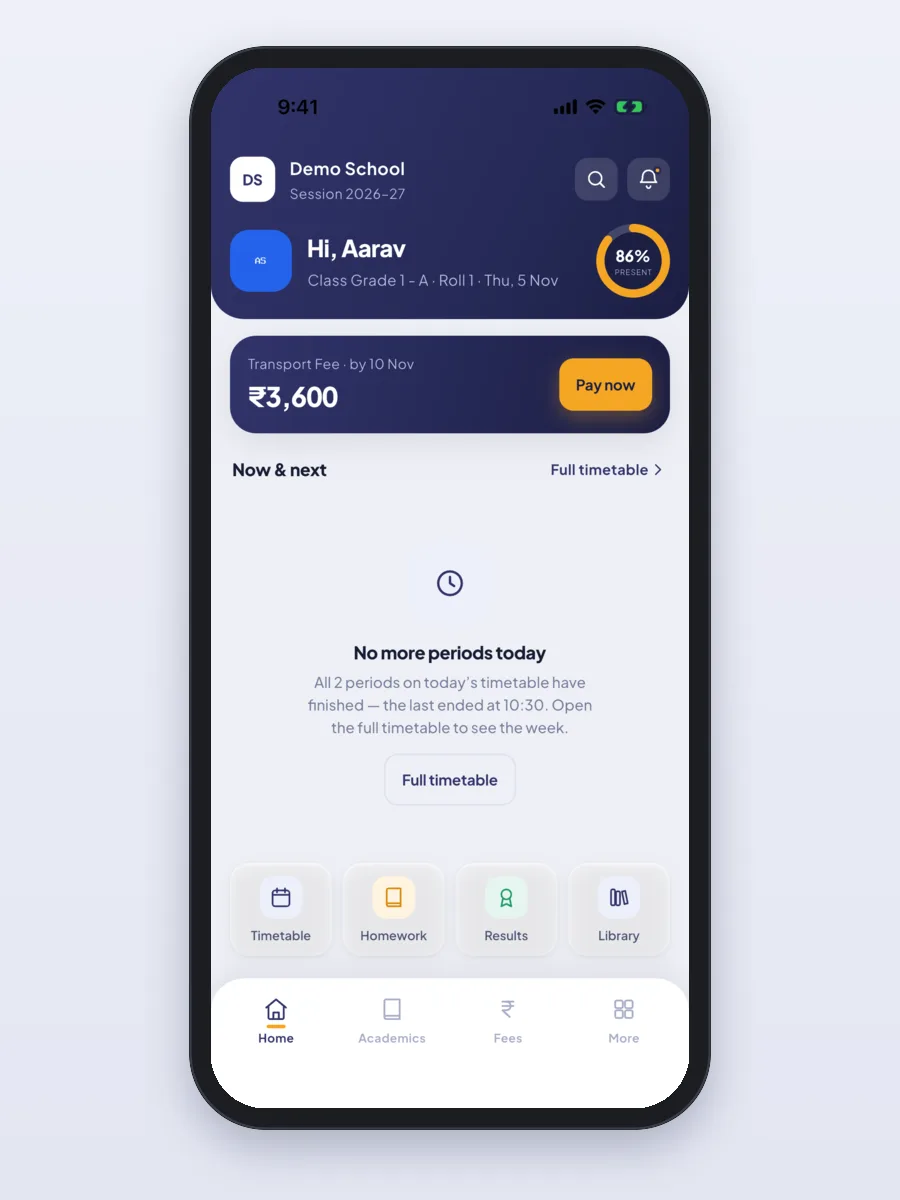
Students see their own day: what is next, what is due and how they did.
The teacher app
Teachers do the daily work from the phone, so the office does not have to chase registers and mark sheets.
How we set up Classivo for you
- Free demo call. We show you the office panel and the apps, and identify your school's needs.
- Pick your modules. We agree the modules, branches and payment and SMS providers.
- Your brand. We put in your school or company name, logo and colours, on the panel and the apps.
- Install and move your data. We set Classivo up on the server and bring in your students, classes and fee heads.
- Store launch. We help you publish the app on Google Play and the App Store using your own account.
- Training and support. We train your office and teachers, and stay with you after you go live.
What it is built with
- Mobile apps: Flutter. One app for parents, students, teachers and principals, on Android and iPhone.
- Office panel and server: Laravel (PHP) with a MySQL database.
- Built-in services: Razorpay for payments (Stripe is also supported); MSG91 or Twilio for SMS; Meta or Twilio for WhatsApp; Firebase for phone alerts; Zoom, Google Meet, Jitsi or BigBlueButton for live classes.
It is the same stack we use for our other ERP development and mobile app development work.
Other education projects we have built
White-label: your name on everything
Classivo is made to carry your brand. The office panel and the apps show your school's or your company's name, logo and colours. Each school on the system can have its own colours and logo in the app. It works for one campus or a group of branches, and education companies can run many schools on one system.
One price to own it
The complete suite — the modules in your plan, the Android and iOS apps, white-label branding, installation and one year of updates and support — is a one-time ₹40,000 (about $400 USD). No per-student fees and no forced renewals.
- Not every module sits in every plan. Transport, HR, accounting and hostel are outside the Core plan. Tell us which of these you need and we will quote for your school.
- Online fee payments and SMS go through a payment or SMS gateway. Those providers may charge their own fees.
- Ask us how your old student and fee records will be moved in, and what applies after the first year.
Frequently asked questions
Is Classivo a complete school management system?
Yes. It covers admissions, students, attendance, timetable, exams and report cards, online tests, homework, live classes, online courses, fees, accounts, staff and payroll, library, stock, transport, hostel, front office, messages and reports. All parts share one student record.
Does Classivo have mobile apps?
Yes. One app on Android and iPhone gives parents, students, teachers and the principal their own screens. Parents pay fees and see attendance, homework and results. Teachers take attendance, enter marks and set homework.
Can parents pay fees online?
Yes. Parents and students pay in the app through Razorpay and get a receipt at once. The office can also take cash, cheque or DD at the counter and print a receipt. For schools outside India we set up Stripe or a local gateway.
Does it send SMS and WhatsApp messages to parents?
Yes, once you add your own provider. SMS works with MSG91, Twilio or any SMS company with a web link for sending. WhatsApp works through Meta or Twilio. You choose which events send a message, such as absence, results, homework, notices and fee receipts.
Is Classivo a one-time price or a subscription?
Classivo is a one-time, lifetime white-label license at INR 40,000 (about 400 USD), with no per-student charges and no forced renewals. It includes the modules in your plan, the mobile apps, white-label branding, installation and one year of free updates and support.
Are all Classivo modules part of the Core plan?
No. Transport, HR, accounting and hostel are outside the Core plan. Tell us which modules your school needs and we will quote for them.
Can Classivo carry my school's or company's brand?
Yes. The office panel and the apps show your name, logo and colours. Education companies can run many schools on one system, each with its own plan and modules.
Can it run more than one branch?
Yes. Classivo handles many branches and academic years. The office switches branch or year from the top bar, and each person sees only the branches they are allowed to.
Can I see Classivo before I buy?
Yes. Open the demo school website, and ask us for a demo login to the office panel and the apps. We also walk you through it on a free call.
Read more
Written by
Aditi
Building software at PRS India.