Best School Management Software to Simplify School Operations
Running a school means handling many study and office tasks every day. Student records, attendance, timetables, examinations, fees, teachers, staff, assignments, and parent communication all need to work well together.

Written by Mayank
Reviewed by the PRS India software & mobile app development team
Updated on 9 min read
Written from production. Our articles draw on products we run live and the client work behind them, and are revised as the systems they describe evolve.
What Is a School Management System?
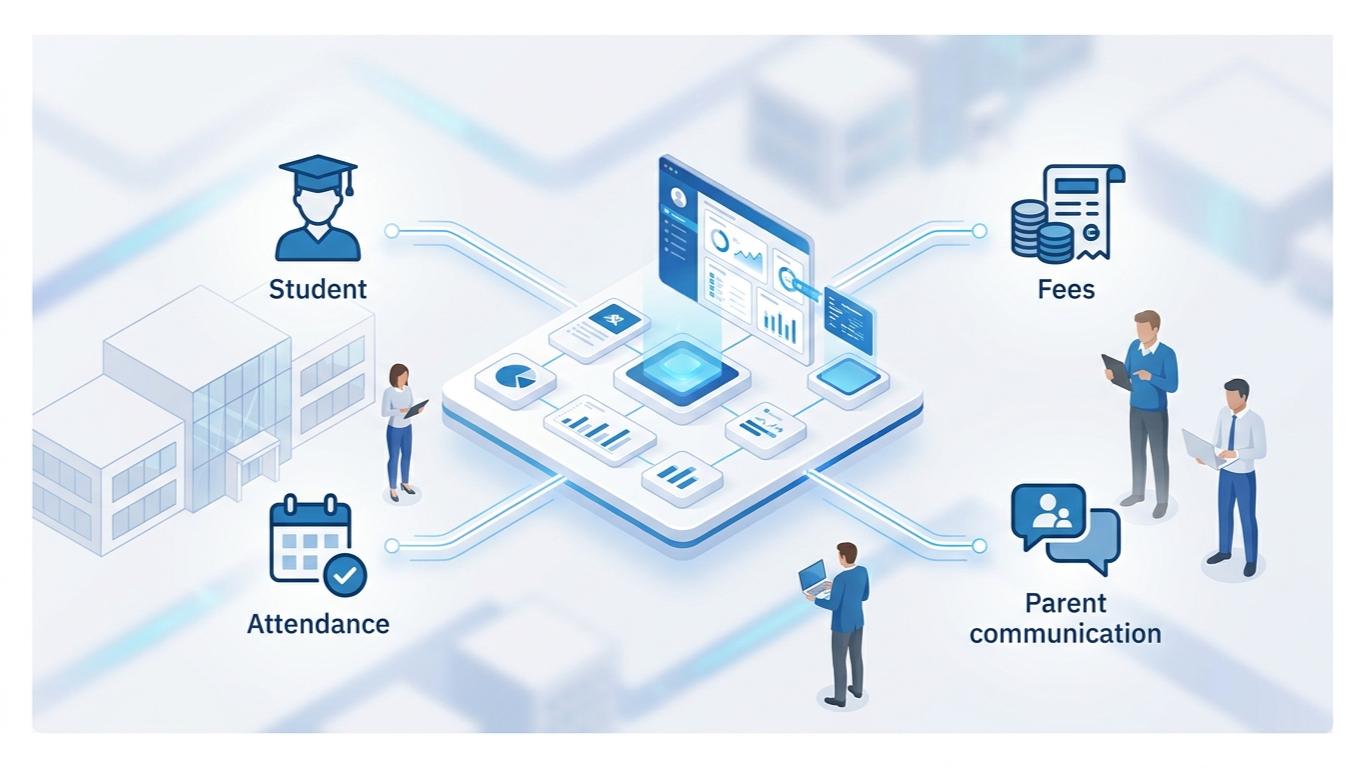
A School Management System is software that keeps everything in one place and helps schools run their daily work on a computer.
It can help schools manage:
Student and parent information
Teachers and staff
Classes, subjects, and academic sessions
Attendance and timetables
Lessons and assignments
Examinations and results
Fees and expenses
Leave management
Announcements and communication
Transportation and other school operations
Why Do Schools Need a School ERP?
As a school grows, it gets harder to manage different departments and keep records correct. The hard part is rarely one task. It is that the same facts end up in several places. Fee status sits in one register, attendance in another and exam records in a third. So even a simple question, like whether a student can sit an exam, means asking several departments.
An ERP that keeps everything in one place helps schools:
Cut down paperwork
Keep data in one place
Improve communication
Make study-related office work easier
Manage money matters with less effort
See clearly what is happening in school
Cut down repeated office tasks
Classivo ERP: A Complete Solution for School Management
Classivo ERP brings many school management jobs together in one platform.
Instead of using separate tools for each job, schools can run key work through modules that sit together in one place.
The value is not the number of modules. It is the shared record under them. Attendance, fees, exams and messages all use the same student and staff entries. Fix a record once and the fix shows up everywhere. Nobody has to decide which spreadsheet to trust.
1. Student, Parent, Teacher and Staff Management
Keeping student and staff records is one of the most important jobs in any school.
Classivo ERP helps schools manage these in one place:
Student profiles and records
Parent information
Teacher profiles
Staff and employee records
Other student and staff information
This helps administrators keep important records organised and rely less on paper registers and spreadsheets.

2. Academic, Class, Subject, Session and Holiday Management
Schools need a well-arranged study structure before they can manage daily work.
Classivo ERP helps manage the key study parts, including:
Classes and academic structures
Subjects
Mediums
Semesters
Academic sessions
Session years
Shifts
Holidays
Set these up once and teachers and office staff have a clear base to work from.
3. Timetable, Lesson, Topic, Assignment and Elective Management
Teachers and students need easy access to study schedules and learning tasks.
Classivo ERP helps manage:
Class timetables
Division-wise schedules
Teacher timetables
Lessons
Lesson topics
Student assignments
Assignment submissions
Elective subjects
Teachers can organise study content and assignments, while students can view the learning information they need on the platform.

4. Student Attendance, Staff Attendance and Leave Management
Attendance and leave records matter for both study and office work.
Classivo ERP gives tools to manage:
Student attendance
Attendance records
Staff attendance
Staff leave requests
Leave approval and management
Student leave-related activities
This helps schools keep attendance and leave records in order without doing everything by hand.
5. Examination, Marks, Results and Performance Management
Handling exams means keeping exam schedules, marks and student results in step.
Classivo ERP helps with exam work such as:
Online examinations
Offline examinations
Examination scheduling
Marks management
Marks uploading
Student results
Result publication
Keeping the exam process in one place makes results easier to manage.

6. Fees, Payments and Expense Management
Handling money is another important part of running a school.
Classivo ERP helps keep money matters in order with features for:
Fee type management
Student fee management
Payment records
Payment logs
Expense management
Daily running expense records
When fees, payments and expenses are recorded in the same system, schools see clearly what has been collected and what has been spent.
7. Announcements, Chat, Parent Communication and School Updates
Good communication keeps students, parents, teachers, and staff informed.
Classivo ERP has features for:
School announcements
Important notices
Chat and communication
Parent access to relevant information
Student access to announcements
School updates
This helps close communication gaps and makes sure important news can be shared from one system.
8. Transportation, Gallery, Website, ID Card and Certificate Management
Besides the main study and office features, schools may also need extra tools for daily running and digital work.
Classivo ERP includes features for:
School gallery management
Website management
Student ID card generation
Certificate generation
These features go beyond basic school administration.

How Classivo ERP Helps Different School Users
School Administrators
Administrators can manage important school operations such as:
Students and parents
Teachers and staff
Academic structures
Attendance
Timetables
Fees and expenses
Examinations
Announcements
Transportation
Teachers
Teachers can access tools for:
Timetables
Lessons and topics
Assignments
Student attendance
Examinations and marks
Academic activities
Students
Students can access relevant information including:
Timetables
Lessons
Topics
Assignments
Announcements
Examination-related information
Parents
Parents can stay in touch with school news and activities that concern their children.
School offices spend much of their day answering questions that are already answered elsewhere: a fee due date, an attendance question, an exam schedule. When parents can look these up, the front desk can focus on work that needs a person.

School ERP or separate registers: a side-by-side
Most schools start with registers and spreadsheets. Here is how that compares with one shared record.
| Everyday job | Separate registers and spreadsheets | One school ERP like Classivo |
|---|---|---|
| Where fee status lives | In its own register | In the same student record as everything else |
| Fixing a wrong name or section | Fix it in each register, one by one | Fix it once and it shows everywhere |
| Checking if a student can sit an exam | Ask the fee, attendance and exam desks | Look in one place |
| Answering a parent about a due date | A person looks it up and calls back | The parent can look it up |
| Which record to trust | Staff must decide which sheet is right | There is one record, so nothing to decide |
A worked example: the exam-day phone call
Imagine a parent rings the school office on the morning of an exam. She asks whether her child can sit it, and also notes that the child’s name is spelt wrongly.
With registers: the clerk opens the fee register, then the attendance register, then the exam list. Each one says something different. The spelling has to be corrected in all of them.
With a school ERP: the clerk opens one student record. Fees, attendance and exam details are all there. The spelling is fixed once, and it changes in every module that uses the record.
Next time: the parent can look up the fee due date, the attendance and the exam schedule herself, so the front desk can do work that needs a person.
What affects the cost of a school ERP
Price depends on how the software is sold and on what you switch on. These are the points to compare:
How it is sold: a one-time licence, a monthly subscription, or a custom build. Classivo is a one-time licence with no per-student fee.
Which modules you need: transport, HR, accounting and hostel are outside the Core plan, so say up front if you want them.
Extras you may pay for separately: SMS and online payments run through gateways, and those providers may charge their own fees.
For the full picture, read free vs paid school management software. To see the whole platform on one page, visit Classivo school management system.
Explore Classivo ERP
Frequently Asked Questions
What is a School Management System?
A School Management System is software that helps schools manage study and office work such as students, teachers, attendance, fees, exams, timetables, and communication.
What are the main features of a School ERP?
Classivo ERP includes features for student management, academics, teachers, staff, attendance, timetables, lessons, assignments, examinations, fees, expenses, announcements, transportation, ID cards, certificates, and more.
Can School ERP manage student and staff attendance?
Yes, the platform can manage both student attendance and staff attendance.
Can schools manage examinations and results?
Yes. Schools can manage exam work, including exams, marks, and student results.
Does School LMS support fee management?
Yes. The platform can manage fees, and also keeps payment records and expenses.
Who can use a School Management System?
A School Management System can serve many users, including school administrators, teachers, staff, students, and parents.
Is Classivo ERP a one-time purchase or a subscription?
It is a one-time licence with no per-student fee and no forced renewals.
Does Classivo ERP have mobile apps?
Yes. Teachers, students and parents each have their own Android and iOS app. The apps read the same records as the web ERP.
Are transport, HR, accounting and hostel part of the Core plan?
No. They are outside the Core plan. Tell us which modules your school needs and we will quote for them.
Related reading: compare free and paid school management software, see our education software work, or ask about a custom school mobile app.
Related guides
Written by
Mayank
Building software at PRS India.