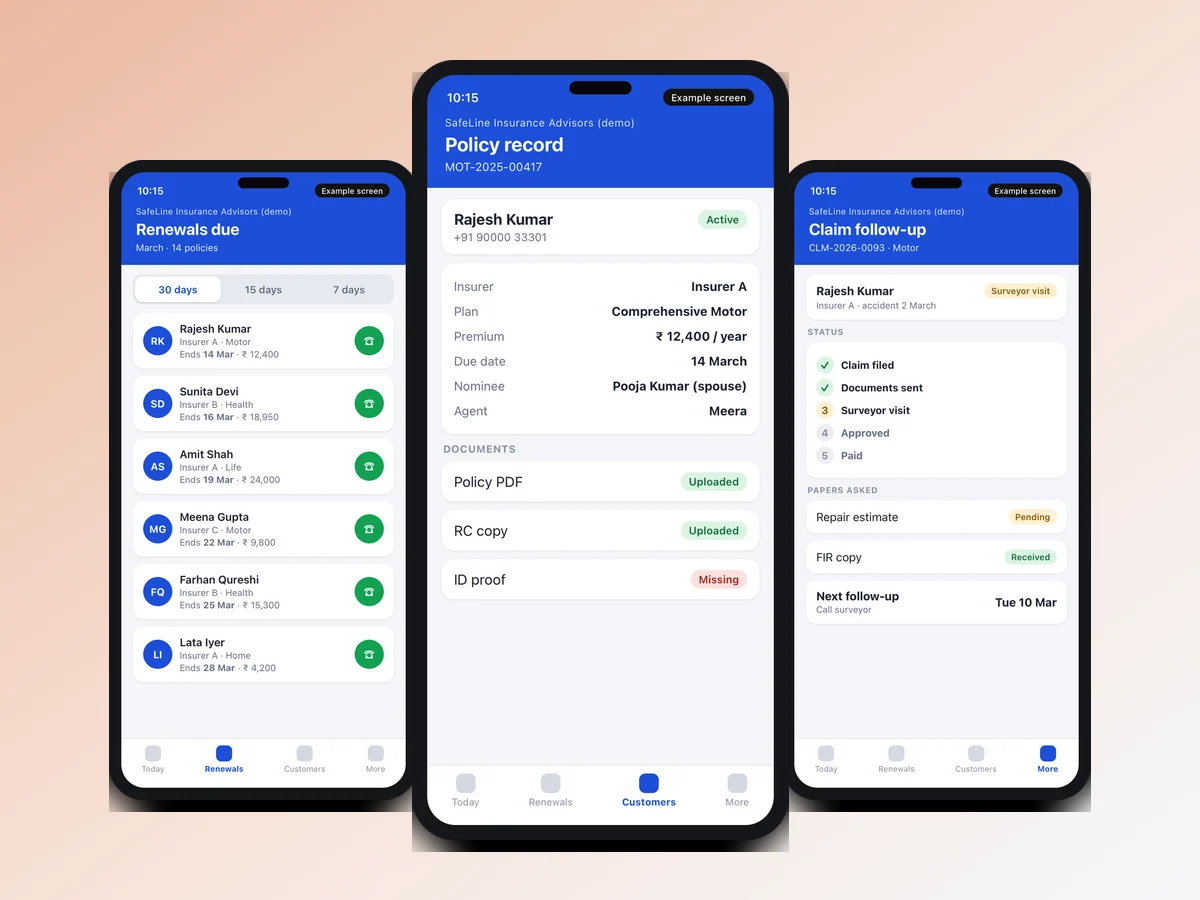
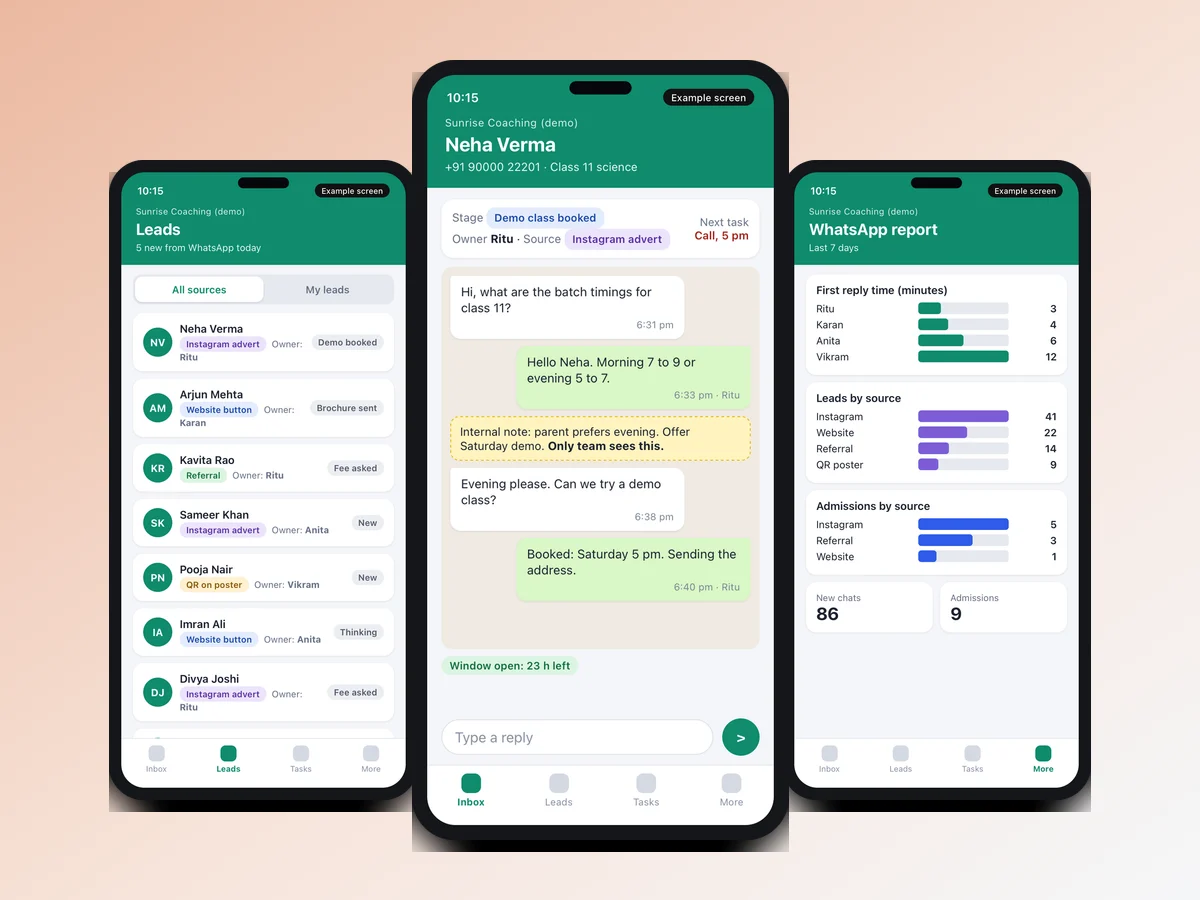
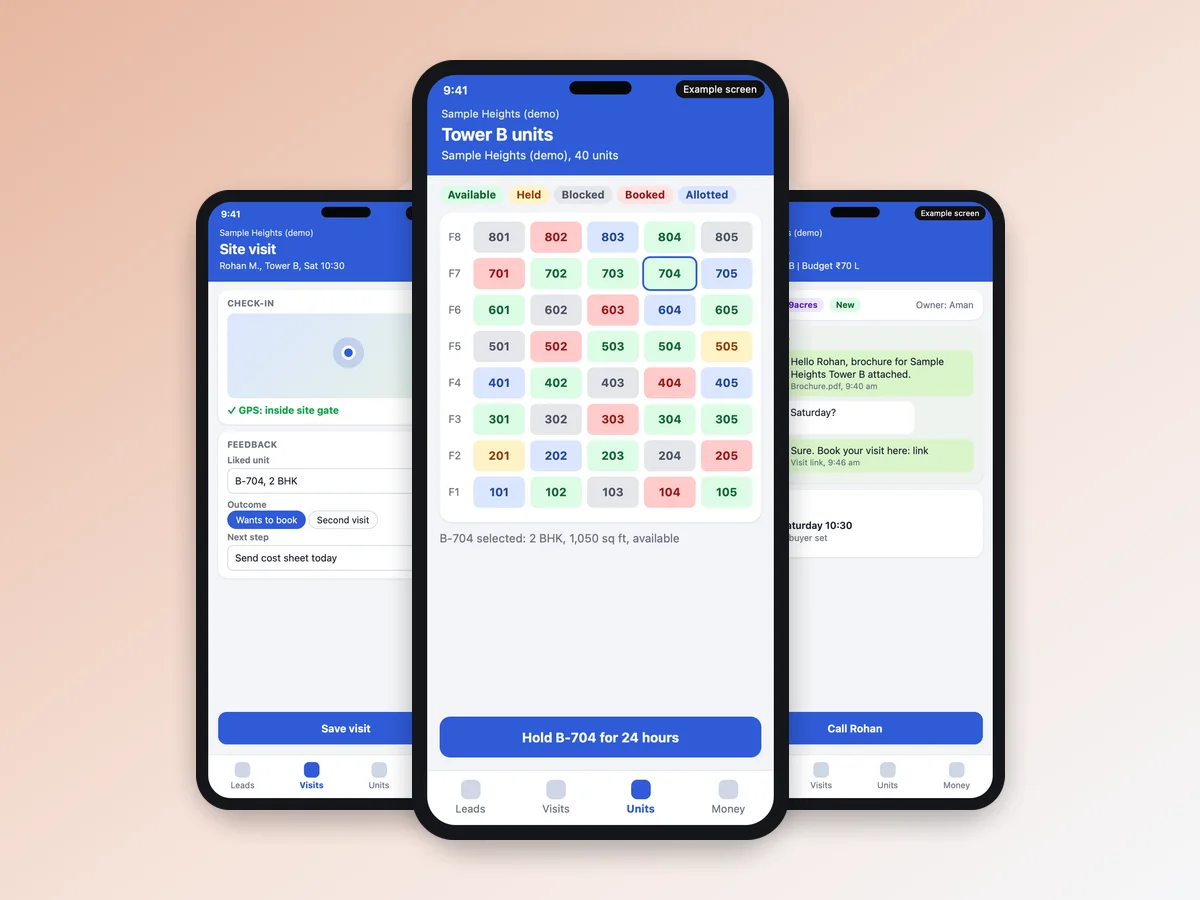
CRM Dashboard Design and Development: Reports by Role
We build your own CRM dashboard with one screen per role. It has a lead source report, funnel, follow-ups due, scorecard and forecast. It runs on web and mobile, under your brand.

Written from production. Our articles draw on products we run live and the client work behind them, and are revised as the systems they describe evolve.
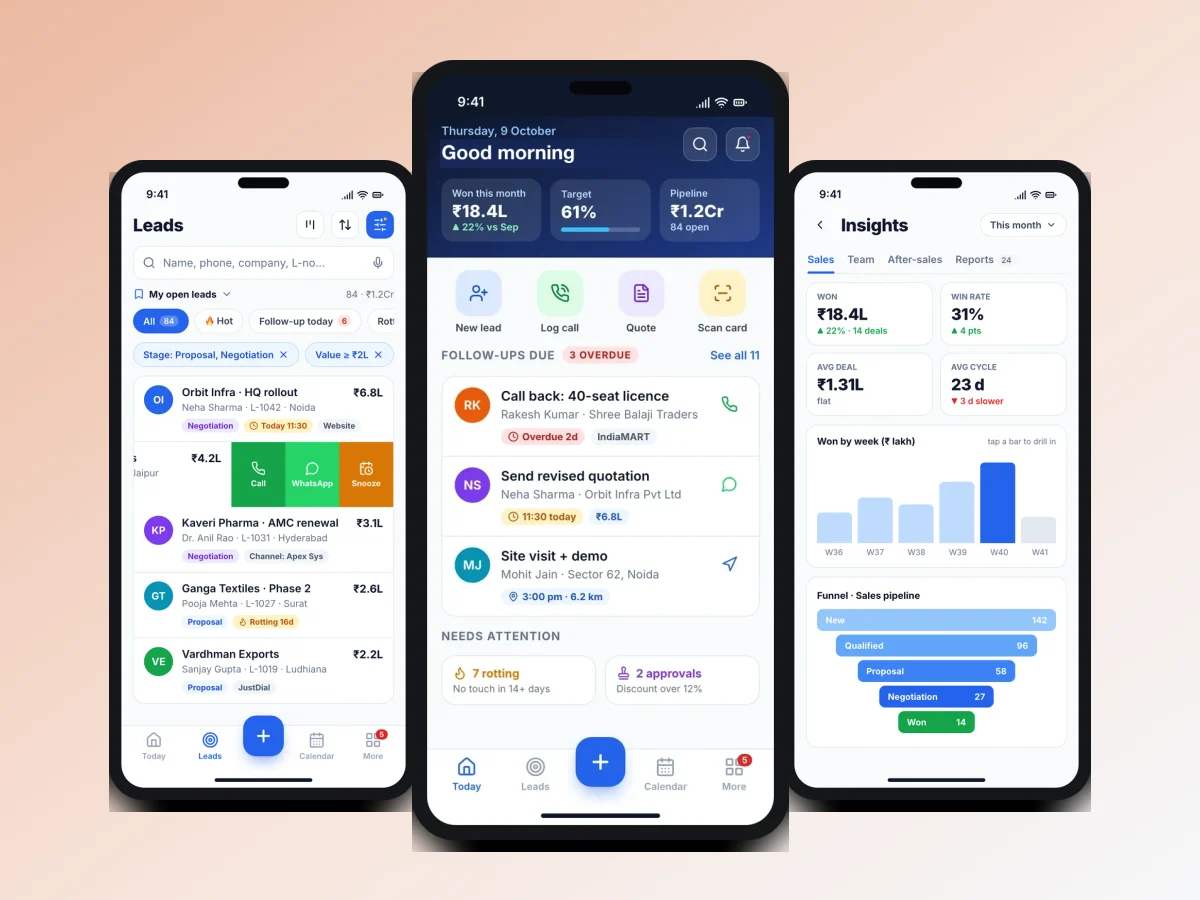
The owner opens the CRM and sees forty charts. Then he picks up the phone and asks his sales head, "How many leads came in today?" That is a CRM dashboard that has failed. Nobody needs forty charts. Each person needs the few numbers they act on today, and one click to the list behind each number.
This guide shows what an owner, a sales head, a telecaller and a field rep should see. It covers which reports to build first and the design rules we follow. It also shows how PRS India builds your own CRM dashboard that you own.
Key takeaways
- Give each role its own screen. An owner, a sales head, a telecaller and a field rep ask different questions.
- Six reports cover most needs: lead source, funnel, follow-ups due, rep scorecard, forecast and lost reasons.
- Every number should open the list behind it. A number you cannot click is a number you cannot act on.
- Keep each screen under eight widgets, and keep red for "needs action" only.
- A custom-built dashboard is yours: your brand, your data and the source code.
What is a CRM dashboard?
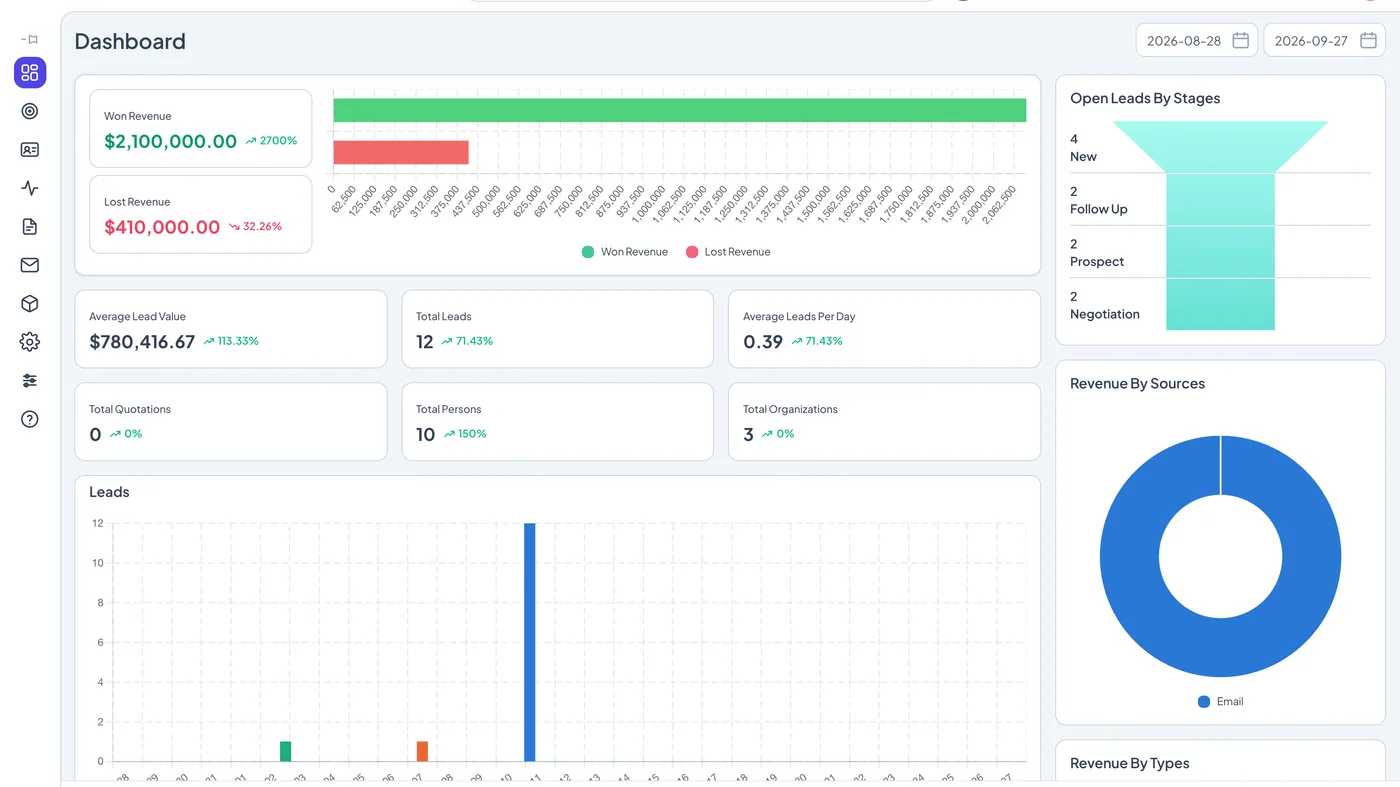
A CRM dashboard is one page that shows today's numbers from your CRM: new leads, calls due, deals open, sales against target. It answers "what do I do next?" in a few seconds. You do not read a dashboard. You glance at it and act.
People mix up three things, so here they are side by side.
| What it is | When you use it | |
|---|---|---|
| Dashboard | Today's key numbers on one page, each one clickable | Every morning, and through the day |
| CRM report | A list or table you filter, print or send to Excel | When you need the full detail, such as every overdue follow-up |
| CRM analytics | Looking back for a pattern, such as which lead source brings buyers or why deals are lost | Weekly or monthly, when you plan |
This is also what CRM reporting means in daily work. The dashboard tells you where to look. The report shows the rows. Analytics tells you what to change.
Metrics behind the widgets
Every widget on a dashboard shows one CRM metric. These are the ones we build first, and the role that watches each.
| Metric | Plain meaning | Who watches |
|---|---|---|
| Leads today | New enquiries that came in | Owner, sales head |
| Speed to first call | Time from enquiry to first call | Sales head |
| Follow-ups due and overdue | Calls promised for today, and calls missed | Everyone |
| Calls and talk time | How many calls a person made | Telecaller, sales head |
| Site visits | Visits planned and done | Field rep, sales head |
| Conversion by stage | How many leads move to the next stage | Sales head |
| Win rate | Deals won out of deals closed | Owner, sales head |
| Average deal value and sales cycle | Size of a deal, and days to close it | Owner |
| Cost per won deal by source | Ad and lead spend divided by deals won, per source | Owner |
| Sales against target | This month's sales compared with the goal | Owner, rep |
| Weighted forecast | Open deal value, adjusted by how far each deal has moved | Owner, sales head |
CRM dashboard by role: what each person needs to see
The same page for everyone is the most common mistake. An owner does not need the list of calls due. A telecaller does not need the year's revenue. Below is what each role needs. This is what your CRM should show, and what we build into your CRM for each role.
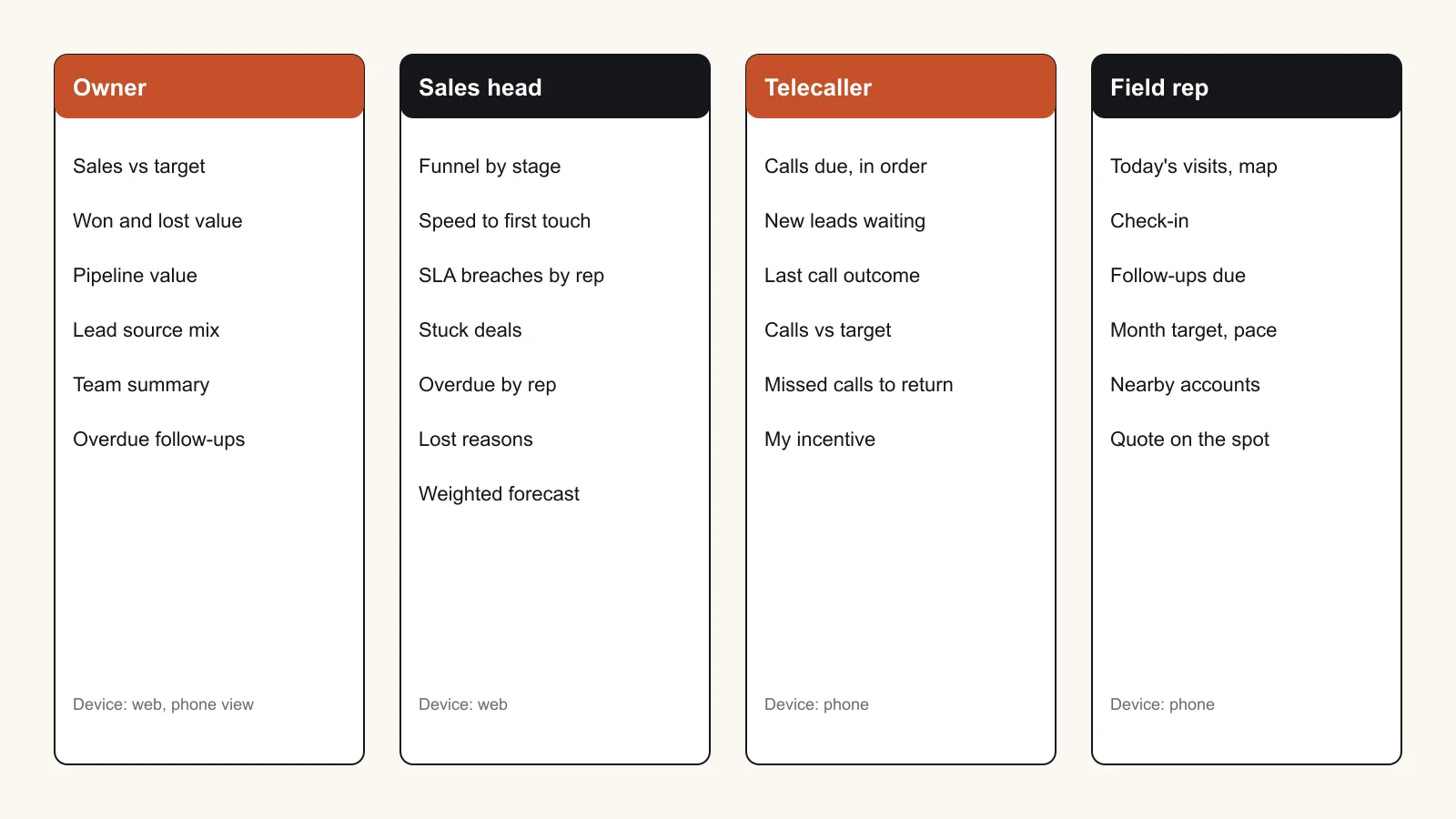
Owner: business health
The owner asks one thing: "Are we on track this month?" The owner screen answers it without a phone call.
| Widget | Question it answers | Click opens |
|---|---|---|
| Sales this month vs target | Are we ahead or behind? | Deals won this month |
| Won and lost value | How much did we win, and lose? | Won and lost lists |
| Pipeline value | How much is still open? | Open deals by stage |
| Lead source mix | Where do buyers come from? | Lead source report |
| Team summary | Who is carrying the month? | Rep scorecard |
| Overdue follow-ups | How many leads are waiting? | Overdue list |
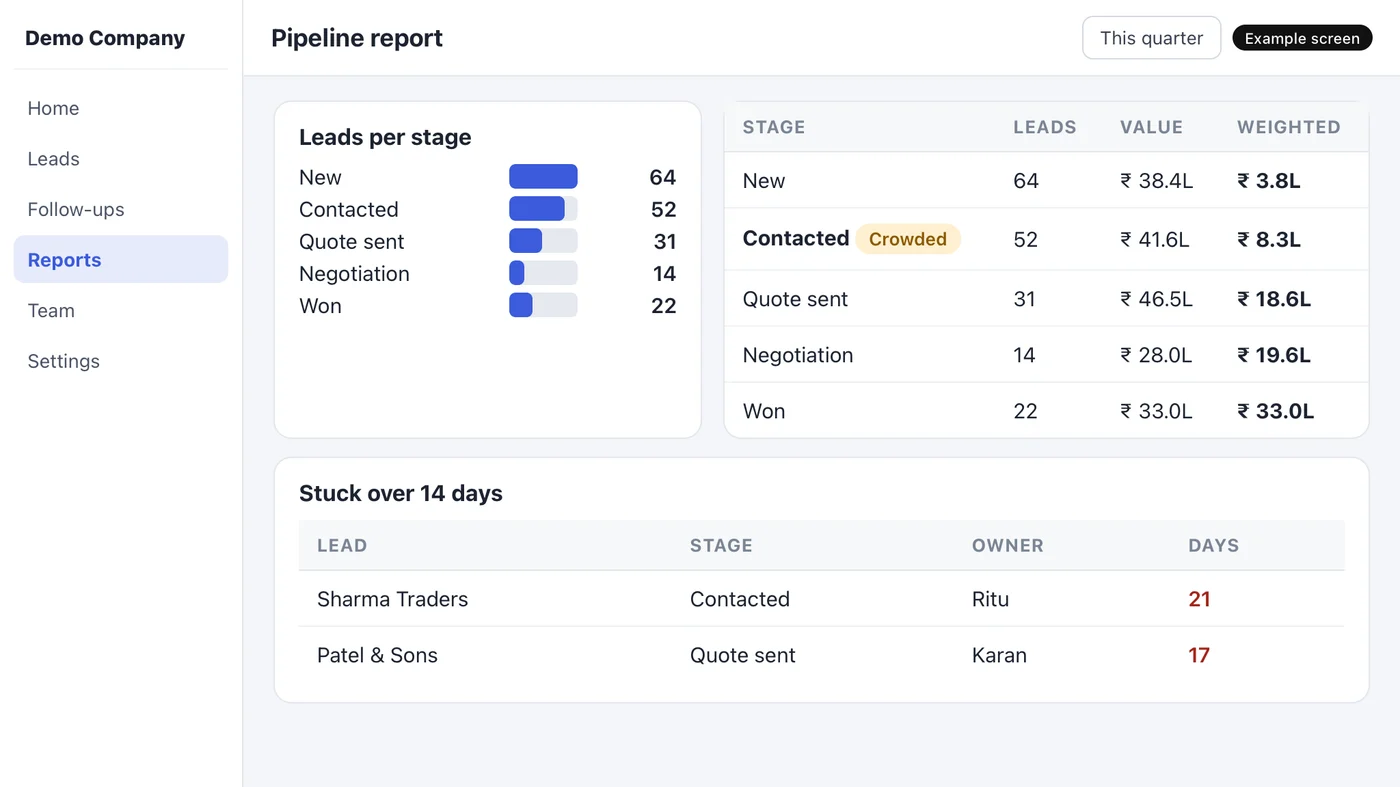
Sales head: team control
The sales head asks, "Who needs help today, and which deals are stuck?" This screen is built for that.
| Widget | Question it answers | Click opens |
|---|---|---|
| Funnel by stage, with days in stage | Where do leads pile up? | Leads in that stage |
| Speed to first touch | Is every new lead called quickly? | Slow leads, by rep |
| SLA breaches by rep | Who is missing the call-back time? | That rep's late leads |
| Stuck deals | Which deals have not moved? | Stuck deal list |
| Follow-ups overdue by rep | Who is behind on calls? | Overdue list for that rep |
| Lost reasons | Why are we losing? | Lost-deal report |
| Weighted forecast | What may close this month? | Forecast report |
Telecaller: today's calls
A telecaller wants a list, not a chart. The screen shows who to call next, in order, and takes the call outcome in one tap.
| Widget | Question it answers | Click opens |
|---|---|---|
| Calls due, in order | Who do I call next? | The lead, with a Call button |
| New leads waiting | Who has not been called yet? | New lead list |
| Last call outcome | What happened last time? | Lead history |
| Calls done vs target | Am I on pace today? | Today's call log |
| Missed calls to return | Who rang me? | Missed call list |
| My incentive | What have I earned so far? | Incentive detail |
The incentive and missed-call widgets depend on your pay plan and phone system, so we set them up with you.
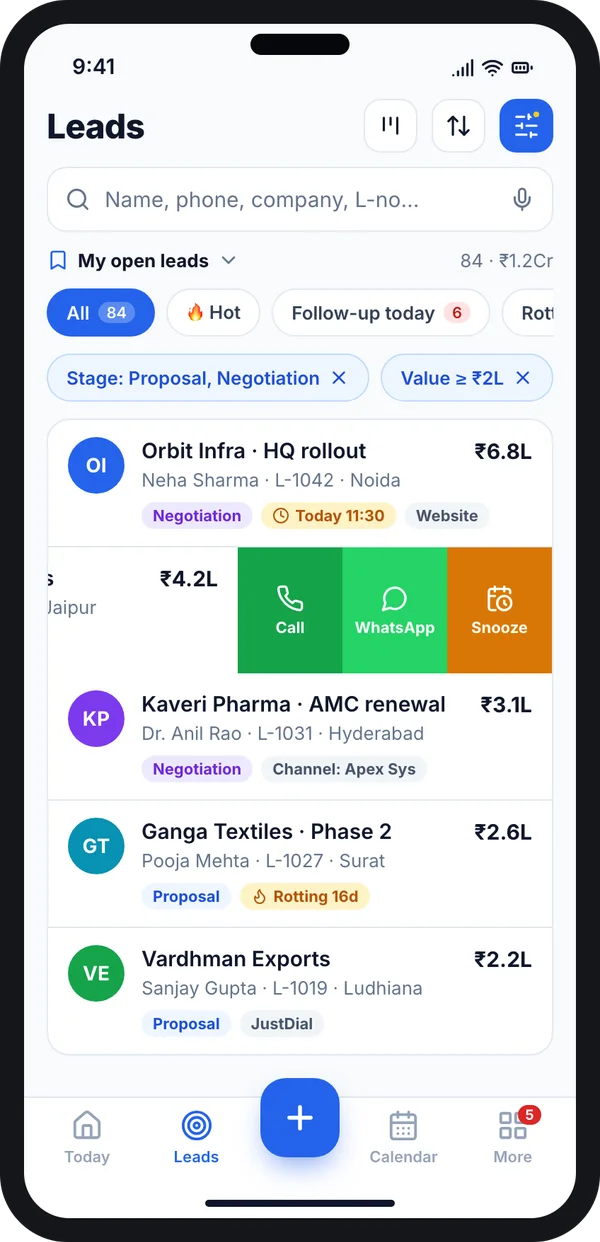
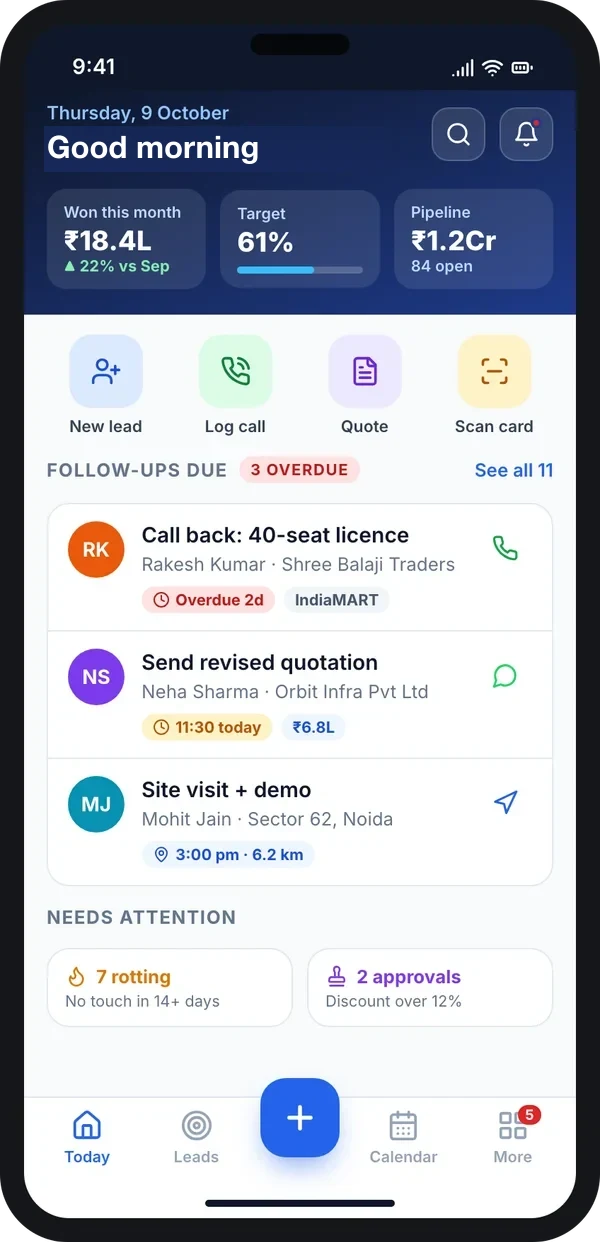
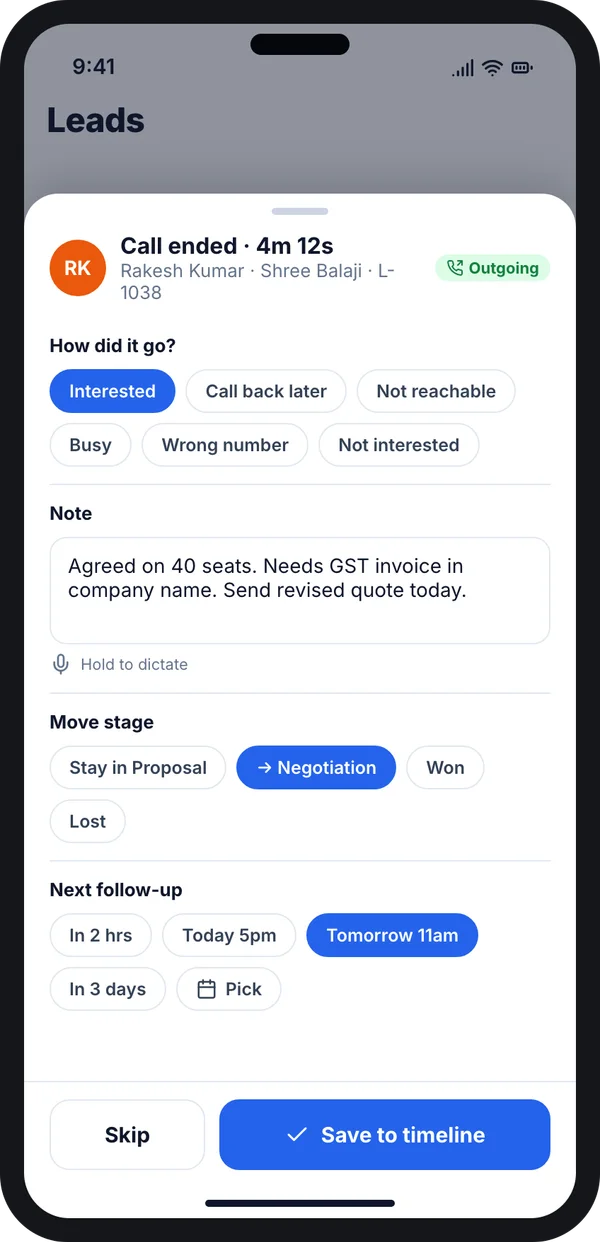
Field rep: the day's route
A field rep is on the road. The screen shows today's visits in order, the follow-ups due, and the month so far. Our field sales CRM mobile app page shows how this looks on a phone.
| Widget | Question it answers | Click opens |
|---|---|---|
| Today's visits and map | Where do I go, in what order? | The visit, with directions |
| Check-in | Have I reached the site? | Check-in with time and place |
| Follow-ups due | Who must I call or meet today? | Lead record |
| Month target and pace | Am I ahead or behind? | My sales this month |
| Nearby accounts | Who is close to me now? | Account on the map |
| Quote on the spot | Can I send a quote from the site? | New quote |
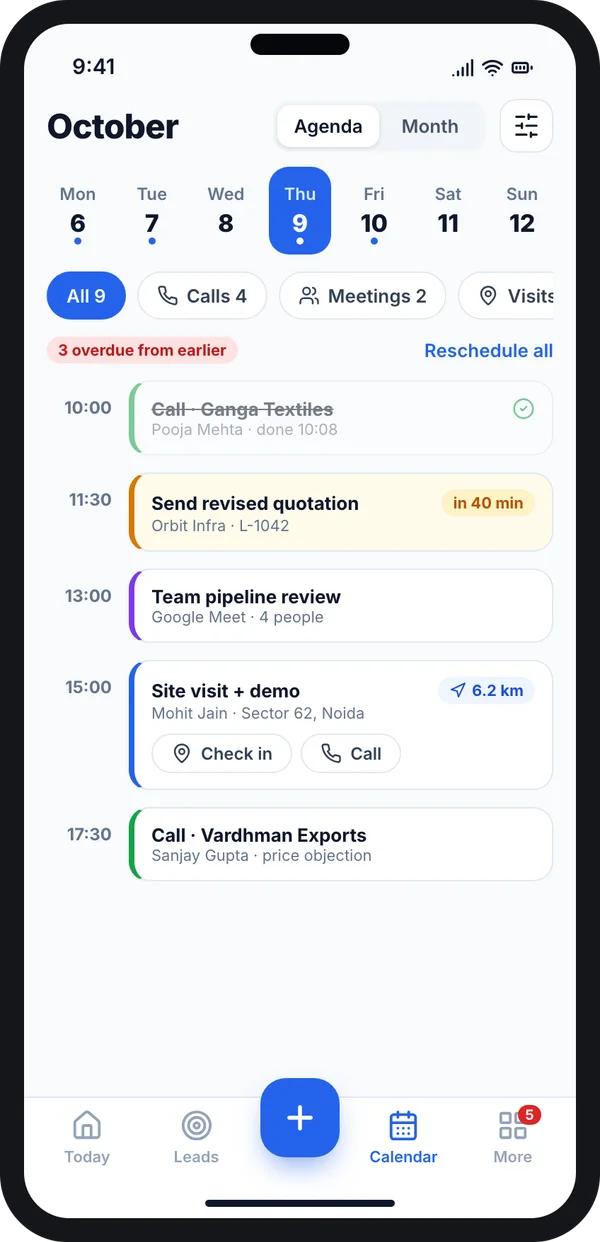
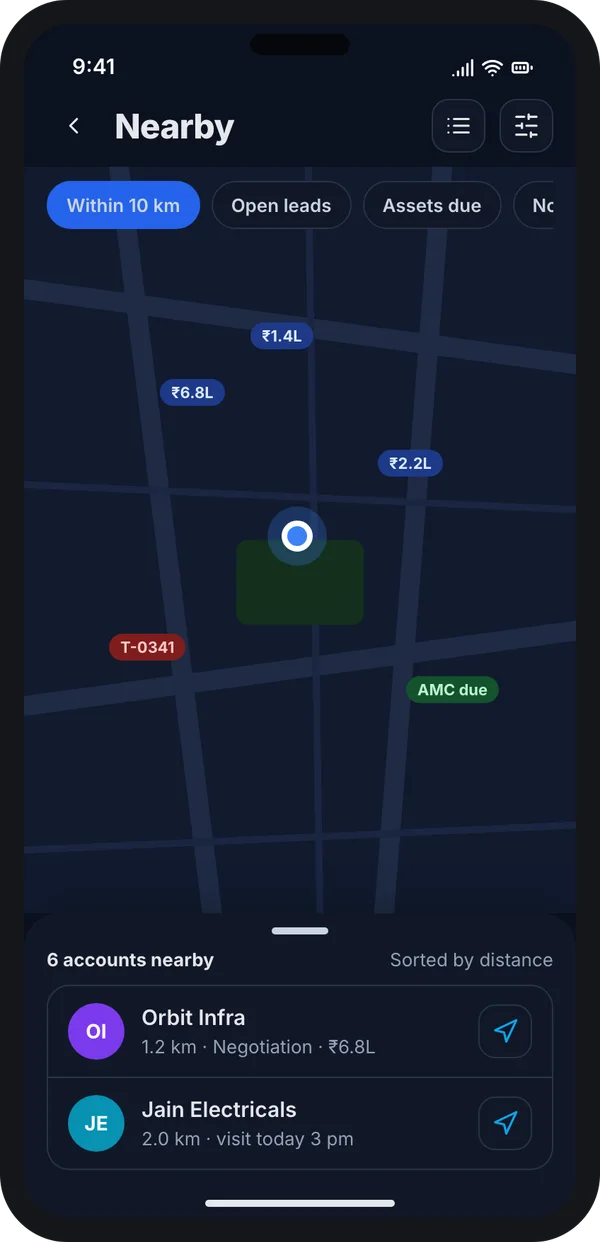
If you also need a branch head or an accounts view, tell us. We add them only when you ask, so the other screens stay short.
The six CRM reports to build first
A dashboard shows the number. A CRM report shows the rows behind it. These six reports answer most questions an owner or sales head asks. Each one has filters and an action that follows.
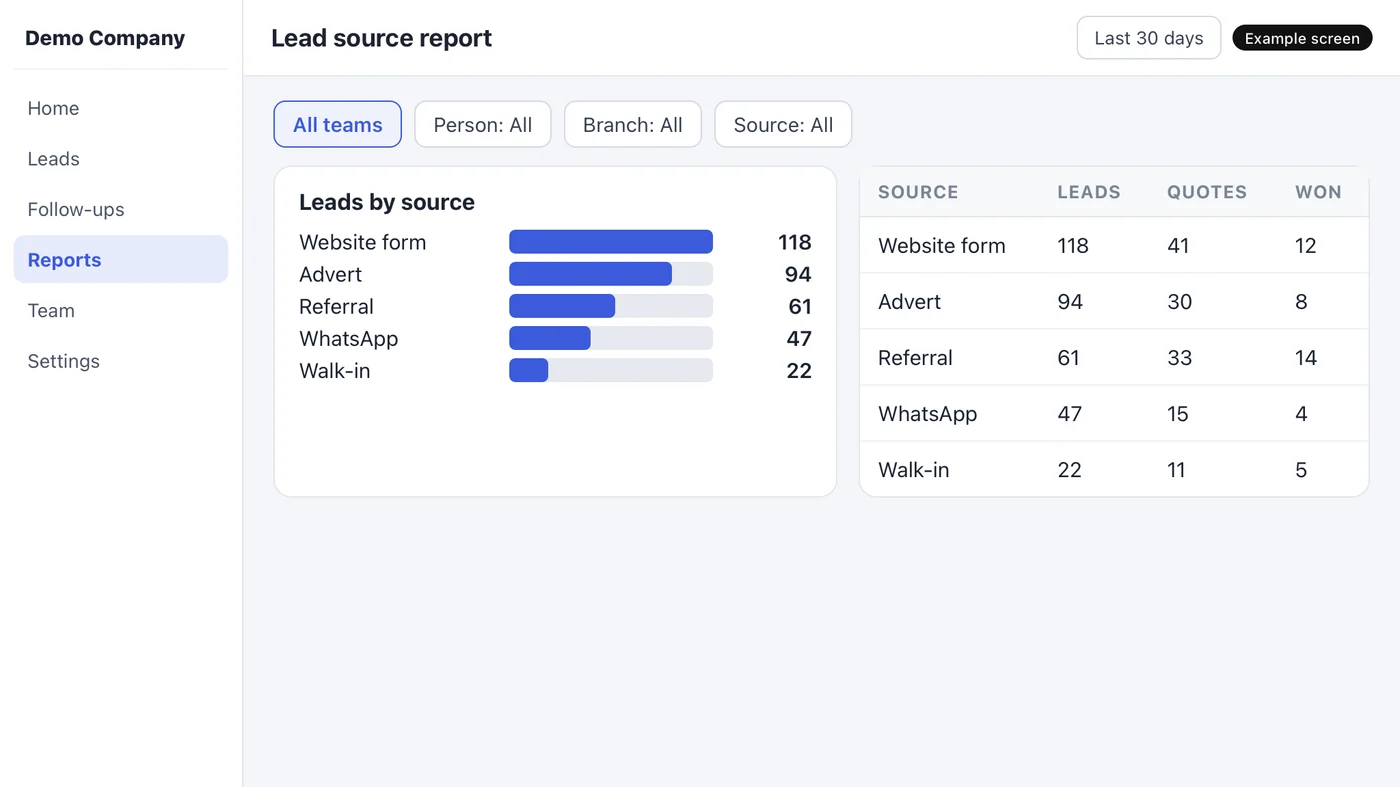
Lead source report
Shows: leads, calls reached, quotes and deals won for each source, such as your website, IndiaMART, Facebook or walk-ins. With ad spend entered, it also shows cost per won deal.
Filters: date, branch, source, rep. Action: spend more on the source that brings buyers, and stop paying for the one that only brings calls.
Conversion funnel
Shows: the count and value of leads at each stage, and the share lost between one stage and the next. This is your CRM pipeline in one view. Click a stage to see its leads.
Action: find the stage where most leads drop, and look at those leads first.
Follow-up due report
Shows: every follow-up due today, and every overdue one in red, grouped by rep.
Action: this is the first report a sales head opens each morning. A lead with no next follow-up date is a lead you are about to lose.
Team scorecard
Shows: for each rep, calls, visits, quotes and won value against target.
Action: coach the rep who is behind. A ranked leaderboard is optional. It can push a new rep to give up. So we make it a setting. You switch it on only if you want it.
Revenue forecast
Shows: open deal value, adjusted by stage, against your target. We build the view you need, such as by expected close month.
Action: plan cash and stock. Remember that a forecast is only as true as your stages. If reps move deals forward without a real step, the forecast is wrong. The fix is follow-up discipline, not a better chart.
Lost-deal reasons
Shows: why deals were lost: price, a competitor, no response, wrong timing.
Action: if "price" wins every month, look at your quotes. If "no response" wins, look at your follow-ups.
All of these reports print, and export to Excel. If you only need a one-off sheet, that is enough.
CRM dashboard design rules
Good CRM dashboard design is mostly about leaving things out. These are the rules we follow when we design your screens.
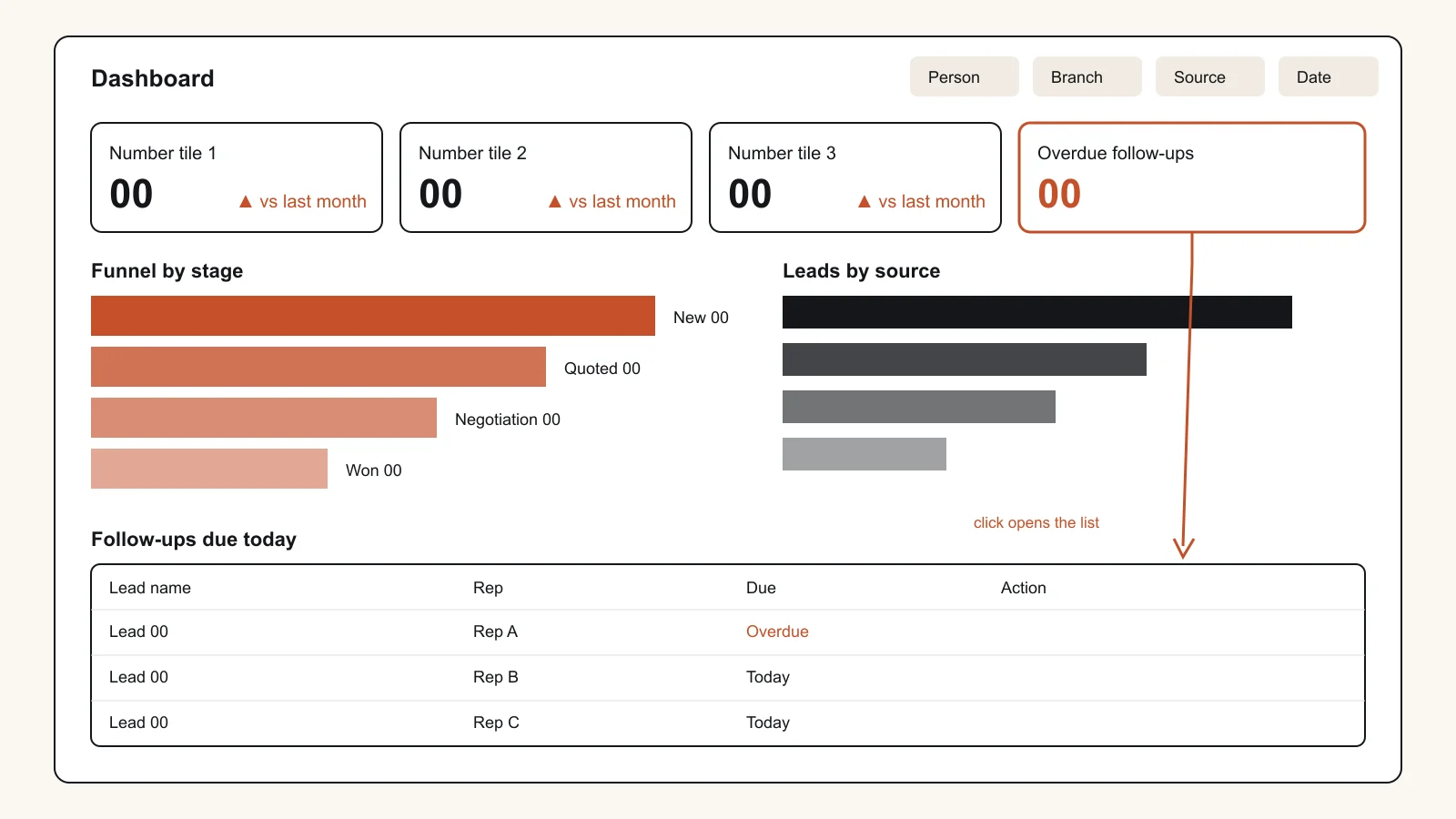
- One question per widget. If you cannot say what question a widget answers, remove it.
- First row: four numbers. Show each with an arrow against last month, so the owner sees direction at once.
- Every number clicks through. A click on "12 overdue" opens those 12 leads.
- Filters in a fixed bar. By person, team, branch, source and date. The same filters on every screen.
- Red means "needs action". Use it for overdue and late only. No colour for decoration.
- Plain charts. Bars for the funnel and sources, a line for a trend. No 3D. No pie chart with more than five slices.
- Fast with real volume. Test with 100,000 leads, not 50 demo rows. A slow dashboard stops being opened.
- A different layout for the phone. The phone gets a Today list, not a shrunk web page.
- Show use, not only sales. Daily active reps, calls logged, and leads with a next action tell you whether the team uses the CRM.
The UI and UX design step follows these rules, and you click through the screens before we write code.
What about a CRM dashboard template?
A downloaded CRM dashboard template gives you chart shapes. The real work is joining your own fields, roles and numbers: your stages, your lead sources, your targets. We do not sell a template. We build the dashboard from your process, so each number means what your team means by it.
Dashboard on web and on phone
Use each device for what it does well.
- Web: for the owner and sales head. A wide screen, many filters, tables and print.
- Phone: for the rep. A Today list with Call and WhatsApp buttons, check-in, and the after-call note. The owner can also see a short sales view on the phone when travelling.
We build the web side as a web application and the phone side as an Android and iPhone app with Flutter. See our mobile app development service for how the apps are built and released under your name.
How we build your own CRM dashboard
A dashboard made around your questions, not a generic page.
- Understand your process. In one call we list your roles and the questions each one asks every day.
- Design clickable screens. You click through a screen for every role before any code is written, and change it.
- Build. A Laravel web admin and a staff phone app. Numbers are worked out on the server and indexed, so pages open fast.
- Test with your team. Your staff use it on your own exported leads. We fix what they find.
- Launch under your brand. We set it up on your own AWS or server, or we host it for you. We train your team.
- Support and change. Daily backups, optional AMC, and new widgets when your business changes.
What decides the effort: how many roles you have, and which sources feed leads (IndiaMART, web forms, telephony, WhatsApp). It also depends on how many custom fields and branches you need, the print and export needs, and which languages. After one call you get a written plan.
| Monthly CRM plan | Custom dashboard built for you | |
|---|---|---|
| Data and source code | Stay with the vendor | Yours |
| Change a widget or add a report | Ask the vendor, or wait | We build it for you, or your own developer can |
| Fee per user | Yes, every month | No fee to us per user |
| Your roles and fields | Fit to the product | Built to your process |
A real example of roles in a CRM is in our real estate CRM and channel partner portal case study. There, a CRM serves sales staff and channel partners as separate roles. We also built a KPI dashboard for a gym business and a field service CRM.
Own it: brand, data and source code
Your logo and colours are on the web and the apps. Your data stays on your server. You get the full source code, so you are never locked in, and there is no per-user fee to us. If you resell or run several brands, read white-label CRM development for agencies and resellers.
Common CRM dashboard mistakes
Check your dashboard against this list.
- Too many charts. More than eight widgets on a screen, and nobody reads any (rule 1).
- Numbers nobody can click. If a number does not open a list, it is a poster, not a tool (rule 3).
- A forecast from stages nobody trusts. Reps move deals forward to look good, and the forecast goes wrong.
- A leaderboard that punishes new reps. Make the rank view optional.
- Reports built on fields reps must fill. If a report needs ten fields typed after every call, reps stop using the CRM and the report is empty (rule 9).
FAQ
What should a CRM dashboard show?
One screen per role, with the few numbers that role acts on today. For example, the owner sees sales against target. The telecaller sees calls due. Each number opens the list behind it.
What is the difference between a CRM dashboard and a CRM report?
A dashboard shows today's key numbers at a glance. A report is a filtered table that you print or send to Excel. You use the dashboard to see where to look, and the report to see the rows.
Which CRM metrics matter most?
Leads, speed to first call, follow-ups overdue, conversion by stage, win rate, sales cycle, cost per won deal by source, and forecast. Start with these and add more only when someone asks a question they cannot answer.
Can I get a CRM dashboard template?
Layouts are common, so you can find many. The useful part is your own fields, roles and targets. We build the dashboard to your process, so the numbers match how your team works.
Can a CRM dashboard work in Excel or Power BI?
Yes, for a small team or a one-off view. It breaks when many reps update data every day, because the sheet needs someone to refresh it and it cannot alert anyone. A CRM with its own dashboard updates as soon as a rep saves a call.
Can each person see only their own numbers?
Yes. Access is set by role. A rep sees their own leads and numbers, and a manager sees the team.
How long does it take to build a CRM dashboard?
It depends on how many roles, data sources and reports you need. After one call, we send a written plan with dates for each part, starting with screens you can click through.
Do I own the CRM and its source code?
Yes. The brand, the data and the source code are yours. We set it up on your own AWS or server, or we host it for you.
Related guides
- Insurance CRM Software Development Company in India
- WhatsApp CRM Software Development Company in India
- Real Estate CRM Software Development in India
- Hospital CRM Development Company in India: Build Your Own
- What Is CRM? Meaning, Full Form and Examples in India
- Cloud Based CRM Platforms: Build Your Own or Rent a Seat
Written by
Aditi
Building software at PRS India.