Cloud Based CRM Platforms: Build Your Own or Rent a Seat
Compare a rented SaaS seat with a CRM built for you on your own AWS account or server. We cover data, uptime, backups and phone access.

Written from production. Our articles draw on products we run live and the client work behind them, and are revised as the systems they describe evolve.
A cloud based CRM is a CRM that runs on a server on the internet. Your team opens it in a browser or a phone app, and nothing is installed on each computer. That part is the same for every cloud based CRM. What differs is who owns the server and the data.
There are two ways to get one. You can rent seats from a software vendor. Or you can have a CRM built for you and run it on a cloud account that you control. This guide compares the two on control: data, uptime, backups and phone access. It does not compare prices.
Key takeaways
- "Cloud based", "web based" and "online" CRM all open the same way, in a browser. The real difference is who holds the server account.
- A rented seat runs on the vendor's server, with your data next to other companies' data. A CRM built for you can run on your own AWS account or your own server.
- Ask four questions of any cloud CRM. Who can open my records? Can I export everything? Who takes the backup? What happens if I leave?
- One database serves the browser and the phone app, so field staff and office staff see the same records.
- A rented seat is a fair choice for a small team with a standard process. Build when your process, your data location or your brand matters more.
What cloud based CRM platforms are
CRM means customer relationship management: one list of all your leads and customers, with the calls, notes, quotes and follow-ups for each. A cloud CRM keeps that list on a server you reach over the internet. A cloud based CRM platform is the whole package: the screens, the database and the server it runs on.
A cloud based CRM can be delivered in three ways.
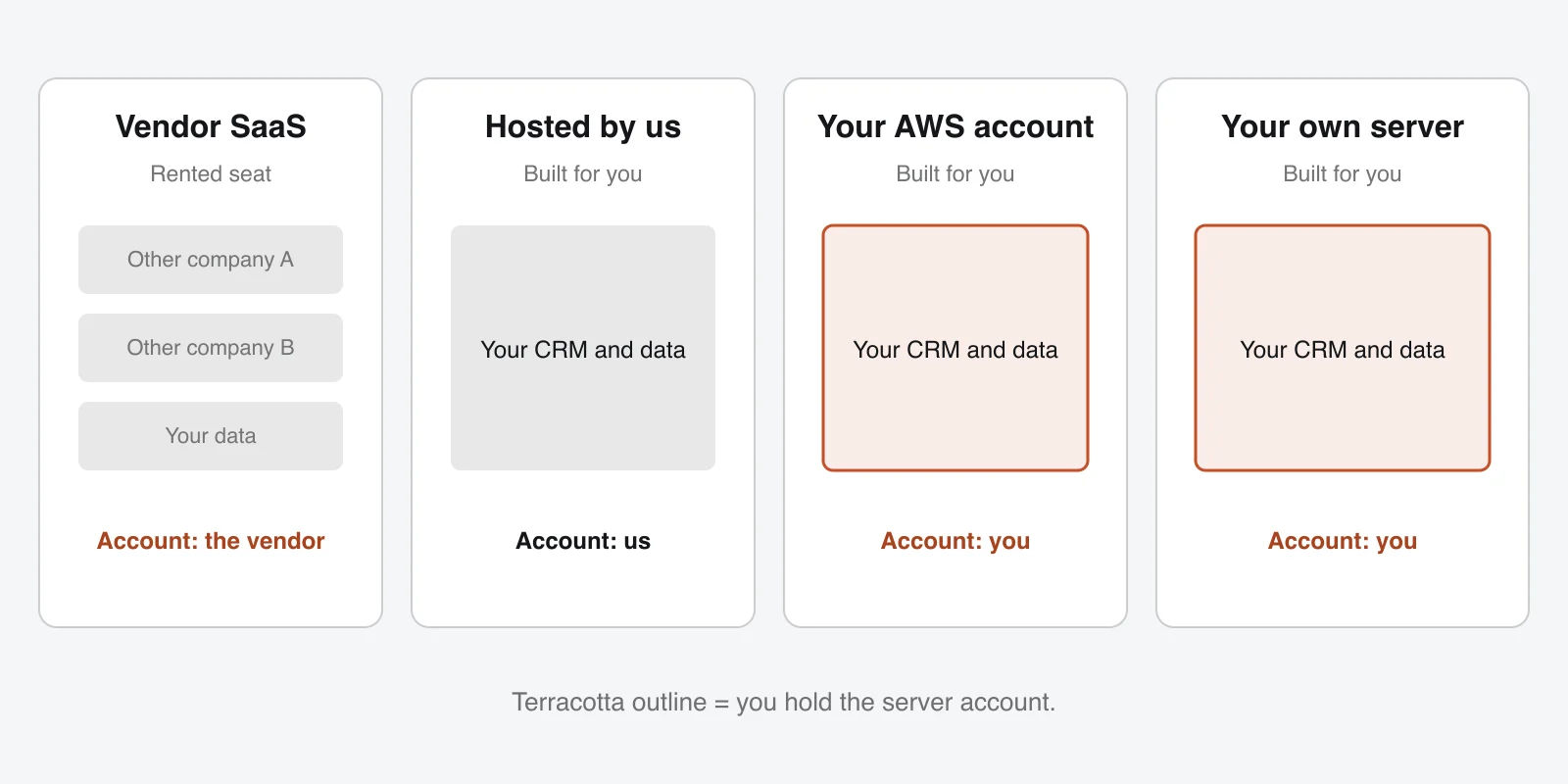
- Vendor SaaS. You pay for seats. The vendor runs one system for many companies.
- Hosted for you. A CRM built for you, running on a server that the builder looks after for you.
- On your own account. A CRM built for you, running on your own AWS account or your own server, with you holding the login.
The rest of this guide shows how these three differ. For the basics of CRM itself, see our guide to what a CRM is (link when live).
How a CRM runs in cloud computing
When a sales person opens the CRM on a phone, a short chain of parts does the work. The same chain exists in every cloud CRM, whoever owns it.
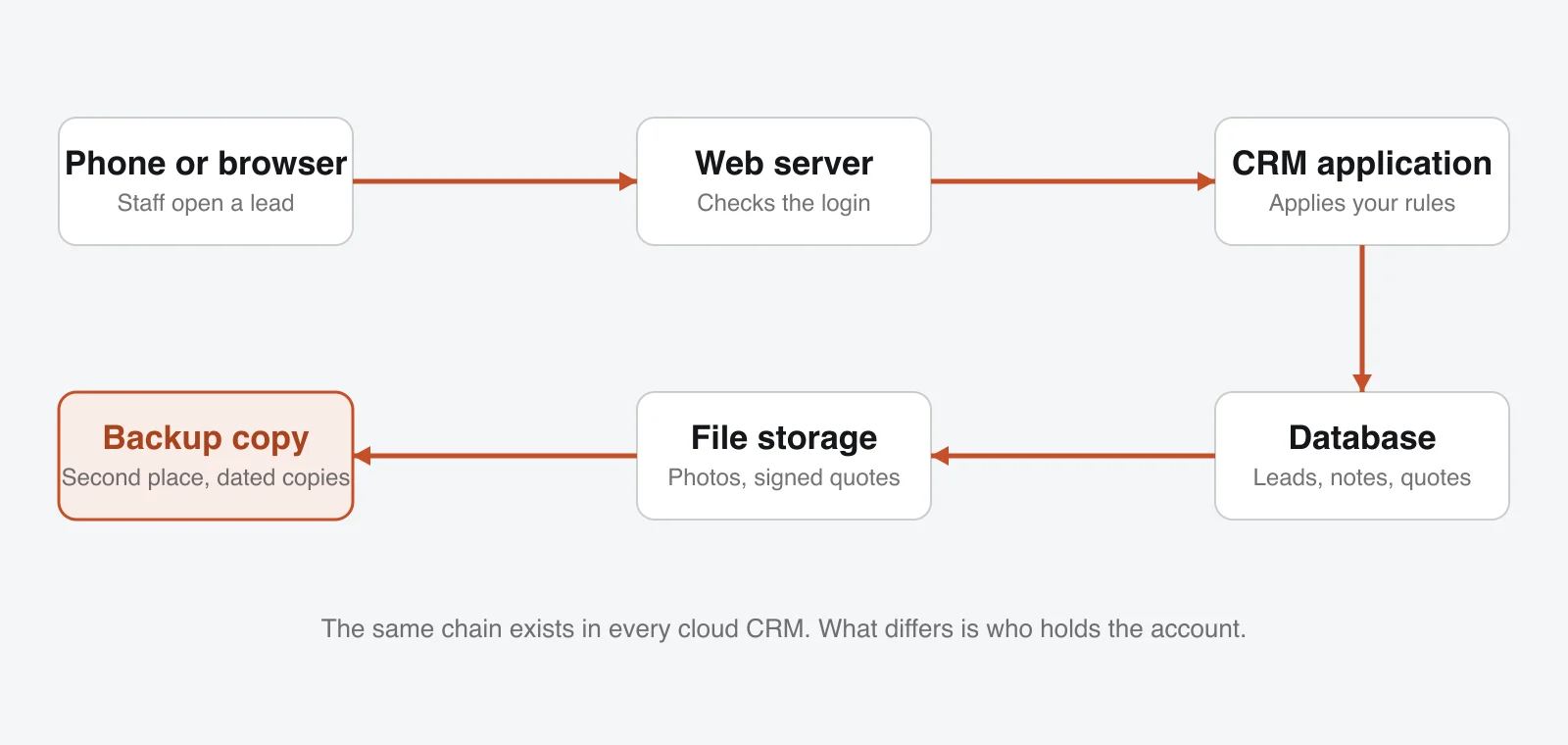
- Phone or browser. Where your staff type and read.
- Web server. Receives the request and checks the login.
- CRM application. Applies your rules: who can see which lead, what a follow-up date means.
- Database. Holds every lead, call note and quote.
- File storage. Holds photos, signed quotes and attached documents.
- Backup copy. A saved copy of the database and files, kept in a second place.
Web based, cloud based and online CRM: what is the difference?
For a buyer, nothing at the screen. All three are opened in a browser. A web based CRM and online CRM software are the same idea with different names. The difference sits behind the screen: whose account the server belongs to, and who can reach the database.
Where your cloud CRM can live: hosting choices
This is the first real choice. Pick the row that matches the people you have.
| Option | Who holds the server account | Who can see raw data | Who does updates and backups | Fits when |
|---|---|---|---|---|
| Vendor SaaS (rented seat) | The vendor | The vendor's systems and staff | The vendor | You want to start fast with a standard process |
| Hosted for you by us | We hold it | You, and us under your agreement | We do | You have no IT person |
| Your own AWS account | You hold it | You, and people you allow | We set it up; you can take over any time | You want the data in your account |
| Your own server or office server (on premise) | You | You | Your IT team, or us under a support plan | You already run servers |
Your own AWS account: what "yours" means
The account is opened in your company's name, on your billing, with you holding the main login. You pay Amazon directly for the server. We work inside it through a role you give us, and you can switch that role off at any time. You also pick the region, for example Mumbai, so that your Indian customer data sits in India. Our cloud and DevOps work covers this set-up.
Your own server: when it is enough
A team with a steady number of users can run the CRM on one rented or office server. This is also the answer to the search for a "free CRM self hosted". The software may cost nothing. But the server, the updates and the backups still need an owner. For a CRM built for you, the source code is yours, so you are not tied to us to keep it running.
When hosting by us is the better fit
If nobody on your team looks after servers, we host the CRM for you. This is hosted CRM in the plain sense: you use it, we keep it running, and the data stays yours.
Who owns the data in a cloud CRM
Your customer list, call notes and quotes are a business asset. In a rented seat they sit in the vendor's database. Before you sign with any seller, ask:
- Can I export every customer, note and file in a format I can open, such as Excel or CSV?
- What happens to my data if I stop paying?
- In which country is the server?
- Who at the vendor can open my records, and is that logged?
In a CRM we build for you, the data sits in your database. You can export it to Excel or CSV. We hand over the full source code. The honest other side: if you own it, you also carry the duty to keep it safe. That means strong logins, limited access and tested backups. Personal data of customers also falls under the Digital Personal Data Protection Act, 2023. Read the official text for the duties that apply to your business.
Uptime: what happens when the server is down
With a rented seat, an outage means you wait for the vendor. You cannot restart anything. On your own cloud, you or your support partner can restart the server or move the CRM to another machine.
What matters is what is agreed before the day it happens:
- Monitoring that alerts a person when the CRM stops answering.
- A named contact and a response time, written in your support terms.
- An agreed maintenance window, so updates do not land in the middle of a sales day.
- Optionally, a second server that takes over.
We do not quote an uptime percentage in this guide. Your support terms say what we commit to for your set-up.
Backups: what is saved, how often, and who tests a restore
A backup you never restored is a guess. For a cloud CRM that we set up, we take a daily backup, and optional AMC covers checking it. Whoever runs your CRM, make sure of these:
Backup checklist
- The database is copied every day
- Uploaded files, such as photos and signed quotes, are copied too
- Copies go to a second place, such as a separate storage bucket or region
- Dated copies are kept, so you can go back to last Tuesday
- Someone has restored a copy to a test system at least once
- You know who to call when you need a restore
Mobile access: the cloud CRM on your team's phones
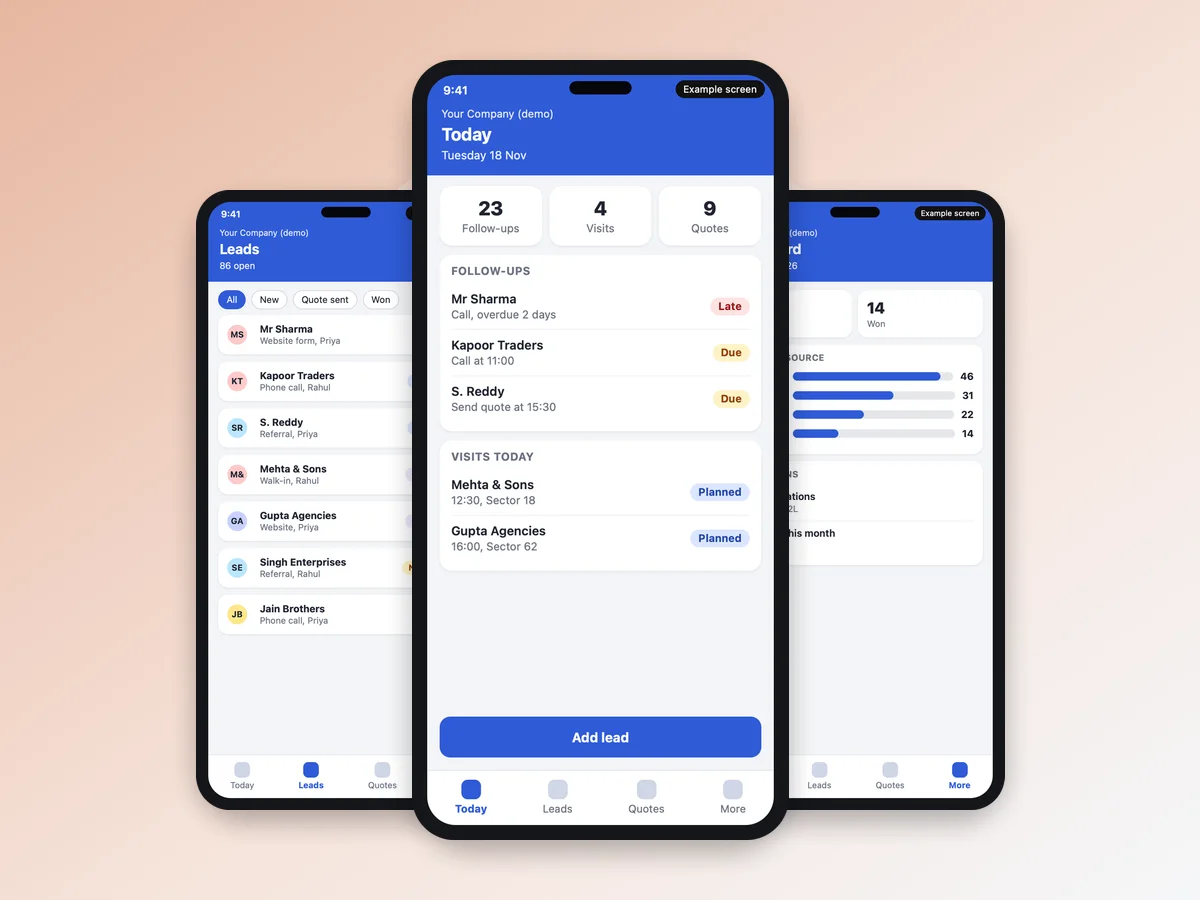
Because the CRM is in the cloud, one database serves the browser and the CRM app on the phone. A follow-up added by the office shows on the field person's phone. A visit note typed in a lift shows on the owner's dashboard. A mobile CRM can keep working on a weak connection and sync when the signal returns. With a rented seat the app carries the vendor's name; in a CRM built for you it carries your name and logo. See the field sales CRM mobile app for the phone side.
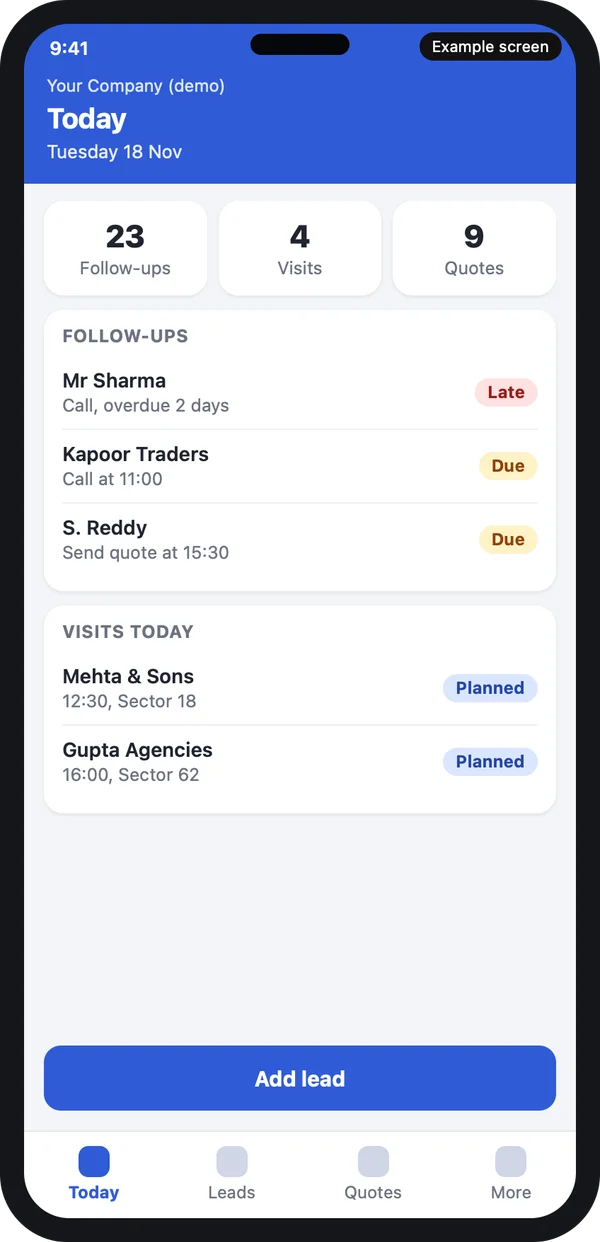
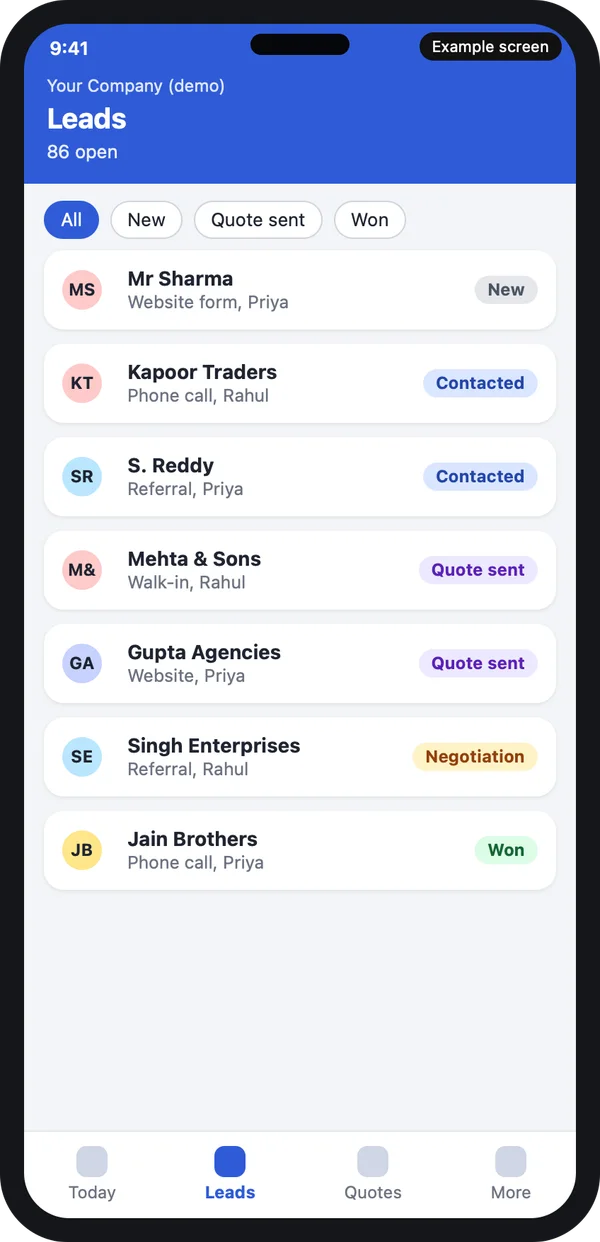
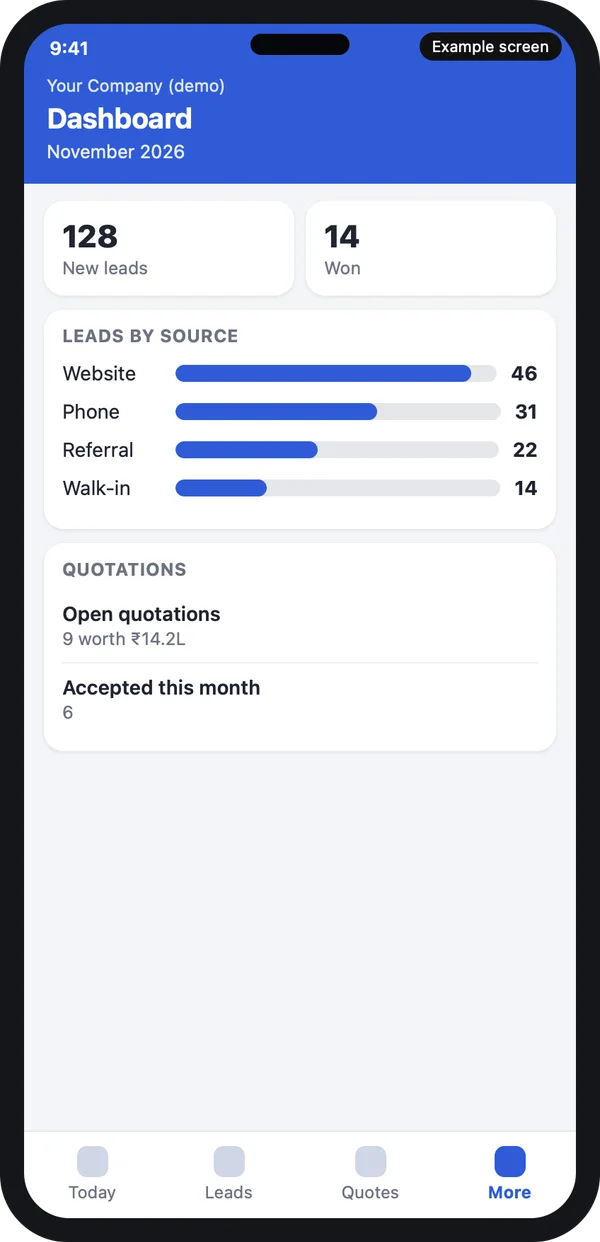
Example design with demo data. The same records as the browser.
Rented seat or your own cloud CRM: side by side
Here is the choice in the title, question by question. There is no price row, because this guide is about control.
| Question | Rented seat | Own cloud CRM built for you |
|---|---|---|
| Where does the data sit? | On the vendor's servers | In your account or on your server |
| Can I export everything when I leave? | Depends on the vendor's export option | Yes, and you already hold the source code |
| Who decides changes to fit my process? | The vendor's roadmap | You decide, we build |
| GST quotes and your own number series (QT/2026-27/0001) | Only if the tool allows | Built to your format |
| Lead sources and messaging: IndiaMART, TradeIndia, JustDial, WhatsApp, SMS with DLT | Limited to what is listed | Connected with your own accounts |
| Who patches security? | The vendor | Us or your IT, as agreed |
| Who answers at 7 pm? | The vendor's support queue | The contact in your support terms |
| If the vendor drops a plan | You move or you pay more | Nothing changes; the CRM is yours |
To be fair to the rented option: take it if you are a few people with a standard sales process. A rented cloud based CRM tool is the quicker start. Many of the online CRM tools on the market suit exactly that case.
When a rented cloud CRM is enough, and when to build
Rent a seat when
- You have fewer than about five users.
- Your pipeline is a standard one: new, contacted, quoted, won.
- You need no integrations beyond email.
- You are fine with the vendor's data location.
Build your own when
- Your process does not fit a standard tool.
- You want the data in your own account.
- You have many users, branches or field staff.
- You serve customers under your own brand.
- You need rules, such as approval of a low-price quote.
- After-sales work, such as service visits or AMC renewals, should live inside the CRM.
This is a judgement, not a rule. If your team is near the line, start with the questions in the next section.
How to choose a cloud based CRM
Search results for the "best cloud based CRM" are mostly lists of vendors. A list cannot know your process, so use questions instead. Ask them of any seller, us included.
- Where is my data? Ask for the country and the account holder.
- Can I export all of it? Customers, notes and files, in Excel or CSV.
- Who can open my records? And is access logged?
- Who takes backups? How often, and who has tested a restore?
- Does it fit my stages? Ask to see your own stages on screen, not a generic pipeline.
- Does it work on phones? Same data, weak-signal use, your brand on the app.
- What if I leave? What do I take with me: data, code, both?
- Who answers when it is down? A named contact, in writing.
The benefits of a cloud based CRM hold for both routes. Staff reach it from anywhere. Nothing is installed on each PC. Updates happen in one place. The questions above are what separate one cloud CRM from another.
What we build
What your own cloud CRM looks like when we build it
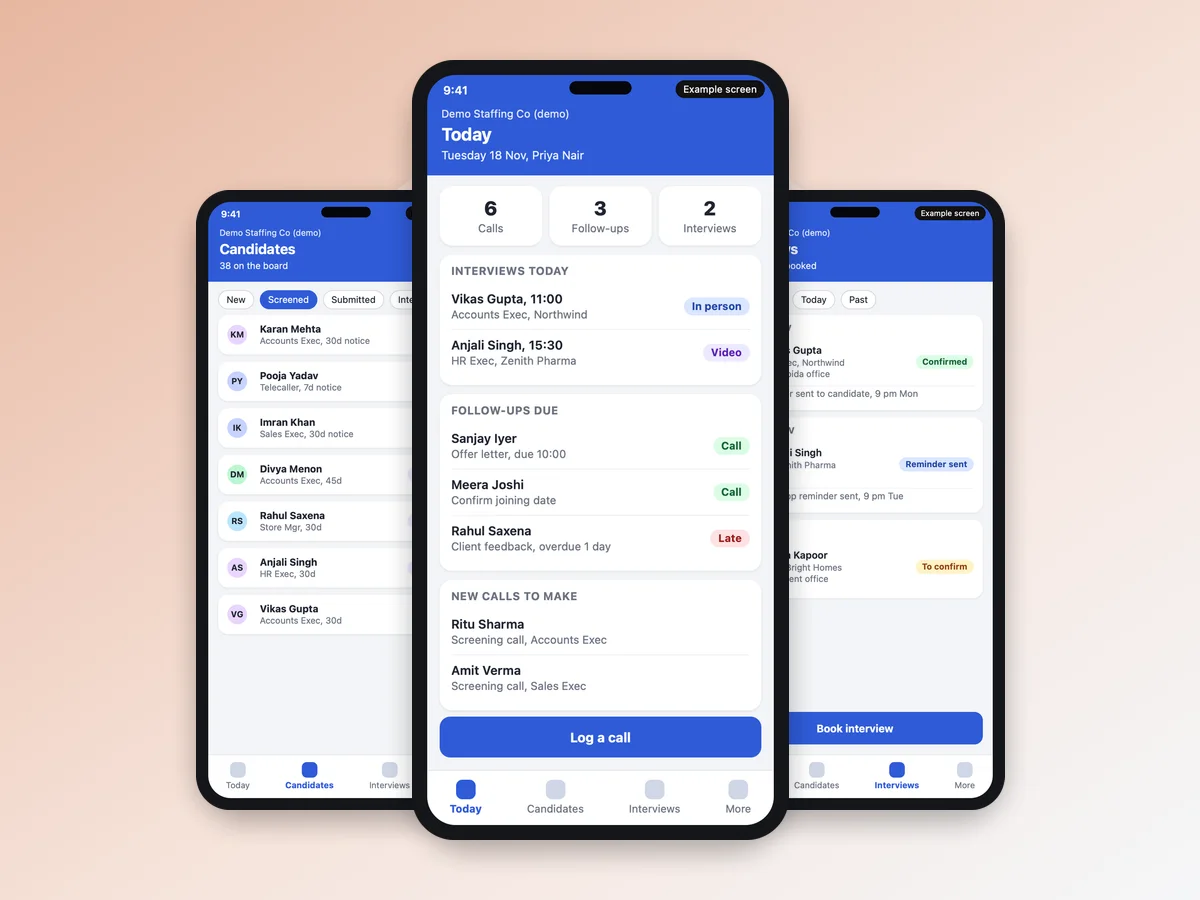
Three screens, with demo data, that show what "your own" means.
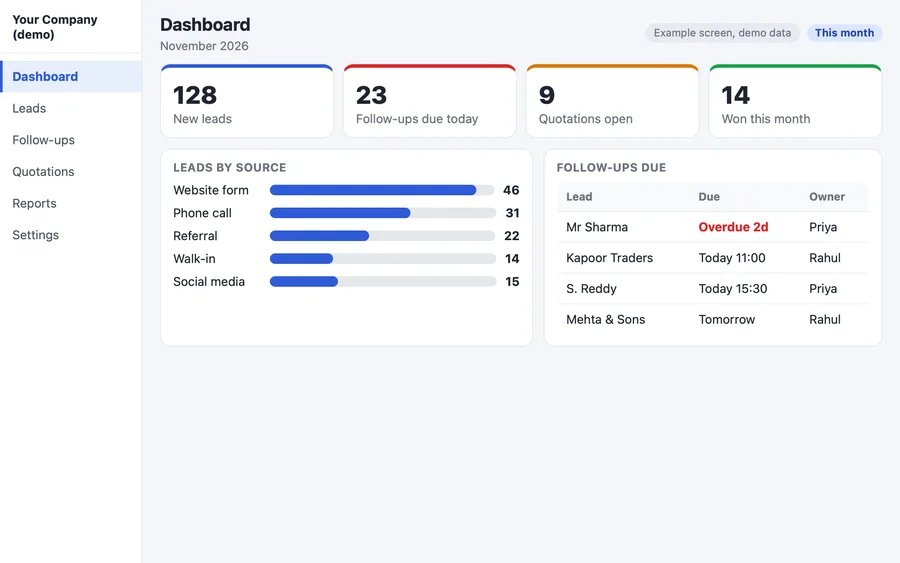
Dashboard
Leads, follow-ups due today and quotes, for the owner and each manager.
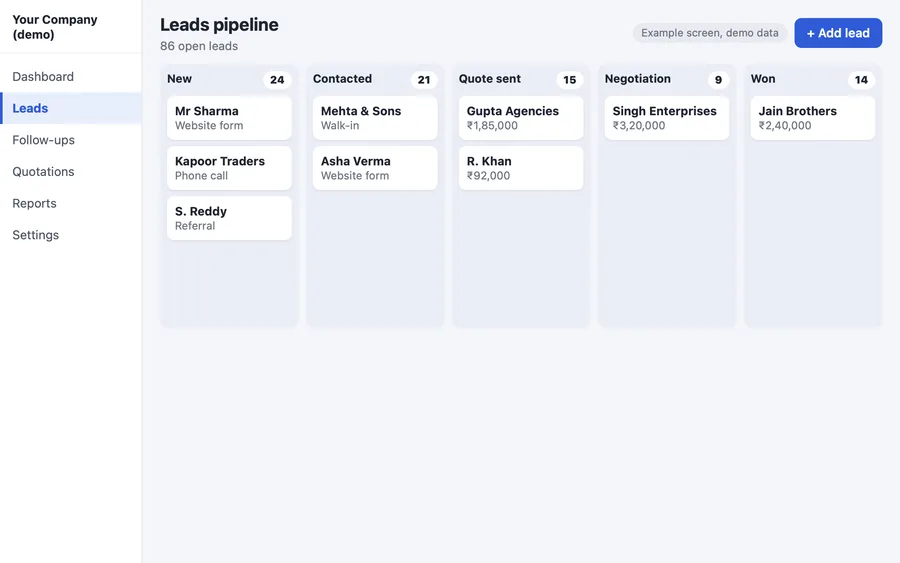
Leads board
Your own stages and fields, not a fixed pipeline.
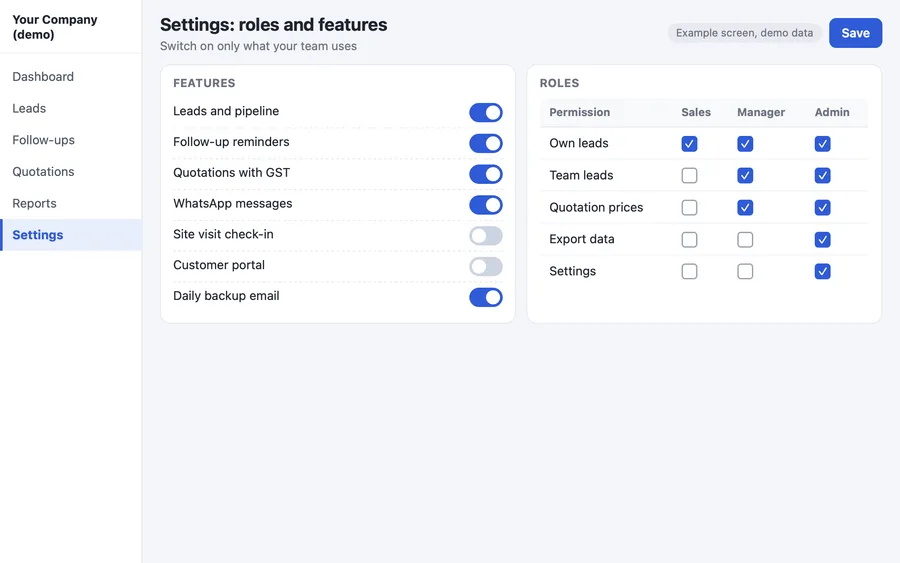
Roles and features
Who sees own, group, branch or all records, and which modules are on.
This is the same base as our white label CRM software, which we change to your process. A real estate CRM with a channel partner portal shows how far it can be shaped. Teams that resell a CRM to clients should read white label CRM for agencies and resellers instead. See our work on prscloudtech.com CRM development, the portfolio and a construction ERP we built.
Our process
How we build and deploy your cloud CRM
- Agree the basics. Users, process, and where the CRM will run: your AWS account, your server, or hosted by us.
- Set up the cloud account or server. You pay the provider directly. We build with Laravel on the server side and Flutter for the Android and iPhone apps.
- Load your data. Leads and customers come in from Excel or CSV, or from your old CRM.
- Train and run in parallel. Your team works in the new CRM for a week alongside the old way.
- Hand over. Full source code, admin login, and a note on how backups and restores work. Optional AMC keeps checking them.
FAQ
What is a cloud based CRM?
It is CRM software that runs on a server on the internet. You open it in a browser or a phone app, and nothing is installed on each computer.
What is the difference between a cloud based CRM, a web based CRM and an online CRM?
For a buyer they open the same way, in a browser. The real difference is who owns the server and the data.
Can a CRM be cloud based and still be mine?
Yes. It can be set up on your own AWS account or your own server. The data stays in your account, and you can export all of it.
Which is safer, a cloud CRM or an on premise CRM?
It depends on who looks after it. A cloud CRM needs access control and backups. An on premise CRM needs someone to run the machine and keep copies off site. Choose the one whose upkeep you can actually do.
What happens to my data if the CRM company stops working with me?
With a CRM on your own cloud account, the data and the source code are already with you. With a rented seat, it depends on the vendor's export option, so ask before you sign.
How are backups taken in a cloud CRM?
The database and files are copied on a schedule to a separate storage place. Dated copies are kept, and a restore is tested. For CRMs we set up, the backup is daily.
Does a cloud based CRM work on phones?
Yes. A phone app for iPhone and Android uses the same data as the browser. It keeps working on a poor connection and syncs later.
Can PRS India build a cloud based CRM that runs on my own account?
Yes. We build custom CRM software, set it up on your cloud account or server, and hand over the full source code. We give the build time and quote after one call. Contact us with your team size.
Related guides
Written by
Aditi
Building software at PRS India.