Hospital CRM Development Company in India: Build Your Own
We build your own hospital CRM: enquiry sources, call and WhatsApp follow-up, appointments, referrals, health-check packages and feedback. Web, Android and iPhone, under your brand.
Written by Prabhjot Kaur, Product Manager
Reviewed by the PRS India software & mobile app development team
14 min read
Written from production. Our articles draw on products we run live and the client work behind them, and are revised as the systems they describe evolve.
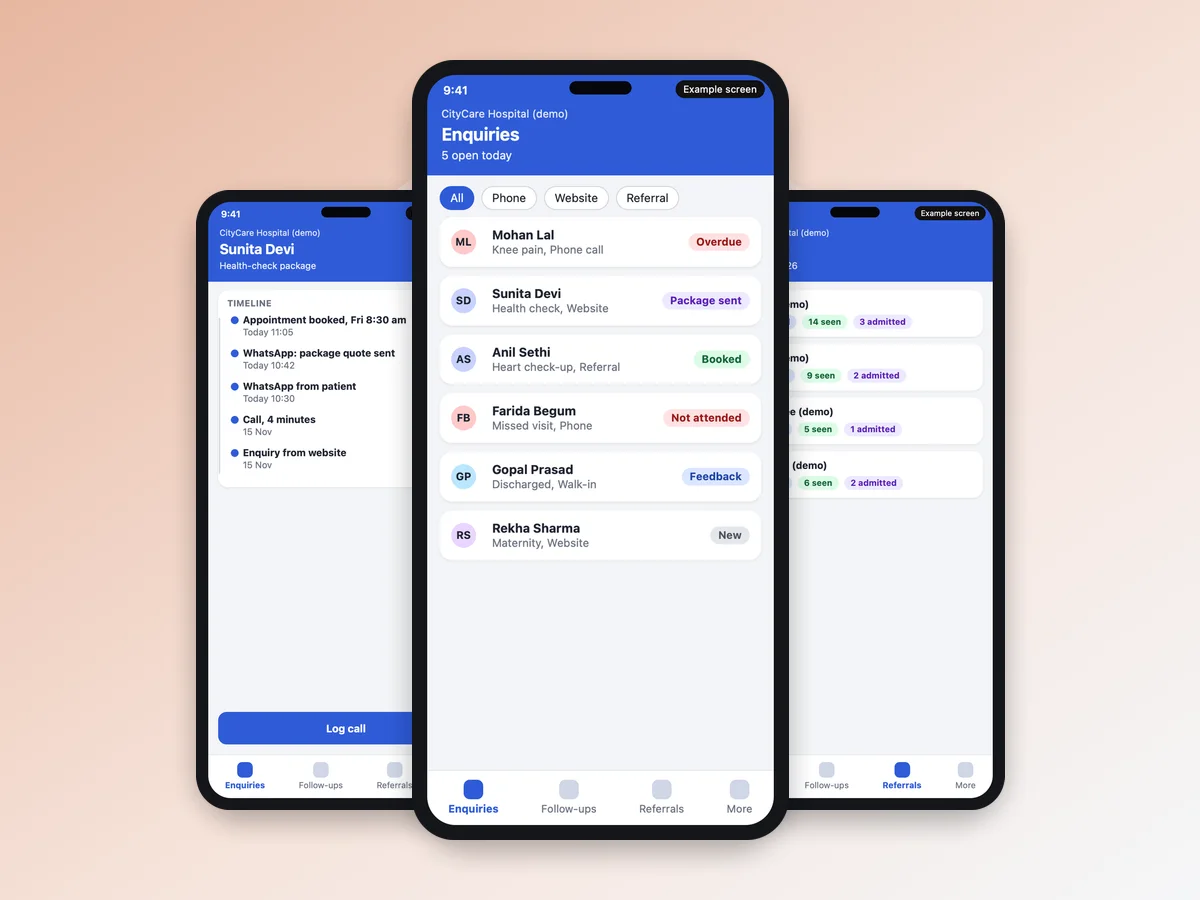
A hospital spends money to make the phone ring: Google ads, health camps, listing sites, doctor referrals. Then most of that money is lost between "hello" and the first visit. A call is missed at night. A patient asks for a price and nobody calls back. A referring doctor never hears what happened. A CRM for a hospital fixes this follow-up. It does not treat anyone; it makes sure the patient who called is not forgotten.
This guide is for hospital owners and managers in India. They want to build their own hospital CRM instead of paying a monthly fee per user for a generic tool. It shows what hospital CRM software must track, and how PRS India builds it for you.
Key takeaways
- A hospital CRM tracks what comes before and after the visit. This means enquiries, calls, WhatsApp, appointments, OPD and IPD follow-up, referrals, packages and feedback.
- It does not replace hospital software. It does not write prescriptions, make bills or run the lab.
- A subscription CRM can suit a small front desk. A custom build suits a hospital with its own stages, branches and referral sources.
- With a custom build you own the brand, the data and the source code.
What is a hospital CRM?
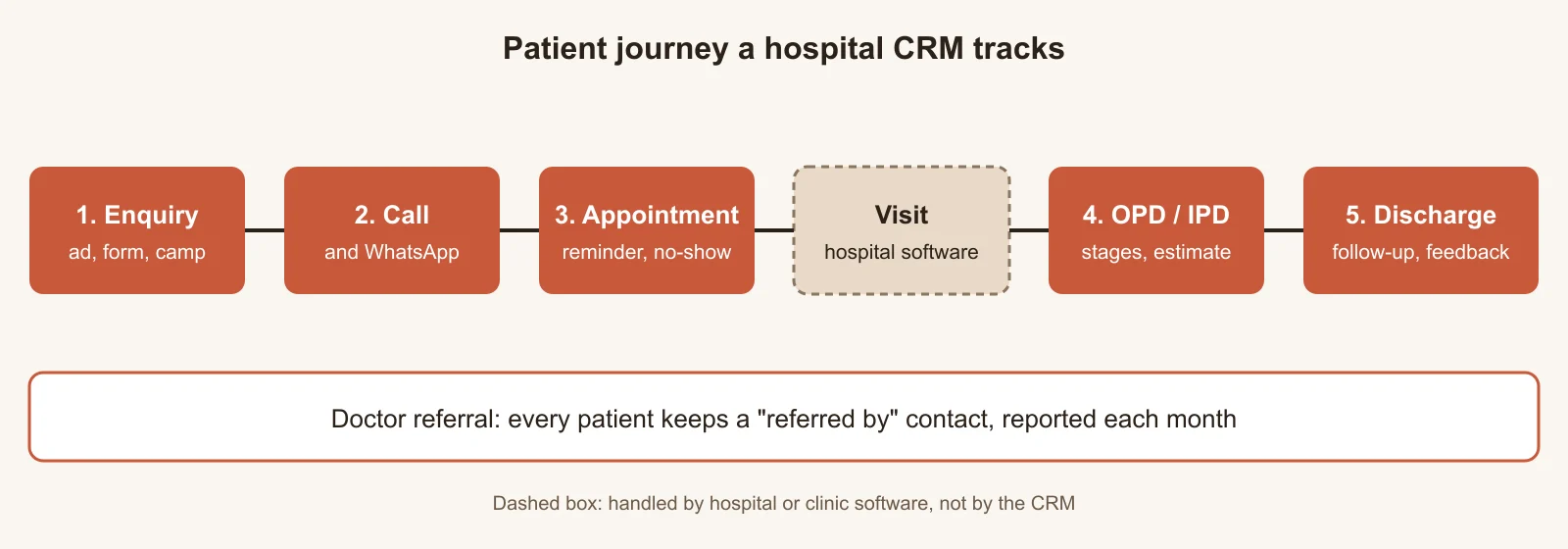
CRM means customer relationship management. A hospital CRM keeps one record for every patient or enquirer. It holds the first call, each WhatsApp message, the appointment, the OPD or IPD stage, and the follow-up after discharge. In the same way, a CRM in the healthcare industry is the tool for the relationship, not for the treatment. A healthcare CRM for a hospital is built around beds, doctors and referrals, not around a sales pipeline for products.
CRM or hospital management software?
Hospital or clinic software runs the visit: registration, doctor notes, prescription, bill, lab. A CRM for hospital management runs the part around it. It shows who enquired and who was called back. It shows who did not come and who was referred by which doctor. It also shows who was happy after discharge. The two share the patient's phone number. Our OPD Suite clinic management software already has slots, tokens and reminders, and our guide on clinic software development covers that side. Pharma company sales teams need a different CRM again, so this guide leaves them out.
The problem
Where hospital patients are lost today
Most hospitals lose patients in the same five places.
- Enquiries from six places. A Google ad, the website form, a listing site, a camp, a walk-in, a phone call. Nobody sees them together, so nobody knows which source brings patients.
- Missed calls. A call at 9 pm is not returned the next morning because the number sits on a reception phone.
- Follow-up in a diary. "Call after 3 days" lives in a notebook or a personal WhatsApp. When that person is on leave, the follow-up stops.
- Referring doctors in the dark. A doctor sends a patient and never hears whether the patient came or was admitted.
- Nobody asks after discharge. A patient who had a bad experience tells friends, not the hospital.
What a hospital CRM must track: 7 parts
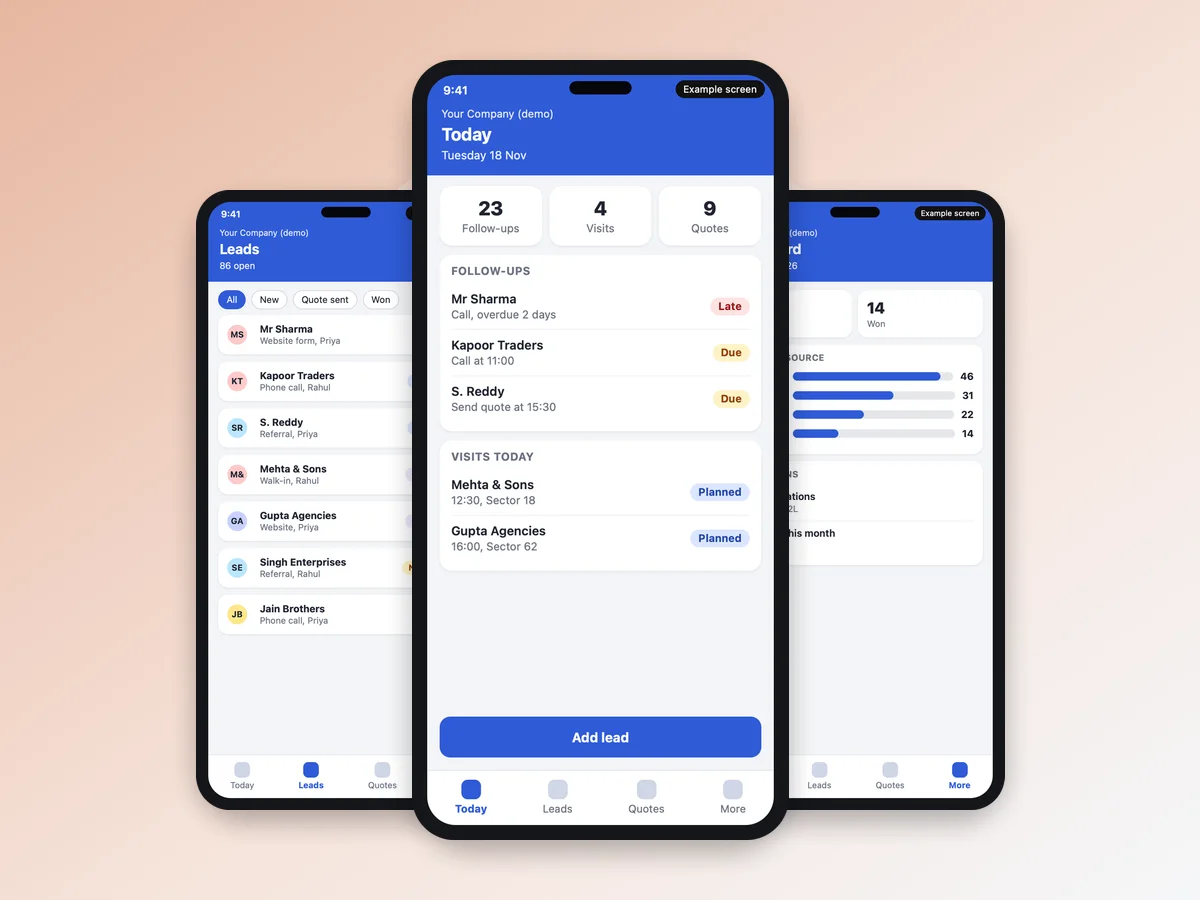
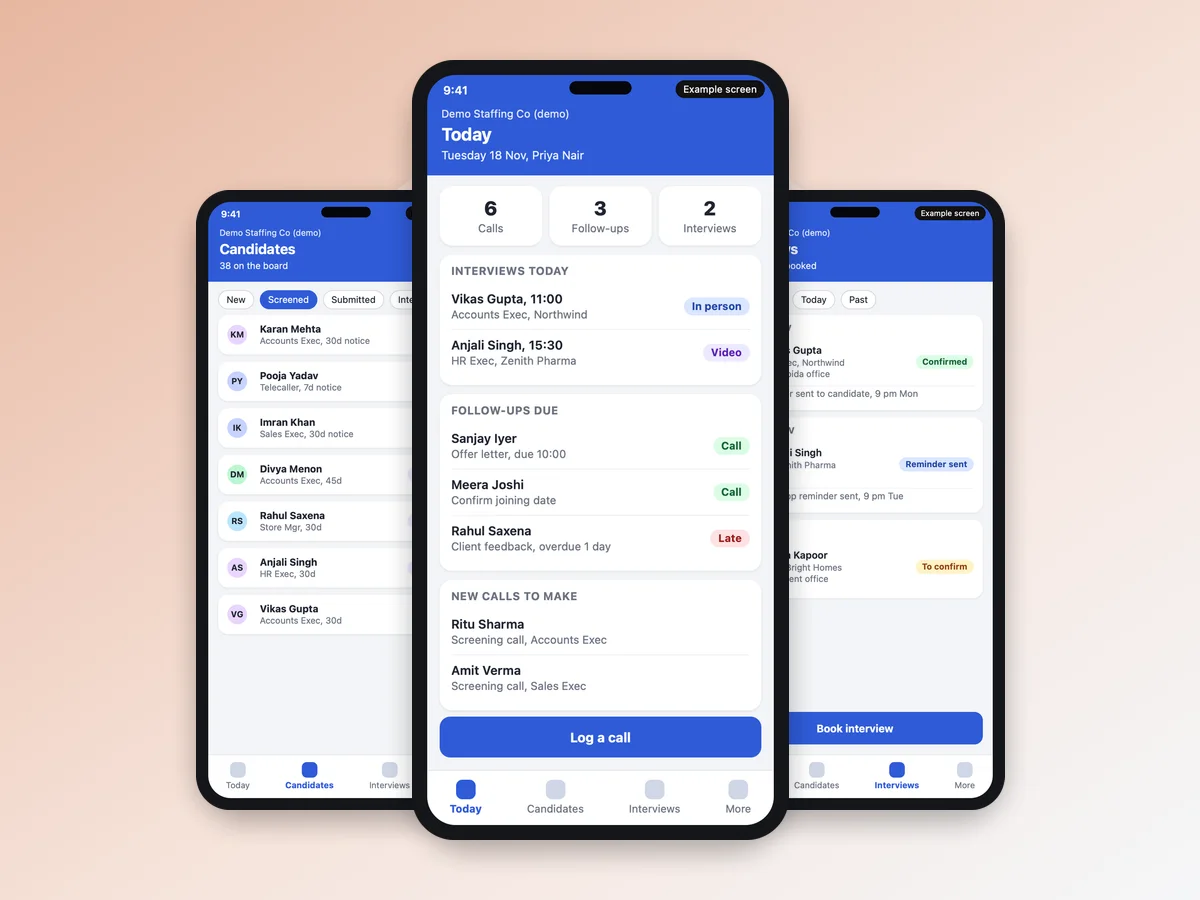
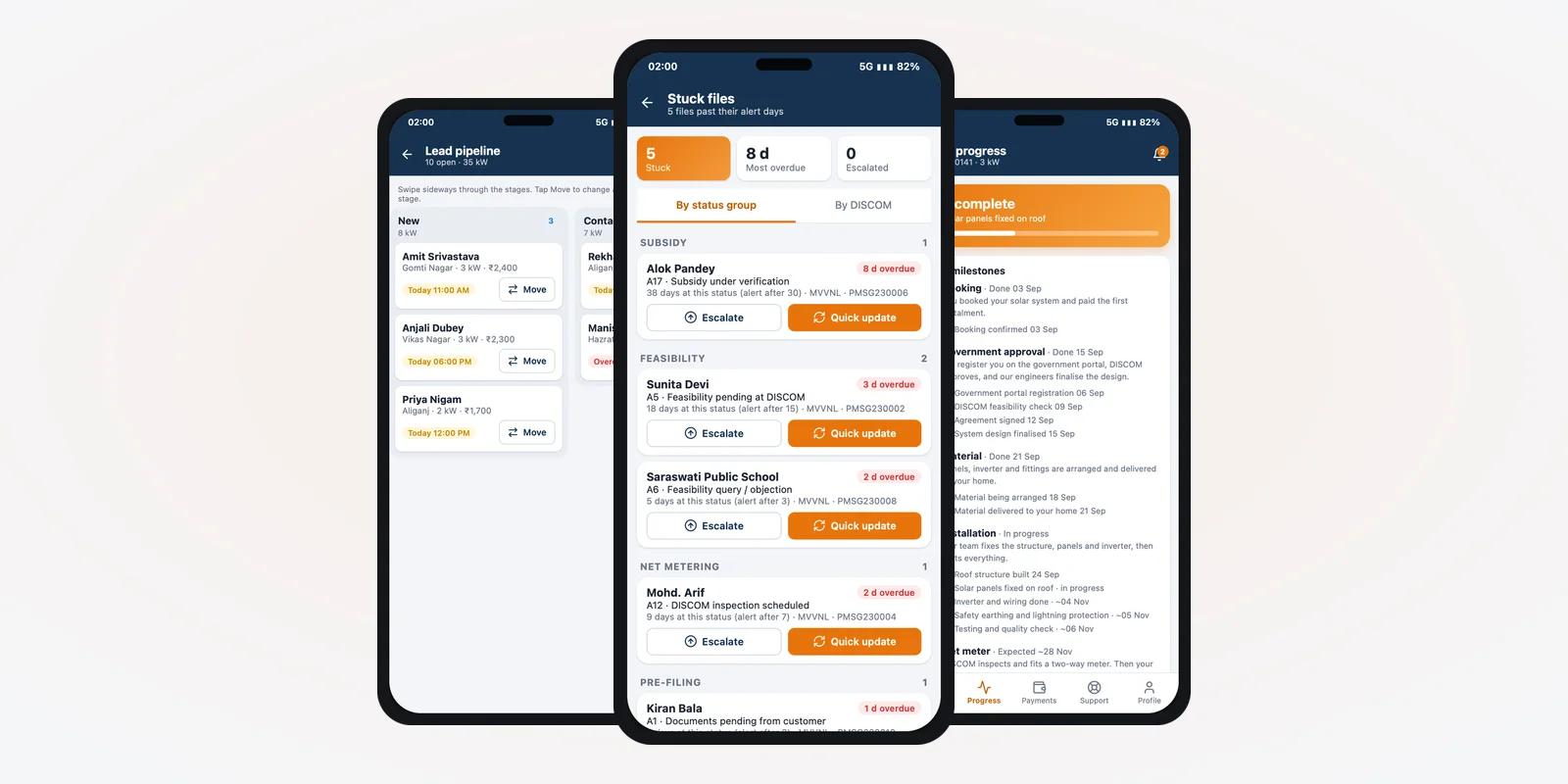
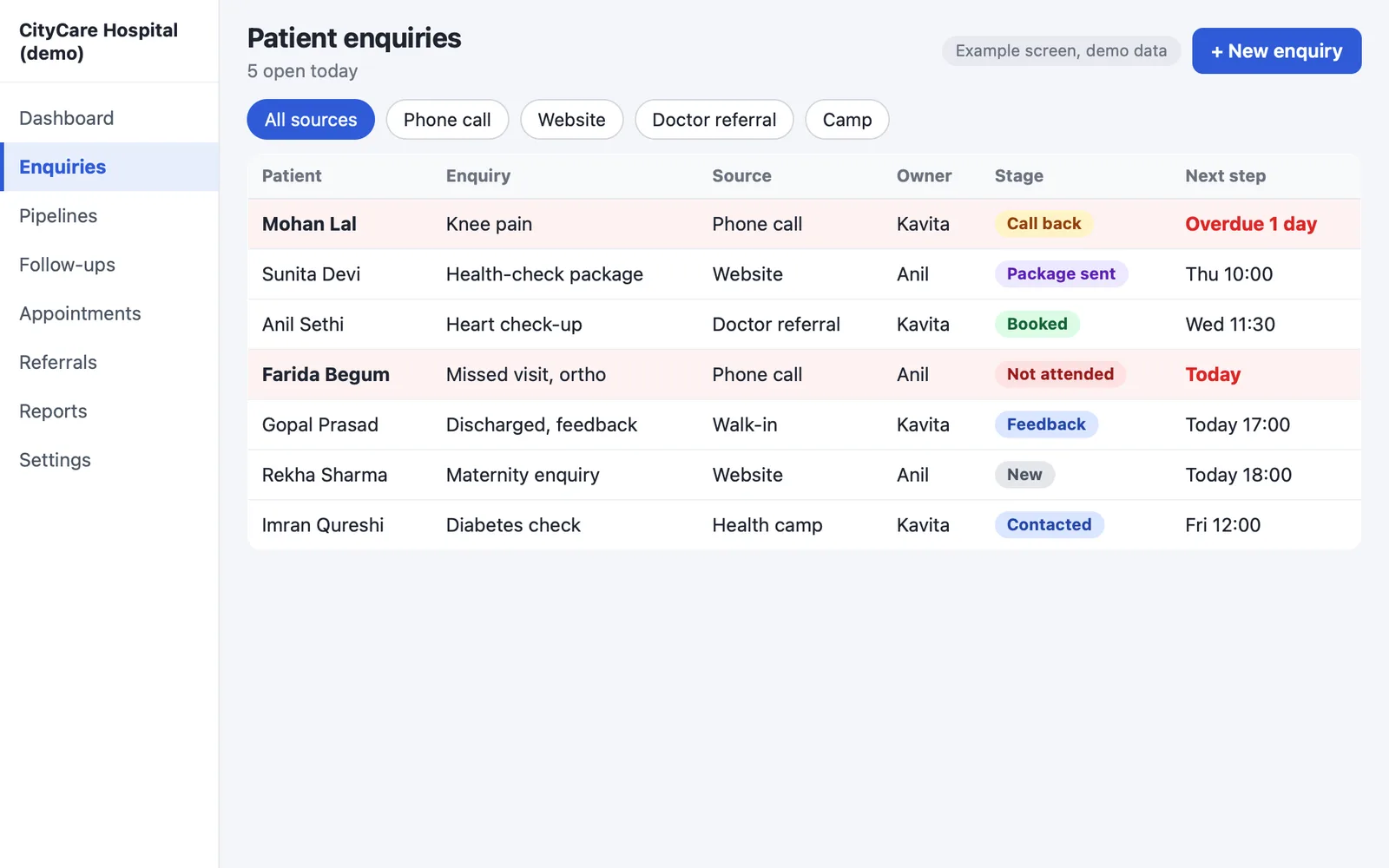
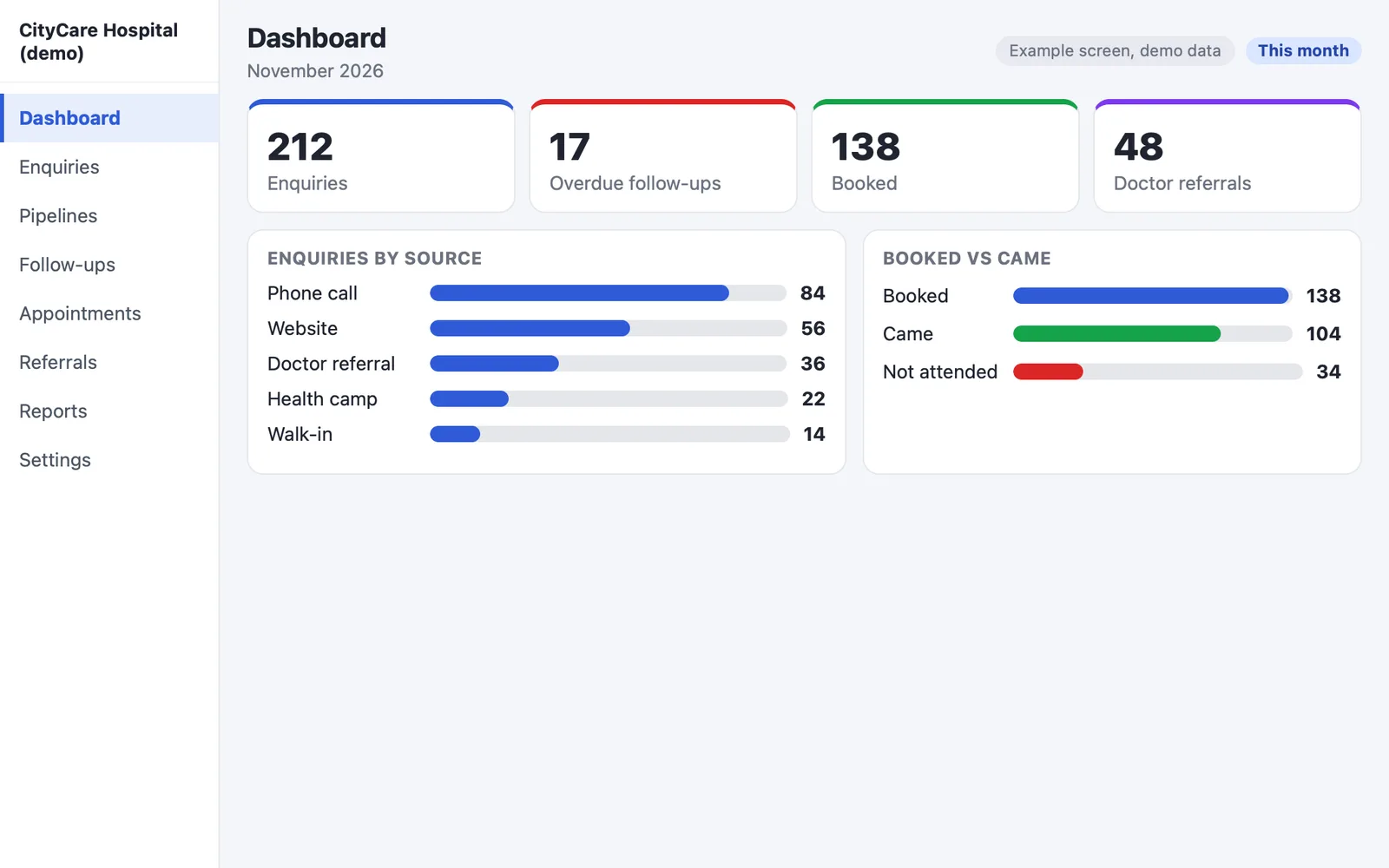
This is what your hospital CRM needs. We build each part into your CRM, in the order a patient meets it. The screens in this guide are example designs with demo data for "CityCare Hospital", not a live hospital.
1. Patient enquiry sources
Every enquiry lands as one lead with its source: website form, ad form, listing site, camp, missed call or walk-in. The CRM checks the phone number so one patient does not become three leads. Our CRM base already has website forms, Excel import, a source filter and a duplicate check. We build the capture of missed calls and the link to a healthcare listing site for your hospital. The report that matters is not "how many calls" but "which source gave visits". This is the base of any patient CRM software.
2. Call and WhatsApp follow-up
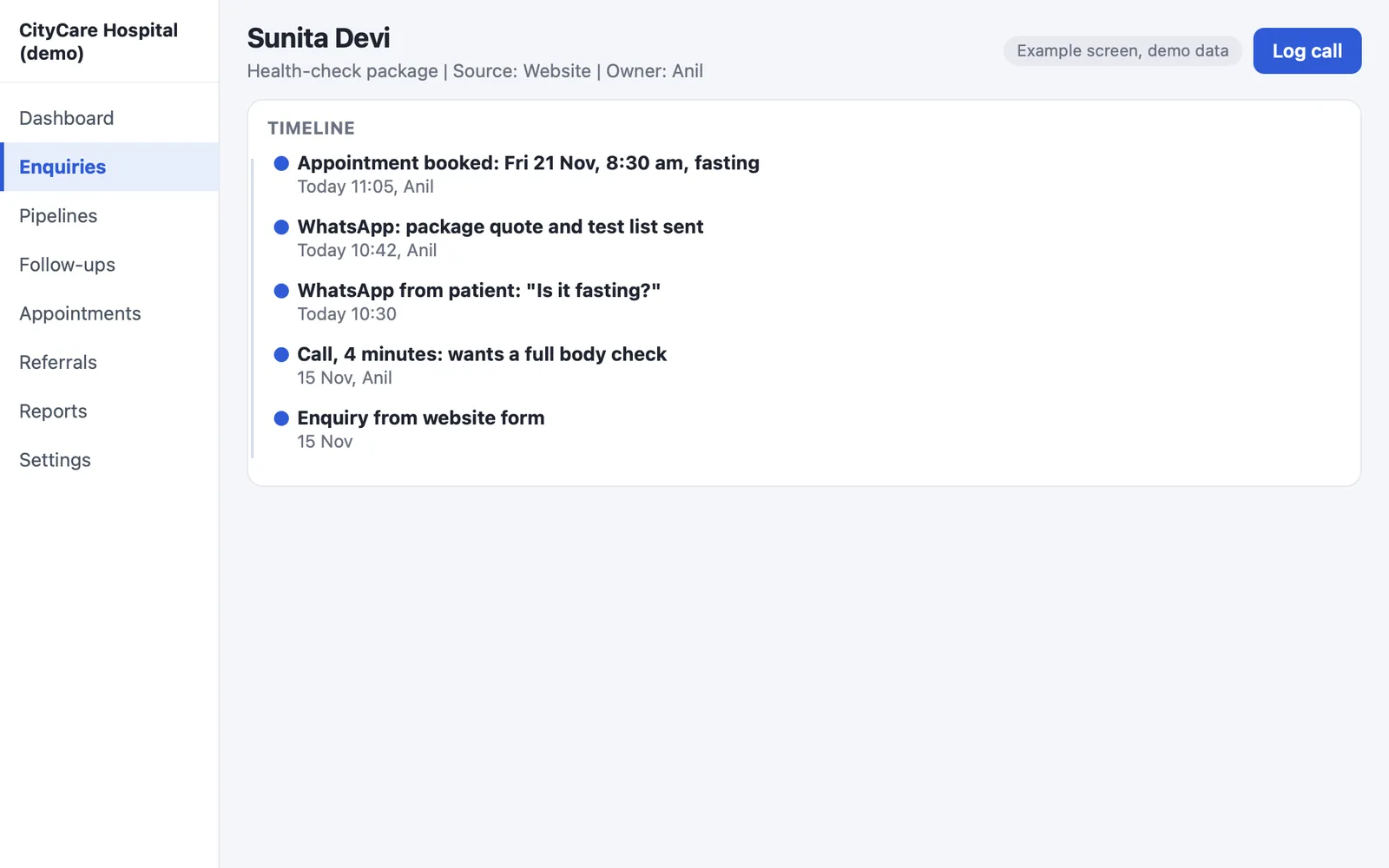
Every lead has a next follow-up date. An overdue lead turns red. A lead nobody has touched for some days raises an alert for the manager. Calls and WhatsApp messages are kept on the patient's record, not on the receptionist's phone. A colleague can carry on when someone is away. Message templates handle common cases such as confirming or changing an appointment. For the setup behind this, read our guide on WhatsApp Business API integration. This is the daily use of healthcare CRM software.
3. Appointments
An enquiry should become a booked slot in one step. The patient gets a reminder, and a patient who does not come appears on a call-back list. Slots, tokens and queue live in the clinic or hospital software. The CRM books through a booking link or connects to it. Our OPD Suite already sends reminders before the visit. We connect the CRM and the hospital software so the front desk works on one screen. This keeps your crm medical records and visit records in step.
4. OPD and IPD referral
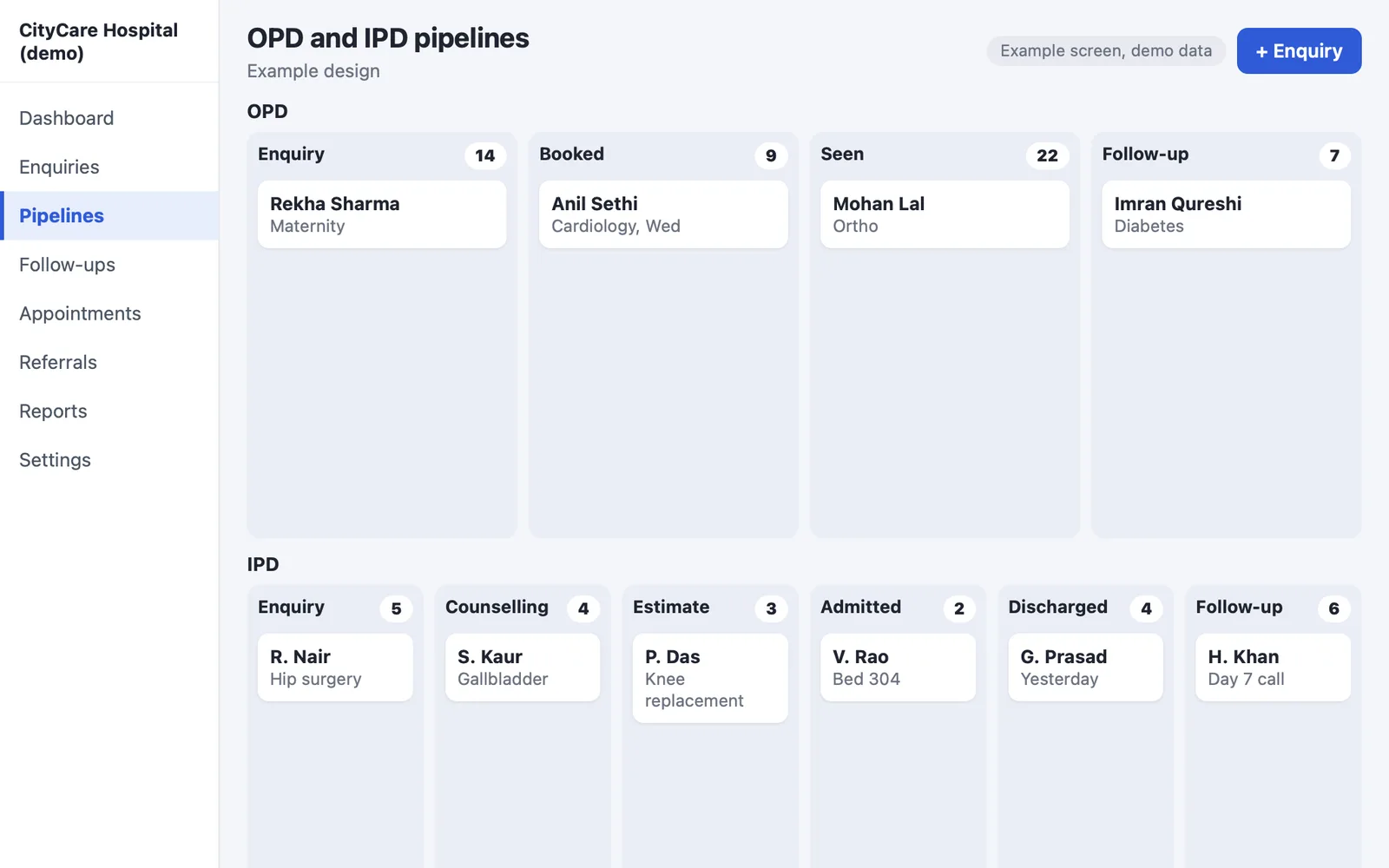
An OPD enquiry and an IPD enquiry are different sales. A person asking for a consultation needs a slot. A person asking about knee surgery needs counselling, an estimate, a decision and a bed. So the CRM keeps two pipelines:
- OPD: enquiry, booked, seen, follow-up.
- IPD: enquiry, counselling, estimate sent, admitted, discharged, follow-up.
The estimate goes to the patient as a PDF or a WhatsApp message. An insurance or TPA enquiry is marked with a tag or a stage, so the desk knows the case needs papers. Our CRM base supports more than one pipeline, quotes and own stages. The stage names and the treatment estimate template are written for your hospital.
5. Health-check packages
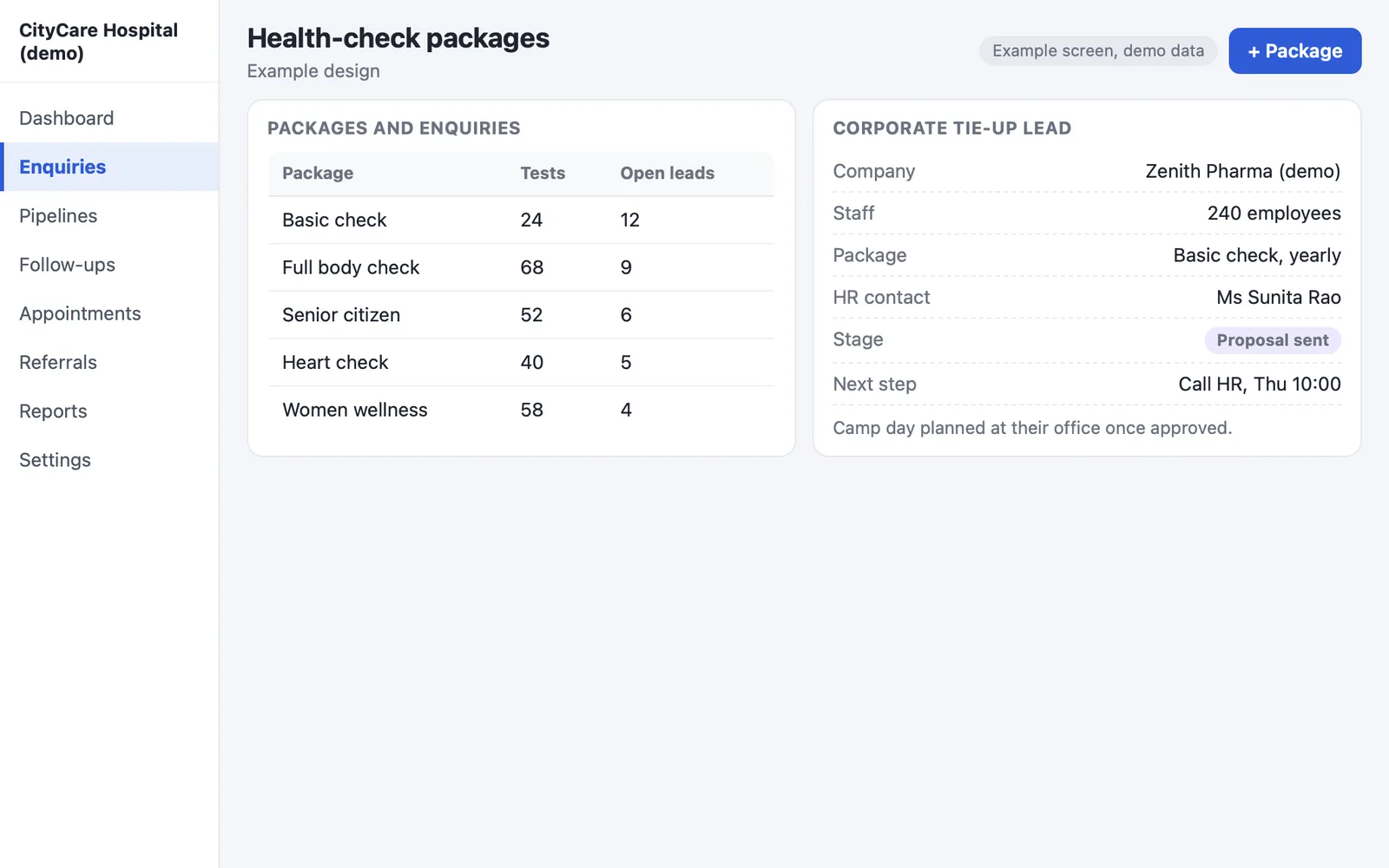
A health-check package list lets the front desk attach a package to a lead and send its details. The CRM reminds the patient when the yearly check is due. A company that buys packages for its staff is a corporate lead, and the staff list can be loaded from Excel. The product list and Excel import exist in our CRM base. The yearly reminder rule and the corporate list are built for you.
6. Feedback after the visit
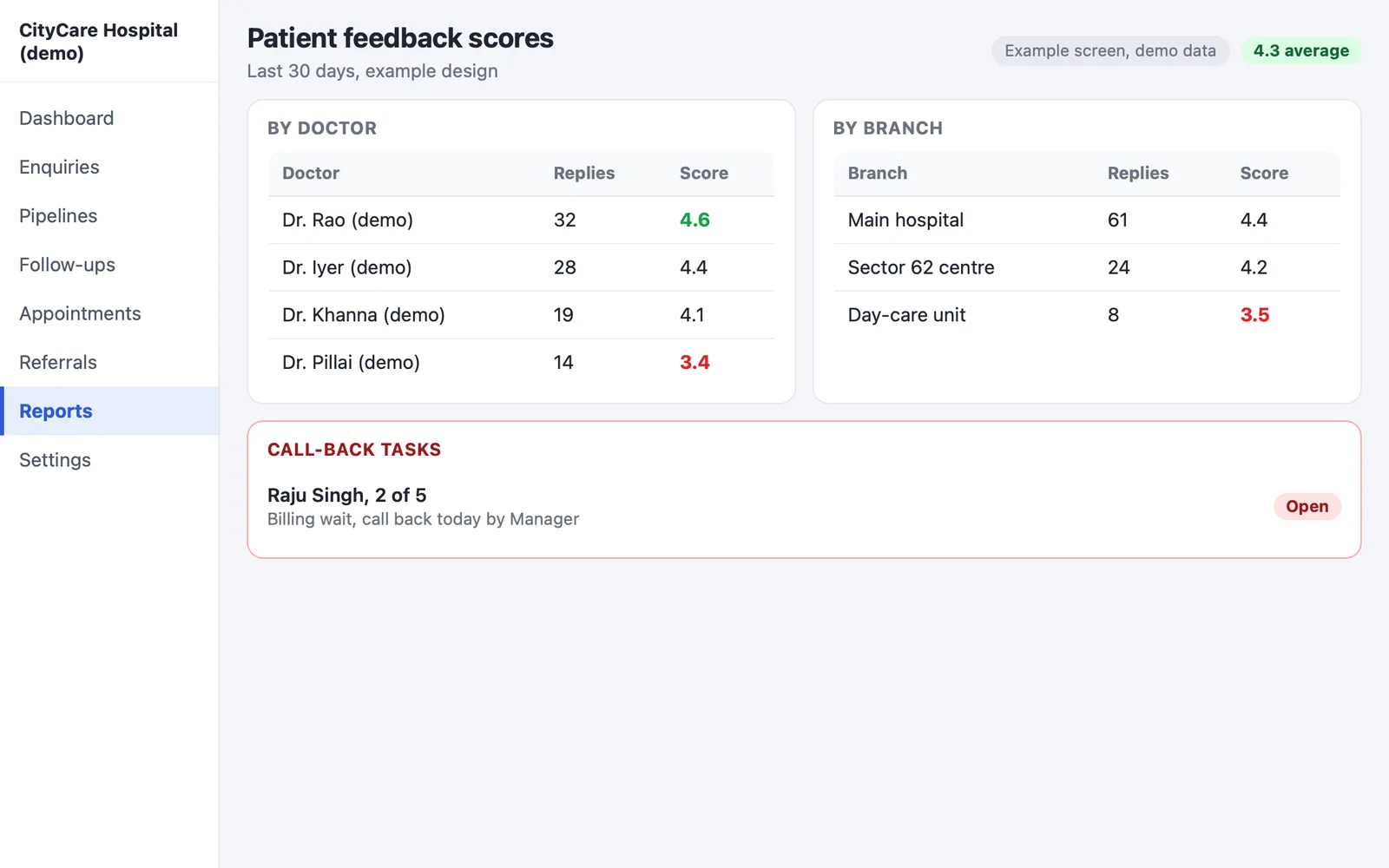
One day after an OPD visit, or on discharge, the CRM sends a message asking for a rating. A low score creates a call-back task for the manager. Scores are shown for each doctor and each branch. This part is not in our ready CRM base. We build it into your hospital CRM, with your wording and your consent rules.
7. Doctor referral tracking
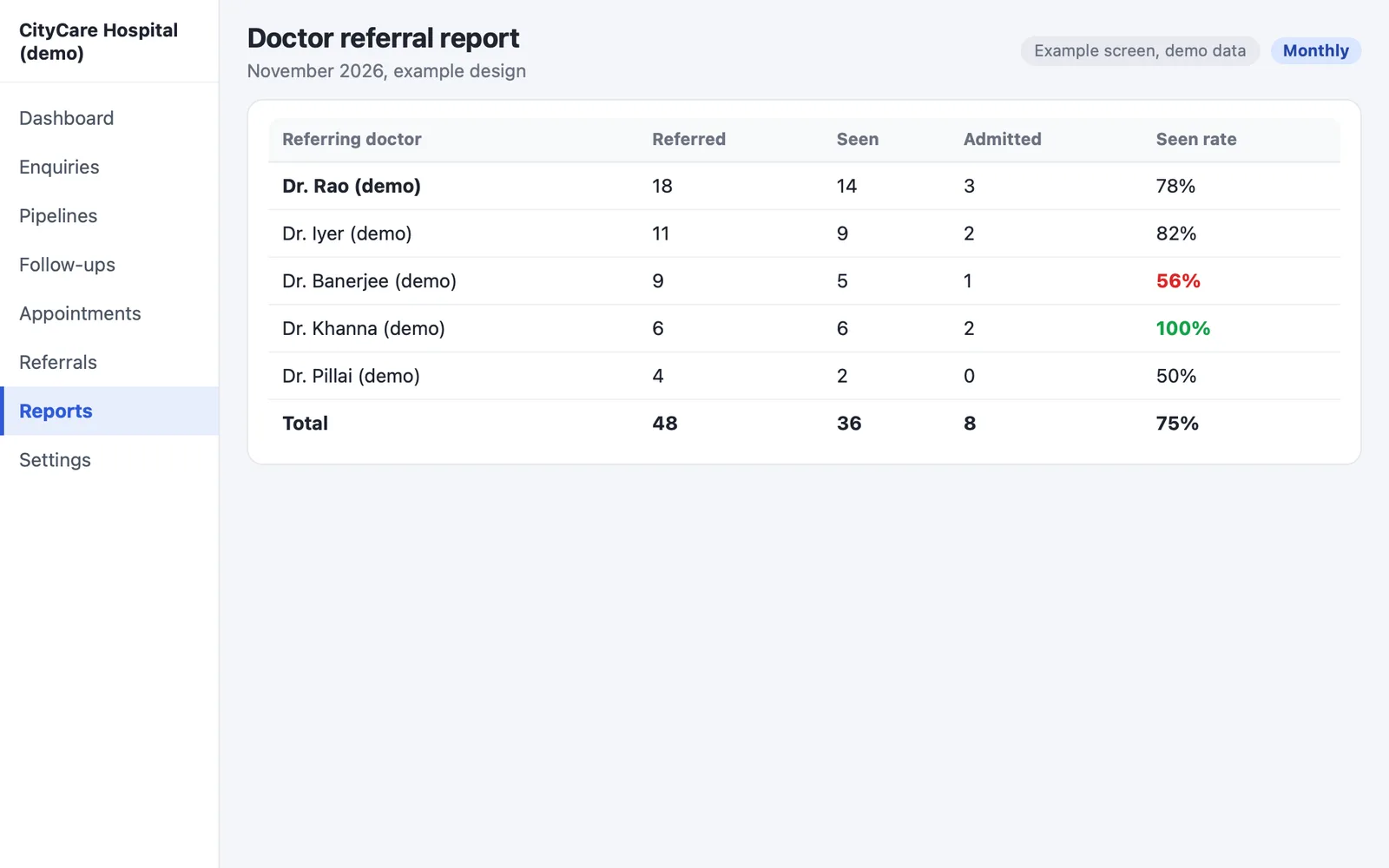
Outside doctors, clinics and labs who send you patients are contacts in the CRM. Every patient has a "referred by" field. Each month the CRM shows, per referrer, how many patients were referred, how many came and how many were admitted. A thank-you call becomes a task. This is the part a CRM for doctors and hospitals shares: knowing who sends patients. We build the field and the report; the CRM tracks and reports only. It does not decide any payment, and medical-ethics rules on referrals are a matter for your own advisor.
A CRM for a doctor's own practice is a lighter version of the same build: enquiries, follow-up dates and repeat-visit reminders. A dental or clinic-only practice can use the same idea; see our white-label clinic management system guide for the clinic side.
See our work: a clinic management and claims system, a referral and partner CRM and our healthcare work.
Dashboard a hospital head reads
A hospital head does not want 30 screens. Four numbers, every morning, with a click to the list behind each one:
- Enquiries by source, so you know which ad or camp gives visits.
- Calls missed and follow-ups overdue, with the person responsible.
- Visits booked against visits that came.
- Referrals by doctor, for the month.
Our CRM base comes with 30 ready reports and a dashboard where each number opens its list. We choose with you the ones your hospital reads and add the rest.
Patient data, consent and staff access: what to plan
Check the current rules with your own advisor. An enquiry carries a name, a phone number and often a health problem. That is personal data. Take consent before follow-up calls and WhatsApp messages. Read the official pages on the Digital Personal Data Protection Act, 2023, the Ayushman Bharat Digital Mission and the Health Ministry site. The rules change, and this guide is not legal advice.
What we build in: each role sees only its part. For example, the call centre does not see the discharge notes of a patient it never handled. Every change is written to a history log. A consent field is stored with the patient. We can host the CRM on your own server. For a build that links to ABDM, see our healthcare software development page and the ABDM-linked booking case study.
Custom hospital CRM vs a ready CRM subscription
A subscription CRM can be the right answer for a front desk of five people with a simple process. It starts fast and costs little at first. The gap shows when your hospital works in its own way.
| What you need | Subscription CRM | Custom build by PRS India |
|---|---|---|
| Your own enquiry sources | Fixed list or extra work | Built around your sources |
| Different stages for OPD and IPD | Often one pipeline | Separate pipelines |
| Doctor referral report | Usually not | Built in |
| Branches and wards | Extra plan | Set up as you work |
| Fee per user per month | Yes | One build cost, then optional support |
| Data and source code | Stay with the vendor | Yours |
| Link to your hospital software | Depends on the vendor | Planned in the build |
| Changes later | Wait for the vendor | You decide |
Worked example: one patient, from ad to follow-up
Here is how one patient moves through a hospital CRM. "Neha" and "CityCare Hospital" are made-up names, and there are no real figures. It is an example with demo data.
- Day 1, enquiry. Neha fills a form on a Google ad for knee pain. The CRM creates a lead with the source "Google ad" and assigns it to a front-desk person.
- Day 1, call. The desk calls within the hour and books an OPD slot for Day 3. A WhatsApp confirmation goes out.
- Day 3, no-show. Neha does not come. She appears on the call-back list, and the desk reschedules her.
- Day 5, OPD. She sees the doctor, who advises surgery. The lead moves to the IPD pipeline at "counselling".
- Day 7, estimate. The counsellor sends an estimate as a PDF on WhatsApp and notes her insurance query with a tag.
- Day 12, admitted. She is admitted and later discharged. The CRM creates the discharge follow-up task.
- Day 20, feedback. A message asks for a rating. A low score would create a call-back for the manager. The referring doctor, if any, shows in the monthly report.
Our service
How we build your own hospital CRM
A CRM made around your hospital, not the other way round.
- Understand your process. We map your front desk, call centre, OPD, IPD and referral desk in a call or two.
- Design the screens. You see clickable screens first and change them before any code is written.
- Build the apps. A web admin for the office and an Android and iPhone staff app. It is a model close to our field sales CRM mobile app. Use it for camps and the front desk.
- Test with your team. Your staff use it on real call sequences. We fix what they find.
- Launch under your brand. We set it up on your own AWS or server, or host it for you, and import your old lists from Excel.
- Support. Daily backups, optional AMC, and the full source code handed over to you.
The work uses our custom CRM development, mobile app development and web application development teams.
Hospital CRM development cost: what decides it
Every hospital works differently, so we send a written quote after one call. The cost depends on how many enquiry sources and branches you have, and how many pipelines. It also depends on the WhatsApp and call connections and the link to your hospital software. The reports you need, the apps you want and the old data we import count too. For the cost of the clinic side, see clinic management software cost.
How to choose a hospital CRM development company
People search for the "best CRM for healthcare", but no one answer fits every hospital. Judge any company, us included, on what it shows you. Among healthcare CRM companies, ask for these:
Whoever builds your hospital CRM, make sure it can:
- Show screens with your OPD and IPD stages before you sign
- Hand over the full source code
- Keep your data on your own server or cloud account
- Take patient consent before WhatsApp and call follow-up
- Limit what each role sees and keep a history of changes
- Import your old lists from Excel
- Give you support after launch, with the terms in writing
- Put the scope, the timeline and the price in a written quote
Hospital CRM FAQ
What is a CRM for a hospital?
A system that keeps every enquiry, call, WhatsApp chat, appointment and follow-up for each patient in one place. It runs from first contact to after discharge.
How is a hospital CRM different from hospital management software?
Hospital software runs the visit: registration, notes, bill and lab. The CRM runs what comes before and after: enquiries, follow-up, referrals and feedback. They can share the patient record.
Can a CRM track doctor referrals?
Yes. We add a "referred by" field and a monthly report for each referring doctor. It tracks and reports; it does not decide any payment.
Can PRS India build a CRM for a doctor's own practice?
Yes. It is a lighter version of the same build: enquiries, follow-up dates and repeat-visit reminders. For prescriptions and bills, see our clinic software.
Can the CRM send WhatsApp reminders and feedback requests?
Yes, through the WhatsApp Business API with your own provider account and the patient's consent. We build the reminder and feedback templates with you.
How long does it take to build a hospital CRM?
After a call and a scope, we give a written timeline. A build from our ready CRM base takes weeks, not months.
Who owns the data and the code?
You do. It runs on your server or cloud account, under your brand, and we hand over the full source code.
Is patient data safe in a CRM? Which Indian rules apply?
We build role-based access, a change log and consent fields, and can host on your own server. Rules on health data and telemedicine are set by the government and change. Read the official pages on the DPDP Act, ABDM and the Telemedicine Practice Guidelines. Ask your own advisor.
Can PRS India build a hospital CRM for us?
Yes. We build it custom or from our ready CRM base, as web, Android and iPhone. Talk to us and we will show you screens for your process.
Related guides
Written by
Prabhjot Kaur · Product Manager
Product Manager at PRS India. Turns what a client needs into a screen-by-screen plan for the app, and checks every release against that plan before it goes out.