OPD Management Software Development for Clinic
We build OPD software around your clinic's day: registration, UHID, tokens, consult, bill and follow-up. Web, Android and iPhone.
Written by Babita Kumari, Business Developer
Reviewed by the PRS India software & mobile app development team
11 min read
Written from production. Our articles draw on products we run live and the client work behind them, and are revised as the systems they describe evolve.
The OPD is where a clinic earns its day. It is also where the day goes wrong. Patients crowd the desk. Old files cannot be found. The doctor writes the same advice again and again. The bill is made on a separate pad, and the follow-up date is lost. By evening, nobody knows how many patients were seen.
OPD management software runs the outpatient day from the first "hello" at the desk to the follow-up call. Rented tools give you their fixed flow. PRS India builds OPD software for your clinic that follows your own desk, your doctors and your printouts. This guide walks through the OPD day and shows what to build at each step.
Key takeaways
- An OPD visit has six steps: register, wait, check vitals, consult, pay and come back.
- One UHID per patient keeps every visit, bill and prescription in one place.
- Doctor timings and slot length decide how many patients the OPD can book.
- A token screen and SMS alerts cut crowding at the front desk.
- When the OPD software is built for you, the data and source code are yours.
What is OPD management software?
OPD means outpatient department. These are patients who see a doctor and go home the same day. OPD software for a clinic handles their visit from start to end. It registers the patient, gives a token, records the consult and makes the bill.
It is smaller than full hospital software. There are no beds, wards or theatres. But it must be fast. A busy OPD desk may register a new patient every minute in the morning rush. We build the desk app on a Laravel backend and test it at rush-hour speed.
The OPD day, step by step
Here is the flow we build around. Each step has its own screen and its own user.
- Register. The receptionist finds the patient or adds a new one. The system gives a UHID.
- Token. The patient gets a token number for a doctor. The waiting screen shows the order.
- Vitals. A nurse adds weight, BP, pulse and temperature to the visit.
- Consult. The doctor sees history, adds notes and writes the prescription.
- Bill. The desk collects the fee by cash, card or UPI and prints a receipt.
- Follow-up. The next visit date is saved. The patient gets a reminder before it.
The problem
Where a paper OPD slows down
These are the delays we see in clinics that still run the OPD on registers.
- Old file hunt. The receptionist searches a cupboard for last month's file while the line grows.
- Same patient, many entries. One person gets three numbers over three visits.
- Shouting tokens. Patients keep asking "how long?" because there is no screen.
- No allergy alert. The doctor does not see that the patient reacts to a drug.
- Cash slips go missing. The day's total does not match the drawer.
- Lost follow-ups. Patients who should return in a week never hear from the clinic.
Registration and the UHID
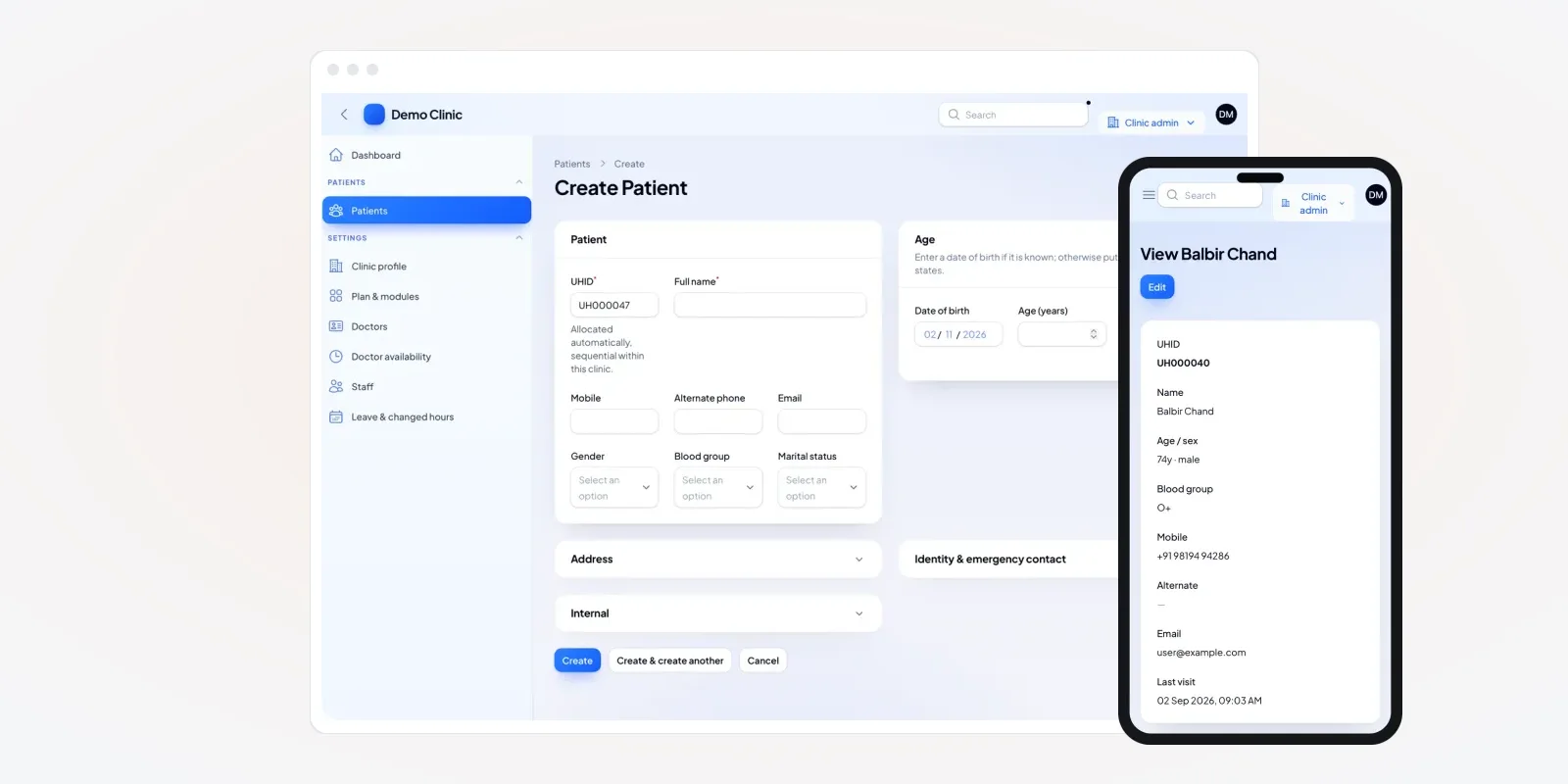
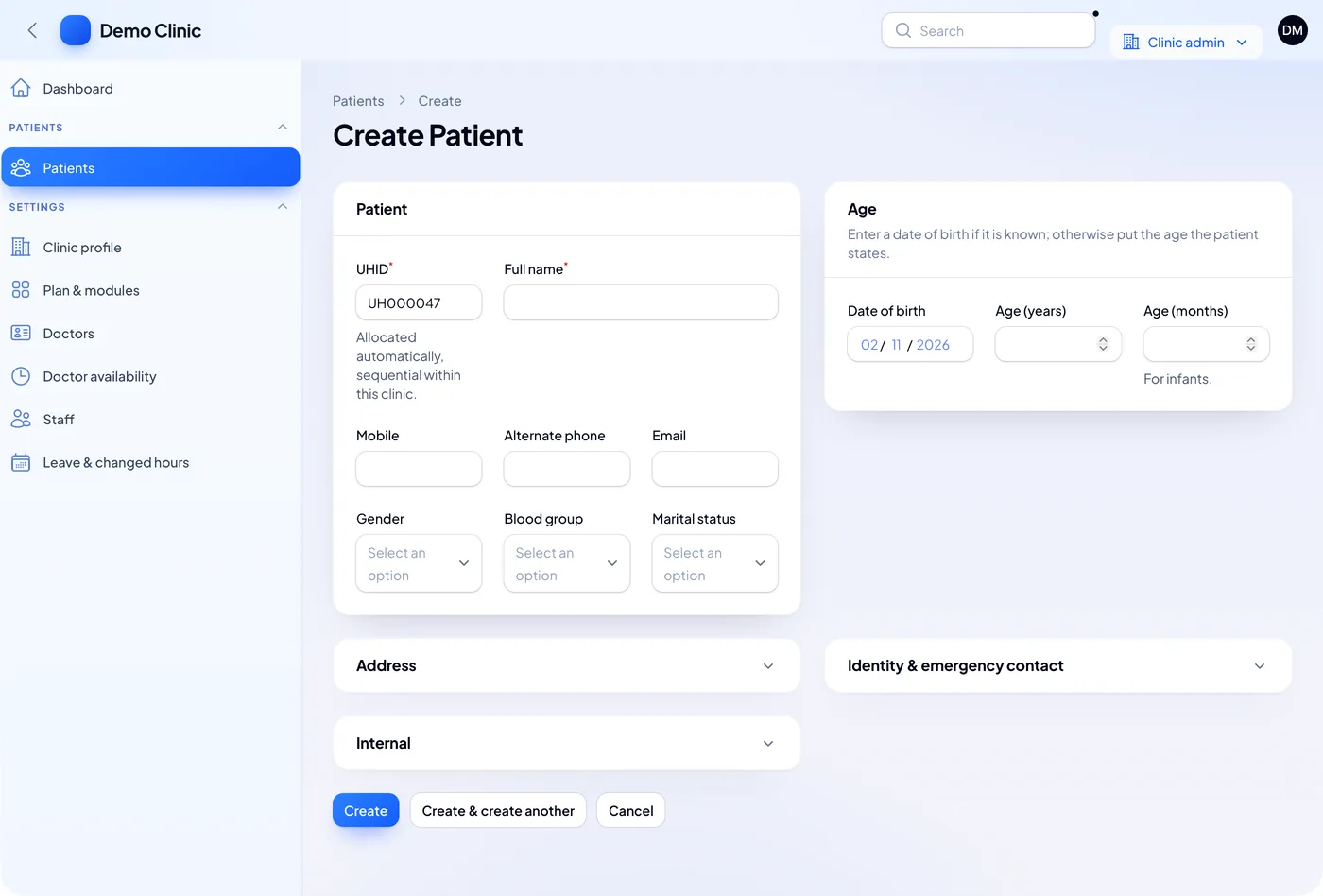
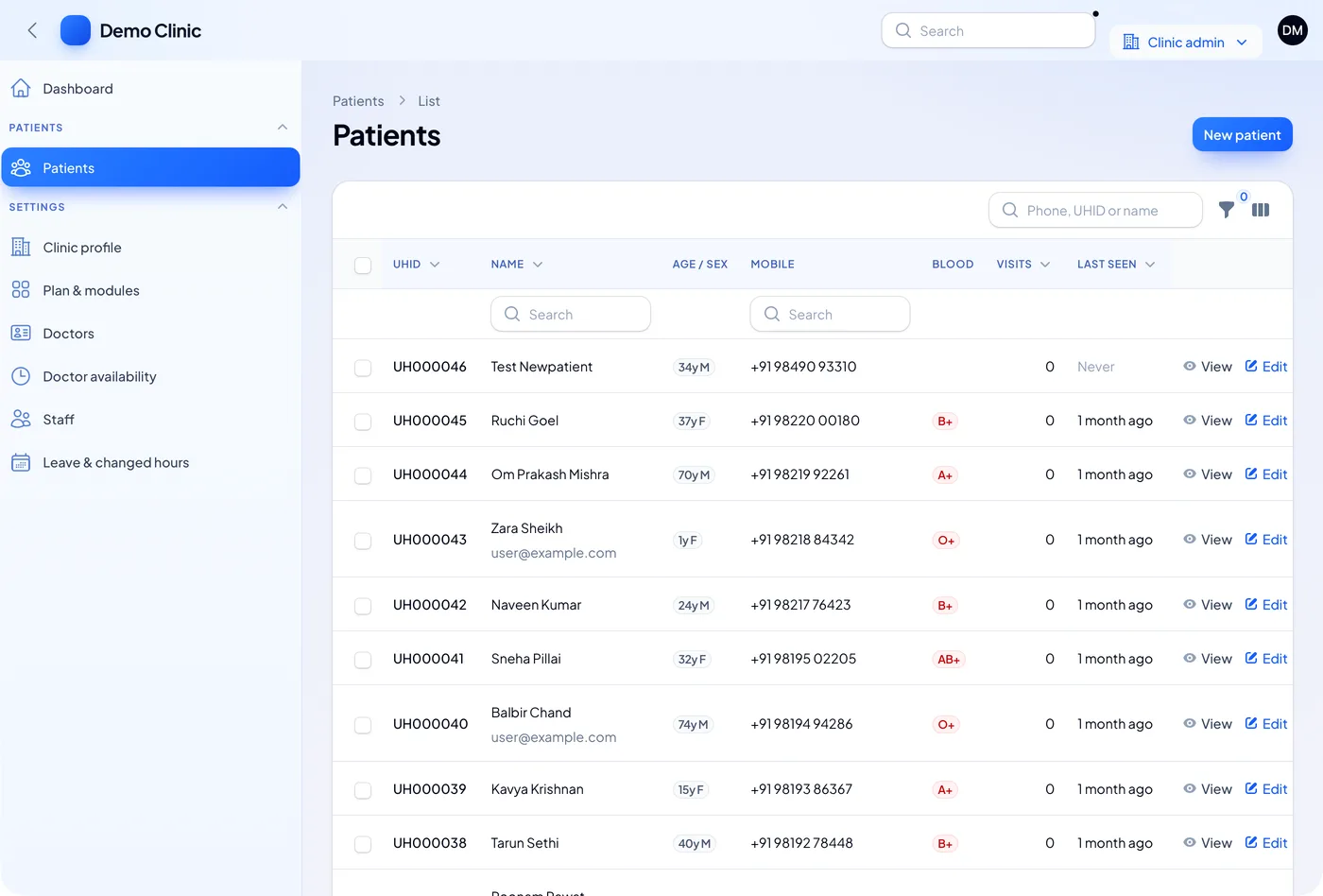
Everything in OPD software hangs on the patient record. Each person gets one UHID, a unique health ID number for your clinic. Every visit, bill and prescription is saved under it. Search by name, mobile or UHID brings the patient up in a second.
The new patient form should be short. Name, mobile, date of birth, gender and blood group are enough to start. The age is worked out from the date of birth. The UHID is given by the system, so nobody types it.
A patient who has an ABHA number can share it at the desk. The Ayushman Bharat Digital Mission runs a Scan and Share service for this. We can add it if your clinic needs it.
Doctor timings, tokens and the queue
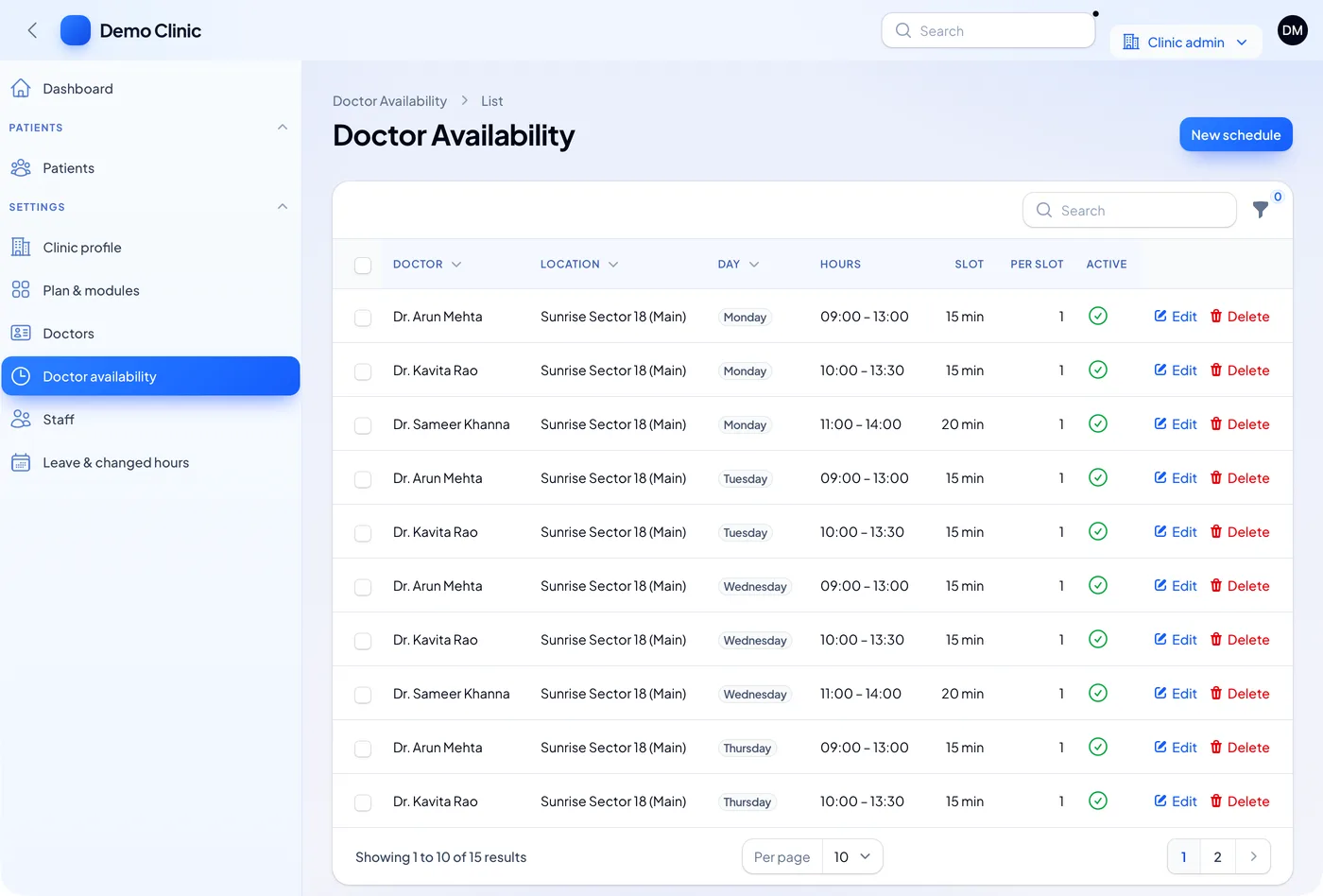
The queue starts with doctor timings. Each doctor has days, hours and a slot length. A 15-minute slot from 9 to 1 gives 16 bookings for that morning. Some clinics allow two patients per slot for quick reviews.
Walk-in patients get a token at the desk. Booked patients get a token when they check in. A TV screen in the waiting area shows the current number. An SMS tells a patient when they are three tokens away. Our post on appointment and patient reminder software covers booking in more depth.
The consult screen for doctors
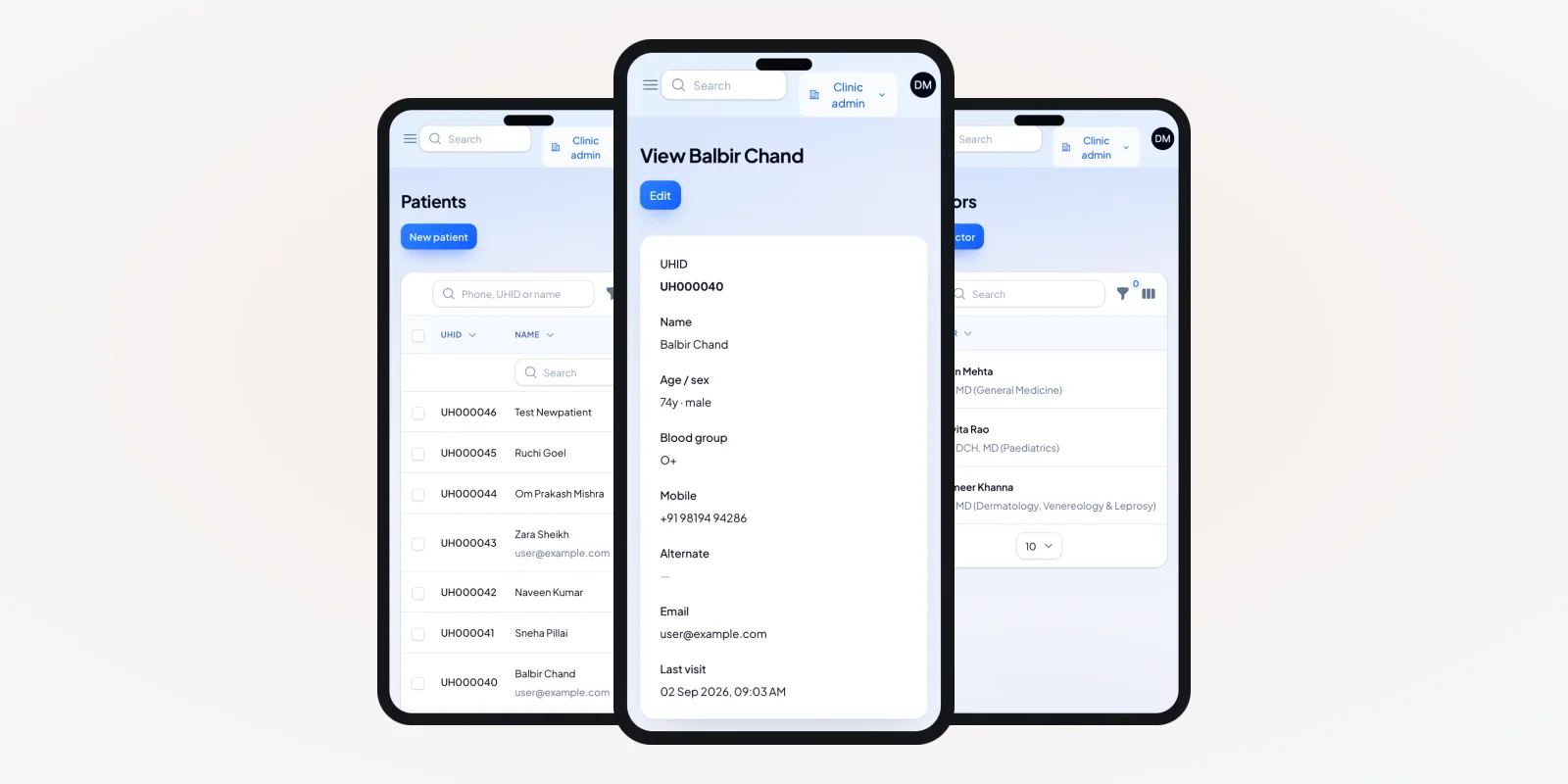
The doctor needs one screen with everything. Age, blood group, allergies and long-term conditions come first. Past visits sit below. The doctor should not click through tabs to find a drug allergy.
On this record the allergy box says "check before prescribing". A chronic condition shows in orange, so it stands out. Family members can be linked, which helps a paediatric OPD.
Many doctors move between rooms or branches. A phone view of the same record lets them check a patient before calling them in. We build the doctor app for Android and iPhone from the same data.
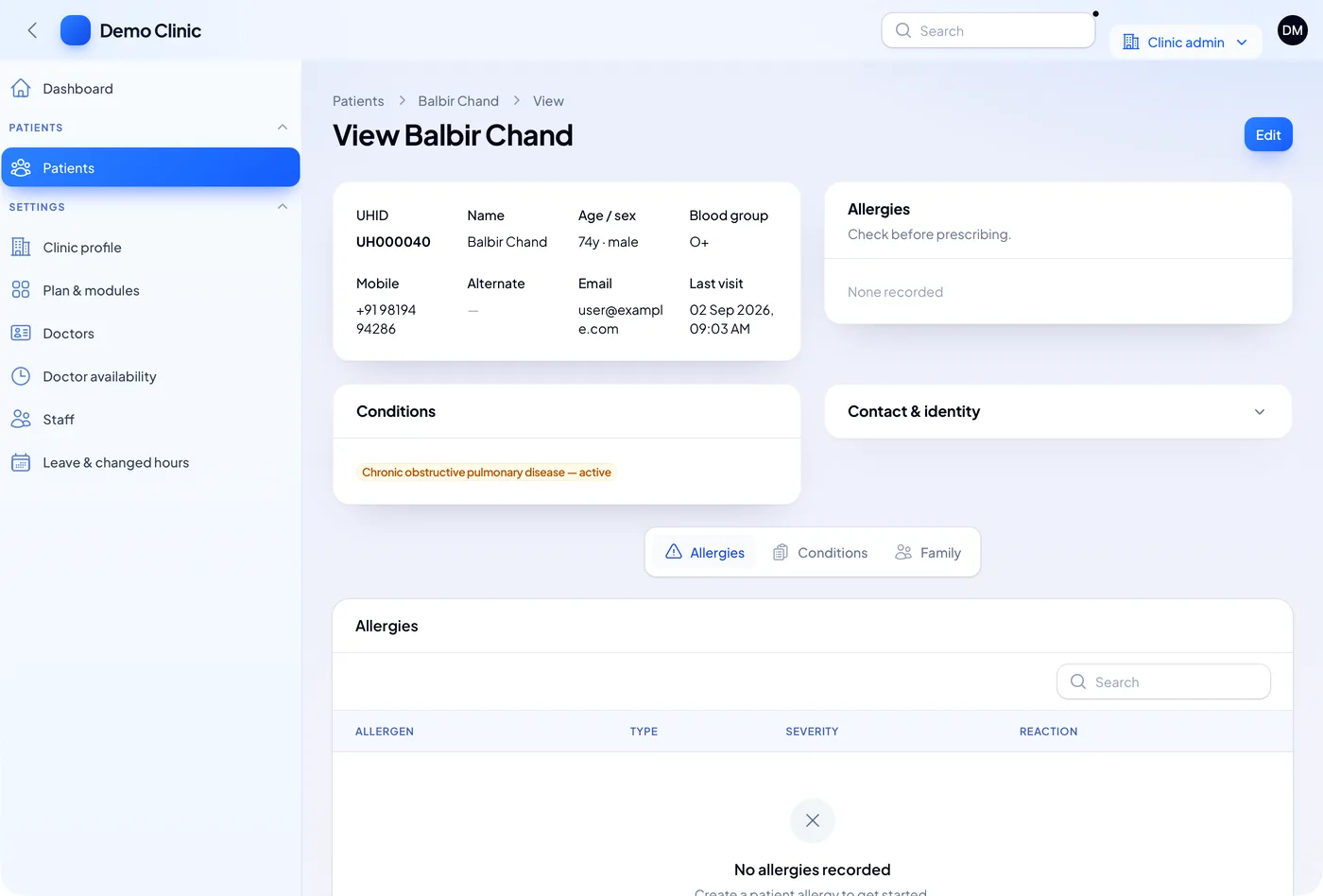
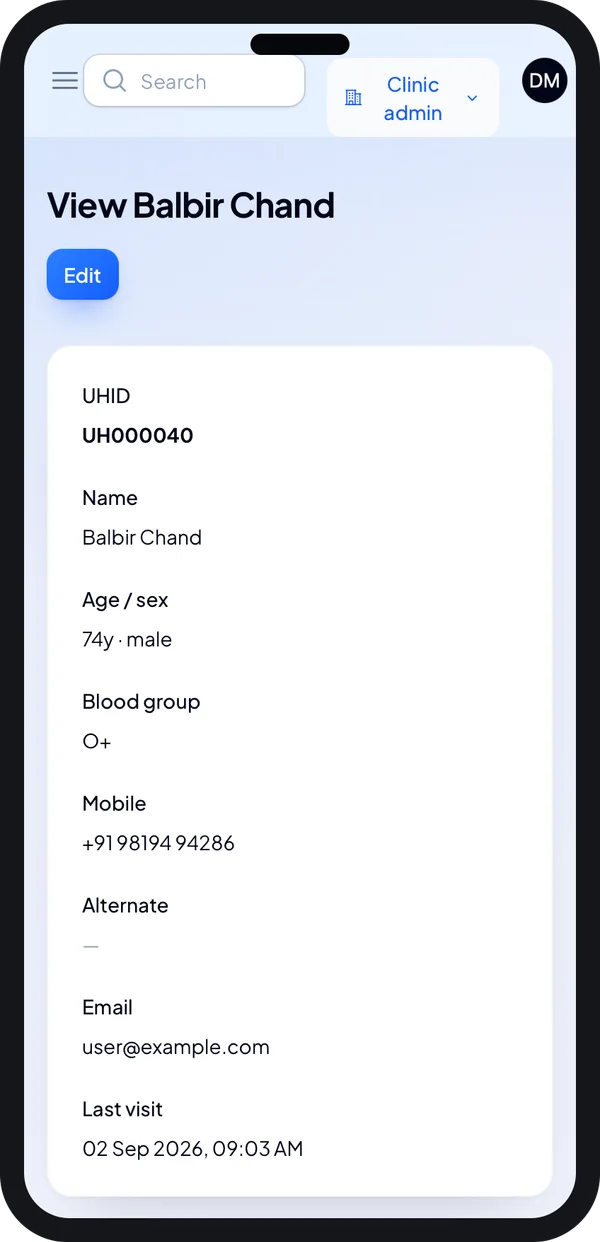
Record on the phone
The doctor opens the patient's basics before the consult.
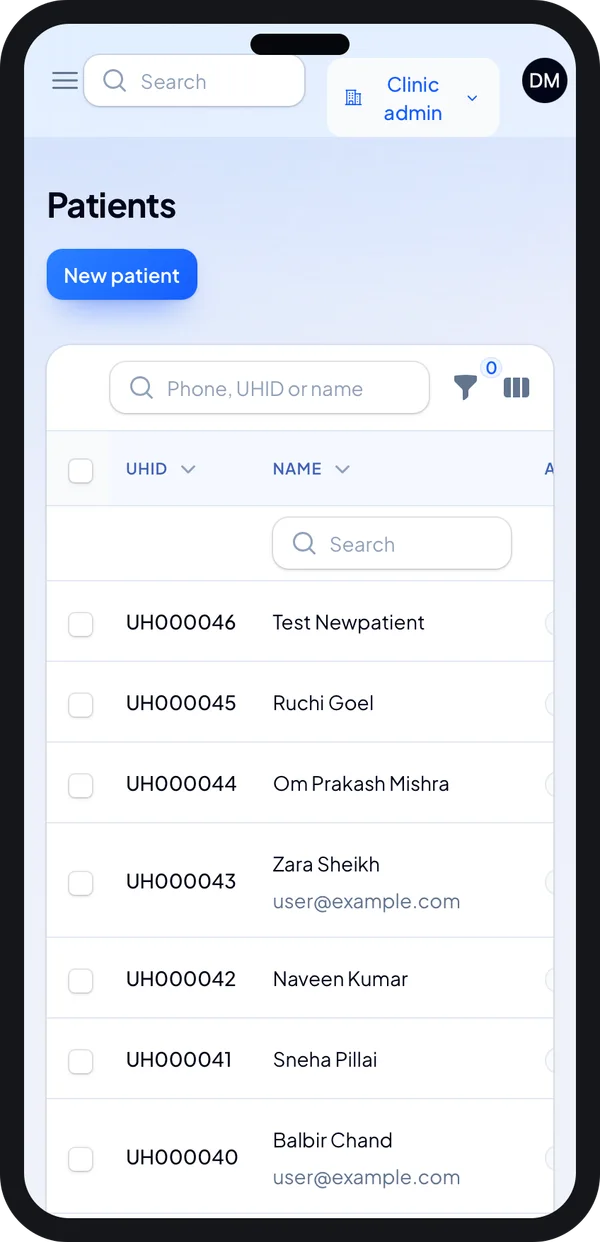
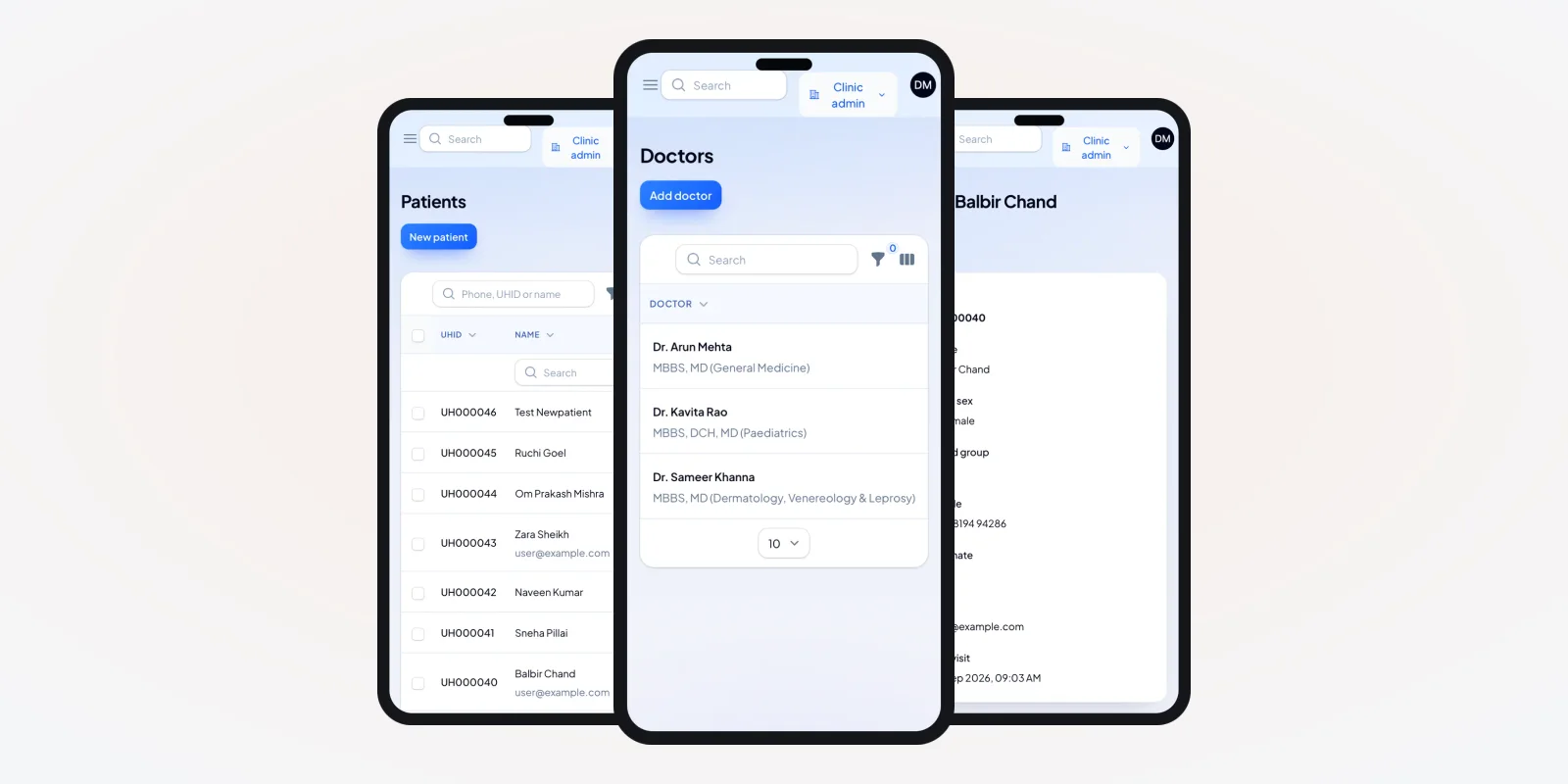
Search from anywhere
Find any patient by name or UHID from the doctor app.
Billing, staff and the day-end report
The OPD bill is small but frequent. Consult fee, a dressing, an injection. The desk should add these with one tap and take cash, card or UPI. At day end, the report shows fees by doctor and by payment mode. Accounts staff match it with the cash drawer.
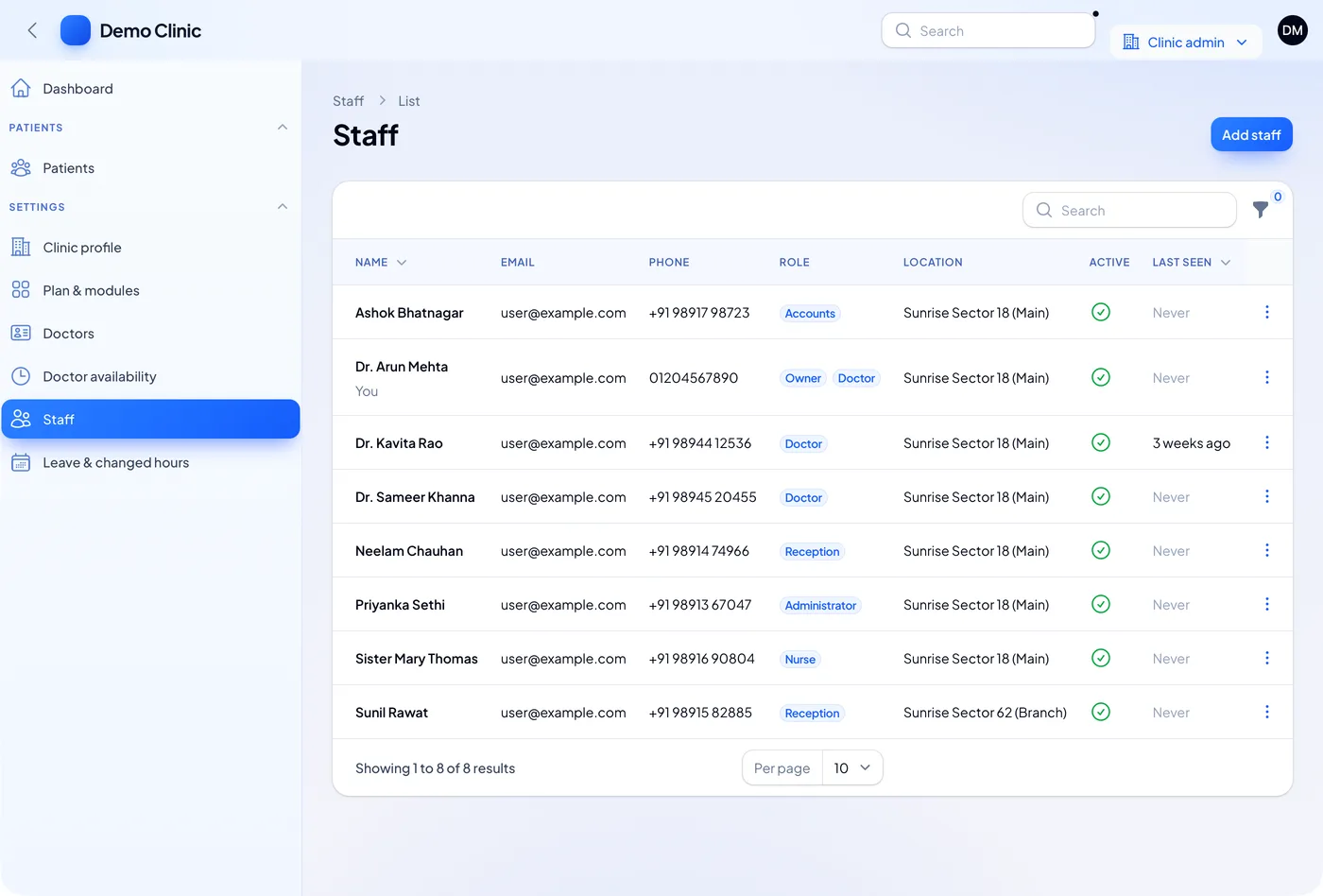
Each person logs in with their own role. Reception cannot change a bill after it is closed. Accounts cannot edit a prescription. This keeps the OPD clean when many people share one desk. The clinic system we built uses the same role setup. For more on desk roles, read our guide on must-have clinic software features.
Check the rules that touch your OPD. Doctors are registered with the National Medical Commission or a state council. Printed prescriptions should carry that registration number. Video follow-ups fall under the Telemedicine Practice Guidelines, 2020. Patient data falls under the DPDP Act, 2023. Check the latest rules with your council or a lawyer.
OPD software vs a register vs general billing software
| What the OPD needs | Paper register | General billing software | OPD software |
|---|---|---|---|
| One ID per patient across visits | No | No | Yes, the UHID |
| Token and waiting screen | No | No | Yes |
| Doctor timings and slots | Diary | No | Yes |
| Allergy shown before prescribing | If someone reads the file | No | Yes |
| Bill linked to the visit | Separate pad | Yes, but not to the visit | Yes |
| Follow-up reminders | No | No | Yes |
Worked example: a Monday morning OPD
Here is one morning in a two-doctor clinic. Names and times are examples.
- 8:50. Booked patients see their token number in the patient app.
- 9:00. A walk-in patient gives a mobile number. The record comes up with her UHID.
- 9:05. The nurse adds BP and weight. The visit moves to the doctor's list.
- 9:12. The doctor sees a penicillin allergy on the record and picks another drug.
- 9:20. The desk prints the prescription and bill. Payment is by UPI.
- 9:21. A follow-up is set for next Monday. The reminder goes out on Saturday.
- 1:30. The owner checks the day report: patients seen, fees and pending follow-ups.
Our service
How we build your own OPD management software
Your OPD has its own rush hours, roles and printouts. The software should match them.
- Sit with your desk. We map your OPD steps and roles with your receptionist and doctor.
- Draw the screens. You click through the desk and doctor screens before we write code.
- Build the apps. A web app for the desk and Flutter apps for doctors and patients.
- Test in a live OPD. Your team runs real mornings on it. We fix what slows them down.
- Launch under your name. Your logo on prints and apps. Hosting on a server you control.
- Grow it. Add pharmacy, lab orders or a second branch when you are ready.
OPD software development cost: what decides it
We do not show a fixed price. The cost depends on what your OPD needs:
- How many apps: desk only, or also doctor app and patient app.
- Token screen, SMS and WhatsApp alerts.
- Billing with UPI or card machines.
- Extra modules such as pharmacy, lab orders and stock.
- How many branches and doctors share the system.
| Monthly OPD plan | OPD software built for you | |
|---|---|---|
| Start | Same week | A few weeks to build |
| Cost over years | Pay every month, often per doctor | One build cost, then optional support |
| Your OPD steps | Fit to their flow | Built to your flow |
| Prints and apps | Their layout | Your layout and brand |
| Data and source code | With the vendor | Yours |
Still comparing options? Our roundup of clinic management software lists ready-made tools. Our OPD software trial guide explains what to test first. When you are ready, we send a written quote after one call.
Whoever builds your OPD software, make sure it can:
- Find a patient by name, mobile or UHID in one search
- Stop the same person getting two UHIDs
- Run tokens from doctor timings and slot length
- Show allergies and conditions before the doctor prescribes
- Link every bill to a visit and close it after payment
- Give a day-end report by doctor and payment mode
- Send follow-up reminders on SMS or WhatsApp
- Export all your data whenever you want
FAQ
What does OPD software for a clinic do?
It runs the outpatient visit. It registers the patient and gives a token. It stores vitals and the consult, prints the prescription and bill, and sets the follow-up.
How long does it take to build OPD management software?
It depends on the apps and extras you want. After one call, we share a plan with dates. You see clickable screens in the first stage.
Will I own the OPD software and its code?
Yes. We hand over the source code. Your data stays on a server you control.
Can OPD software show a token number on a TV?
Yes. We can add a waiting-room screen that shows the current token for each doctor. It updates when the doctor calls the next patient.
Does it work for a single-doctor clinic?
Yes. A single doctor can run the desk and consult from one login. Extra roles can be added later.
Can patients book OPD slots from a phone?
Yes. The patient app shows open slots from each doctor's timings. Booked patients get a token when they check in.
Is patient data safe in OPD software?
It should be. We add role-based logins, activity logs and daily backups. The DPDP Act, 2023 covers this data, so check your duties with a lawyer.
Can the OPD software use ABHA numbers?
We can add ABHA steps if your clinic needs them. The link must pass ABDM sandbox tests first. Check the current rules on the ABDM site.
Can PRS India build OPD management software for my clinic?
Yes. We build the desk app, doctor app and patient app around your OPD. Book a consultation and walk us through your OPD day.
Related guides
Written by
Babita Kumari · Business Developer
Business Developer at PRS India. Talks with business owners about the app or software they want, and helps them work out the scope, cost and launch steps before any code is written.