Mobile-App
Free OPD Software For clinic | Built For Indian Healthcare
Start OPD Suite free for the first 3 months — no credit card required — then grow into the plan your clinic actually needs.

Written by Aditi
Reviewed by the PRS India software & mobile app development team
Updated on 9 min read
Written from production. Our articles draw on products we run live and the client work behind them, and are revised as the systems they describe evolve.
Most small clinics in India still run on a register, a WhatsApp group and an Excel sheet. It works — until it doesn’t.
A missed follow-up. A prescription nobody can read a week later. A GST invoice built by hand at 9 PM. These aren’t big-hospital problems. They are everyday friction for a solo GP or a two-doctor clinic.
The usual objection to fixing this is cost. Clinic software sounds like a big commitment — a contract, a setup fee, a system the front desk has to learn before it pays off.
OPD Suite removes that risk with a straightforward promise: start free, no credit card, for the first 3 months. You get to try the real thing before you decide anything.
What is OPD Suite?
OPD Suite is a clinic-management SaaS built specifically for how Indian clinics work. Its own line sums it up well: “Run the clinic, not the paperwork.”
Instead of juggling a booking register, a separate billing book and a WhatsApp thread for prescriptions, everything sits in one system:
Appointments and queue — replaces the paper register and the front-desk phone calls.
Consultation notes and e-prescriptions — replaces the handwritten pad.
Billing with GST — replaces the manual invoice book.
Pharmacy and stock — replaces a separate stock ledger.
It is built for the clinic that has never used software before, not just the one upgrading from an older system.
The 3-month free trial, honestly explained
Let’s be clear about the word “free” here, because it matters: OPD Suite does not offer a permanently free plan.
What it has is a 3-month free trial, with no credit card required to start. That is the “free” this article is about — a real, no-risk way to run your clinic on the software before paying anything.
Here is exactly how it works:
Sign up in minutes — clinic name, doctor name and a mobile number is all it takes to get started.
No card at signup — you are never asked for payment details to begin the trial.
Free for the first 3 months — enough time to run real patients through the system, not just click around a demo.
Cancel anytime — if it isn’t for you, there is no auto-charge waiting to catch you out.
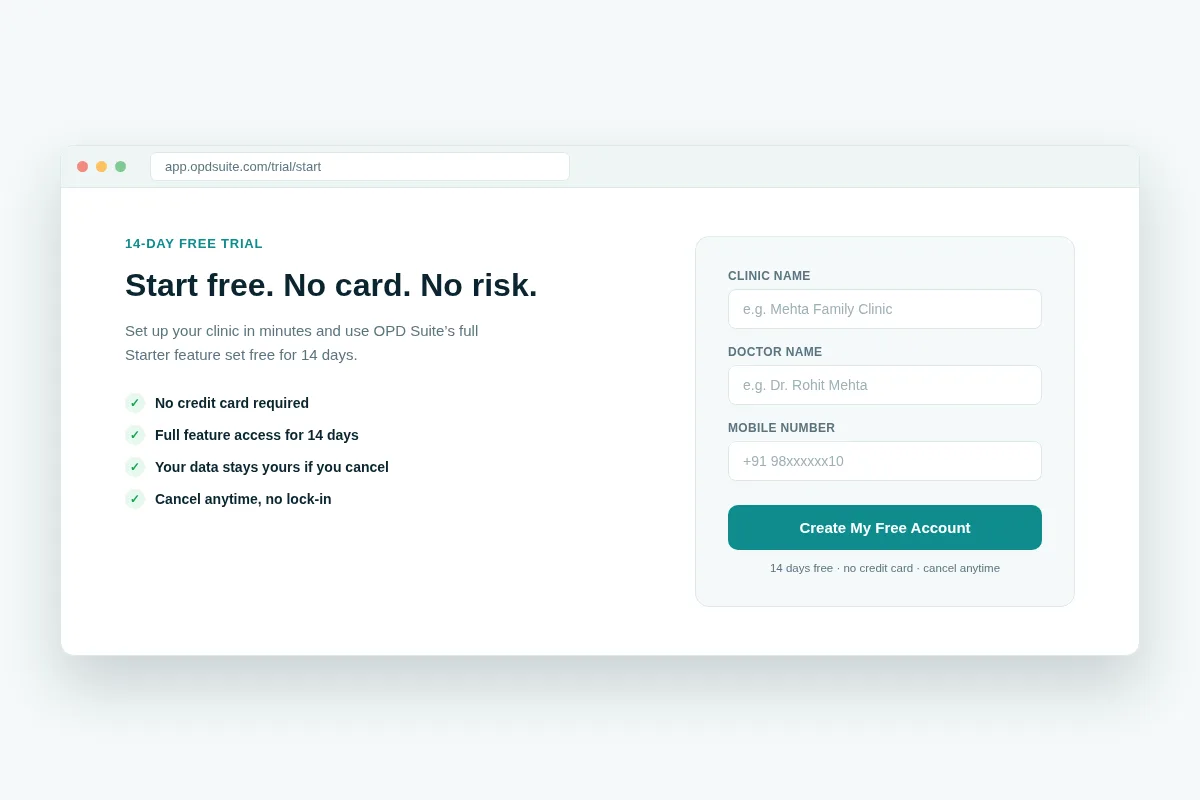 Signing up takes three fields — no credit card, no sales call required.
What you can actually do during the trial
A trial is only useful if it reflects the real product. OPD Suite’s trial runs on the plan you choose, so you are testing the clinic workflow itself, not a stripped-down demo:
Patient records — create real patient profiles with history, allergies and visit notes.
Appointments and queue — book slots, manage walk-ins, and run today’s queue live.
Consultation notes — document diagnosis and vitals against each visit.
E-prescriptions — write and send prescriptions digitally.
Billing and payments — generate GST-compliant invoices and record payments.
That is enough to run a full day of OPD on OPD Suite — not a sandbox, a real clinic day.
Appointments and queue management
The front desk is usually the first thing to break down under a paper register, especially on a busy morning.
OPD Suite replaces it with a live queue view: who is booked, who has checked in, who is with the doctor, and who is still waiting.
Live queue status — waiting, with-doctor and completed, updated in real time.
Walk-in and pre-booked slots — both flow into the same queue.
Wait-time visibility — patients and staff both see how long the queue actually is.
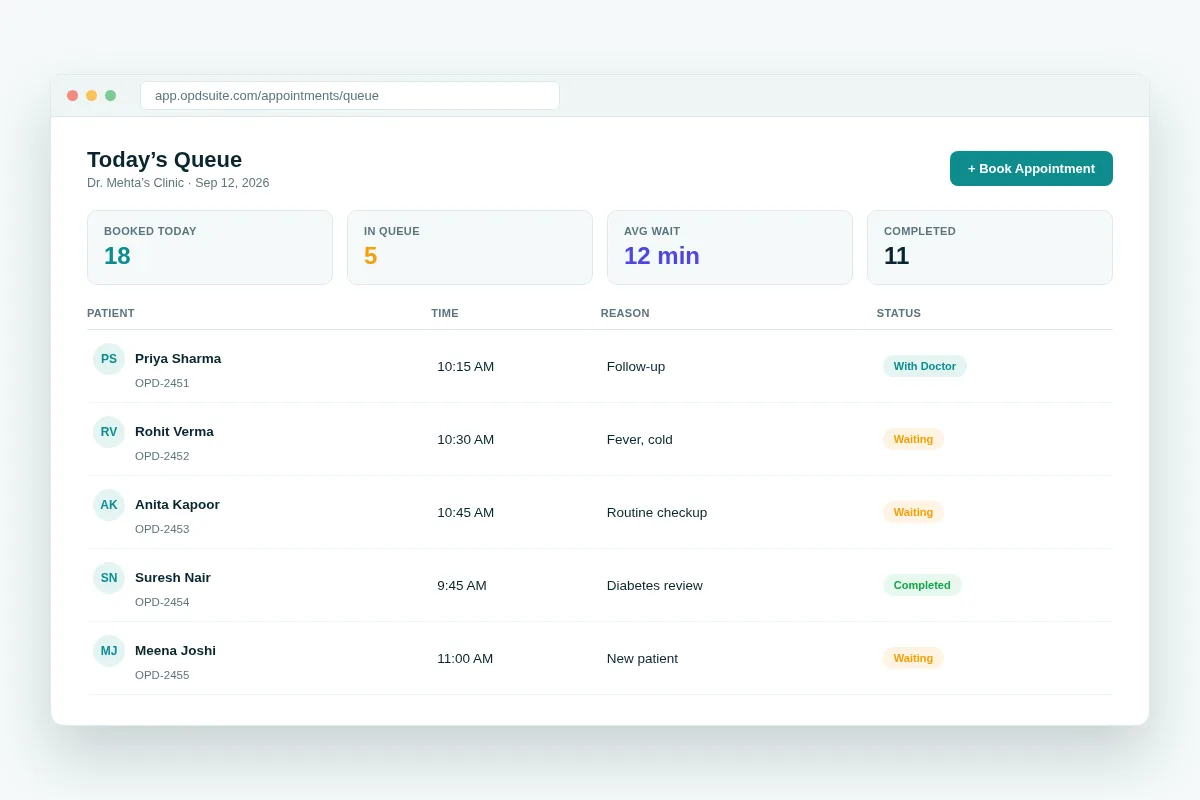 Today’s queue — booked, waiting and completed, at a glance.
Consultation notes and e-prescriptions
A handwritten prescription is hard to read, easy to lose, and impossible to search six months later.
OPD Suite’s consultation and e-prescription module fixes this at the point of care:
Structured consultation notes — diagnosis, vitals and history against every visit.
Digital prescriptions — typed, timestamped, and stored against the patient record.
Dosage and frequency — entered as set fields, not free text.
Auto-sync to pharmacy — no re-typing the same prescription at the counter.
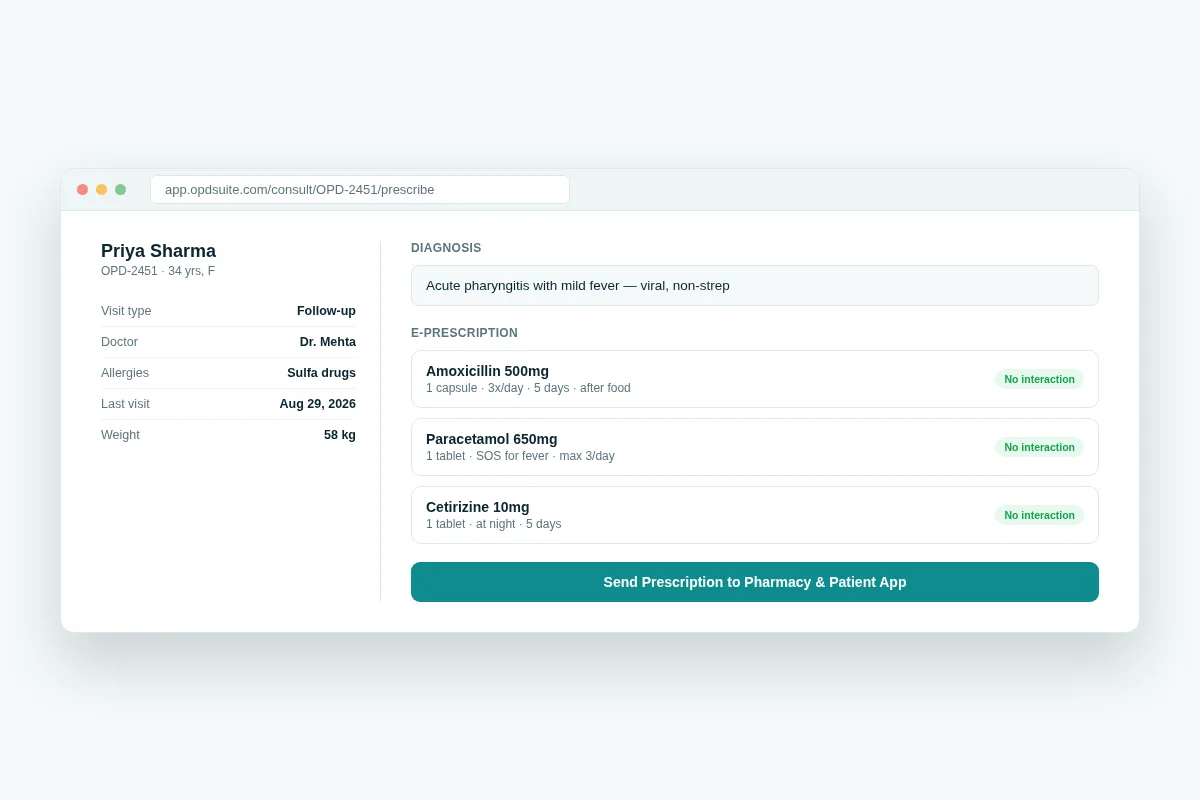 E-prescriptions sync straight to the pharmacy and the patient’s own record.
Billing, GST and payments
Manual billing is slow and error-prone, and GST makes it worse if you do the calculations by hand.
GST-compliant invoices — generated automatically for consultations, medicines and services.
Itemised billing — every consultation and medicine line-itemed, not lumped together.
Multiple payment modes — cash, card and UPI recorded against the same invoice.
Searchable billing history — no more digging through a paper invoice book.
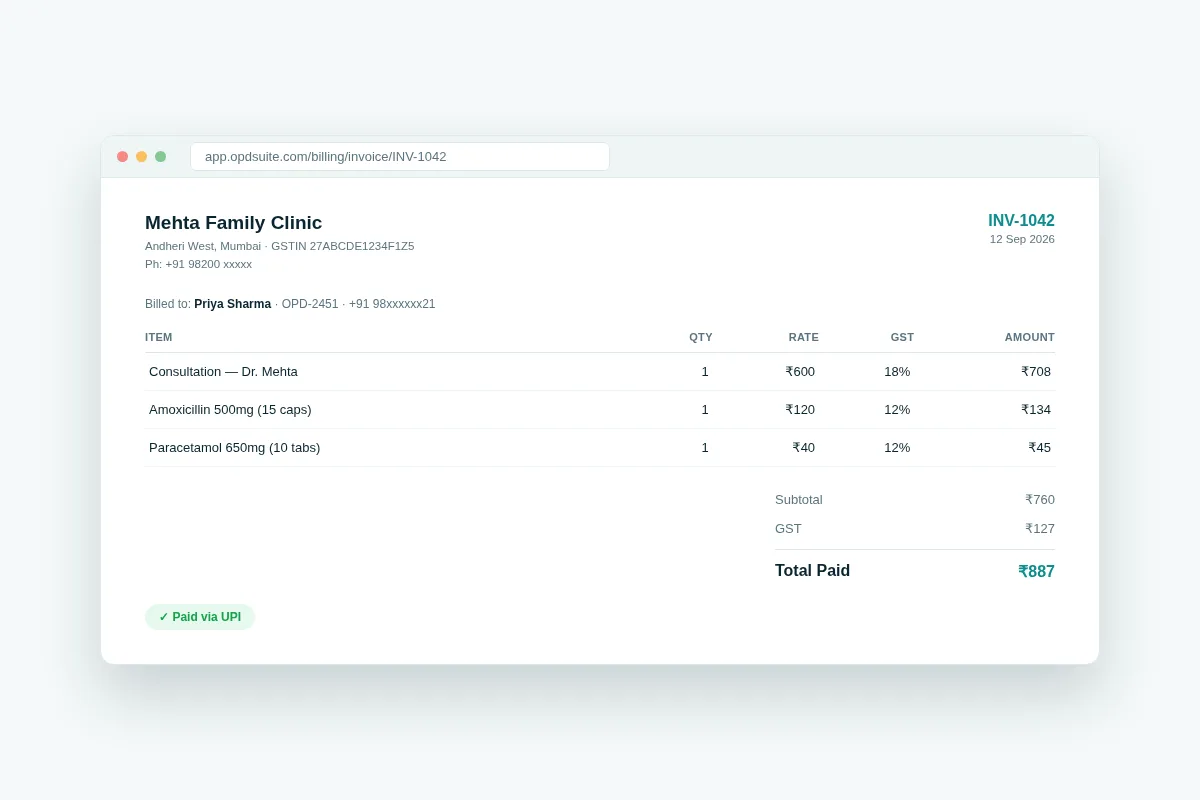 A GST-ready invoice, itemised automatically at checkout.
Pharmacy and stock, connected to prescriptions
If your clinic runs its own pharmacy counter, stock tracking usually lives in a separate register, disconnected from the prescriptions doctors actually write.
Stock levels by batch — see what’s in hand, low, or out of stock at a glance.
Expiry tracking — flags medicines nearing expiry before they become dead stock.
Prescription-linked dispensing — stock updates automatically as prescriptions are filled.
Purchase orders — reorder low-stock items without leaving the system.
These modules, along with lab orders, teleconsultation and insurance billing, become available from the Clinic plan onward.
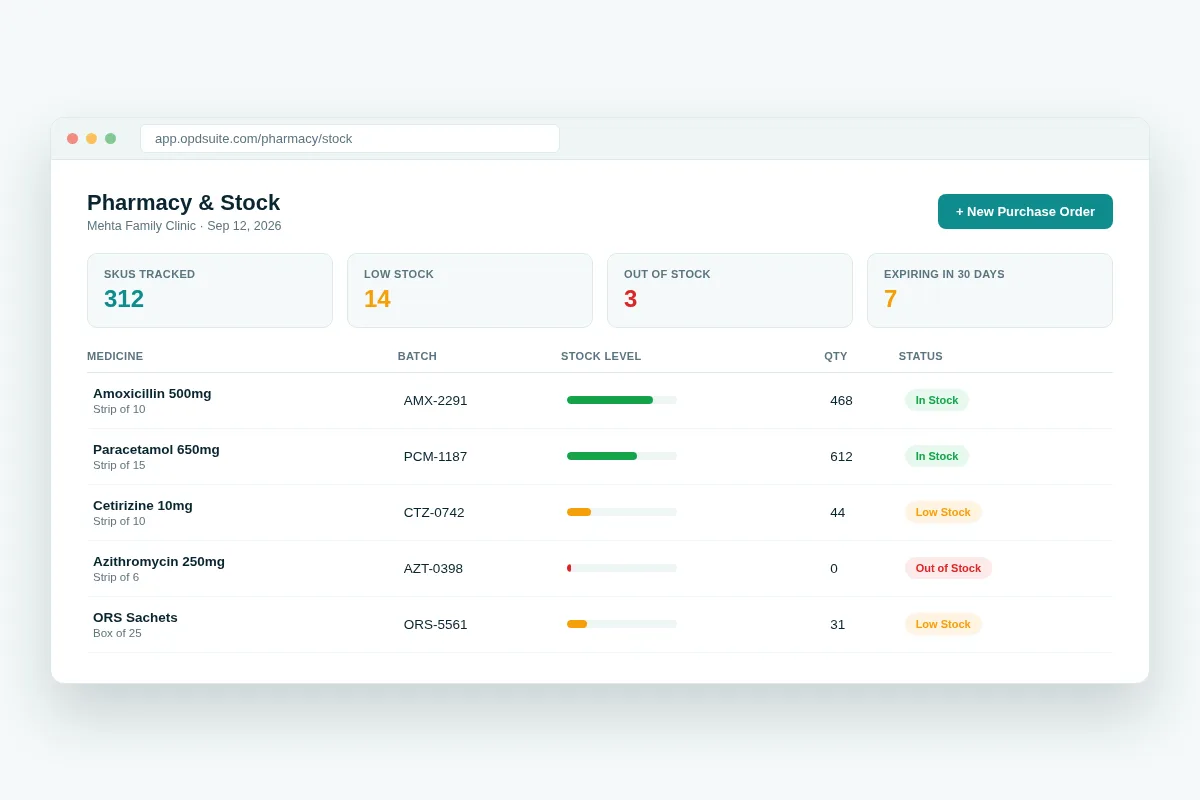 Pharmacy stock, tied directly to what doctors actually prescribe.
A patient app and a doctor app, included
OPD Suite isn’t just a desktop admin panel. It ships with two mobile apps that extend the same system to patients and doctors:
OPD Suite (patient app) — book appointments across doctors and locations, view visit history and prescriptions, and track bills.
OPD Suite Doctor — manage the live queue, view patient charts and vitals, and e-prescribe, from a phone.
Android is available as a direct APK download today (Android 7.0 and above); the Play Store listing is in progress. iOS is built and awaiting App Store review — clinics that want early access can reach out directly.
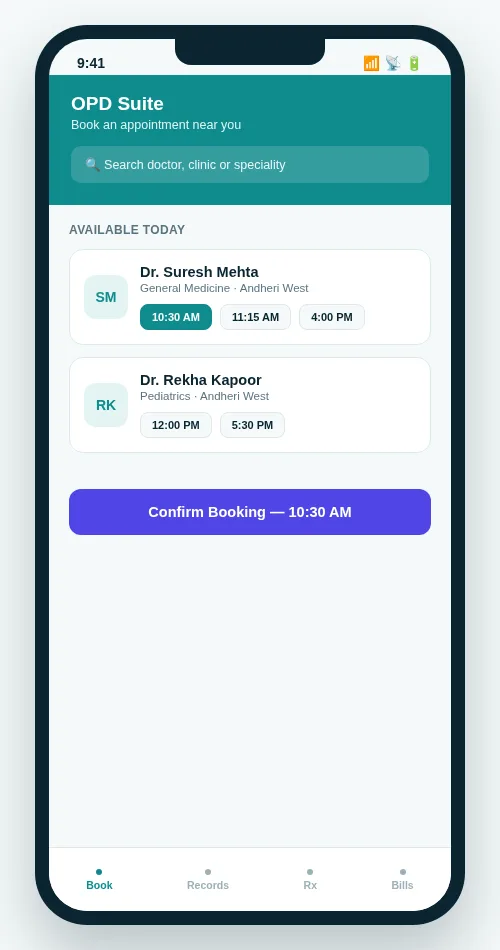 The patient app lets your patients book their own slot, no phone call needed.
When you outgrow the trial: pricing preview
After the 3 months, if OPD Suite is working for your clinic, moving to a paid plan is the natural next step. Full details are on the pricing page, but here is the shape of it:
Starter — ₹999/month (or ₹9,990/year) — 1 doctor, 3 staff logins, 1 location. Patient records, appointments, consultation notes, e-prescriptions and billing.
Clinic — ₹2,499/month (or ₹24,990/year), the most popular tier — 5 doctors, 15 staff, 2 locations. Adds pharmacy, lab orders, teleconsultation, WhatsApp/SMS reminders, public booking and a patient portal.
Multi-speciality — ₹5,999/month (or ₹59,990/year) — unlimited doctors and staff, 10 locations. Adds inventory, insurance/TPA billing, white-label printing, API access and the mobile apps.
A solo GP or a small clinic will typically fit the Starter plan comfortably — and the free trial lets you test it first.
A small clinic, in practice
Picture a two-doctor general clinic in a Tier-2 city — say, Nashik or Coimbatore.
Today, appointments are managed by phone and a notebook. Prescriptions are handwritten. Billing happens at a manual counter, with GST calculated by hand at month-end.
On day one of the trial, the front desk starts booking appointments in OPD Suite instead of the register. By day three, both doctors are writing e-prescriptions instead of a pad.
By day seven, billing is fully itemised and GST-ready, and the clinic has a searchable record of every patient visit — something the notebook never gave them.
None of this required a contract or an upfront rupee. It only needed the free trial to see whether it fit how the clinic already works.
Starter, Clinic and Multi-speciality side by side
Here is the same pricing preview as a quick table. It shows what each plan adds as your clinic grows. For other tools you may compare, see our guide to the top clinic management software.
| What you get | Starter | Clinic | Multi-speciality |
|---|---|---|---|
| Doctors | 1 doctor | 5 doctors | Unlimited |
| Staff logins | 3 logins | 15 logins | Unlimited |
| Locations | 1 location | 2 locations | 10 locations |
| Records, appointments, notes, e-prescriptions, billing | Yes | Yes | Yes |
| Pharmacy, lab orders, teleconsultation | No | Yes | Yes |
| WhatsApp/SMS reminders, public booking, patient portal | No | Yes | Yes |
| Inventory, insurance/TPA billing, white-label printing, API access | No | No | Yes |
| Mobile apps | Add-on | Add-on | Included |
Frequently asked questions
Is OPD Suite really free?
OPD Suite is free for the first 3 months on every plan, with no credit card required — it is not a permanently free plan. After the trial, continuing requires a paid plan starting at ₹999/month.
Do I need a credit card to start the trial?
No. You can sign up and use the plan you choose, free for the first 3 months, without entering any payment details.
What happens to my data if I don’t continue after the trial?
Your clinic data stays yours. If you choose not to continue on a paid plan, you are not locked in or auto-charged.
Can one doctor use OPD Suite, or is it only for multi-doctor clinics?
It works for both. The Starter plan is built for a single doctor and a small front desk, while the Clinic and Multi-speciality plans scale up to multiple doctors and locations.
Are the OPD Suite mobile apps included in the trial?
The mobile apps ship with the Multi-speciality plan, or as an add-on to other plans. During the 3-month trial you get full access to the web-based features of the plan you choose.
Does OPD Suite check for drug interactions?
No. Prescriptions are written with set fields for dosage and frequency, but OPD Suite does not check drug interactions. The doctor still decides what is safe to prescribe.
Does OPD Suite work with ABHA or ABDM?
No. ABDM and ABHA are not available in OPD Suite today.
Can I try pharmacy and lab orders during the trial?
Pharmacy, lab orders and teleconsultation come with the Clinic plan onward. Ask us to set up your trial on the plan you want to test.
Does OPD Suite make GST invoices?
Yes. It makes GST-compliant invoices for consultations, medicines and services. Cash, card and UPI can be recorded on the same invoice.
Start your free trial
If your clinic is still running on a register, a WhatsApp group and an Excel sheet, the 3-month free trial is the lowest-risk way to find out if software actually helps.
Start your free trial or book a demo — no credit card, no commitment, 3 months to see it work in your own clinic.
Have questions about this? Write to us at aditi@prsindia.in.
Related guides
Written by
Aditi
Building software at PRS India.