Mobile-App
Appointment & Patient Engagement Software and mobile app
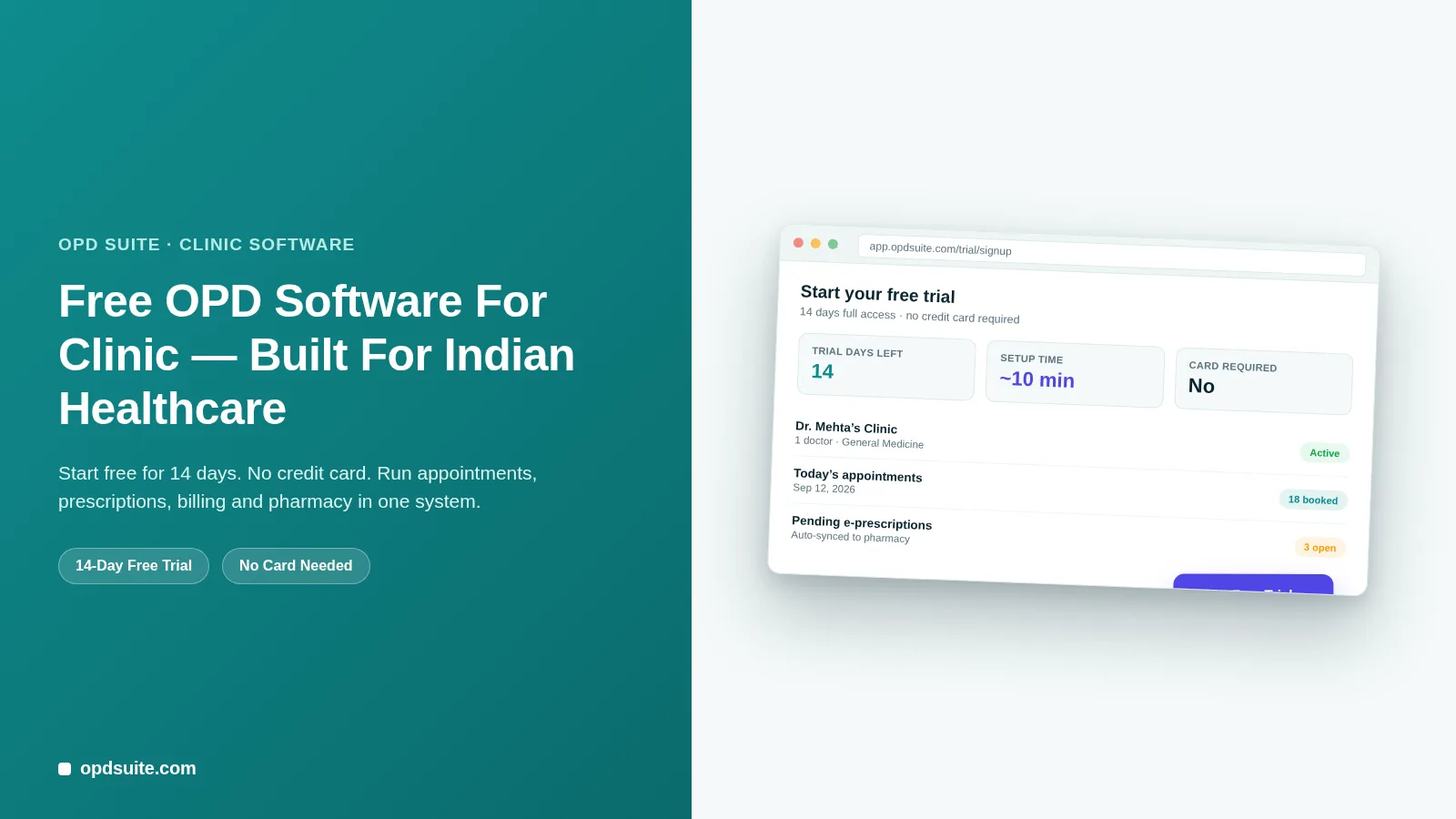
Online booking, a live queue, WhatsApp/SMS/Email reminders and a patient app. The OPD Suite set of tools that stops no-shows and endless phone calls for booking.

Written from production. Our articles draw on products we run live and the client work behind them, and are revised as the systems they describe evolve.
Every missed appointment costs a clinic twice. The slot goes unpaid, and the front desk still burns a phone call chasing it.
Multiply that by a busy week and the real cost shows up in two places:
Lost revenue — a doctor’s time that can’t be recovered once the slot passes.
Staff time — reception spends hours on confirmation calls, reschedules and "are you still coming" messages instead of helping patients in front of them.
Most of this is not a booking problem. It is a communication problem. Patients forget, plans change, and if the only way to book or reschedule is a phone call during clinic hours, some of them simply won’t bother.
OPD Suite solves this with one connected set of tools: online booking, a live queue, automatic reminders, and a portal and app for patients.
These pieces work best together. A reminder is only useful if it links to a real slot that can be booked. This post goes through all the pieces from start to finish and shows how they cut no-shows and phone calls.
Appointments & Queue
The clinic side starts with a schedule that stays up to date. It is not a paper register that reception has to re-check every time someone calls.
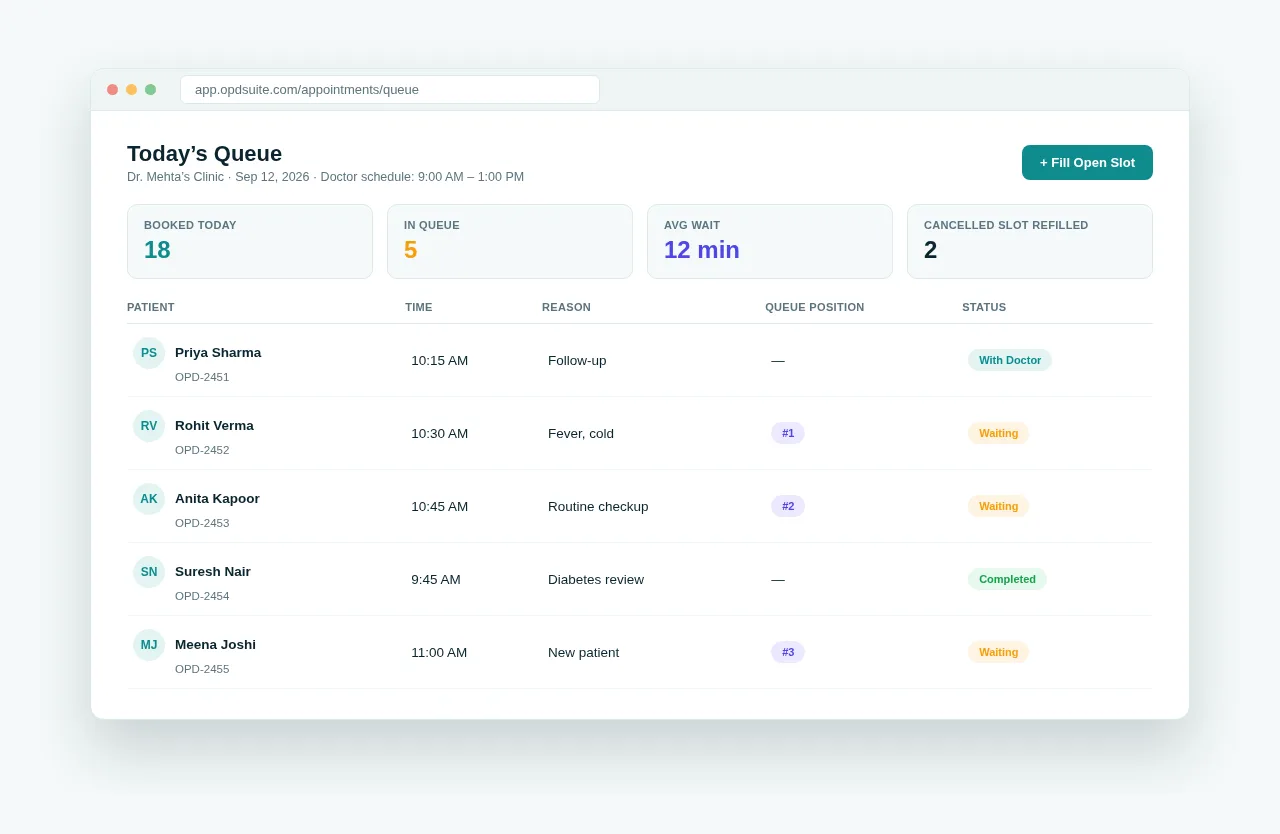 Today’s queue — every patient, their position, and their status, live.
Doctor schedule view — each doctor’s working hours, breaks and booked slots in one calendar, so double-booking is much less likely.
Live queue position for patients — the app and portal show a live queue number, not just an appointment time, so patients know when to walk in.
Quick slot refill for reception — when someone cancels, the free slot goes straight back to the list of slots that can be booked. It does not sit empty.
This is the same Appointments & Queue module included from the Clinic plan onward — see pricing for what’s in each tier.
Public Online Booking
A clinic’s booking desk closes at 6 PM. Patients don’t stop wanting appointments at 6 PM.
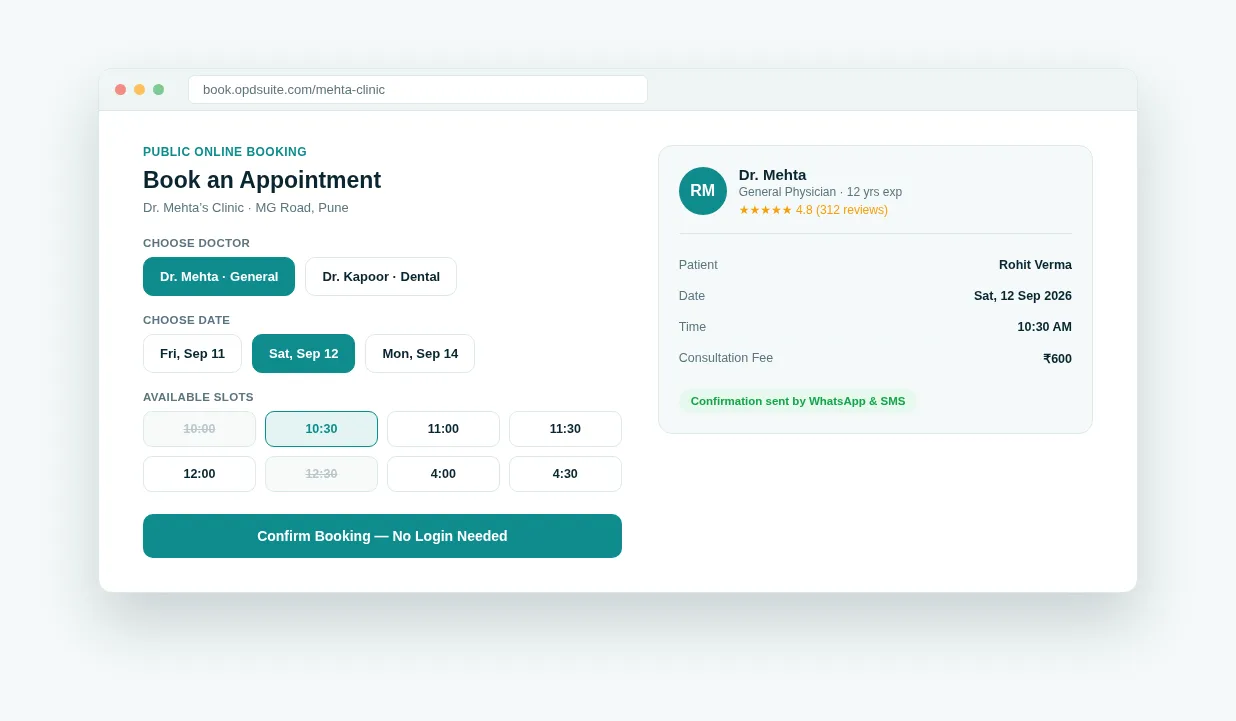 Public online booking — no login, no phone call, no waiting for clinic hours.
Book without calling — a booking page for patients shows real, live slots for each doctor. A confirmed booking needs no phone call at all.
Available beyond clinic hours — the booking page works even when staff are not there, so a patient can book at 9 PM for tomorrow morning.
The page uses the same schedule as the front desk. So a web booking will not clash with a walk-in that reception has just added.
WhatsApp, SMS & Email Automation
Booking is only half the job. Getting patients to actually come, or to free the slot early so someone else can take it, is the other half.
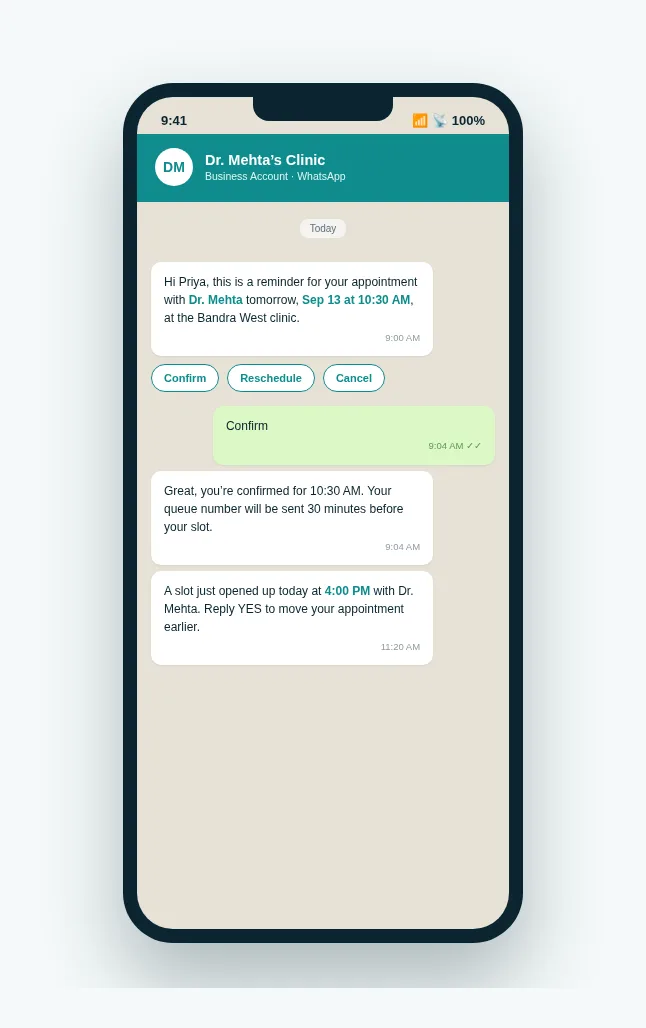 An automated WhatsApp reminder, with one-tap confirm, reschedule or cancel.
Automated reminders — WhatsApp, SMS and email reminders go out at the times the clinic sets. No one has to send them by hand.
Follow-up nudges — a message after the visit with care instructions and the next check-up date helps patients stay on track between appointments.
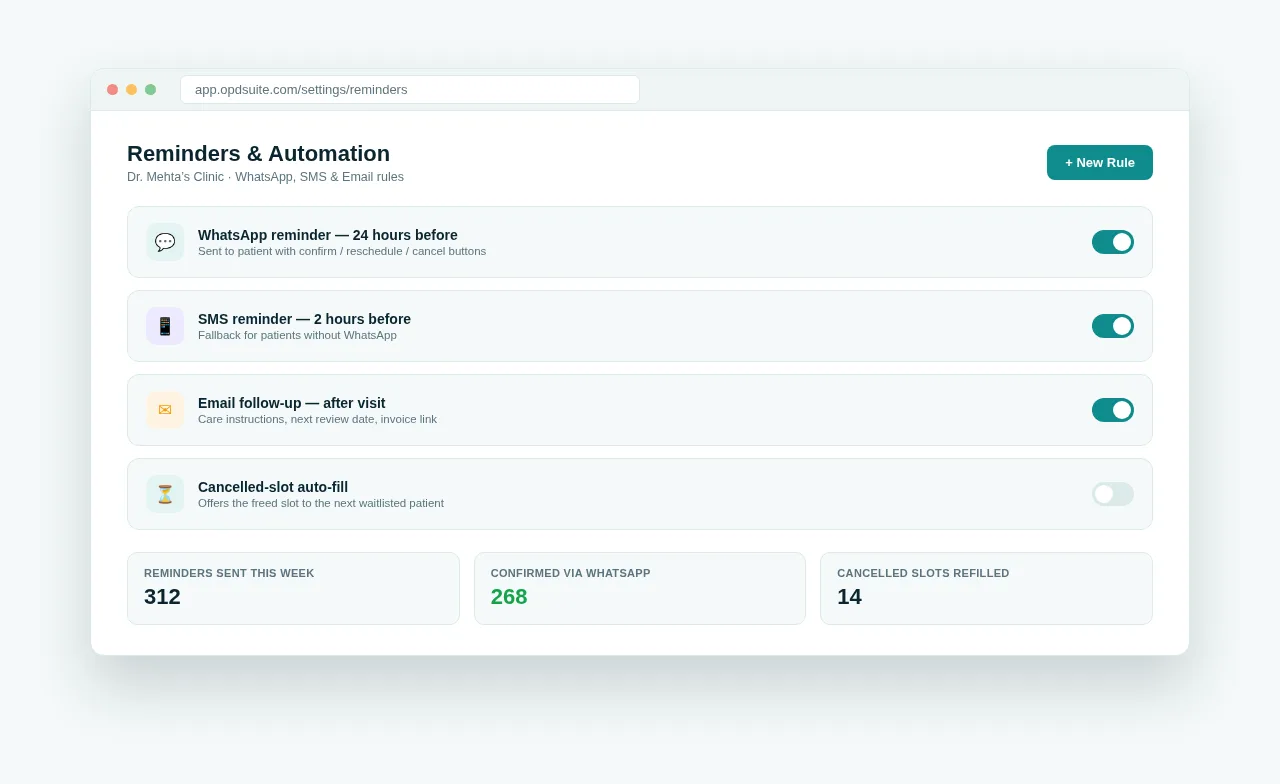 Reception sets the rules once — the reminders and follow-ups run themselves.
None of this needs a staff member watching a calendar. You set a rule once, and it runs for every appointment that matches it. These messages, along with online booking and the patient portal, are part of the Clinic plan, OPD Suite’s most popular tier.
Patient Web Portal & the OPD Suite Mobile App
Patients don’t only need to book an appointment. They need to find their last prescription, check what they owe, and see when they are due back. They want to do this without calling the clinic.
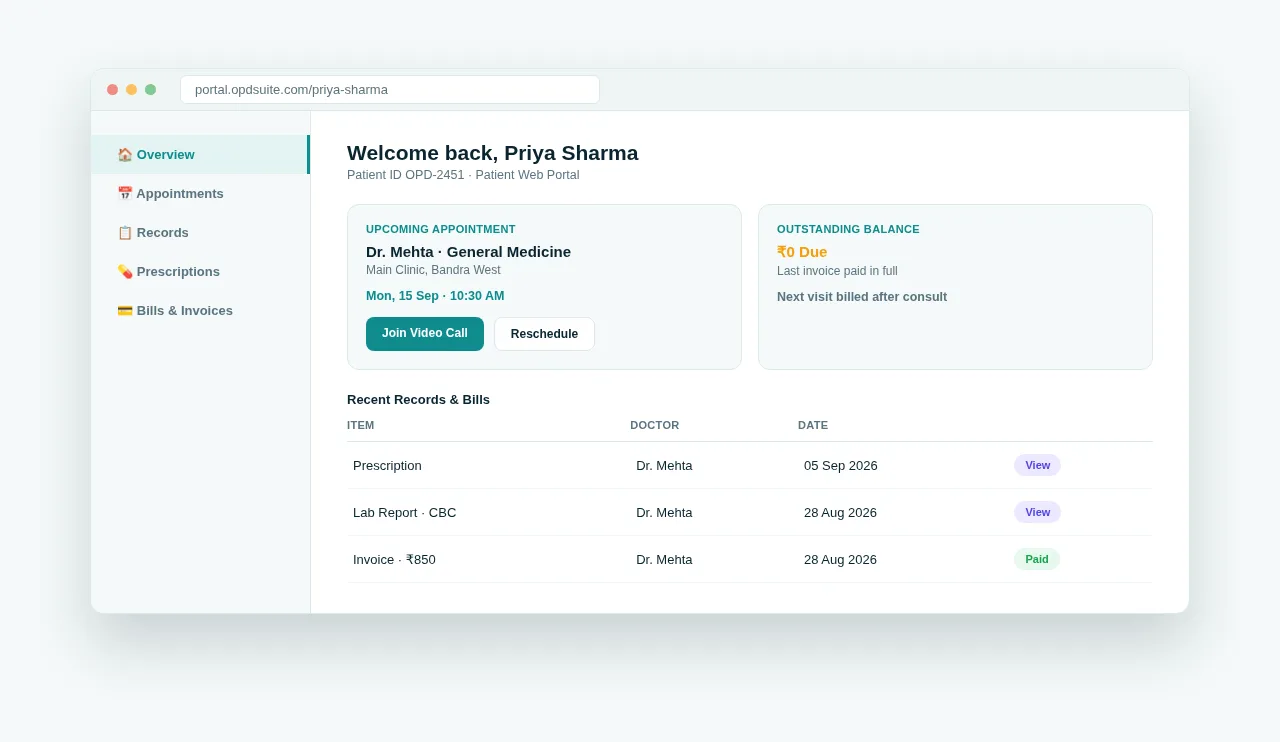 The patient web portal — appointments, records and bills, without a phone call.
Records, prescriptions and bills in one place — the patient can see every visit, prescription and invoice at any time, from any device.
Book across doctors and locations — if a clinic has more than one branch, the same login works at every location.
Know exactly what’s owed — amounts still due and paid invoices are easy to see. No call to the billing desk is needed.
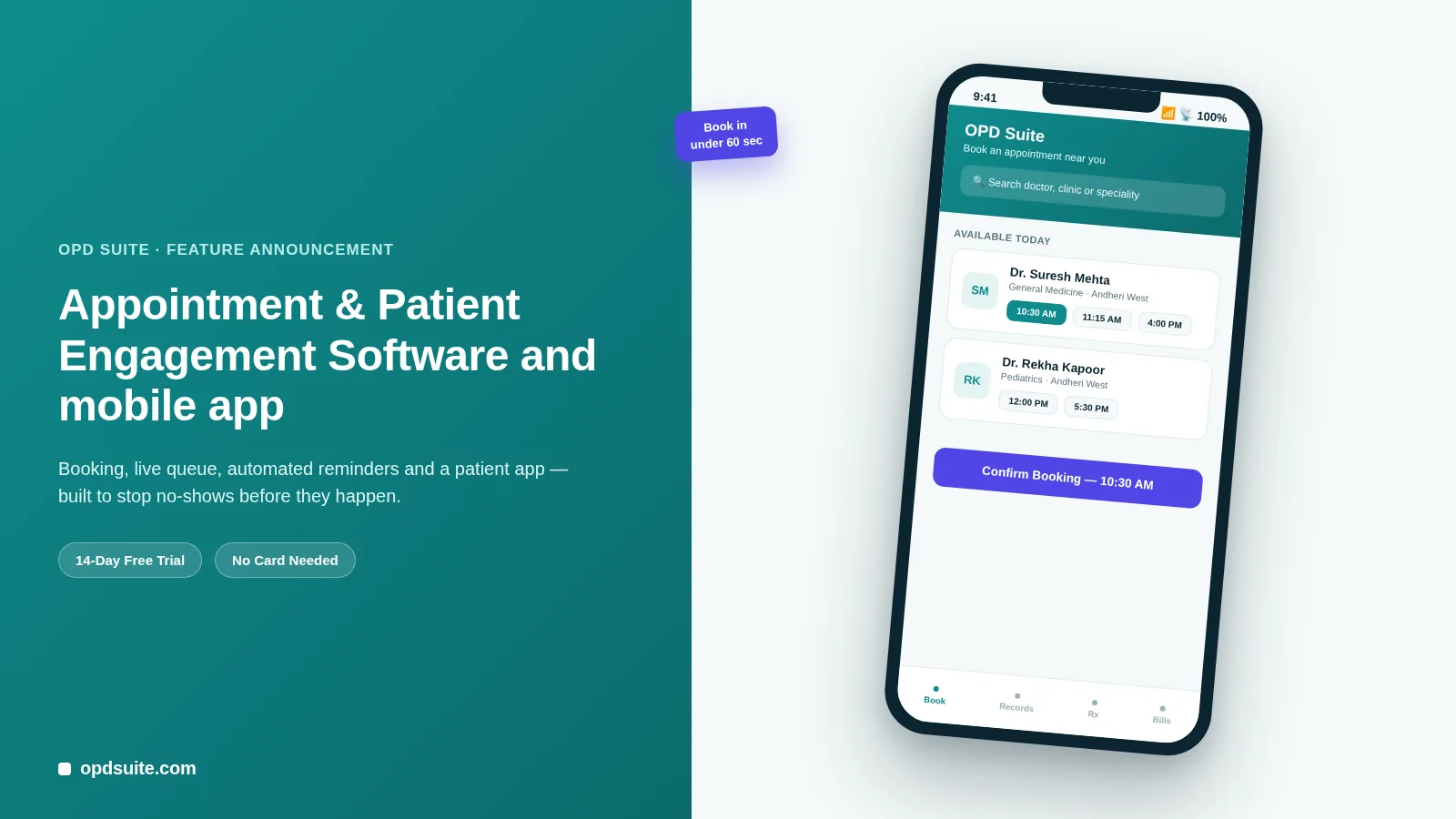
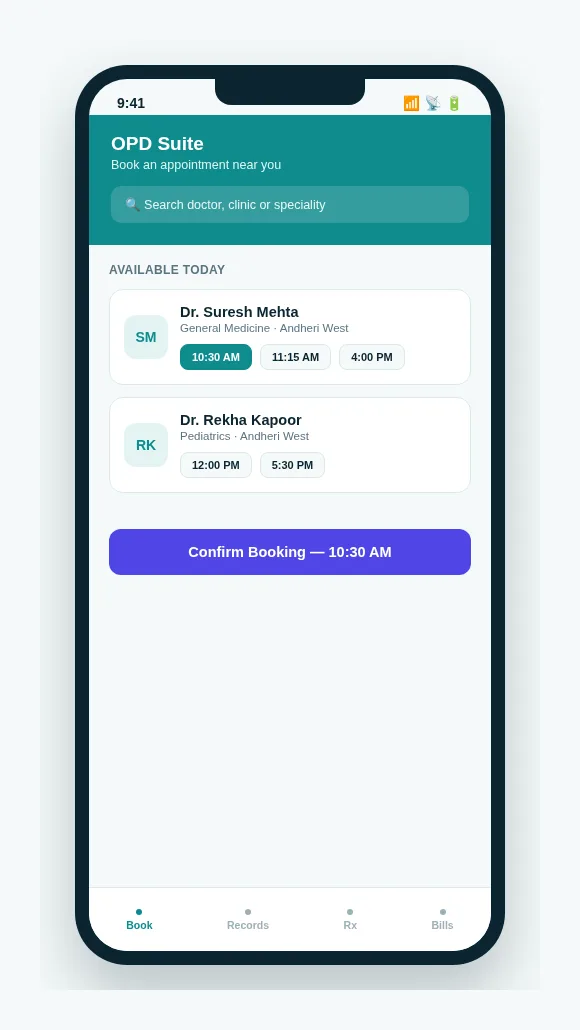 The OPD Suite patient app — booking, records and bills from a phone.
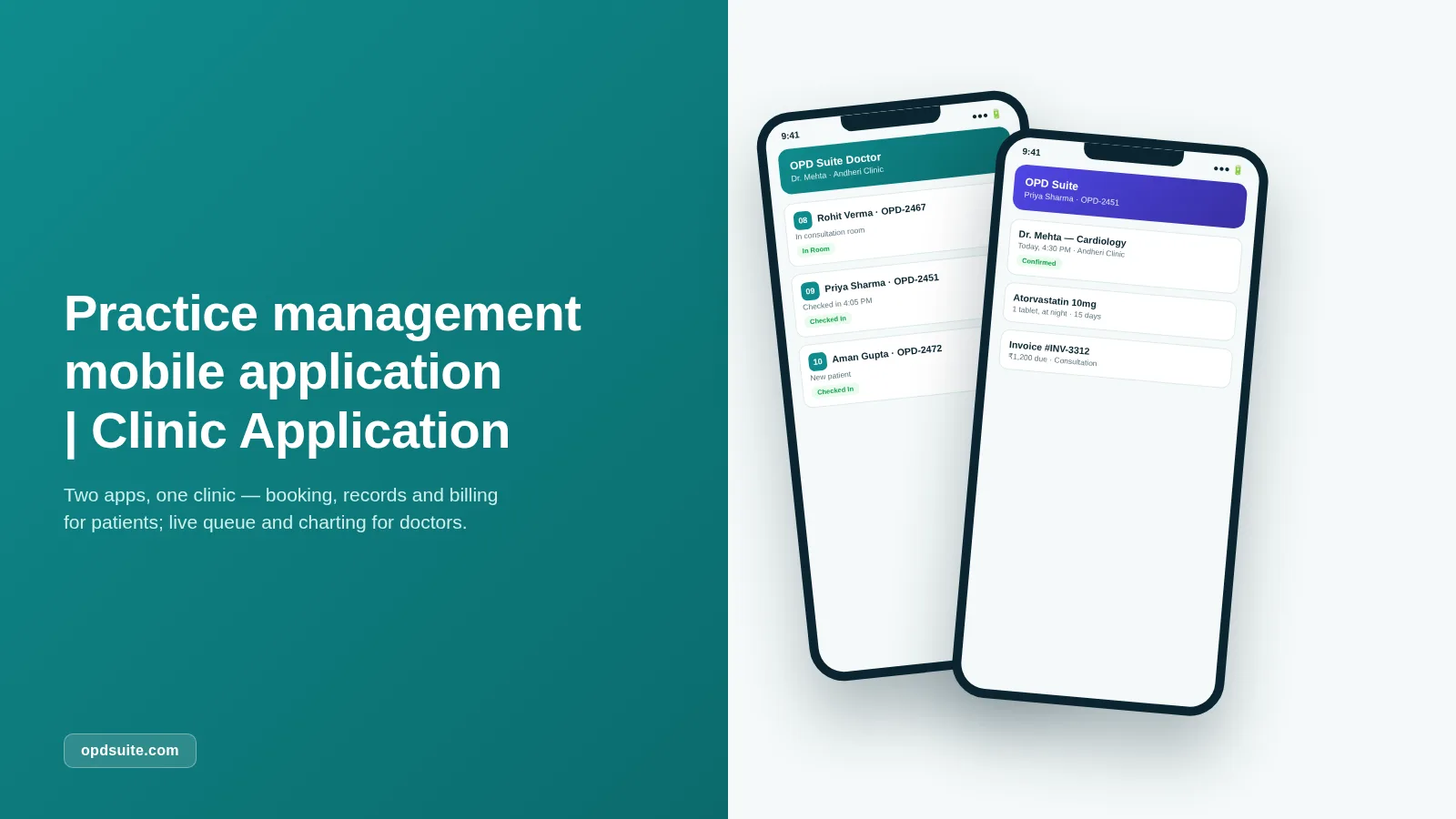
The OPD Suite patient app puts the same portal on a phone. Book with the right doctor, keep every prescription and report in one place, and know exactly what is owed.
Why This Cuts No-Shows and Staff Workload
Each piece above solves a different part of the same problem. Together they change how a clinic spends its time.
A patient’s visit has three points where a phone call used to be the only option:
Booking — online booking and the patient app remove the call at the start, because the patient can see and pick a real slot.
Confirmation — automatic reminders remove the "just confirming your appointment" call that reception used to make by hand, one patient at a time.
Follow-up — the portal and app remove the call at the end, when a patient would otherwise call to ask for a report, a prescription or an invoice.
What is left for staff is the work that needs a person: the patient standing in front of them.
FAQs
Does public online booking require patients to create an account?
No. The public booking page lets a patient pick a doctor, date and slot, and confirm — without logging in.
Which channels can send appointment reminders?
WhatsApp, SMS and email are all supported. A clinic can turn on any mix of the three for each type of appointment.
Can a patient see their bills without visiting the clinic?
Yes. The patient web portal and the OPD Suite mobile app both show outstanding balances and paid invoices at any time.
Is the patient app free for patients to use?
Yes. Patients download and use the OPD Suite app at no cost. Only the clinic pays for OPD Suite.
What does OPD Suite cost for a clinic?
Three plans: ₹999/month for Starter, ₹2,499/month for Clinic (the most popular tier, which includes online booking, messaging automation and the patient portal), and ₹5,999/month for Multi-speciality. Every plan starts with a 14-day free trial — see full pricing.
Stop losing slots to no-shows and phone tag
Try Appointments & Queue, Public Online Booking and automatic reminders free for 14 days.
Start Free Trial at opdsuite.com
Have questions about this? Write to us at admin@prsindia.in.
Related reading: must-have clinic software features, top clinic management software, clinic practice management apps and managing a clinic online. Building your own? See our healthcare software and mobile app development work, or a booking and teleconsultation case study.
Written by
PRS Admin
Building software at PRS India.