Mobile-App
Best software to manage clinic online
Ranking clinic software on one thing: how well patients can book, consult and get reminded online, without calling anyone.
Written from production. Our articles draw on products we run live and the client work behind them, and are revised as the systems they describe evolve.
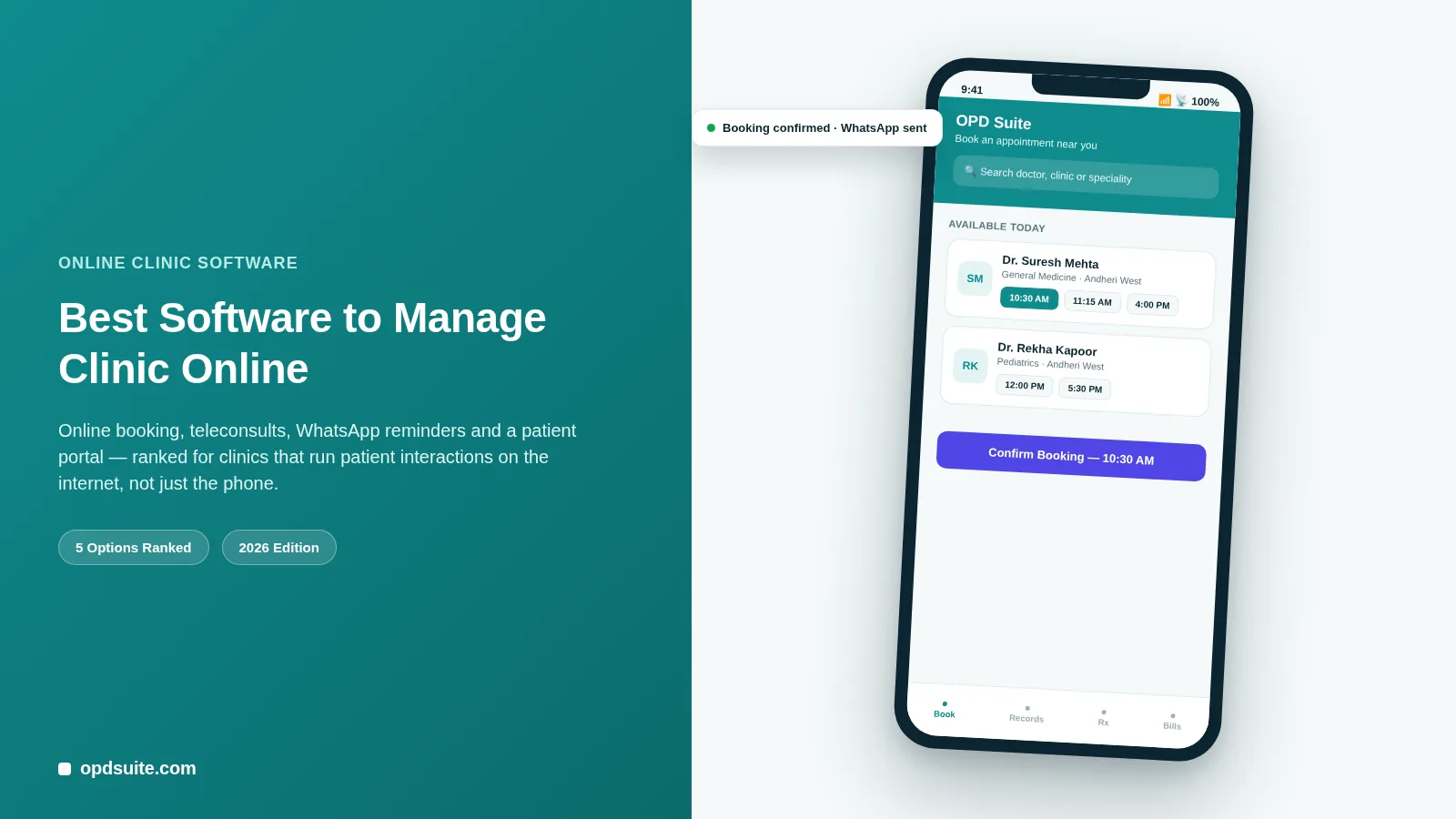
A patient today expects to book a slot the way they book a movie ticket — on a phone, at 11 PM, without calling anyone.
If your clinic’s only booking channel is a landline that goes unanswered during consultation hours, you are losing patients to the clinic down the road that has a booking link in its Google listing.
“Managing a clinic online” is not about where your server sits. It is about how much of the patient’s journey happens over the internet instead of a phone call or a walk-in queue. That journey is finding you, booking a slot, seeing you, paying you, and coming back.
This list ranks software specifically on that yardstick: online booking, a patient-facing web portal, teleconsultation, and automated WhatsApp/SMS/email engagement. A platform can be very good at billing or stock and still fail patients here if it has no public booking page or app.
What “online-first” actually means for a clinic
Before the ranking, a quick check. Software that runs a clinic well online should let a patient do all of this without picking up the phone:
Find and book a slot from a public link, website button, or app, at any time, with no clinic staff needed.
See their own records — prescriptions, lab reports, invoices — in a portal or app, not by asking the front desk.
Consult remotely over video when an in-person visit is not necessary.
Get reminded and confirmed automatically over WhatsApp, SMS, or email, not a phone call from a receptionist.
Judged on that, here are the five options worth knowing about in 2026. Only the first two are clinic software. The other three are what most clinics do instead. They are on the list because they are the real choices most clinics face. One disclosure before the ranking: OPD Suite at number one is our own product. The four criteria above are the part worth keeping — apply them to anything else you are looking at.
1. OPD Suite — built around the online patient journey
OPD Suite takes the top spot here because its online part is not an add-on. It is the front door to the whole product.
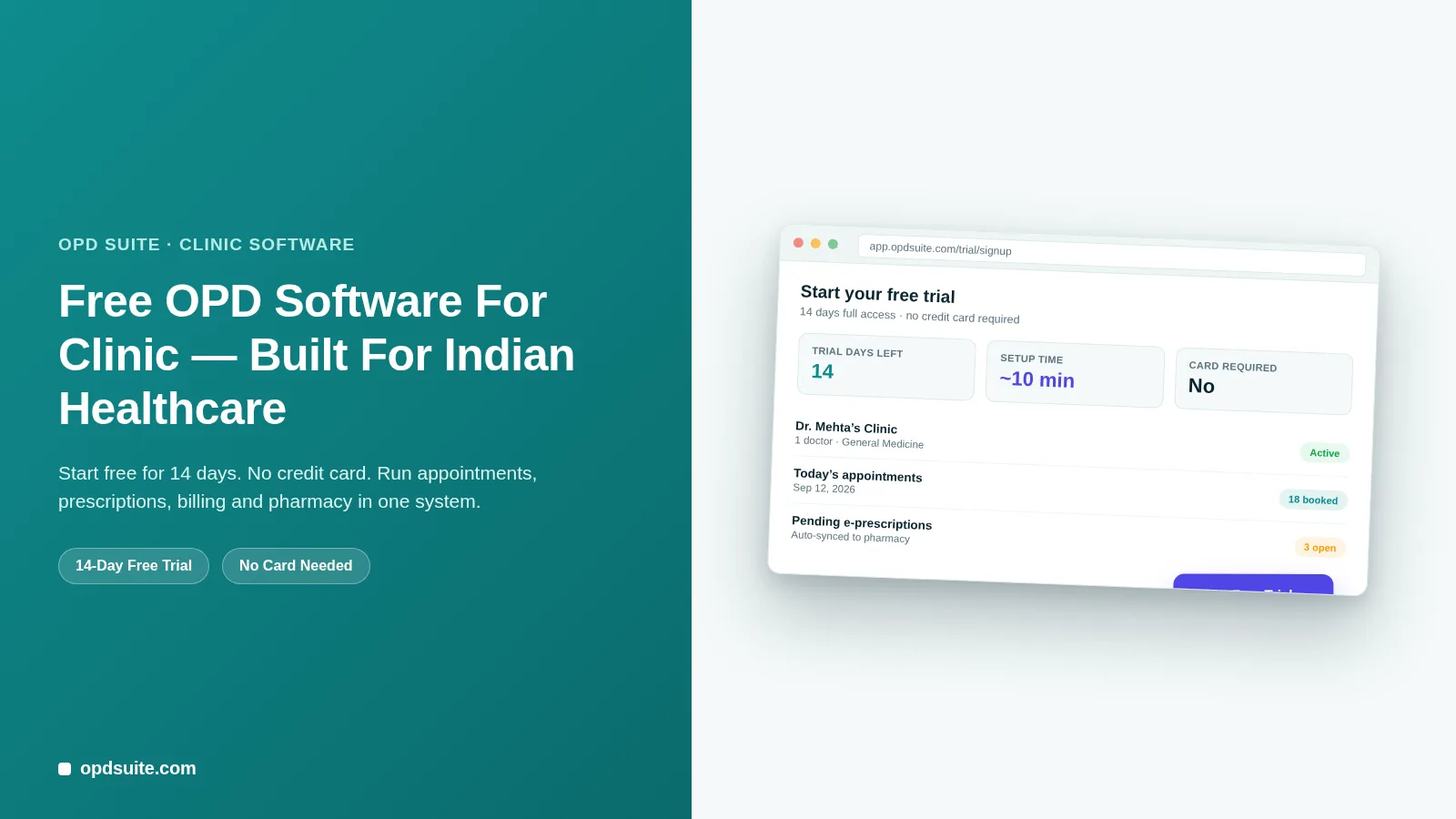
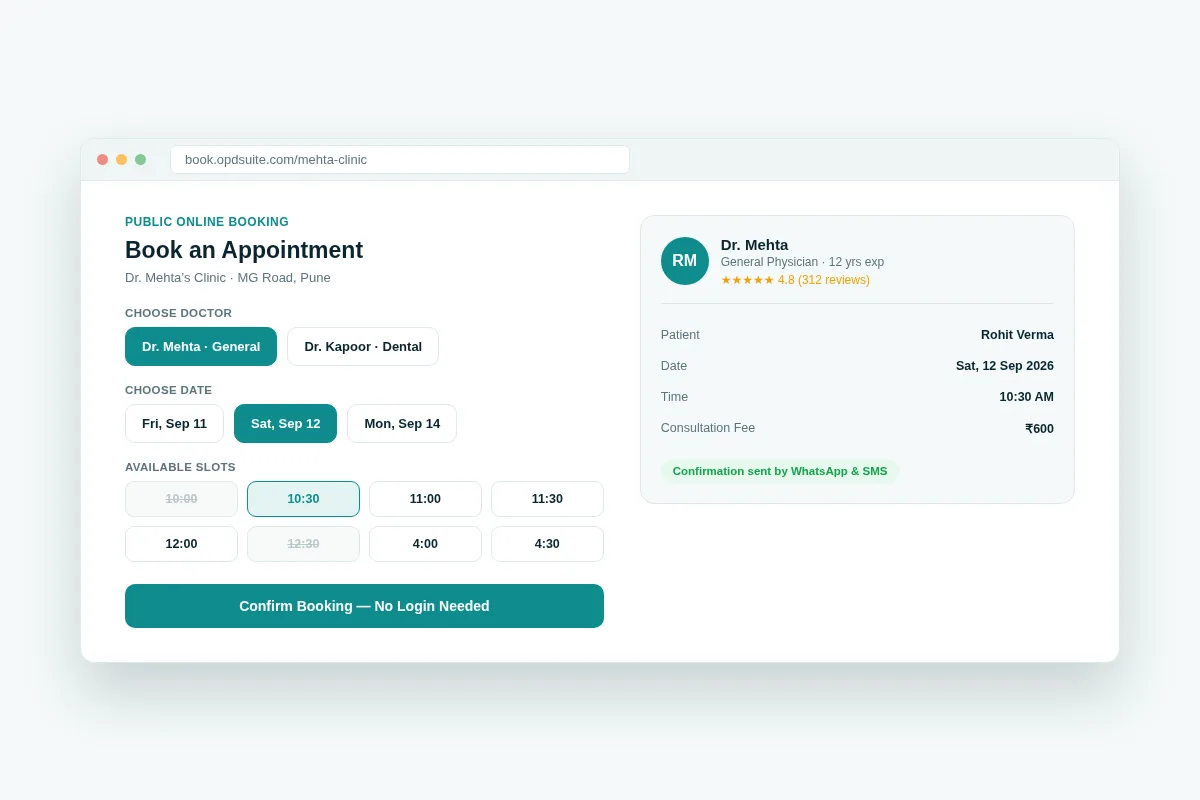 OPD Suite’s public booking page — patients pick a doctor, date and slot with no login required.
Public Online Booking
No-login booking link a clinic can put on its website, Google Business profile, or Instagram bio.
Live slot availability taken straight from the doctor’s real schedule, with no double-booking and no calling to confirm.
Upfront fee display so the patient knows the consultation cost before they commit.
Multi-doctor, multi-location selection from one shared booking page.
Patient Web Portal
Once a patient has booked once, OPD Suite gives them an account that stays.
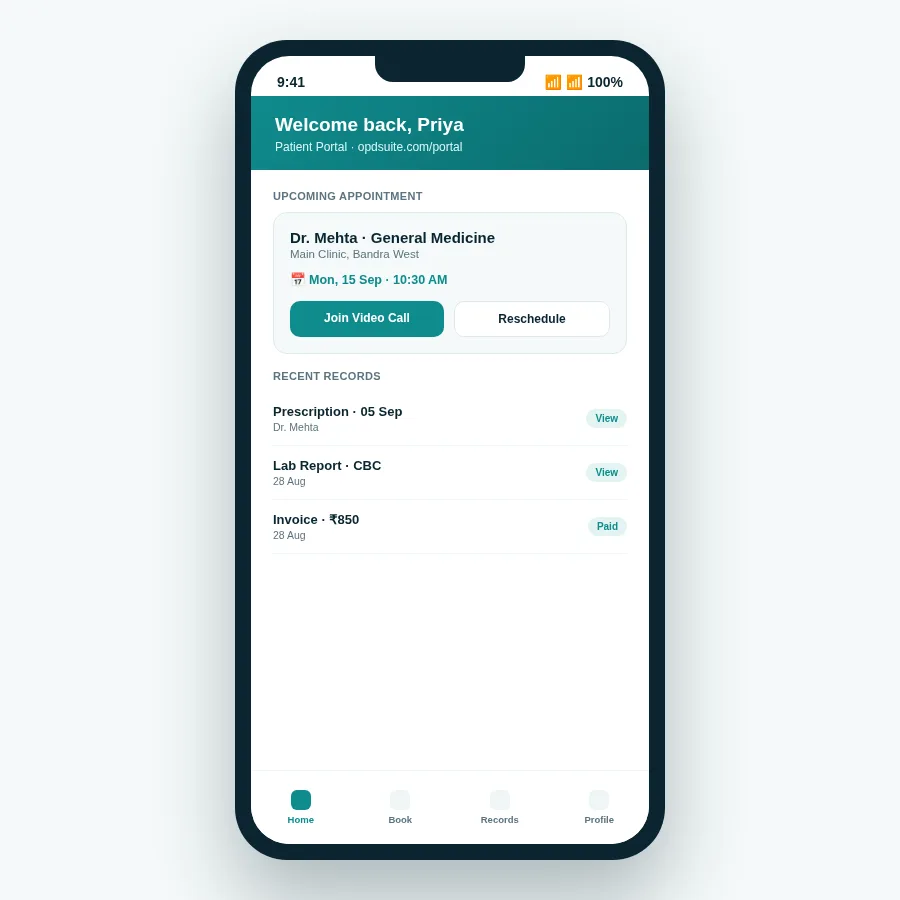 The patient portal — appointments, records and invoices in one place, without a phone call.
Appointment history and upcoming visits, with one-tap reschedule.
Prescriptions and lab reports viewable and downloadable anytime.
Invoices and payment status, including insurance/TPA claims where relevant.
Direct entry point into teleconsultation from the same screen.
Teleconsultation
For follow-ups, report reviews, or patients who cannot travel, OPD Suite runs video consultations inside the same system that holds the record.
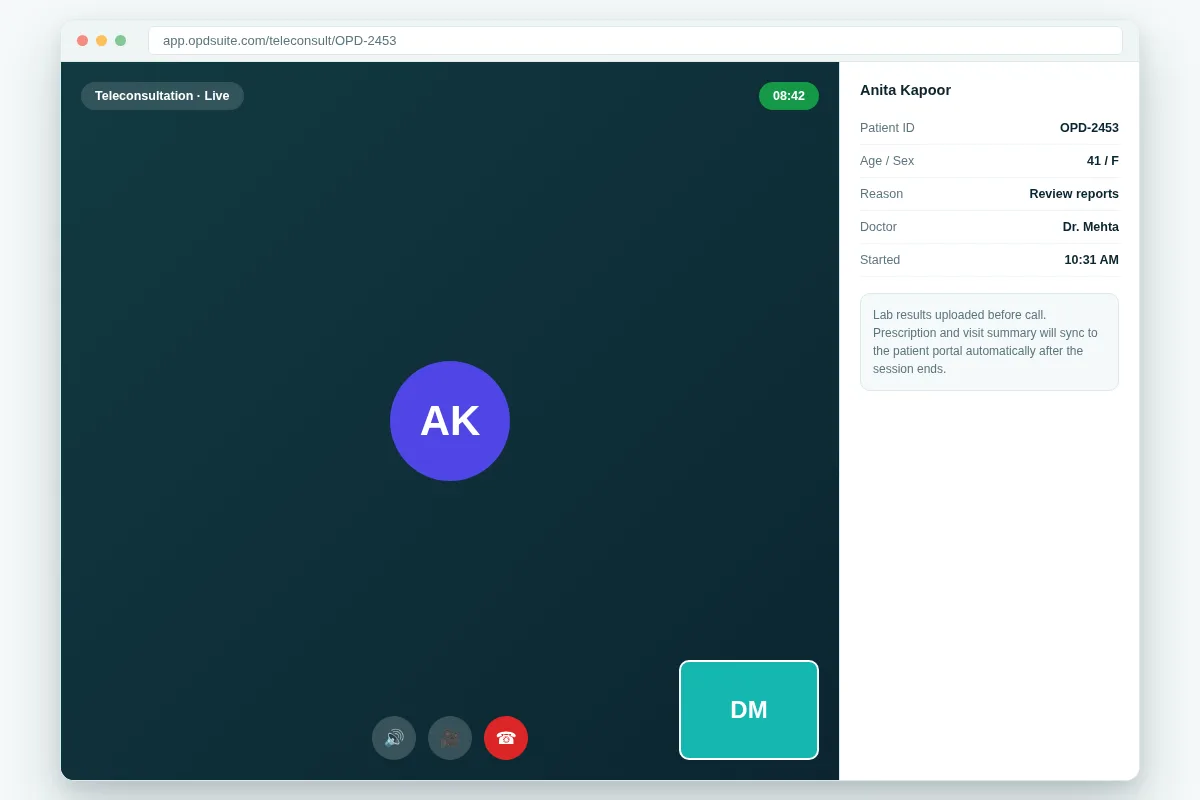 Teleconsultation runs in-app — the visit summary syncs straight back to the patient’s record.
Built-in video — no separate Zoom or Google Meet link to coordinate.
Patient context on-screen for the doctor during the call: ID, age and reason for visit.
Auto-sync of the prescription and visit note to the patient portal the moment the call ends.
WhatsApp, SMS & Email Automation
WhatsApp is the app patients really check, and OPD Suite treats it as a main way to book and stay in touch, not an afterthought.
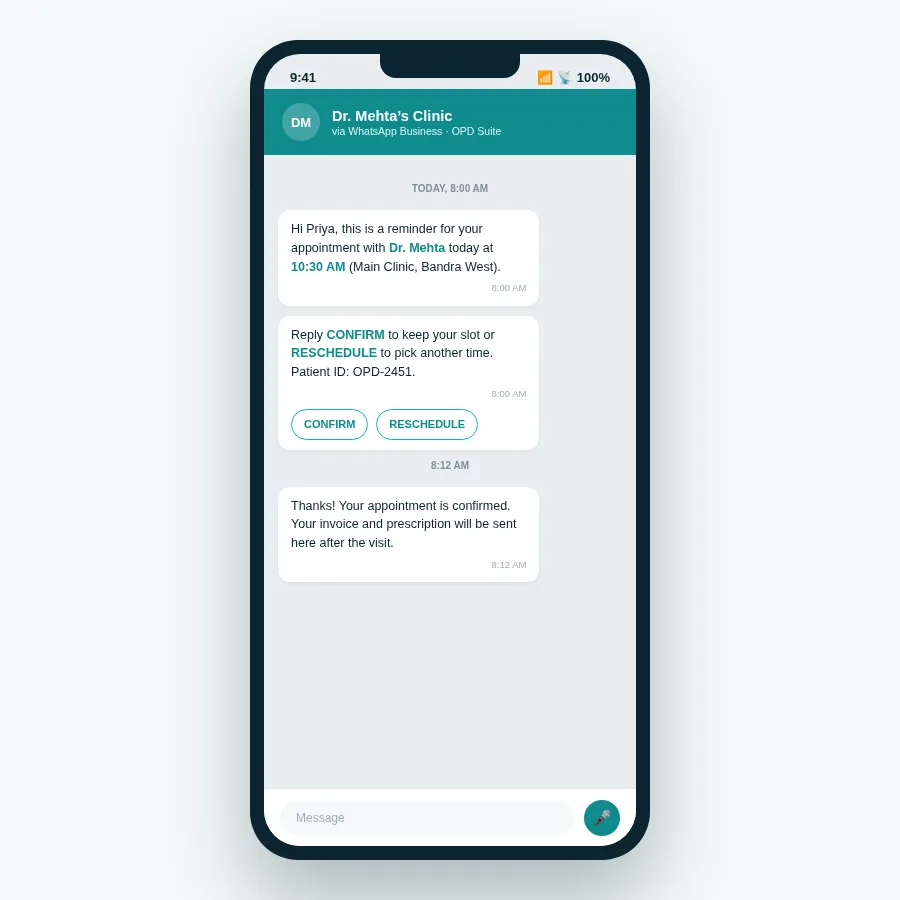 Automated WhatsApp reminders with one-tap confirm or reschedule — no receptionist call needed.
Automated appointment reminders with quick-reply confirm/reschedule buttons.
Booking and payment confirmations sent the instant a slot is confirmed.
Recall campaigns for follow-ups, vaccination due dates, or annual checkups.
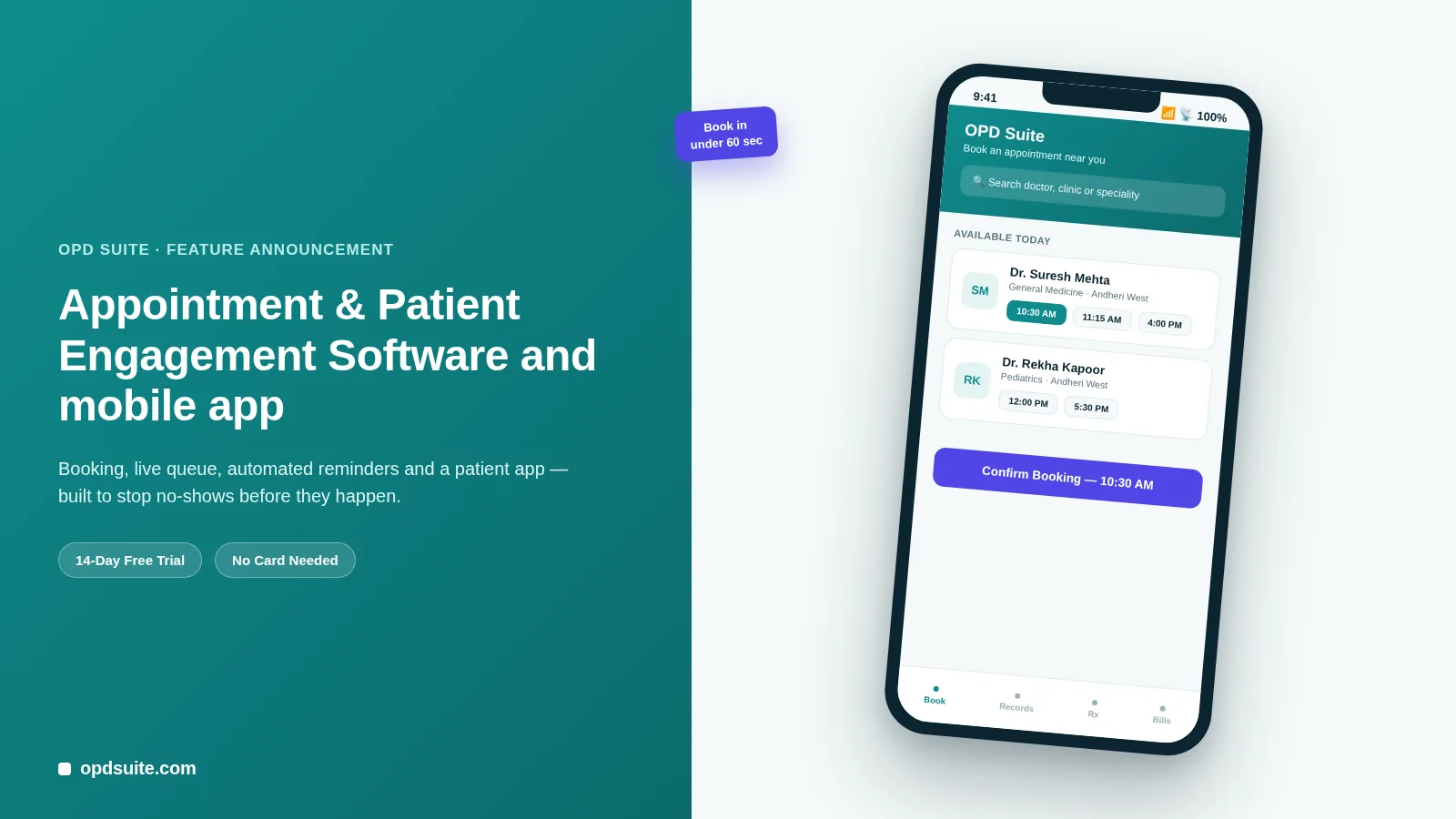
Patient app ("OPD Suite") and a separate Doctor app ("OPD Suite Doctor") bring the same online booking to mobile, so booking and consultation are not tied to a desktop browser. See the mobile app details for both.
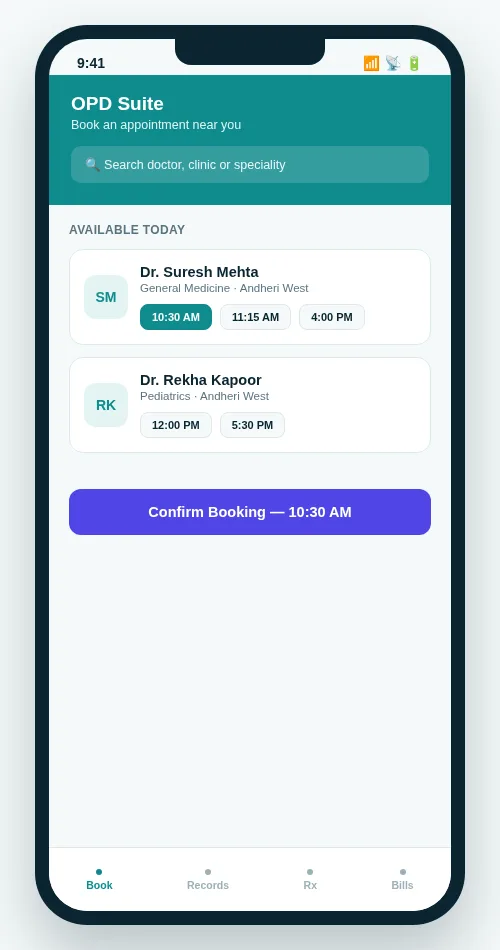 The OPD Suite patient app — the same online booking flow, native on a phone.
All four layers above — the booking page, the patient portal, teleconsultation and the reminders — are parts of one product, not four tools to connect. That is why a clinic can take online bookings the day it signs up, not at the end of a long setup. Plans and prices are further down this page, and in full on the pricing page.
2. Practo — the strongest patient-acquisition channel
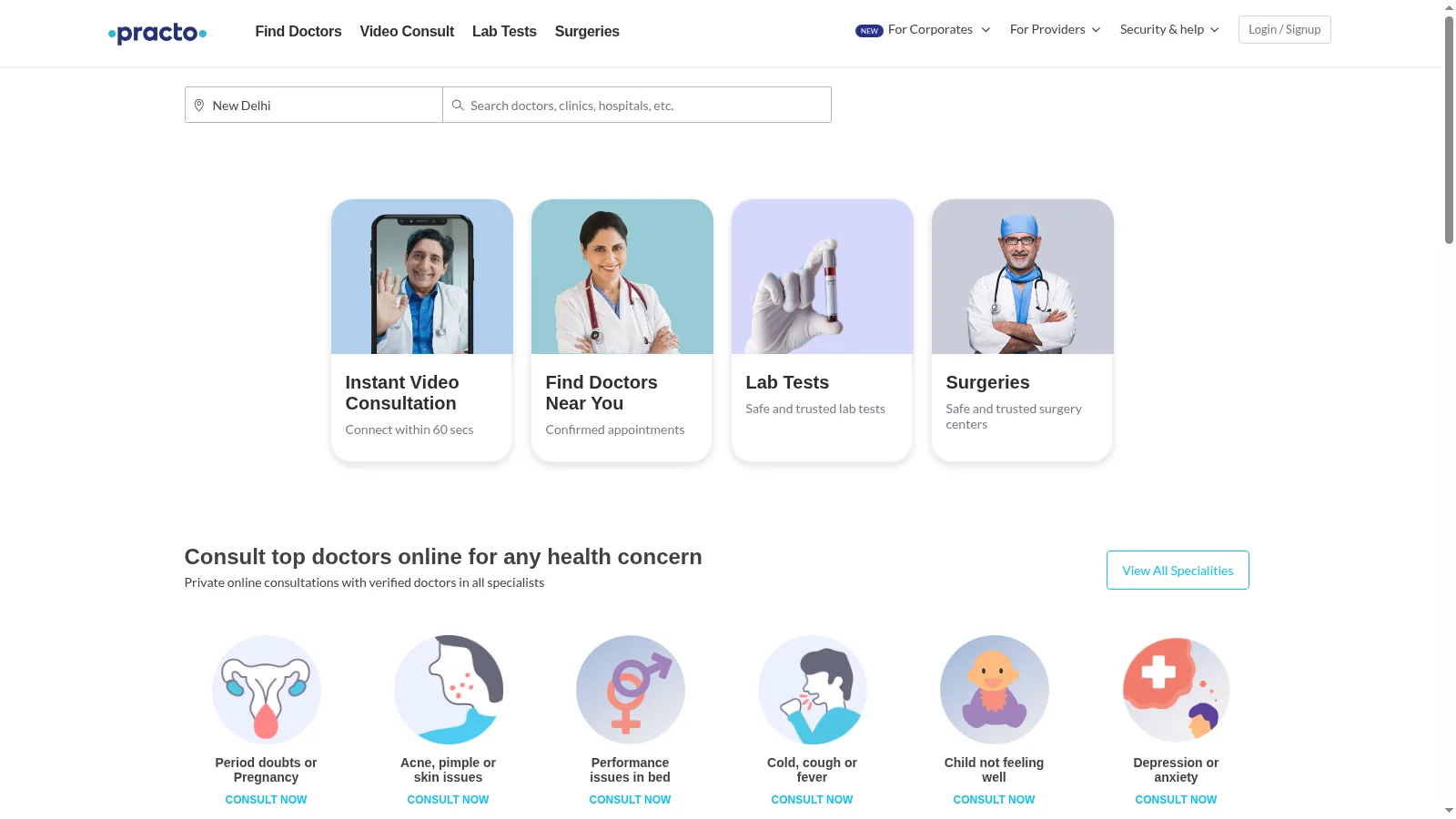 Screenshot: Practo homepage.
Practo is the name most Indian patients already recognise for booking a doctor online, and that name is its real strength.
Marketplace discovery — patients searching Practo directly for a doctor or speciality can find and book a listed clinic.
Patient-side app many urban patients already have installed.
Consult and record features on the patient side are good for a marketplace.
The catch: Practo is mainly a marketplace for patients that sits on top of a clinic’s own systems. It is not a full system to run a clinic. Clinics still need their own records, billing and staff work steps underneath it. The attention on the marketplace is also shared with every other listed clinic nearby.
3. Google-Forms-style booking setups
A large number of small clinics run their “online booking” entirely on a Google Form linked from Instagram or WhatsApp status.
Zero cost to set up — really free, and better than nothing.
No real-time slots — every form still needs a person to check the calendar and call back to confirm.
No patient portal, no reminders, no teleconsult — it is a form, not a system.
Breaks at volume — fine for a few bookings a day, too much to handle past that.
This is a real and common starting point, which is exactly why it ranks here — but it is a short-term fix, not the end goal.
4. Phone-only reception (the baseline everyone is leaving)
The clinic that still runs entirely on a landline and a paper register is the baseline this whole list is measuring against.
No online presence at all — a patient cannot check availability without calling during clinic hours.
Missed calls are missed bookings, especially during peak consultation time when the front desk is busiest.
No record access for patients — every prescription reprint or report copy needs an in-person visit.
No reminder automation — missed visits are noticed only after the slot is already wasted.
Clinics in this group are not doing anything wrong. Many give excellent in-person care. But any patient who searches or books online first cannot see them.
5. A website with just a contact form
A clinic website exists, with an address, hours and a “Contact Us” form. That is more online presence than a landline, and it still ranks last, which is deliberate. A phone call settles things: someone answers and books you, or nobody does and you try the clinic down the road. A form settles nothing. It takes the patient’s request, shows a thank-you page, and leaves them waiting for a reply that may never come. They find out they were never booked when they turn up, or when they stop waiting and go elsewhere.
Discoverable — at least a Google search finds the clinic and its number.
No booking action — the form goes to an inbox someone checks once a day, not a live calendar.
No confirmation loop — the patient has no idea if or when someone will respond.
No portal or teleconsult — the website is a brochure, not a channel.
How the five compare
| Software | Best For | Standout Online Feature | Notes |
|---|---|---|---|
| OPD Suite | Clinics that want the full online patient journey in one product | Public booking + patient portal + teleconsult + WhatsApp, all native | Live SaaS, 14-day free trial, ready same-day |
| Practo | Patient discovery and marketplace visibility | Large existing patient-side install base | Marketplace layer, not a full clinic system underneath |
| Google-Forms booking | A brand-new clinic testing demand | Free to set up in minutes | No real-time slots, no automation, needs manual follow-up |
| Phone-only reception | Nothing — this is the baseline being replaced | None | Missed calls become missed bookings |
| Contact-form website | Clinics that only need to be found, not booked | Basic online discoverability | No confirmation loop or record access |
Why online-first matters for patient retention
Hard booking is where clinics quietly lose repeat patients. A patient who cannot rebook a follow-up in thirty seconds often just does not rebook.
Faster booking means fewer patients giving up — every step between “I need an appointment” and a confirmed slot is a chance for the patient to give up. A slot they can confirm at 11 PM gets booked. A slot that needs a call during clinic hours gets put off, and by then a competitor’s booking link is just one tap away.
A portal builds the habit of coming back — patients who can see their own history are more likely to return to the same clinic for the next issue.
WhatsApp reminders cut no-shows — a confirm/reschedule prompt the morning of the visit catches conflicts before they become empty slots.
Teleconsultation keeps low-effort visits from leaking elsewhere — a quick follow-up or report review does not have to become a competitor’s in-person visit just because yours requires a physical trip.
OPD Suite is a live product you can try directly: a 14-day free trial, no long-term commitment, across all three plans — Starter at ₹999/month, Clinic at ₹2,499/month (most popular), and Multi-speciality at ₹5,999/month. Full details are on the pricing page.
FAQ
What does it mean to manage a clinic “online” versus just using cloud software?
Cloud-based means the software runs on the internet instead of a local server. That is a choice about where the software lives. Managing a clinic online means the patient-facing interactions themselves — booking, records access, consultation, reminders — happen over the internet instead of a phone call or an in-person visit.
Can patients book an appointment without creating an account?
With OPD Suite, yes. The public booking page lets a new patient pick a doctor, date and slot and confirm without logging in first. An account and portal access get created automatically once they have booked.
Is teleconsultation included, or is it a separate cost?
In OPD Suite, teleconsultation is a module of the same platform rather than a separate tool — the same patient record, prescription and billing flow as an in-person visit. It sits on the Clinic plan and above rather than on Starter, so check which plan you are pricing.
Do WhatsApp reminders require the clinic to have its own WhatsApp Business account?
OPD Suite handles the WhatsApp Business connection as part of the platform, so a clinic does not need to separately manage a WhatsApp Business API account to send automated reminders and confirmations.
Is there a free trial before paying for a plan?
Yes — OPD Suite offers a 14-day free trial on any of its three plans, with no long-term contract required to start.
Have questions about this? Write to us at aditi@prsindia.in.
Ready to move your clinic online?
If your booking process still depends on someone picking up a phone, OPD Suite gives you public online booking, a patient portal, teleconsultation and automated WhatsApp reminders from day one.
Start your 14-day free trial or explore pricing to find the plan that fits your clinic.
Related reading: must-have clinic software features, top clinic management software, clinic practice management apps and patient engagement and reminders. Building your own? See our healthcare software and mobile app development work, or a booking and teleconsultation case study.
- #Healthtech
- #Clinic Management Software
- #Comparison
- #Online Appointment Booking
- #Teleconsultation
- #Patient Portal
Written by
Mayank
Building software at PRS India.