Business of Software
White Label HRMS Software Development in India
We build an HRMS you can sell under your own name: one admin for you, a branded panel and staff app for each client company.
Written from production. Our articles draw on products we run live and the client work behind them, and are revised as the systems they describe evolve.
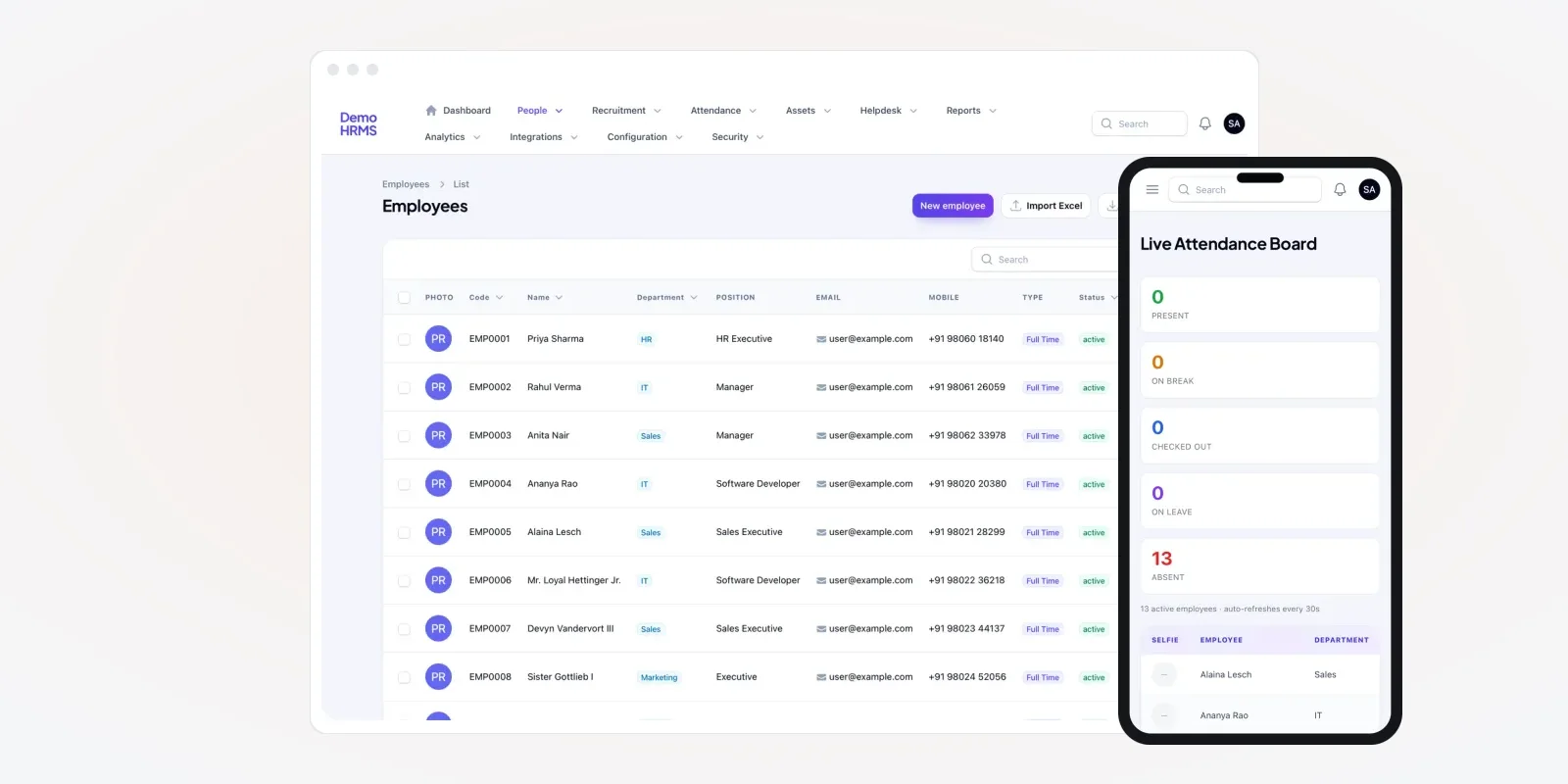
Many HR consultants, payroll firms and staffing agencies already run HR work for other companies. They keep attendance, leave and staff records for their clients. Most of them do it on a tool that carries someone else's name. The client sees that name, not yours. When the vendor changes its rules, you change with it.
A white label HRMS fixes this. It is HR software that you sell under your own brand, to as many client companies as you sign. PRS India builds it as your own multi-client SaaS product. You get an owner panel, a panel for each client and a staff app. This guide explains what to build, what to check, and how we work.
Key takeaways
- A white label HRMS lets you sell HR software under your name and logo.
- Each client company gets its own space, with its own staff, rules and reports.
- You need two panels: an owner panel for you and a client panel for each company.
- Employee data is personal data under Indian law, so access limits and logs must be part of the build.
- When we build it, you own the brand, the client data and the source code.
What is a white label HRMS?
HRMS means human resource management system. It keeps staff records, attendance, leave, assets and HR reports in one place. "White label" means the software carries no maker's name. Your brand sits on the login page, the panels, the emails and the phone app.
The key difference from a normal HRMS is the number of companies inside it. A normal HRMS serves one employer. A white label HRMS serves many employers at once. Each one logs in to its own space and sees only its own staff. You sit above all of them and run the whole thing.
Want to compare ready-made HR tools first? Our guide on how to pick HRMS software for small and medium businesses lists the usual modules.
The problem
Why resellers outgrow rented HR software
HR service firms that resell another vendor's tool hit the same walls.
- The client sees another brand. Your client learns the vendor's name and may go to them directly.
- You cannot set your own price. The vendor charges you per user. Your margin shrinks as clients grow.
- Rules do not fit every client. A factory, a shop chain and an office need different shift and late rules.
- No owner view. You cannot see all clients, their staff counts and their usage on one screen.
- Data is not in your hands. If you leave the vendor, moving years of client records is hard.
- Feature requests wait. A client asks for a new report. The vendor says it is "on the roadmap".
The three panels in a white label HRMS
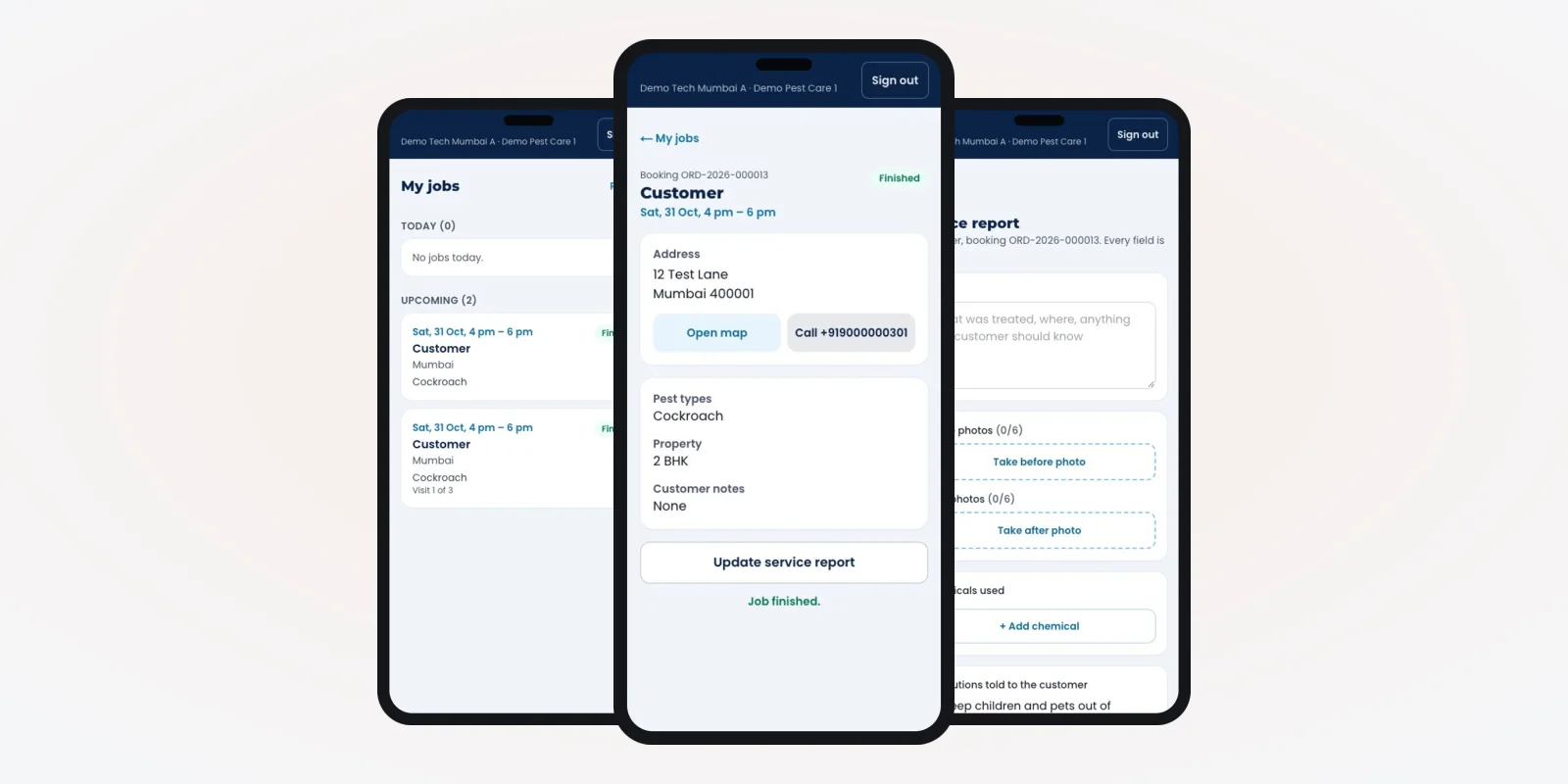
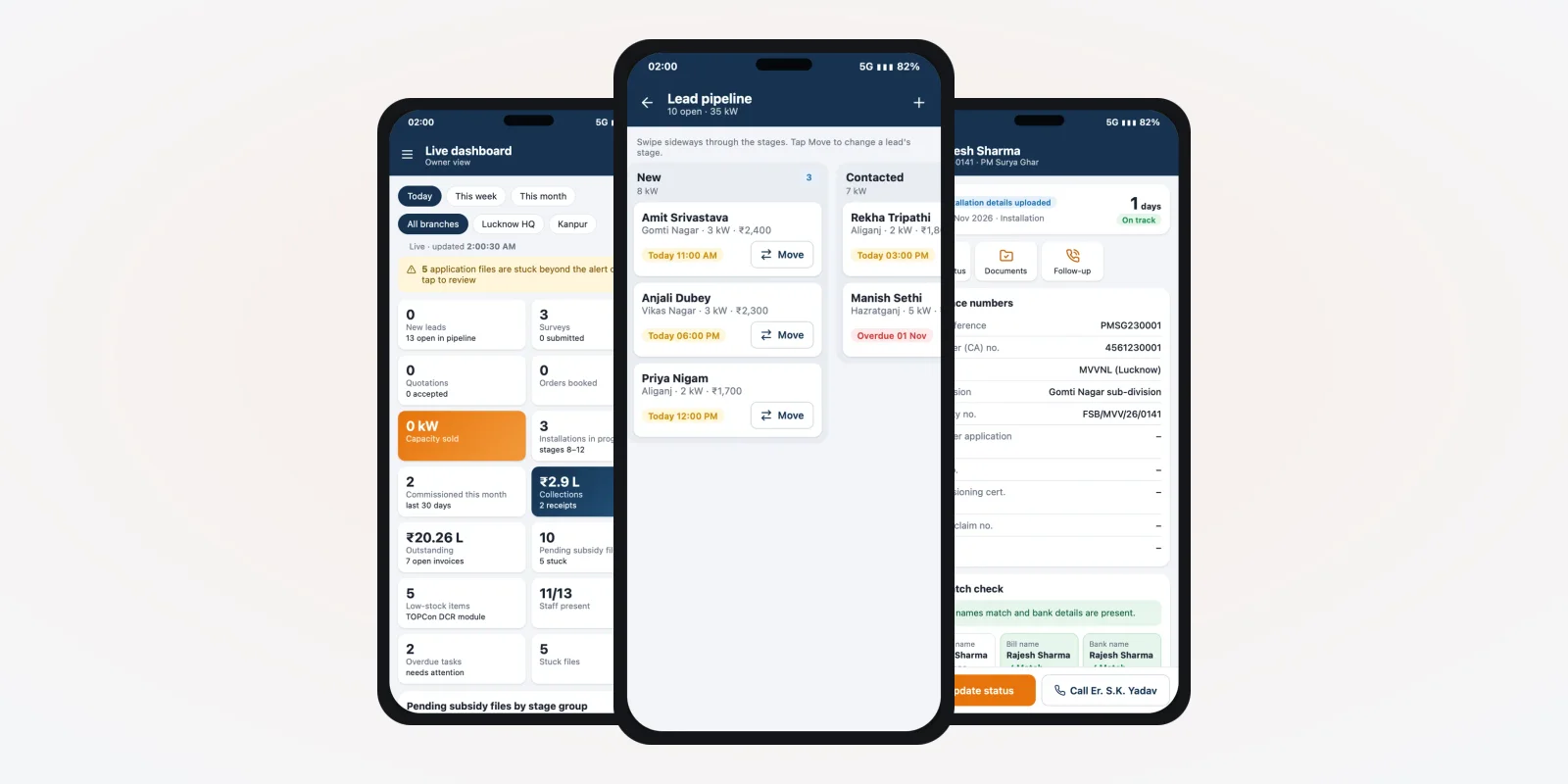
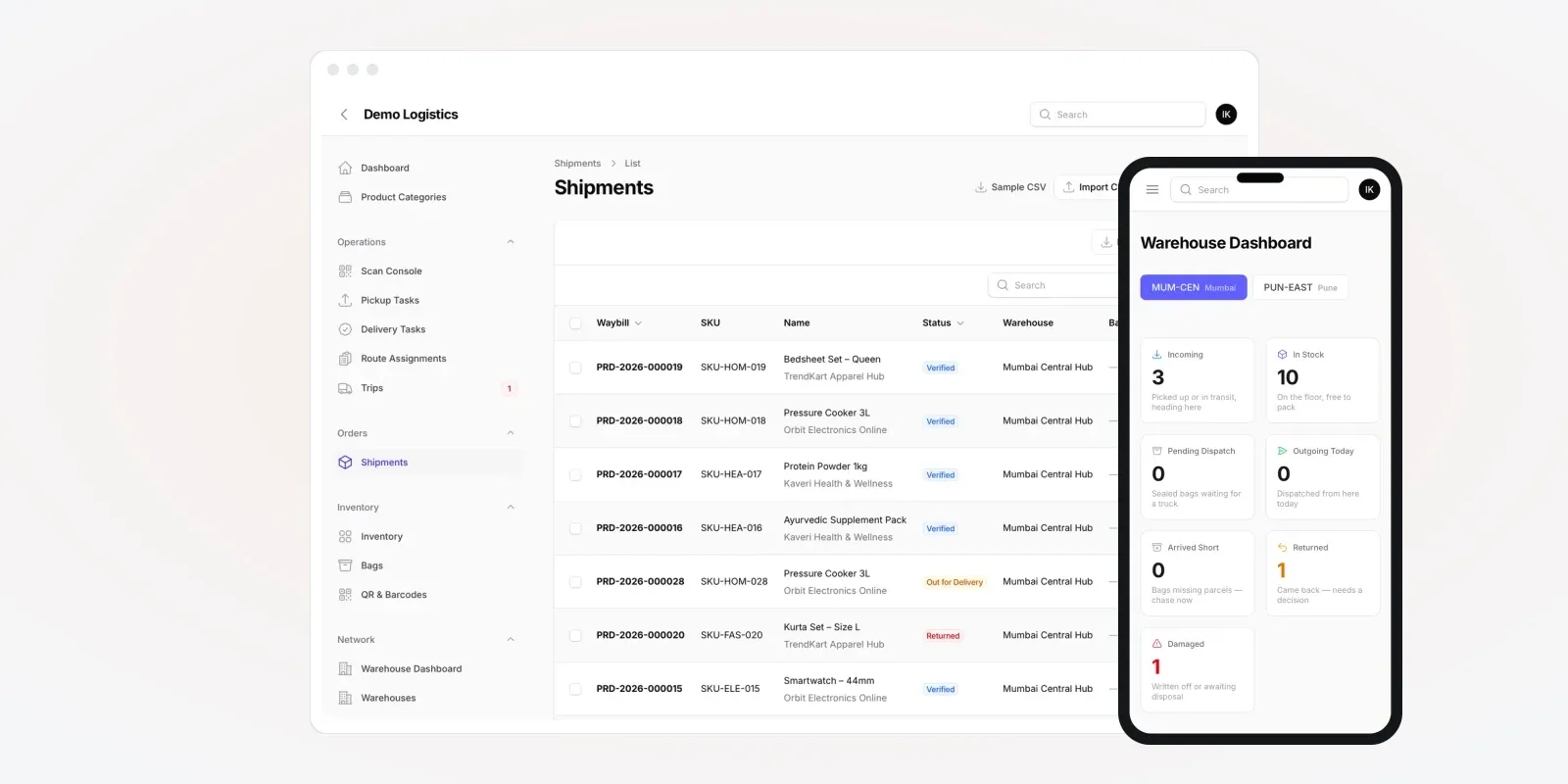
Think of the product as three layers. Each layer has its own users and its own screens. We plan all three before any code is written. The screens in this guide are from an HRMS we built, shown with demo data and a demo brand.
- Owner panel (you). Add client companies, switch modules on or off for each, see usage and send notices.
- Client HR panel (each company). The client's HR team manages staff, attendance, leave, assets and reports.
- Employee app (each worker). Staff mark attendance, apply for leave and see their own records on the phone.
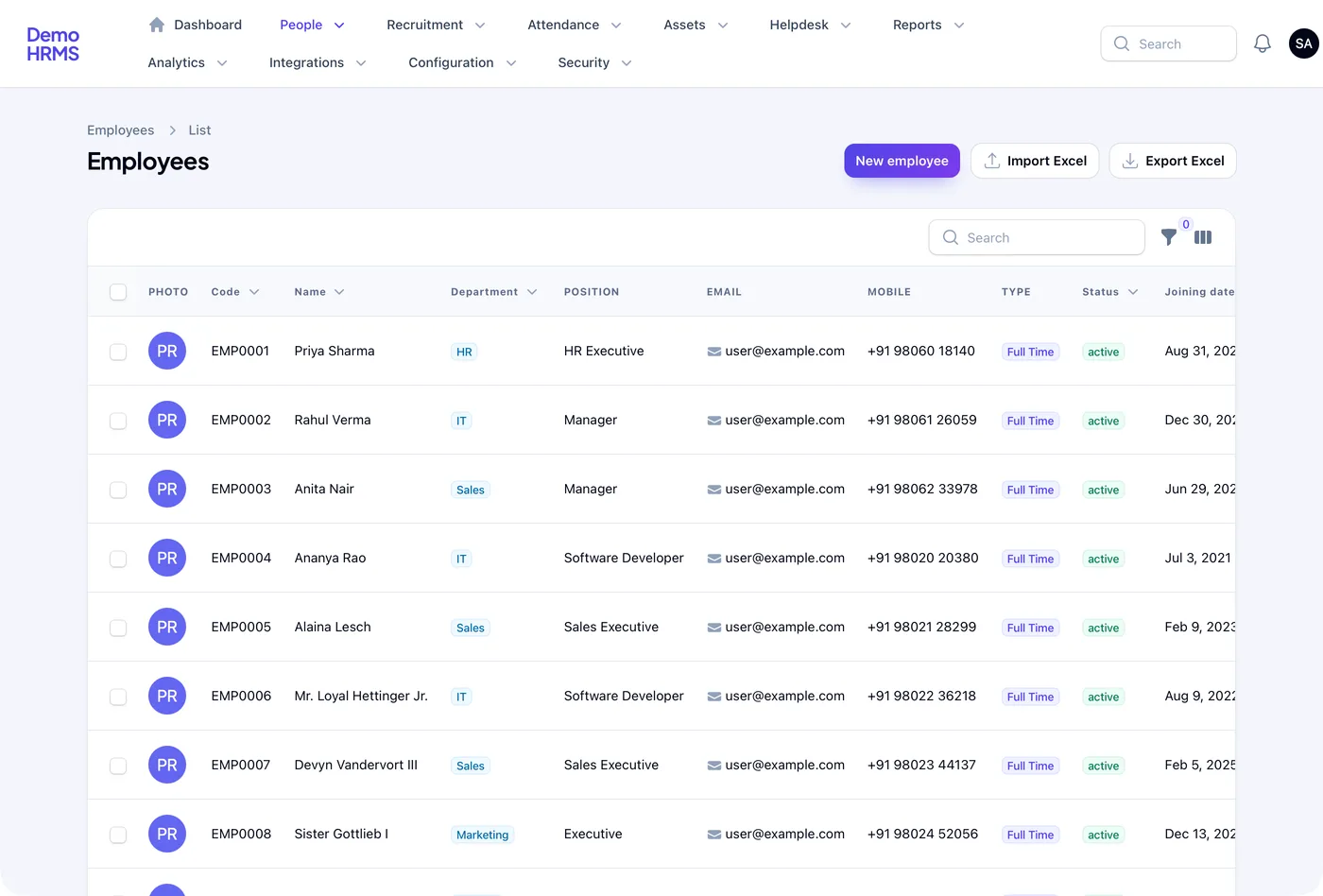
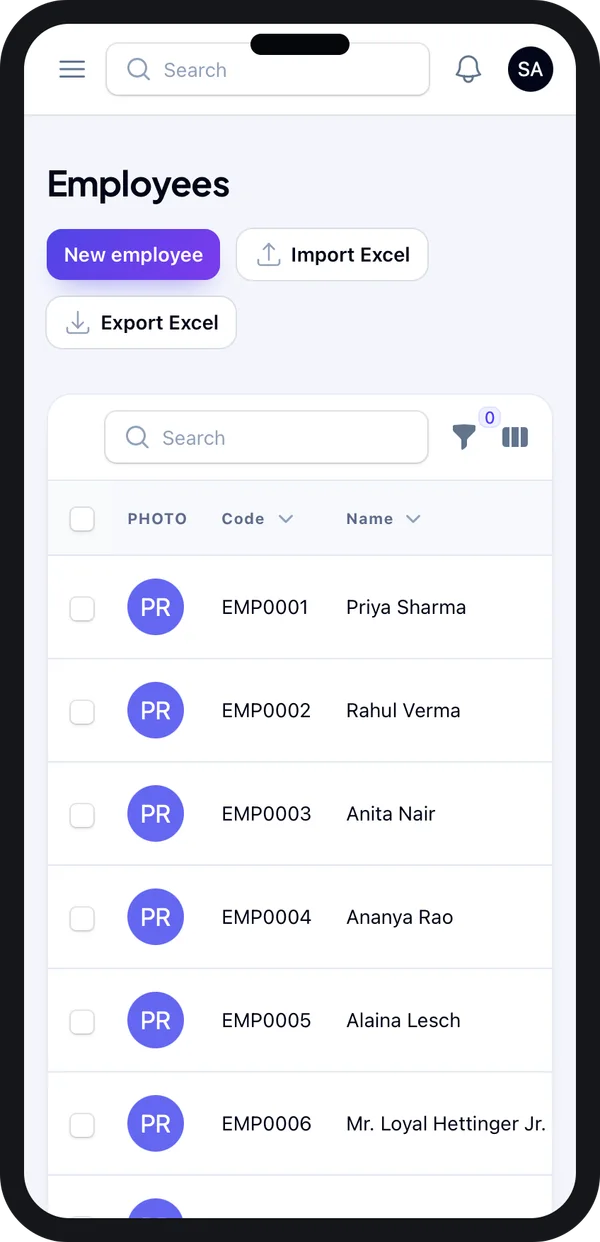
The staff list above has Import Excel and Export Excel buttons. For a reseller this matters a lot. A new client usually arrives with a spreadsheet of staff. Your team loads it in one step, and the client is live the same day.
What each client company gets
Each client should feel the system was made for them. That means their own departments, their own office timings and their own reports. Their data must never show up in another client's panel.
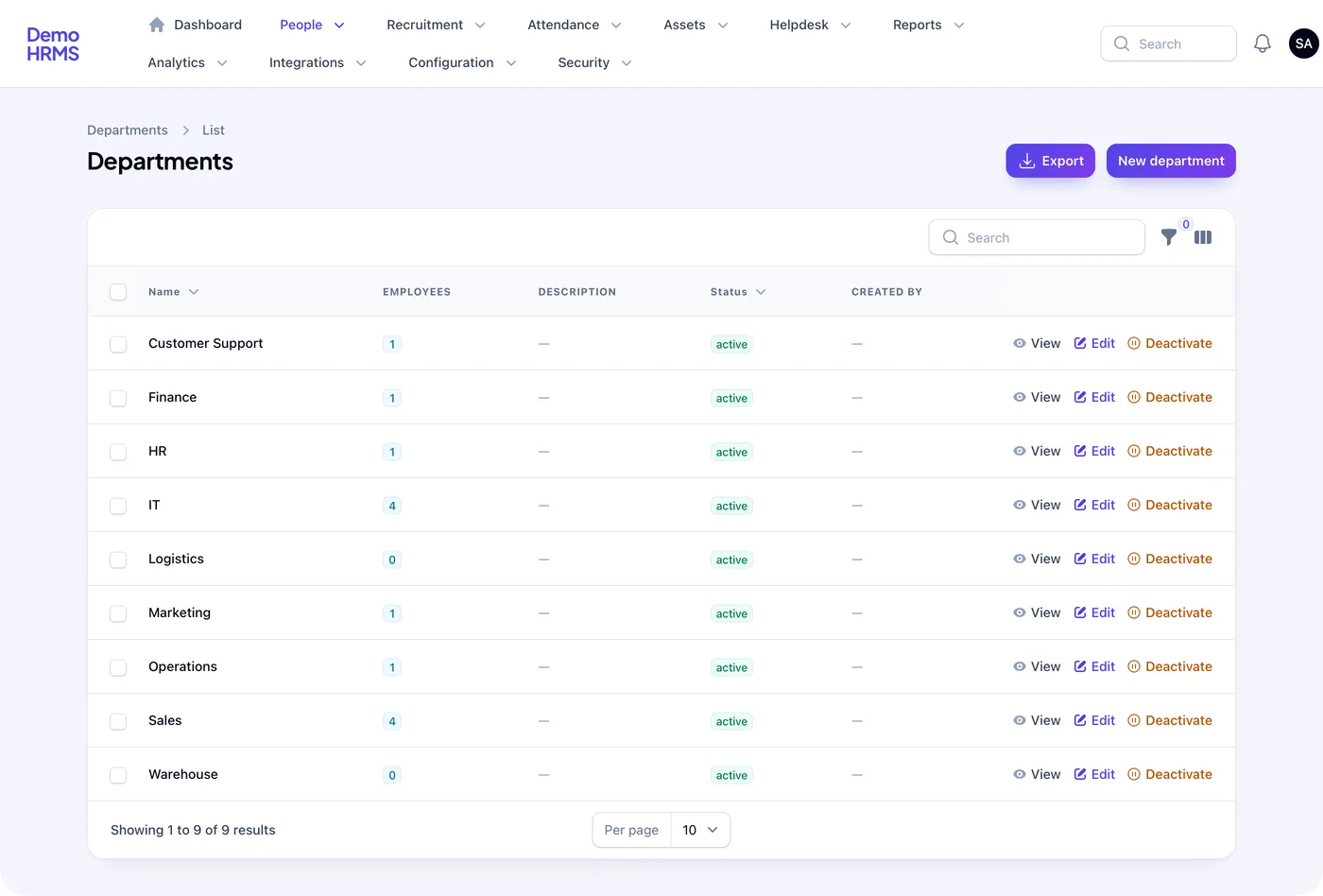
A shop chain may have "Store" and "Warehouse". An IT firm may have "Engineering" and "Support". The client sets these up. Your owner panel only sees totals, not private staff details, unless you choose to allow it.
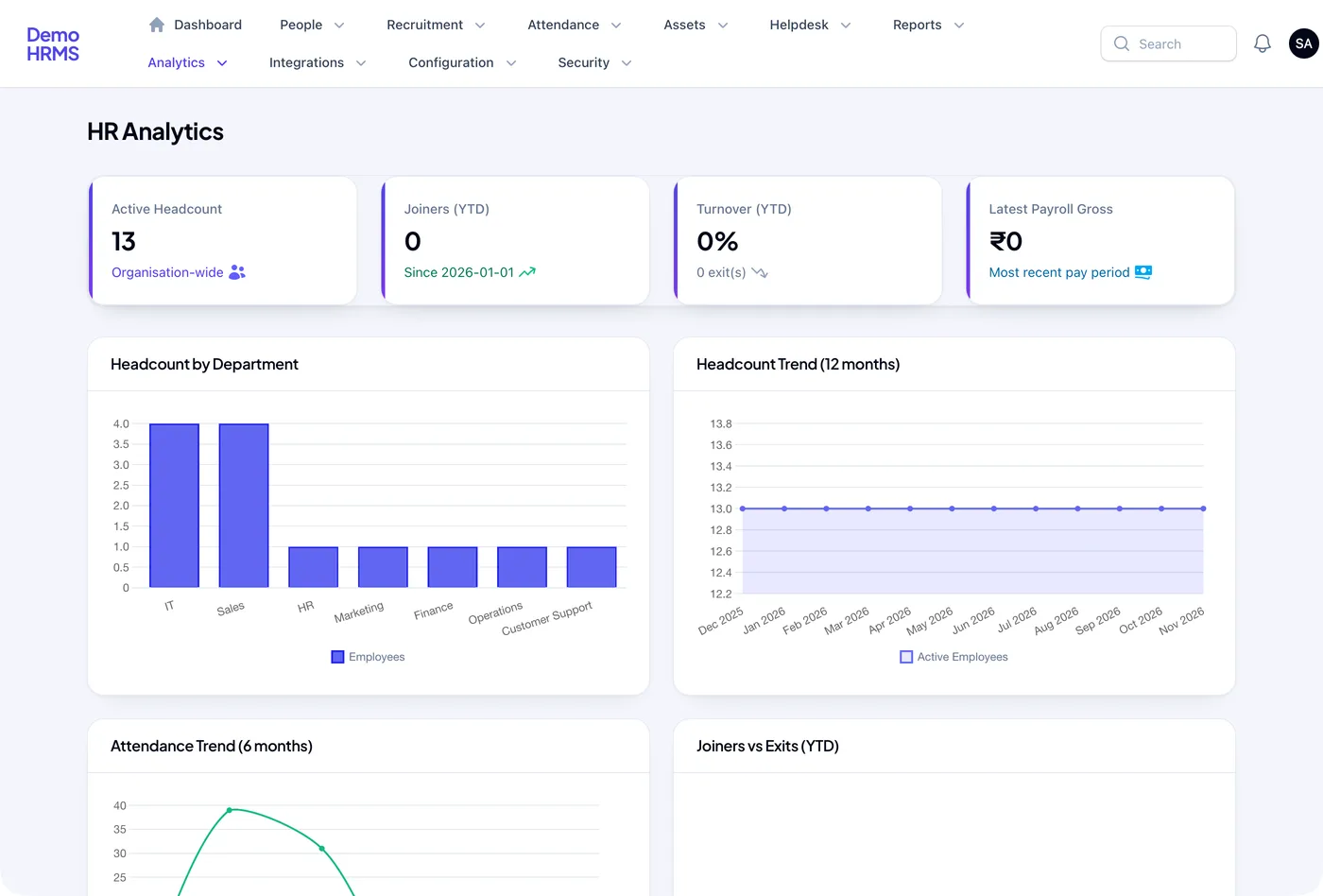
Client owners want one page that shows headcount and staff turnover. The analytics screen does that. We can also build a version of this page for you, with totals across all clients.
Must-have features to resell HR software
1. Attendance from the phone
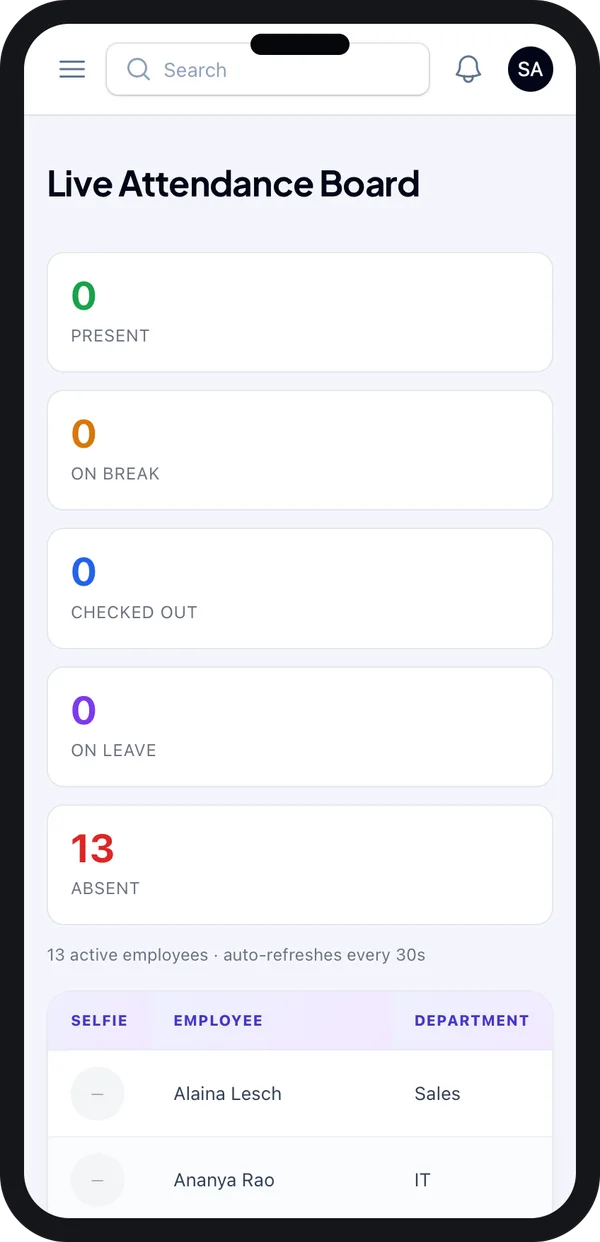
Most clients buy an HRMS for attendance first. Staff check in from the app. The client's HR sees who is present, on break, on leave or absent, live.
2. Rules per client
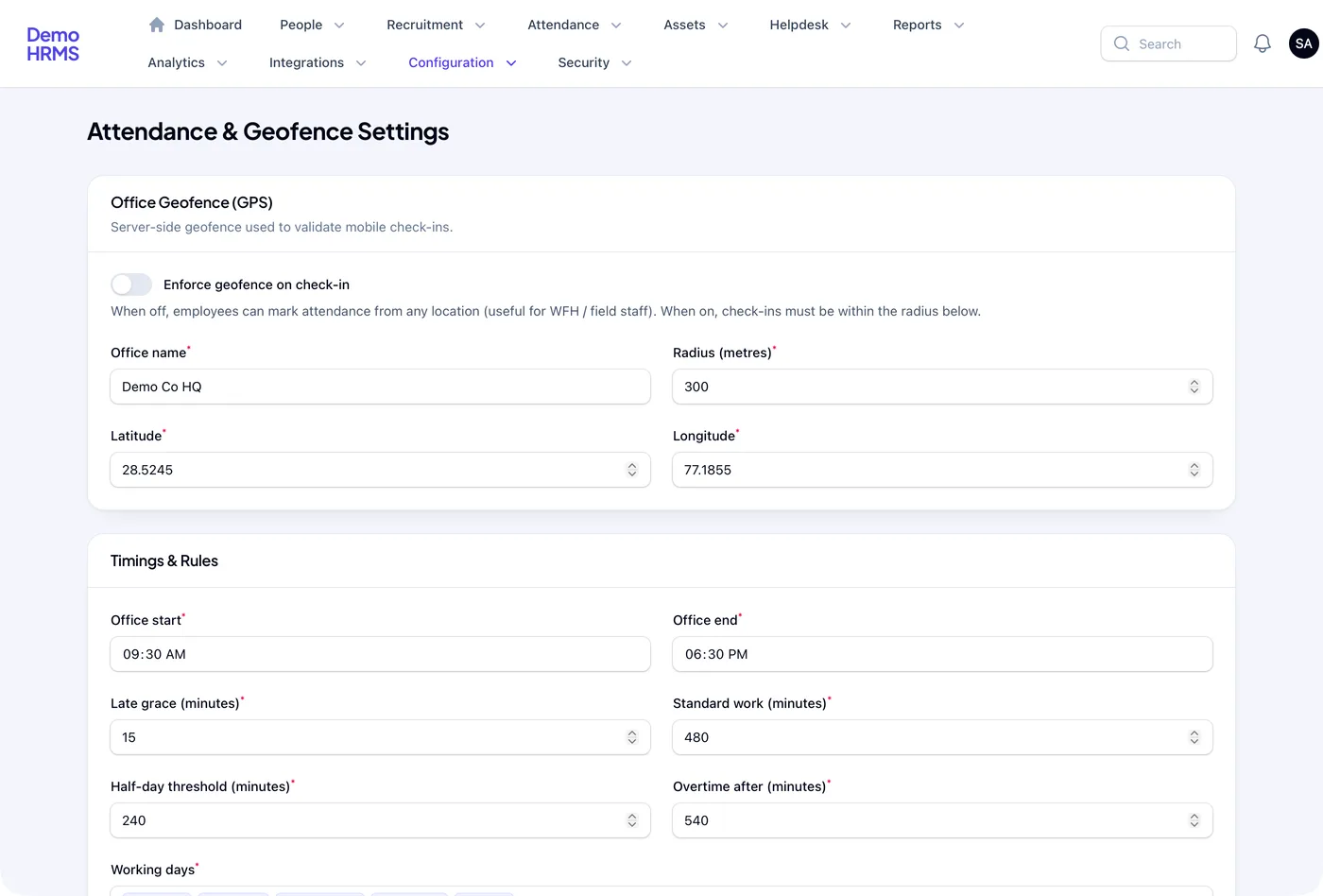
Office hours, grace minutes, half-day limits and overtime start time differ by client. Each client sets its own, so one product fits a factory and an office.
3. Staff list on the phone for managers
Branch managers often have no laptop. They need the staff list, codes and contact numbers on the phone.
4. Asset register
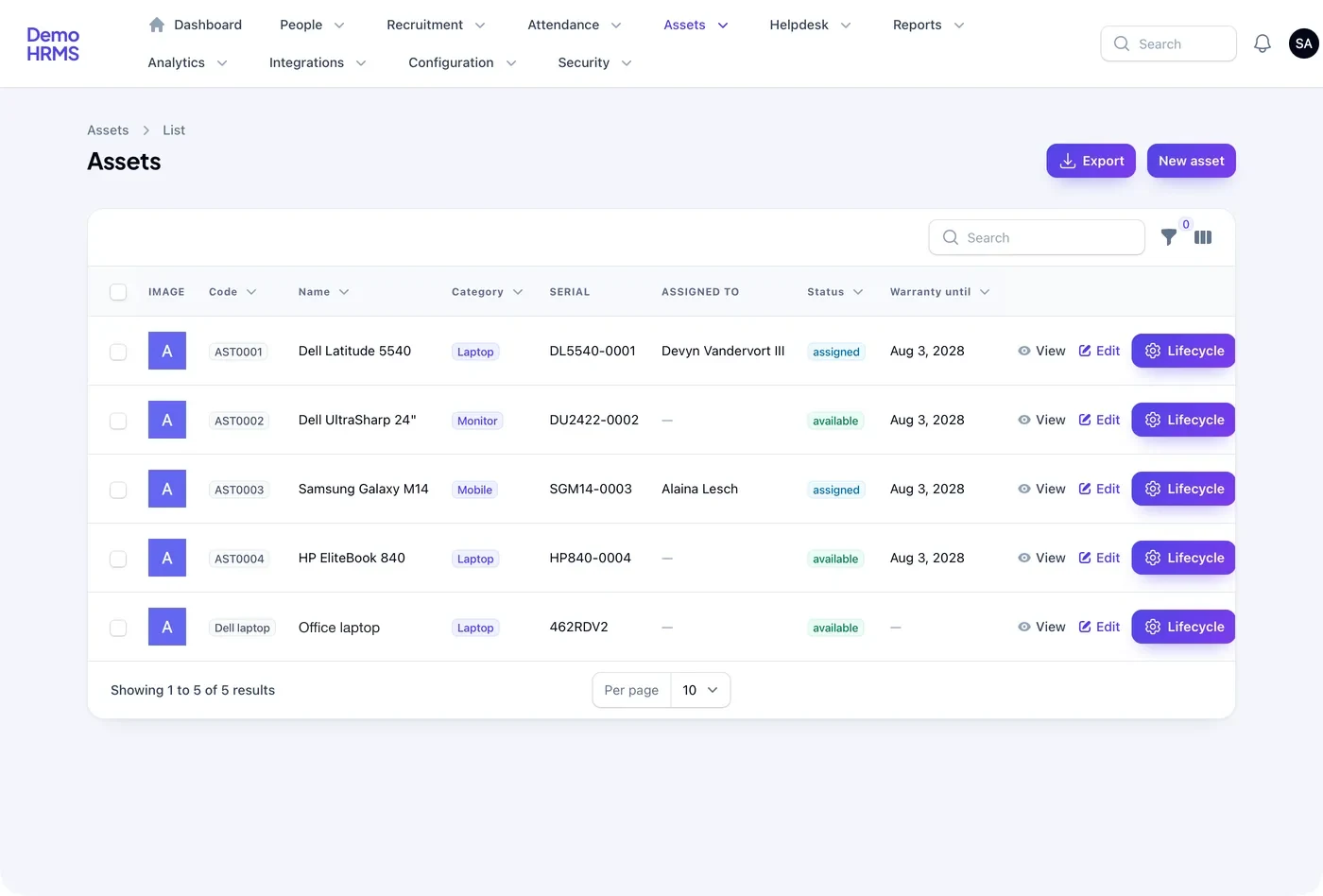
Clients hand out laptops, phones and tools. The asset register shows who holds what and when the warranty ends. It saves fights at exit time.
5. Your brand everywhere
Your logo, colours and name go on the login page, panels, emails and app store listing. We can also give each client its own web address under your domain.
6. Plans and modules you control
You decide what each client gets. One client may pay for attendance only. Another may want leave, assets and reports too. From the owner panel, you switch modules on per client. We can add usage reports so you know whom to bill for what.
You hold other companies' staff data. As a reseller, you store personal data for your clients. Under the Digital Personal Data Protection Act, 2023, your duties depend on your role and your contracts. Check with a lawyer before you sign clients, and write data terms into every contract.
Security rules for hosting client HR data
When you run software for other businesses, you also take on some legal duties. Two Indian rules matter for most white label HR products.
Source: CERT-In, directions under section 70B of the IT Act (April 2022) and MeitY data protection framework. Check the current text before you go live.
So the build must keep each client's data apart. It must log every login and change, and keep backups. We set up hosting, backups and log storage as part of the work, on a server in your name.
White label HRMS vs reselling a vendor tool
| What you need | Reseller of a vendor tool | Your own white label HRMS |
|---|---|---|
| Your brand on panels and app | Partly, or not at all | Yes, everywhere |
| Set your own client prices | Limited by vendor cost | Yes |
| Different rules per client | Depends on the tool | Yes, built in |
| Owner view of all clients | Rarely | Yes |
| Add a report a client asks for | Wait for the vendor | Your choice |
| Client data and source code | With the vendor | Yours |
Worked example: a staffing agency with 30 client sites
Here is how one reseller might use its own white label HRMS. The agency and its clients are examples.
- Week 1, sign a client. A warehouse company hires the agency for 80 loaders. The agency adds the company in its owner panel.
- Same day, load staff. HR imports the loader list from Excel. Each worker gets an employee code.
- Set the rules. The client sets a 7 AM start, 10 grace minutes and the warehouse GPS point.
- Staff install the app. Workers download the agency's branded app and check in at the gate.
- Daily view. The client's supervisor sees the live board. The agency sees all 30 sites on one screen.
- Month end. The agency exports attendance for each client and bills them from its own system.
Our service
How we build your own white label HRMS
A product built around how you serve clients, then handed to you.
- Understand your model. We map your clients, plans, modules and roles in one or two calls.
- Design the screens. You click through screen designs in your brand and change them before we code.
- Build the panels. The owner and client panels are a web app, often on Laravel for the back end.
- Build the staff app. An Android and iPhone app made with Flutter, one code base for both.
- Test with a pilot client. One real client uses it for a few weeks. We fix what they find.
- Launch and grow. Your apps go on the stores under your name. We add modules as you sign more clients.
White label HRMS development cost: what decides it
We do not publish one price, because resellers need very different builds. Cost depends on a few clear things. How many modules you want at launch. Whether each client gets its own web address. How many roles and approval steps you need. And whether you need links to payroll, accounts or biometric devices.
| Monthly reseller plan | Your own white label HRMS | |
|---|---|---|
| Start | Quick, small first payment | A few weeks to build |
| Cost as you grow | Rises with every client user | One build cost, then optional support |
| Brand | Shared or hidden | Yours only |
| New features | Vendor decides | You decide |
| Exit | Data migration needed | Nothing to move, it is yours |
Tell us your client count, modules and roles. We send a written quote after one call. You can also see other software we have built for clients before you decide.
Whoever builds your white label HRMS, make sure it can:
- Keep each client company's data fully apart
- Show your brand on every screen, email and app
- Let each client set its own timings, grace and overtime rules
- Switch modules on or off per client from your owner panel
- Import and export staff lists in Excel
- Log every login and change for audits
- Hand over the full source code and server access to you
FAQ
What is white label HRMS software?
It is HR software you sell under your own brand. Your logo and name appear on the panels and the app. Many client companies use it, and each sees only its own staff.
How long does it take to build a white label HRMS?
It depends on the modules and roles you need at launch. After one call, we share a plan with dates for each part. Clickable screens come first, so you see the product early.
Will I own the white label HRMS and its source code?
Yes. We build it under your brand and hand over the source code. The client data sits on a server in your name.
Can each client company have its own rules?
Yes. Each client sets its own office hours, grace minutes, half-day limits, overtime start and GPS office point. One product can serve a factory and an office.
Which platforms does a white label HRMS run on?
The owner and client panels run in a web browser. The employee app runs on Android and iPhone. We can add a desktop app if your clients need one.
How is client employee data kept safe?
Each client's data is kept apart, access is limited by role, and every change is logged. We set up backups and logs on your server. Check your data duties with a lawyer.
Can I put my brand on the Play Store and App Store app?
Yes. The app is published under your developer account, with your app name and icon. We help with the store listing steps.
Can PRS India build a white label HRMS for my HR business?
Yes. We build the owner panel, client panels and staff app around your plans and clients. Book a consultation and we will show screens in your brand.
Related guides
Written by
Aditi
Building software at PRS India.