Business of Software
Inventory Management Software Development Company
What an inventory software company should build, what to ask before you hire one, and how we build your own stock system for web, Android and iPhone.

Written from production. Our articles draw on products we run live and the client work behind them, and are revised as the systems they describe evolve.
Every trader knows the moment. A buyer asks for 40 cartons. The system says 60 are in stock. The godown finds 22. Somewhere, a sale was not entered, a return was not counted, or a box went to the wrong rack.
When ready-made tools cannot match how your stock really moves, you look for an inventory management software development company. That company builds software around your godowns, your products and your steps. This guide explains what such a company should build and what to ask before you hire one. It also shows how PRS India builds your own inventory system under your brand.
Key takeaways
- Good inventory software tracks stock by item and by place, not only by item.
- "Available" is not the same as "on hand". Stock held for orders or blocked for damage must be shown apart.
- Ask any development company to show working screens with your own products and godowns before you sign.
- Make sure the company hands over the source code and runs it on your own server or cloud.
- GST invoices, e-way bills and barcodes are part of daily stock work in India, so plan for them early.
What an inventory management software development company does
A software product company sells you one tool and many others use the same tool. A development company builds software that fits one business: yours. It studies how goods come in, sit, move and go out. Then it builds web screens and rules for exactly that.
For inventory, the work covers four areas. Products and their codes. Stock in each godown and rack. Buying from suppliers. Sending goods out against orders. A good company also plans reports, user roles and the apps your godown staff will hold. For shops and online sellers, this is part of wider retail and ecommerce software.
How stock moves through a business
Before anyone writes code, map how your stock moves. Most businesses follow these steps, with their own twists.
- Buy. A purchase order goes to the supplier, often after an approval.
- Receive. Goods arrive. Staff count them, scan them and note any short or damaged items.
- Put away. Each carton goes to a rack or bin, and the system records where.
- Hold for orders. When an order comes in, stock is reserved so nobody else sells it.
- Pick and pack. A picklist tells staff which rack to visit and what to take.
- Send. The invoice and e-way bill are made and the goods leave.
- Count. Regular cycle counts check that the system and the shelf still agree.
The problem
Why stock numbers go wrong
These are the gaps we see most when owners call us.
- One number for everything. The sheet shows "stock", but not what is held, damaged or still on the truck.
- No rack location. Stock is in the godown, but nobody knows which shelf.
- Late entries. Goods are received at 6 pm and entered two days later.
- Returns not counted. Returned goods sit in a corner and never go back into stock.
- No reorder alert. Fast items run out because nobody watched the minimum level.
- Codes that differ. Sales, purchase and accounts each use a different code for the same item.
What we build in your inventory system
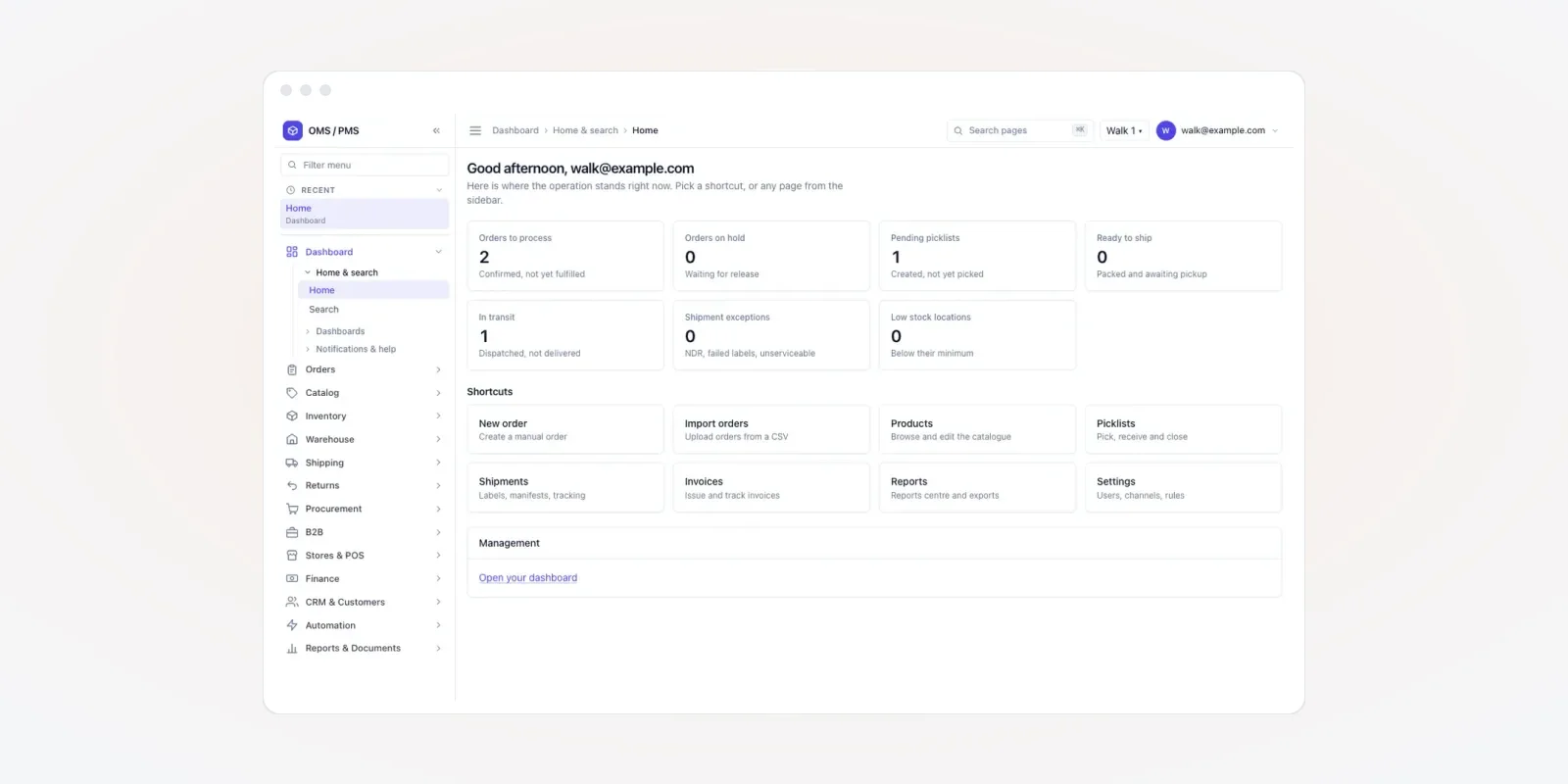
The screens below are from an order and inventory product we built, shown with demo data. We use our products to show what we can build, then shape each screen to your business.
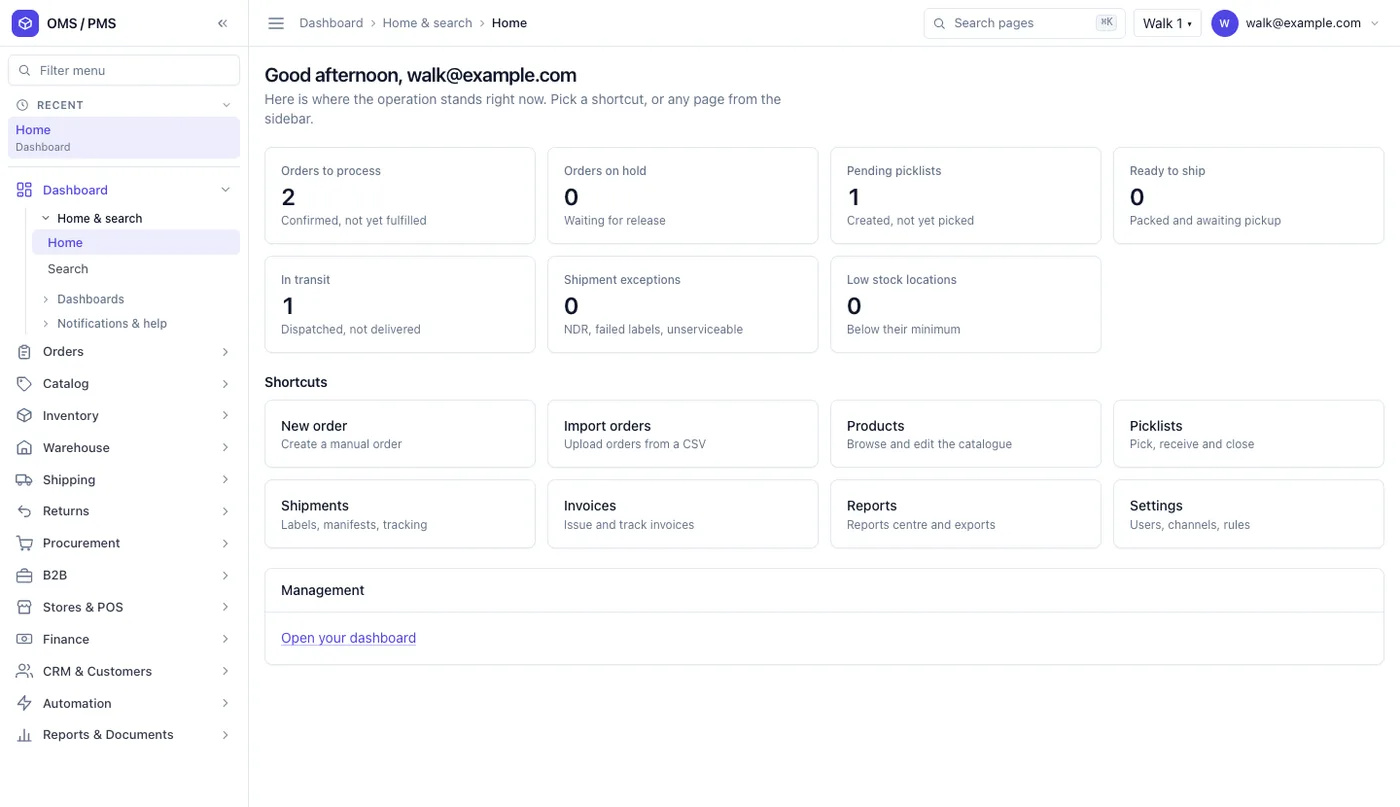
1. A home screen that shows today's work
The operations home shows orders to process, orders on hold, pending picklists, ready goods and goods in transit. It also lists shipment problems and low-stock places.
Shortcut tiles take staff to new orders, imports, products, picklists and invoices in one click.
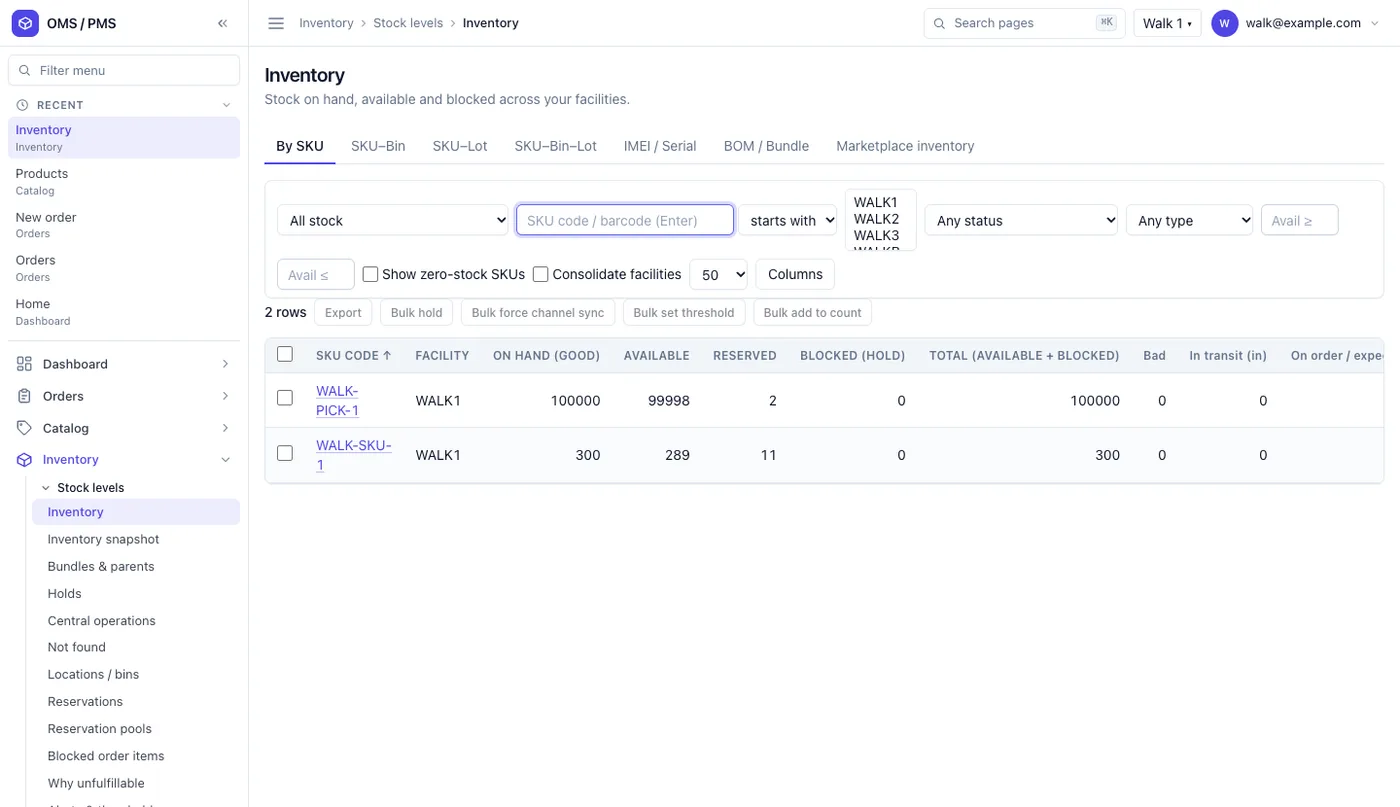
2. Stock by item and by place
This is the heart of the system. For each item code and godown, the screen shows stock on hand, available, reserved, blocked and in transit. Tabs break it down further, by rack, by lot or by serial number. Staff can put stock on hold, set minimum levels and export the list in bulk.
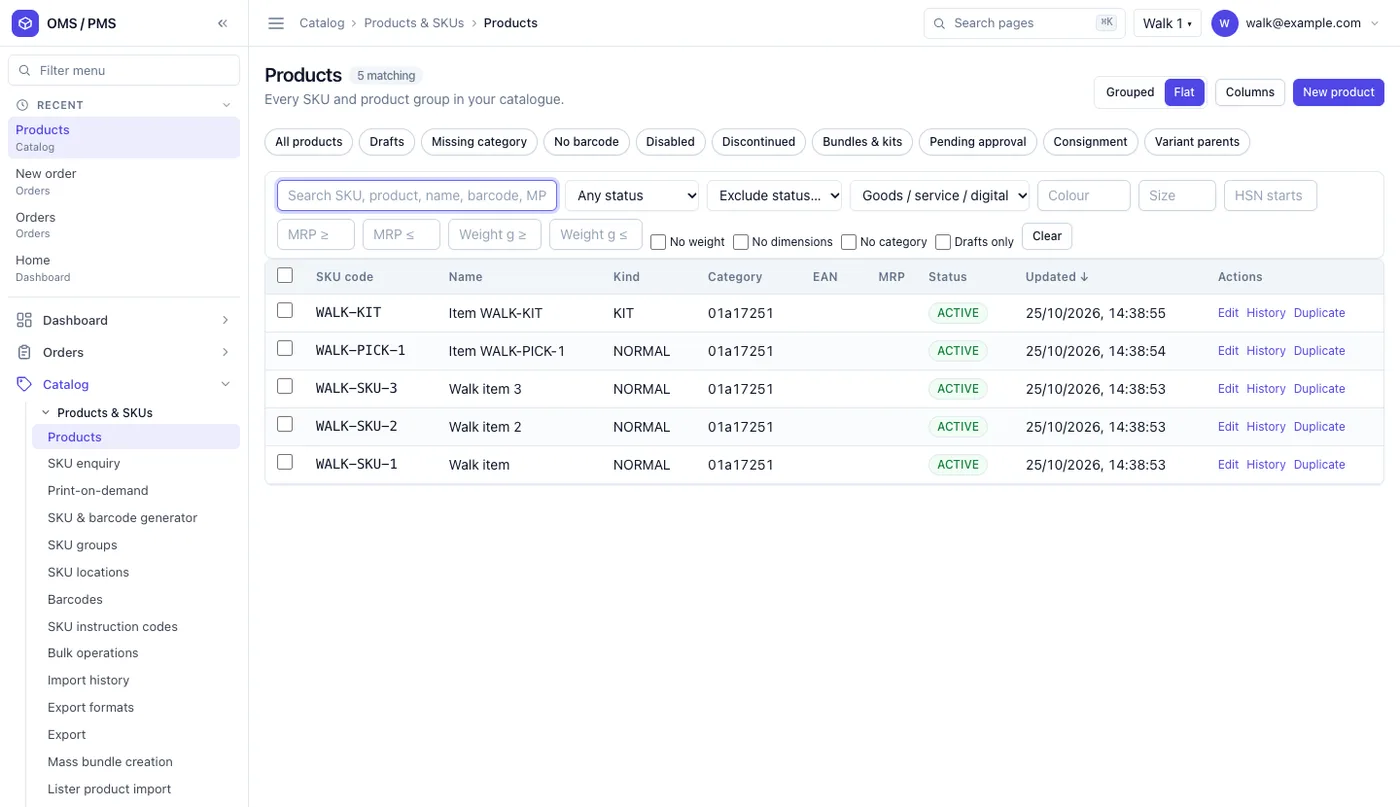
3. A clean product list
Every item code and kit lives in one catalogue, with status and category. Quick filters find items with no barcode, no weight or no category.
Fixing these gaps early stops errors later, at billing and at shipping.
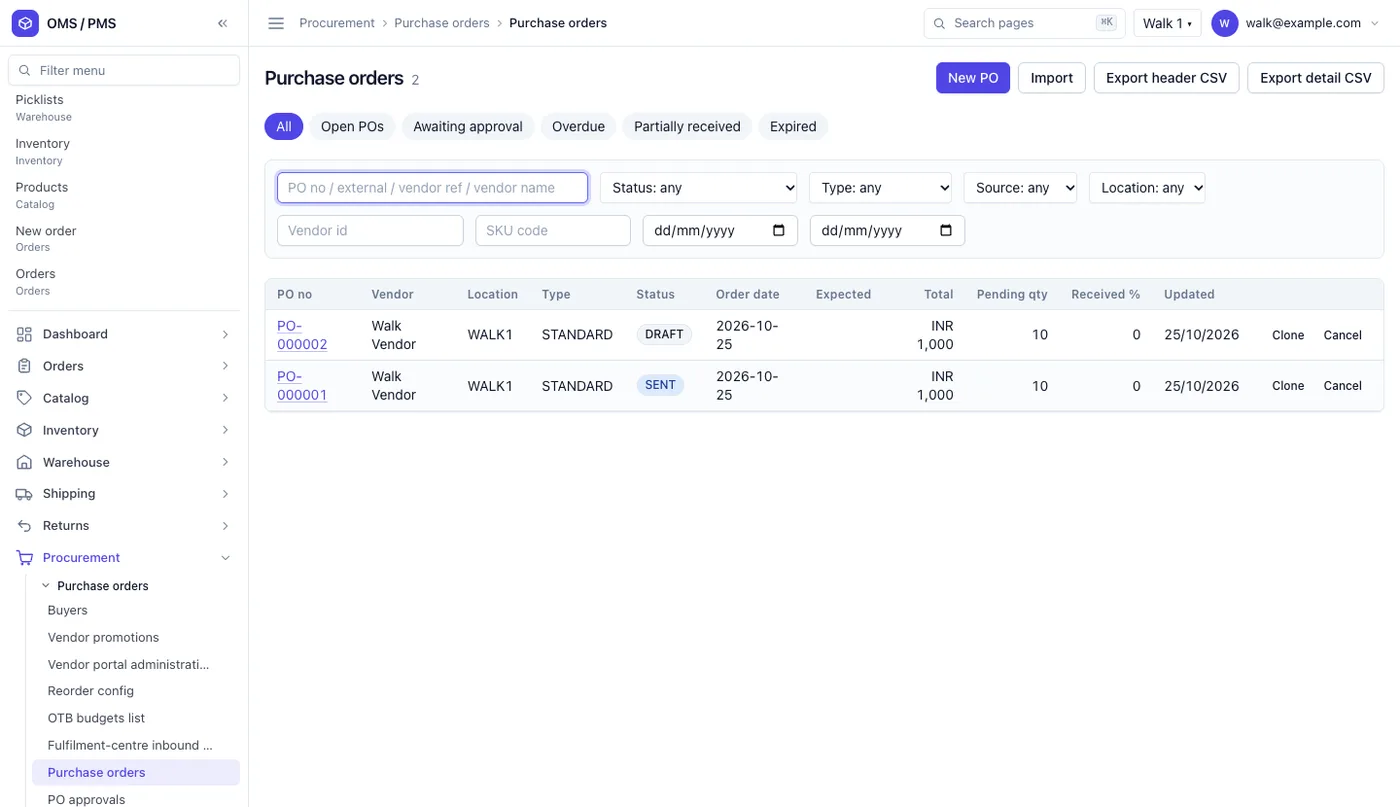
4. Purchase orders and receiving
Purchase orders list the supplier, godown, status and quantity still to arrive. Tabs show orders waiting for approval, overdue or partly received.
When goods arrive, staff receive them against the order. The pending count drops on its own.
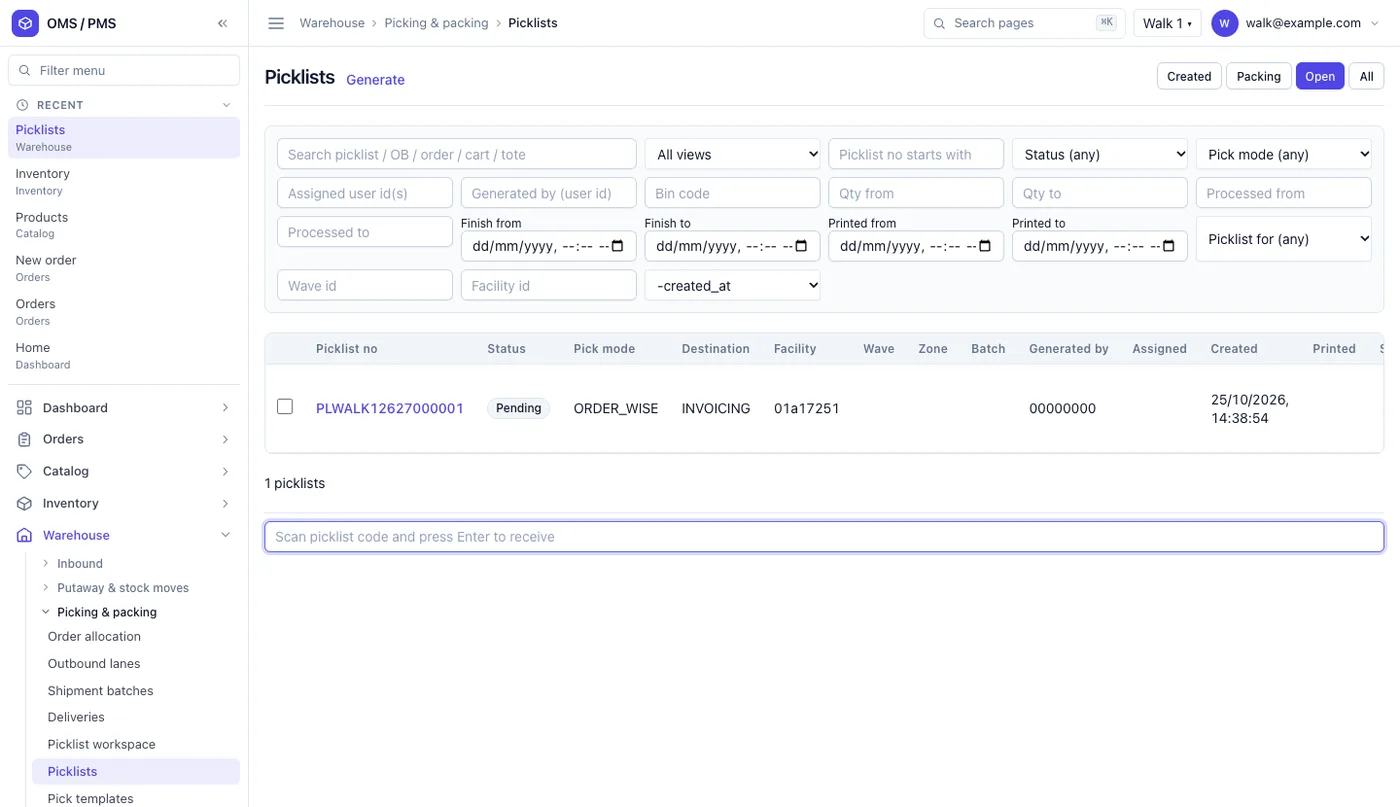
5. Picklists for the godown team
Picklists tell staff what to pick and from where. Filters cover pick mode, destination, wave and zone. A scan box lets staff open a picklist by scanning its code. A phone scan app can do the same on the godown floor.
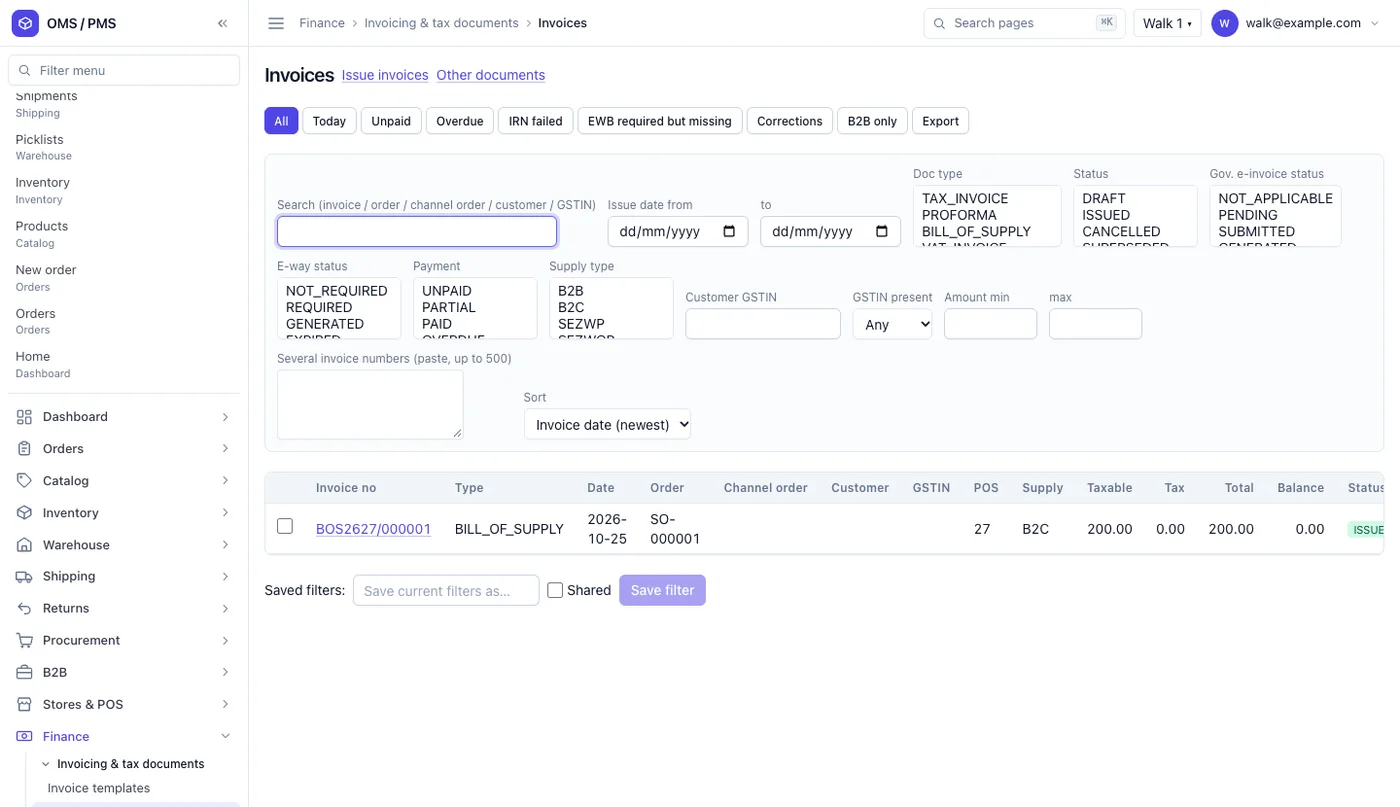
6. GST invoices and e-way bills
Invoices carry GST e-invoice and e-way bill status. Quick filters show unpaid, overdue, failed e-invoice and "e-way bill needed but missing".
So nothing leaves the godown without the right paper.
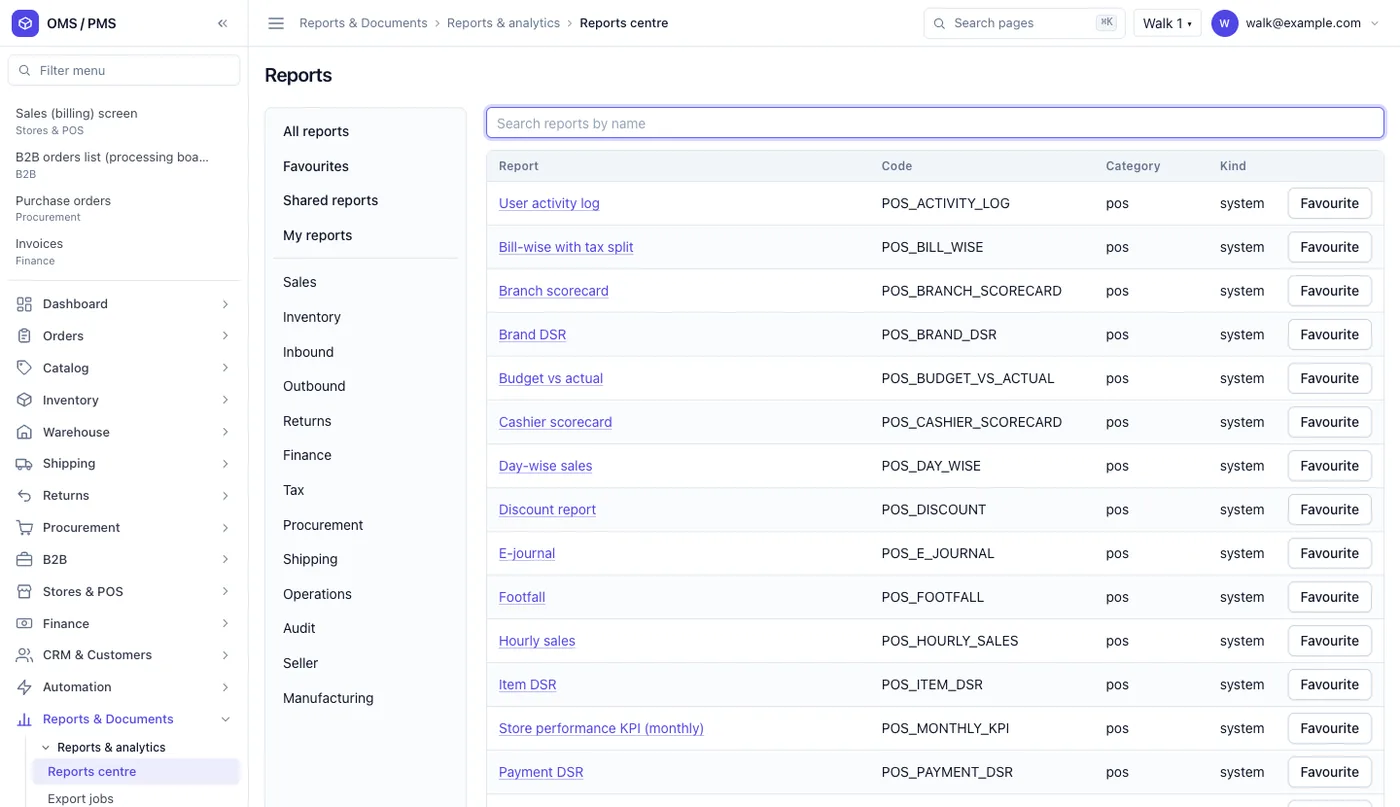
7. Reports by type
The reports centre groups reports by sales, inventory, returns, finance and tax. A search box finds any report by name. Owners see stock value, slow items and reorder needs without asking anyone.
Indian paperwork your stock system must handle
Stock software in India is not only about counting. Goods cannot move without the right tax papers.
Source: GST e-way bill system, official site. Some states set their own limits for movement inside the state, so check the site and your tax adviser.
Your invoices must also follow GST rules. The GST portal holds registration, returns and e-invoice links. GST rates and notices are published by CBIC. Keep tax rates as settings your team can change, not fixed in code.
Barcodes matter too. If you sell to retail chains or online, your products usually need standard barcode numbers. In India these are issued by GS1 India. Your system should store them on each item and print labels from them.
Ready-made tool vs a development company
| Question | Ready-made inventory app | Software built by a development company |
|---|---|---|
| Stock by rack, lot and serial | Some plans | Built if you need it |
| Your approval steps on purchases | Fixed steps | Your steps |
| Your own reports | Standard reports | Reports your team asks for |
| Links to your accounts and online stores | Only listed partners | Built to your systems |
| Your brand on apps | No | Yes |
| Data location | Vendor's cloud | Your server or cloud |
| Source code | Not given | Handed over |
How to choose an inventory software development company
Many companies say they build inventory software. These questions help you tell them apart.
- Can you show working screens? Not slides. A real system with stock, orders and invoices.
- Will you map my process first? A fixed quote before anyone has seen your godown is a guess.
- Who owns the code? Get it in writing that the source code and data are yours.
- Where will it run? Your own cloud account or server is safer than the developer's.
- How do you handle GST and e-way bills? They should know the e-invoice and e-way bill flow.
- What happens after launch? Ask about bug fixes, new features and response times.
You can also read case studies of systems we have built.
Worked example: an electrical goods distributor
Here is how a custom system could run for a distributor with two godowns. The details are examples.
- Monday, purchase. Switches run low in godown A. The reorder alert creates a draft purchase order. The owner approves it on his phone.
- Wednesday, receiving. 200 boxes arrive. Staff scan each carton. Eight are damaged and go to "blocked" stock.
- Wednesday, put away. The scan app tells staff which rack has space. Each box gets a rack on record.
- Thursday, order. A dealer orders 120 boxes. The system reserves them, so the sales team cannot sell them twice.
- Thursday, dispatch. The picklist sends staff to the right racks. The invoice and e-way bill are made before loading.
- Saturday, count. A cycle count of one rack finds one box missing. The difference is logged with a reason.
Our service
How we build your own inventory management software
We work in short steps, and you see each one.
- Walk your process. We map your items, godowns, racks, steps and reports with your team.
- Design the screens. You click through screens with your own products and change them before code.
- Build the web admin. Stock, purchase, orders, invoices and reports, built on Laravel or your preferred stack.
- Build the scan app. One Android and iPhone app for receiving, put-away, picking and counts.
- Load and test. We import your items and opening stock. Your staff test with real orders.
- Launch and support. We set it up on your own cloud or server, then add features as you grow.
Inventory software development cost: what decides it
We do not publish a fixed price. The cost depends on:
- How many godowns, and whether you track racks, lots, expiry or serial numbers.
- Which apps you need: web admin, scan app, sales team app or a dealer app.
- Which systems it must connect to: accounts, your online store, marketplaces or a shop billing counter.
- How many reports and approval steps you need.
- How much old data must be cleaned and imported.
| Monthly inventory plan | Custom software built for you | |
|---|---|---|
| Start | Same day | A few weeks to build |
| How you pay | Every month, often per user or godown | One build cost, then optional support |
| Fit to your steps | You change your steps to fit the tool | The tool fits your steps |
| Brand | Vendor's brand | Your brand |
| Data and source code | With the vendor | Yours |
Tell us your godowns, items and steps on one call. We send a written quote after it.
Whichever company builds your inventory software, make sure it can:
- Show on hand, available, reserved and blocked stock apart
- Track stock by godown and by rack
- Receive goods against purchase orders by scanning
- Reserve stock the moment an order is confirmed
- Make GST invoices and flag missing e-way bills
- Alert you when items fall below their minimum
- Log every stock change with a name, date and reason
- Export all data whenever you want
FAQ
What does an inventory management software development company do?
It builds stock software around one business. It maps how your goods come in, sit and go out. Then it builds the web admin, apps and reports to match.
How long does it take to build inventory management software?
It depends on godowns, apps and links to other systems. After one call we share a plan with dates. You see clickable screens with your own products first.
Will I own the software and the source code?
Yes. We build it under your brand and hand over the source code. It runs on your own server or cloud account.
Can my godown staff use it on a phone?
Yes. We build a scan app for Android and iPhone. Staff use it to receive, put away, pick and count stock.
Can it make GST invoices and e-way bills?
Yes. The system can make GST invoices and track e-invoice and e-way bill status. Tax rates stay as settings, so your team can change them when rules change.
Is my stock and customer data safe?
We add roles, so each person sees only what they need. Every stock change is logged with a name and time. Data stays on your own server or cloud.
Can it connect to my accounts software and online store?
Yes, if those systems allow other software to connect. We check this in the first call and plan the links.
Can PRS India build inventory management software for my business?
Yes. We build your own web admin, scan app and reports around your godowns and products. Book a consultation and we will show you screens for your stock flow.
Related guides
Written by
Aditi
Building software at PRS India.