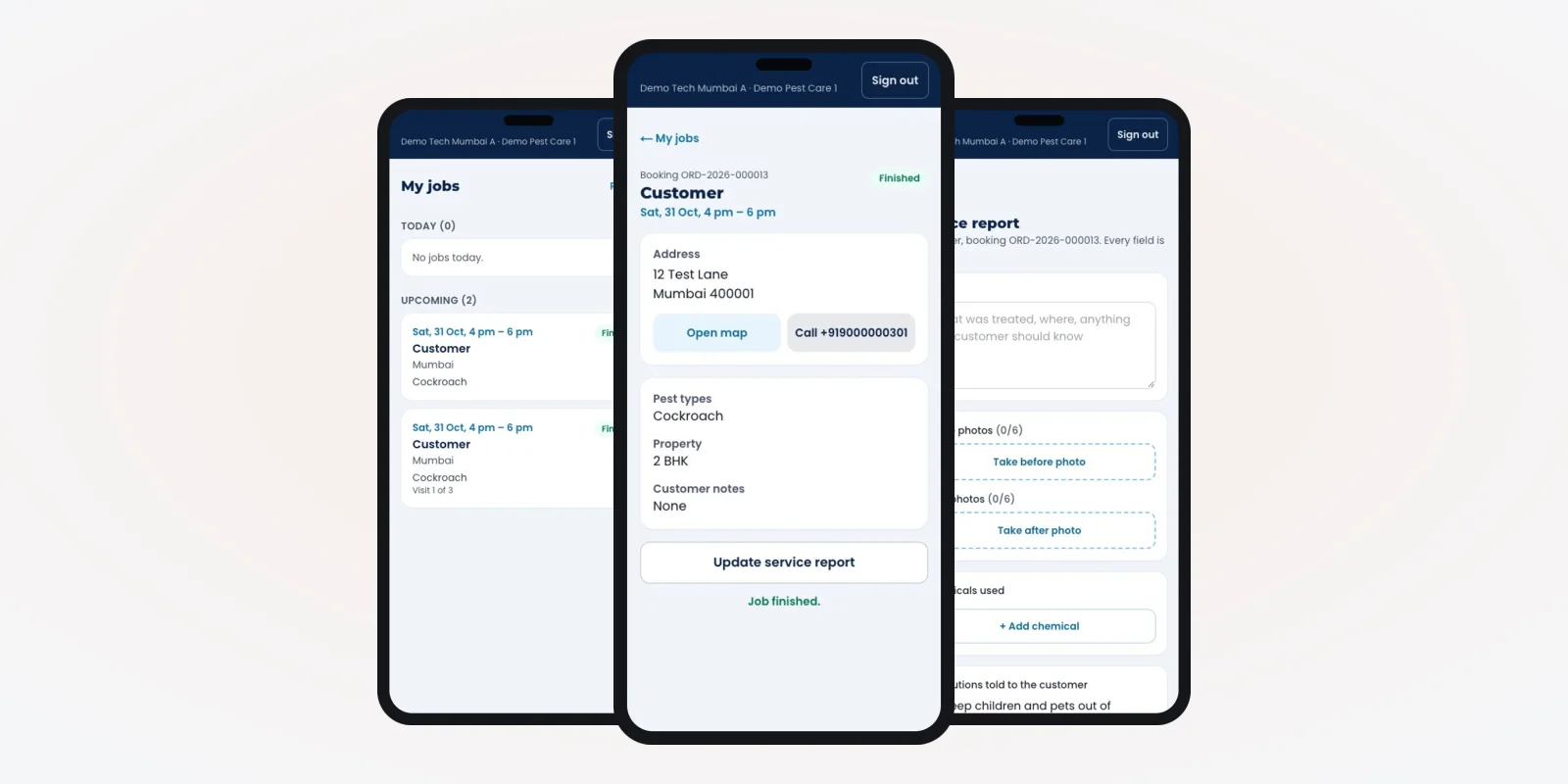
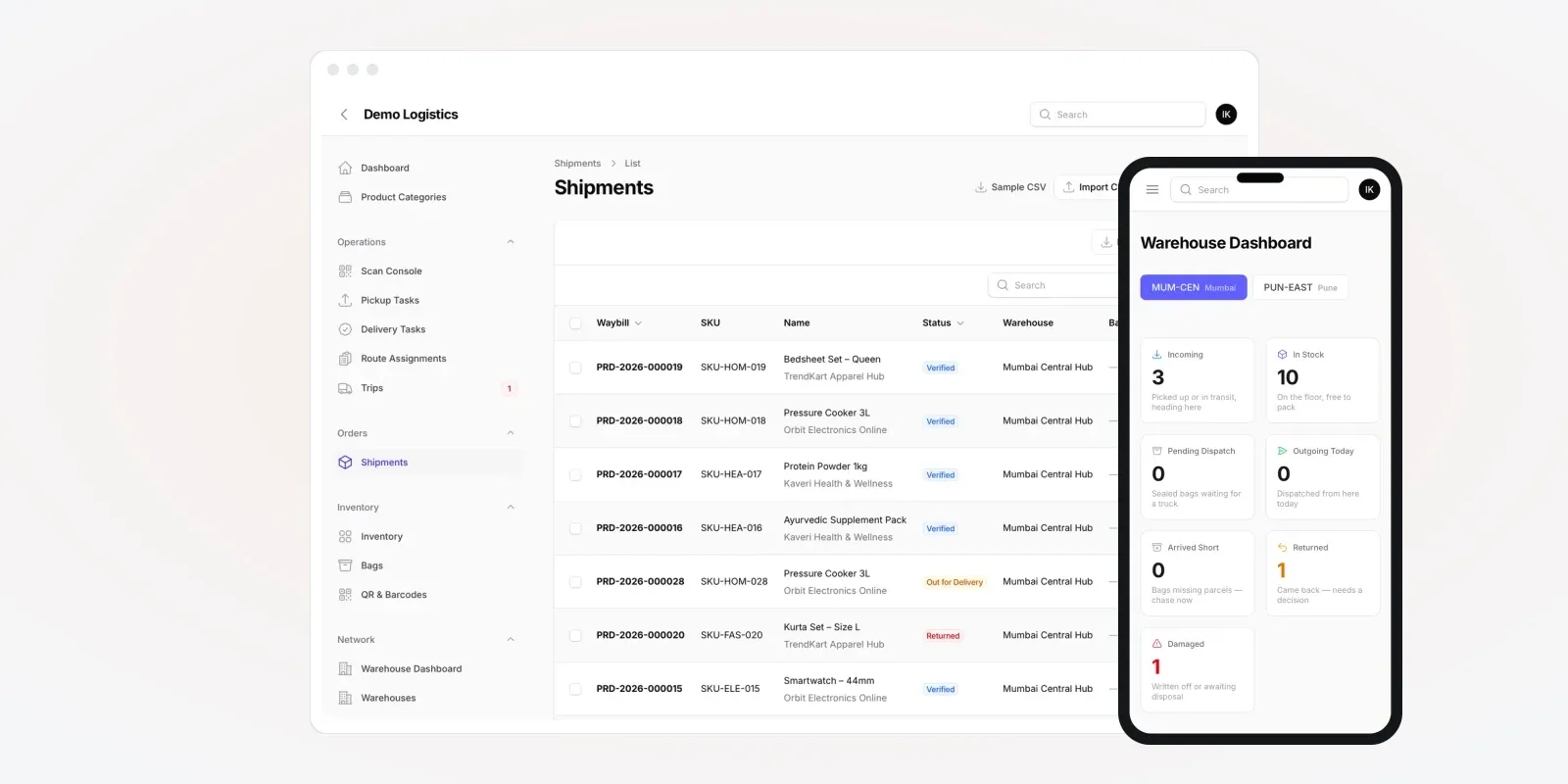
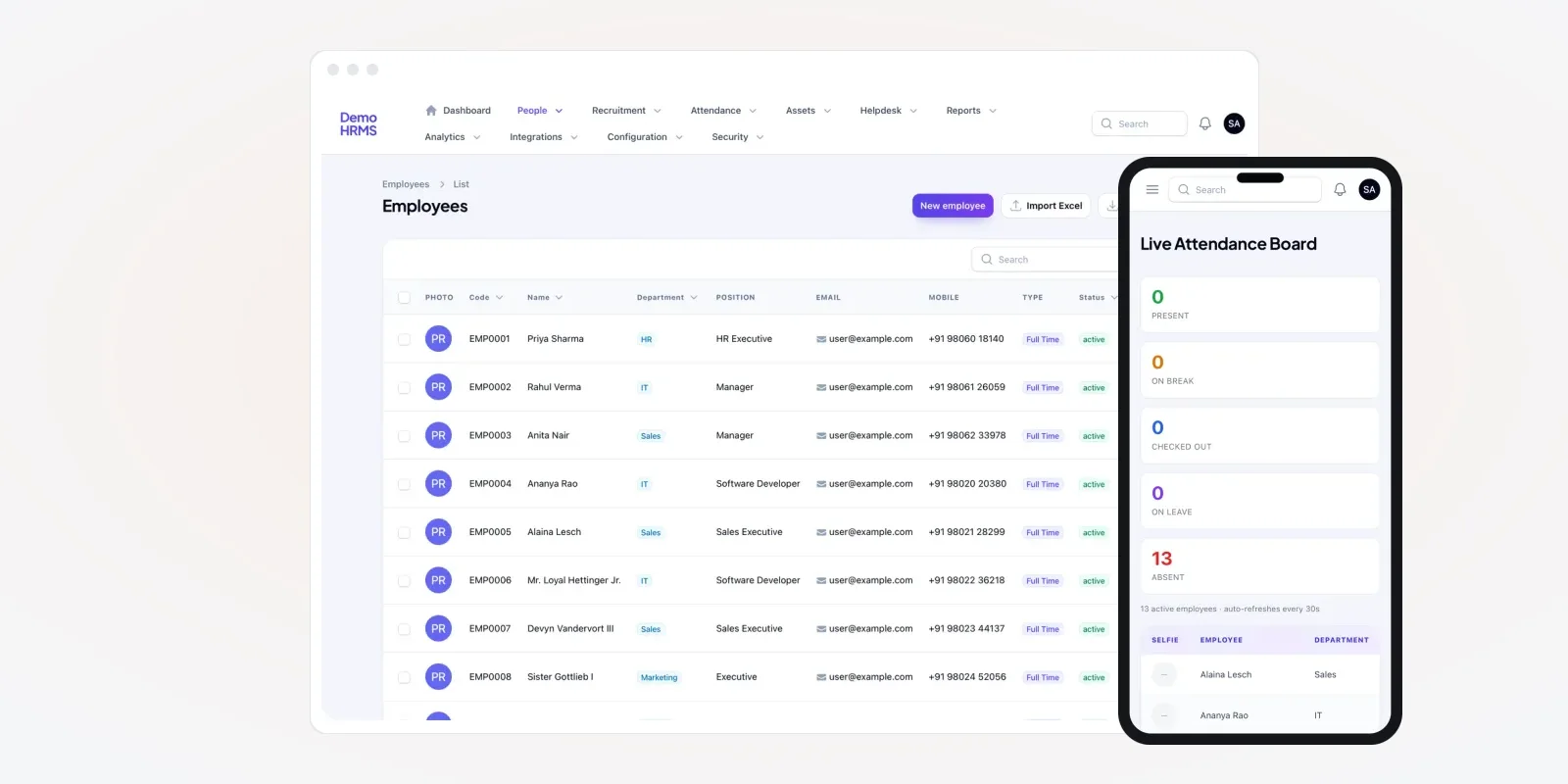
Business of Software
Solar Business Management Software Development
We build one system for your solar company: sales, projects, store, accounts, staff and service. Web, Android and iPhone, under your brand.

Written from production. Our articles draw on products we run live and the client work behind them, and are revised as the systems they describe evolve.
Most solar owners run their company from five places at once. Leads sit in one sheet. Stock sits in the store keeper's notebook. Payments sit with the accountant. Site photos sit in WhatsApp groups. Staff attendance sits on a paper register. The owner asks one question: "how much money is stuck this month?" Then someone has to call three people.
Solar business management software puts all of this in one system. Sales, projects, store, money, staff and service share one database. PRS India does custom ERP and business software development for solar companies. We build your own system, under your brand, with your data and your source code.
Key takeaways
- A solar company has six departments that pass work to each other: sales, design, store, site, accounts and service.
- Most losses happen at the hand-over between two departments, not inside one.
- One shared system means one customer record that every department adds to.
- The owner needs one screen each morning: leads, jobs on site, stock, money due and stuck files.
- When we build it for you, the brand, the data and the source code are yours.
What is solar business management software?
It is one system that runs the daily work of a solar company. Think of it as a shared register for every department. A CRM covers only the sales part. Business management software also covers the store, the site work, the money and the staff.
Here is a simple test. Can your accountant see which project a store item went to? If yes without asking the store, you have one system. If not, you have many small systems that do not talk.
The six departments it connects
Each department does its own job. But each one needs something from the one before it. This is where a shared system helps most.
| Department | What it does | What it needs from others |
|---|---|---|
| Sales | Takes enquiries, books surveys, makes quotes | Stock in hand and site team dates |
| Design | Plans system size, panel layout and wiring | Survey photos and roof size |
| Store | Buys, stores and issues panels, inverters and structure | Confirmed orders and design list |
| Site team | Installs, tests and commissions | Material issued and job date |
| Accounts | Bills, collects and pays vendors | Order value and work done |
| Service | Handles complaints and maintenance visits | Serial numbers and handover date |
The problem
Where a growing solar company loses control
These problems show up when a company moves past one branch or one site team.
- Sales promises dates the site team cannot meet. Nobody can see the site calendar while talking to the customer.
- Stock goes missing between store and site. Panels leave the store, but no record says which roof they went to.
- Bills go out late. Accounts learn about a finished install days later, from a phone call.
- Branches report in different formats. One branch sends Excel, another sends photos of a register.
- Staff hours are unclear. Site staff mark attendance on paper, so overtime and travel are guessed.
- Old customers are forgotten. Nobody knows which plants are due for cleaning or a check-up.
One screen for the owner
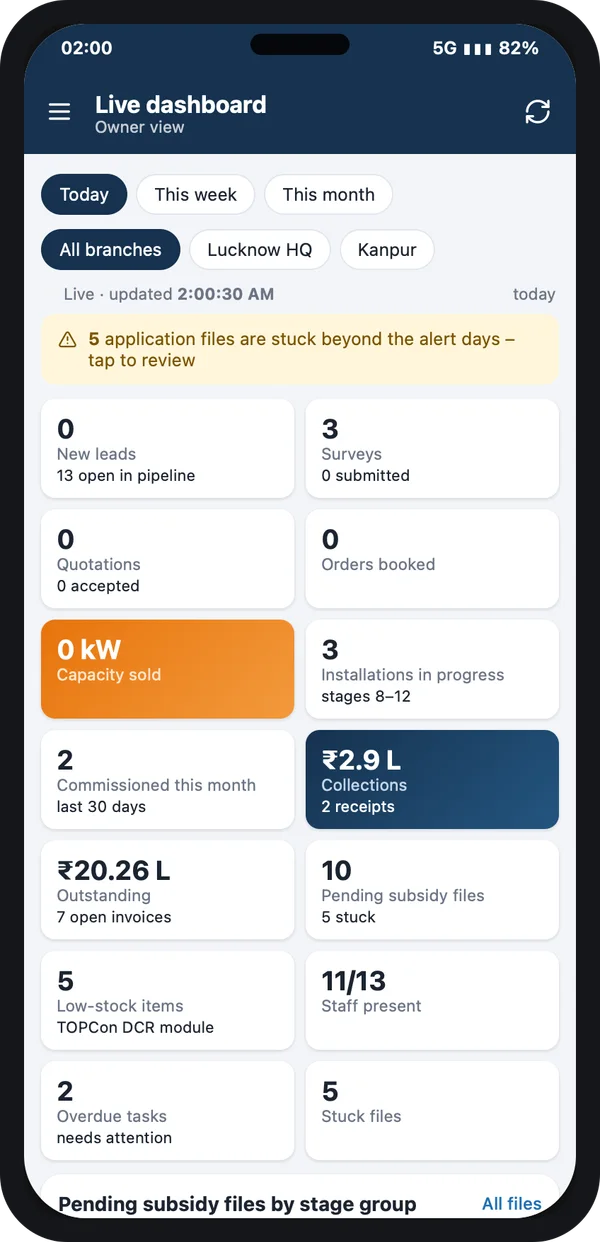
The owner should not need to call anyone to know how the business is doing. In the system we build, the first screen pulls numbers from every department. You can switch between today, this week and this month. You can look at all branches or one branch.
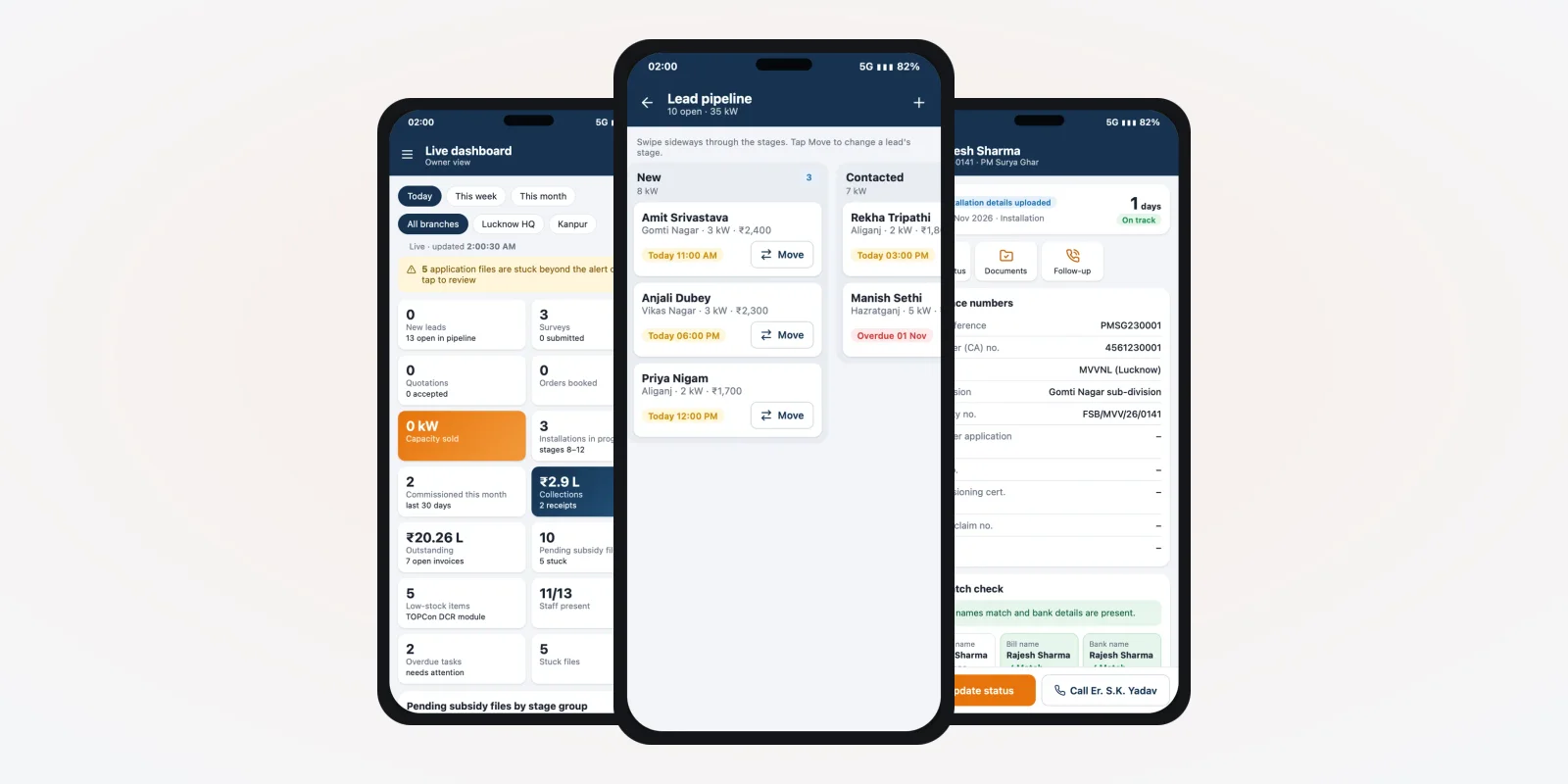
The screen on the right is from a solar business app we designed, filled with demo data. It shows leads, surveys, installs in progress, money collected and money outstanding. It also shows subsidy files, low stock, staff present and overdue tasks.
A yellow strip warns about files stuck past their limit. One tap opens the list. This is how one owner can watch two or three branches without driving between them.
Modules in solar business management software
You do not need every module on day one. Most companies start with sales, projects and accounts. Then they add store, staff and service. Below is what each module does in a solar company.
1. Sales and enquiries
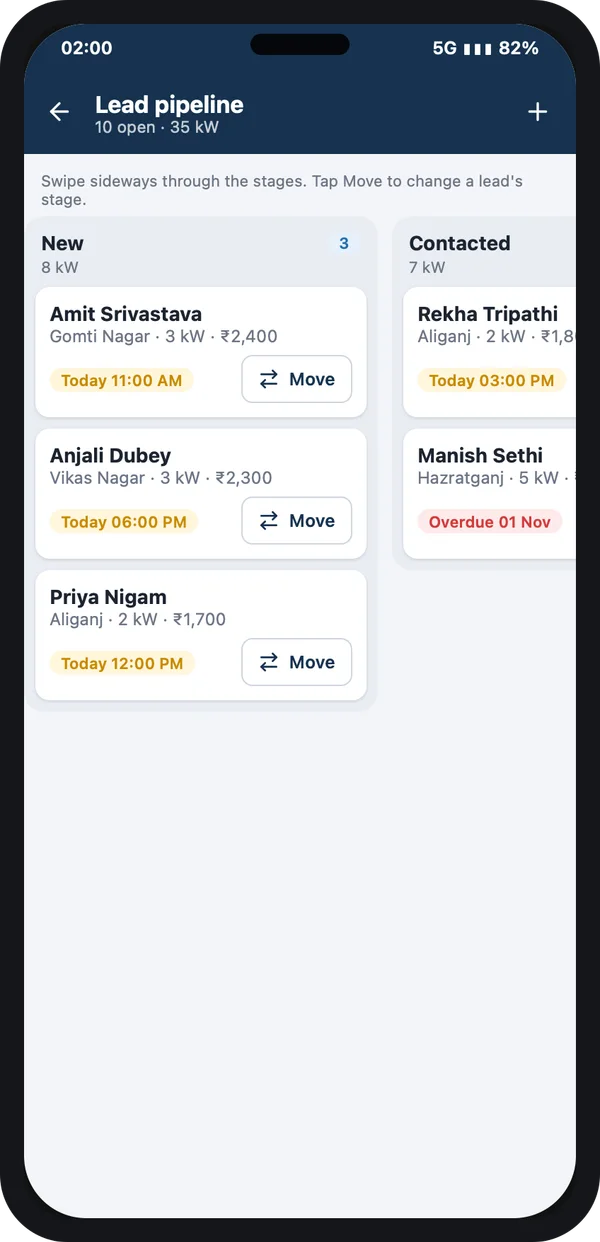
Every enquiry gets an owner, a source and a next follow-up time. The sales person can call, send a WhatsApp message or book a survey from the same screen. If you want a deeper sales setup, the same base can grow into a full custom CRM.
2. Projects and site work
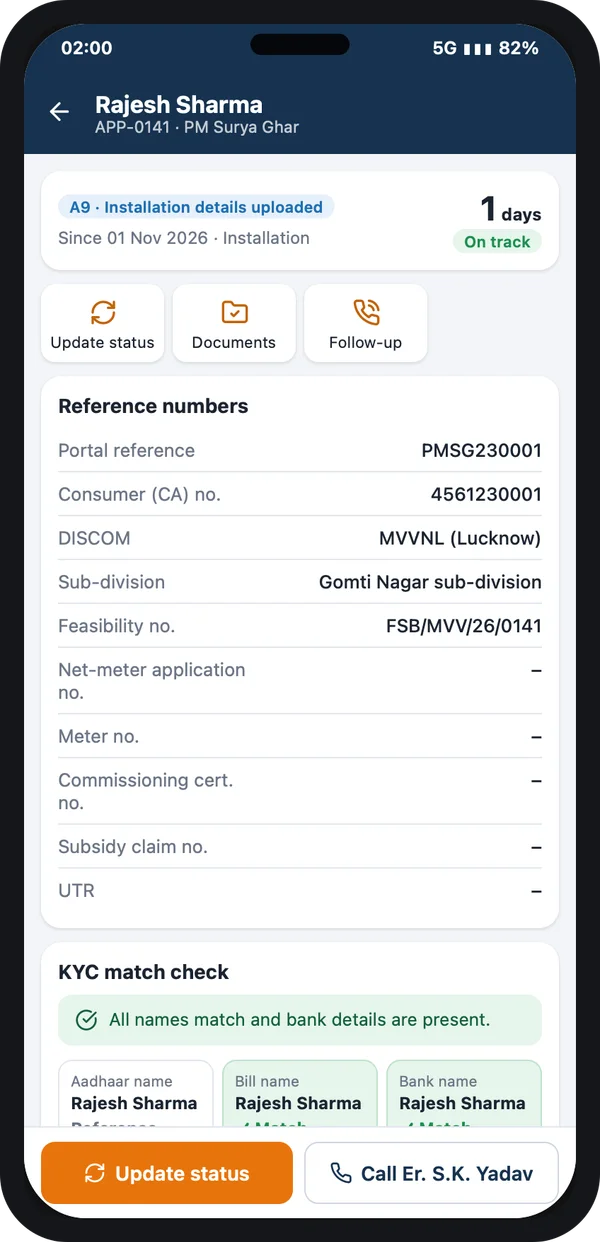
Once an order is booked, it becomes a project. The project has a team, a date, a material list and a checklist. Site staff open it on the phone, check in at the roof and upload photos. The office sees progress without calling.
3. Store and stock
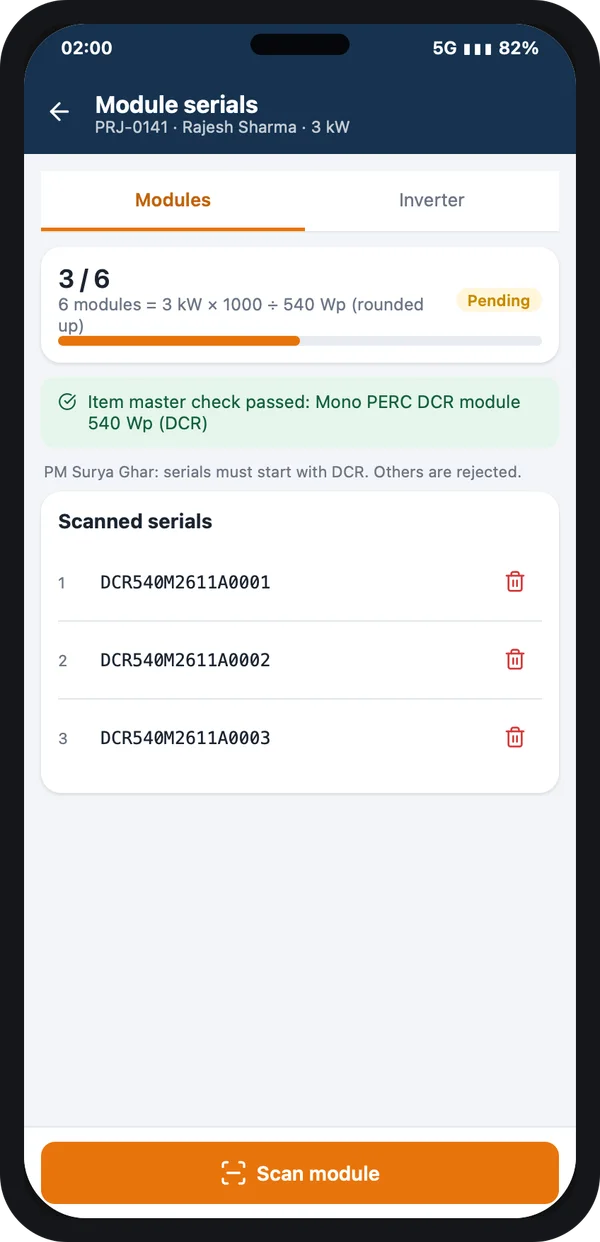
The store module records what came in, from which vendor, and what went out to which project. Panels and inverters are tracked by serial number. When stock of an item falls below a level you set, the owner screen shows it. Panels for subsidy projects must come from the government's approved list. MNRE publishes this list of models and makers, called ALMM, on its website. The store module can keep that check as a field on each item.
On the screen here, the site team scans each panel's serial number. The app counts how many panels a 3 kW system needs and shows how many are done. It also checks the item against the item list in the store.
This one step links the store, the site and the service desk. Years later, a warranty claim needs only the customer name.
4. Accounts and collections
Accounts sees each order with its value, payments received and balance due. Bills follow the work, not the phone calls. GST invoices carry your GSTIN and the right tax lines. GST rules and returns are set by the government, so the system keeps tax rates as settings. Check current rules on the GST portal.
5. Staff, attendance and tasks
Site staff mark attendance from the app with their location. Managers assign tasks with due dates. Overdue tasks show up on the owner screen. If you want a full HR setup later, see our guide on attendance management software in India. Salary rules are a separate topic, covered in our payroll compliance guide for PF, ESIC, TDS and PT.
6. Service and maintenance
After handover, the plant moves to the service list. Customer complaints become tickets with a time limit. Cleaning and check-up visits are planned for the years you promised.
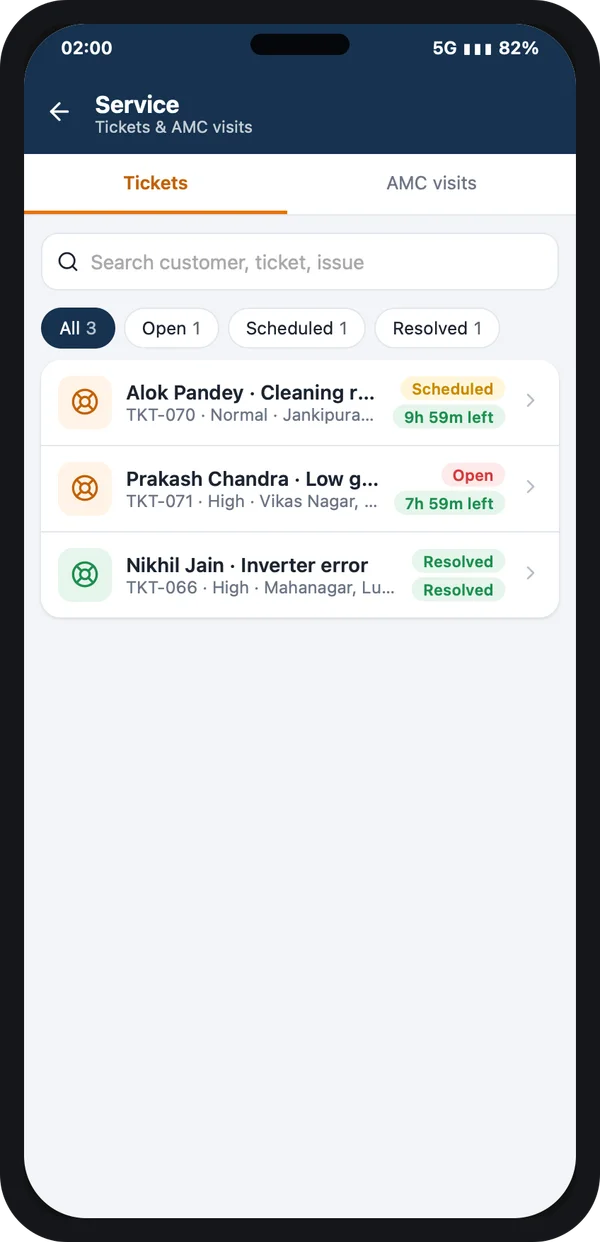
Service desk
Each ticket shows priority, area and time left.
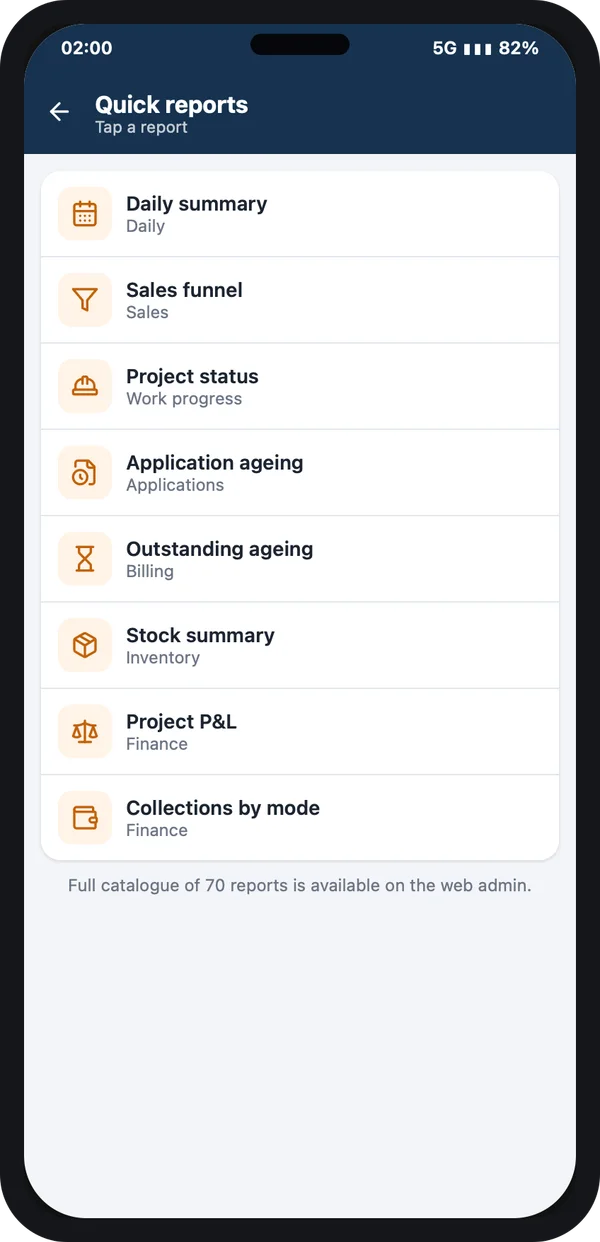
Reports
Sales, projects, stock and money reports on the phone.
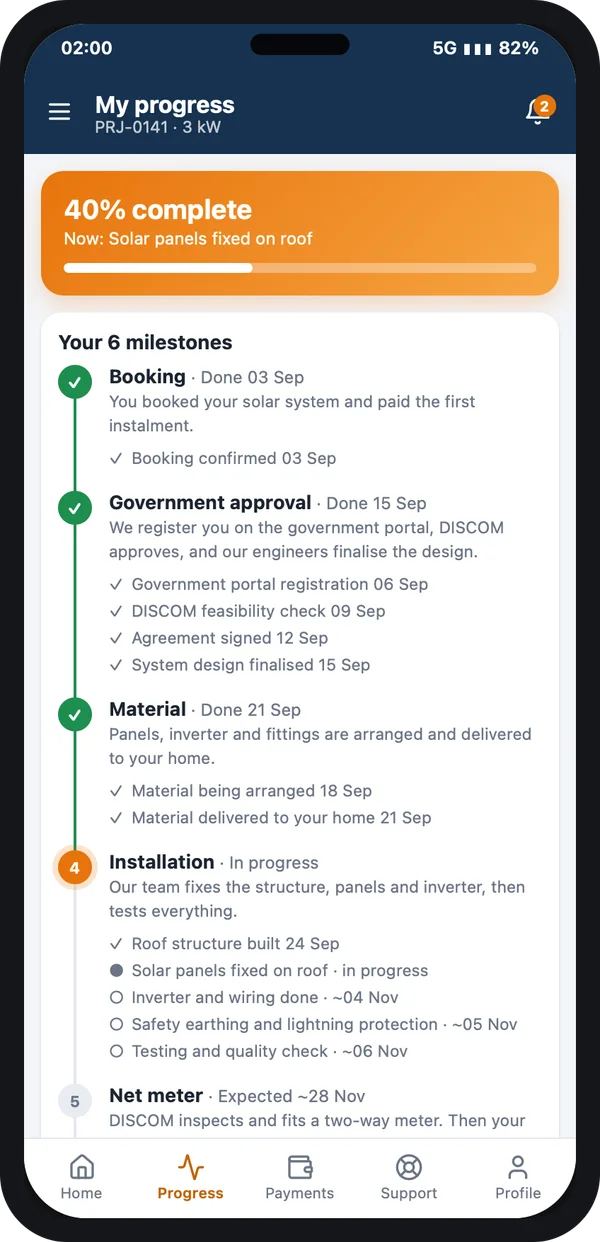
Customer app
The customer sees each milestone, so fewer status calls reach your office.
Worked example: one order moving through every department
Here is a 5 kW home order at a company with two branches. Names and days are examples only.
- Monday, sales. An enquiry arrives at the Kanpur branch. The sales person books a survey for Wednesday from the app.
- Wednesday, design. The survey photos and roof size reach the design desk. A panel layout and material list are attached to the order.
- Thursday, accounts. The customer pays the advance. Accounts records it, and the order moves to "Booked".
- Friday, store. The store sees the booked order and reserves panels and an inverter. One item is low, so a purchase request goes to the owner.
- Next week, site. The site team checks in, installs, scans serials and uploads photos. Their attendance and travel are logged on the same job.
- Same day, accounts. The system marks the install as done. Accounts sends the next bill on time.
- After handover, service. The plant joins the service list. Its first cleaning visit is already on the calendar.
The owner saw every step on one screen. Nobody had to forward a photo or retype a number.
Separate tools vs your own system
| What you need | Sheets and WhatsApp | Separate apps for each job | Your own business system |
|---|---|---|---|
| One customer record for all departments | No | No, each app has its own | Yes |
| Stock linked to each project | No | Sometimes | Yes |
| Bill raised when work is marked done | No | Needs manual copy | Yes |
| Branch-wise owner view | Manual | Hard to join | Yes |
| Solar steps like DISCOM and subsidy | Manual sheet | Rarely | Built in |
| Your brand on staff and customer apps | No | No | Yes |
Our service
How we build your own solar business management software
We start from how your departments hand work to each other.
- Map your departments. We list your roles, hand-overs and reports with you, branch by branch.
- Show screens first. You click through the screens before any code is written, and ask for changes.
- Build the web admin. Office, store and accounts work in a web application on any computer.
- Build the staff and customer apps. We use Flutter for Android and iPhone from one code base.
- Test with your team. Your staff use it on real orders for a few weeks. We fix what they find.
- Launch and support. Your logo on the apps, your data on your own server, and help when you add branches.
The back end is usually built in Laravel, which keeps it open for any developer to maintain later. You can see what else we have built on our products page.
Solar business management software development cost: what decides it
We do not publish a fixed price, because no two solar companies run the same way. The cost depends on these points:
- How many modules you need now, and which ones can wait.
- How many apps: web admin only, or also a staff app and a customer app.
- How many branches, and whether each branch keeps its own stock and accounts.
- Which outside services to connect, such as SMS, WhatsApp, payment links or your accounting tool.
- Whether you plan to sell the system to other solar firms later. Then it needs a multi-company SaaS setup.
| Monthly plan from a vendor | Your own system, built for you | |
|---|---|---|
| Payment | Every month, often per user | One build cost, then optional support |
| Solar steps and fields | Generic, or paid add-ons | Made for your process |
| Adding a branch | More users, more fees | A setting in your own system |
| Brand on apps | Vendor's name | Your name and logo |
| Data and source code | With the vendor | With you |
Share your departments and branches with us. We send a written quote after one call.
Whoever builds it, make sure the system can:
- Keep one customer record that sales, store, site, accounts and service all add to
- Link every panel and inverter serial to a customer and a project
- Show stock by branch and warn when an item runs low
- Raise a bill when the site team marks work as done
- Give the owner one screen with a branch filter
- Track staff attendance and tasks from the phone
- Keep tax and subsidy figures as settings you can change
- Export all your data at any time
FAQ
What is the difference between a solar CRM and solar business management software?
A solar CRM covers leads, quotes and customer follow-up. Business management software also covers the store, site work, accounts, staff and service. It is one system for the whole company.
How long does it take to build solar business management software?
It depends on the modules and apps you need. After one call, we share a plan with dates for each module. You see clickable screens first.
Will I own the software and the source code?
Yes. We build it under your brand and hand over the source code. Your data stays on a server you control.
Which platforms will the software run on?
The office uses a web admin in any browser. Sales and site staff use an Android and iPhone app. Customers can get their own app if you want one.
Is customer and staff data safe in the system?
It should be. The Digital Personal Data Protection Act, 2023 applies to personal data. We add role-based access, so each person sees only what their job needs.
Can the system track PM Surya Ghar applications?
Yes, as a set of steps your team updates. The PM Surya Ghar national portal is where the real filing happens. The system keeps the reference numbers, dates and alerts.
Can we start with a few modules and add more later?
Yes. Most companies start with sales, projects and accounts. Store, staff and service are added when the team is ready.
Can PRS India build business management software for my solar company?
Yes. We build it around your departments, branches and reports. Contact us to see screens made for your process, or read our case studies first.
Related guides
Written by
Aditi
Building software at PRS India.