Mobile-App
20 Must-Have Features in a Taxi Booking App (Rider, Driver & Admin Panel)
Every feature a ride-hailing platform needs across the rider app, driver app and admin panel — the full checklist for launching in 2026.

Written from production. Our articles draw on products we run live and the client work behind them, and are revised as the systems they describe evolve.
Uber, Ola, Lyft, and Grab did not win their markets with one clever feature. They won by joining dozens of small, plain parts of the product that all had to work at once, including:
- GPS that never lags.
- Pricing that never surprises.
- Drivers who get paid on time.
- Support teams who can see exactly what happened on a disputed trip.
That is the real bar for launching a taxi booking app in 2026.
Those four apps have taught riders and drivers what to expect. A platform missing even two or three of these basics feels unfinished, however nice the logo looks.
This is a practical checklist, not a wish list. Below are 20 features split across three parts that every ride-hailing platform needs to launch together:
- The rider app.
- The driver app.
- The admin dispatch panel.
A taxi business succeeds or fails on how well those three pieces talk to each other, live.
Every feature on this list is built into PRS India’s Ridehail platform, our ready-made taxi booking app source code, built to match Uber, Ola, Lyft, and Grab on features. There is one caveat, covered under feature 3: the apps ship collecting cash until you connect a payment gateway account of your own.
We’ll look at buying versus building further down. For now, use this as the checklist you’d run against any taxi app before putting your brand on it.
Rider App Features
The rider side is the shop window. Most of a platform’s word of mouth is won or lost in the first three rides.
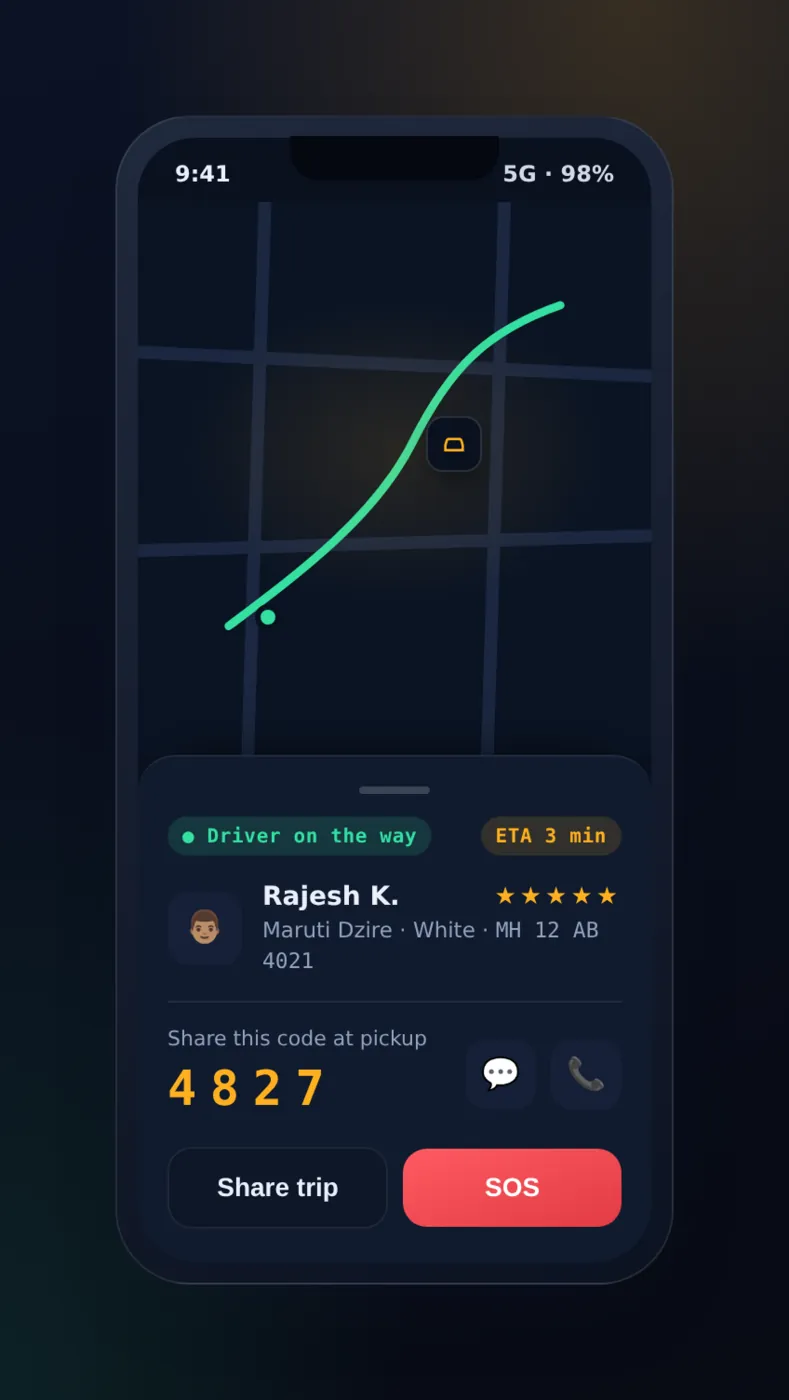
1. Real-Time GPS Ride Booking with Pickup OTP. The rider drops a pin or types an address, the app finds the nearest free drivers using live GPS positions updated every few seconds, and the trip screen shows the driver’s car moving toward the pickup point live.
A four-digit OTP is generated the moment the driver arrives, and the trip cannot start on the driver’s app until the rider reads it out loud. This simple check helps stop the wrong-passenger, wrong-car problem of street hailing.
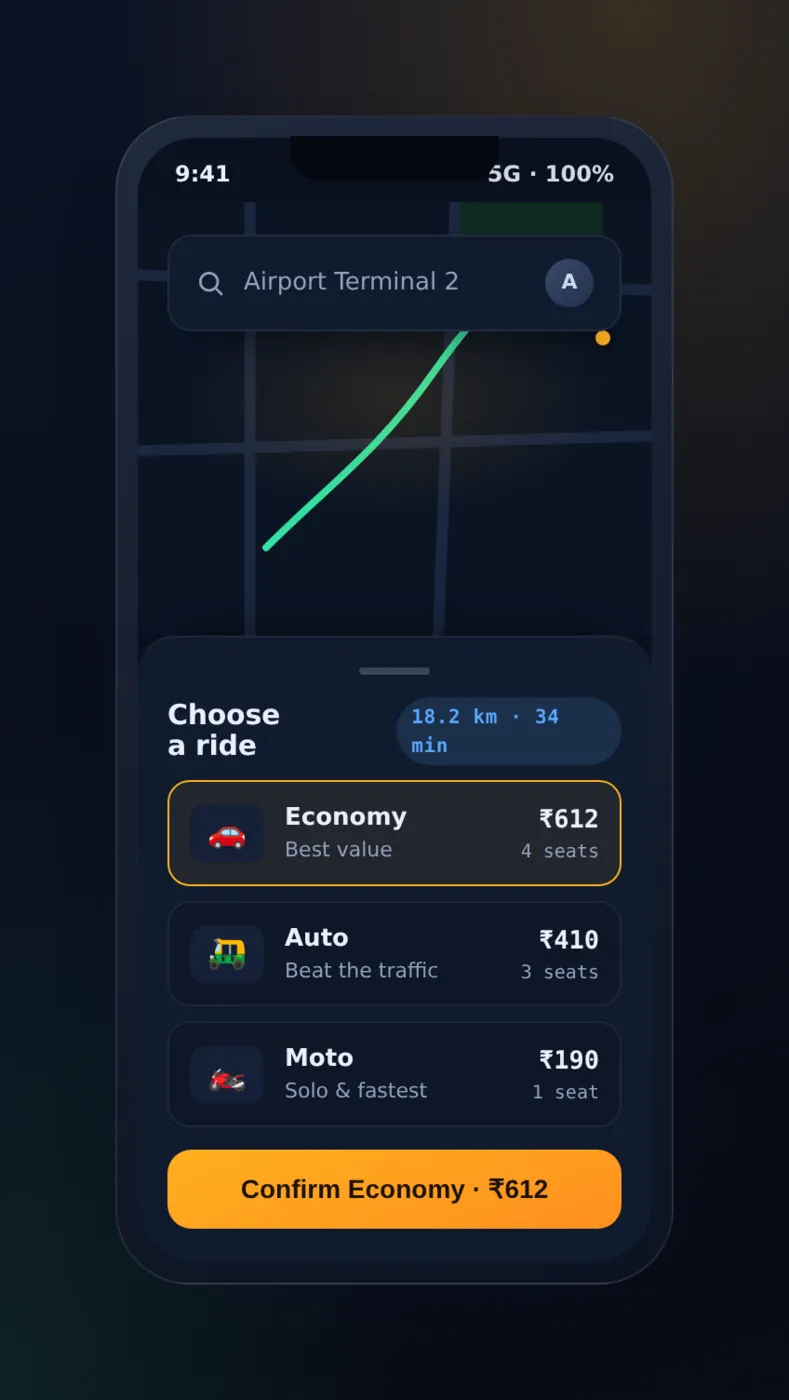
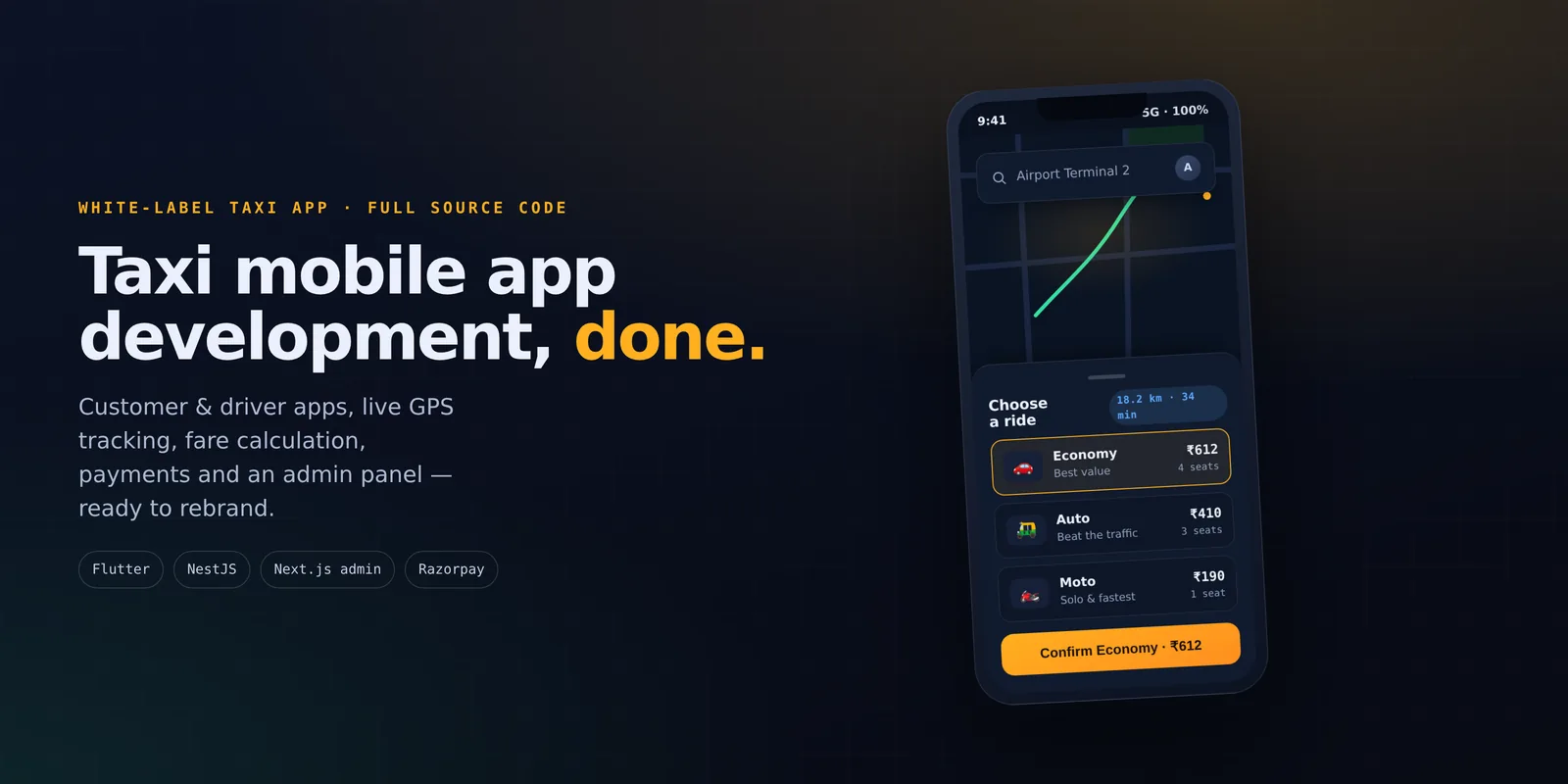
2. Multiple Vehicle Tiers with Upfront Fare Estimates. Riders choose between vehicle types, each with its own fare rules and its own drivers:
- Economy.
- Comfort.
- XL, for groups or luggage.
- Moto, for two-wheeler pickups.
- Auto, for three-wheelers.
Before confirming, the app shows a fixed or capped fare estimate worked out from distance, time, and any surge multiplier for that zone, so there is no surprise at the end of the trip. These vehicle types also let a single app run three or four different vehicle businesses side by side under one brand.
3. Multiple Payment Options — Cash, Card, UPI, and In-App Wallet. A rider should be able to pay for a trip in several ways:
- Cash, paid directly to the driver.
- A saved card, for one-tap checkout.
- UPI, where that rail dominates.
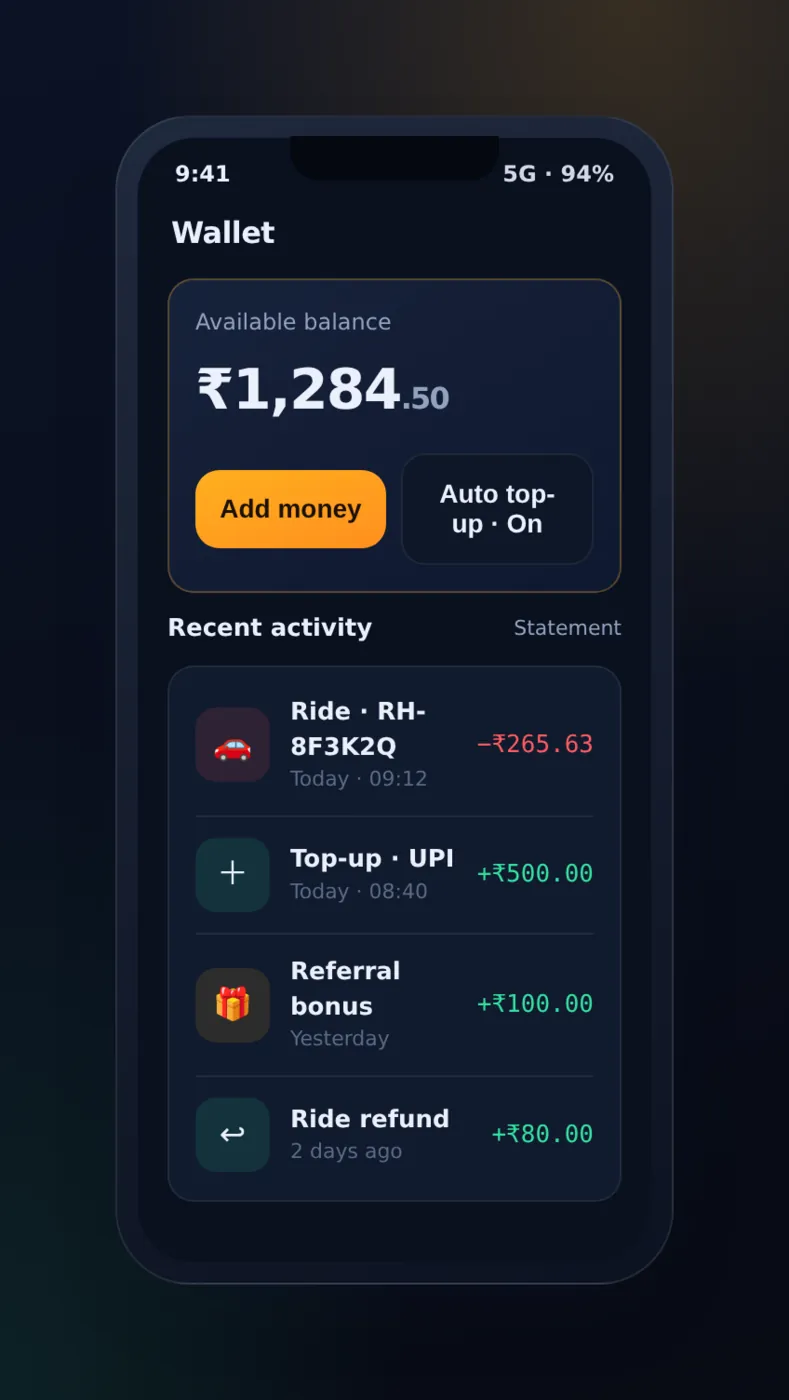
- An in-app wallet, topped up in advance or credited with refunds and referral bonuses.
Letting the rider set a default method up front, and switch for each trip, removes the biggest cause of payment trouble between driver and rider. In Ridehail the rider app as shipped collects fares in cash. The payment part is built so a wallet or a card gateway can be added for your market.
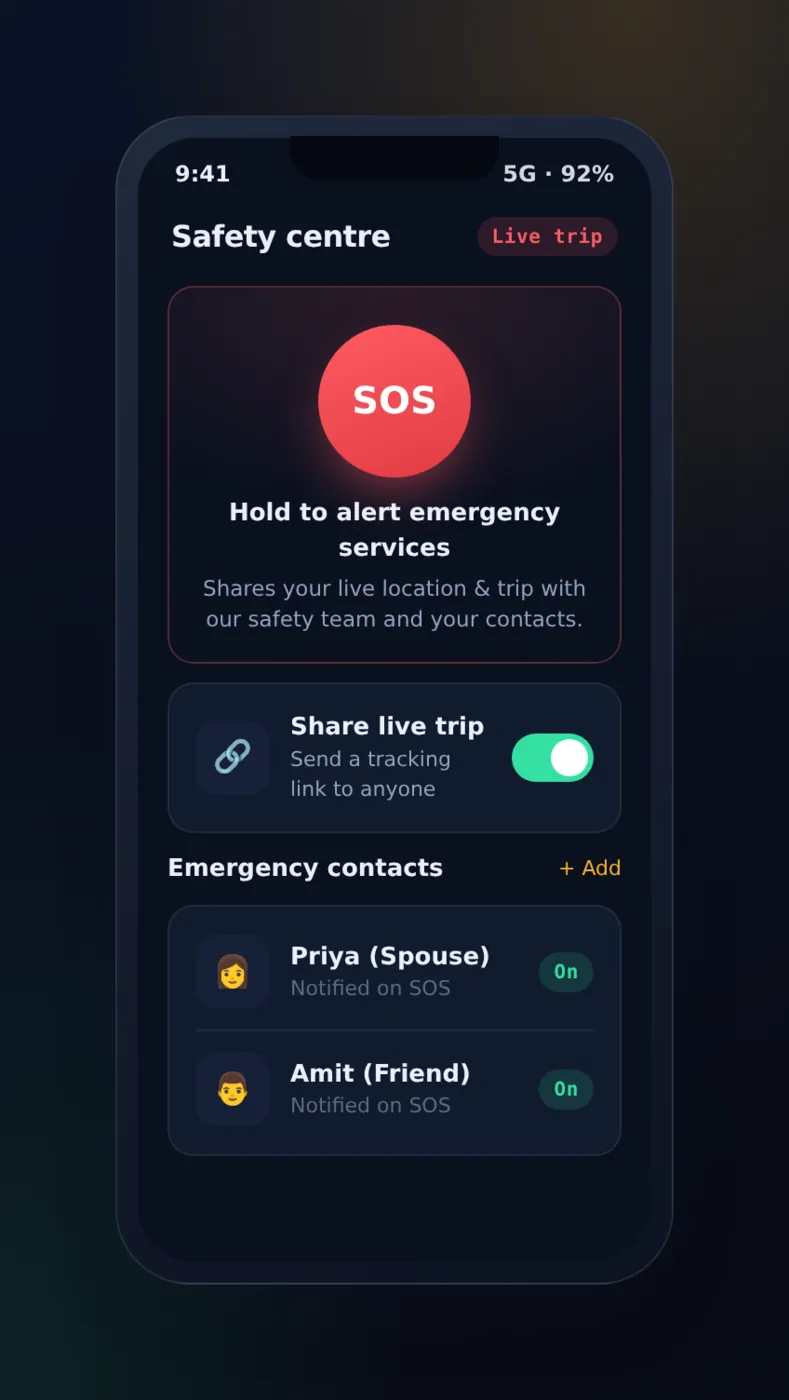
4. In-App Safety Tools — SOS, Live Trip Sharing, Trusted Contacts. Two safety tools sit on every trip screen, not hidden in a settings menu:
- An SOS button that connects to local emergency services or a monitoring team and shares the rider’s live GPS position with the driver and vehicle details at once.
- A “share my trip” button that sends a live tracking link to a saved list of trusted contacts, so a parent or partner can watch the route without installing the app.
A safety feature nobody can find in an emergency doesn’t count.
5. Ride History with Itemised Invoices and One-Tap Re-Booking. Every finished trip is saved in a history list with a full cost breakdown. It can be downloaded as a PDF invoice for expense claims:
- Base fare.
- Distance and time charges.
- Surge multiplier applied.
- Tolls and taxes.
- Tip.
From the same screen, a rider can re-book the identical pickup-and-drop pair in one tap, which turns an airport run or a daily commute into a habit instead of a one-time booking.
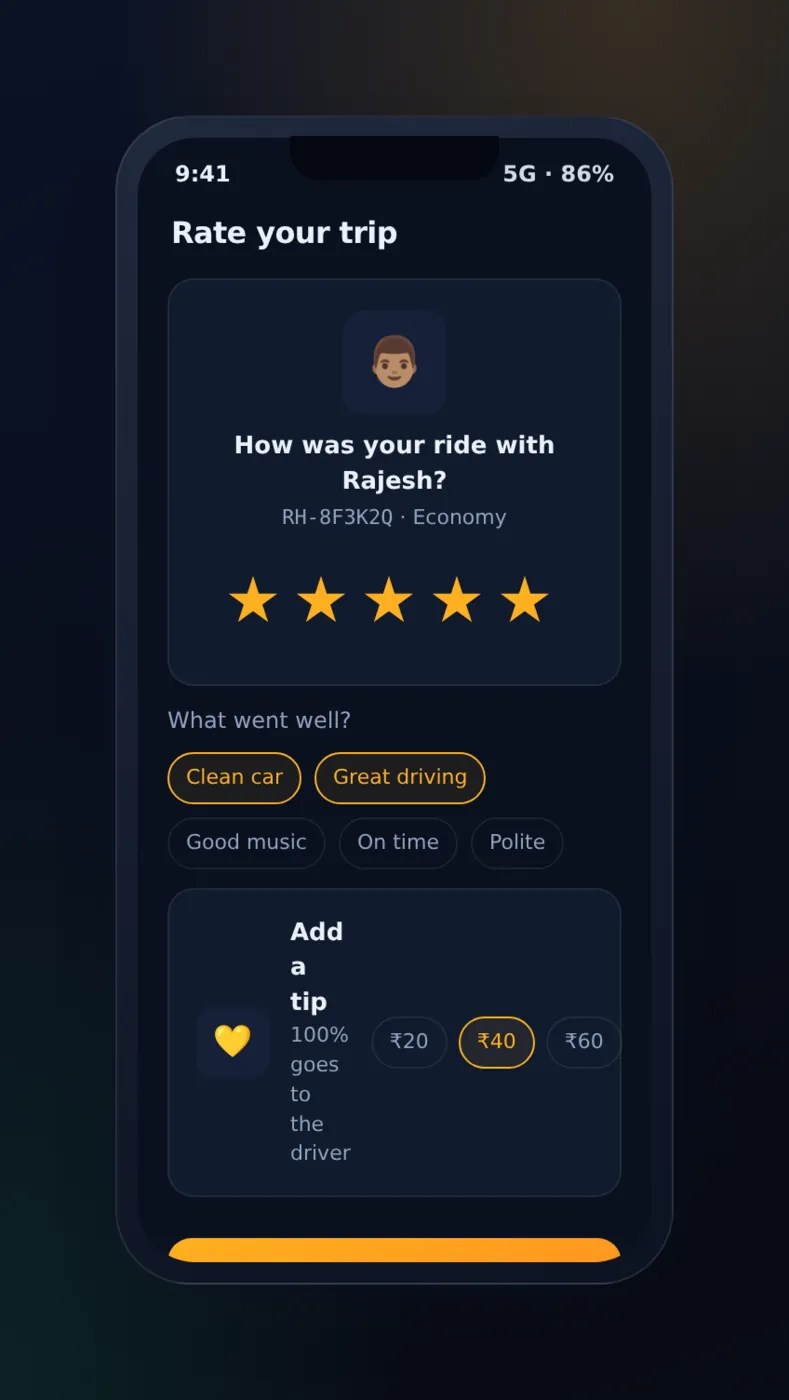
6. Two-Way Ratings, Reviews, and Tipping. After every trip, rider and driver rate each other, with two extra options built in:
- A five-star rating with optional tagged feedback — “clean car,” “safe driving,” “late pickup.”
- A tip, added directly in the payment flow, before the receipt closes out.
Because the rating goes both ways, it keeps both sides in check. A rude rider builds a record just as a careless driver does.
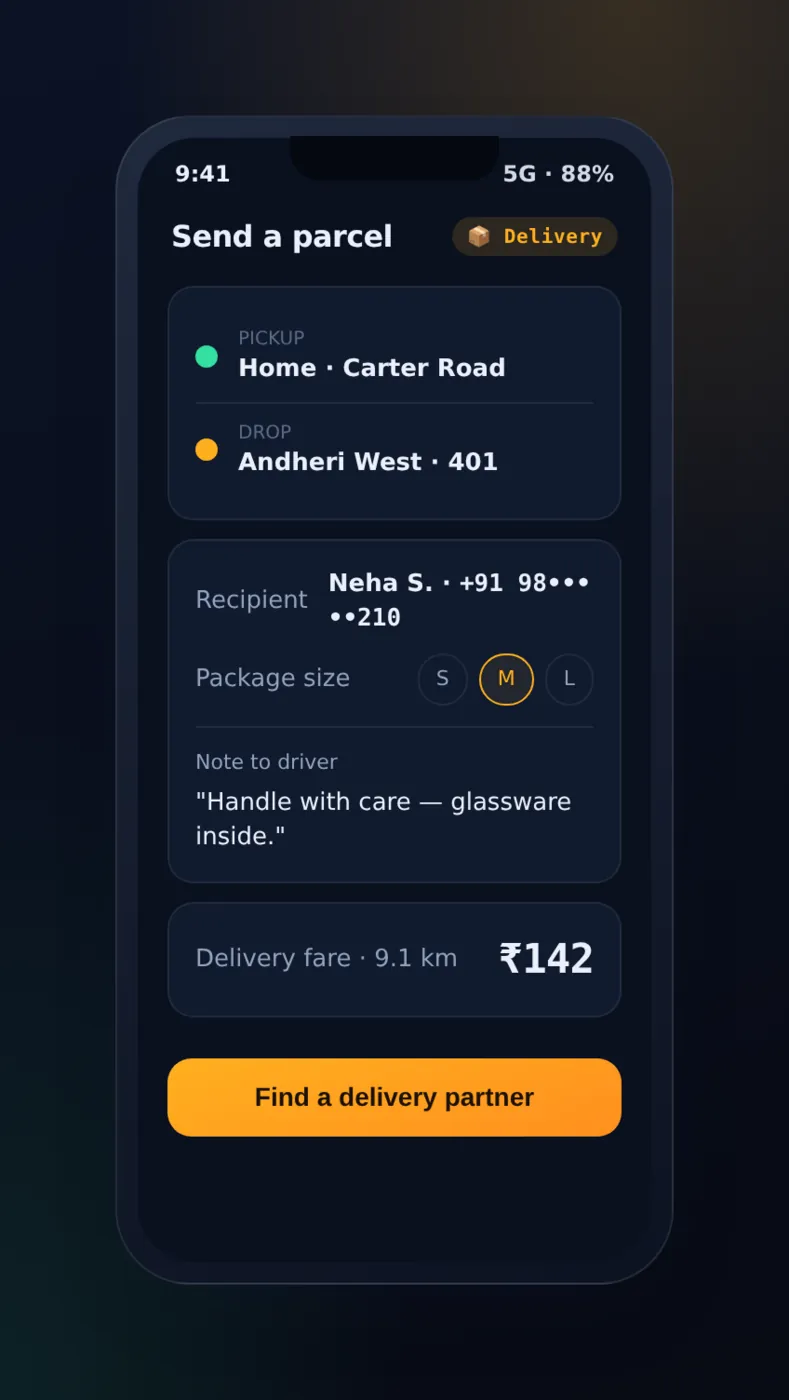
7. Parcel and Courier Delivery Mode on the Same App. The same rider app can switch from “Ride” to “Send a Parcel,” letting a user book a courier run using the same GPS matching and fare system:
- Drop-off OTP verification, the same way pickup is verified on a ride.
- A recipient-tracking link in place of a passenger.
For an operator, this is a second way to earn, running on a system that is already built and paid for. Drivers who are free in the middle of the day can do parcel runs instead of waiting empty between rides.
Driver App Features
Keeping drivers is about money first. Every feature below exists to make a shift more steady and more profitable.
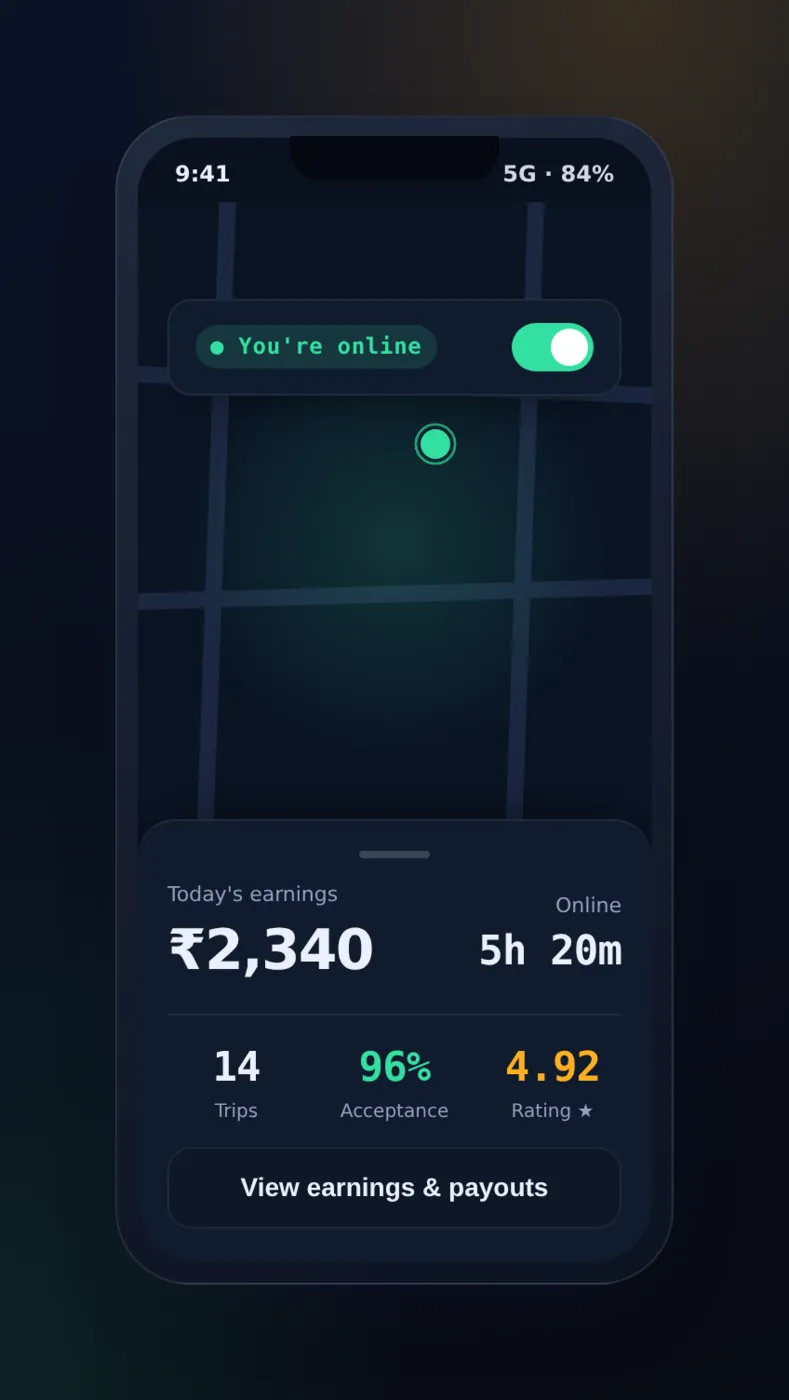
8. One-Tap Online/Offline Toggle with Smart Dispatch. A single switch puts a driver on or off the active list, and the dispatch system reacts at once:
- Going online adds the driver’s GPS position to the dispatch system at once. It ranks nearby drivers by distance, current rating, and idle time to decide who gets the next ride offer.
- Going offline in the middle of a shift, for a break or fuel, removes them from matching at once without closing the app.
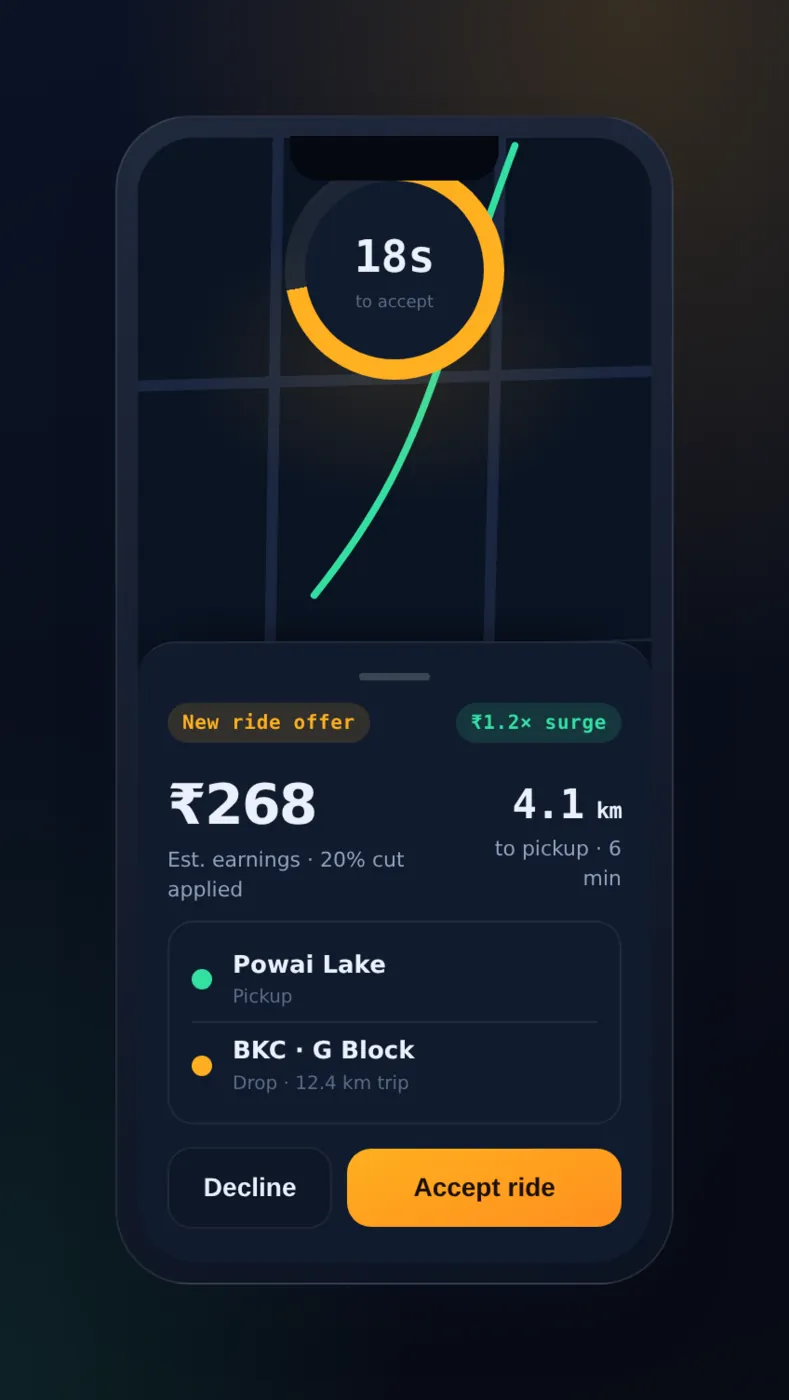
9. Incoming Ride Offers with a Countdown Timer. Every ride request arrives as a full-screen card showing the fare, pickup distance, and estimated time to reach the passenger, giving the driver enough information to make a real choice to accept or decline, not a blind guess.
A visible countdown, typically 10 to 15 seconds, declines the offer by itself if there’s no reply, so the request goes to the next-nearest driver at once. The rider does not wait on someone who stepped away.
10. Turn-by-Turn Navigation Integration. Once a ride is accepted, the app opens turn-by-turn navigation to the pickup and then the drop-off, and finds a new route around traffic.
Drivers in an unfamiliar area don’t need a second navigation app on the dashboard. The platform can also compare the route taken with the expected route to check fares and catch cheating.
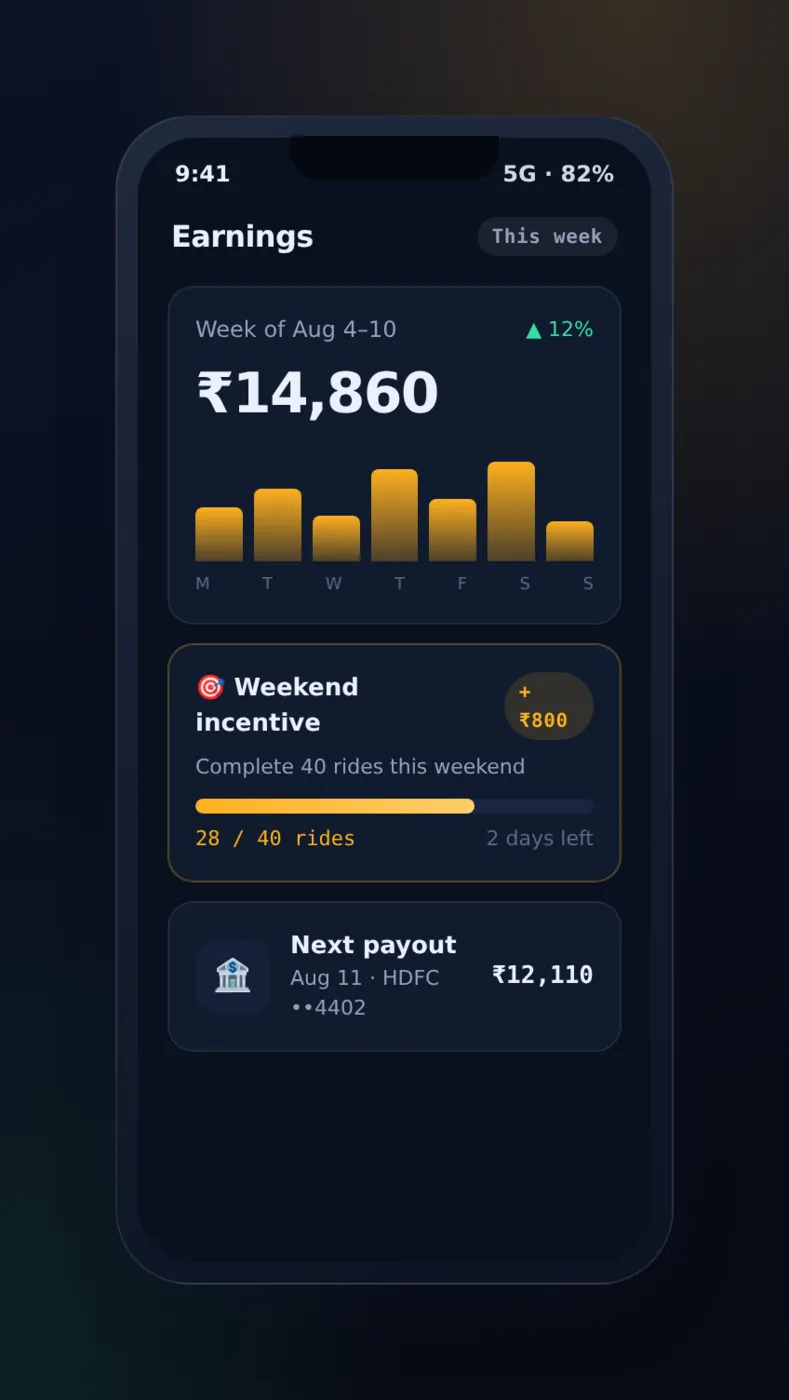
11. Real-Time Earnings Dashboard. A separate earnings tab updates the moment a trip ends, shown ride by ride:
- Today’s total income.
- This week’s total income.
- Fare, tip, and any bonus applied, per ride.
Drivers check this often during a shift to decide whether to keep driving, reach a bonus target, or go home.
12. Automated Payouts with Commission-Split Calculation. The platform works out the operator’s commission on every fare and builds each driver’s payout from their net earnings, ready for the operator to release.
The driver sees exactly what they will receive, and the operator has no matching sums to do. A payout run is made for whatever period you choose, so the cycle is yours to set:
- Daily.
- Weekly.
- Any custom period the operator chooses.
Plan first for the cash trip, where the fare never passes through the platform at all. There is nothing to take a commission from, so the split has to work the other way. The driver’s wallet shows what they owe, and the payout run takes it off or collects it. Skip that and an operator ends up chasing commission by hand, which is the exact job automated payouts were meant to remove.
13. Incentive and Bonus Campaigns with Live Progress Tracking. Admins can launch campaigns, such as “complete 20 rides this weekend for a bonus”. The driver app shows a live progress bar toward that target for as long as the campaign runs.
This is one of the strongest tools an operator has to get more drivers when demand is known to rise, like a festival weekend or a big event, without changing base rates.
14. Driver Rating and Performance Stats Feeding Dispatch Priority. Four numbers are tracked for each driver and combined into a performance score that the dispatch system really uses:
- Acceptance rate.
- Completion rate.
- Average rating.
- Cancellation rate.
Better drivers get the first look at higher-value ride offers. This gives a clear reason to drive well, instead of a star rating that just sits on a profile page.
Check the weights again before launch, because a score linked to dispatch changes how drivers behave, whether you meant it or not. Lean hard on acceptance rate and you tell drivers to take trips they would rather decline, such as a long empty drive to the pickup, or a drop-off they know they will return from empty. A score that never fades is the other trap. One bad week should not follow a driver for months. Decide what the score should reward, then check that the offers it really gives match that.
Admin Panel Features
None of the first 14 features work without an operations team that can see the whole marketplace moving live and step in the moment something breaks.
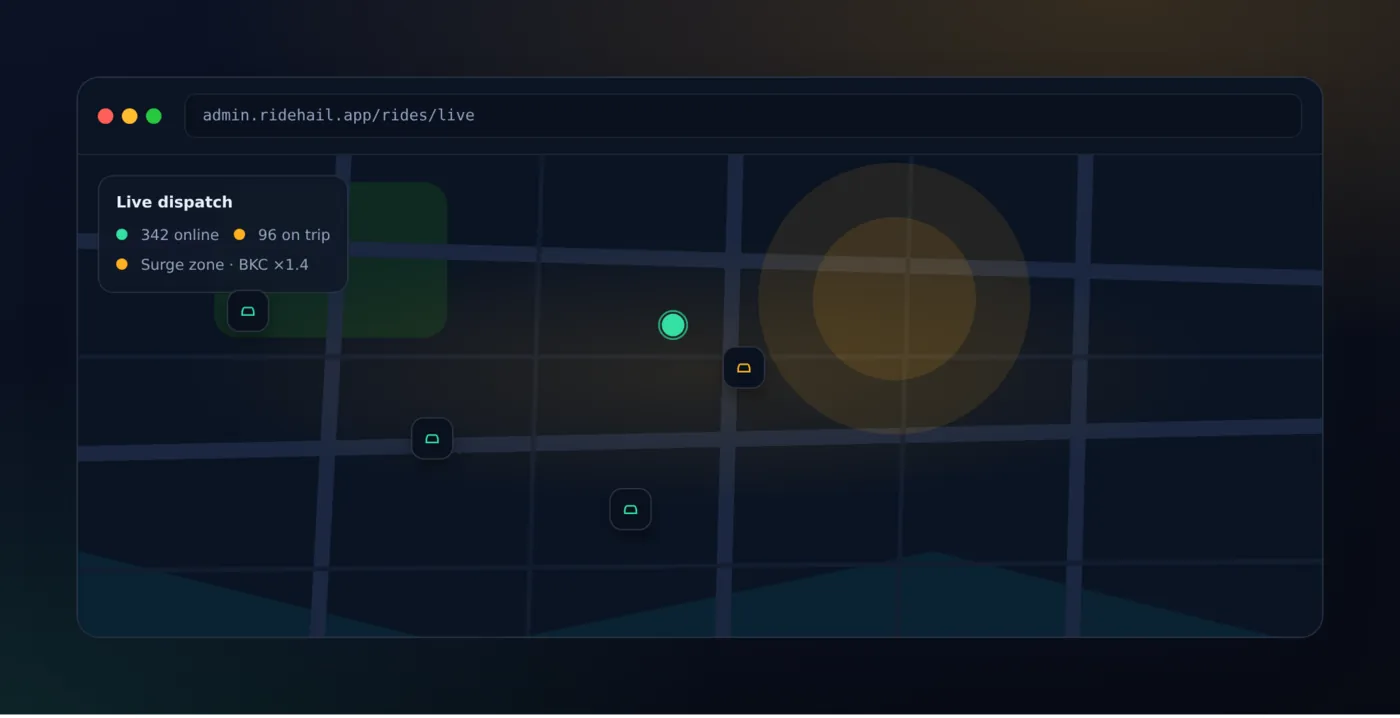
15. Real-Time Live Dispatch Map. The admin panel shows every online driver, every active ride, and every surge zone on a single live map that updates all the time, with no need to refresh by hand.
An ops team can see at a glance where drivers are few, which zone is about to go into surge, and exactly which trip a support ticket is about.
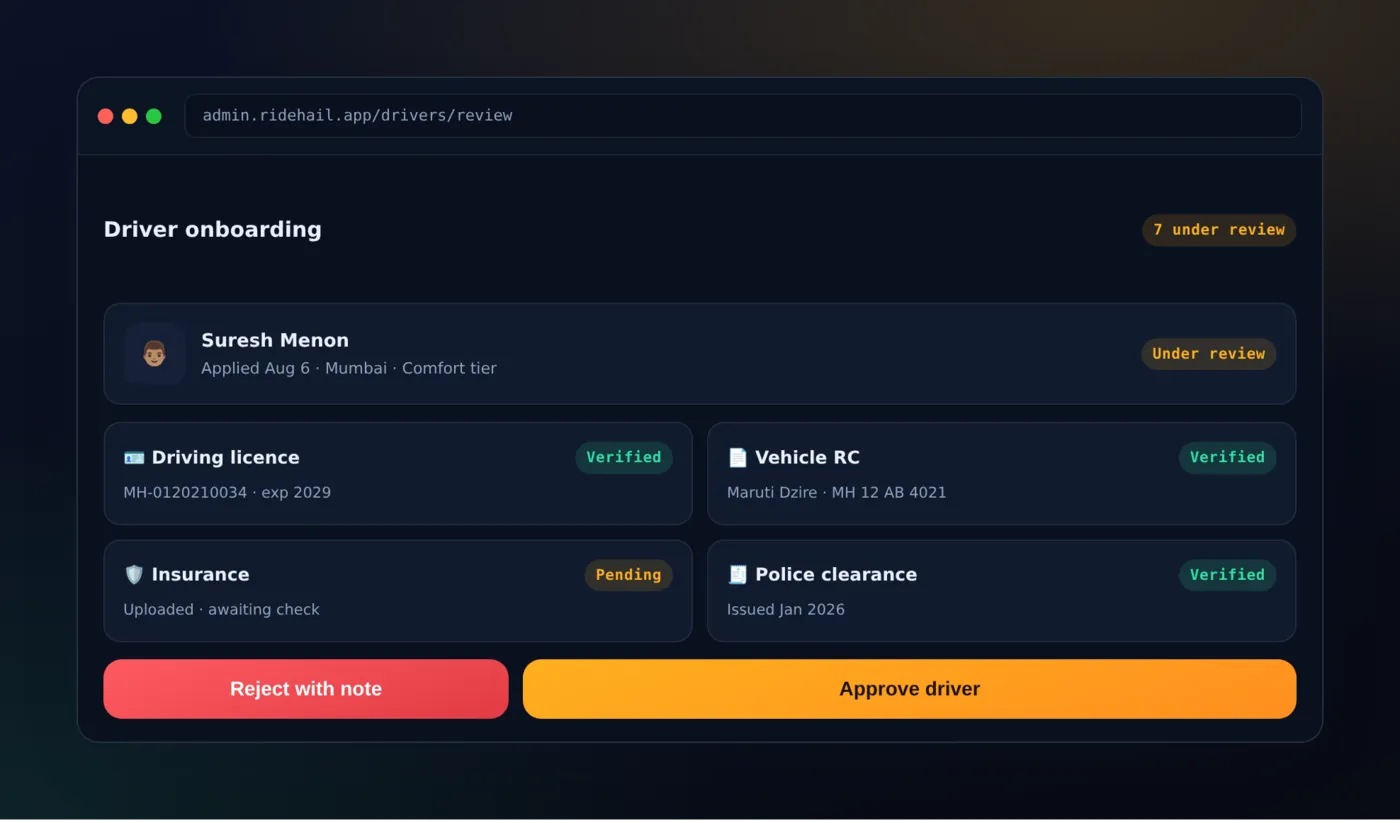
16. Driver Onboarding with Document Verification. New drivers upload four documents directly through the app, and each goes to an admin approval list with a clear approve-or-reject step and an expiry-date tracker that warns before documents run out:
- Driving licence.
- Vehicle registration certificate.
- Insurance.
- Police clearance.
No driver goes live until every required document passes review.
17. Dynamic Pricing and Surge-Zone Controls. An admin draws a zone on the map, sets a fare multiplier and a time window, and every fare estimate inside that zone updates at once for both riders and the drivers matched to it.
This is how an operator handles a stadium emptying out or a sudden rainstorm without touching a single line of code.
It is also the control that is easiest to misuse. Riders see the multiplier just when they cannot easily look elsewhere, and a screenshot of a high one lasts longer than the rainstorm that explained it. Agree a top limit, and who may set one, before the zone tool reaches a shift supervisor.
18. Promo Codes, Wallet, and Commission Management. Three everyday controls are handled right in the admin panel, and none of them should ever need a developer to touch the backend:
- Create and schedule promo codes with usage limits and expiry rules.
- Credit or debit any rider or driver wallet directly, for support cases and refunds.
- Adjust the commission percentage, globally or per vehicle tier.
The middle one is the risky one. A direct wallet credit is money, given out by whoever is on support that afternoon. Decide who may use it, and above what amount it needs a second person to check, before the first refund argument. The audit log in feature 20 tells you afterwards who did what, but that is not the same as stopping it.
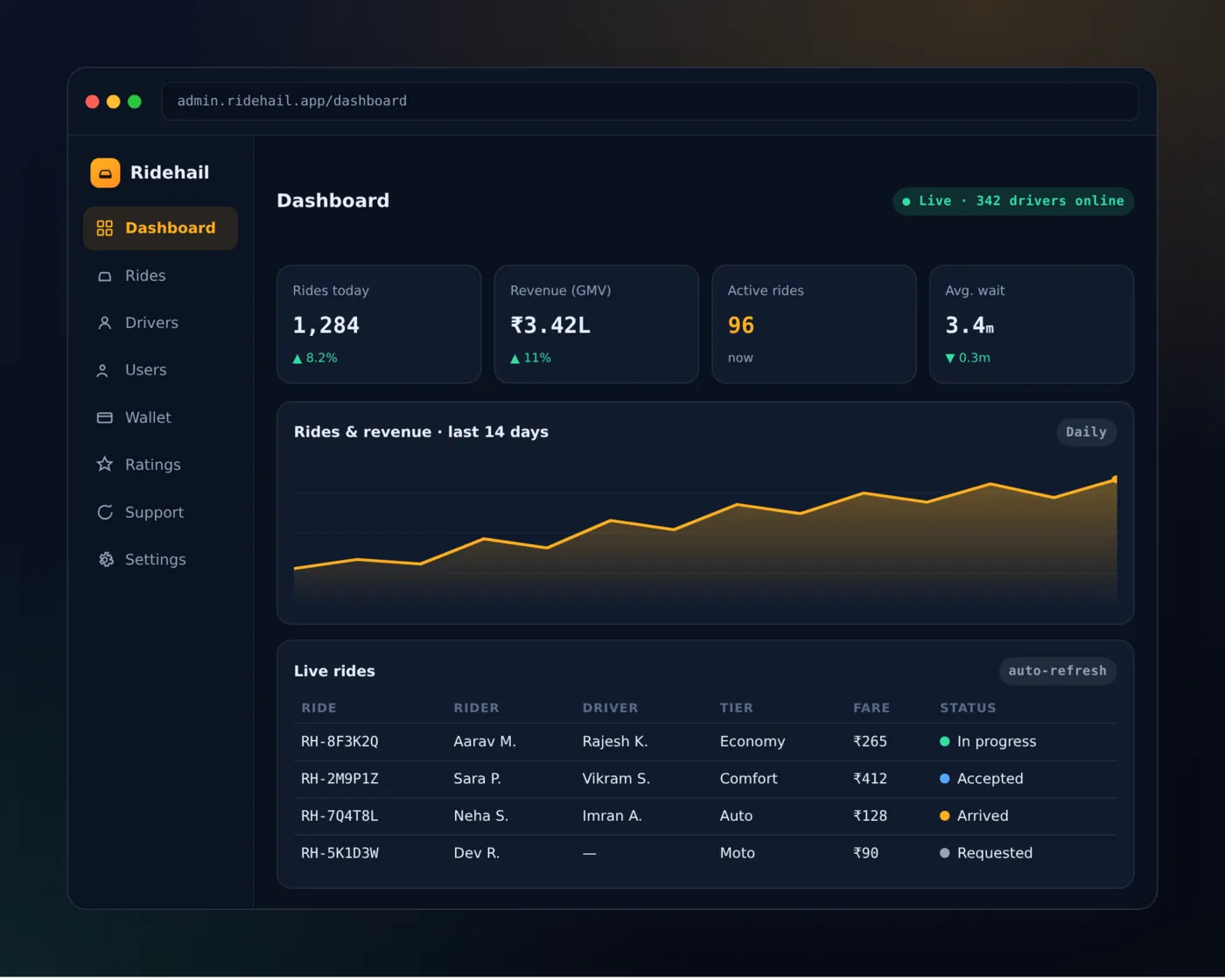
19. Analytics and Reporting Dashboard. Five KPIs come together in one reporting dashboard with date filters and data you can export:
- Revenue.
- Completed rides.
- Average fare.
- Driver utilisation.
- Cancellation rate.
This gives an operator the numbers needed to decide where to add drivers or cut back on incentives. It is the difference between running a taxi business by feel and running it by numbers.
20. Full Audit Log and Trip Dispute Resolution. Every important admin action, such as a manual wallet credit, a commission change or a driver approval, is saved in an audit log with the time and the admin’s name. This matters the moment a dispute or refund question needs a record.
For a contested trip specifically, support can replay the full GPS trail second by second to see the route actually driven. Fare and route disputes are settled with recorded data, not a back-and-forth argument.
Why Build All 20 On a Ready-Made Platform
Building these 20 features from scratch is a 10-to-14-month project even for a team with plenty of resources, because none of them is easy on its own.
Live GPS matching, live dispatch, automated payouts, and surge pricing are each a system of their own, and all of them have to work together from day one.
Buying white-label source code instead cuts that to weeks. The rider app, driver app, admin panel, and backend are already built, already tested together, and already handle the rare cases that normally take a first year of live use to find the hard way, including:
- A driver who goes offline mid-trip.
- A rider whose payment fails after a ride starts.
The money case is just as clear. Ridehail is sold as a one-time source-code purchase, not a share of every fare. So no per-ride commission goes back to a vendor, as it would with a rented SaaS taxi solution.
You own 100% of the code, which means:
- Full white-label rebranding.
- No vendor lock-in.
- The freedom to add or change any feature on this list, or none of them, without asking anyone’s permission.
It’s also built for many cities and many currencies from the start. So going from one launch city to five, or into a second country, is a settings change, not a rebuild.
Talk to the PRS India team about which of these 20 features you actually need for launch day and which can wait for version two — most operators don’t need to rebuild anything, just set up what’s already there.
Frequently Asked Questions
What’s the minimum viable feature set to launch, versus the full 20?
A solid launch needs live booking with OTP check and live tracking, at least one digital payment method alongside cash, itemised ride history, a driver online/offline switch linked to dispatch, automated driver payouts, and the admin dispatch map and driver-approval steps. These are features 1, 3, 5, 8, 12, 15, and 16.
The rest of the list, including multiple vehicle tiers, surge pricing, incentive campaigns, parcel delivery, and deep analytics, is what lets you compete on experience once the core service works well in your first city.
Do all 20 features come standard, or do some cost extra?
All 20 features described in this article are built into the Ridehail source code you receive — there is no pricing tier that locks features and no extra fee for any part. The one thing that is not switched on out of the box is online payment: the apps ship collecting cash, because card, UPI and wallet top-ups need your own payment gateway account.
What you receive is the complete rider app, driver app, admin panel, and backend as one package.
Can these features be customized for our market?
Yes. Because you receive the full source code, not access to a hosted SaaS product, vehicle types, payment gateways, commission rules, languages, and branding can all be edited directly.
Most operators change the payment methods and vehicle types for their city before launch and leave the rest of the platform as it is.
How long does it take to launch with all 20 features already built?
Most operators go from source-code handover to a live app-store launch in a matter of weeks, not months, because the building work described in this article is already done.
What remains is branding, payment gateway credentials, app-store submission, and onboarding the first batch of drivers in the launch city — reach out to the team for a launch-timeline estimate specific to your city.
Related reading: Uber clone script versus custom development, how to create an app like Ola and the top Ola alternatives in India. For a fully custom build, see our mobile app development service, or the Patna Taxi case study.
Written by
Aditi
Building software at PRS India.