Engineering
How to Build an Uber-Like App in 2026: Phases, Features and Cost
Build a strong Uber-like mobile app with customer and driver apps, live GPS tracking, smart driver matching, safe payments, and an admin panel that can grow with you.

Written from production. Our articles draw on products we run live and the client work behind them, and are revised as the systems they describe evolve.

Uber, Ola, Lyft and Grab did not launch as finished platforms. Each started as a small, planned build with a backend, two mobile apps, and an admin panel. They were released in phases, not all at once.
This guide is a project plan, not a feature list. It walks through the real phases a founder or tech lead follows to launch an Uber-like app: design, building, testing, launch, and what comes after.
What Is an Uber-Like Mobile App?
An Uber-like app is an on-demand platform that connects customers with drivers or service providers.
The basic concept is simple:
Customer requests a service → System finds a suitable driver → Driver accepts → Service is completed → Customer pays and gives feedback.Uber is best known for ride booking, but the same technology can be used for:
Bike taxi
Car rental
Courier booking
Delivery services
Logistics
Moving services
Home services
And other on-demand businesses
How Does an Uber-Like App Actually Work?
A customer selects a pickup location and destination, chooses a vehicle and sees an estimated fare. Once the customer confirms the ride, the backend looks for free drivers nearby and sends the request to a suitable driver.
After the driver accepts the booking, the customer can see the driver's location and estimated arrival time. From there:
The driver reaches the pickup point
The driver starts the ride
The trip is completed and the final fare is calculated
The customer pays and can rate the driver
01 Request — Pickup & destination
02 Match — Find driver
03 Track — Live GPS
04 Complete — Finish ride
05 Pay — Payment & rating
Booking state machine
Requested
Assigned
Arriving
In Progress
Completed
Payment
Payment Failed — retry or mark dues
No Driver — timeout, retry search
Driver Cancels — reassign silently
Rider Cancels — fee may apply
The failure paths are what decide whether people trust your platform.
Most teams build the happy path and find the failure cases only after going live. Plan the failure cases before you write the booking service.
You Need More Than One Application
An Uber-like platform usually has three main parts: the customer application, driver application and admin panel.
Customer App
Registration and login
Pickup and destination
Vehicle selection
Fare estimate
Ride booking
Live driver tracking
Payments and invoices
Ratings and reviews
Driver App
Driver registration
Document upload
Vehicle details
Online/offline status
Booking requests
Navigation
Earnings and history
Notifications
Admin Panel
Dashboard and reports
Customer management
Driver management
Booking management
Pricing configuration
Payment monitoring
Complaints and ratings
Coupons and analytics
System architecture
Customer App — Book, track, pay, rate (iOS · Android)
Driver App — Accept, navigate, earn (iOS · Android)
Admin Panel — Pricing, disputes, reports (Web)
REST + WebSocket
Backend API — Auth · Bookings · Matching · Pricing · Notifications · Wallet
Database — Users, trips, ledger
Geo Index — Live driver positions
Payments — UPI, cards, wallet
Maps & Push — Routing, ETA, alerts
Three applications, one backend. Every booking rule, price and payment decision lives on the server — not inside the apps.
Phase 1: Discovery and Scoping
Before any code is written, decide the size of the project. This phase sets the budget, the timeline, and the list of features for everything that follows.
- Define your market and vehicle types: sedans, autos, bikes, vans, or a mixed fleet. Each vehicle type changes how fares work and how drivers join.
- Decide your MVP feature set vs. later phases: fix what is released on day one (booking, tracking, payments) and move extras (scheduled rides, corporate accounts, loyalty) to a later list for version 2.
- Choose build-vs-buy: a custom build from scratch vs. starting from white-label source code like Ridehail changes your timeline by months, not weeks.
- Lock down payment gateway and compliance requirements per region: Razorpay, Stripe or a local gateway, plus the driver background-check and licence rules for each city where you plan to launch.
- Map your competitive landscape: compare yourself with Uber, Ola, Lyft or Grab in your target city, and decide where you will be different: price, types of vehicles or service area.
- Set a realistic budget and runway: plan for phases one through eight, not just development. Driver bonuses and marketing spend during launch add up fast.
Every decision in this phase limits what you can do in phase two. A vague plan here is a common reason for going over budget later.
Phase 2: Backend and Real-Time Architecture
This is the hardest technical phase, and the one most teams think is easier than it is. Everything else, both apps and the admin panel, depends on what you build here.
- Dispatch and matching engine: the logic that finds the nearest free driver, ranks the choices, and handles the wait when a driver doesn't reply.
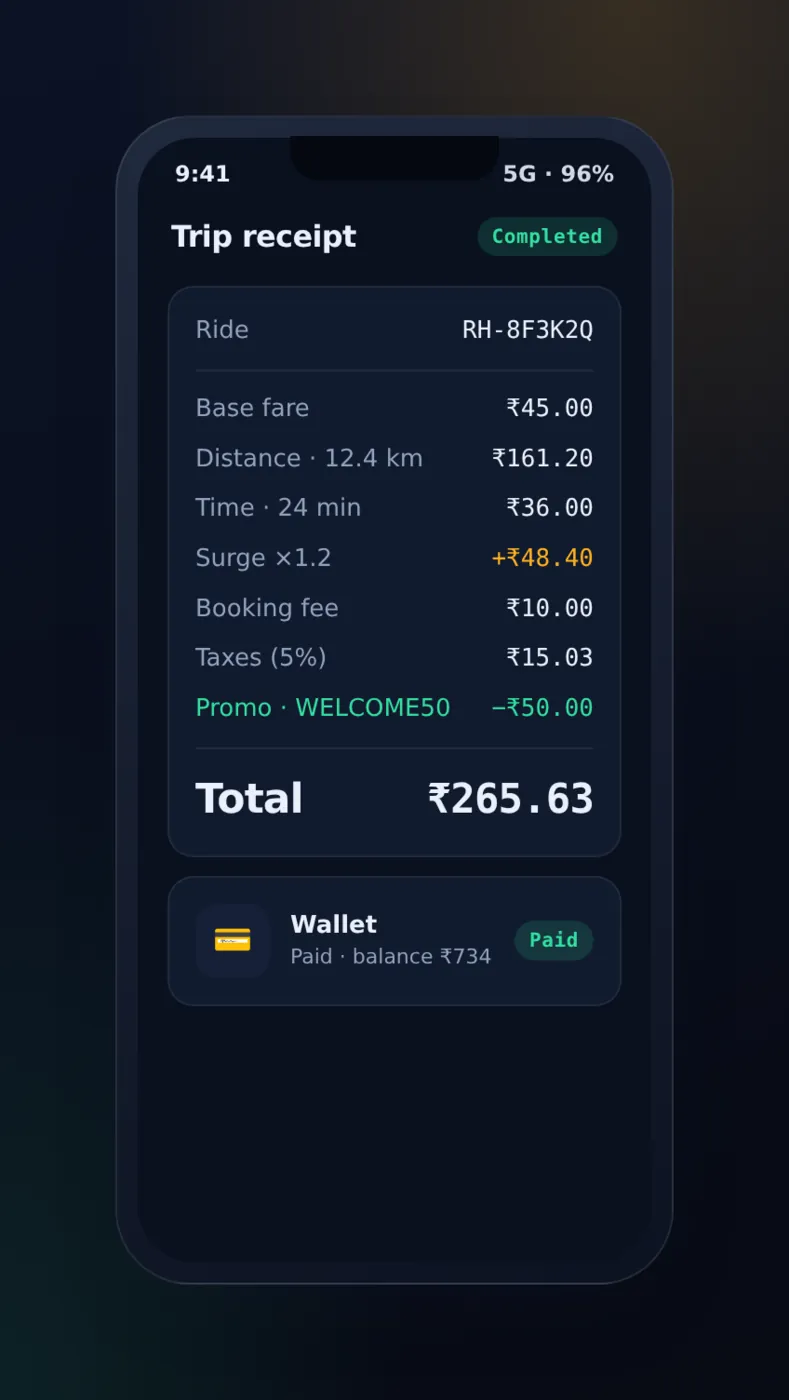
- Fare calculation engine: base fare, per-km and per-minute rates, surge multipliers, and vehicle-type pricing, worked out the same way before and after the ride.
- Real-time location updates via WebSockets: driver GPS pings sent to riders and the admin map in under a second, without repeated checking.
- Database schema for rides, drivers, riders and payments: well-organised tables with clear steps for ride status (requested, matched, in-progress, completed, cancelled).
- API design: REST or GraphQL endpoints with version numbers from day one, shared cleanly by the customer app, driver app and admin panel.
- Admin and reporting APIs: endpoints that feed the reports and dispute screens that your ops team will use in phase five.
Get this phase wrong and every screen built on top of it gets the same bug. Most teams spend more calendar time here than on both mobile apps combined.
The part that causes trouble is many things happening at once, not features. Two drivers accept the same request. A driver goes offline just as they accept. A rider cancels while the match is being saved. Each case must end in exactly one result. So ride status changes belong in one place, under a lock, not in whichever endpoint runs first. Offer timers belong on the server for the same reason. A countdown that lives only on the driver's phone stops the moment that phone loses signal.
Phase 3: Building the Customer App
With the backend ready, the customer app is where riders use the product. Every screen here calls the APIs built in phase two.
- Booking flow: choosing pickup and drop pins, picking a vehicle type, fare estimate, and one-tap confirmation.
- Live tracking: the driver's location on a map from pickup to drop-off, with ETA (arrival time) updates.
- Payment integration: card, UPI and wallet options through a gateway like Razorpay, plus support for cash rides.
- Ratings: a rating and feedback for the driver after the ride, which goes back into the matching engine.
- Safety features: an SOS button, sharing the trip with contacts, and driver-check badges that show before pickup.
- Multi-stop and scheduled rides: letting a rider add a stop or book a ride in advance. These are common additions after the main flow is steady.
- Ride history and receipts: a trip log you can search, with receipts you can download. It is useful for business travellers who claim ride costs.
Your riders judge you by this app, but it is the thinnest layer in the whole project. Almost everything it does is a call to a phase-two API.
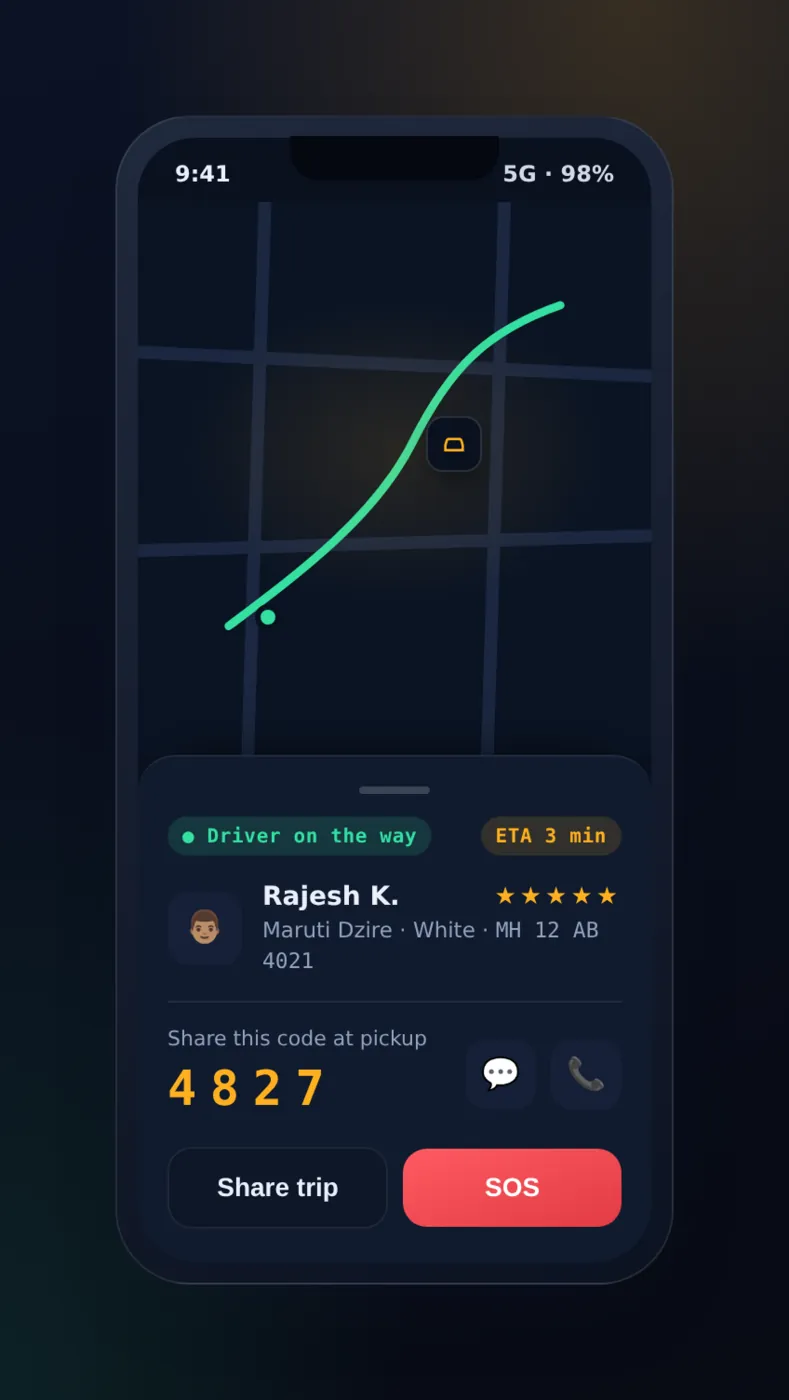
For the full list of screens riders expect, see our list of 20 must-have features for a taxi booking app.
Phase 4: Building the Driver App
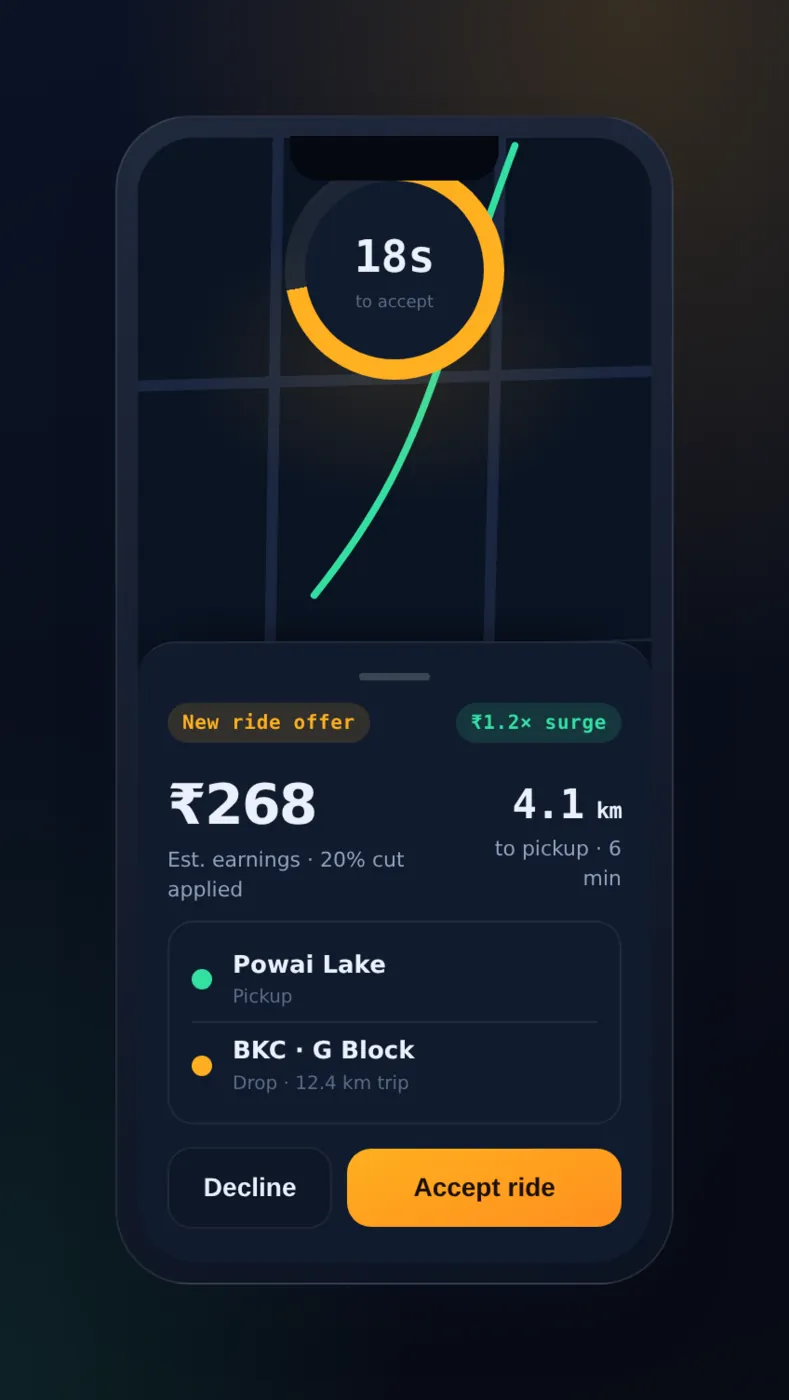
The driver app is a different product with different needs: fast replies, low data use, and clear screens when time is short.
- Onboarding and KYC: uploading documents (licence, ID, vehicle papers), check status, and a connection to background checks.
- Dispatch and accept/decline flow: new ride offers with a countdown timer, a fare preview, and the pickup distance.
- Navigation integration: step-by-step directions to pickup and drop, through Google Maps or a similar SDK.
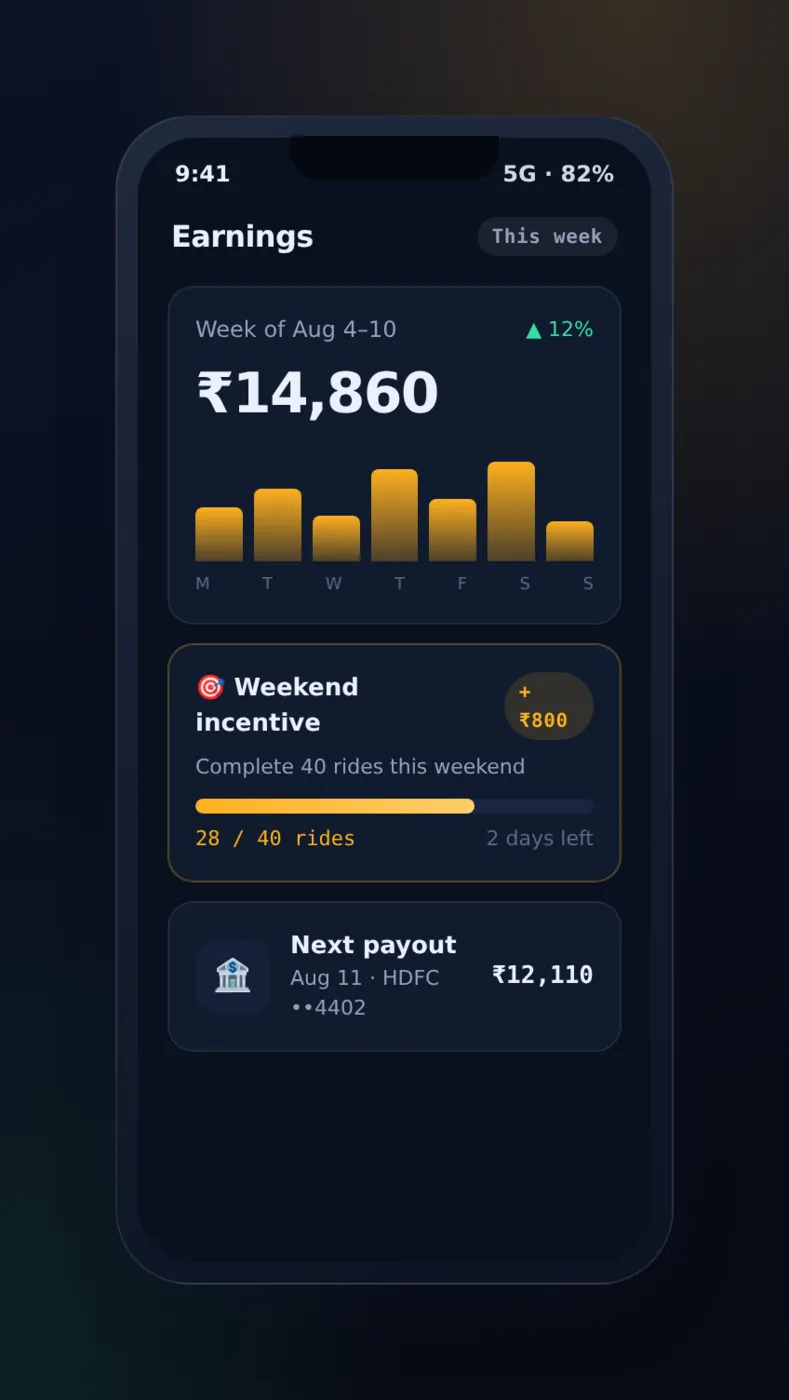
- Earnings dashboard: a breakdown for each ride, daily and weekly totals, and payout history.
- Offline and low-connectivity handling: holding ride-status updates when a driver loses signal for a short time. This is common in crowded city areas.
- Multi-language support: UI in local languages and voice directions for drivers who may not read the app's main language easily.
A driver who misses an offer because a screen loaded slowly is a driver who logs off. This app has to be faster and lighter than the customer app, not just as good.
Phase 5: Building the Admin Panel
The admin panel is where your ops team runs the business every day. It is also the phase that founders most often forget to plan until it is too late.
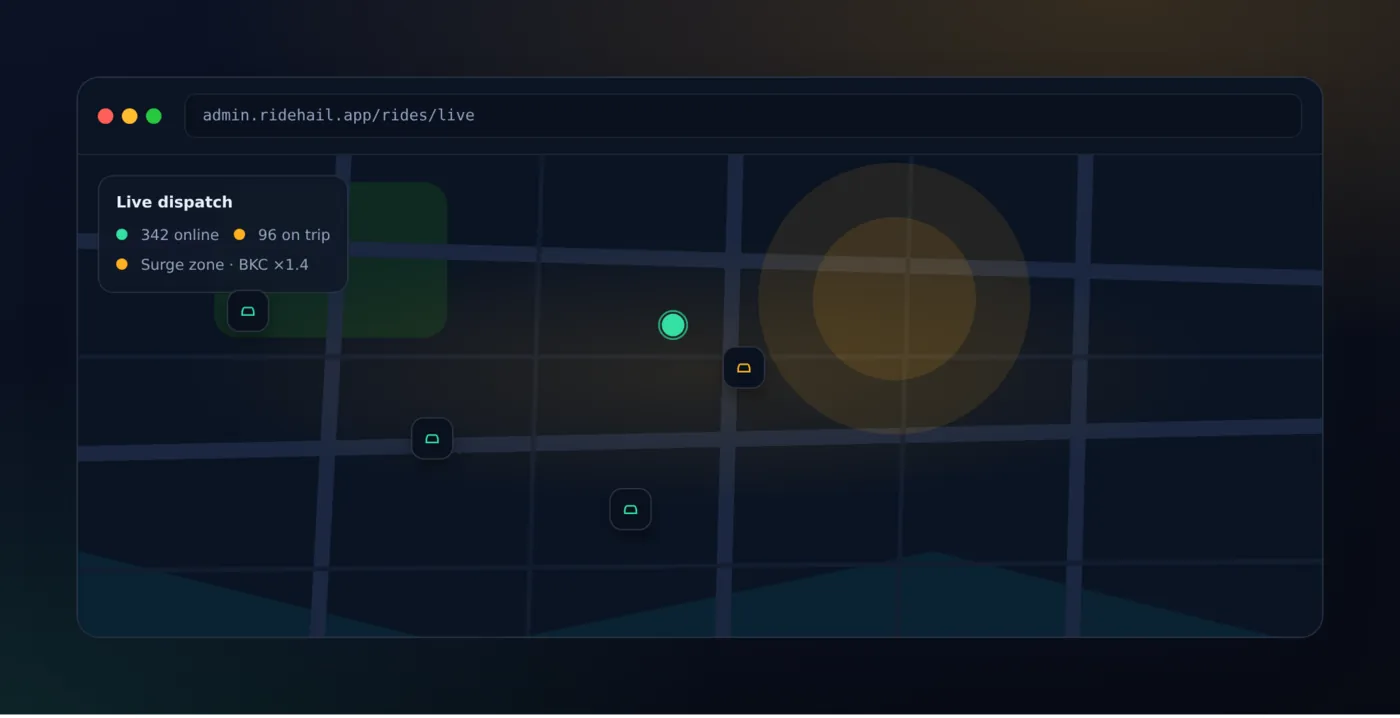
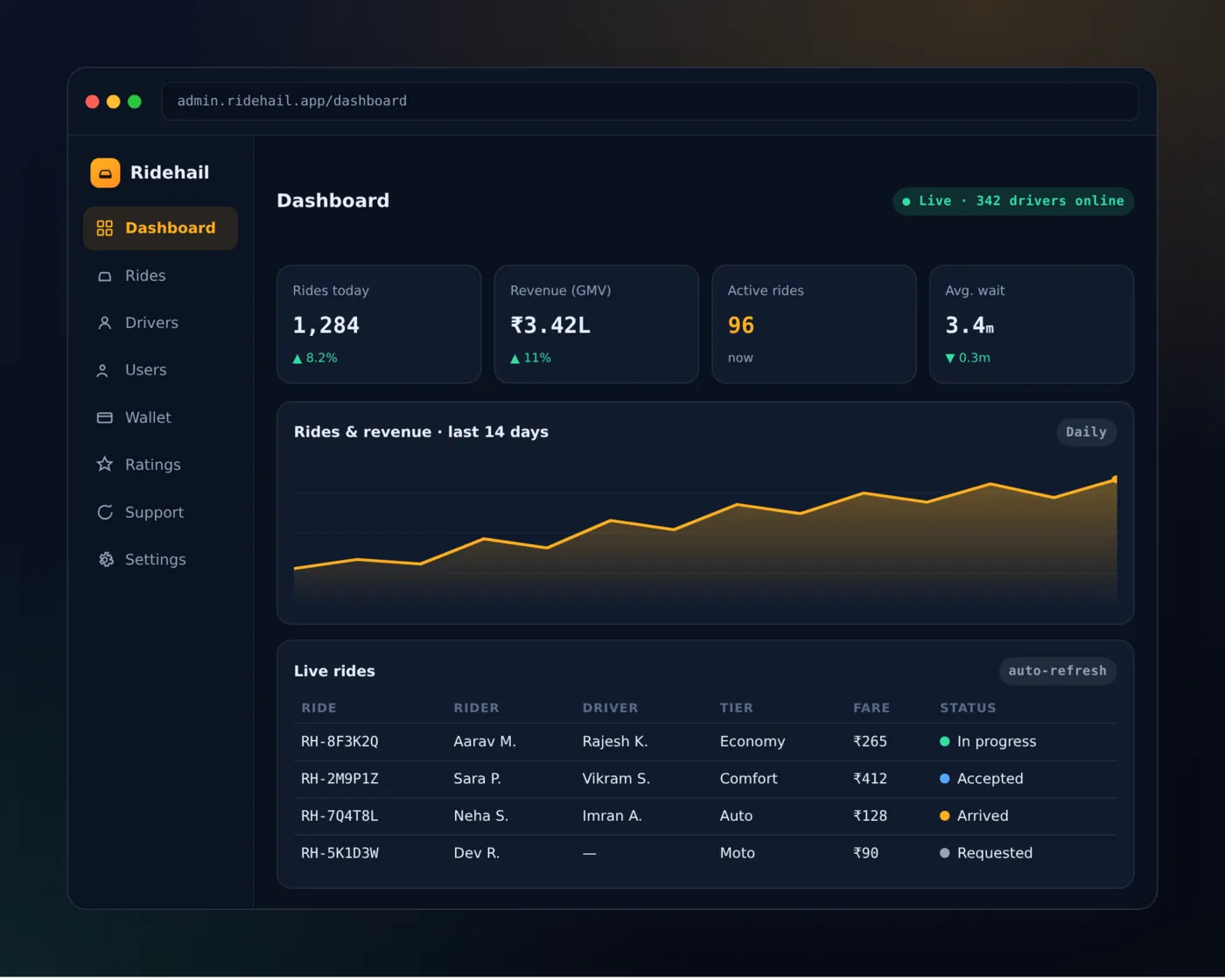
- Live dispatch map: every active driver and ride, shown live on a map, with the option to open any single trip.
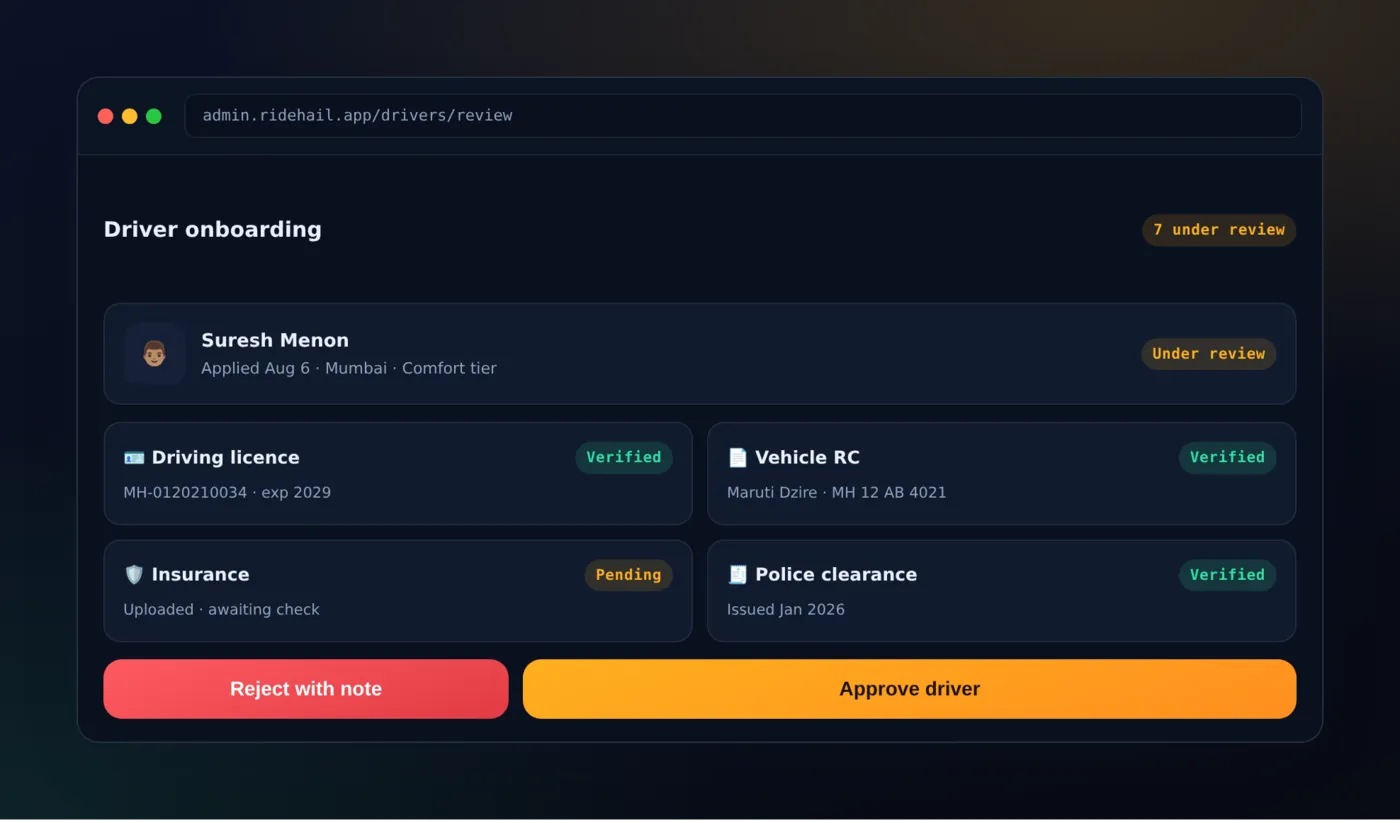
- Driver approval: a list of KYC documents to check, with approve or reject buttons and a status history.
- Pricing and surge controls: base fares, per-km rates and surge zones that you can change without a code release.
- Analytics: rides completed, revenue, how much drivers are used, and cancellation rate, by city and by day.
- Dispute resolution: a ticket screen for fare disputes, lost items and driver complaints linked to specific rides.
- Role-based access: separate permissions for ops staff, finance and city managers, so no single login can touch everything.
- Notifications and alerts: automatic alerts for stuck rides, payment failures or a driver going offline in the middle of a trip, sent straight to the ops team.
A weak admin panel doesn't fail loudly like a crashed app does. It fails quietly, through slow driver approvals and pricing decisions made on gut feel and not on data.
Phase 6: Testing, QA and Compliance
This phase is where most self-built projects run late. Live systems and real money both need more testing than a typical app.
- Load-testing the dispatch engine: test many ride requests at the same time, as in busy hours, to catch matching delays before riders do.
- Payment reconciliation testing: check that every successful, failed and refunded payment matches in the app, the gateway, and your ledger.
- Driver background-check compliance: confirm that your KYC and check steps meet local transport-authority rules before you sign up real drivers.
- App-store review prep: location-permission notices, payment-handling documents and content-policy checks for both Apple and Google.
- Security testing: attack testing on payment flows and on rider and driver personal data, especially saved location history.
- Device and OS coverage testing: both apps on a realistic mix of Android and iOS versions and screen sizes, not just the latest top phone.
Set aside real time here. A skipped week of QA on an app with payments and location often comes back later as a much more costly support problem.
The payment-matching cases that really hurt are the uneven ones: a cash ride where no money passes through the gateway but commission is still owed, a payment the gateway accepted whose webhook never arrived, and a refund given after the payout for that trip has already gone out. Test those three on purpose. None of them shows up in a happy-path run.
Phase 7: Deployment and Launch
Launch is a step-by-step release, not a single event. Treat it as its own phase with its own checklist.
- Infrastructure setup: live servers, database backups, monitoring and alerts set up before the first real ride.
- Phased city rollout: start in one city or zone first, watch how dispatch performs, then grow.
- Driver recruitment and onboarding: a steady supply of drivers before demand starts. Riders who find no drivers leave fast.
- Marketing launch: referral codes, first-ride discounts, and talks with local driver groups to bring in both sides of the marketplace.
- Support and escalation setup: a live support channel for driver and rider problems during the first weeks, before self-help support can handle the load.
- Launch-week monitoring: a control room that watches the dispatch success rate, payment failures and crash reports hour by hour for the first few days.
Launch week always turns up something the first planning phase didn't expect. Plan for that, and do not treat launch day as the finish line.
Phase 8: Post-Launch Iteration
Going live is the start of the real work. The apps that last beyond their first year are the ones that keep improving using real ride data.
- Monitoring dispatch performance: match times, cancellation rates and driver idle time, checked daily.
- Incentive campaigns: driver bonuses and rider offers timed to fix specific gaps in supply or demand.
- Expanding vehicle tiers: adding premium, XL or bike categories once the main demand is proven.
- Multi-city scaling: repeating the phase-seven launch plan in each new market, city by city.
- Feature requests from real usage: putting first what real riders and drivers ask for, over what looked good in the first plan.
Treat this phase as never-ending, not optional. The gap between a one-city taxi app and a multi-city one is mostly built in phase eight.
Realistic Timeline and Cost by Phase
Phases two through six cost the most. They involve live systems, three separate applications, and rule-following work that cannot be rushed.
Building all eight phases from scratch with your own team or an agency usually takes six to nine months before a real driver takes a real ride.
Starting from a proven white-label codebase cuts that down to the weeks shown below, because most of phases two through six already exist and are already tested.
| Approach | Timeline | Illustrative Cost | Ownership |
|---|---|---|---|
| All 8 phases from scratch | 6–9 months | $40,000–$150,000+ | Full, but built from zero |
| Start from Ridehail white-label source | 3–6 weeks to launch | One-time license fee | Full source-code ownership, no royalty |
The numbers above are examples, not a fixed quote. Three things change the from-scratch range the most:
- City count at launch: one city vs. three multiplies the work of finding drivers and giving support from day one.
- Vehicle-type complexity: a single sedan type is simpler to price and dispatch than a mixed fleet of bikes, autos and cars.
- Custom features beyond the core flow: loyalty programs, corporate accounts or in-app chat add extra work on top of the eight phases above.
Both rows end with full ownership of working software. The difference is which phases you pay to build again and which ones you get already built.
Real-Time GPS Tracking
If there is one feature that makes an Uber-like application different from a normal booking app, it is live location tracking.
GPS and mapping services can provide:
Current location
Pickup location
Destination
Driver location
Distance
Route
Estimated arrival time
The backend also needs to handle frequent location updates smoothly, without wasting phone battery or server power.
Location update pipeline
Device GPS — Driver app
Batch & Filter — Drop idle pings
Ingest Gateway — Validate, throttle
Geo Index — Nearby lookup
Customer App — live map (Car moves, ETA recalculates)
every 3–5s when moving
saves battery
sub-second reads
The hard part isn't reading GPS. It's taking in thousands of updates a second without draining phone batteries or melting the server.
How Does Driver Matching Work?
When a customer requests a ride, the system needs to find an available driver. The nearest driver isn't always the right driver.
The matching system may look at:
Distance from the pickup point
Driver availability
Vehicle category
Service area
Current driver status
Existing bookings
Other business rules
Driver matching
Pickup — 3 km · 2 km · 1 km
D1 · 0.4 km — wrong category
D2 · 1.1 km — matched
D3 · 1.3 km — on another trip
D4 · 2.6 km — outside service area
Match score inputs
Distance to pickup
Vehicle category match
Driver availability
Service area & shift
Acceptance history
D1 is closest and still loses. Category, availability and service area cut down the choices before distance is used to pick between them.
How Should the Fare Be Calculated?
A basic fare structure can include:
Base Fare + Distance Charge + Time Charge + Additional ChargesReal businesses often need different prices for:
Cities
Vehicle categories
Peak hours
Night rides
Airport pickups
Minimum fares
Waiting time
Toll charges
Platform fees
Taxes
These rules should ideally be managed from the admin panel so the business team can update pricing without changing the application code.
Prices you can edit have a catch worth planning for: a fare quoted under one rate card and settled under another cannot be explained afterwards. Store the rates used with the trip itself, so an invoice from last month still adds up after the business team changes the per-km rate. Keep the estimate alongside the final fare too — the gap between those two is what customers write in about.
Fare breakdown
Base — flat pickup fee
Distance — per km, by category
Time — per min in traffic
Surge — demand multiplier
Taxes — GST, tolls
Then the total splits again
Platform commission — your revenue
Driver payout — settled to wallet
Gateway fees — deducted per txn
Every item above should be editable from the admin panel, per city, per vehicle category, per time of day.
A fare is never one number. It's a stack the customer sees, and a second split the customer never sees.
Online Payments and Cash
Depending on the business model, customers can be offered:
UPI
Credit cards
Debit cards
Net banking
Digital wallets
Cash
The payment gateway should talk to the backend so booking and payment status stay in step. The system should also handle failed payments, cancellations and refunds.
Cash is the hard one. The gateway never sees the money, so the commission on that ride becomes a balance the driver owes, to be netted off a later payout. A failed online payment ends up in the same place: the ride is over and the car has gone, so the amount has to survive as a due on the account rather than as a retry nobody will ever open.
Cancellations and No-Shows
Cancellations are not one case, and they are where a booking platform quietly gains or loses trust. A rider who cancels before a driver is assigned costs nobody anything; the same tap after a driver has spent ten minutes reaching the pickup does not.
Decide where that line sits, what the driver is owed on either side of it, and how long a driver waits before a no-show can be declared — then show the rider the rule before they confirm, not after they are charged.
Push Notifications
Notifications keep customers and drivers informed all through the booking process.
Booking Confirmed → Driver Assigned → Driver Is Arriving → Ride Started → Ride Completed → Payment SuccessfulIn-App Chat and Calling
Drivers and customers sometimes need to communicate about pickup points. Chat inside the app or masked calling can make this easier while giving the business more control over customer-driver interactions.
Ratings and Reviews
After a ride is completed, customers can rate their experience using a five-star system and optionally leave written feedback.
The admin team can watch low ratings and complaints and take action when required. Driver ratings can also become part of the platform's quality-control process.
What Technology Should You Use?
There isn't one technology stack that is perfect for every project. The right choice depends on what the business needs, how many users you expect, your budget, your development team and your future plans.
Mobile Application
Flutter
React Native
Native Android
Native iOS
Backend & Database
Node.js
Laravel / PHP
Python / Java / .NET
PostgreSQL / MySQL / MongoDB
For maps and location services, a mapping platform such as Google Maps Platform can be connected. The important thing is to choose a design that fits what the product really needs, rather than picking technology simply because it is popular.
Stack layers
CLIENT — Flutter or React Native · native Android / iOS · React admin web
API — REST for requests · WebSocket for live position and trip state
SERVICES — Matching · pricing · trips · wallet · notifications · fraud checks
DATA — Relational store for trips and ledger · in-memory geo index · object storage for documents
RUNTIME — Containers · queue for async jobs · logging, metrics, alerting
Third-party
Maps & routing
Payment gateway
SMS & OTP
Push notifications
KYC verification
Masked calling
Each one is a cost — per trip, per month
The choice of language matters less than the layers. The third-party list is where most of the regular running cost really sits.
Start With an MVP
If you're starting a new business, you don't necessarily need every possible feature on day one.
A practical MVP can include:
Customer and driver registration
Location selection
Ride booking
Driver matching
Fare calculation
Live tracking
Payment
Notifications
Booking history
Admin dashboard
Once the platform starts getting real users, you can add:
Wallets
Coupons
Referral systems
Driver incentives
Subscription plans
Corporate accounts
Multiple cities
Multiple languages
Advanced analytics
Dynamic pricing
Security Matters From Day One
An on-demand application handles:
Customer information
Driver documents
Phone numbers
Location data
Payment transactions
Business information
The application should be designed with:
HTTPS
Secure authentication
API protection
Role-based access
Input validation
Database security
Backups
Server monitoring
Secure payment integration
Two of the data types listed above need a real decision, not just a tick in a box: driver documents and location data. Both last longer than the trip that made them. So decide early who in the admin panel can open a driver's licence scan, and how long a finished ride's GPS track is kept once it has been paid for and rated.
Skip Straight to Phase 7 With Ridehail
Ridehail is PRS India's white-label taxi platform: a customer app, a driver app, an admin panel, and the backend behind all three, built and running today.
It is not a blank template that you change from zero. Phases two through six of this exact plan are already done.
- Backend: a NestJS and Prisma backend on MySQL, with the dispatch engine, fare engine and live location layer already built and tested.
- Customer and driver apps: built in Flutter. They cover booking, live tracking, ratings, KYC, dispatch and earnings, which is the core of phases three and four above.
- Admin panel: a Next.js dashboard with the live dispatch map, the driver approval list, pricing controls and reports from phase five.
- Payments: cash rides that run through the ledger and the commission split, plus a Razorpay connection in the backend that comes without keys. So you connect your own merchant account or use the gateway your market uses.
- Source code: full source-code access for all four pieces, so your team can change anything and does not have to work around a closed box.
Starting from Ridehail means phase one is your real starting line. That is planning your market, your branding and your city launch. It is not month four of a nine-month build.
Phase seven, going live, is weeks away instead of months. It is a one-time source-code licence with no commission on each ride.
Talk to the team about your specific city and fleet plan through our contact page—most talks end with a working demo, not just a proposal.
Frequently Asked Questions
Which phase takes the longest?
Phase two, the backend and live system design, is almost always the longest when building from scratch.
Dispatch logic, fare calculation and live location tracking touch every other phase, so mistakes here cost a lot to fix later. Set aside extra time to review this phase.
Can phases run in parallel?
Some can. Once the core APIs are steady, the customer app, driver app and admin panel (phases three, four and five) can be built by separate teams at the same time.
Phases one and two, and phases six through eight, mostly have to happen one after another. You cannot test what has not been built yet.
What's the minimum viable version of this build?
An MVP needs working versions of phases one through four, plus a small part of phase five: booking, matching, tracking, payment, and just enough admin view to approve drivers and watch rides.
Surge pricing, dispute tools and multi-city growth can wait for phase eight. A small MVP shows there is demand before you spend on the full plan.
What an MVP cannot put off is the failure paths. A ride nobody accepts, a driver who cancels at the pickup, a payment that fails once the trip is over: on paper these look like version 2 work, and to the first hundred riders they look like a broken product. Build fewer flows, but build the unhappy path of each one.
How much of this is already done if you start from white-label source?
Starting from Ridehail, phases two through six are already built and tested, with one exception inside phase three. Fares are taken in cash as delivered, so connecting a payment gateway is work for your own market.
You are really starting the project at phase one, with a working phase-seven launch checklist just weeks away.
Related reading: how to create an app like Ola and the Patna Taxi case study.
Written by
Aditi
Building software at PRS India.