AI Taxi Booking App: Features to Add and How to Build
Demand heat maps, pickup suggestions, a support chat assistant and a route safety check: what each AI feature does and how we build it into your taxi app.

Written by Aditi, Business Developer
Reviewed by Mukesh, PRS India software & mobile app development team
12 min read
Written from production. Our articles draw on products we run live and the client work behind them, and are revised as the systems they describe evolve.
Every taxi app sold today says "AI". Most of them mean a basic rule, like "send the nearest driver". That is not wrong, but it is not what you should pay extra for. This guide looks at AI taxi booking app features that do real work: telling drivers where demand is rising, suggesting a safe pickup point, answering support questions, and flagging a trip that leaves its route.
We will also say where AI does not help, and what data you need first. If you want to add these features to your own app, PRS India builds your own taxi app and can add AI and machine learning features to it, under your brand. The AI features below are things we can build for you. They are not a ready product you rent.
Key takeaways
- AI in a taxi app means software that learns from past trips and acts on what it learned. It is not a robot driver.
- A few features give the clearest value: a demand heat map, pickup point suggestions, a support chat assistant and a route check for rider safety.
- AI needs trip data. A new app has little data, so start with simple rules and add learning as trips grow.
- Every AI feature needs a person to fall back on, such as a support agent who takes over from the chat assistant.
- Location data is personal data. Ask for consent in plain words and keep it only as long as you need it.
What AI means in a taxi booking app
Think of a taxi app as a loop. A rider asks for a cab. The app picks a driver. The trip happens. The app records what took place. AI works on that record. It looks at many past trips and notices patterns that a person would miss.
A plain rule says: "give the ride to the nearest driver". A learning feature says: "this driver is near, but the road between is jammed at this hour, so another driver will reach faster". The second one needs trip history, road data and some testing. That is where the work, and the cost, comes from.
Before you add any AI, make sure the basics work. Our list of taxi booking app features covers what every app needs first. AI is an addition, not a replacement.
The base
The booking flow AI plugs into
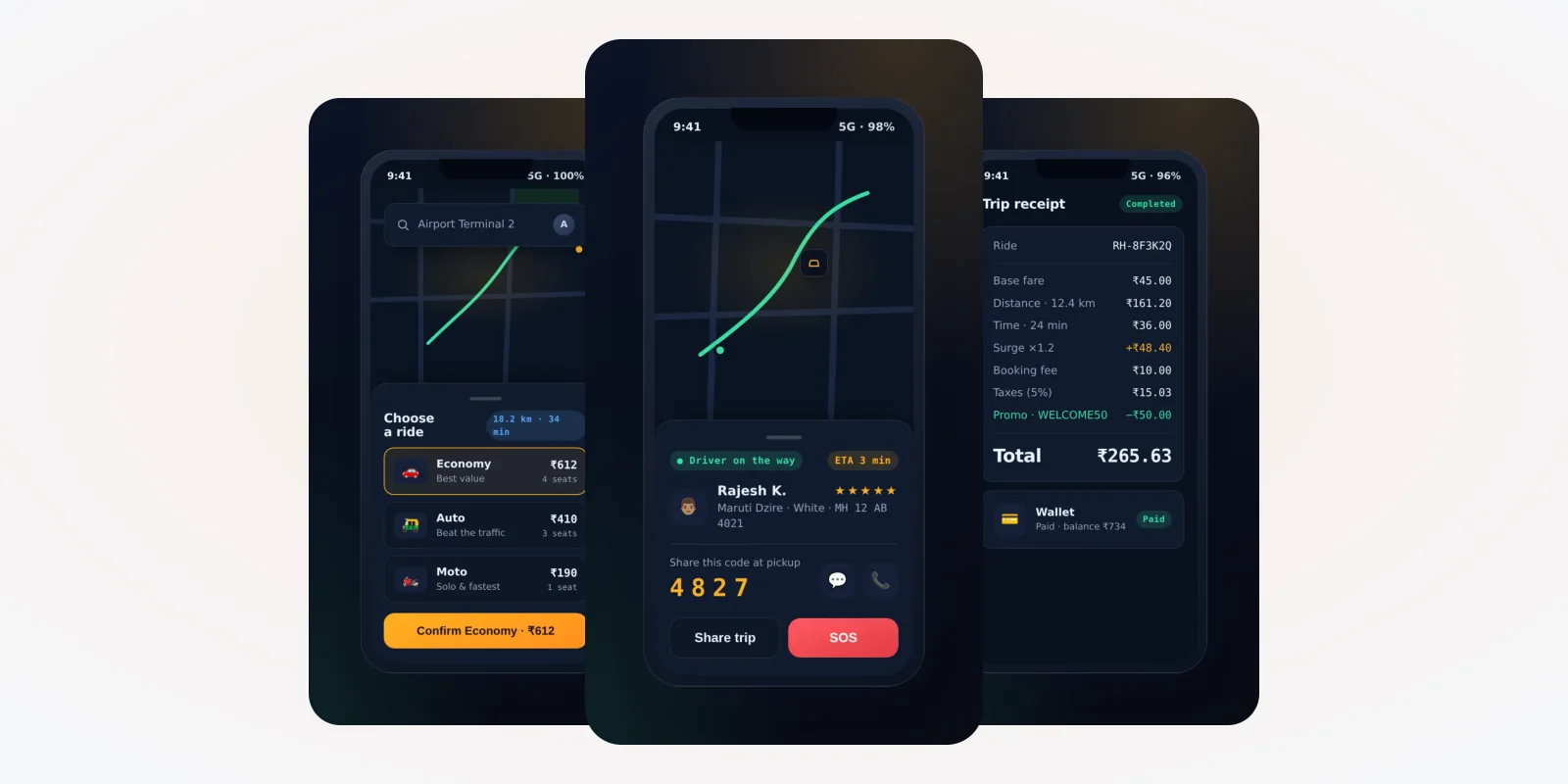
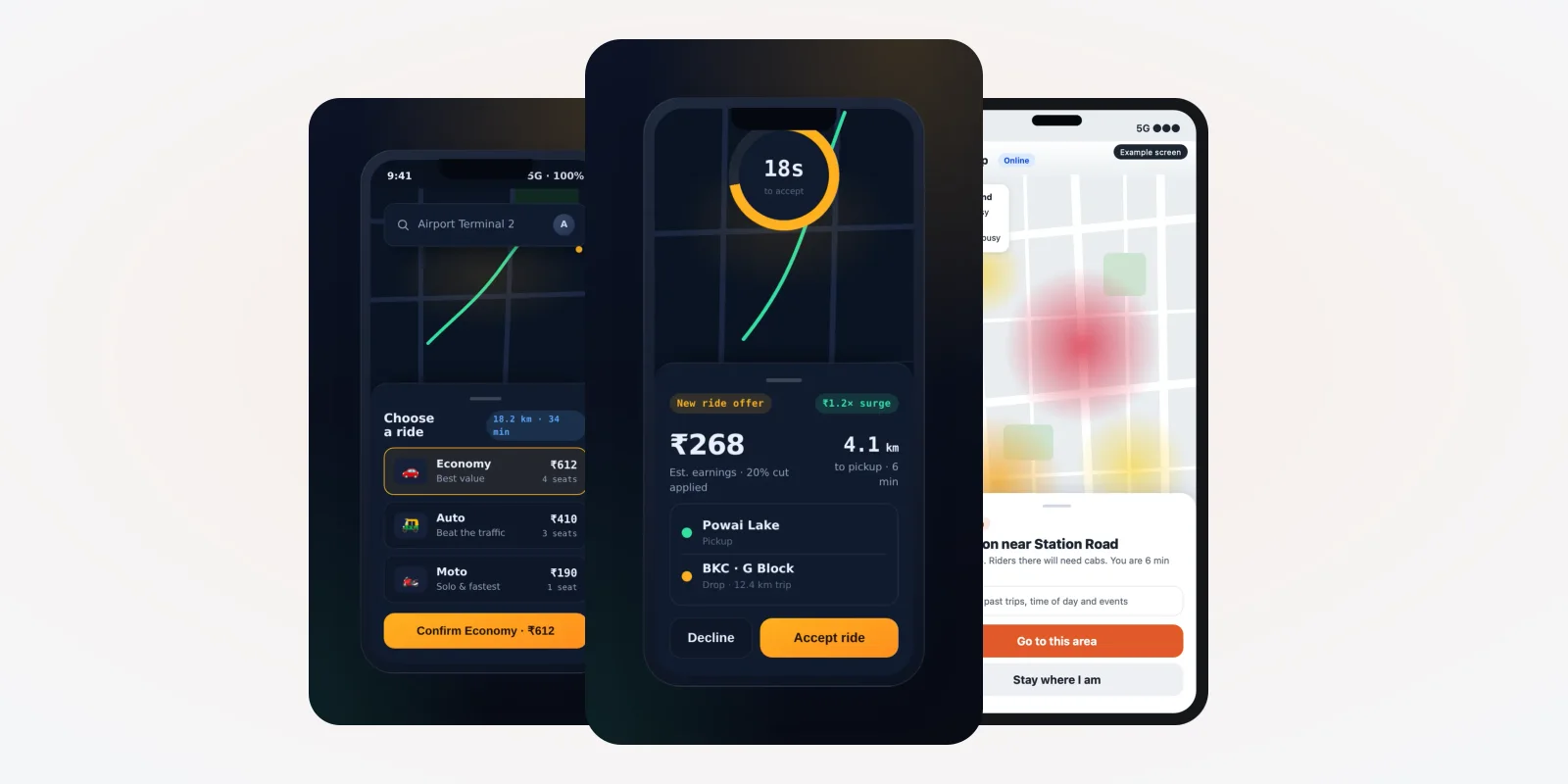
AI does not need its own screens in most places. It improves screens that riders and drivers already use. Here are two of them before any AI is added.
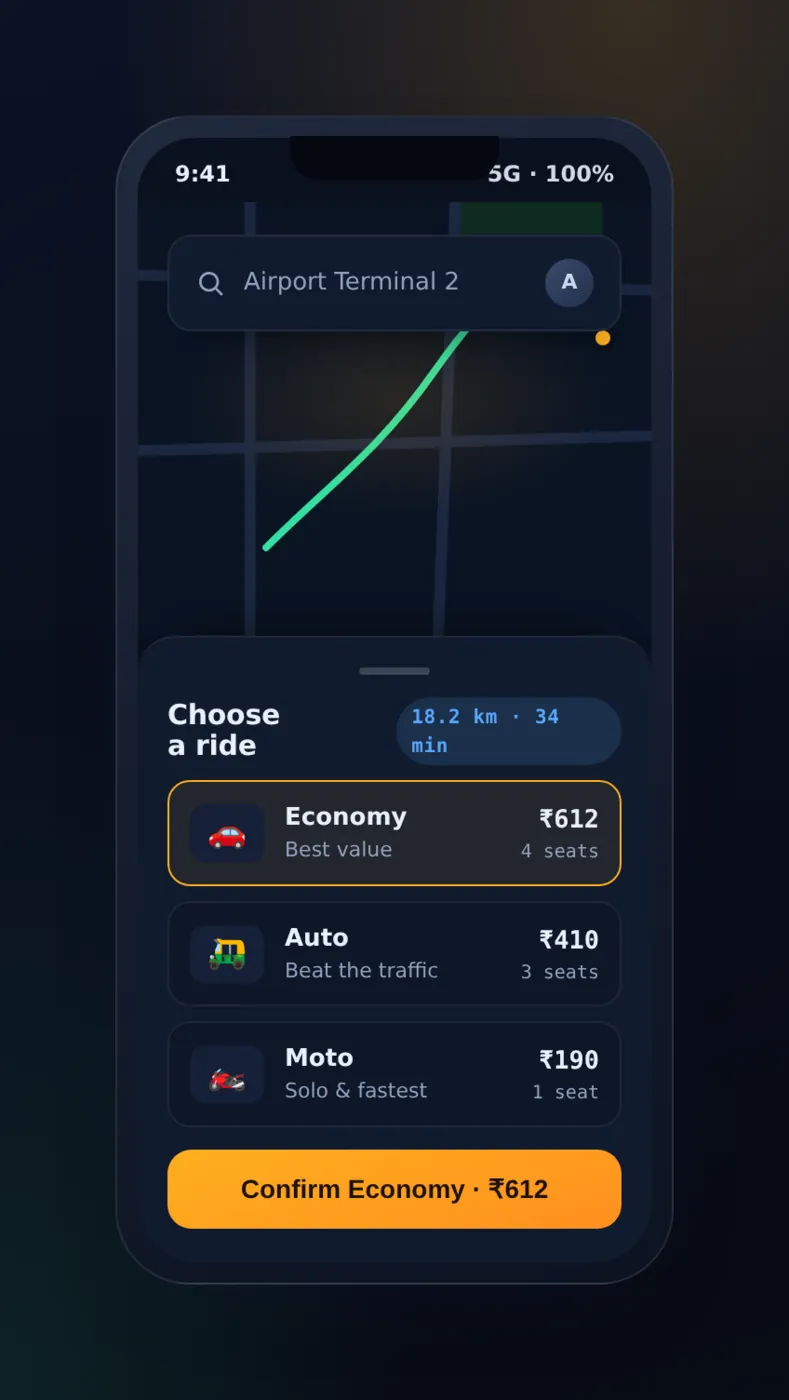
Rider booking
Where AI suggests a pickup point and a better arrival time.
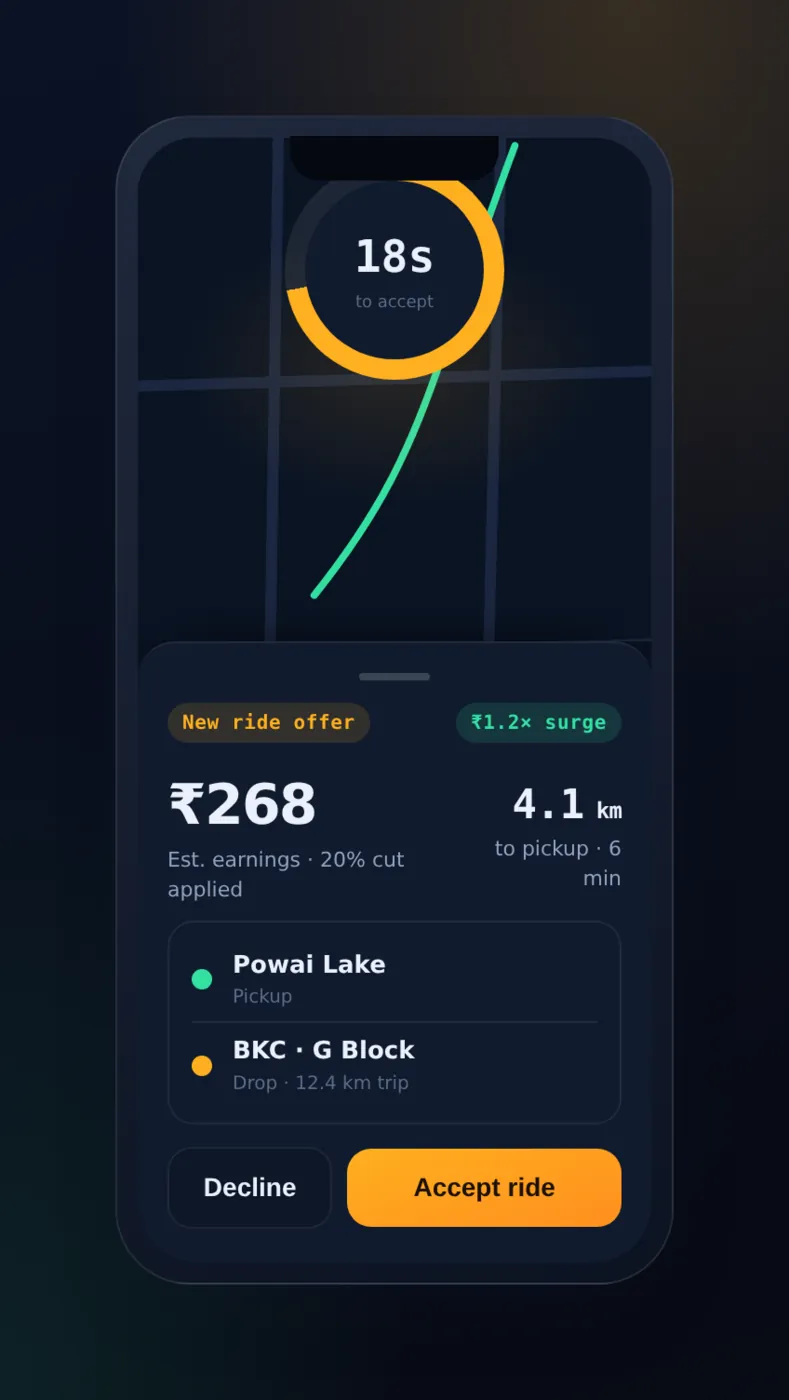
Driver ride offer
Where AI helps decide which driver gets which ride.
Screens from a taxi app we built, demo data.
AI feature 1: demand heat map for drivers
Drivers lose time driving to places with no riders. A demand heat map fixes this. It colours the map by how busy an area is now, and how busy it will be soon.
The learning part is the "soon". The model looks at past trips by hour, day, weather and events. It learns that the railway station gets busy after each train, and that offices empty out at the same time every evening.
The driver sees a short card: "Busy soon near Station Road." One button says "Go to this area". The driver can ignore it. We never force a driver to move.
The admin panel gets the same view. The office team can see where riders wait and where cabs are short, then call drivers or add an offer.
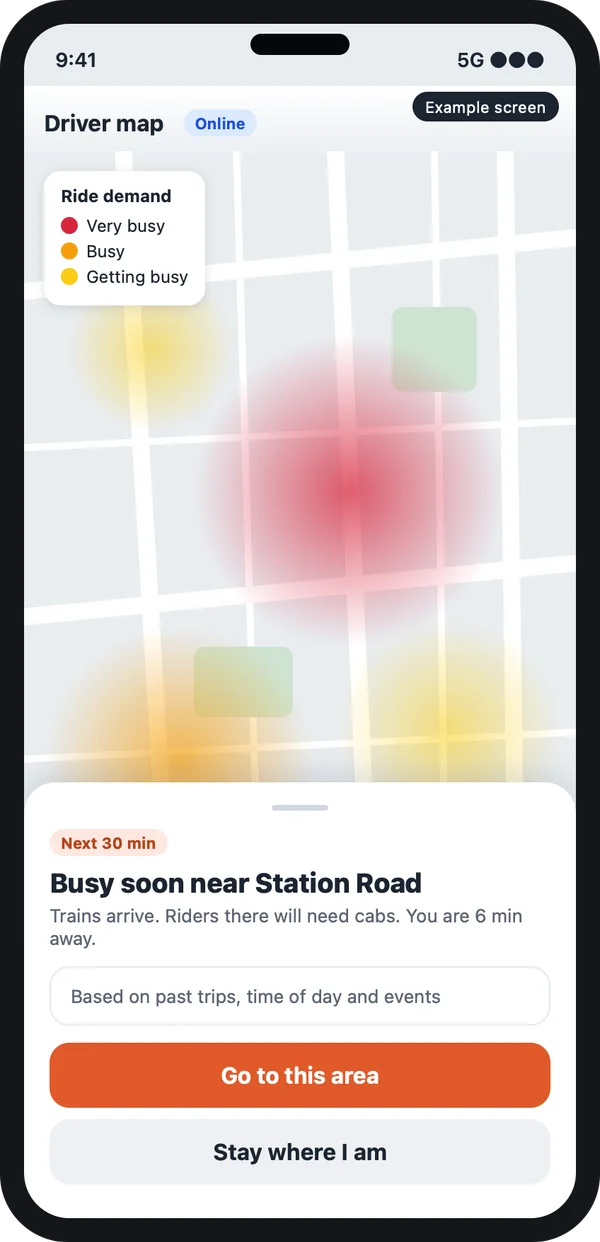
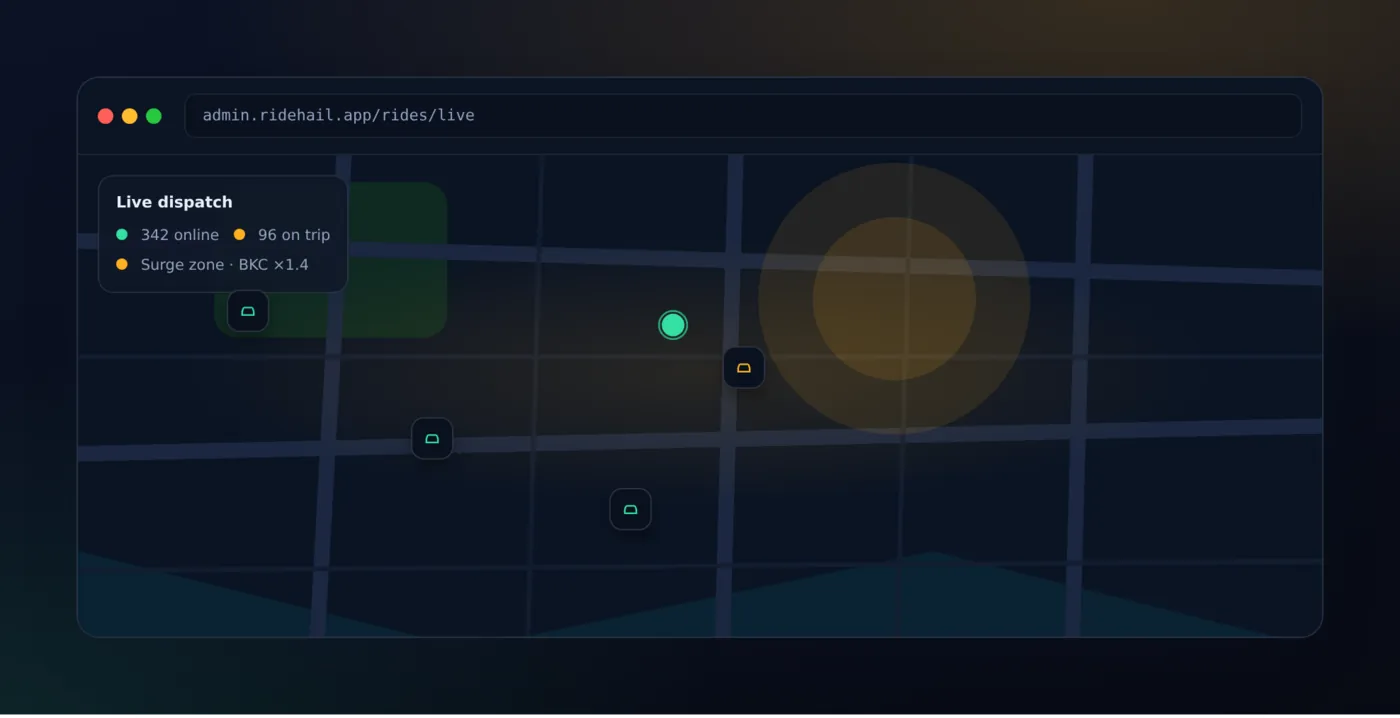
You need past trip data for this. A new app with few trips should start with a hand-set map of busy places, such as stations, malls and colleges. The learning version follows later.
AI feature 2: pickup point suggestions
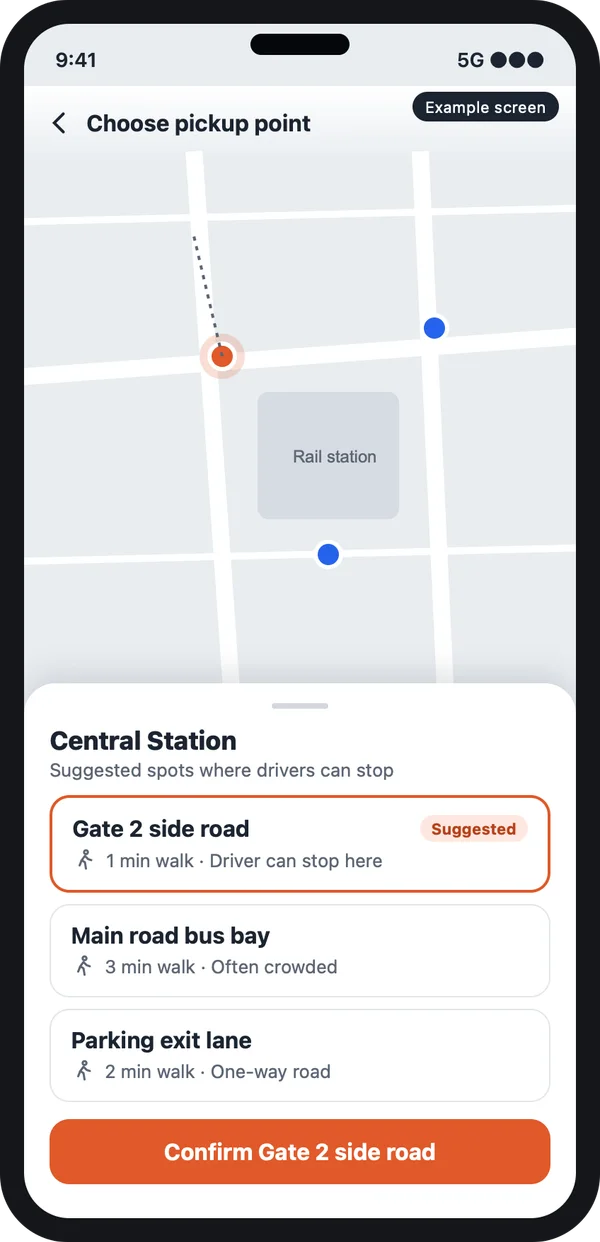
Many bad rides start with a bad pickup. The rider drops a pin on a busy main road. The driver cannot stop there. Both circle the block, and one of them cancels.
A pickup suggestion feature looks at where past trips began and ended successfully. It learns which gate or lane works for a stop. Then it shows the rider a short list of spots with the walk time and a note, such as "driver can stop here".
The rider taps one. The driver app gets that exact spot, not a rough pin. This cuts the phone calls between rider and driver.
AI feature 3: support chat assistant
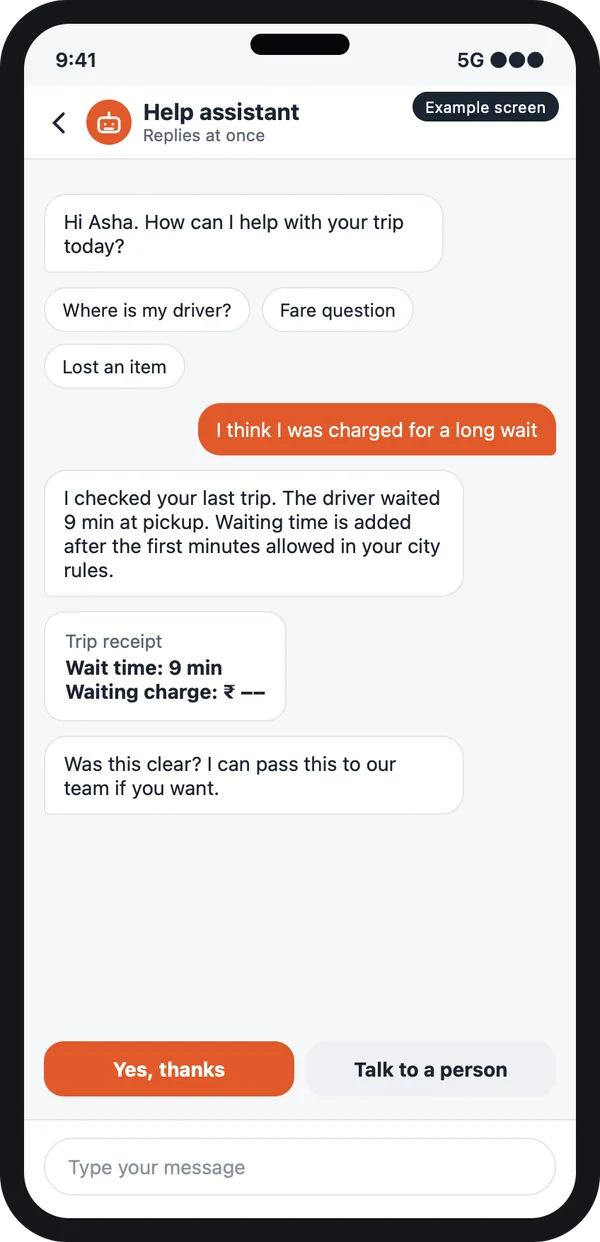
Most support messages ask the same few things. Where is my driver? Why was I charged this? I lost my bag. A chat assistant can answer these by reading the trip record, so the rider gets a real answer and not a link to a help page.
The key rule is the hand-over. The assistant answers what it can and always offers a way to reach a person. For lost items, safety reports and payment disputes, it passes the chat to your team with the trip details attached.
We build the assistant to answer only from your own trip data and your own rules. It should say "I do not know" instead of guessing. You also get a record of every chat for review.
AI feature 4: route check for rider safety
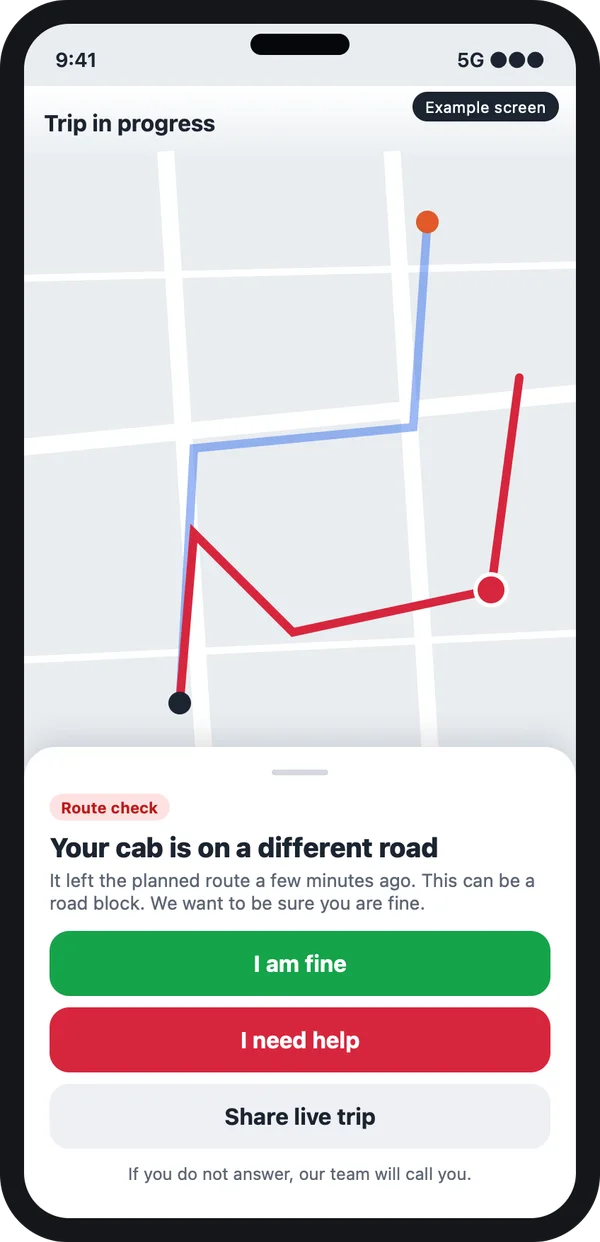
Safety is where AI can matter most. The app compares the live route with the planned route. If the cab leaves the route and does not return, the rider gets a message asking if they are fine.
A road block can cause a detour, so the alert asks a question and does not raise an alarm. The rider taps "I am fine" or "I need help". If there is no answer, your safety team gets a call task with the trip details.
This works alongside the SOS button and trip sharing, not in place of them. Our guide on building a ride-hailing app step by step covers those basics.
Other AI features worth a look
- Arrival time estimate. A model that learns how long each road takes at each hour gives a more honest "driver arrives in" time than a fixed speed.
- Driver matching. Pick the driver by road time, not straight distance, and spread rides fairly so one driver does not get all of them.
- Fake booking checks. Spot repeated bookings from one number that are always cancelled, and ask for a prepayment or a call.
- Document checks. Read a licence or vehicle paper upload and flag a blurred or expired one for your team to review.
Each of these needs a person to review the edge cases. AI makes a first pass, and your team makes the final call.
Where AI does not help
Skip AI in these cases.
- You have very few trips. A model cannot learn from a handful of rides. Use rules until the data builds up.
- The basics are broken. If drivers do not get ride offers on time, no model will fix that.
- The rule is a law. Fare caps and permit rules are set by the state. Code them as rules, not as guesses.
- No one will review it. A feature that flags trips is useless without someone who acts on the flags.
Data, privacy and responsible use
AI features run on live location and trip history. That is personal data. India's Digital Personal Data Protection Act, 2023 expects you to ask for consent in clear words, to collect only what you need and to let people withdraw consent.
Source: Ministry of Electronics and IT (MeitY), data protection framework. Ask a lawyer how the Act applies to your business.
For the AI side, the US National Institute of Standards and Technology (NIST) publishes an AI Risk Management Framework. It is a guide to listing what can go wrong with an AI feature, who checks it and how you measure it. It suits a taxi operator who wants a checklist.
Source: NIST, AI Risk Management Framework.
India also runs a national portal on its AI plans and programmes. It is useful background reading for any operator who plans long-term AI work.
Source: IndiaAI, Government of India.
Your own AI features vs a ready-made add-on
| Ready-made AI add-on | AI built for your taxi app | |
|---|---|---|
| Data | Often sent to the vendor's servers | Stays in your own cloud account |
| Fit to your city | Trained on someone else's trips | Learns from your trips and your roads |
| Rules | The vendor's rules | Your fare, permit and safety rules |
| Changes | Wait for a new version | We change it when your business changes |
| Ownership | Licence to use | You own the code and the trained models |
If you are still choosing between a script and your own build, our Uber clone script vs custom development guide covers that choice.
Worked example: a cab company near a railway station
- Look at the problem. Riders wait at the station exit, but drivers wait at the parking lot. Many bookings are cancelled.
- Start with rules. We mark the pickup spots by hand and add a busy-time card for drivers.
- Collect trip data. The app records where each pickup really happened and how long the rider waited.
- Add learning. After enough trips, the heat map learns the real train rush hours, and pickup suggestions rank spots by success.
- Review each month. Your team checks cancelled trips and adjusts the rules.
Our service
How we build AI features into your taxi app
- Understand your trips. We study your city, your trip types and where riders and drivers lose time. See our process.
- Pick one feature first. We choose the feature with the clearest gain and the data to support it.
- Draw the screens. You click through the new screens on your phone before we build.
- Build and train. We build with Python for the learning part and connect it to your rider and driver apps.
- Test with your team. A small group runs real trips, and we compare results against the plain rule.
- Launch and watch. We deploy to your cloud account, track the results and keep tuning.
See how earlier work went in our case studies, or read how to create an app like Ola for the base build.
AI taxi app development cost: what decides it
We do not list a fixed price. The budget depends on:
- Which AI features you want, and how many.
- How much trip data you already have, and how clean it is.
- Whether the features run inside an existing app or a new one.
- How much testing with real trips you want before launch.
- Languages for the chat assistant.
After one call we send a written quote. To compare the alternatives, see Ola alternatives in India for what other apps already offer.
Whoever builds AI into your taxi app, make sure you get:
- A plain rule as a baseline to compare the AI against
- A person who can take over from every AI feature
- Consent screens for location and chat data
- Your data kept in your own cloud account
- A way to see why a feature made its choice
- The source code and the trained models handed over
FAQ
What is an AI taxi booking app?
It is a taxi app with features that learn from past trips. Examples are a demand heat map, pickup point suggestions, a support chat assistant and a route safety check.
Does AI mean the app drives itself?
No. A human driver still drives. AI only helps with choices, such as where to wait, where to pick up and how to answer questions.
How long does it take to add AI features?
It depends on the feature and your trip data. After one call, we send a plan with dates, starting with clickable screens.
Can a new app with few trips use AI?
Not well. Learning needs data. We start with set rules and add learning when enough trips are recorded.
Will I own the AI features and source code?
Yes. We hand over the source code and the trained models. Your trip data stays in your own cloud account.
Which platforms do you build for?
Android, iPhone and a web admin panel that opens in a browser.
Is rider data safe with AI features?
We build consent screens, role-based access and secure storage. India's Digital Personal Data Protection Act, 2023 applies to location and trip data, so ask a lawyer how it affects your business.
Can PRS India build AI features into my taxi app?
Yes. We can add them to your existing app or build them with a new rider app, driver app and admin panel. Book a consultation to start.
Related guides
- Taxi Booking Website: Build One Beside Your Rider App
- How to Make App Like inDrive: Fare Bidding Taxi Guide
- Taxi App UI Design: Rider, Driver and Admin Screens
- Roadside Assistance App Development: Tow Truck Booking
- Auto Rickshaw Booking App Development: Driver and Rider
- Motor Vehicle Aggregator Guidelines 2025 India: State-Wise Rules
- Taxi mobile app development
- AI and machine learning development
- Mobile app development
Written by
Aditi · Business Developer
Business Developer at PRS India. Meets business owners, writes down how their work runs today, and turns it into a clear plan for the app or software they want built.