ONDC Taxi App: How to Build and Launch Yours
Build your own ONDC taxi app: rider app, operator console and driver app. We explain both sides of the network and the steps to go live, on Android and iPhone.

Written by Prabhjot Kaur, Product Manager
Reviewed by the PRS India software & mobile app development team
13 min read
Written from production. Our articles draw on products we run live and the client work behind them, and are revised as the systems they describe evolve.
Most taxi apps work like islands. A rider opens one app and sees only that app's cars. On the Open Network for Digital Commerce (ONDC), a rider opens one app and can see cabs, autos and bikes from many operators. An ONDC taxi app is an app that joins this network, either to show rides or to supply them.
This guide explains the two ways to join, the screens each side needs, and the steps to go live. PRS India builds your own app for either side. See our taxi app development service for the full picture, and read on for what is different when the network is ONDC.
Key takeaways
- ONDC is a government-backed open network. Its mobility part covers ride hailing for cars, autorickshaws and motorcycles.
- You can build a rider app (the buyer side), a fleet or driver-union app (the operator side), or both.
- An ONDC app is still your own app: your name, your logo, your riders and drivers.
- You must register with the network and pass tests before real rides can flow. Plan time for this.
- The network sends orders. You still need your own driver app, fare rules, support and payments.
What is an ONDC taxi app?
ONDC began as an initiative of the Department for Promotion of Industry and Internal Trade (DPIIT). Its own website says it is population-scale digital infrastructure for retail, logistics and mobility, transit and travel. Source: ONDC.
For rides, ONDC publishes an open specification. It covers on-demand ride hailing with a fixed pickup and drop, for cars, autorickshaws and motorcycles. The aim is that all mobility apps on the network speak the same language. Source: ONDC mobility specification.
In plain words, this means a rider app and a driver fleet do not need to belong to the same company. The rider app sends a request into the network. Any operator that fits the request can answer it.
Two sides: the rider app and the operator app
Before you build, decide which side you want. Many owners start with one side and add the other later.
| Rider app (buyer side) | Operator app (seller side) | |
|---|---|---|
| Who owns it | A city app, a brand, a hotel or a travel company | A fleet owner, auto union or cab company |
| What it does | Asks the network for rides and shows the answers | Answers requests and sends its own cars |
| Needs its own drivers | No | Yes, with a driver app |
| Main work | Search, compare, book, track, pay | Order desk, driver assignment, trip status, settlement |
| Earns from | Fees you agree with operators | The fare paid for the trip |
A third option, built as a marketplace-style app, is both sides in one business: your riders see your own cabs and other operators' cabs together. This needs more testing, but it keeps your riders in your app even when your own cars are busy.
The rider side: what your riders see
Booking a ride from your rider app starts like any taxi app. The first screens are the usual ones: pick up, drop and a map. Our guide to building an app like Ola covers those basics. What changes is the answer screen. Results come from several operators, and each one needs to be shown clearly.
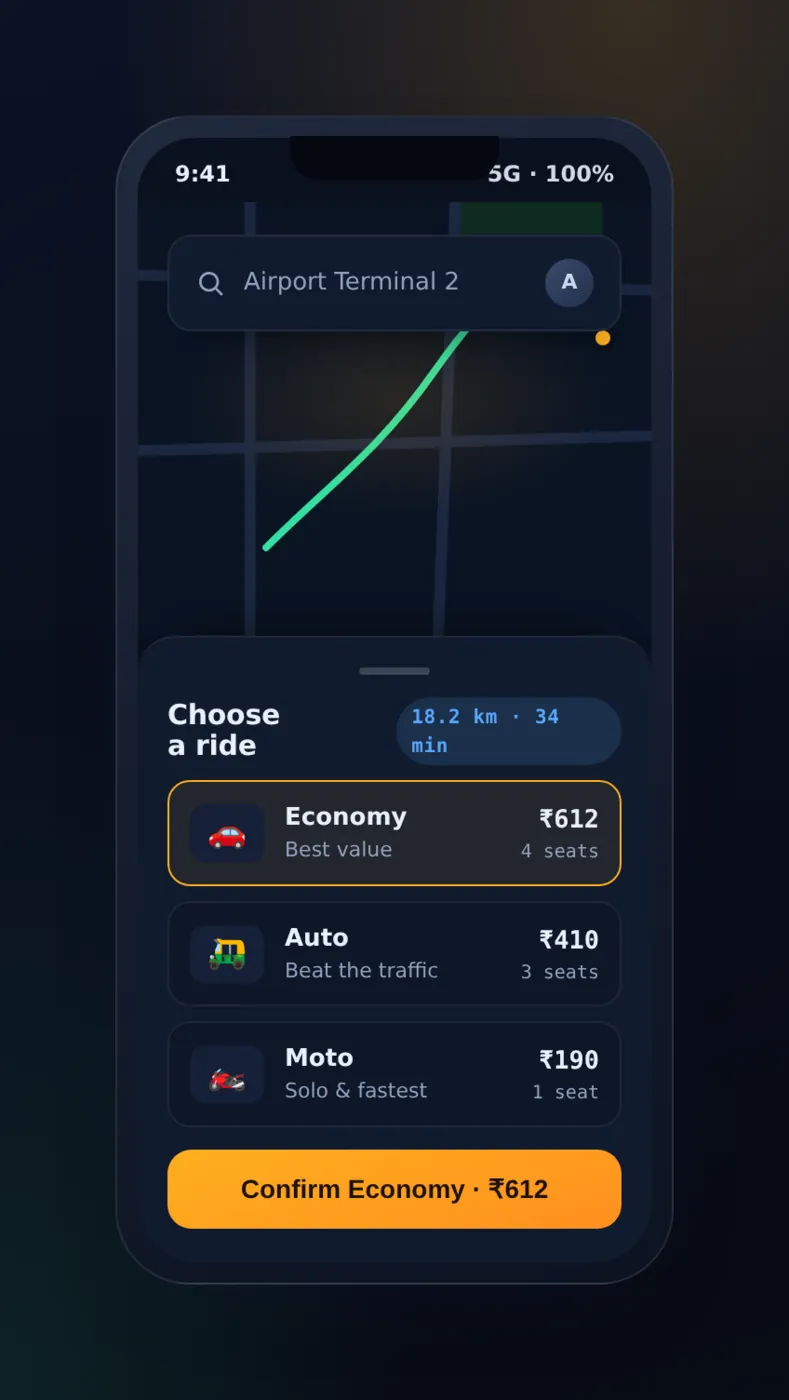
Step 1: ask for a ride
The rider enters pickup and drop and picks a type: car, auto or bike. Your app packs this into a request and sends it to the network.
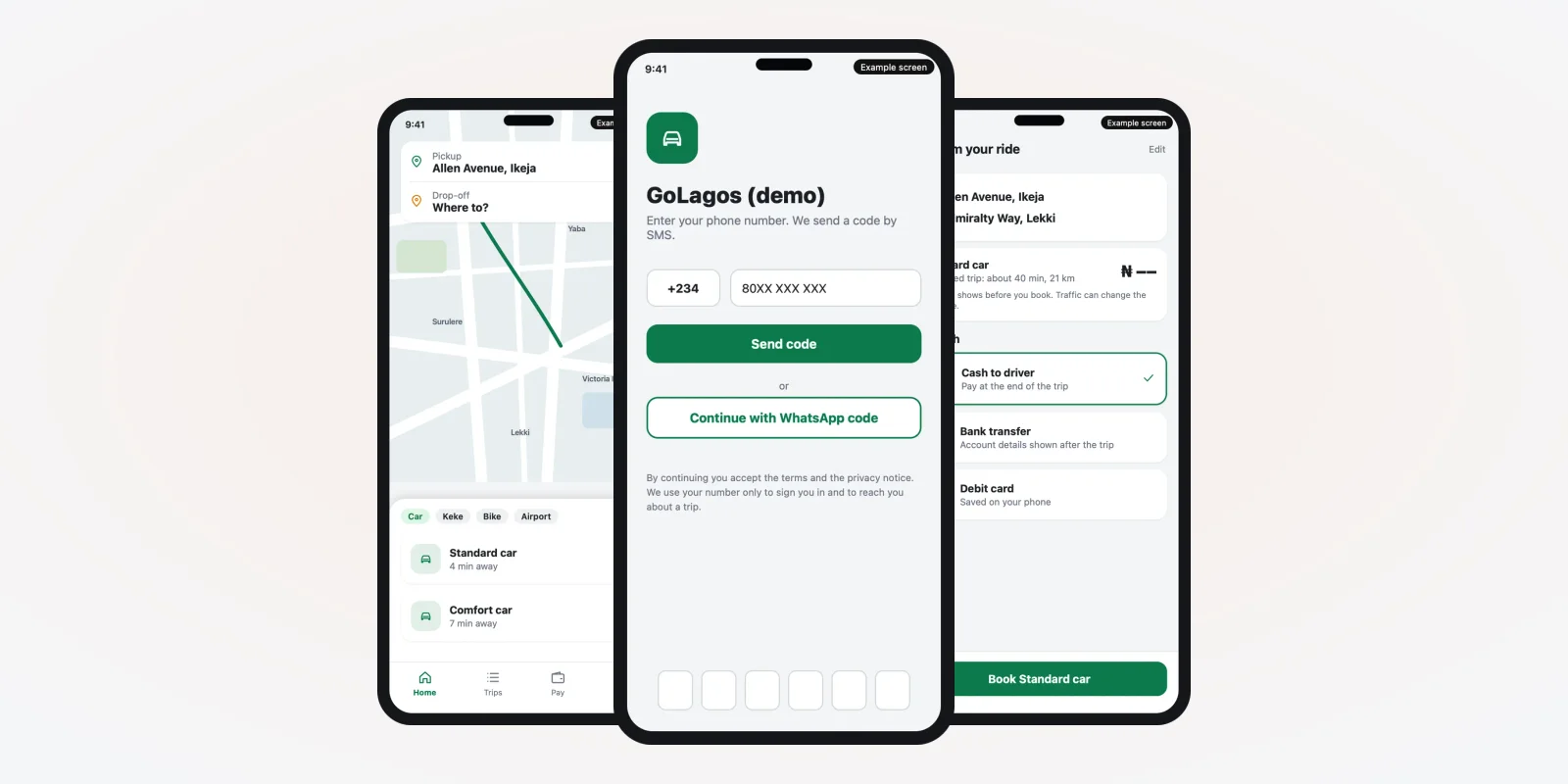
This part is the same in any taxi app, so it uses the booking screen from a taxi app we built. Screens from a taxi app we built, demo data.
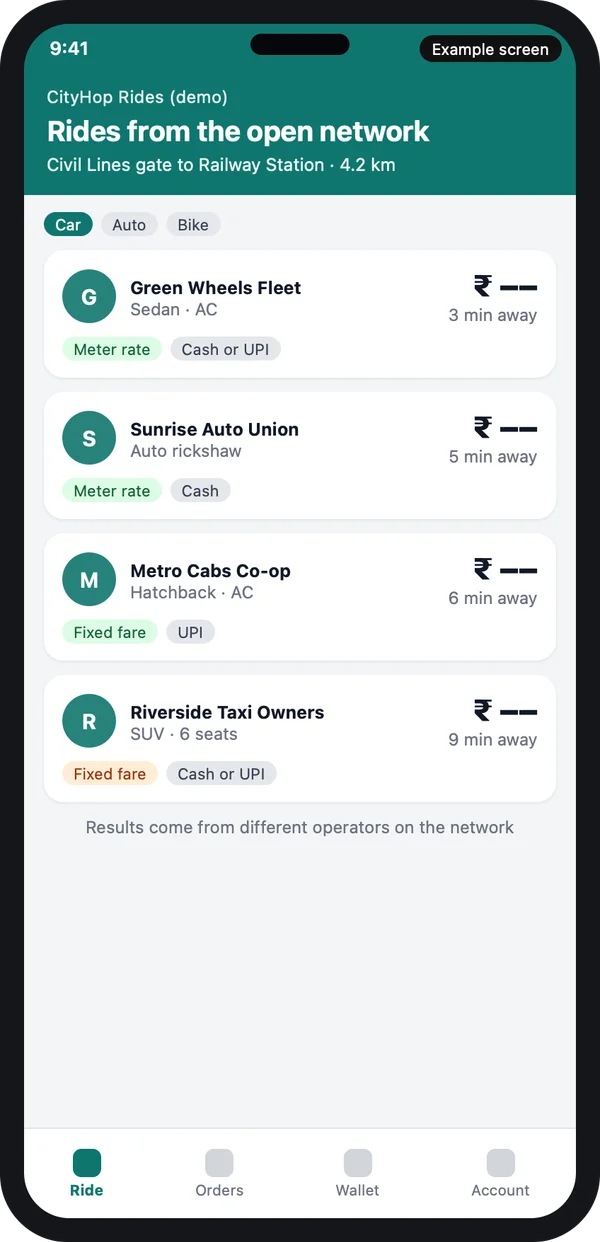
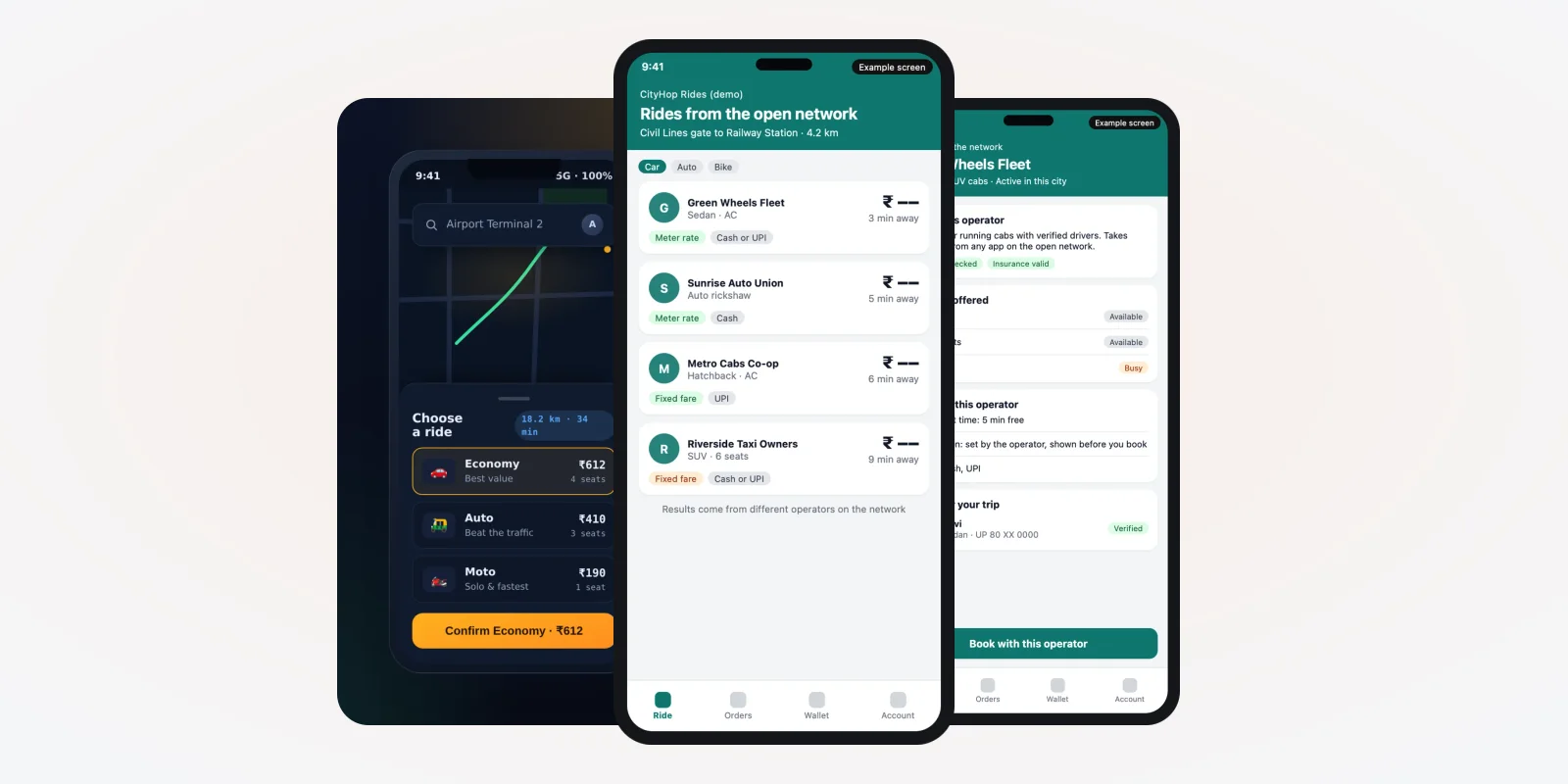
Step 2: show answers from many operators
Each answer has an operator name, vehicle, arrival time and fare. The fare rule matters: some operators charge by meter, some quote a fixed fare.
Your app decides the order of the list. You can sort by arrival time, or put your own operators first. Write this rule down and keep it fair. Example design with demo data.
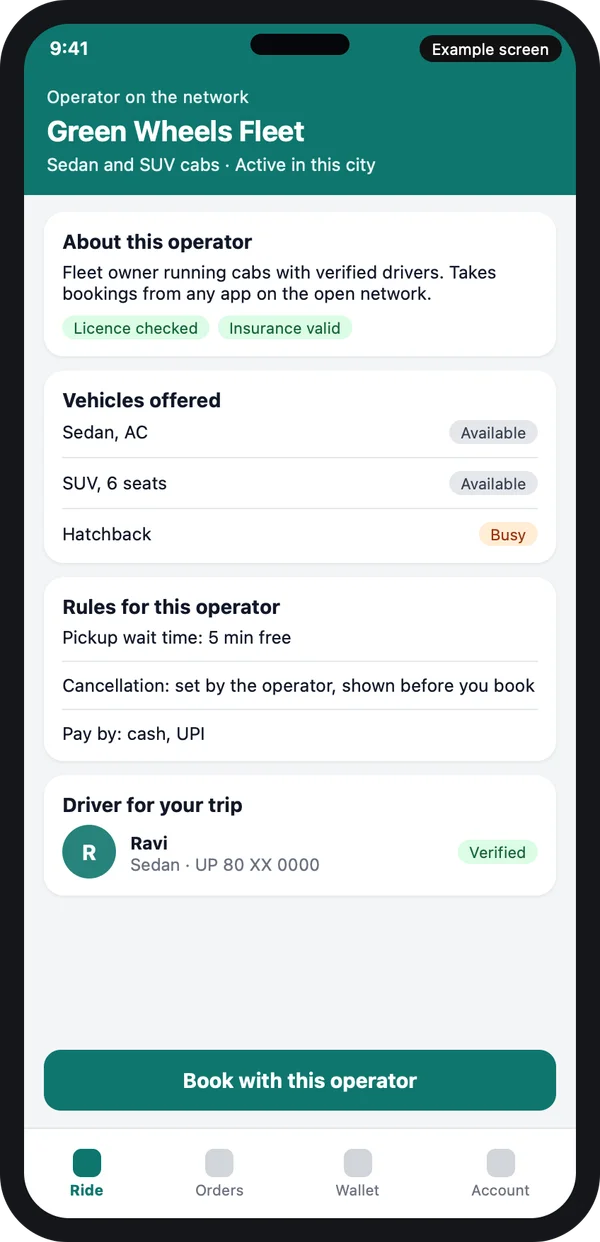
Step 3: a profile for each operator
A rider is booking a stranger's cab inside your app. So the rider needs to see who the operator is: checked licence, valid insurance, pickup wait time and cancel rule.
If the rider trusts the screen, the rider books. If the screen is empty, the rider leaves. Example design with demo data.
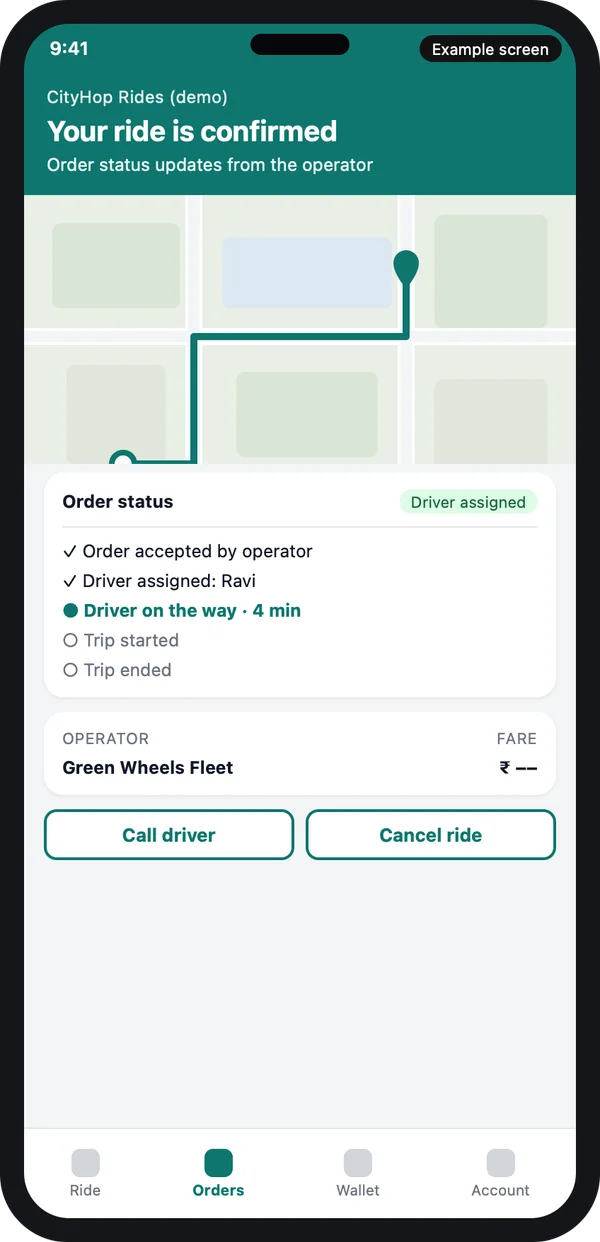
Step 4: follow the order
After the rider books, the operator sends status updates back through the network: accepted, driver assigned, driver on the way, trip started, trip ended.
Your app turns each update into a clear message and a push alert. It also keeps the order record, so your support team can find any trip later. Example design with demo data.
The problem
What goes wrong when you join an open network
The network moves the order. It does not fix your operations.
- Slow answers. If an operator takes too long to accept, the rider goes elsewhere. Set a time limit and show a clear "no driver" message.
- Two apps, one trip. The rider calls you. The operator says it was booked elsewhere. You need one order number that both sides can see.
- Fare disputes. The rider saw one fare and the driver asks for another. The fare shown at booking must be saved with the order.
- Cancel blame. Who cancelled, and who pays? The rule must be in the order, in words the rider can read.
- Mixed support. A rider complains to you about another operator's driver. Your support desk needs the operator contact and a way to escalate.
- Money settlement. Payment may reach you first or the operator first. Your books must show what is owed to whom.
The operator side: how your fleet answers orders
If you own cabs, autos or bikes, you want orders to come to you from many rider apps. You then need an operator console and a driver app. The driver app can follow the same plan as a normal one, as in the must-have features for a taxi booking app.
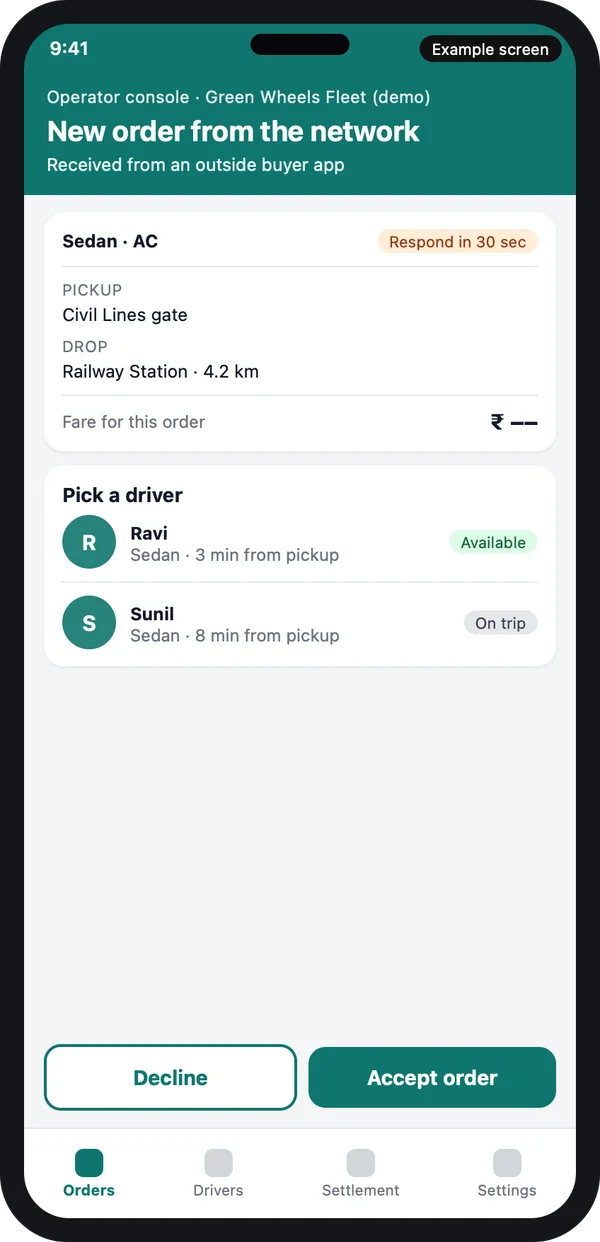
The order desk
A new order lands with pickup, drop, vehicle type and a reply timer. Your dispatcher picks a driver who is available nearby, or lets the system pick one. Accepting sends the driver details back to the rider app.
The desk also needs a decline button with a reason, so you can see why orders are lost. Example design with demo data.
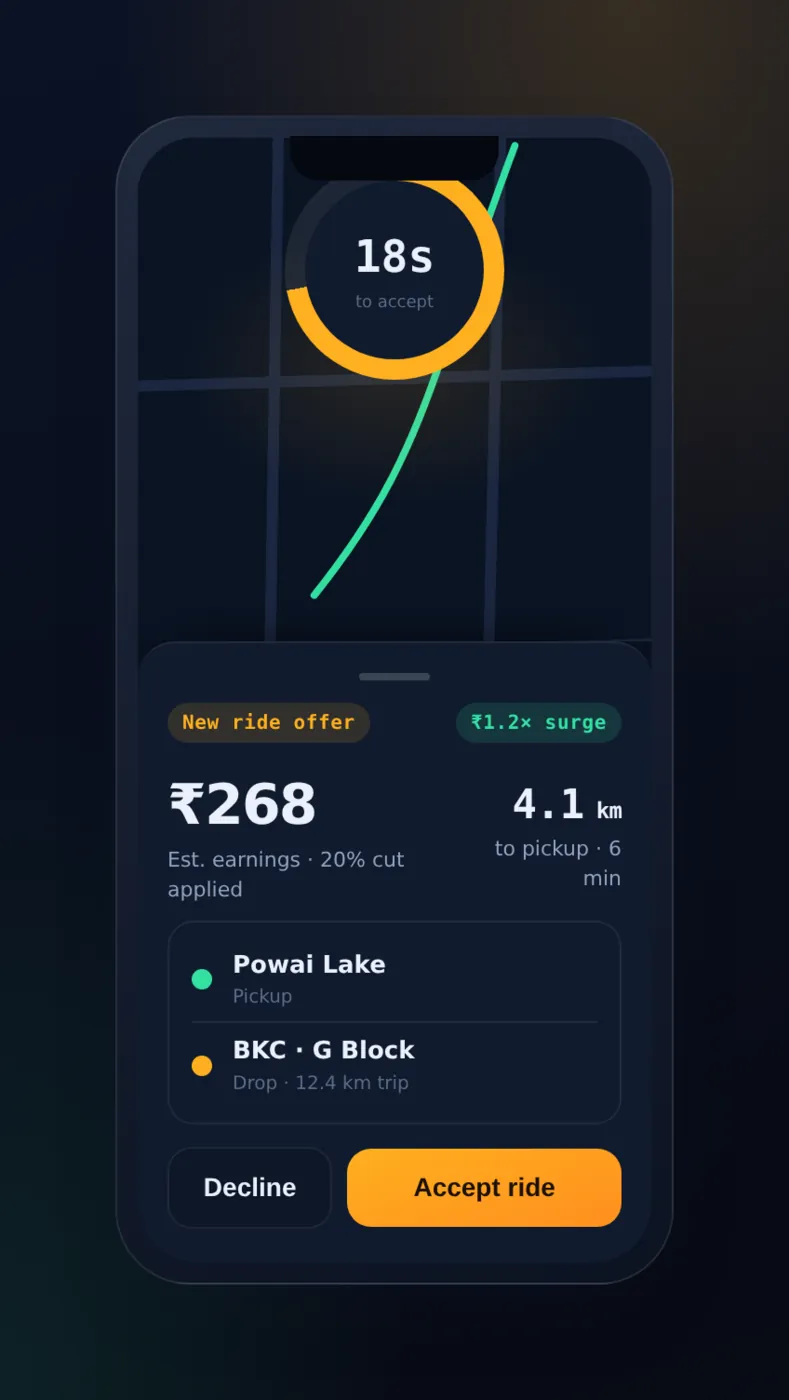
Driver gets the trip
Once your desk assigns the trip, the driver sees it with an accept button and the pickup address.
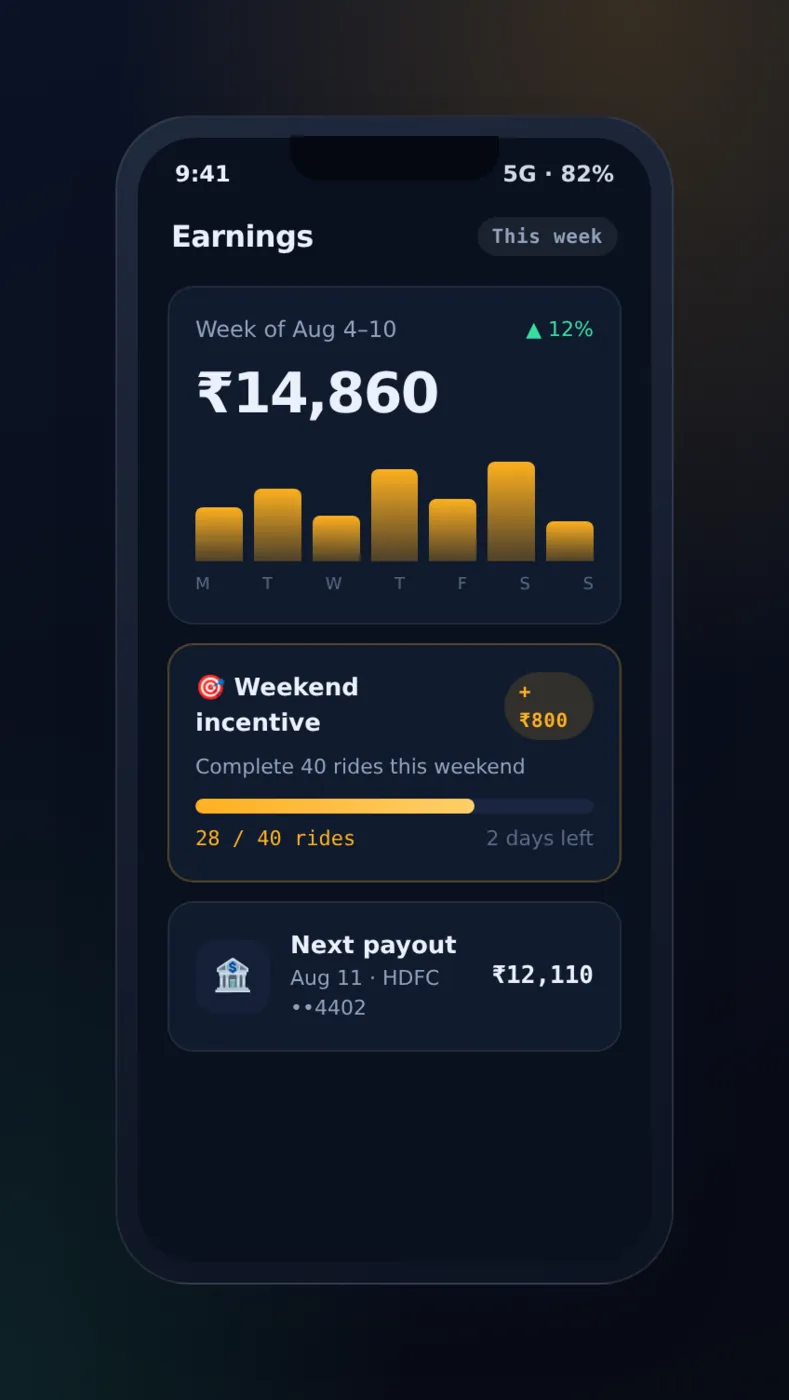
Driver sees earnings
Trips from the network and trips from your own app can show side by side in the driver's earnings.
Screens from a taxi app we built, demo data. The driver side is the part we have already built and tested. The network part is new work that we add around it.
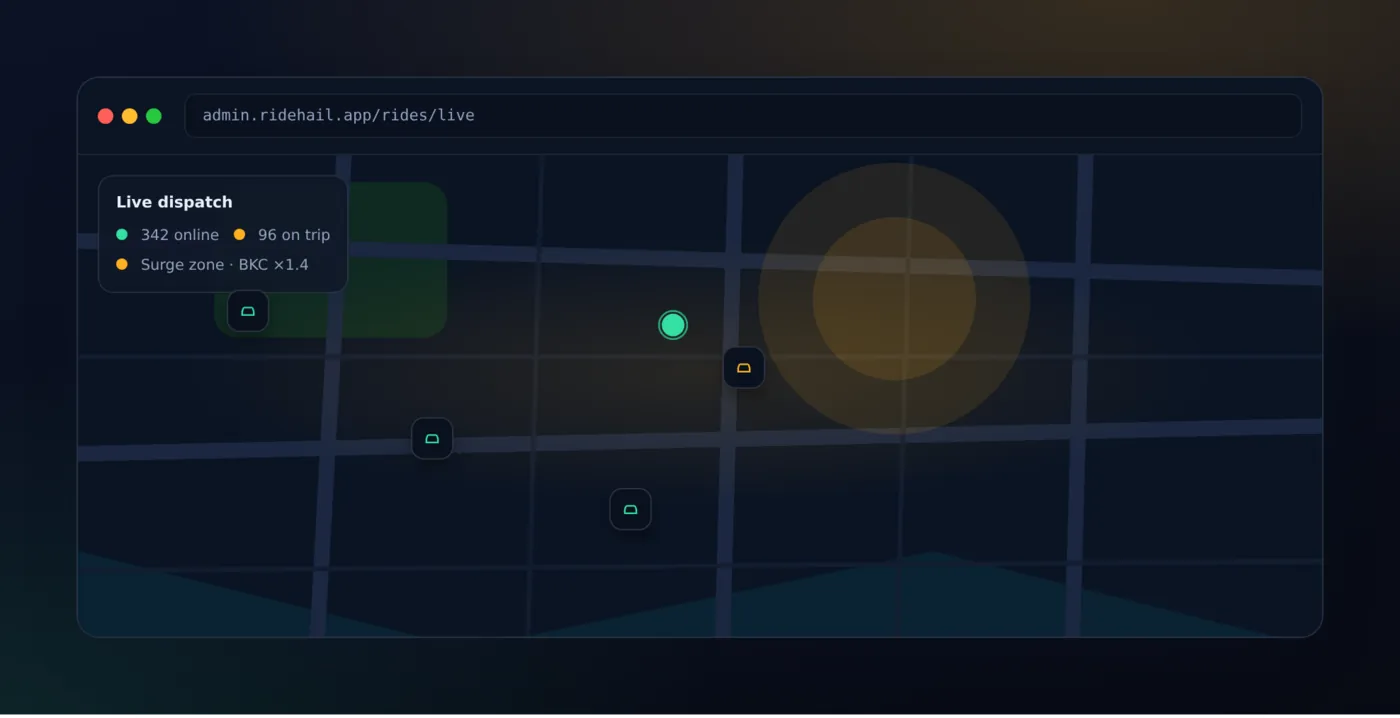
What the network does, and what you build
| Job | Done by the network | Built by you |
|---|---|---|
| Common message format for ride requests | Yes | Your app must send and read it correctly |
| Rider and operator app screens | No | Yes, in your brand |
| Driver app and tracking | No | Yes |
| Driver checks, licence and vehicle papers | No | Yes, in your admin panel |
| Fare rules and receipts | No | Yes |
| Support, refunds, complaints | No | Yes |
| Joining and testing before go-live | Sets the steps | You complete them |
ONDC also shares reference apps and sample code on its public GitHub page. These help a developer test the message flow. They are a starting point for testing, not a finished app for your riders. Source: ONDC on GitHub.
Rules you still have to follow
Joining a network does not remove local taxi rules. Your drivers still need the right licence, vehicle papers and permits. States set their own fare and aggregator rules. The central transport ministry publishes guidelines for ride apps. See the Ministry of Road Transport and Highways site for the latest notices.
Rider data also has rules. The data protection framework from MeitY applies to names, phone numbers and trip history that you collect. Your app should ask for consent, keep only what it needs, and let a rider delete an account. Check the latest rules with the transport department and a lawyer before you launch. ONDC's own joining steps change over time, so check ondc.org for the current process.
Worked example: one ride across two companies
Here is how one trip moves from a rider app to a fleet. The names are examples.
- Request. Asha opens a city app. She types a pickup at the civil lines gate and a drop at the railway station, and picks a car.
- Search. The city app sends the request into the network. Several operators answer. Asha sees them in one list.
- Choice. Asha opens the profile of a fleet, sees the checked licence and the cancel rule, and books.
- Order desk. The fleet's console shows the order. The dispatcher assigns Ravi, who is a few minutes away.
- Status. The fleet sends "driver assigned" back. Asha's app shows Ravi's name, vehicle and live position.
- Trip. Ravi starts the trip with a pickup code. The trip ends at the station and both apps save the final fare.
- Settlement. The city app and the fleet both see the same order. Each knows what it is owed.
Our service
How we build your own ONDC taxi app
One plan for the app, and one for the network steps.
- Choose your side. We talk through your business: rider app, operator, or both. We list the cities and vehicle types.
- Design the screens. You click through the screens first, like the ones above, and change them before any code is written.
- Build the apps. Android and iPhone apps from one codebase, plus a web admin and operator console.
- Connect to the network. We build the message part to the published specification and test it against the reference apps.
- Test with your team. Your staff and a few drivers run real trips. We fix what they find.
- Launch under your brand. Your name in the stores, your data on your own server, and support after launch.
ONDC taxi app development cost: what decides it
We do not publish a fixed price, because no two builds are the same. The cost depends on four things: which side you build, how many apps you need, how many cities and vehicle types you cover, and whether many fleets will use the operator console as a service.
| Monthly white-label taxi plan | Custom ONDC taxi app (built for you) | |
|---|---|---|
| Start | Quick to begin | Takes weeks to build and test |
| Joining the open network | Often not offered | Built to the published specification |
| Your brand on the apps | Usually no | Yes |
| Fare rules and rider list order | Fixed by the vendor | Set by you |
| Data and source code | Stay with the vendor | Yours |
Share your side, your cities and your vehicle types. We send a written quote after one call.
Whoever builds your ONDC taxi app, make sure it can:
- Send and read ride messages in the format ONDC publishes
- Show the fare rule and cancel rule to the rider before booking
- Save one order number that both sides can see
- Time out slow operators and show a clear "no driver" message
- Check driver licence, vehicle papers and permits in the admin panel
- Show network trips and your own trips on one live map
- Keep a record of what is owed to each operator
- Let you export your data and take the source code
FAQ
What is an ONDC taxi app?
It is a ride app that joins the Open Network for Digital Commerce. A rider app can ask many operators for rides. An operator app can answer rides asked from many rider apps.
Can I build my own ONDC taxi app?
Yes. You can build a rider app, an operator app, or both. You must register with the network and pass its tests before real rides flow. Check the current steps on ondc.org.
Do I need my own drivers?
Only for the operator side. A rider app does not need drivers, because rides come from other operators. If you want your own cars too, you need a driver app.
How long does it take to build?
It depends on the side you choose and the number of apps. After one call, we share a plan with dates for each part. You see clickable screens first.
Will I own the app and the source code?
Yes. We build it under your brand and hand over the source code. Your rider and driver data stays on your server.
Which platforms do you build for?
Android, iPhone and the web. The rider and driver apps are built once and run on both phones. The admin panel and operator console run in a browser.
Is rider data safe on an open network?
It should be. The data protection rules from MeitY apply. Your app must ask for consent, share only what a trip needs, and let riders delete their account. We build these controls in.
Does ONDC set the fares?
The network carries the fare in the order. Fare rules come from the operator and from state transport rules. Check the latest rules with the transport department.
Is this different from a normal taxi app?
Yes, in the booking and status parts. Orders and updates travel through the network in a set format. The driver app, admin panel and support tools stay close to a normal taxi app.
Can PRS India build an ONDC taxi app for me?
Yes. We build custom mobile apps for riders and drivers, plus the admin panel. Book a consultation and we will show you screens for your plan.
Related guides
- How to Start a Taxi Business in Nigeria With Your Own App
- Electric Cab Booking App: EV Taxi Business Guide
- Employee Transport Management Software: Office Cab App
- How Do Taxi Apps Make Money: Revenue Model Guide
- Ride Sharing App for Women: Safety Features to Build
- White Label Taxi App Development Company in India
- Taxi mobile app development
- Marketplace development
- Mobile app development
Written by
Prabhjot Kaur · Product Manager
Product Manager at PRS India. Turns what a client needs into a screen-by-screen plan for the app, and checks every release against that plan before it goes out.