Fashion App Development Company for Clothing Brands
We build your own clothing app for Android and iPhone: drops, stories, product video, wishlist alerts and size exchanges, under your brand.

Written from production. Our articles draw on products we run live and the client work behind them, and are revised as the systems they describe evolve.
Clothing brands, boutiques and fashion startups often hit the same wall. The website gets visitors, but most of them buy once and never return. Instagram reach drops. Marketplace buyers belong to the marketplace. A new drop goes out, and only a few past buyers even see it.
An app on the buyer's phone changes that. It sends a drop alert, a price-drop note or a back-in-stock message straight to the lock screen. The answer is to build your own clothing store under your brand. Then add an app that runs on the same store. This guide explains fashion app development from the owner's side. It also shows how PRS India builds your app with our mobile app development team.
Key takeaways
- An app is for repeat buyers. Add it once your website has steady orders and a buyer list.
- Drops, stories, product video and price-drop alerts are what make a clothing app worth keeping.
- The app, the web store and the staff app must share one stock count by size and colour.
- A custom-built app is yours: your brand on the stores, your data and the source code.
Why fashion brands add an app after the website
A website is how new buyers find you through Google and ads. An app is how they come back. A buyer who installs your app has already bought once or liked your range. You can reach that buyer again without paying for an ad each time.
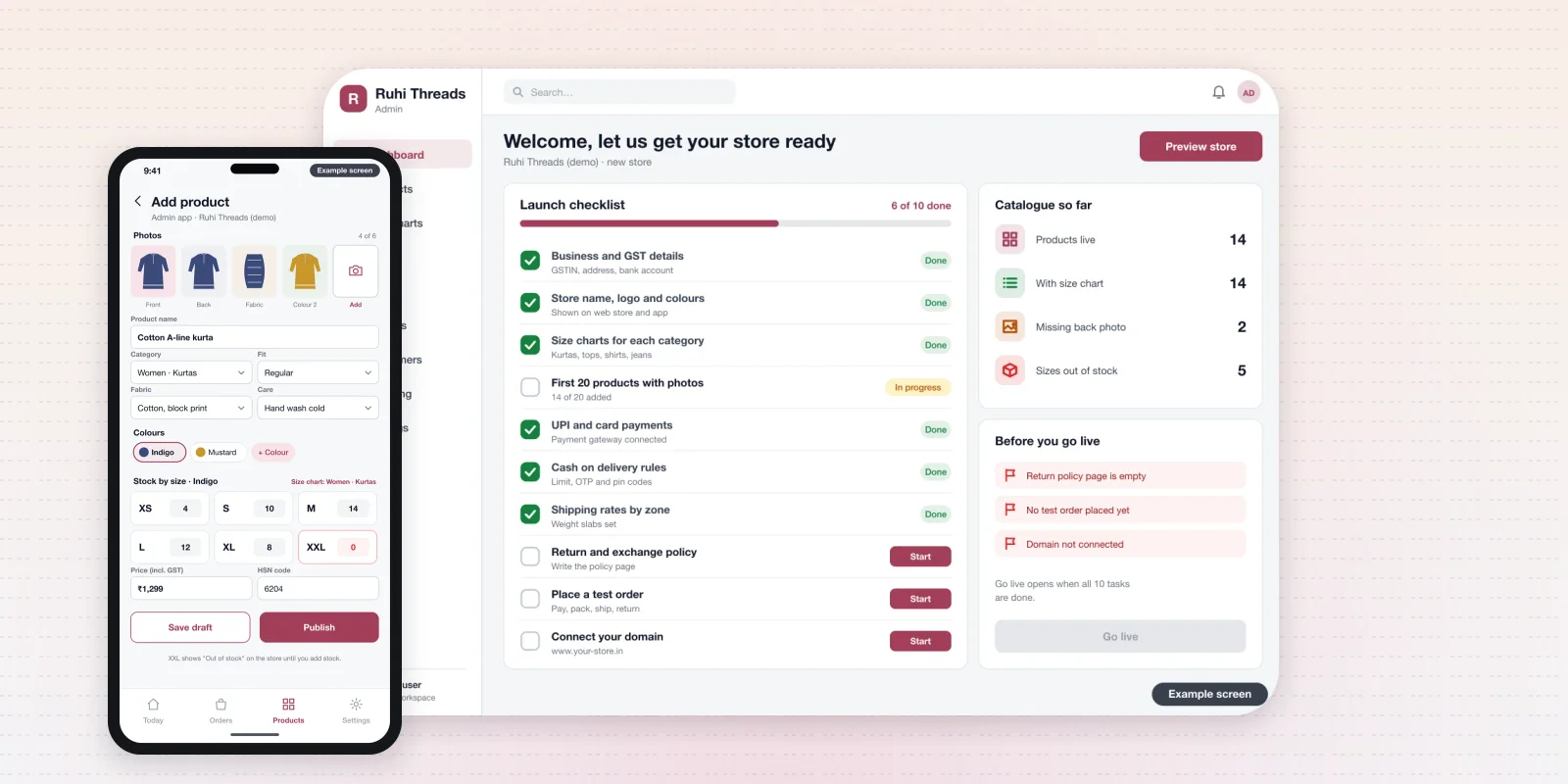
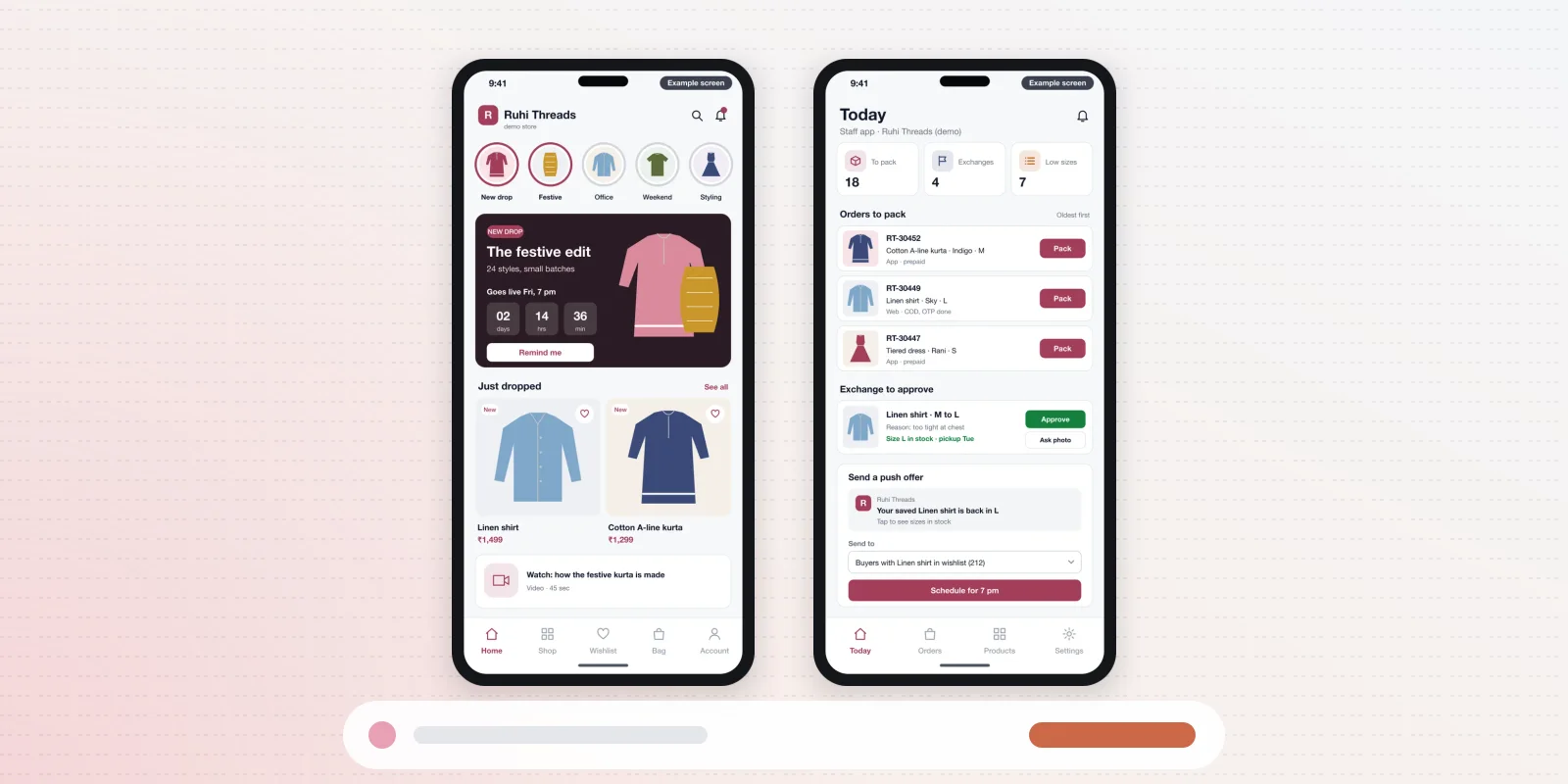
A clothing app is not one app. It is three parts that work together. Buyers use the shopper app. Your team uses a staff app to pack orders and approve exchanges. The office uses a web admin for products, stock and reports.
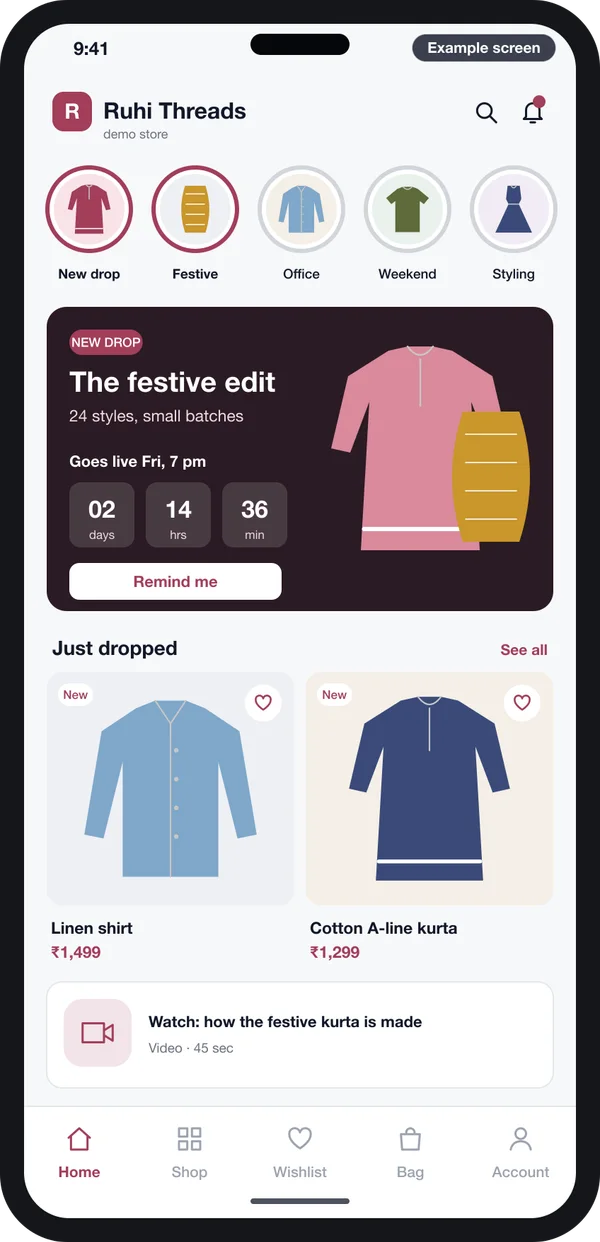
Shopper app
Home with stories, a drop countdown and new styles.
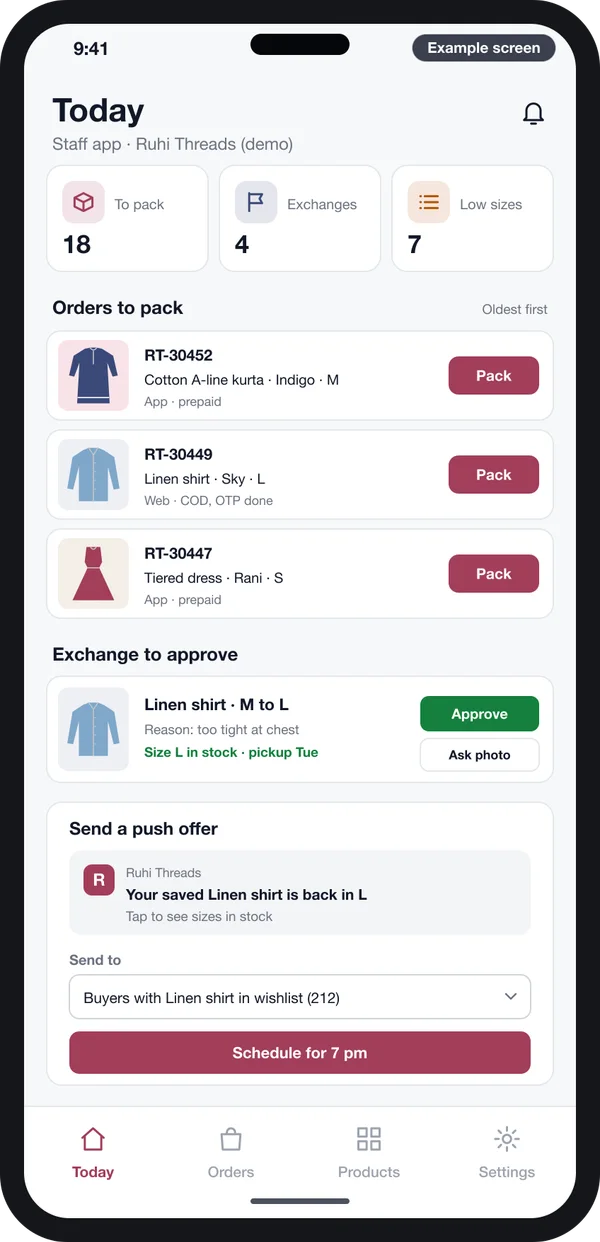
Staff app
Orders to pack by size, exchanges to approve and push offers.
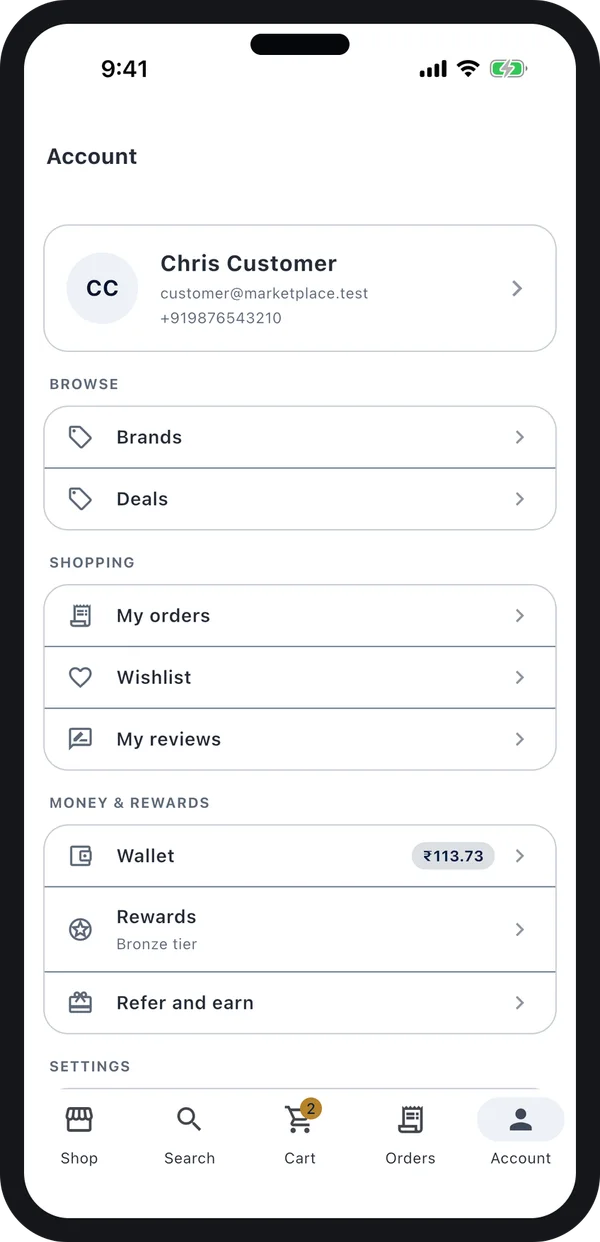
Buyer account
Orders, wallet, rewards and refer-and-earn, inside the shopper app.
When is it too early for an app? Do you get only a few orders a week? Then put the money into photos, size charts and the website first. Buyers rarely install an app from a brand they have not bought from. The app pays back once you have a list of past buyers to bring back. A common sign is when a large share of your orders comes from people who bought before.
Example screens we designed, demo data. All three share one back end, so a size sold in the app drops on the website at once.
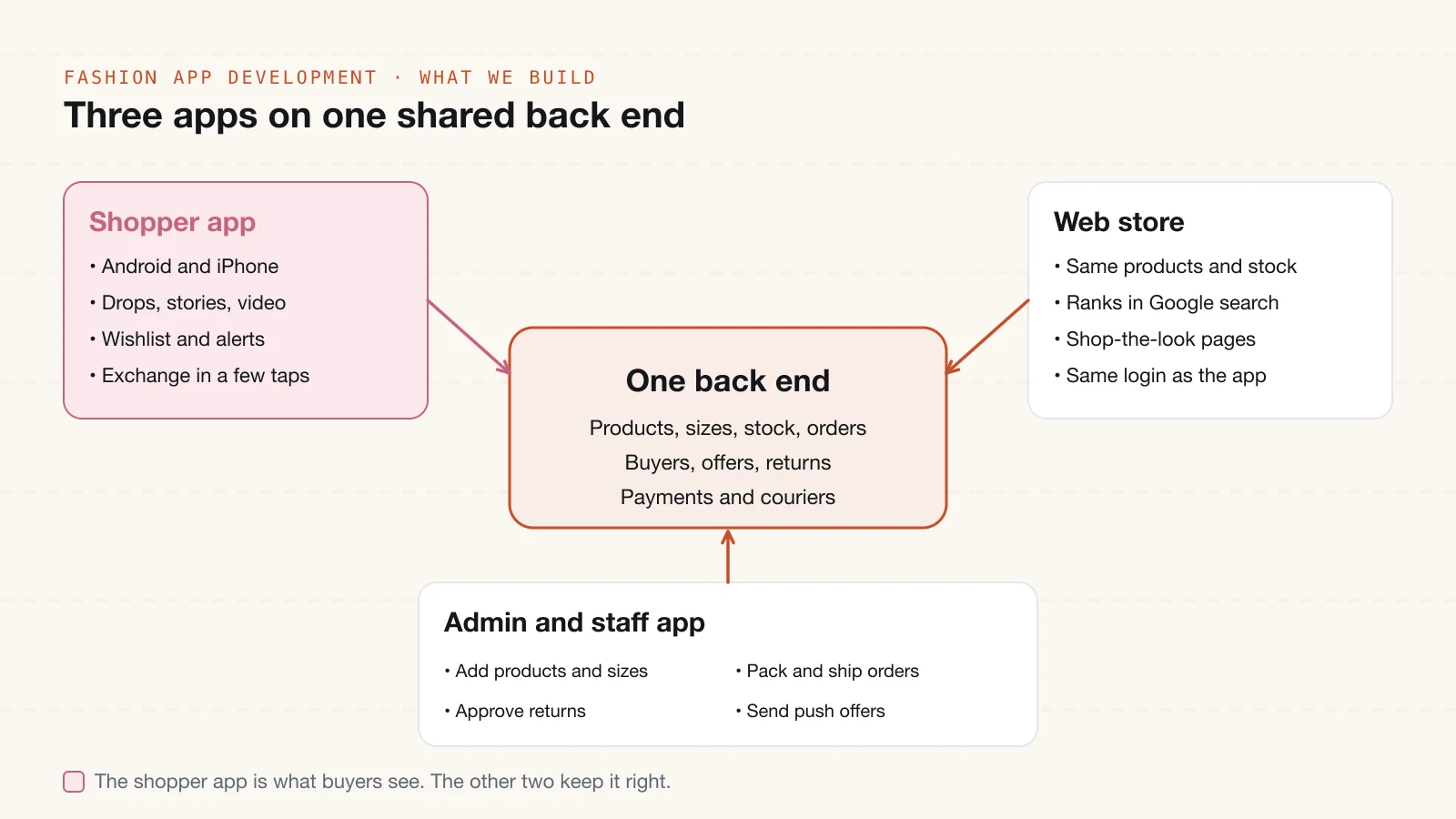
Drops, stories and video in the app
Fashion moves in drops: a festive edit, a summer linen line, a small batch of block prints. An app turns each drop into an event. These are the parts we build for it.
- Drop countdown. A banner shows when the drop goes live. Buyers tap "Remind me" and get a push at that time.
- Stories. Short image and video stories in a row above the home screen banners, grouped by collection.
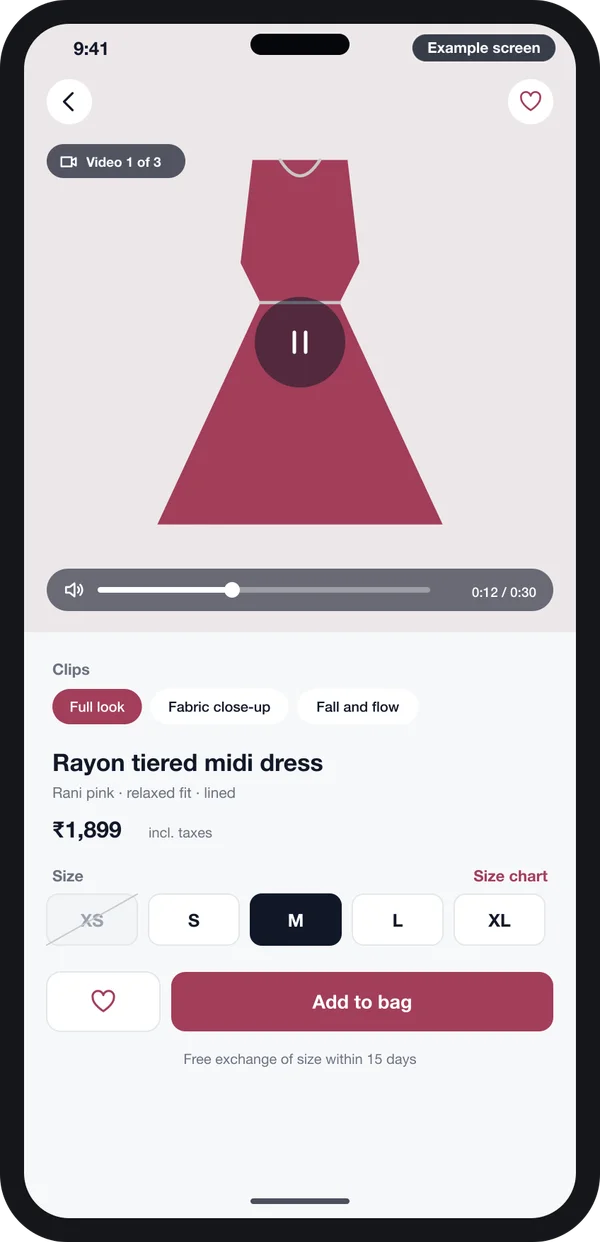
- Product video. A short clip on the product page shows the fall of the fabric and the fit.
- Clips per product. Full look, fabric close-up, and how it moves.
- Early access. Past buyers or a loyalty tier see the drop an hour before everyone else.
You upload the photos and clips from the staff app or web admin. Video files are served from cloud storage so the app stays light.
Must-have features in a clothing app
Beyond drops, a clothing app needs the parts that stop returns and lost sales. These are the features we build into most clothing apps.
Size and colour on every product
Each style shows only the sizes in stock. Out-of-stock sizes are greyed out, with a "tell me when back" button. The size chart opens from the product page.
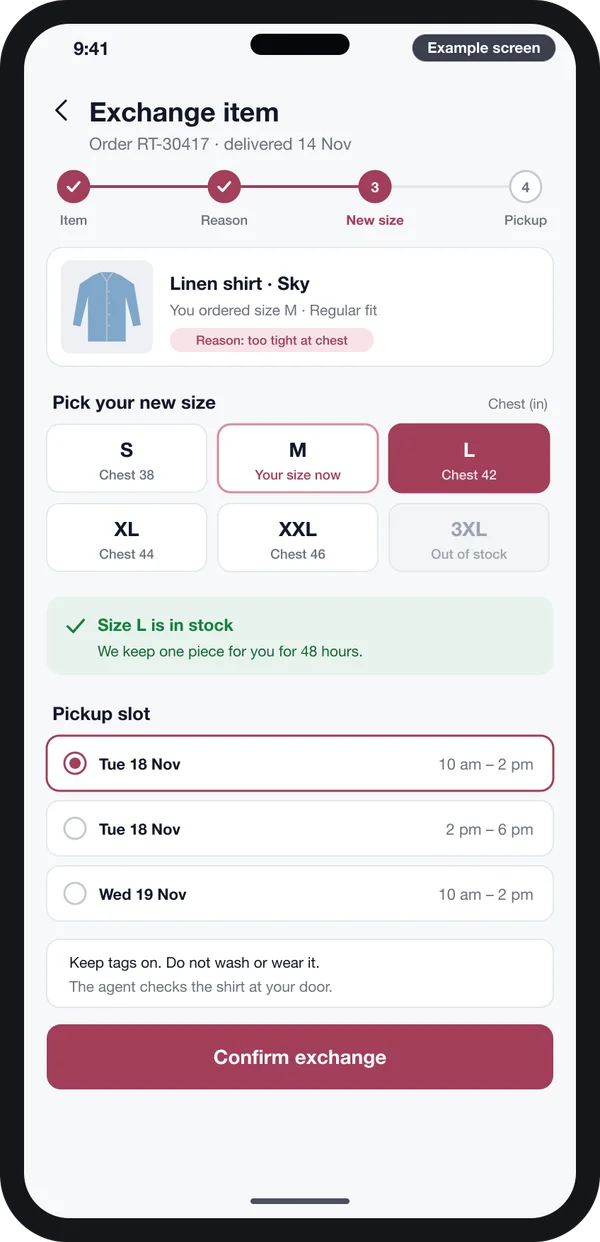
Exchange in a few taps
The buyer picks the item, the reason and the new size. The app checks the stock, holds one piece and books a pickup slot. The courier picks up the old piece.
Payments the Indian way
UPI, cards, wallets and cash on delivery, with your COD rules applied. Payments go through a licensed gateway.
Other features we often add: search with filters for size, fabric and fit, and a saved size per buyer. We also add order tracking, reviews with photos, and Hindi and English screens. Apps should also work for people with low vision. We follow the W3C WCAG guidelines for text size, contrast and labels.
One more feature matters for clothing: the saved size. When a buyer picks M in one kurta, the app remembers it. The next product page opens with M already picked, and filters show styles in M first. It saves taps, and it cuts orders in the wrong size.
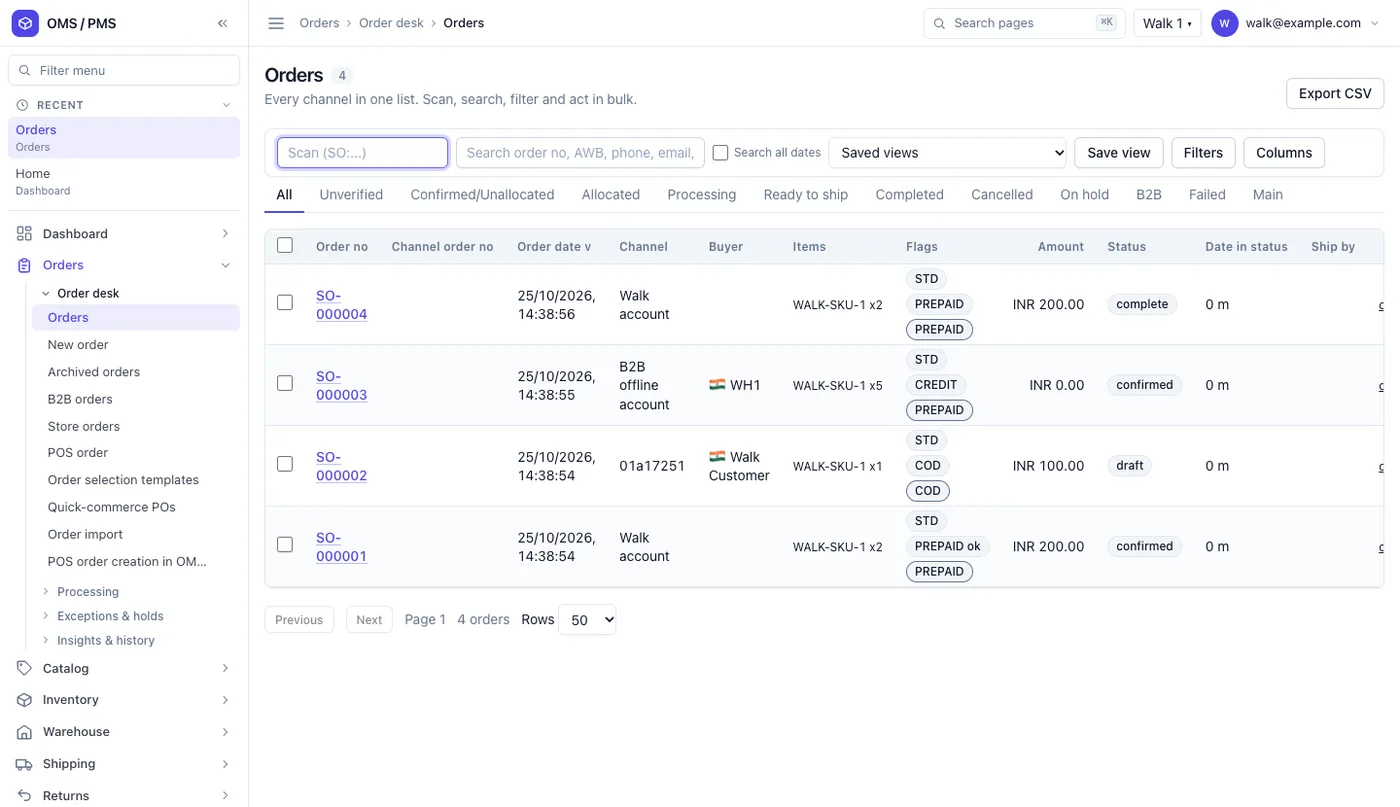
Orders from the app land in the same order list as web, shop and marketplace orders.
Wishlist and price-drop alerts
Clothing buyers save far more than they buy. A wishlist is a list of people who already want a product. The app should act on it.
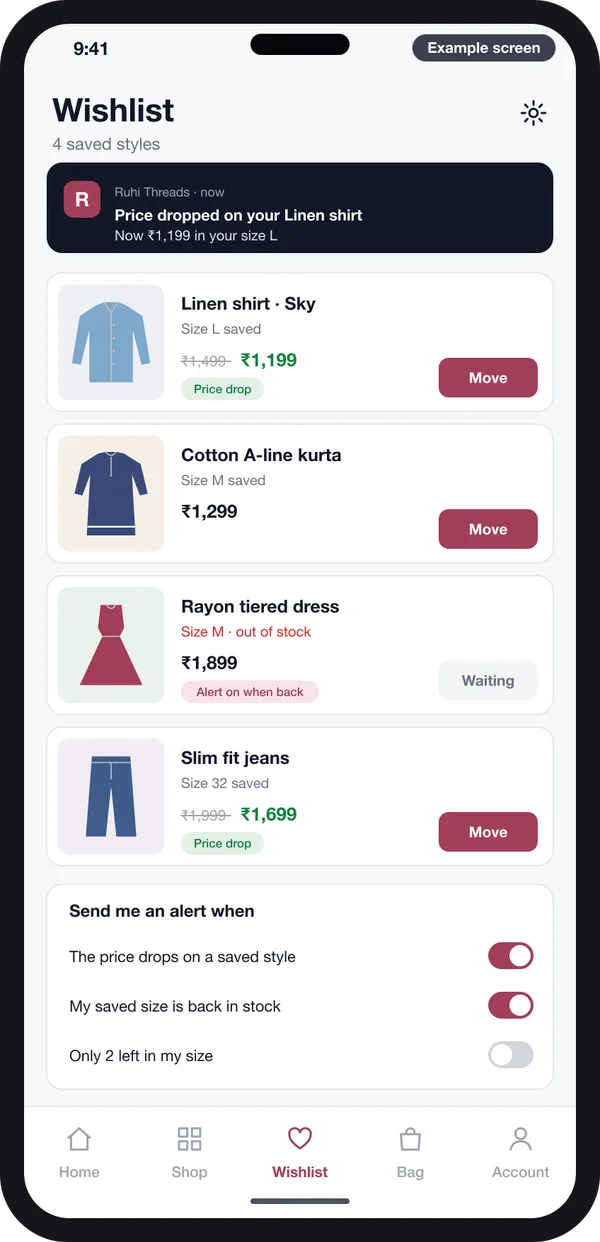
We build three alerts on the wishlist. The buyer turns each one on or off:
- Price drop. When a saved style goes on sale, the buyer gets a push with the new price in their size.
- Back in stock. When their saved size comes back, the app tells them first.
- Low stock. When only a few pieces are left in their size.
The staff app shows how many buyers wait for each size. That helps you decide what to reorder. Push messages need the buyer's consent, and the app asks for it.
How to pick a clothing app development company: checklist
Many companies can build an app. Fewer understand sizes, drops and exchanges. Ask these questions before you sign:
Ask any fashion app development company:
- Can you show a store you built with sizes and colours per product?
- Will the app, web store and shop billing share one stock count?
- How does the exchange flow work, and who books the pickup?
- Can buyers get price-drop and back-in-stock alerts?
- Will you publish the app on Play Store and App Store under my account?
- Do I get the full source code and my data?
- Can my team add products and drops without calling you?
- What support do you give after launch, and for how long?
See an ethnic-wear Shopify store we built and a watch store we built on Shopify. Already run a Shopify store and want an app for it? Read about Shopify app development in India.
Flutter or native apps for clothing?
You can build two separate native apps, one for Android and one for iPhone. Or you can build one shared code base that runs on both. For most clothing apps we use Flutter app development. One code base means one set of screens to design, test and update.
| What matters | Flutter | React Native | Two native apps |
|---|---|---|---|
| Code bases | One for both phones | One for both phones | Two |
| Suits | Custom screens, drops, video | Teams that already use React on the web | Apps that need deep phone features |
| Updates | One change, both stores | One change, both stores | Each app changed on its own |
| Team you need later | Flutter developers | JavaScript developers | Android and iOS developers |
If your web team works in React, React Native development is also a fair choice. We help you pick based on your team, not ours.
Our app development process
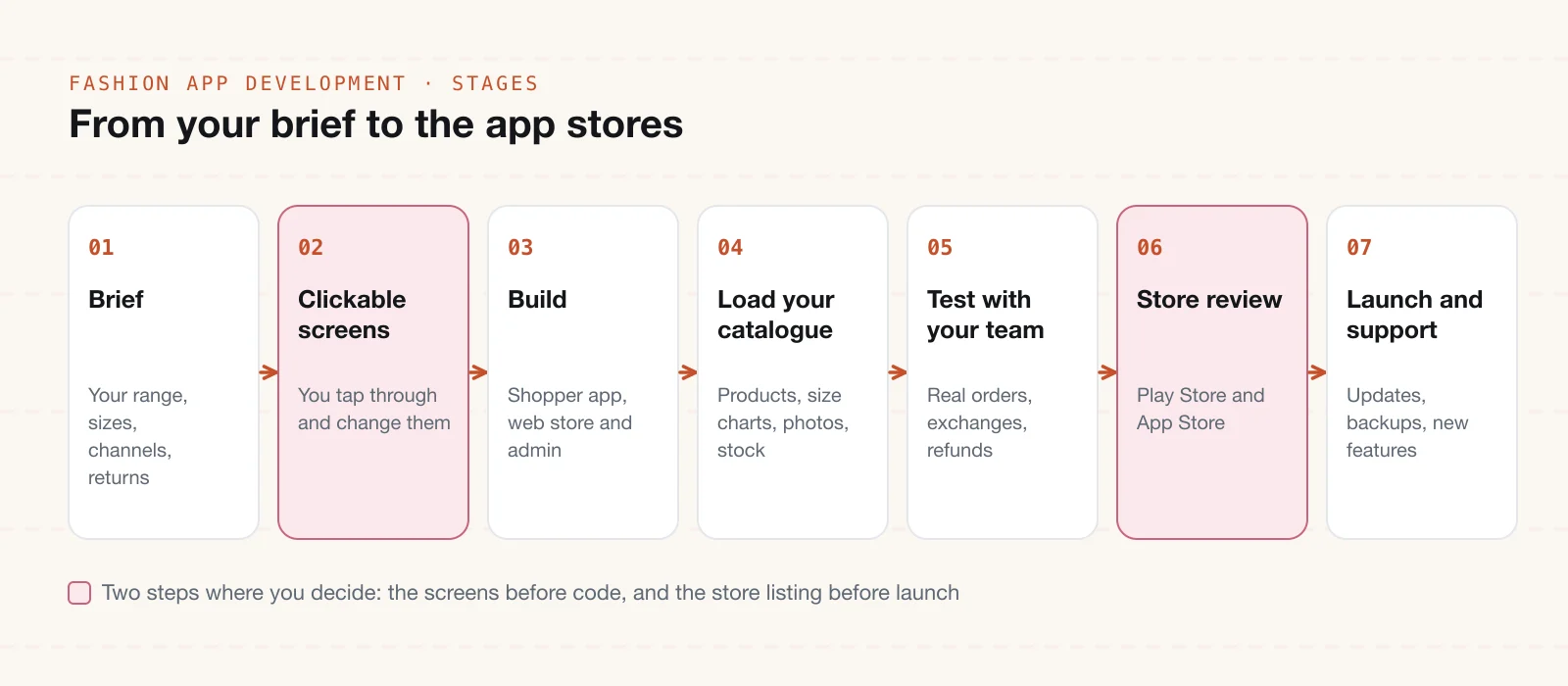
This is how we take a clothing app from brief to launch. Our process page has more detail on each step.
- Brief. We list your range, sizes, channels, payment and return rules, and the features you want first.
- Clickable screens. You tap through example screens on your phone and ask for changes before code.
- Build. We start from our ready store base. We add the shopper app, the staff app and the clothing parts.
- Load your catalogue. We import products, size charts, photos and stock from your sheet or old store.
- Test with your team. Real orders, exchanges and refunds, on real phones. We fix what they find.
- Store review. We prepare the listing and send the apps to Play Store and App Store under your account.
- Launch and support. Your brand goes live. Daily backups come with the setup, and an optional AMC covers support.
Selling to buyers in the USA through the app? Then the fibre content and country of origin must show in the listing. The rules are in 16 CFR Part 303. We add these fields to the product record.
Clothing app development cost: what decides it
We do not publish a fixed price, because every clothing business is different. The cost of your app depends on:
- Whether you need the shopper app only, or the staff app too.
- Whether you already have a web store we must connect to, or need a new one.
- How many styles, sizes and colours you sell.
- Features such as drops, stories, video, wishlist alerts and loyalty.
- How your exchange and return flow works.
- How many languages the app needs.
- How much old data we must move.
- Where it is hosted: your server or ours.
| App builder on a monthly plan | Custom clothing app (built for you) | |
|---|---|---|
| Start | Quick, from a template | Takes a few weeks to build |
| Cost over years | Monthly fee for as long as the app runs | One build cost, then optional support |
| Drops, exchanges and size alerts | Limited to what the builder offers | Built the way you sell |
| Look and feel | Template screens | Your own design |
| Data and source code | Stay with the builder | Yours |
Before you decide, read our guides on Shopify alternatives in India, ecommerce CMS options for 2026 and white-label ecommerce platforms. You can also see the products we have built. Share your range and features, and we will send a written quote after one call.
For the wider sector, Invest India keeps a retail and e-commerce sector page. Our retail and ecommerce software page lists the other systems we build for this trade.
FAQs
How long does it take to build?
It depends on the apps you need, your catalogue and the features you pick. We start from a ready store base, which saves time. You get a plan with dates after one call.
Do I own the source code, data and brand?
Yes. The apps go on the stores under your name and account. We hand over the source code, and your data stays on your server or ours. You can export it at any time.
Can you move my products from Shopify/WooCommerce or Excel?
Yes. We import products, sizes, colours, photos, stock and buyers from an export file or an Excel sheet. We can also connect the app to a Shopify store you keep.
Can it work on Android, iPhone and web?
Yes. We build the app for Android and iPhone from one code base. The web store runs on the same data. A size sold on one drops on all.
How is customer and payment data kept safe?
Payments go through a licensed payment gateway, so card details never sit in the app. Staff get role-based access, every change is logged, and data is backed up daily.
How do I publish on Play Store and App Store?
You open a developer account with Google and with Apple in your company name. We prepare the listing, screenshots and privacy details, and send the apps for review. We fix anything the reviewers ask for.
Related guides
- How to Start Online Clothing Business: Build Your Store
- Best Ecommerce Platform for Jewelry: Build Your Own Store
- Sell Furniture Online: Build Your Own Store and App
- How to Sell Shoes Online: Footwear Store App Development
- Jewellery Website Design and Ecommerce Development
- Cosmetics Website Design: Beauty Brand Store Development
Written by
Aditi
Building software at PRS India.