Business of Software
White Label Ecommerce Platform Development Solution
We build your own white label ecommerce platform: many stores, one admin, your brand on every store, app and invoice.

Written from production. Our articles draw on products we run live and the client work behind them, and are revised as the systems they describe evolve.
Many businesses want to give online stores to other people. A distributor wants a store for each dealer. A retail chain or franchise brand wants one for each outlet. A web agency wants to sell stores to its clients. Each of them needs the same thing: one system that runs many stores, with their own name on it.
That is a white label ecommerce platform. You do not rent it under someone else's name. We build your own ecommerce platform, with your brand on the admin, the stores, the apps and the invoices. This guide explains what such a platform must do, who uses it, and how PRS India builds it for you.
Key takeaways
- A white label ecommerce platform runs many stores from one admin. Each store gets its own name, logo, colours and web address.
- There are three kinds of users: you (the platform owner), the store owners, and the shoppers.
- The hard parts are not the shop pages. They are store setup, separate data per store, payments, payouts and billing to store owners.
- If your platform collects money for other sellers, payment and tax rules apply. Check them with a lawyer and a CA before launch.
- A custom-built platform is yours: your brand, your rules, your data and the source code.
What is a white label ecommerce platform?
"White label" means the software carries your name, not the builder's name. Your store owners and their shoppers never see who wrote the code. They see your brand.
A normal online store is one shop. A white label ecommerce solution is a system that makes shops. You add a new store owner, pick a plan, and the store is ready with its own catalogue, prices and orders. This is close to how a SaaS product built for many customers works. The difference is that the brand people see is yours.
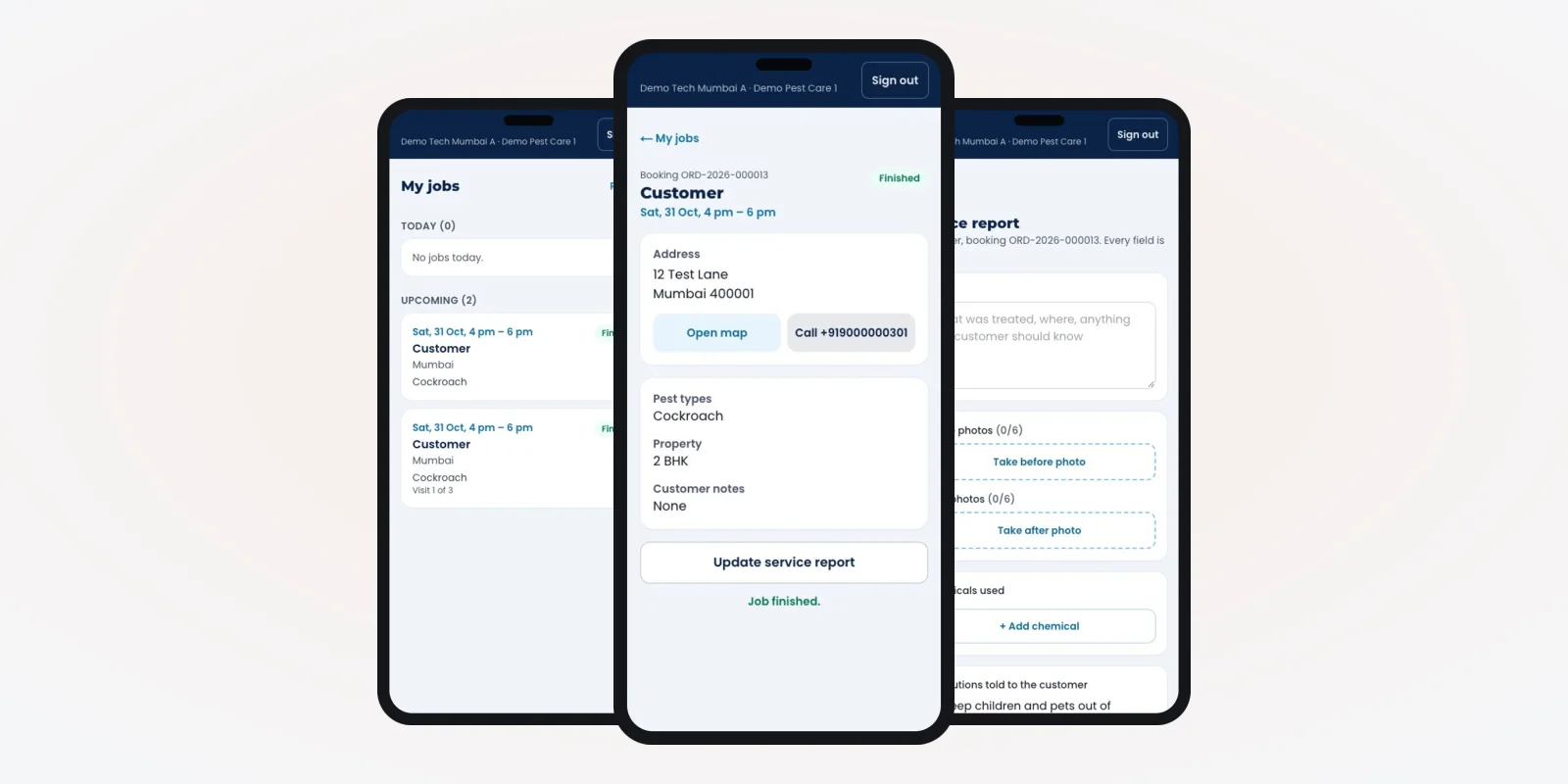
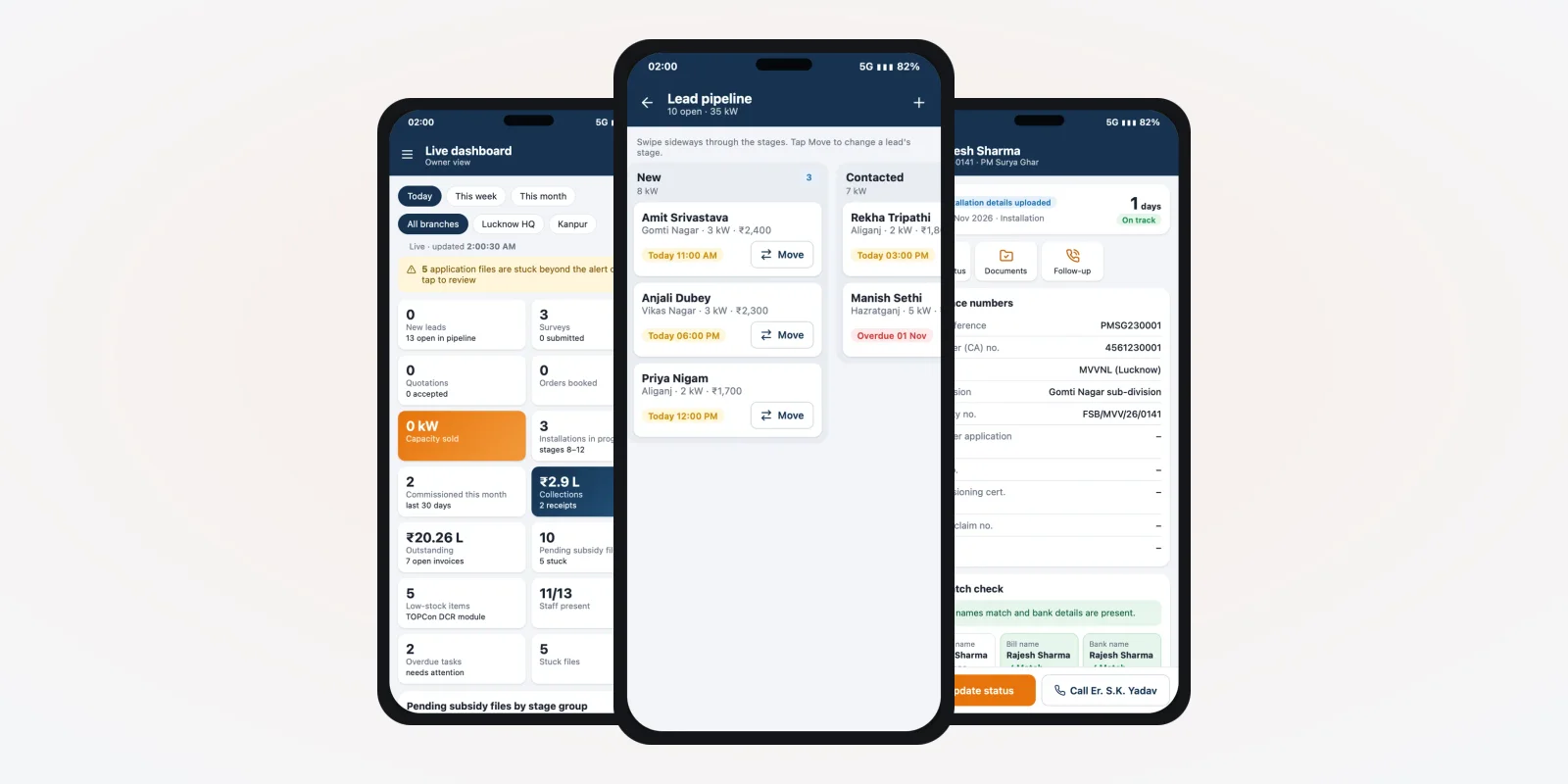
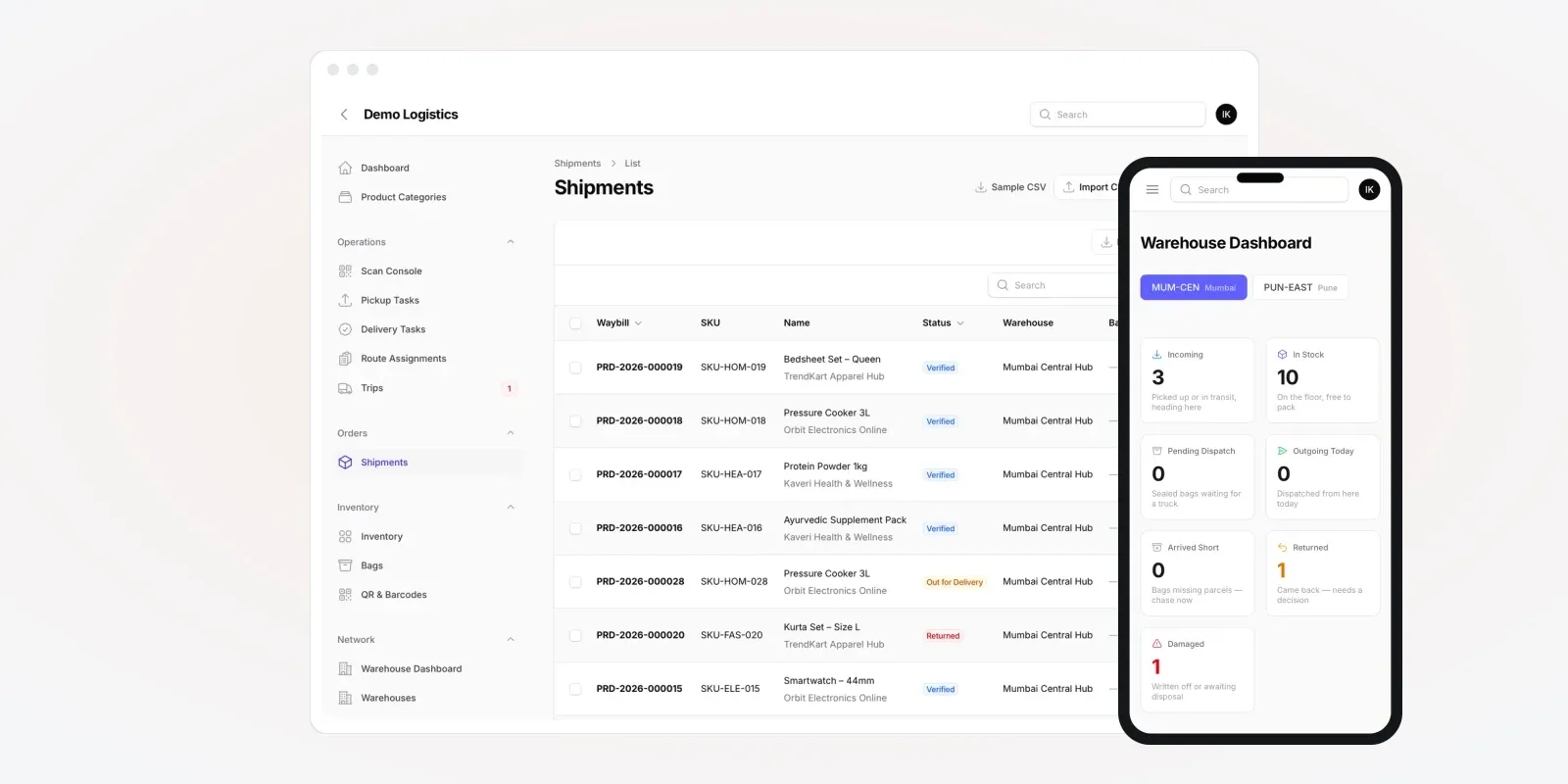
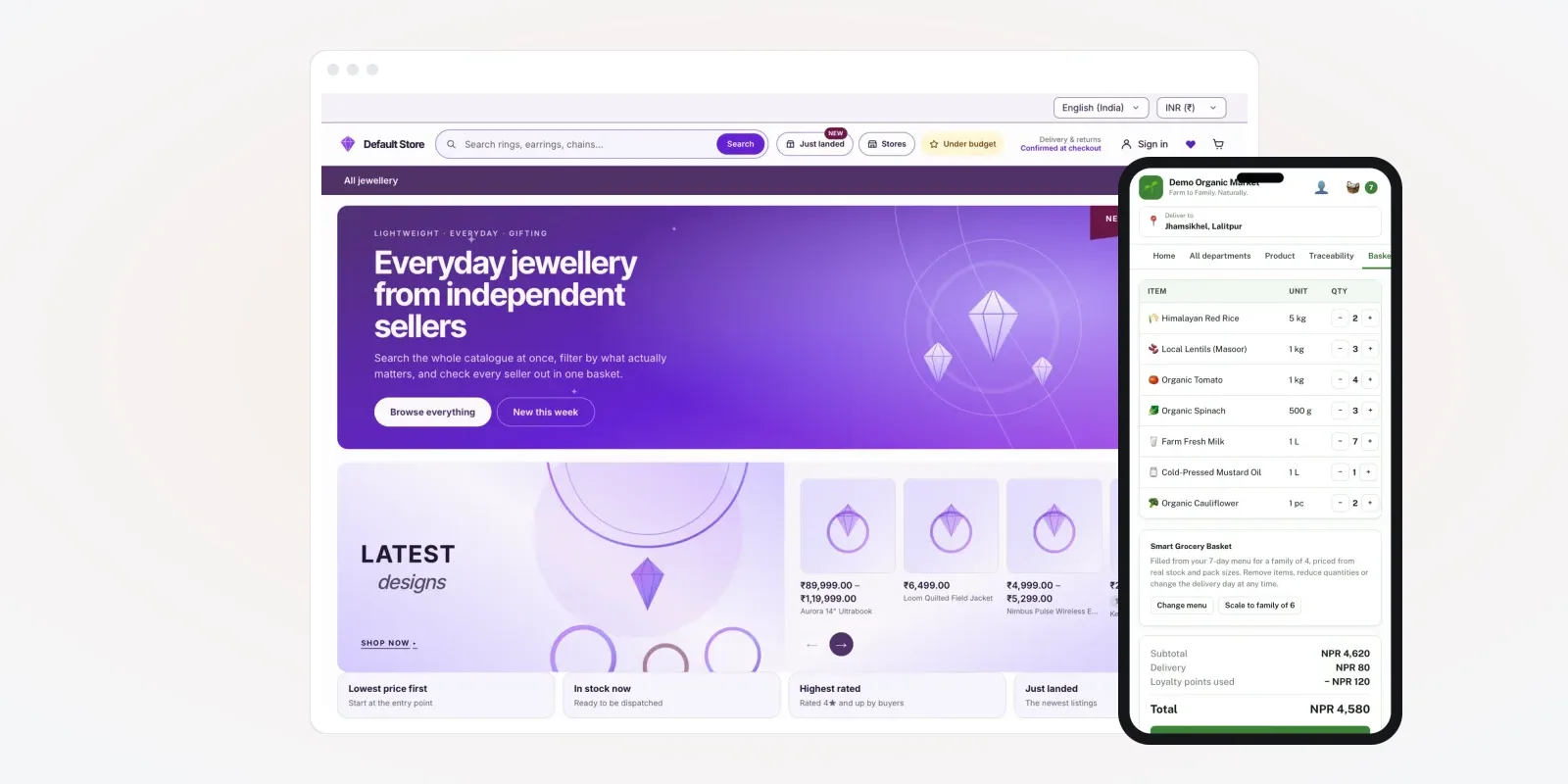
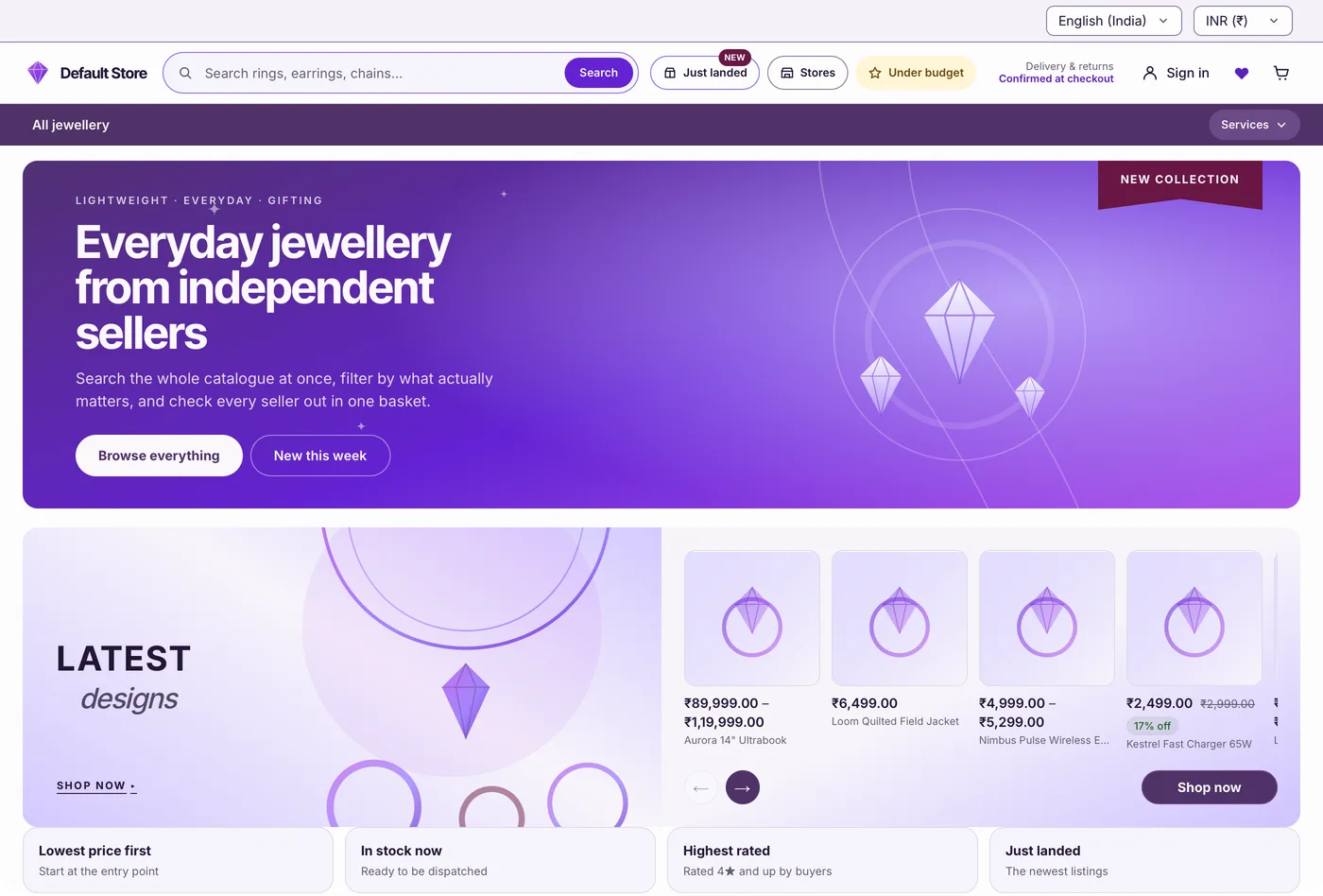
The screens in this guide are from an online store we built, filled with demo data.
The problem
Why renting many separate stores gets hard
Most groups start by opening one rented store per dealer. These are the problems that follow.
- One login per store. Ten dealers mean ten logins, ten bills and ten settings pages. Nobody sees all sales in one place.
- Product data copied by hand. When a price or photo changes, someone updates every store one by one. Mistakes creep in.
- Someone else's brand. Store owners deal with the rental company, not with you. The customer link is not yours.
- No control over money. You cannot charge store owners your own plan, or take a share of each sale, in one system.
- Rules you cannot change. Delivery areas, tax setup and checkout steps follow the rental company's design.
- No exit. Leaving means rebuilding every store. Order history and customer lists are hard to take out.
Who uses a white label ecommerce platform
Three groups use the platform every day. You work in the platform admin. Store owners work in their own store panel. Shoppers see the store and its app, like the screens below.
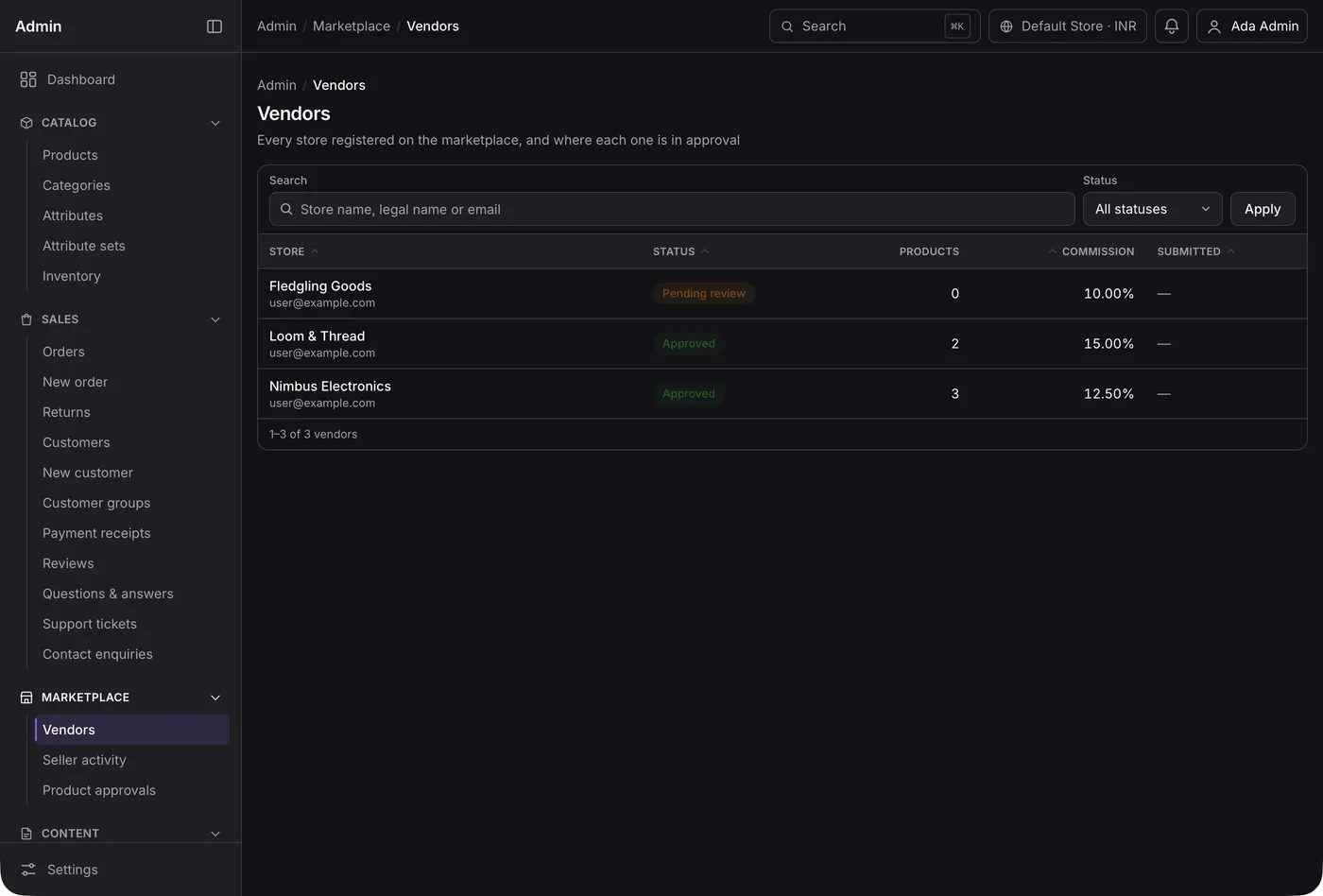
You, the platform owner
You see every store in one list. You approve new stores and set the share you take per sale.
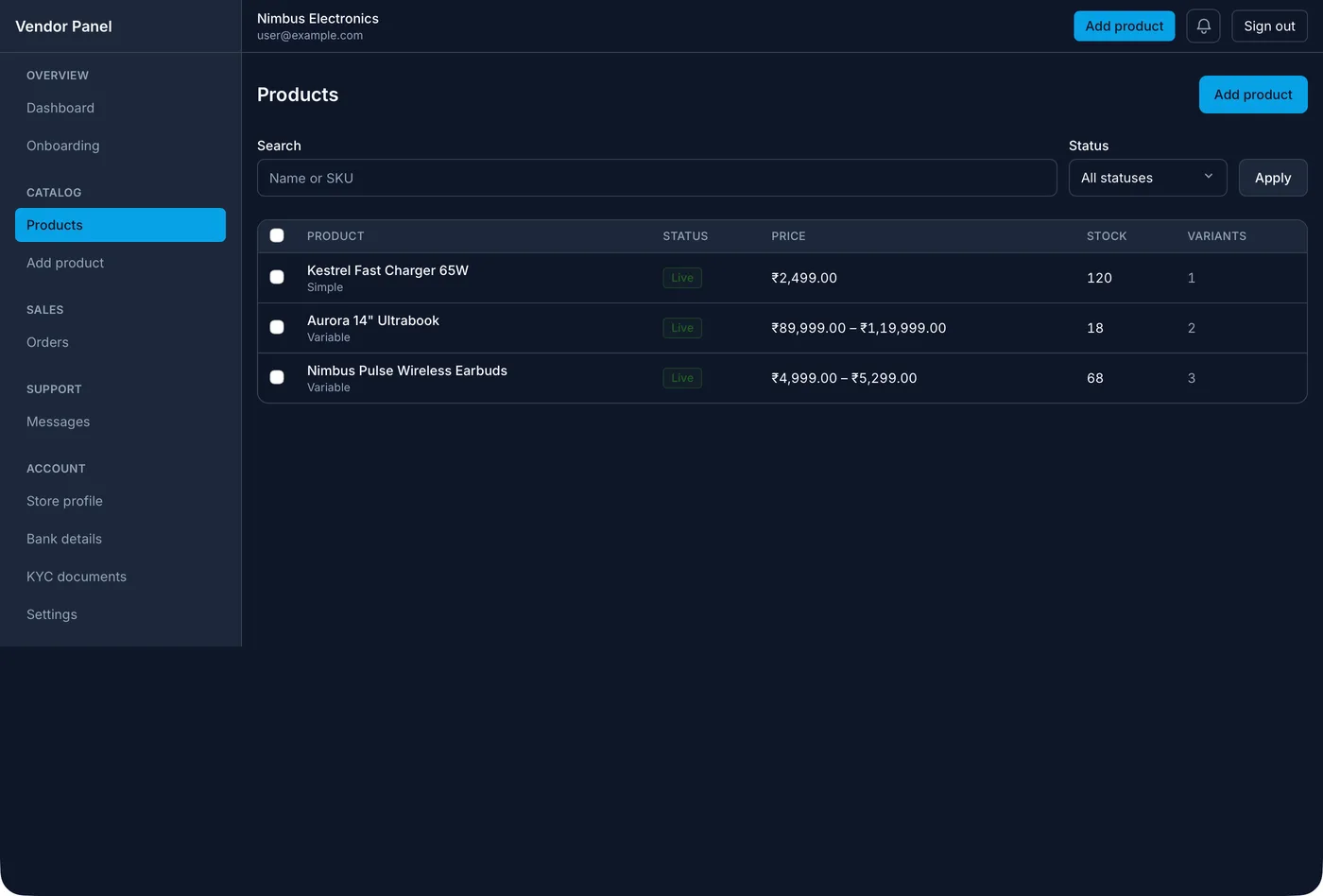
Store owners
Each owner logs in to their own panel. They see only their products, stock and orders.
What the platform keeps for each store
Every store is a small business inside your platform. The admin keeps one record for each store, with these details:
- Identity: store name, logo, colours, web address or sub-domain, contact details.
- Business papers: GSTIN, PAN, bank account for payouts, signed terms.
- Plan: monthly plan, share per sale, or both, and the date of the next bill.
- Catalogue: products from your central list, plus its own items if you allow them.
- Selling rules: delivery pin codes, delivery charges, cash on delivery on or off, store hours.
- Staff: who can log in to this store and what each person can change.
Each store's orders and customers stay apart from the others. One store owner must never see another store's data. This split is the first thing to plan, and the hardest to add later.
Must-have features in a white label ecommerce solution
1. Store setup in minutes
You fill in the store record and pick a plan. The platform creates the store, its admin login and its storefront. The store owner gets a welcome message with the login link.
2. Brand per store
Each store gets its own logo, colours, banner and web address. The order emails, SMS and invoices carry the store's name. Your platform name can appear only in the admin, if you want it.
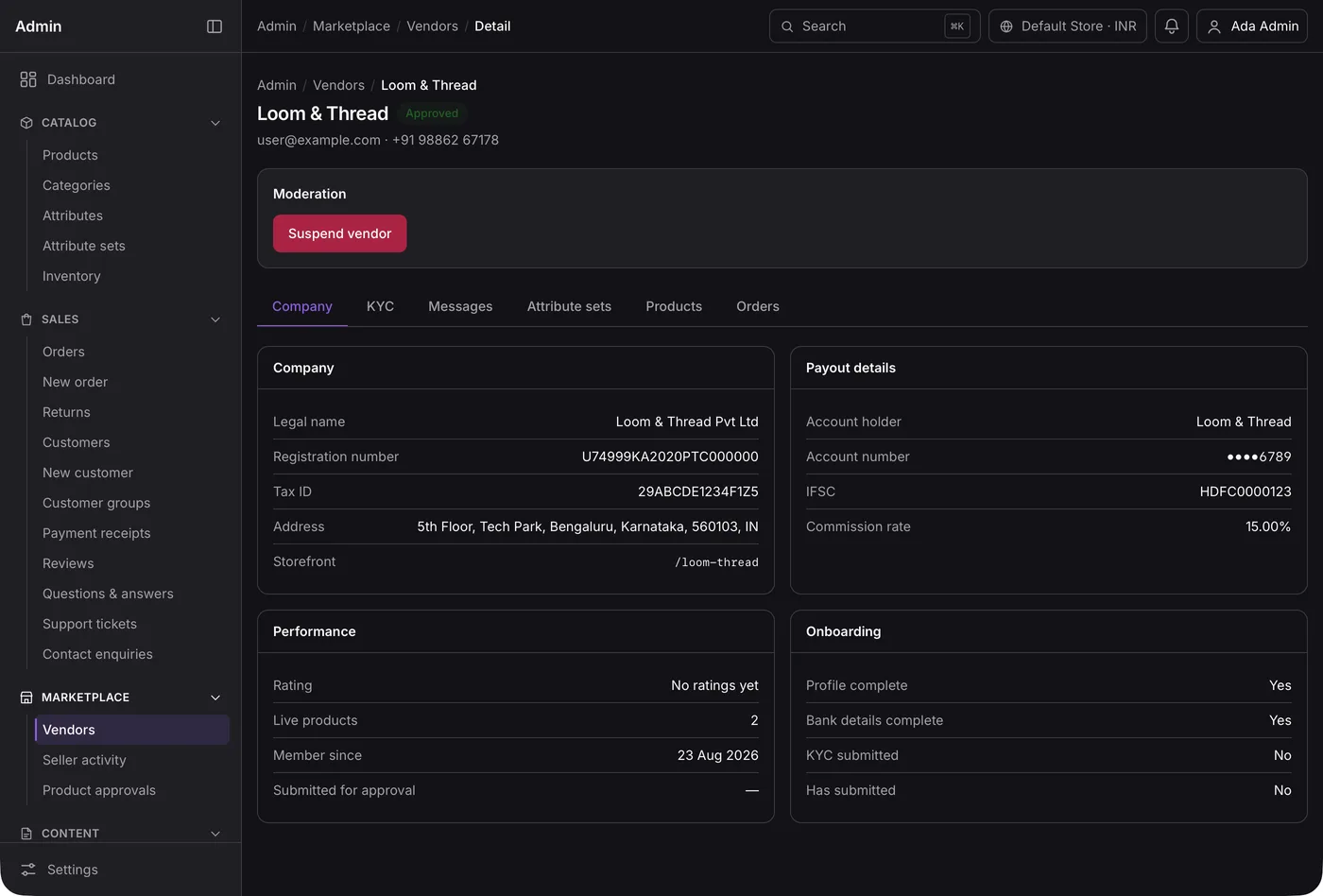
3. Central catalogue, local stock
You keep one master list of products, photos and descriptions. Each store picks the items it sells and sets its own stock. When you fix a photo once, every store gets it.
4. Cart, coupons and checkout
The cart shows tax, delivery charge and any discount code. Coupons can be set by you for all stores, or by one store for its own shoppers.
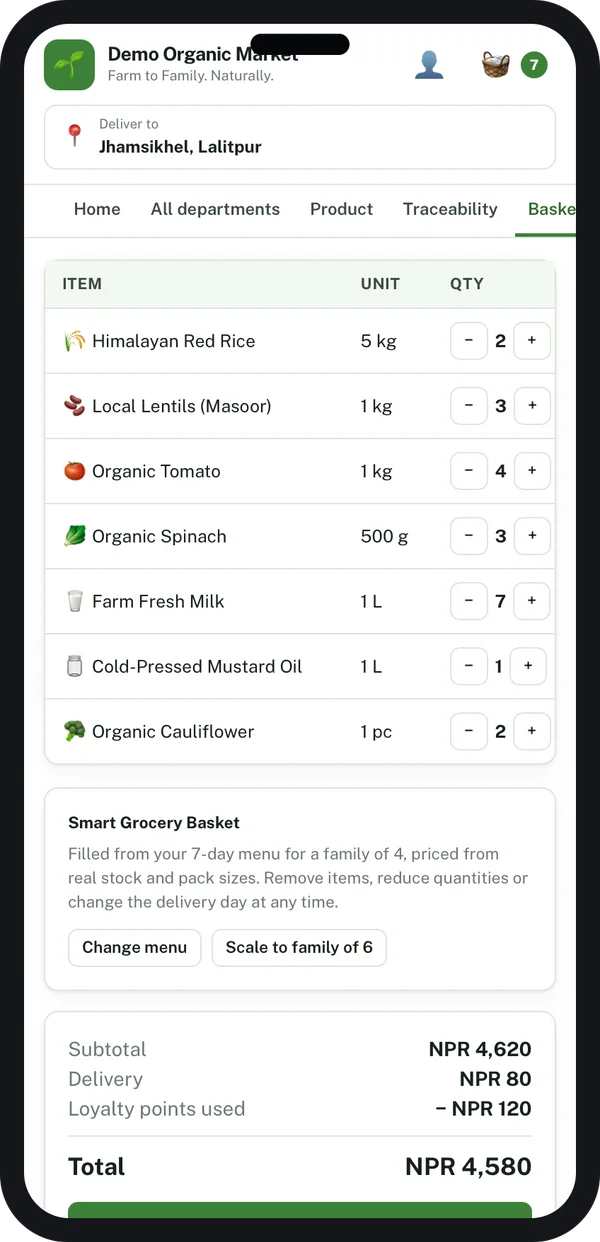
5. Payments, payouts and your share
This is where most white label projects get stuck. Decide early who collects the money. In one model, each store uses its own payment account. In another, your platform collects and pays each store after taking its share. The second model gives you more control, but brings more rules. It works much like the seller and admin panels in a multi-vendor platform. The admin should show, for each store, what was sold, what was kept and what was paid out.
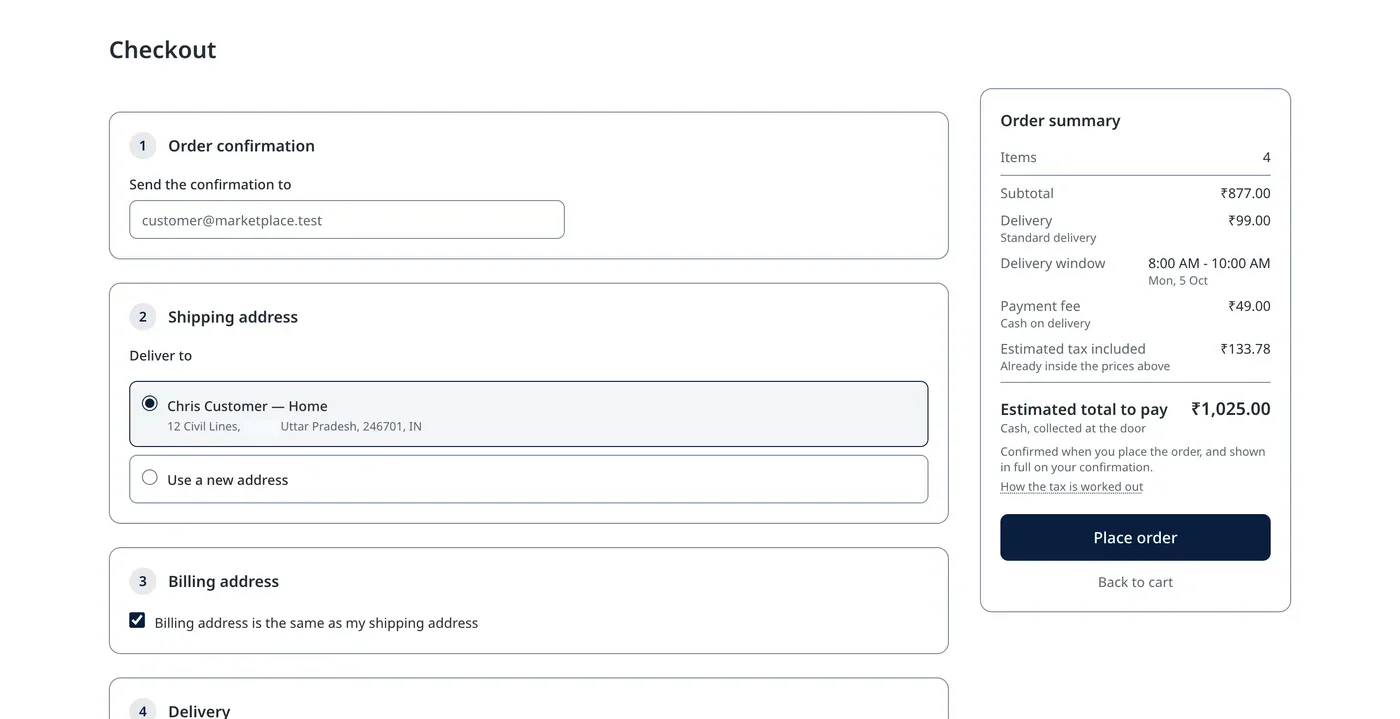
6. Orders and delivery tracking
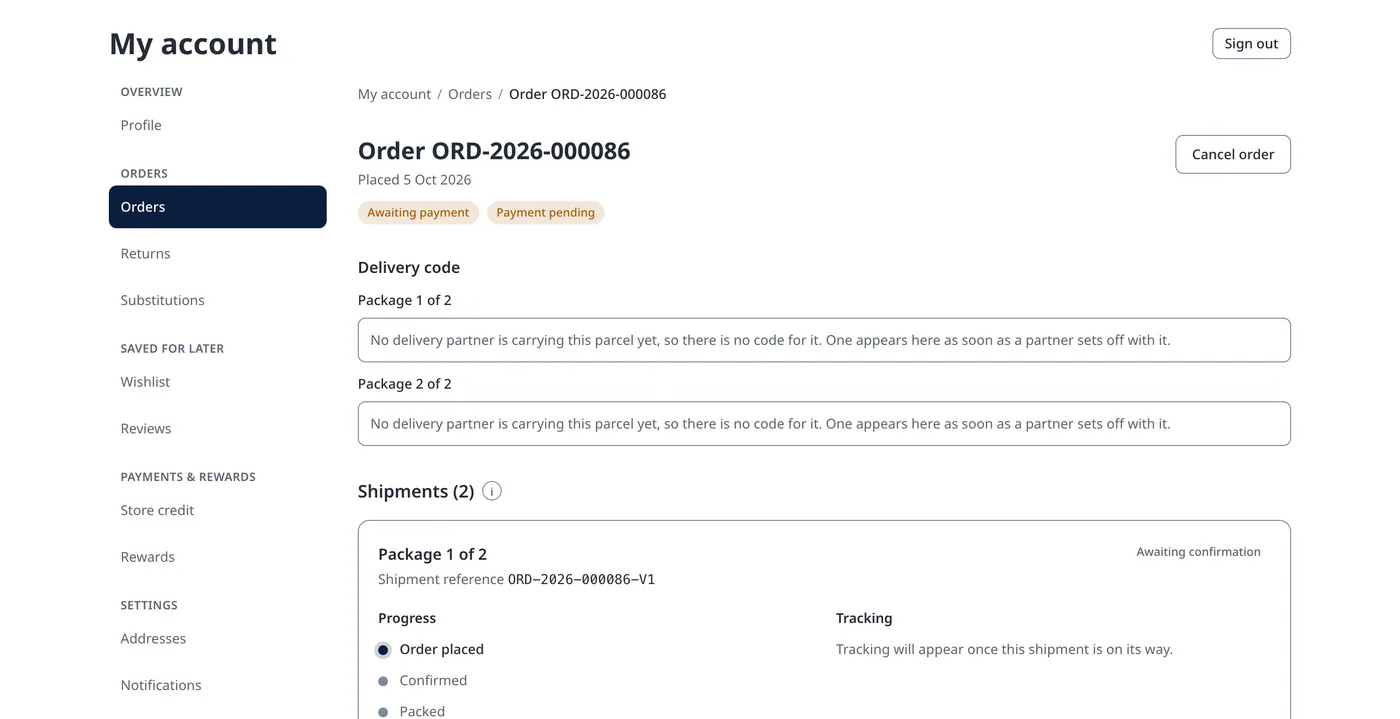
Store owners see only their own orders. You see all orders across all stores, with filters by store, status and date. Shoppers track each package from their account page.
7. Plans and bills for store owners
The platform raises a bill to each store owner every month. It reminds them before the due date. If a bill stays unpaid, you can pause the store from the admin.
8. Reports for each level
Store owners see their own sales and most-sold products. You see sales by store, by region and by plan, so you know which stores need help.
Check the rules before you collect money for others. If your platform takes payments for many sellers, it may count as an e-commerce operator or a marketplace. That brings duties on seller details and complaints under the Consumer Protection (E-Commerce) Rules, 2020, GST duties such as tax collected at source (see CBIC GST), and payment aggregator rules from the Reserve Bank of India. Check with a lawyer and a CA. We build the screens your model needs.
White label platform vs separate stores vs a marketplace
People often mix up these three. A multi-vendor marketplace puts many sellers in one shop. A white label platform gives each seller their own shop.
| What you need | Separate rented stores | One marketplace | White label platform |
|---|---|---|---|
| Your brand on every store | No | One brand only | Yes |
| Each seller has their own web address | Yes | No | Yes |
| One admin for all stores | No | Yes | Yes |
| Shared product list | No | Yes | Yes |
| Charge store owners your own plan | No | Commission only | Plan, share or both |
| Take out all data when you want | Hard | Depends on the builder | Yes, it is yours |
If you are still choosing a store builder for a single shop, read our comparison of ecommerce CMS options first.
Worked example: a distributor with 40 dealers
A home-goods distributor wants each dealer to sell online in their own town. The names are examples.
- Week 1, central catalogue. The distributor loads all products, photos and suggested prices into the platform once.
- Week 2, first dealers. The team adds five dealers. Each gets a store with the dealer's name and the distributor's look.
- Week 3, local setup. Each dealer picks the items they stock, sets their pin codes and turns cash on delivery on or off.
- First order. A shopper orders from one dealer's store. Only that dealer and the distributor see the order.
- Month end. The platform pays each dealer their sales, minus the distributor's share. It raises the monthly plan bill.
- Month 3, all 40 dealers. The distributor checks sales by dealer and region. Slow stores get help with stock and photos.
Our service
How we build your own white label ecommerce platform
One platform, shaped around how you sign up and charge your store owners.
- Understand your model. We map who your store owners are, how they pay you and how money flows.
- Design the screens. You click through the admin, store panel and shop screens before any code is written.
- Build the platform. A web admin and store panel on Laravel, storefronts for every store, and Android and iPhone shopping apps if you need them.
- Test with real stores. Two or three store owners run live orders. We fix what they find.
- Launch under your brand. Your name on the admin and app stores, your data on your own server.
- Support and grow. New plans, new payment options and new store types as you add owners.
White label ecommerce platform development cost: what decides it
We do not publish a fixed price, because every platform is different. The cost depends on a few things:
- How many surfaces you need: admin, store panel, web storefront, shopping apps.
- Who collects the money, and how payouts and your share are worked out.
- Whether stores share one catalogue or each builds its own.
- Which outside services connect: payment, SMS, delivery partners, accounting.
- How much each store can change its own look. A headless storefront gives more freedom, with more work.
| Monthly store plan per dealer | Your own white label platform | |
|---|---|---|
| Start | Fast for one store | A few weeks to build |
| Cost as stores grow | Grows with every new store | One build cost, then optional support |
| Brand | The rental company's platform | Yours, on every store |
| Charging store owners | Not possible | Your own plans and share |
| Data and source code | Stay with the vendor | Yours |
Tell us the number of stores, your money model and the apps you need. Send us these details and we send a written quote after one call.
Whoever builds your white label ecommerce platform, make sure it can:
- Keep each store's orders and customers apart from every other store
- Give each store its own logo, colours and web address
- Share one product list while each store keeps its own stock
- Show what each store sold, what you kept and what was paid out
- Raise monthly bills to store owners and pause unpaid stores
- Let you add a new store without a developer
- Export all stores' data whenever you want
FAQ
What is a white label ecommerce platform?
It is a system that runs many online stores from one admin, under your brand. Each store gets its own name, logo and web address. Store owners and shoppers do not see who built the software.
How long does it take to build a white label ecommerce platform?
It depends on the number of apps and how payouts work. After one call, we share a plan with dates for each part. You see clickable screens first.
Will I own the platform and its source code?
Yes. We build it under your brand and hand over the source code. The data of all your stores stays on your own server.
Can each store have its own domain?
Yes. Each store can use a sub-domain of your platform or its own domain. The platform sets up the security certificate for each one.
Is shopper and store owner data safe on the platform?
It should be. The Digital Personal Data Protection Act, 2023 applies to shopper data. We keep each store's data apart, limit staff access by role, and log who changed what.
Can store owners add their own products?
Yes, if you allow it. You can keep a central list only, let stores add their own items, or ask for your approval before new items go live.
Do you build mobile apps for each store?
We can. Some platforms use one shared shopping app where the shopper picks a store. Others publish a separate branded app for large store owners.
Can PRS India build a white label ecommerce platform for my business?
Yes. We build the platform admin, store owner panel, storefronts and shopping apps around your model. Book a consultation and we will show you screens for your stores.
Related guides
Written by
Aditi
Building software at PRS India.