How to Create a Taxi App: Step by Step
The 10 steps to create your own taxi app, from planning and features to building, testing and launch.

Written by Prabhjot Kaur, Product Manager
Reviewed by the PRS India software & mobile app development team
13 min read
Written from production. Our articles draw on products we run live and the client work behind them, and are revised as the systems they describe evolve.
You want your own taxi app. Your name on it, your drivers on it, and your fare rules inside it. But where do you start, and what comes next?
This guide shows how to create a taxi app, step by step. It starts with planning and ends with the first month after launch. At each step, we say what you must decide and what to get ready. At the end, we show how PRS India does mobile app development for taxi businesses.
Key takeaways
- A taxi app is three parts: a rider app, a driver app and an admin panel, joined by one server.
- Write your fare rules and money rules on paper before anyone writes code.
- Open the store, payment, maps and SMS accounts in your own company name.
- Test on real streets with test drivers before you go live.
- Store review for taxi apps has extra checks for location. Plan time for it.
How to create a taxi app: all steps at a glance
Here are the 10 steps in order. Each one is explained below.
- Plan your taxi service. City, ride types and business model.
- List the features. For the rider app, driver app and admin panel.
- Set fare and payment rules. How the fare is worked out and how people pay.
- Choose how to build it. From scratch, on a ready-made base, or rented.
- Pick your services. Maps, payments, SMS and store accounts.
- Design the screens. Click through them before any code.
- Build the apps. Rider app, driver app, admin panel and server.
- Test on real streets. With test drivers and test riders.
- Publish on the stores. Play Store and App Store.
- Launch and improve. Start in one area and grow.
Step 1: Plan your taxi service
Start small and clear. A taxi app for one city is easier to launch than one for a whole state.
- Where: pick one city or one route to start, such as the airport run.
- Ride types: car, bike, auto, airport trips, outstation, or parcel delivery too.
- Drivers: your own cars and staff, or owners who join and drive their own cars.
- Booking: ride now only, or also rides booked for later.
Check the rules for your state too. Ride aggregators in India need a state licence. Most states follow the Motor Vehicle Aggregator Guidelines, 2025 from the Ministry of Road Transport and Highways. Speak to your state transport office and a lawyer before launch. Our guide on how to start a taxi business covers the business side in more detail.
Step 2: List the features for each app
Write one list for each part. Mark each feature as "launch day" or "later". This keeps the first version small.
| Rider app | Driver app | Admin panel |
|---|---|---|
| Login with phone code | Sign-up with documents | Approve drivers and vehicles |
| Book a ride, see the fare | Go online and offline | Set fares by city and vehicle |
| Track the driver live | Accept or decline a ride | Watch live rides on a map |
| Ride PIN to start the trip | Navigation to pickup and drop | Handle complaints and refunds |
| Pay, rate and tip | Earnings and wallet | Reports and driver payouts |
| SOS button and trip sharing | Ride history | Promo codes and messages |
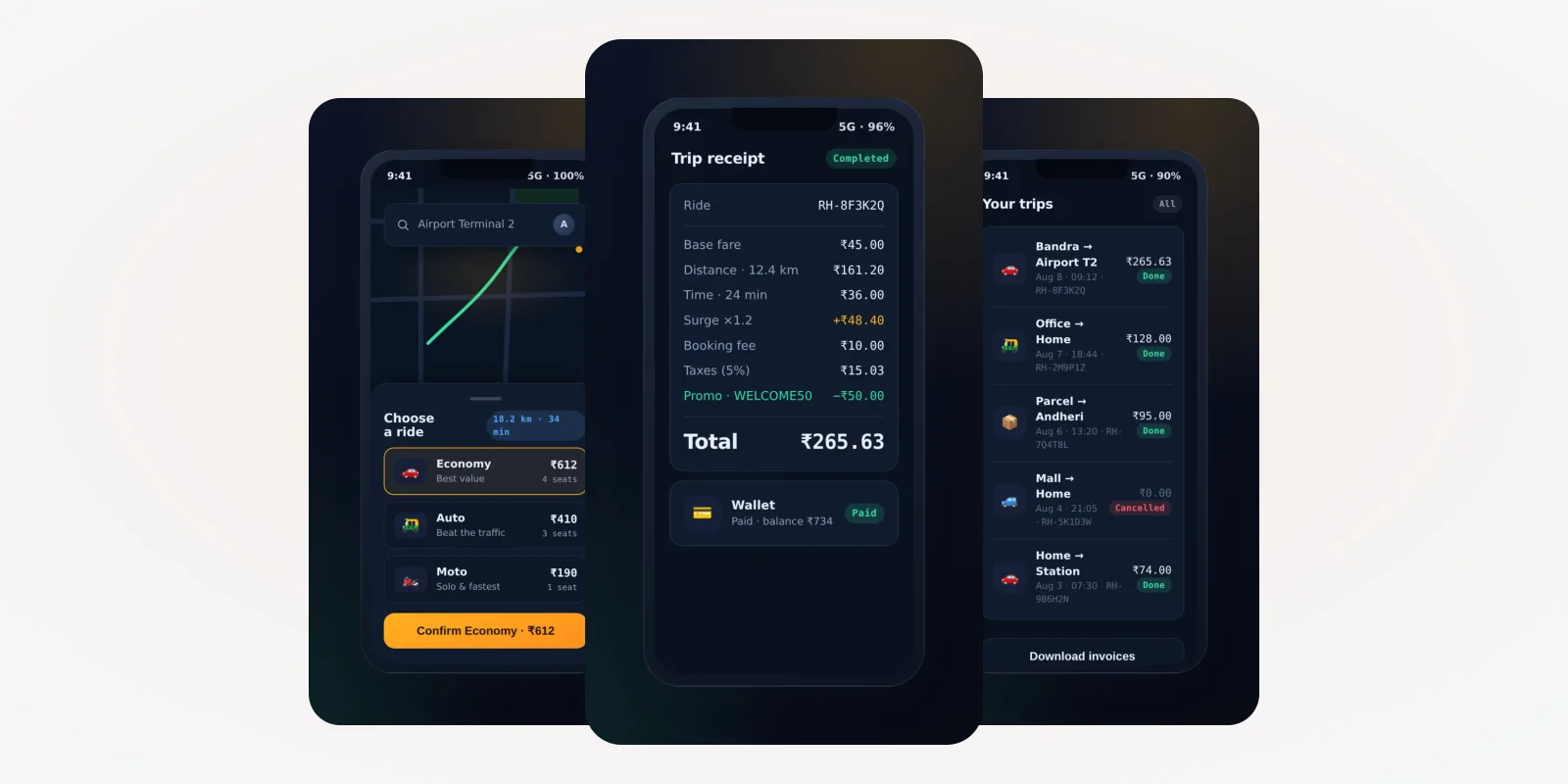
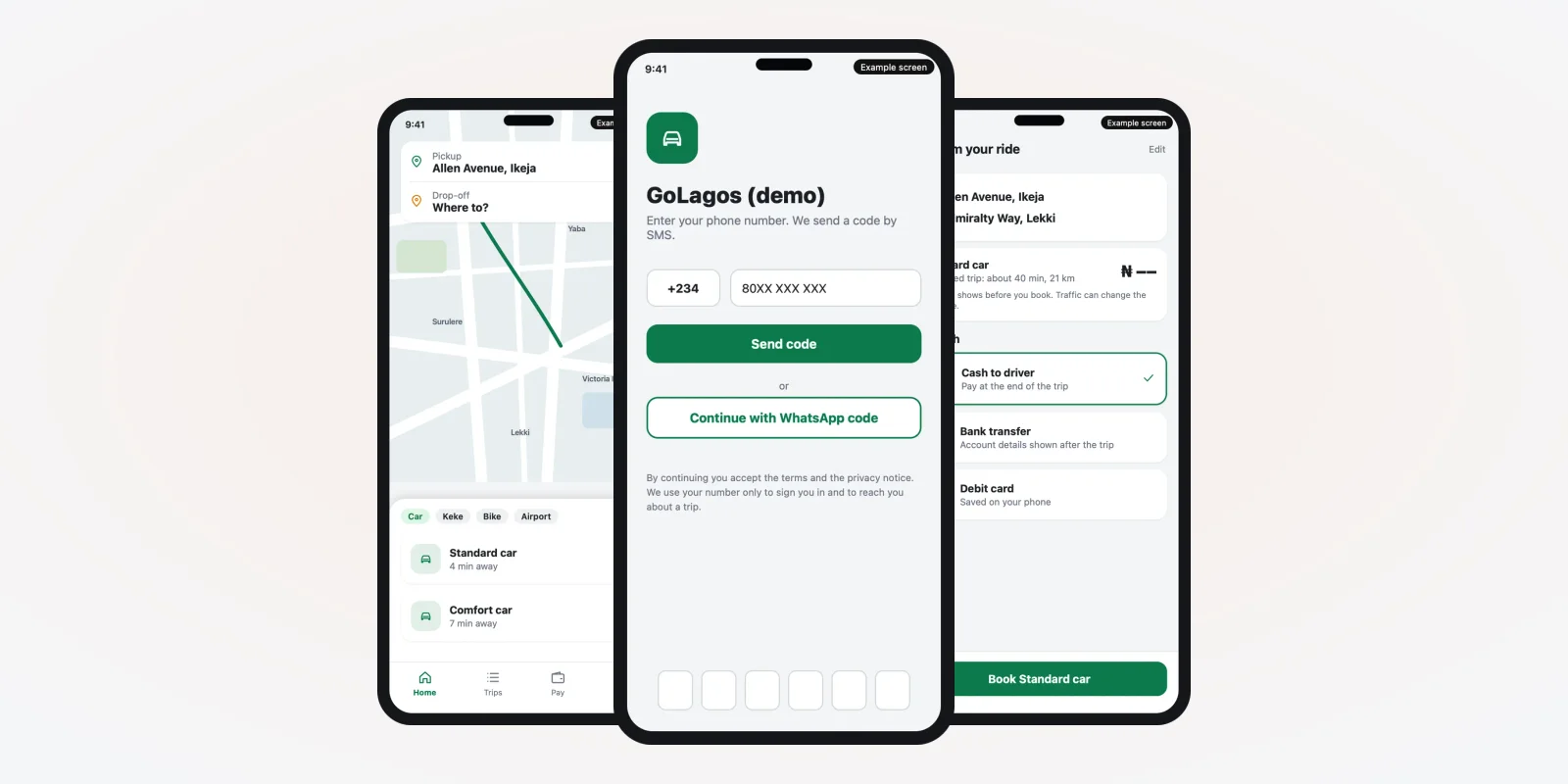
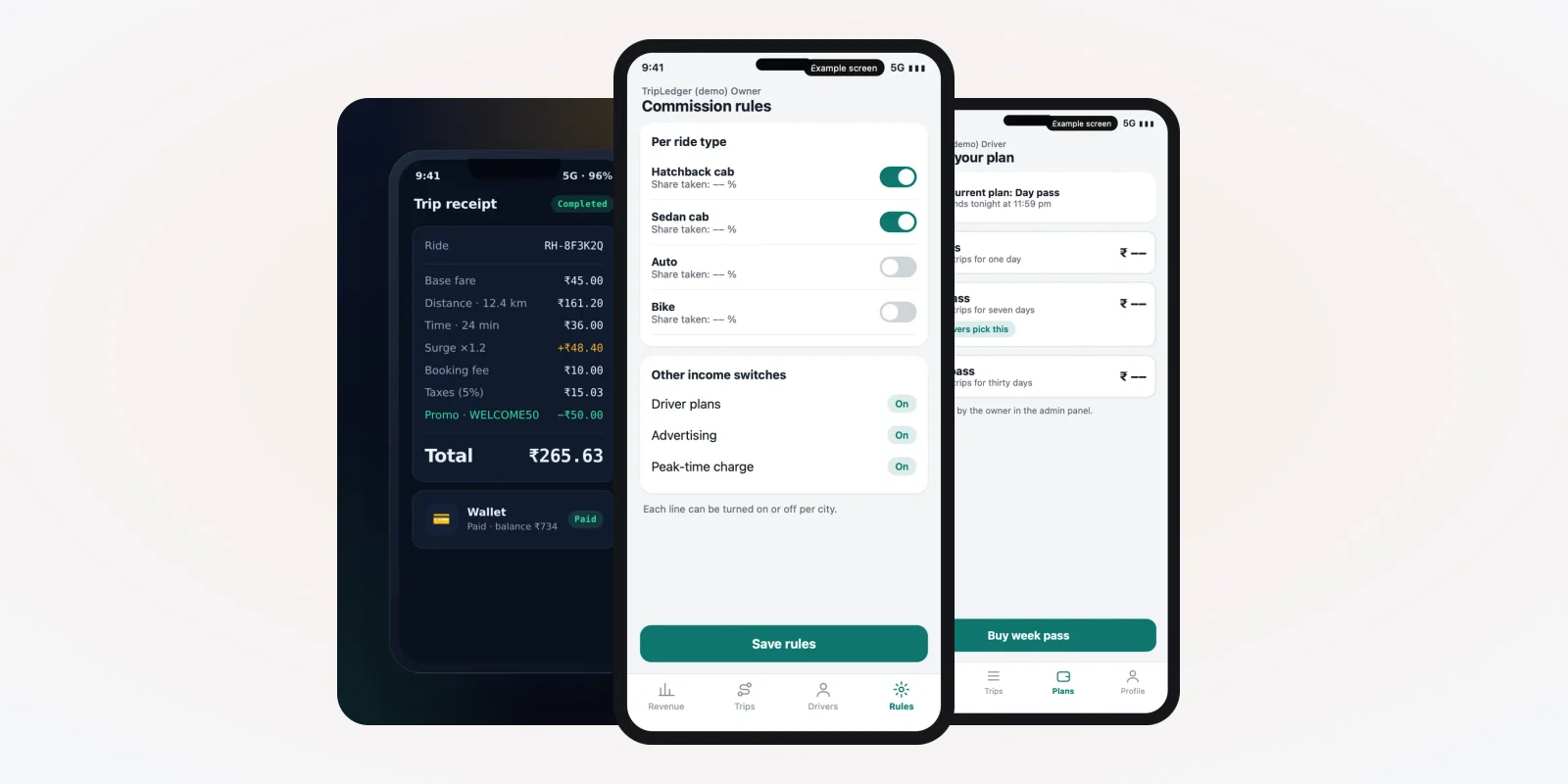
The screens below are from a taxi app we built, shown with demo data.
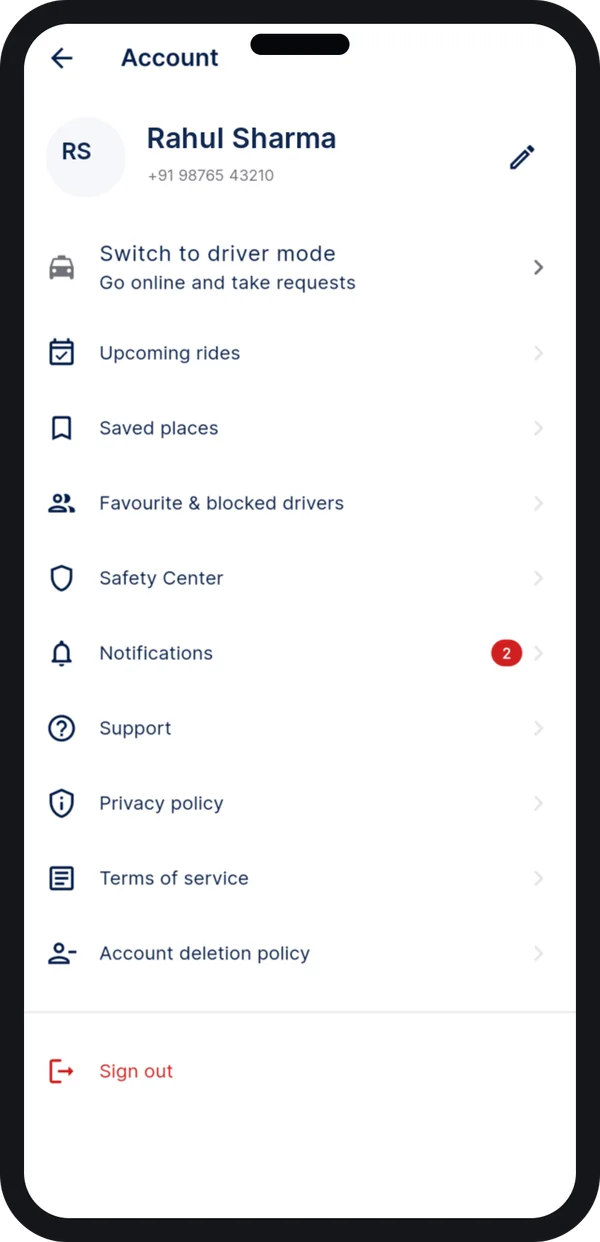
One app, two modes
A rider can switch to driver mode from the account screen.
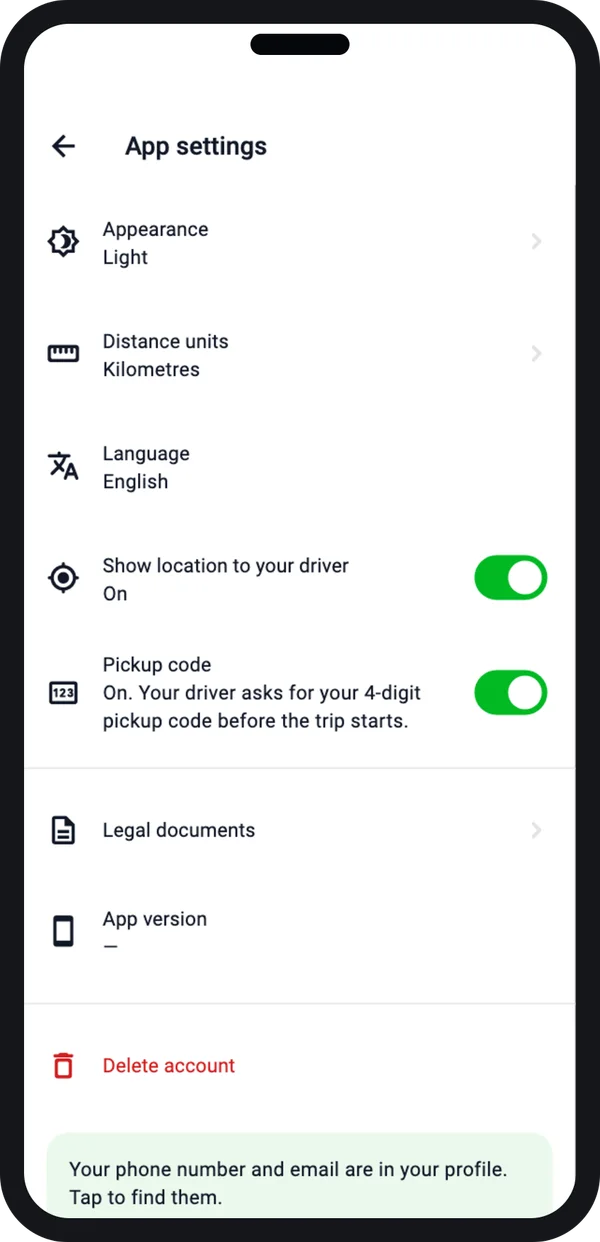
Ride PIN and settings
The driver asks for a 4-digit pickup code before the trip starts.
Also decide two more things. Do you want two apps, or one app with a rider mode and a driver mode? And which languages should the apps use? Our list of must-have taxi app features helps you sort launch-day features from later ones. For safety features, see our guide on safety features for women riders.
Step 3: Set your fare and payment rules
Fares cause more rework than any other part of a taxi app. Decide them early, and write them down.
How the fare is set
- Fixed fare: the rider sees the price before booking, and pays that price.
- Meter fare: the app works out the price from distance and time at the end.
- Rider offers a fare: the rider names a price, and drivers accept or send a counter offer.
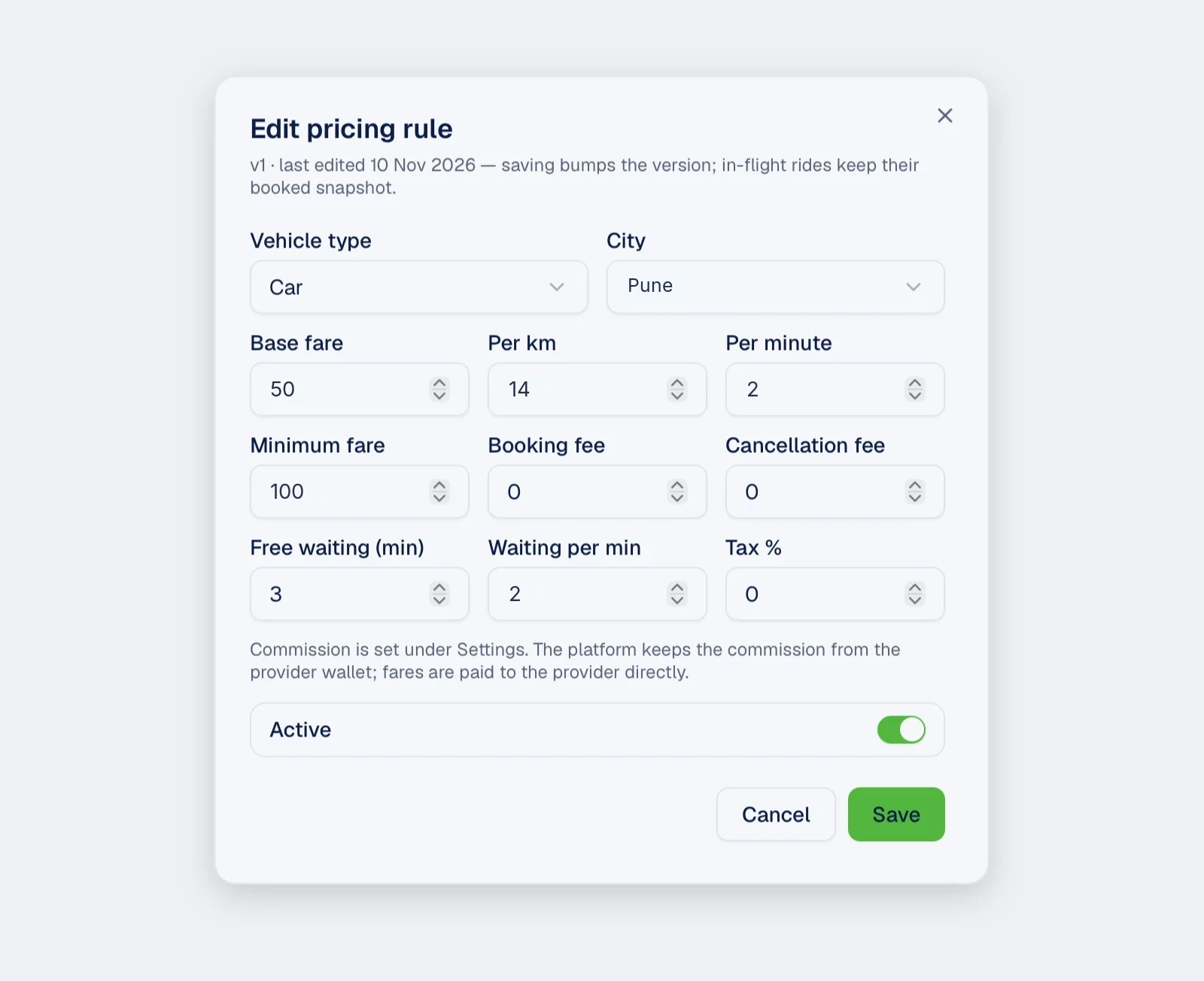
Then list each charge: base fare, per km, per minute, waiting time, night charge, airport fee, tolls and cancellation fee. Write two or three worked examples on paper, with real numbers from your city. A mismatch on paper takes minutes to fix. In finished code, it takes much longer.
How people pay
- Cash, UPI, card, wallet or bank transfer.
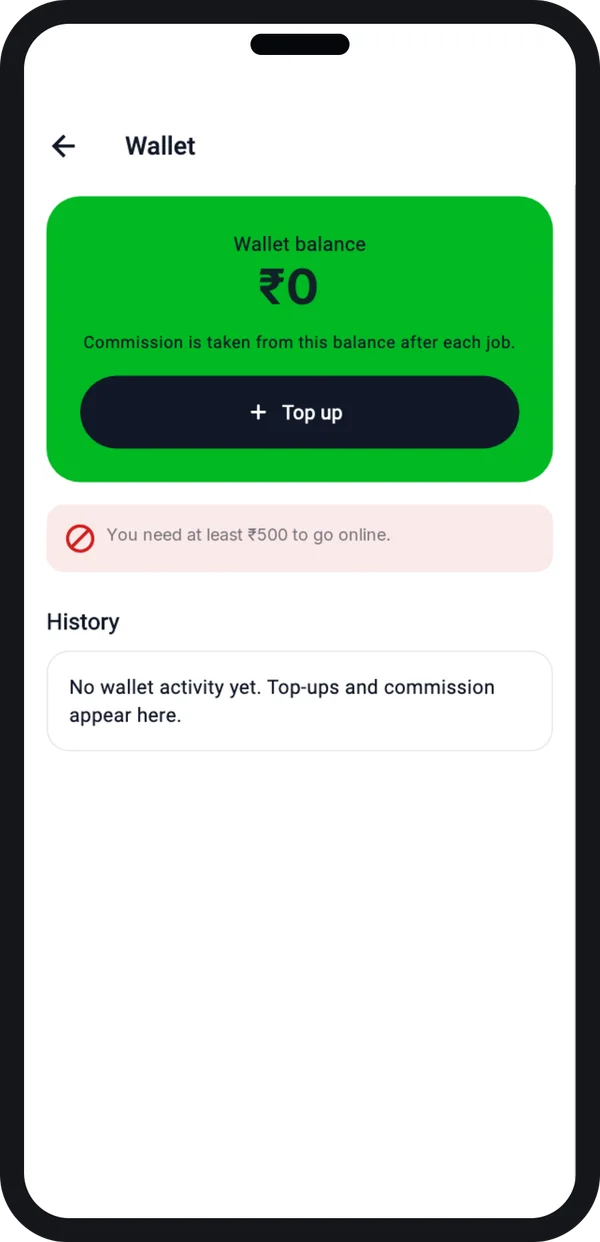
- A prepaid wallet for drivers, topped up online, if drivers collect cash.
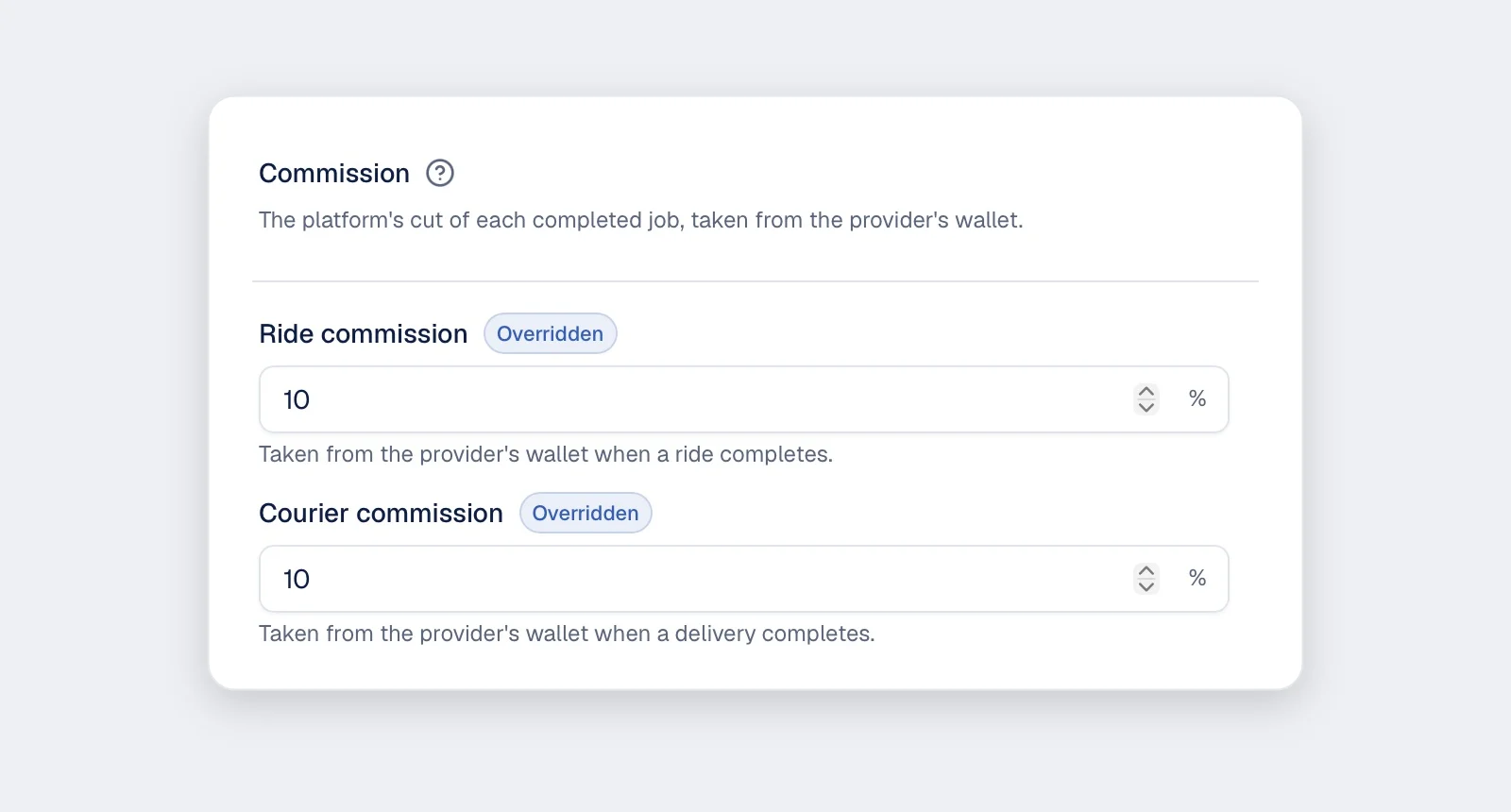
- Commission per ride, zero commission, or a monthly driver plan.
- Does commission apply to tolls and airport fees, or only to the ride?
- Who pays when a card payment fails? Who carries a refund?
Our guide on how taxi apps make money compares the earning models.
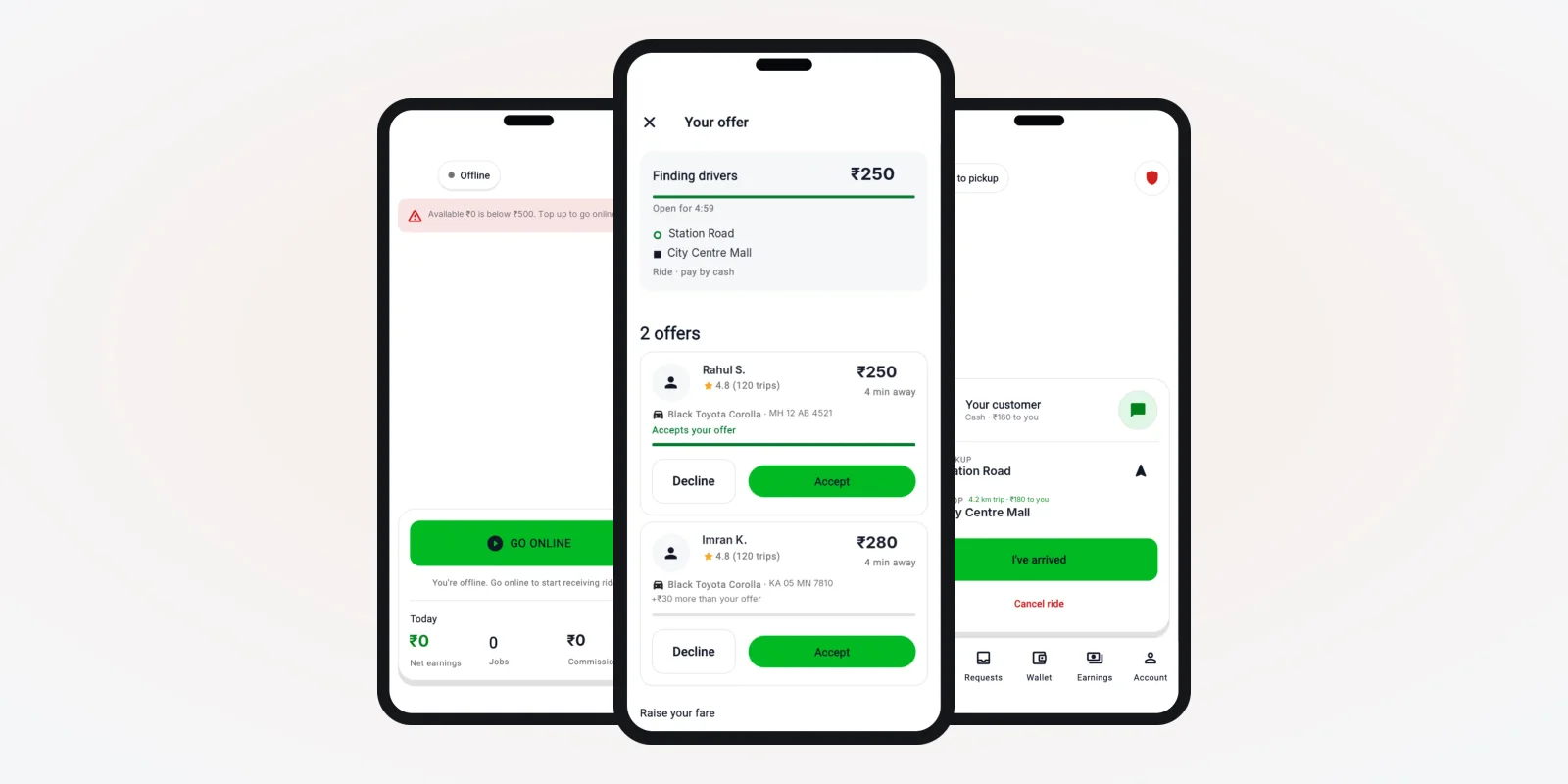
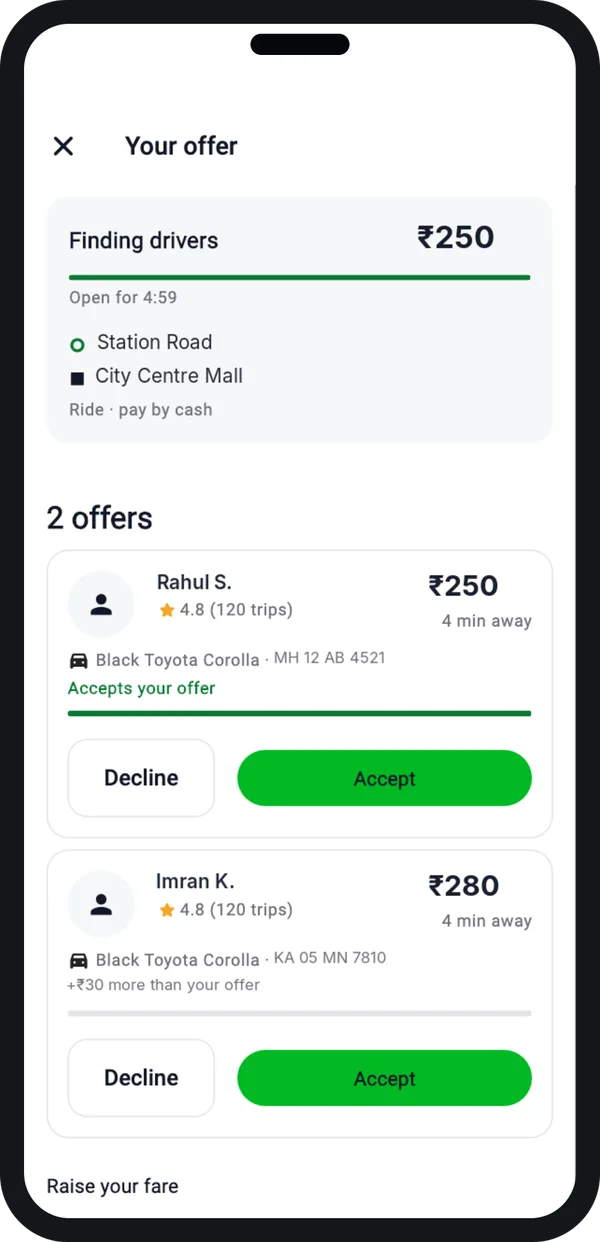
If the rider offers a fare
The rider sets a price. Nearby drivers accept it or send a higher offer. The rider picks one driver.
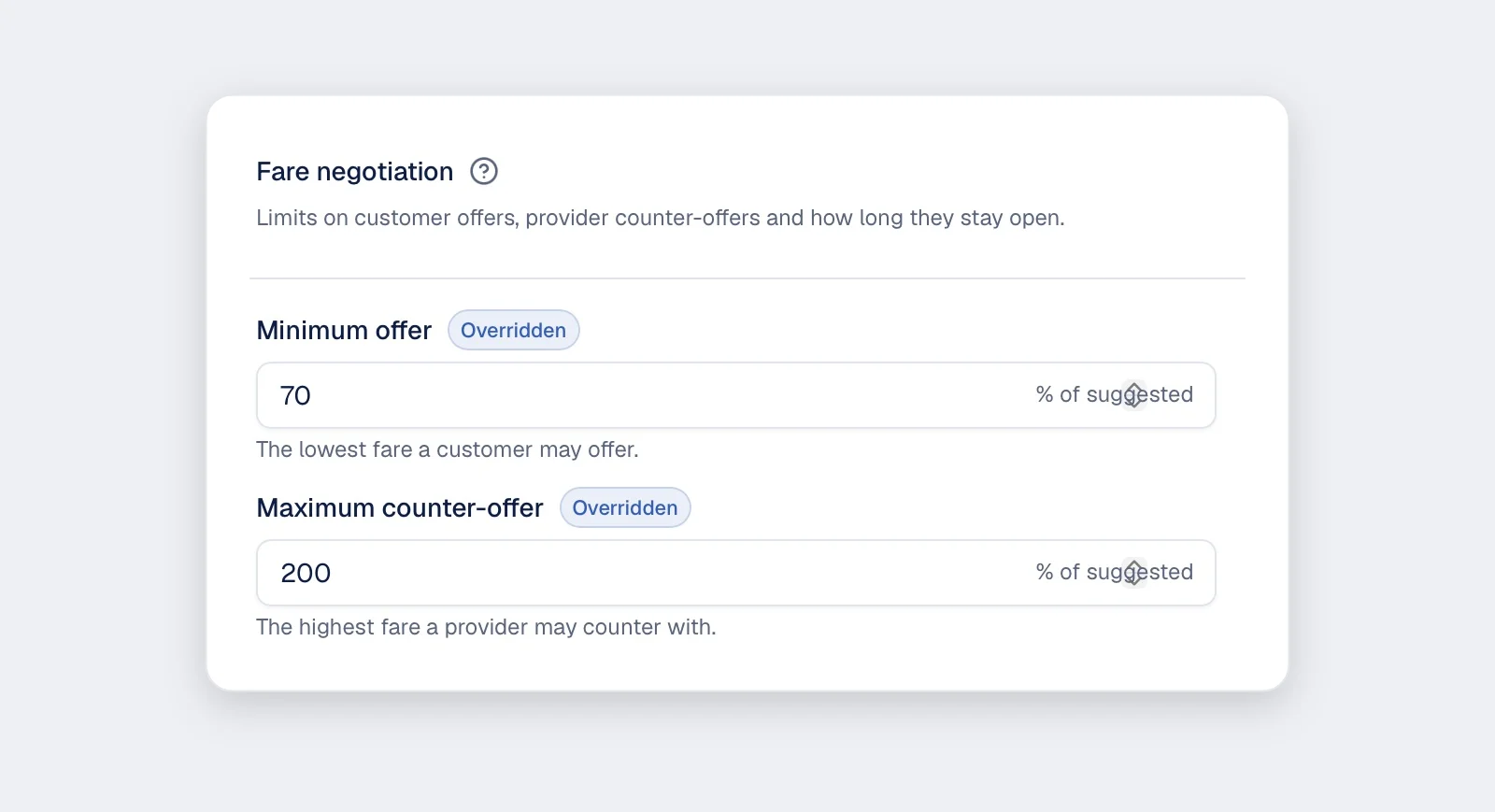
This needs its own screens. It also needs admin rules for the lowest offer, the highest counter offer and how long an offer stays open.
Step 4: Choose how to build it
There are three ways to get a taxi app. Each one suits a different stage of business.
| Build from scratch | Build on a ready-made base | Rent a monthly app | |
|---|---|---|---|
| Time to launch | Longest | Shorter | Shortest |
| Your own fare rules | Yes | Yes | Within the plan's limits |
| Your name in the stores | Yes | Yes | Sometimes, at extra cost |
| Source code | Yours | Yours | Stays with the vendor |
| Customer data | Yours | Yours | On the vendor's server |
| Ongoing cost | Optional support | Optional support | Monthly fee for as long as you use it |
A ready-made base already has booking, tracking, driver matching and payments working. We change it to your brand and rules. Read more in our guide to a white-label taxi booking app, and our comparison of a clone script and a custom build.
Step 5: Pick the maps, payment and login services
A taxi app uses outside services for maps, payments and messages. Open each account in your own company name, so the app stays yours.
Accounts to open before the build starts
- Google Play developer account and Apple developer account
- A payment gateway account for UPI and cards
- A Google Maps account with billing turned on. Without billing, maps stay blank. Google explains this on its Maps billing page.
- An SMS sender for login codes. In India, business SMS needs DLT registration under TRAI rules. Email login codes make a useful backup.
- A push message service, so drivers hear new ride offers
- A domain and a business email address
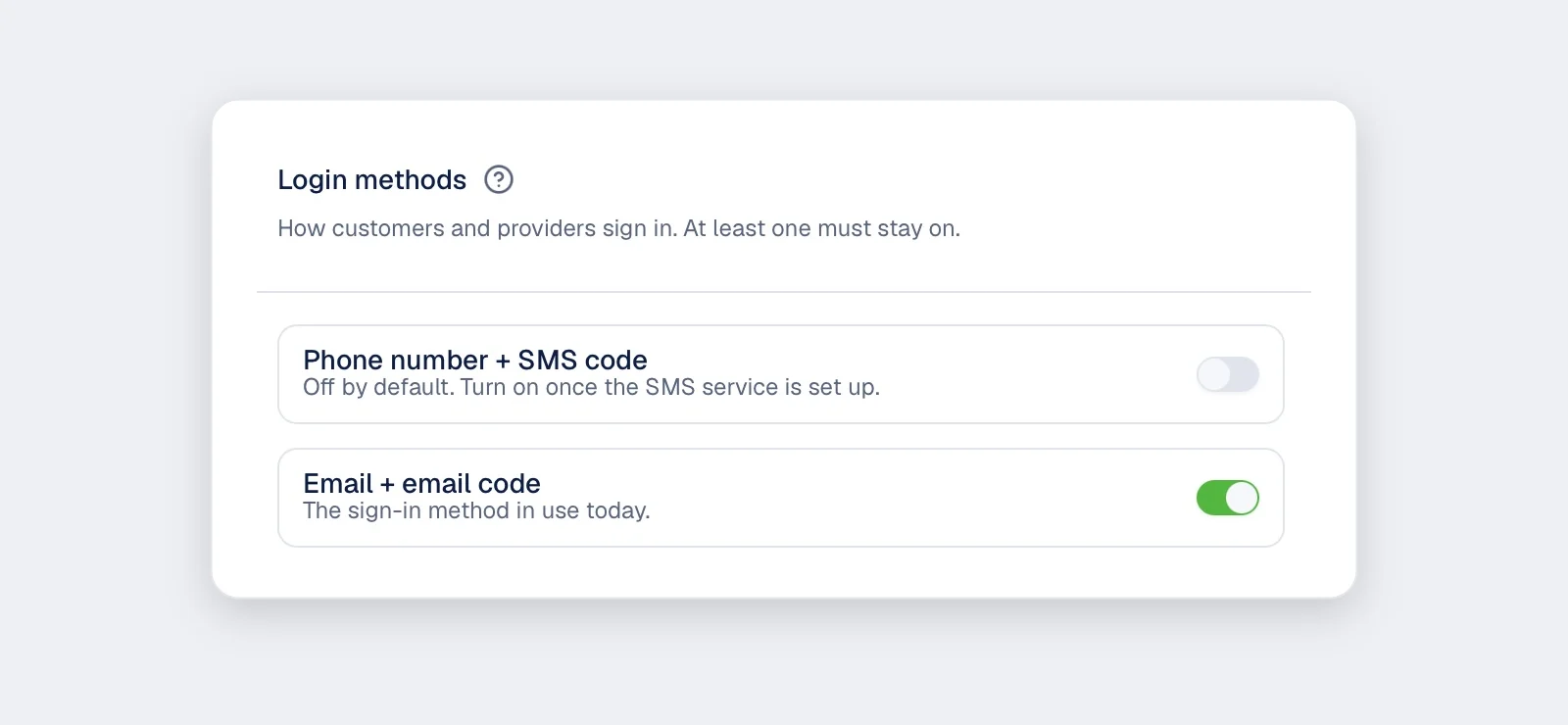
Login by phone or email
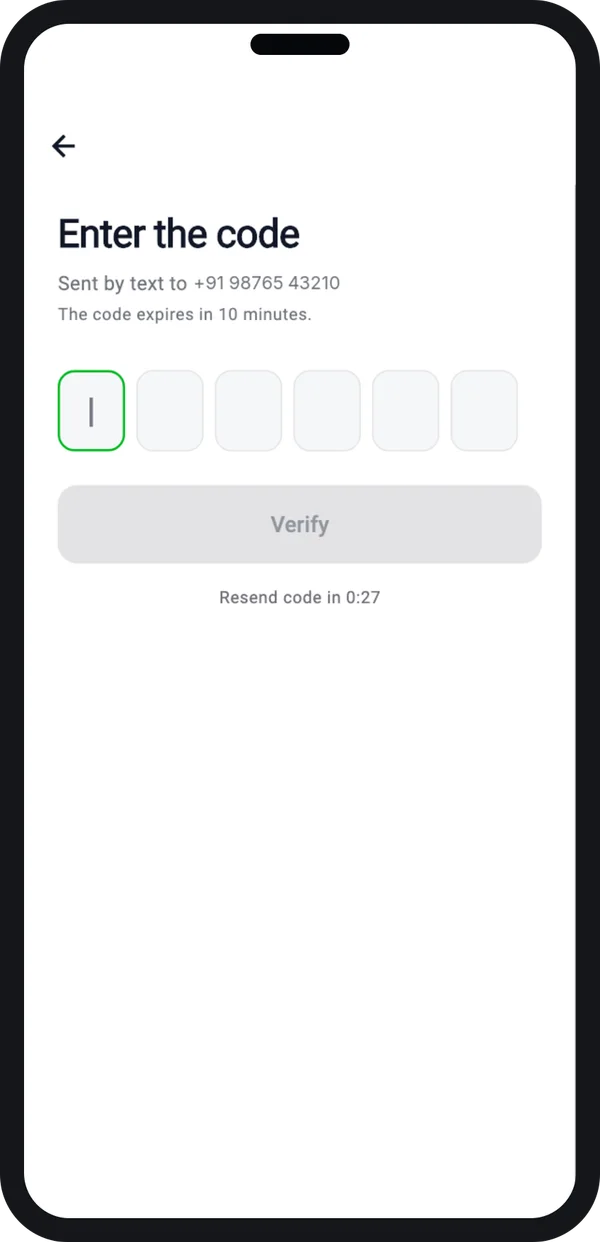
Riders and drivers log in with a one-time code. You can switch phone codes or email codes on and off in the admin panel.
Keep email codes on while your SMS sender is being approved. Then turn on phone codes.
Your app will hold names, phone numbers and live location. The Digital Personal Data Protection Act, 2023 covers this data. Plan consent screens and access limits from the start.
Step 6: Design the screens
Before any code, you get clickable screens for the rider app, the driver app and the admin panel. They carry your logo and colours. You tap through them on your own phone.
This is the cheapest stage to change your mind. Moving a button now takes minutes. After the build, it takes much longer. See how our UI/UX design service works.
Step 7: Build the rider app, driver app and admin panel
Now the real build starts. The server finds the nearest available driver, sends the ride offer, tracks the trip and works out the fare.
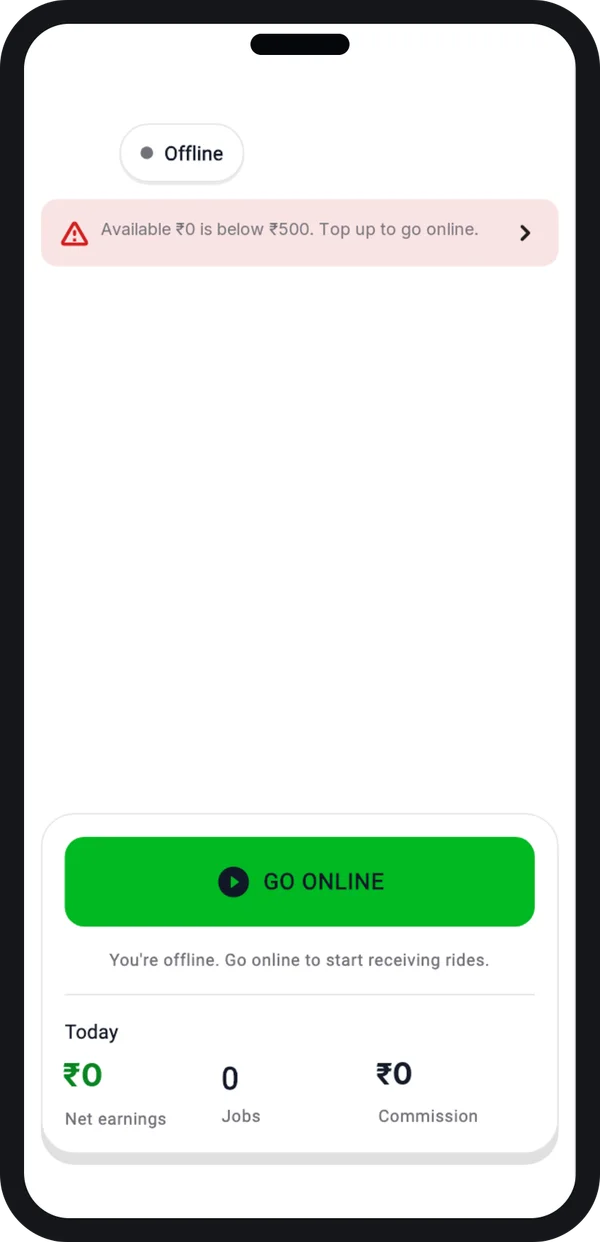
Driver goes online
The driver sees the day's earnings and goes online to get rides.
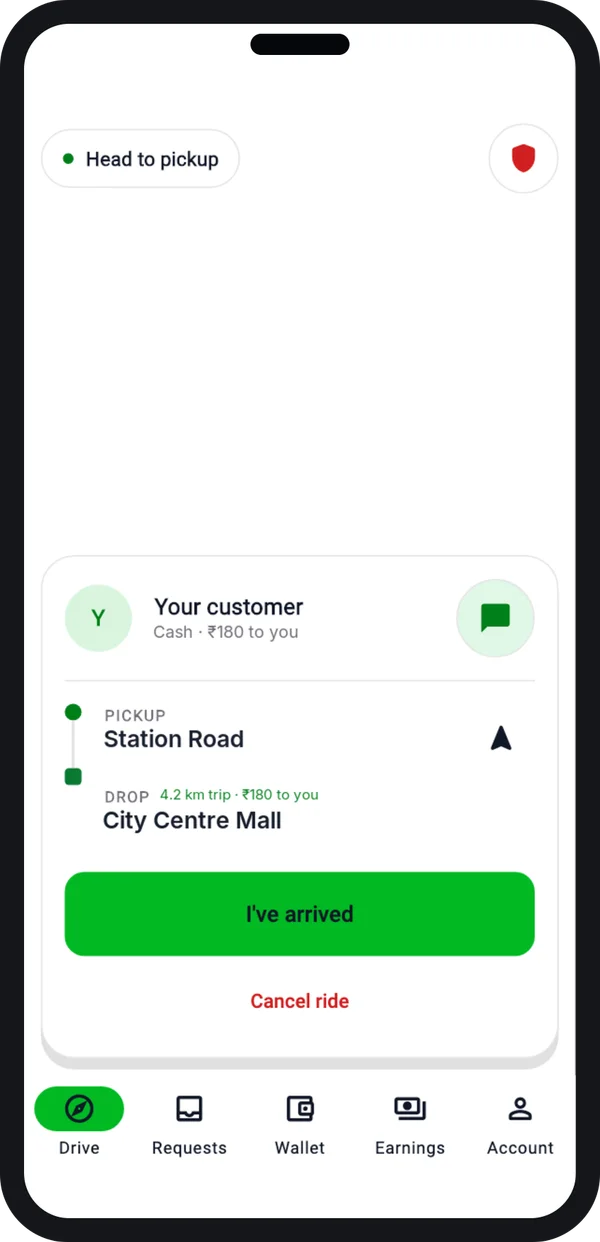
Trip in progress
Pickup, drop and the amount to collect, with one button for each stage.
The apps are built with Flutter, so one codebase covers Android and iPhone. The web admin panel runs in any browser.
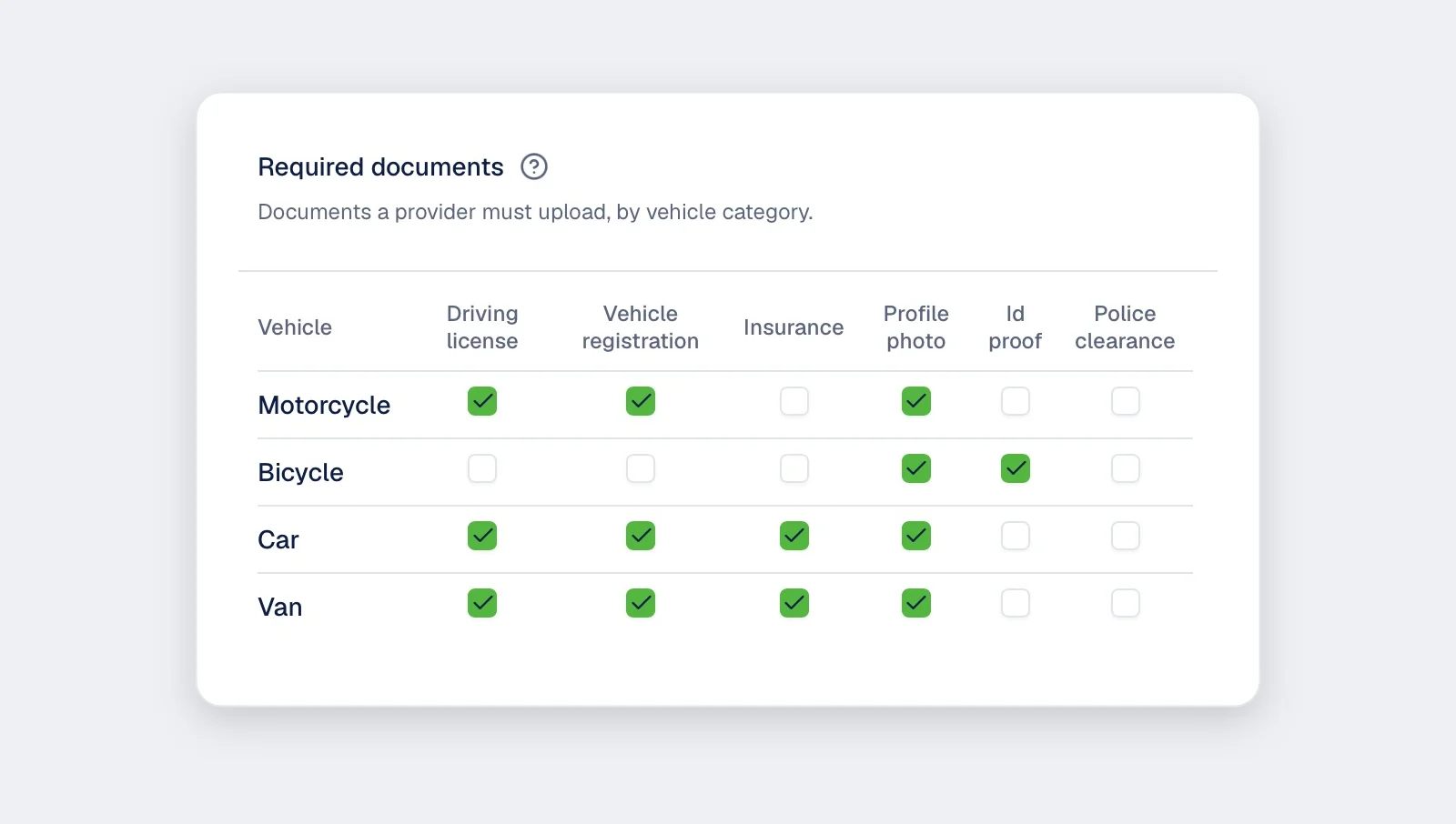
You get a test version after each round of work. You list what to fix by number. We fix it and send the next version. Rounds repeat until all three parts work together.
Step 8: Test the app on real streets
A taxi app must be tested outside the office. Phones, roads and signal behave differently there.
- Use test drivers and test riders in your own city.
- Keep real drivers offline during tests, so they don't pick up test rides.
- Try a wrong pickup point, a driver far away and a weak signal.
- Cancel rides from both sides and check the cancellation fee.
- Try a failed payment, a refund and a wallet top-up.
- Check that the fare on the receipt matches your worked examples from step 3.
Step 9: Publish on Play Store and App Store
Taxi apps use location all the time, so the stores check them more closely. Plan time for review.
- Location video: Google Play asks why the app uses location, often with a short video. See Google's location permission rules.
- Closed test first: a new personal Play account must run a closed test with 12 testers for 14 days before going public. Google explains this in its testing rules for new accounts.
- Reviewer login: both stores need a test login, for the rider side and the driver side.
- App Store rules: Apple checks each app against its App Review Guidelines. An app that looks like a copied template can be turned down.
- Check the store download: after approval, install the app from the store. Check that maps and push messages work there, not only in test builds.
Step 10: Launch in one area and keep improving
Go live in one area first. Make sure enough drivers are online at busy hours before you invite riders.
Your first 30 days
- Watch wait times and cancellations every day in the admin panel.
- Read every low rating, and call the rider or driver the same day.
- Note what riders and drivers ask for.
- Plan the first app update for week 3 or 4.
Then add the next area, the next ride type, or the "later" features from step 2.
Taxi app development cost: what decides it
We do not list a fixed price, because every taxi business is set up differently. The budget depends on:
- How many apps you need on day one, and on which platforms.
- Your ride types: city, airport, outstation, bike, auto or parcels.
- Your fare model: fixed, meter, or rider offers a fare.
- Payment methods, driver wallet and payouts.
- Languages, and any custom features you add.
- Whether you build from scratch or on a ready-made base.
Send us your answers from steps 1 to 3. We send a written quote after one call.
Our service
How we create your own taxi app
You bring the business rules. We turn them into apps with your name on them.
- Hear your rules. We start with a call about your city, rides, fares and drivers.
- Show clickable screens. Your logo and colours, on your phone, before any code.
- Build on our base. We change our ready-made taxi app to your rules.
- Test with your team. Real trips with your drivers, and fixes before launch.
- Launch under your brand. We publish from your own store accounts.
- Stay with you. New areas, rides and payment methods as you grow.
You own the brand, the customer data and the source code.
Building an app like Ola, Uber or Rapido?
If you have a known app in mind, these guides go deeper:
- How to create an app like Ola or Rapido: car, bike and auto rides in one app.
- How to build an Uber-like app: the build phases from the developer's side.
- Electric cab booking app: what changes when your fleet is electric.
Whoever creates your taxi app, make sure you get:
- A rider app, a driver app and an admin panel that work together
- Rides matched to the nearest available driver
- Your own fare rules, written and tested with real examples
- Store listings in your company's accounts, not the developer's
- Maps, payment and SMS accounts in your own name
- The source code and a full export of your data
FAQ
How long does it take to create a taxi app?
It depends on your ride types, fare rules and platforms. Building on a ready-made base is quicker than starting from scratch. After one call, we send a plan with dates for each step.
Can I create a taxi app without coding?
An app maker tool can show a booking form. But driver matching, live tracking and a driver app need a real build. That is the part we do for you.
Do I own the source code?
Yes. We hand over the source code for the rider app, driver app, admin panel and server. Your data stays in your own cloud account.
Can riders and drivers use one app?
Yes. We can build one app with a rider mode and a driver mode, or two separate apps. You choose in step 2.
Which payment methods can I add?
Cash, UPI, cards, wallet and bank transfer. You can also give drivers a prepaid wallet that they top up online.
Do I need a licence to run a taxi app in India?
Ride aggregators need a licence from the state. Check with your state transport office and a lawyer before launch.
Can PRS India create a taxi app for my city?
Yes. We build the rider app, driver app and admin panel under your brand, for Android, iPhone and web. Contact us to book a consultation.
Related guides
Written by
Prabhjot Kaur · Product Manager
Product Manager at PRS India. Turns what a client needs into a screen-by-screen plan for the app, and checks every release against that plan before it goes out.