Grocery App Development Cost in India
What makes a grocery app cost more or less in India: apps, products, branches, payments, delivery and monthly running costs.

Written from production. Our articles draw on products we run live and the client work behind them, and are revised as the systems they describe evolve.
Ask five developers for a grocery app quote and you will get five very different answers. That is not always because someone is wrong. Each one has pictured a different app. One pictured a single kirana shop taking orders. Another pictured a chain of dark stores with its own riders. The grocery app development cost in India depends on which of these you are building.
This guide does not give you a price list. It shows the parts that make a grocery app bigger or smaller. Then you can compare quotes on the same base. It also explains how PRS India plans a grocery app built for your own business. We plan it in phases, under your own brand.
Key takeaways
- The number of apps decides cost first: customer app, rider app, store app and web admin.
- Catalogue size, loose items by weight and many branches all add work.
- Running costs come every month: server, SMS, maps and payment gateway fees.
- Splitting the build into phases lets you launch sooner and spend in steps.
- Compare quotes only after every developer has the same written feature list.
Why grocery app quotes differ so much
A grocery app is really a set of apps that talk to one server. A small shop may need only the customer app and a simple admin. A delivery business may need all four parts, plus live rider tracking and stock sync with its billing system.
Many quotes also hide what is not included. Some leave out the iPhone app. Some skip the rider app, or quote only the screens and not the server. Before you compare numbers, compare what each quote covers. A full ecommerce development quote should list every app, every role and every outside service.
What decides grocery app cost
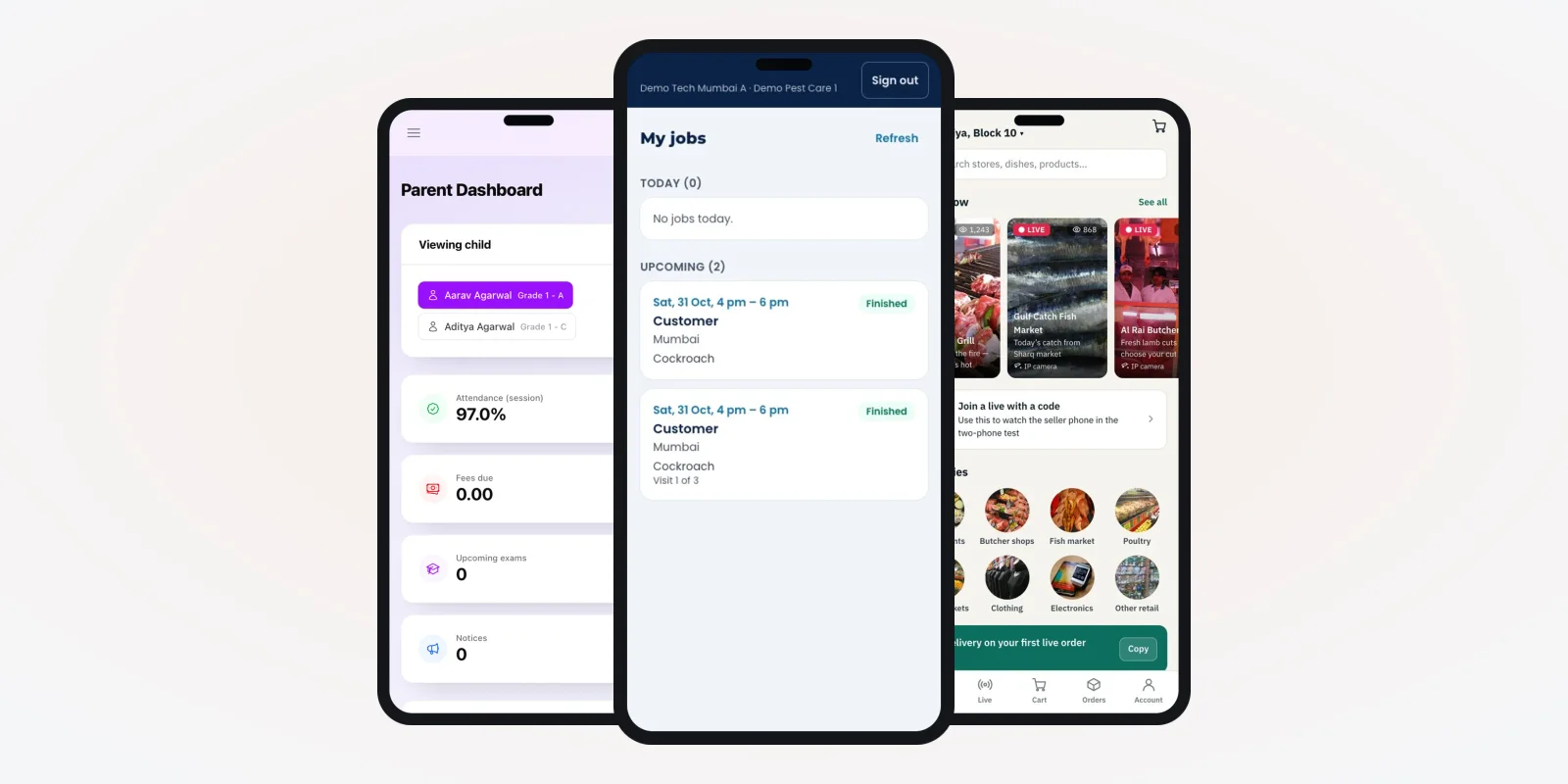
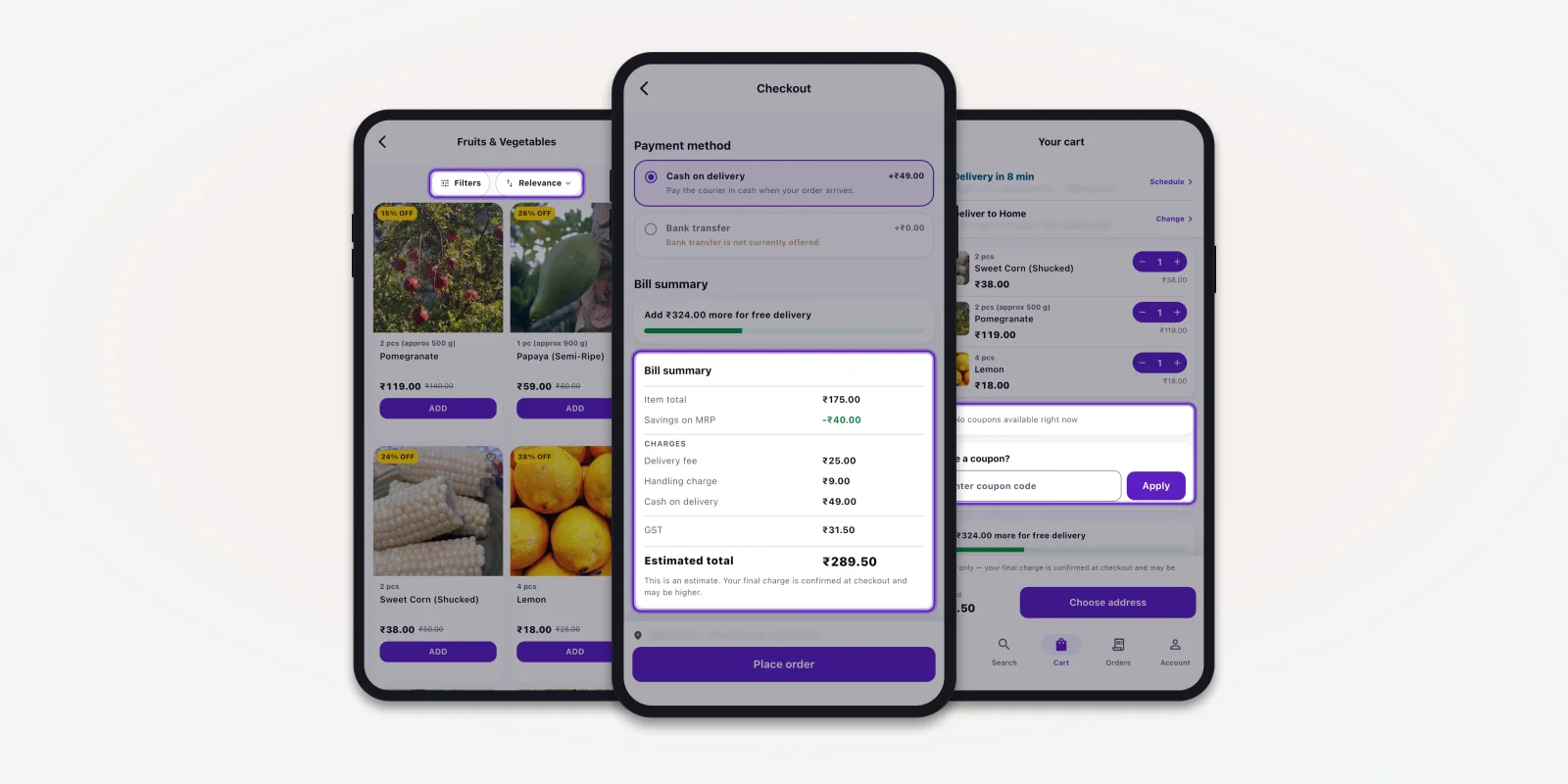
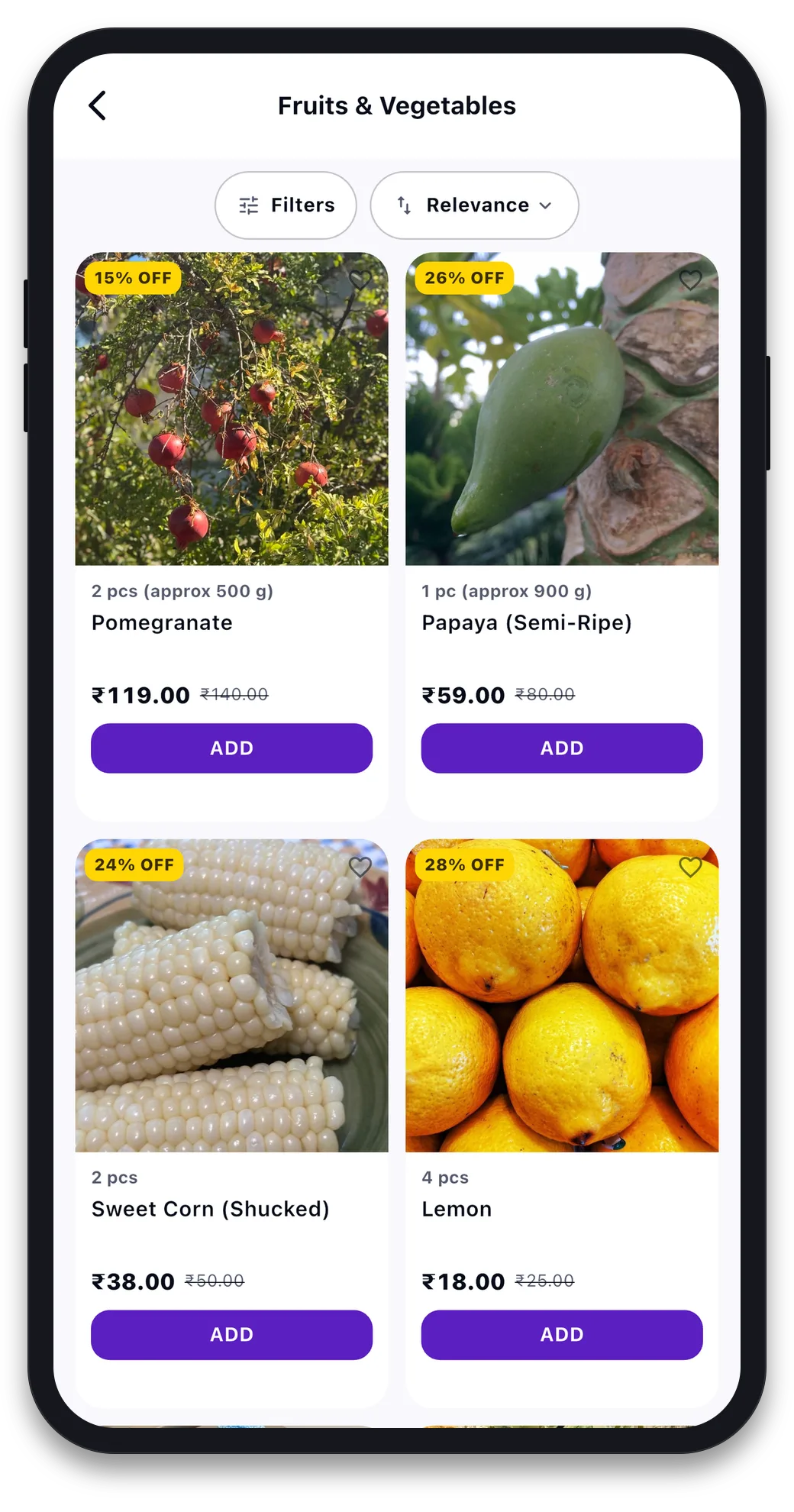
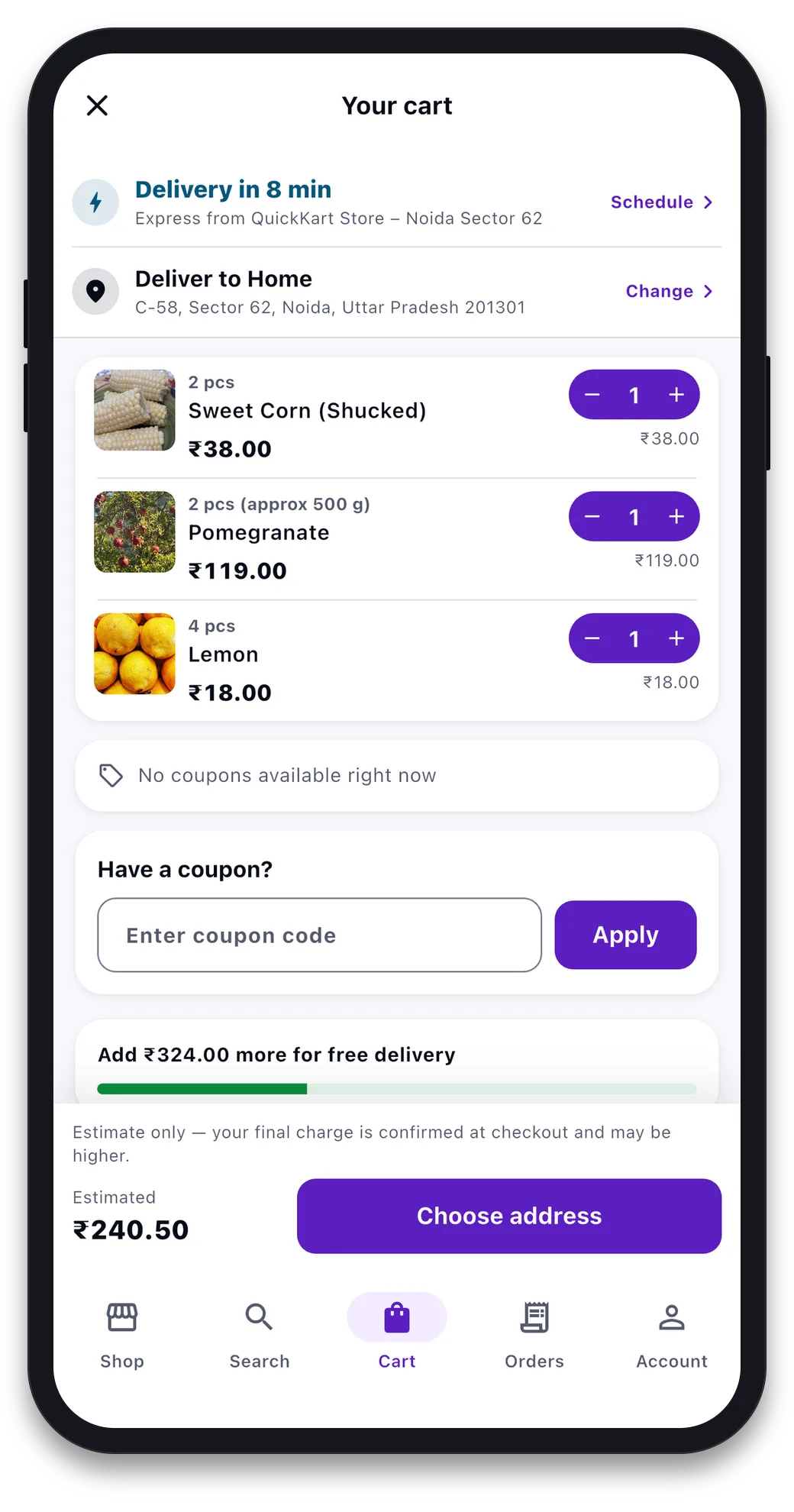
These are the parts that move the budget the most. The phone screens are from a grocery app we built, filled with demo data.
1. How many products, and how they are sold
A shop with a few hundred packed items is quick to set up. A supermarket with thousands of items needs bulk import, search and filters. Fruit, vegetables and loose grains add weight-based rules, because the final bill is known only after packing.
2. How many branches and pin codes
One shop with one delivery area is the simplest case. Each extra branch needs its own stock, pin codes, charges and staff logins.
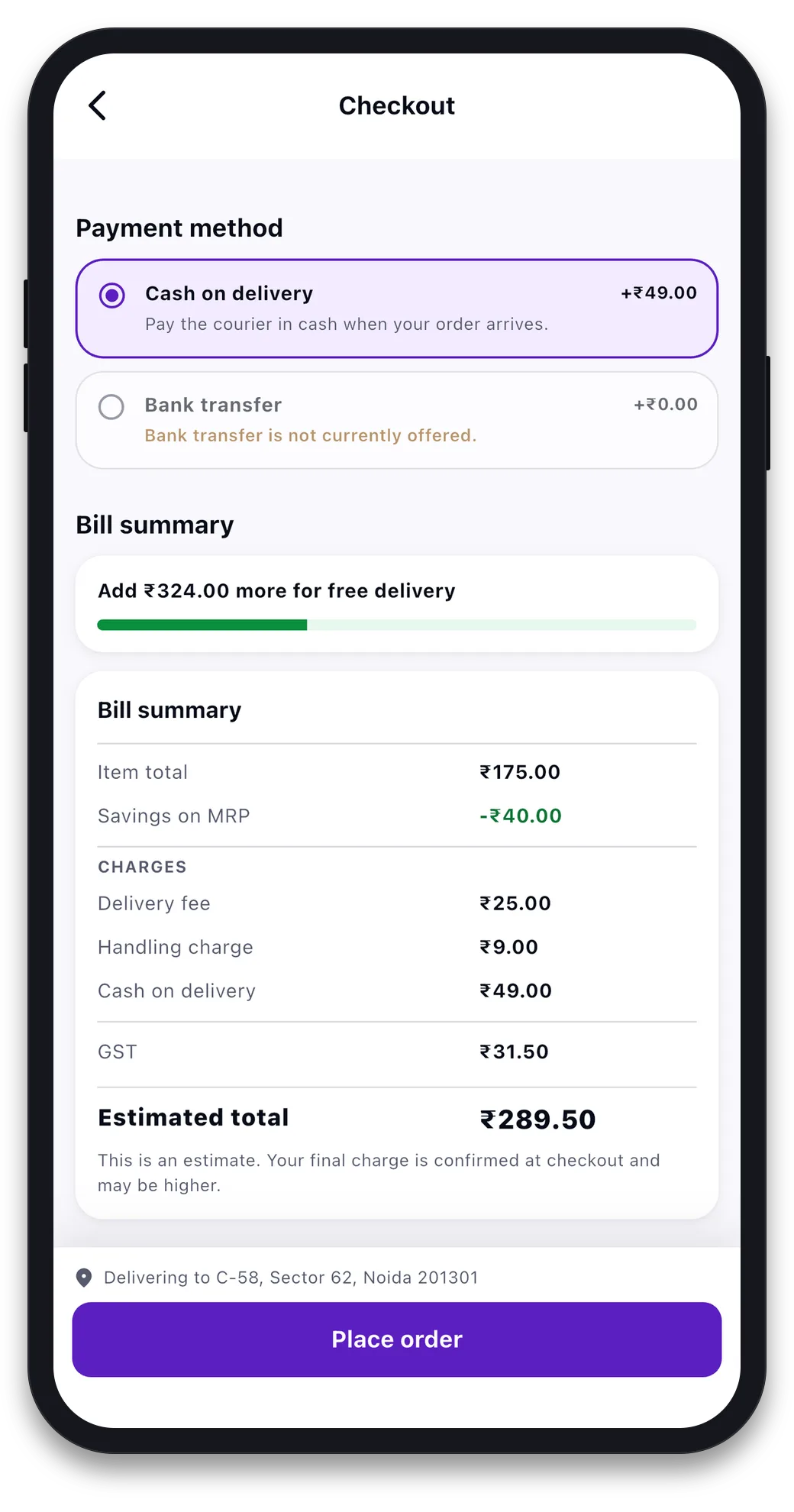
3. Payment modes and bill rules
Cash on delivery is the lightest to build. UPI and cards need a payment gateway, refunds and failed-payment handling. Each bill charge, like delivery, handling or a cash fee, needs its own rule in the admin.
4. Offers, coupons and loyalty
A coupon box is small work. Wallets, reward points and "buy two, get one" rules take more. They change the bill and the refund logic.
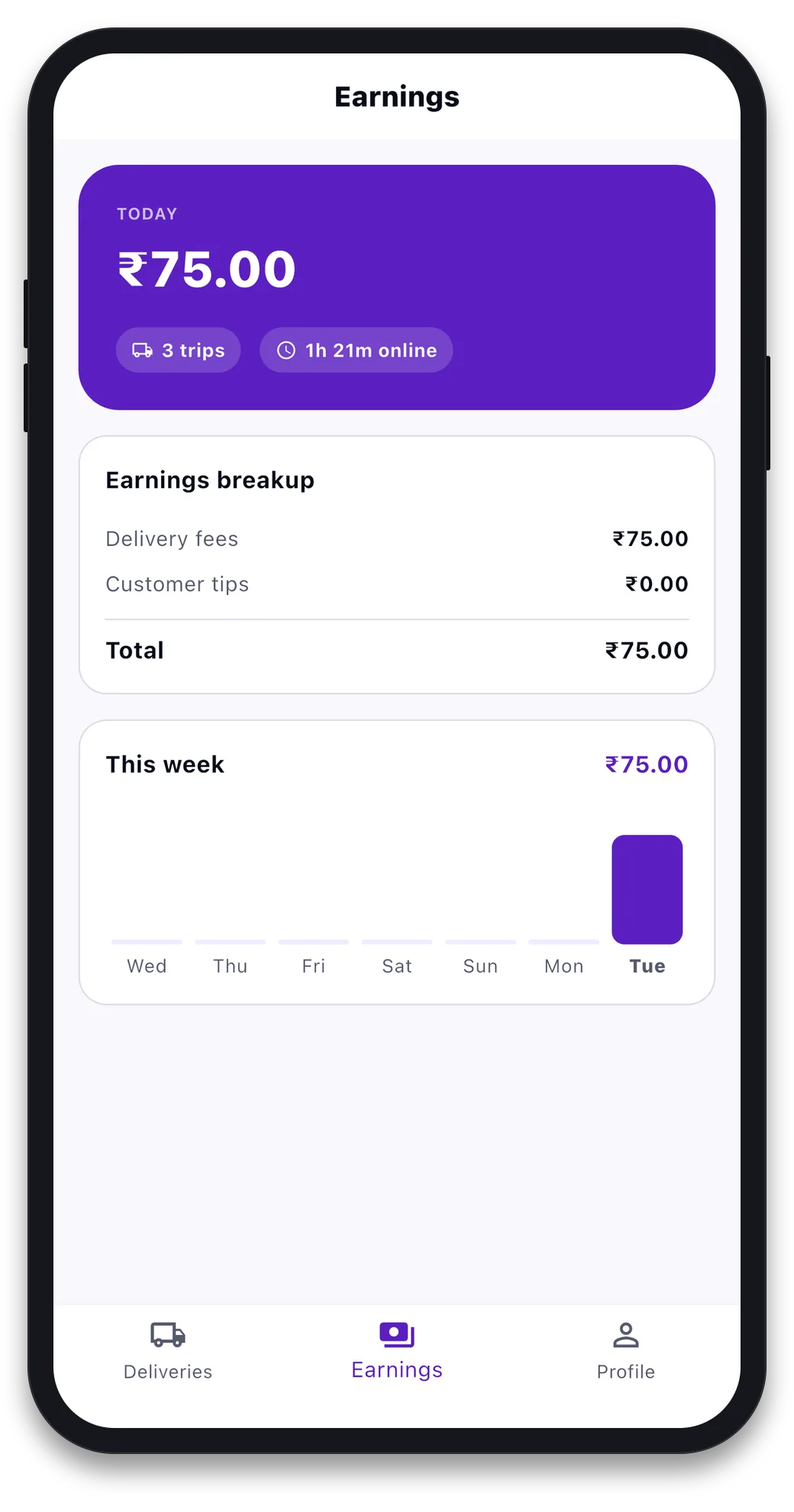
5. Delivery: your riders or a partner
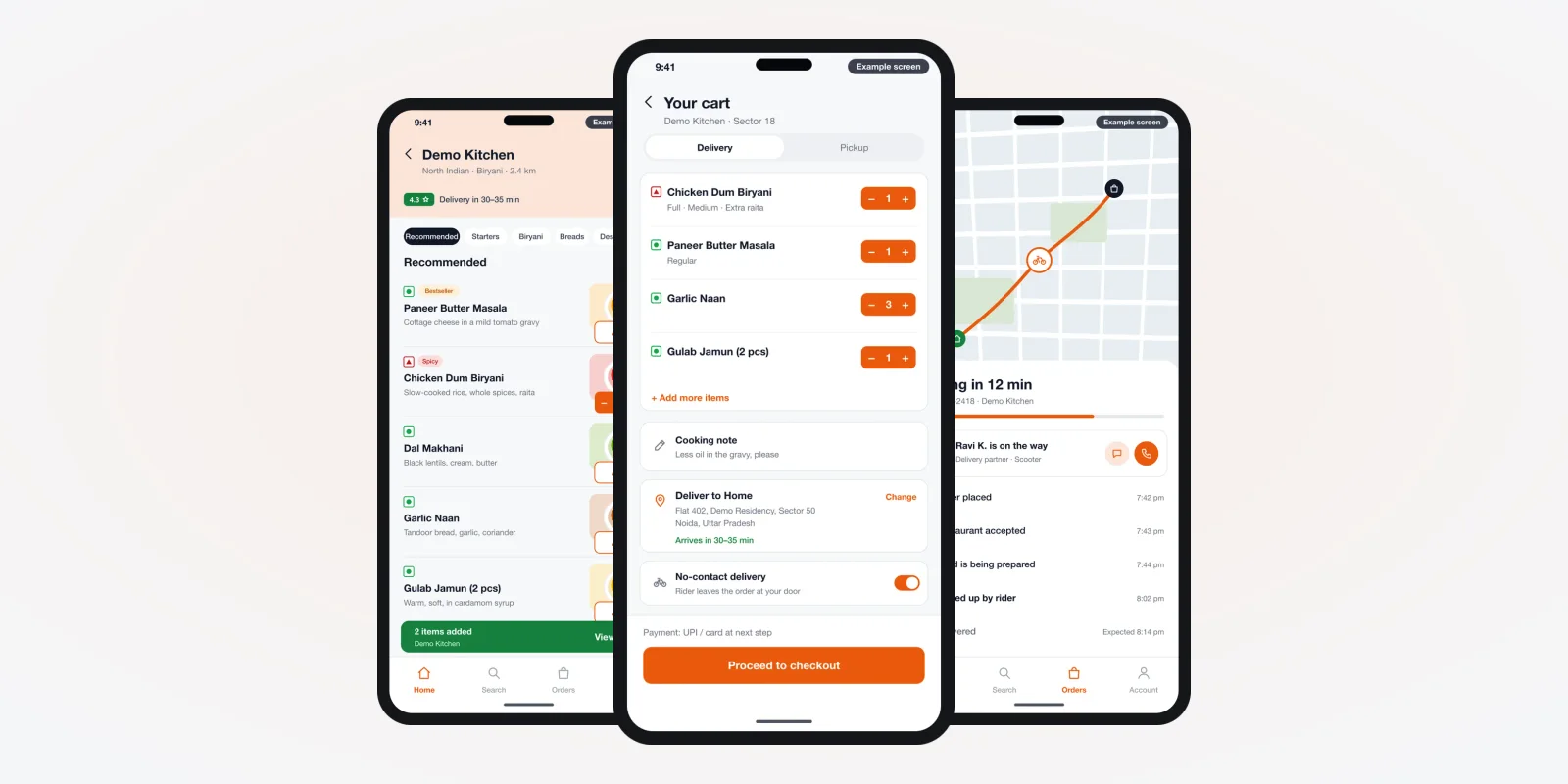
If your own staff deliver, you need a rider app with order lists, cash collection and earnings. If a courier partner delivers, you need a link to their system instead. Live map tracking adds map service costs.
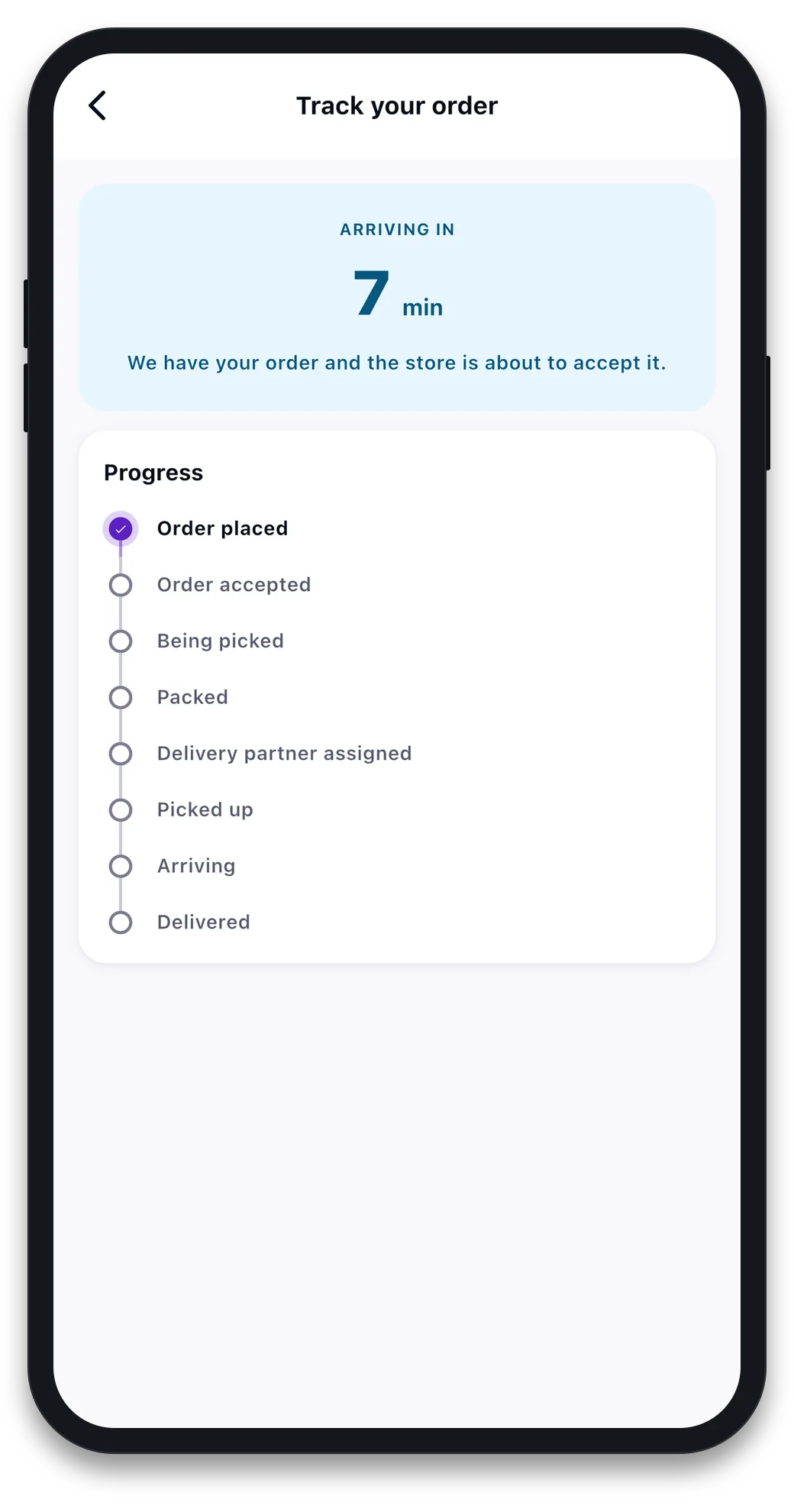
6. Order tracking for the customer
A status list is light work. A live rider dot on a map is heavier, and it runs up map charges with every order.
7. Links to your billing or stock software
If stock and prices already live in your shop's billing system, the app should read from it. Otherwise staff update two places. A link to your POS or billing software often saves more work than it costs. Larger chains may also need a link to their ERP for purchase and stock.
8. Design and languages
A clean layout with your colours is part of every build. Custom illustrations, animations and a second language, like Hindi, add design and testing time.
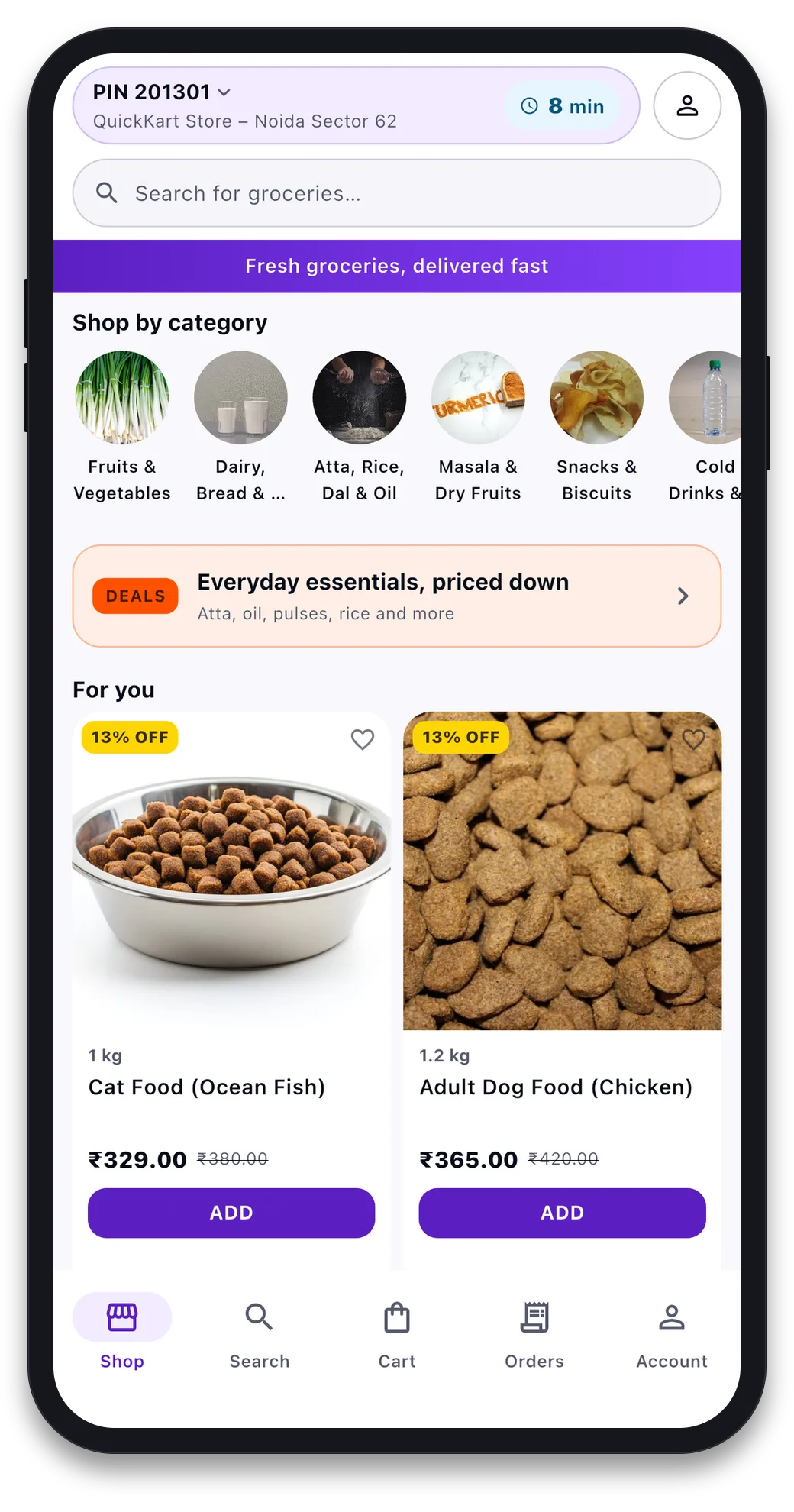
The home screen is where design time goes first. It holds the pin code, search, categories, deals and product cards in one place.
The problem
Where grocery app budgets go wrong
These mistakes cost owners more than the build itself.
- Vague scope. "An app like the big ones" means something different to each developer. Extra work then comes as change requests.
- Forgotten running costs. SMS for OTP, maps, server and gateway fees arrive every month after launch.
- No rider or store app. Orders reach the phone, but packing and delivery still run on calls.
- Everything in phase one. Loyalty, wallet and live maps all at once delay the launch.
- No source code. If the developer leaves, you pay again to rebuild.
Cost by type of grocery business
The same app base can be sized very differently. This table shows what each type of business usually needs, from lighter to heavier builds.
| Business | Apps usually needed | What adds the most work |
|---|---|---|
| Single kirana shop | Customer app and web admin | Loose items and udhaar (credit) records |
| Supermarket with branches | Customer, store app, web admin | Stock per branch and billing software link |
| Fresh fruit and vegetable seller | Customer and rider app, web admin | Weight-based billing and daily price changes |
| Dark store delivery startup | All four apps | Fast picking, rider assignment, live tracking |
| Marketplace for many shops | All four, plus seller panel | Seller payouts, commission and reports |
A marketplace is a bigger build, closer to multi-vendor marketplace development than to a single-shop app. Planning fast delivery from small warehouses? Read our guide on starting a 10-minute grocery delivery business first.
Running costs after launch
The build is paid once. These costs come every month or every year, whoever builds the app.
- Server and storage. Grows with orders and product photos.
- SMS and OTP. Each login code and order message has a small charge.
- Maps. Address search and live tracking are billed by the map provider.
- Payment gateway. A fee on each online payment. Online gateways are regulated by the Reserve Bank of India.
- App store accounts. Google Play and Apple developer accounts in your business name.
- Support. Fixes, Android and iPhone updates, and small changes.
We set up hosting with cloud and DevOps work that sizes the server to your order volume. You do not pay for idle space.
Papers are not part of the app cost. You need an FSSAI licence or registration to sell food online. You apply on the FSSAI FoSCoS portal. You also need GST registration where it applies, through the GST portal. Check which type fits your shop with your CA.
Worked example: a phased budget for a two-shop kirana
Here is how one owner could spread the cost. The shop and phases are an example.
- Phase 1, take orders. Customer app on Android, web admin, cash on delivery and UPI. Shop boys deliver and mark orders done from the admin.
- Check after two months. The owner looks at order count, repeat buyers and missed items.
- Phase 2, delivery. A rider app with order lists, cash collection and a handover code. The iPhone app goes live too.
- Phase 3, keep customers. Reward points, scheduled slots for monthly ration and a second language.
- Phase 4, stock link. The app reads stock from the billing software, so staff update one place.
Each phase gets its own quote. The owner pays for the next step only after the last one is working.
Our service
How we build your grocery app
A plan sized to your shops, not to a template.
- Write the feature list. We list every app, role and rule with you, so the quote has no gaps.
- Show screens first. You click through the screens before any code is written.
- Build the apps. One Flutter codebase for Android and iPhone, with a NestJS (Node.js) and PostgreSQL server.
- Test with your staff. Real orders from real pin codes. We fix what they find.
- Launch under your brand. Your store accounts, your gateway, your server.
- Support each phase. The next phase is planned once the last one is in use. Support is open 24 hours a day, with a first reply in under 1 hour and free bug fixes for 3 months after launch.
Grocery app development cost: what decides it
To sum up, the cost depends on five things. They are your apps, catalogue size, branches, payment and delivery model, and outside links. That is why we do not publish a fixed price. A one-size price would be too high for a single shop and too low for a delivery network.
| Monthly app plan | Custom grocery app (built for you) | |
|---|---|---|
| First payment | Low | One build cost, can be split into phases |
| Cost over the years | Rises with orders, shops or users | Hosting and optional support |
| Your own rules | Only what the plan allows | Built the way you work |
| Brand on the app | Often shared | Yours alone |
| Data and source code | Stay with the vendor | Yours |
Share your shop count, product list and delivery plan. We send a written quote after one call, split into phases if you want. For our ready-made app, ask us for a quote. You can also see apps we have built before you decide.
Before you accept any grocery app quote, check that it lists:
- Every app included: customer, rider, store and web admin
- Android and iPhone, both or one
- How products are imported and how loose items are billed
- Payment modes, refunds and failed-payment handling
- Which outside services you pay for each month
- Who owns the source code, the store accounts and the server
- What support costs after launch, and for how long
FAQ
How much does it cost to make a grocery app in India?
It depends on the apps you need, your catalogue size, branches, payment modes and delivery model. We do not publish a fixed price. We send a written quote after one call about your shops.
Can I build a grocery app in phases to spread the cost?
Yes. Many owners start with the customer app and admin, then add a rider app, loyalty and stock links later. Each phase gets its own quote.
How long does a grocery app take to build?
A first phase with the customer app and admin is quicker than a full four-app build. After one call, we share a plan with dates for each phase.
Is an Android app enough to start?
For many Indian shops, most buyers use Android. If the app is built in Flutter, the iPhone version comes from the same code. Adding it later is smaller work.
What monthly costs come after launch?
Server hosting, SMS for login codes, map charges, payment gateway fees, app store accounts and support. These are paid to the service providers, whoever builds the app.
Will I own the app and its source code?
Yes. We build it under your brand and hand over the source code. The app runs on your server and your store accounts.
Is my customers' data safe in a grocery app?
It should be. The Digital Personal Data Protection Act, 2023 covers customer names, phone numbers and addresses. We build login roles and limit who can see customer details.
Can PRS India build a grocery app for my shop?
Yes. We build grocery apps for single shops, chains and delivery startups, under your brand. Book a consultation and share your shop details to get a written quote.
Related guides
Written by
Aditi
Building software at PRS India.