Average Mobile App Development Cost in India 2026
Why no single average is true, what moves the cost of an app, how to read a quote and what you pay after launch.
Written by Babita Kumari, Business Developer
Reviewed by the PRS India software & mobile app development team
12 min read
Written from production. Our articles draw on products we run live and the client work behind them, and are revised as the systems they describe evolve.
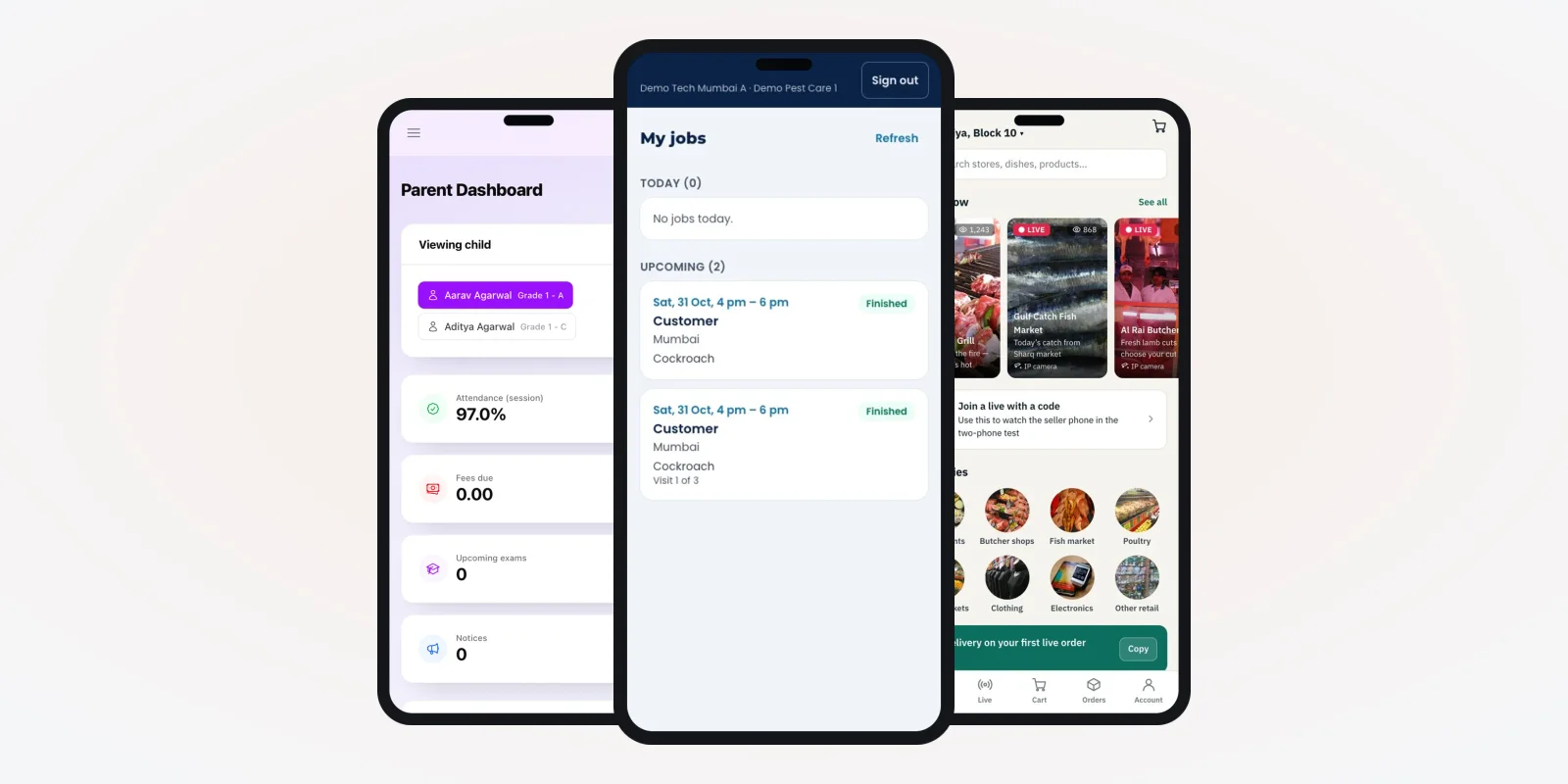
People search for the average mobile app development cost in India. They want one number before they call anyone. The trouble is that no single number is true. A school app for parents and a grocery app with riders are both "an app". But one has three screens for fees and marks, and the other runs orders, stock and live delivery.
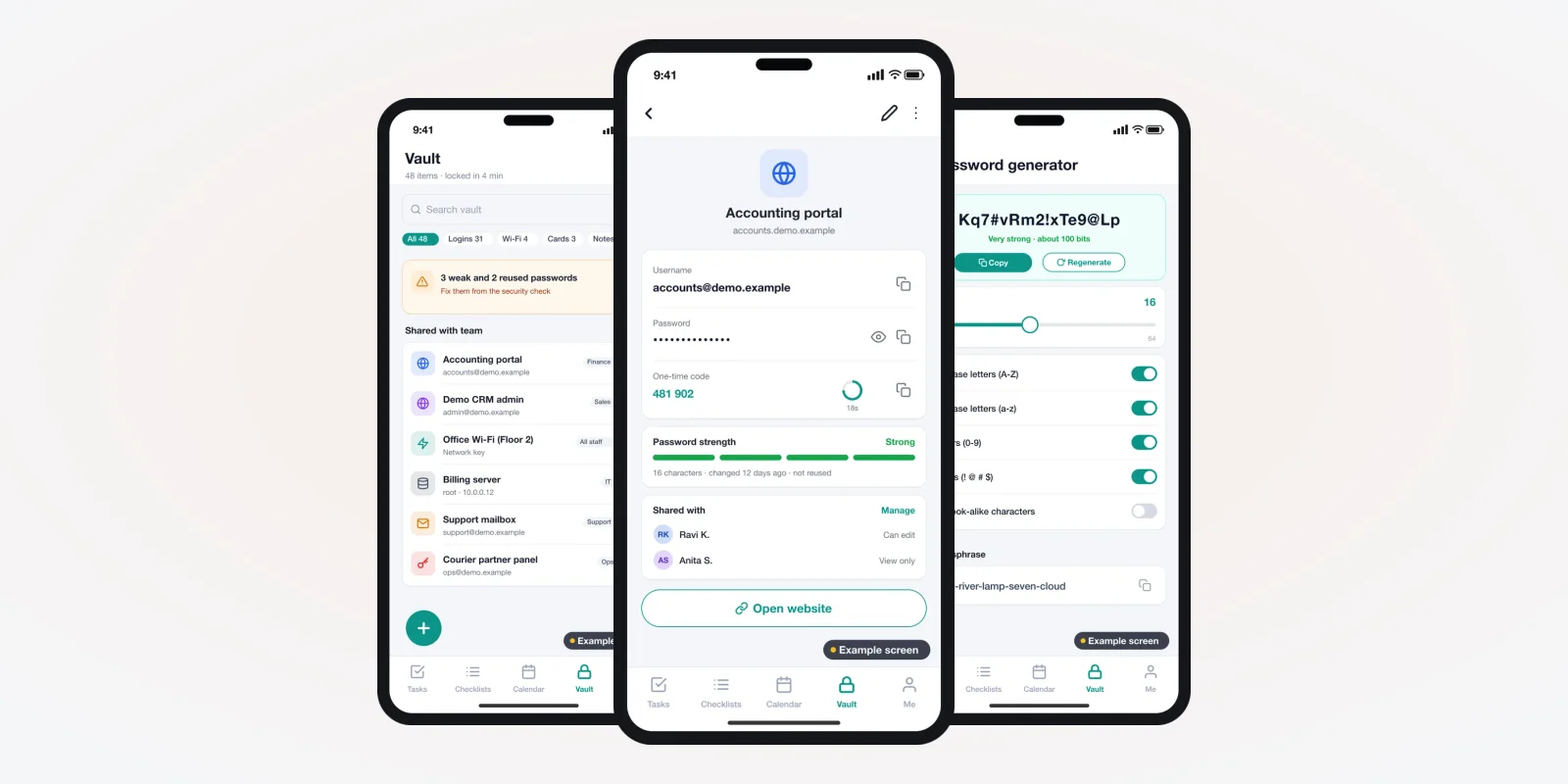
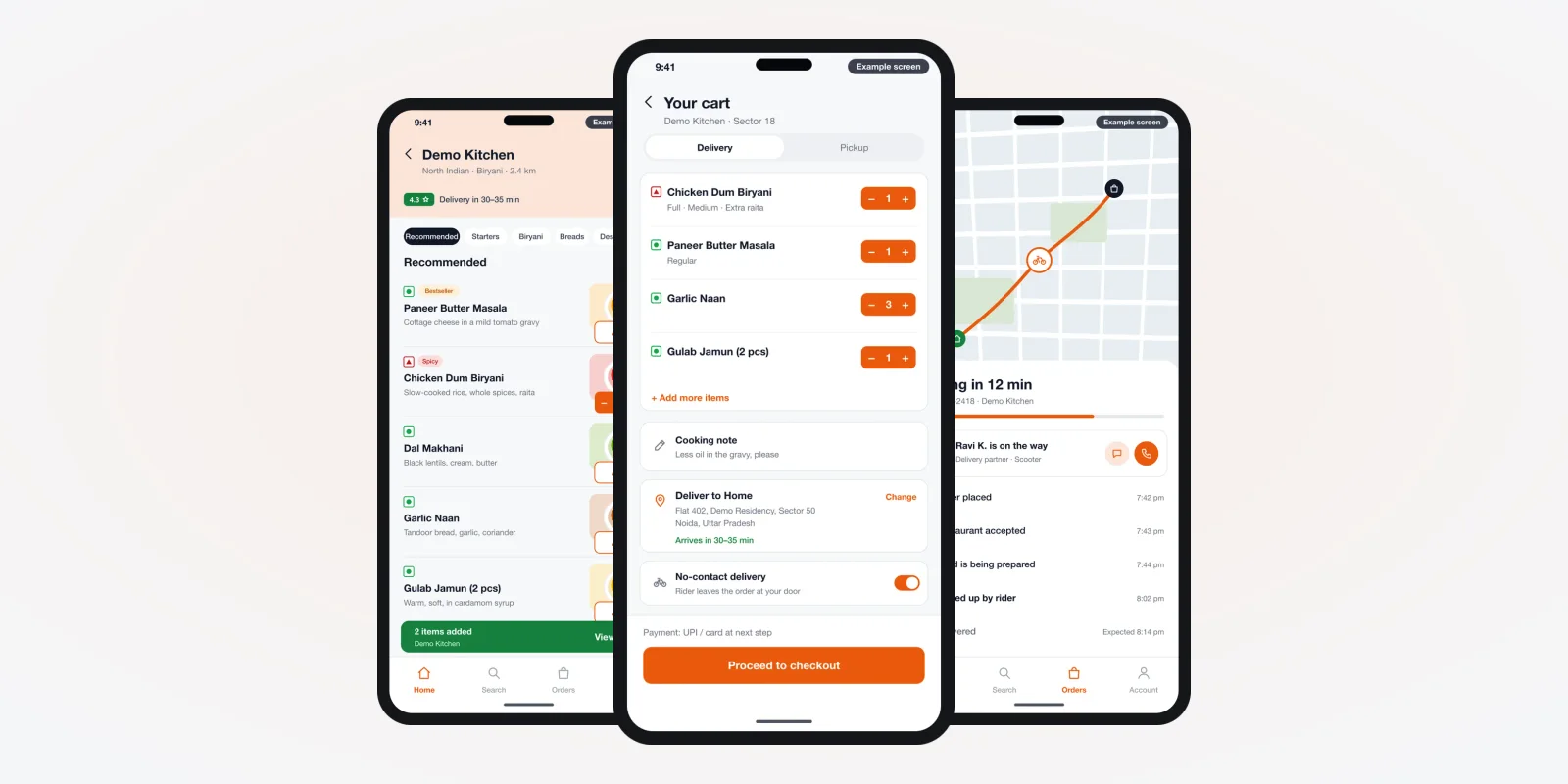
So this guide does not give you a figure. It shows what moves the cost and how to read a quote line by line. It also covers what you pay after launch, and when a custom app makes sense. At PRS India, we build your own mobile app for Android and iPhone. It comes with a web admin, under your brand. The screens below are from apps we built for different trades.
Key takeaways
- There is no fair "average" cost. The number of user types, screens and live features decides most of it.
- Every app has hidden parts: the web admin, the server, store accounts and yearly updates.
- A quote is only useful when each line names a screen, a role or a feature you can check.
- Building in phases lets you launch the core first and pay for extras only when you need them.
- With a custom build, the brand, the data and the source code are yours.
Why there is no true average app cost
An average mixes very different apps into one number. A one-role app with a list and a form sits next to a three-role app with maps. The middle of those two helps nobody.
A better question is: "What kind of app am I building?" Most business apps in India fall into one of four kinds. Each kind has its own cost shape.
| Kind of app | Example | What makes it bigger |
|---|---|---|
| Information app | School parent app with marks and fees | Number of modules and reports |
| Staff or field app | Technician job list, attendance | Offline use, photos, GPS check-in |
| Shopping app | Store with aisles, cart and checkout | Catalogue size, payments, offers |
| Live, multi-role app | Taxi, delivery, live shopping | Live location, matching, several apps at once |
What different apps look like inside
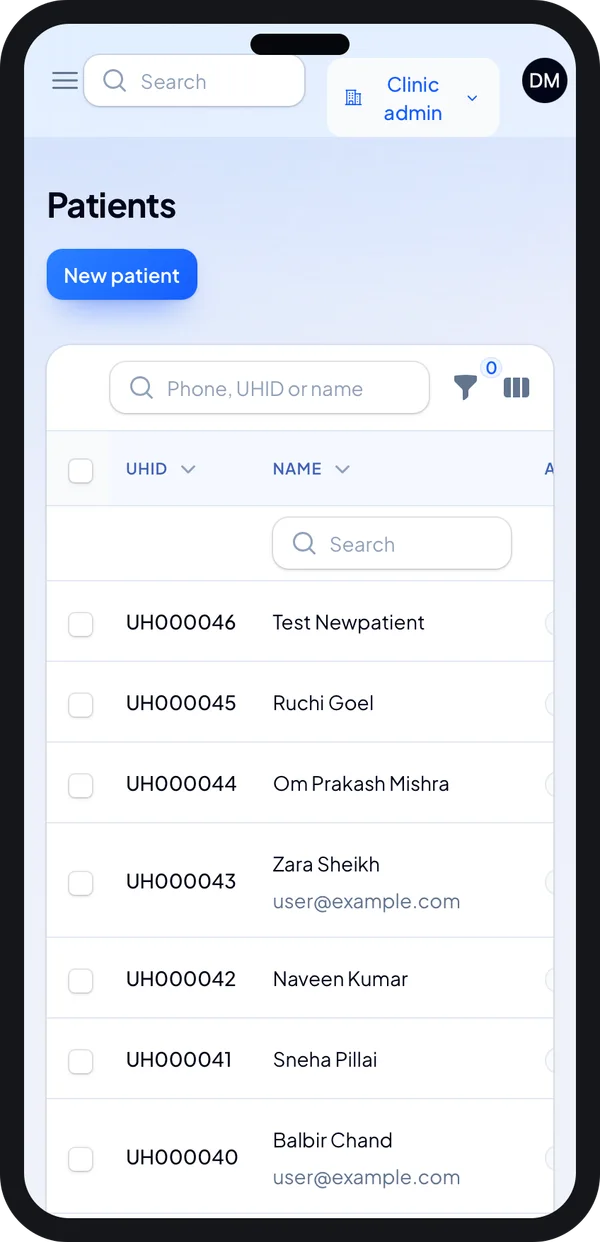
Here are real screens from apps we built, with demo data. Look at how much each one has to do. That is what you pay for.
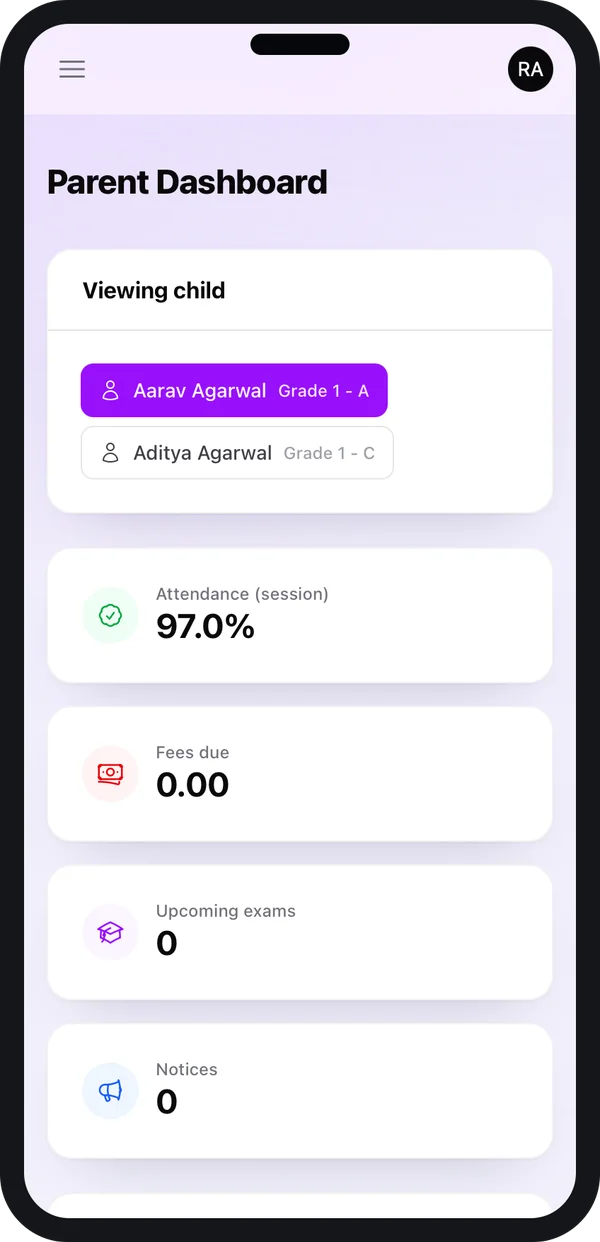
School parent app
Shows data the school already keeps. Fewer moving parts, so a smaller build.
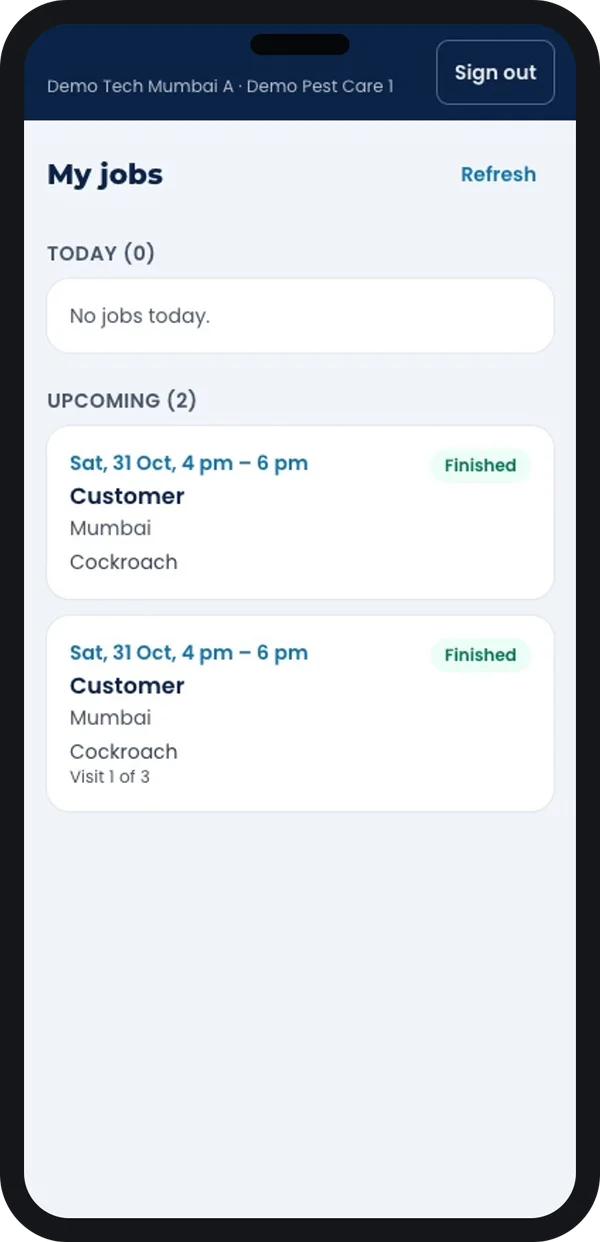
Field staff app
Jobs, status updates and photos from the site. Needs to work on weak networks.
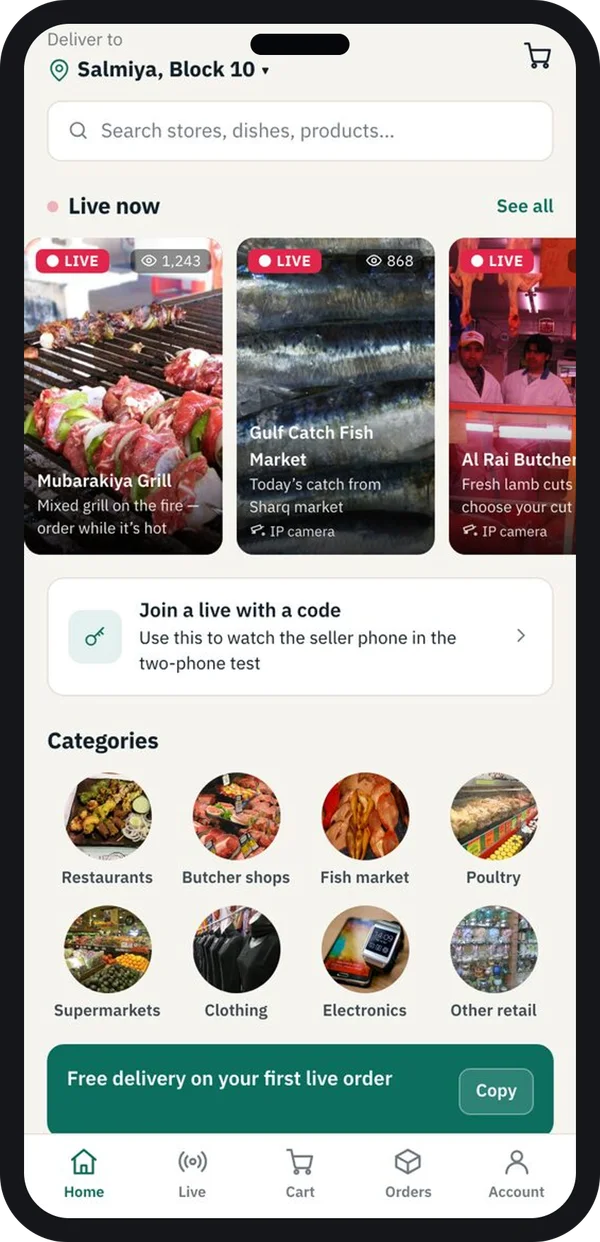
Live shopping app
Video, chat and checkout at the same time. One of the largest builds.
Screens from a school app, a pest-control technician app and a live shopping app we built. Demo data.
The problem
Where app budgets go wrong
Most budget trouble starts before a single line of code is written.
- Only the customer app was priced. The web admin, where your team manages orders and users, was left out.
- "Same as Uber" as the brief. Nobody wrote down which screens you really need, so the quote is a guess.
- Two apps quoted as one. A delivery business needs a customer app and a rider app. Some quotes count only one.
- Store and server costs missed. Google Play, Apple, hosting, SMS and maps all bill you after launch.
- No plan for updates. Android and iPhone change every year. An app that is never updated gets pulled from stores.
- Source code not in the contract. The app works, but you cannot move to another developer later.
The parts that decide mobile app cost
Every quote, from any developer, is built from the same parts. Once you know them, you can compare two quotes fairly.
1. Number of user types
Each role needs its own screens and its own rules. A courier firm may need a hub app, a delivery app and a customer app. That is three apps, not one. Our courier and hub software is an example of a multi-role build.
2. Number of screens and flows
Count the screens, not the "features". A login, a list, a detail page and a form are four screens. A clickable design first shows you the real count.
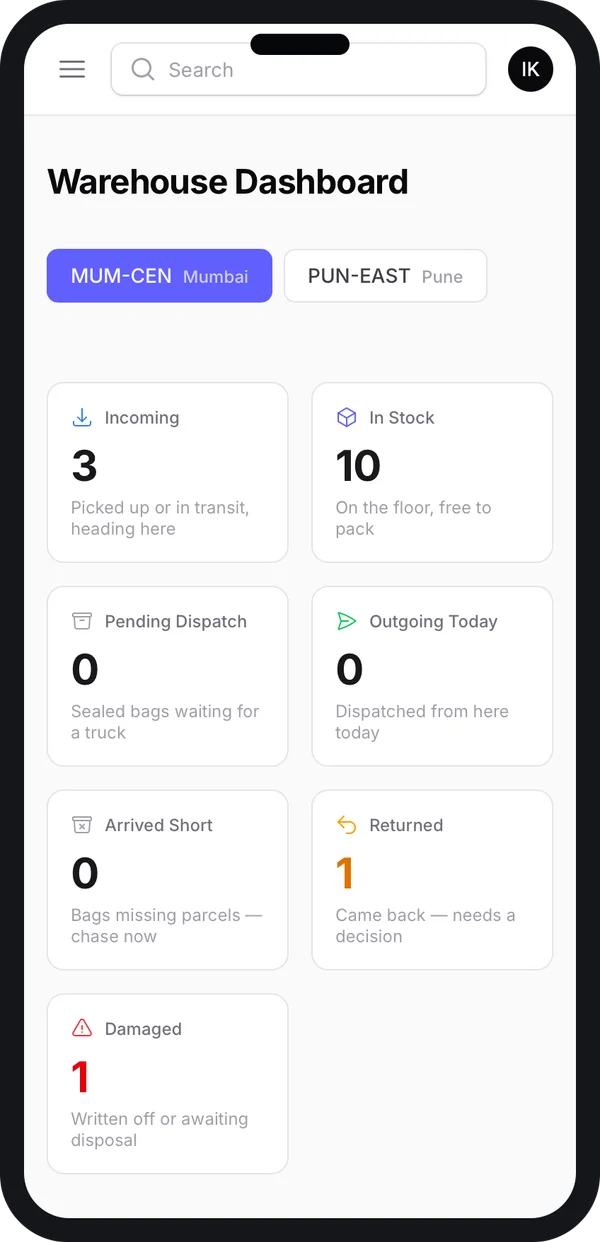
3. The web admin
Almost every app needs an office side. Your team adds products, approves users, sees orders and pulls reports there. We build it as a web application for your office. It often takes as long as the phone app.
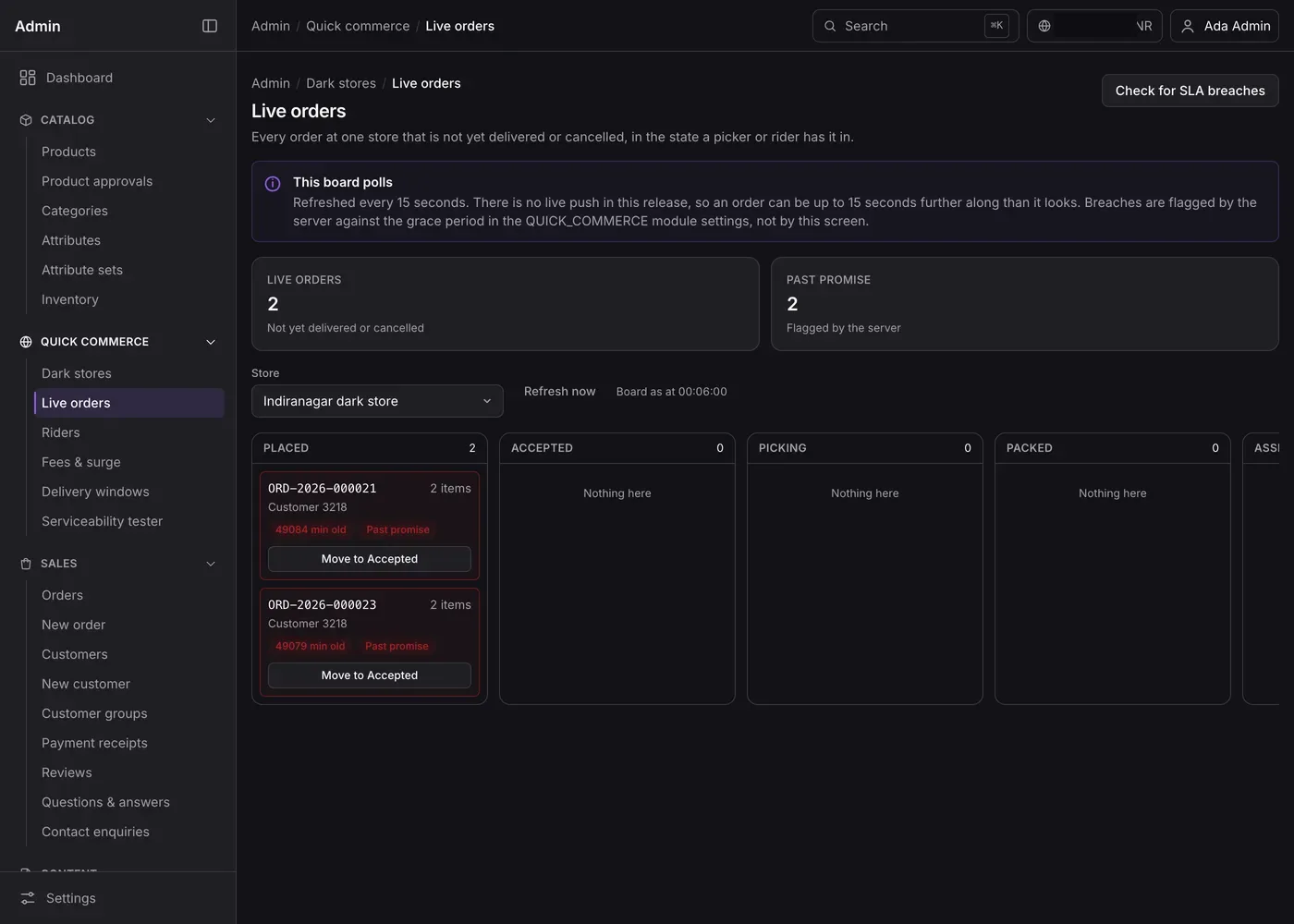
4. Live features
Live location, live order boards, chat and video need a server that pushes updates every few seconds. They add work on the phone, on the server and in testing.
5. Payments, SMS, maps and other links
Each outside service is a separate piece of work: payment gateway, SMS or WhatsApp messages, maps, GST invoices, accounting. Each one also has its own monthly bill from that provider.
6. Design depth
A clean standard look costs less than custom drawings and motion on every screen. We design clickable screens first so you see the look before the build starts.
7. How the app is built
Two separate apps, one for Android and one for iPhone, means two code bases. A cross-platform tool such as Flutter, which we use for most apps, gives both from one code base. React Native works the same way. This choice affects build time and every later update.
Running costs after launch
The build is one cost. Running the app is another, and it never stops. Plan for these lines from day one.
- Store accounts. Google charges a one-time fee to open a Google Play developer account. Apple charges a yearly fee for the Apple Developer Program.
- Server and storage. The app talks to a server that holds your data. Cost grows with users, photos and videos. We set up hosting on your own account so the bill is in your name.
- Message and map bills. SMS, WhatsApp, maps and payment gateways charge per use.
- Yearly updates. Google Play asks new apps and updates to target a recent Android version. Apps that fall behind cannot ship updates. So budget for a yearly update round.
- Support. Bug fixes, small changes and help for your team. Many owners take a support plan after launch.
How to read an app development quote
Put two quotes side by side and check each line. A quote you cannot check is not a quote.
| Check this | A clear quote says | A weak quote says |
|---|---|---|
| Apps included | Customer app, rider app, web admin, each listed | "Complete app solution" |
| Screens | A screen list or clickable design | "All features like Uber" |
| Platforms | Android, iPhone and web, named | "Mobile app" |
| Outside services | Payment, SMS, maps named, with who pays their bills | Not mentioned |
| Testing and launch | Testing with your team, store upload under your account | Not mentioned |
| Ownership | Source code and data handed over to you | Licence or "lifetime access" |
| After launch | Support period and what it covers | "Support available" |
Very low quotes often mean a ready-made script with your logo on it. We explain the trade-offs in our guide on clone scripts versus a custom build.
Custom, ready-made or white-label app
There are three ways to get an app. Each one moves the cost in a different way.
| Ready-made app (monthly plan) | White-label app built for you | Fully custom app | |
|---|---|---|---|
| Start | Fast, small first payment | Faster than custom, base already works | Slowest, built from your screens |
| Cost over years | Pay every month, often per user or order | Build cost, then optional support | Build cost, then optional support |
| Your brand on the stores | Sometimes, often their name | Yes, your account | Yes, your account |
| Your own process | Only what the plan allows | Base flow, with your changes | Fully yours |
| Source code and data | Stay with the vendor | Yours | Yours |
Worked example: one delivery app in phases
Here is how a local grocery shop could plan its app so the cost comes in steps. The shop and its needs are an example.
- Write down the users. Customers order. Pickers pack. Riders deliver. The owner watches. That is three apps and one admin.
- Cut phase one. Customer app plus web admin. The shop delivers with its own staff and marks orders done in the admin.
- See the screens. A clickable design shows the real screen count. The quote is based on it.
- Launch. The app goes live on Google Play and the App Store under the shop's own name.
- Phase two. Once orders grow, a rider app with live tracking is added. The cost of this phase is quoted on its own.
- Phase three. Offers, wallet and a second branch, only if the numbers ask for it.
This is how fast-delivery shops usually grow. Our guide to launching a quick delivery app shows the full set of apps at the end.
Our service
How we build your own mobile app
You get a quote you can check, because it is built on screens you have seen.
- Understand your business. We list your users, steps and reports in one or two calls.
- Show you screens. You click through the main screens and change them before any code.
- Quote by phase. Each phase lists apps, screens and outside services.
- Build. Android and iPhone from one code base, plus the web admin.
- Test with your team. Your staff use it on real work. We fix what they find.
- Launch and hand over. Store listing under your account, then the source code to you.
We have built apps for taxi firms, schools, clinics, couriers and shops. See our taxi app development work and the school management system we built as two examples.
Mobile app development cost: what decides it
We do not publish a price list, because two apps are rarely the same. Your cost depends on the user types and the screen count. It also depends on the web admin, live features, outside services and design. It also depends on what you launch first and what waits for a later phase.
| Monthly app plan | Your own app (built for you) | |
|---|---|---|
| What you pay | A fee every month, for as long as you use it | A build cost by phase, then optional support |
| Changes to the flow | Only if the vendor adds them for everyone | Made for you |
| Brand | Shared or limited | Your name and logo everywhere |
| Data and code | With the vendor | With you |
Share your idea and your users. After one call, we send a written quote split by phase. Ask any developer, us included, to show you the screen list behind the number.
Whoever builds your app, make sure the quote:
- Lists every app: customer, staff, rider and web admin
- Comes with a screen list or a clickable design
- Names Android, iPhone and web separately
- Says who pays for SMS, maps, payments and hosting
- Puts the app on your own Google Play and Apple accounts
- Hands over the source code and the data
- States the support period and the cost of yearly updates
FAQ
What is the average mobile app development cost in India in 2026?
There is no fair average. A three-screen parent app and a live delivery app are both called "an app". The cost depends on user types, screens, the web admin, live features and outside services. Ask for a quote based on a screen list.
How long does it take to build a mobile app?
It depends on the number of apps and screens. After one call, we share a plan with dates for each phase. You see clickable screens first, so the timeline is based on real work.
Why do app quotes in India differ so much?
Quotes count different things. One may include the web admin, testing and store launch. Another may be a ready-made script with your logo. Compare them line by line.
What do I pay after the app is launched?
Store accounts, the server, SMS, maps and payment gateway charges, and yearly updates. Support for fixes and small changes is usually a separate plan.
Will I own the app and its source code?
Yes, when we build it. The app is published under your own store accounts, and we hand over the source code and the data.
Do I need both Android and iPhone apps?
Your customers will use both kinds of phone. We build both from one code base, so adding iPhone does not mean a second full build.
How is customer data kept safe in an app?
The app should collect only what it needs, ask for consent and limit who sees what. India's Digital Personal Data Protection Act, 2023 applies to personal data, so check your duties with a lawyer.
Can I start small and add features later?
Yes. We plan the app in phases. You launch the core, learn from real users, and add the next phase when you are ready.
Can PRS India build my mobile app?
Yes. We build customer apps, staff apps and web admins for Android, iPhone and web, under your brand. Share your idea with our team and we will send a quote split by phase.
Related guides
Written by
Babita Kumari · Business Developer
Business Developer at PRS India. Talks with business owners about the app or software they want, and helps them work out the scope, cost and launch steps before any code is written.