Business of Software
White Label Lawyer App Development
We build your firm's own lawyer app: client app, advocate app and web admin, under your name on Android, iPhone and web.
Written from production. Our articles draw on products we run live and the client work behind them, and are revised as the systems they describe evolve.
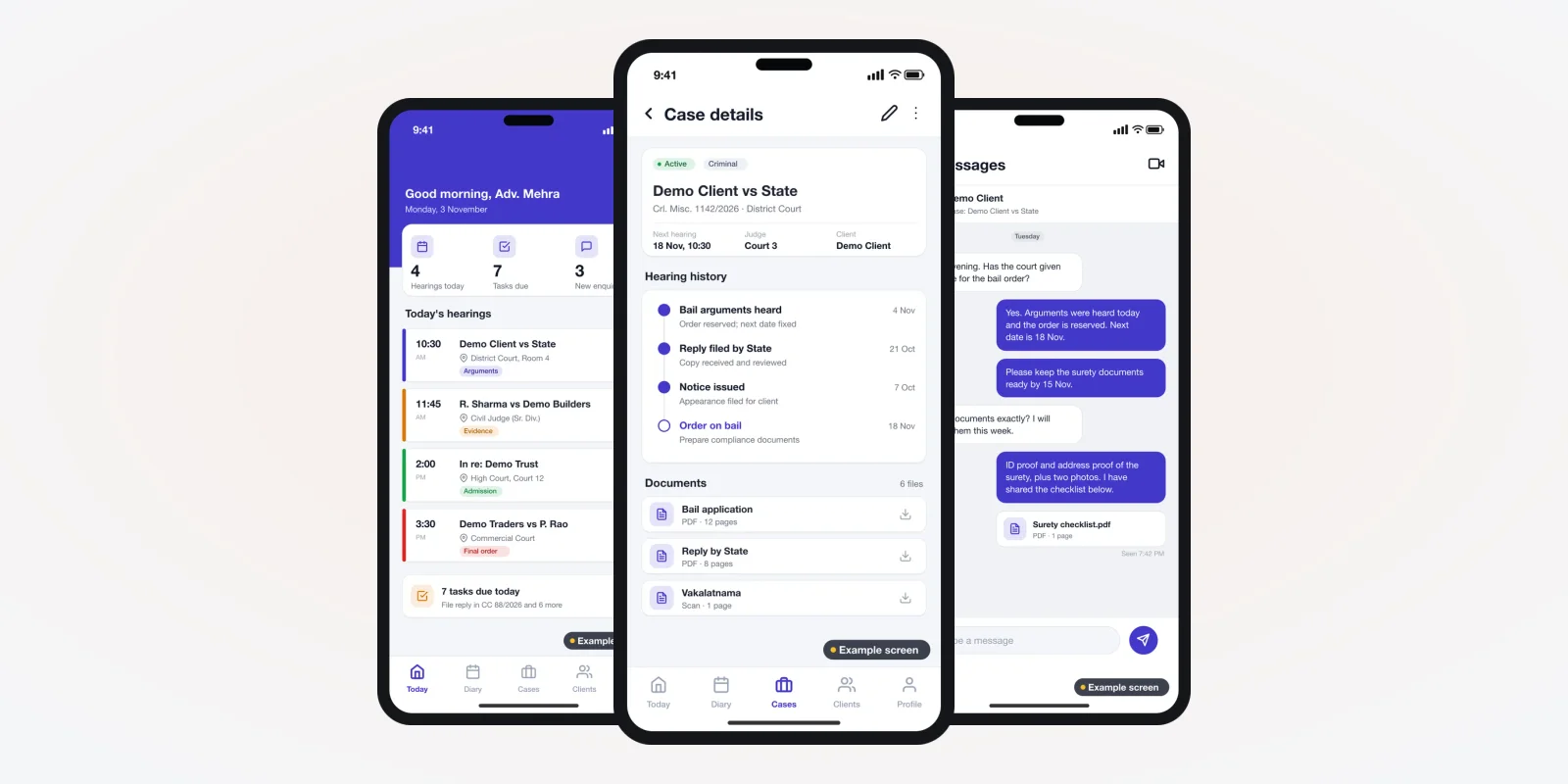
Clients call their advocate for one question more than any other: "What happened today, and what is the next date?" Many firms answer it on the phone, again and again. A white label lawyer app answers it for them. The client opens an app with the firm's own name and logo. There they see the case, the next hearing and the papers.
White label means the app carries your brand, not the developer's. PRS India does lawyer app development for Android and iPhone, with a web admin for your office. You get your name on the app stores, your data on your server, and the source code. This guide explains what such an app should do and how we build it for you.
Key takeaways
- A white label lawyer app is your firm's own app, under your name in the Play Store and App Store.
- Most firms need three parts: a client app, an advocate app and a web admin for the office.
- The client app cuts status calls. It shows the next date, the last order and the papers you choose to share.
- Advocates in India must follow Bar Council rules on advertising. Keep app wording factual and check it with the Bar Council.
- When we build it, you own the brand, the client data and the source code.
What is a white label lawyer app?
It is an app that one developer builds and another business publishes under its own name. For a law firm, it means your clients download "Your Firm Name" from the store. They never see the developer's brand.
There are two common types. The first is a firm app, used by one firm and its clients. The second is a platform app, where a legal startup lists many advocates and clients book them. Both can be white label. Booking-led platforms are covered in our lawyer appointment booking app guide. The screens and rules differ, so decide which one you need before you ask for a quote.
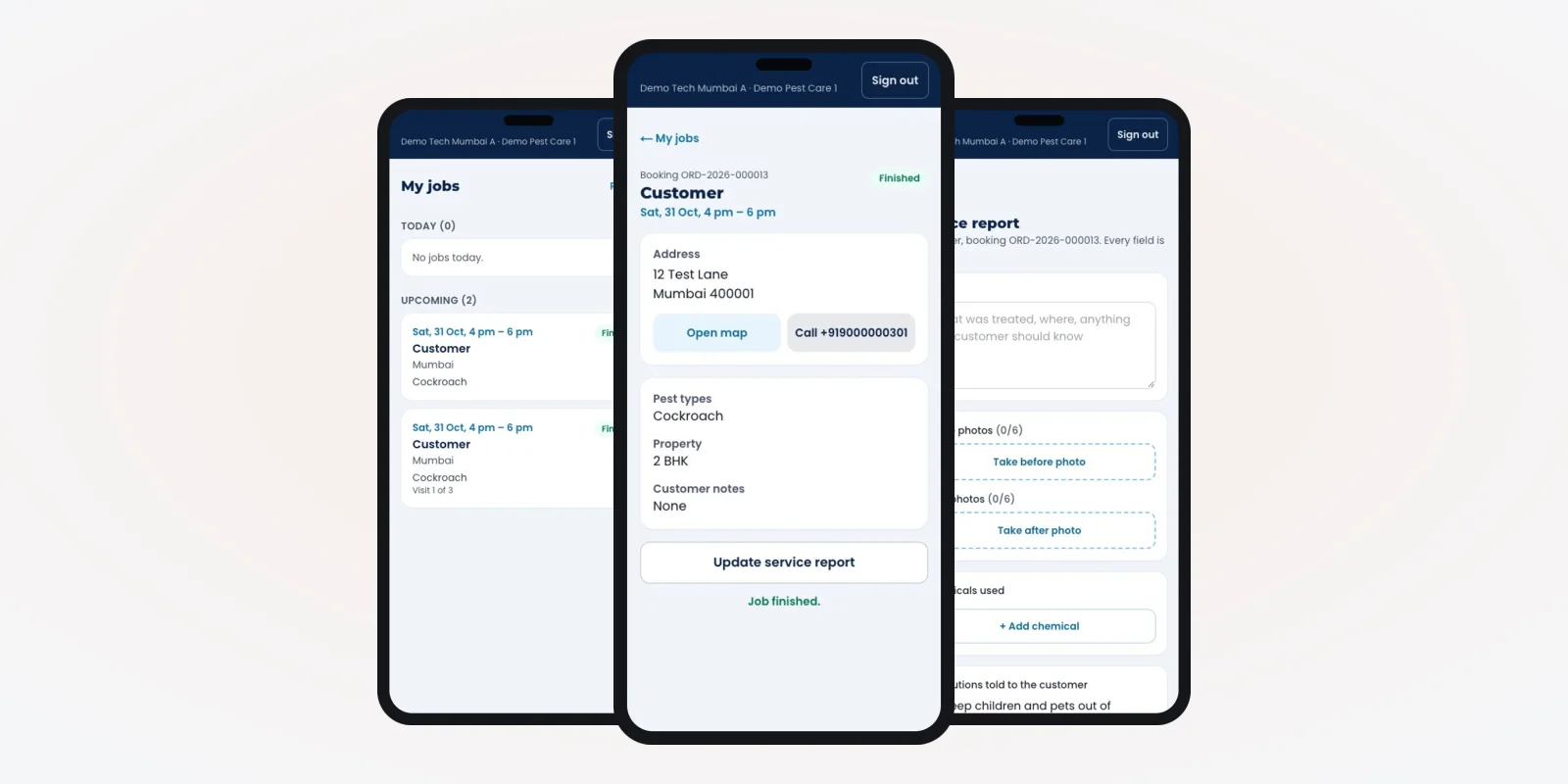
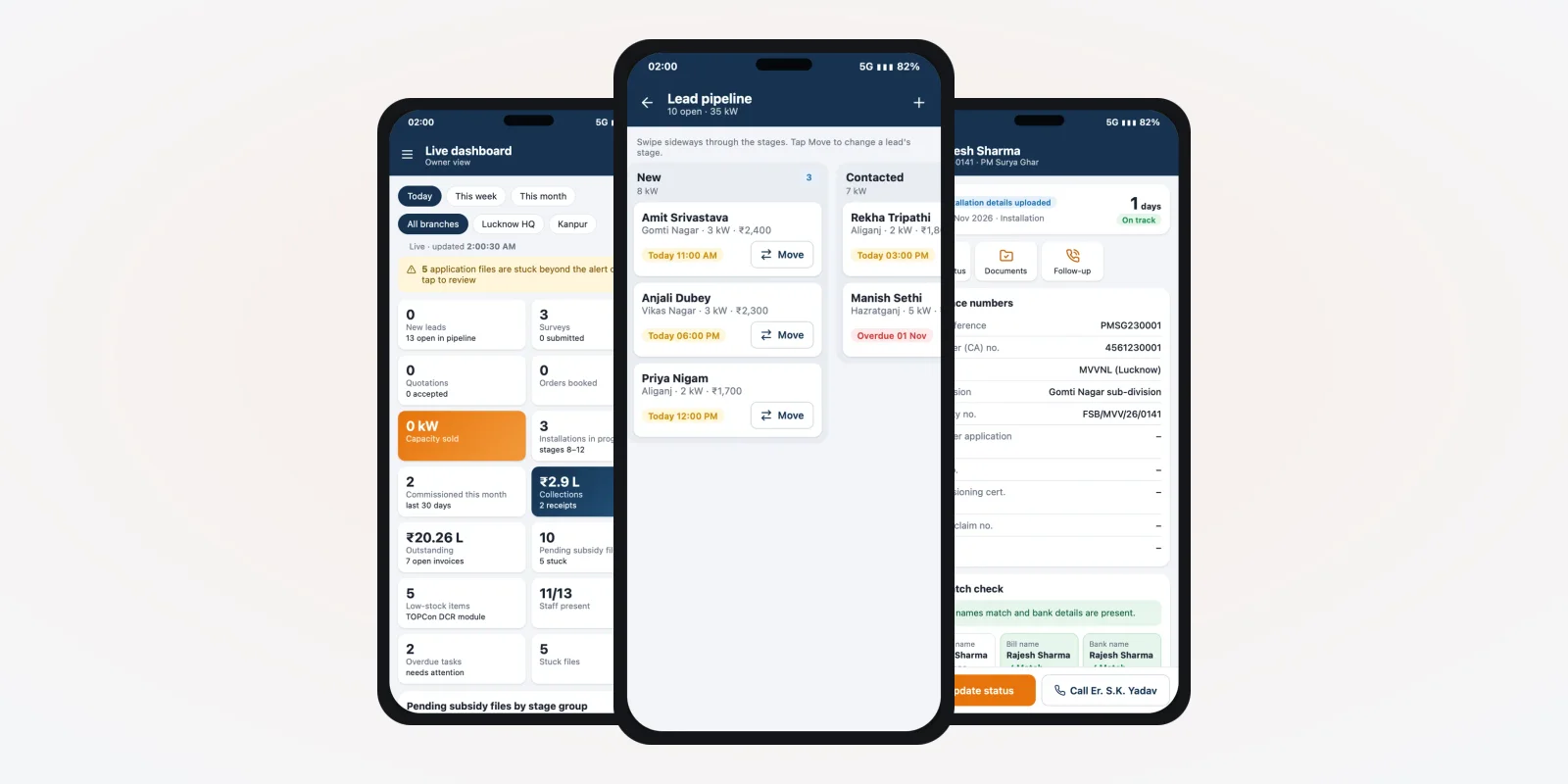
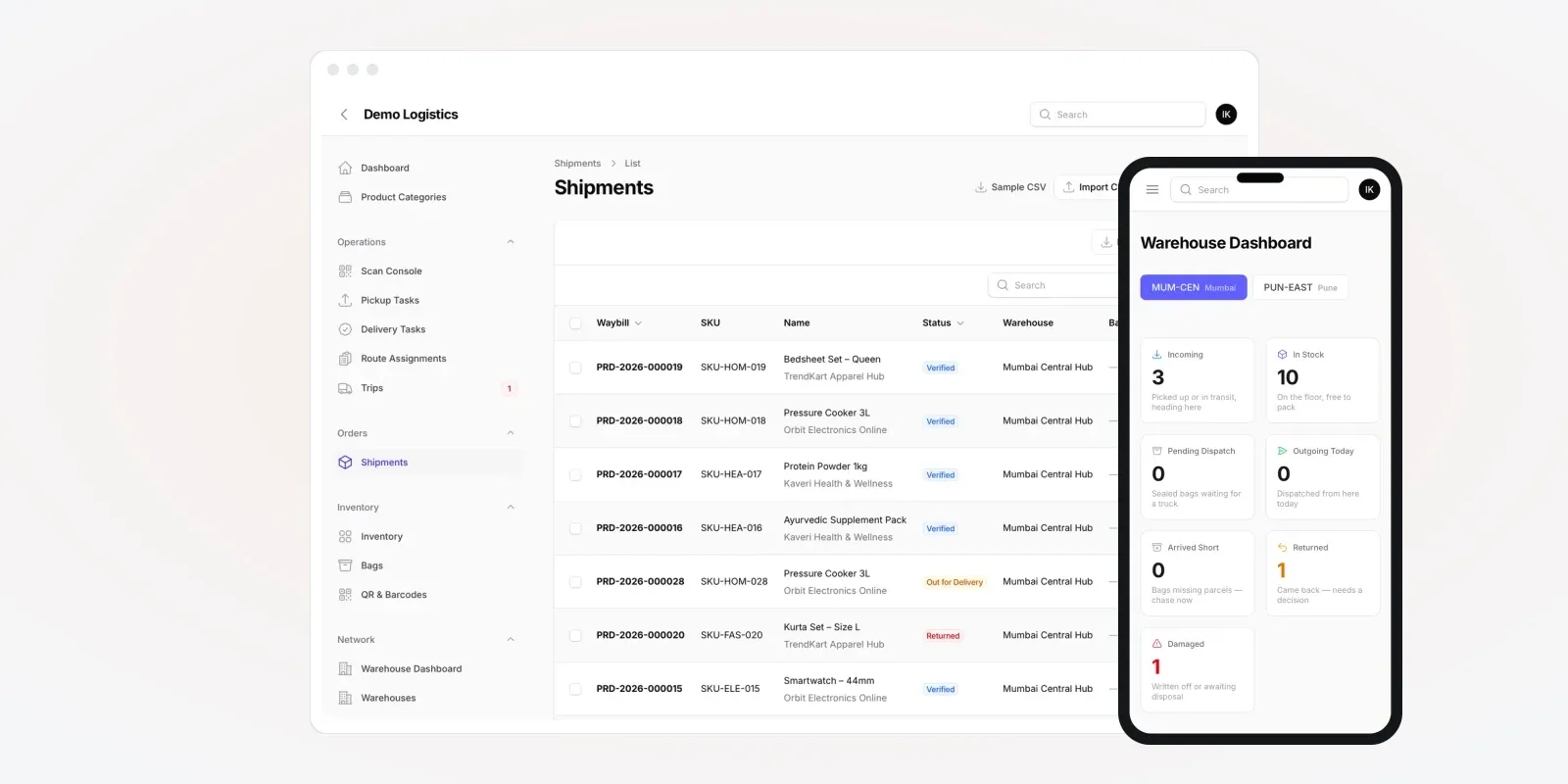
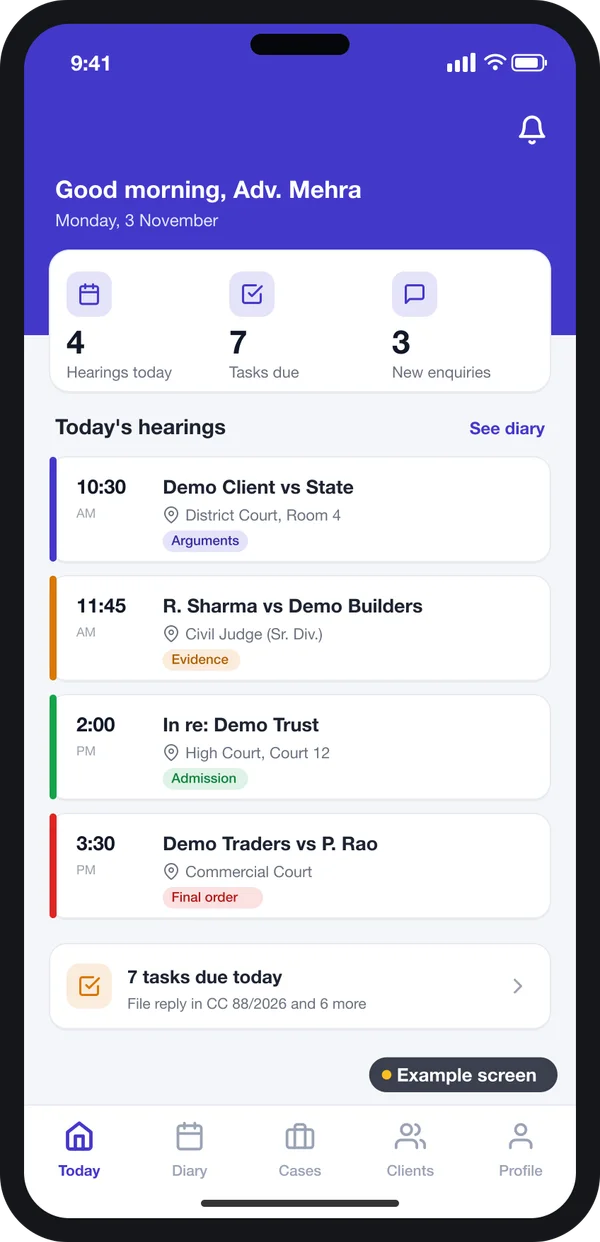
The screens in this guide are example designs we drew for a lawyer app, filled with demo cases. They show what we can build for you. They are not a live product.
What the client sees first
A client wants three things on opening the app: the next hearing, the last update and a way to reach the advocate. The home screen should give all three without a search.
For the advocate, the same app can open on a "Today" view: hearings, tasks and new enquiries for the day.
The problem
Why law firms want their own app
These are the gaps we hear about from firms that still run on phone calls and WhatsApp.
- Status calls all day. Clients call the clerk or junior to ask the next date. Each call takes time from court work.
- Papers in many chats. Plaints, orders and vakalatnamas sit in personal WhatsApp chats. Finding one later takes long.
- No record of advice. Advice given on a call is not written anywhere. When a dispute comes, there is no note.
- Shared app, other firms' names. A shared directory app puts your clients next to other advocates' profiles.
- Fees chased by hand. Fee reminders go by phone. Nobody knows which client has paid for which stage.
- Staff leave with data. When a junior leaves, the client list and case notes on his phone leave too.
Who uses a white label lawyer app
A firm app has three users. Each one needs a different view of the same case.
Advocates
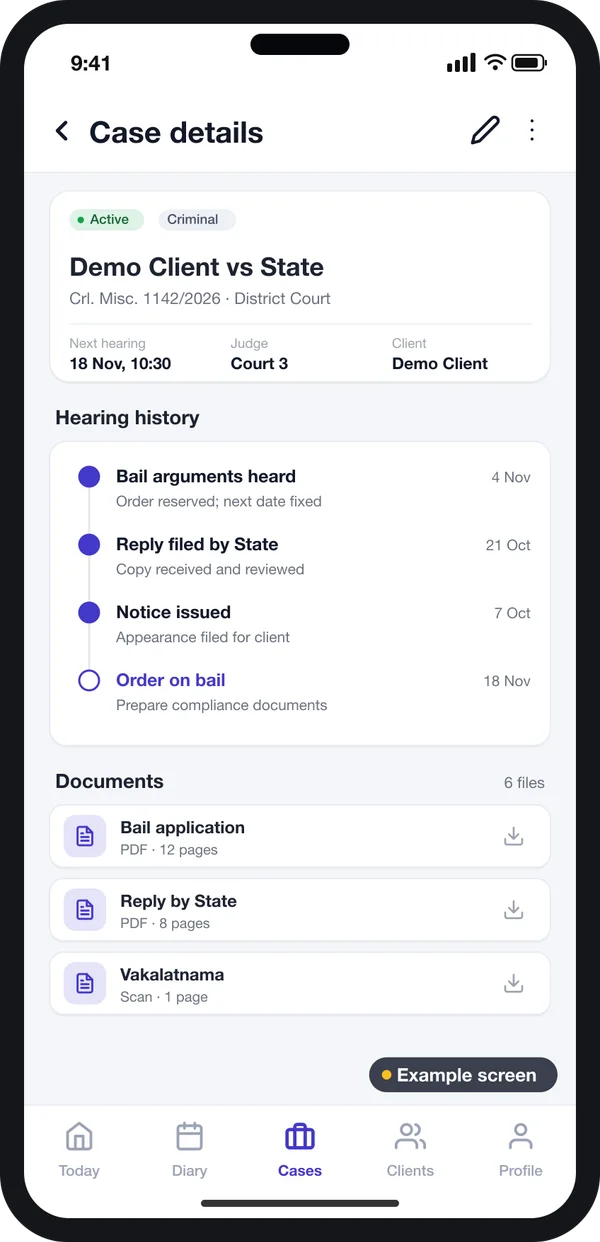
See every case, its stage, the hearing history and the papers. Add notes after each hearing.
Clients
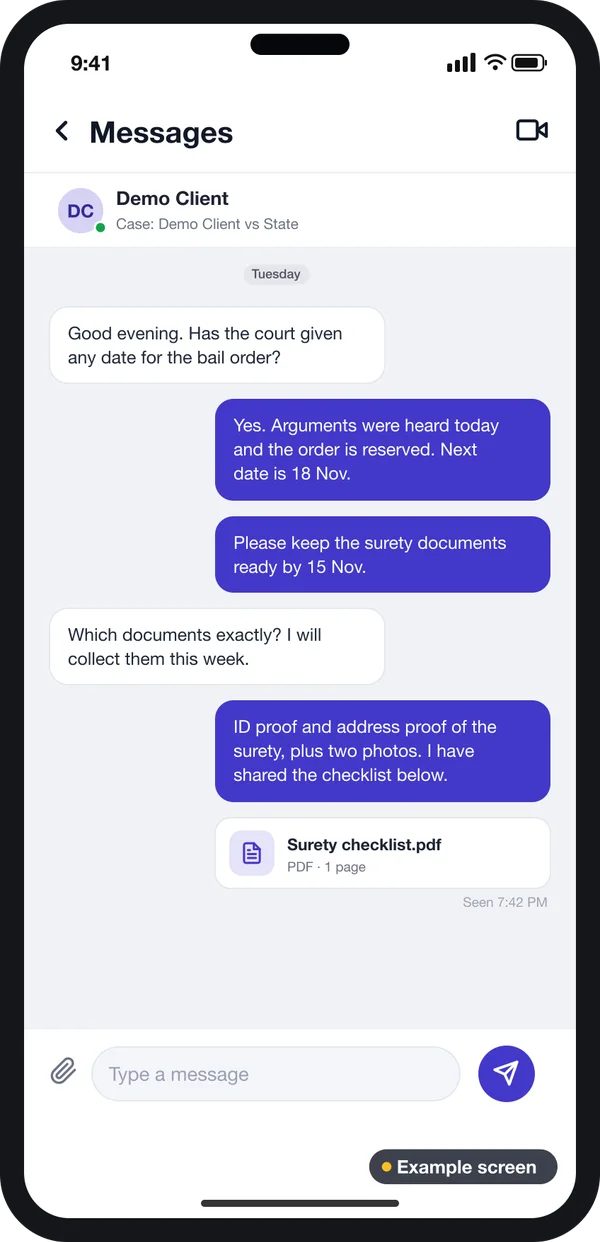
See updates the firm shares, send papers and ask questions in one chat per case.
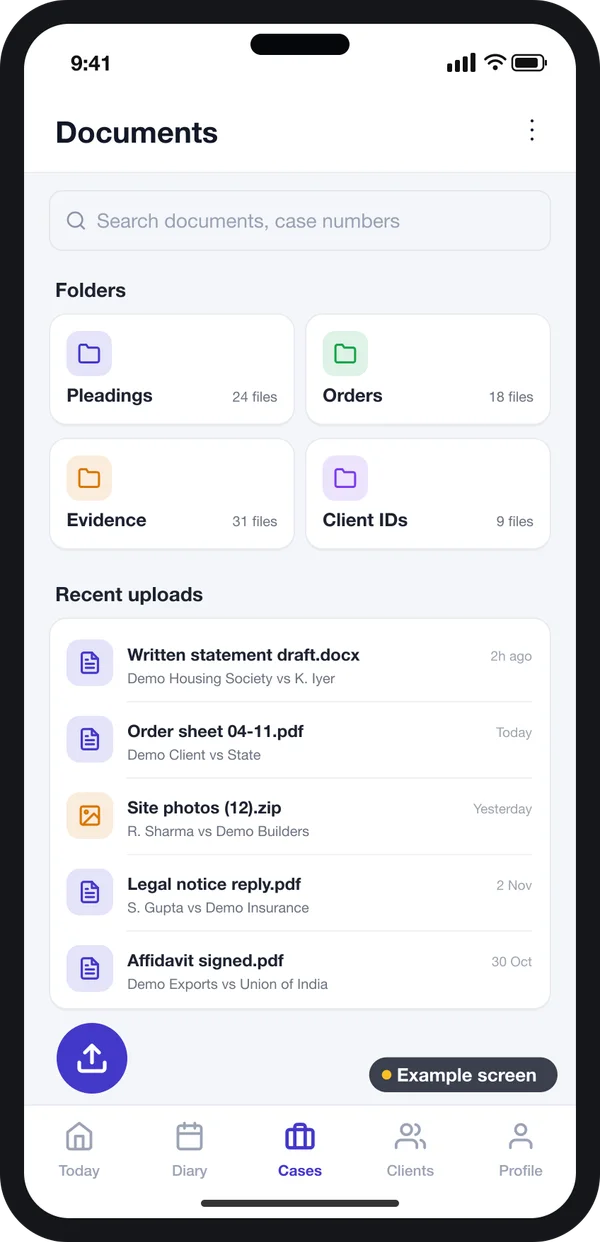
Clerks and juniors
Upload orders, file papers in case folders and keep the diary up to date.
Behind these apps sits a web admin. The office uses a web panel to add cases, assign advocates, set access and see reports.
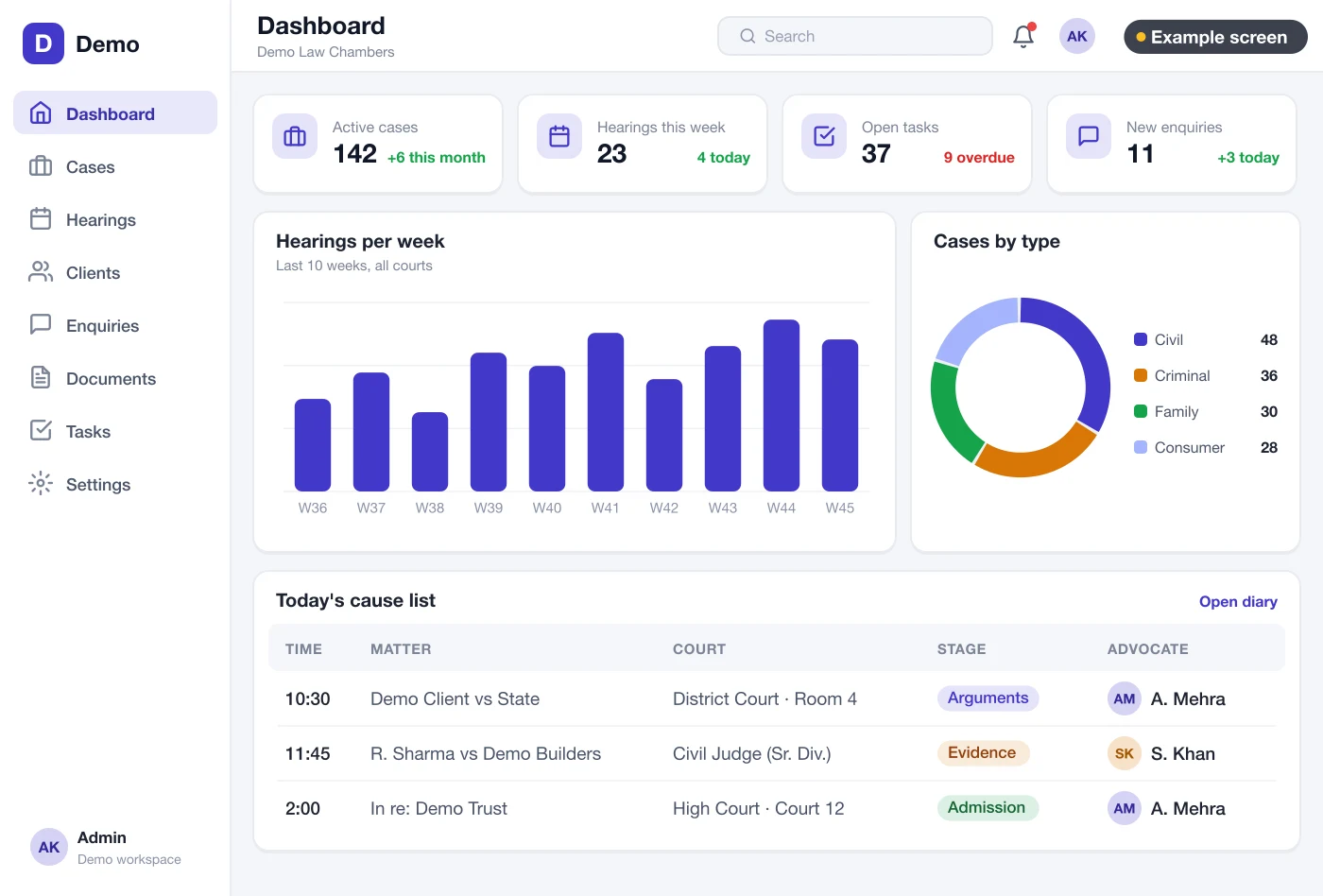
Must-have features in a white label lawyer app
1. Your brand everywhere
Your firm name, logo and colours on the app icon, the login screen, emails and SMS. The store listing is under your own developer account. If you ever change developers, the app stays with you.
2. Case list with next dates
Each case shows the number, court, parties, stage and next date. Clients see only their own cases. Advocates see the cases assigned to them. Partners see all.
3. Hearing updates the client can read
After a hearing, the advocate writes a short note in plain words: what happened and what comes next. The client gets a notice on the phone. You decide which notes clients can see and which stay internal.
4. Consultation booking
New clients pick a practice area, a call type and a time slot. The booking lands in the office panel. Your staff confirm it, or move it to another advocate.
If online consultations are your main business, read our guide on building an online lawyer consultation app.
5. Secure chat per case
Chat is tied to a case, not to a phone number. When a junior leaves, the chat history stays with the firm.
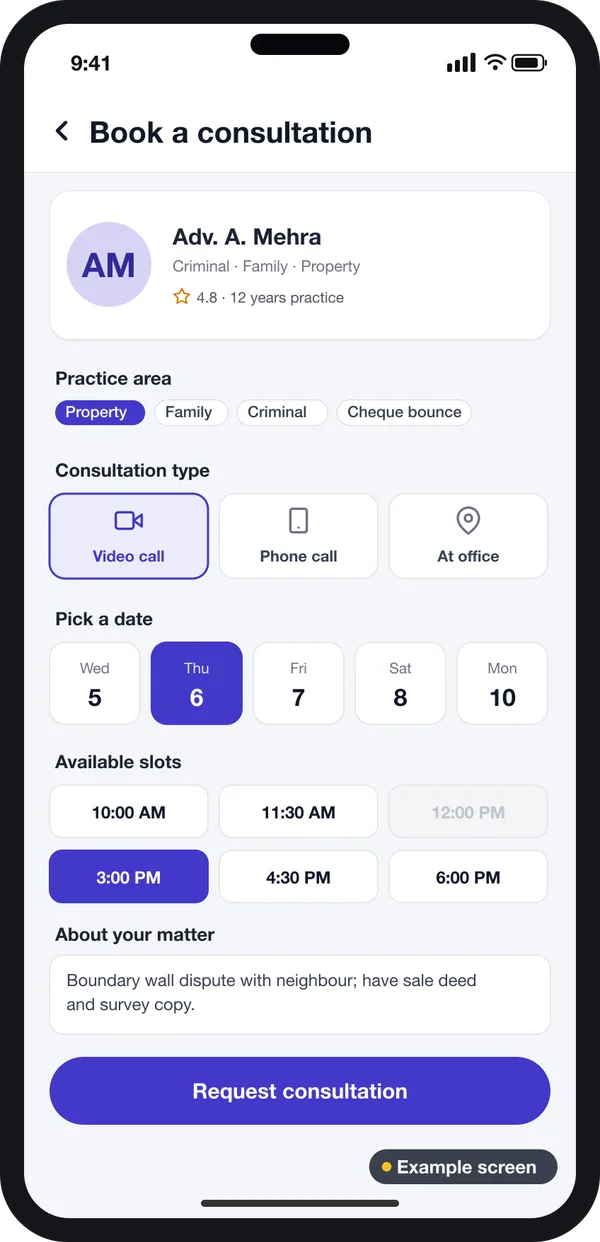
6. Document vault
Every case gets a folder: plaint, written statement, orders, evidence and fee receipts. Files are stored on your server. Each upload records who added it and when.
7. Enquiry pipeline
New enquiries come from the app, your website and calls. The office moves each one from "new" to "retained" on a board, much like a CRM built for client enquiries. Nothing waits in a notebook.
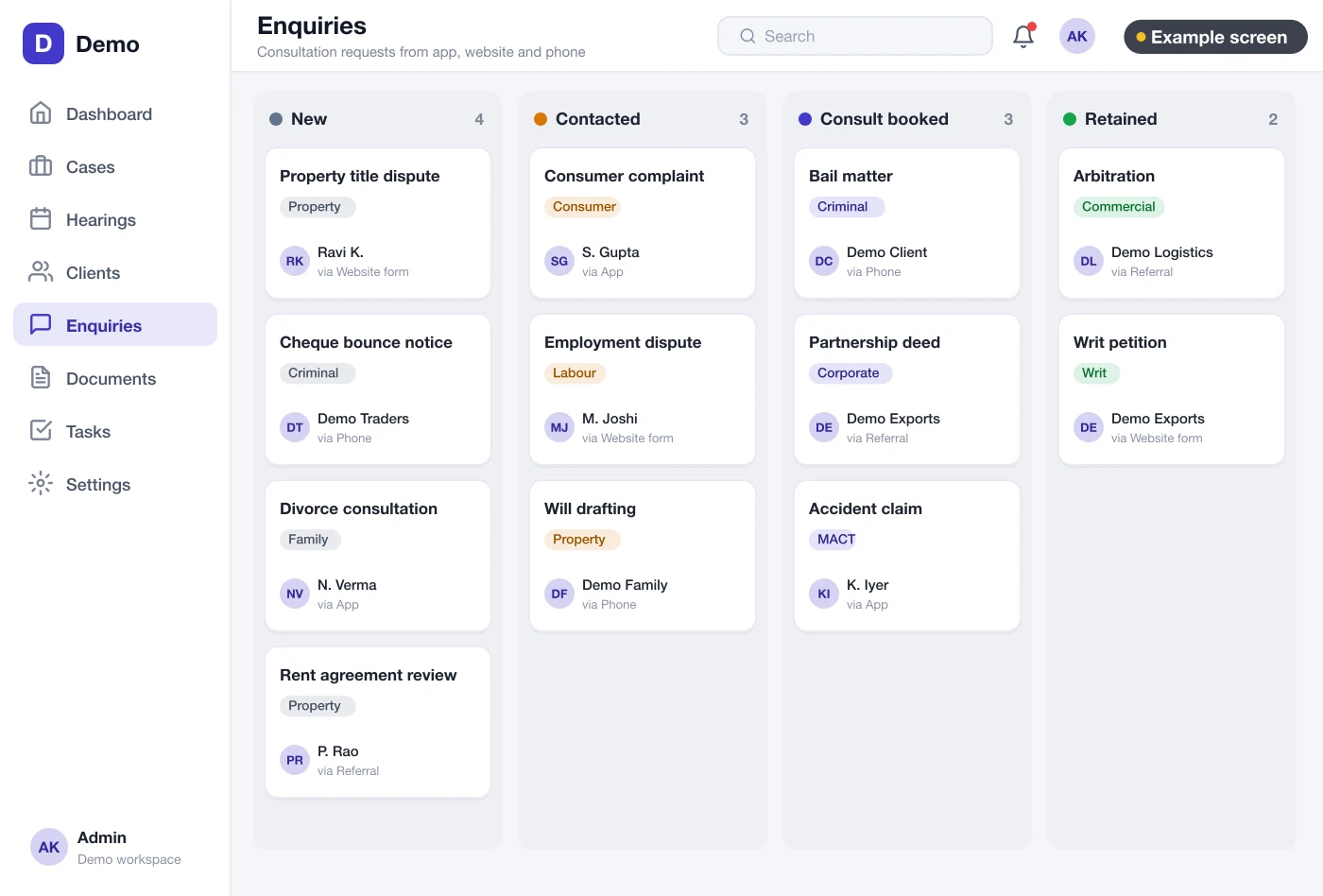
8. Fees and receipts
Record the fee agreed for each stage and each payment received. The client sees what is due. If you want online payments, we connect a payment gateway of your choice.
Check the Bar Council rules before you launch. The Bar Council of India's rules on professional standards limit how advocates may advertise or ask for work. Keep app text and store listings factual: name, contact, practice areas. Check the wording with a lawyer or your State Bar Council before you publish.
Data rules a lawyer app must follow
A lawyer app holds very private data: names, phone numbers, case facts and papers. The Digital Personal Data Protection Act, 2023 applies to personal data like this. It asks you to take consent, use data only for the stated purpose and protect it.
In practice, the app should log every login. It should limit each user to the cases they need. It should let you delete a client's data on request. Ask your lawyer which of these steps your firm needs. We set up hosting, backups and access control on a server you control.
Source: Ministry of Electronics and IT, data protection framework. Check the current rules with a lawyer.
White label vs custom vs a shared app
| What you need | Shared legal app | Ready white label script | White label app built for you |
|---|---|---|---|
| Your firm name on the store | No | Yes | Yes |
| Other advocates shown to your clients | Often | No | No |
| Your own case stages and fields | No | Limited | Yes |
| Client data on your server | No | Depends | Yes |
| Source code handed over | No | Sometimes, with limits | Yes |
| Changes when your practice grows | Wait for the vendor | Hard to change | Planned with you |
Worked example: a five-advocate firm
Here is how one firm might use its own app in a week. The names and cases are examples.
- Monday morning. The senior advocate opens the web dashboard. She sees four hearings today, across two courts.
- Monday, after court. The junior adds a note to each case: "Arguments heard, next date 18 November." Each client gets a notice.
- Tuesday. A new client books a property consultation through the app. The office confirms the slot.
- Wednesday. After the consultation, the client is marked "retained". The office opens a case and a document folder.
- Thursday. The client uploads the sale deed in the case chat. It is saved in the case folder, not on a phone.
- Friday. The partner checks open tasks and fee dues for the week. Two reminders go out from the app.
Our service
How we build your white label lawyer app
We start from how your firm already works.
- Understand your practice. We map your case types, roles and client steps in one or two calls.
- Design the screens. You click through screen designs first, like the examples here, and change them before coding.
- Build the apps. One Flutter codebase gives Android and iPhone apps. The web admin and server run on Laravel.
- Test with your team. Your advocates and clerks use it on real cases. We fix what they find.
- Launch under your brand. We publish to the stores under your developer account and set up your server.
- Support and grow. We add features as you grow: new branches, new case types, a client portal on the web.
White label lawyer app development cost: what decides it
We do not publish a fixed price, because every firm needs different parts. The cost depends on these things:
- How many apps you need: client app, advocate app, web admin, or all three.
- Firm app or a multi-lawyer platform. A platform with many lawyers needs profiles, ratings rules and payouts.
- Extras such as video calls, online payment, SMS and email.
- How many offices, users and case types you have. Selling the app to other firms needs extra account controls.
| Monthly legal software plan | Your own white label app | |
|---|---|---|
| Start | Quick sign-up | A few weeks to design and build |
| Payment | Every month, often per user | One build cost, then optional support |
| Your brand on the app | Rarely | Yes |
| Your case stages and reports | Fixed by the vendor | Built to your process |
| Data and source code | With the vendor | Yours |
Share your firm size and the apps you need. We send a written quote after one call.
Whoever builds your lawyer app, make sure it can:
- Publish under your own name and store account
- Show each client only their own cases
- Keep internal notes apart from client updates
- Store papers on a server you control
- Log who opened or changed each case
- Let you edit store text to fit Bar Council rules
- Export all your data whenever you want
- Hand over the full source code
FAQ
What does white label mean in a lawyer app?
It means the app carries your firm's name and logo, not the developer's. Clients download it under your name from the Play Store and App Store.
How long does it take to build a white label lawyer app?
It depends on the number of apps and features. After one call, we share a plan with dates for each part. You see clickable screens first.
Will I own the app and the source code?
Yes. We build it under your brand and hand over the source code. Client data stays on your own server.
Which platforms will the app run on?
Android and iPhone for clients and advocates, and a web admin for the office. We can also add a client portal on your website.
Is client data safe in a lawyer app?
It should be. The app should limit access by role, log every change and back up data daily. The Digital Personal Data Protection Act, 2023 applies, so check your duties with a lawyer.
Can a lawyer app advertise my services?
Advocates in India face limits on advertising under Bar Council of India rules. Keep the app and store text factual. Check with a lawyer or your State Bar Council before you publish.
Can the app show case status from the court website?
Your team can check the official eCourts services site and enter the next date in the app. If you want this done for you, we first check what the official sources allow.
Can many lawyers use one white label app?
Yes. A firm app can have many advocates with their own logins. A platform app can list lawyers from different firms, with separate profiles and bookings.
Can PRS India build a white label lawyer app for my firm?
Yes. We build lawyer apps for Android, iPhone and web around your own case types and roles. Book a consultation and we will show you screens for your practice.
Related guides
Written by
Aditi
Building software at PRS India.