Business of Software
White Label B2B Portal Development for Distributors
We build your own B2B ordering portal: buyer prices, credit checks, salesman app, GST invoices and ledgers, under your brand.

Written from production. Our articles draw on products we run live and the client work behind them, and are revised as the systems they describe evolve.
A distributor's day is full of small orders. A retailer calls at 9 pm. A salesman sends a photo of a paper order. A dealer asks for the price again because the last list was old. Then someone types it all into the billing software, often with mistakes.
A white label B2B portal moves this work online. Your dealers and retailers log in, see their own prices and place orders any time. The portal carries your name and logo, not a software vendor's. This guide explains what such a portal should do. It also shows how PRS India builds your own B2B ordering portal for your distribution business.
Key takeaways
- A distributor portal is not a shop for the public. Each buyer logs in and sees only their own price list.
- Credit limits and old dues must be checked before an order is accepted.
- Your salesmen need the same portal on the phone, to book orders during market visits.
- Invoices, e-invoices and e-way bills should come from the same order, with no typing twice.
- With a white label build, the brand, the buyer list, the data and the source code stay with you.
What is a white label B2B portal?
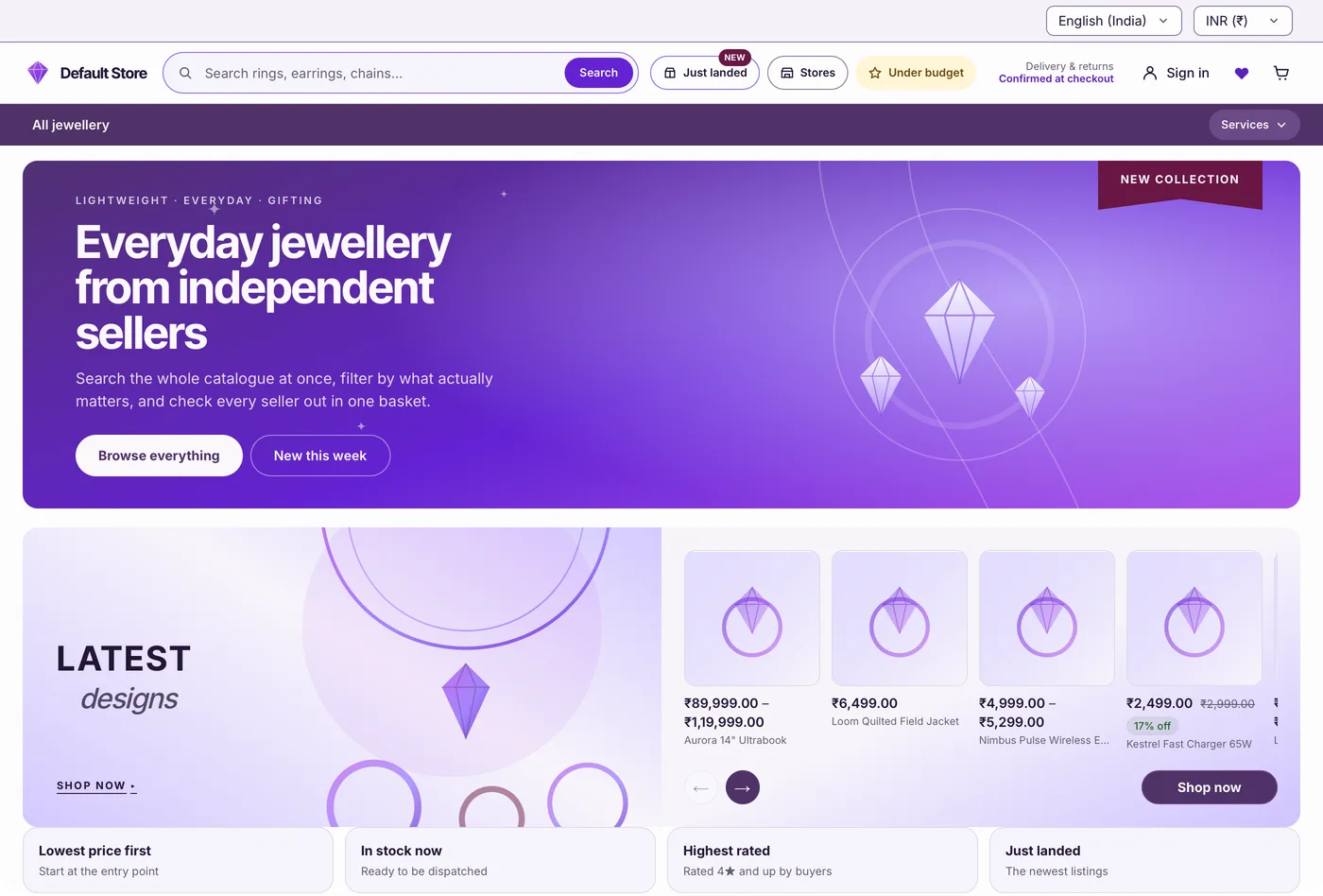
B2B means business to business. You sell to shops, dealers or other firms, not to the public. A B2B portal is a private website and app where these buyers place orders with you.
White label means the portal is built and run under your brand. Your buyers see your logo, your domain and your app name in the store. They never see the name of the company that wrote the code.
A distributor portal is different from a general online store. It does not show one price to everyone. It knows which buyer is logged in, what they may buy, their credit limit and their old dues. If many sellers will share one site, read our guide to building a B2B marketplace. This post is about one distributor selling to many buyers.
The problem
Where distributors lose time and money
Most distribution firms face the same five gaps when orders come by phone and WhatsApp.
- Orders typed twice. Staff copy orders from calls and chats into billing. Wrong item codes and wrong quantities follow.
- Old price lists. A retailer orders from last month's PDF. The invoice shows a new rate, and a dispute starts.
- Credit given blindly. Goods go out to a buyer who is already past their limit or has old bills unpaid.
- Stock promised but not there. The salesman books an item that the godown ran out of yesterday.
- "Where is my order?" calls. Buyers call to ask about dispatch, invoices and balances, again and again.
Who uses a distributor portal
Three groups use the portal every day. Each needs a different screen. We have built B2B stores and order systems before, and the screens here come from them.
- Retailers and dealers. They log in, search items, see their price, order, and download invoices and ledgers.
- Your salesmen. They visit shops on a beat, check stock, book orders for the shop and collect payments.
- Your office and godown. They approve orders, check credit, pick and pack goods, make invoices and plan dispatch.
Features a distributor B2B portal needs
1. Price lists by buyer group
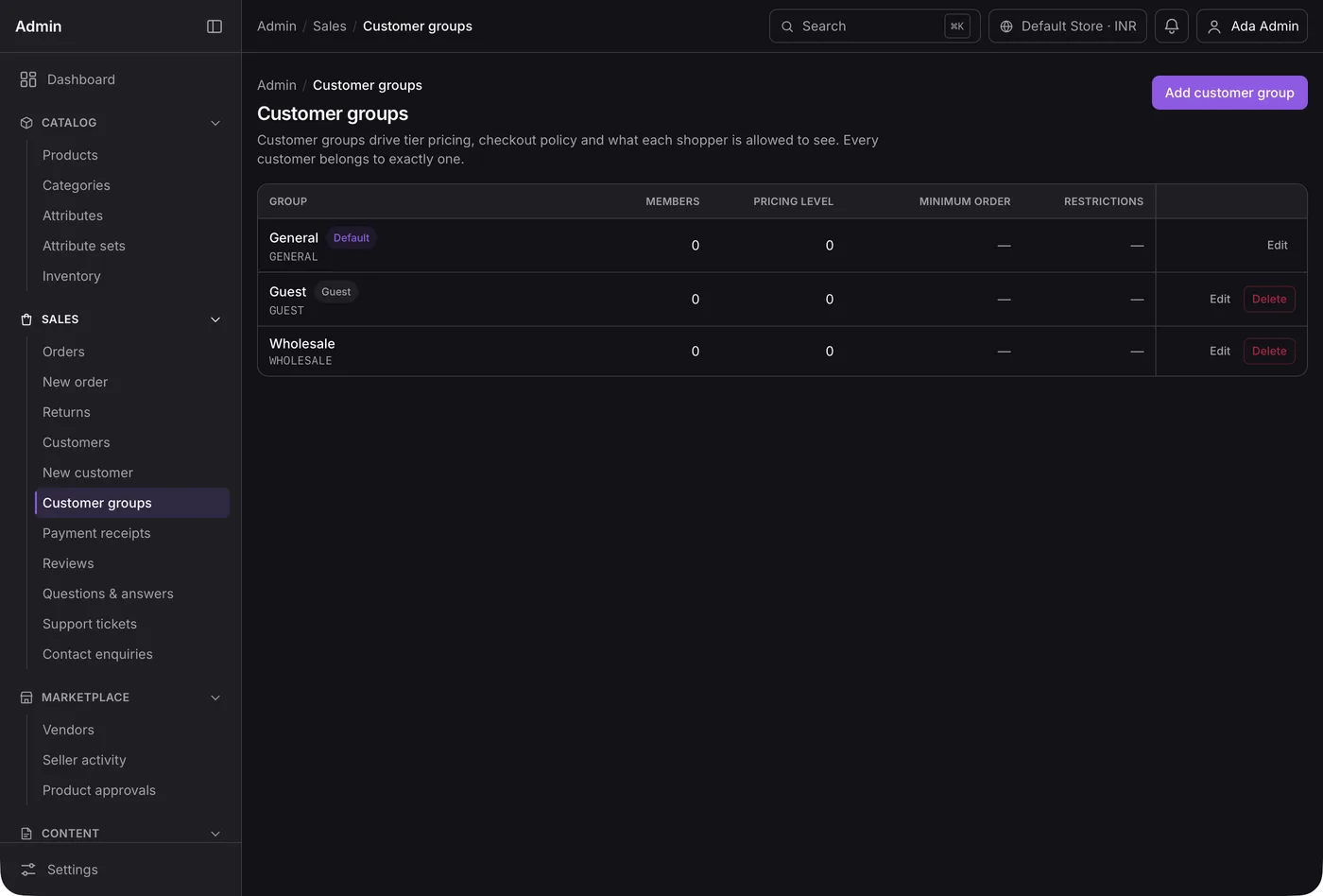
Put buyers into groups, such as wholesale, retail or key accounts. Each group gets its own price level and minimum order. A buyer only sees the prices of their group.
When you change a rate, every buyer sees the new rate at once. Old PDFs stop causing fights.
2. Credit limit check on every order
Each buyer has a credit limit and a number of credit days. When an order comes in, the portal adds it to the buyer's open dues. If the total crosses the limit, the order waits for approval.
This matters for small suppliers too. Under the MSMED Act, a buyer must pay a registered micro or small supplier on time. The limit is the agreed date, and never more than 45 days. Source: MSME Samadhaan, Ministry of MSME. Your portal can show these due dates on both sides.
3. Order board for the office
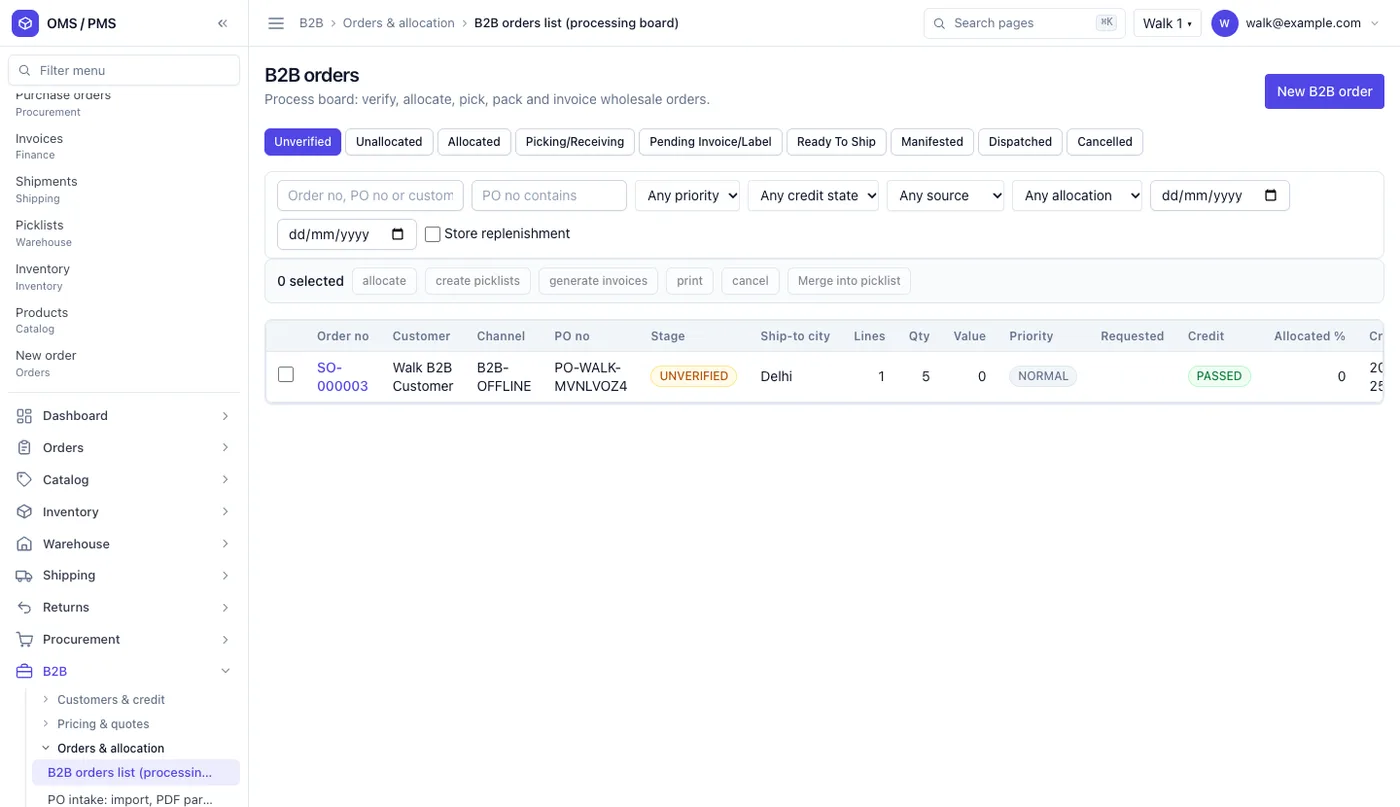
Every order from the portal, the salesman app and phone calls lands on one board. Staff move it step by step: verify, allocate stock, pick, pack, invoice and dispatch.
The board shows the buyer, the PO number, the ship-to city, the order value and the credit status. Nothing sits in a chat.
4. Order on behalf of a shop
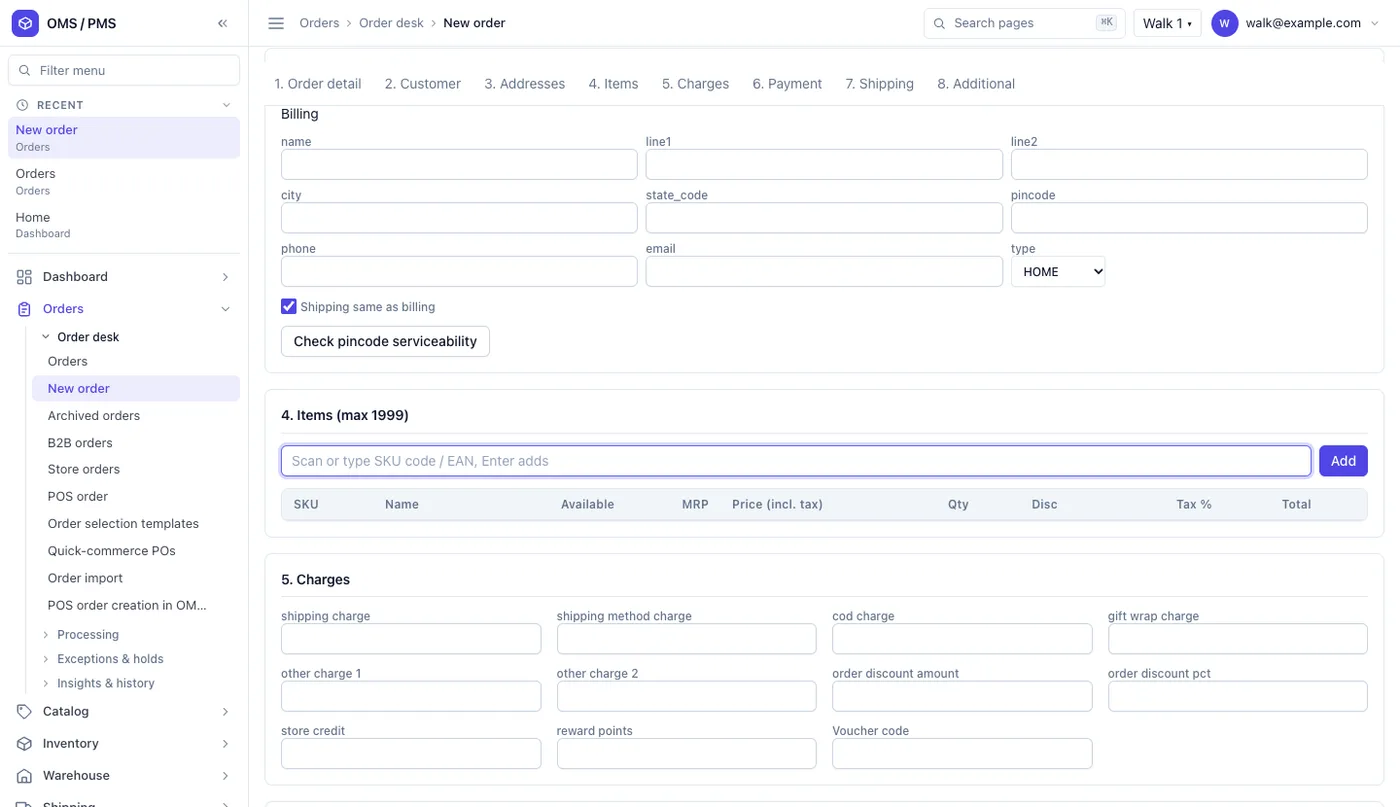
Many small retailers will not order online on day one. We build the salesman app in Flutter, so one code base runs on Android and iPhone. So your salesman or office staff book the order for them. They pick the buyer, scan or type items, add charges and save. The order follows the same steps as an online one.
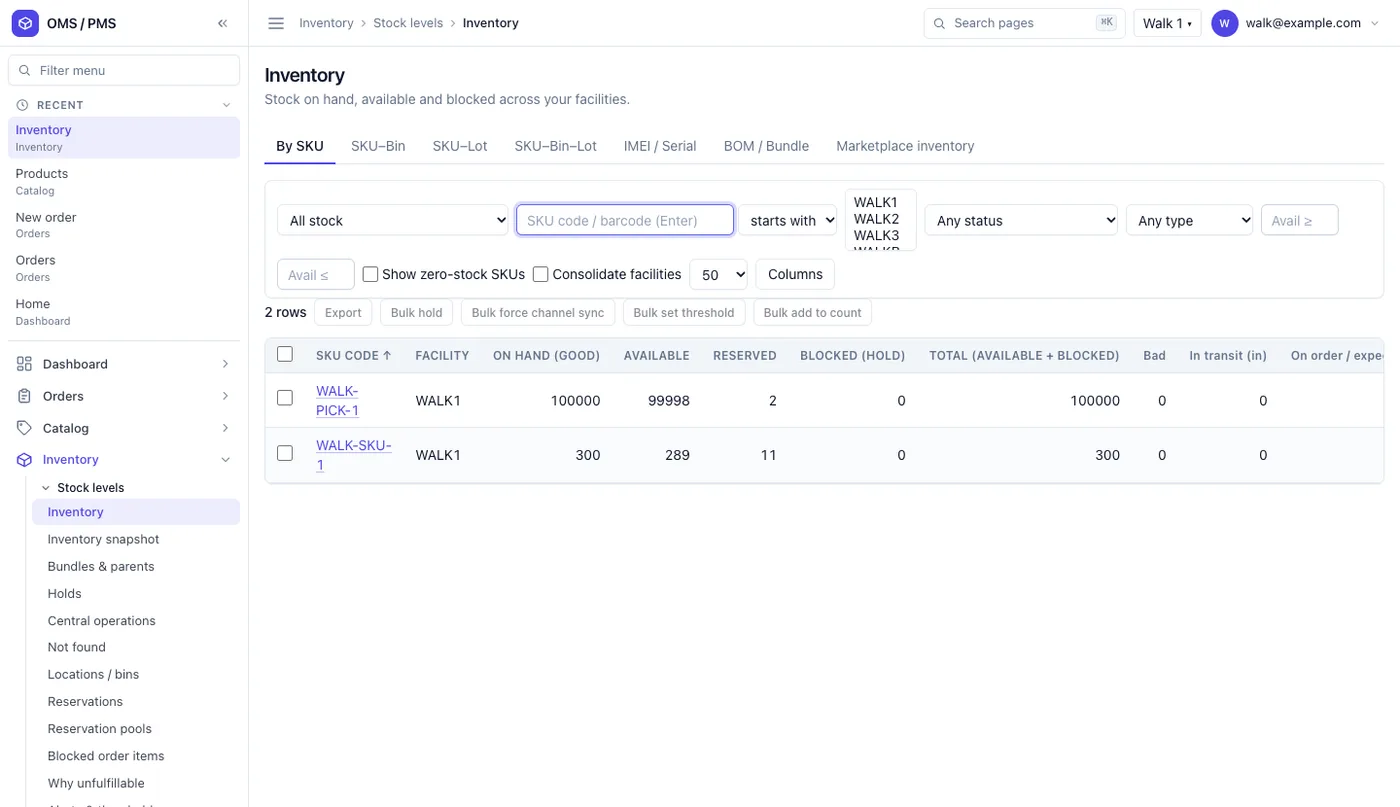
5. Live stock from the godown
The portal should show what can really be sold. That is stock on hand, minus what is held for other orders. If an item is short, the buyer sees it before ordering, not after.
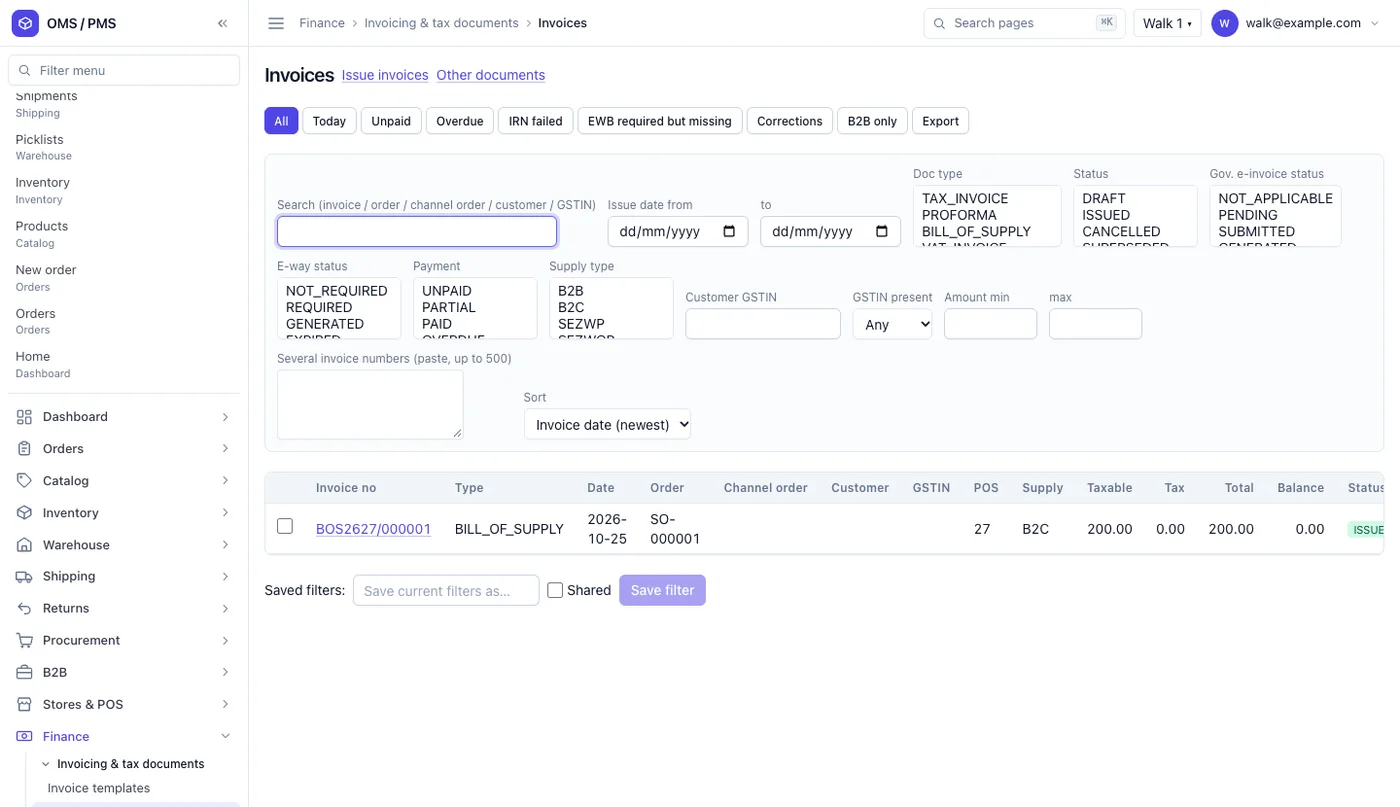
6. GST invoice, e-invoice and e-way bill
The invoice should be made from the order, with the buyer's GSTIN, HSN codes and tax split. Businesses above the turnover limit must report B2B invoices on the GST e-invoice system and get an IRN. Goods moving above the value limit need an e-way bill. Your portal can track both on each invoice. Check the current limits with your tax adviser.
7. Buyer ledger and payments
Each buyer sees their invoices, payments, credit notes and balance. They can download a statement and pay online. Your accounts team stops sending ledgers by email every month.
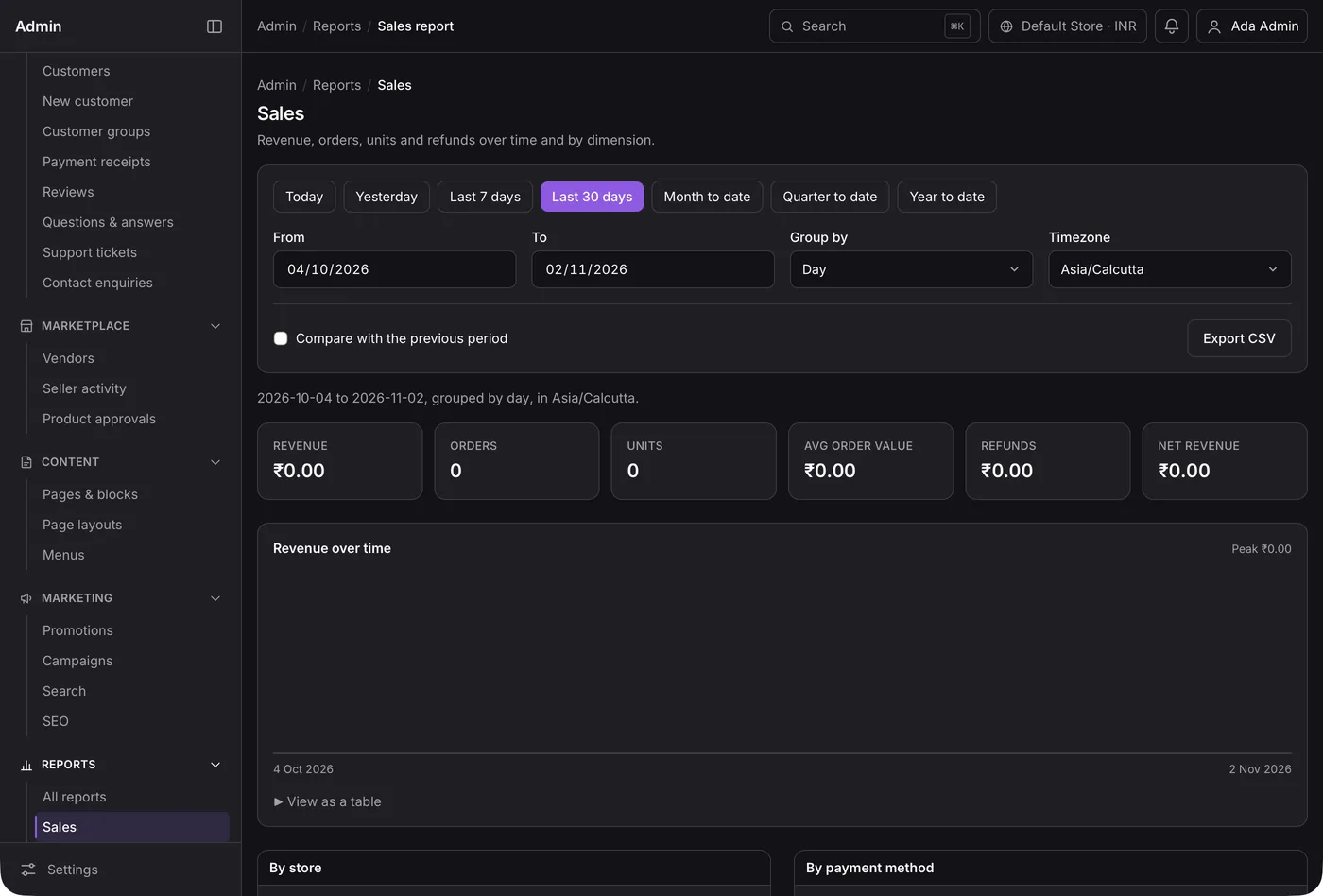
8. Reports for the owner
Sales by day, by buyer group, by salesman and by item. Pending orders and overdue dues on one page. Export to a sheet when your accountant asks.
Check every new buyer's GSTIN. Anyone can look up a GSTIN on the GST portal taxpayer search. Your portal can ask for the GSTIN at sign-up and let your team confirm it before the first order.
White label portal vs a monthly B2B tool
You can rent a B2B ordering tool or get your own portal built. Our list of B2B ecommerce platforms covers the rental side. Here is how the two compare for a distributor.
| What you need | Monthly B2B tool | Your own white label portal |
|---|---|---|
| Your name on the website and app | Often with the vendor's name | Only your brand |
| Price list per buyer group | Yes, in fixed formats | Your own rules, schemes and slabs |
| Credit limit and old dues check | Sometimes | Built your way |
| Salesman beat app | Extra product | Same system |
| Link to your billing software | Limited choices | Built for your software |
| Buyer data and source code | Stay with the vendor | Yours |
Worked example: one retailer order
Here is how one order moves through a distributor portal. The shop and items are examples.
- Monday night. A retailer logs into your app and repeats last week's order. He adds two new items at his group price.
- Credit check. The portal adds the order to his dues. He is inside his limit, so the order is accepted.
- Tuesday morning. The office sees the order on the board. Stock is allocated from the nearest godown.
- Pick and pack. The godown team picks from a picklist and packs the cartons.
- Invoice. The GST invoice is made from the order. The e-invoice and e-way bill status show on it.
- Dispatch. The dispatch plan puts the cartons on the right van. The van leaves. The retailer gets a message with the invoice and the expected delivery day.
- Payment. He pays online within his credit days. His ledger updates the same day.
Our service
How we build your own B2B portal
The portal follows your buyers, your price rules and your godowns.
- Understand your process. We map your buyer types, price rules, credit terms and dispatch in one or two calls.
- Design the screens. You click through screen designs first and change them before any code is written.
- Build the apps. A web portal and admin panel, plus Android and iPhone apps for buyers and salesmen.
- Connect your systems. We link the portal to your billing or ERP software, so stock and invoices match.
- Test with your team. A few buyers and salesmen use it on real orders. We fix what they find.
- Launch under your brand. Your domain, your app store names, and your data on your own server.
B2B portal development cost: what decides it
We do not publish a fixed price, because each distributor works differently. The cost of B2B portal development depends on a few things:
- How many apps you need: buyer web portal, buyer app, salesman app, admin panel.
- How complex your price rules are: groups, slabs, schemes and buyer-wise rates.
- Which systems the portal must talk to: billing, ERP, payment gateway, SMS or WhatsApp.
- How many godowns, branches and companies you run.
If you are weighing a ready script against a build, our script vs custom build comparison explains the trade-offs.
| Monthly plan | Custom portal built for you | |
|---|---|---|
| Start | Quick, small first payment | A few weeks to build |
| Cost over years | Pay every month, often per user | One build cost, then optional support |
| Your price and credit rules | Must fit the tool | Built the way you work |
| Brand | Shared with the vendor | Yours alone |
| Data and source code | With the vendor | Yours |
Share your buyer count, price rules and systems. We send a written quote after one call.
Whoever builds it, make sure it can
- Show each buyer only their own prices and schemes
- Stop or hold orders past the credit limit
- Let salesmen book orders for a shop from the phone
- Show only stock that can really be sold
- Make GST invoices from the order and track e-invoice and e-way bill status
- Give each buyer a ledger they can download
- Run under your own domain and app name
- Export all your data whenever you want
FAQ
What is a white label B2B portal for distributors?
It is a private ordering website and app that runs under the distributor's own brand. Retailers and dealers log in, see their own prices, place orders and check their dues.
How long does it take to build a B2B portal?
It depends on the apps, price rules and links to your billing software. After one call, we share a plan with dates for each part, starting with screens you can click through.
Will I own the portal and the source code?
Yes. We build it under your brand and hand over the source code. Your buyer list and order data stay on your server.
Can my salesmen use the same portal?
Yes. We build an Android and iPhone app for salesmen. They can book orders for a shop, check stock and see the shop's dues during a visit.
Can the portal work with Tally or my ERP?
Usually yes. We connect the portal to your billing or ERP software. Then items, stock, invoices and payments match on both sides.
Is buyer data safe in a B2B portal?
It should be. The Digital Personal Data Protection Act, 2023 covers personal data of your buyers' staff. We build logins by role, access logs and backups, so only the right people see each record.
Can I set different prices for different retailers?
Yes. You can set prices by buyer group, by single buyer, by quantity slab or by scheme. Each buyer sees only what applies to them.
Do small retailers really order online?
Some do from the first week. Others keep calling the salesman, who books the order for them in the app. Both kinds of order land on the same board.
Can PRS India build a B2B portal for my distribution business?
Yes. We build your own white label B2B portal under your brand. It has a buyer website and app, a salesman app and an admin panel. Book a consultation and we will show you screens for your buyers.
Related guides
Written by
Aditi
Building software at PRS India.