Short Video App Development Cost in India
What decides the cost of a short video app: camera, editor, video system, moderation, live and running costs. No price list, a written quote.

Written by Prabhjot Kaur, Product Manager
Reviewed by the PRS India software & mobile app development team
12 min read
Written from production. Our articles draw on products we run live and the client work behind them, and are revised as the systems they describe evolve.
"How much does a short video app cost?" is the first question most founders ask us. The honest answer is that it depends on choices you make before any code is written. A clip app with a feed and a camera is one budget. Add live streaming, many languages and automatic content checks, and it becomes another.
This guide breaks short video app development cost in India into parts you can see and decide on. It covers the build cost and the running cost after launch, which many plans forget. It also shows how PRS India builds your own short video app and sends a written quote after one call. We do not list prices here, because a number without your feature list would mislead you.
Key takeaways
- There are two bills: the one-time build, and the monthly cost of storing and sending video.
- The camera, editor, and live streaming are the features that drive up the build cost the most.
- Every upload is saved in several sizes, so storage grows faster than the number of clips.
- Moderation needs people as well as software. Plan their time in the budget.
- Starting with a small first version and adding features later keeps the first bill in check.
The two bills: build cost and running cost
A short video app has a cost to make and a cost to keep running. Most quotes only talk about the first one. In a video app, the second one can grow fast. If users upload a lot, it can pass the build cost within a year.
- Build cost. Design, the two mobile apps, the web admin, the video system, testing and store release. You pay this once per version.
- Running cost. Video storage, the work of making copies, the network that sends clips, servers, and app store accounts. You pay this every month or year.
- People cost. Moderators who clear the report queue, and someone who answers user complaints. This grows with users.
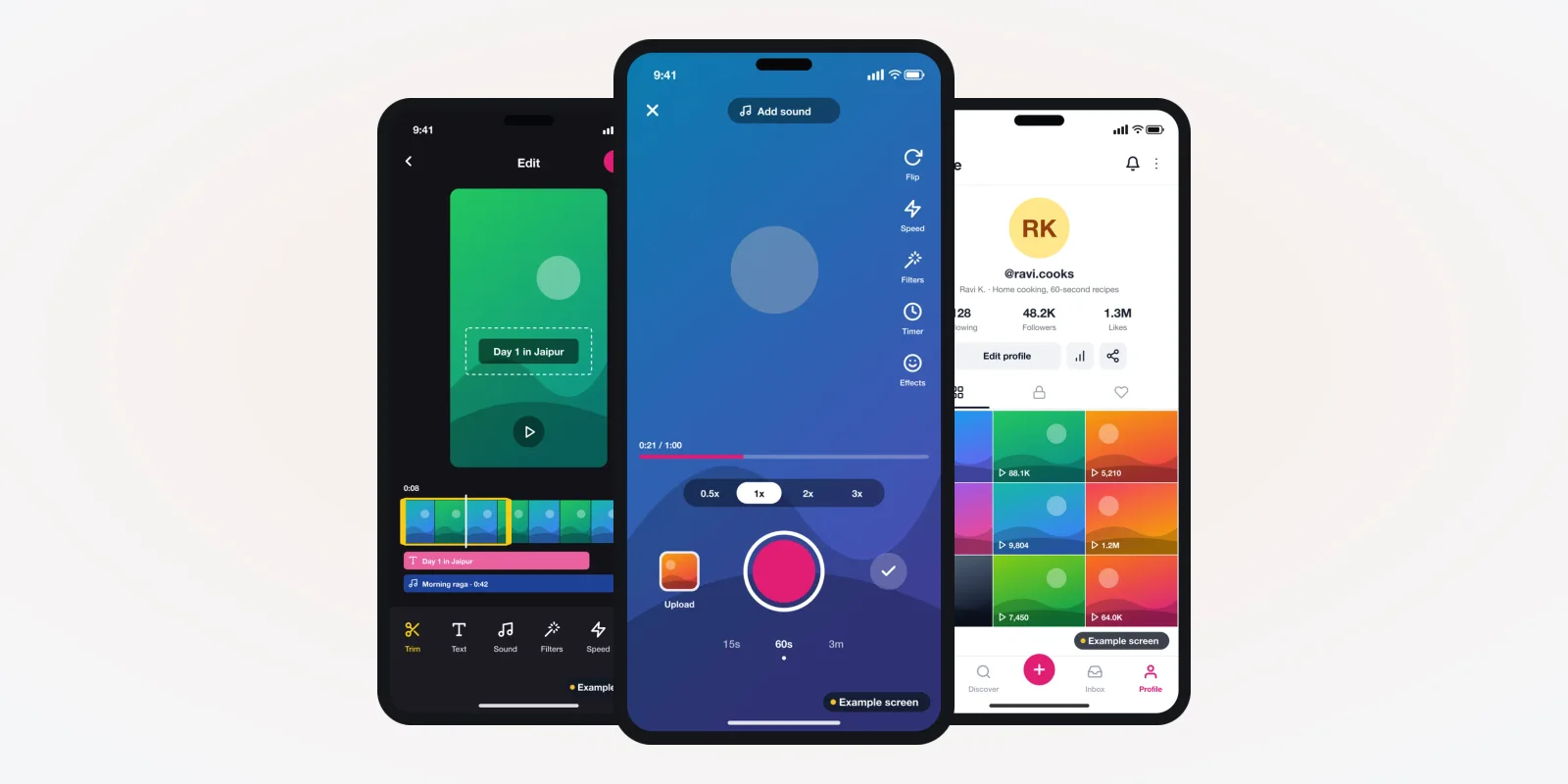
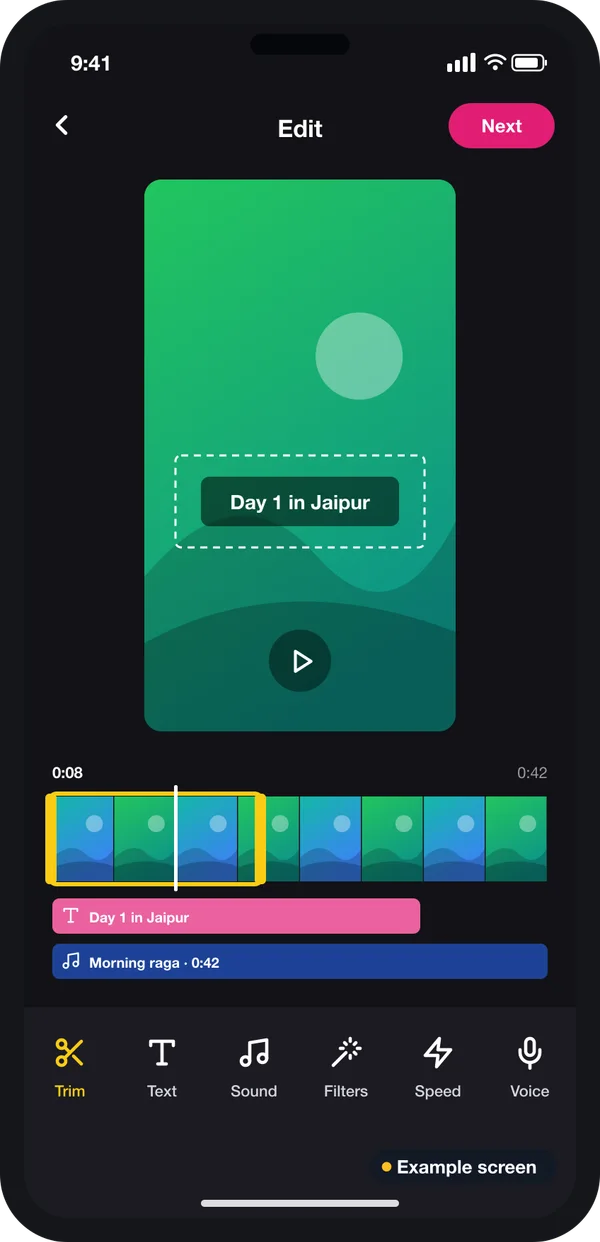
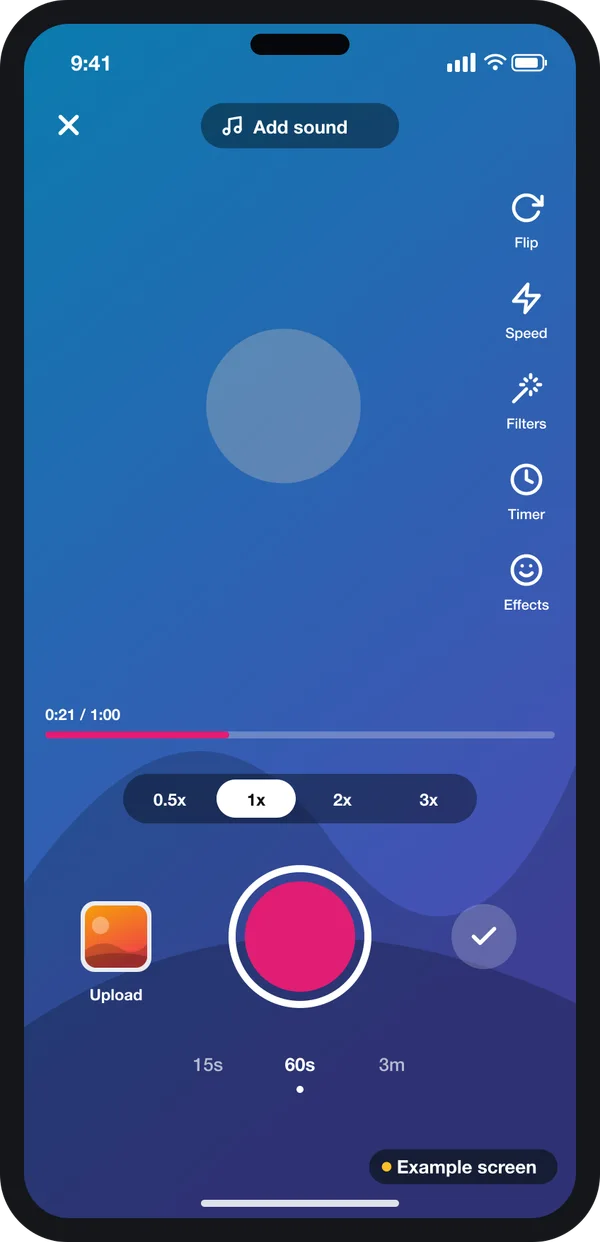
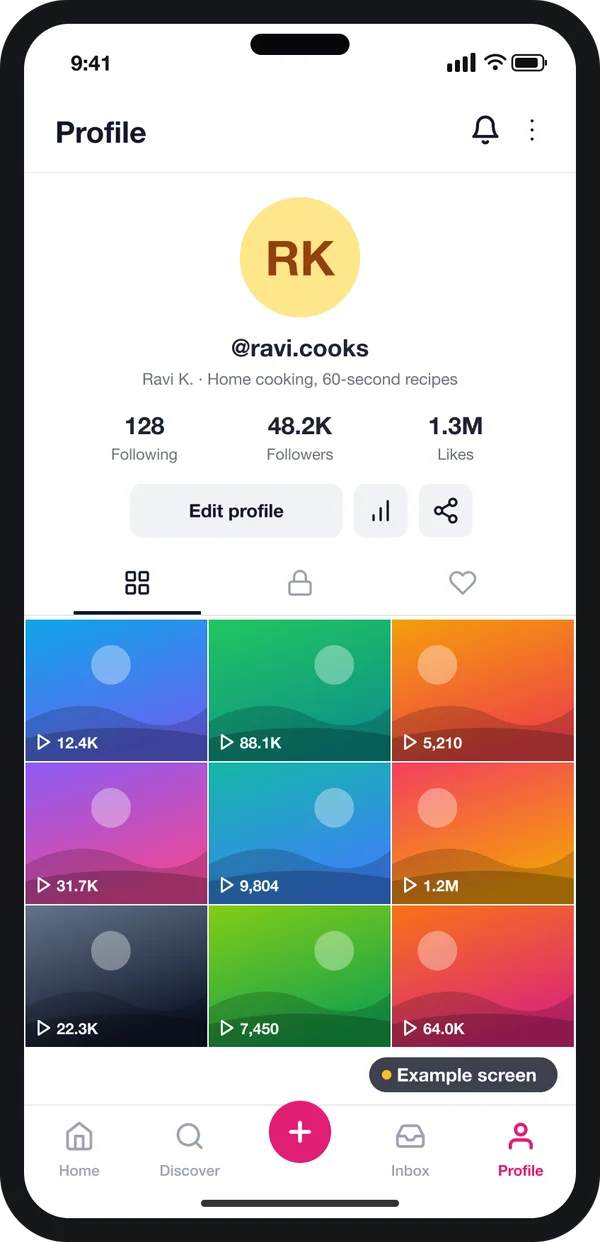
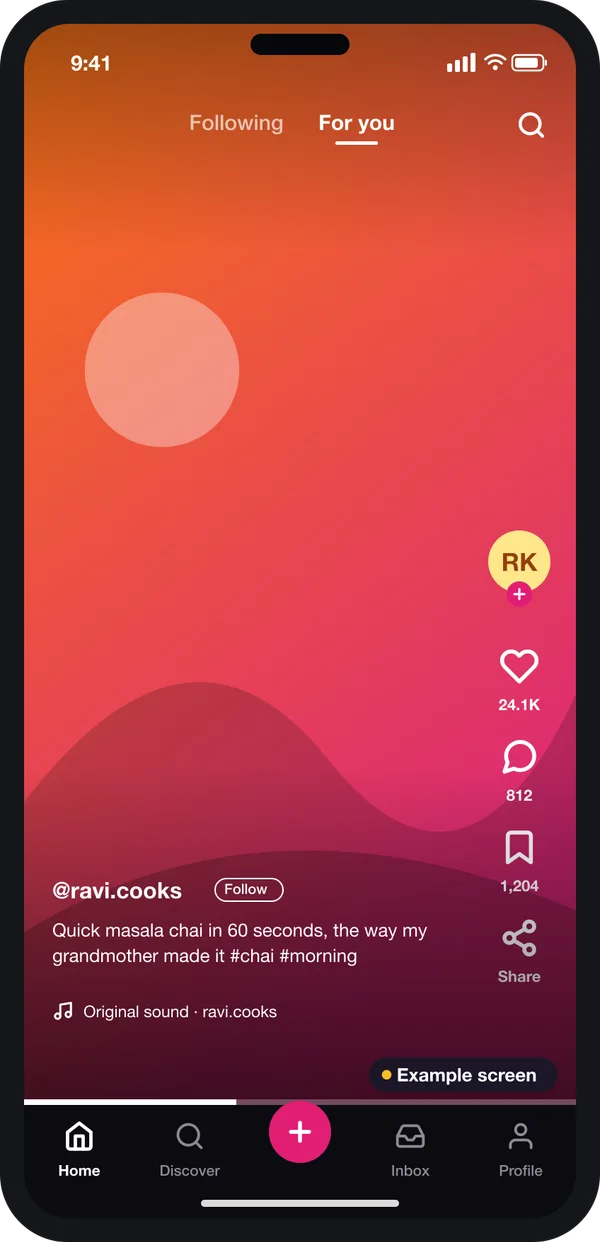
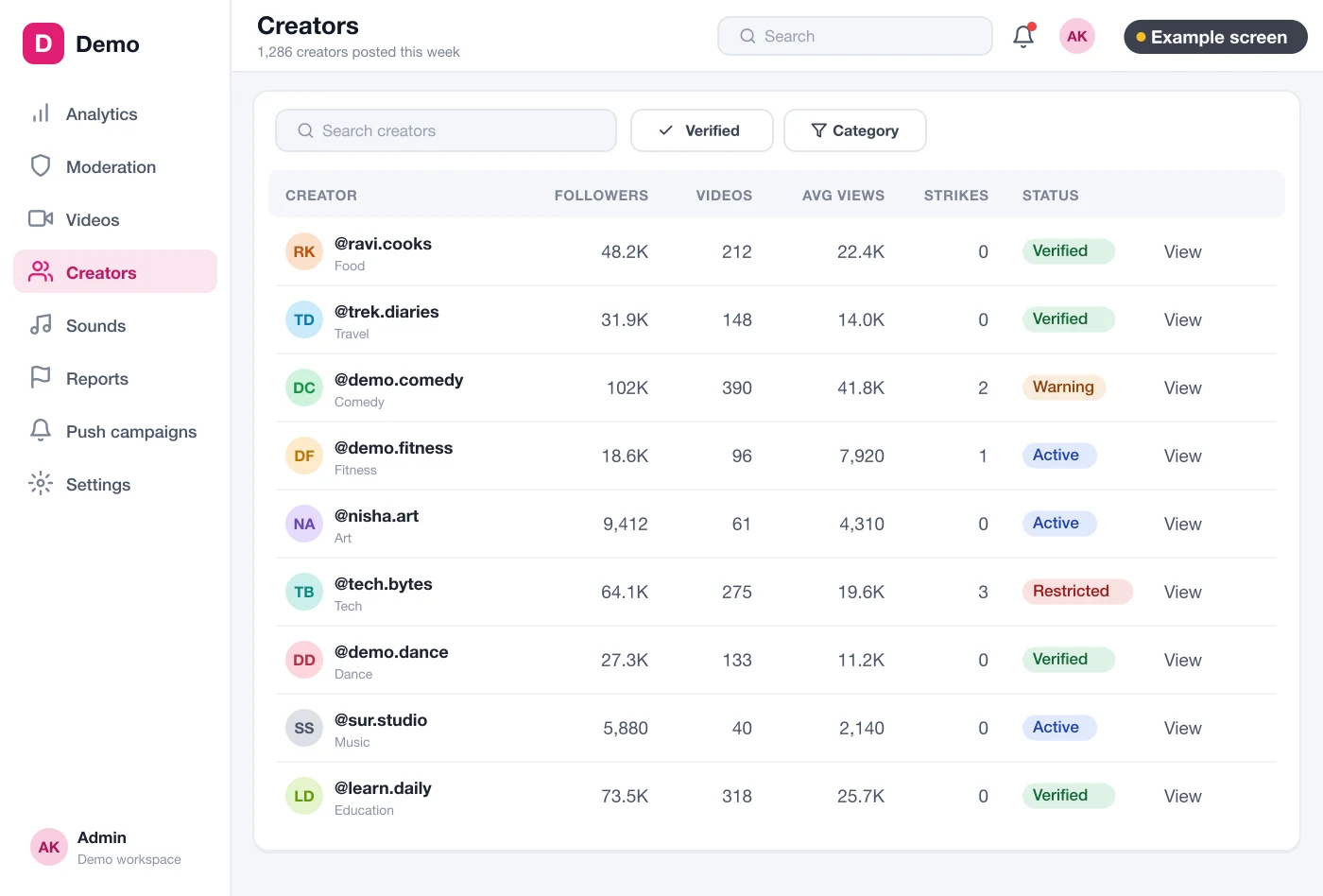
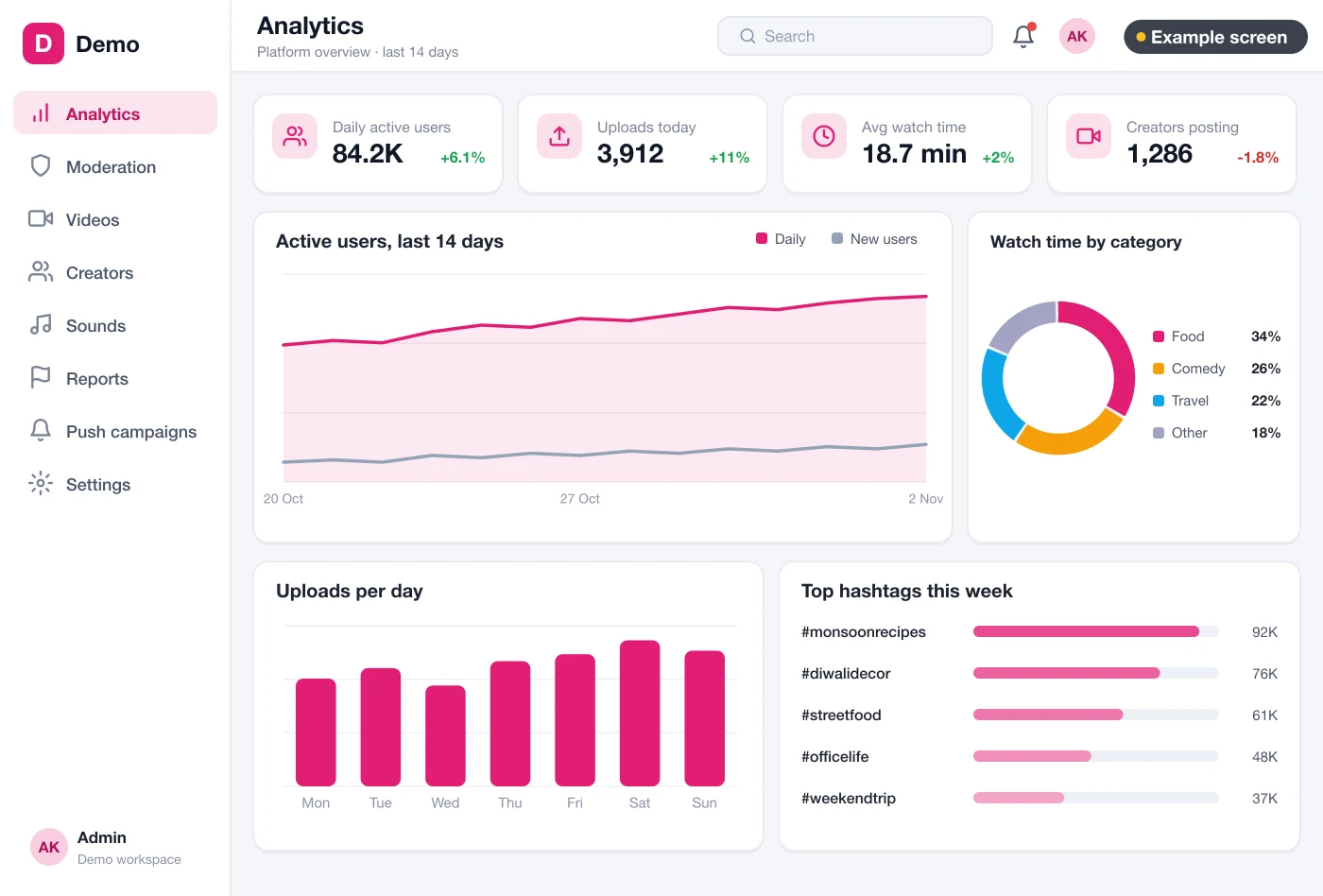
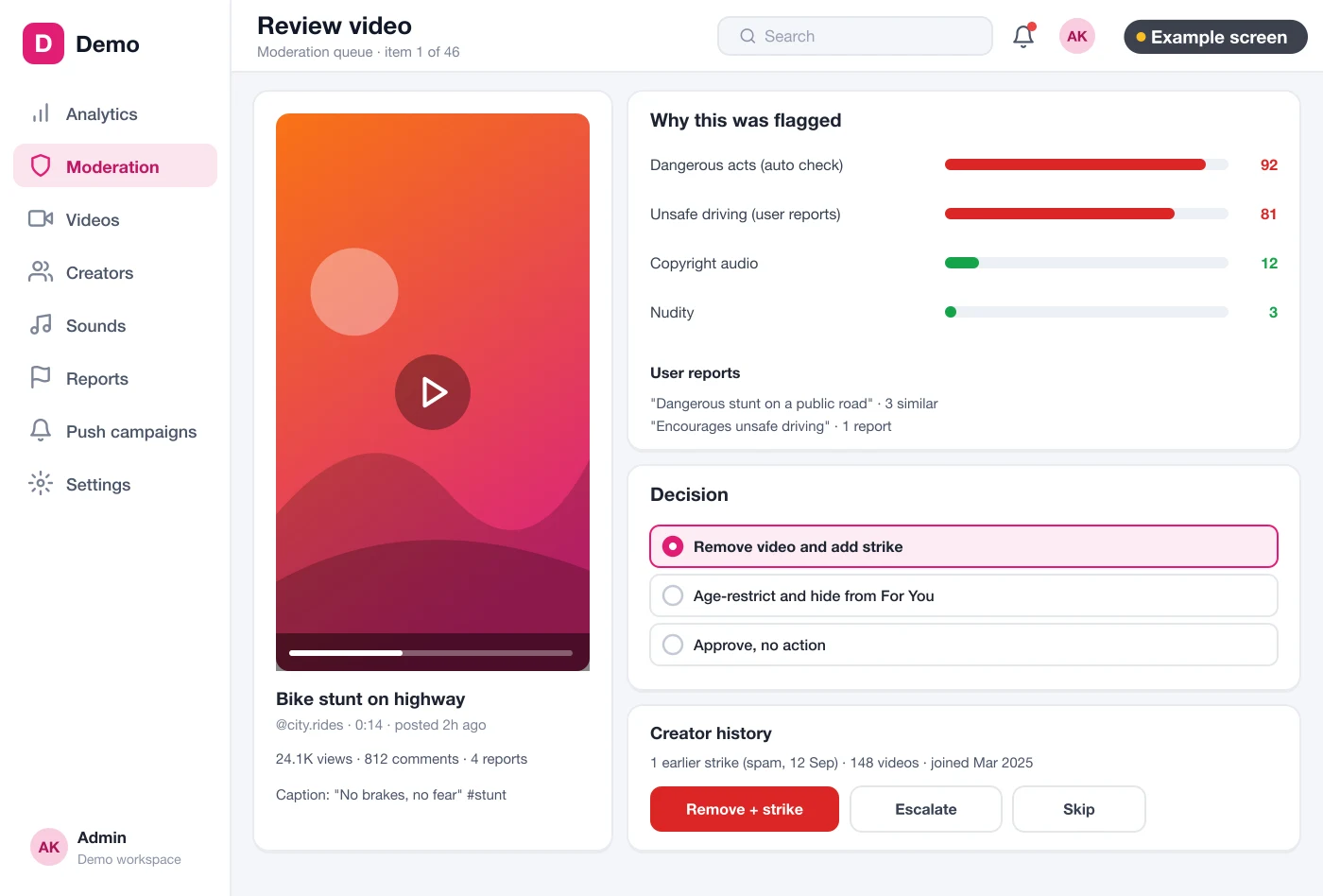
The screens below are drawn example designs filled with demo data, not a live app. We use them to show which screens add cost and why.
The problem
Why short video app budgets go wrong
These six gaps cause most budget surprises we see.
- Only the app was priced. The quote covered screens, not the video system behind them.
- Storage was guessed per clip. Each clip is kept in three or four sizes, plus the original.
- Delivery traffic was left out. Every view sends data from your servers. Popular clips cost more to send.
- Too many features in version one. Duets, live, gifts and filters all at once stretch the first build.
- No moderation staff planned. The app launches, reports pile up, and staff are hired in a hurry.
- Store rules found late. Missing report or block tools cause a store rejection and a second round of work.
What you pay for in the build
Here are the parts of the build, roughly in order of how much they move the cost.
1. Camera and editor
Recording inside the app looks small on screen. It is not small in work. Speed settings, a timer and filters must work on hundreds of phone models. The editor adds a trim bar, text on the clip and a sound track.
Each extra tool adds design and testing time. A first version with record, trim, text and one sound list costs much less than a full studio. We build the apps on Flutter, so one codebase covers Android and iPhone. That keeps the camera work from being paid for twice.
2. Video system: upload, copies and delivery
When a creator posts, the file goes to storage. A worker then makes smaller copies so the clip plays on weak mobile data. A delivery network sends the right copy to each viewer. We build these workers with Node.js services for upload and feed. The scale of this job depends on clip length, quality levels, and expected uploads per day.
3. Feed, profiles and follows
The feed decides which clip comes next. A plain feed of newest clips is cheaper to build. A feed that mixes followed creators, popular clips and new uploads takes more work. Creator profiles add follower counts, a grid of clips and view counts.
A feed that learns from watch time can come later. It uses an AI ranking model trained on your own data. It does not need to be in version one.
4. Admin panel and creator management
Your team needs one place to see creators, their followers, views, strikes and account status. It also needs reports on users, uploads and watch time. The admin is a web application for your staff. More reports and more staff roles mean more build time.
5. Moderation tools
Moderation has a build part and a people part. The build part is a review screen. It shows the clip, why it was flagged, user reports and the moderator's decision. Keyword flags are cheaper to build. Automatic image and sound checks cost more, but save staff time later.
6. Live streaming
Live is a separate system. It needs a server that receives the live feed, plus live chat and a viewer count. If live is not core to your idea, leave it for version two. That alone can cut the first build a lot.
Running costs after launch
These costs start on launch day and grow with use. Ask any developer to estimate them with you.
| Running cost | What makes it grow | How to keep it in check |
|---|---|---|
| Video storage | More uploads, longer clips, more quality levels | Limit clip length; delete unused originals after a set time |
| Making copies | Every new upload | Run your own workers instead of paying per minute |
| Delivery traffic | More views, higher quality | Serve smaller copies on mobile data |
| Servers and cache | More users at the same time | Add servers only when numbers show the need |
| Store accounts | Fixed yearly or one-time fees | Open them in your company's name |
| Moderation staff | More uploads and reports | Filter obvious cases before a person sees them |
You publish under your own Apple Developer Program account and your own Google Play Console account. Check their current fees on those pages. Our cloud and DevOps team sets up the hosting with you. The servers sit in your account.
Safety rules that add to the cost
Some features are not optional, so put them in the first budget. App stores ask user-content apps to filter bad content, let users report and block, and show contact details. Source: Apple App Review Guidelines, section 1.2.
In India, the IT Rules, 2021 on the MeitY website cover apps that host user posts. They ask the app to name a Grievance Officer and handle complaints on time. That means a complaint form, a log and a person to answer. These rules are updated from time to time. Check the latest version on meity.gov.in and with a lawyer.
Custom build vs monthly plan
| Monthly video app plan | Custom short video app (built for you) | |
|---|---|---|
| First payment | Small | Larger, for design and build |
| Ongoing payment | Every month, often per user or per minute of video | Your own hosting, plus optional support |
| Change the feed or editor | Only what the plan allows | Anything you decide |
| Brand on the store listing | Sometimes | Always yours |
| Videos, users and source code | Stay with the vendor | Yours |
A monthly plan can make sense for a quick test. If the app is your business, owning it usually costs less over the years. Our post on script versus custom build costs walks through the same question for taxi apps.
Worked example: a fitness coach plans version one
This example is made up. It shows how choices change the quote, without any price.
- Goal. A fitness coach wants members to post short workout clips and follow trainers.
- First list. Feed, camera, filters, duets, live classes, gifts and an AI feed. Too much for version one.
- Cut to the core. Feed, record, trim, text, caption, hashtags, profiles and follows stay. Live and gifts move to version two.
- Video rules. Clips up to one minute, three quality levels. This keeps storage and traffic in check.
- Moderation. Report button, keyword flags and one review queue. One staff member checks it daily.
- Admin. Creator list, uploads and watch time. More reports come later.
- Quote. We price version one, with a separate line for version two, so the coach can plan both.
Our service
How we build your own short video app
A clear plan first, so the quote matches what you get.
- List your features. We sort your list into version one and later in one or two calls.
- Design the screens. You approve clickable screen designs before coding, so changes stay cheap.
- Build the apps and system. Android and iPhone apps, the video system and the admin panel.
- Test on real phones. Cheap and costly phones, fast and slow networks.
- Launch under your brand. Store release from your own accounts, servers in your name.
- Support and grow. Version two features when your users ask for them.
We start from parts already built in our short video and reels platform. These include the feed, upload and moderation flow. That cuts build time, and every screen is then shaped to your brand. Our case studies show how we plan and ship apps for other clients.
Short video app development cost: what decides it
To sum up, these are the factors in every quote we send:
- Number of apps: Android, iPhone, web viewer and admin panel.
- Camera and editor tools: filters, sounds, text, duets.
- Live streaming: yes or no, and for how many viewers.
- Moderation: manual queue only, or automatic checks too.
- Languages, payments and outside services such as SMS login.
- Expected users and uploads at launch, which size the video system.
Send us your feature list and audience. We reply with a written quote after one call, split into version one and later.
Whoever quotes your short video app, make sure the quote covers:
- The video system, not only the app screens
- Running costs for storage, copies and delivery
- Report, block and filter tools needed by the stores
- A complaint process for Indian rules
- An admin panel with creator and usage reports
- Testing on low-cost phones and slow networks
- Store release from accounts in your name
- Full source code handover
FAQ
What is the cost of making a short video app in India?
It depends on the number of apps, the editor tools, live streaming and moderation. We do not publish a fixed price. We send a written quote after one call about your features.
Why does a short video app cost more to run than other apps?
Video files are large. Each upload is stored in several sizes and sent again on every view. Storage and traffic grow with your users.
How long does it take to build a short video app?
It depends on what is in version one. After the first call, we share a plan with dates for design, build, testing and store release.
Can I start small and add features later?
Yes. Many clients launch with the feed, camera, editor and moderation first. Live streaming, gifts and AI feeds can follow in later versions.
Do I own the finished app and its code?
Yes. The apps go out under your brand from your store accounts. We hand over the full source code, and the servers sit in your account.
How is user data kept safe?
We limit staff access to personal data, use secure logins and record consent. Indian user data comes under the Digital Personal Data Protection Act, 2023. A lawyer can tell you what it asks of you.
Is it cheaper to build Android and iPhone apps together?
Usually yes. We use one Flutter codebase for both apps. You pay for most screens once, not twice. If your team already knows React Native, we can build both apps with it instead.
Can PRS India build a short video app within my budget?
Yes, if we plan the first version around it. Tell us your budget and features, and we will suggest what to build first. Talk to our team about your short video app.
Related guides
Written by
Prabhjot Kaur · Product Manager
Product Manager at PRS India. Turns what a client needs into a screen-by-screen plan for the app, and checks every release against that plan before it goes out.