Business of Software
How to Make Short Video App Like TikTok
The steps to make your own short video app: feed, camera, editor, video system, moderation and admin. Android, iPhone and web, under your brand.

Written from production. Our articles draw on products we run live and the client work behind them, and are revised as the systems they describe evolve.
Many founders want to make a short video app like TikTok. The idea sounds clear: a feed of vertical clips, a camera, likes and follows. But the app people see is only half the work. Behind it sit a video system, a moderation desk and an admin panel. Miss any one of these and the app stalls soon after launch.
This guide explains how to make a short video app step by step, in plain words. It shows what to build first, what can wait, and which rules your app must follow. It also shows how PRS India builds your own Android and iPhone app. The brand, the data and the source code stay yours.
Key takeaways
- A short video app has four parts: the user app, the video system, the admin panel and moderation.
- Pick one audience first, such as one language, one city or one topic. It shapes every screen.
- Uploads must be cut into several sizes before they play well on slow mobile data.
- App stores ask for a report button, a block button and a way to filter bad content.
- When we build it for you, the brand, the users, the videos and the code are yours.
What a short video app is made of
Think of a short video app as four pieces that talk to each other. Each piece needs its own design and testing.
- The user app. Feed, camera, editor, post screen, profile, search and alerts, on Android and iPhone.
- The video system. It stores each upload, makes smaller copies for slow networks and sends clips fast.
- The admin panel. Your team sees users, uploads, reports, creators and numbers in one web screen.
- Moderation. Flagged clips go to a queue. A person checks them and approves or removes them.
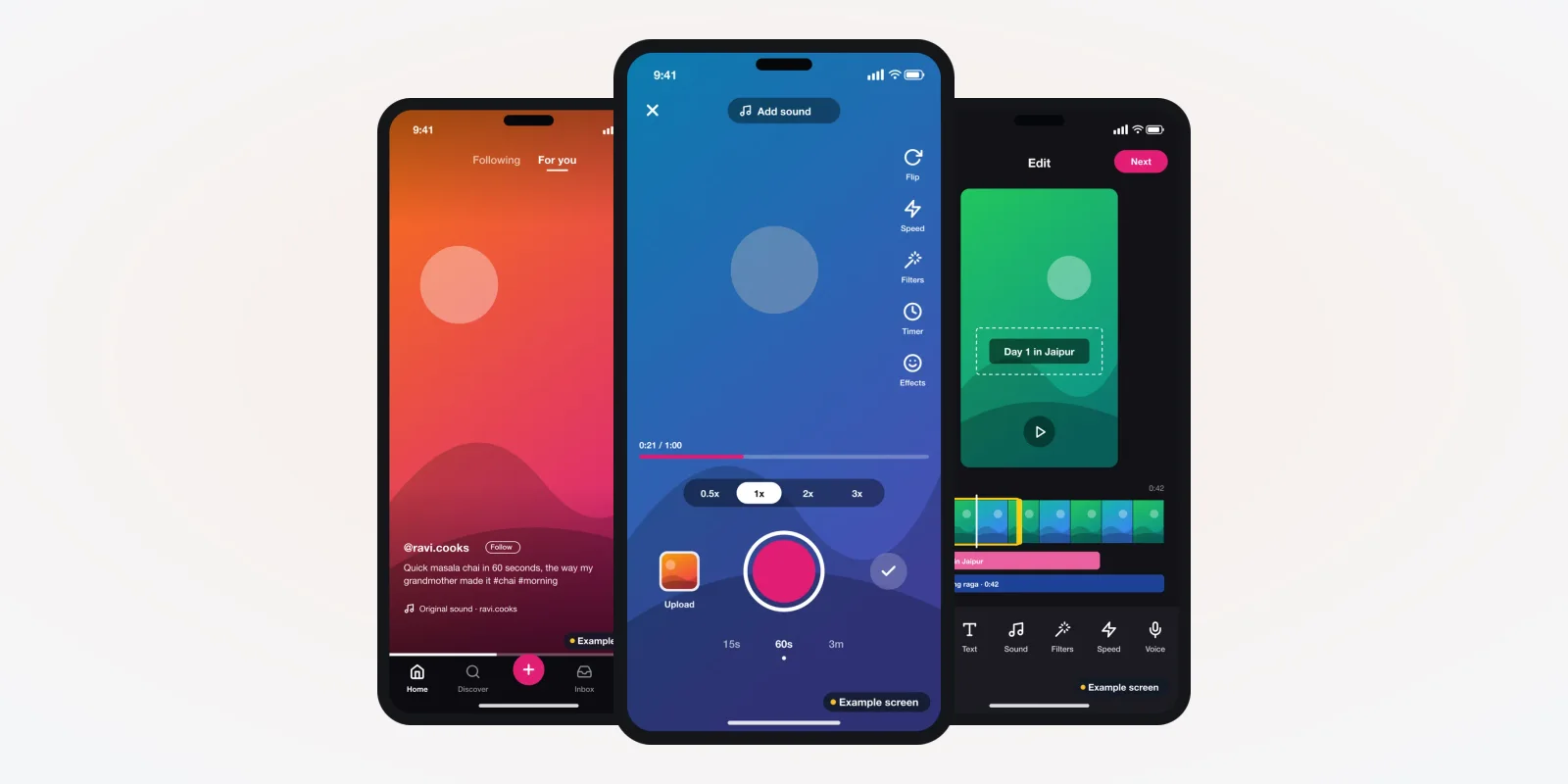
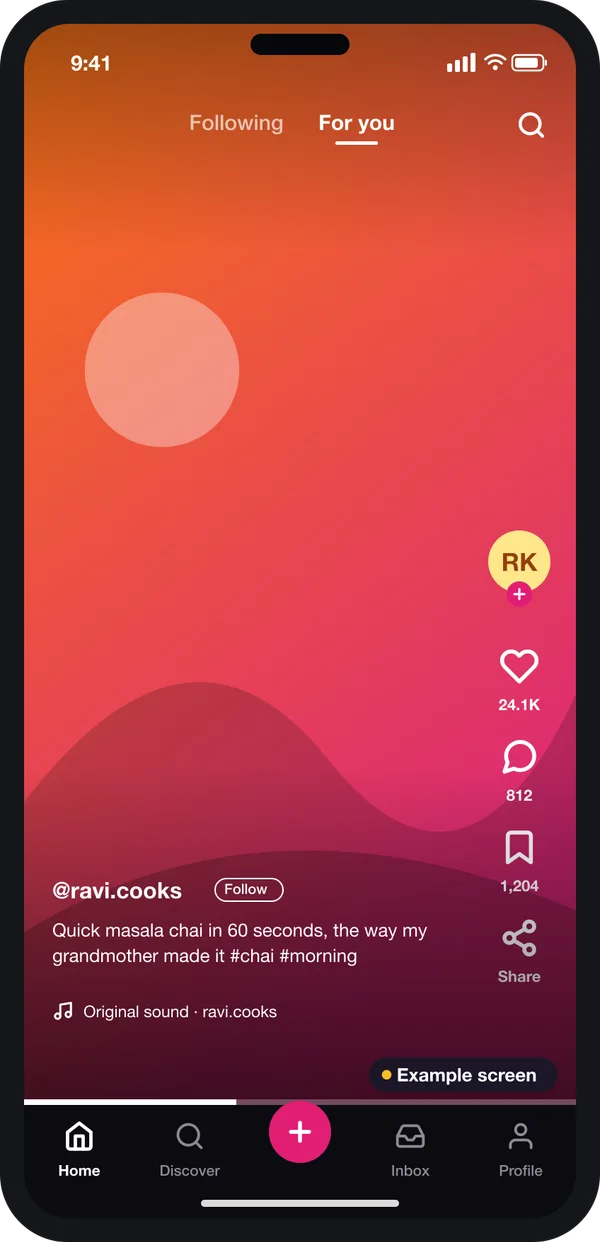
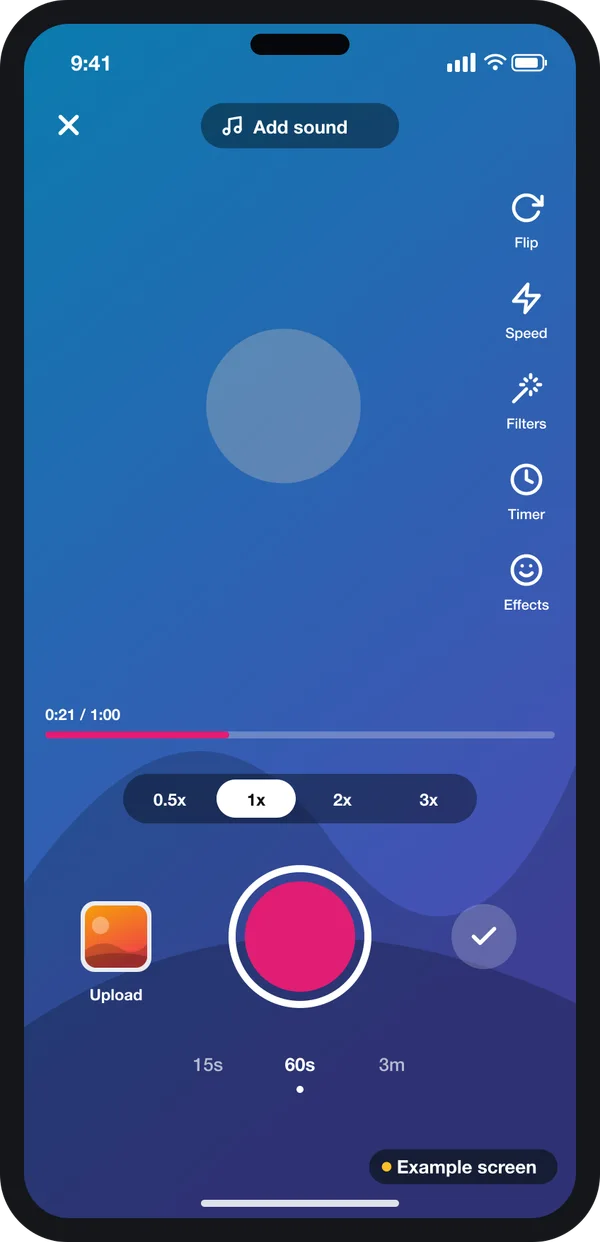
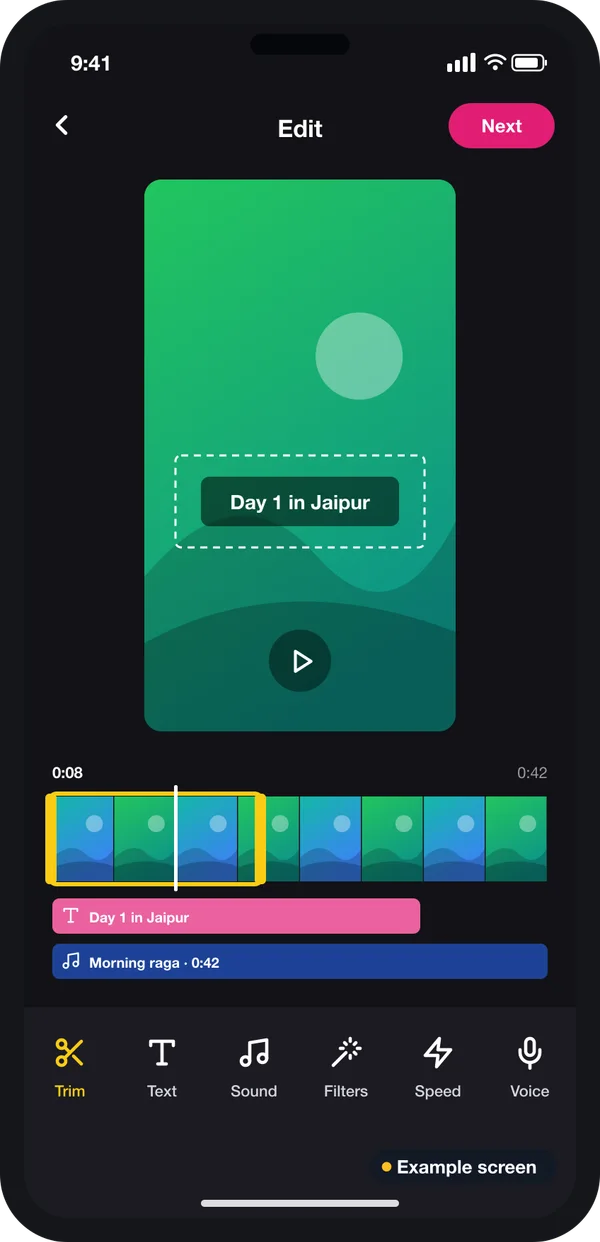
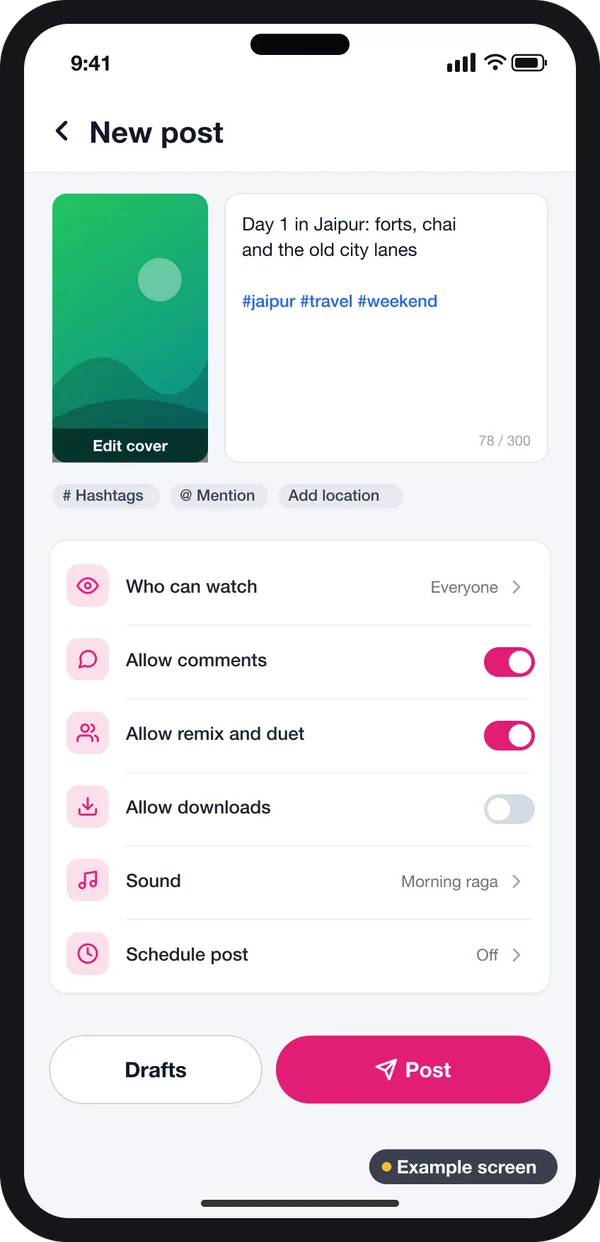
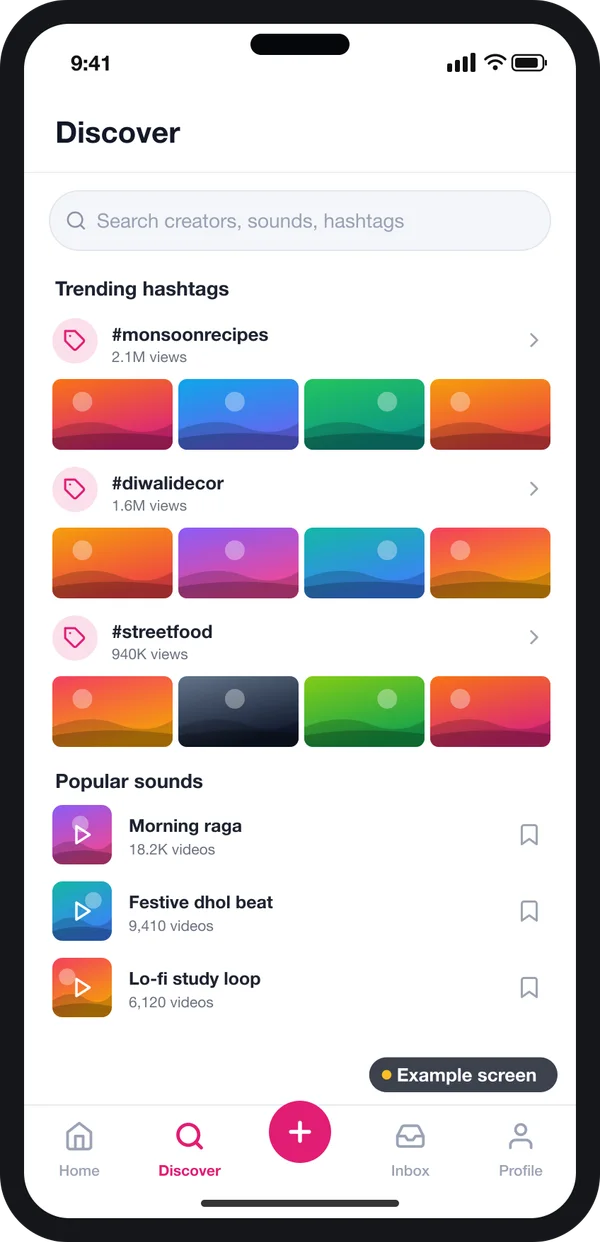
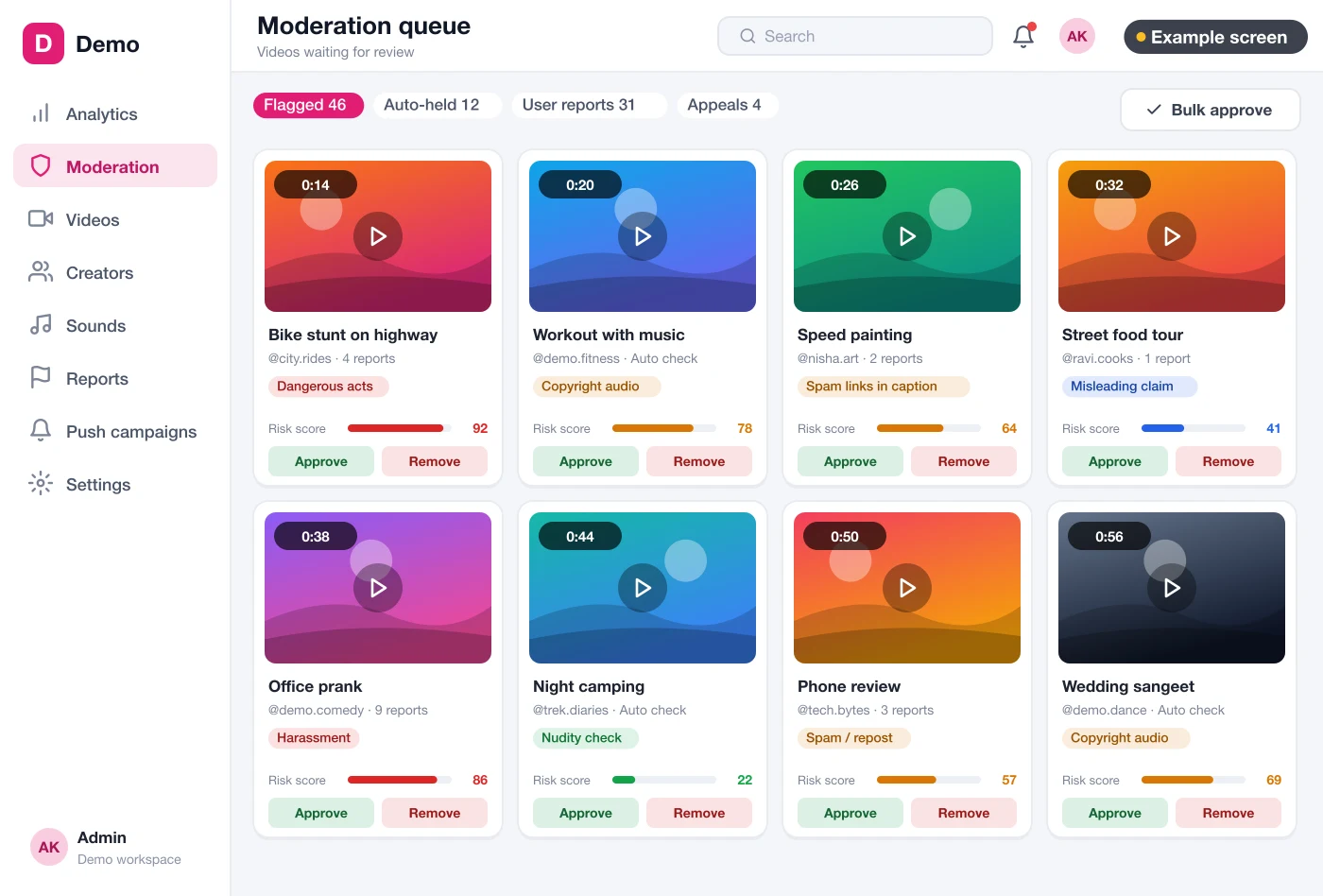
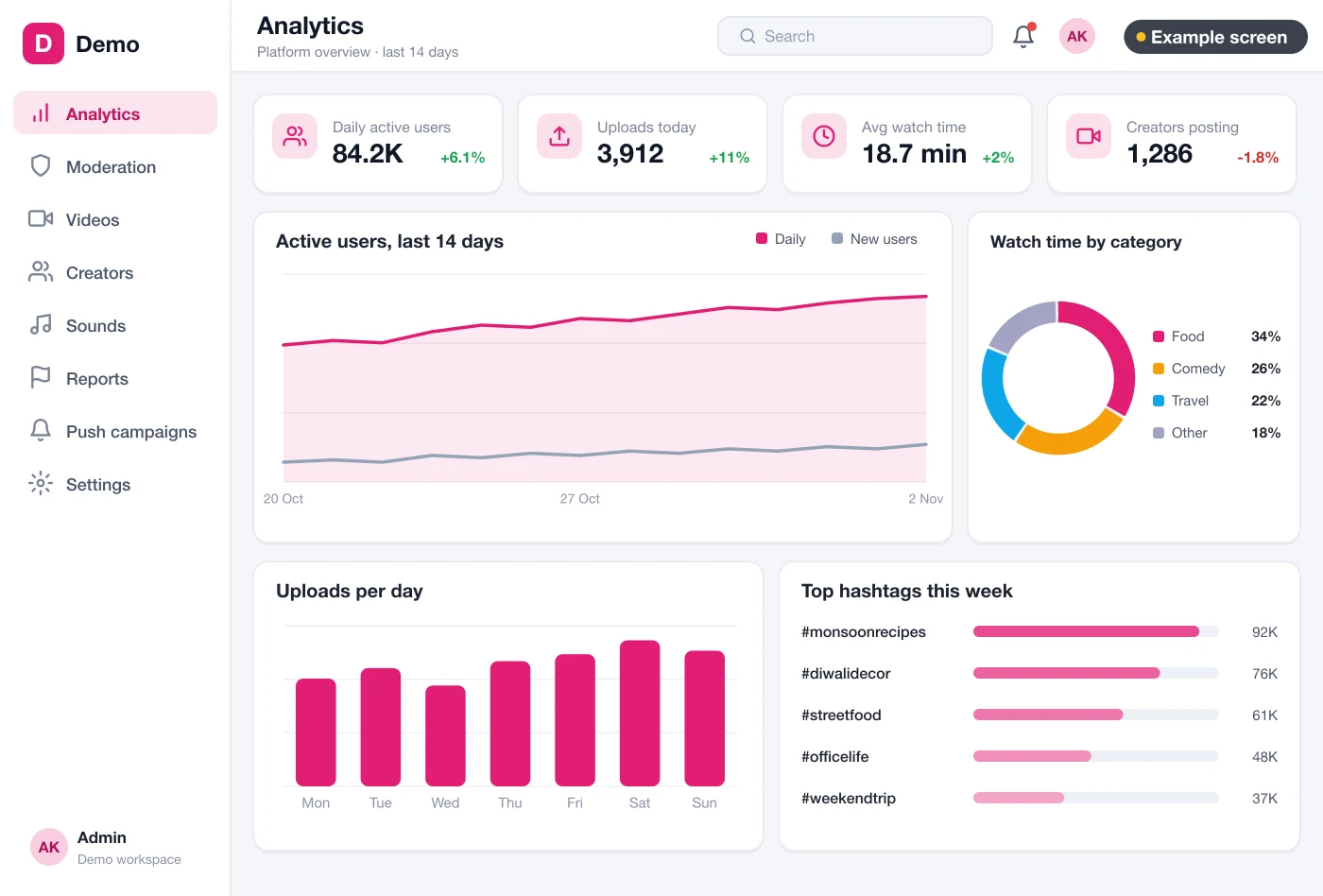
The screens in this guide are example designs we drew for a short video app. They use demo data and are not a live product. They show the kind of screens we design for a client before any code is written. You can see other apps and platforms we have built on our products page.
The problem
Where new short video apps go wrong
Most failed launches trip on the same six things.
- No clear audience. The app tries to serve everyone. New users see random clips and leave.
- Slow first play. The full file loads before the clip starts. On weak mobile data, users swipe away.
- Same few clips every time. The feed only shows clips that already have views. New creators never get seen.
- No moderation plan. One bad clip goes viral. The app store or a user complaint forces you to act in a rush.
- Storage bills nobody planned. Every upload is kept in several sizes. The bill grows each month.
- No admin view. The team cannot see who uploads what, or why people stop watching.
How to make a short video app, step by step
These are the steps we follow when a client asks us to make a TikTok like app for their own brand. You can use the same list to plan with any team.
Step 1: Pick one audience and one reason to open the app
Write one line that says who the app is for. For example: "Short cooking clips in Marathi for home cooks." This line decides the app language and the hashtags you seed. It also decides which creators you invite first. If creators are central to your plan, our guide to open-source influencer platforms shows how creator tools are planned. A clear audience also makes the first feed feel full, even with a few hundred clips.
Step 2: Design the feed first
The feed is where users spend most of their time. One clip fills the screen. A swipe up shows the next one. Like, comment, save and share sit on the right side, where the thumb reaches.
Plan two feeds: one for clips from people you follow, and one for new clips picked for you. Keep some places in the second feed for new uploads. That is how a new creator gets their first views.
Step 3: Build the camera and the editor
People make more clips when the camera is inside the app. The camera needs a record button, a speed choice, a timer and a few filters. After recording, the editor lets the creator trim the clip, add text, and pick a sound. Keep the tools few and clear. Each extra tool adds testing on many phone models.
Step 4: Add the post screen and discovery
Before a clip goes out, the creator adds a caption and hashtags. They also choose who can comment and whether others may reply with their own clip. Then the discover screen helps viewers find more: search, trending hashtags and popular sounds. Both screens feed the hashtags your team sees later in reports.
Step 5: Set up the video system
This is the part users never see, and the part that costs the most to run. When a clip is uploaded, it goes to storage you control. A worker then makes copies in a few quality levels. A content delivery network sends the right copy to each phone. On weak data, the phone gets a smaller copy, so the clip still starts quickly. We often build this layer with Node.js for the upload and feed services. It runs on cloud servers set up for video traffic.
Step 6: Plan moderation before launch
Every upload should be checked before or soon after it goes live. Users report clips. The app can also flag clips by keyword or, later, with an AI model that scores risky uploads. All flags land in one queue. A moderator opens each one, sees the reason, and approves or removes it. The creator can appeal a removal.
Step 7: Give your team an admin panel
Your team needs one web screen to run the app. It shows active users, uploads per day, watch time and the hashtags people use most. It also lets you change feed settings, ad places and banners without a new app release. We build the admin as a web application your staff open in a browser. It often runs on a Laravel backend for users, reports and settings.
Step 8: Test with real creators, then go to the stores
Invite a small group of creators before the public launch. Watch where they get stuck. Check upload speed on cheap phones and slow networks. Then send the apps to Google Play and the App Store under your own developer accounts.
Rules your short video app must follow
A video app hosts what users post, so the stores and Indian law ask for clear safety tools. Apple lists four things every user-generated content app must have.
Source: Apple App Review Guidelines, section 1.2 User-Generated Content. Google has a similar Google Play policy on user-generated content.
In India, the IT Rules, 2021 published by MeitY apply to apps that host user posts. The version on the MeitY site asks the app to publish a Grievance Officer's name and contact. It says complaints must be acknowledged within 24 hours and resolved within 15 days. These rules have changed more than once. Please check the latest text on meity.gov.in and with a lawyer before launch.
Ways to make a short video app compared
| What you need | App builder tool | Ready-made script | Custom build for your brand |
|---|---|---|---|
| Full-screen feed and camera | Limited | Yes | Yes |
| Your own video storage and copies | No | Depends on the script | Yes |
| Feed rules that give new creators views | No | Fixed by the seller | Set by you |
| Moderation queue and appeals | No | Sometimes basic | Built to your policy |
| Your language and local features | Hard | Needs changes | Built in |
| Source code | No | Licence terms vary | Yours |
Worked example: a regional cooking shorts app
Here is how the steps play out for one made-up client. The names and choices are examples.
- Audience. A food channel wants short Marathi cooking clips for home cooks. That is the one-line goal.
- Screens. We draw the feed, camera, editor, post screen, profile and discover screen in Marathi and English.
- Seed content. Fifty home cooks get early access. Their clips fill the feed before the public launch.
- Video system. Uploads go to the client's own storage. Each clip gets three quality levels.
- Moderation. Two staff members clear the queue each morning and evening. Clips with outside links are flagged.
- Admin. The owner checks uploads, watch time and popular recipes from the admin panel.
- Launch. Both apps go to the stores under the channel's own name and logo.
Our service
How we build your own short video app
You bring the audience and the idea. We build the apps and the system behind them.
- Understand your idea. We go through your audience, content rules and earning plan in one or two calls.
- Design the screens. You click through screen designs first and change them before coding starts.
- Build the apps. One Flutter codebase gives you the Android and iPhone apps, plus the web admin.
- Build the video system. Storage, quality copies, delivery and moderation, set up on servers you control.
- Test with creators. A small group posts real clips. We fix what they find.
- Launch and support. Store release under your brand, then new features as your users grow.
Our short video and reels platform work shows the parts we have already built and tested. We use it as a starting point, then shape every screen around your brand and your audience.
Short video app development cost: what decides it
We do not publish a fixed price, because no two video apps are the same. The cost depends on a few clear things:
- How many apps you need: Android, iPhone, web viewer, admin panel.
- How rich the camera and editor are: filters, sounds, text, duets.
- Whether you need live streaming as well as clips.
- How moderation works: manual only, or with automatic flags.
- How many languages, and how many users you expect at launch.
| Monthly app-builder plan | Custom short video app (built for you) | |
|---|---|---|
| Start | Quick, with a small first payment | Takes some weeks to design and build |
| Cost over years | Pay every month, often per user or per minute | One build cost, then hosting and optional support |
| Feed, moderation and video rules | As the tool allows | Set by you |
| Your brand on the store listing | Sometimes | Yes |
| Users, videos and source code | Stay on the tool | Yours |
Share your idea and the features you need. After one call, we send you a written quote.
Whoever makes your short video app, make sure it can:
- Start a clip quickly on slow mobile data
- Keep places in the feed for new creators
- Record, trim and add sound inside the app
- Send every report and flag to one moderation queue
- Let users block others and appeal removals
- Show uploads, users and watch time in an admin panel
- Store videos on servers and accounts you own
- Hand over the full source code at the end
FAQ
How long does it take to make a short video app?
It depends on the features and the number of apps. After one call, we share a plan with dates for each part. You see the screen designs first, then the working apps.
Can I make a TikTok like app with my own name and logo?
Yes. We build the app from the start for your brand. It has your name, your logo, your colours and your own store listing. We do not copy any other app's design or code.
Which platforms will my short video app run on?
We build Android and iPhone apps from one codebase, plus a web admin panel for your team. A web viewer for sharing links can be added.
Will I own the source code and the videos?
Yes. The source code is handed to you. The videos and user data sit in storage and accounts that you own.
How do you keep user data safe?
We limit who can see personal data, keep logins secure and record user consent. The Digital Personal Data Protection Act, 2023 applies to user data in India. Please check your duties with a lawyer.
Do I need moderation from the first day?
Yes. App stores ask for report, block and filter tools before they approve a user-content app. Indian rules also ask for a complaint process.
Can a short video app work well on slow internet?
Yes, if each upload is saved in several quality levels. The phone then plays the size that suits its network, so the clip starts quickly.
Can PRS India make a short video app for my business?
Yes. We build the Android and iPhone apps, the video system and the admin panel under your brand. Book a consultation and we will show you screens for your idea.
Related guides
Written by
Aditi
Building software at PRS India.