Refurbished Mobile Shop Software Development: Guide
Software for a shop that buys, repairs and sells used phones: buy counter, IMEI stock, exchange, warranty bills, dealer prices and an online store.

Written by Babita Kumari, Business Developer
Reviewed by Mukesh, PRS India software & mobile app development team
13 min read
Written from production. Our articles draw on products we run live and the client work behind them, and are revised as the systems they describe evolve.
A refurbished mobile shop is busy in a way a normal phone shop is not. A customer walks in to sell an old phone. Another wants to exchange one. A third comes back with a warranty claim. A dealer calls for ten phones at his rate. Every one of these phones is different, even when the model is the same.
Normal billing software counts boxes. It does not know that two phones of the same model have different grades, batteries and buy prices. That is why shop owners now get custom refurbished mobile shop software built for them. It runs the counter, the stock, the repair desk and the online store, under their own shop name. This guide shows what it should do and how we build it.
Key takeaways
- In a refurbished shop, each phone is one stock item. Track it by IMEI, not by model.
- The counter needs a buy screen as well as a sell screen, because the shop buys phones every day.
- Print the IMEI, grade and warranty on every bill, so claims are quick to check.
- Walk-in buyers and dealers need different prices from the same stock.
- Custom shop software is yours: your shop name, your data, your source code.
A day in a refurbished mobile shop
Think about what happens at your counter in one day. You buy phones from walk-in sellers. You take old phones in exchange for new or refurbished ones. You sell phones with a shop warranty. You send some phones to the repair bench. You sell a few to other dealers. At night, you count cash, UPI and card payments.
Each of these jobs touches the same phone record. Shop software should follow one phone through all of them, so you know its full story at any time.
The problem
What goes wrong without shop software
These are the problems shop owners tell us about most.
- Stock by model, not by phone. The register says "5 phones of model X". It cannot tell you which one has the new battery.
- Guesswork at the buy counter. Each staff member quotes a different price for the same phone.
- Exchange value lost. The old phone taken in exchange never gets entered. It sits in a drawer.
- Warranty arguments. The customer says the phone came with a 6-month warranty. The bill does not say.
- Dealer rates in someone's head. Only the owner knows what price each dealer gets.
- Repairs not costed. A new screen goes on a phone, but the cost is never added. The margin looks better than it is.
The buy counter: quote a phone in a minute
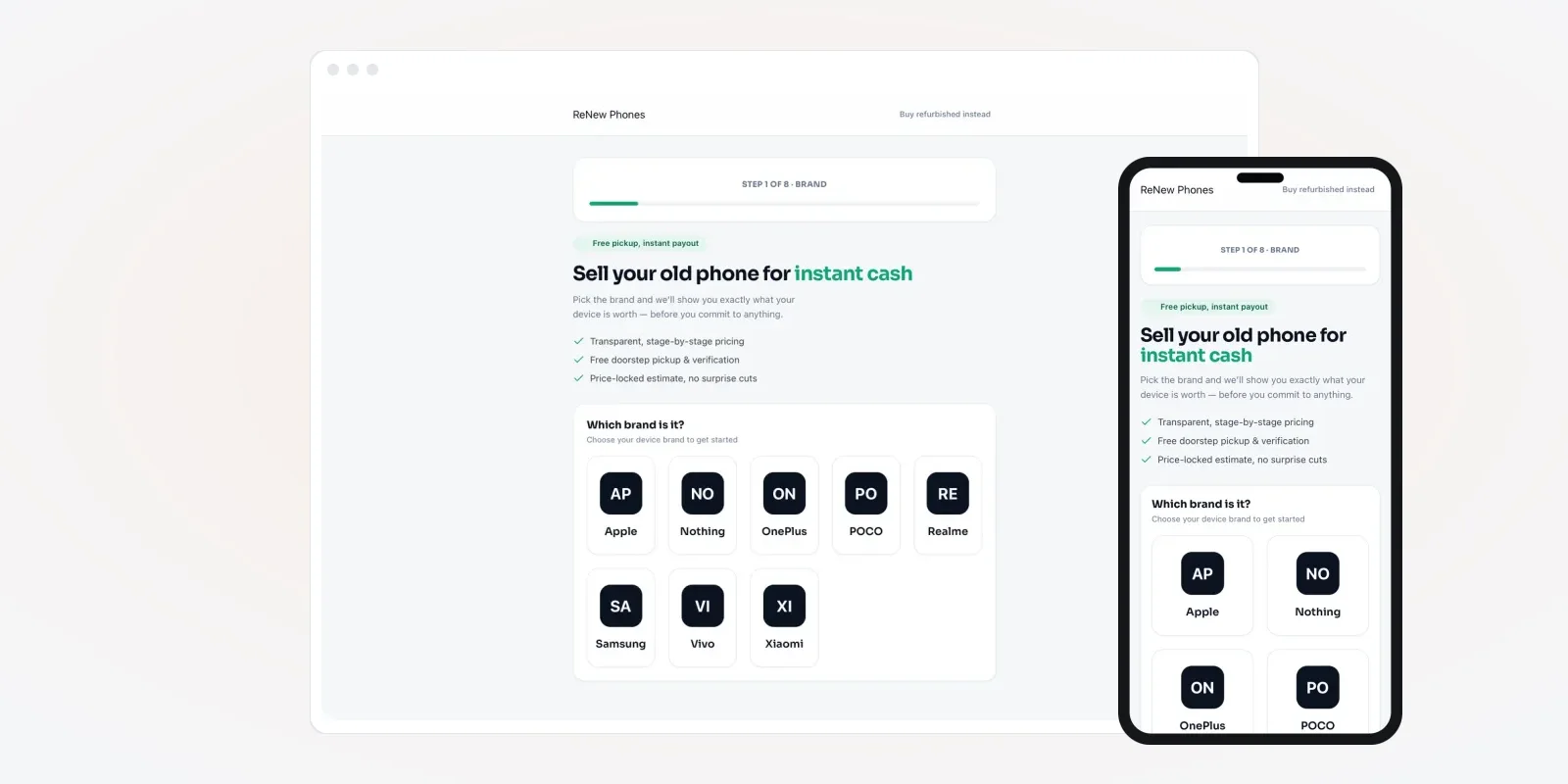
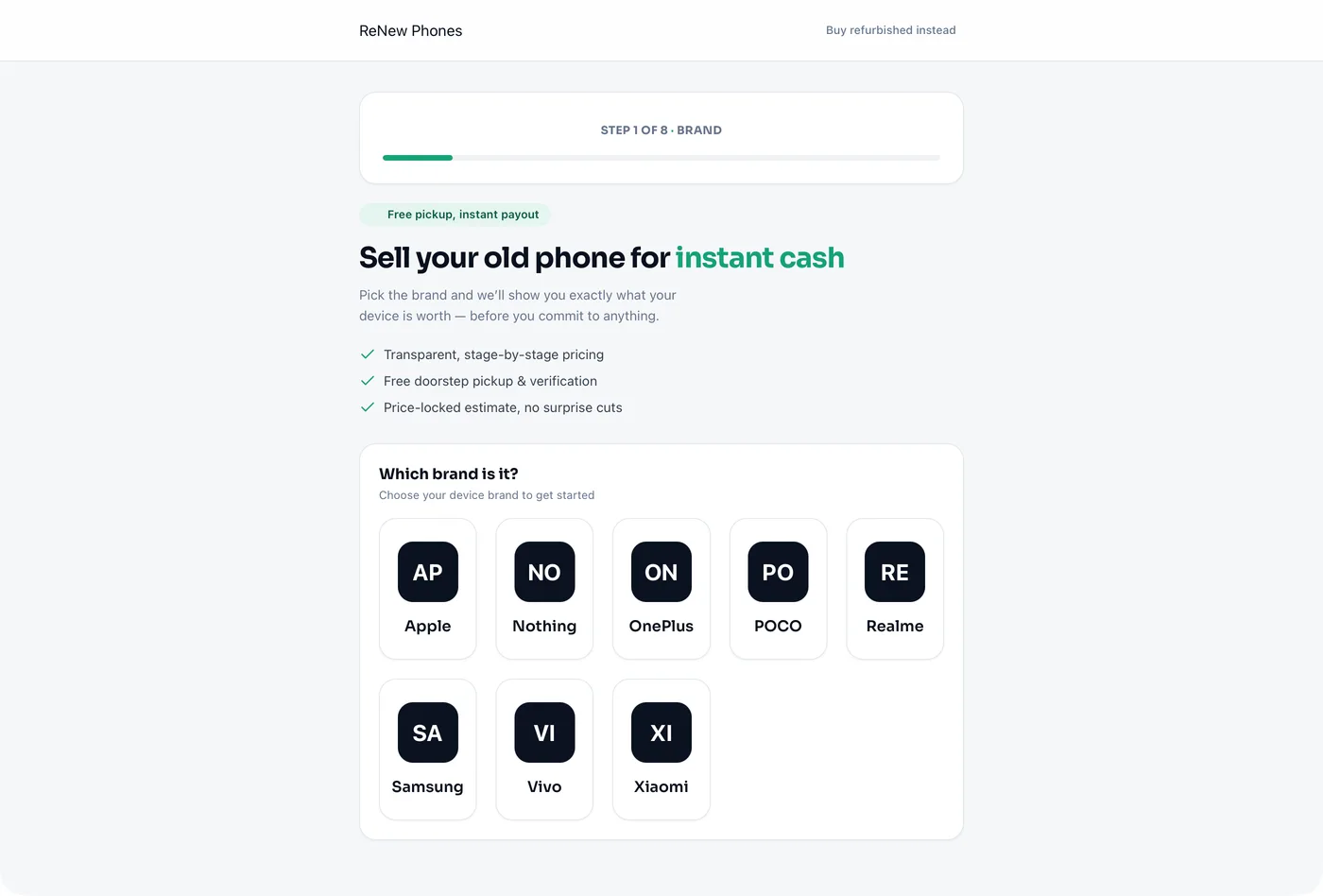
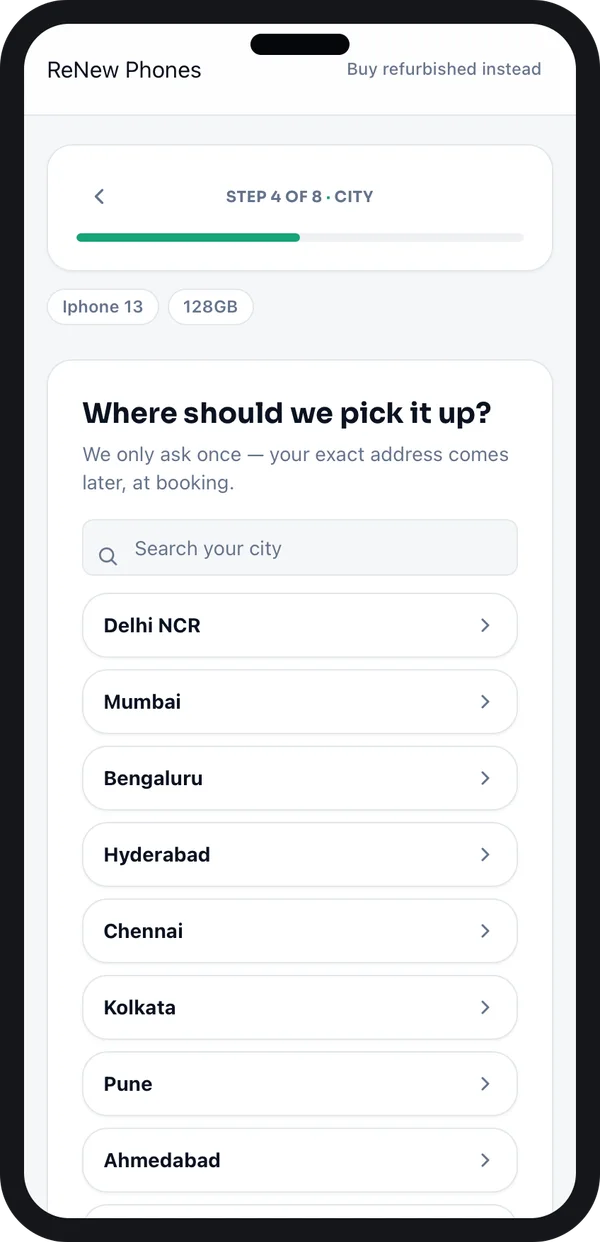
The buy side decides your margin. Staff should not guess prices. They should follow the same steps every time: brand, model, storage, then a short list of condition questions. The software works out the price from your own price rules.
The screens below are from a sell-your-phone flow we built. We have built this kind of software before, and these screens use demo data. In a shop, the same flow runs on a tablet at the counter.
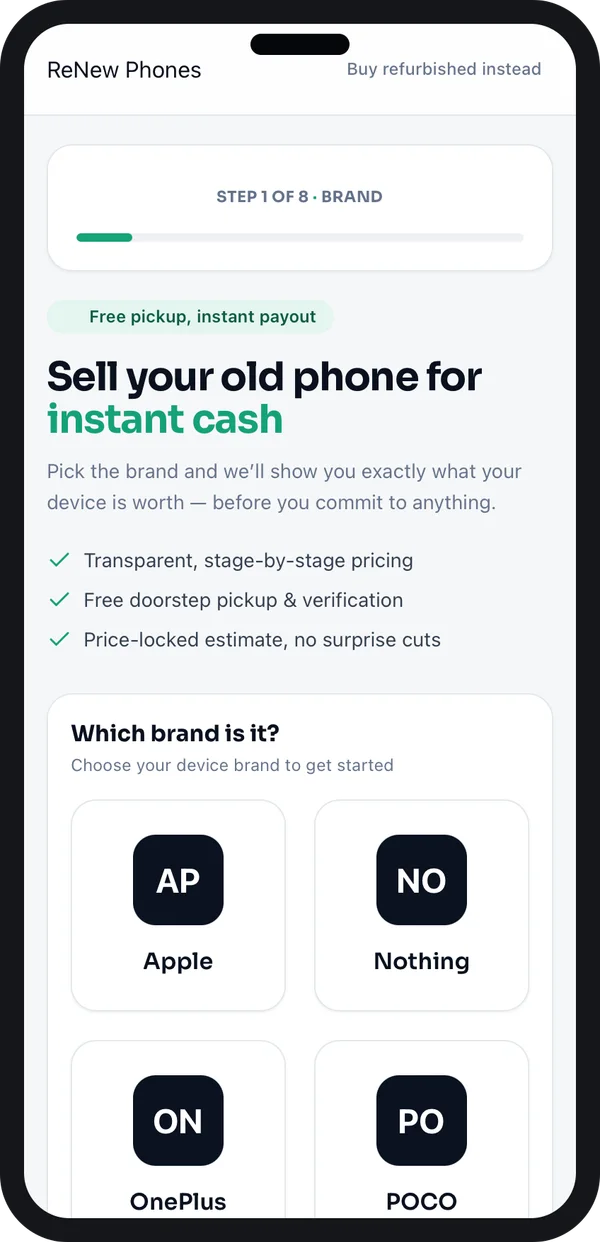
Same steps on a phone
The same quote flow can run on the customer's own phone. They get a quote at home, then walk in to sell. Your staff open the quote by its number and only check the phone.
This also brings sellers to your shop who found you online.
Before you pay, check the IMEI. The Sanchar Saathi portal of the Department of Telecommunications lets anyone check a phone's IMEI. Your software can block the payment until staff save the check result with the seller's ID proof. ID proof is personal data, so the Digital Personal Data Protection Act, 2023 applies to how you store it.
Stock: one row for every phone
In a refurbished shop, a "product" is a model. A "stock item" is one phone with one IMEI. Your software needs both. The model holds the photos and specs. The stock item holds the grade, battery health, buy price, repair cost and selling price of that one phone.
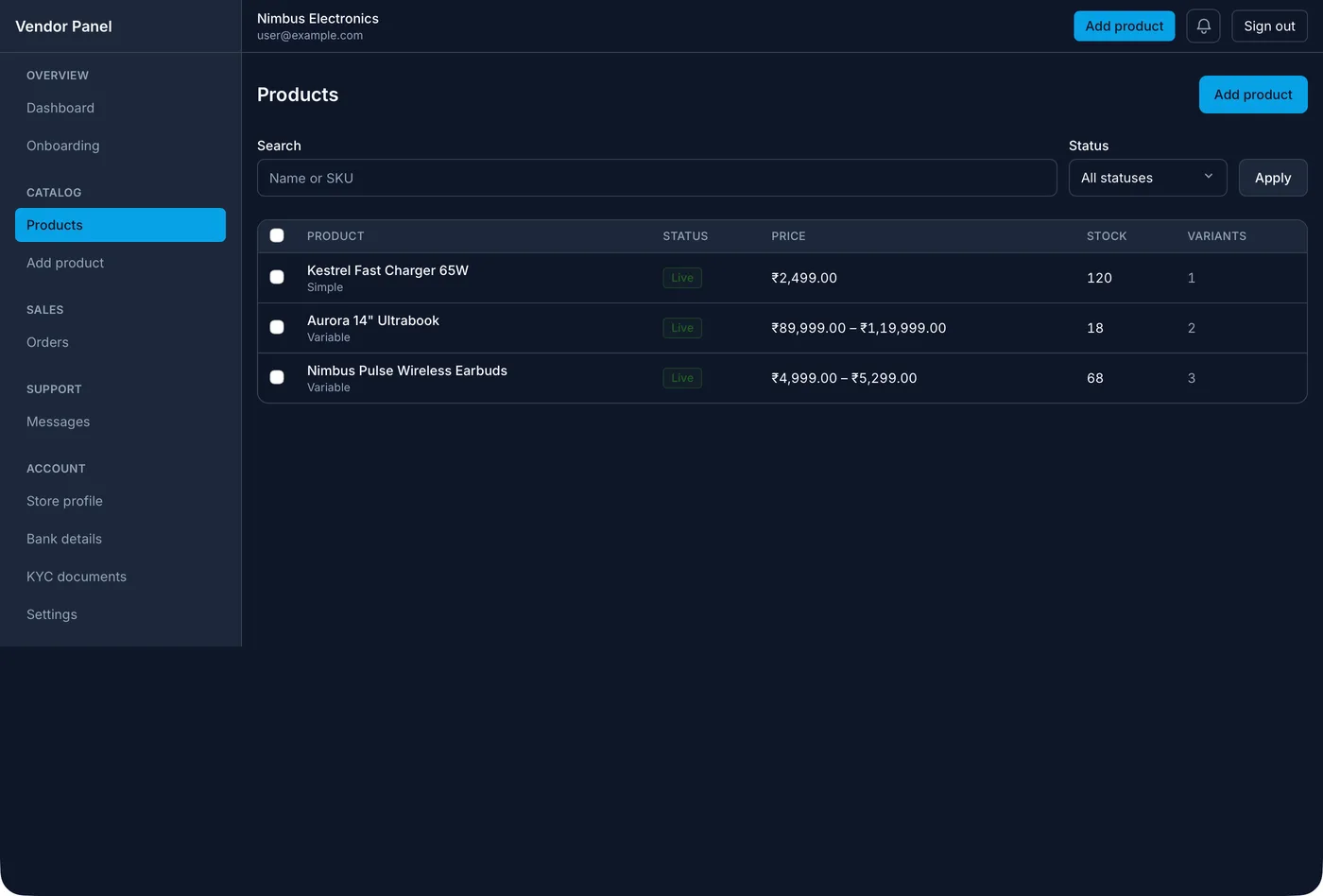
Product list with stock and variants
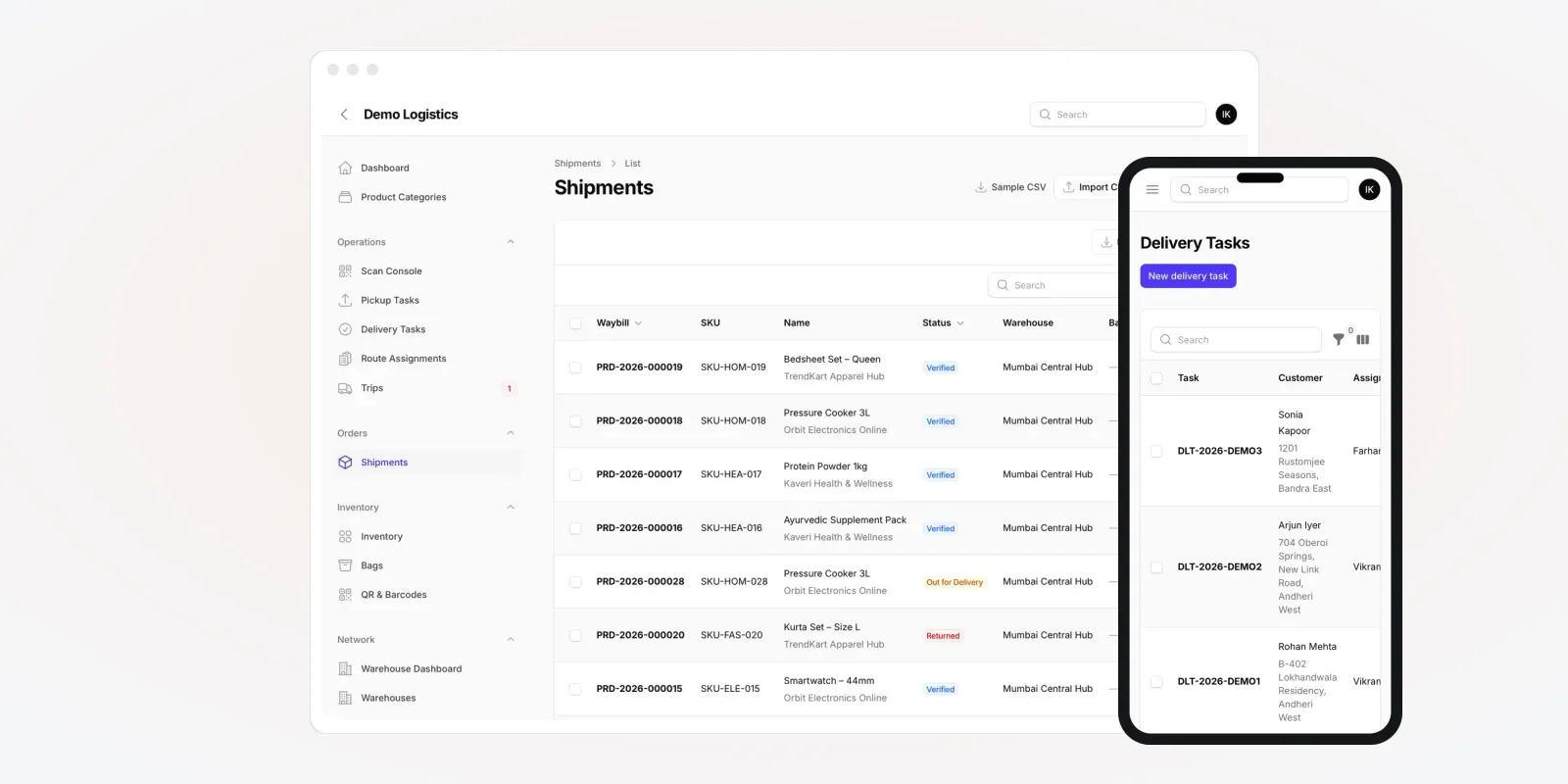
This product list is from a seller panel we built. Each product shows its status, price, stock count and number of variants.
For a refurbished shop, we open each model into its phones: one line per IMEI, with grade and price. This is the same idea as item-level stock in an ERP.
A label printer at the bench prints a sticker with a code for each phone. Staff scan it at the counter, and the right phone opens.
The sell counter: bill, warranty and exchange
At the sell counter, staff scan the phone, pick the customer and take payment. The bill should show:
- The model, storage, colour and IMEI
- The grade and battery health at the time of sale
- The warranty period and what it covers
- Any exchange phone taken, with its own IMEI and value
- GST details as your CA advises
Tax on second-hand goods can work differently from tax on new goods. The GST valuation rules for second-hand goods are on the CBIC GST site. Ask your CA which method applies to your shop, and we set the bill to match.
The bill is sent to the customer on SMS or WhatsApp too. When they come back for a claim, staff search by phone number or IMEI. Clear warranty and return terms also help if a buyer complains through the Department of Consumer Affairs. A customer record with past purchases also lets you send a message when the warranty is about to end.
Walk-in prices and dealer prices
Many refurbished shops also sell to other dealers. Dealers buy more, so they get a lower rate. They may need a minimum order. Some should not see certain stock at all.
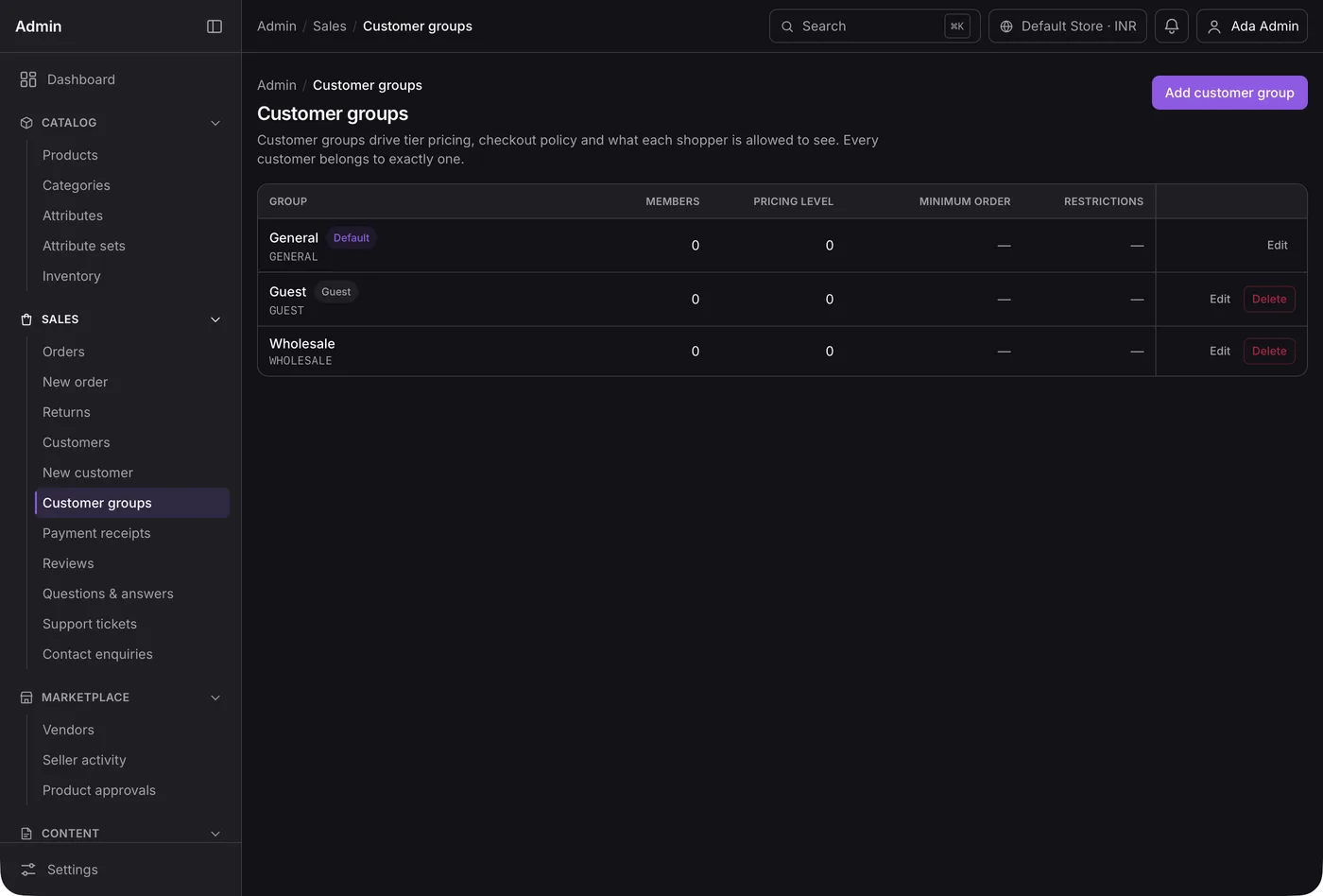
With customer groups, one phone can have a walk-in price and a dealer price. The counter shows the right one when staff pick the customer. If dealers order often, they can get their own login, like the buyer panel in a B2B platform.
The repair desk and the workshop
Most refurbished shops repair phones too. The repair desk needs a simple job card: the phone, the fault, the parts used, the technician and the status. For your own stock phones, the parts cost adds to the phone's cost. For customer repairs, it becomes a repair bill.
When a stock phone comes back from the bench, the technician updates the grade and adds photos. Only then can it go on sale.
Some phones cannot be saved. The E-Waste (Management) Rules, 2022 cover refurbishers too. The Central Pollution Control Board e-waste page explains who must register. The software can record which phones went to a registered recycler, and when.
More than one branch and doorstep pickup
When you open a second branch, each phone needs a location. Staff move phones between branches with a transfer note, and the stock updates in both.
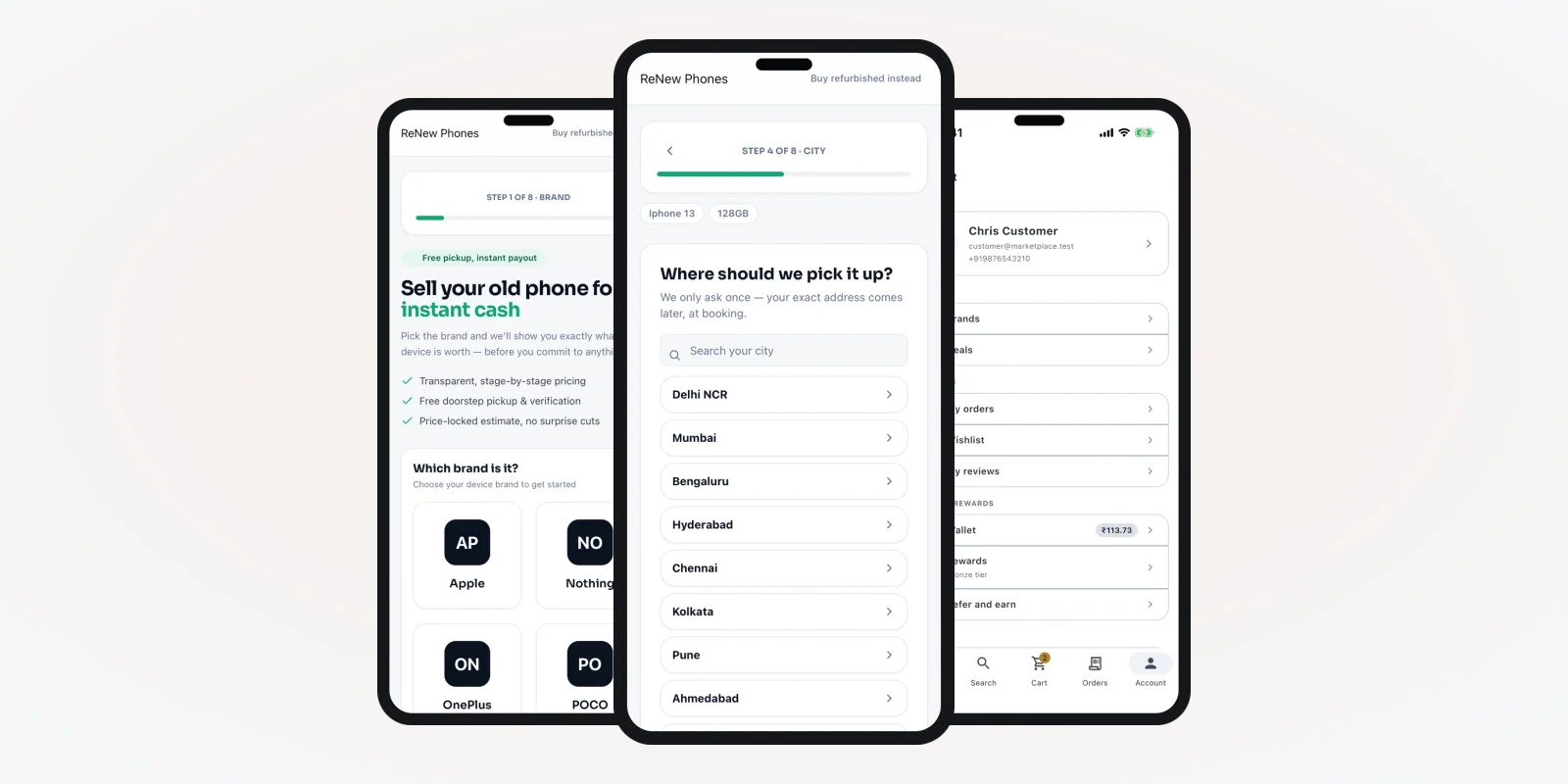
Some shops also collect phones from homes. The quote flow then asks for the city. You switch cities on or off in the admin panel. A pickup agent app can be added later, with the same IMEI check.
Your shop online and in the customer app
Many shop buyers check online before they visit. Your stock can show on your own website and app, with real photos and the grade of each phone. A buyer can reserve a phone and pick it up in the shop. Read how common store platforms compare before you decide how to sell online.
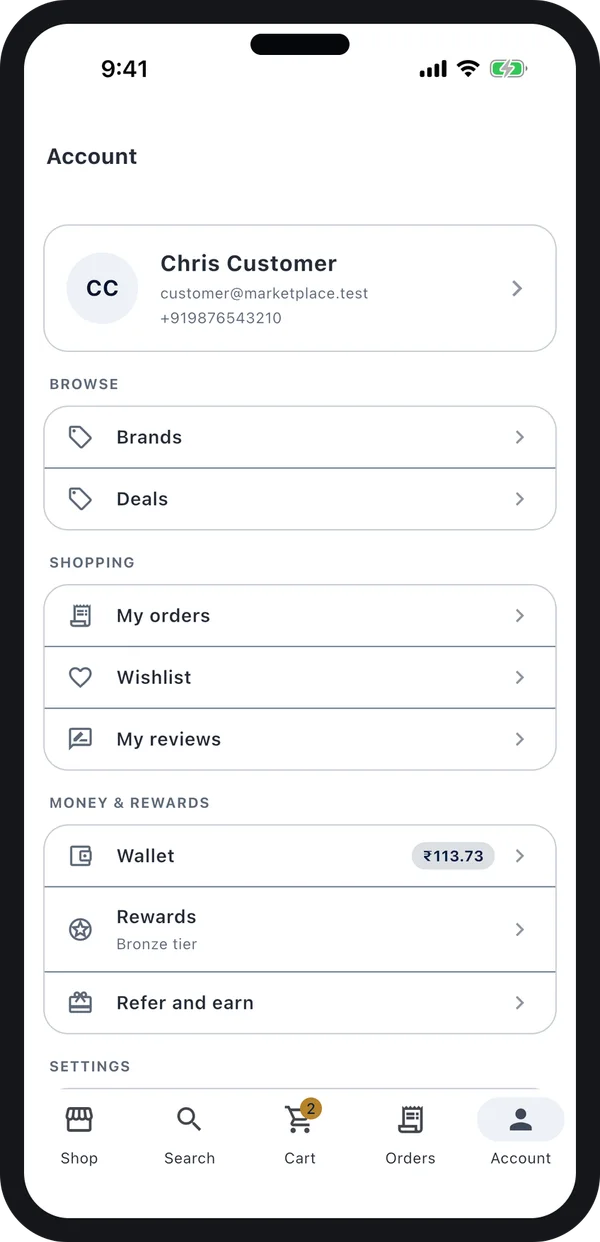
Customer account with store credit
This account screen is from a shopping app we built. It holds orders, a wallet balance, rewards and refer-and-earn.
In a refurbished shop, the wallet can hold exchange credit. A customer sells a phone today and uses the credit next month.
Billing software vs refurbished shop software
| What your shop needs | Register and calculator | Normal billing software | Refurbished shop software |
|---|---|---|---|
| Stock per phone, with IMEI and grade | No | Partly | Yes |
| Buy screen with price rules | No | No | Yes |
| Exchange phone entered on the same bill | Hard | Sometimes | Yes |
| Warranty on the bill, search by IMEI | No | No | Yes |
| Repair cost added to each phone | No | No | Yes |
| Walk-in and dealer prices | In the owner's head | Sometimes | Yes |
| Same stock online and in the shop | No | With add-ons | Yes |
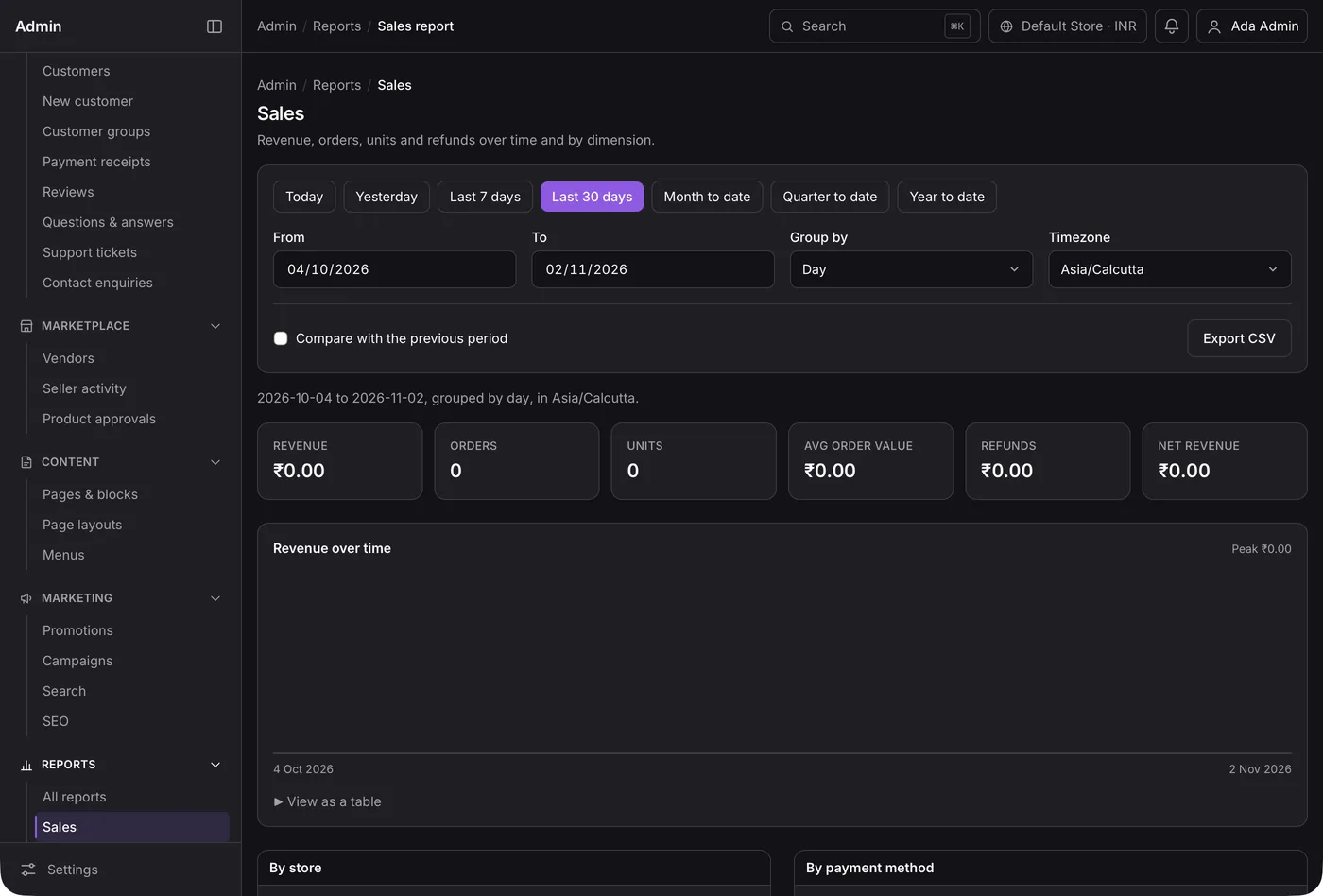
At the end of each day, the owner checks one sales report. It shows sales, refunds and payment methods for any period.
Worked example: one exchange at the counter
Here is one exchange, start to finish. The details are examples.
- 10:05, walk in. A customer wants a refurbished phone and has an old phone to give in exchange.
- 10:08, quote. Staff run the old phone through the quote flow on the counter tablet. The IMEI check is saved.
- 10:12, pick a phone. The customer picks a grade A phone from the shelf. Staff scan its sticker.
- 10:15, one bill. The bill shows the new phone, the exchange value taken off, and the balance paid by UPI.
- 10:16, warranty. The bill reaches the customer's phone with the IMEI and a six-month warranty date.
- Same day, workshop. The old phone goes to the bench as a new stock item. Its cost is the exchange value.
- Five months later. The software reminds the customer that the warranty ends soon, and offers a check-up.
Our service
How we build your refurbished mobile shop software
We build around your counter, not a generic shop.
- See your counter. We list how you buy, sell, repair and bill, with your staff roles.
- Design the screens. You click through counter and stock screens and ask for changes first.
- Build. A web panel for stock and reports, a counter app for tablets, and Android and iPhone apps if you need them.
- Test in your shop. Staff run real sales for a few days. We fix what they find.
- Go live under your name. Your shop name on the bills and apps, your data on your own server.
- Grow. Add branches, an online store or a pickup service when you are ready.
Refurbished mobile shop software development cost: what decides it
We do not publish a fixed price. Each shop is set up differently. The cost depends on:
- How many parts you need: counter app, stock panel, repair desk, online store, customer app
- How many branches and staff roles
- Which devices you connect: label printer, barcode scanner, bill printer
- Which services you connect: payment, SMS, WhatsApp, accounting
If you also plan to sell online in a big way, an online store build can share the same stock from day one.
| Monthly billing app | Your own shop software | |
|---|---|---|
| Start | Same day | A few weeks to build |
| Cost over years | Monthly fee per counter or user | One build cost, then optional support |
| IMEI stock, grades and buy counter | Rarely | Built in |
| Dealer prices and exchange | Limited | Built your way |
| Data and source code | Stay with the vendor | Yours |
Tell us about your counter and branches, and we will send a written quote after one call.
Whoever builds your refurbished mobile shop software, make sure it can:
- Keep one stock row per phone, with IMEI, grade and battery health
- Quote a buy price from your own rules, not from memory
- Put exchange phones on the same bill as the sale
- Print IMEI and warranty on every bill
- Show walk-in and dealer prices from the same stock
- Add repair cost to the phone it was spent on
- Export all your data whenever you want
FAQ
What is refurbished mobile shop software?
It is shop software that tracks every used or refurbished phone by its IMEI. It covers buying phones at the counter, exchange, repairs, grading, billing with warranty, and selling online.
Can normal billing software work for a refurbished shop?
It can make bills, but it tracks stock by model. It does not track the grade, battery, buy price and repair cost of each phone. So you cannot see the margin on each one.
How long does it take to build shop software?
It depends on how many parts you need. After one call, we share a plan with dates. You see clickable screens first, then the build starts.
Will the software and source code belong to me?
Yes. We build it under your shop name and hand over the source code. Your data stays on your own server.
Which devices will it run on?
The stock panel runs in a web browser. The counter app runs on an Android tablet or phone. Customer apps can be built for Android and iPhone.
Can it work with my barcode scanner and printer?
Yes, in most cases. We check your scanner and printer models before the build and plan the labels and bills around them.
Is customer ID proof safe in the software?
It should be. Only chosen staff should see ID proof and bank details, and every view should be logged. The Digital Personal Data Protection Act, 2023 applies to this data. We build these controls in.
Can I add more branches later?
Yes. Each phone gets a branch, and transfers move it between branches. Reports can be seen per branch or for the whole chain.
Can PRS India build software for my refurbished mobile shop?
Yes. We build the counter app, the stock and repair panel and the online store under your shop name. Book a consultation and we will show you screens for your counter.
Related guides
Written by
Babita Kumari · Business Developer
Business Developer at PRS India. Talks with business owners about the app or software they want, and helps them work out the scope, cost and launch steps before any code is written.