Project Management Software Development Company in India
We build your own project software: tasks, boards, timelines, timesheets and a client portal. Web, Android and iPhone, under your brand.

Written by Prabhjot Kaur, Product Manager
Reviewed by the PRS India software & mobile app development team
11 min read
Written from production. Our articles draw on products we run live and the client work behind them, and are revised as the systems they describe evolve.
Most teams run projects on three tools at once. Tasks sit in a chat group. Dates sit in a spreadsheet. Hours sit in someone's notebook. When a client asks "where is my project?", nobody can answer in one go. Project management software puts tasks, dates, people and hours on one screen.
Ready-made tools work for some teams. Others pay for every user, every month, and still bend their work to fit the tool. That is why many firms look for a project management software development company in India to build their own. This guide shows what such software should do and how to pick a company to build it. It also shows how PRS India builds custom web apps for project teams.
Key takeaways
- Project software is more than a to-do list. It links tasks, dates, people, hours and client sign-offs.
- Own software fits your stages, your roles and your reports. A monthly tool makes you fit its stages.
- Ask any company to show clickable screens of your own process before you sign.
- Check who owns the source code, where the data is kept and who fixes bugs after launch.
- A phone app matters when your people work away from a desk.
What project management software does
In plain words, it answers four questions for every job. What needs to be done? Who is doing it? By when? How much time has it taken so far?
A project is split into milestones. Each milestone is split into tasks. A task can have subtasks, files, comments and a due date. Some tasks cannot start until another one ends. The software keeps track of all of this, so the manager does not have to.
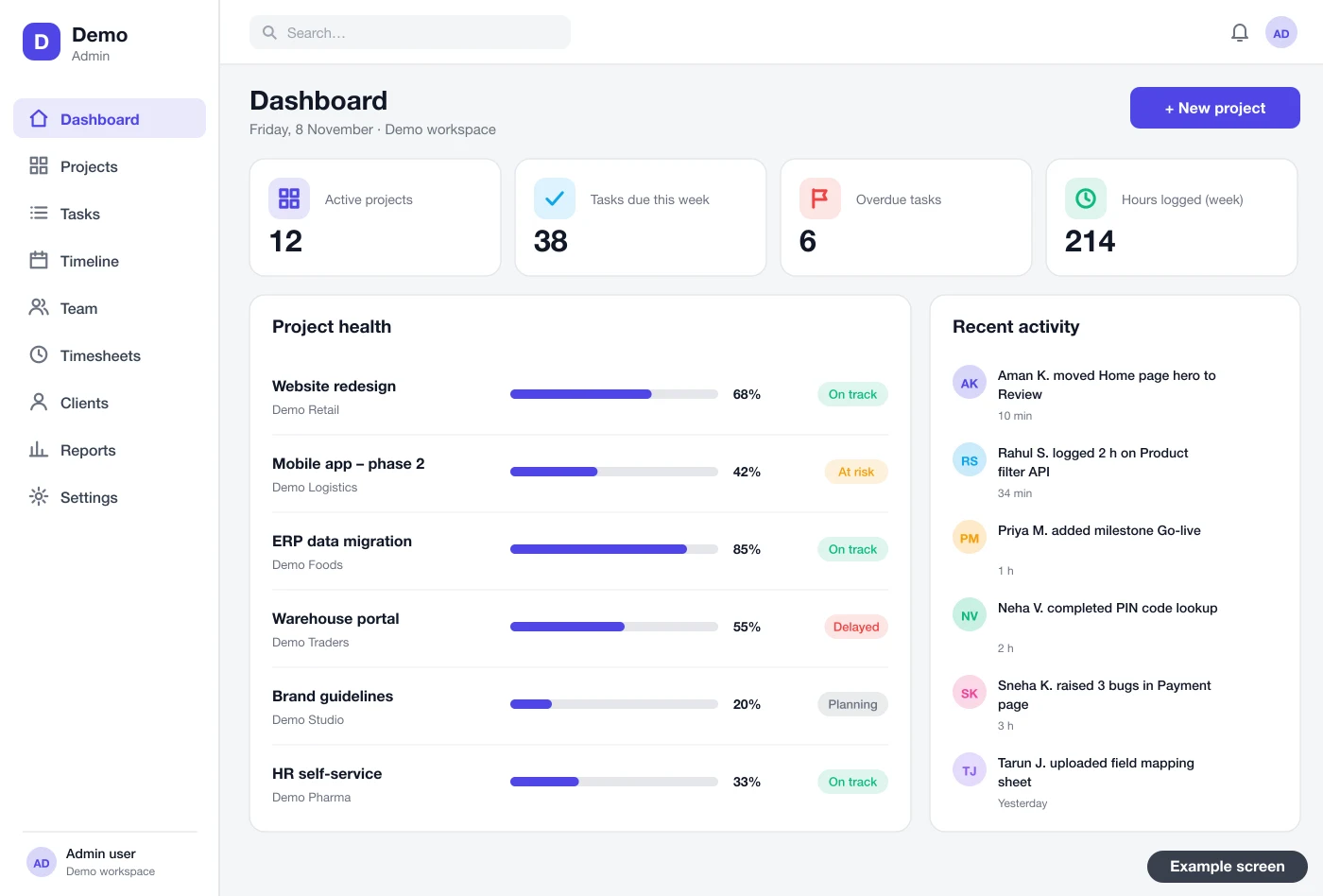
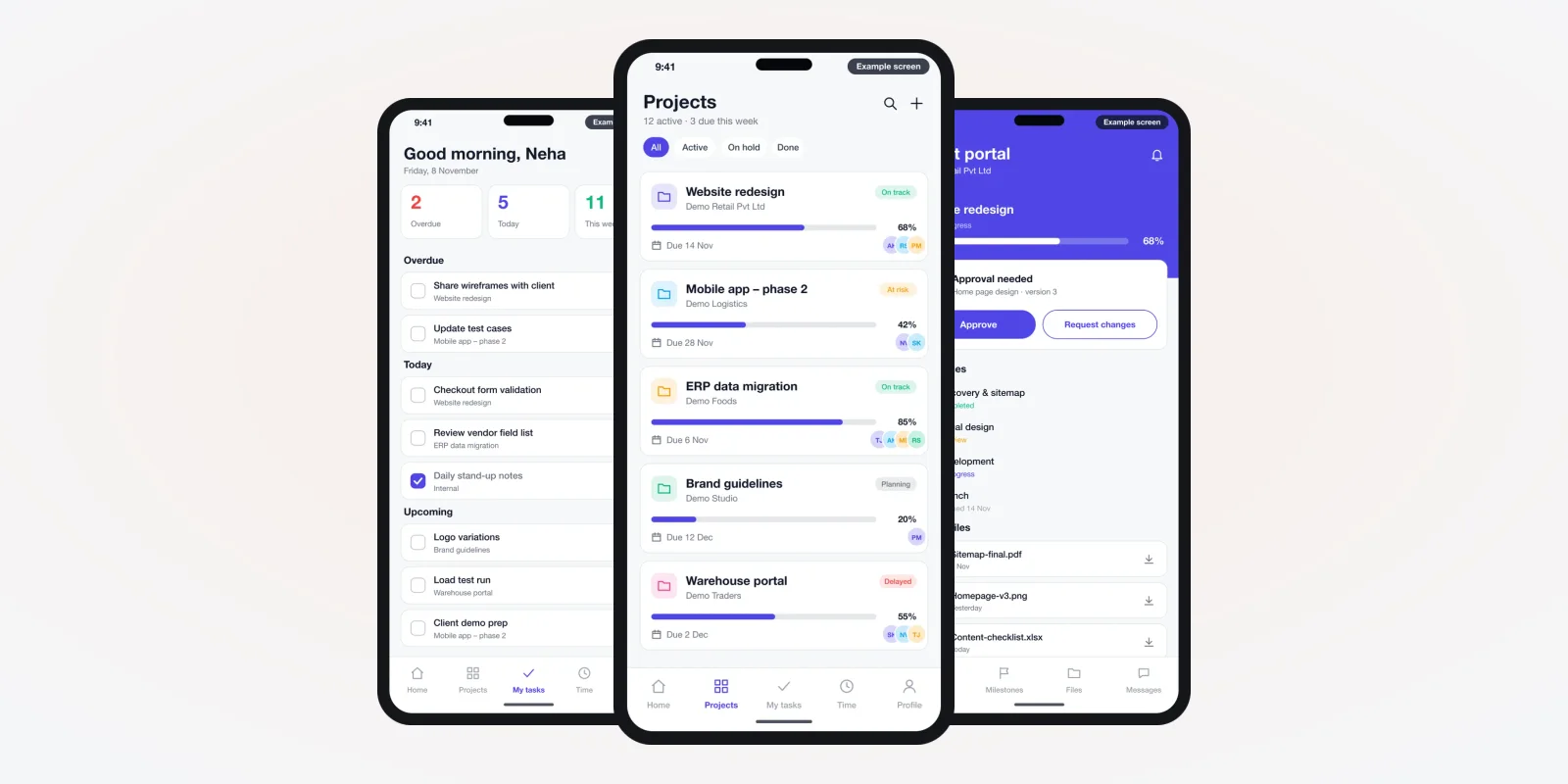
The dashboard above is a drawn example, not a live product. It shows what an owner would check each morning. Which projects are on track? Which are late? What is due this week?
The problem
Why teams outgrow spreadsheets and chat groups
The same five gaps show up in most growing teams.
- No single owner per task. A task is "discussed" in a group, but nobody is named. So it waits.
- Dates that do not connect. One task slips by a week. The tasks after it still show the old dates.
- Hours not recorded. At month end, staff guess their hours. Billing and pay are then based on guesses.
- Files in many places. The latest design is in someone's email. The old one is in the chat.
- Clients chasing updates. Clients call for status because they cannot see progress themselves.
Who uses it every day
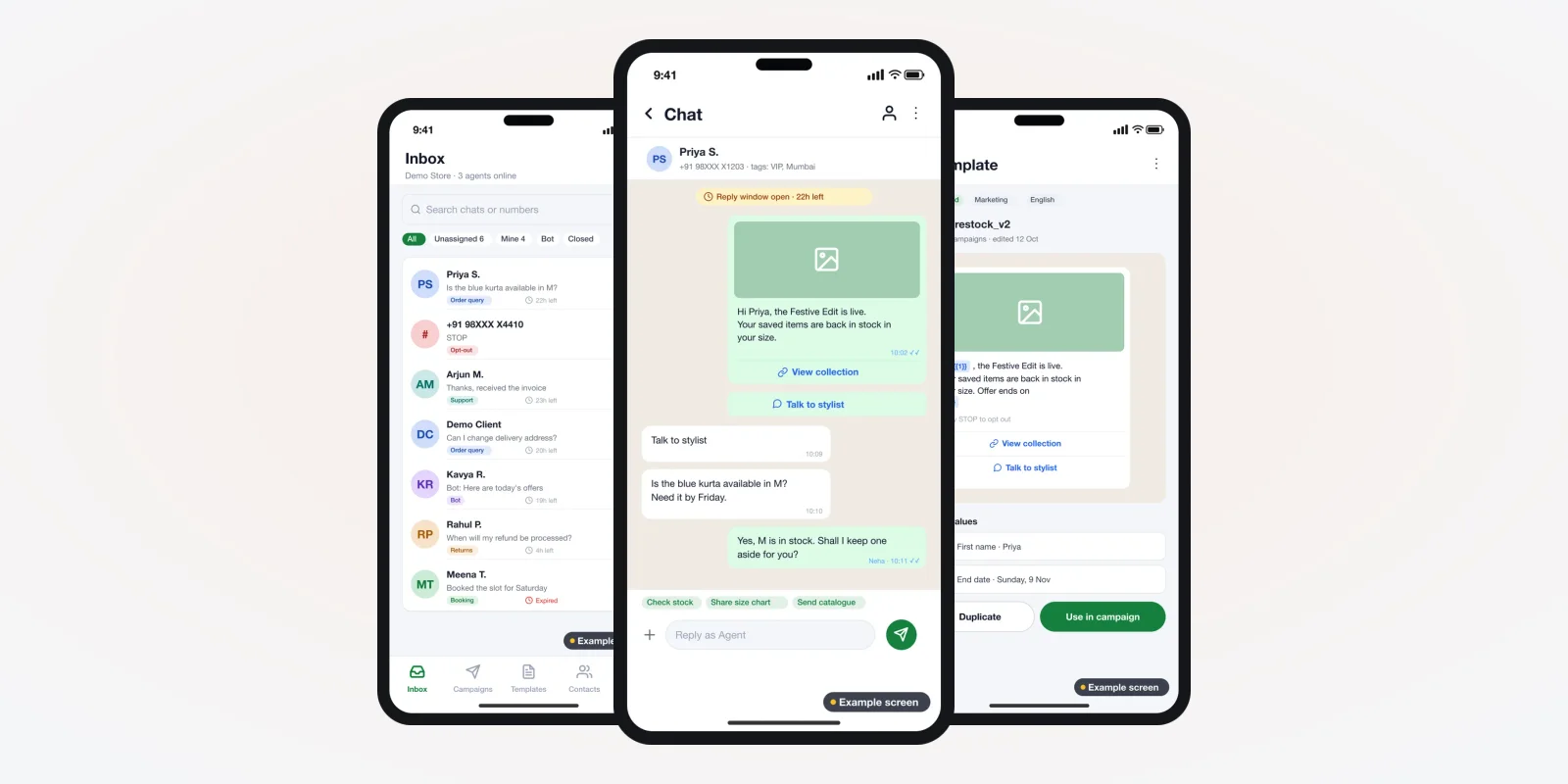
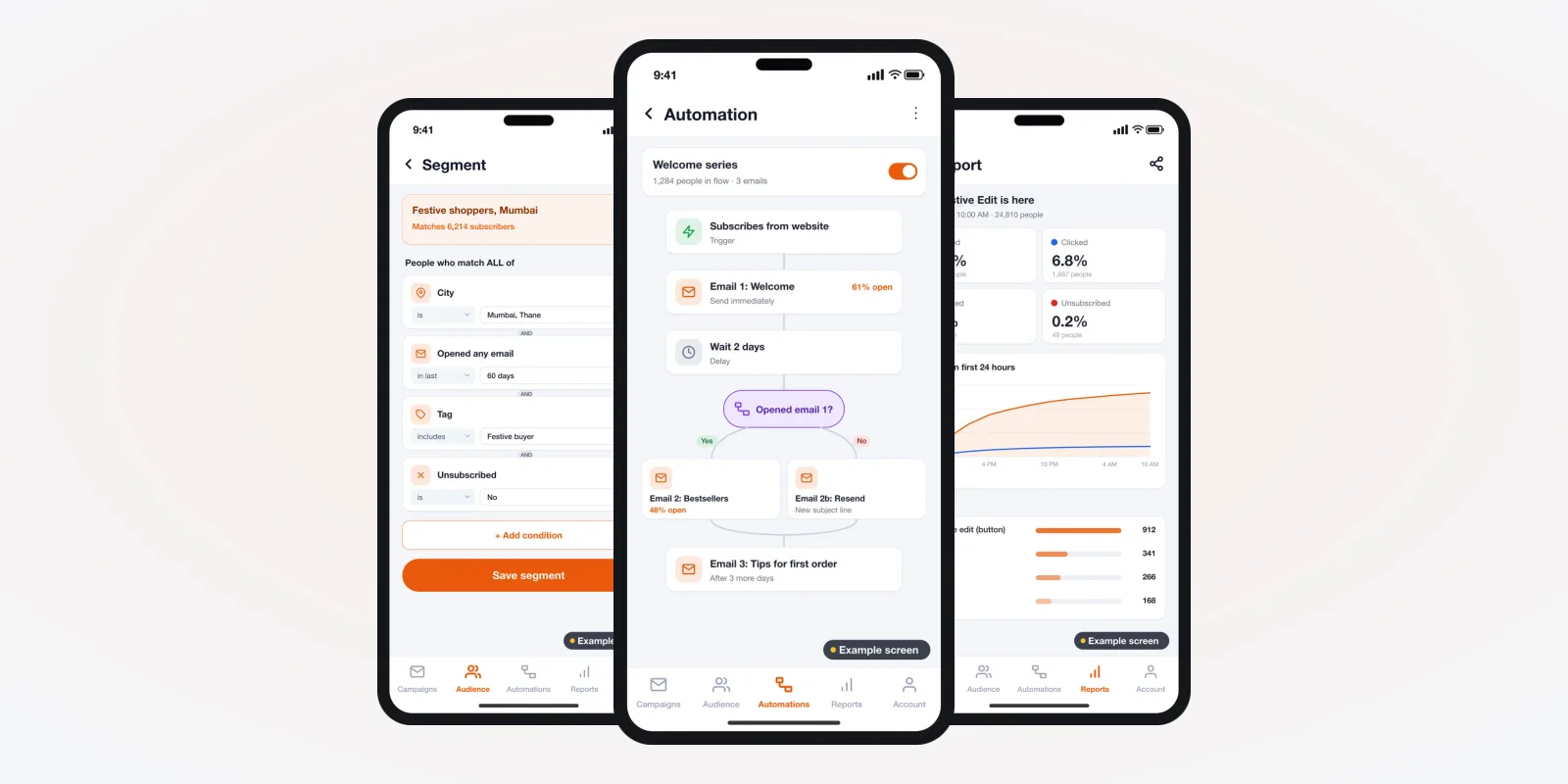
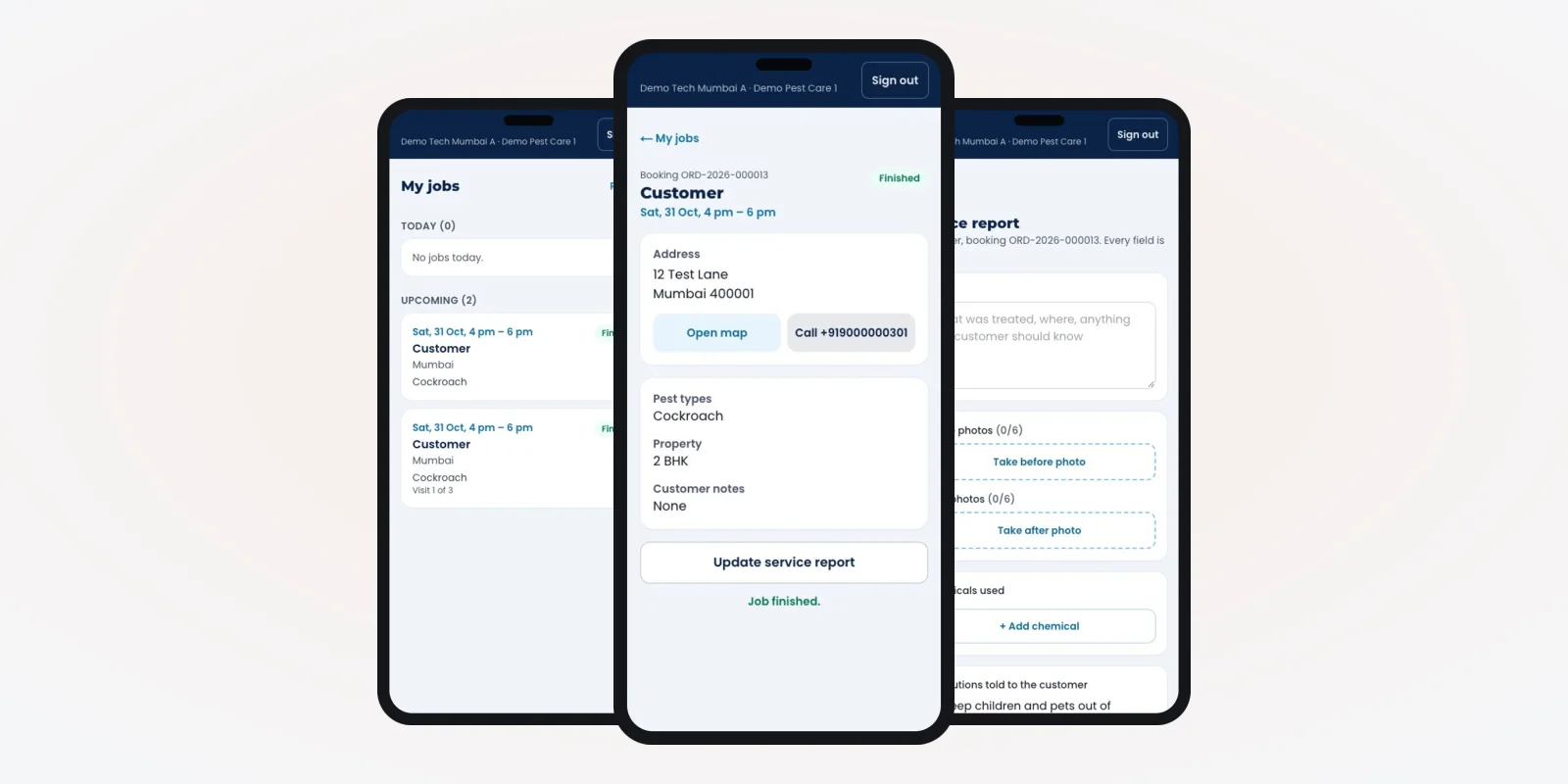
Three groups use project software, each on a different screen. The pictures in this guide are drawn example designs. They show the kind of screens we can build for you.
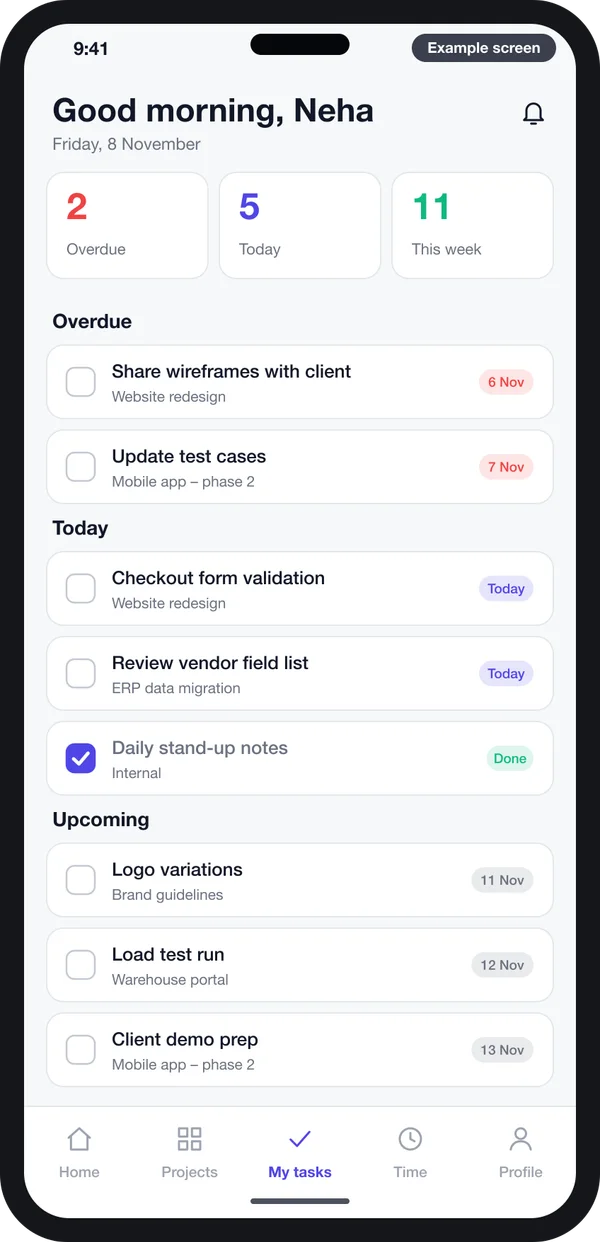
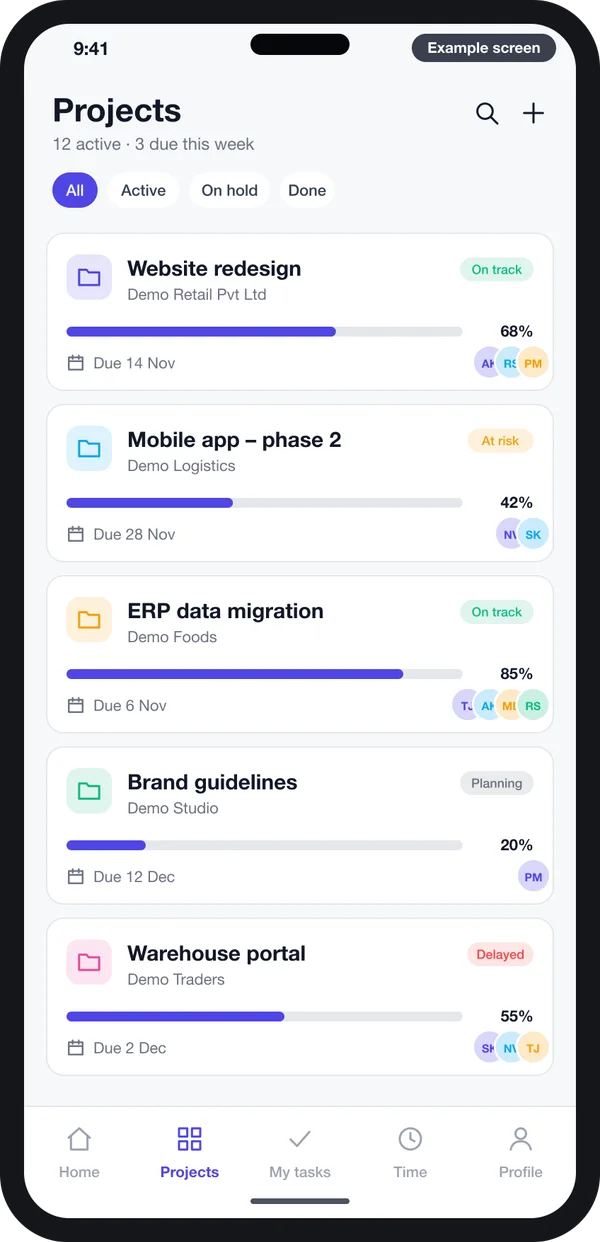
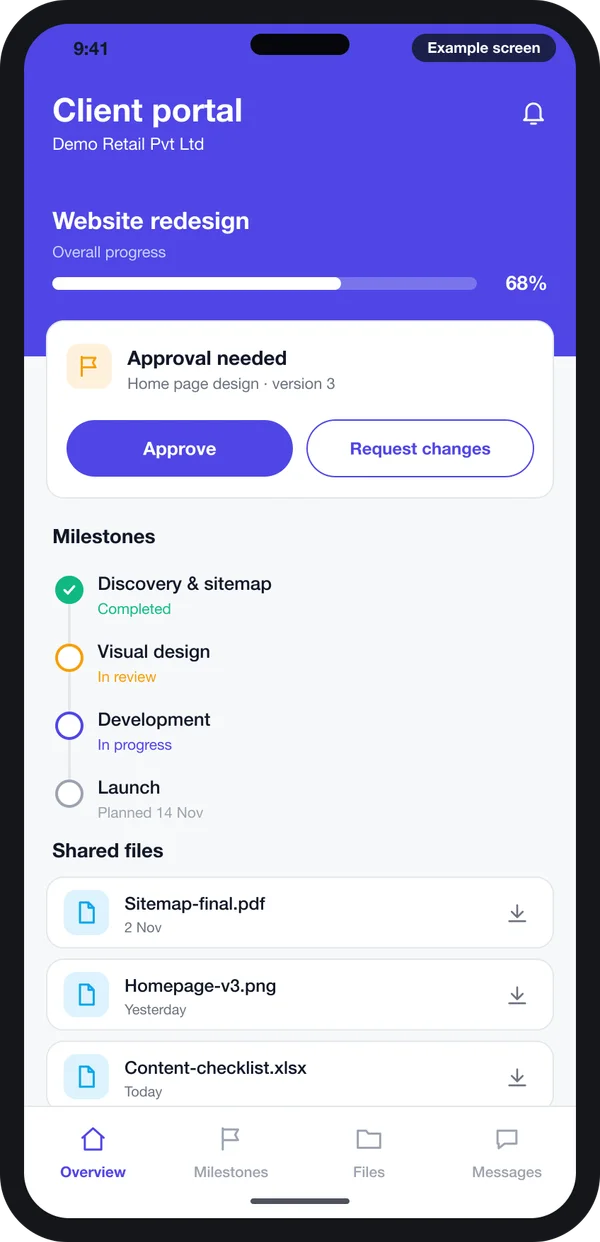
Team members open the app and see only their own work. It is sorted into late, due today and coming next. Managers see every project, its progress and who is stuck. Clients log in to a portal, see milestones, download files and approve work with one tap.
Features to ask for
1. Tasks with an owner and a due date
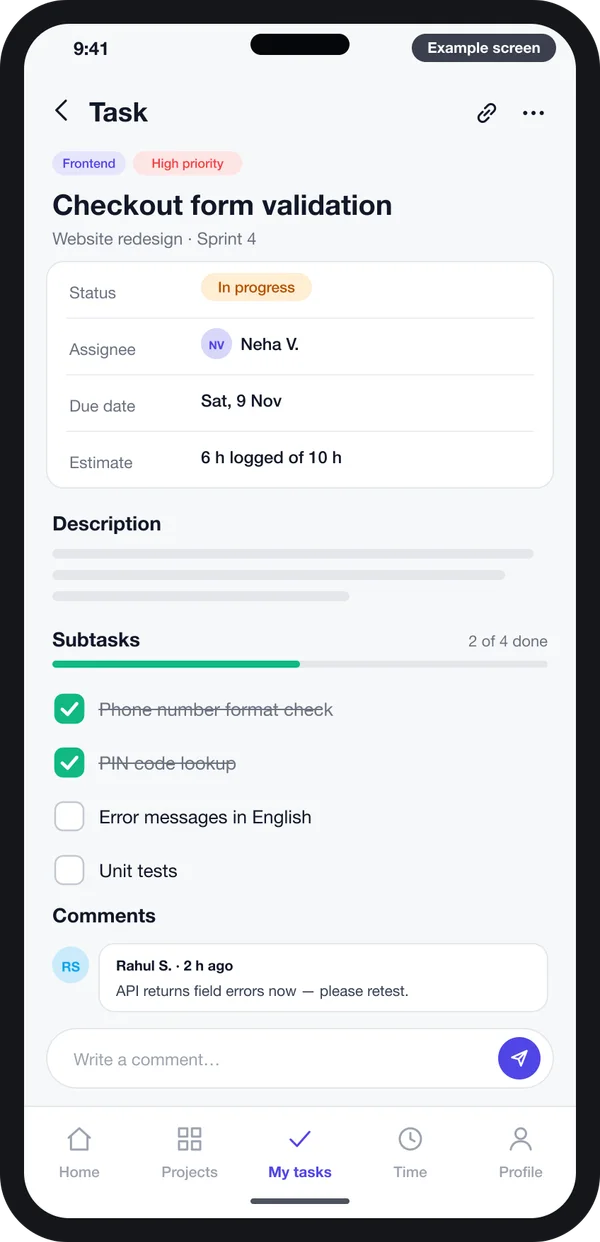
Every task has one person in charge, a due date, a status and a checklist. Comments and files stay on the task, not in a chat. When a task changes, the people on it get a notice.
2. Board view for daily work
Teams move cards across columns such as To do, In progress, Review and Done. You choose the column names. A design studio and a software team will not use the same ones.
3. Timeline with linked tasks
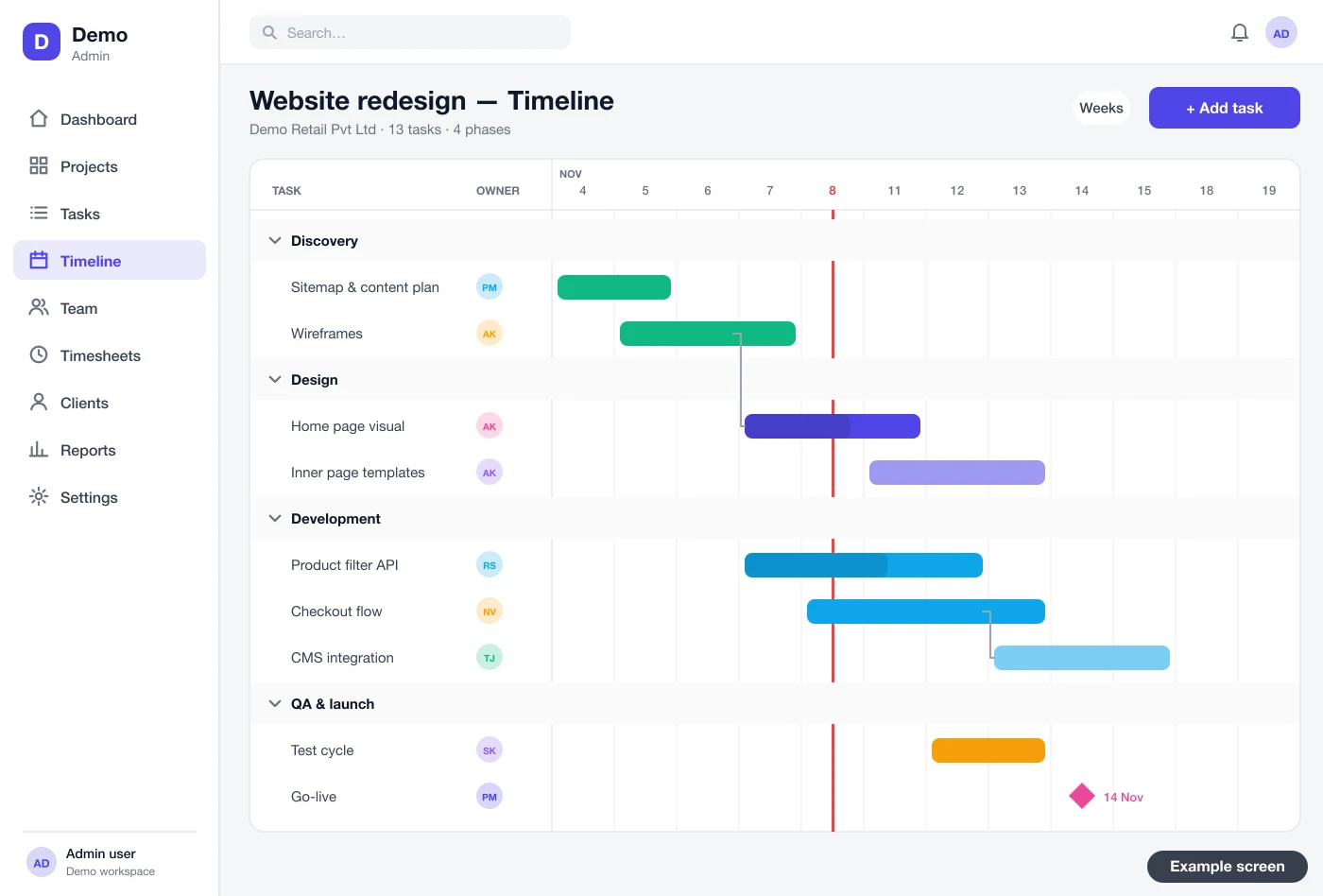
A Gantt timeline shows each task as a bar on a calendar. Lines link tasks that depend on each other. Move one bar, and the linked bars move too. Milestones show as markers, so the client deadline is always in view.
4. Time tracking on every task
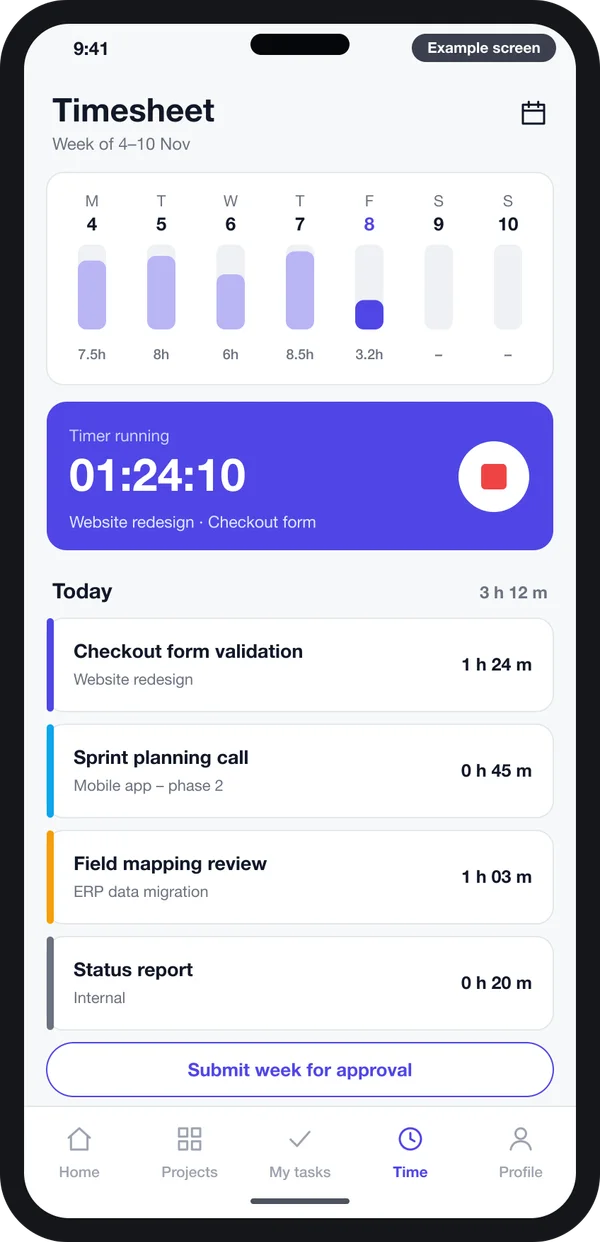
Staff start a timer on a task. Or they add hours by hand at the end of the day. A weekly timesheet goes to the manager for approval. Approved hours feed billing and reports.
5. Workload by person
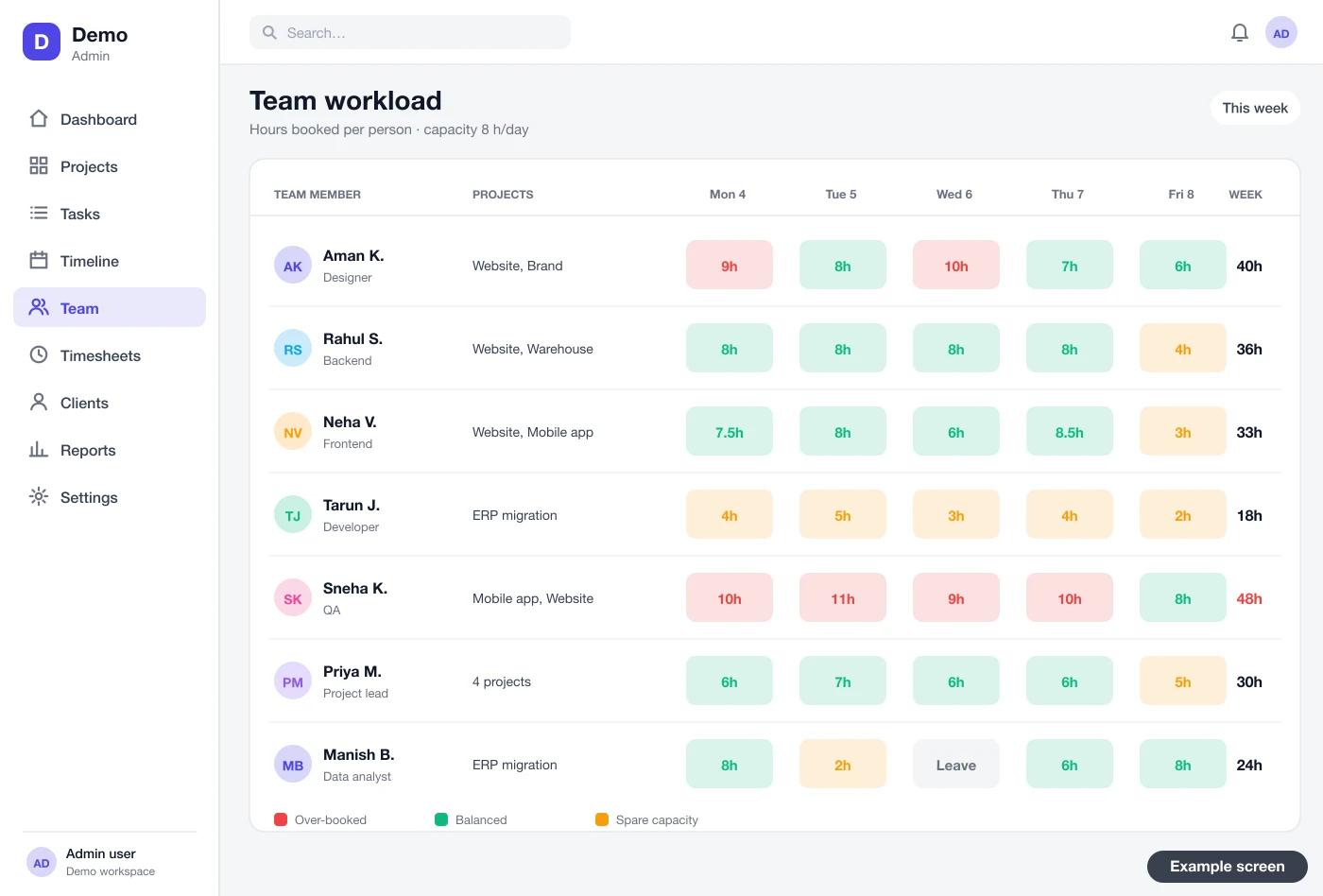
Before you take a new job, check who has time. A workload view shows the hours booked for each person on each day. Red cells mean someone is overloaded.
6. Client portal and approvals
Clients see what you choose to share. They approve a design, sign off a milestone or ask a question. Each approval is saved with a date and a name. That record helps when there is a dispute later.
7. Reports the owner reads
Late tasks per project. Hours spent against hours planned. Work done per person. Projects that need attention. Each report can be filtered by client, team or month and downloaded.
Needs that matter for teams in India
Some needs come up again and again with Indian clients. A good build plans for them from day one.
- Reminders on SMS or WhatsApp. Many site staff and clients do not read email. Due-date reminders work better on the phone.
- Data kept in India. Some clients ask for servers in India. We can host it there.
- Personal data rules. The Digital Personal Data Protection Act, 2023 covers staff and client details. The software should record consent and limit who sees what.
- GST-ready invoices. If you bill from timesheets, invoices must carry GST details. The GST portal sets the rules. Check them with your accountant.
- More than one language. Field teams may want Hindi or a regional language on the phone app.
- Builders and site teams. Site work needs daily reports and photos. See our work on construction software for this kind of team.
Custom software vs a monthly tool
| What you need | Spreadsheet and chat | Monthly project tool | Your own software |
|---|---|---|---|
| Your own stages and column names | Manual | Some | Yes |
| Linked dates on a timeline | No | Yes | Yes |
| Timesheets tied to your billing | No | Often an add-on | Yes |
| Client portal under your brand | No | Rarely | Yes |
| Links to your HR, CRM or accounts | No | Limited | Built for your tools |
| Data and source code | Scattered | With the vendor | Yours |
If you are also weighing an HR system, our guide to HRMS software for small and medium businesses in India explains how staff records and project hours can share one login.
How to choose a development company in India
Many companies say they build project software. Here is how to check before you sign.
- Ask for screens of your process. Not a slide deck. Clickable screens with your stages and your task names.
- Look at real work. Ask to see projects they have delivered. Talk to one past client if you can. You can also look at products we have built as proof of the work.
- Check the tech they use. A common, well-known stack means other developers can work on it later. We often use Laravel for the web app and admin.
- Get ownership in writing. The contract should say you own the code, the brand and the data. Computer programs are protected as literary works under the Copyright Act, 1957, so the transfer must be clear.
- Ask about support. Who fixes bugs after launch? How fast? What does a new feature need?
- Agree on a written plan. Parts, dates and what you see at each step.
Worked example: a web agency with 20 people
Here is how one project would move through custom software. The agency and dates are examples.
- Day 1, new project. The manager creates "Website for a dental clinic" from a template. Five milestones and 40 tasks appear with owners.
- Day 2, plan. The manager checks the workload view. One designer is full, so the design tasks go to another.
- Day 10, design review. The client opens the portal, sees the home page design and taps Approve. The date is saved.
- Day 18, a delay. Content from the client is late. The manager moves the content task. The linked build tasks move on the timeline.
- Every Friday, hours. Staff submit timesheets. The manager approves them. The report shows hours used against the plan.
- Day 35, launch. The last milestone is signed off in the portal. Hours go to the invoice, and the project closes.
Our service
How we build your own project management software
Software shaped around how your team already works.
- Understand your work. We map your project stages, roles and reports in one or two calls.
- Design the screens. You click through screen designs first, like the examples here, and change them before coding.
- Build the apps. A web app for the office, and one Android and iPhone app built with Flutter for the team.
- Test with your team. Your staff run real projects on it. We fix what they find. For government clients, testing bodies such as STQC under MeitY can also check the software.
- Launch under your brand. Your name and logo, hosted on your own cloud server.
- Support and grow. We add modules as you grow, such as invoicing, leave or a client app.
Project management software development cost: what decides it
We do not publish a fixed price, because no two teams need the same thing. The cost depends on a few clear factors:
- How many apps you need: web app only, or also a phone app and a client portal.
- How many views: board, list, timeline, workload, calendar.
- Whether you need timesheets, approvals and invoices from hours.
- Links to other tools, such as your CRM, HR or accounting software.
- Whether you plan to sell it to other firms as a SaaS with many companies on one system.
| Monthly tool | Custom software (built for you) | |
|---|---|---|
| Start | Same day | A few weeks to build |
| Cost over years | Pay every month for every user | One build cost, then optional support |
| Fits your stages | Partly | Fully |
| Your brand for clients | No | Yes |
| Data and source code | Stay with the vendor | Yours |
Share your team size, stages and must-have views. We send a written quote after one call.
Whoever builds your project software, make sure it can:
- Use your own stages, columns and task templates
- Link tasks so one delay moves the dates after it
- Record hours on each task and send timesheets for approval
- Show workload per person before you take new work
- Give clients a portal to approve work, with a dated record
- Work on a phone for people away from a desk
- Export all your data whenever you want
FAQ
How long does it take to build project management software?
It depends on the number of apps and views you need. After one call, we share a written plan with dates for each part. You see clickable screens first, before any code.
Will I own the software and its source code?
Yes. We build it under your brand and hand over the source code. Your data stays on your server.
Which platforms can you build it for?
We build a web app for the office, and Android and iPhone apps for staff and clients. A desktop app is also possible if your team needs one.
Is my project and client data safe?
We add logins with roles, so each person sees only their work. Data is kept on your own server with backups. The software can record consent, as the Digital Personal Data Protection Act, 2023 expects.
Are the screens in this guide from a live product?
No. They are example designs we drew to show the kind of screens we build. Your screens will follow your own stages and brand.
Can it connect to my CRM, HR or accounting software?
Yes, if those tools allow outside connections. We can pull clients from your CRM, staff from your HR system and send approved hours to accounts.
Can I start small and add features later?
Yes. Many teams start with tasks, boards and timesheets. Later they add a client portal, invoices or a phone app.
Why choose a development company in India?
You work in the same time zone as your team. You can meet the developers and plan for Indian needs such as GST invoices and SMS reminders. Always check past work and ownership terms first.
Can PRS India build project management software for my company?
Yes. We build web and mobile apps around your own stages, roles and reports. Book a consultation and we will show you screens for your process.
Related guides
Written by
Prabhjot Kaur · Product Manager
Product Manager at PRS India. Turns what a client needs into a screen-by-screen plan for the app, and checks every release against that plan before it goes out.