School ERP Price in India: Software Development Cost
What decides the price of a school ERP in India: modules, apps, branches, data move and running costs, and how to compare rented and built systems.

Written by Prabhjot Kaur, Product Manager
Reviewed by the PRS India software & mobile app development team
11 min read
Written from production. Our articles draw on products we run live and the client work behind them, and are revised as the systems they describe evolve.
"What is the school ERP price?" is often the first question a principal asks. The honest answer is that there is no single price. A school with 300 students needs far less than a group with eight campuses and a hostel. The way you pay also changes the total: a yearly plan per student, or a one-time build that you own.
This guide does not quote numbers. It shows what goes into the school ERP software cost and which parts grow with time. It also lists what to ask before you sign. It also explains how PRS India works out a quote when we build school ERP software for your school.
Key takeaways
- Rented plans usually charge per student per year, so the bill grows every time admissions grow.
- A custom build costs more at the start but has no per-student charge after that.
- The biggest cost drivers are modules, apps, branches and how much old data must move.
- SMS, payment gateway charges and hosting are separate running costs in both models.
- Ask for a written quote that details each module, each app, and the support terms.
Two ways to pay for a school ERP
Most schools in India pay in one of two ways. Each way has its own cost pattern over the years.
Rent a ready system
You pay the vendor every year. The charge is often per student, sometimes per module or per branch. Setup is quick. But the yearly bill never stops, and it rises with your roll strength.
Build your own system
You pay once to have the software made for your school. After that you pay for hosting and, if you want, a support plan. The software, the data and the code stay with you.
There is also a third path: no-cost or open source tools. They cut the first bill, but someone still has to set them up, host them and fix them. Our guide on paid versus no-cost school software explains what schools give up on that path.
The problem
Why school ERP quotes are hard to compare
Three quotes for the same school can look very different. These are the usual reasons.
- Different units. One quote is per student, one per module, one per branch. You cannot line them up.
- Missing modules. Transport, hostel or payroll is "extra", and only shows up after the demo.
- Apps not included. The parent app is a separate line, or it carries the vendor's name.
- Running costs left out. SMS packs, gateway charges and storage are billed later.
- Data move not priced. Moving old fee dues and marks from Excel is charged by the hour.
- Support unclear. No promise on how fast a problem is fixed during admission season.
What decides the school ERP software cost
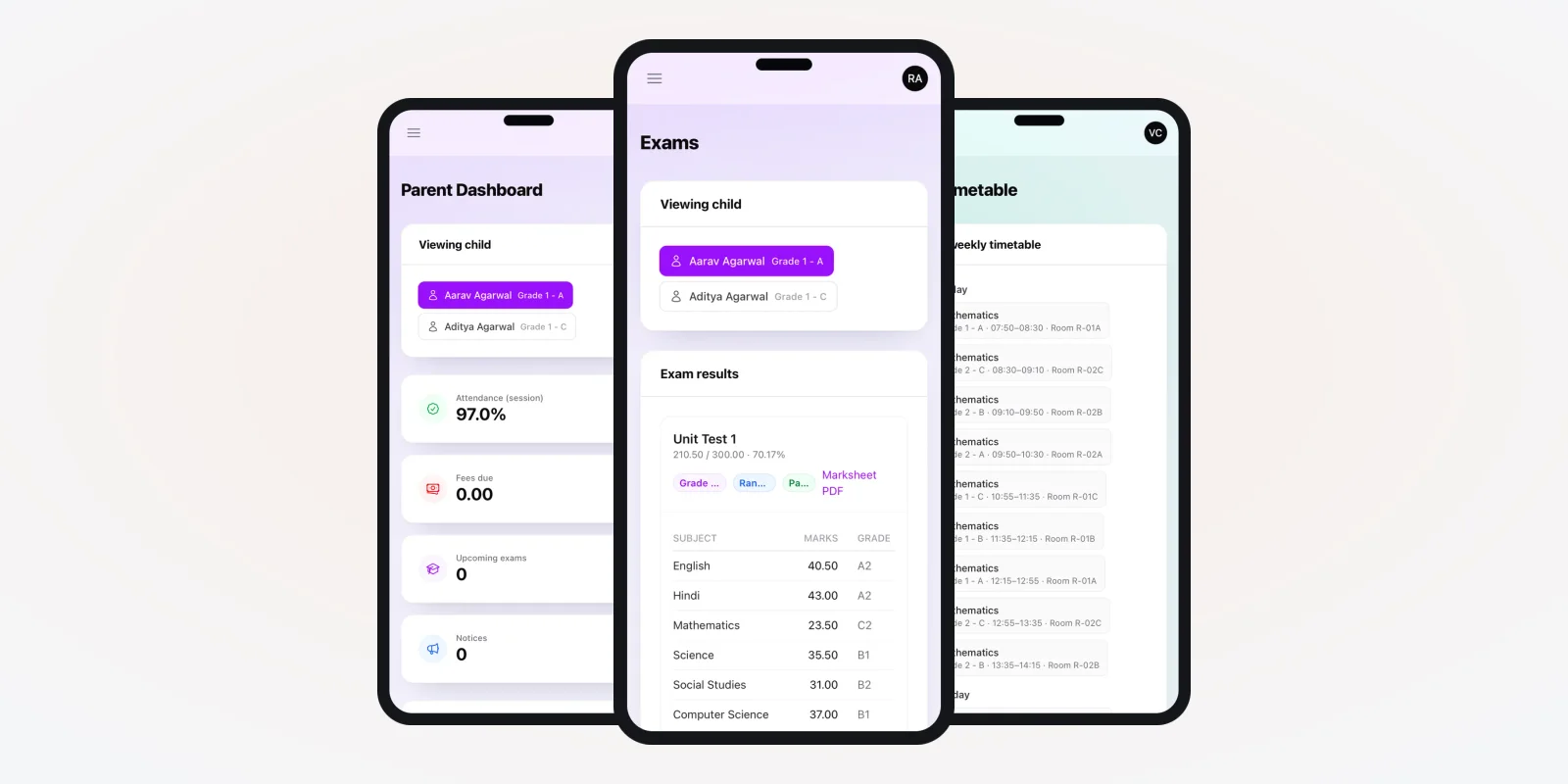
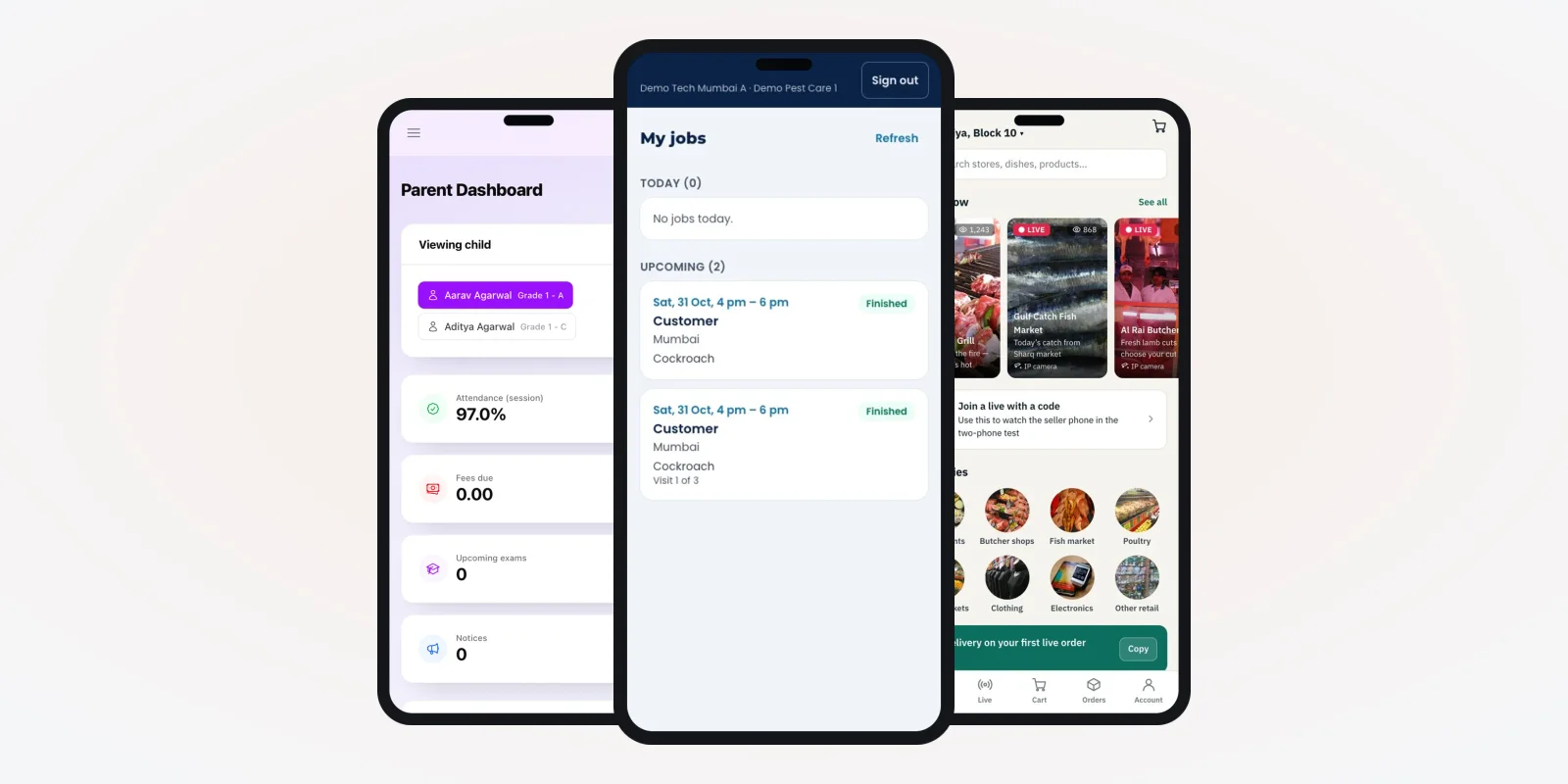
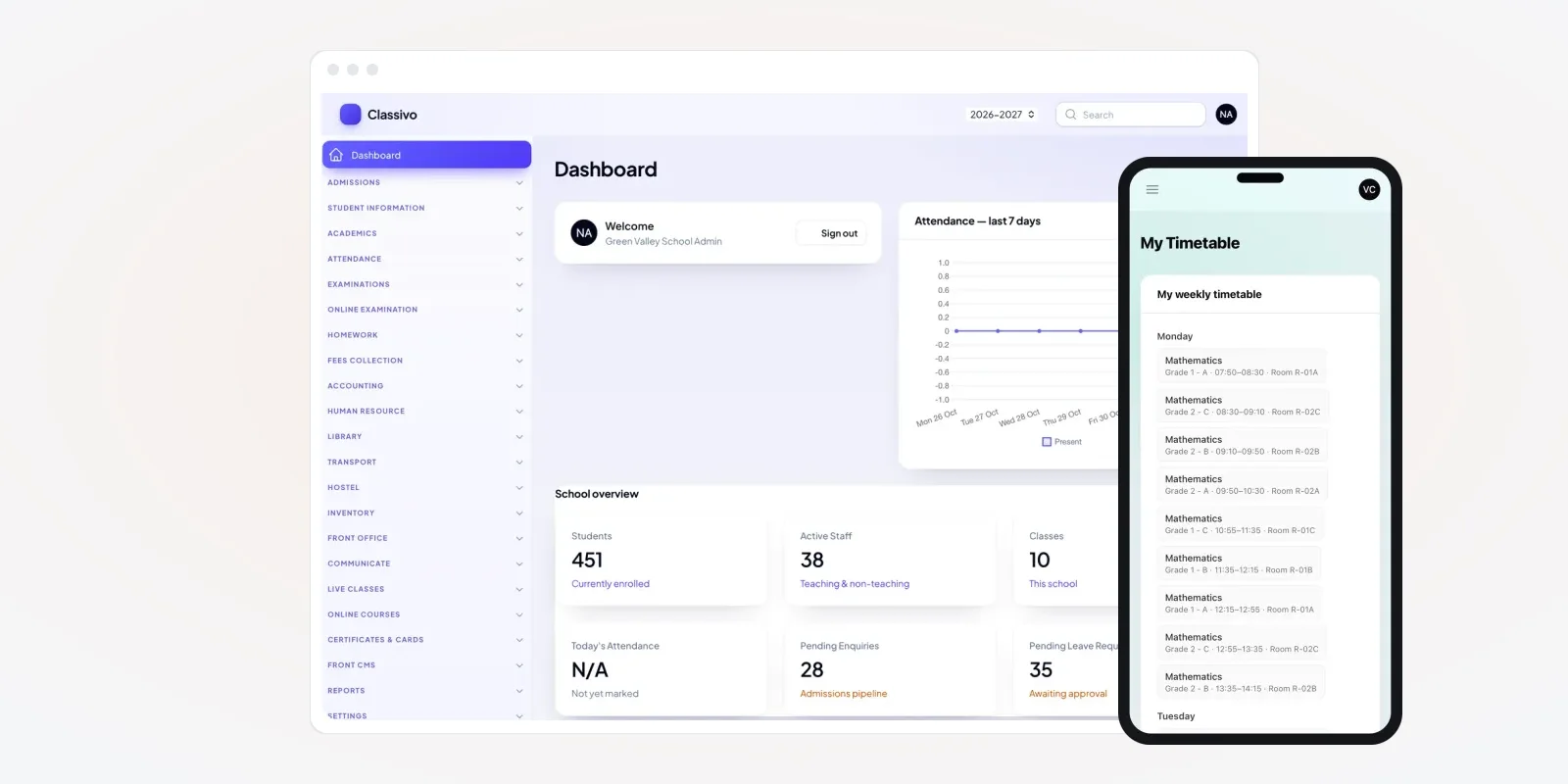
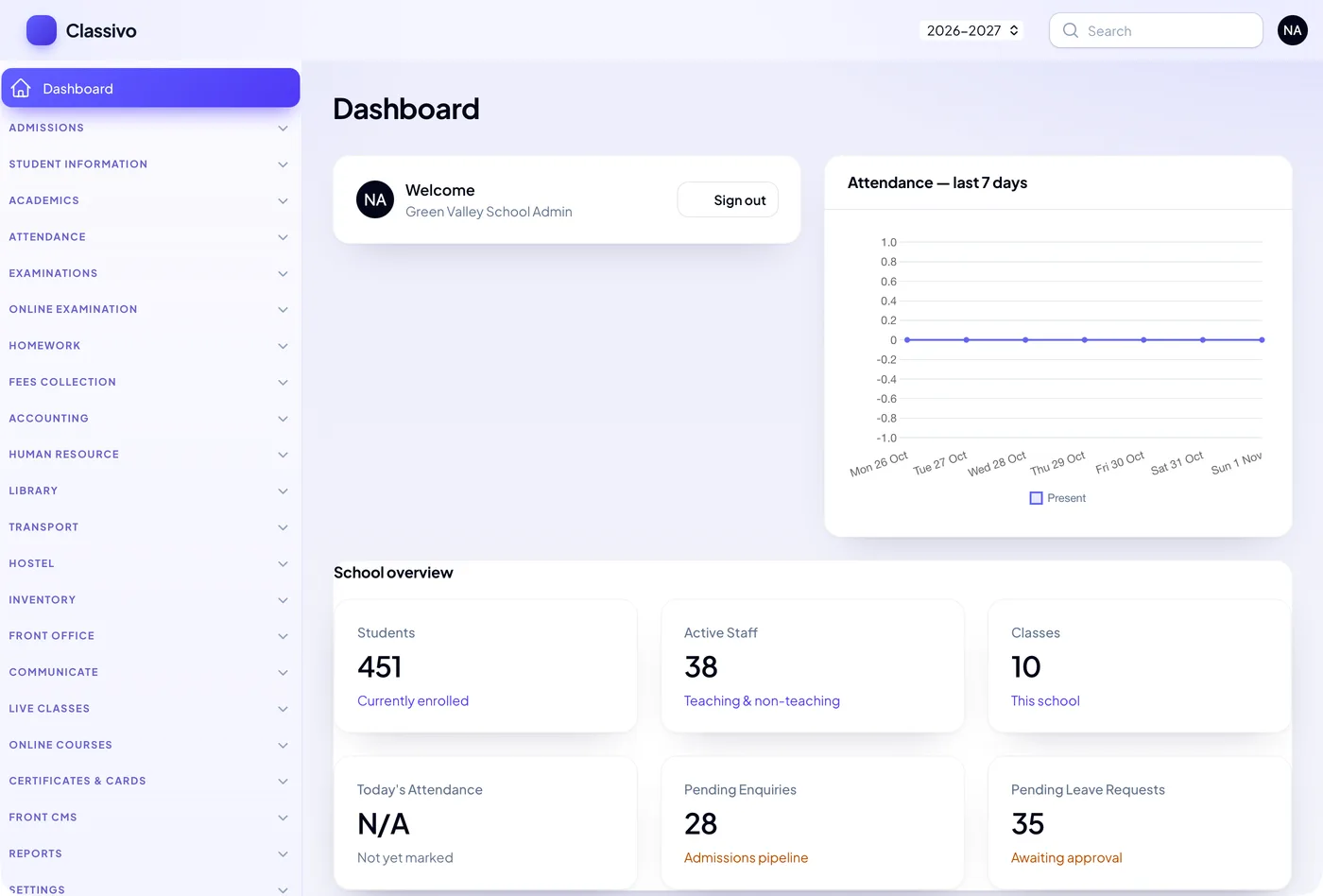
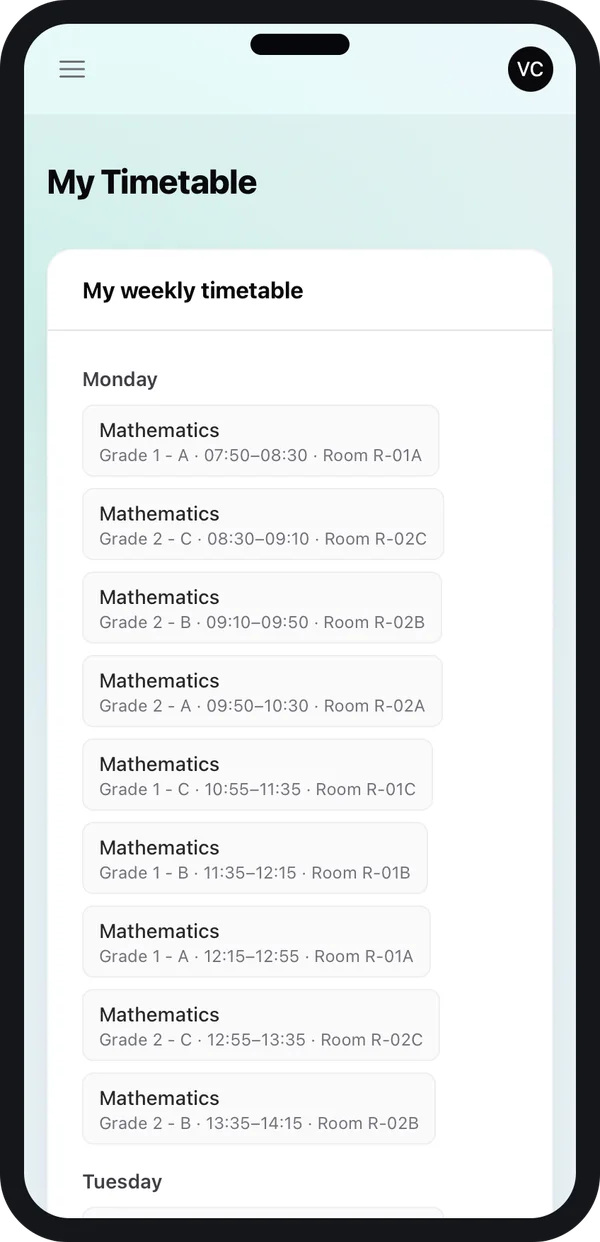
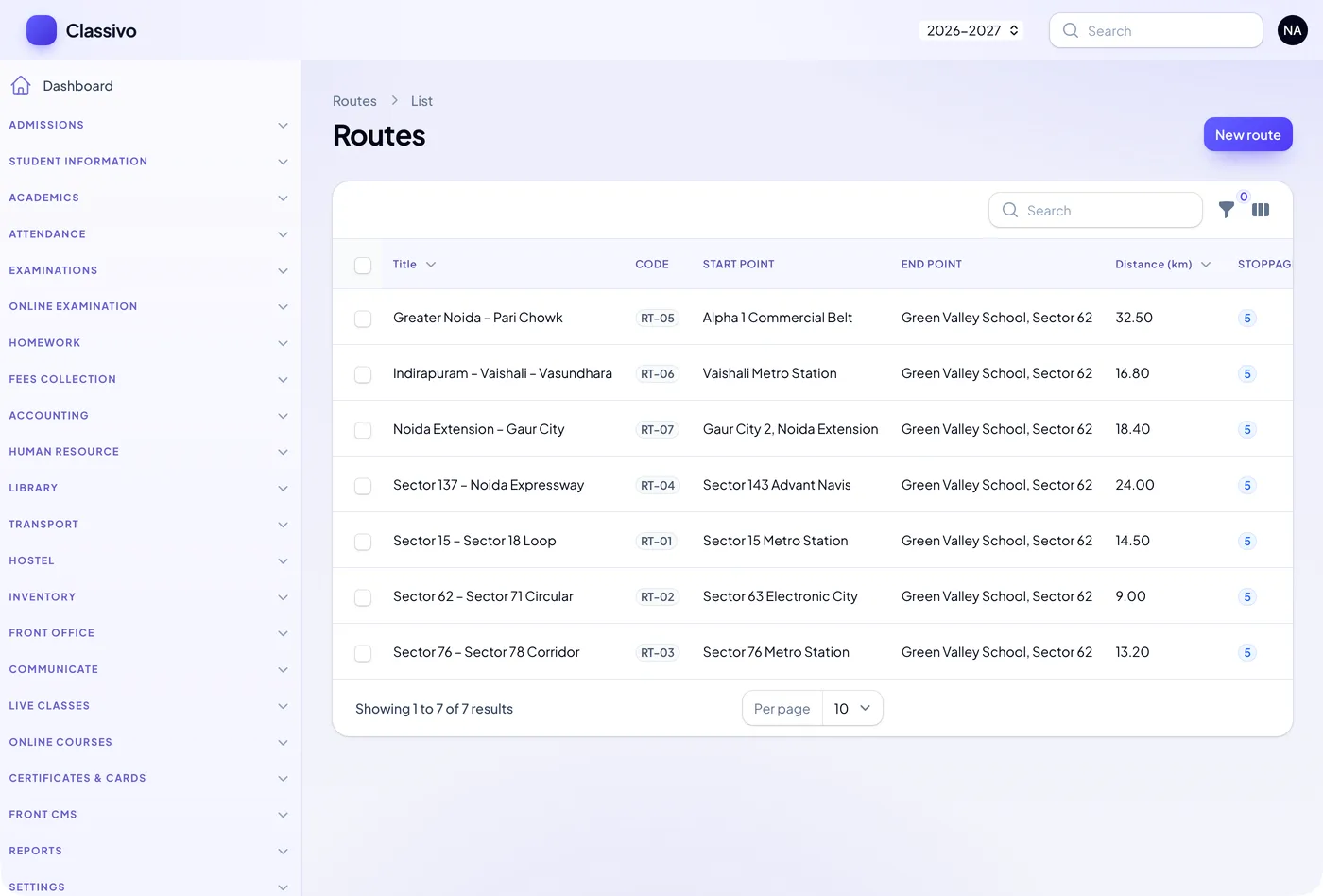
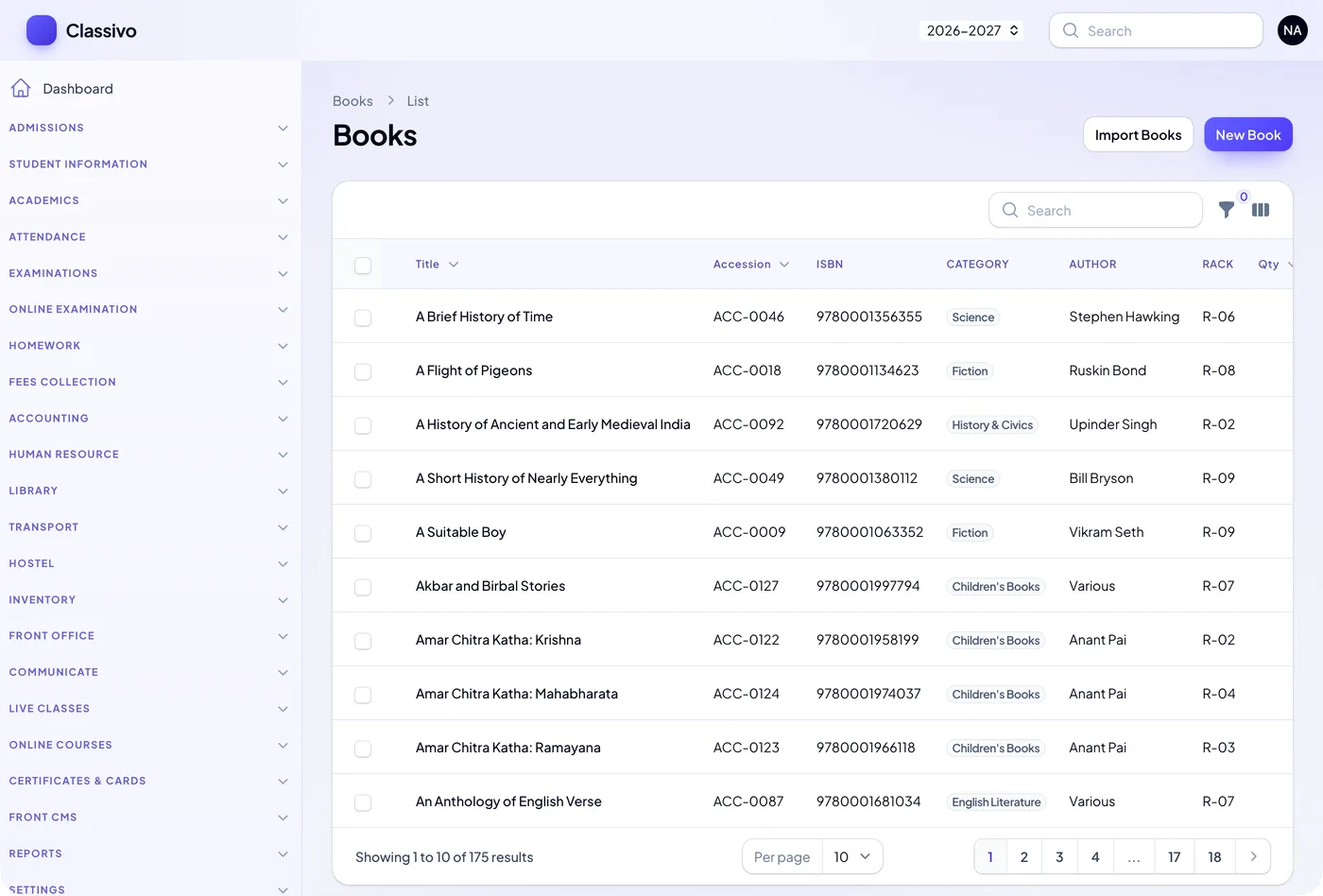
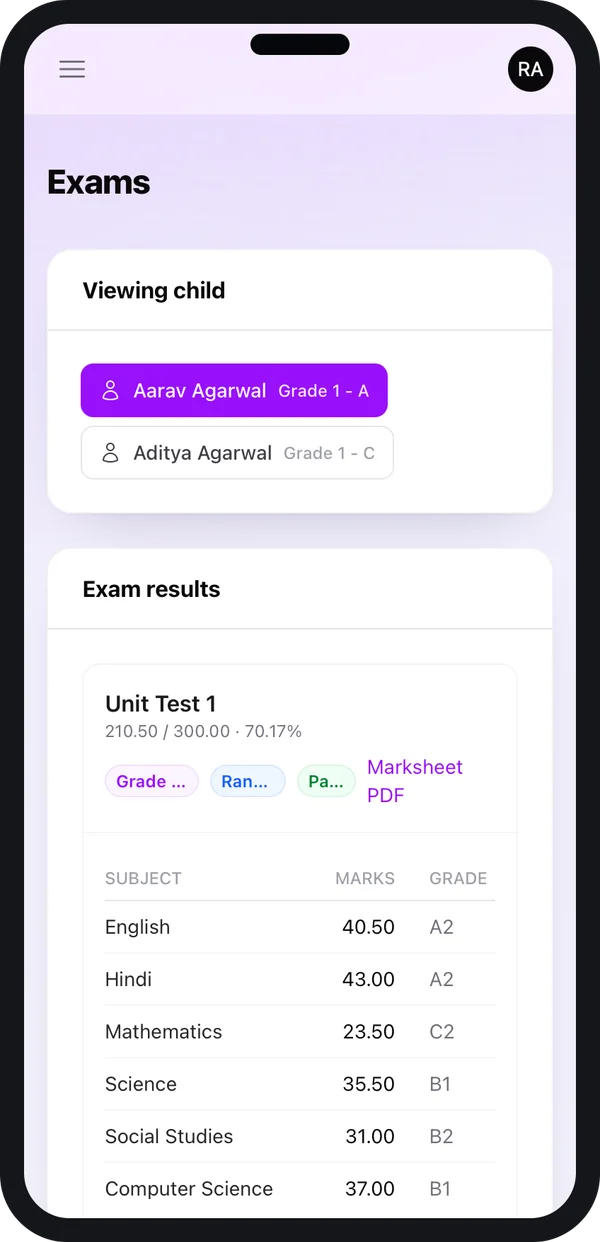
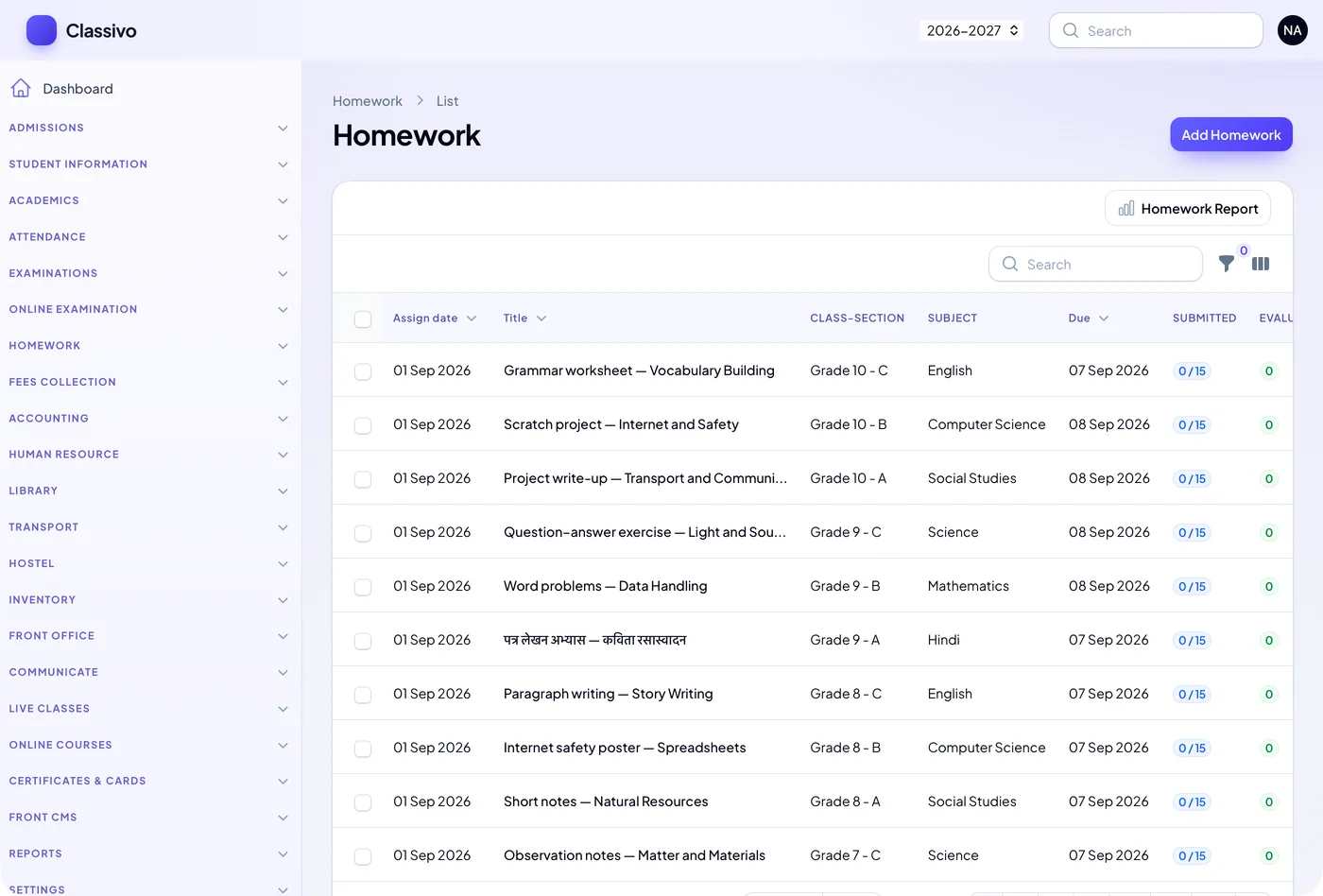
When we price a custom school ERP, we look at six things. The same six also explain why rented plans differ so much. The screens below are from a school ERP we built, shown with demo data.
1. Which modules you need
Every module is more screens, more rules and more testing. Admissions, fees and attendance alone cost far less. Adding exams, timetable, transport, hostel, library and payroll raises the scope. Start with what the office does every day. Add the rest in a second phase.
2. How many apps you want
The office works on a web application in the browser. Parents, teachers and students usually want phone apps. Each extra app adds design, build, testing and store work. We build parent, teacher and student apps from one Flutter code base. That costs less than three separate builds. See how we handle Android and iPhone app development.
3. How many branches and boards
One school with one board is the plain case. A group with several campuses needs a head office view, branch-wise fee plans and receipt series. Mixing CBSE and state board schools adds more report card formats. Our education software page lists the setups we have worked with.
4. Transport, hostel and stores
These cover bus routes, stops and transport fees. They also cover hostel beds, library books and stock of notebooks and lab kits. These modules matter for boarding and large day schools. Smaller schools can skip them at first.
If you run buses, see our guide to school bus tracking for parents. Live GPS tracking is a separate cost item because it requires devices or a driver app.
5. Outside services you connect
Each connection is a small project. Common examples are an SMS provider, WhatsApp, email, a payment gateway, an accounting tool, and biometric devices. The build cost covers the connection. The usage charges are paid to the provider. Payment gateways in India work under RBI rules for payment aggregators, and each gateway sets its own charges.
6. Old data and training
Moving student lists is quick. Moving fee dues, past receipts and three years of marks takes more care. Training office staff, class teachers and accounts staff is part of the cost too. It is time well spent before admission season.
Exams and reports
Report cards look simple. But each board and each school has its own grading scale, term pattern and layout. An online test module with timers and auto-marking is a further step. Reports for the office, the principal and the management add to the scope as well.
Ask for the report list in writing. "30 reports" means little until you see which ones your office needs.
Running costs after launch
Whether you rent or build, some costs come every year. Plan for them in your budget from day one.
- Hosting. The server or cloud account that runs the system. We set it up in your own cloud account, so the bill comes to you directly.
- Logs and backups. Storage grows each year. India's CERT-In directions of 2022 ask many service providers to keep system logs for 180 days.
- SMS and WhatsApp. Paid per message to the provider.
- Payment gateway. Charged per payment by the gateway company.
- Store accounts. Google Play and Apple charge their own developer account fees.
- Support and changes. Optional. Useful for new fee rules, new boards and yearly updates.
Rented plan vs custom build over five years
| Cost item | Rented per-student plan | Custom school ERP (built for you) |
|---|---|---|
| First payment | Small | Larger, for the build |
| Yearly charge | Every year, grows with students | Hosting and optional support only |
| New branch | Usually a new charge | Set up in the same system |
| Extra modules | Paid add-ons, if offered | Built when you need them |
| SMS, gateway, store fees | Paid to providers | Paid to providers |
| Your own rules and reports | Limited to settings | Built your way |
| Data and source code | Stay with the vendor | Yours |
For a small school that will stay small, renting can make sense. A school adding sections, or a group adding campuses, often pays less over the years with a one-time build. Do the sum for your own roll strength.
Worked example: pricing one school in two phases
Here is how we would scope a quote for a day school with about 1,200 students and 20 buses. The details are an example.
- List what the office does. Admissions in March, fees every quarter, attendance daily, exams twice a year.
- Phase 1 modules. Student records, fees, attendance, report cards and parent messages. Web admin plus a parent app.
- Phase 2 modules. Transport with routes and transport fees, timetable, library and staff payroll. Teacher app added.
- Connections. One SMS provider and one payment gateway in phase 1. Biometric devices in phase 2.
- Data move. Current students and fee dues from Excel. Older marks kept as PDF files, not imported.
- Written quote. One line per module, app and connection, with dates. The school can drop or add any line.
Splitting the work in two phases lets the school go live before admission season and spread the spend.
Our service
How we build and price your own school ERP
You see the scope, the screens and the dates before you pay for the build.
- One call about your school. We go through your departments, fee rules and reports and list every module.
- Clickable screens. You click through the main screens and remove what you do not need.
- Written quote. Module by module, app by app, with a date for each phase.
- Build. The web system in Laravel and the phone apps in Flutter, for Android and iPhone.
- Test and train. Your office runs a real fee cycle on it. We fix what they find and train each team.
- Launch and support. Your name on the apps, your server, and an optional support plan.
School ERP development cost: what to send us for a quote
We do not publish a price list, because two schools rarely need the same thing. To get a written quote, share these details:
- Number of students, branches and boards
- Modules you need now, and modules for later
- Which apps: parent, teacher, student, driver
- SMS, WhatsApp, payment and accounting tools you already use
- Where your data lives today: Excel, registers or another system
We send a written quote after one call. It has no per-student charge. To compare it with a rented plan, ask every vendor for the five-year total in writing. Ask us too. You can also read how we approach multi-school SaaS builds if you plan to serve many schools.
Before you sign any school ERP quote, make sure it shows:
- Every module by name, with what is in it
- Every app, and whose name it carries in the store
- Whether the price rises with student count or branches
- Who pays for SMS, gateway, hosting and store accounts
- The cost and method of moving your old data
- Training days for office staff and teachers
- How fast urgent problems are fixed in admission season
- Your right to export all data, and who owns the code
FAQ
What is the school ERP price in India?
There is no single price. It depends on modules, apps, branches, connections and data move. Rented plans often charge per student each year. A custom build has a one-time build cost, then hosting and optional support.
Why do some vendors charge per student?
It ties their income to your size. It is simple at the start, but the bill rises each time your admissions grow. Ask for a five-year total before you compare.
How long does it take to build a school ERP?
The modules in each phase decide it. We send a plan with dates after one call. Many schools go live with fees, attendance and a parent app first, then add the rest.
Do I own the software if PRS India builds it?
Yes. It runs on your server or cloud account, carries your brand, and we hand over the source code. There is no per-student charge to us.
Are SMS and payment gateway charges included in the build cost?
No. The build covers connecting the service. Each message or payment is charged by the SMS or gateway company. You pay them directly, in your own account.
Is school data safe on our own server?
It can be. We add logins by role, backups, activity logs and parent consent records. India's Digital Personal Data Protection Act, 2023 covers children's data, so ask a lawyer what applies to you.
Can we start small and add modules later?
Yes. We plan the system so later modules fit in without a rebuild. Transport, hostel, library and payroll are common second-phase modules.
Does the cost include Android and iPhone apps?
Only if you ask for them. We list each app as its own line in the quote. You can see what it adds and decide.
Can PRS India give us a quote for our school ERP?
Yes. Book a call with our team and share your student count and modules. We will send a written quote with dates.
Related guides
Written by
Prabhjot Kaur · Product Manager
Product Manager at PRS India. Turns what a client needs into a screen-by-screen plan for the app, and checks every release against that plan before it goes out.