Business of Software
PIM Development: What Is Product Information Management
What a PIM is, what it keeps on each product, and how we build your own PIM with your families, rules and sales channels.

Written from production. Our articles draw on products we run live and the client work behind them, and are revised as the systems they describe evolve.
Every product you sell has a name, a size, a colour, a price and photos. It also has a long list of small details. Now picture that list for two thousand products. Then picture it on your website, two marketplaces and a printed catalogue. Each one wants the details in a different shape. This is where product information management comes in.
A PIM is one central place for all product details. Your team fills a product once. The PIM then sends the right version to every place you sell. Many brands and retail businesses now choose PIM development under their own brand. It comes with their own fields and their own rules. This guide explains what a PIM is, what it keeps, and how PRS India builds one for you.
Key takeaways
- A PIM keeps every product detail in one place. It sends each sales channel the details in the right format.
- It is not the same as your ERP or your shop admin. Those handle stock and orders. A PIM handles the product story.
- The core ideas are product families, attributes, channels and a completeness score.
- You can build a PIM from scratch or on top of an open-source platform such as Akeneo.
- A custom-built PIM is yours: your brand, your data model, your data and the source code.
What is product information management?
Product information management means collecting, checking and sharing product details from one source. The software that does this is called a PIM.
Think of a shoe. It has a style code, sizes, colours, upper material, sole type, care steps and photos. It may also need an HSN code, a country of origin and a description in Hindi. Without a PIM, these details live in many Excel files, email threads and folders. With a PIM, they live on one product record.
The PIM does not take orders. It does not count stock. Its job is narrow: make sure every product has complete, correct details before it goes live anywhere.
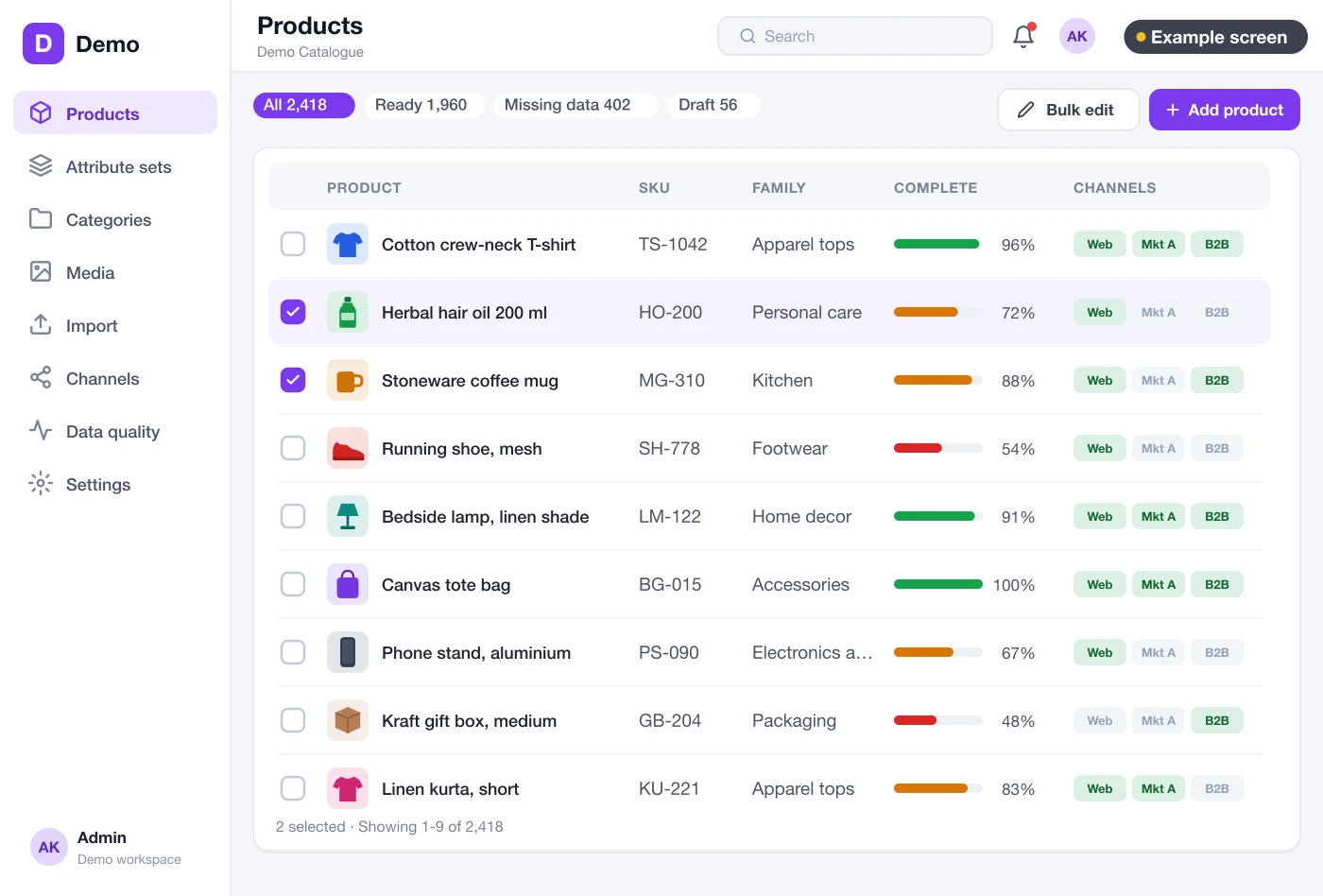
The four ideas inside every PIM
Every PIM, small or large, rests on four ideas. Once you know them, any PIM screen makes sense.
- Attributes. An attribute is one detail, such as "Weight", "Colour" or "Warranty months". Each has a type: text, number with unit, dropdown, yes/no, date or image.
- Families. A family is a group of attributes for one kind of product. A "Mixer grinder" family needs wattage and jar count. A "Kurta" family needs fabric and sleeve length.
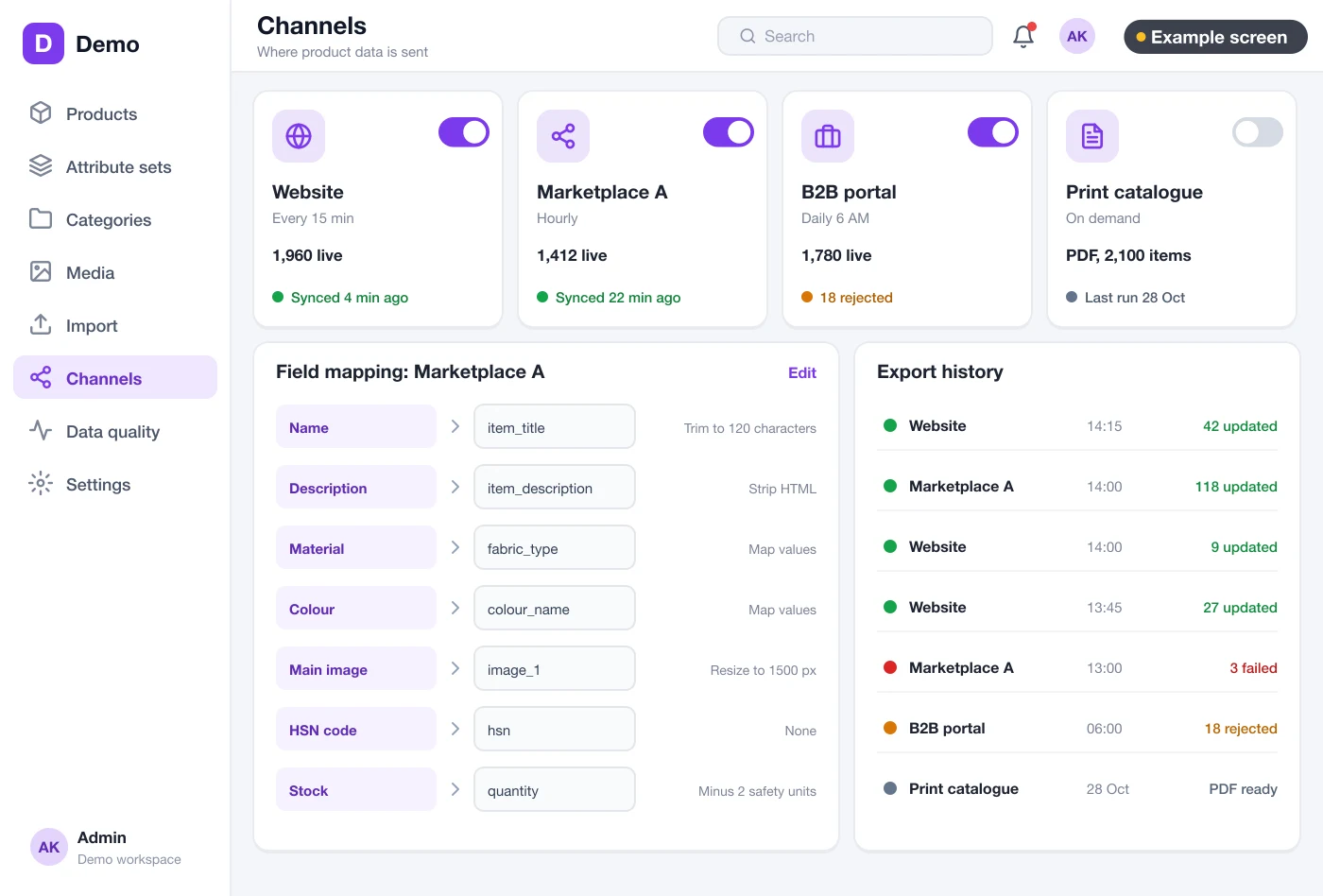
- Channels. A channel is a place you sell, such as your website, a marketplace or a print catalogue. Each channel can need different fields.
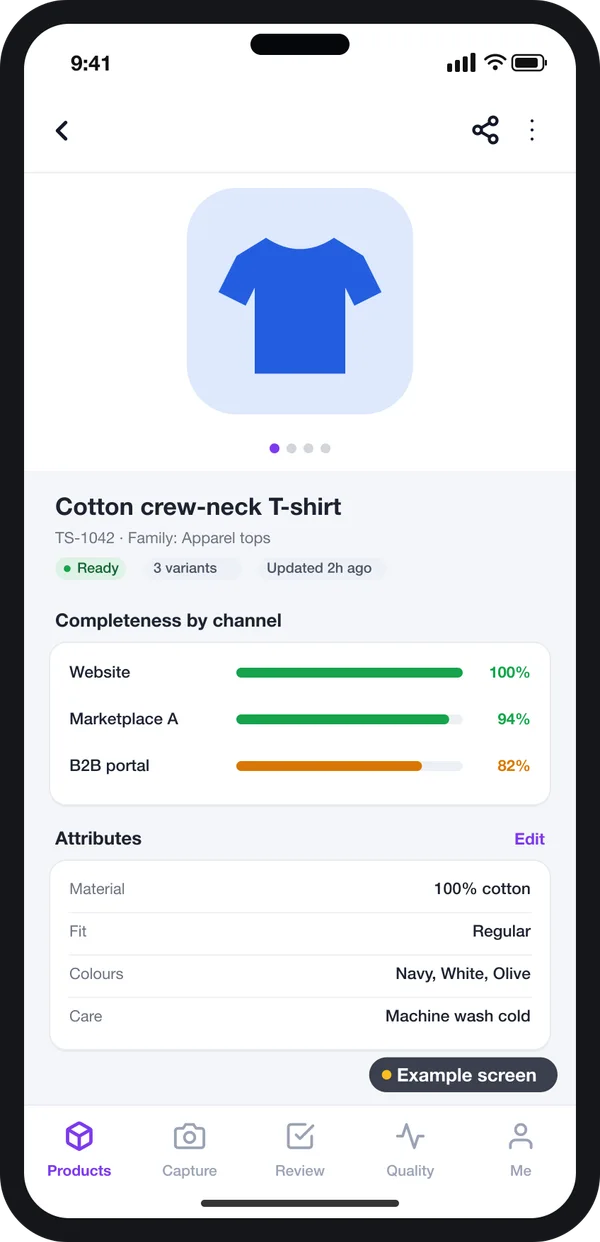
- Completeness. The PIM counts how many required fields are filled for each channel. A product goes live on a channel only when it reaches 100%.
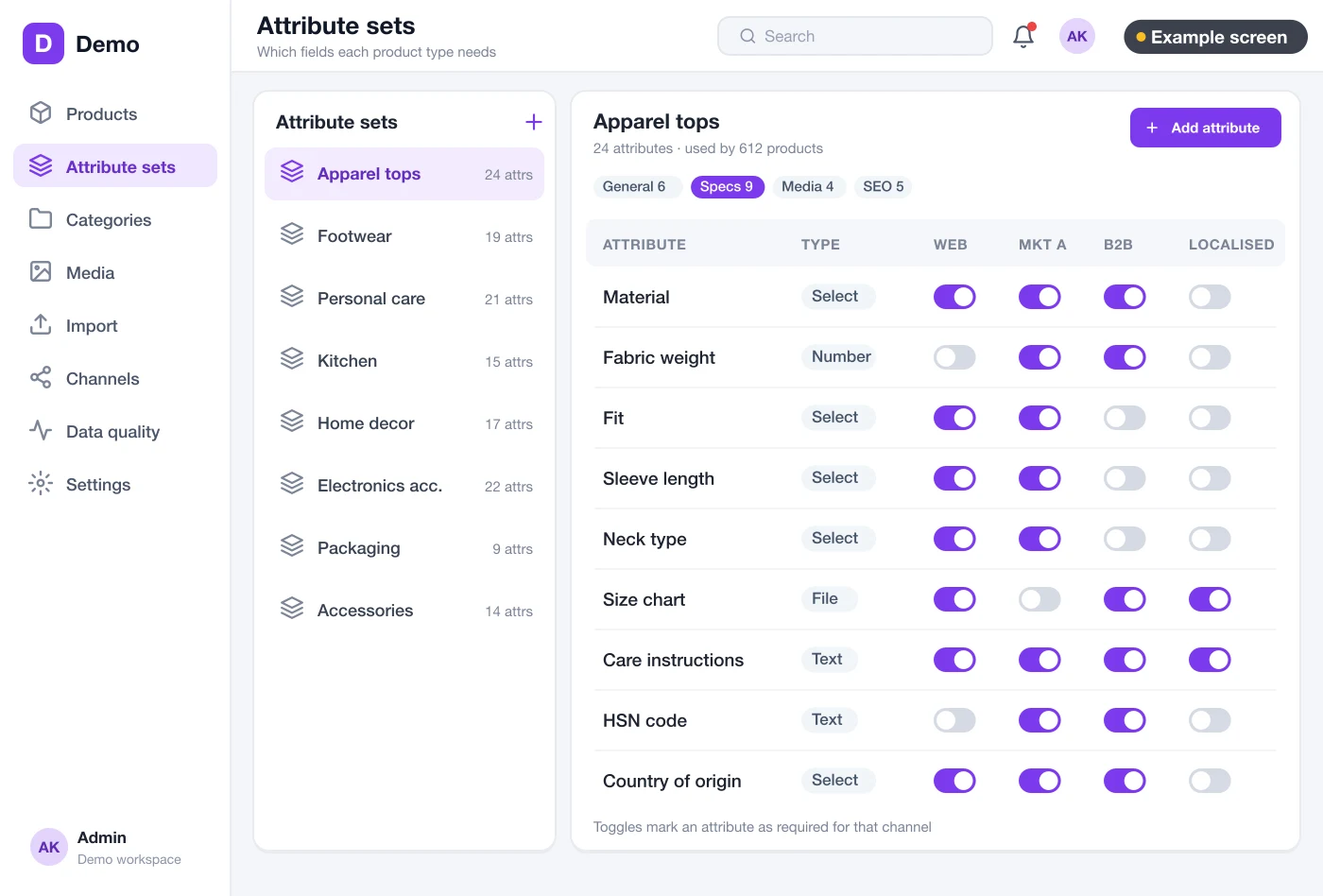
Families decide which fields appear
In the family editor, your catalogue manager picks the attributes for each product type. For each attribute, they mark which channels need it. A marketplace may need a bullet list. Your print catalogue may not.
This is the screen that makes a PIM fit your business. A generic tool gives you fixed fields. A custom web application lets you shape families around your real products.
The problem
What goes wrong without a PIM
These are the problems product teams tell us about most often.
- Many versions of one product. The website says 750 W. The marketplace says 700 W. Nobody knows which is right.
- Listings rejected. A marketplace rejects a product for a missing field. Someone fixes it there, but not in the master sheet.
- Slow launches. A new range waits weeks because photos, specs and copy sit with three different people.
- Lost photos. Images sit in shared drives with names like "final-final-2.jpg". The right one is hard to find.
- No owner for changes. Anyone can edit the sheet. A wrong price or spec goes live, and nobody approved it.
- Tax fields missing. HSN codes and origin details are filled late, so invoices and listings get held up.
Who uses a PIM
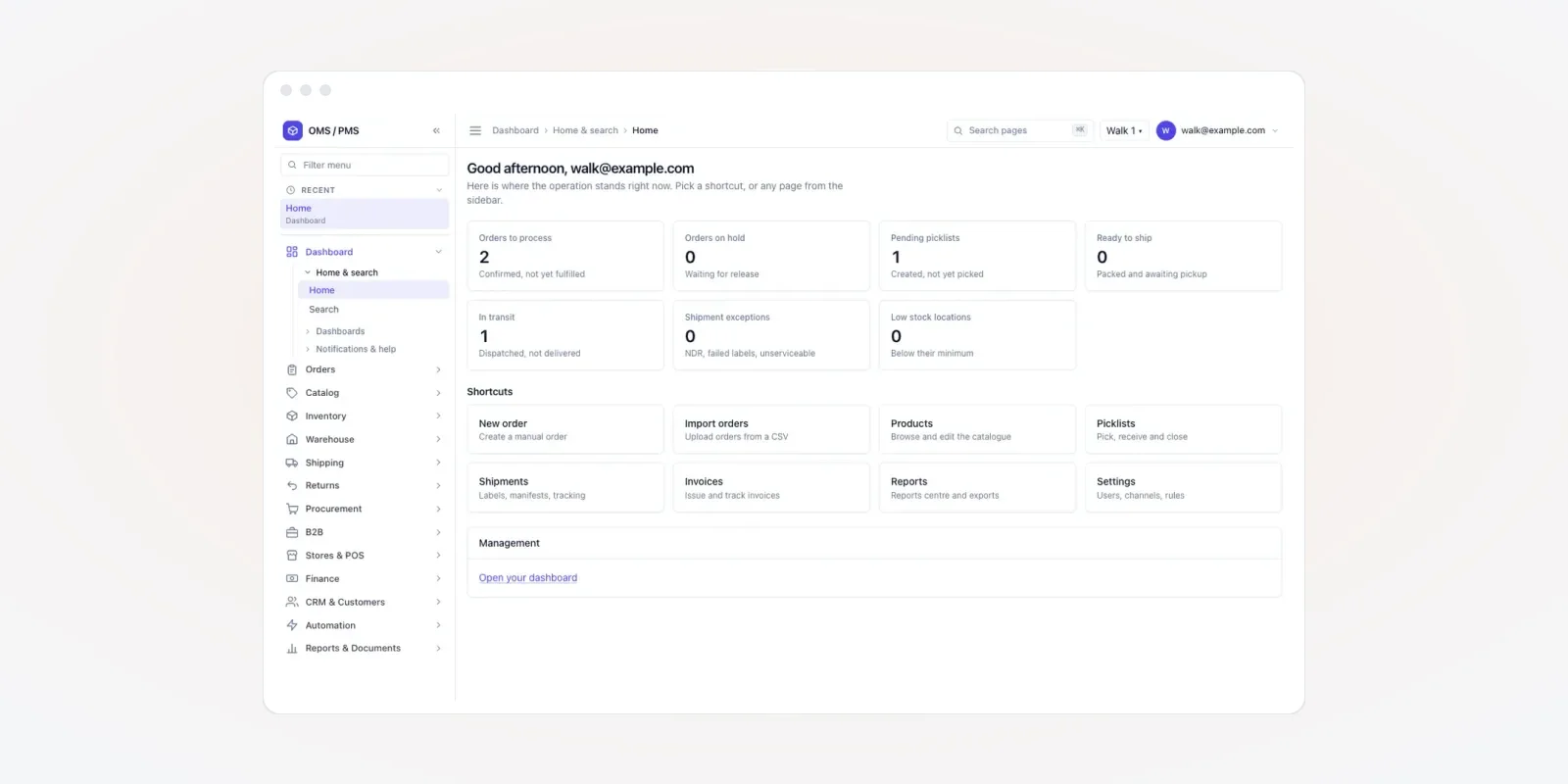
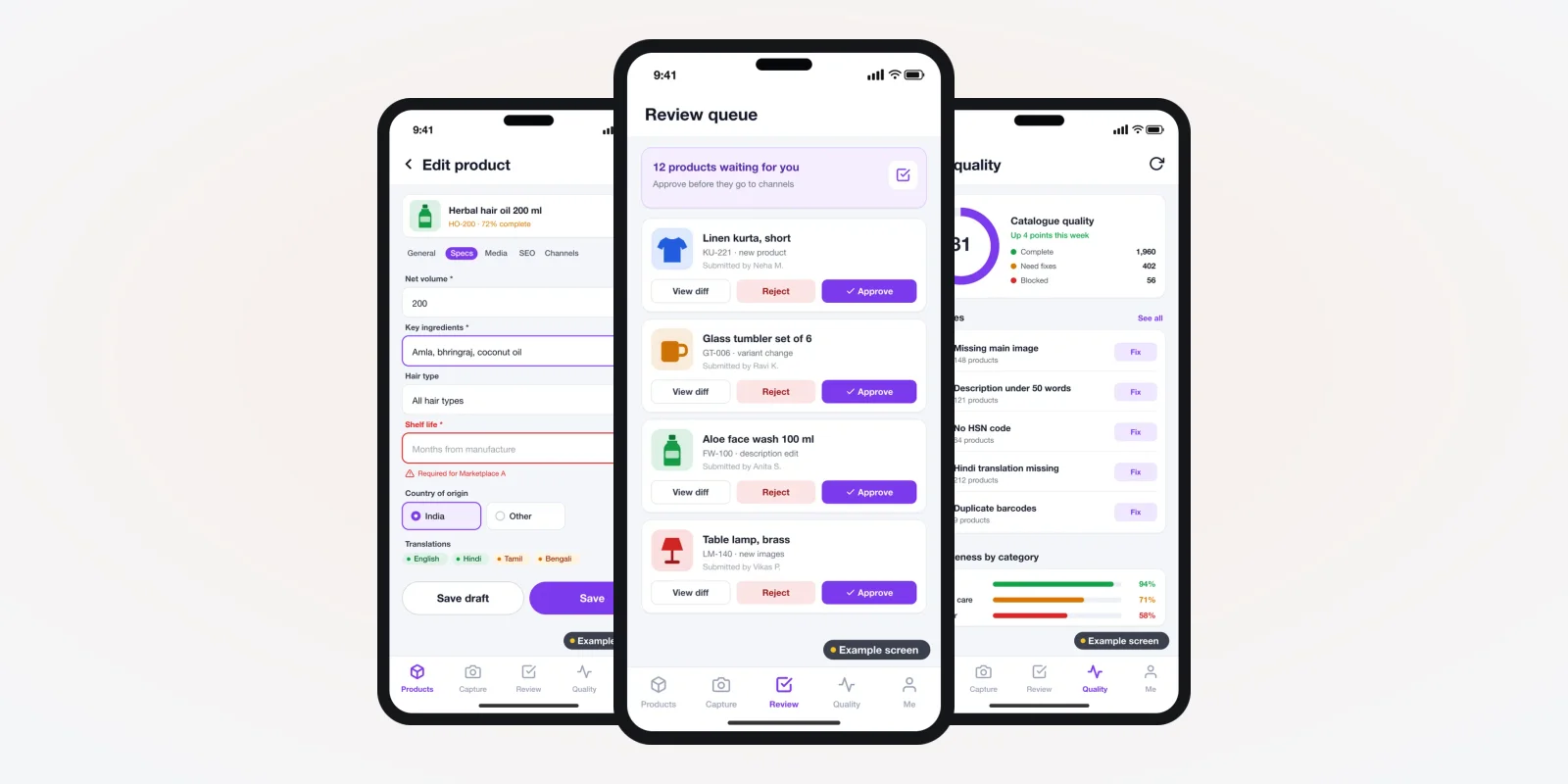
A PIM is used by more people than the catalogue team. The screens in this guide are an example design we drew for a PIM, filled with demo data. They are not a live product. You can see work we have shipped on our products page.
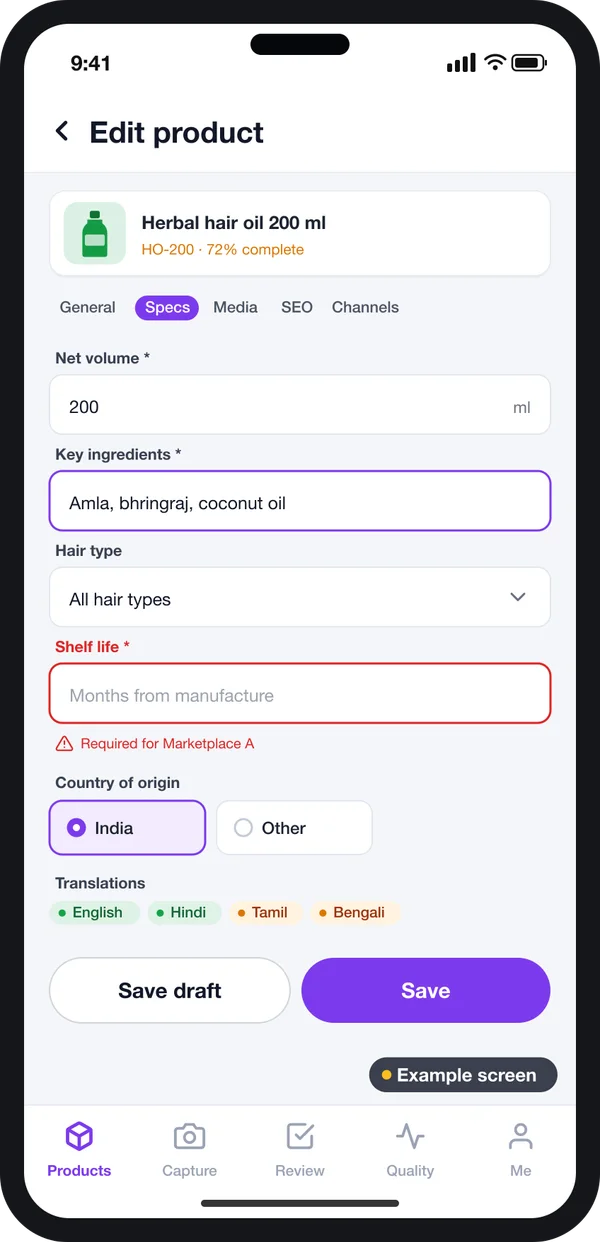
Catalogue team
Fill and fix product details, add translations and clear errors before launch.
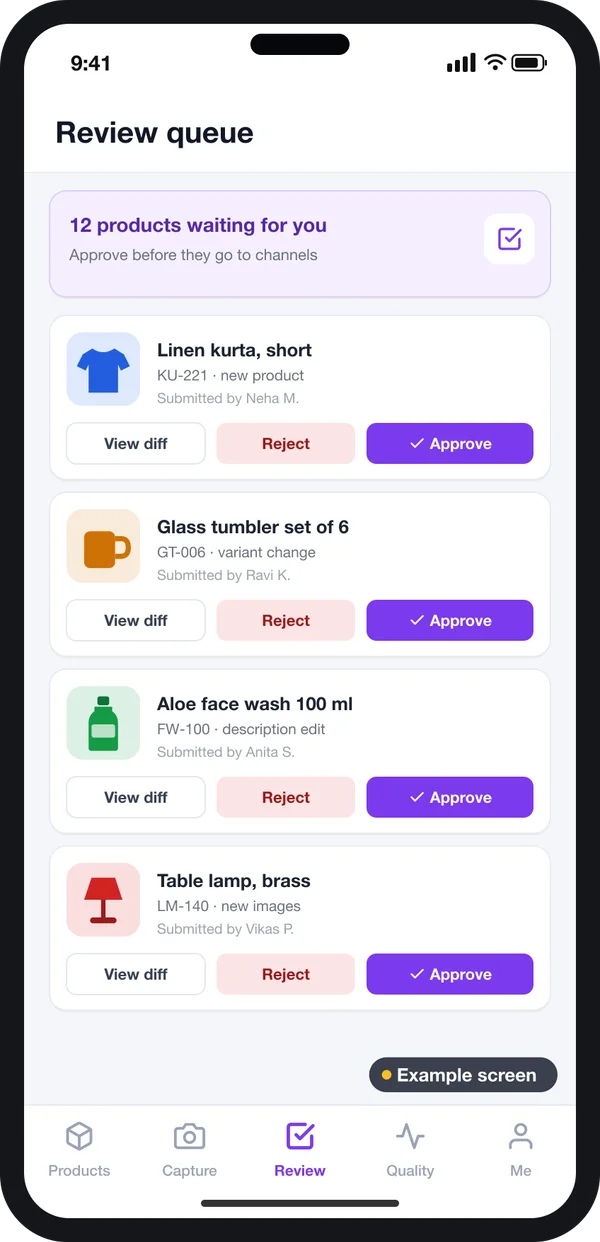
Category managers
See what changed, compare old and new, then approve or reject.
Owner
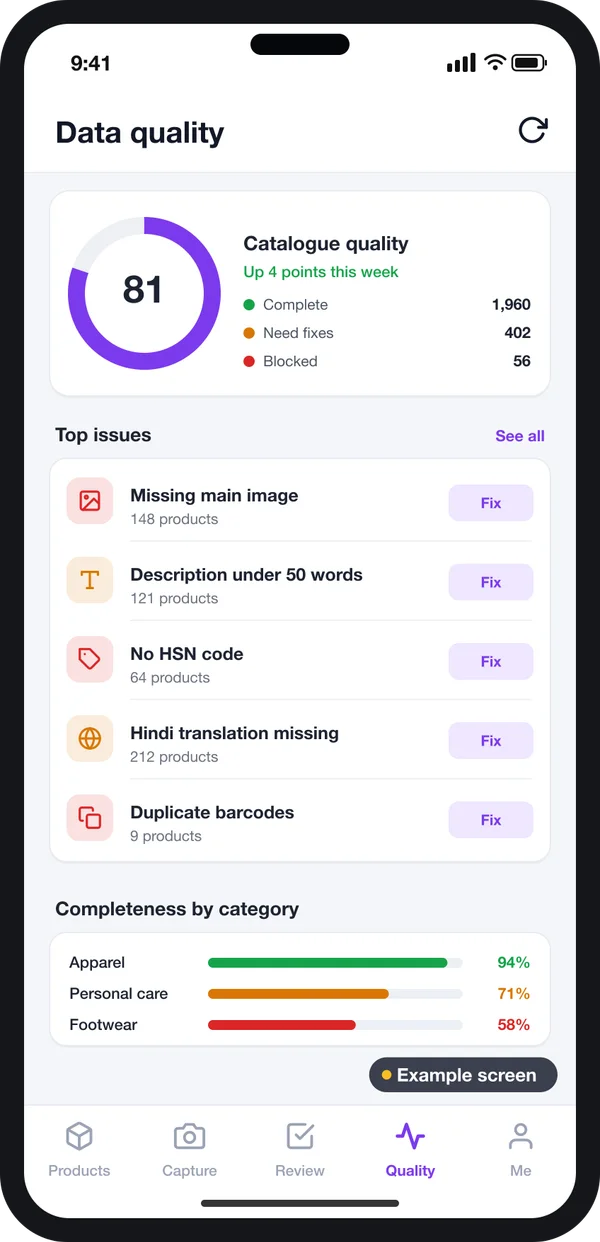
Check one score for the whole catalogue and see which problems to fix first.
What a PIM keeps on every product
A good product record has more than a title and a price. In fact, many PIMs do not hold the selling price at all. That stays in the ERP or the shop. Here is what a PIM usually keeps.
- Identity: SKU, style code, brand, family and a barcode number. In India, GS1 India issues GTIN barcode numbers to companies.
- Specs: size, weight, material, power, colour, with units.
- Copy: short title, long description, bullet points, search keywords.
- Media: photos, videos, manuals and size charts.
- Compliance: HSN code, country of origin, maker details, warranty.
- Links: variants such as sizes and colours, spare parts, related items.
- Languages: the same fields in English, Hindi or any language you sell in.
Must-have features in PIM software
1. Rules that stop bad data
Each attribute should carry rules. Weight must be a number with a unit. Colour must come from a fixed list. A required field cannot be skipped. These rules catch errors at entry, not after a marketplace rejects the listing.
2. Bulk import with checks
Suppliers send sheets. Your team maps the sheet columns to PIM fields once. The PIM then shows each row that fails a rule, so you fix only the bad rows.
3. Approval before publish
Changes go to a review queue. A manager sees what changed and approves it. Nothing reaches a channel without a check.
4. Channel feeds on a schedule
Each channel gets its own export: which fields, in what names, how often. You can send data to your shop through a feed or an API. If you sell through a headless commerce setup, the PIM feeds the front end directly.
5. Data-quality score
The PIM checks the whole catalogue and lists the main problems. For example: 140 products have no main photo, 60 have no HSN code. The team knows where to start.
Tax and listing fields come from the law, not from us. HSN codes are listed on the GST portal HSN search. The Consumer Protection (E-Commerce) Rules, 2020 are listed on the Department of Consumer Affairs site. They set out what details online sellers must share. Check the exact fields with your CA or a lawyer. Then make those fields required in your PIM. The GST rate for each HSN code is on the CBIC GST rates page.
PIM vs ERP vs shop admin vs Excel
People often ask why they need a PIM if they already have an ERP system or a shop admin. Each tool does a different job.
| What you need | Excel sheets | ERP | Shop admin | PIM |
|---|---|---|---|---|
| Stock, purchase and accounts | Manual | Yes | Partly | No |
| Rich specs, copy and photos per product | Hard | Limited | One shop only | Yes |
| Different fields for each sales channel | Many copies | No | No | Yes |
| Completeness score before launch | No | No | No | Yes |
| Approval of product changes | No | Sometimes | Rarely | Yes |
| Translations of every field | Hard | Rarely | Sometimes | Yes |
In most setups, the ERP owns the SKU, cost and stock. The PIM pulls the SKU from the ERP and adds the rich details. Then it sends the finished product to the shop.
Worked example: launching one pressure cooker
Here is how one new product moves through a PIM. The brand, numbers and dates are examples.
- Day 1, SKU created. The ERP creates the SKU for a 5-litre pressure cooker. The PIM pulls it in and puts it in the "Cookware" family.
- Day 2, specs added. The product team fills capacity, material, lid type and warranty. The PIM shows 45% complete for the website.
- Day 3, photos and copy. The studio uploads six photos. A writer adds the title, bullets and description in English and Hindi.
- Day 4, tax check. The HSN field is still empty. The data-quality screen flags it. The accounts team fills it in.
- Day 4, review. The category manager opens the change, checks the specs and approves it.
- Day 5, live. Completeness hits 100% for the website and one marketplace. The nightly exports send it to both.
Our service
How we build your own PIM
A PIM shaped around your products, your channels and your team.
- Understand your catalogue. We study your product types, sheets and channels and list the families and fields you need.
- Design the screens. You click through screen designs first, like the ones in this guide, and change them before coding starts.
- Choose the base. We build from scratch, or we set up and extend Akeneo through our Akeneo development service. We explain the trade-offs for your case.
- Build and connect. A web admin, rules, imports and exports. We connect it to your ERP and your ecommerce store.
- Test with your team. Your catalogue team loads real products. We fix what they find.
- Launch and support. Your brand on the PIM, hosted on your own server or cloud. We add channels and fields as you grow.
Need product photos taken in a store or warehouse? We can add a phone app for Android and iPhone. Staff scan a barcode and upload photos straight to the product.
PIM development cost: what decides it
We do not publish a fixed price, because no two catalogues are the same. The cost depends on five things. First, the number of product families and fields. Second, the number of channels. Third, the systems the PIM must connect to. Fourth, how much old data must be cleaned and moved. Fifth, whether you need a phone app.
| Monthly PIM plan | Custom PIM (built for you) | |
|---|---|---|
| Start | Quick sign-up | Some weeks of design and build work |
| Cost over years | Pay every month, often per user or per product | One build cost, then optional support |
| Your own families and rules | Within the plan's limits | Built the way your products work |
| Your brand on the tool | No | Yes |
| Data and source code | Stay with the vendor | Yours |
Share a sample sheet and your list of channels. After one call, you get a written quote from us.
Whoever builds your PIM, make sure it can:
- Let you create your own families and attributes without a developer
- Mark fields as required per channel, not only for all
- Show a completeness score for each product and each channel
- Check bulk imports row by row and show the errors
- Send every change to a review queue before it goes live
- Keep every field in more than one language
- Export to each channel on its own schedule
- Give you a full export of your data at any time
FAQ
What is PIM in simple words?
PIM stands for product information management. It is software that keeps all your product details in one place. It checks them for gaps and sends them to your website, marketplaces and catalogues.
Is a PIM the same as an ERP?
No. An ERP handles stock, purchase, sales and accounts. A PIM handles specs, copy, photos and translations. Most businesses connect the two. The SKU comes from the ERP, and the rich details come from the PIM.
How long does PIM development take?
It depends on your families, channels and connections. We share a dated plan after our first call. Work starts with screen designs you can click through.
Do I own the PIM I pay for?
Yes. We build it under your brand and hand over the source code we write. On an Akeneo build, the Akeneo core keeps its own open-source licence. Our custom code is yours.
Can a PIM work on a phone?
Yes, if it is built that way. We can add an Android and iPhone app for staff. They can scan a barcode, fix a field or upload photos from the store or warehouse.
Is my product data safe in a custom PIM?
We host it on your own server or cloud account, with roles that limit who can edit or approve. You keep backups and can export everything whenever you want.
Do small businesses need a PIM?
You need one once you sell on more than one channel. Another sign: you keep fixing one product in many places. With a few products on one shop, a shop admin is often enough.
Can PRS India build PIM software for my business?
Yes. We build PIM software with your own families, rules, channels and approval steps. We can build it from scratch or on Akeneo, with a phone app if you need one. Book a consultation and we will show you screens for your catalogue.
Related guides
Written by
Aditi
Building software at PRS India.