Bulk Email Software Development: Build Your Own in India
We build your own bulk email software: sending queue, domain checks, bounce handling and reports, so large sends reach opted-in inboxes.

Written from production. Our articles draw on products we run live and the client work behind them, and are revised as the systems they describe evolve.
Sending one email is simple. Sending the same email to 200,000 people is a different job. The mail has to leave in steady batches. Each receiving server has to trust your domain. Bounces must be removed, and unsubscribes must stop at once. If any of this fails, the whole send can land in spam.
That is the work of bulk email software. Many Indian businesses rent it by the month and pay more as the list grows. Others choose to build their own bulk email software, with their brand, their list and their own sending domain. This guide explains what such software must do under the hood, and how PRS India builds it for you.
Key takeaways
- Bulk email software is mostly a sending engine: a queue, speed limits, retries and bounce handling.
- Gmail treats anyone sending 5,000 or more messages a day to its users as a bulk sender, with stricter rules.
- Every marketing email needs a one-click unsubscribe header, and your domain needs SPF, DKIM and DMARC.
- Bulk mail must go only to people who opted in. Bought lists harm your domain for months.
- Your own build gives you the queue, the list and the logs, plus the source code.
What is bulk email software?
Bulk email software sends one message, or many versions of it, to a large list. It is not the same as your office mailbox. A normal mailbox stops you after a few hundred emails a day. Bulk software is built to send much more, spread over time, while monitoring how each receiving server reacts.
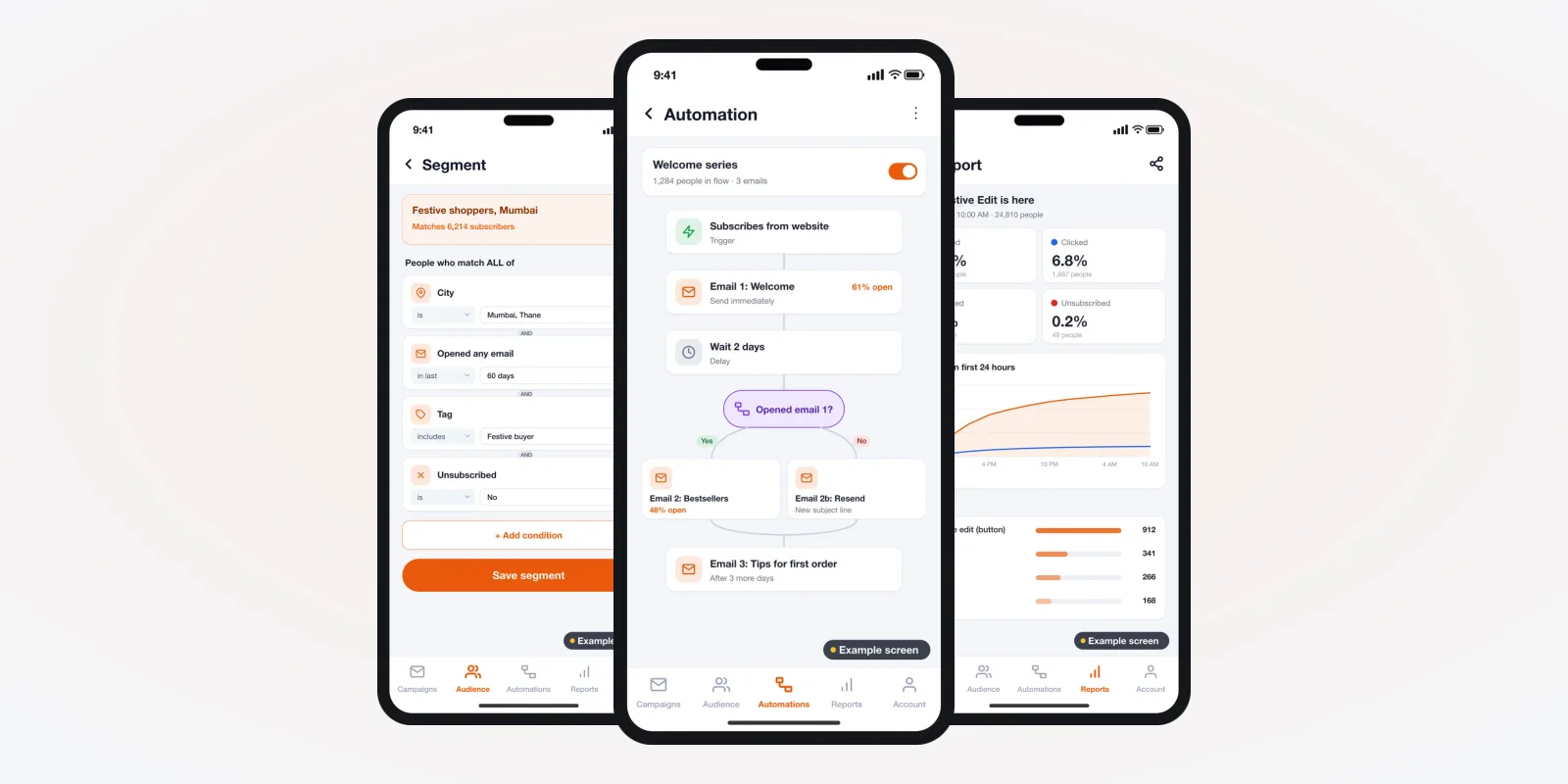
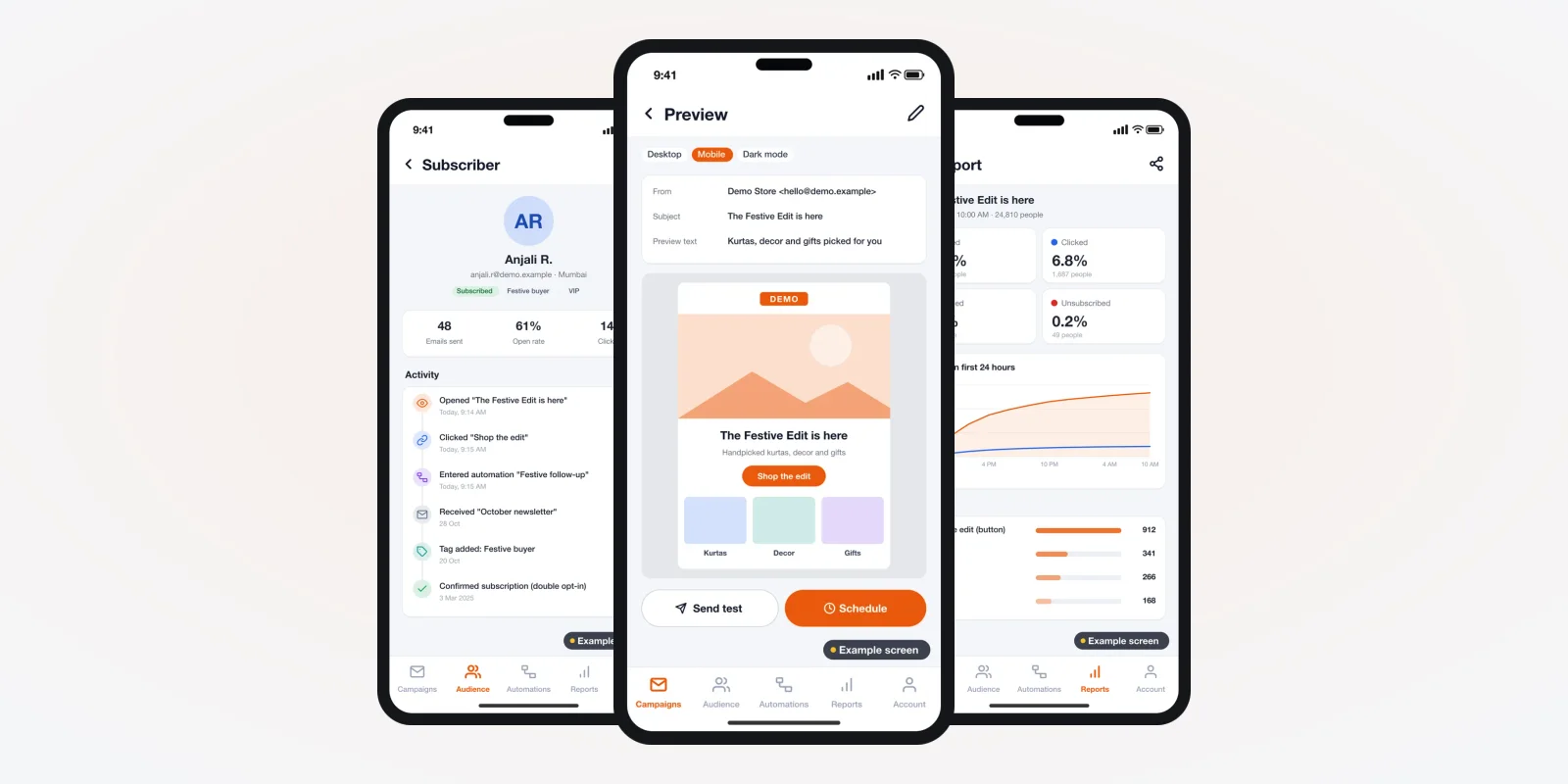
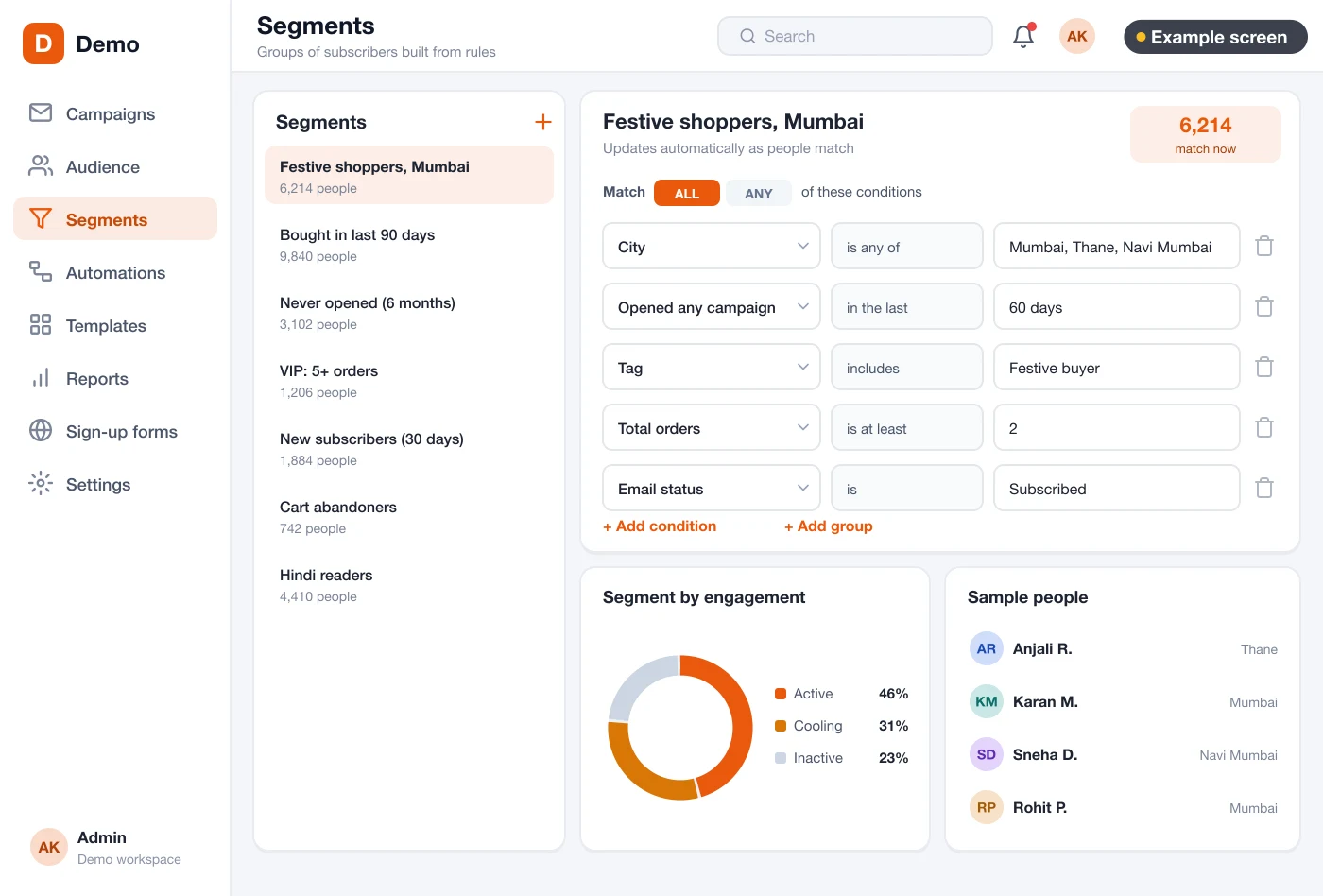
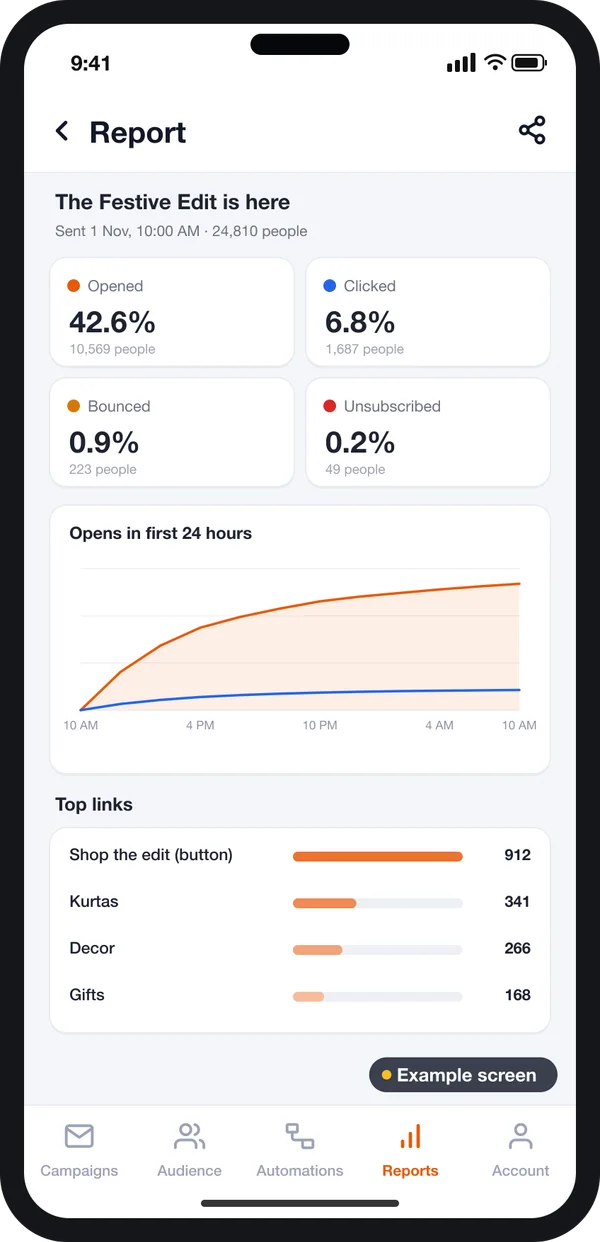
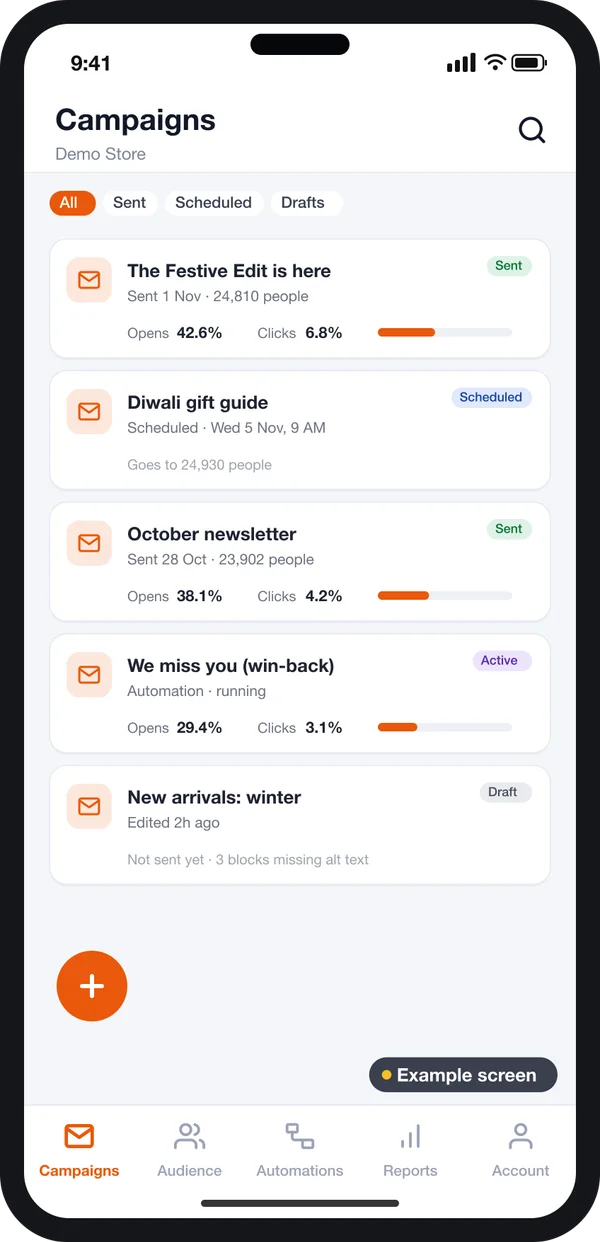
The screens in this guide are an example design we drew for an email platform. They are not a live product. We build each platform for the client who orders it. Our products page shows other software we have built.
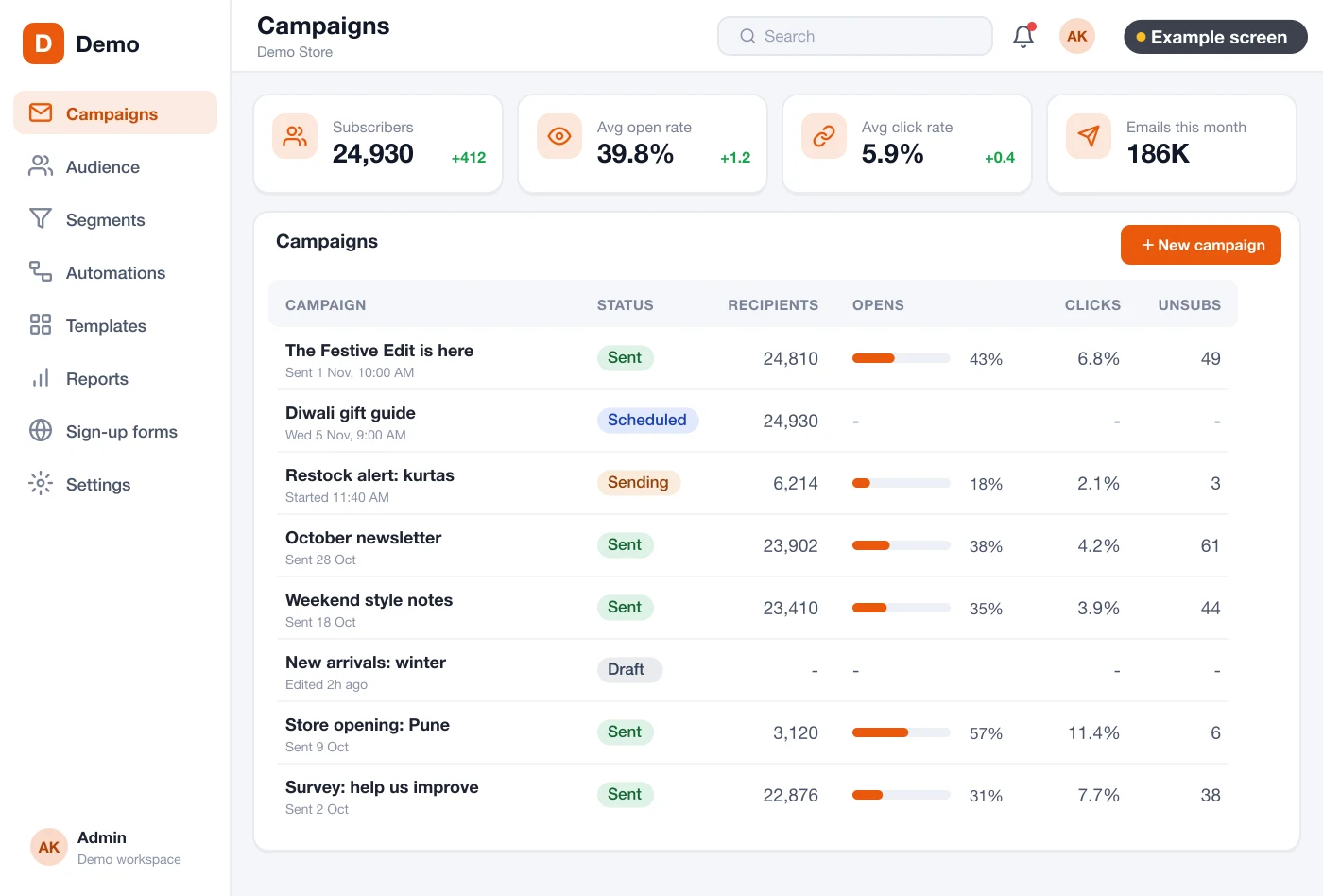
How a bulk send works, step by step
When you press Send, the software does not fire all emails at once. It runs a set of steps in the background.
- Pick the list. It takes the chosen segment and removes anyone who unsubscribed, bounced hard or complained before.
- Build each email. It fills in names, links and the unsubscribe link for each person.
- Queue the messages. Emails wait in a queue. Workers pick them up in small batches.
- Control the speed. It sends at a set rate per receiving domain, preventing Gmail or Yahoo from seeing a sudden flood.
- Handle replies from servers. A "try later" reply means retry. A "no such user" reply means remove the address.
- Record what happened. Delivered, bounced, opened, clicked and unsubscribed are saved per person.
This queue and worker setup is a common pattern in Node.js and Laravel back ends. We pick the stack that fits your team. For list cleaning and engagement scoring, Python scripts can run alongside.
The problem
Why large sends fail
Most bulk sending trouble comes from the same six causes.
- Old or bought lists. Many addresses are dead. A high bounce rate tells servers you do not know your readers.
- Missing domain records. No SPF, DKIM or DMARC means your mail looks forged.
- Too fast, too soon. A new domain that sends 100,000 emails on day one looks like spam.
- Hidden unsubscribe. People who cannot leave press "Report spam" instead.
- No bounce clean-up. The software keeps mailing dead addresses every week.
- Shared servers. On a shared tool, another sender's bad list can hurt your delivery.
The bulk sender rules you must follow
Gmail and Yahoo set firm rules for bulk senders from February 2024. Your software must make these the default, not an option.
Source: Google email sender guidelines and Yahoo Sender Hub sender guidance. Rules change, so check both pages before a large send.
One-click unsubscribe uses two email headers, List-Unsubscribe and List-Unsubscribe-Post. They are defined in RFC 8058. When a reader taps "Unsubscribe" in Gmail, the mail service sends a request to your server. Your software must then stop all marketing mail to that person.
Opt-in only. Bulk mail must go only to people who asked for it. In India, consent for personal data is covered by the Digital Personal Data Protection Act, 2023. Check with a lawyer before you import an old list or start a new kind of mailing.
Must-have features in bulk email software
1. Sending domains and warm-up
The admin should show each sending domain with its SPF, DKIM and DMARC status. A new domain should start small and grow its daily volume over a few weeks. The software can plan this warm-up and hold back the rest of the queue.
2. List cleaning before the send
Before a big send, the software should flag old addresses with no opens for months. It should also catch typos like "gmial.com" and filter out role addresses such as "info@" if you choose.
3. Segments that cut waste
A bulk send does not have to go to everyone. Pick people by city, last open or interest. A live count shows how many will get the email.
Sending to engaged readers first, and to quiet readers later, protects your spam rate. The rule builder should show this split before you send.
4. Bounce and complaint handling
A hard bounce means the address does not exist. It must go on a block list at once. A soft bounce, such as a full inbox, gets a few retries first. Spam complaints from feedback loops also go on the block list.
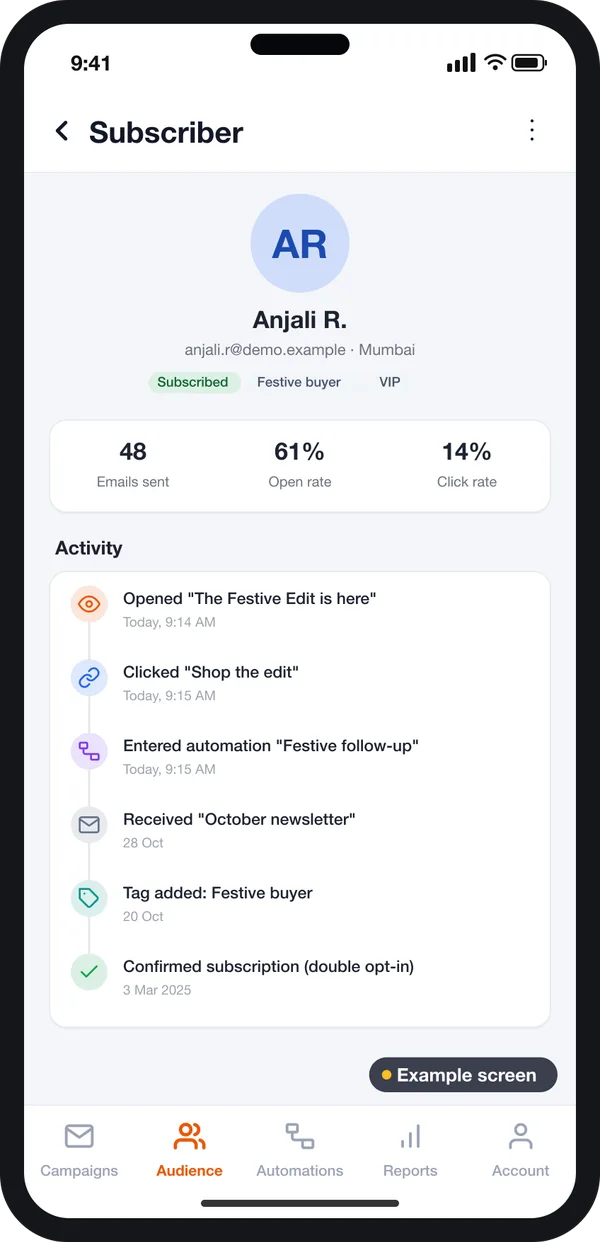
Per-person history
See each send, open, click and bounce for one reader.
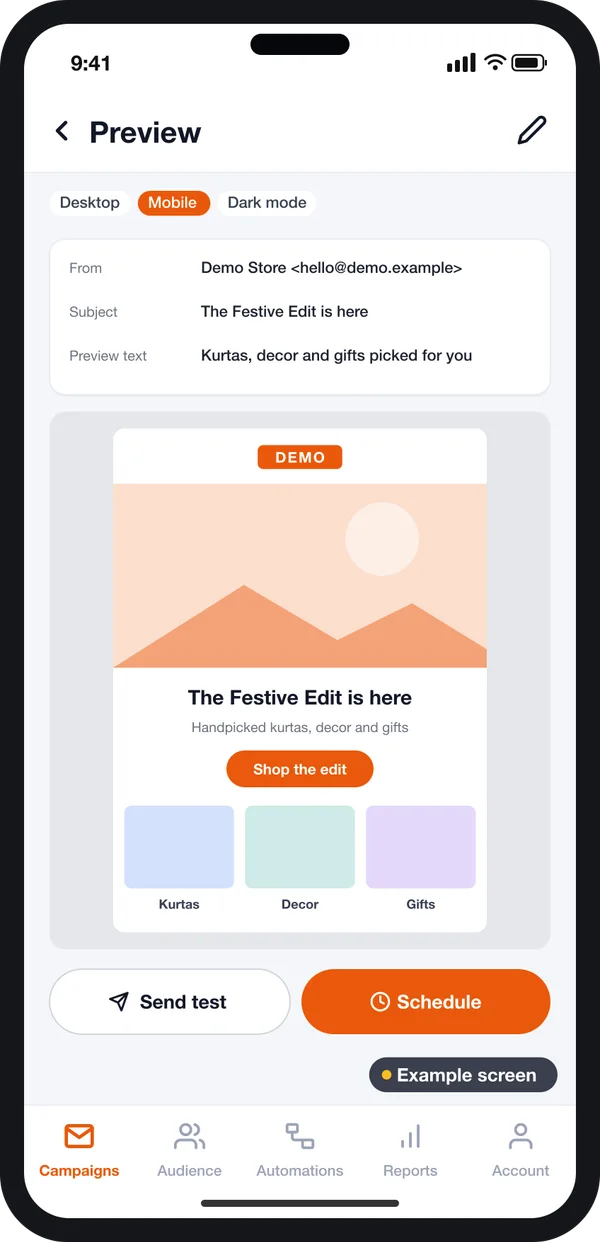
Test before the big send
Check sender, subject and preview text, then send a test.
5. Speed limits and send windows
You set how many emails go out per minute and per receiving domain. You can also send in a time window, such as 9 am to 11 am, so mail arrives when people read it.
6. Reports that show delivery, not only opens
Opens and clicks matter. Bulk senders also need the bounce, complaint and unsubscribe rates for every send. If one number jumps, the team should know before the next send. Banks and lenders that mail statements and offers need this most, and we also build banking and finance software.
Office mailbox vs rented tool vs your own bulk software
| What you need | Office mailbox | Rented bulk tool | Your own bulk software |
|---|---|---|---|
| Send to a large list | No, daily limits | Yes | Yes |
| One-click unsubscribe header | No | Yes | Yes |
| Bounces removed on their own | No | Yes | Yes |
| Speed set per receiving domain | No | Set by vendor | Set by you |
| Send logs kept on your server | No | No | Yes |
| Cost as the list grows | Not possible | Higher plan | Sending and server costs only |
| Source code | No | No | Yes |
Worked example: a weekly news email to 200,000 readers
A regional news publisher wants to send a Sunday digest. The numbers are examples.
- Clean the list. The software flags 18,000 readers with no opens in six months. The editor moves them to a separate "win back" send.
- Split by engagement. Readers who opened in the last 30 days go first, at 7 am.
- Send in batches. The queue sends at a fixed rate per domain. Gmail, Yahoo and Outlook each get their own pace.
- Handle bounces. 900 hard bounces are blocked at once. Soft bounces retry three times over the day.
- Watch the numbers. The phone app shows the complaint rate staying low. The second batch goes at 10 am.
- Process unsubscribes. 400 readers tap unsubscribe in their mail app. The software stops them before the next send.
Our service
How we build your own bulk email software
A sending engine sized for your list and your pace.
- Measure your sending. We look at list size, send days, peaks and current bounce rates in one or two calls.
- Design the admin. You see screen designs first: lists, segments, sends and reports.
- Build the engine. Queue, workers, speed limits, retries and bounce handling, on servers that can scale for peak days.
- Set up your domain. SPF, DKIM, DMARC and the one-click unsubscribe endpoint, tested with real inboxes.
- Warm up and test. We start with small sends to engaged readers and grow the volume step by step.
- Launch and support. Your brand and your data. We add a phone app for reports if you need one.
Bulk email software development cost: what decides it
We do not publish a fixed price. The cost of bulk email software depends on a few things. How many emails will you send per month, and at what peak? Do you need your own mail servers or a sending service? How many teams and roles will use it? Must it connect to your CRM, website or app? Will you offer it to other companies as a SaaS product?
| Monthly bulk email plan | Custom bulk email software | |
|---|---|---|
| Start | Same day | A few weeks to build |
| Cost as you grow | Rises with contacts and sends | One build cost, then sending and hosting |
| Speed and retry rules | Set by vendor | Set by you |
| Sending logs and list | With the vendor | On your server |
| Source code | Not yours | Yours |
Tell us your list size, send pattern and systems. We send a written quote after one call.
Whoever builds your bulk email software, make sure it can:
- Queue and send in batches, with speed limits per receiving domain
- Show SPF, DKIM and DMARC status for each sending domain
- Add List-Unsubscribe and List-Unsubscribe-Post headers to marketing mail
- Block hard bounces and complaints at once
- Retry soft bounces a set number of times
- Plan a warm-up for a new domain
- Show bounce, complaint and unsubscribe rates per send
- Keep full send logs that you can export
FAQ
What is bulk email software?
It is software that sends one email, or many personal versions of it, to a large list. It queues the mail, controls the speed, handles bounces and unsubscribes, and reports the results.
How long does it take to build bulk email software?
It depends on your volume, roles and links to other systems. After one call, we share a plan with dates. You see the admin screens before we write code.
Will I own the software and the source code?
Yes. We build it under your brand and hand over the source code. Your list and your send logs stay on your server.
Can I send bulk email from Gmail or Outlook instead?
No. Normal mailboxes have daily sending limits and no bulk unsubscribe or bounce handling. Large sends from them often get blocked.
Do I need my own mail servers?
Not always. Many platforms send through a paid sending service while you keep the list and the logic. We help you pick the option that fits your volume.
How do you keep bulk emails out of spam?
We set SPF, DKIM and DMARC, add one-click unsubscribe, warm up new domains and remove bounces at once. Sending only to opted-in readers matters most.
Is my subscriber data safe?
It stays on a server you control. Staff log in with roles, exports are logged, and passwords and keys are kept out of the code.
Which platforms do you build for?
The admin runs in a web browser. We can add an Android and iPhone app so managers can check sends and reports on the move.
Can PRS India build bulk email software for my company?
Yes. We build bulk sending platforms with a queue, domain checks, bounce handling and reports, under your brand. Book a consultation and we will show screens for your sending plan.
Related guides
Written by
Aditi
Building software at PRS India.