Best Email Marketing Software in India: Build Your Own
How to choose email marketing software in India, and when it pays to build your own under your brand, with your data and your sending domain.

Written by Prabhjot Kaur, Product Manager
Reviewed by the PRS India software & mobile app development team
11 min read
Written from production. Our articles draw on products we run live and the client work behind them, and are revised as the systems they describe evolve.
Many Indian businesses search for the "best" email marketing software. Then they find out the answer depends on them. How many contacts do they have? Do they bill in rupees? Who owns the list? Where does the data sit? Does the tool still fit when the list grows ten times?
This guide gives you a checklist to judge any email tool on those points. It also covers the other path: building your own email marketing platform. That means your brand on the screens, your contacts in your own database and mail sent from your own domain. We explain what such a platform does, and how PRS India builds it.
Key takeaways
- There is no single right tool. Pick the one that fits your list size, your team and your data rules.
- Gmail and Yahoo now have firm rules for bulk senders. Any tool you choose must support them.
- In India, consent and data handling fall under the DPDP Act, 2023. Your tool must record who agreed and when.
- Monthly plans charge more as your list grows. Your own platform is a one-time build plus running costs.
- A custom build gives you your brand, your data, your sending domain and the source code.
What email marketing software does
Email marketing software sends planned emails to people who asked to hear from you. It keeps your contact list. It lets you write an email, pick who gets it and send it now or later. Then it shows who opened it, who clicked and who left the list.
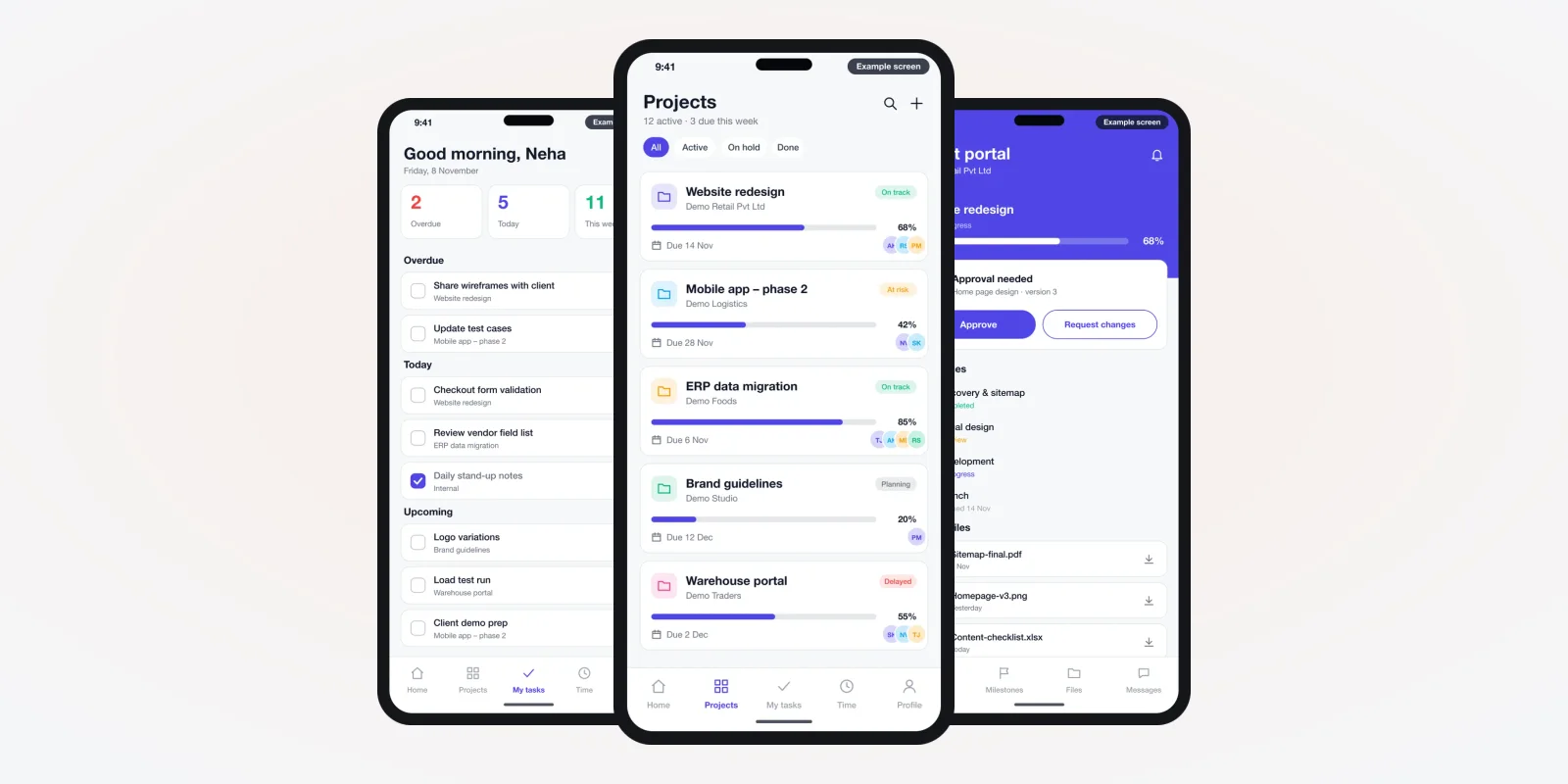
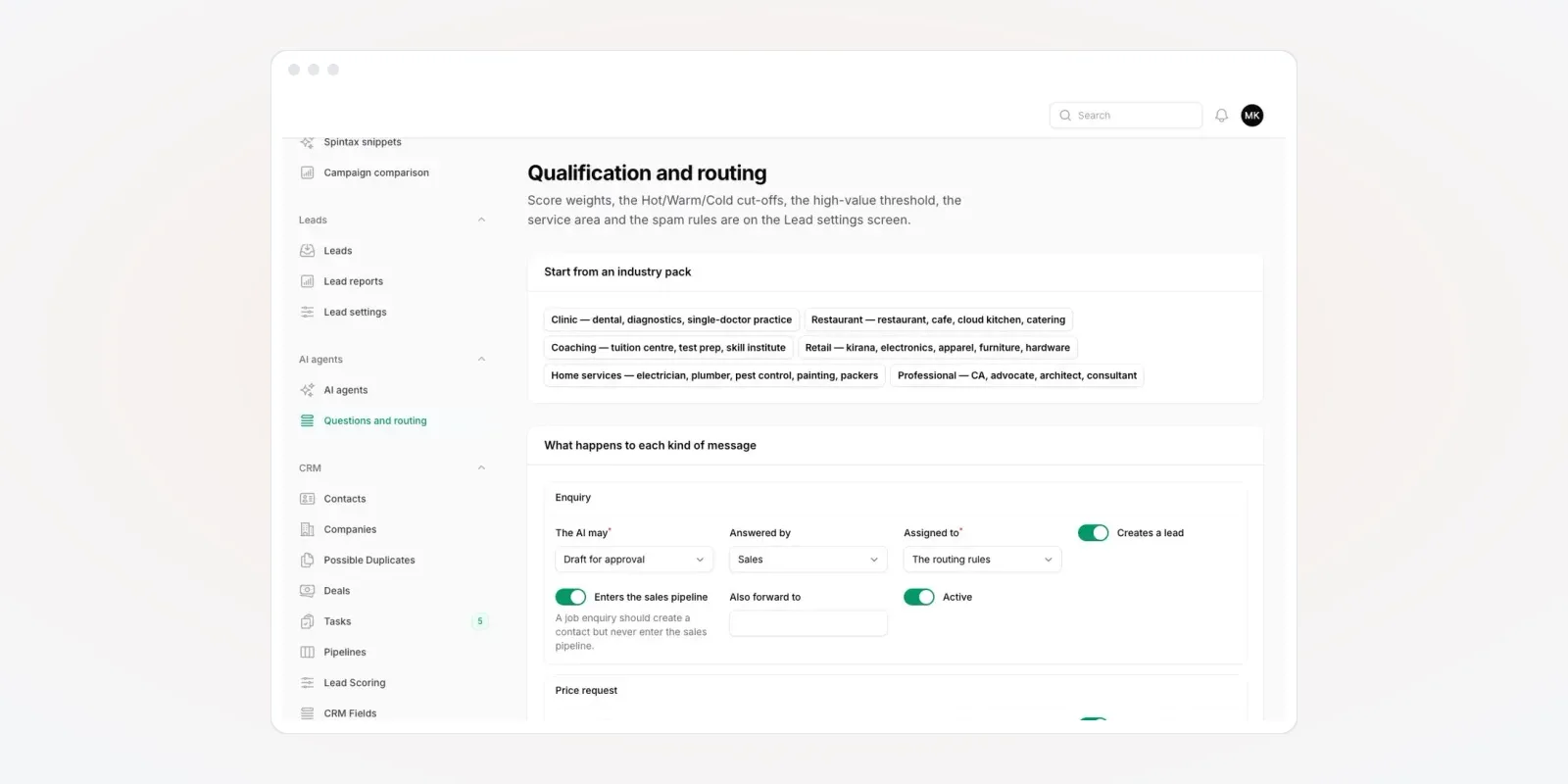
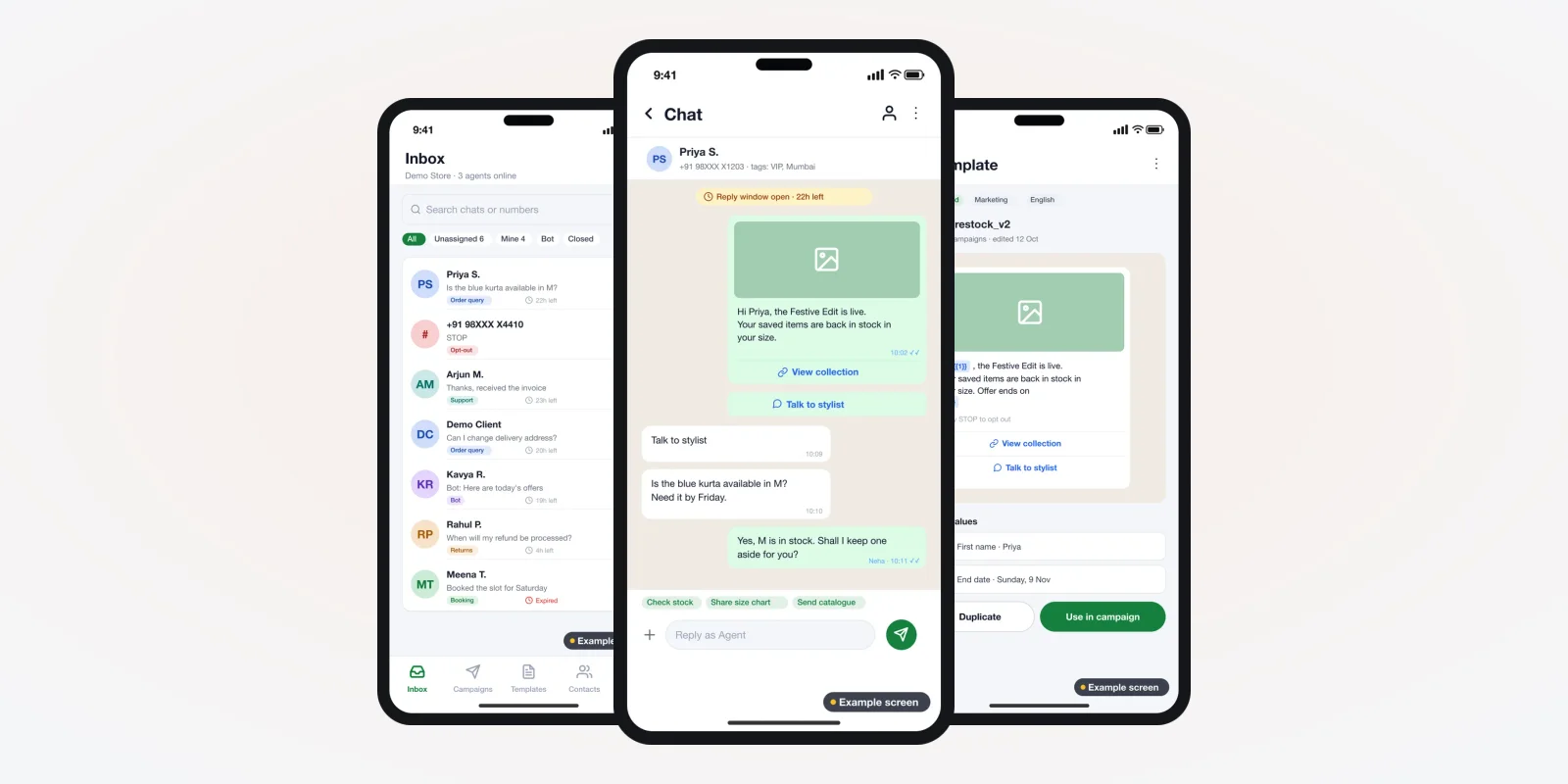
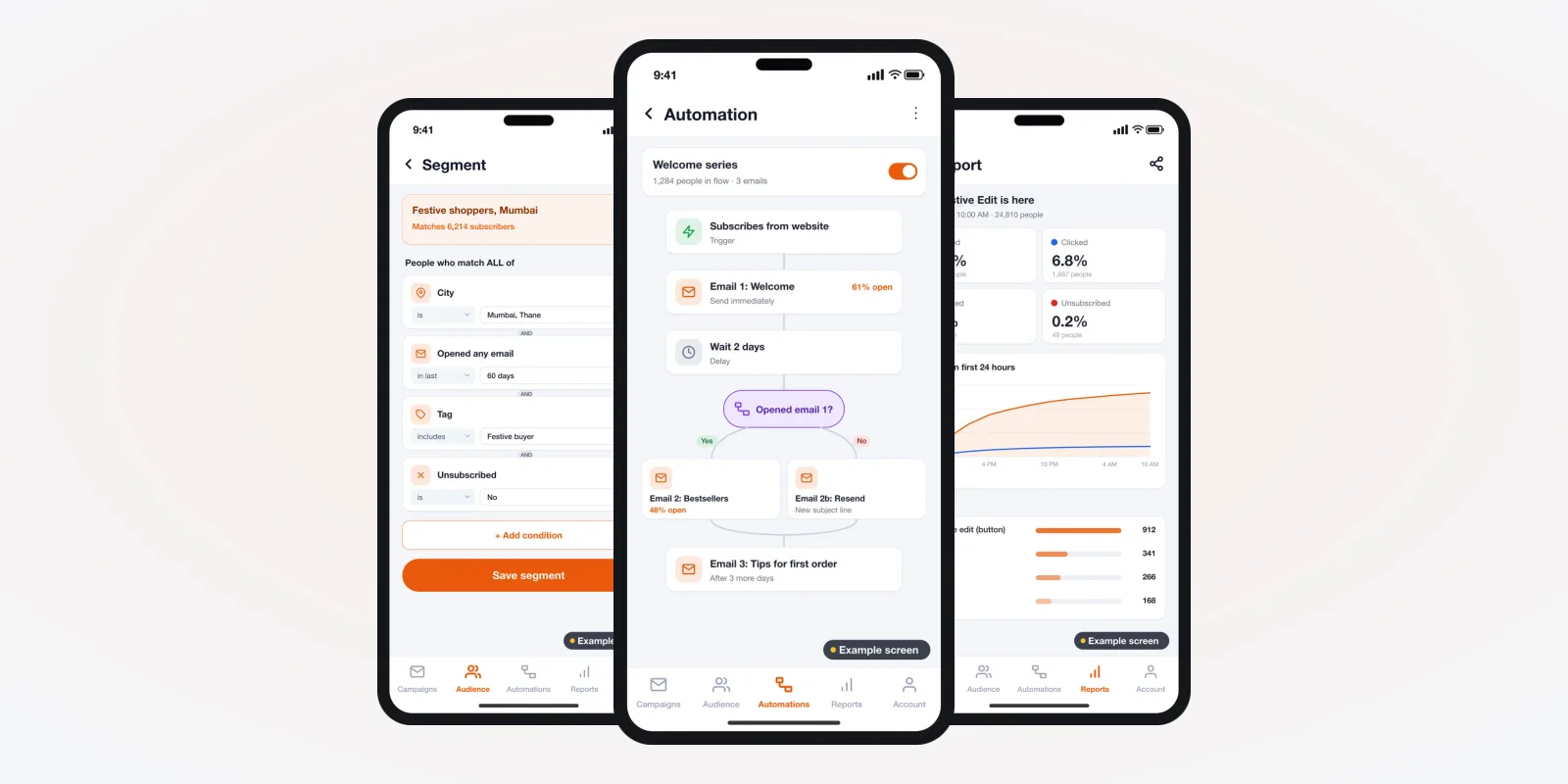
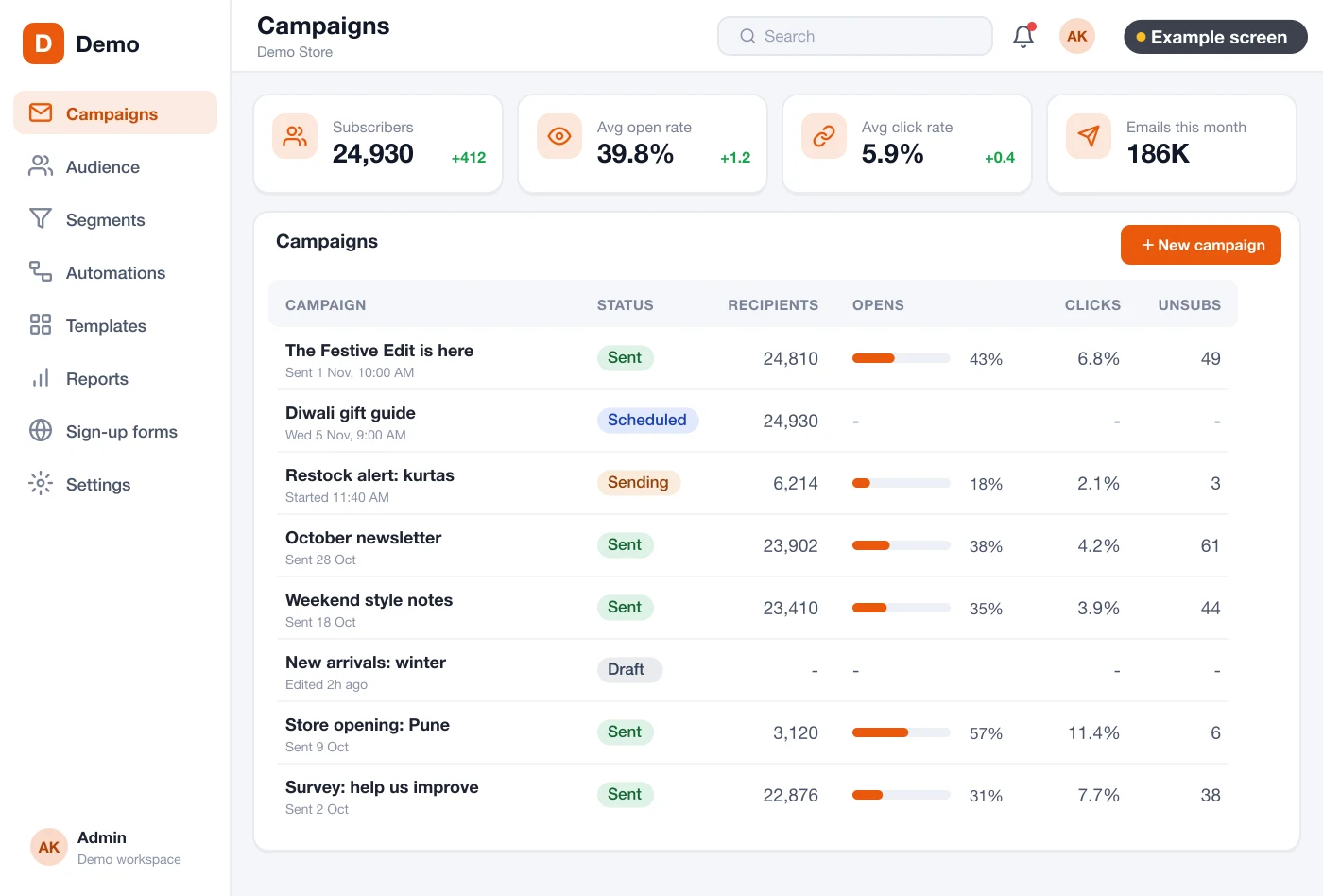
Most tools do five jobs: keep contacts, design emails, send them, run automatic series and report results. The screens below are an example design we drew for an email platform. They are not a live product, and we build each platform fresh for the client. You can see software we have built before on our products page.
The problem
Where Indian businesses get stuck with email tools
We hear the same six problems from businesses that rent an email tool today.
- The bill grows with the list. Each new thousand contacts moves you to a higher plan, even if you send less.
- Billing in dollars. The card is charged in foreign currency, and the GST invoice is hard to get.
- Your list sits with them. If the account is paused, you cannot reach your own contacts.
- Their logo, not yours. Sign-up forms and unsubscribe pages show the tool's name.
- No link to your own systems. Orders, fees or bookings stay in your software. The email tool cannot see them.
- Mail lands in spam. Shared sending servers carry other senders' bad habits.
How to choose email marketing software in India
Use these seven points to judge any tool, rented or built. Score each one before you sign.
1. Does it follow the Gmail and Yahoo sender rules?
Ask if the tool lets you set up SPF, DKIM and DMARC for your own domain. Ask if every marketing email carries a one-click unsubscribe. Without these, your mail may not reach the inbox.
2. Can you build groups from your own fields?
You should be able to pick people by city, last purchase, course, branch or language. Tags alone are not enough once the list grows.
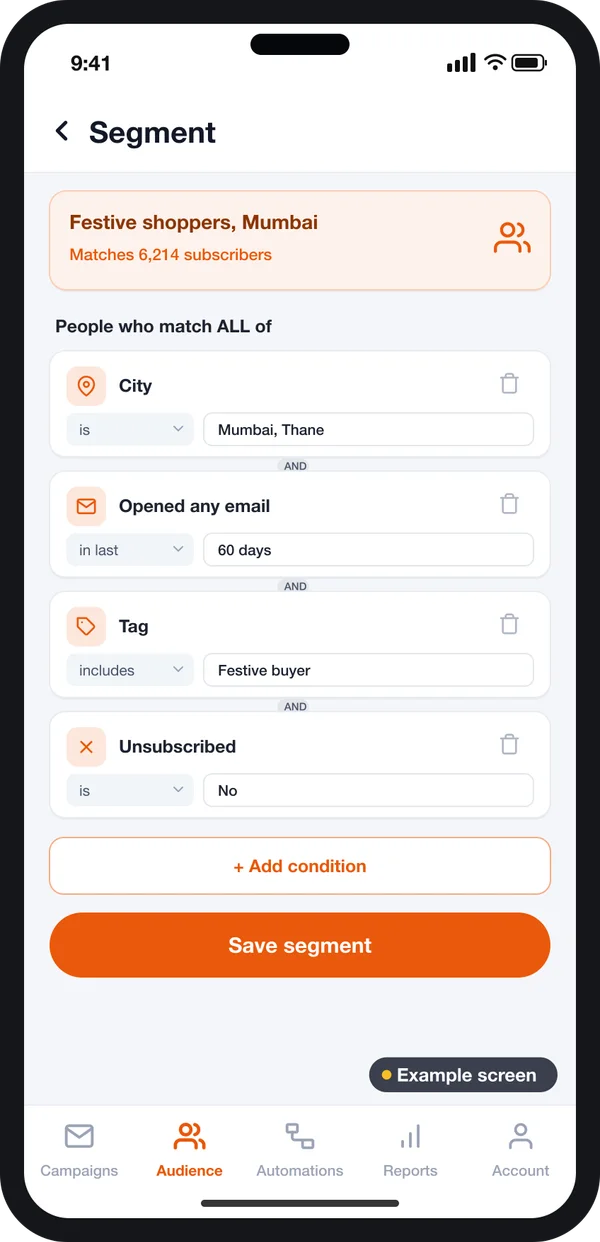
A segment screen should let you mix rules. For example: people in Pune, who opened an email in the last 30 days, and who are still subscribed. The count should update as you add each rule.
This matters in India, where one brand may sell in many cities and languages. Sending one email to everyone wastes sends and annoys people.
3. Can your team design emails without code?
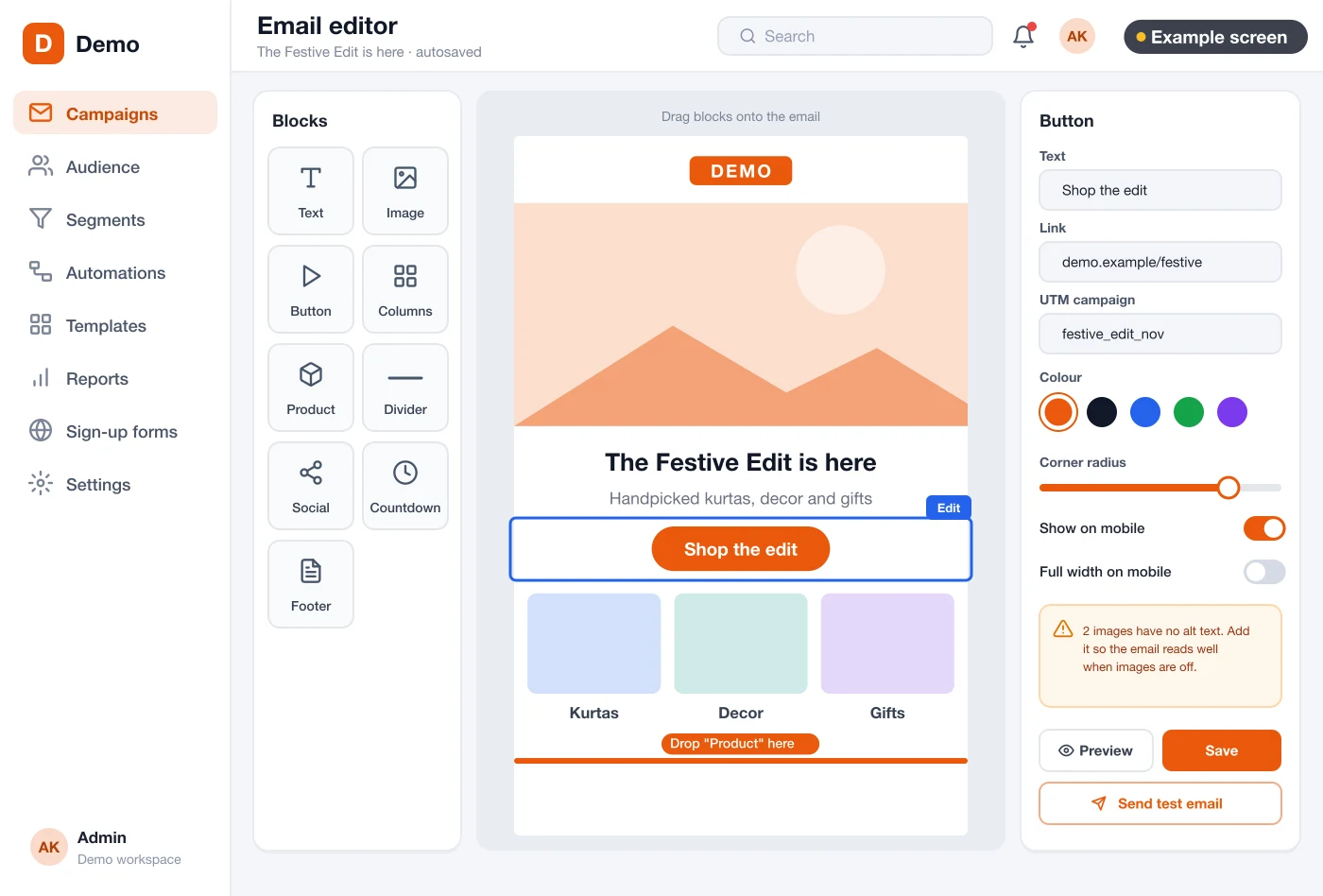
A drag-and-drop editor lets staff add text, images and buttons. They should see a phone preview before sending, because most people read mail on their phone.
4. Does it run automatic series?
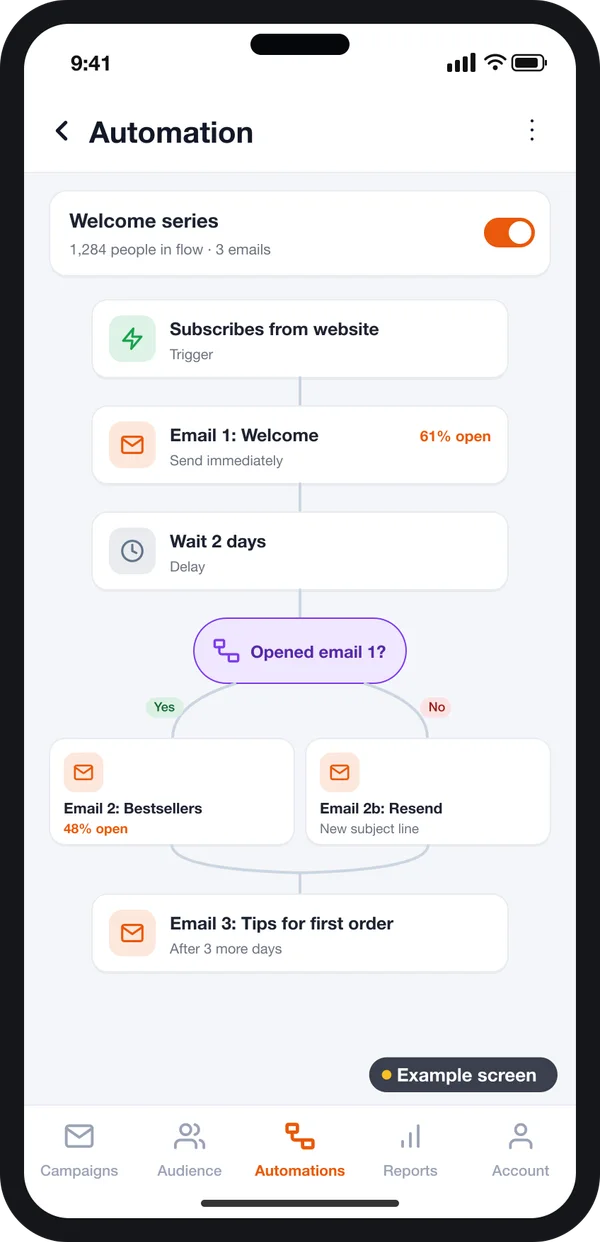
A welcome series, a birthday email or a reminder after 60 quiet days should run on its own. Check that the tool can branch: one email if they opened, another if they did not.
5. Are the reports clear?
You need opens, clicks, bounces and unsubscribes for each email. You also need the links people clicked most. Owners should read this on a phone.
Automatic series
Trigger, wait, send, then branch on opened or not opened.
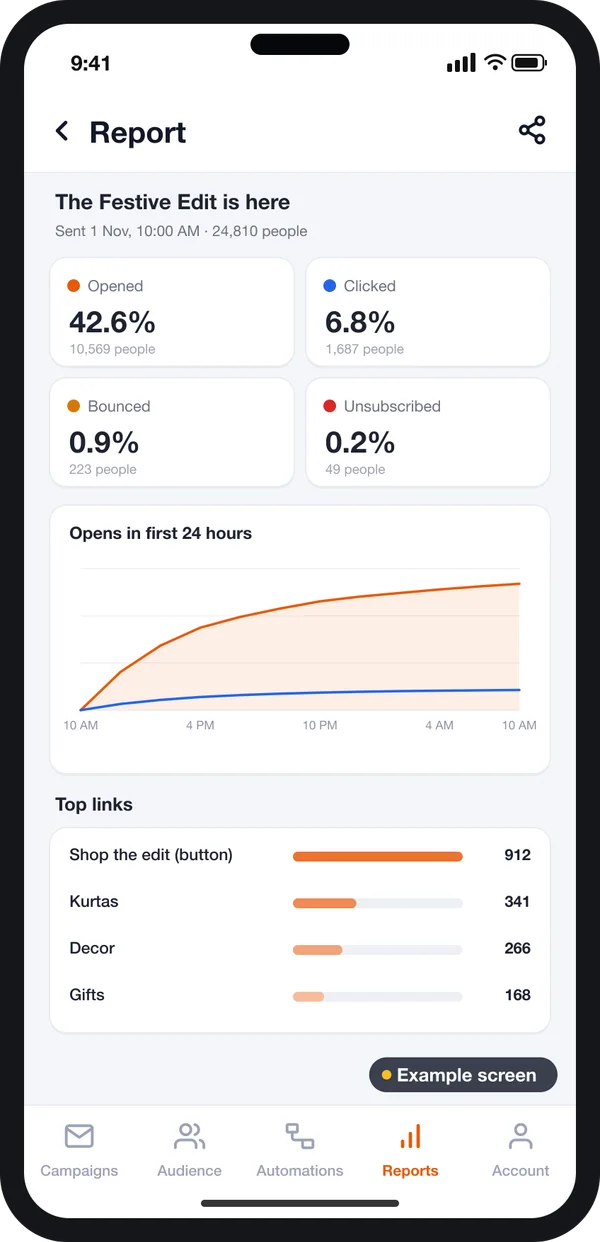
Report per email
Open, click, bounce and unsubscribe rates, with opens over time.
6. Who holds the data, and where?
Ask where contacts are stored and how you export them. Ask how consent is recorded. Under Indian law, this is your duty, not only the tool's.
7. What will it cost in three years?
Do not compare only the first month. Work out the cost when your list is three or five times bigger. Add the cost of extra users and add-ons.
Gmail and Yahoo rules for bulk senders
Since February 2024, Gmail and Yahoo check every sender more closely. These rules apply to any tool you use, so check them first.
Source: Google email sender guidelines and Yahoo Sender Hub sender guidance. Check both pages for the current rules before you send.
DMARC tells the receiving server what to do with mail that fails the domain checks. It is set out in RFC 7489. A platform built for you should guide you through the DNS records for your own domain, step by step.
Send only to people who opted in. Bought lists and pre-ticked boxes break the sender rules and can get your domain blocked. In India, the Digital Personal Data Protection Act, 2023 also sets rules on consent for personal data. Check with a lawyer how it applies to your business.
Rented email tool vs your own email platform
| Point | Rented monthly tool | Your own platform (built for you) |
|---|---|---|
| Brand on forms and pages | Tool's name often shown | Your name and logo only |
| Contacts and history | Stored on the vendor's servers | Stored in your database |
| Bill as the list grows | Moves to a higher plan | Only sending and server costs grow |
| Link to your orders, fees or bookings | Through add-ons, if offered | Built in from day one |
| Fields and groups | Fixed by the vendor | Your own fields and rules |
| Source code | Not yours | Yours |
A rented tool can be right for a first list of a few hundred people. Your own platform makes sense when email is a main sales channel. It also fits when you need the data inside your own CRM or store.
What your own email platform keeps on every contact
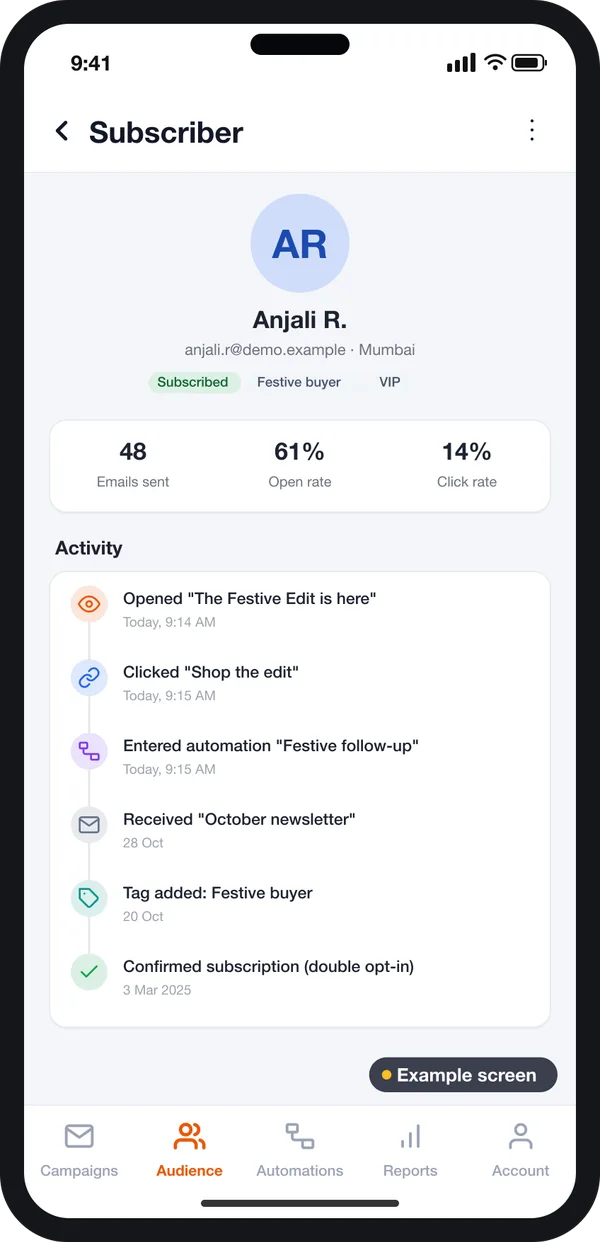
Each contact gets one profile. It shows how they joined, when they gave consent and which tags they carry. It also shows every email sent, opened and clicked.
Because the platform is yours, we can add your own fields. A school can add class and branch. A clinic can add the last visit date. A shop can add the last order value. This is where a custom web application beats a fixed form.
Worked example: a coaching institute in Jaipur
Here is how one business could use its own email platform. The names and numbers are examples. We also build software for schools and coaching centres, so this is a common case.
- Sign-up. A student fills the enquiry form on the website and ticks "Send me course updates". The platform saves the date, time and form name as proof of consent.
- Welcome series. Email 1 goes the same hour with the course list. Email 2 goes after two days with a demo class link.
- Branch on opens. Students who did not open email 2 get a short reminder with a new subject line.
- Group by city. The team sends a batch-start email only to students in Jaipur and Kota.
- Report. The owner sees on the phone app which subject line got more opens.
- Unsubscribe. A student taps unsubscribe in Gmail. The platform removes them at once and records the date.
Our service
How we build your own email marketing platform
A platform shaped around your list, your team and your systems.
- Understand your sending. We map your lists, emails, team roles and reports in one or two calls.
- Design the screens. You click through screen designs first, like the ones in this guide, and change them before coding.
- Build the platform. A web admin and editor, often on Laravel with a React front end. A phone app for reports if you want one.
- Set up sending. We connect a sending service or mail servers, and set SPF, DKIM and DMARC on your domain.
- Test with your team. Your staff send real test campaigns to their own inboxes. We fix what they find.
- Launch and support. Your brand, your server, your data. We add features as you grow.
Email marketing software development cost: what decides it
We do not publish a fixed price, because each platform is different. The cost depends on a few things. How many screens and roles do you need? Do you want a phone app? How many systems must it connect to, such as your store, ERP or CRM? How many emails will you send each month? Will other companies use it too?
| Monthly email tool | Custom email platform | |
|---|---|---|
| Start | Same day | A few weeks to build |
| Cost over years | Rises with contacts and users | One build cost, then sending, hosting and optional support |
| Your fields and links to your systems | Limited | Built the way you work |
| Your brand | Often partial | Full |
| Data and source code | With the vendor | Yours |
Share your list size, sending plan and systems. We send a clear written quote after one call.
Whoever builds your email platform, make sure it can:
- Send from your own domain with SPF, DKIM and DMARC set up
- Add a one-click unsubscribe header to every marketing email
- Record when and where each person gave consent
- Stop sending to hard bounces and complainers on its own
- Build groups from your own fields, not only tags
- Run automatic series with branches
- Show reports per email, on web and phone
- Export all your contacts and history at any time
FAQ
What is the best email marketing software in India?
The right tool is the one that fits your list size, team and data rules. Check sender rule support, groups, editor, automation, reports, data location and cost over three years. If email is a main sales channel, building your own platform is worth comparing.
How long does it take to build an email marketing platform?
It depends on the screens, roles and links to your systems. After one call, we share a plan with dates for each part. You see clickable screens first.
Will I own the platform and the source code?
Yes. We build it under your brand and hand over the source code. Your contacts stay in your own database.
Which platforms do you build for?
The main admin and editor run in a web browser. We can add an Android and iPhone app for reports, approvals and quick sends.
Is my contact data safe on my own platform?
It sits on a server you control. We add logins with roles, so each staff member sees only what they need. We also log who exported data and when.
Do I still need SPF, DKIM and DMARC with my own platform?
Yes. Gmail and Yahoo check these records on every sender. We set them up on your domain as part of the launch.
Can I bring my existing contact list?
Yes, if those people agreed to get your emails. We import the list with tags and consent dates. People who never opted in should not be mailed.
Can the platform connect to my website and store?
Yes. We connect sign-up forms, your store, your CRM or your booking system. Contacts and orders then flow in on their own.
Can PRS India build an email marketing platform for my business?
Yes. We build custom email platforms with a web admin, editor, automation and reports, plus a phone app if needed. Book a consultation and we will show screens for your process.
Related guides
Written by
Prabhjot Kaur · Product Manager
Product Manager at PRS India. Turns what a client needs into a screen-by-screen plan for the app, and checks every release against that plan before it goes out.